D
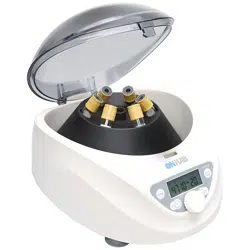
DM0506 Low Speed Centrifuge
Packing List
Main unit ×1, A6-15P rotor× 1, Simple user manual x 1
澳
Installation
1) Unpack and place the centrifuge on a solid and level work bench.
2) Keep proper working condition. Keep the ambient temperature at 15°C-25°C
3) No exposure to direct sunlight or extreme temperature higher than 30°C
4) Keep a distance >10cm from other objects to facilitate ventilation.
5) Keep the centrifuge from heat source, liquid or chemicals while operating.
1.
Rotor Preparation
1) Prepare the samples to be separated.
2) Place samples into the centrifuge tube漡The amount of sample should not exceed
the allowed maximum amount set forth in this user manual.
3) Ensure the balance between centrifuge tubes. It is recommended to weight the
tubes with scale to check the balance.
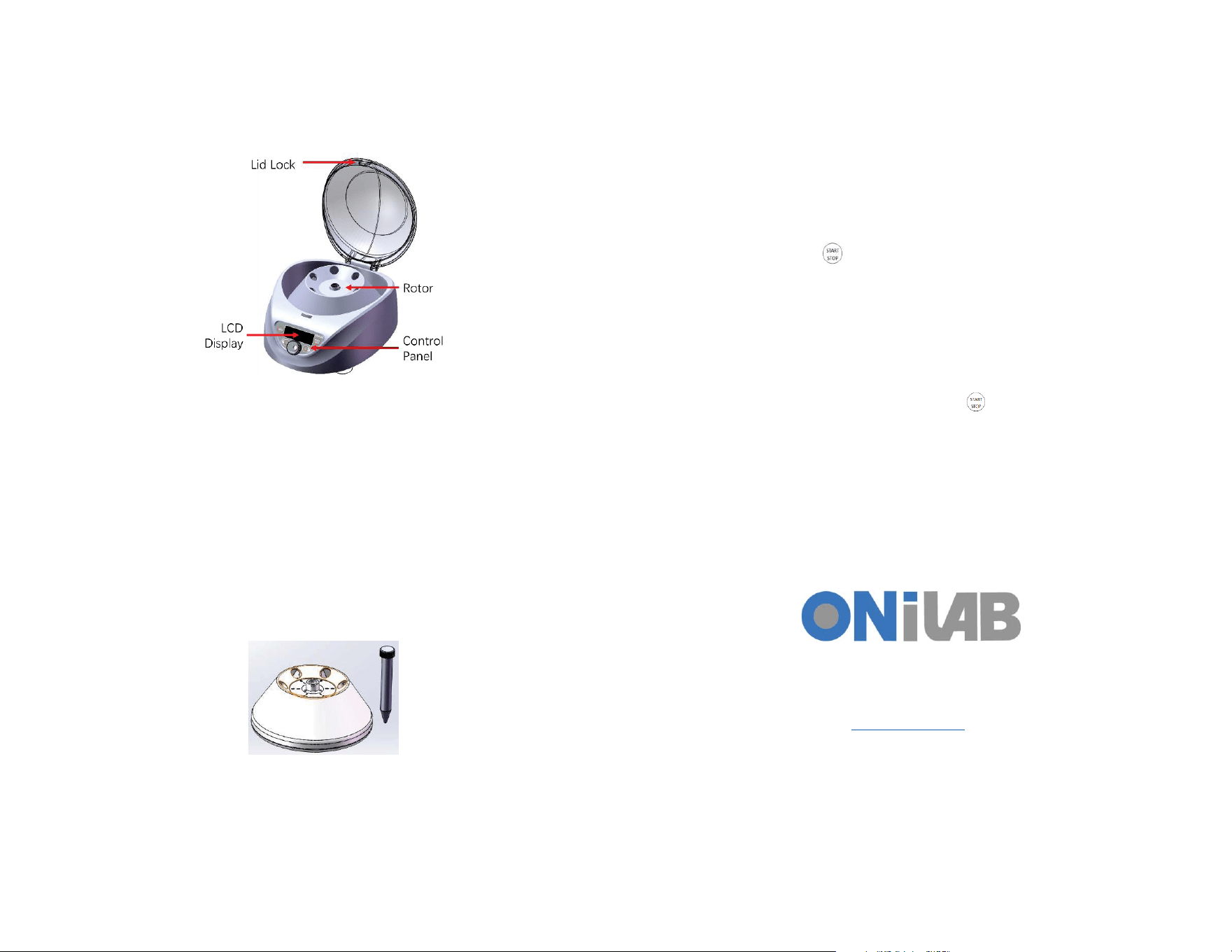
4) Install or replace the rotor. Rotate the rotor and screw the nut to lock it tightly.
5) Ensure the tubes are balanced. Insert the tubes symmetrically onto the rotor. Fix the
rotor lid tightly to the rotor (if there is a lid).
澳
澳
2.
Program Settings
1) Press P1 or P2 button to load the corresponding predefinedprogram settings. Press
and hold P1 or P2 button to activate the edit mode. Press P1/P2 buttons to switch
betweenspeed, timer and RCF parameters. Rotate the knob to adjust the parameter.
Wait for 7 seconds and the settings of the corresponding program will be updated.
2) Orrotate the knob to cycle between speed, RCF and timer settings. Press the knob to
edit the current settings. The speed, RCF or timer will blink on the display, indicating
which settings is currently being edited. Rotate the knob clockwise to increase the
parameter and counter-clockwise to decrease it.
3) Adjust the speed from down to 300 rpm by steps of 10 rpm. Adjust the timer from
30 seconds to 99 minutes, or disable it by setting it to “HD”.
4) Press and hold the knob for 5 seconds, after a beep sound, you can adjust the
deceleration between 2 levels by rotating the knob.
澳
3.
Run
1) Press the Start/Stop Key to run the current centrifuge program. The timer will
start to count down when the target speed is reached.
2) Review and modify the setting while running. Press the knob to go back to settings
screen. Follow the instruction 2.2) to switch settings and adjust parameters. Wait for
5 seconds and the settings will be updated. The running screen will be displayed.
The timer will continue to count down without reset.
澳
4.
Stop
濪濻濸瀁澳瀇濻濸澳瀇濼瀀濸澳濼瀆澳瀈瀃澳瀂瀅澳瀌瀂瀈澳瀃瀅濸瀆瀆澳瀇濻濸澳濦瀇濴瀅瀇濂濦瀇瀂瀃澳濾濸瀌澳 澳瀊濻濼濿濸澳瀅瀈瀁瀁濼瀁濺澿澳瀇濻濸澳濶濸瀁瀇瀅濼濹瀈濺濸澳
瀊濼濿濿澳瀆瀇瀂瀃澳瀅瀈瀁瀁濼瀁濺濁澳濜瀇澳瀊濼濿濿澳瀈瀁濿瀂濶濾澳瀇濻濸澳濿濼濷澳濴瀈瀇瀂瀀濴瀇濼濶濴濿濿瀌澳瀊濻濸瀁澳瀇濻濸澳瀅瀂瀇瀂瀅澳濹瀈濿濿瀌澳瀆瀇瀂瀃瀆濁澳濢瀃濸瀁澳
瀇濻濸澳濿濼濷澳濴瀁濷澳瀇濴濾濸澳瀂瀈瀇澳瀇濻濸澳瀅瀂瀇瀂瀅澳濴瀁濷澳瀆濴瀀瀃濿濸瀆濁澳
澳
5.
Manual Lid Open
濧濻濸澳濿濼濷澳瀊濼濿濿澳濵濸澳濿瀂濶濾濸濷澳濼濹澳瀇濻濸澳瀃瀂瀊濸瀅澳濼瀆澳濴濶濶濼濷濸瀁瀇濿瀌澳濶瀈瀇澳瀂濹濹澳濹瀅瀂瀀澳瀇濻濸澳濶濸瀁瀇瀅濼濹瀈濺濸澳濹瀂瀅澳瀆濴濹濸瀇瀌澳
瀅濸濴瀆瀂瀁瀆濁澳濖瀂瀁瀁濸濶瀇澳瀇濻濸澳瀃瀂瀊濸瀅澳濴瀁濷澳瀃瀅濸瀆瀆澳瀇濻濸澳濗瀂瀂瀅澳濵瀈瀇瀇瀂瀁澳瀇瀂澳瀂瀃濸瀁澳濼瀇濁澳濢瀅澳瀃瀈濿濿澳瀇濻濸澳濿濸瀉濸瀅澳濴瀇澳
瀇濻濸澳瀅濼濺濻瀇澳濵瀂瀇瀇瀂瀀澳瀂濹澳瀇濻濸澳濶濸瀁瀇瀅濼濹瀈濺濸澳瀇瀂澳瀇濻濸澳瀅濼濺濻瀇濁澳澳
澳
ONiLAB LLC.
Add: 18150 Rowland st. City of Industry, CA 91748
www.onilabsci.com
