
Technical Support and E-Warranty Certificate www.vevor.com/support
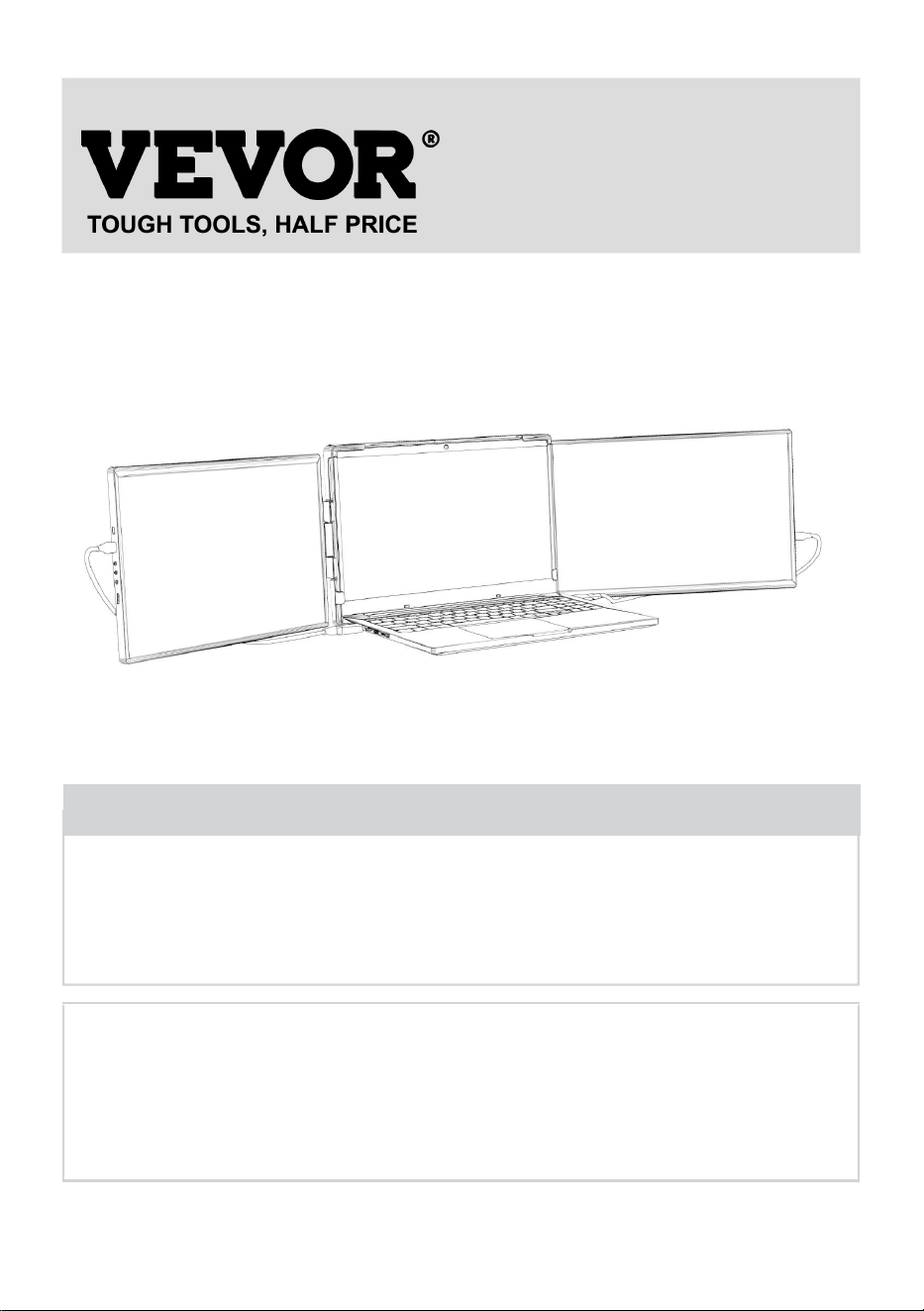
COMPUTER MONITORS
USER MANUAL
MODEL NO.: DR145
We continue to be committed to provide you tools with competitive price.
"Save Half", "Half Price" or any other similar expressions used by us only represents an
estimate of savings you might benefit from buying certain tools with us compared to the major
top brands and does not necessarily mean to cover all categories of tools offered by us. You
are kindly reminded to verify carefully when you are placing an order with us if you are
actually saving half in comparison with the top major brands.
- 1 -
MODEL NO.: DR145
Have product questions? Need technical support? Please feel free to
contact us:
Technical Support and E-Warranty Certificate
www.vevor.com/support
NEED HELP? CONTACT US!
This is the original instruction, please read all manual instructions
carefully before operating. VEVOR reserves a clear interpretation of our
user manual. The appearance of the product shall be subject to the
product you received. Please forgive us that we won't inform you again if
there are any technology or software updates on our product.
Computer Monitors

- 2 -
WARNING:
Please read this manual carefully before using the product. Failure to
do so may result in serious injury.
USE PRECAUTIONS
Before setting up this Type-C Portable Display, carefully read all the
documentation that came with the package.
To prevent fire or shock hazard, never expose this Type-C Portable
Display to rain or moisture.
Never try to open this Type-C Portable Display cabinet.
Before using this Type-C Portable Display, make sure all cables are
correctly connected and the power cables are not damaged.
Avoid dust,humidity,temperature extremes and bumpy places.
Never push objects or spill liquid of any kind into the slots on this
Type-C Portable Display cabinet.
Compatibility: Our laptop monitor extenders are suitable for 13"-17" laptops
Length: 14.1-17 inches
Height: ≥8.46 inches
Thickness: ≤0.27 inches
SAVE THESE INSTRUCTIONS
- 3 -
TECHNICAL SPECIFICATIONS
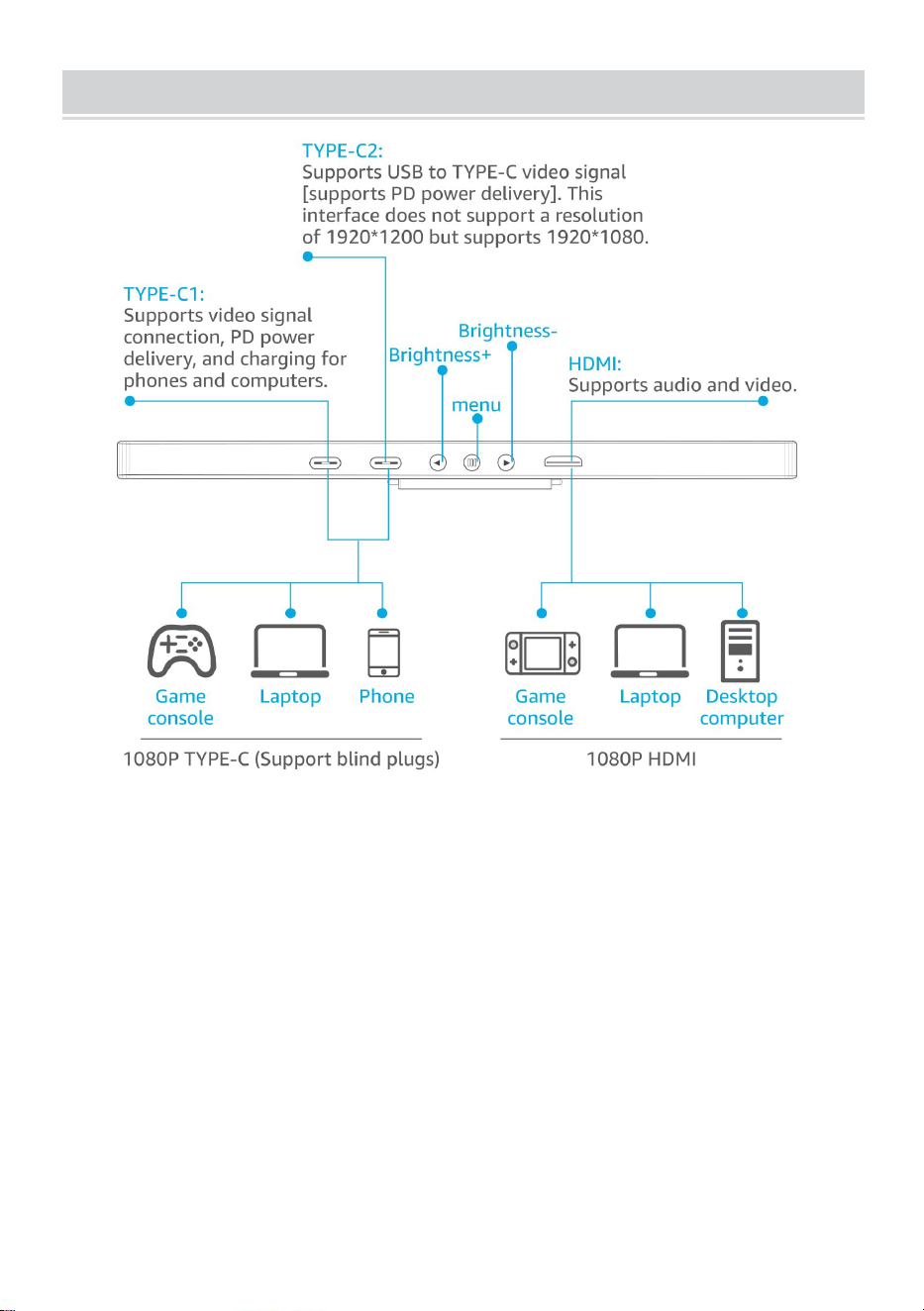
Model
DR145
Product Dimensions
(LxWxH)
(955-1055)*215*20 mm
Packing Size(LxWxH)
410*280*85 mm
Screen Size
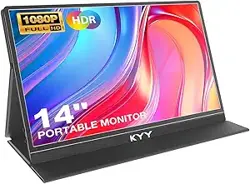
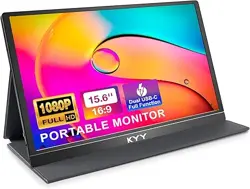
14 inch
Resolution
1920*1200 IPS
Color Gamut
45%NTSC
Brightness
250CD/M²
Contrast Ratio
1000:1
Wired Screen Mirroring
(Requires full-featured Type-C
support)Compatible with Android,
Windows,Harmony OS, MAC OS.
USB Cable
TYPE-C cable
Monitors Quantity
2 PCS
Net Weight
About 2 kg
Gross Weight
About 2.8 kg
*Products such as specifications, appearance, and design are
subject to modification without prior notice.
- 4 -
MONITOR INTRODUCTION
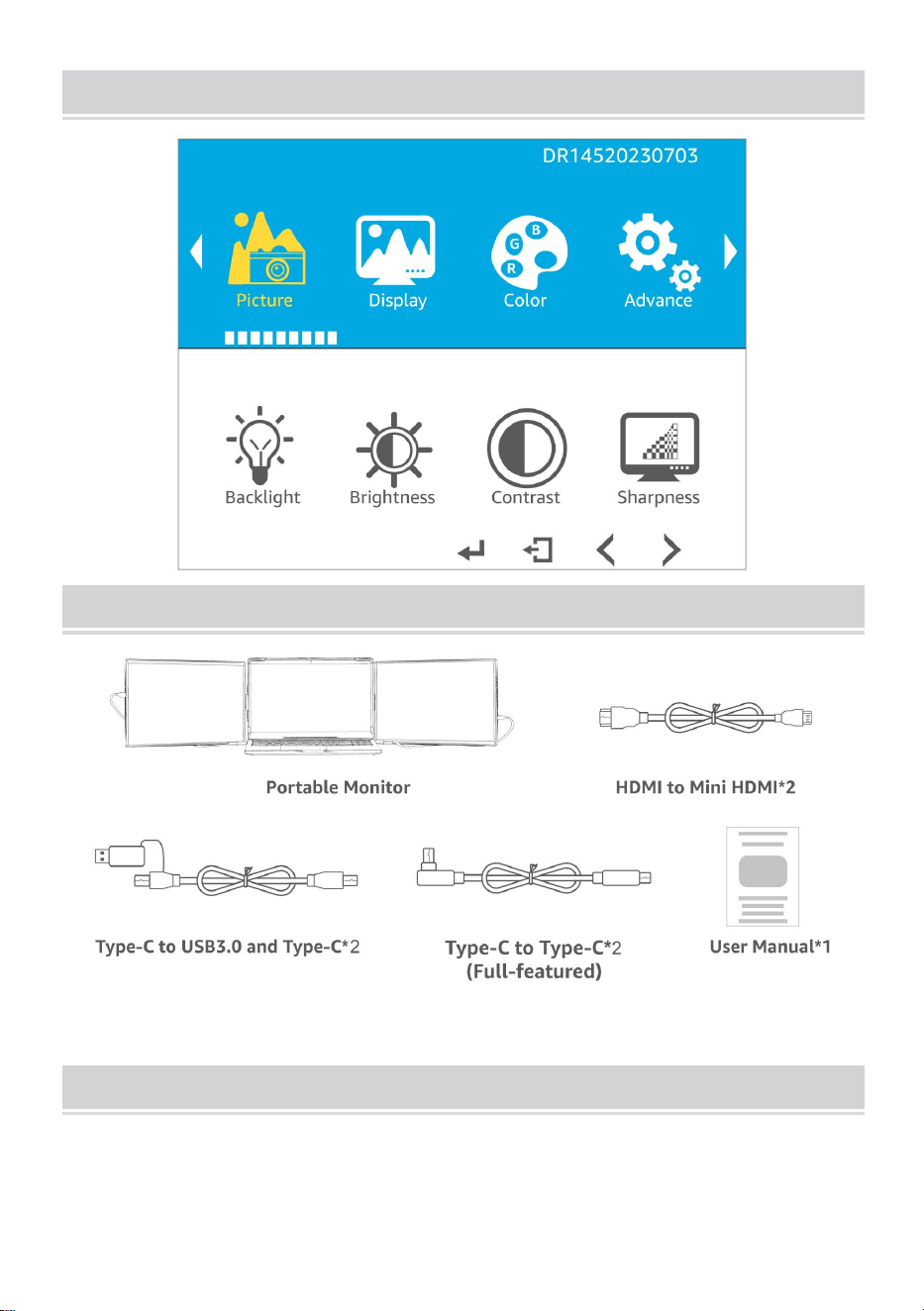
- 5 -
OSD PANEL
PACKAGE LIST
Separate screen can be connected to mobile phone
Mobile connection
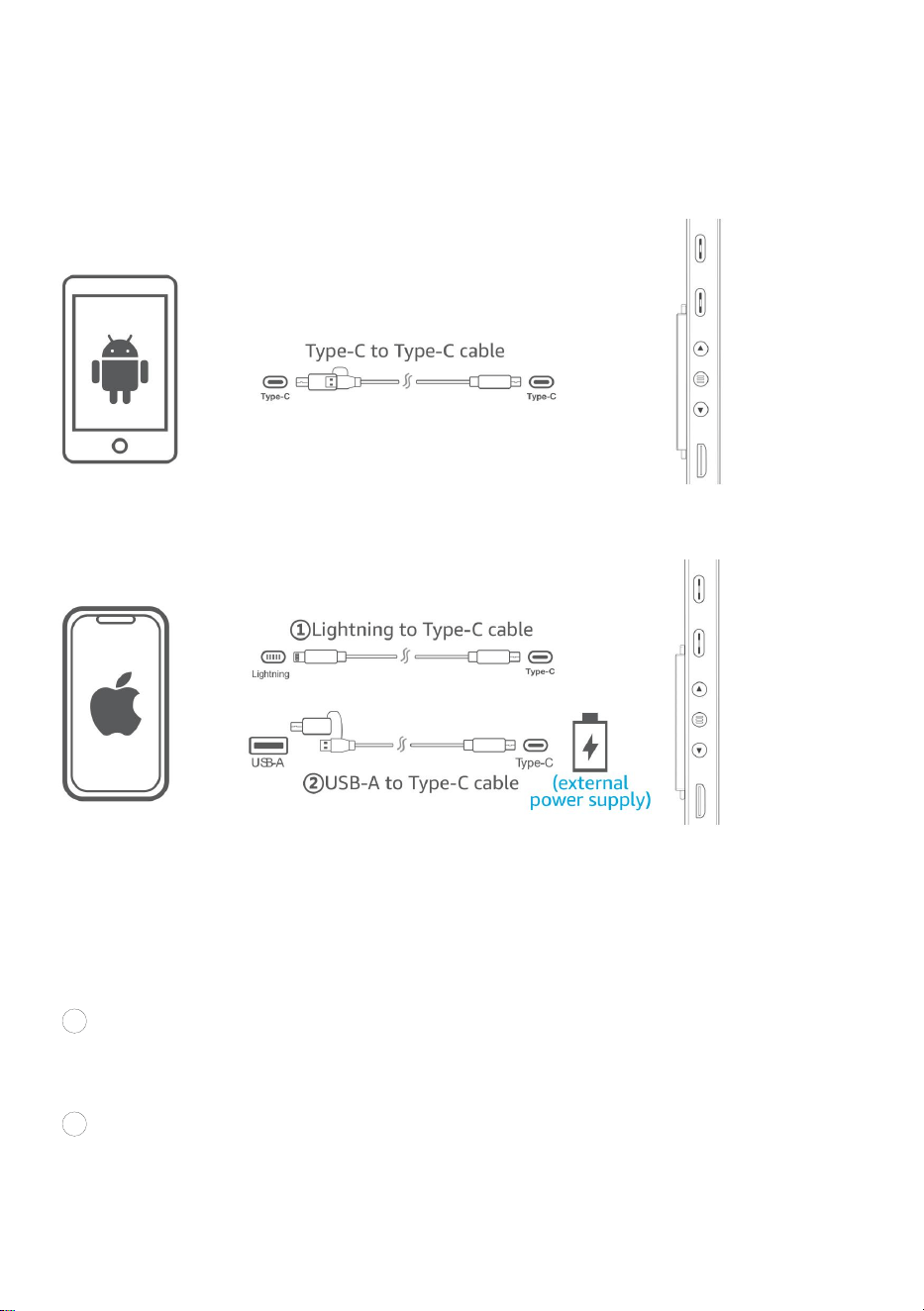
How to wire when connecting to a mobile phone?
- 6 -
1. If you connect an Android phone, first make sure that the phone
supports full-featured Type C, (DP Alt Mode) can refer to the list;
2. If you connect an Apple phone, you need a lightning to Type-C cable.
connect an Android phone
connect an Apple phone
Precautions for using only one cable connection:Connect Type-C to the
Type-C data cable, when the mobile phone battery cannot power the
display, the screen will be black and cannot be used.
At this point there are two solutions:
1 Connect the monitor to phone by using USB-C to USB-C cable the
monitor is powered by phone battery.
2 Connect the monitor to phone by using USB-C to USB-C cable,
meanwhile,you can charge by using USB-C to USB-C cable or USB-A to
USB-C cable
- 7 -
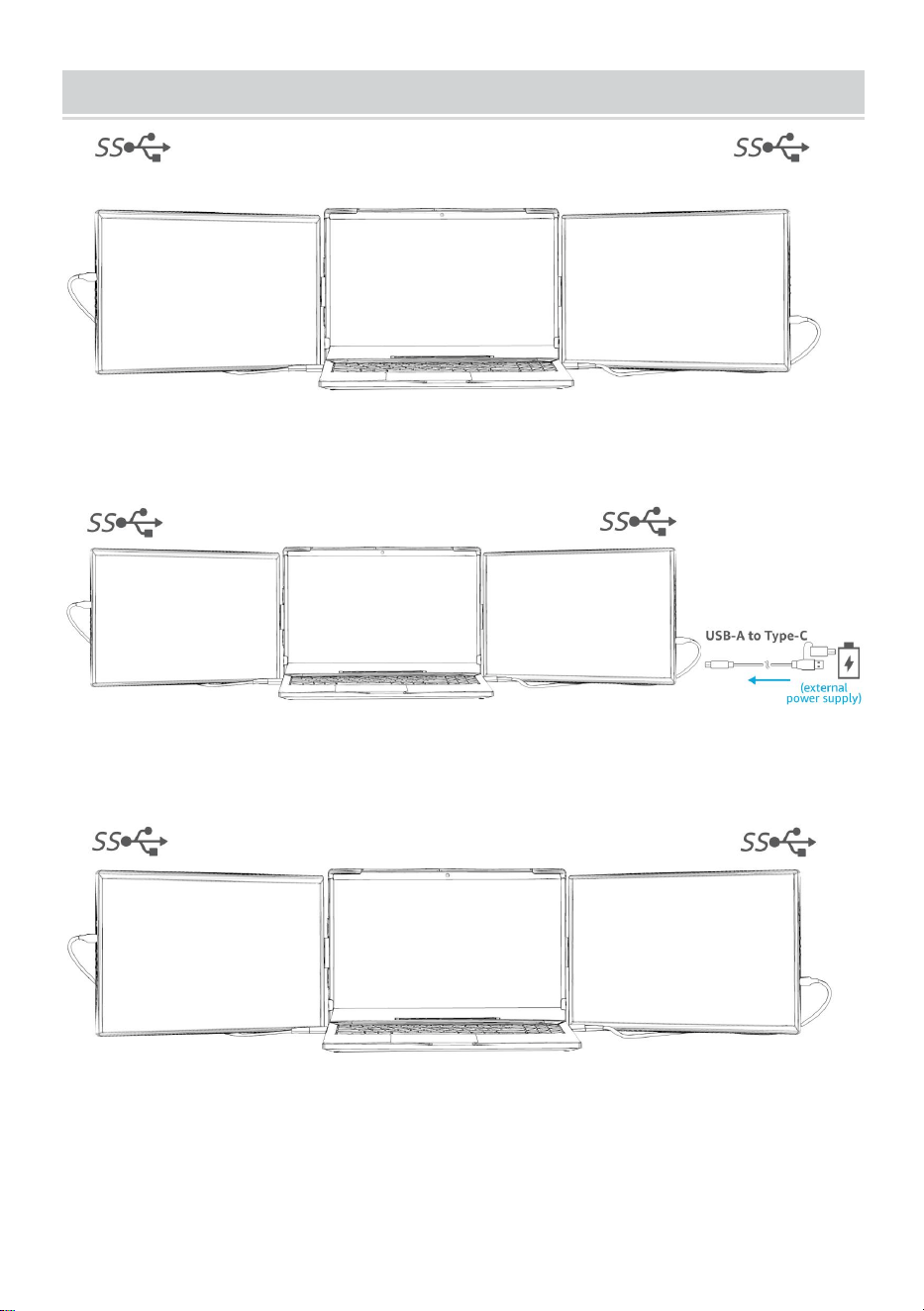
Connection Method
Method 1:
Type-C Type-C
Method 2:
Type-C Mini HDMI
Method 3:
USB-A USB-A
- 8 -
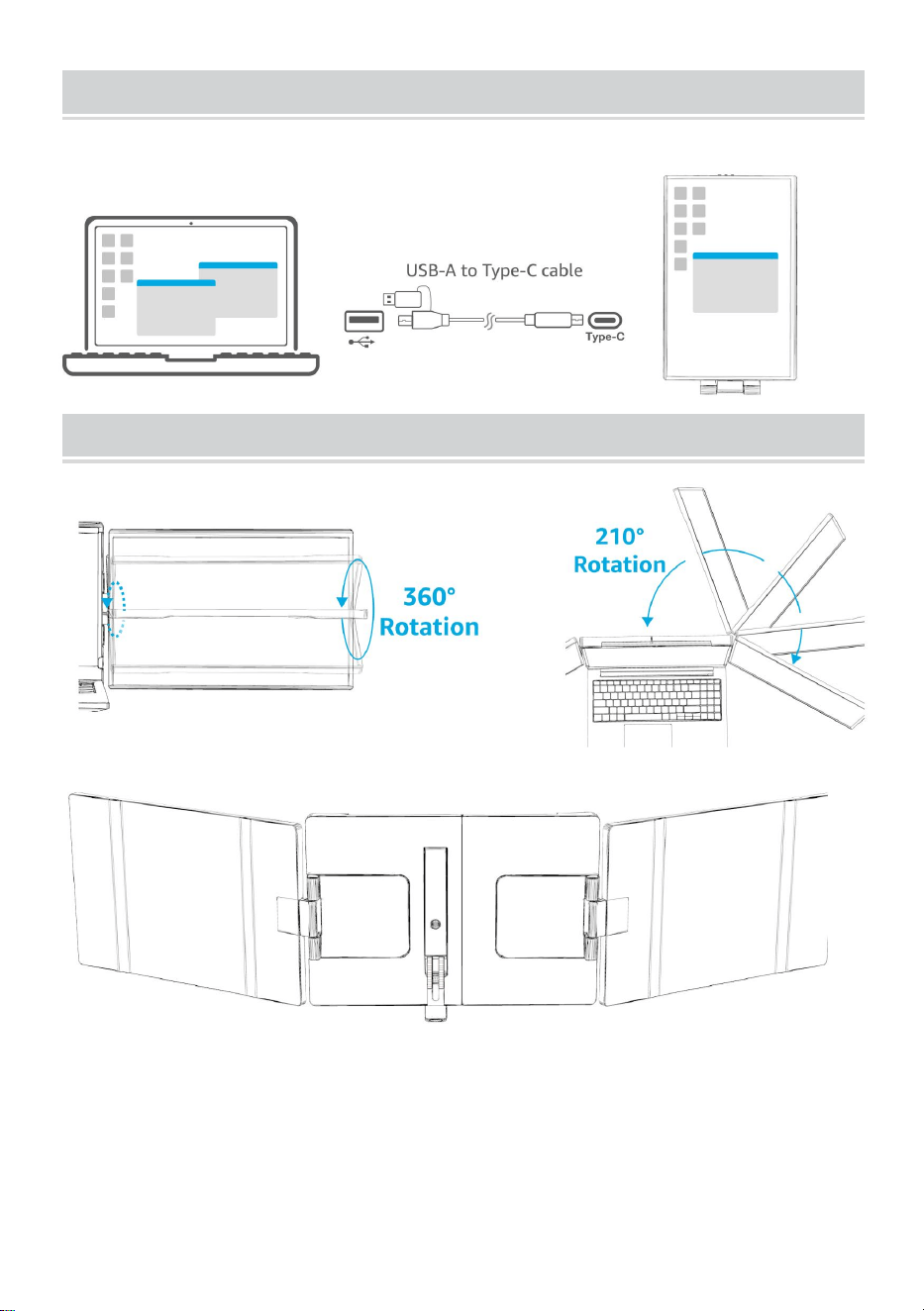
laptop Connection Mode
Portrait mode
Degree Rotatable
Note:The monitor comes with a kickstand. You won't worry about the
monitor falling off your laptop accidentally.
- 9 -
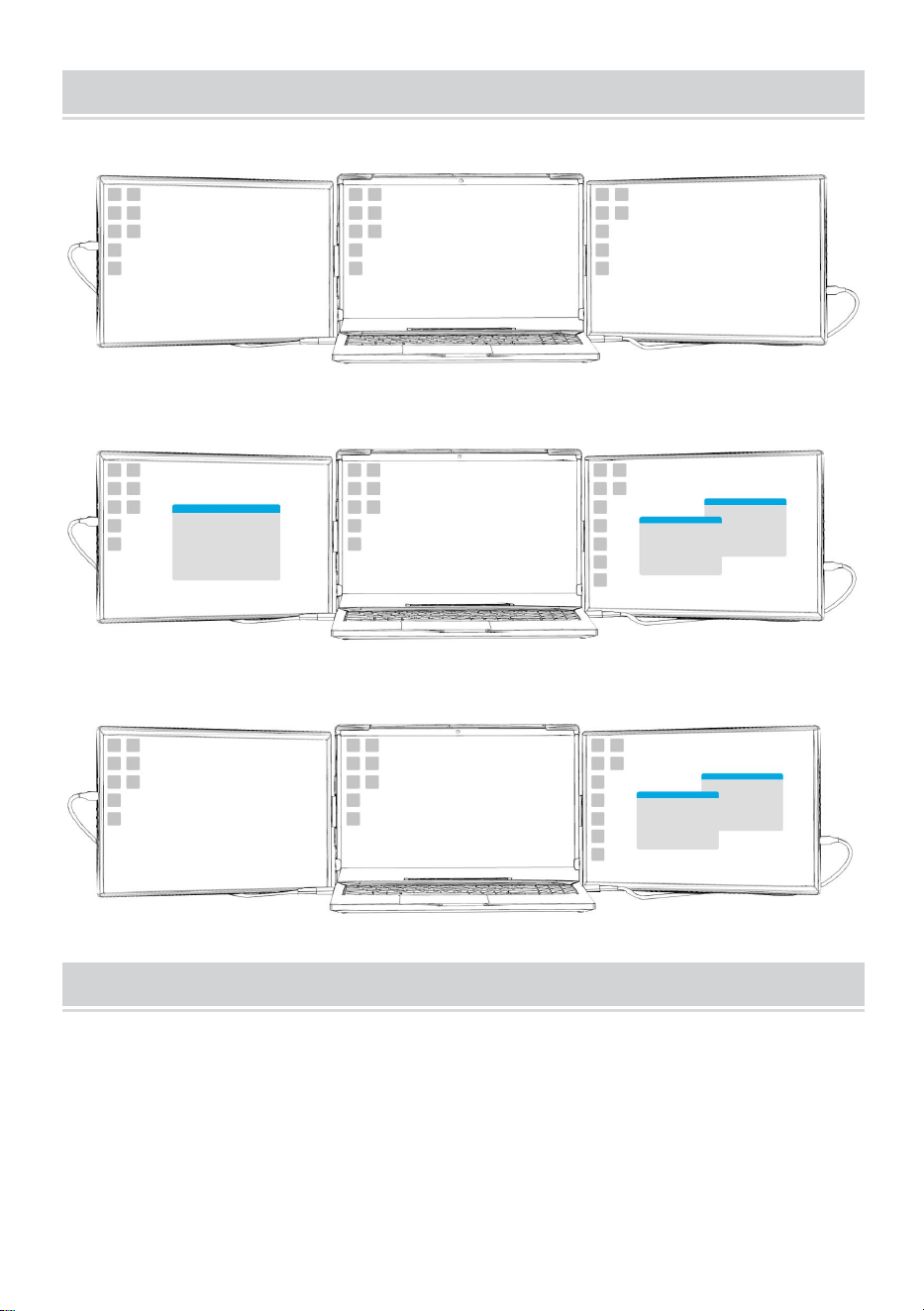
laptop connection Mode
Duplicate mode
Extend mode
Duplicate mode and Extend mode
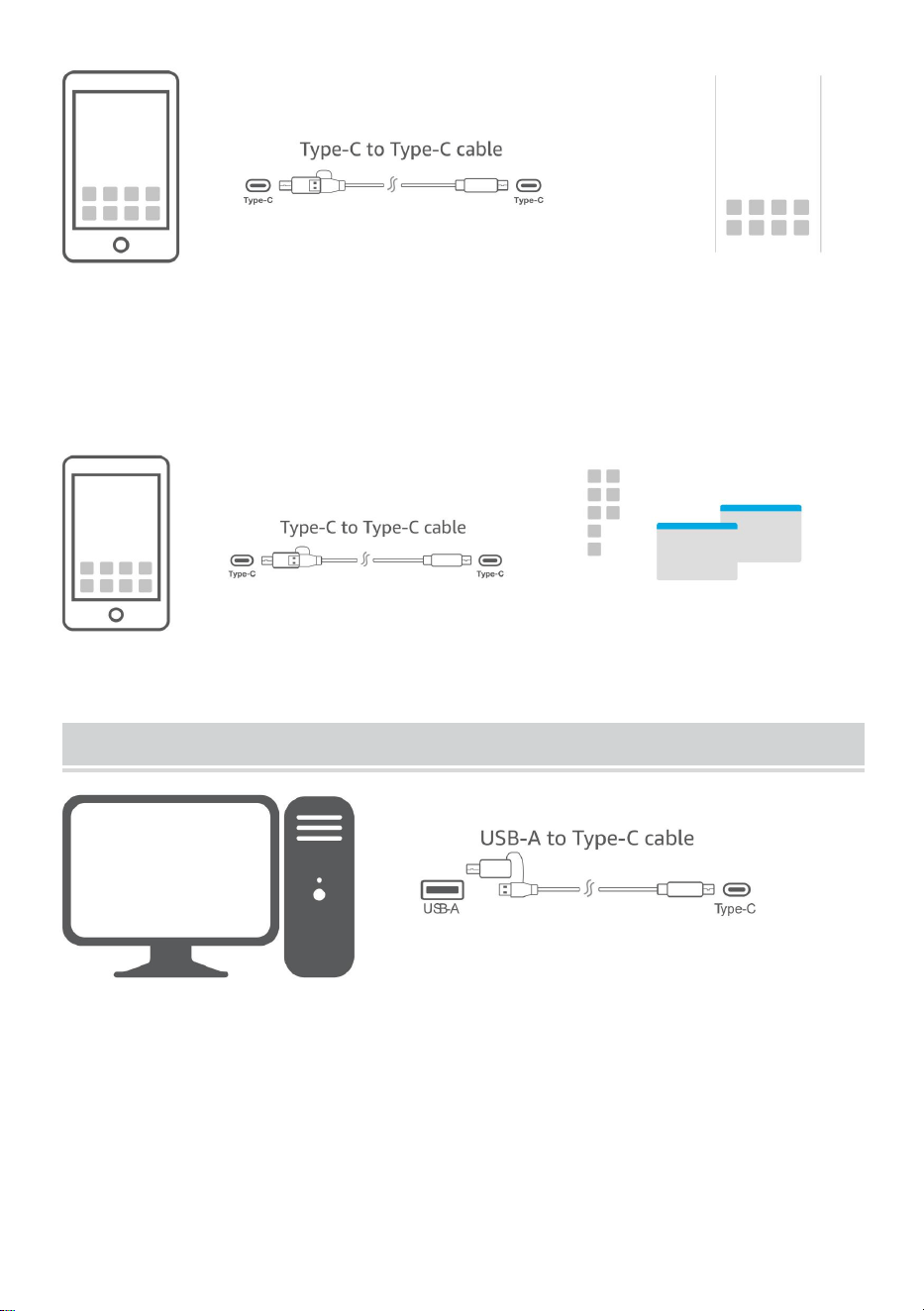
Mobile phone connection mode
Phone Mode
Screen projection function, you can watch videos, play games, small
screen becomes big screen.
- 10 -
Desktop Mode
Mobile phone + monitor = mobile phone and computer, which can be used
separately at the same time and do two things at the same time. You can
watch videos on your mobile phone and work on a monitor.
Note: Has to use a phone that supports Desktop mode
Reminder
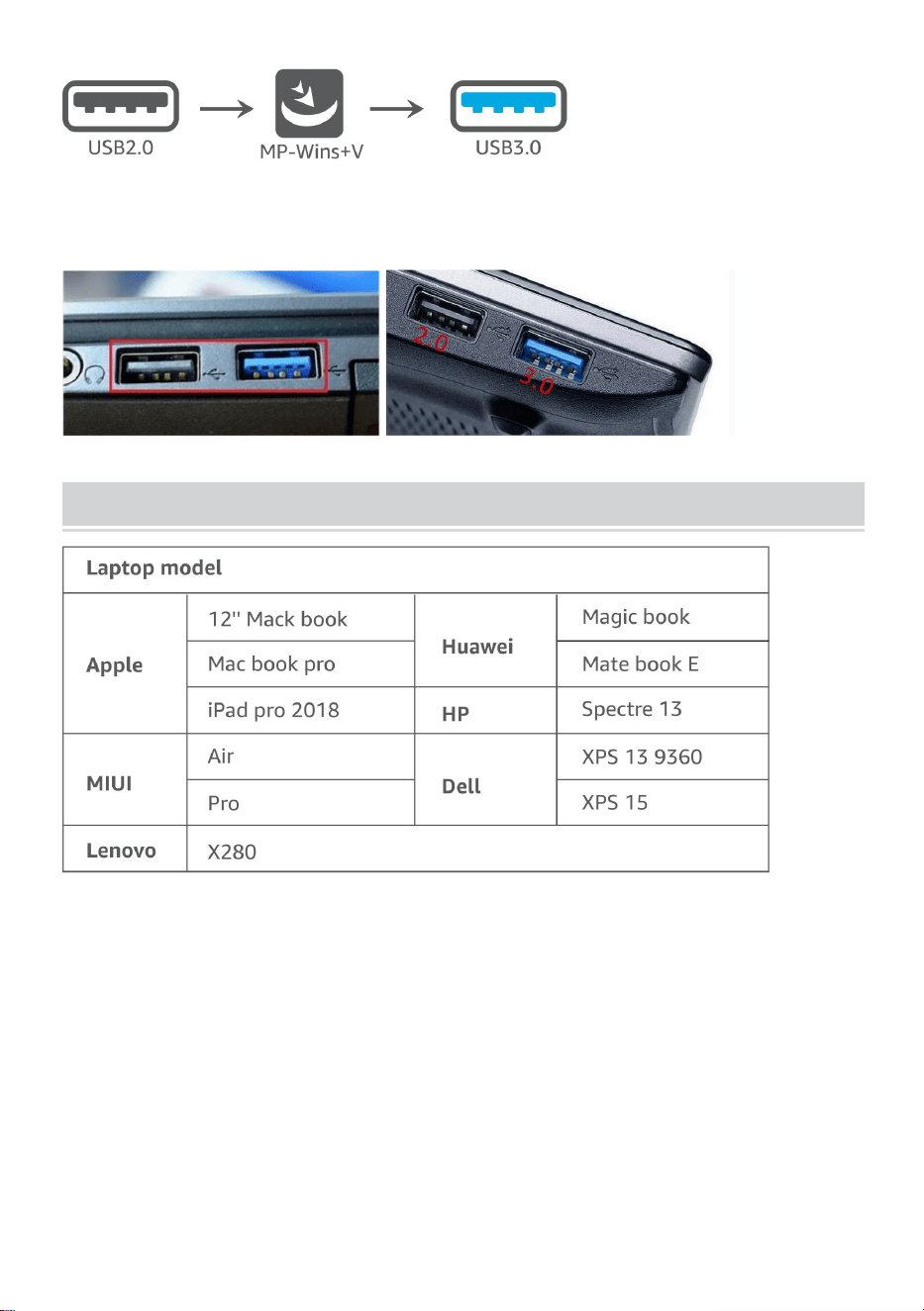
If the desktop computer cannot be connected and used, it may be that the
computer is not loaded with a driver, then a driver supporting USB3.0needs
to be installed for normal use.
Note:The computer requires driver installation.
- 11 -
How to distinguish whether the computer host interface supports
USB3.0?
USB3.0As shown in the figure, blue interface supports USB3.0
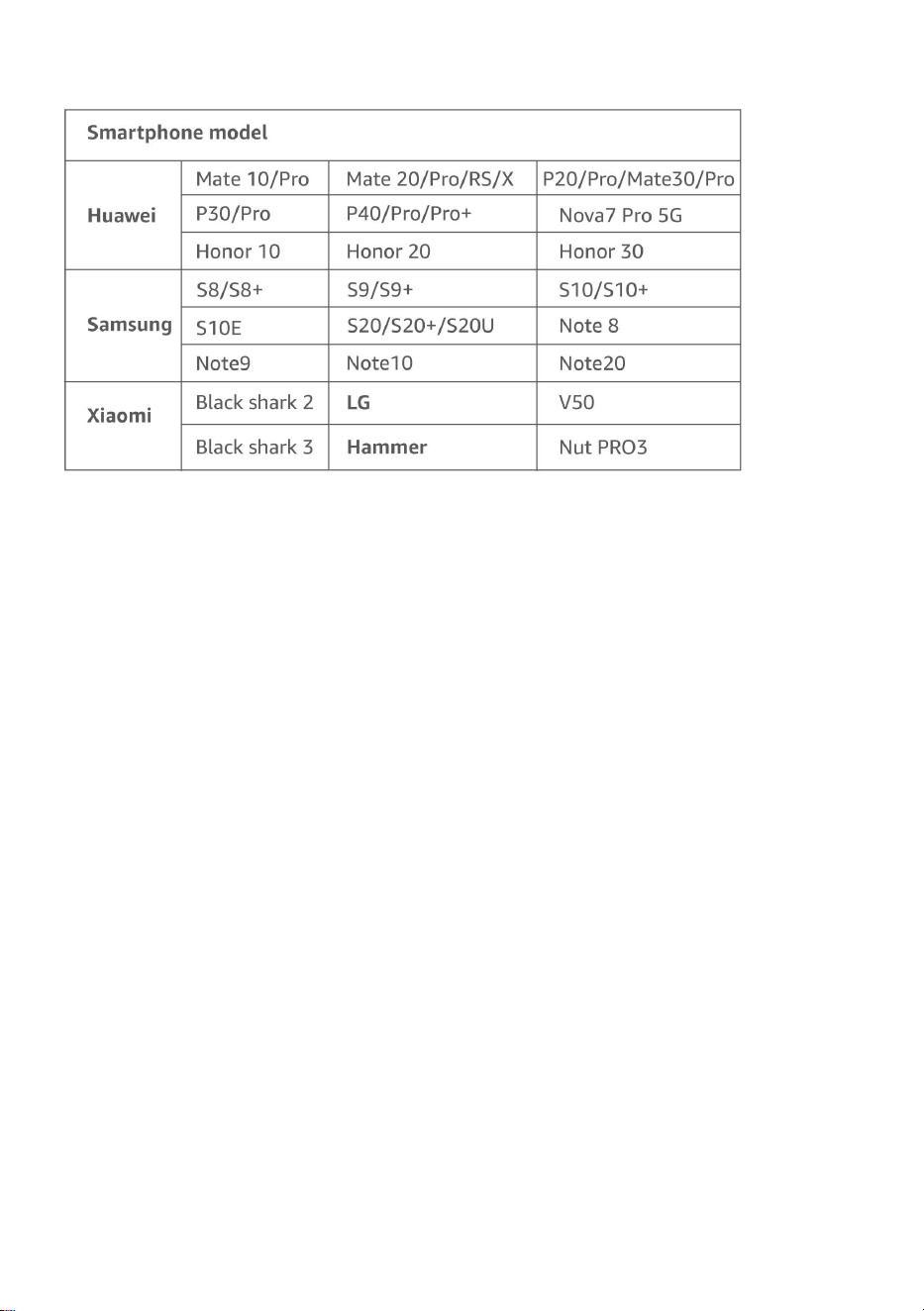
Supported Devices and Models
Note: The machines listed above are fully tested and are compatible.
Theoretically,other devices are also compatible if they support DP function.
- 12 -
Note: The machines listed above are fully tested and are compatible.
Theoretically,other devices are also compatible if they support Dp function.
* Dopesplay DR145 theoretically compatible with many different devices
with USB-C connectivity, including laptops, smartphones, PlayStation,
Nintendo Switch, XBox,cameras, Mac Mini, Raspberry Pi, mini PCs and
more.
- 13 -
Manufacturer: Shanghaimuxinmuyeyouxiangongsi
Address: Shuangchenglu 803nong11hao1602A-1609shi, baoshanqu,
shanghai 200000 CN.
Imported to AUS: SIHAO PTY LTD. 1 ROKEVA STREETEASTWOOD
NSW 2122 Australia
Imported to USA: Sanven Technology Ltd. Suite 250, 9166 Anaheim
Place, Rancho Cucamonga, CA 91730
REP
EC
E-CrossStu GmbH
Mainzer Landstr.69, 60329 Frankfurt am Main.
REP
UK
YH CONSULTING LIMITED.
C/O YH Consulting Limited Office 147, Centurion
House, London Road, Staines-upon-Thames, Surrey,
TW18 4AX