- 1 -
Item No. 210474
VINTAGE BLUETOOTH CD PLAYER
User Guide
Thank you for purchasing the Vintage Bluetooth CD Player. Please read this manual
thoroughly before operating this device.
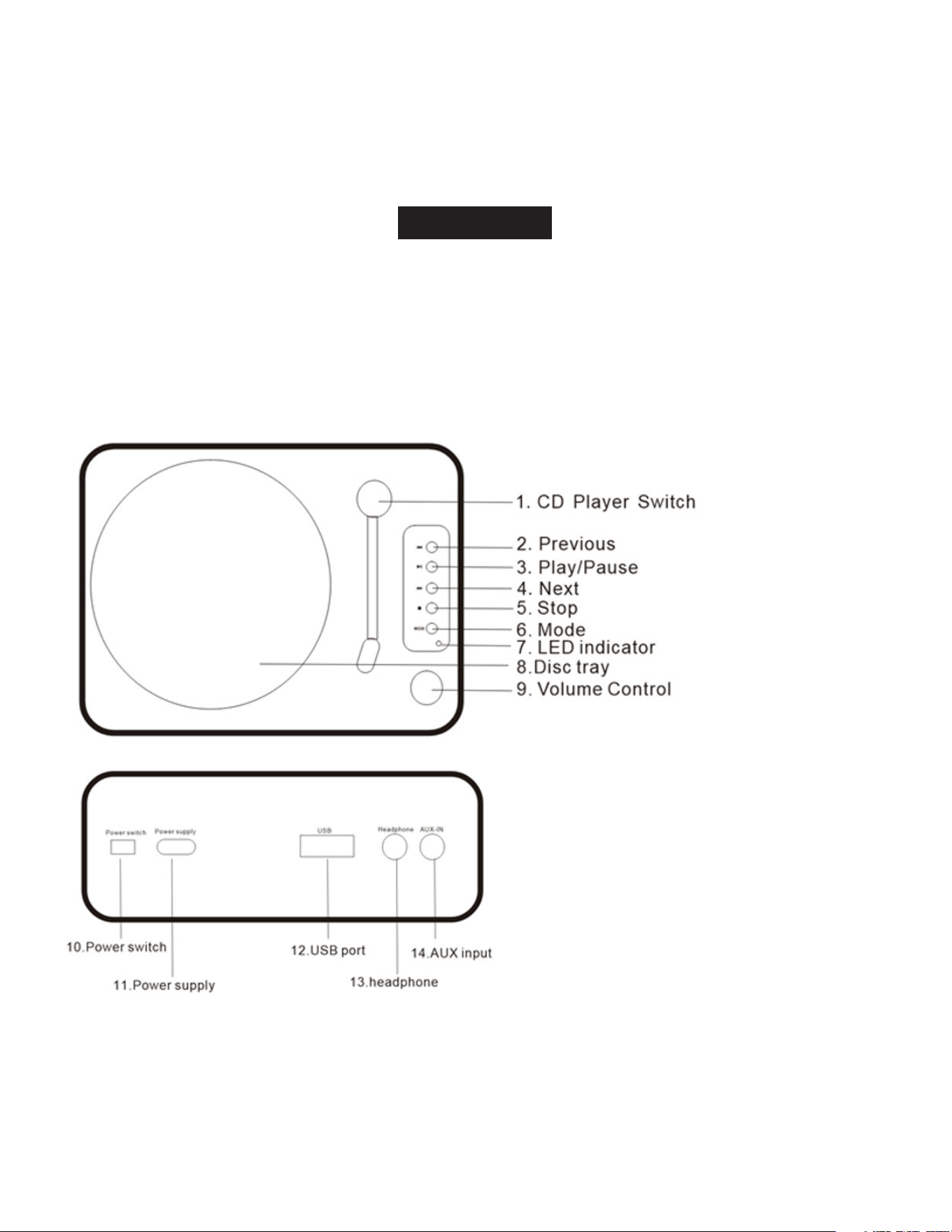
FUNCTIONS
- 2 -
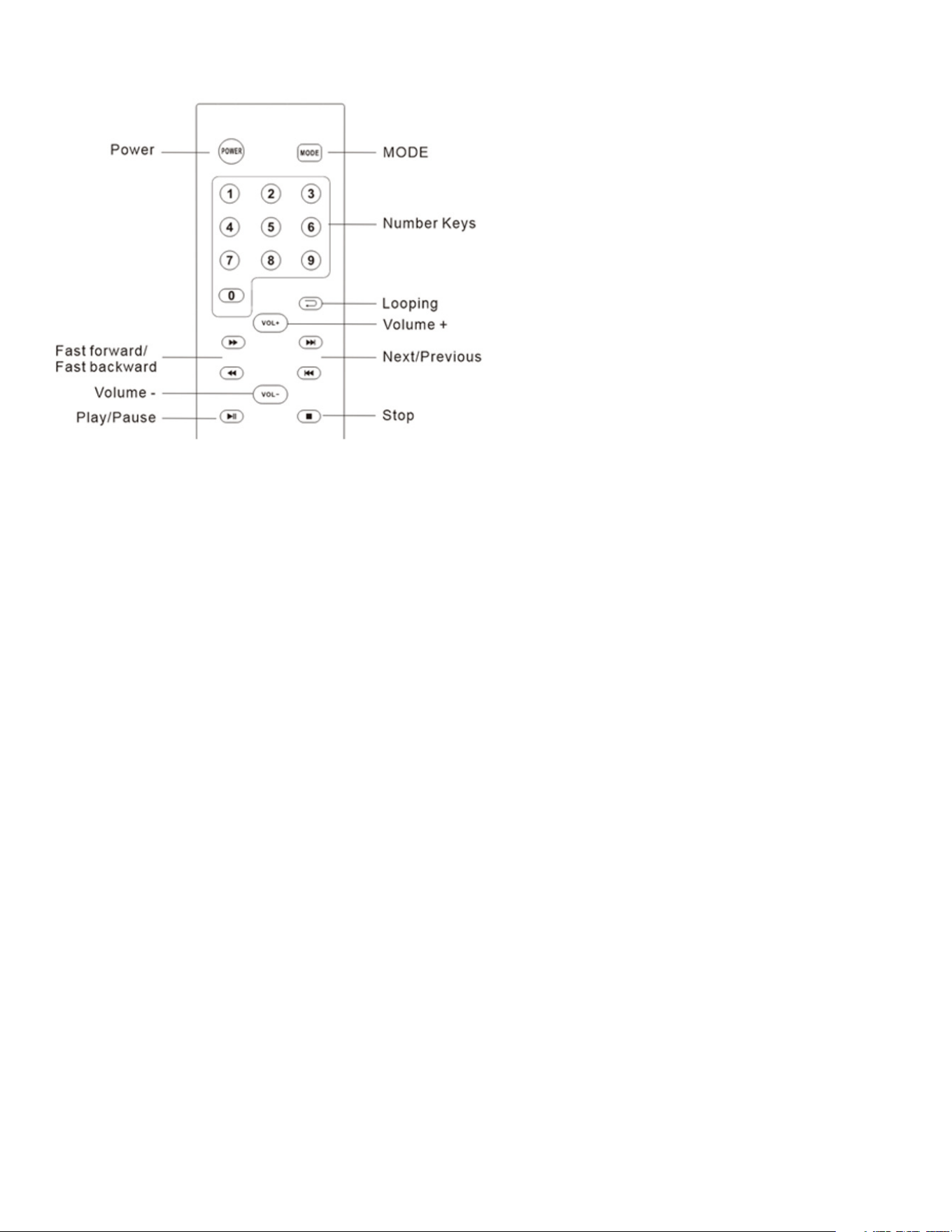
REMOTE CONTROL FUNCTIONS
SPECIFICATIONS
Power Output: 2x3W
Power Supply: USB Type-C DC 5V, 2A
INSTRUCTIONS
Switching On/Off the Unit
Press the power button on the rear to turn the unit on or off.
Mute
Press the MUTE button to mute the sound instantly. Press it again to resume the sound.
Volume Adjustment
Use the VOL- and VOL+ buttons on the remote control or the player to adjust the volume level.
Function Mode Selection
Press the MODE button on the player or remote control to select a mode: CD, Bluetooth/USB, or
AUX-IN. The LED indicator colors are:
• Green for CD mode
• Red for Bluetooth/USB mode
• Yellow for AUX-IN mode

- 3 -
Select Tracks
Press the button to skip to the previous track or the button to skip to the next track. The
track number will be displayed.
Pause Playing
Press the button on the player or remote control to pause playback. Press it again to resume.
Stop Playing
Press the button to stop playback. Press the to start playing from the beginning.
CD Operation
1. Place the CD/MP3 disc in the disc compartment with the printed side up.
2. Close the disc cover.
3. Press the MODE button to select CD mode.
4. Turn the CD player switch to ON. The disc will start playing automatically.
Bluetooth Operation
1. Press the MODE button to select Bluetooth mode.
2. Use your Bluetooth device to scan and pair with the player (pair name: MC-610).
3. Play your desired music from your Bluetooth device.
USB Operation
1. While in CD mode, plug in your USB device.
2. The player will automatically play MP3 music from the USB device.
Auxiliary Input
1. Connect a portable audio player to the AUX-IN jack on the back of the unit.
2. Press the MODE button on the player or remote control to switch to AUX mode.
WARRANTY / CUSTOMER SERVICE
This item from SharperImage.com includes a 1-year limited replacement warranty. If you have any
questions not covered in this guide, please call our Customer Service department at 1 (877) 210-
3449. Customer Service agents are available Monday through Friday, 9:00 a.m. to 6:00 p.m. ET.
The SHARPER IMAGE® name and logo are registered trademarks.
©Sharper Image. All Rights Reserved.