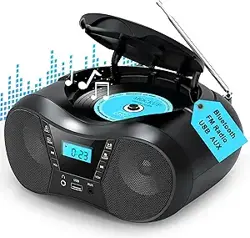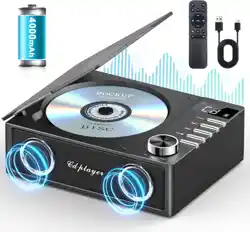
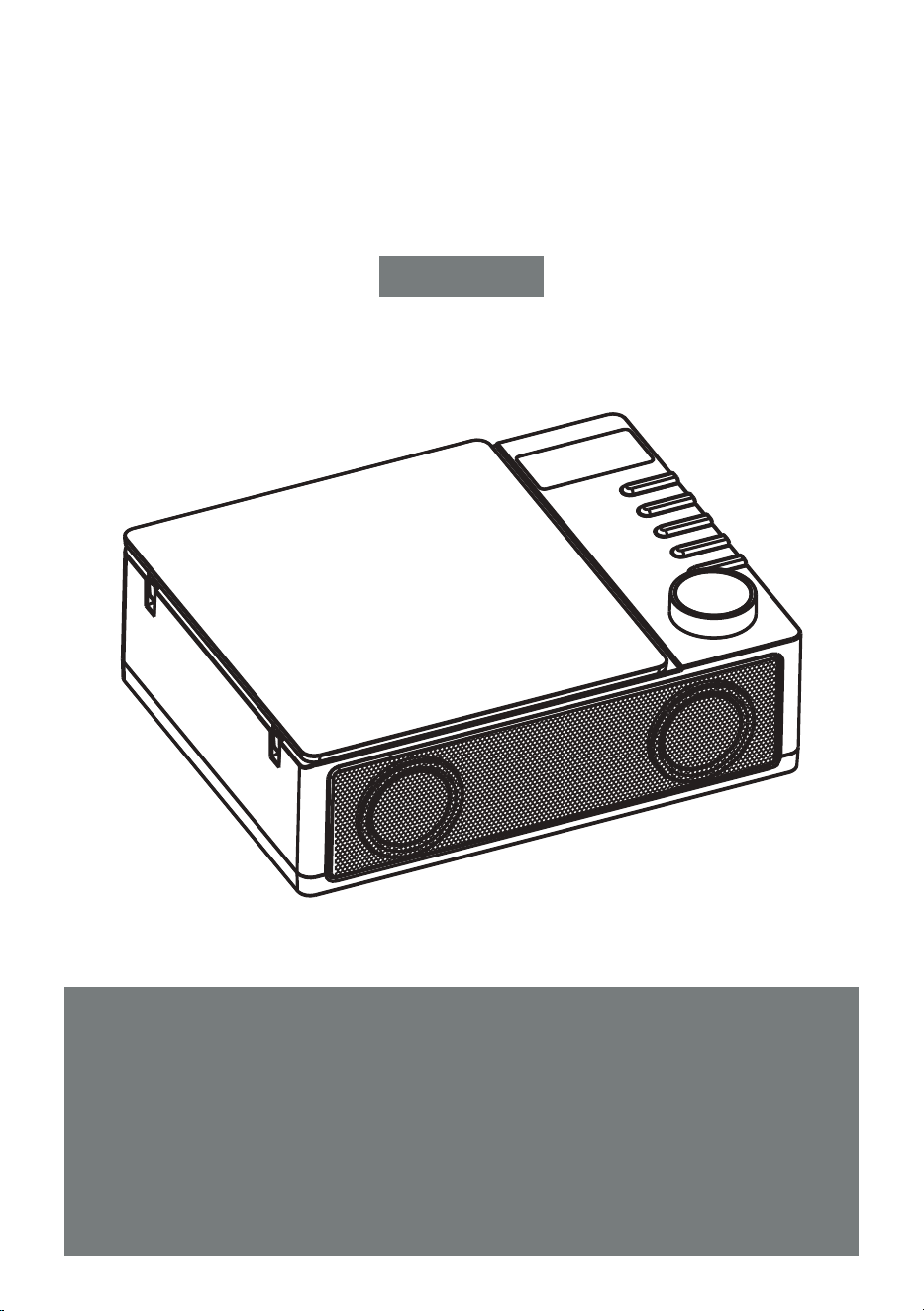
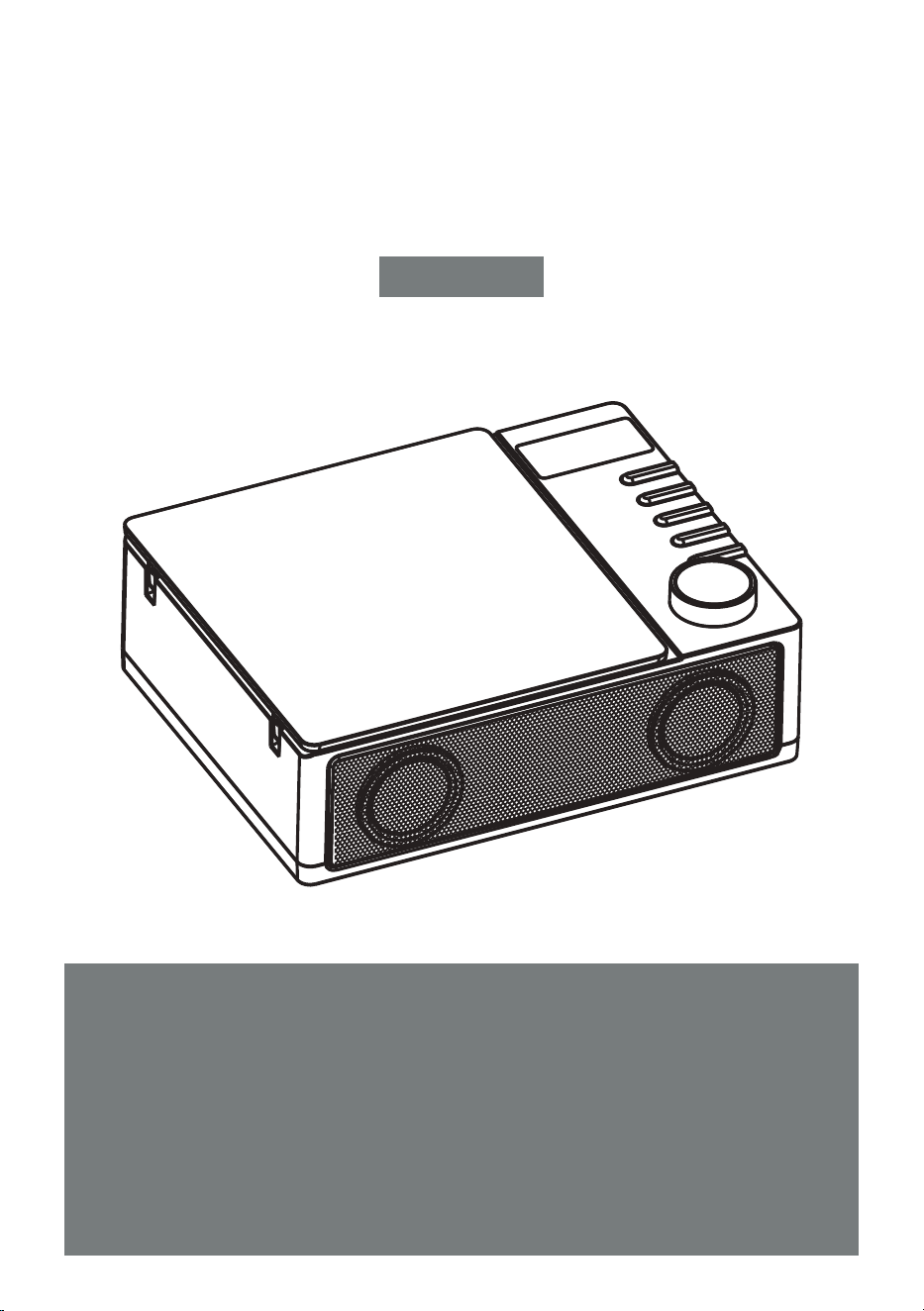
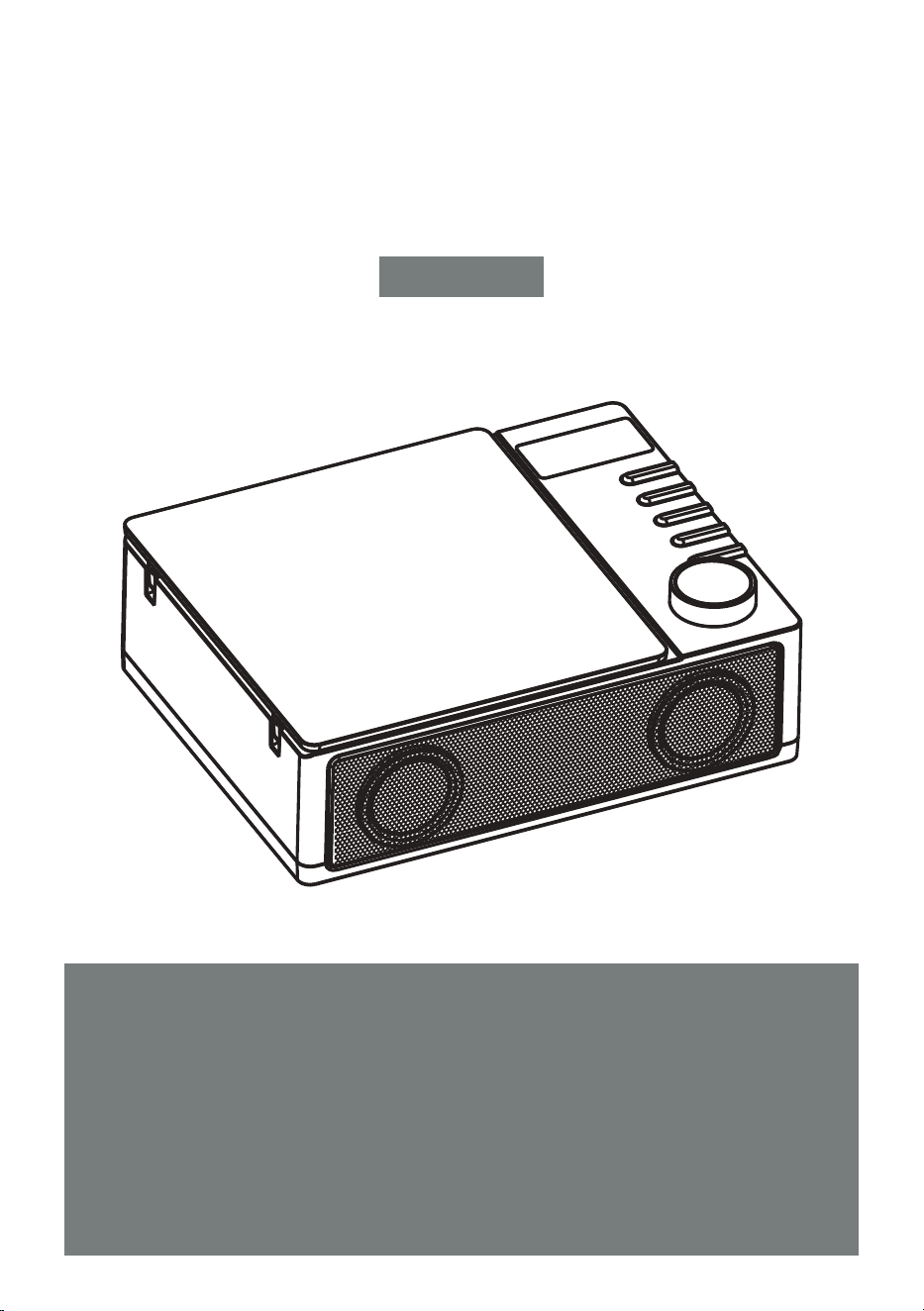
PORTABLE CD PLAYER
Thank you for purchasing our personal audio products.
High-quality CD player is an electronic acoustic technology
product carefully designed by our company. To obtain the per-
fect use effect and prolong the service life of this product correct
use and maintenance are very important, please readthis
manual carefully before use it.
CD19
User Manual
EN

USER MANUAL-EN P1-P10
BENUTZERHANDBUCH-DE P11-P20
MANUALE D'USO-IT P21-P30
MANUEL DE L'UTILISATEUR-FR P31-P40
MANUAL DEL USUARIO-ES P41-P50
EN
CONTENTS
VERY IMPORTANT TIPS
VERY IMPORTANT TIPS
FUNCTION OF BUTTONS
REMOTE CONTROL DESCRIPTION
POWER SUPPLY
TURN ON/OFF
CD/MP3 DISC OPERATION
USB/TF OPERATION
BLUETOOTH OPERATION
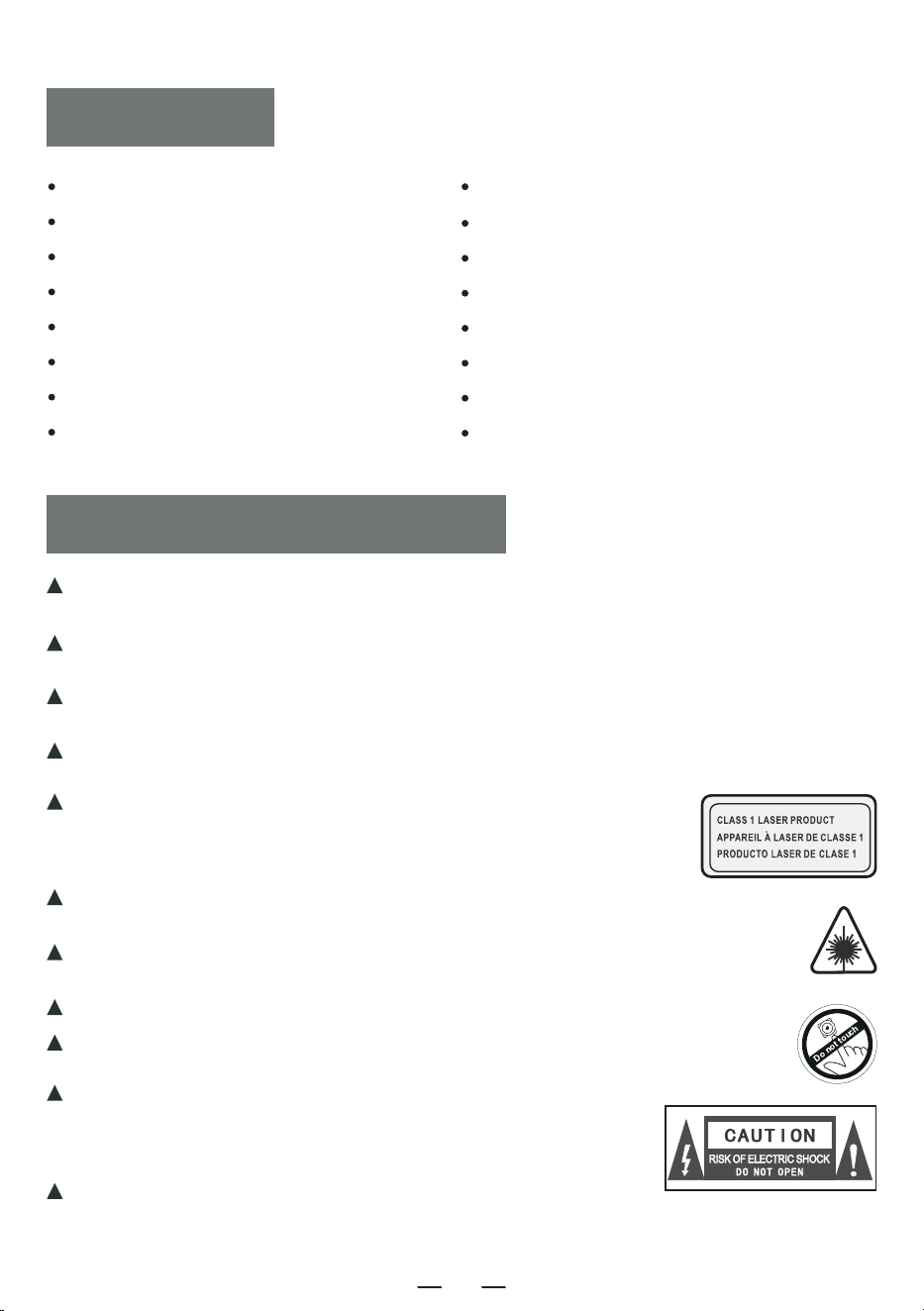
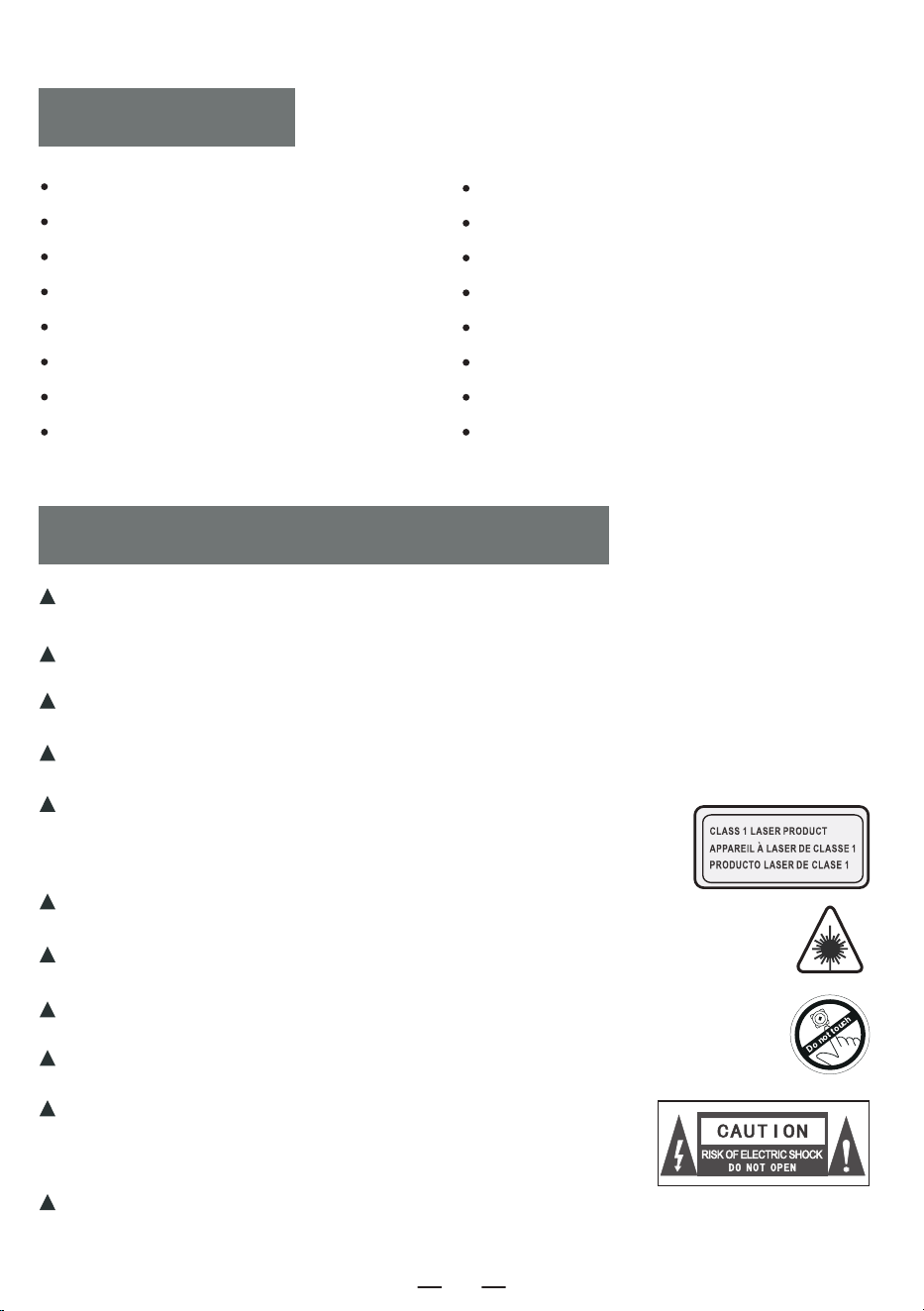
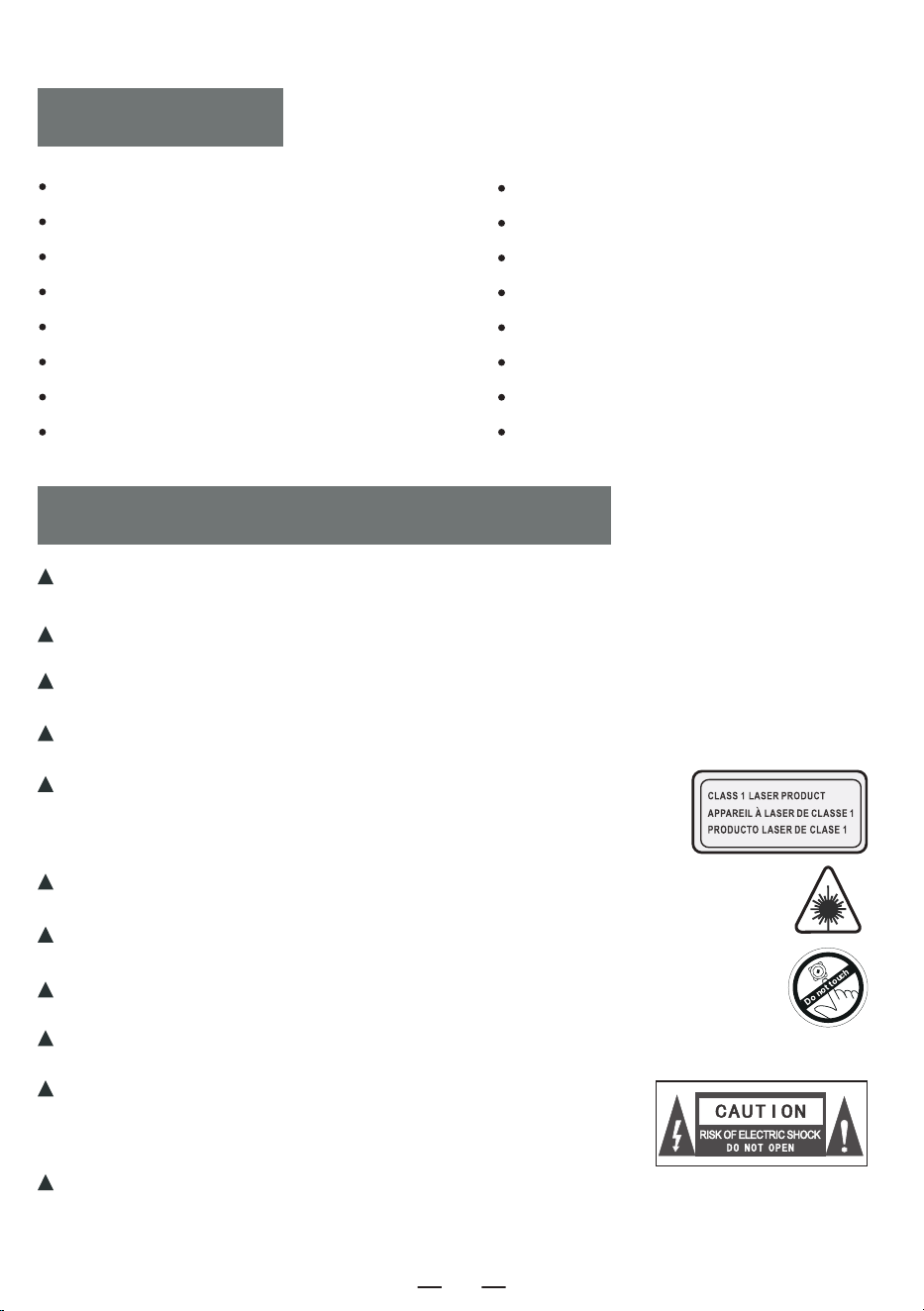
The power plug of the adapter is used as a disconnect device. When the machine is
powered, please keep the power supply in a convenient place.
When not working, disconnect the adapter from the product and unplug the adapter
from the power socket in time.
Do not drop or collide the adapter. lf the adapter shell is damaged, please replace the
adapter immediately.
lf the adapter plug power cord is damaged, do not continue to use it to avoid electric
shock or fire.
In order to increase the service life of the power supply, do not pull
the power cord directly with your hands after charging or connecting
to the computer. Please pull out the power cord by grabbing the USB
head.
Do not touch the product or adapter with wet hands to avoid equipment short
circuit, malfunction or electric shock.
Do not use or store this machine in an environment with hight
emperature, high pressure, humidity, strong static electricity and
strong magnetic fields to avoid internal circuit failure of the
device.
Please use this machine within the temperature range of
0°c-30'c, and store the machine and related accessories within
the temperature range of -20°C-50°C.
When the machine or adapter is rained, soaked in liquid or severely damp,
please stop using it immediately.
Please use an adapter that meets national safety regulations to power the machine.
Do not use machine solvents, acids, alkalis or other chemical liquids to clean the
machine body to prevent damage to the machine shell.
BLUETOOTH TRANSMISSION OPERATION
AUX OPERATION
FIBER OPTIC CONNECTION
A-B PLAY
RESET THE MACHINE
WARRANTY
SPECIFICATIONS
PACKING LIST
1
EN
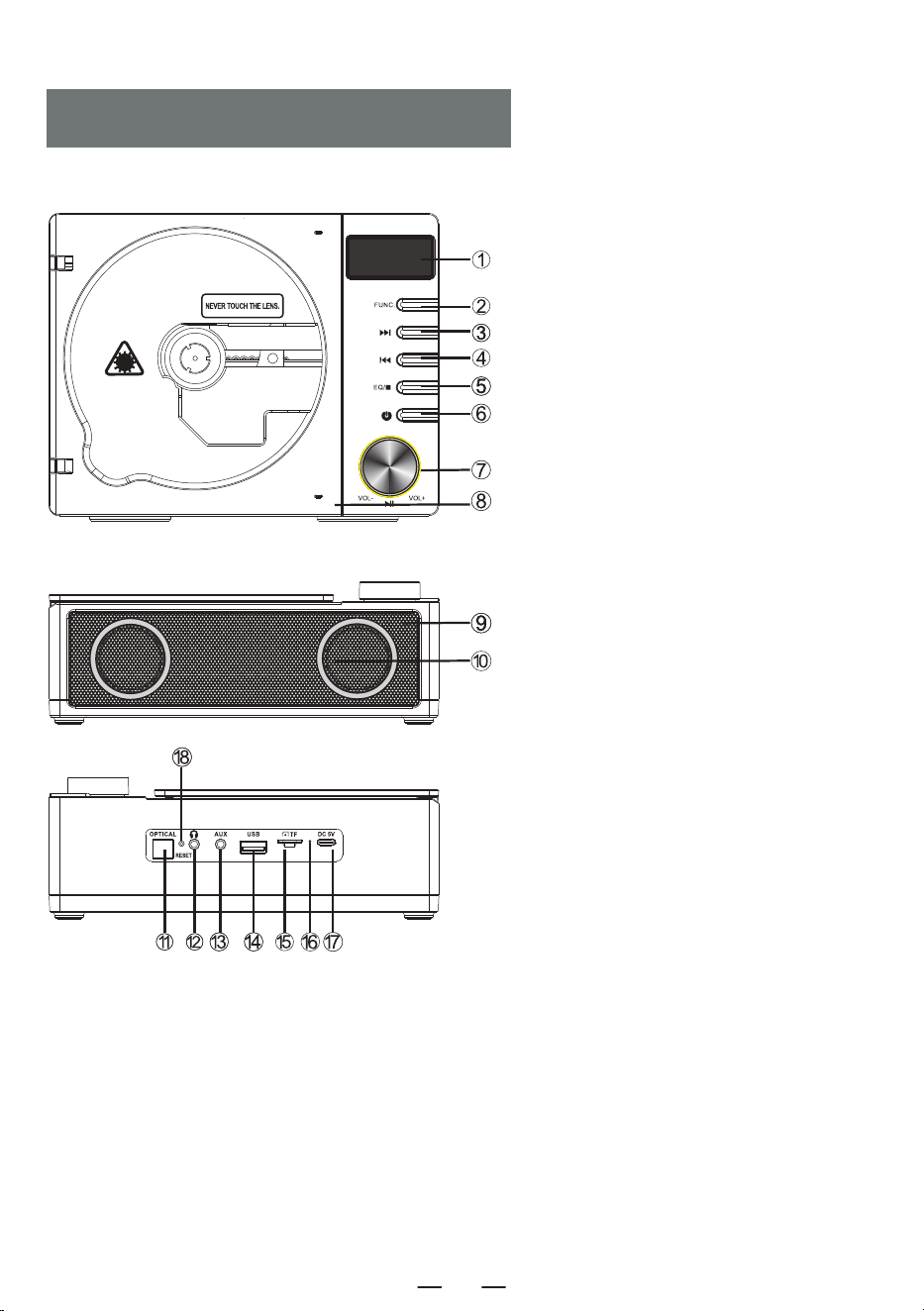
FUNCTION OF BUTTONS
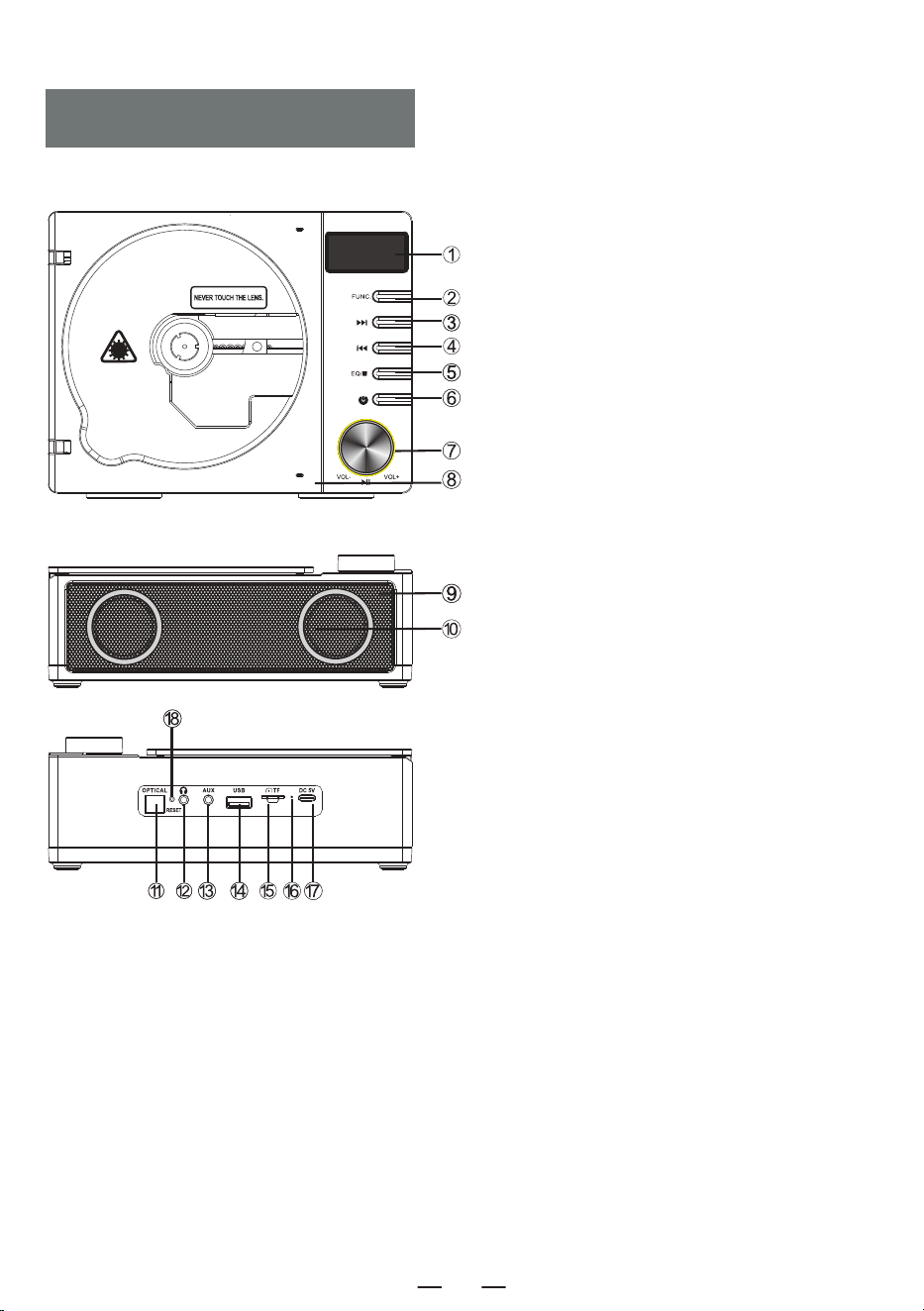
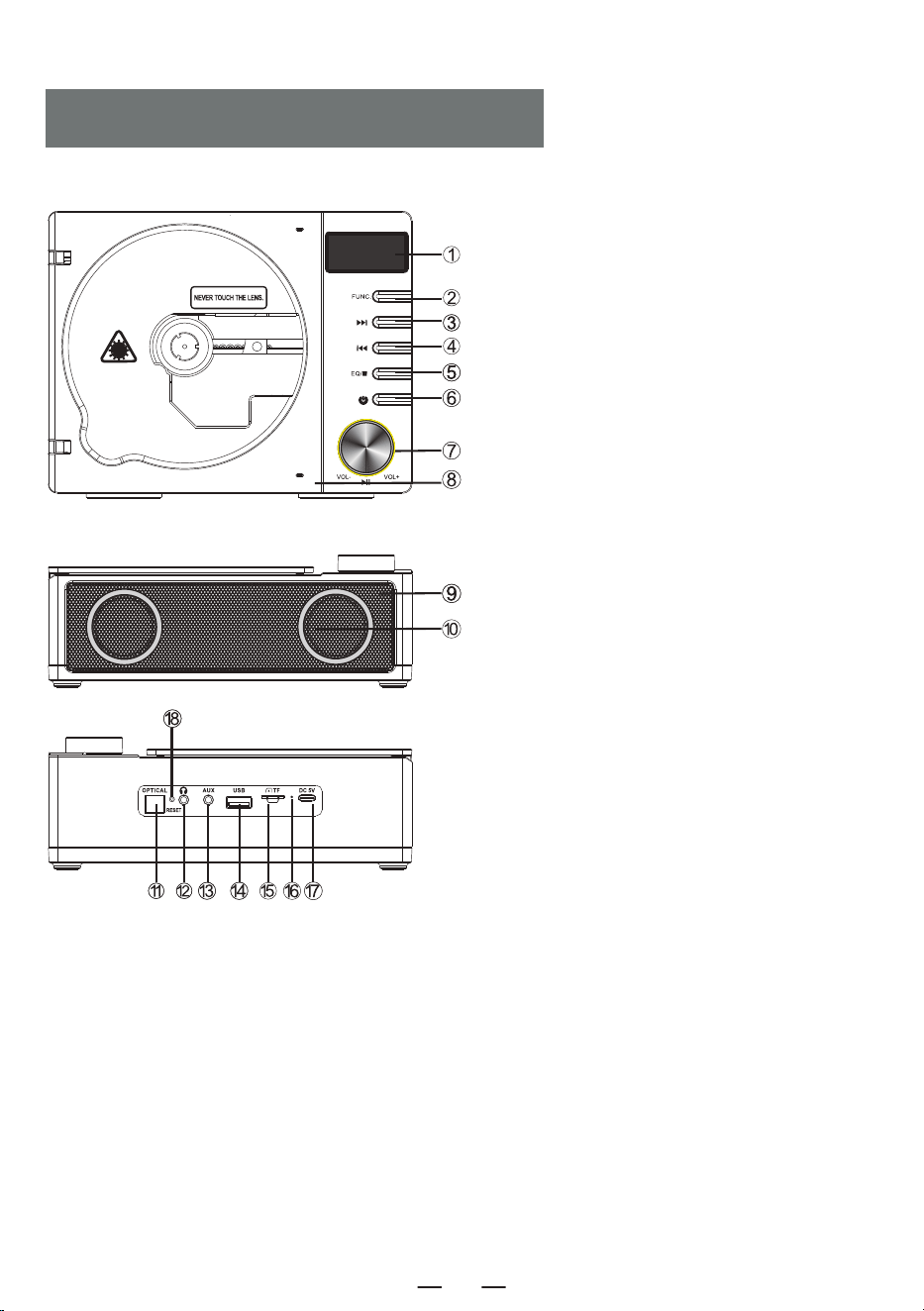
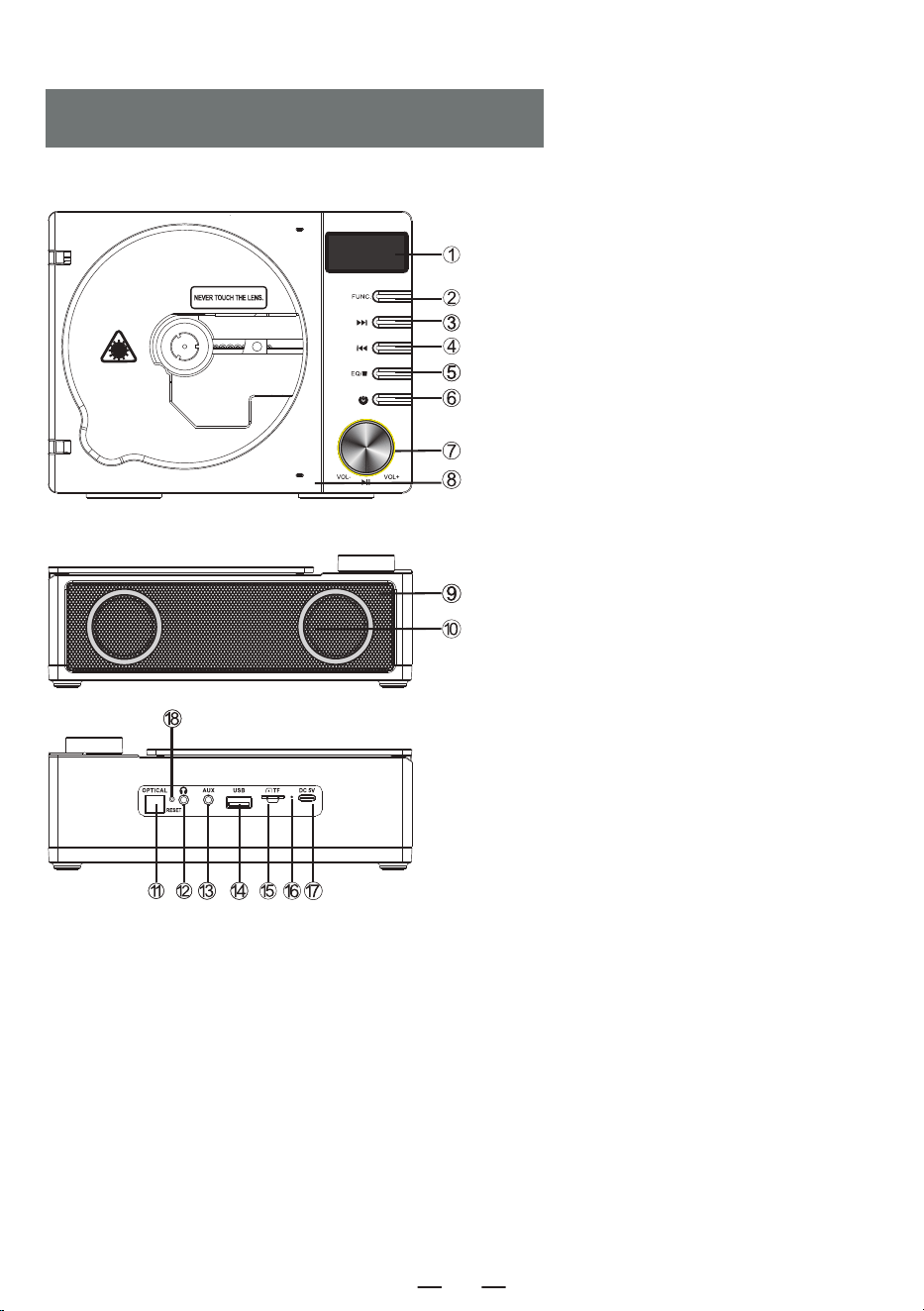
1. LED Display
2. Function Button
3. Fast Forward/Next Button
4. Fast Rewind/Previous Button
5. Stop/EQ Button
6. Power Button
7. Volume Knob/Play/Pause Button
8. CD Door
9. Remote Control Receiver
10. Dual Speakers
11. Optical Fiber Interface
12. Earphone Jack
13. AUX Jack
14. USB Socket
15.TF Card Socket
16. Charging Indicator Light
17. DC 5V Outlets
18. Reset Button
2
1. Power on/off Button: Long press to turn on the power, and short press again to turn off the power
in working condition.
2. FUNC. Button: Short press to switch to CD-BT-TF-USB-LINE mode.
3. STOP Button: In CD/TF/USB mode, short press the [ ] button to stop playing.
4. Bluetooth Transmitter Button: In CD/TF/USB/LINE mode, short press to turn on and off the
Bluetooth transmitter function.
5. OPT Button: In CD mode, short press to turn on/off the optical fiber function.
6. VOL-/VOL+ Button: Short press is for level by level volume reduction/increase, long press is for
fast volume reduction/increase.
7. Previous song/Fast Rewind Button:
· In CD/TF/USB/LINE mode, short press to the previous song, long press to fast rewine.
· In BT mode, short press to the previous song.
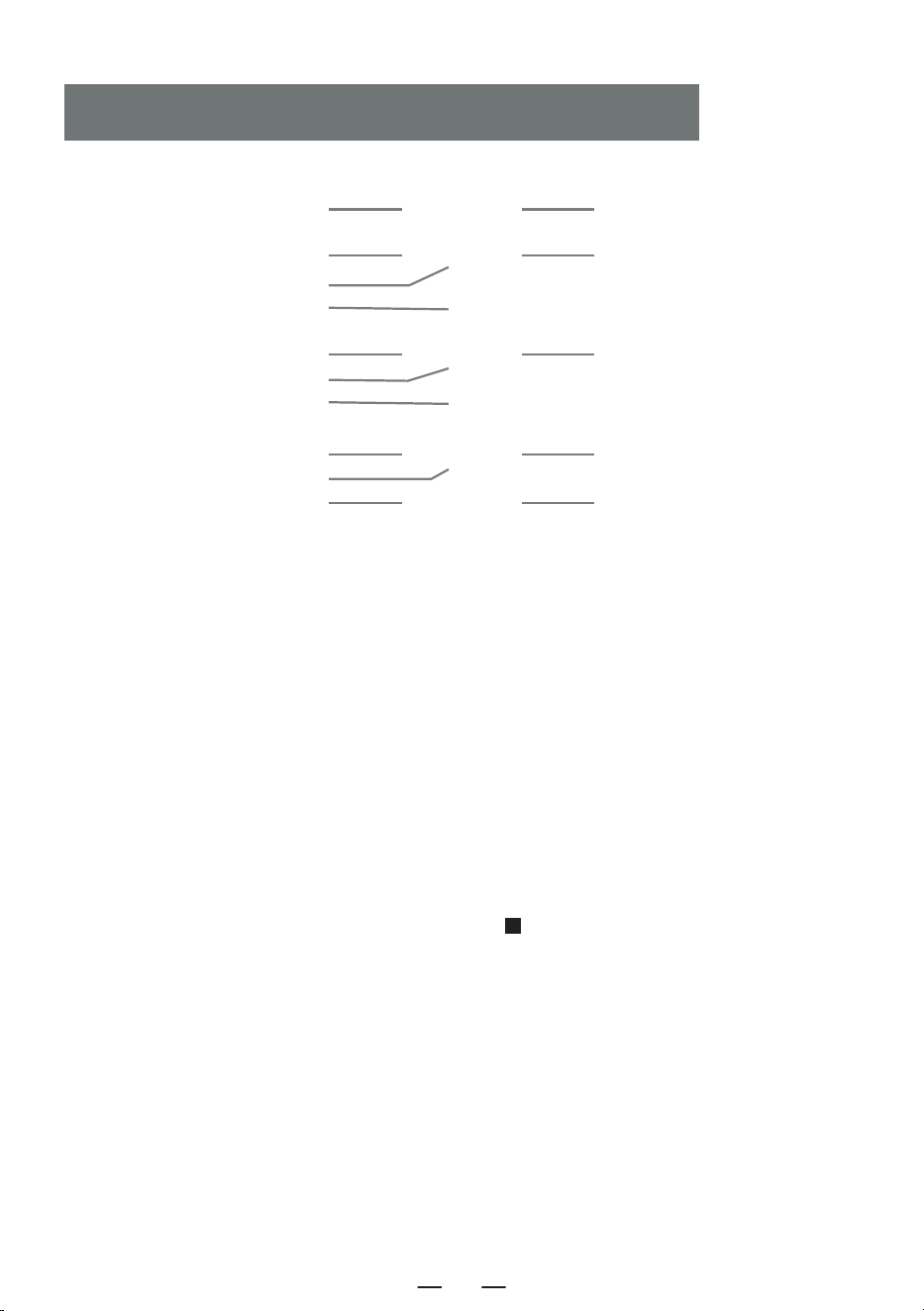
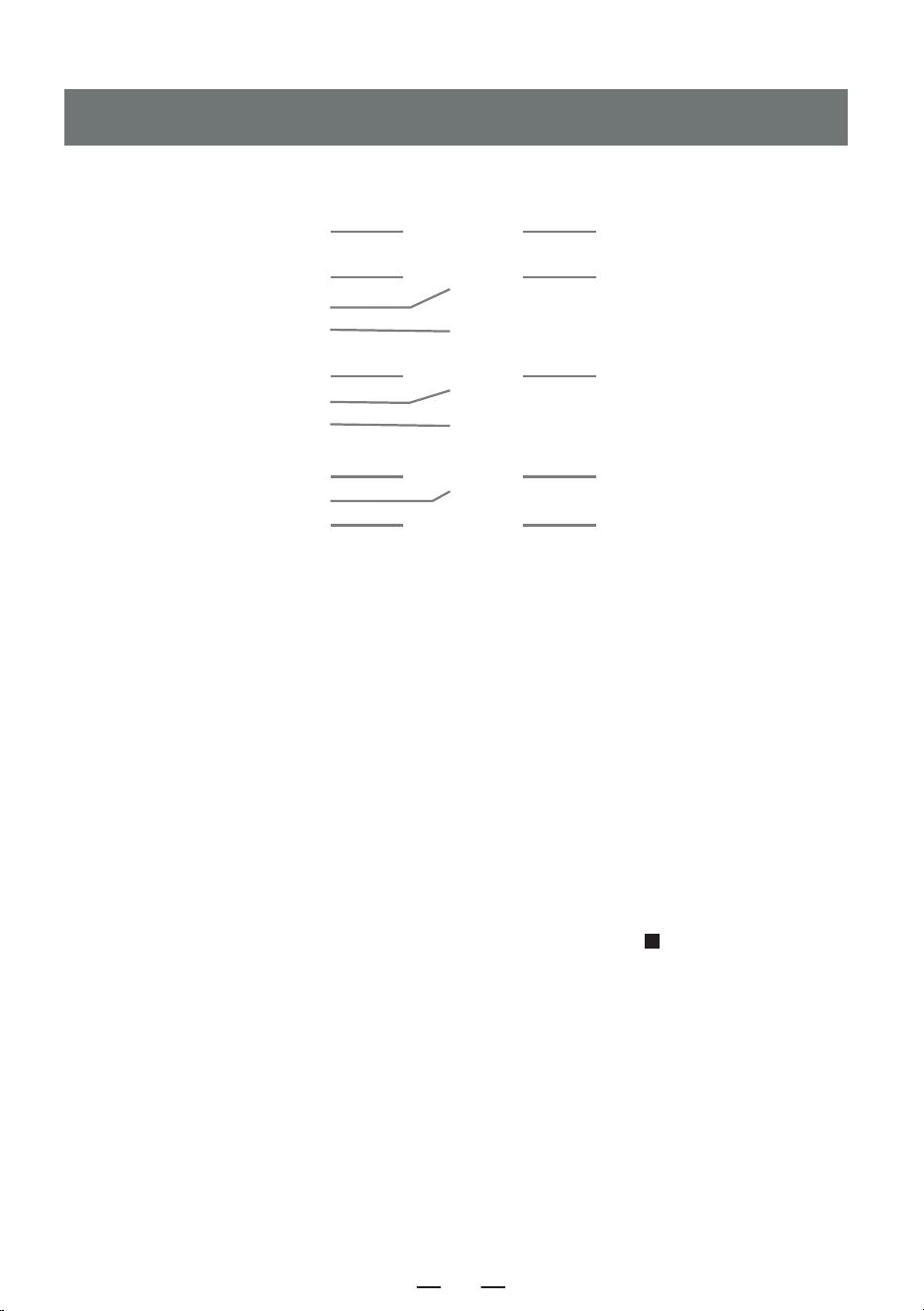
REMOTE CONTROL DESCRIPTION
1. POWER ON/OFF 2. FUNC.
EN
4. BLUETOOTH TRANSMITTER
8. NEXT SONG/FAST FORWARD
11. A-B REPEAT
13. 10 +
3. STOP
5. OPT
6. VOL +
7. PREVIOUS SONG/FAST REWIND
9. PLAY/PAUSE
6. VOL -
10. PROG/REP.
12. EQ
13. 10 -
3
EN
8. Next song/Fast forward Button:
· In CD/TF/USB/LINE mode, short press to the next song, long press to fast forward.
· In BT mode, short press to the next song.
9. Play/Pause Button: Play/Pause the song.
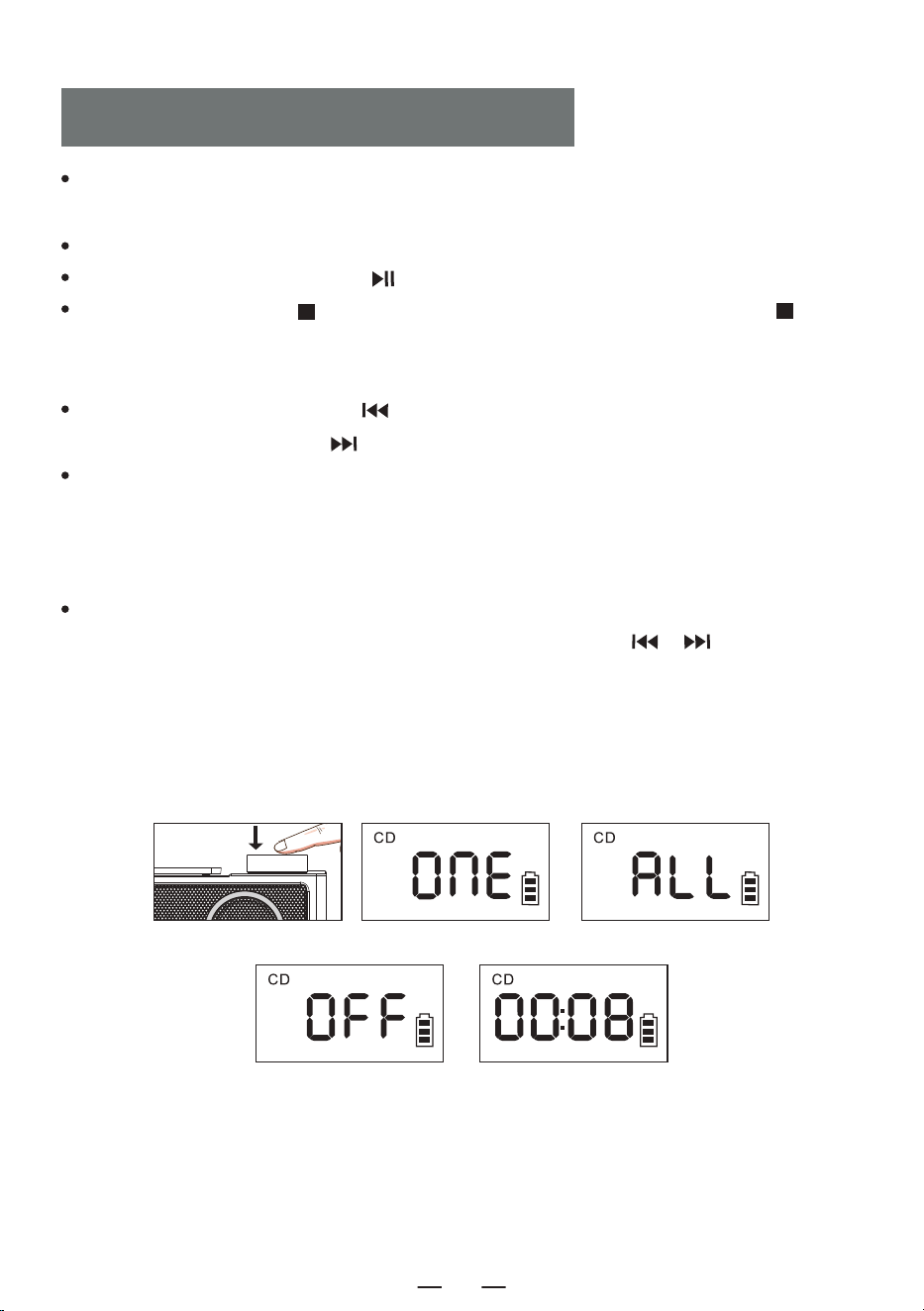
10. PROG/REP. Button:
A. In the CD/TF/USB mode.
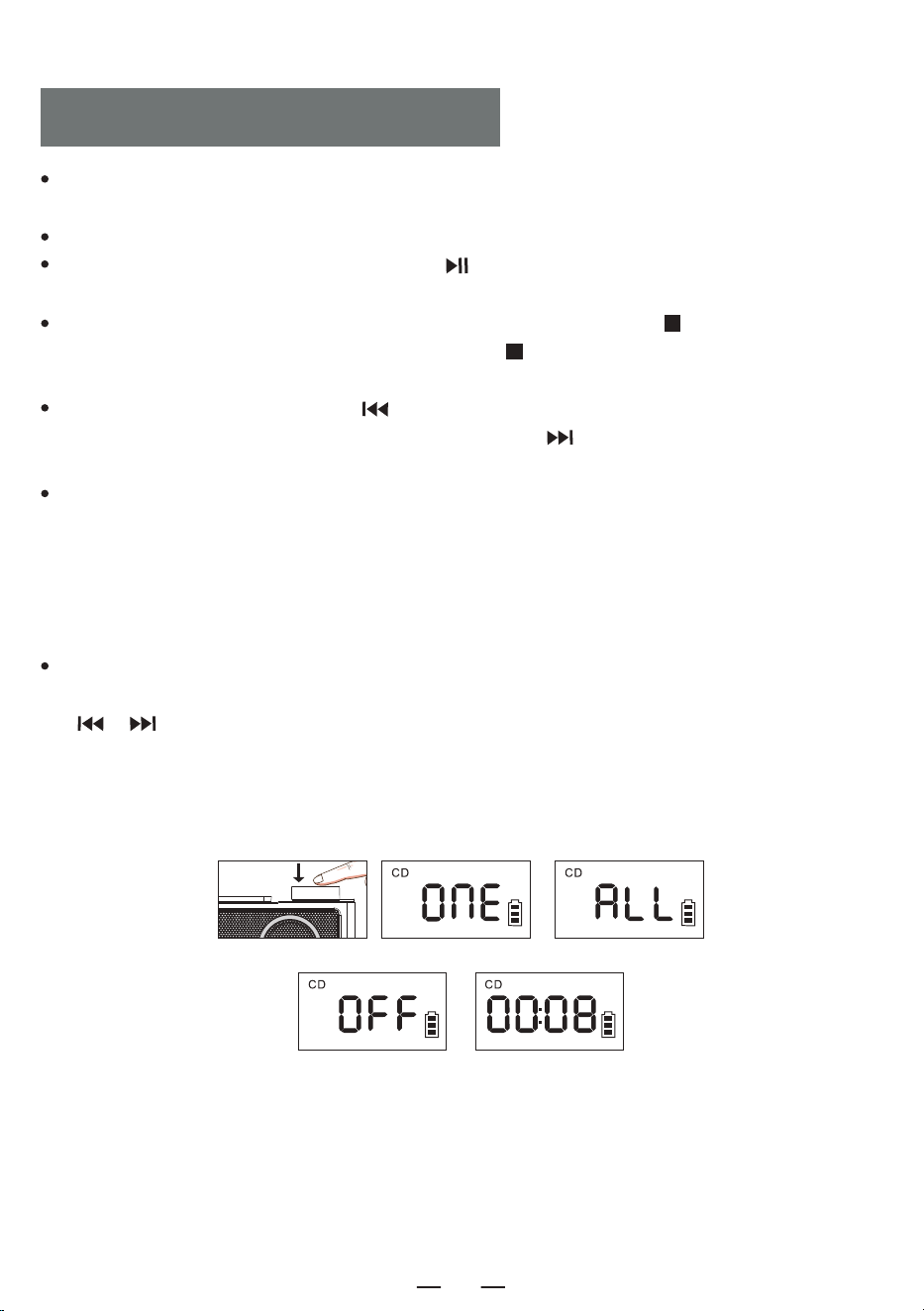
· Short press the button once, the currently playing song will be played in a loop, and the screen
displays [ ONE ].
· Short press the utton twice to repeat the entire disc., and the screen displays [ ALL ].
· Short press the button three times to return to normal playback, and the screen displays [ OFF ].
B. Short press the [ STOP ] button on the remote control, then press [ PROG/REP. ] button to enter
the programming mode, the LED displays [ P-01 ]. Short press [ / ] button to select the
song, and then press the [ PROG/REP. ] button to confirmed. Repeat this step until programming is
complete, press the [ PLAY ] button to play in the programmed order. Up to 20 songs programmable
for CDs, 99 songs programmable for MP3s. Press the [ STOP ] button twice in the programming state
to clear the programmed tracks and exit the programming state.
11. A-B Button: In CD/TF/USB mode, short press to set A-B repeat function.
12. EQ Button: Short press the [ EQ ] button to switch EQ modes during work: FLAT-ROC-
POP-CLA-JAZZ.
13. 10-/10+ Button: Step back with 10 tracks per click, and step forward with 10 tracks per click.
The device is powered by an external DC 5V.
The charging light is on and the battery symbol flashes when charging. When fully charged, the
light is off and the battery symbol does not flash.
POWER SUPPLY
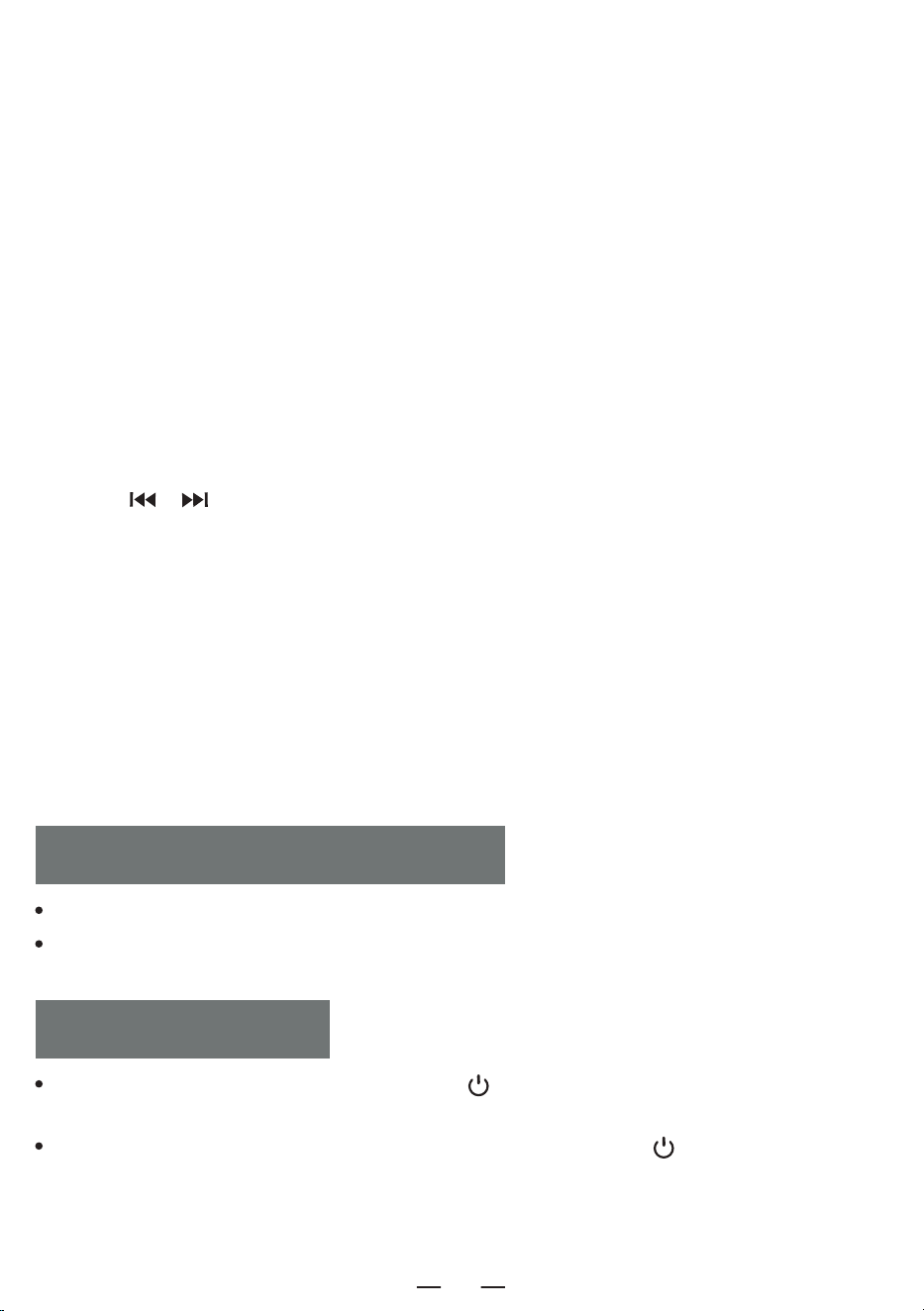
Long press the power button [ ] on the device for 2 seconds to turn on/off the device.
TURN ON/OFF
Long press the power button [ ] on the remote control to turn on the power, In working
condition, short press once to turn off the power.
NOTE: This product will automatically shut down after 15 minutes of no operation, and you will
hear " power off " when it shuts down.
4
EN
Open the CD door and put the CD in. After reading the disc, the screen will display the total number
of tracks on the CD and then start playing.
Knob the volume knob to adjust it to the appropriate volume.
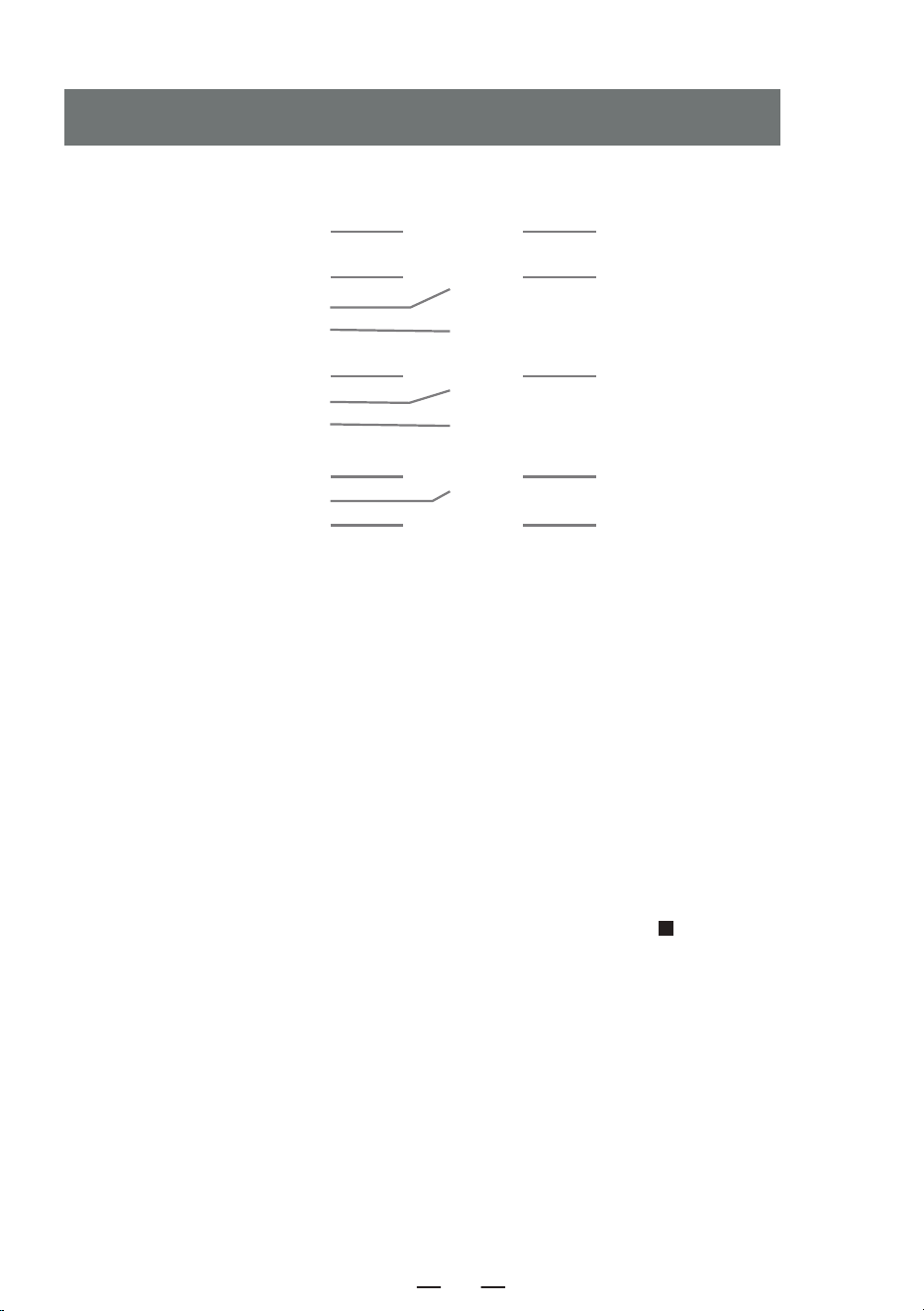
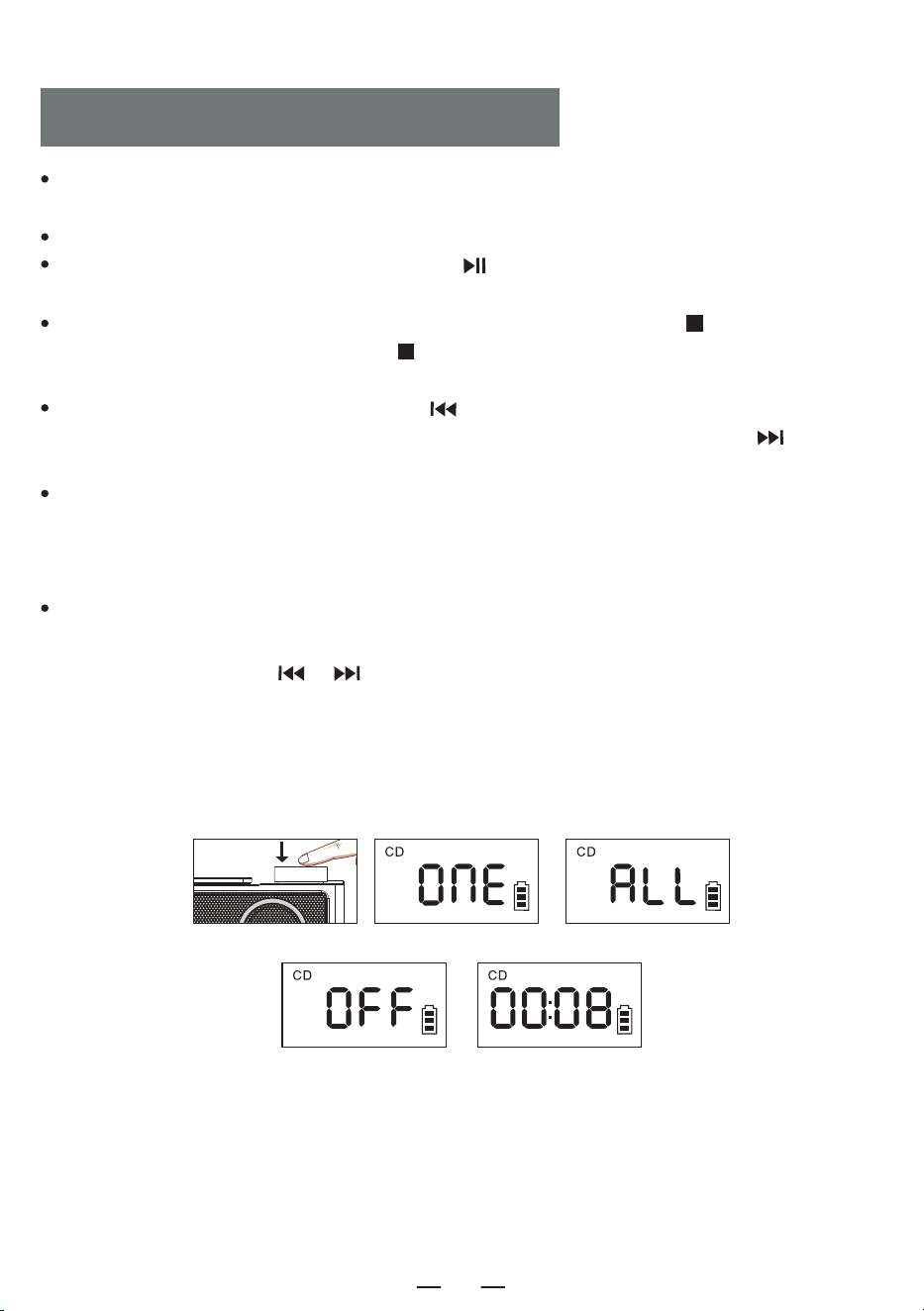
Short press the Play/Pause button [ ] to pause the playback, as shown in Figure [ 1 ].
Long press the EQ/STOP [ ] button on the device or short press the STOP button [ ] on
the remote control to stop the playback.. During playback, short press the EQ button to switch the
EQ mode: -POP-CLA-JAZZ-FLAT-ROC.
Short press the Previous button [ ] to switch to the previous song, long press to fast rewind,
short press the Next button [ ] to switch to the next song, long press to fast forward.
In the CD/TF/USB mode,Short press the [ PROG/REP. ] button on the remote control once, the
currently playing song will be played in a loop, and the screen will display [ 2 ]. Short press the
[ PROG/REP. ] button twice to repeat the entire disc., and the screen will display [ 3 ]. Short press
the [ PROG/REP. ] button three times to return to normal playback, and the screenwill display [ 4 ].
Short press the [ STOP ] button on the remote control, then press [ PROG/REP. ] button to enter
the programming mode, the LED displays [ P-01 ] [ 5 ]. Short press [ / ] button to select
the song, and then press the [ PROG/REP. ] button to confirmed. Repeat this step until program-
ming is complete, press the [ PLAY ] button to play in the programmed order. Up to 20 songs
programmable for CDs, 99 songs programmable for MP3s. Press the [ STOP ] button twice in the
programming state to clear the programmed tracks and exit the programming state.
CD/MP3 DISC OPERATION
1 2 3
4 5
5
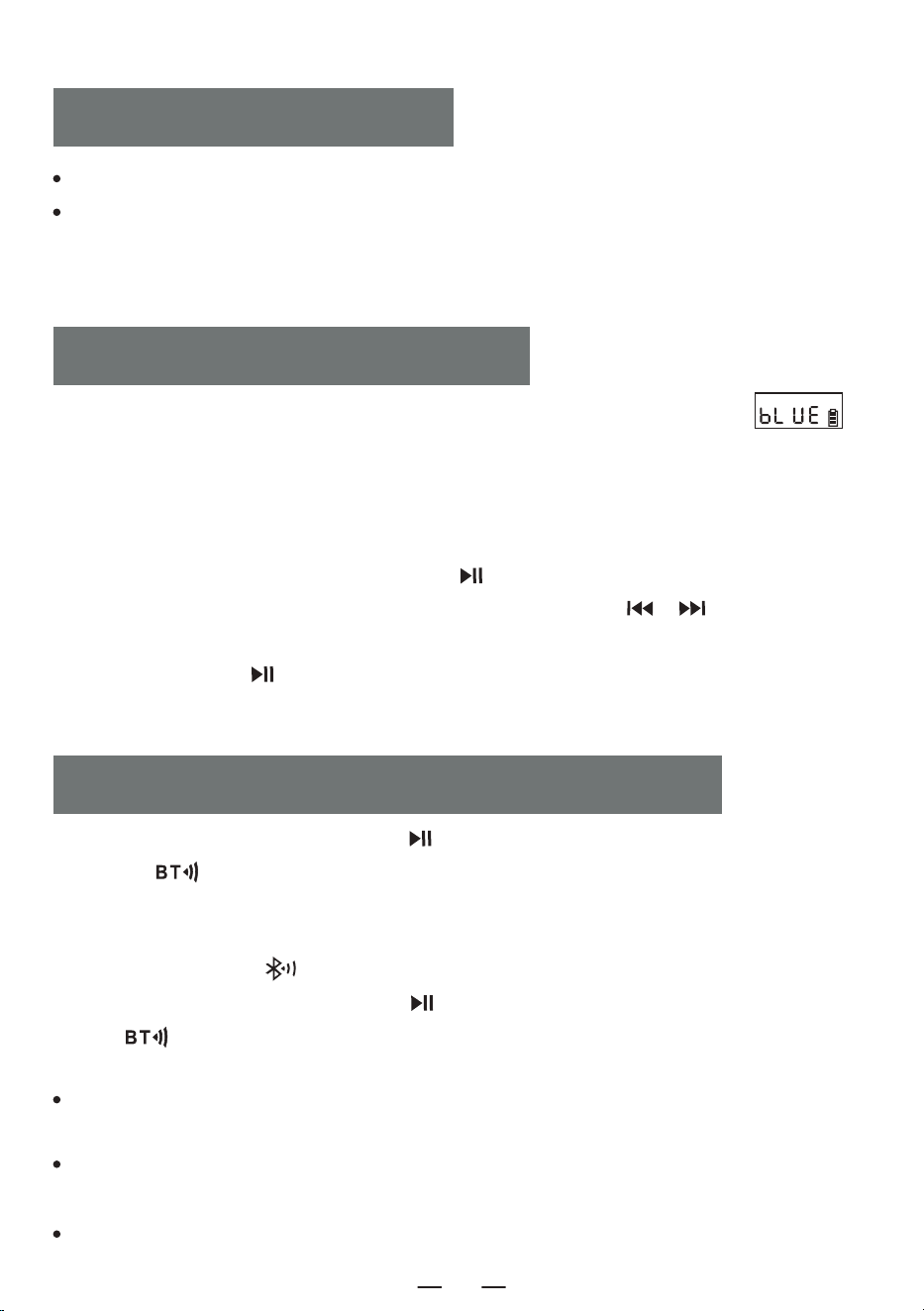
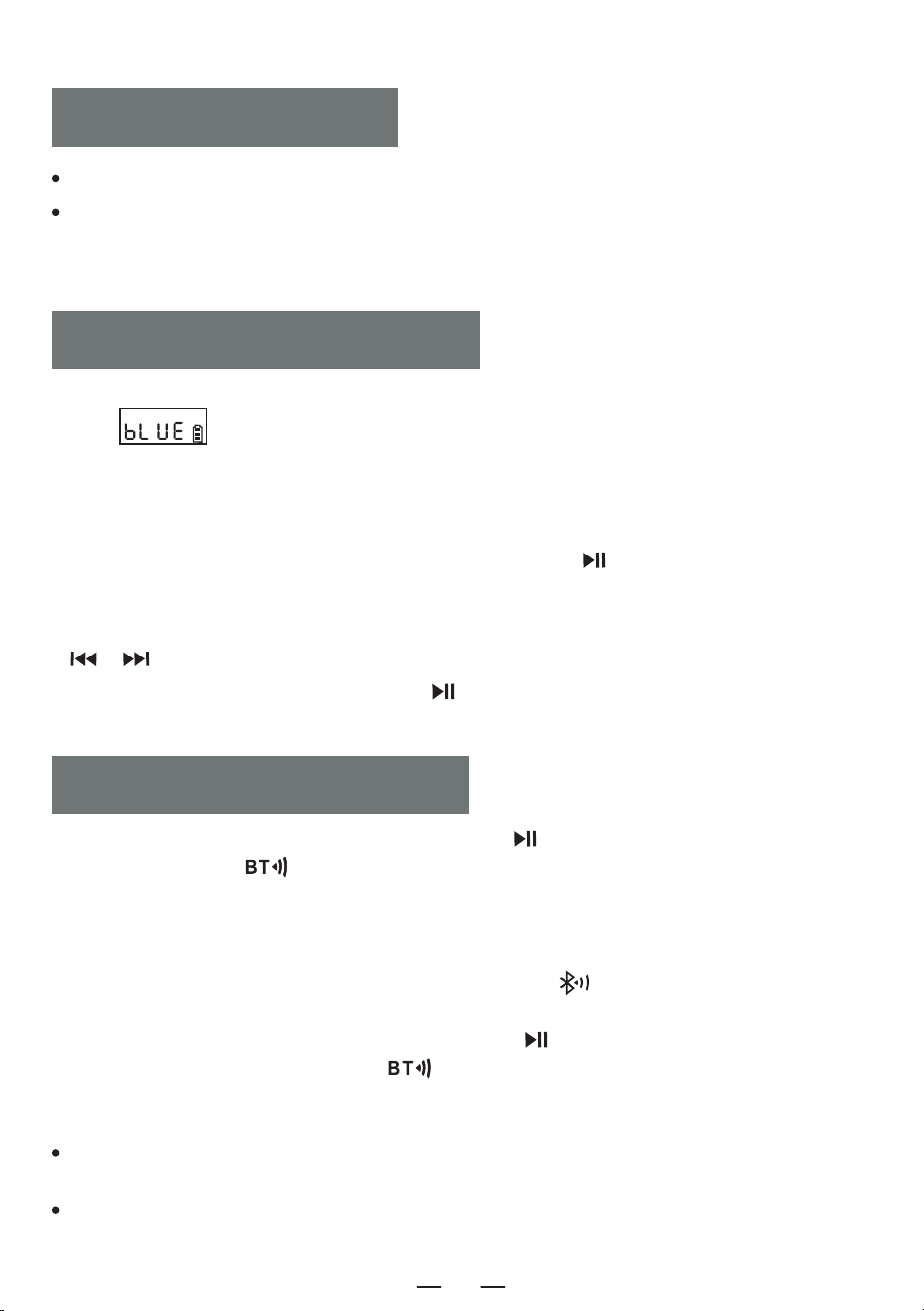
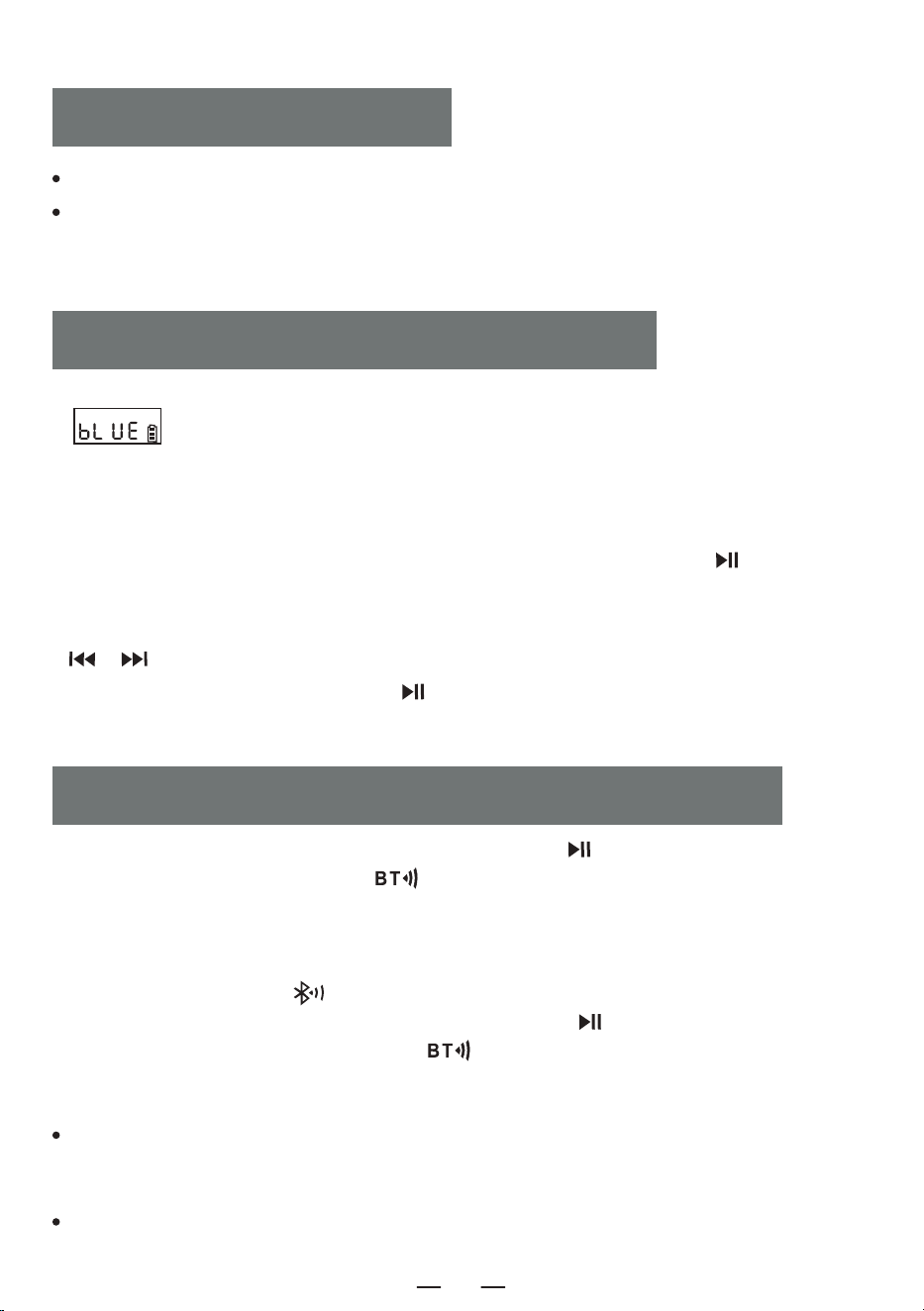
1. Short press the function button [ FUNC. ] to switch to " BT " mode. The LED display [ ]
will flash and the Bluetooth is in pairing mode.
2. Turn on your mobile phone or other Bluetooth device. When it searches for the local Bluetooth
device, the local device name " CD19 " will be displayed. After pairing is successful, the Bluetooth
display [ bLUE ] will stay on and you will hear " connected ".
3. When the Bluetooth is playing, short press the [ ] button to play/pause.
4. When the Bluetooth is playing, short press the Previous/Next button [ / ] to skip to the
previous or next track.
5. Long press the Play [ ] button to disconnect the Bluetooth connection and you will hear
" disconnected ". Long press again to reconnect.
BLUETOOTH OPERATION
1. In CD/USB/TF/FM mode, long press the [ ] button on the device or short press the BT transmit-
ter button [ ] on the remote control.
2. When Bluetooth is in the pairing state, it will search Bluetooth devices aroundfor pairing (those with
receiving function like Bluetooth speaker/Bluetooth earphone/Bluetooth headphone).
3. After pairing, the icon " " on LCD screen stops flashing.
4. Long press Bluetooth transmitter button [ ] on the device or short press the BT transmitter
button [ ] on the remote control again to stop Bluetooth transmitter.
NOTE:
BLUETOOTH TRANSMISSION MODE
EN
Insert the USB/TF card into the socket.
Short press the function button [ FUNC. ] on the device or the remote, switch to USB play mode LCD
shown as the device will reads the data and play the song.
NOTE: USB/TF can support up to 64G (Compatible with some 128G).
USB/TF OPERATION
It is best not to open other Bluetooth settings within ten meters when pairing. lf pairing fails, please
check whether there are other Bluetooth settings opened within ten meters.
If the Apple brand Bluetooth headset cannot be paired with this machine, please reset the Apple
brand Bluetooth headset and then connect it.
This device does not support connection to car audio.
6
EN
FIBER OPTIC CONNECTION
If pairing is unsuccessful, try restarting the device or the device paired with the device and pairing again.
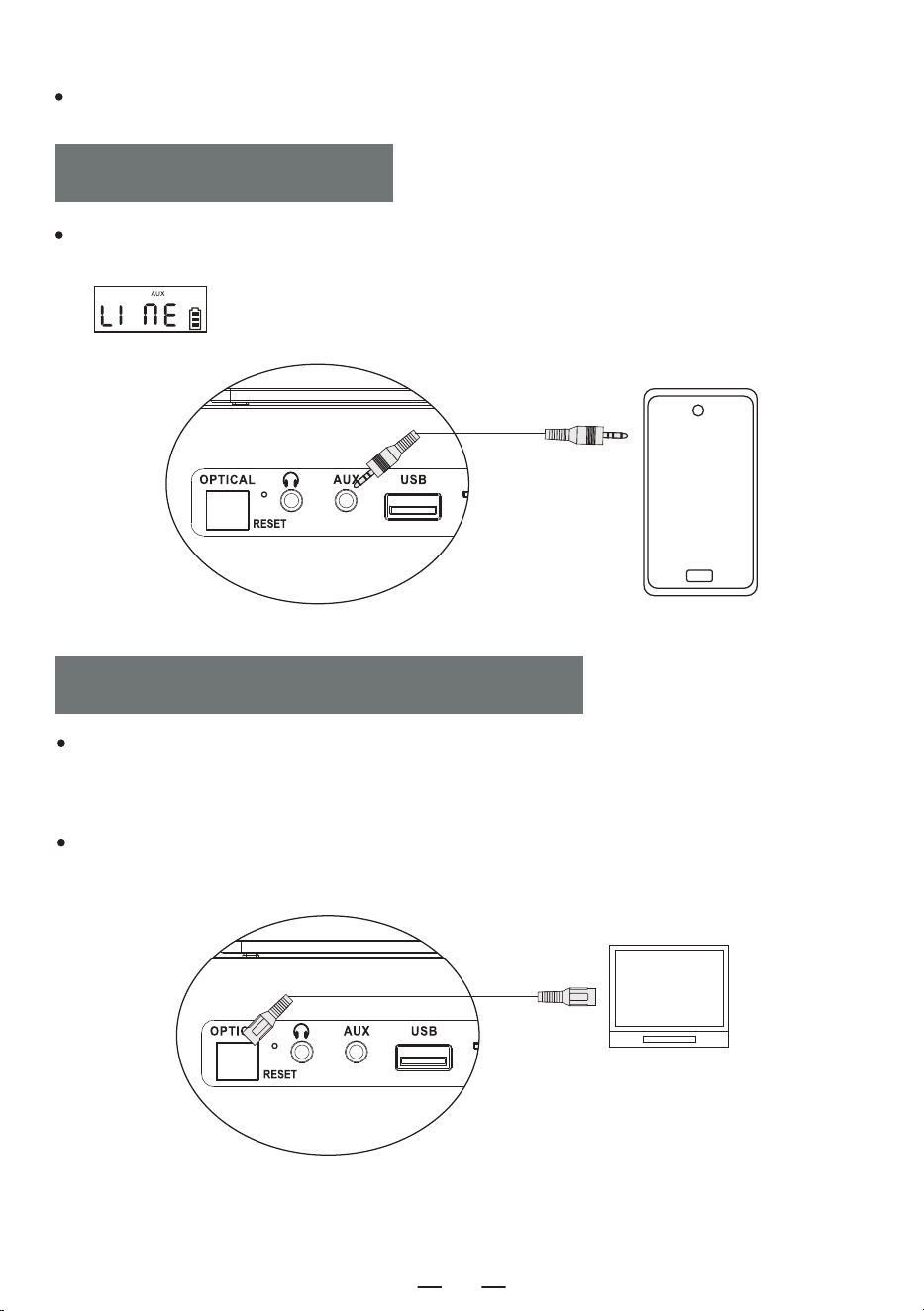
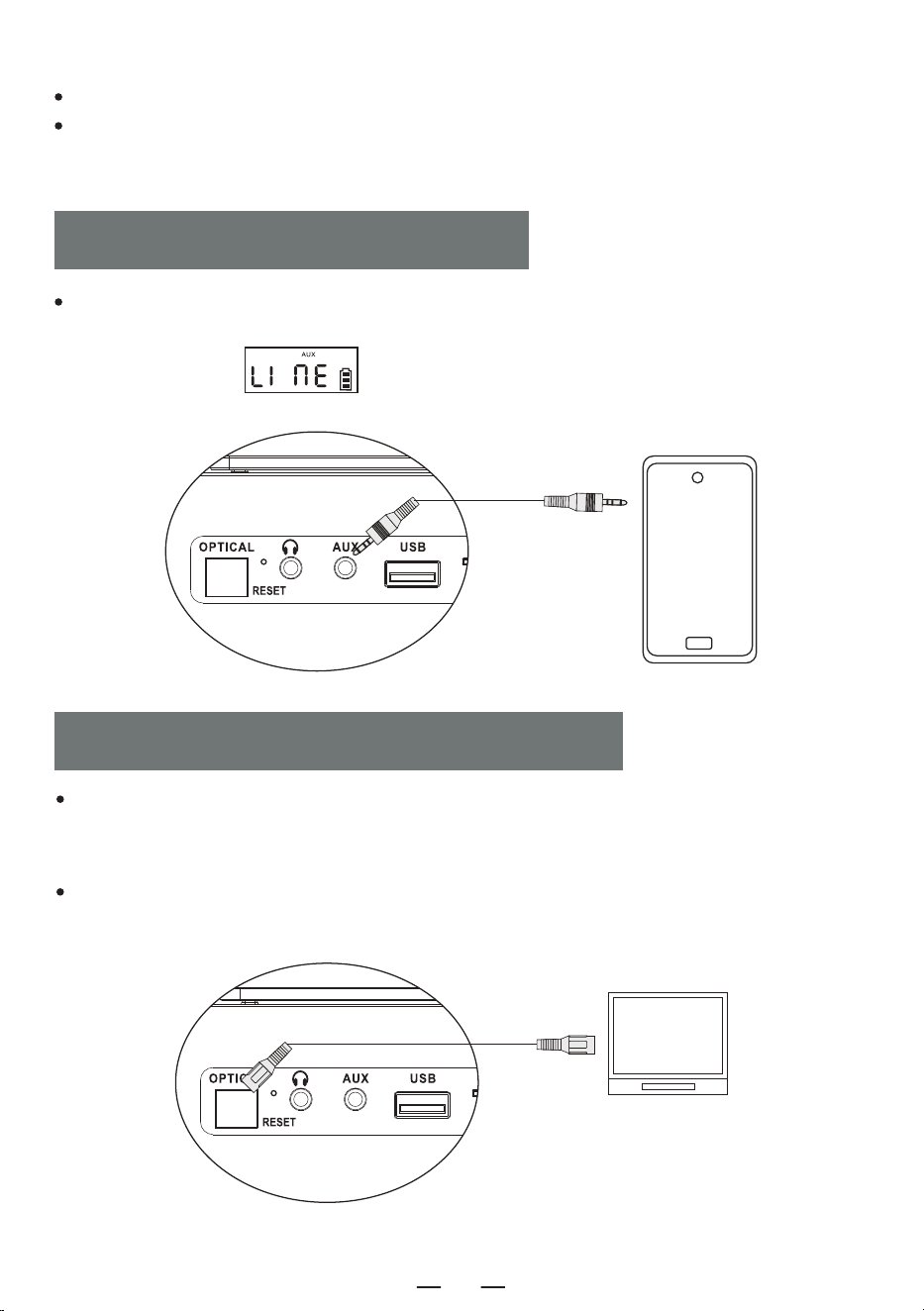
Short press the function selector [ FUNC. ] button, select the AUX function, then connect the
external sound source to this machine with AUX cord, the song will be played and LED will display
" ".
AUX OPERATION
In CD mode, use an optical audio cable to connect this CD player to other speaker devices, short
press the [ OPT ] button on the remote control to turn on the optical function, and the optical
interface light will turn on.
NOTE:
This function is only available in CD mode, and the optical cable is not included in the accessories.
7
EN
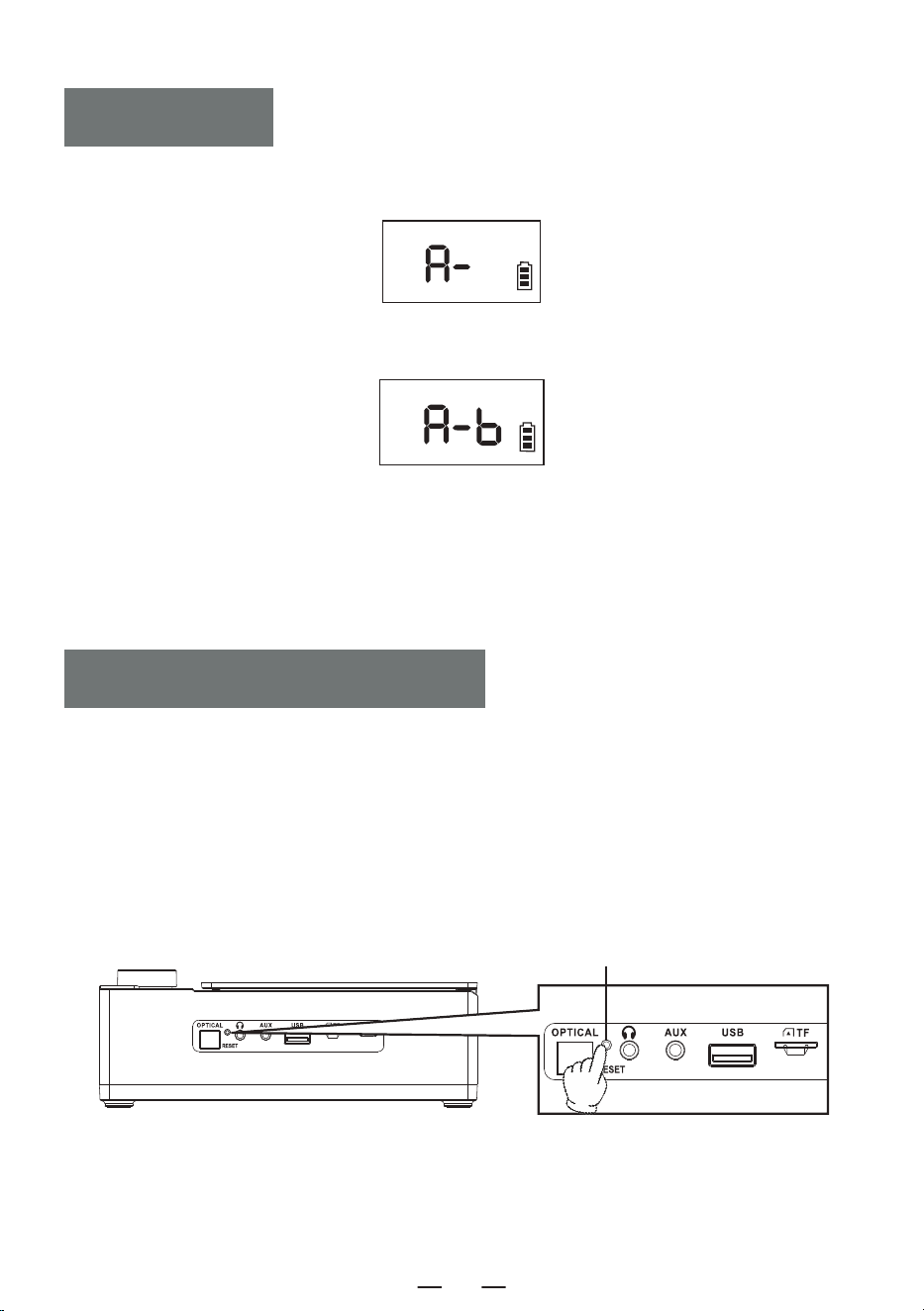
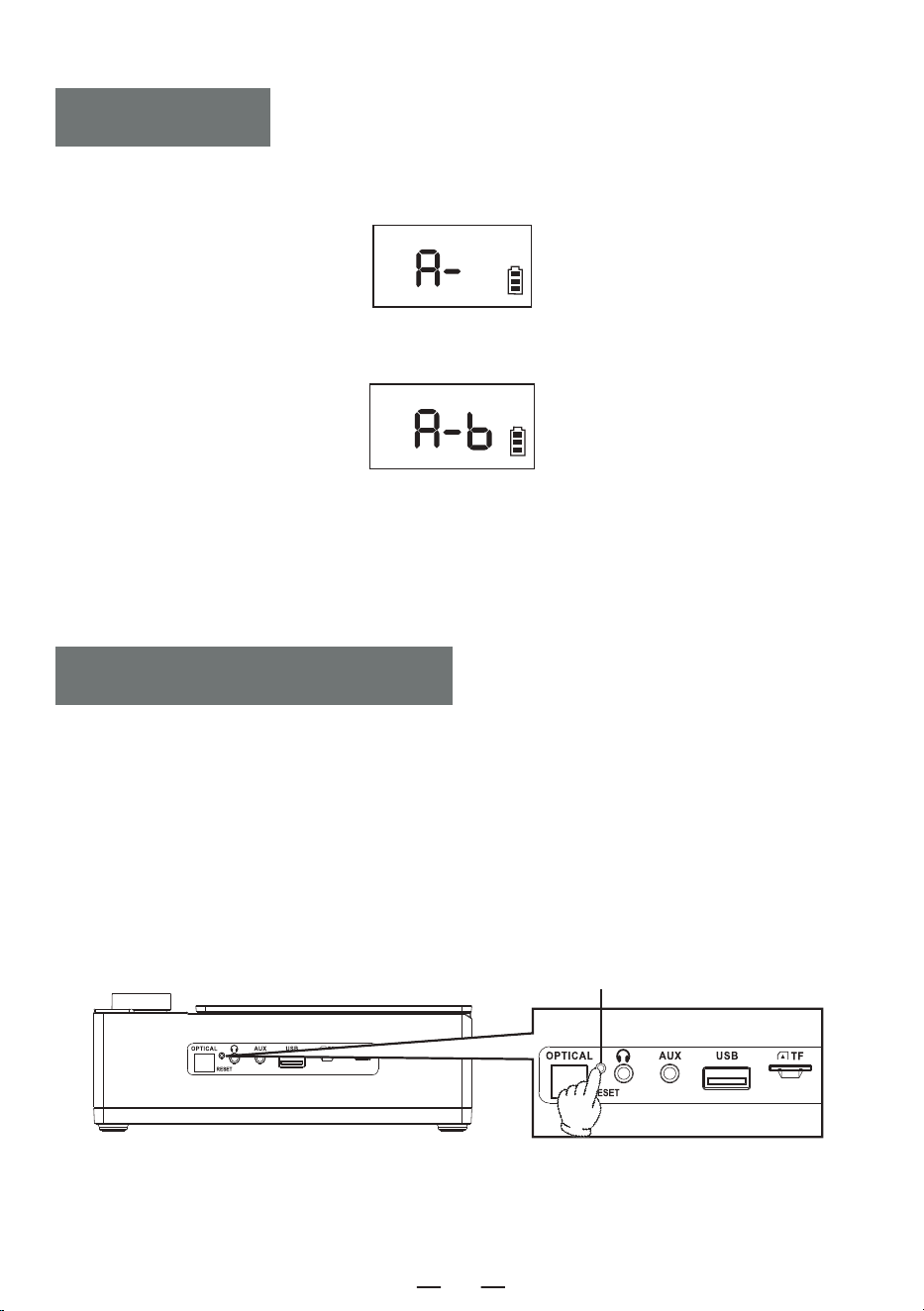
1. During playback,short press the A-B button on the remote control to set the start point [ A ] and
[ A- ] will appear on the screen.
2. Short press the A-B button on the remote control again to set the end point [ B ] , and [ A-B ]
will appear on the screen.
3. The machine will now repeat playback from A to B.
4. Press the A-B button on the remote control again to exit the A-B repeat function.
NOTE:
The A-B repeat function is only available in CD/TF/USB mode.
A-B PLAY
NOTE:
Because the product has battery protection measures, when the device freezes, cannot be charged or
can not use any functions after charging, or if there are lags or issues with functionality duringuse,
please ty to reset it, it can be reactivated and used after reset.
HOW TO RESET?
Press and hold the [ RESET ] button for two seconds, then restart the device, and it will return to
normal operation.
RESET THE MACHINE
Reset Button
8
This product has a 12-month warranty.
The warranty period starts from the date of purchase.
CD Player 1
Remote Control 1
Type-C Cable 1
User Manual 1
AUX Cord 1
WARRANTY
PACKING LIST
Product Size 192*152*70mm/7.56*5.98*2.76in
Bluetooth Version 5.3
Weight 750g/1.65lb
Power Input Type-C 5V 2A
Battery 4000mAh
CD Format CD/MP3/CD-R/CD-RW
SPECIFICATIONS
EN
9
EN
10
TRAGBARER CD-PLAYER
Vielen Dank für den Kauf unserer persönlichen Audioprodukte.
Der hochwertige CD-Player ist ein von unserem Unternehmen
sorgfältig entwickeltes Produkt der elektronischen Akustiktech-
nologie. Um den perfekten Nutzungseffekt zu erzielen und die
Lebensdauer dieses Produkts zu verlängern, sind korrekte Ver-
wendung und Wartung sehr wichtig. Lesen Sie dieses Handbuch
vor der Verwendung sorgfältig durch.
CD19
BENUTZERHANDBUCH
DE
INHALT
WICHTIGE TIPPS
WICHTIGE TIPPS
TASTENFUNKTION
ANWEISUNGEN ZUR FERNBEDIENUNG
STROMVERSORGUNG
NETZSCHALTER
CD/MP3-DISC-BETRIEB
USB/TF-BETRIEB
BLUETOOTH-BETRIEB
Der Netzstecker des Adapters dient als Trennvorrichtung. Wenn das Gerät eingeschaltet
ist, bewahren Sie das Netzteil an einem für den Betrieb geeigneten Ort auf.
Wenn das Gerät nicht in Betrieb ist, trennen Sie den Adapter vom Gerät und ziehen Sie
sofort den Netzstecker aus der Steckdose.
Lassen Sie den Adapter nicht fallen und tauschen Sie ihn sofort aus, wenn das Gehäuse
des Adapters beschädigt ist.
Wenn das Netzkabel des Adapters beschädigt ist, verwenden Sie es nicht weiter, um einen
elektrischen Schlag oder Brand zu vermeiden.
Um die Lebensdauer des Netzteils zu verlängern, ziehen Sie das
Netzkabel nach dem Aufladen oder Anschließen an den Computer
nicht direkt mit der Hand, sondern ziehen Sie das Netzkabel ab,
indem Sie den USB-Kopf mit der Hand anfassen.
Bitte berühren Sie das Gerät oder den Adapter nicht mit nassen Händen, um
einen Kurzschluss, eine Fehlfunktion oder einen Stromschlag zu vermeiden.
Verwenden oder lagern Sie das Gerät nicht in Umgebungen mit
hohen Temperaturen, hohem Druck, hoher Luftfeuchtigkeit,
starker statischer Elektrizität und starken Magnetfeldern, um eine
interne elektrische Blockade des Geräts zu vermeiden.
Bitte verwenden Sie das Gerät innerhalb des Temperaturbereichs
von 0℃-35℃ und lagern Sie das Gerät und das zugehörige
Zubehör innerhalb des Bereichs von -20℃-50℃.
Bitte stellen Sie die Verwendung des Geräts oder des Adapters sofort ein, wenn
es durch Regen, Flüssigkeit oder starke Feuchtigkeit benetzt ist.
Verwenden Sie für die Stromversorgung des Geräts einen Adapter, der den natio-
nalen Sicherheitsvorschriften entspricht.
Reinigen Sie das Gerät nicht mit Lösungsmitteln, Säuren, Laugen oder anderen
chemischen Flüssigkeiten, um eine Beschädigung des Gerätegehäuses zu vermeiden.
BLUETOOTH-SENDER
AUX-BETRIEB
GLASFASERANSCHLUSS
A-B-PLAY-FUNKTION
SETZEN SIE DIE MASCHINE ZURÜCK
GARANTIE
SPEZIFIKATION
PACKLISTE
DE
11
TASTENFUNKTION
1. LED-Display
2. Funktionstaste
3. Schneller Vorlauf/Weiter-Taste
4. Schneller Rücklauf/Zurück-Taste
5. Stop/EQ-Taste
6. Ein-/Aus-Taste
7. Lautstärkeregler/Play/Pause-Taste
8. CD-Tür
9. Fernbedienungsempfänger
10. Doppel-Lautsprecher
11. Glasfaserschnittstelle
12. Kopfhöreranschluss
13. AUX-Buchse
14. USB-Buchse
15. TF-Kartensteckplatz
16. Ladekontrollleuchte
17. DC 5V-Steckdosen
18. Resetknopf
DE
12
1. Ein-/Ausschalten-Taste: Halten Sie diese Taste gedrückt, um das Gerät einzuschalten, drücken Sie sie
erneut kurz, um es auszuschalten.
2. FUNC.-Taste: Kurz drücken, um in den CD-BT-TF-USB-LINE-Modus zu wechseln.
3. Stop-Taste: Drücken Sie im CD/TF/USB-Modus kurz die [ ]-Taste, um die Wiedergabe zu stoppen.
4. Bluetooth-Sender-Taste: Im CD/TF/USB/LINE-Modus kurz drücken, um die Bluetooth-Übertragungs-
funktion ein-/auszuschalten.
5. OPT-Taste: Im CD-Modus kurz drücken, um die Glasfaserfunktion ein-/auszuschalten.
6. VOL-/VOL+-Taste: Kurz drücken, um die Lautstärke schrittweise zu verringern oder zu erhöhen, langes
Drücken, um die Lautstärke schnell zu verringern oder zu erhöhen.
7. Vorheriges Lied/Schneller Rücklauf-Taste:
· Im CD/TF/USB/LINE-Modus drücken Sie kurz, um zum vorherigen Lied zurückzukehren, und lange, um
zurückzuspulen.
· Im BT-Modus kehren Sie durch kurzes Drücken zum vorherigen Lied zurück.
REMOTE CONTROL DESCRIPTION
1. EIN-/AUSSCHALTEN 2. FUNC.
4. BLUETOOTH-SENDER
8. NÄCHSTER SONG/
SCHNELLER VORLAUF
11. A-B WIEDERHOLUNG
13. 10+
3. STOP
5. OPT
6. VOL+
7. VORHERIGES LIED/
SCHNELLER RÜCKLAUF
9. PLAY/PAUSE
6. VOL-
10. PROG/REP.
12. EQ
13. 10-
DE
13
8. Nächstes Lied/Schneller Vorlauf-Taste:
· Im CD/TF/USB/LINE-Modus kurz drücken, um zum nächsten Lied zurückzukehren, und lange drücken, um
schnell vorzuspulen.
· Im BT-Modus kehren Sie durch kurzes Drücken zum nächsten Lied zurück.
9. Play/Pause-Taste: Wiedergabe/Pause des Titels.
10. PROG/REP.-Taste:
A. Geeignet für den CD/TF/USB-Modus.
· Drücken Sie die Taste einmal kurz, um das aktuelle Lied in einer Schleife abzuspielen. Auf dem
Bildschirm wird [ ONE ] angezeigt.
· Drücken Sie die Taste zweimal, um die gesamte Disc zu wiederholen und [ ALLE ] auf dem
Bildschirm anzuzeigen.
· Drücken Sie dreimal kurz auf die Taste, um zur normalen Wiedergabe zurückzukehren, und der Bildschirm
zeigt [ OFF ] an.
B. Drücken Sie kurz die Taste [ STOP ] auf der Fernbedienung und dann die Taste [ PROG/REP. ], um in
den Programmiermodus zu gelangen. Die LED zeigt [ P-01 ] an. Drücken Sie kurz die Taste [ / ],
um den Song auszuwählen, und drücken Sie dann zur Bestätigung die Taste [ PROG/REP. ]. Wiederholen Sie
diesen Schritt, bis die Programmierung abgeschlossen ist, und drücken Sie die [ PLAY ]-Taste, um die
programmierte Reihenfolge abzuspielen. Bei CDs können bis zu 20 Titel, bei MP3s bis zu 99 Titel program-
miert werden.
11. A-B Wiederholung-Taste: Im CD/TF/USB-Modus kurz drücken, um die A-B-Wiederholungsfunktion
einzustellen.
12. EQ-Taste: Drücken Sie während der Arbeit kurz die [ EQ ]-Taste, um den EQ-Modus zu wechseln:
FLAT-ROC-POP-CLA-JAZZ.
13. 10- /10+-Taste: Gehen Sie mit einem Klick 10 Titel zurück und mit einem Klick 10 Titel vor.
Das Gerät wird über eine externe DC 5V-Stromversorgung mit Strom versorgt.
Die Ladeanzeige leuchtet und das Batteriesymbol blinkt während des Ladevorgangs. Bei vollständi-
ger Ladung ist die Anzeige aus und das Batteriesymbol blinkt nicht.
STROMVERSORGUNG
Halten Sie die Einschalttaste [ ] am Gerät 2 Sekunden lang gedrückt, um das Gerät ein-/auszuschalten.
NETZSCHALTER
Oder drücken Sie die Einschalttaste [ ] auf der Fernbedienung lange, um das Gerät einzus-
chalten, und erneut kurz, um das Gerät auszuschalten.
HINWEIS: Dieses Produkt schaltet sich nach 15 Minuten ohne Betrieb automatisch aus, Sie hören
eine „ power off “ beim Ausschalten.
DE
14
Öffnen Sie das CD-Fach, legen Sie die CD ein und nachdem Sie die CD gelesen haben, wird der
Bildschirm angezeigt zeigt die Gesamtzahl der Titel auf der CD an und beginnt dann mit der Wiedergabe.
Drehen Sie den Lautstärkeregler, um eine geeignete Lautstärke einzustellen.
Drücken Sie kurz die Wiedergabe-/Pause-Taste [ ] , um die Wiedergabe anzuhalten.Wie in Abbildung
[ 1 ] dargestellt.
Wenn Sie die Wiedergabe stoppen möchten, halten Sie die EQ/STOP-Taste [ ] an Ihrem Gerät
gedrückt oder drücken Sie Drücken Sie die Stopptaste [ ] auf der Fernbedienung. Drücken Sie
während der Wiedergabe kurz EQ Taste zum Umschalten des EQ-Modus: POP-CLA-JAZZ-FLAT-ROC.
Drücken Sie kurz die Taste Previous [ ], um zum vorherigen Titel zu wechseln, drücken Sie lange,
um schnell zurückzuspulen, drücken Sie kurz die Taste Next [ ], um zum nächsten Titel zu wechseln,
drücken Sie lange, um schnell vorzuspulen.
Drücken Sie im CD/TF/USB-Modus kurz [ PROG/REP. ] . Tasten auf der Fernbedienung Wenn Sie die
Steuerung einmal ausführen, wird das aktuell abgespielte Lied in einer Schleife abgespielt und der
Bildschirm wird angezeigt Anzeige [ 2 ]. Drücken Sie zweimal kurz die Taste [ PROG/REP. ] , um die
gesamte Disc wiederholt abzuspielen. Auf dem Bildschirm wird [ 3 ] angezeigt. Drücken Sie dreimal kurz
die Taste [ PROG/REP. ] . Kehren Sie zur normalen Wiedergabe zurück und auf dem Bildschirm wird
[ 4 ] angezeigt.
Drücken Sie kurz die Taste [ STOP ] auf der Fernbedienung und dann die Taste [ PROG/REP. ], um in
den Programmiermodus zu gelangen. Die LED zeigt [ P-01 ] [ 5 ] an. Drücken Sie kurz die Taste
[ / ], um den Song auszuwählen, und drücken Sie dann zur Bestätigung die Taste
[ PROG/REP. ]. Wiederholen Sie diesen Schritt, bis die Programmierung abgeschlossen ist, und drücken
Sie die [ PLAY ]-Taste, um die programmierte Reihenfolge abzuspielen. Bei CDs können bis zu 20 Titel,
bei MP3s bis zu 99 Titel programmiert werden.
CD/MP3-DISC-BETRIEB
1 2 3
4 5
DE
15
1. Drücken Sie kurz die Funktionstaste [ FUNC. ], um in den „ BT “-Modus zu wechseln. Die LED-An-
zeige [ ] blinkt und Bluetooth befindet sich im Pairing-Modus.
2. Schalten Sie Ihr Telefon oder ein anderes Bluetooth-Gerät ein. Bei der Suche nach lokalen
Bluetooth-Geräten wird der lokale Gerätename „CD19“ angezeigt. Wenn die Kopplung erfolgreich war,
bleibt die Bluetooth-Anzeigeleuchte [ bLUE ] an und Sie hören „Verbunden“.
3. Drücken Sie während der Bluetooth-Wiedergabe kurz die Taste [ ], um die Wiedergabe/Pause zu
starten.
4. Drücken Sie während der Bluetooth-Wiedergabe kurz die Taste „Vorheriges/nächstes Lied“
[ / ] , um zum vorherigen oder nächsten Lied zu springen.
5. Drücken Sie lange auf die Wiedergabetaste [ ], um die Bluetooth-Verbindung zu trennen. Sie
hören „ disconnected “. Drücken Sie erneut lange, um die Verbindung wiederherzustellen.
BLUETOOTH-BETRIEB
1. Drücken Sie im CD/USB/TF/FM-Modus lange die Taste [ ] am Gerät oder drücken Sie kurz die
BT-Übertragungstaste [ ] auf der Fernbedienung.
2. Wenn sich Bluetooth im Kopplungsstatus befindet, sucht es in der zu koppelnden Umgebung nach
Bluetooth-Geräten (Bluetooth-Lautsprecher/Bluetooth-Headsets/Bluetooth-Headsets und andere Geräte
mit Empfangsfunktionen).
3. Nachdem die Kopplung abgeschlossen ist, hört das Symbol „ “ auf dem LCD-Bildschirm auf zu
blinken.
4. Drücken Sie lange auf die Bluetooth-Übertragungstaste [ ] am Gerät oder drücken Sie erneut
kurz auf die Bluetooth-Übertragungstast [ ] auf der Fernbedienung, um die Bluetooth-Übertra-
gung zu stoppen.
HINWEIS:
BLUETOOTH-SENDER
Stecken Sie die USB/TF-Karte in den Steckplatz.
Drücken Sie kurz die Funktionstaste [ FUNC. ] am Gerät oder auf der Fernbedienung, um in den
USB/TF-Wiedergabemodus zu wechseln. Das LCD-Anzeigegerät liest die Daten und spielt das Lied ab.
HINWEIS: USB/TF unterstützt bis zu 64G (Kompatibel mit einigen 128G).
USB/TF-BETRIEB
Wenn die Kopplung fehlschlägt, prüfen Sie bitte, ob im Umkreis von zehn Metern andere
Bluetooth-Einstellungen geöffnet sind.
Wenn das Apple-Bluetooth-Headset nicht mit diesem Gerät gekoppelt werden kann, setzen Sie das
Apple-Bluetooth-Headset bitte zurück und verbinden Sie es dann.
DE
16
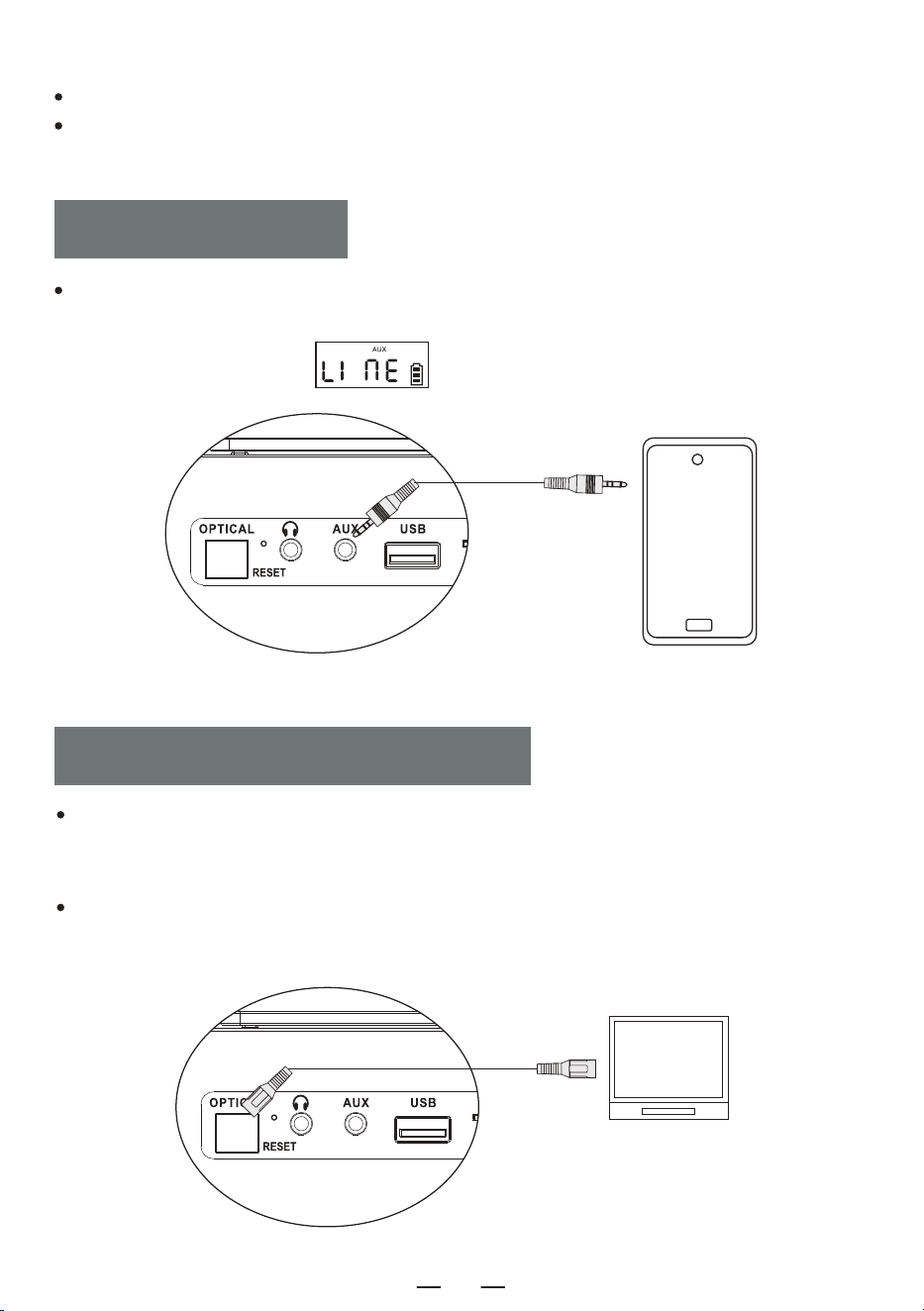
GLASFASERANSCHLUSS
Dieses Gerät unterstützt keine Verbindung zu Car Audio.
Wenn die Kopplung nicht erfolgreich ist, versuchen Sie, das Gerät neu zu starten oder das Gerät mit dem
Gerät zu koppeln und die Kopplung erneut durchzuführen.
Drücken Sie kurz die Funktionsauswahltaste [ FUNC. ], wählen Sie die AUX-Funktion aus und
verbinden Sie dann die externe Tonquelle mit dem AUX-Kabel mit diesem Gerät. Das Lied wird
abgespielt und die LED zeigt „ “ an.
AUX-BETRIEB
Verwenden Sie im CD-Modus ein optisches Audiokabel, um diesen CD-Player mit anderen Lautsprech-
ergeräten zu verbinden. Drücken Sie kurz die Taste [ OPT ] auf der Fernbedienung, um die optische
Funktion einzuschalten,Das Licht der optischen Schnittstelle leuchtet auf.
HINWEIS:
Diese Funktion ist nur im CD-Modus verfügbar und das optische Kabel ist nicht im Lieferumfang
enthalten Zubehör.
DE
17
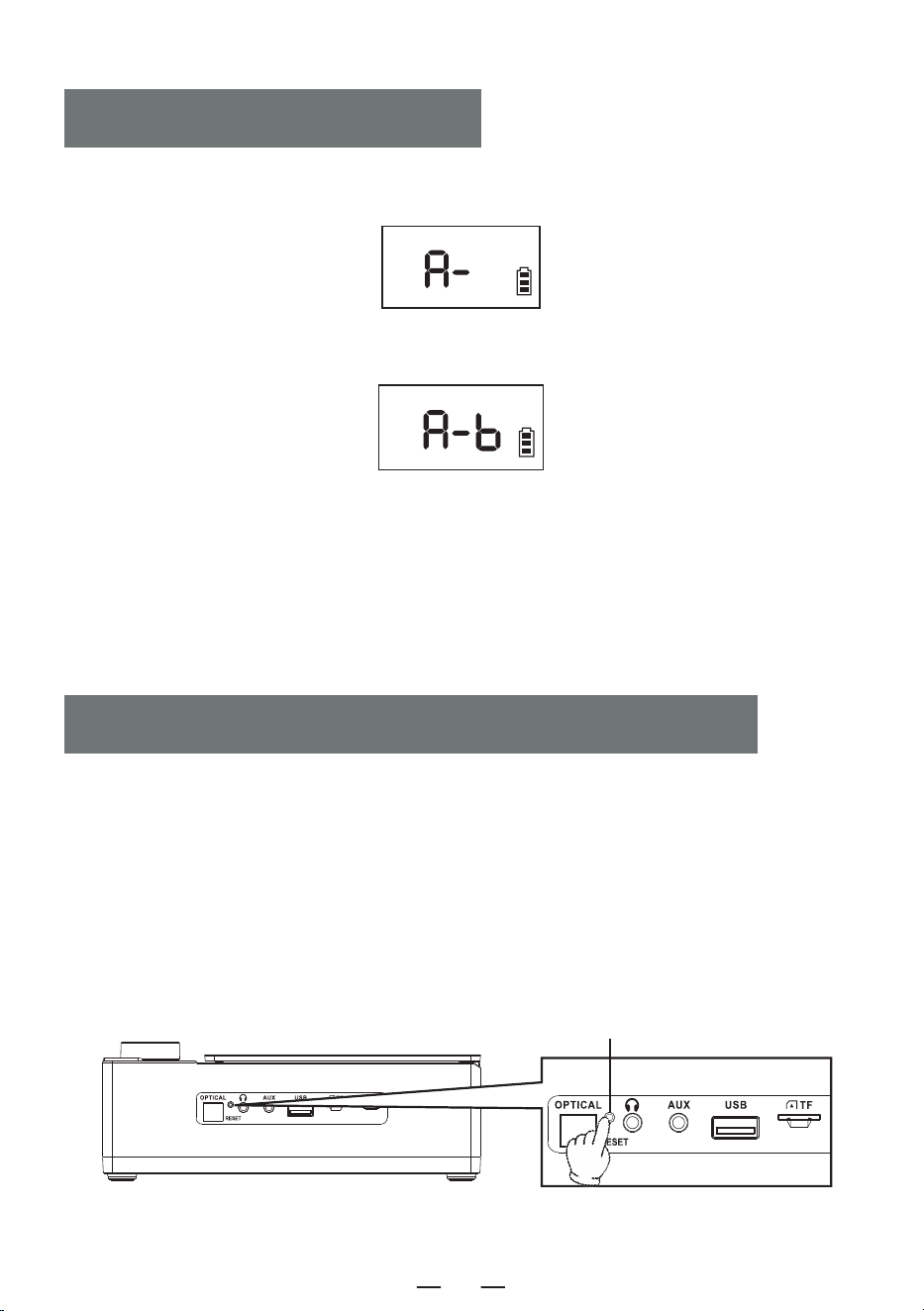
1. Drücken Sie während der Wiedergabe kurz die A-B-Taste auf der Fernbedienung, um den Startpunkt
[ A ] festzulegen, und [ A- ] wird auf dem Bildschirm angezeigt.
2. Drücken Sie erneut kurz die A-B-Taste auf der Fernbedienung, um den Endpunkt [ B ] festzulegen,
und [ A-B ] wird auf dem Bildschirm angezeigt.
3. Das Gerät wiederholt nun die Wiedergabe von A bis B.
4. Drücken Sie erneut die A-B-Taste auf der Fernbedienung, um die A-B-Wiederholungsfunktion zu
beenden.
HINWEIS:
Die A-B-Wiederholungsfunktion ist nur im CD/TF/USB-Modus verfügbar.
A-B-PLAY-FUNKTION
HINWEIS:
Da das Produkt über Akku-Schutzmaßnahmen verfügt, sollten Sie, wenn das Gerät einfriert, nicht
aufgeladen werden kann oder nach dem Aufladen keine Funktionen nutzen kann, oder wenn es
während der Nutzung zu Verzögerungen oder Problemen mit der Funktionalität kommt, versuchen Sie
bitte, es zurückzusetzen.
WIE RESETEN?
Halten Sie die [ RESET ]-Taste zwei Sekunden lang gedrückt, starten Sie das Gerät neu, und es wird
wieder normal funktionieren.
SETZEN SIE DIE MASCHINE ZURÜCK
Reset-Taste
DE
18
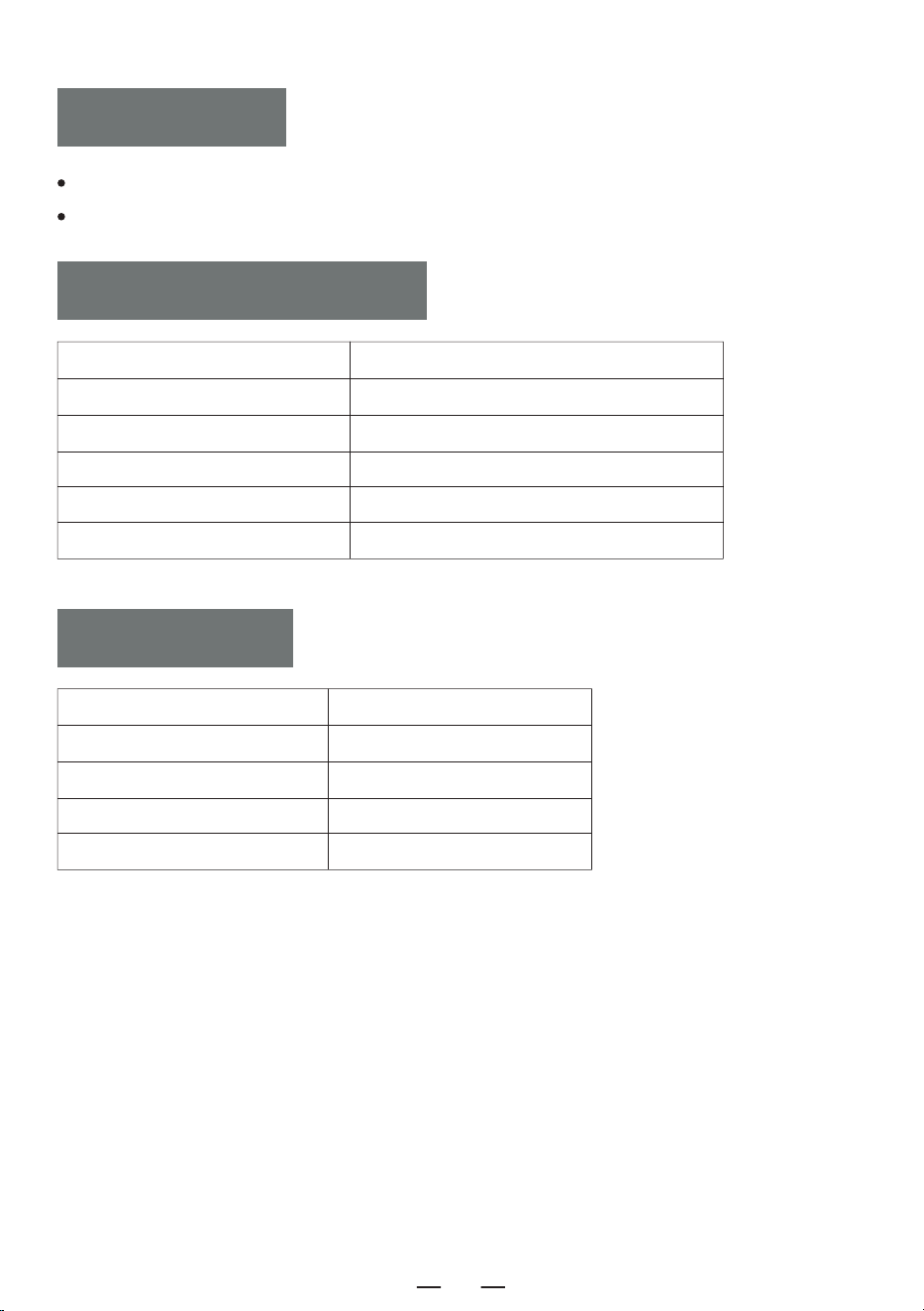
Für dieses Produkt gilt eine Garantie von 12 Monaten.
Die Garantiezeit beginnt mit dem Kaufdatum.
CD-Player 1
Fernbedienung 1
Typ-C-Kabel 1
Benutzerhandbuch 1
AUX-Kabel 1
GARANTIE
PACKLISTE
Größe des Produkts 192*152*70mm/7.56*5.98*2.76in
Bluetooth-Version 5.3
Gewicht 750g/1.65lb
Stromverbrauch Type-C 5V 2A
AKKU 4000mAh
Disc-Format CD/MP3/CD-R/CD-RW
SPEZIFIKATIONEN
DE
19
DE
20
LETTORE CD PORTATILE
Grazie per aver acquistato i nostri prodotti audio personali Il
lettore CD di alta qualità è un prodotto elettronico di tecnologia
acustica accuratamente progettato dalla nostra azienda. Per
ottenere un perfetto effetto d'uso e prolungare la durata di
questo prodotto, l'uso e la manutenzione corretti sono molto
importanti; si prega di leggere attentamente questo manuale
prima di utilizzarlo.
CD19
MANUALE D'USO
IT
CONTENUTO
VERY CONSIGLI IMPORTANTI
VERY CONSIGLI IMPORTANTI
FUNCTION DEI PULSANTI
REMOTE DESCRIZIONE DEI COMANDI
POWER ALIMENTAZIONE
TURN ON/OFF
CD/FUNZIONAMENTO DEL DISCO MP3
USB/TF FUNZIONAMENTO
BLUETOOTH FUNZIONAMENTO
The spina di alimentazione dell'adattatore è utilizzata come dispositivo di disconnessione.
Quando la macchina è alimentata, conservare l'alimentatore in un luogo comodo.
When non funziona, scollegare l'adattatore dal prodotto e staccare per tempo la spina
dalla presa di corrente.
Do non far cadere o urtare l'adattatore. Se il guscio dell'adattatore è danneggiato,
sostituirlo immediatamente.
If cavo di alimentazione della spina dell'adattatore è danneggiato, non continuare a usarlo
per evitare scosse elettriche o incendi.
In Per aumentare la durata dell'alimentatore, non tirare il cavo di
alimentazione direttamente con le mani dopo averlo caricato o
collegato al computer. Estrarre il cavo di alimentazione afferrando la
testa dell'USB.
Do non toccare il prodotto o l'adattatore con le mani bagnate per evitare
cortocircuiti, malfunzionamenti o scosse elettriche.
Do non utilizzare o conservare questa macchina in un ambiente
con temperature elevate, alta pressione, umidità, forte elettricità
statica e forti campi magnetici per evitare guasti ai circuiti interni
del dispositivo.
Please utilizzare la macchina in un intervallo di temperatura compre-
so tra 0℃ e 30℃ e conservare la macchina e i relativi accessori in
un intervallo di temperatura compreso tra -20℃ e 50℃.
When il prodotto o l'adattatore è stato bagnato dalla pioggia, è stato immerso in
un liquido o è gravemente umido, si prega di interromperne immediatamente l'uso.
Please utilizzare un adattatore conforme alle norme di sicurezza nazionali per
alimentare la macchina
Do non utilizzare solventi per macchine, acidi, alcali o altri liquidi chimici per
pulire il corpo macchina, per evitare di danneggiare la scocca.
BLUETOOTH MODALITÀ DI TRASMISSIONE
FUNZIONAMENTO AUX
FIBER CONNESSIONE OTTICA
A-B GIOCARE
RESEAVVISO
WARRANTY
SPECIFICATION
ELENCO IMBALLAGGI
IT
21
FUNCTION DEI PULSANTI
1. Display LCD
2. Pulsante funzione
3. Pulsante avanti veloce/successivo
4. Riavvolgimento veloce/Pulsante precedente
5. Pulsante Stop/EQ
6. Pulsante di accensione
7. Manopola del volume/Play/Pausa
8. Sportello CD
9. Ricevitore del telecomando
10. Doppio altoparlante
11. Interfaccia in fibra ottica
12. Jack per auricolari
13. Presa AUX
14. Presa USB
15. Presa per scheda TF
16. Indicatore luminoso di carica
17. Uscite DC 5V
18. Pulsante di reset
IT
22
1. Accensione/Spegnimento: Premere a lungo per accendere il dispositivo, premere di nuovo brevemente
per spegnerlo.
2. Pulsante FUNC.: Premere brevemente per passare alla modalità CD-BT-TF-USB-LINE.
3. Pulsante STOP: In modalità CD/TF/USB, premere brevemente il pulsante [ ] per interrompere la
riproduzione.
4. Pulsante Trasmettitore Bluetooth: In modalità CD/TF/USB/LINE, premere brevemente per attivare e
disattivare la funzione di trasmettitore Bluetooth.
5. Pulsante OPT: In modalità CD, premere brevemente per attivare/disattivare la funzione di fibra ottica.
6. Pulsante VOL-/VOL+: Premere brevemente per ridurre/aumentare il volume livello per livello, premere
a lungo per ridurre/aumentare rapidamente il volume.
7. Pulsante Brano Precedente/Riavvolgimento Veloce:
· In modalità CD/TF/USB/LINE, premere brevemente per passare al brano precedente, premere a lungo
per riavvolgere rapidamente.
· In modalità BT, premere brevemente per passare al brano precedente.
REMOTE DESCRIZIONE DEI COMANDI
1. ACCENSIONE/SPEGNIMENTO 2. FUNC.
4. TRASMETTITORE BLUETOOTH
8. CANZONE SUCCESSIVA/
AVANZAMENTO VELOCE
11. A-B RIPETIZIONE
13. 10+
3. STOP
5. OPT
6. VOL+
7. BRANO PRECEDENTE/
RIAVVOLGIMENTO VELOCE
9. RIPRODUZIONE/PAUSA
6. VOL-
10. PROG/REP.
12. EQ
13. 10-
IT
23
8. Pulsante Canzone Successiva/Avanzamento Veloce:
· In modalità CD/TF/USB/LINE, premere brevemente per passare al brano successivo, premere a lungo per
avanzare rapidamente.
· In modalità BT, premere brevemente per passare al brano successivo.
9. Pulsante Riproduzione/Pausa: Riproduzione/pausa del brano.
10. Pulsante PROG/REP.:
A. In modalità CD/TF/USB.
· Premere brevemente il pulsante per riprodurre il brano corrente in loop. Sullo schermo viene visualizzato
[ ONE ] viene visualizzato sullo schermo.
· Premere due volte il pulsante per ripetere l'intero disco e visualizzare [ ALL ] sullo schermo.
· Premere brevemente il tasto tre volte per tornare alla riproduzione normale e sullo schermo viene
visualizzato [ OFF ].
B. Premere brevemente il pulsante [ STOP ] sul telecomando, quindi premere il pulsante [ PROG/REP. ] per
accedere alla modalità di programmazione; il LED visualizza [ P-01 ]. Premere brevemente il tasto
[ / ] per selezionare il brano, quindi premere il tasto [ PROG/REP. ] per confermare. Ripetere
questo passaggio fino al completamento della programmazione, quindi premere il pulsante [ PLAY ] per
riprodurre i brani nell'ordine programmato. Fino a 20 brani programmabili per i CD, 99 brani programmabili
per gli MP3. Premere due volte il pulsante [ STOP ] in stato di programmazione per cancellare i brani
programmati e uscire dallo stato di programmazione.
11. Pulsante A-B Ripetizione: In modalità CD/TF/USB, premere brevemente per impostare la funzione di
ripetizione A-B.
12. Pulsante EQ: Premere brevemente il pulsante EQ per cambiare modalità di equalizzazione durante il
lavoro: FLAT-ROC- POP- CLA-JAZZ.
13. Pulsante 10- /10+: Torna indietro con 10 tracce per clic e avanza con 10 tracce per clic.
Il dispositivo è alimentato da un'alimentazione esterna a 5 V CC.
The carica è accesa e il simbolo della batteria lampeggia durante la carica. Quando è completa-
mente carico, la luce è spenta e il simbolo della batteria non lampeggia.
POWER ALIMENTAZIONE
Premere a lungo il pulsante di accensione [ ] sul dispositivo per 2 secondi per accendere/spegnere il
dispositivo.
TURN ON/OFF
Oppure premere a lungo il tasto di accensione [ ] sul telecomando per accendere il dispositivo e
premere di nuovo brevemente per spegnerlo.
NOTA: Questo prodotto si spegne automaticamente dopo 15 minuti di inattività. Si sentirà “power of f”
quando si spegne.
IT
24
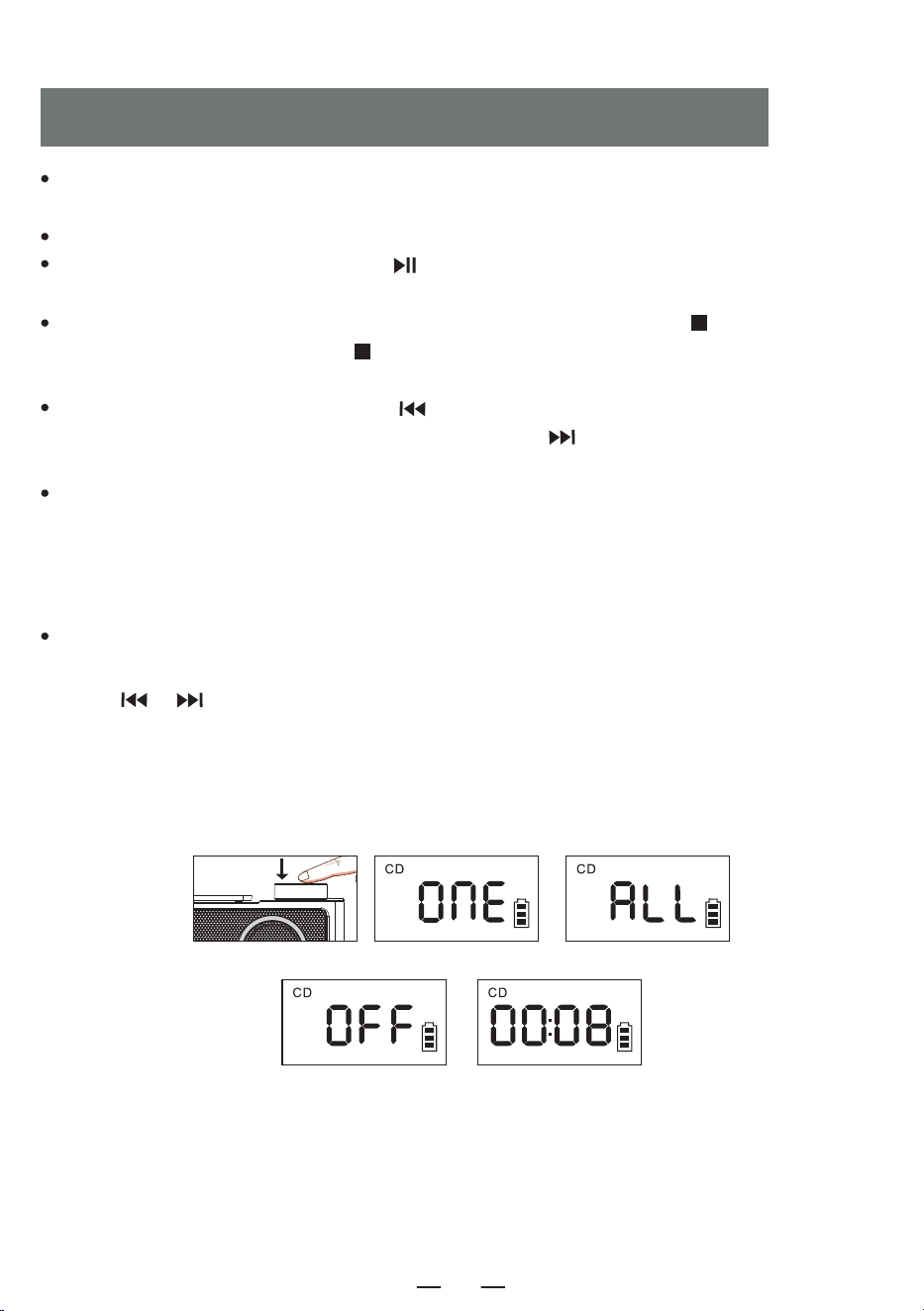
Aprire lo sportello del CD e inserire il CD. Dopo la lettura del disco, lo schermo visualizzerà il numero
totale di tracce del CD e inizierà la riproduzione.
Maneggiare la manopola del volume per regolarlo al volume appropriato.
Premere brevemente il tasto Play/Pausa [ ] per mettere in pausa la riproduzione, come illustrato
nella figura [ 1 ] .
Se si desidera interrompere la riproduzione, premere a lungo il tasto EQ/STOP [ ] dell'apparecchio o
premere brevemente il tasto STOP [ ] del telecomando. Durante la riproduzione, premere breve-
mente il pulsante EQ per passare alla modalità EQ: -POP-CLA-JAZZ-FLAT-ROC.
Premere brevemente il pulsante Previous [ ] per passare al brano precedente, premere a lungo per il
riavvolgimento rapido, premere brevemente il pulsante Next [ ] per passare al brano successivo,
premere a lungo per l'avanzamento rapido.
In modalità CD/TF/USB,t Premere brevemente una volta il pulsante [ PROG/REP. ] sul telecomando, il
brano attualmente in riproduzione verrà riprodotto in loop e sullo schermo verrà visualizzato [ 2 ] .
Premere brevemente il tasto [ PROG/REP. ] due volte per ripetere l'intero disco e sullo schermo viene
visualizzato [ 3 ] . Premere brevemente il tasto [ PROG/REP. ] tre volte per tornare alla riproduzione
normale e sullo schermo apparirà [ 4 ] .
Premere brevemente il pulsante [ STOP ] sul telecomando, quindi premere il pulsante [ PROG/REP. ]
per accedere alla modalità di programmazione; il LED visualizza [ P-01 ] [ 5 ]. Premere brevemente il
tasto [ / ] per selezionare il brano, quindi premere il tasto [ PROG/REP. ] per confermare.
Ripetere questo passaggio fino al completamento della programmazione, quindi premere il pulsante
[ PLAY ] per riprodurre i brani nell'ordine programmato. Fino a 20 brani programmabili per i CD, 99 brani
programmabili per gli MP3. Premere due volte il pulsante [ STOP ] in stato di programmazione per
cancellare i brani programmati e uscire dallo stato di programmazione.
CD/FUNZIONAMENTO DEL DISCO MP3
1 2 3
4 5
IT
25
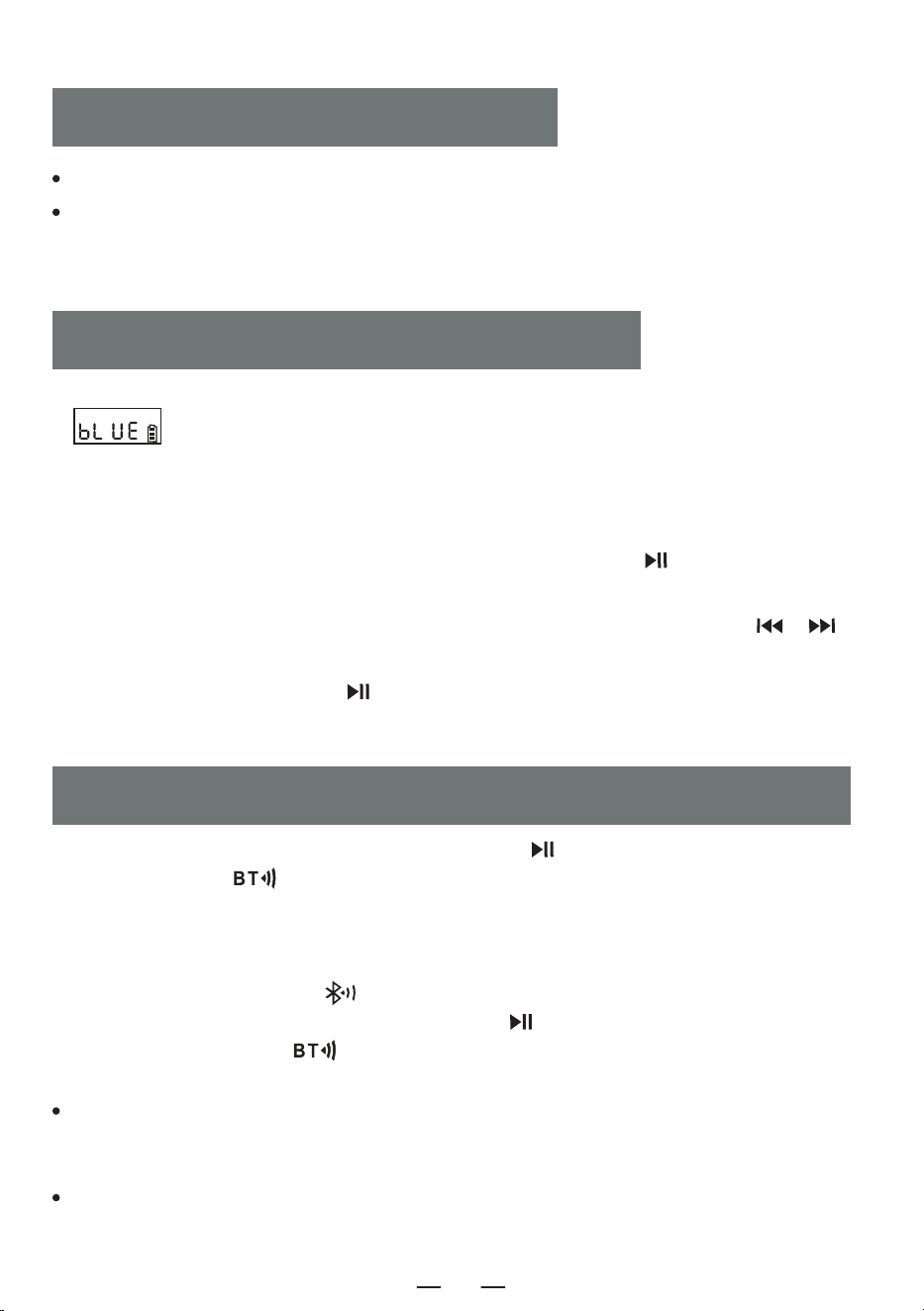
1. Premere brevemente il pulsante funzione [ FUNC. ] per passare alla modalità “ BT ” . Il display LED
[ ] lampeggia e il Bluetooth è in modalità di accoppiamento.
2. Accendere il telefono cellulare o un altro dispositivo Bluetooth. Quando cerca il dispositivo Bluetooth
locale, viene visualizzato il nome del dispositivo locale “CD19”. Dopo che l'accoppiamento è riuscito, il
display Bluetooth [ bLUE ] rimane acceso e si sente “ connected ”.
3. Quando il Bluetooth è in riproduzione, premere brevemente il pulsante [ ] per riprodurre/mettere
in pausa.
4. Quando il Bluetooth è in riproduzione, premere brevemente il pulsante Previous/Next [ / ]
per passare al brano precedente o successivo.
5. Premere a lungo il pulsante Play [ ] per scollegare la connessione Bluetooth e sentirete
“ disconnesso ”. Premete di nuovo a lungo per ricollegarvi.
BLUETOOTH FUNZIONAMENTO
1. In modalità CD/USB/TF/FM, premere a lungo il pulsante [ ] sul dispositivo o premere brevemente
il tasto BT transmitr [ ] sul telecomando.
2. Quando il Bluetooth è in stato di accoppiamento, cercherà i dispositivi Bluetooth intorno a sé per
l'accoppiamento (Quelli con funzione di ricezione come altoparlante Bluetooth/ auricolare Bluetooth/cuf-
fia Bluetooth).
3. Dopo l'accoppiamento, l'icona “ ” sullo schermo LCD smette di lampeggiare.
4. Premere a lungo il pulsante di trasmissione Bluetooth [ ] sul dispositivo o premere brevemente il
pulsante di trasmissione BT [ ] sul telecomando per interrompere la trasmissione Bluetooth.
NOTA:
BLUETOOTH MODALITÀ DI TRASMISSIONE
Inserire la scheda USB/TF nella presa.
Premendo brevemente il pulsante funzione [ FUNC. ] sul dispositivo o sul telecomando, si passa alla
modalità di riproduzione USB.
NOTA: USB/TF can support up to 64G (compatible with some 128G).
USB/TF FUNZIONAMENTO
È consigliabile non aprire altre impostazioni Bluetooth nel raggio di dieci metri durante l'accoppia-
mento. Se l'accoppiamento non riesce, verificare che non vi siano altre impostazioni Bluetooth aperte
nel raggio di dieci metri.
Se non è possibile accoppiare l'auricolare Bluetooth di marca Apple con questo apparecchio, resettare
l'auricolare Bluetooth di marca Apple e poi collegarlo.
IT
26
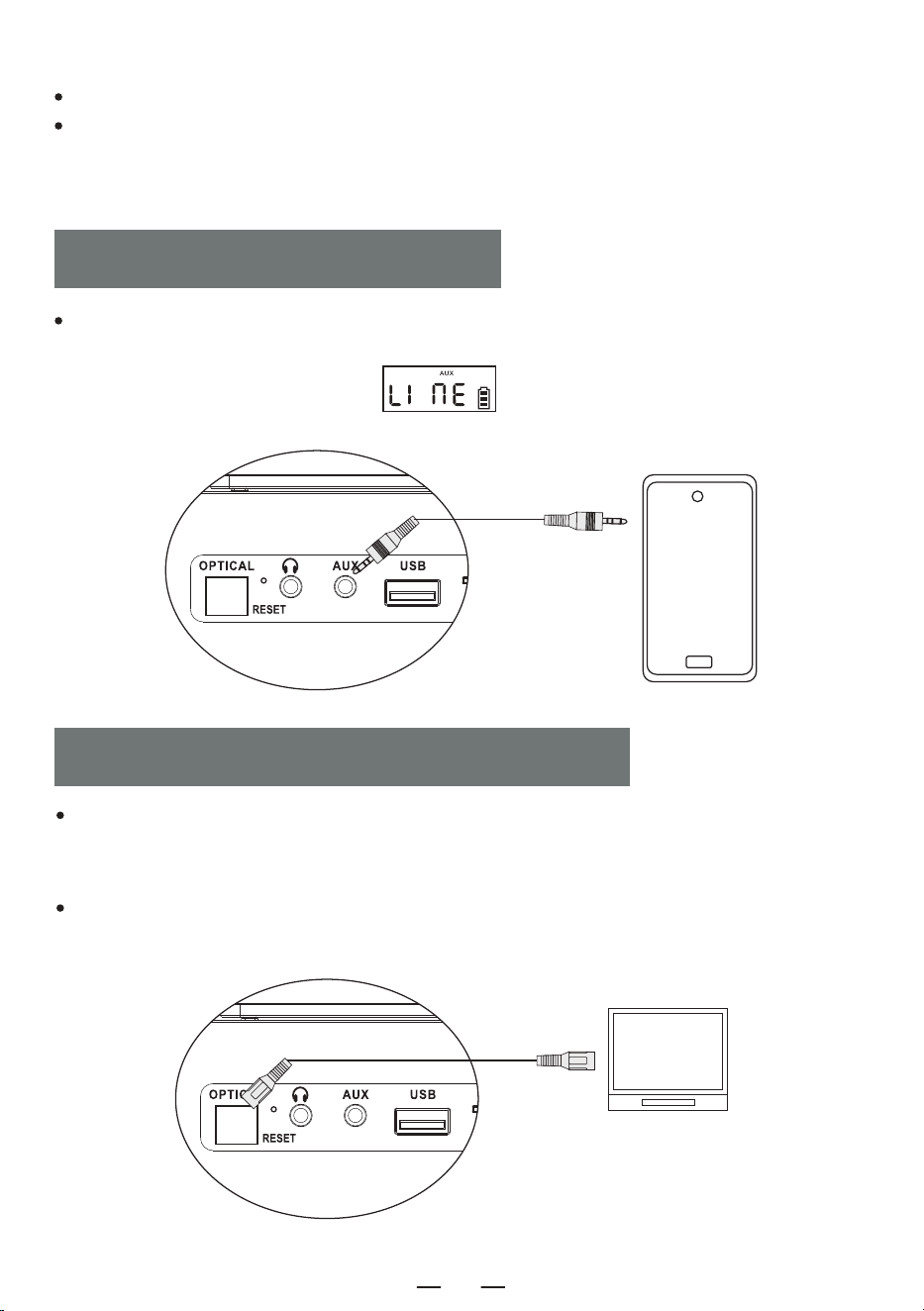
FIBER CONNESSIONE OTTICA
Questo dispositivo non supporta la connessione all'audio dell'auto.
Se l'accoppiamento non riesce, provare a riavviare il dispositivo o il dispositivo accoppiato con il
dispositivo e accoppiarlo di nuovo.
Premere brevemente il pulsante del selettore di funzione [ FUNC. ], selezionare la funzione AUX,
quindi collegare la sorgente sonora esterna a questa macchina con il cavo AUX, la canzone verrà
riprodotta e il LED verrà visualizzato ” ”.
FUNZIONAMENTO AUX
In modalità CD, utilizzare un cavo audio ottico per collegare questo lettore CD ad altri dispositivi di
diffusione, premere brevemente il tasto [ OPT ] sul telecomando per attivare la funzione ottica e la
spia dell'interfaccia ottica si accenderà.
NOTA:
Questa funzione è disponibile solo in modalità CD e il cavo ottico non è incluso negli accessori.
IT
27
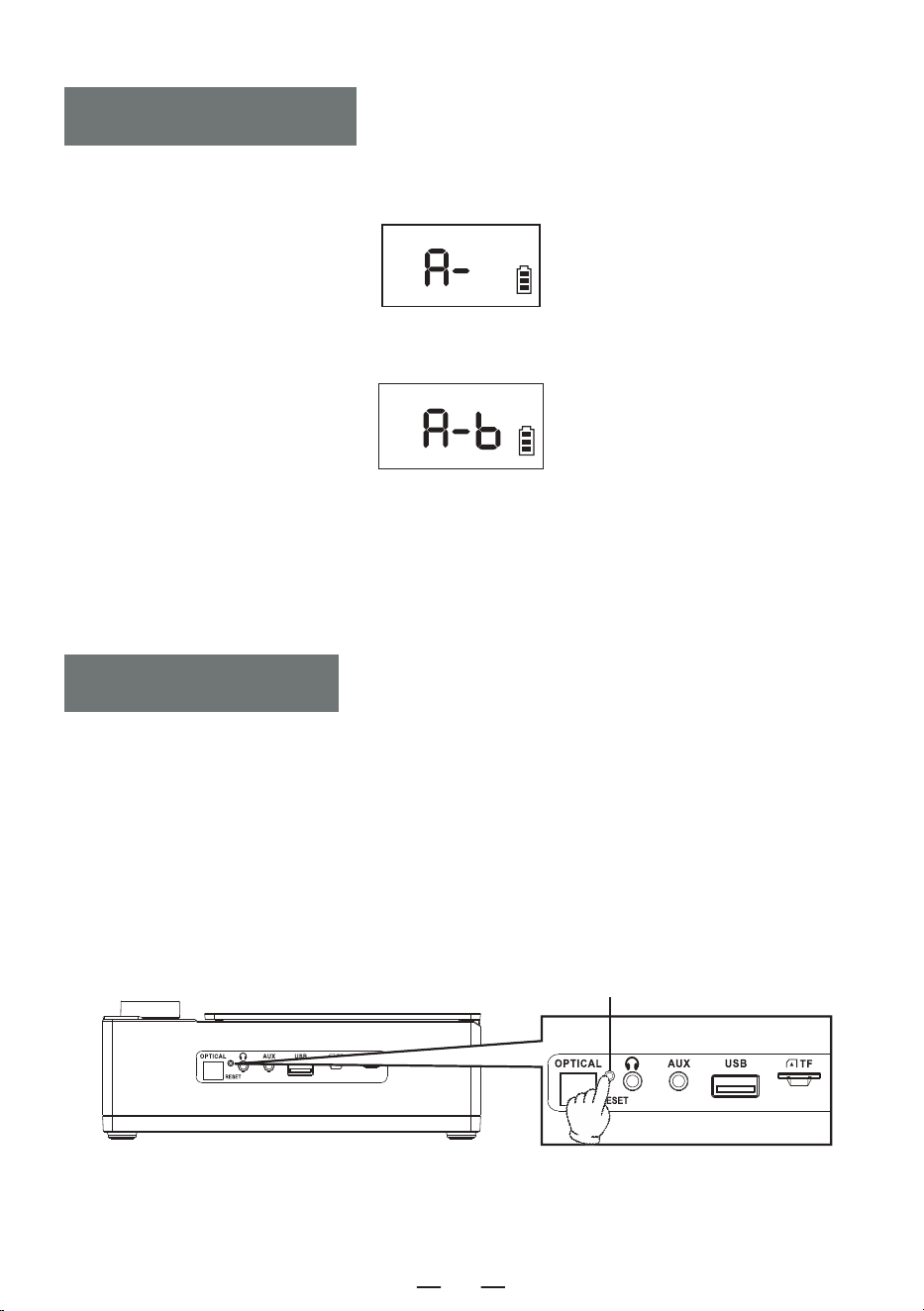
1. Durante la riproduzione, premere il tasto A-B del telecomando per impostare il punto di partenza
[ A ]; sullo schermo apparirà [ A- ].
2. Premere nuovamente il tasto A-B del telecomando per impostare il punto finale [ B ] e sullo schermo
apparirà [ A-B ].
3. L'apparecchio ripeterà la riproduzione da A a B.
4. Premere nuovamente il tasto A-B del telecomando per uscire dalla funzione di ripetizione A-B.
NOTA:
La funzione di ripetizione A-B è disponibile solo in modalità CD/TF/USB.
A-B GIOCARE
NOTA:
Poiché il prodotto è dotato di misure di protezione della batteria, quando il dispositivo si blocca, non
può essere caricato o non può utilizzare alcuna funzione dopo la ricarica, o se ci sono ritardi o
problemi di funzionalità durante l'uso, si prega di provare a resettare, può essere riattivato e utilizzato
dopo il reset.
COME RESETTARE?
Tenere premuto il pulsante [ RESET ] per due secondi, quindi riavviare il dispositivo, che tornerà a
funzionare normalmente.
RESEAVVISO
Reset-Taste
IT
28
Questo prodotto ha una garanzia di 12 mesi.
Il periodo di garanzia decorre dalla data di acquisto.
Lettore CD 1
Telecomando 1
Cavo di Tipo C 1
Manuale d'uso 1
Cavo AUX 1
WARRANTY
ELENCO IMBALLAGGI
Dimensioni del Prodotto 192*152*70mm/7.56*5.98*2.76in
Versione Bluetooth 5.3
Peso 750g/1.65lb
Potenza Assorbita Type-C 5V 2A
Batteria 4000mAh
Formato CD CD/MP3/CD-R/CD-RW
SPECIFICATION
IT
29
IT
30
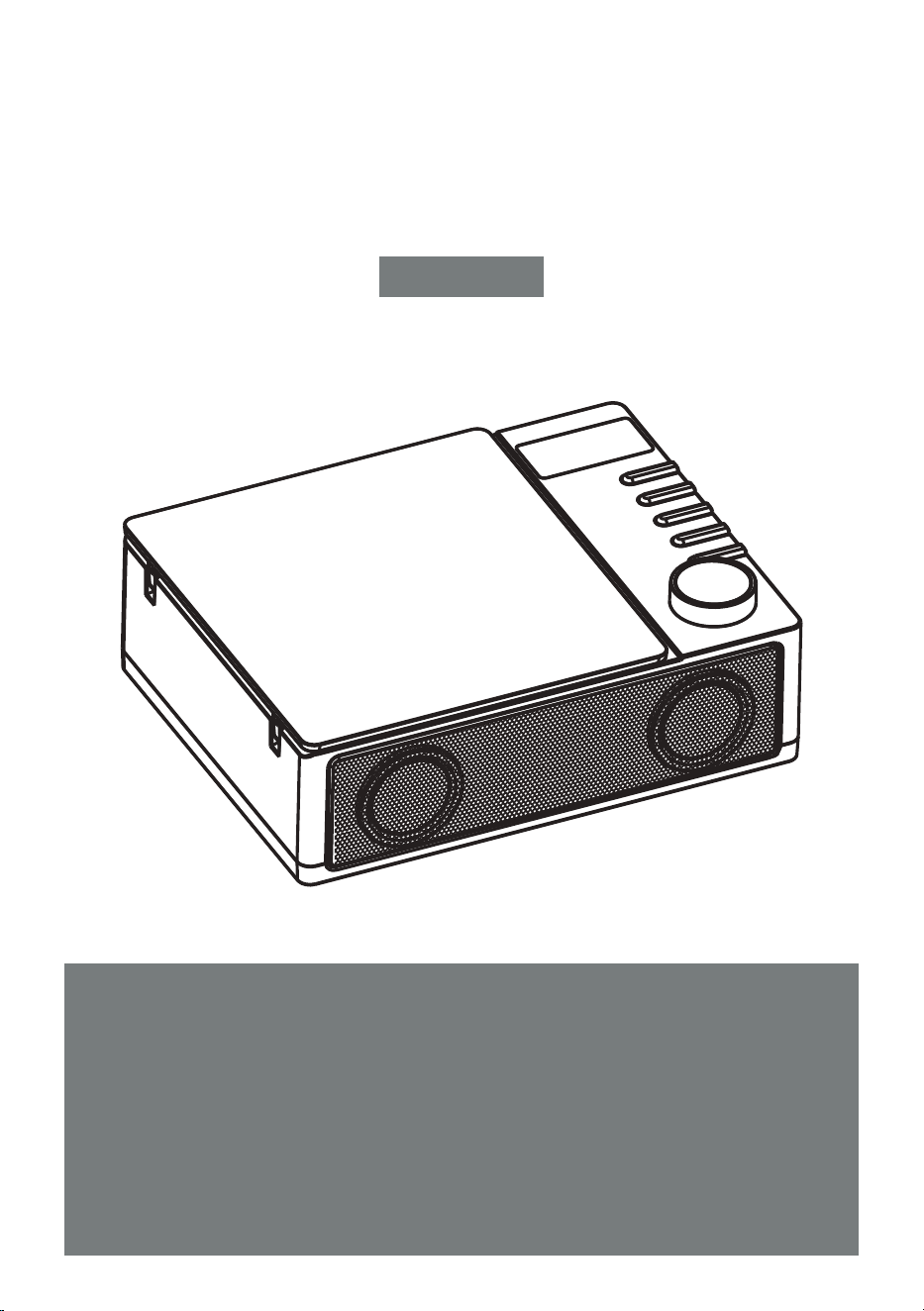
LECTEUR CD PORTABLE
Merci d'avoir acheté nos produits audio personnels Le lecteur CD
de haute qualité est un produit de technologie acoustique élec-
tronique soigneusement conçu par notre société. Pour obtenir
un effet d'utilisation parfait et prolonger la durée de vie de ce
produit, une utilisation et un entretien corrects sont très impor-
tants, veuillez lire attentivement ce manuel avant de l'utiliser.
CD19
MANUEL DE L'UTILISATEUR
FR
SOMMAIRE
VERY CONSEILS IMPORTANTS
VERY CONSEILS IMPORTANTS
FUNCTION DES BOUTONS
REMOTE DESCRIPTION DES COMMANDES
POWER ALIMENTATION
TURN ON/OFF
CD/MP3 DISC OPERATION
USB/TF OPERATION
BLUETOOTH FONCTIONNEMENT
The La fiche d'alimentation de l'adaptateur est utilisée comme dispositif de déconnexion.
Lorsque l'appareil est sous tension, conservez le bloc d'alimentation dans un endroit pratique.
When ne fonctionne pas, déconnectez l'adaptateur du produit et débranchez l'adaptateur
de la prise de courant à temps.
Do ne pas faire tomber ou heurter l'adaptateur. Si la coque de l'adaptateur est endom-
magée, remplacez immédiatement l'adaptateur.
If Si le cordon d'alimentation de la fiche de l'adaptateur est endommagé, ne continuez pas
à l'utiliser afin d'éviter tout risque d'électrocution ou d'incendie.
In Afin d'augmenter la durée de vie du bloc d'alimentation, ne tirez
pas directement sur le cordon d'alimentation avec vos mains après
l'avoir chargé ou connecté à l'ordinateur. Retirez le cordon d'alimenta-
tion en saisissant la tête USB.
Do ne pas toucher le produit ou l'adaptateur avec des mains mouillées afin
d'éviter tout court-circuit, dysfonctionnement ou choc électrique.
Do ne pas utiliser ou stocker cette machine dans un environne-
ment à haute température, haute pression, humidité, forte
électricité statique et forts champs magnétiques afin d'éviter
toute défaillance des circuits internes de l'appareil.
Please utiliser cette machine à une température comprise entre 0℃
et 30℃, et stocker la machine et les accessoires connexes à une
température comprise entre -20℃ et 50℃.
When si l'appareil ou l'adaptateur est mouillé par la pluie, imbibé de liquide ou très
humide, cessez immédiatement de l'utiliser.
Please utiliser un adaptateur conforme aux normes de sécurité nationales pour
alimenter l'appareil.
Do n'utilisez pas de solvants, d'acides, de bases ou d'autres liquides chimiques pour
nettoyer le corps de l'appareil afin d'éviter d'endommager la coque de l'appareil.
BLUETOOTH MODE DE TRANSMISSION
AUX FONCTIONNEMENT
FIBER CONNEXION OPTIQUE
A-B PLAY
RESET LA MACHINE
WARRANTY
SPECIFICATION
LISTE D'EMBALLAG
FR
31
FUNCTION DES BOUTONS
1. Écran LCD
2. Bouton de fonction
3. Bouton d'avance rapide/suivant
4. Bouton de retour rapide/précédent
5. Bouton Stop/EQ
6. Bouton d'alimentation
7. Bouton de volume/bouton de lecture/pause
8. Porte du CD
9. Récepteur de la télécommande
10. Deux haut-parleurs
11. Interface de fibre optique
12. prise pour écouteurs
13. Prise AUX
14. Prise USB
15. Prise pour carte TF
16. Voyant de charge
17. Prises DC 5V
18. Bouton de réinitialisation
FR
32
1. Bouton Mise en marche/Arrêt: Un appui long permet d'allumer l'appareil, un appui court permet de
l'éteindre.
2. Bouton FUNC.: Appuyez brièvement pour passer en mode CD-BT-TF-USB-LINE.
3. Bouton STOP: En mode CD/TF/USB, appuyez brièvement sur le bouton [ ] pour arrêter la lecture.
4. Bouton Émetteur Bluetooth: En mode CD/TF/USB/LINE, une pression courte permet d'activer et de
désactiver la fonction d'émetteur Bluetooth.
5. Bouton OPT: En mode CD, une pression courte permet d'activer/désactiver la fonction de fibre optique.
6. Bouton VOL-/VOL+: une pression courte permet de réduire/augmenter le volume niveau par niveau,
une pression longue permet de réduire/augmenter rapidement le volume.
7. Bouton Chanson précédente/Remise en mémoire rapide:
· En mode CD/TF/USB/LINE, une pression courte permet de revenir à la chanson précédente, une
pression longue permet de rembobiner rapidement.
· En mode BT, une pression courte permet d'accéder à la chanson précédente.
REMOTE DESCRIPTION DES COMMANDES
1. MISE EN MARCHE/ARRÊT 2. FUNC.
4. ÉMETTEUR BLUETOOTH
8. PROCHAINE CHANSON/
AVANCE RAPIDE
11. A-B RÉPÉTITION
13. 10+
3. STOP
5. OPT
6. VOL+
7. CHANSON PRÉCÉDENTE/
REMISE EN MÉMOIRE RAPIDE
9. LECTURE/PAUSE
6. VOL-
10. PROG/REP.
12. EQ
13. 10-
FR
33
8. Bouton Prochaine Chanson/Avance Rapide:
· En mode CD/TF/USB/LINE, une pression courte permet de passer à la chanson suivante, une pression
longue permet d'avancer rapidement.
· En mode BT, une pression courte permet de passer à la chanson suivante.
9. Bouton Lecture/Pause: Lecture/pause de la chanson.
10. Bouton PROG/REP.:
A. En mode CD/TF/USB.
· En mode CD/TF/USB, appuyez brièvement sur le bouton une fois, la chanson en cours de lecture sera
jouée en boucle et l'écran affichera [ ONE ].
· Appuyez brièvement sur le bouton deux fois pour répéter l'intégralité du disque, et l'écran affiche [ ALL ].
· Appuyez brièvement sur le bouton trois fois pour revenir à la lecture normale, et l'écran affiche [ OFF ].
B. Appuyez brièvement sur le bouton [ STOP ] de la télécommande, puis appuyez sur le bouton
[ PROG/REP. ]pour entrer dans le mode de programmation, la LED affiche [ P-01 ]. Appuyez brièvement sur
le bouton [ / ] pour sélectionner la chanson, puis appuyez sur le bouton [ PROG/REP. ] pour
confirmer. Répétez cette étape jusqu'à ce que la programmation soit terminée, appuyez sur la touche
[ PLAY ] pour lire dans l'ordre programmé. Jusqu'à 20 chansons programmables pour les CD, 99 chansons
programmables pour les MP3. Appuyez deux fois sur la touche [ STOP ] en cours de programmation pour
effacer les pistes programmées et quitter l'état de programmation.
11. Bouton A-B Répétition: En mode CD/TF/USB, appuyez brièvement sur ce bouton pour régler la fonction de
répétition A-B.
12. Bouton EQ: Appuyez brièvement sur le bouton EQ pour changer de mode d'égalisation pendant le travail:
FLAT-ROC- POP- CLA-JAZZ.
13. Bouton 10- /10+: Recule de 10 pistes par clic, et avance de 10 pistes par clic.
L'appareil est alimenté par un courant continu externe de 5V.
He Le voyant de charge est allumé et le symbole de la batterie clignote pendant la charge. Lorsque
l'appareil est complètement chargé, le voyant est éteint et le symbole de la batterie ne clignote pas.
POWER ALIMENTATION
Appuyez longuement sur le bouton d'alimentation [ ] de l'appareil pendant 2 secondes pour allumer
l'appareil.
TURN ON/OFF
Vous pouvez également appuyer longuement sur la touche d'alimentation [ ] de la télécommande
pour allumer l'appareil et appuyer à nouveau brièvement pour l'éteindre.
REMARQUE: Ce produit s'éteint automatiquement après 15 minutes d'inactivité et vous entendrez le
message « power off » lorsqu'il s'éteindra.
FR
34
Open La porte du CD et insérez le CD. Après avoir lu le disque, l'écran affiche le nombre total de pistes
sur le CD, puis commence la lecture.
Réglez le volume à l'aide du bouton de volume.
Appuyez brièvement sur la touche Lecture/Pause [ ] pour mettre la lecture en pause, comme le
montre la figure [ 1 ] .
Si vous voulez arrêter la lecture, appuyez longuement sur la touche EQ/STOP [ ] de l'appareil ou
appuyez brièvement sur la touche STOP [ ] de la télécommande. Pendant la lecture, appuyez
brièvement sur la touche EQ pour changer le mode EQ : -POP-CLA-JAZZ-FLAT-ROC.
Appuyez brièvement sur la touche Précédent [ ] pour passer au morceau précédent, appuyez
longuement pour effectuer un retour rapide, appuyez brièvement sur la touche Suivant [ ] pour
passer au morceau suivant, appuyez longuement pour effectuer une avance rapide.
En mode CD/TF/USB,t Appuyez brièvement sur le bouton REP. [ PROG/REP. ] de la télécommande une
fois, la chanson en cours de lecture sera lue en boucle, et l'écran affichera [ 2 ]. Appuyez brièvement sur
le bouton REP deux fois pour répéter le disque entier, et l'écran affichera [ 3 ]. Appuyez brièvement sur le
bouton [ PROG/REP. ] trois fois pour revenir à la lecture normale, et l'écran affichera [ 4 ].
Appuyez brièvement sur le bouton [ STOP ] de la télécommande, puis appuyez sur le bouton
[ PROG/REP. ]pour entrer dans le mode de programmation, la LED affiche [ P-01 ] [ 5 ] Appuyez
brièvement sur le bouton [ / ] pour sélectionner la chanson, puis appuyez sur le bouton
[ PROG/REP. ] pour confirmer. Répétez cette étape jusqu'à ce que la programmation soit terminée,
appuyez sur la touche [ PLAY ] pour lire dans l'ordre programmé. Jusqu'à 20 chansons programmables
pour les CD, 99 chansons programmables pour les MP3. Appuyez deux fois sur la touche [ STOP ] en
cours de programmation pour effacer les pistes programmées et quitter l'état de programmation.
CD/MP3 DISC OPERATION
1 2 3
4 5
FR
35
1. Appuyez brièvement sur le bouton de fonction [ FUNC. ] pour passer en mode « BT ». L'écran LED
[ ] clignote et le Bluetooth est en mode d'appairage.
2. Allumez votre téléphone portable ou tout autre appareil Bluetooth. Lorsqu'il recherche le périphérique
Bluetooth local, le nom du périphérique local « CD19 » s'affiche. Une fois l'appairage réussi, l'écran
Bluetooth [ bLUE ] reste allumé et vous entendez « connecté ».
3. Lorsque le Bluetooth est en cours de lecture, appuyez brièvement sur le bouton [ ] pour
lire/pause.
4. orsque le Bluetooth est en cours de lecture, appuyez brièvement sur le bouton Précédent/Suivant
[ / ] pour passer à la piste précédente ou suivante.
5. Appuyer longuement sur le bouton Play [ ] pour déconnecter la connexion Bluetooth et vous
entendrez le message « déconnecté ».
BLUETOOTH FONCTIONNEMENT
1. En mode CD/USB/TF/FM, appuyez longuement sur le bouton [ ] sur l'appareil ou appuyez
brièvement sur le bouton BT transmitr [ ] de la télécommande.
2. Lorsque le Bluetooth est en cours d'appairage, il recherche les périphériques Bluetooth environnants
pour l'appairage (Ceux qui ont une fonction de réception comme le haut-parleur Bluetooth/l'écouteur
Bluetooth/le casque Bluetooth).
3. Après l'appairage, l'icône « » sur l'écran LCD cesse de clignoter.
4. Appuyez longuement sur le bouton de transmission Bluetooth [ ] de l'appareil ou appuyez
brièvement sur le bouton de transmission BT [ ] de la télécommande pour arrêter la transmis-
sion Bluetooth.
REMARQUE:
BLUETOOTH MODE DE TRANSMISSION
Insert the USB/TF card into the socket.
Short press the function button [ FUNC. ] on the device or the remote, switch to USB play mode LCD
shown as the device will reads the data and play the song.
REMARQUE: L'USB/TF peut prendre en charge jusqu'à 64G (compatible avec certains 128G).
USB/TF OPERATION
Il est préférable de ne pas ouvrir d'autres paramètres Bluetooth dans un rayon de dix mètres lors de
l'appairage. Si l'appairage échoue, veuillez vérifier si d'autres paramètres Bluetooth sont ouverts dans
un rayon de dix mètres.
Si le casque Bluetooth de marque Apple ne peut pas être apparié avec cet appareil, réinitialisez le
casque Bluetooth de marque Apple, puis connectez-le.
FR
36
FIBER CONNEXION OPTIQUE
Cet appareil ne prend pas en charge la connexion à l'autoradio.
Si l'appairage échoue, essayez de redémarrer l'appareil ou l'appareil apparié à l'appareil et d'effectuer
à nouveau l'appairage.
Appuyez brièvement sur le bouton [ FUNC. ] du sélecteur de fonction, sélectionnez la fonction AUX,
puis connectez la source sonore externe à cet appareil à l'aide du cordon AUX, la chanson sera jouée
et la LED affichera « ».
AUX FONCTIONNEMENT
En mode CD, utilisez un câble audio optique pour connecter ce lecteur CD à d'autres haut-parleurs,
appuyez brièvement sur la touche [ OPT ] de la télécommande pour activer la fonction optique, et le
voyant de l'interface optique s'allume.
REMARQUE:
Cette fonction n'est disponible qu'en mode CD et le câble optique n'est pas inclus dans les ccessoires.
FR
37
1. Pendant la lecture, appuyez sur la touche A-B de la télécommande pour définir le point de départ [ A ] ,
et [ A- ] apparaît à l'écran.
2. Appuyez à nouveau sur le bouton A-B de la télécommande pour définir le point final [ B ] , et [ A-B ]
s'affiche à l'écran.
3. L'appareil va maintenant répéter la lecture de A à B.
4. Appuyez à nouveau sur le bouton A-B de la télécommande pour quitter la fonction de répétition A-B.
REMARQUE:
La fonction de répétition A-B n'est disponible qu'en mode CD/TF/USB.
A-B PLAY
REMARQUE:
Le produit étant doté de mesures de protection de la batterie, si l'appareil se bloque, ne peut être
rechargé ou ne peut utiliser aucune fonction après avoir été rechargé, ou s'il y a des décalages ou
des problèmes de fonctionnalité pendant l'utilisation, veuillez essayer de le réinitialiser, il peut être
réactivé et utilisé après la réinitialisation.
COMMENT RÉINITIALISER ?
Appuyez sur le bouton [ RESET ] et maintenez-le enfoncé pendant deux secondes, puis redémarrez
l'appareil, qui retrouvera son fonctionnement normal.
RESET LA MACHINE
Reset-Taste
FR
38
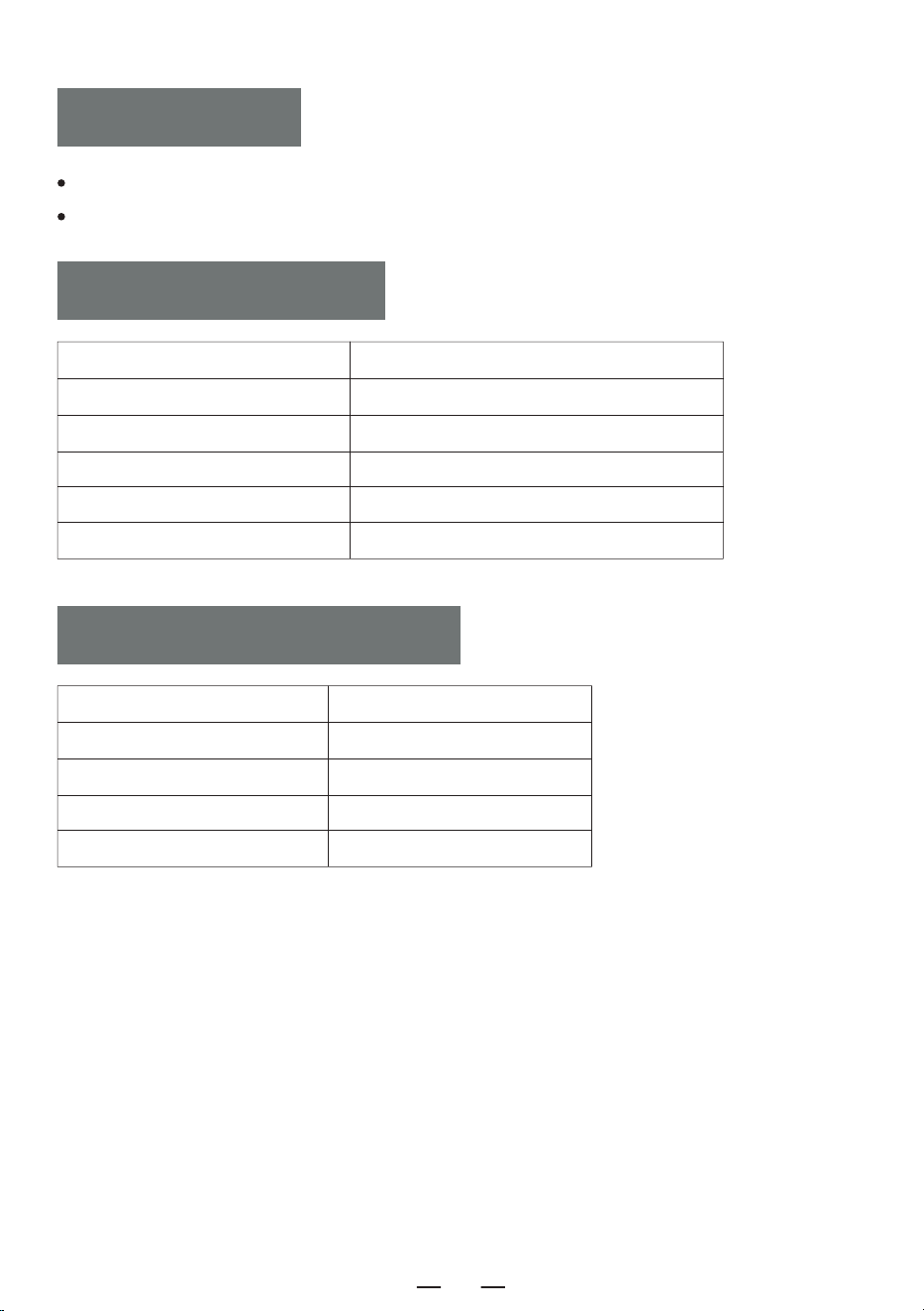
Ce produit bénéficie d'une garantie de 12 mois.
La période de garantie commence à la date d'achat.
Lecteur CD 1
Télécommande 1
Câble de Type C 1
Manuel de l'utilisateur 1
Cordon AUX 1
WARRANTY
LISTE D'EMBALLAGE
Taille du Produit 192*152*70mm/7.56*5.98*2.76in
Version Bluetooth 5.3
Poids 750g/1.65lb
Alimentation Électrique Type-C 5V 2A
Batterie 4000mAh
Format CD CD/MP3/CD-R/CD-RW
SPECIFICATION
FR
39
FR
40
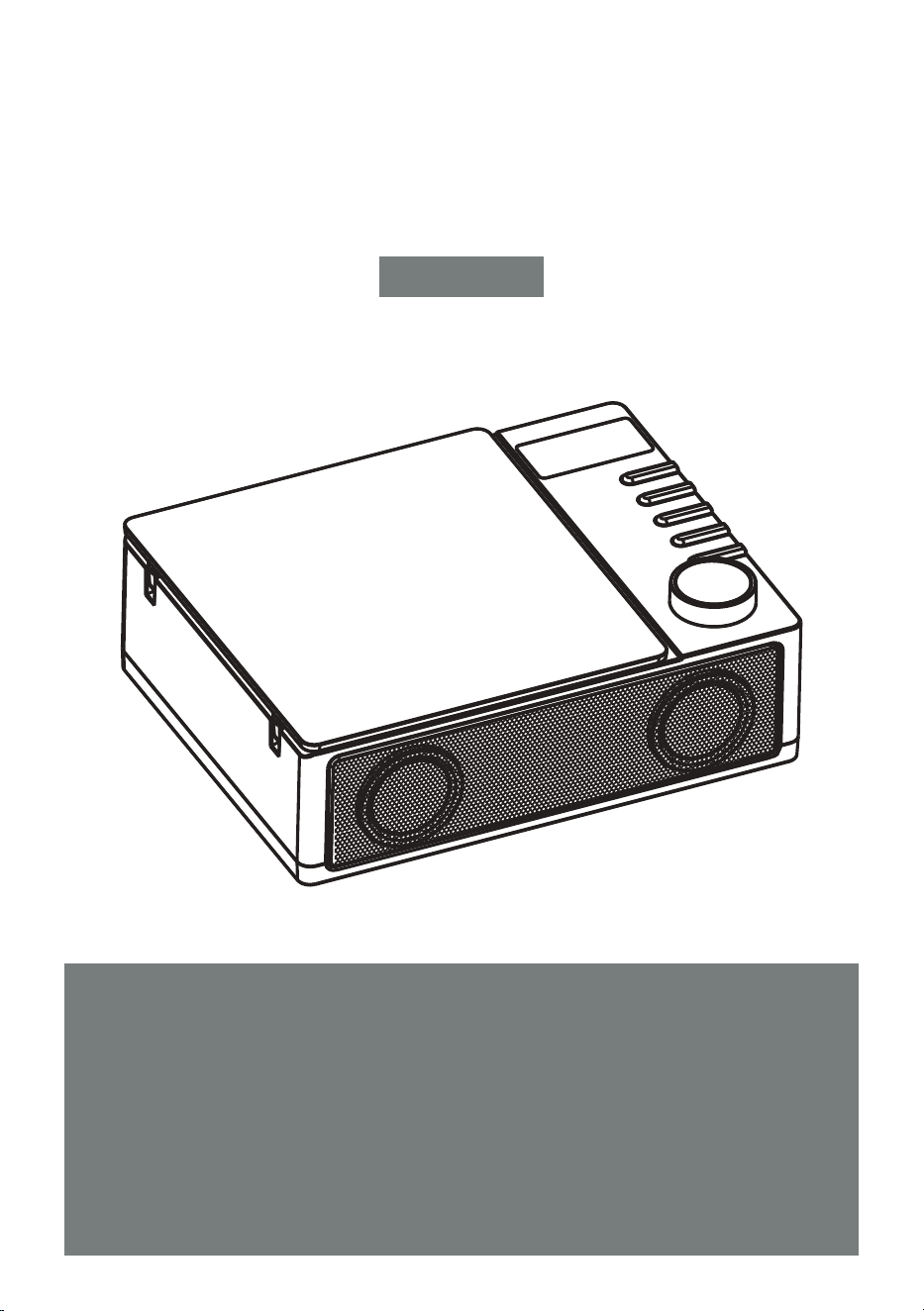
REPRODUCTOR DE CD PORTÁTIL
Gracias por adquirir nuestros productos de audio personales. El
reproductor de CD de alta calidad es un producto de tecnología
acústica electrónica diseñado cuidadosamente por nuestra
empresa. Para obtener el efecto de uso perfecto y prolongar la
vida útil de este producto, es muy importante utilizarlo y man-
tenerlo correctamente. Lea atentamente este manual antes de
usarlo.
CD19
MANUAL DE USUARIO
ES
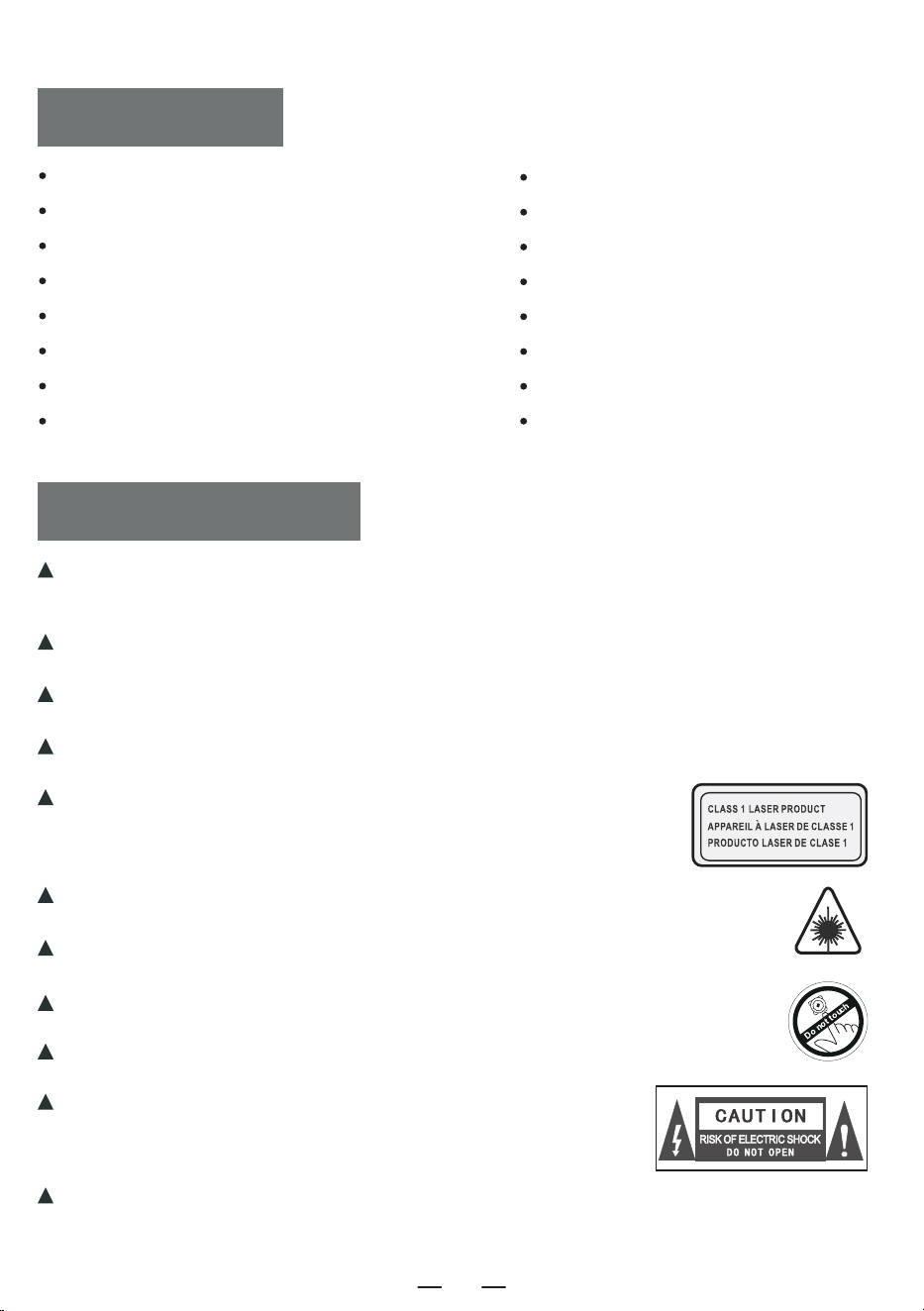
SOMMAIRE
PRECAUCIONES
PRECAUCIONES
ICONOS DE LOS BOTONES DE FUNCIÓN
FUNCIONES DEL MANDO A DISTANCIA
MÉTODO DE ALIMENTACIÓN
ENCENDIDO Y APAGADO
FUNCIONAMIENTO DEL DISCO CD/MP3
FUNCIONAMIENTO DE LA TARJETA USB/TF
MODO BLUETOOTH
La clavija de alimentación del adaptador sirve como dispositivo de desconexión. Cuando la
máquina esté encendida, mantenga la fuente de alimentación en un lugar adecuado para su
funcionamiento.
Cuando no esté en funcionamiento, desconecte el adaptador del producto y desenchúfelo
inmediatamente de la toma de corriente.
No deje caer ni golpee el adaptador. Si la carcasa del adaptador está dañada, sustitúyalo
inmediatamente.
Si el cable de alimentación del adaptador está dañado, no siga utilizándolo para evitar
descargas eléctricas o incendios.
Con el fin de mejorar la vida útil de la fuente de alimentación, por
favor no tire del cable de alimentación directamente con la mano
después de cargar o conectar al ordenador, por favor desenchufe el
cable de alimentación agarrando el cabezal USB con la mano.
Por favor, no toque el producto o el adaptador con las manos mojadas para evitar
cortocircuitos, mal funcionamiento o descargas eléctricas del dispositivo.
No utilice ni almacene la máquina en entornos de alta temperatu-
ra, alta presión, húmedos, con fuerte electricidad estática y
fuertes campos magnéticos, para no provocar el bloqueo eléctrico
interno del equipo.
Por favor, utilice la máquina dentro del rango de temperatura de 0℃-35℃ y almacene la
máquina y los accesorios relacionados dentro del rango de -20℃-50℃.
Por favor, deje de usar el aparato o el adaptador inmediatamente cuando esté
mojado por lluvia, líquido o seriamente húmedo.
Utilice un adaptador que cumpla las normas de seguridad nacionales para
alimentar la máquina.
No limpie la máquina con disolventes, ácidos, álcalis u otros líquidos químicos para
evitar daños en la carcasa de la máquina.
MODO TRANSMISOR BLUETOOTH
FUNCIÓN AUX
MODO ÓPTICO
MODO DE REPETICIÓN A-B
REINICIAR MÁQUINA
TARJETA DE GARANTÍA
ESPECIFICACIÓN
LISTA DE EMBALAJE
ES
41
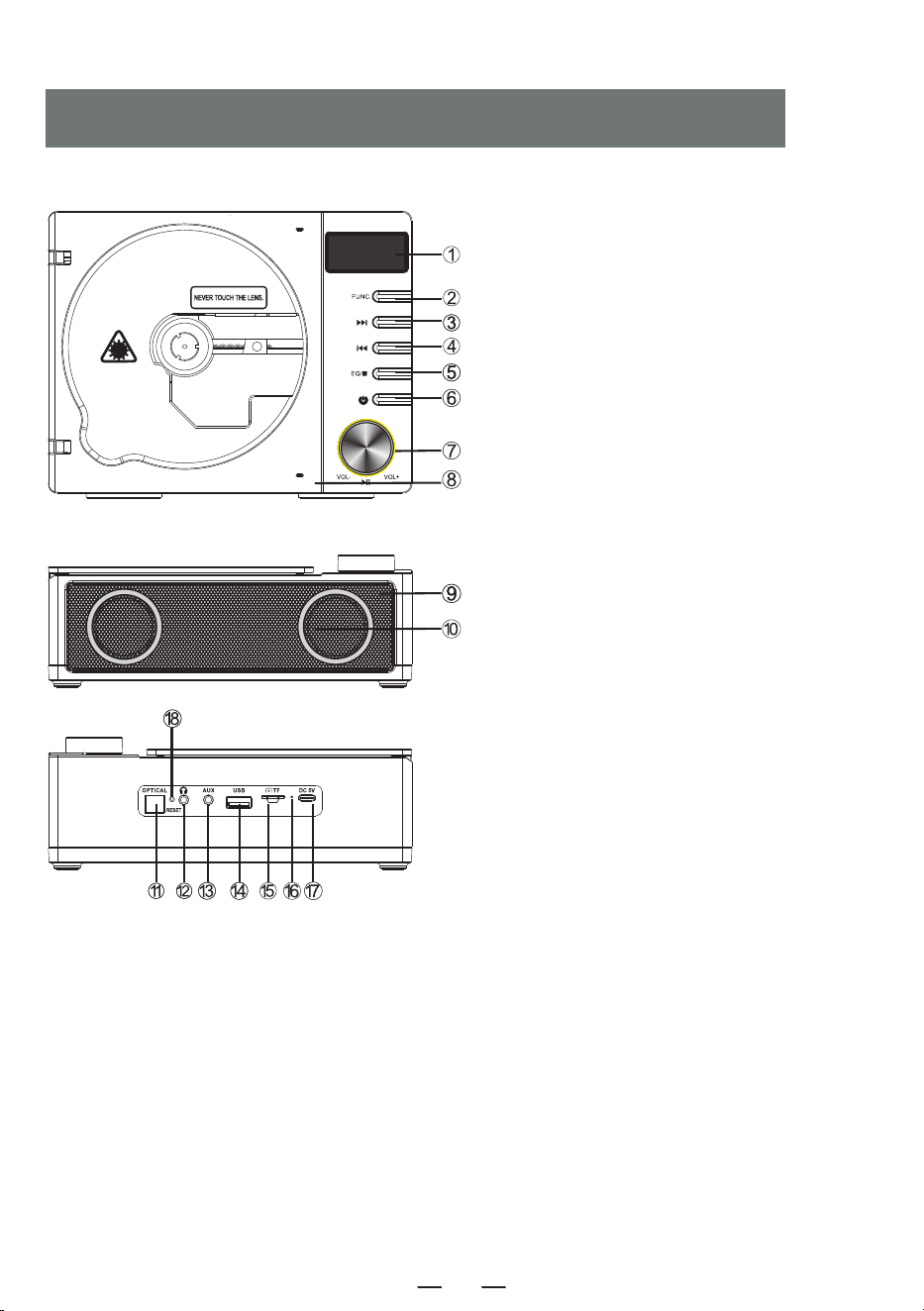
ICONOS DE LOS BOTONES DE FUNCIÓN
1. Pantalla LED
2. Botón de función
3. Botón de avance rápido/siguiente canción
4. Retroceso rápido/canción anterior
5. Botón Stop/EQ
6. Interruptor de encendido/apagado
7. Botón de volumen
8. Puerta del compartimento del CD
9. Receptor del mando a distancia
10. Altavoces dobles
11. Conector de fibra óptica
12. Toma de auriculares
13. Toma AUX
14. Interfaz USB
15. Interfaz para tarjeta TF
16. Indicador de carga
17. Puerto de carga DC 5V
18. Botón de reinicio
ES
42
1. Botón Encendido/Apagado: Pulsación larga para encenderlo, pulsación corta para apagarlo.
2. Botón FUNC.: Presione brevemente para cambiar al modo CD-BT-TF-USB-LINE.
3. Botón STOP: En el modo CD/TF/USB, presione brevemente el botón [ ] para detener la reproduc-
ción.
4. Botón Transmisión Bluetooth: En modo CD/TF/USB/LINE, presione brevemente para encender/apagar
la función de transferencia Bluetooth.
5. Botón OPT: En modo CD, presione brevemente para encender/apagar la función de fibra óptica.
6. Botón VOL-/VOL+: Presione brevemente para disminuir o aumentar el volumen gradualmente, presione
prolongadamente para disminuir o aumentar el volumen rápidamente.
7. Botón Canción Anterior/Fast Forward:
· En modo CD/TF/USB/LINE, pulsación corta para ir a la canción anterior, pulsación larga para rebobinar
rápidamente.
· En modo BT, pulse brevemente para ir a la canción anterior.
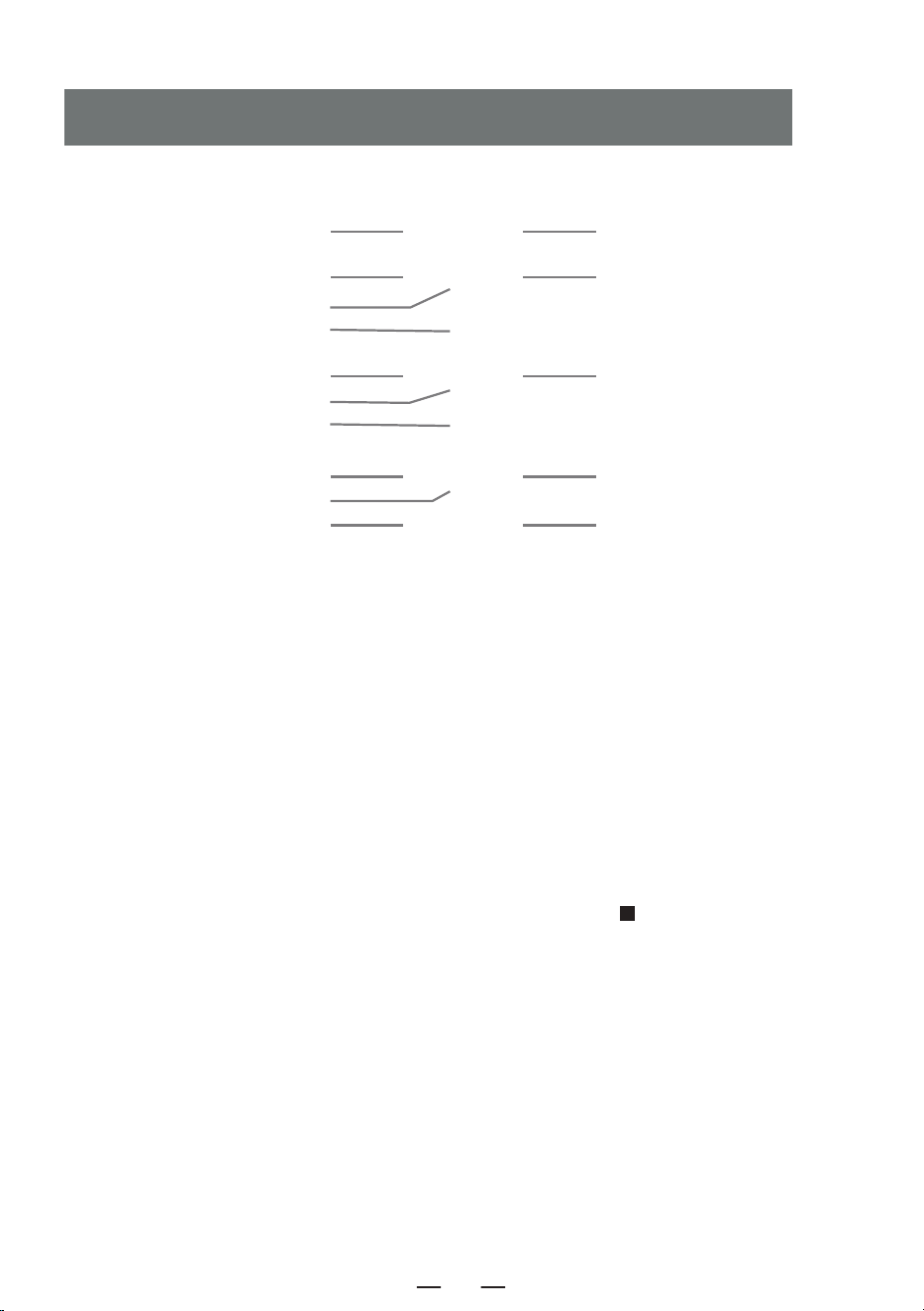
FUNCIONES DEL MANDO A DISTANCIA
1. ENCENDIDO/APAGADO 2. FUNC.
4. TRANSMISIÓN BLUETOOTH
8. SIGUIENTE CANCIÓN/
FAST RETREAT
11. A-B REPETIR
13. 10+
3. STOP
5. OPT
6. VOL+
7. CANCIÓN ANTERIOR/
FAST FORWARD
9. REPRODUCIR/PAUSA
6. VOL-
10. PROG/REP.
12. EQ
13. 10-
ES
43
8. Botón Siguiente Canción/Fast Retreat:
· En el modo CD/TF/USB/LINE, pulse brevemente para pasar a la siguiente canción y prolongadamente para
avanzar.
· En modo BT, pulse brevemente para ir a la canción siguiente.
9. Botón Reproducir/Pausa: Reproducir/pausar la canción.
10. Botón PROG/REP.:
A. Adecuado para modo CD/TF/USB.
· Presione brevemente el botón una vez para reproducir la canción actual en un bucle. [ ONE ] se muestra
en la pantalla.
· Presione el botón dos veces para repetir el disco completo y mostrar [ ALL ] en la pantalla.
· Presione brevemente el botón tres veces para volver a la reproducción normal. [ OFF ] se muestra en la
pantalla.
B. Appuyez brièvement sur le bouton [ STOP ] de la télécommande, puis appuyez sur le bouton
[ PROG/REP. ] pour entrer dans le mode de programmation, la LED affiche [ P-01 ]. Appuyez brièvement sur
le bouton [ / ] pour sélectionner la chanson, puis appuyez sur le bouton [ PROG/REP. ] pour
confirmer. Répétez cette étape jusqu'à ce que la programmation soit terminée, appuyez sur la touche [ PLAY ]
pour lire dans l'ordre programmé. Jusqu'à 20 chansons programmables pour les CD, 99 chansons programma-
bles pour les MP3.
11. Botón A-B Repetir: En modo CD/TF/USB, presione brevemente para configurar la función de repetición A-B.
12. Botón EQ: Mientras trabaja, presione brevemente el botón EQ para cambiar el modo EQ:
FLAT-ROC-POP-CLA-JAZZ.
13. Botón 10- /10+: Retrocede 10 pistas con un clic y avanza 10 pistas con un clic.
El dispositivo se alimenta mediante una fuente de alimentación externa de 5 V CC.
La luz de carga está encendida y el símbolo de la batería parpadea durante la carga. Cuando está
completamente cargado,la luz está apagada y el símbolo de la batería no parpadea.
MÉTODO DE ALIMENTACIÓN
Mantenga presionado el botón de encendido [ ] del dispositivo durante 2 segundos para encender/a-
pagar el dispositivo.
ENCENDIDO Y APAGADO
O pulsa prolongadamente el botón de encendido [ ] del mando a distancia para encender el
aparato y vuelve a pulsarlo brevemente para apagarlo.
NOTA: Este producto se apagará automáticamente después de 15 minutos sin funcionar, oirá
« power off » al apagarse.
ES
44
Abra la puerta del CD e inserte el CD. Después de leer el disco, la pantalla mostrará el número total de
pistas en el CD y luego comenzará la reproducción.
Gire el botón de volumen para ajustarlo al volumen adecuado.
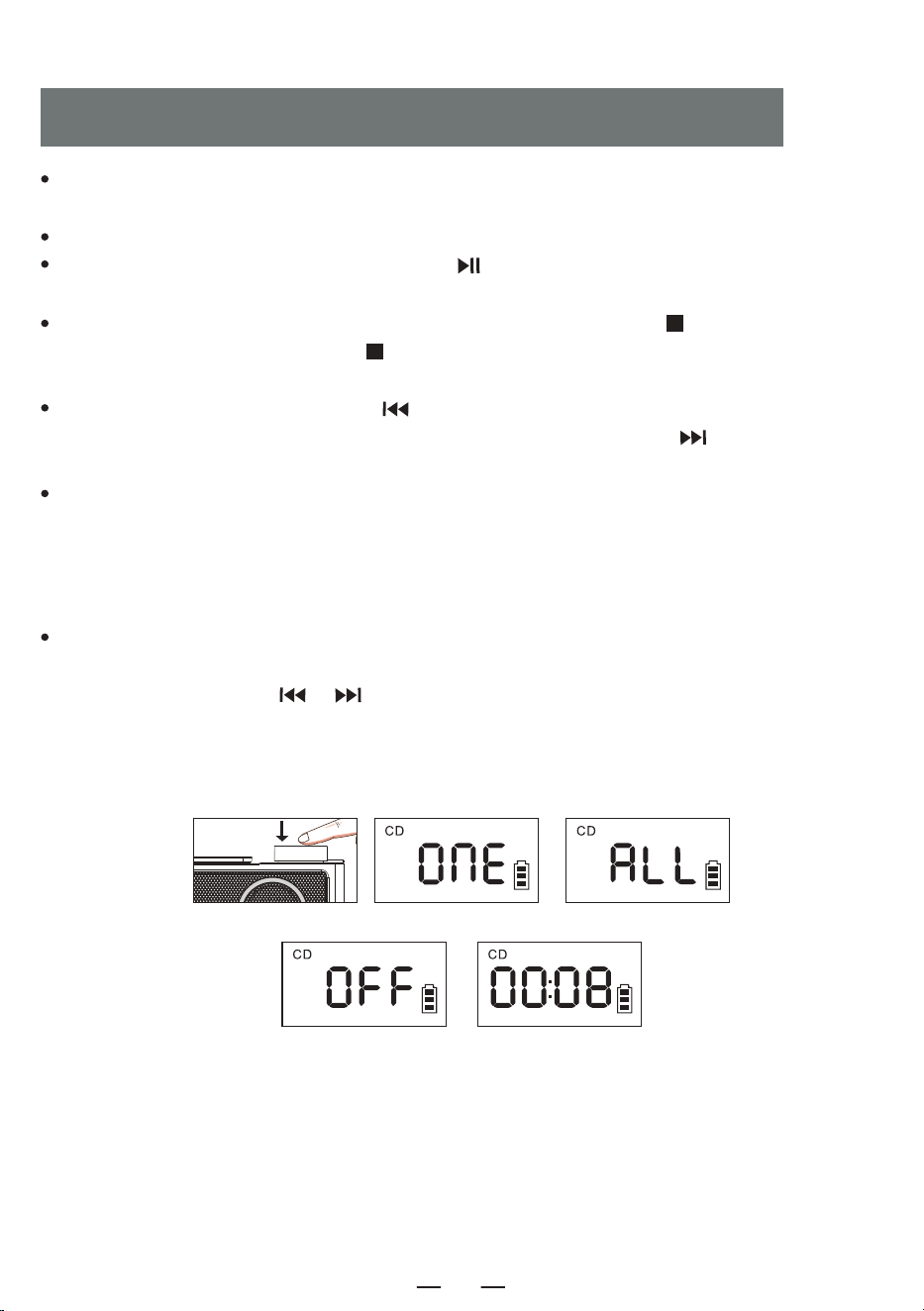
Presione brevemente el botón Reproducir/Pausa [ ] para pausar la reproducción.Como se muestra en
la figura [ 1 ] .
Si desea detener la reproducción, mantenga presionado el botón EQ/STOP [ ] en el dispositivo o
presione brevemente el botón STOP [ ] en el control remoto. Durante la reproducción, presione
brevemente el botón EQ para cambiar el modo EQ: POP-CLA-JAZZ-FLAT-ROC.
Presione brevemente el botón Anterior [ ] para cambiar a la canción anterior, presione prolongada-
mente para retroceder rápidamente, presione brevemente el botón Siguiente [ ] para cambiar a la
siguiente canción, presione prolongadamente para avanzar rápidamente.
En el modo CD/TF/USB, presione brevemente el botón [ PROG/REP. ] del control remoto una vez, la
canción que se está reproduciendo actualmente se reproducirá en bucle y la pantalla mostrará [ 2 ].
Presione brevemente el botón [ PROG/REP. ] dos veces para repetir todo el disco y la pantalla mostrará
[ 3 ]. Presione brevemente el botón [ PROG/REP. ] tres veces para volver a la reproducción normal y la
pantalla mostrará [ 4 ].
Appuyez brièvement sur le bouton [ STOP ] de la télécommande, puis appuyez sur le bouton
[ PROG/REP. ] pour entrer dans le mode de programmation, la LED affiche [ P-01 ] [ 5 ]. Appuyez
brièvement sur le bouton [ / ] pour sélectionner la chanson, puis appuyez sur le bouton
[ PROG/REP. ] pour confirmer. Répétez cette étape jusqu'à ce que la programmation soit terminée,
appuyez sur la touche [ PLAY ] pour lire dans l'ordre programmé. Jusqu'à 20 chansons programmables
pour les CD, 99 chansons programmables pour les MP3.
FUNCIONAMIENTO DEL DISCO CD/MP3
1 2 3
4 5
ES
45
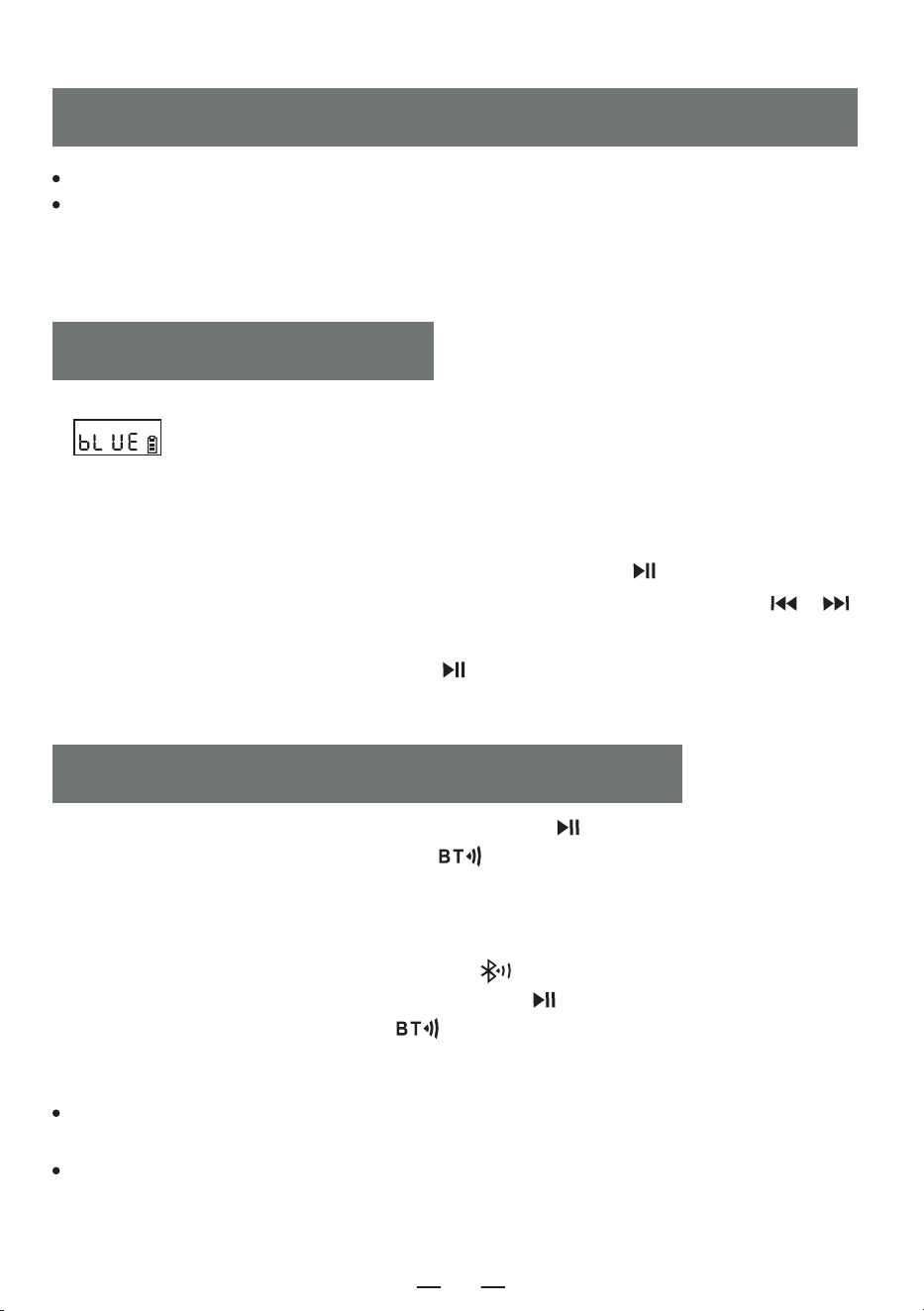
1. Pulse brevemente el botón de función [ FUNC. ] para cambiar al modo "BT". La pantalla LED
[ ] parpadeará y el Bluetooth estará en modo de emparejamiento.
2. Encienda su teléfono móvil u otro dispositivo Bluetooth. Cuando busque el dispositivo Bluetooth local,
se mostrará el nombre del dispositivo local " CD19 ". Una vez que el emparejamiento se haya realizado
correctamente,la pantalla Bluetooth [ bLUE ] permanecerá encendida y oirá " connected ".
3. Cuando el Bluetooth esté reproduciendo, pulse brevemente el botón [ ] para reproducir/pausar.
4. Cuando el Bluetooth esté reproduciendo, pulse brevemente el botón Anterior/Siguiente [ / ]
para saltar a la pista anterior o siguiente.
5. Pulse prolongadamente el botón Reproducir [ ] para desconectar la conexión Bluetooth y oirá "
disconnected ". Pulse prolongadamente de nuevo para volver a conectar.
MODO BLUETOOTH
1. En el modo CD/USB/TF/FM, mantenga presionado el botón [ ] en el dispositivo o presione
brevemente el botón de transmisión Bluetooth [ ] en el control remoto.
2. Cuando Bluetooth esté en estado de emparejamiento, buscará dispositivos Bluetooth circundantes
para emparejar (Dispositivos con funciones de recepción, como altavoces Bluetooth/auriculares
Bluetooth/auriculares Bluetooth).
3. Una vez completado el emparejamiento, el icono " " en la pantalla LCD deja de parpadear.
4. Mantenga presionado el botón de transmisión Bluetooth [ ] en el dispositivo o presione breve-
mente el botón de transmisión Bluetooth [ ]en el control remoto nuevamente para detener la
transmisión Bluetooth.
NOTA:
MODO TRANSMISOR BLUETOOTH
Inserte la tarjeta USB/TF en el zócalo.
Presione brevemente el botón de función [ FUNC. ] en el dispositivo o en el control remoto, cambie
al modo de reproducción USB/TF, el LED se muestra como "el dispositivo leerá los datos "y reprodu-
cirá la canción.
NOTA: USB/TF puede admitir hasta 64G (Compatible con algunos 128G)
FUNCIONAMIENTO DE LA TARJETA USB/TF
Si el emparejamiento falla, compruebe si hay otros ajustes de Bluetooth abiertos en un radio de diez
metros.
Si los auriculares Bluetooth de la marca Apple no se pueden emparejar con este aparato, reinicie los
auriculares Bluetooth de la marca Apple y, a continuación, conéctelos.
ES
46
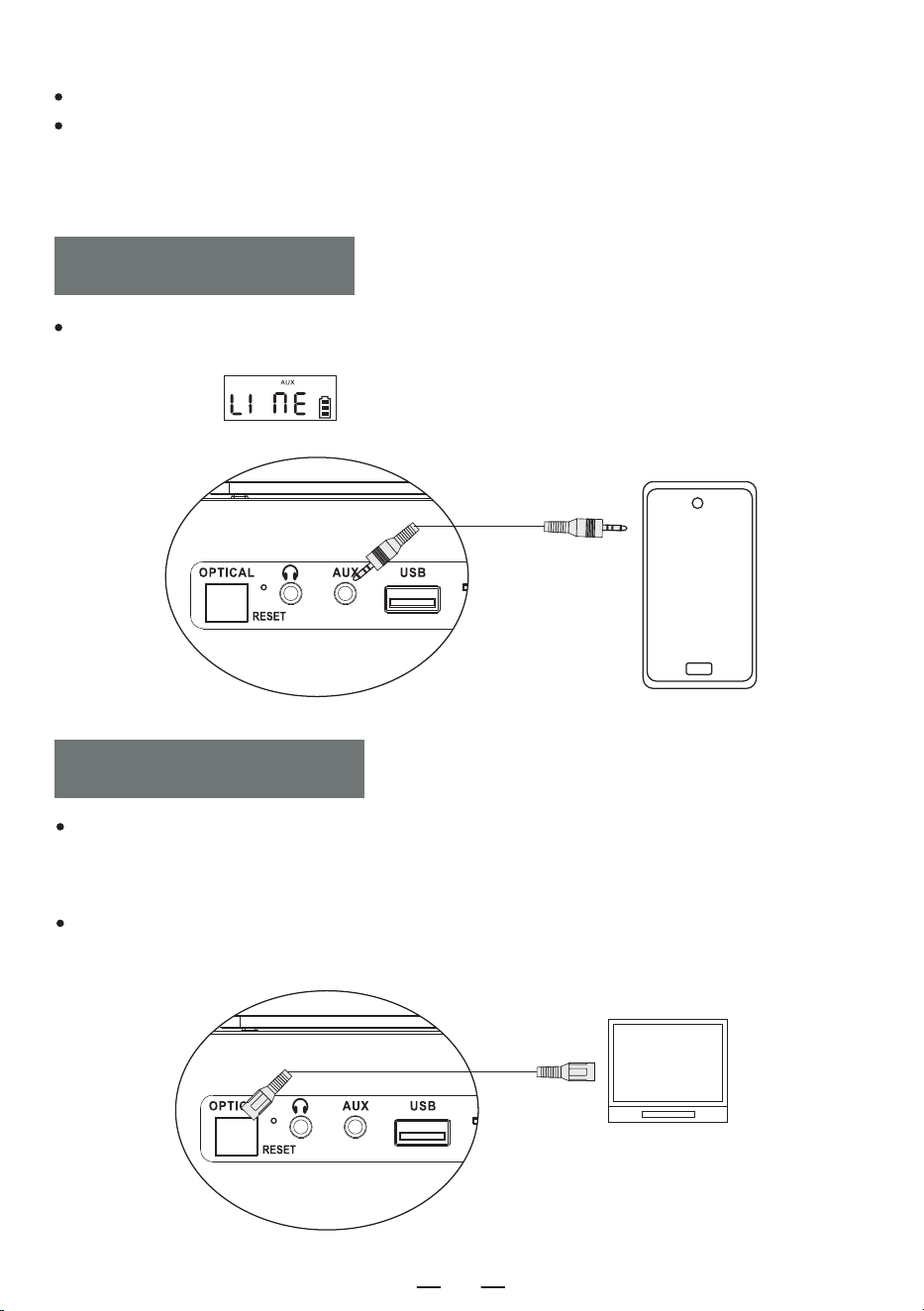
MODO ÓPTICO
Este dispositivo no admite la conexión con el audio del coche.
Si el emparejamiento no tiene éxito, intente reiniciar el dispositivo o el dispositivo emparejado con el
dispositivo y empareje de nuevo.
Presione brevemente el botón selector de función [ FUNC. ], seleccione la función AUX y luego
conecte el fuente de sonido externa a esta máquina con un cable AUX, se reproducirá la canción y se
mostrará el LED " ".
FUNCIÓN AUX
En el modo CD, utilice un cable de audio óptico para conectar este reproductor de CD a otros
dispositivos con altavoces. Presione brevemente el botón [ OPT ] en el control remoto para activar la
función óptica y la luz de interfaz óptica se encenderá.
NOTA:
Esta función solo está disponible en el modo CD y el cable óptico no está incluido en los accesorios.
ES
47
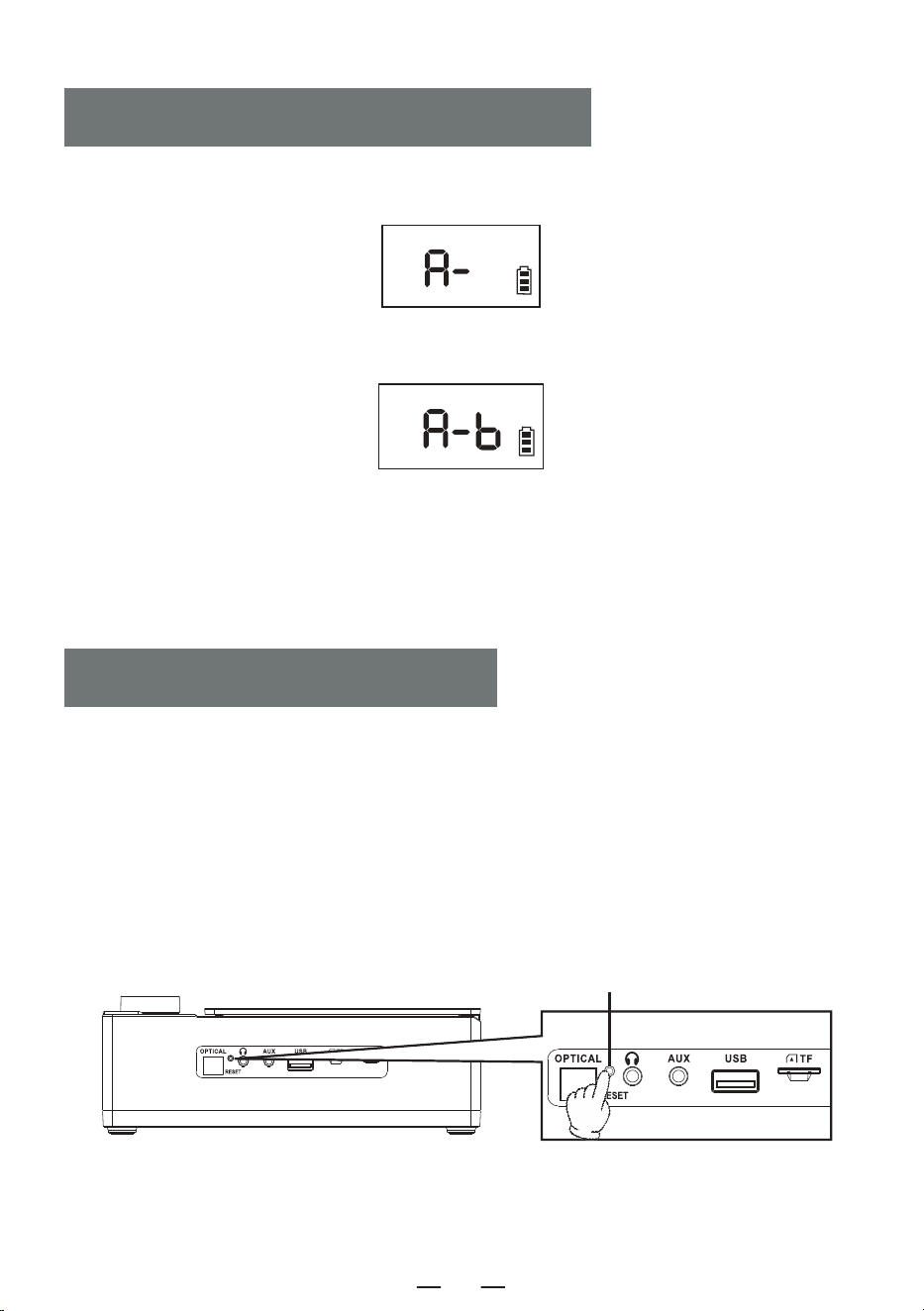
1. Durante la reproducción, presione brevemente el botón A-B del control remoto para establecer el punto
de inicio [ A ] y aparecerá [ A- ] en la pantalla.
2. Presione brevemente el botón A-B del control remoto nuevamente para establecer el punto final [ B ] y
aparecerá [ A-B ] en la pantalla.
3. Ahora, la máquina repetirá la reproducción de A - B.
4. Presione nuevamente el botón A-B del control remoto para salir de la función de repetición A-B.
NOTA:
La función de repetición A-B solo está disponible en el modo CD/TF/USB.
MODO DE REPETICIÓN A-B
NOTA:
Como el producto está equipado con medidas de protección de la batería, si el dispositivo se bloquea,
no se puede cargar, las funciones se vuelven inutilizables después de la carga, o si se producen
retrasos o problemas funcionales durante el uso, intente reiniciar el dispositivo.
¿CÓMO REINICIAR?
Mantenga pulsado el botón [ RESET ] durante dos segundos y, a continuación, reinicie el aparato,
que volverá a funcionar con normalidad.
REINICIAR MÁQUINA
Reset-Taste
ES
48
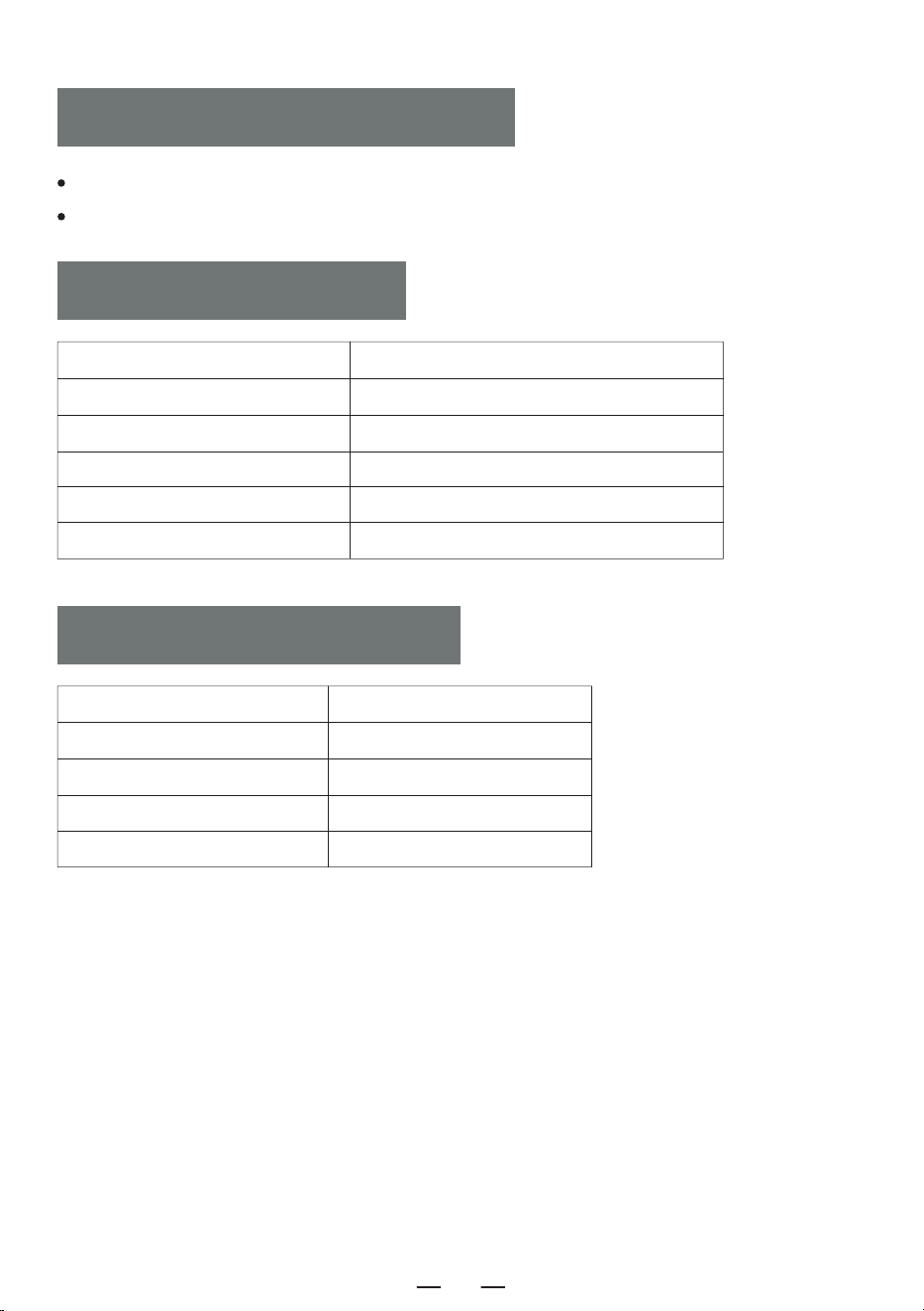
Este producto tiene una garantía de 12 meses.
El período de garantía comienza a partir de la fecha de compra.
Reproductor de CD 1
Mando a Distancia 1
Cable Tipo C 1
Manual de Usuario 1
Cable Auxiliar 1
TARJETA DE GARANTÍA
LISTA DE EMBALAJE
Tamaño del Producto 192*152*70mm/7.56*5.98*2.76in
Version Bluetooth 5.3
Peso 750g/1.65lb
Consumo de Energía Type-C 5V 2A
Batería 4000mAh
Formato de Disco CD/MP3/CD-R/CD-RW
ESPECIFICACIÓN
ES
49
ES
50