Manual de instrucciones
Instruction manual
Manuel d’instructions
Bedienungsanleitung
Manuale di istruzioni
Manual de instruções
Handleiding
Instrukcja obsługi
Návod k použití
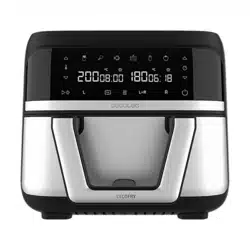
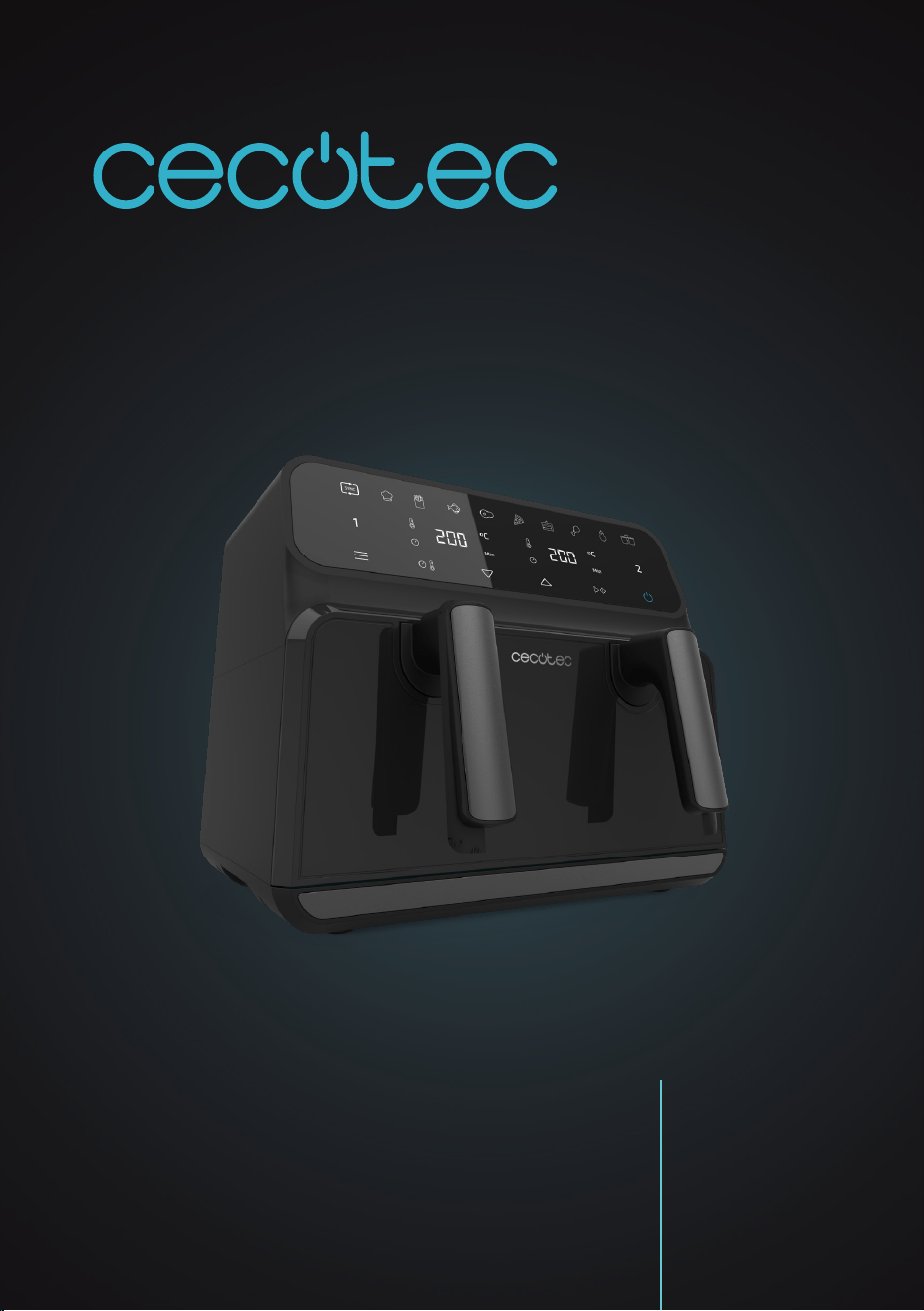
CECOFRY ADVANCE 9000 WINDOW
Freidora de aire / Air fryer

CECOFRY ADVANCE 9000 WINDOW
45
ENGLISH
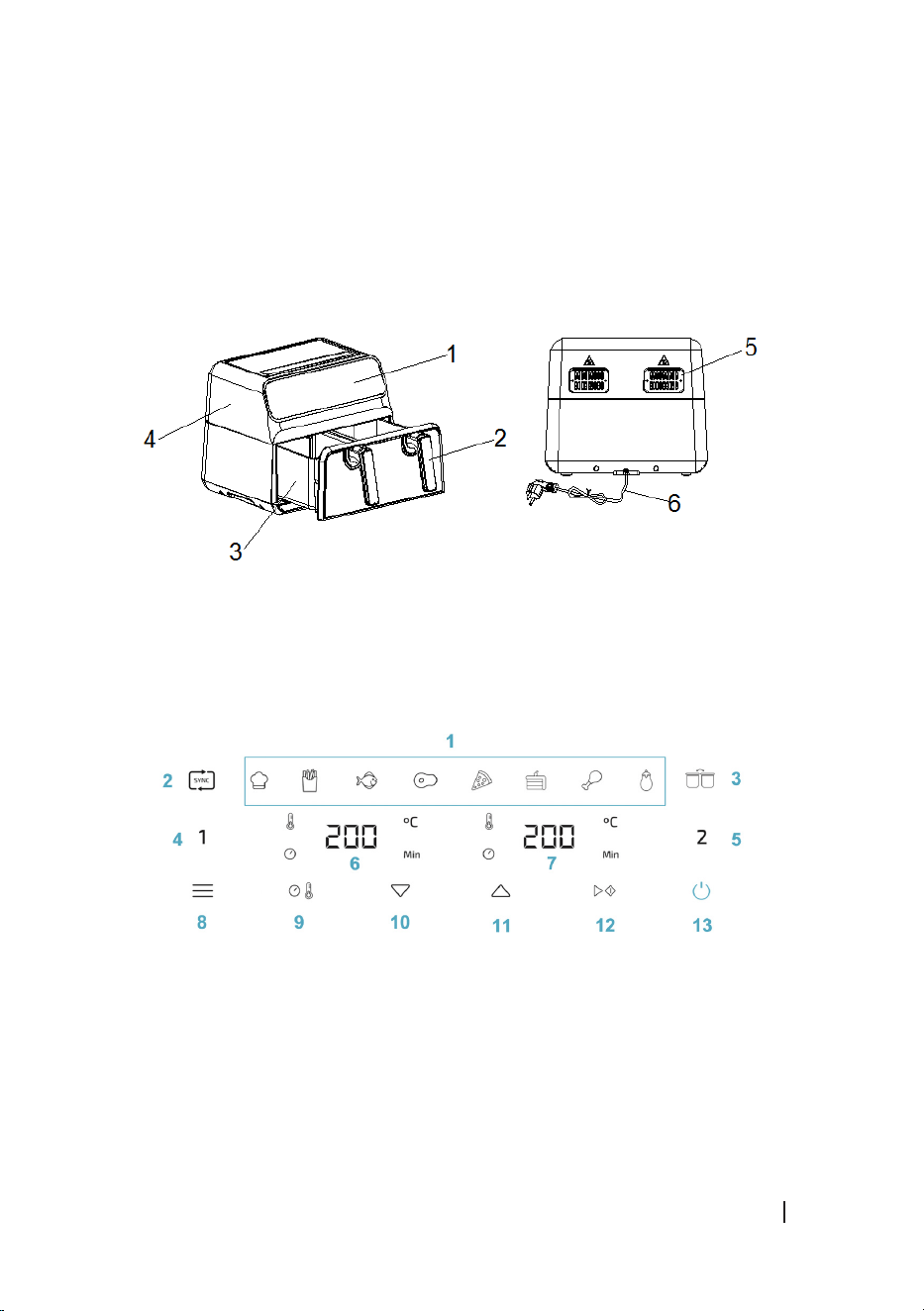
1. PARTS AND COMPONENTS
Fig. 1
1. Control panel
2. Handle
3. Basket
4. Main body
5. Air outlet
6. Power cable
Control panel. Fig. 2
1. Default menus
2. Sync Function icon
3. Combine Function icon
4. Compartment 1 icon
5. Compartment 2 icon
6. Compartment 1 temperature/time indicator
7. Compartment 2 temperature/time indicator
8. Default Menu selection icon
9. Temperature/Time swap icon
10. Temperature/Time decrease icon
11. Temperature/Time increase icon
12. Start/Pause icon
13. Power icon
NOTE:
The graphics in this manual are schematic representations and may not exactly match the
appliance.
2. BEFORE USE
- This appliance is packaged in a way as to protect it during transport. Take the appliance
out of its box and remove all packaging materials. You can keep the original box and other
packaging elements in a safe place. This will help you prevent damage to the appliance
when transporting it in the future. In case the original packaging is disposed of, make sure
all packaging materials are recycled accordingly.
- Make sure all parts and components are included and in good conditions. If there is any
piece missing or in bad conditions, contact the ocial Cecotec Technical Support Service
immediately.

CECOFRY ADVANCE 9000 WINDOW
46
ENGLISH
Box content
- Cecofry Advance 9000 Window air fryer
- Instruction manual
- Clean the rack and inside of each basket compartment with hot water, detergent, and a
non-abrasive sponge.
3. OPERATION
Before use
- Place the appliance on a stable, horizontal, at, and heat-resistant surface.
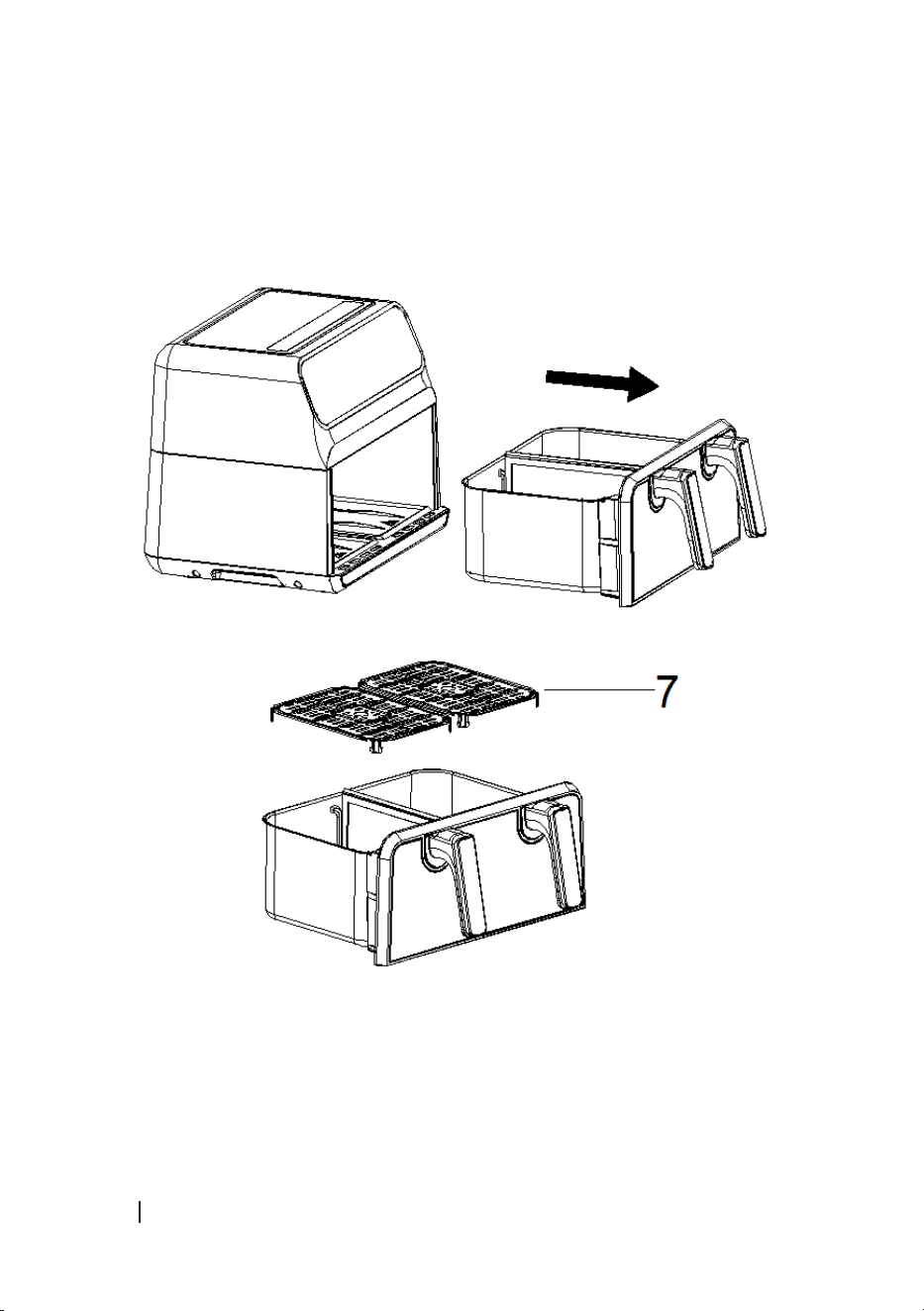
- Place the grilles inside each basket compartment as shown in Figure 3.
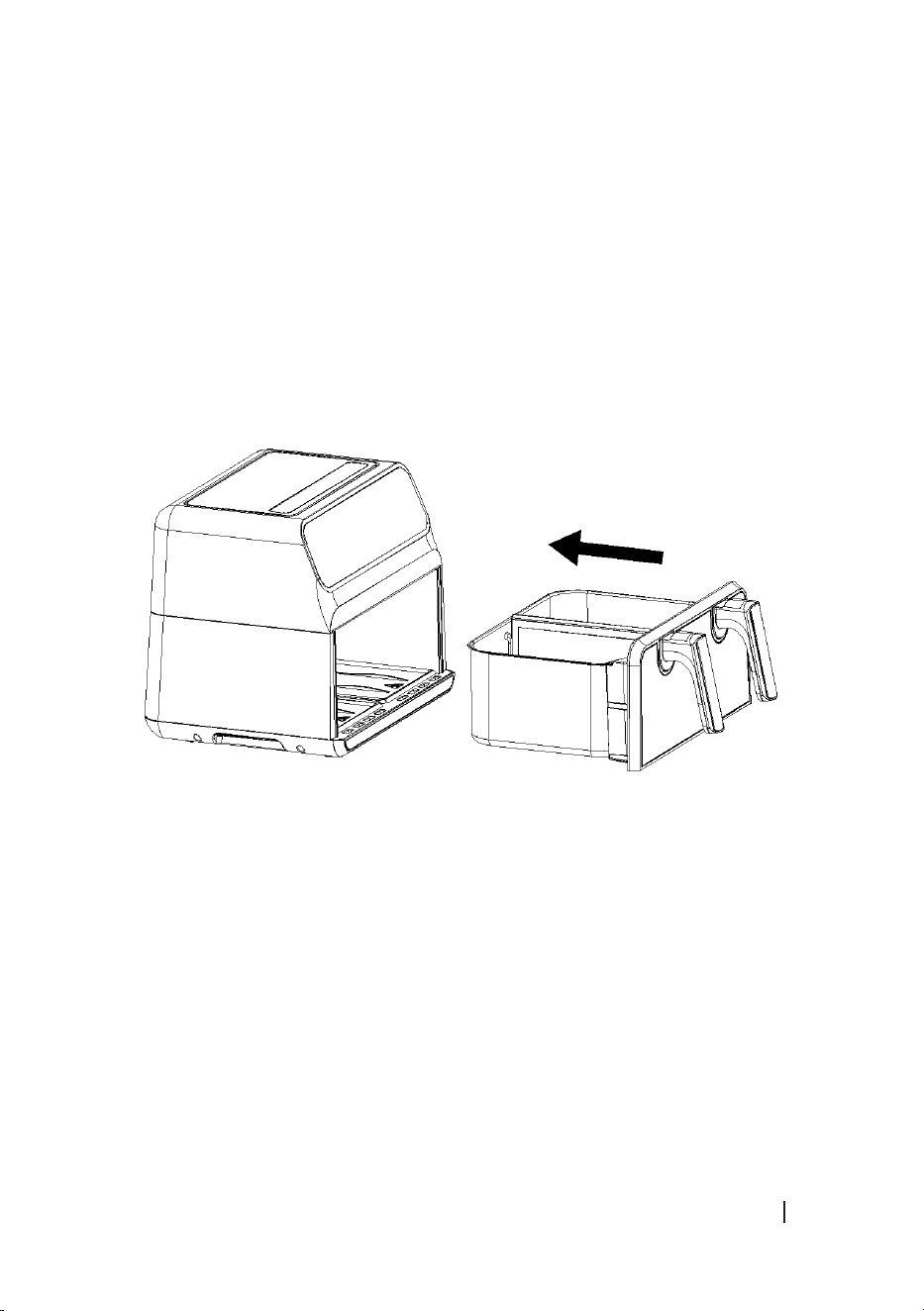
- Insert the grilles into the air fryer as shown in Figure 4.
WARNING:
Do not ll the basket compartments with oil or any other liquid. Do not place anything on top of
the appliance to avoid blocking the air inlet and aecting air-frying results.
Using the appliance
1. Plug the appliance to an earthed outlet. The appliance will beep three times to indicate it
was properly plugged in.
2. Carefully remove the basket.
3. Place the ingredients inside the basket compartments.
4. Put the basket back in the air fryer. Carefully align the basket guides with those on the fryer
body. Never use the air fryer without the basket inserted.
5. Determine the cooking time required for the ingredient.
6. Some ingredients require stirring halfway through cooking. To do so, remove the basket
from the air fryer by the handle and stir or turn the ingredients over with the help of
wooden or plastic tongs to avoid scratching the non-stick coating of basket compartment.
Then, put the basket back in the air fryer.
7. When you hear the timer beep, the set cooking time will have elapsed. The fan will run for
a further 10 seconds, after which you will be able to remove the basket.
Note:
- You can also pause or switch the appliance o manually. To do so, press the Start/Pause
icon to stop or resume cooking at any time or hold down the Power button for 2 seconds
to nish the whole cooking process: the appliance will display OFF and switch o until
further use.
- You can adjust the temperature or time to your liking during use.
8. Make sure the ingredients are ready. If the ingredients are not yet ready, simply put the
basket back into the air fryer and add a few more minutes to the timer.
CECOFRY ADVANCE 9000 WINDOW
47
ENGLISH
9. To take out the food (e.g., chips), remove the basket from the air fryer and place it on a
heat-resistant surface, and remove the food with the help of wooden or plastic tongs to
avoid scratching the non-stick coating of the basket compartments. Depending on the
type of ingredients, steam may escape from inside the air fryer.
10. Pour the ingredients into a bowl or onto a plate.
11. When the food has nished cooking, the air fryer will immediately be ready for further use.
Caution:
- Do not touch the air fryer during and immediately after use, as it reaches high temperatures.
Hold the basket only by the handle.
- Be careful when taking food out of the basket, as it will still be hot.
Operating instructions
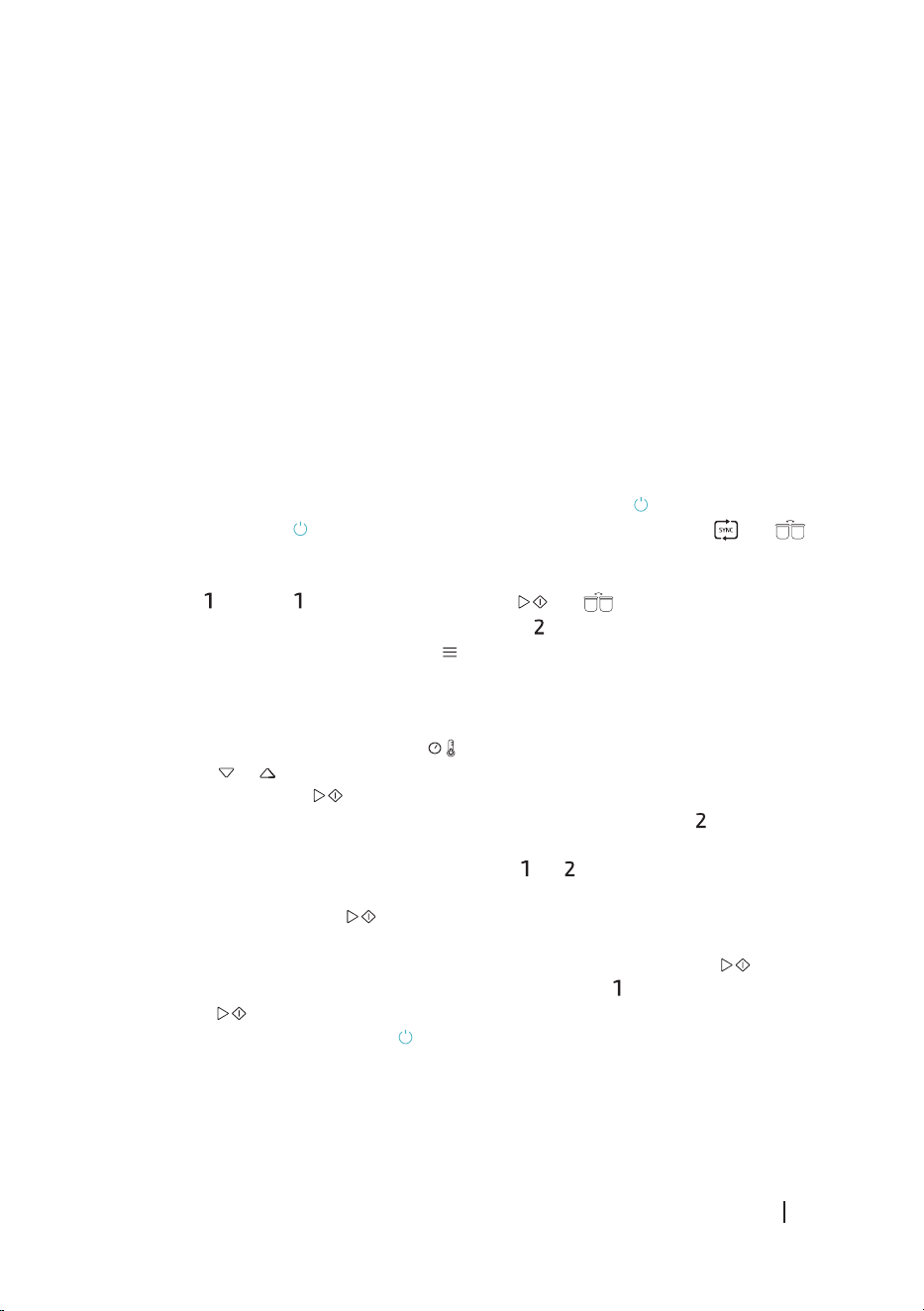
1. Upon switch-on, all icons of the air fryer ash for 3 seconds and then switch o. At the
same time, the air fryer will beep three times and the power icon will light up steady.
2. Press the power icon to turn the air fryer on. All icons will light up except and .
3. You can now select which basket compartment you wish to use: use the left-hand
compartment, the right-hand compartment, or both. To select the left-hand compartment,
press the icon. The compartment icon and the and icons will ash and wait for
selection. “----” will be shown on the compartment indicator display.
4. Press the Default Menu selection icon to select a default menu: the corresponding
menu indicator will ash (the other menu indicators light up as well) and the display will
show the default time and temperature values of the corresponding menu. If no button is
pressed within 3 seconds, the temperature and time will be displayed alternately. To set
the time and temperature, press the icon to swap between temperature and time,
then press or to set the desired value for the chosen parameter. After setting time
and temperature, press to start cooking.
5. If you want to use basket compartment 2 as well, select it by pressing the icon and repeat
the above procedure.
6. If you want to cancel the settings, hold down the or icon, depending on the settings
you want to cancel.
7. Press the Start/Pause icon to start cooking in both compartments. The display will
alternately show the menu temperature and time.
8. When the air fryer is in operation, you can press the Start/Pause icon to pause
operation. If you want to pause compartment 1 only, press icon rst, then press the Start/
Pause icon . Repeat the above procedure you wish to stop compartment 2 only.
9. If you hold down the power button for 2 seconds during operation, the air fryer will make
a long sound and switch o.
CECOFRY ADVANCE 9000 WINDOW
48
ENGLISH
Save function
This appliance features a Save function. After cooking with a default menu or manually setting
time and temperature, default or custom values of the latter parameters will be saved for
future uses.
Sync function
- This function is useful when dierent cooking times have been set for each compartment
and you want them to end at the same time.
- After setting the time and temperature of compartments 1 and 2, press the icon: icon
will light up steady. Then, press the Start/Pause icon : the compartment with the
longer cooking time will start working, while the indicator display of the compartment with
the shorter cooking time will show HOLD. Once both cooking-time settings are in sync, the
second basket compartment will start working as well.
- If you only use one compartment, the Sync Function icon will not light up. If both
compartments are selected, the Sync Function icon ashes; if you press it, the icon will
light up steady.
Combine function
- If you want both compartments to have the same time and temperature settings, set the
values of one compartment rst, then press the icon: the icon will ash. Press
the Start/Pause icon for both compartments to start cooking with the same settings.
- When you congure the settings of only one compartment, the Combine Function icon
lights up. If you select dierent settings for each basket compartment, the Combine
Function icon switches o, and the function will no longer be available for use.
- The Combine Function icon switches o and the function will no longer be available.
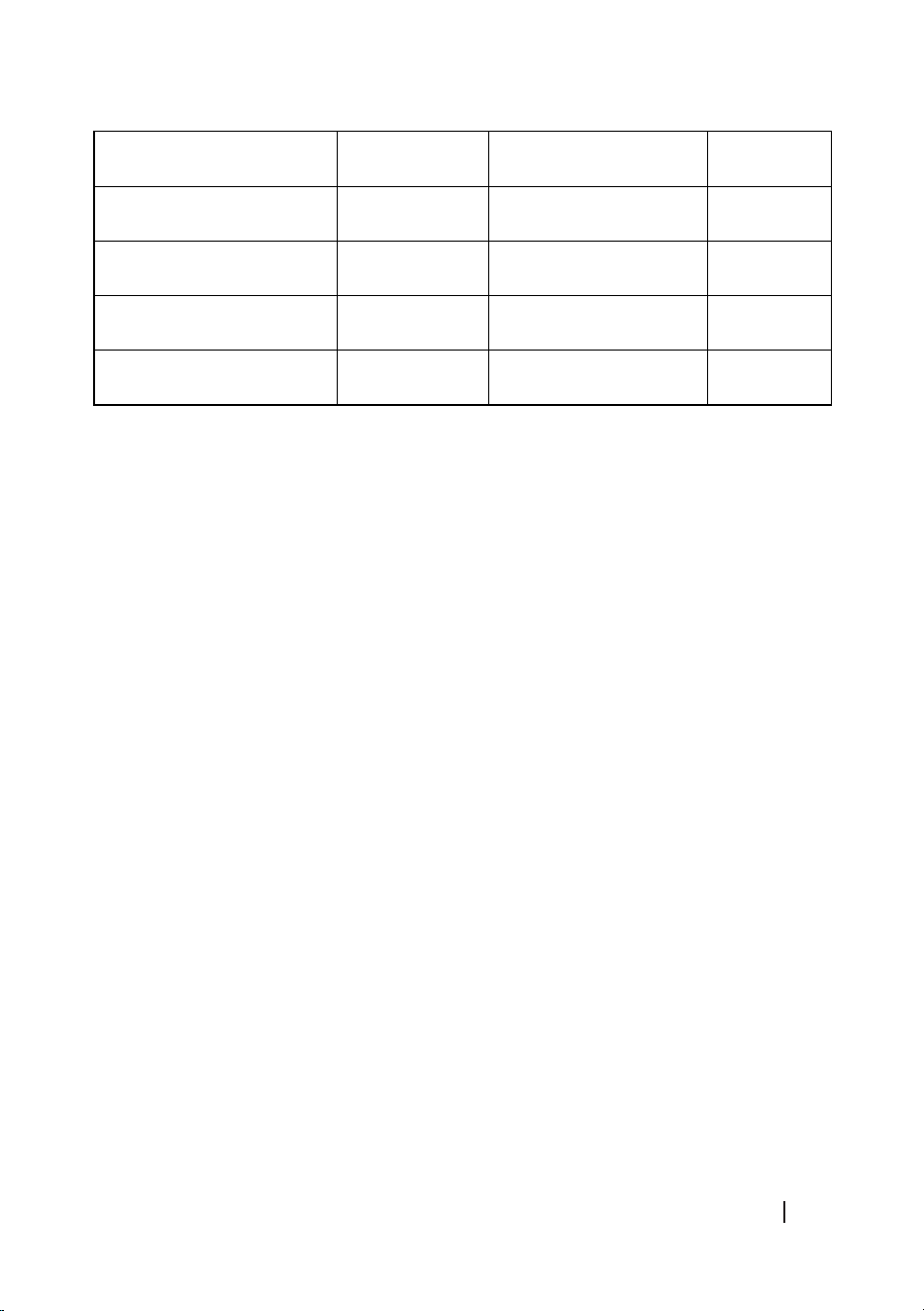
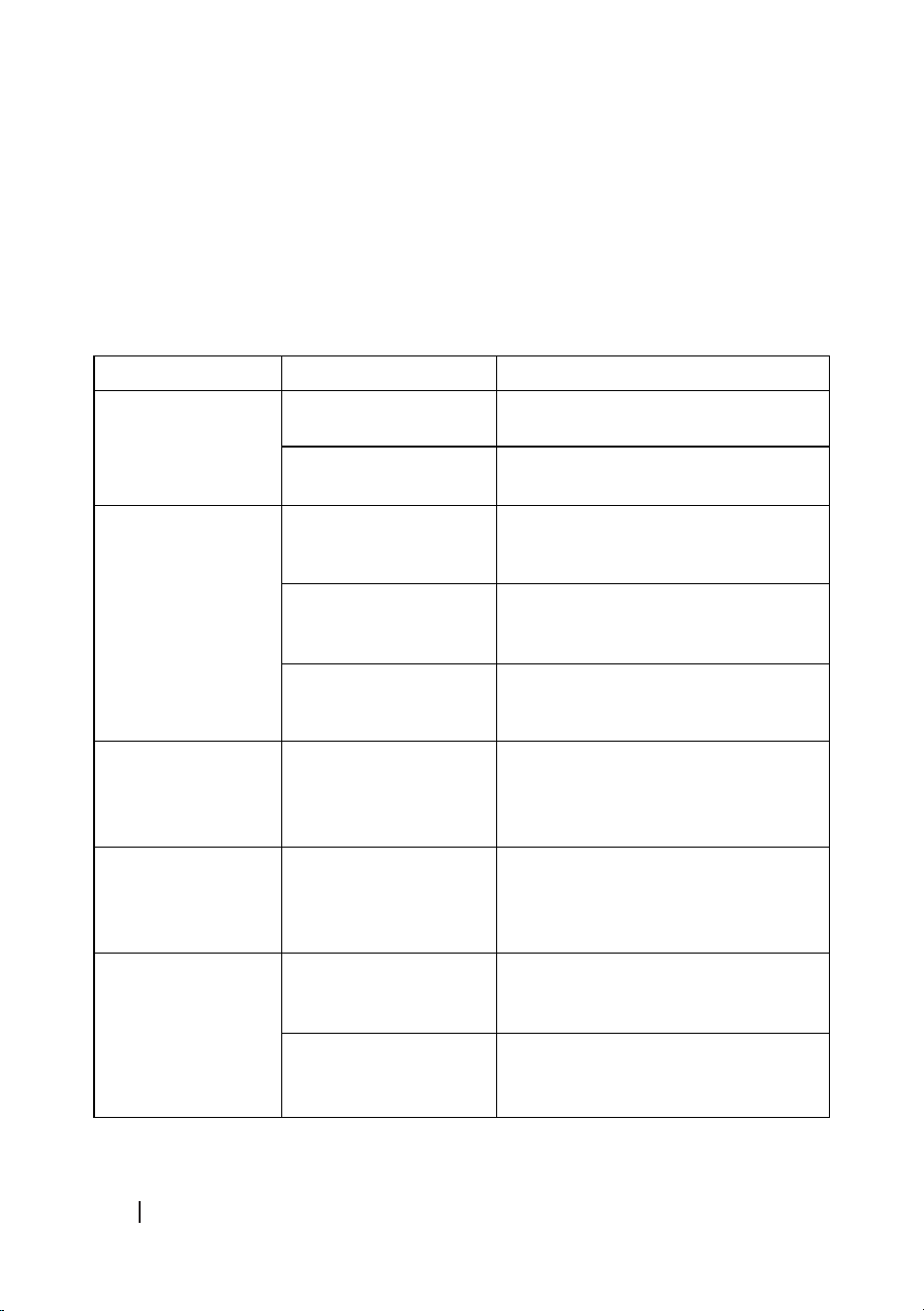
Default cooking programmes
The below table shows the temperatures and times of the default cooking programmes.
Menus Time (min) Temperature (℃) Stir
DIY 20 200 -
Frozen chips 18 200 YES
Fish 18 180 -
Steak 12 180 YES
CECOFRY ADVANCE 9000 WINDOW
49
ENGLISH
Pizza 8 180 NO
Dessert 15 160 -
Chicken wings and thighs 25 200 YES
Vegetables 20 200 YES
Default 15 180 -
Note
- As ingredients dier in origin, size, shape, and brand, we cannot guarantee the best setting
for the ingredients that you are using. If necessary, change the times and/or temperature
values to adjust the cooking to the type of ingredient.
- Add approximately 3 minutes to the cooking time indicated in the table if you start frying
with the air fryer still cold. Add 5 minutes to the timer if you use both compartments
simultaneously.
Tips
- Smaller ingredients require a shorter preparation time than larger ones.
- A larger quantity of ingredients only requires a slightly longer preparation time, and a
smaller quantity of ingredients only requires a slightly shorter preparation time.
- Stirring small ingredients during the frying process optimises the result and can help
preventing unevenly fried ingredients.
- Do not use the air fryer to fry greasy food (such as sausages).
- Food that can be cooked in an oven can also be cooked with the air fryer.
- Pre-made dough requires a shorter preparation time than home-made dough.
- You can also use the appliance to re-heat ingredients.
- It is advisable to ip the food during cooking.
4. CLEANING AND MAINTENANCE
- After cooking, remove the plug from the socket and allow the basket to cool down. You
can remove the basket to allow it to cool down faster. Place it on a heat-resistant surface.
- Clean the appliance after every use. Do not use metal cookware or abrasive cleaning
materials for cleaning to avoid damaging the non-stick coating.
- If dirt is stuck to the bottom of the rack, pour in hot water, let it soak for about 10 minutes,
and add a little detergent to clean with a non-abrasive sponge.
CECOFRY ADVANCE 9000 WINDOW
50
ENGLISH
- If you need to clean the air outlet, clean it with a clean brush after the appliance has cooled
down completely.
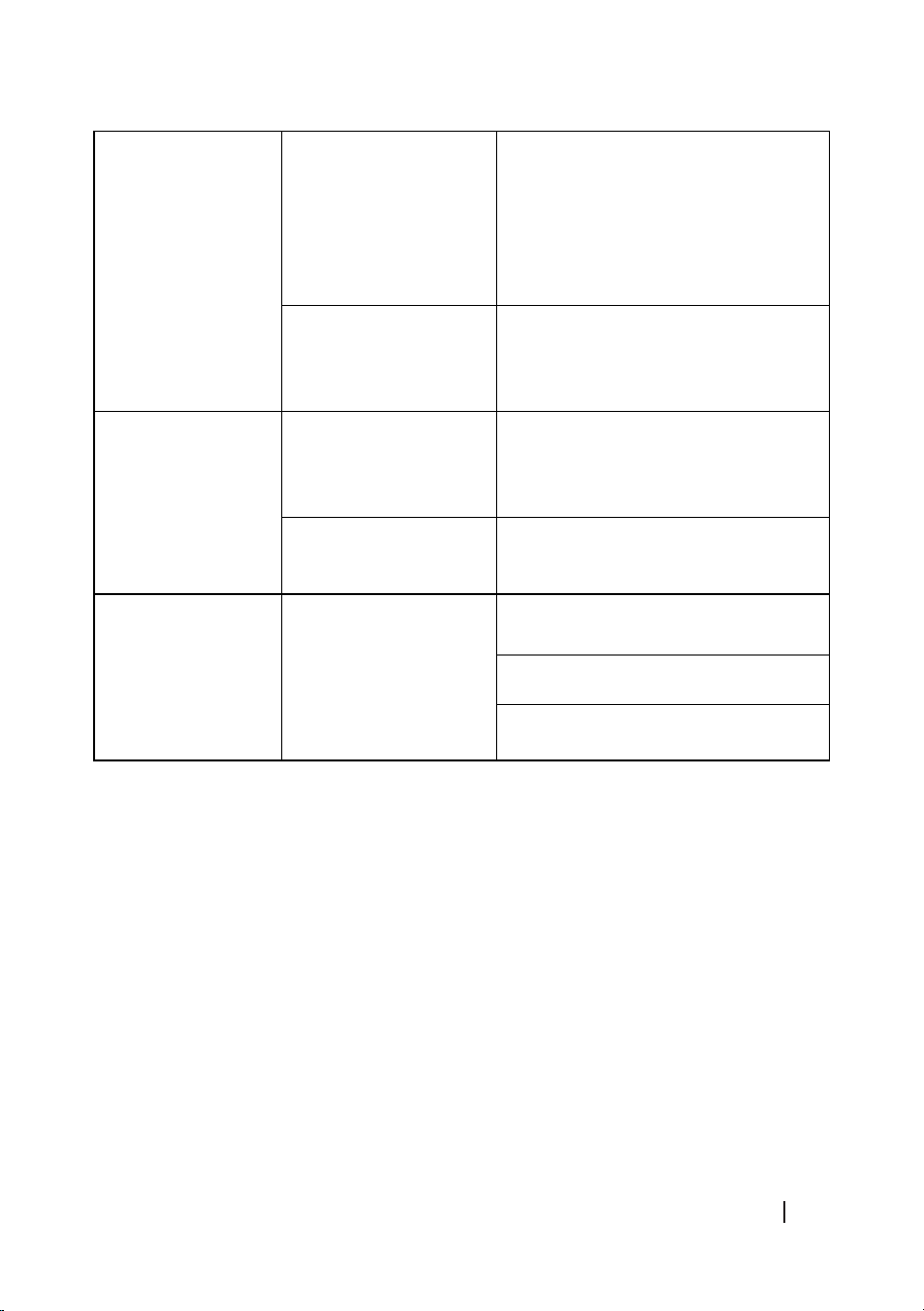
5. TROUBLESHOOTING
If you experience any problem with the appliance or you think it does not work properly, you
can carry out a few simple checks before calling the ocial Cecotec Customer Service.
Problem Possible cause Possible solution
The air fryer does
not work.
The appliance is not
plugged in.
Plug the appliance to an earthed
outlet.
You haven’t set the
timer.
Set the timer for the appliance to start
working.
Ingredients fried
with the air fryer are
not well cooked.
The basket is too full.
Put smaller batches of ingredients in
the basket. Smaller batches are more
evenly fried.
The set temperature is
too low.
Set the temperature as desired
(see the ‘Operation - Operating
instructions’ section).
The preparation time is
too short.
Set the timer to the desired cooking
time (see ‘Operation - Operating
instructions’ section).
The ingredients are
unevenly fried.
Some ingredients
should be stirred or
ipped over halfway
through cooking.
Ingredients that are one on top of each
other (e.g., chips) should be stirred
halfway through cooking.
Fried snacks are not
crispy when they
come out of the air
fryer.
The snack used isn’t
suitable for air frying.
Use food with a minimum amount of
oil or manually add it before or during
cooking.
The basket doesn’t
t well into the
appliance.
There are too many
ingredients in the
basket.
Do not overll the basket for best
results.
The basket is not
properly inserted in the
fryer.
Insert the basket into the fryer until
the display no longer shows OPEN.
CECOFRY ADVANCE 9000 WINDOW
51
ENGLISH
White smoke comes
out of the appliance.
You are cooking fatty
food.
When cooking fatty food in the air
fryer, a large amount of oil will leak
onto the base of the basket. The oil
produces white smoke on contact with
the hot surface of the basket. This
does not aect the appliance or the
result.
The basket still
contains traces of fat
from previous uses.
The white smoke is caused by the fat
heating up in the basket. Make sure
you clean the basket properly after
each use.
Chips are unevenly
fried.
You have not used the
right type of potato.
Use fresh potatoes and make sure
they stay put during frying. There are
potato varieties that are more suitable
for air frying.
The potatoes weren’t
properly rinsed before
frying.
Rinse the potatoes to remove the
starch.
Fresh fries are not
crispy when they
come out of the air
fryer.
The crispiness of the
chips depends on the
amount of oil and water
they contain.
Make sure you dry the potatoes well
before adding the oil.
Cut the potatoes into smaller pieces
for a crispier result.
Add a little more oil for a crispier
result.
WARNING:
Do not try to repair the appliance by yourself. If the problem persists after the checks explained,
contact a qualied electrician, authorised personnel, the store where you purchased the
appliance, or the ocial Cecotec Customer Service.
6. TECHNICAL SPECIFICATIONS
Product: 04986
Product: Cecofry Advance 9000 Window
Power: 2200 W
Voltage: 220 - 240 V
Frequency: 50 / 60 Hz
Temperature range: 60 - 200 ºC
CECOFRY ADVANCE 9000 WINDOW
52
ENGLISH
Time range: 1 - 60 min
Capacity: 4.5 l per compartment, 9 l total.
Technical specications may change without prior notication to improve product quality.
Made in China | Designed in Spain
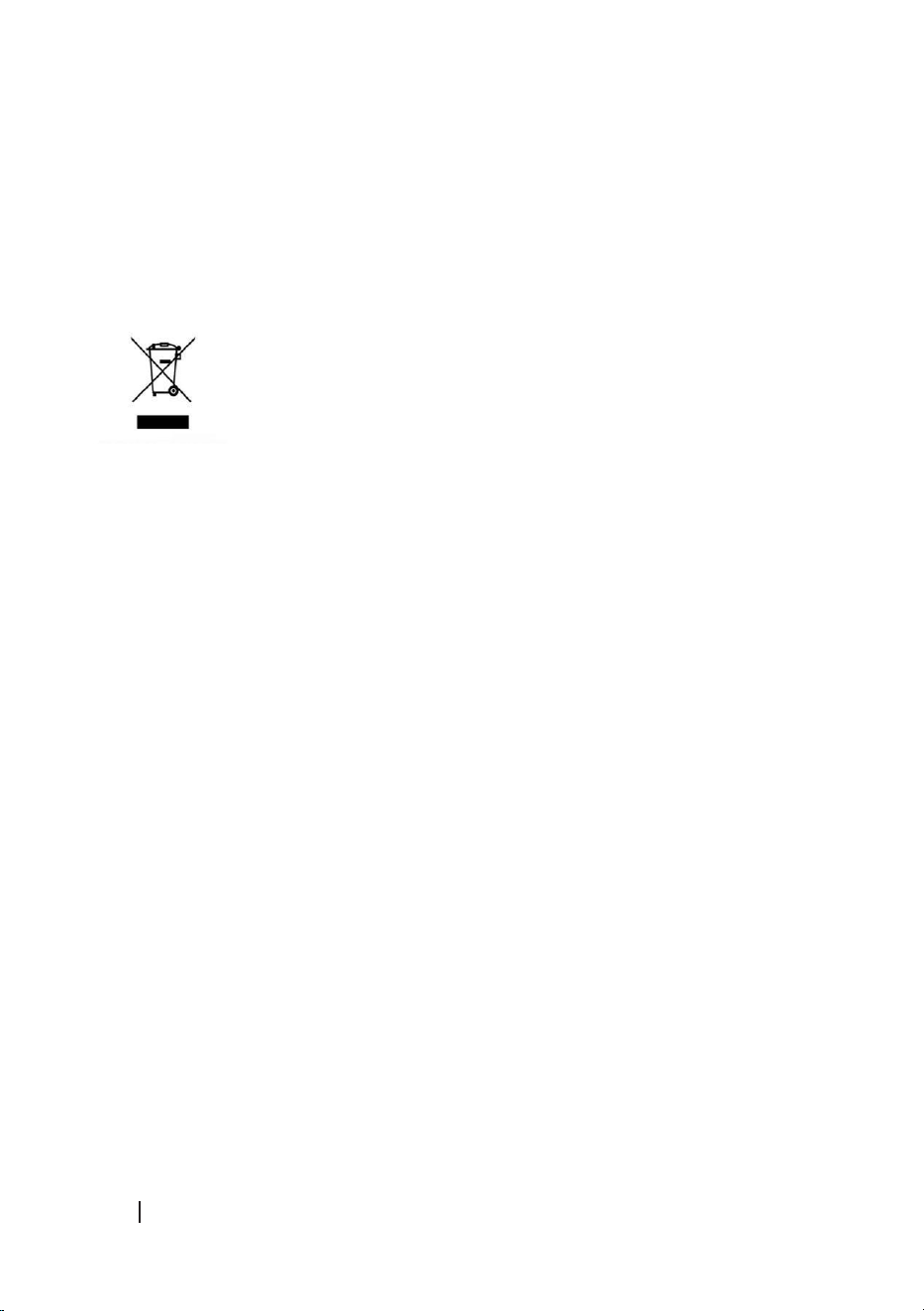
7. DISPOSAL OF OLD ELECTRICAL AND ELECTRONIC APPLIANCES
This symbol indicates that, according to the applicable regulations, the
product and/or batteries must be disposed of separately from household
waste. When this product reaches the end of its shelf life, you should dispose
of the batteries/accumulators and take them to a collection point designated
by the local authorities.
Consumers must contact their local authorities or retailer for information concerning the
correct disposal of old appliances and/or their batteries.
Compliance with the above guidelines will help protecting the environment.
8. TECHNICAL SUPPORT AND WARRANTY
Cecotec shall be liable to the end user or consumer for any lack of conformity that exists at the
time of delivery of the product under the terms, conditions, and deadlines established by the
applicable regulations.
It is recommended that repairs are carried out by qualied personnel.
If at any moment you detect any problem with your product or have any doubt, do not hesitate
to contact the ocial Cecotec Technical Support Service at +34 963 210 728.
9. COPYRIGHT
The intellectual property rights over the texts in this manual belong to CECOTEC INNOVACIONES,
S.L. All rights reserved. The contents of this publication may not, in whole or in part, be
reproduced, stored in a retrieval system, transmitted, or distributed by any means (electronic,
mechanical, photocopying, recording or similar) without the prior authorization of CECOTEC
INNOVACIONES, S.L.
115
CECOFRY ADVANCE 9000 WINDOW
Fig./Img./Abb./Afb./ Rys. 1
Fig./Img./Abb./Afb./ Rys. 2
116
CECOFRY ADVANCE 9000 WINDOW
Fig./Img./Abb./Afb./ Rys. 3
117
CECOFRY ADVANCE 9000 WINDOW
Fig./Img./Abb./Afb./ Rys. 4

www.cecotec.es
Cecotec Innovaciones S.L.
Av. Reyes Católicos, 60
46910, Alfafar (Valencia)
AP02230328