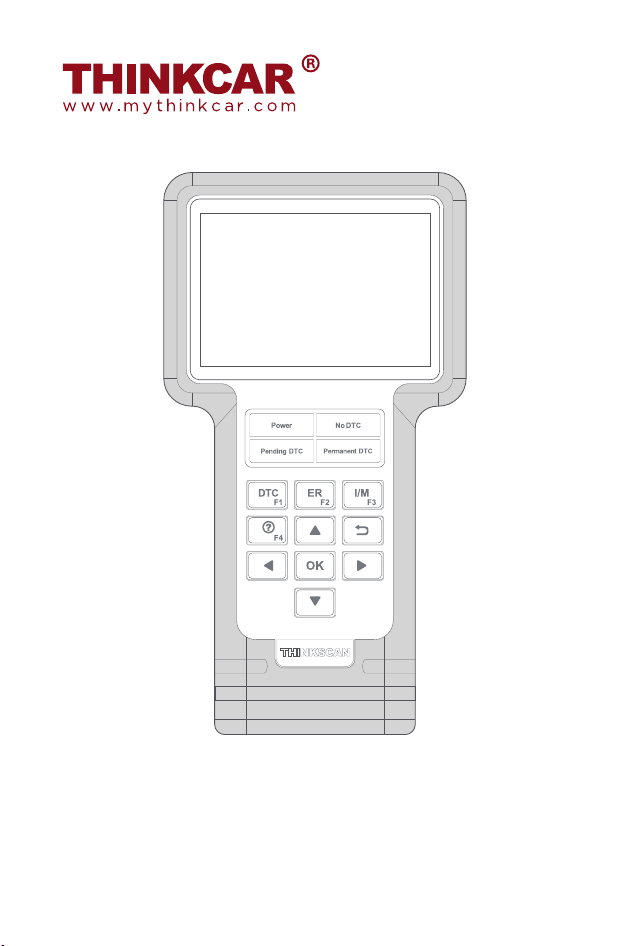
THINKSCAN
Quick Start Guide
Register & Update
Prerequisite conditions:
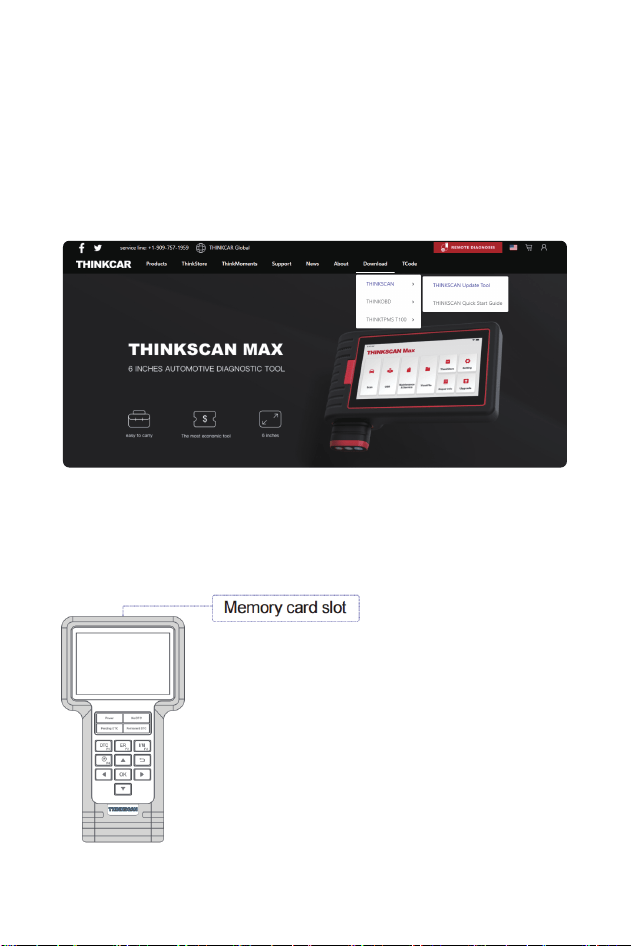
1. Go to http://www.mythinkcar.com to download the update tool and
install it on the computer.
2. System requirements: Windows XP, 7, 8 or Windows 10.
Tip: Please check the Quick Start Guide before upgrading
Tips: Please purchase a TF card reader by yourself
Please follow the steps below to update the tool:
1. Write down the serial number and registration code.
2. Take out the TF card at the top of the device, put the TF card into the
card reader, and insert it into the computer.
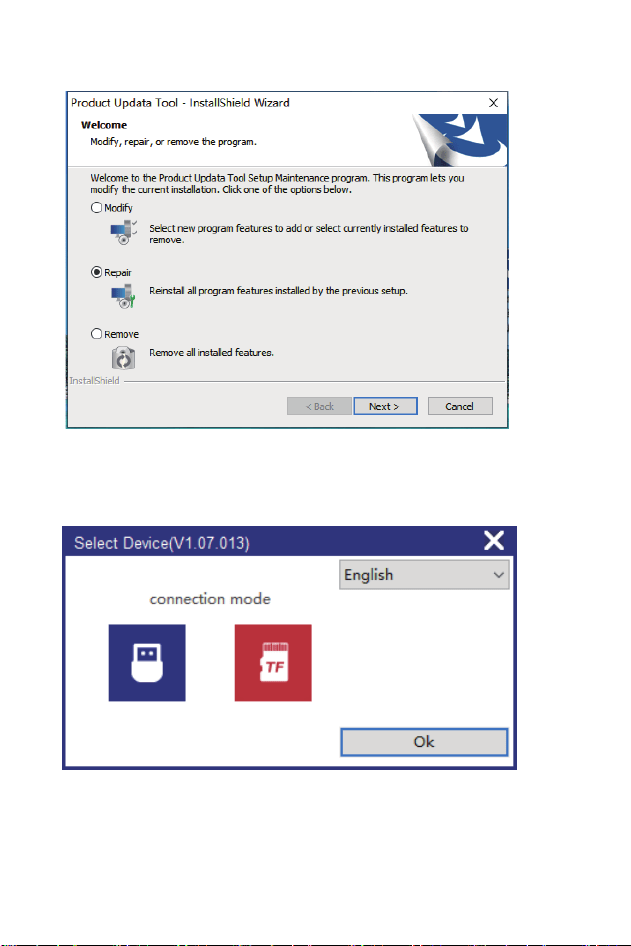
3. Installation tool
4. Choose TF upgrade mode, Click OK.
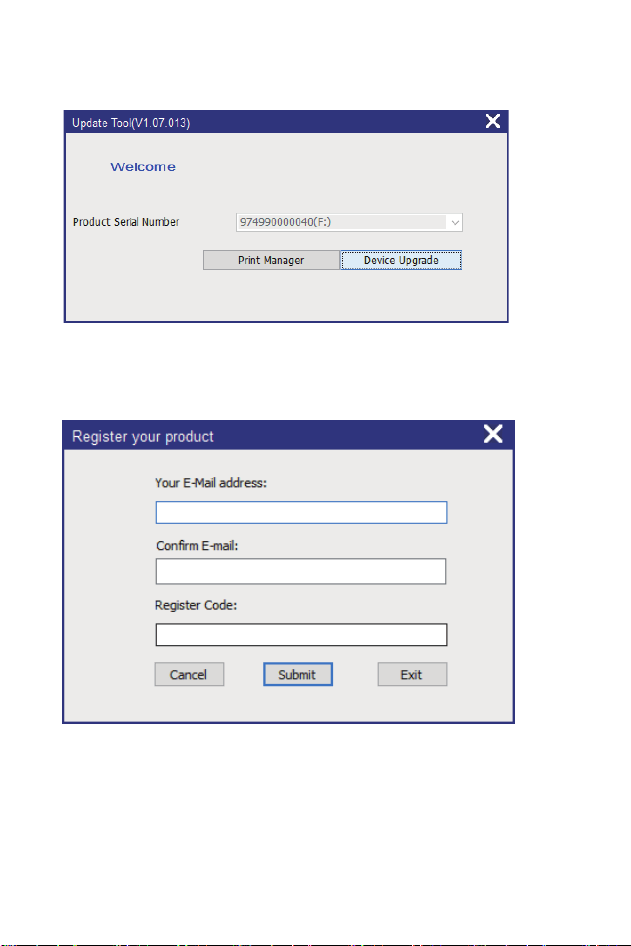
Note: For initial use, user needs to go through a registration process. Once
you finished it, the registration screen will not appear again each time
you click the [Device Upgrade] button in the future.
5. Check whether the SN number is consistent with the SN number of
the machine, if they are consistent, click Device upgrade.
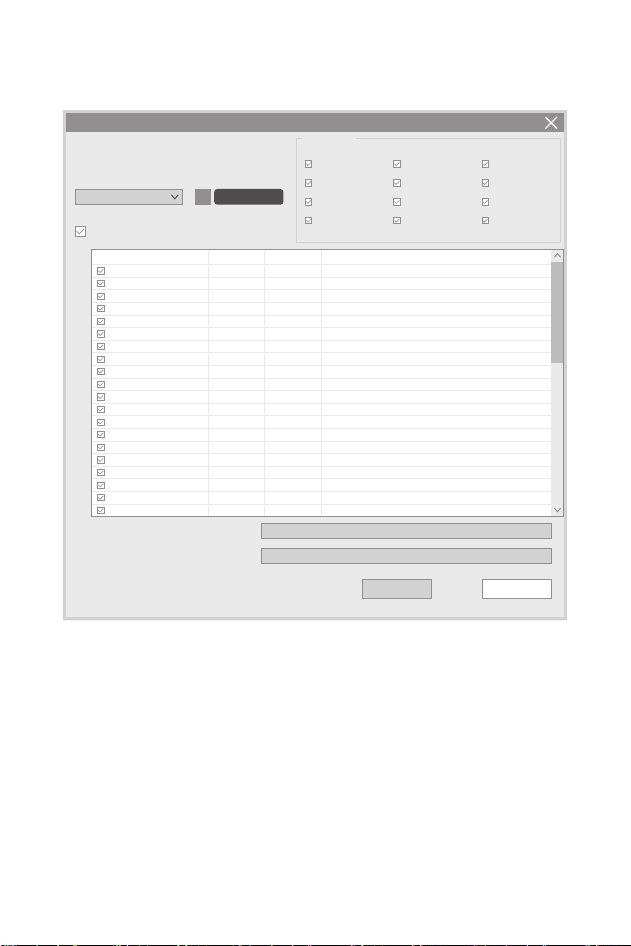
6. Enter the required E-mail address and Register Code,click [Submit] to
finish the sign-up.
Statement: All information and illustrations in this Quick Start Guide are
based on the latest information available at the time of printing.
Due to continuing improvements, actual product may slightly
differ from the product described herein, and this Quick Start
Guide is subject to change without prior written notice.
7. By default, download the latest version of the software, click
download.
8. Reinsert the memory card into the tool and start update.Once all steps
are complete, find the memory card slot on the tool and reinsert the
memory card into the tool.
Welcome 974990000040
Selet Language
QuitDownload
Product Serial Number: Network Status:
Select All
Software Name Latest Version
974990000040
synthesis upgrade(V1.07.013)
Input Flow: 0.0KB/s
English
TS660_FIRMWARE
German
Portuguese
Czech
French
Russian
Japanese
Polish
Spanish
Italian
Korean
Turkish
Audi
Mercedes-Benz/Maybach
BMW/Rolls Royce/Mini
CHRYSLER
Clitroen
Dacia
Daewoo
Fiat/Abarth/Alfa Romeo/Lancia
GM/Chevrolet/Cadilac/Buick
HOLDEN
Honde/Acura
Hyundai
Jaguar
Isuzu/Isuzu(Thailand)
Kia
Land Rover/Jaguar
Mahindra
Maruti
MAZDA
V10.05
Release Date
2020-07-28
2020-12-18
2020-11-23
2020-12-04
2020-12-14
2020-12-22
2020-11-13
2016-05-06
2020-11-17
2021-11-09
2020-12-21
2020-11-28
2020-12-24
2020-12-25
2017-03-23
2020-12-24
2020-11-27
2014-01-23
2014-04-12
2020-12-09
V11.70
V11.80
V11.60
V12.30
V11.30
V11.11
V10.13
V11.80
V11.80
V11.60
V12.30
V11.30
V11.11
V10.13
V11.80
V13.00 V12.90
V10.40
V10.50
V10.80
V12.40
V11.43
V10.80
V12.40
V10.01
V10.10
V12.10
V10.40
V10.50
V10.80
V12.40
V11.43
V10.80
V12.40
V10.01
V10.10
V12.10
Status
Setup Status
Tatal 50 Items
Local Version
V11.70

Life-time technical support and 12 months warranty(including electronic
products for damages caused by defects in materials or workmanship)
are the most basic. Damages to the equipment or components caused
by abusing, unauthorized modification, using for non-designed purposes,
operation in a manner not specified in the instructions, etc.are not
covered by this warranty. The compensation for dashboard damage
caused by the defect of this equipment is limited to repair or replace-
ment. THINKCAR does not bear any indirect and incidental losses.
Please contact Online Customers Service via the order interface.
Service Line: 1-909-757-1959
Customer Service Email: support@mythinkcar.com
Products tutorial, videos, FAQ and coverage list are available on
THINKCAR official website.
Warranty Card
