•Short press “ ” to select the vibraton mode between M1 to M3
and the “ ” corresponding LED indicator will light on.
Cycle in turn:1-2-3-stop...
•Stort press “ ” to select low/Medium/High level of heat,
and the “ ” corrensponding LED indicator will light on.
Cycle in turn: 1-2-3-stpo...
•The default �mer is 30 minutes, and it will automac�cally shut
off a�er 30-minute �mer runs out.
•Before using this product for the first �me, please fully charge it.
•When the ba�ery power is low, the buzzer will beep three �mes
in a row, and the charging indicator will flash three �mes, and then
it will automa�cally shut down.
•If the device is not used for a long �me, the product should be
charged once a month to prevent the ba�ery life from shortening.
Note: No func�on is available when charging
•When charging, connect the
Type-c plug of the charging cable
to the host
Full power: 3 red LED lights on
Low power: the hea�ng lamp flashes
Low ba�ery: 3 red lights flash
3 �mes quickly
Charging: the red light turns on
Full: the red light is all on
Fully charged: takes 1-2 hours
•The other end of the USB
interface is plugged into any
2A USB charging head to
connect to the power source
•The main unit (including lithium ba�ery) and accessories of this
product have reached the end of their service life. Please do not
throw away randomly,otherwise electronic waste will be
generated and the environment will be polluted. Please follow the
relevant regula�ons of the local environmental protec�on
department for such electronic waste disposal.
•Be sure to turn off the power before disassembling the product
and removing the ba�ery.
•Remove the ba�ery according to the figure above.
The following must be understood before use, otherwise it may
cause damage or danger!
•For use by healthy adults except the elderly.
•Pregnant women, children, heart disease, abnormal blood
pressure, malignant tumors, pa�ents with cerebrovascular
disease, pa�ents with acute diseases, or other people receiving
medical treatment are prohibited from using it.
•People with sensi�ve skin are prohibited from using it.
•Pa�ents with impaired skin percep�on are not allowed to use it if
they are not sensi�ve to heat.It is forbidden to use wormwood bag
or essen�al oil and vibra�on func�on during menstrua�on. This
may cause increased menstrual flow. It is recommended to use
only hea�ng mode for hot compress.
•lf you feel unwell or have abnormal skin during use, stop using
it immediately and consult a doctor.
•Excessive con�nuous use may cause the product to overheat and
shorten the service life. If the product is overheated, please stop
using it and wait for the product to cool down before using it again.
•Do not use on the following sensi�ve parts and surrounding
areas: face, eyes, reproduc�ve organs, etc.
•This product is not a medical device and is not recommended for
medical use.
•Please check the host before use. If it is damaged, it must be
changed by the manufacturer or its designated professionals in order
to avoid danger.
•Do not immerse in water or let water enter the product.
•Do not drop or use improperly.
•Do not change or modify the product in any way.
•Never leave the product running or charging una�ended.
•This product is used on the skin or separated from clothing.
The product se�ng temperature is the internal working hea�ng
temperature of the machine, and the temperature is not
perceived by the human body. Please set the gear from low to high,
and adjust the temperature of the gear according to the actual
temperature..
•lt is forbidden to throw equipment into fire.
•Con�nuous use for more than one hour, let the equipment stop
for 30 minutes before using it again.
•Do not use this machine outside the room temperature exceeding
40 degrees Celsius.
•Wipe with a so� cloth.Do not wet the host. Wipe the host with a
wet towel to prevent water from penetra�ng into the host.Do not
use thinner, gasoline or other easy-to-use liquids.
•A�er stopping use, wait for the instrument to dissipate normally
before storing it in plas�c bags.
•Storage and storage:
Keep the device out of the reach of children, away from
humidity, high temperature, direct sunlight and water splashes.
•Do not disassemble, repair, or replace without authoriza�on;
parts may cause accidents and malfunc�ons.
•Transporta�on:
The product is designed with simple an�-vibra�on facili�es.
During transporta�on,please avoid large shaking, no
throwing, falling, rain, snow, and exposure.
•Temperature:-20℃~+50℃
•Rela�ve humidity:≤93%
•Atmospheric pressure:
50kPa~106kPa
Product descrip�on- Func�on descrip�on Opera�on Instruc�ons
Warranty-
If you have any issue about the product, please feel free to contact
us by sending email to supportus@comfier.com,We will strive to
provide the best service possible within 24 hours.
1. Ergonomic design
2.Adopt graphene hea�ng technology, 3 hea�ng levels for op�ons
3. Vibra�on massage func�on, 3 modes to meet your different needs
4.It adopts LED indicator light display and buzzer prompt
5.Built-in lithium ba�ery, USB charging
6.Built-in 30-minute �mer to automa�c shutdown
Charging Instruc�ons Instruc�ons Precau�ons and maintenance- Precau�ons and maintenance- Trouble shoo�ng
Massage Belt with Heat
30-Day Money Back Guarantee for any reason
Comfier product can be returned to receive a full refund for any reason within
30days. Please contact our customers service (supportus@comfier.com), our
staff will contact you within 48 hours.
90-Day Money Back Guarantee for quality related issue
Comfier product can be returned / replaced within 90 days if the product break
down in the period of proper use.
12-Month Warranty for quality related issue
If the product break down within 12 months in the period of proper use,
customers can enjoy the relevant warranty to get them replaced.
A�en�on!
No warranty will be given to any force majeure and man-made causes to a
defec�ve product, such as improper care, personal tear down and willful
damage,etc.
10
Parameter
Indicator light
Charging instruc�ons
safety Instruc�ons
Cleaning & maintenance
Transport
Use failure View ma�ers Solu�on
Check whether the plugs at
both ends of the USB are
inserted in place
Check whether the charging
power output is normal
If the internal rechargeable
ba�ery is low,
Please use USB cable to charge
Restart select mode bu�on
Whether the USB
cable is connected
Whether the internal
ba�ery is low
Is in standbyNot working
Unable
to start
Can’t charge
No charging
display
Whether the charging
power supply is
insufficient
Transport environment Working environment
•Rated power: 5W
•Input current: DC5V 1A
•Ba�ery capacity: 1200mAh
Please read this manual carefully before use
Please keep it in a safe place for future reference
Thank you for
choosing this product
•Working �me: 30 minutes
•Three hea�ng levels
•Three vibra�on modes
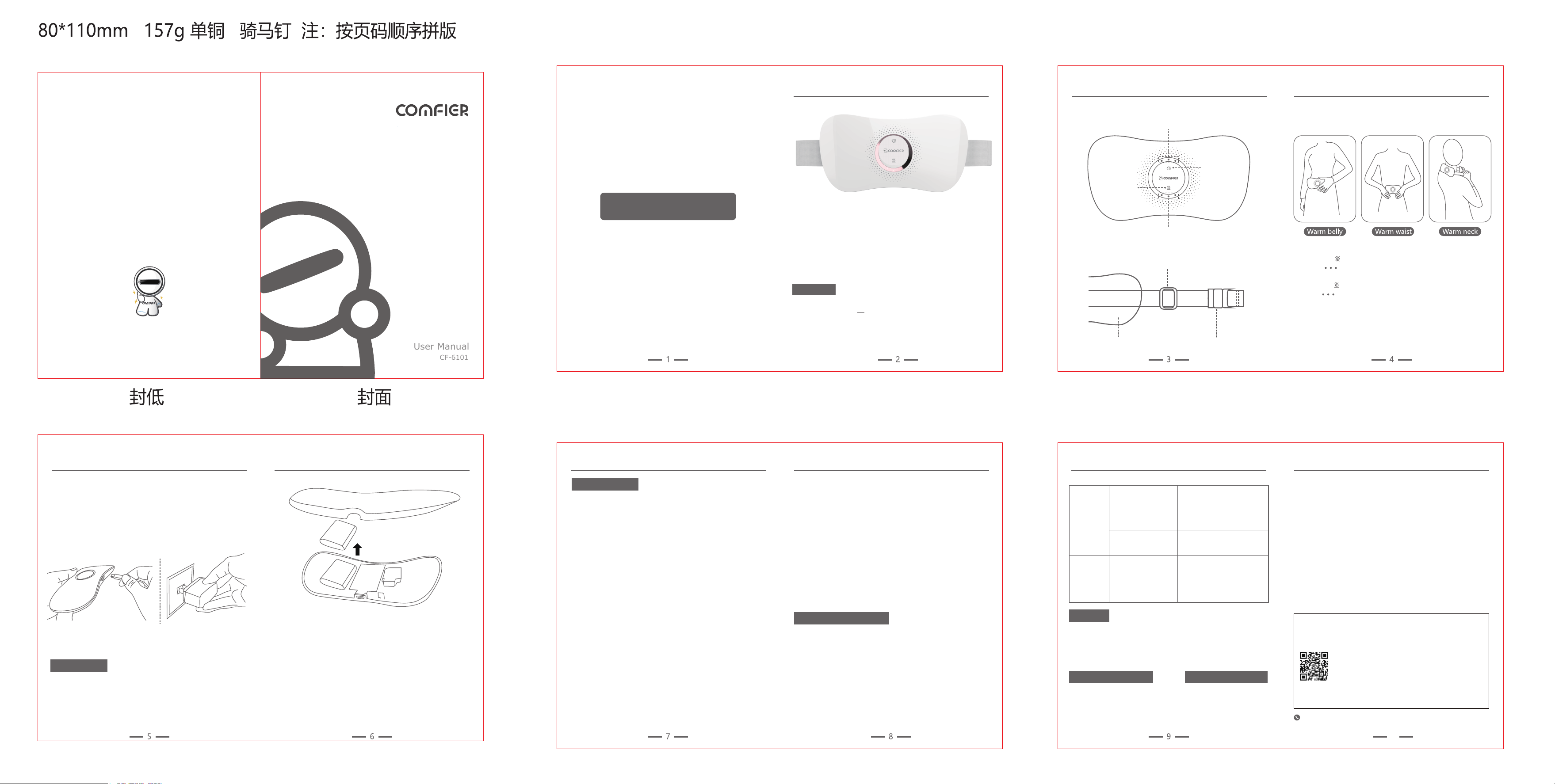
LED Indicator
Vibra�on
mode bu�on
Hea�ng
bu�on
LED Indicator
Elas�c adjustment buckle
SnapSkin-friendly flannel
•Temperature:+5℃~+40℃
•Rela�ve humidity:≤80%
•Atmospheric pressure:
86kPa~106kPa
Please use in the manner shown below
Tel: (248) 819-2623
Monday-Friday 9:00AM-4:30PM
Extend Warranty for Free
1) Enter the following URL or scan the QR code below to find COMFIER
facebook page and like it, enter“Warranty” to messenger to extend
your warranty from 1 year to 3 years.
h�ps://www.facebook.com/comfiermassager
OR 2) Send message“Warranty” and email us supportus@comfier.com to
extend your warranty from 1 year to 3 years.
NOTE: This equipment has been tested and found to comply with the limits for a
Class B digital device, pursuant to Part 15 of the FCC Rules. These limits are designed
to provide reasonable protec�on against harmful interference in a residen�al
installa�on. This equipment generates, uses and can radiate radio frequency energy
and, if not installed and used in accordance with the instruc�ons, may cause harmful
interference to radio communica�ons.However, there is no guarantee that
interference will not occur in a par�cular installa�on. If this equipment does cause
harmful interference to radio or television recep�on, which can be determined by
turning the equipment off and on, the user is encouraged to try to correct the
interference by one or more of the following measures:
• Reorient or relocate the receiving antenna.
• Increase the separa�on between the equipment and receiver.
• Connect the equipment into an outlet on a circuit different from that to which the
receiver is connected.
• Consult the dealer or an experienced radio / TV technician for help.
This device complies with Part 15 of the FCC Rules. Opera�on is subject to the following
two condi�ons: (1) this device may not cause harmful interference, and (2) this device
must accept any interference received, including interference that may cause undesired
opera�on.
WARNING: Changes or modifica�ons to this unit is not expressly approved by the party
responsible for compliance could void the user's authority to operate the equipment.
FCC STATEMENT
COMFIER TECHNOLOGY CO.,LTD.
Address:573 BELLEVUE RD
NEWARK, DE 19713 USA
www.facebook.com/comfiermassager
www.comfier.com
User Manual
CF-6101

