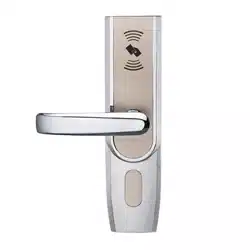

LH5000
Installation Instruction
LH
Version:1.0
Date: June 2014
5000
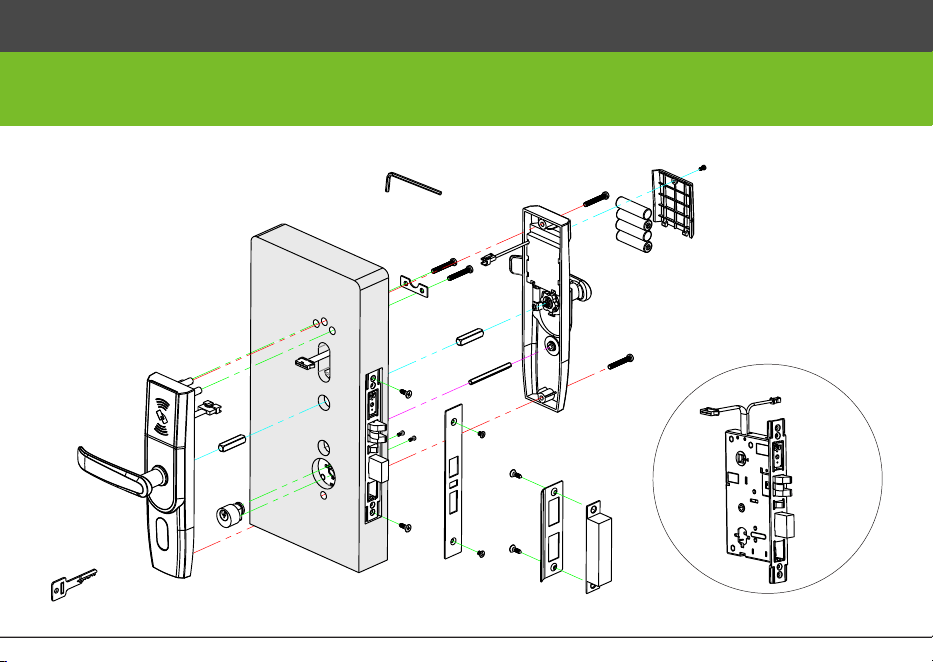
A
B
C
D
E
F
G
H
I
J
K
H
L
K
M
N
O
P
Q
R
S
T
A
Diagram and Caution
Diagram
1
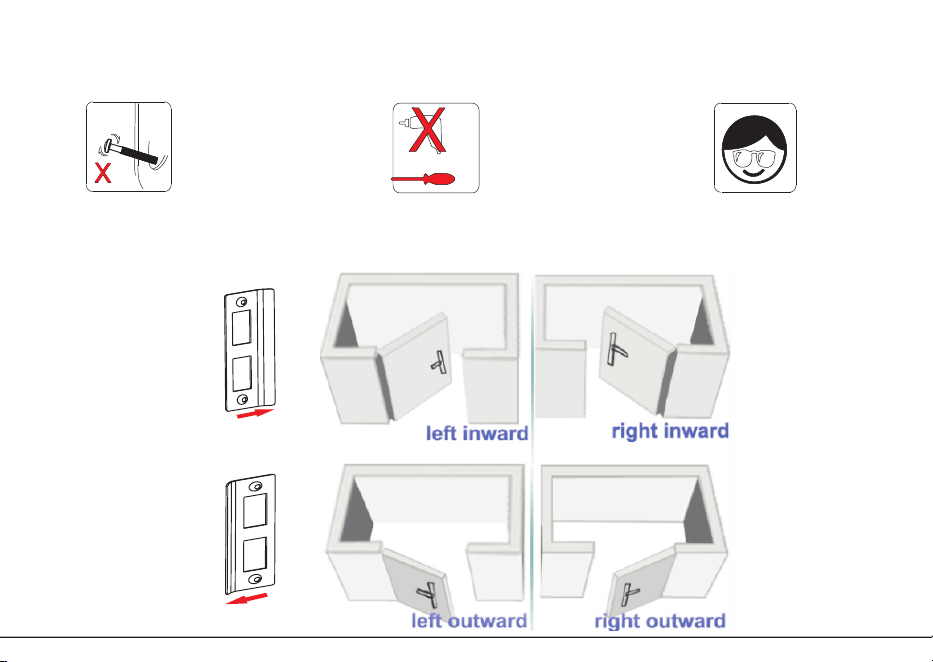
Inward
Outward
R
R
Do not overexert when
tighten the screws.
Do not use electric tool
to tighten the screws.
Please wear eye-protection
device to protect your eyes
when drilling and slotting
C
aution
2
安装
步
骤
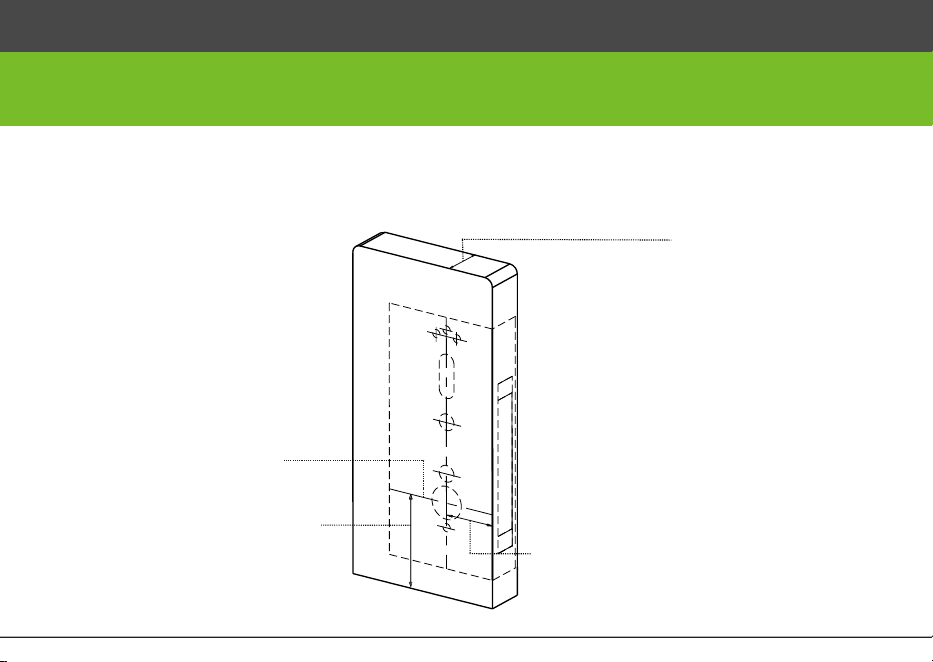
1. Align the template along the vertical center line of the mortise at the
desired handle height, and tape it to the door. Drill the hole on the door.
desired handle height
handle centerline
door
thickness 35~55mm
backset
70mm
Installation Step
3
A
C
D
D
A
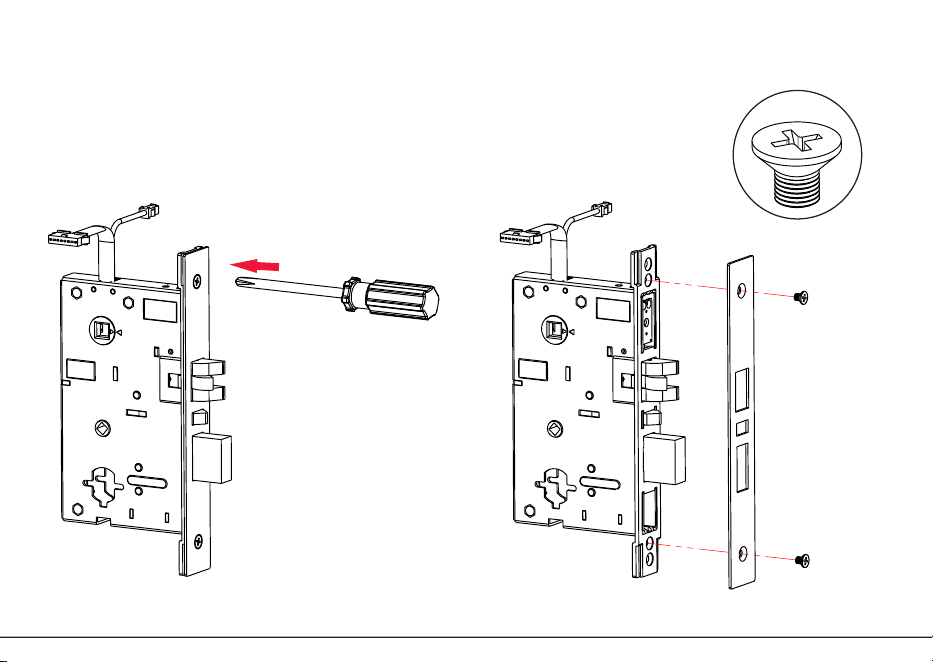
2. Remo
v
e t
wo scr
ews (D
) from mor
tise lat
ch pla
t
e
4
D
C
D
B
B
A
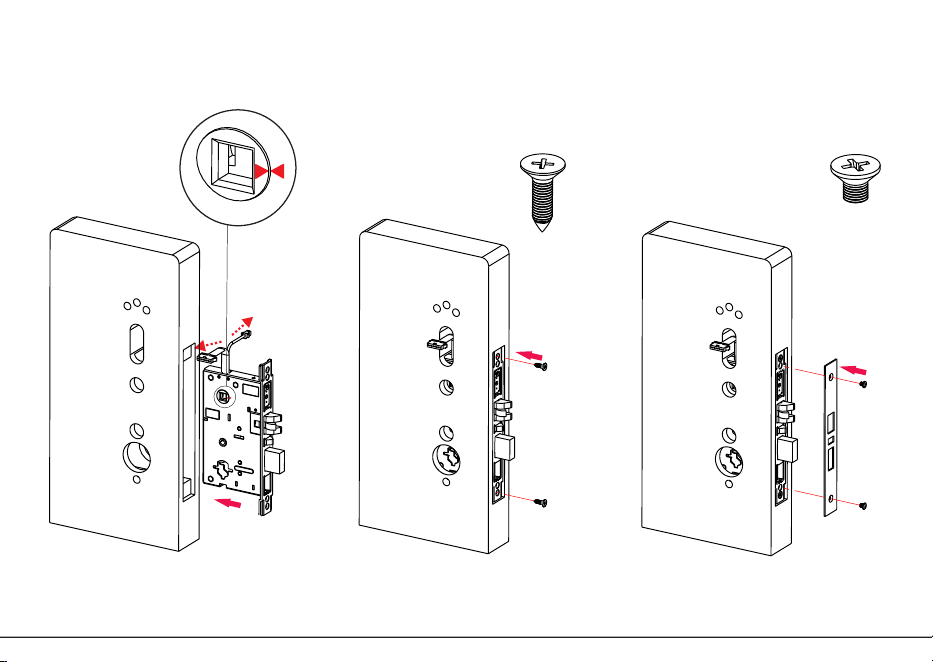
3. Install mortise (A)
4. Install mortise latch plate (C)
Note: Two Triangles on the mortise must be in horizontal
alignment (as the above enlarged figure).
5
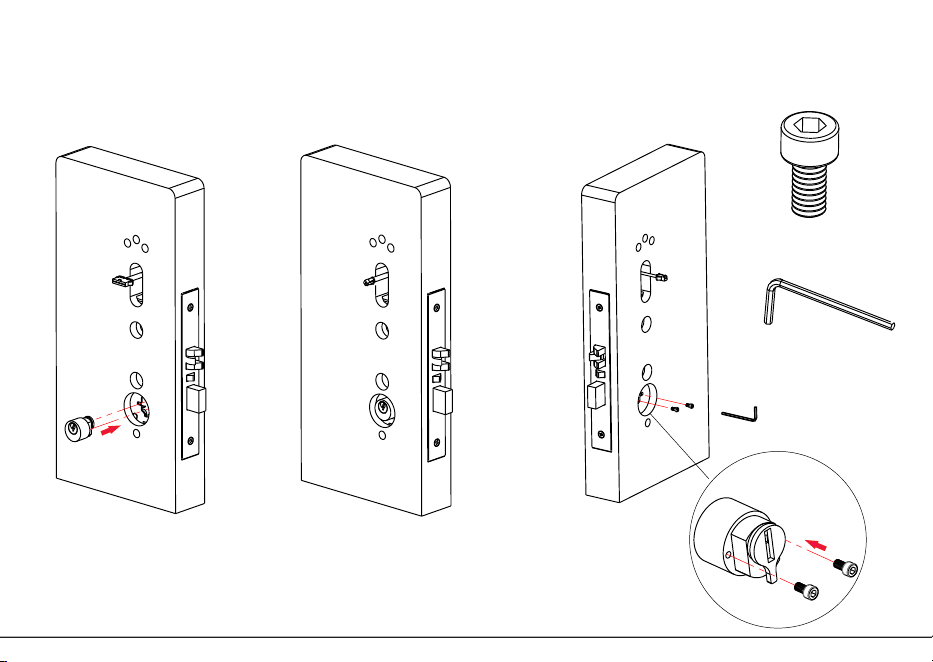
E
F
G
G
F
E
F
E
5. Install lock cylinder (E)
6
H
H
H
J
K
J
K
H
I
K
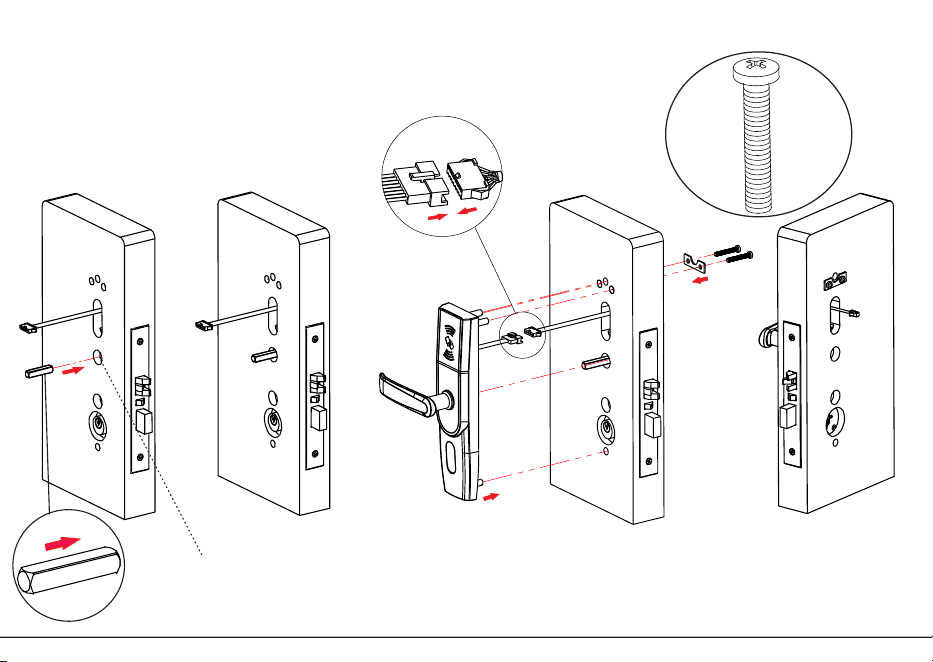
6. Install 8x8 spindle (H) and fix outdoor unit (I)
Note:
Please confirm the two triangles of the mortise be in horizontal position
always! As step3 in this installation instruction .
7
H
L
M
H
L
L
H
L
M
K
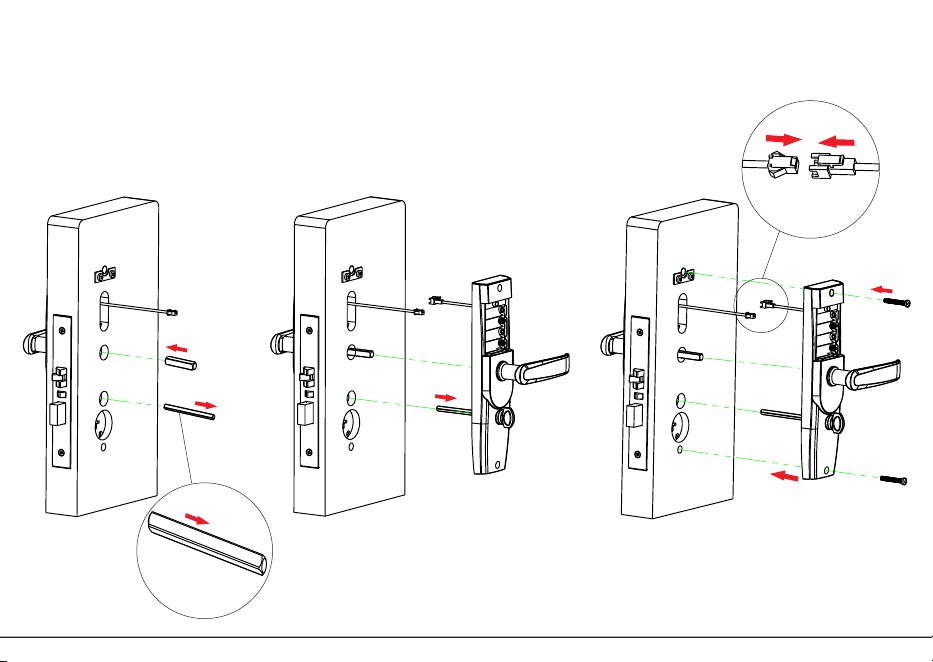
7.Install 8x8 spindle (H) and 5x5 spindle (L), and fix the
indoor unit (M)
8
125mm
89mmX25mm
22mm
3mm
S
S
Q
R
O
N
P
P
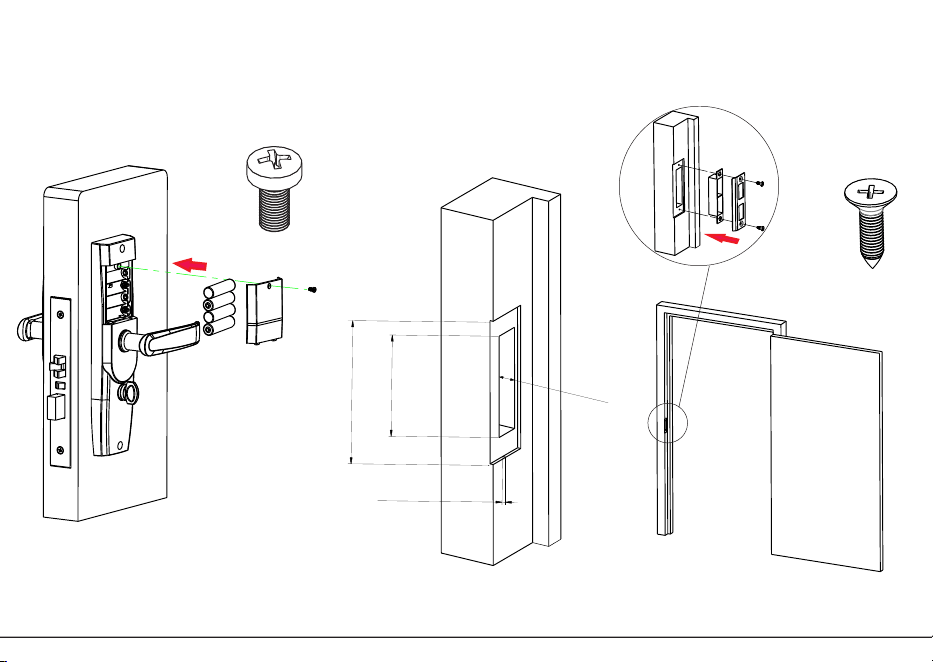
8. Install batteries (N)
9. Measure the doorframe for strike
dimensions and drill the hole
9
T
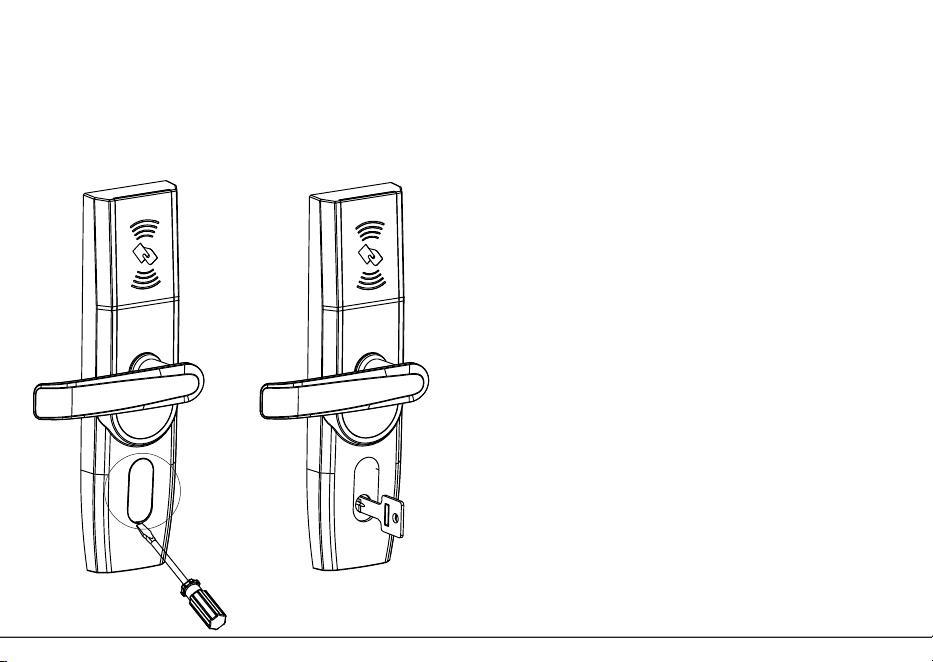
10. Test lock
1. Test lock by rotating handle and emergency key.
2. You can use emergency key by removing the cover
on the lock cylinder with screwdriver or nails.
Maintenance
1. Avoid contacting with corrosive substances.
2. Do not hang objects on the handle.
3. When battery power is lower, the lock will
beep to remind user to renew the batteries.
4. Please do not mix up positive and negative
while replacing battery.
5. To avoid leaking, it is better to renew battery
at least once in half year. Do not use battery
of poor quality.
Warm tips
1. The demonstration figure in this installation
instruction maybe different with your actual
product, the actual product shall prevail.
2. The software within the lock manages the
RFID cards, for more details please refer to
the software user manual.
3. Please keep the emergency key in a safe
place, as backup.
4. If there are any questions, please do not
hesitate to contact the seller.
10