Item #
Model #HTV-2520H
THANK YOU
We appreciate the trust and condence you have placed in Hampton Bay through the purchase of this window fan.
We strive to
continually create quality products designed to enhance your home. Visit us online to see our
full line of products available for your home improvement needs. Thank you for choosing Hampton Bay!
Questions, problems, missing parts?
Before returning to the store, call Hampton Bay Customer Service
8 a.m. - 7 p.m., EST, Monday - Friday, 9 a.m. - 6 p.m., EST, Saturday
1-855-HD-HAMPTON
HAMPTONBAY.COM
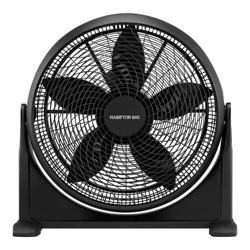
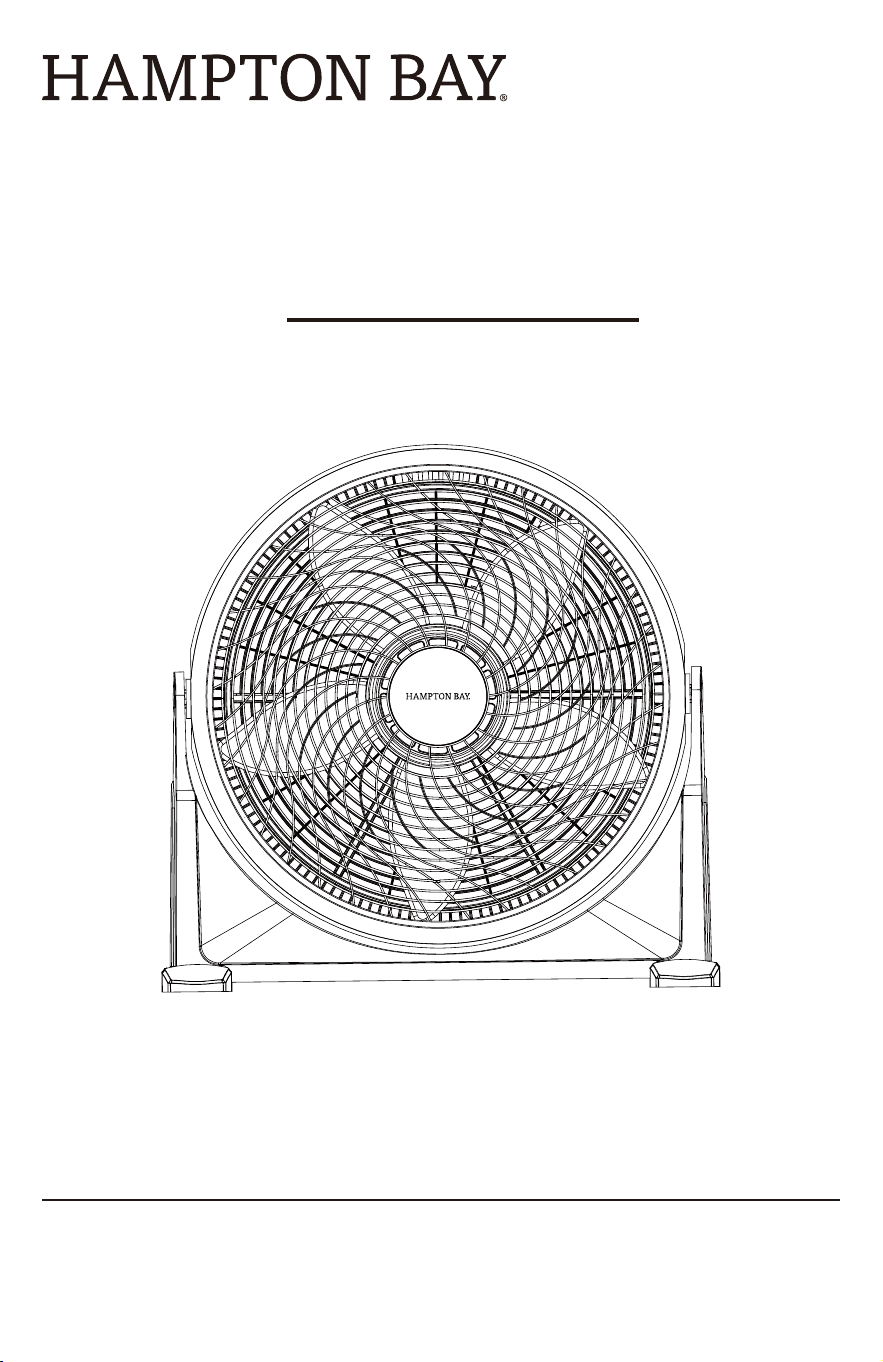
20 INCH AIR CIRCULATOR
USE AND CARE GUIDE
2
Table of Contents
Safety Information
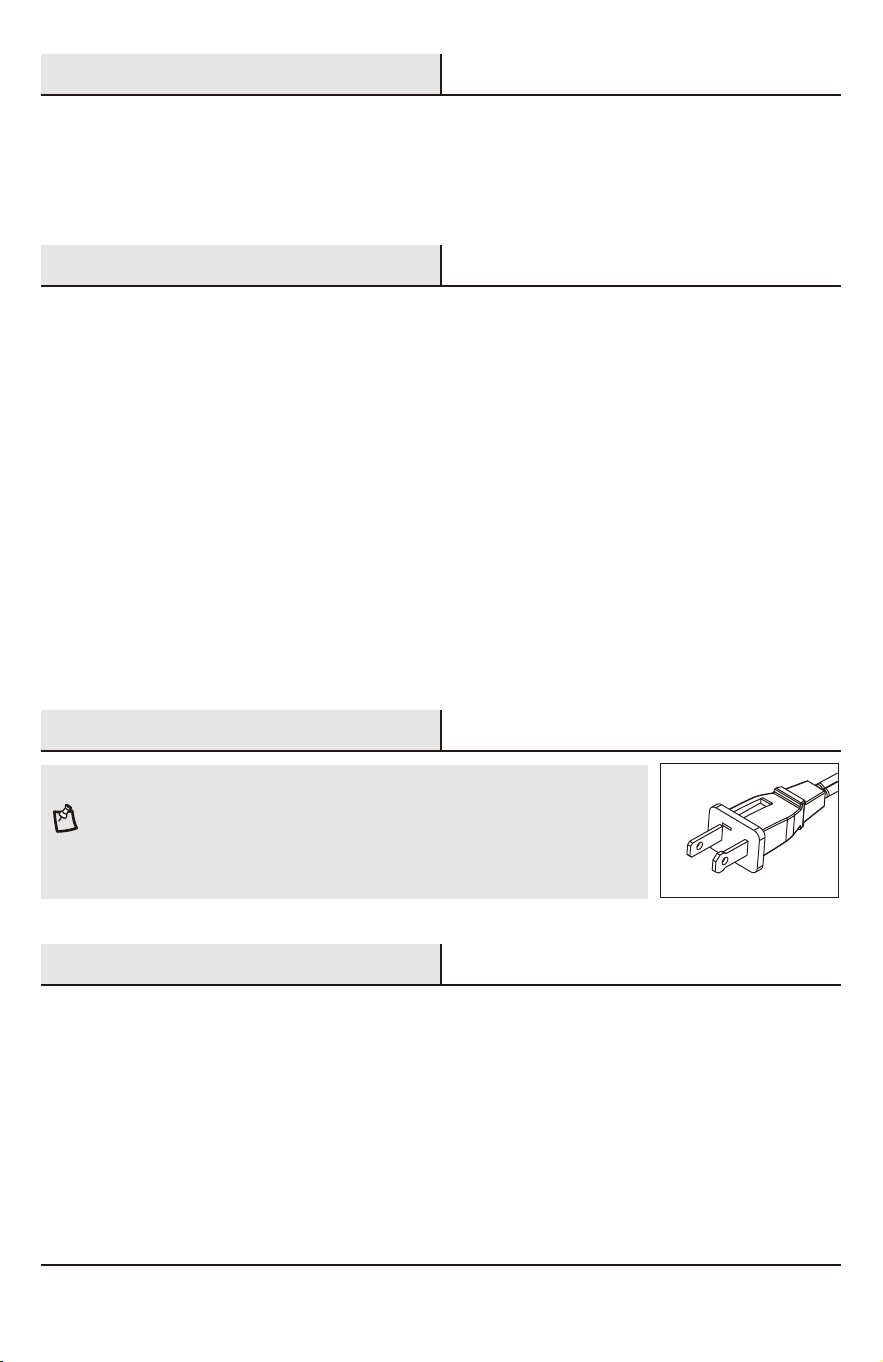
Polarized Plug
Power Cord Safety Tips
Safety Information...............................................
Polarized Plug .....................................................
Power Cord Safety Tips ......................................
Plug And Power Cord Instructions ...................
Pre-Assembly .........................................................
2
2
2
3
3
4
Assembly.....................................................................
Operation ...................................................................
User Maintenance ....................................................
Warranty ....................................................................
4
5
5
Please read and understand this entire manual before attempting to assemble, operate or install the product.
When using electrical appliances, basic precautions should always be followed to reduce the risk of fire, electric
shock and injury to persons, including the following:
1. Do not operate any fan with a damaged cord or pulg. Discard fan or return to an anthorized service facility for
examination and/or repair.
2. Do not run cord under carpeting. Do not cover cord with throw rugs, runners, or similar coverings. Do not route
cord under furniture or appliances. Arrange cord away from traffic area and where it will not be tripped over.
3. Never insert fingers, pencils, or any other objects through the grillewhen fan is running.
4. Disconnect fan when moving from one location to another, before putting on or taking off parts.
5. Disconnect fan when removing grilles for cleaning.
6. Do not operate in the presence of explosive and/or flammable fumes.
7. Do not place fan or any parts near an open flame, cooking or otherheating appliances.
8. Always use on a dry, level surface, do not use outdoors.
9. Do not let the cord hang over the edge of a table, counter, or come in contact with hot surfaces.
10.To disconnect grip plug and pull from wall outlet. Never yank on cord.
PLEASE READ AND SAVE THESE IMPORTANT SAFETY INSTRUCTIONS
NOTE: This appliance has a polarized plug (one blade is wider than the other). The
polarized plug is not intended to be used in non-polarized outlets (having both slots
the same size). To reduce the risk of electric shock, this plug is intended to fit in a
polarized outlet only one way. If the plug does not fit fully in the outlet, reverse the
plug. If it still does not fit, contact a qualified electrician to install the proper outlet.
Do not attempt to modify this plug or override this safety feature in any way.
1. Never pull or yank on the cord or the appliance.
2. To insert plug, grasp it firmly and guide it into outlet.
3. To disconnect appliance, grasp plug and remove it from outlet.
4. Before each use, inspect the line cord for cuts and/or abrasion marks. If any are found, this indicates that the
appliance should be serviced and the line cord replaced. Please return it to an authorized service representative.
5. Never wrap the cord tightly around the appliance, as this could place undue stress on the cord where it enters
the appliance and cause it to fray and break.
3
Pre-Assembly
Plug And Power Cord Instructions
HAMPTONBAY.COM
Please contact 1-855-HD-HAMPTON for further assistance.
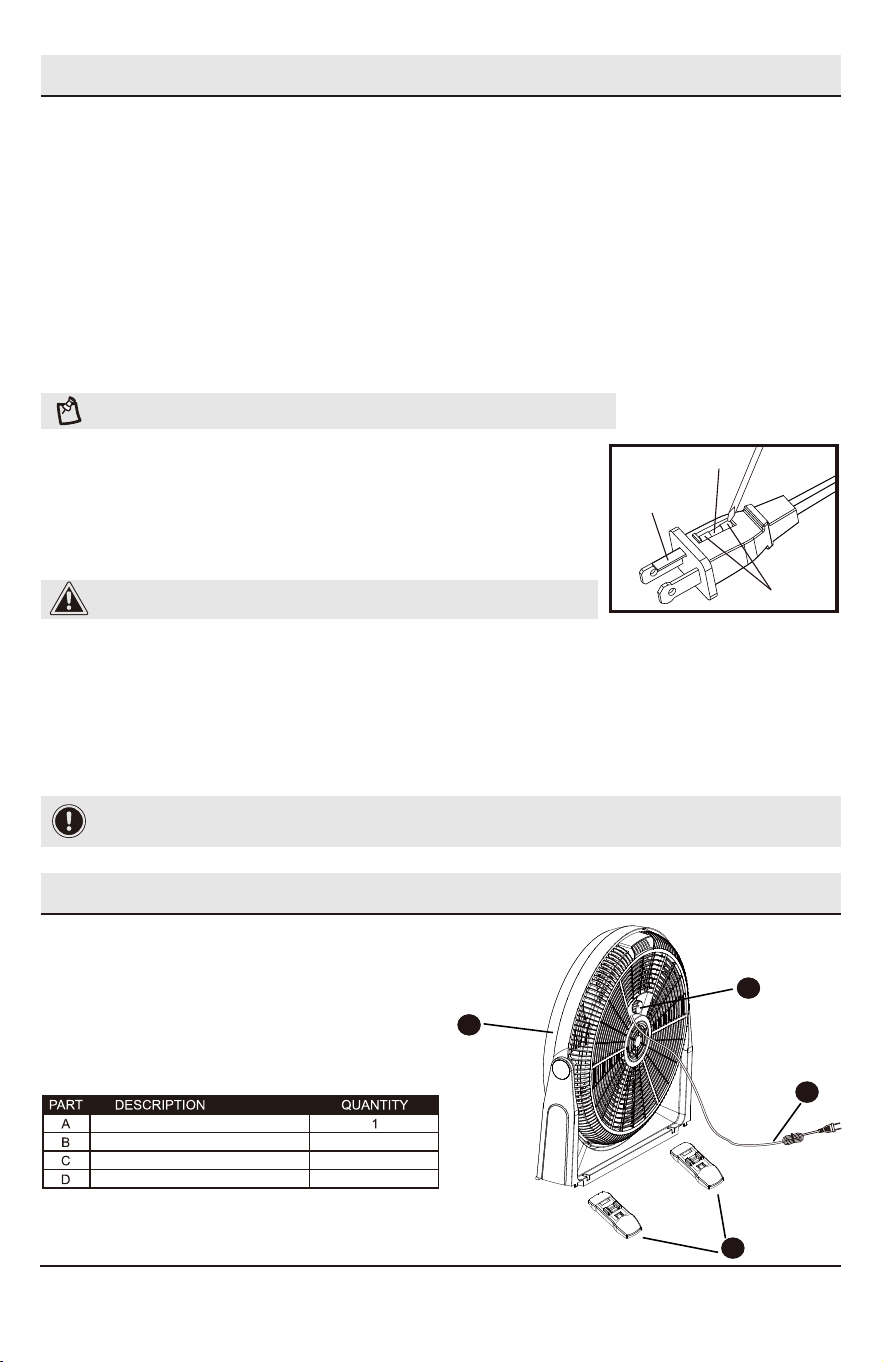
Fuse
Fuse
cover
Metal
ends
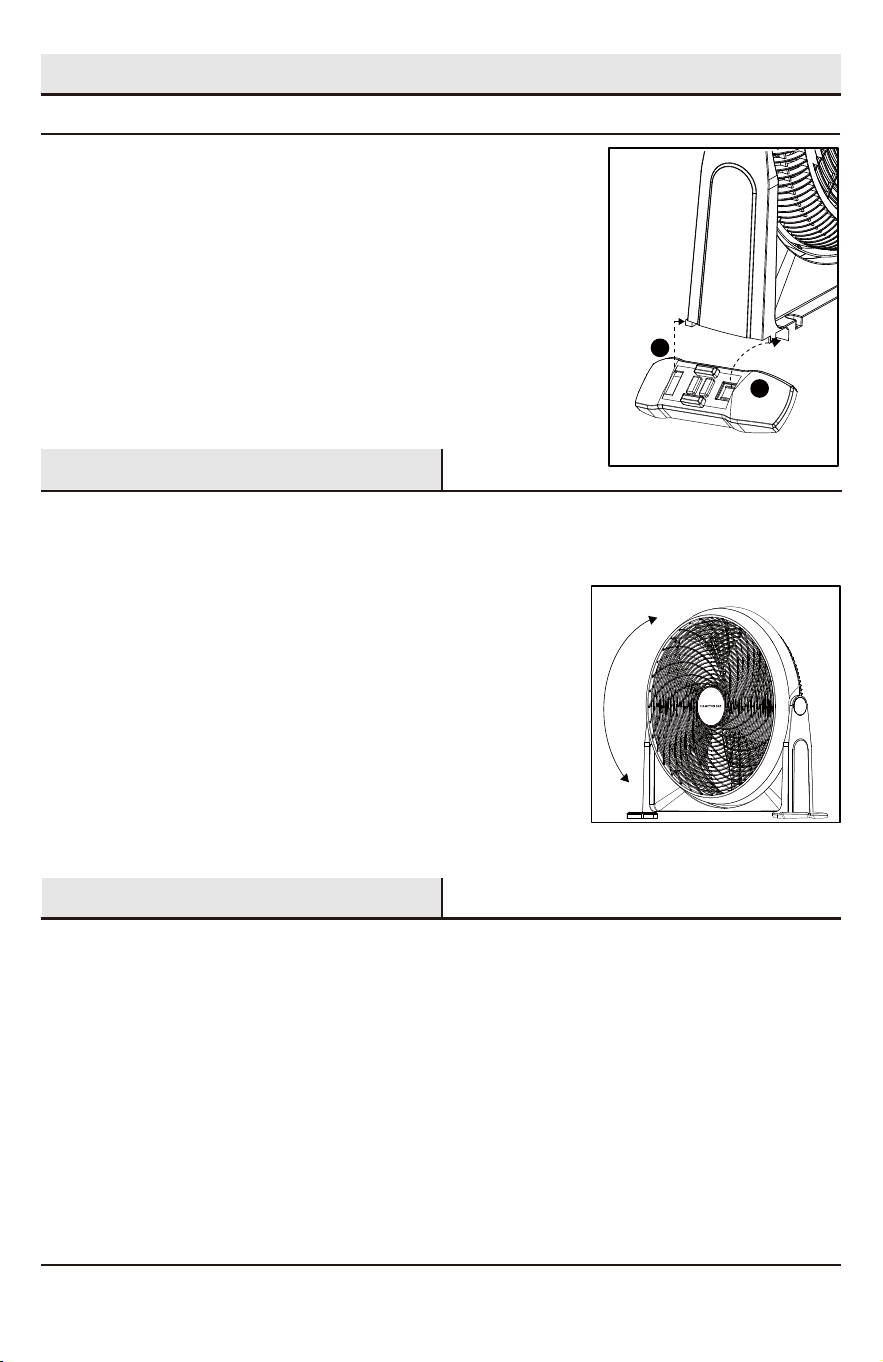
Before beginning assembly of product, make sure all parts are present.
Compare parts with package contents list. If
any part is missing or damaged, do not attempt to assemble the product.
Tools Required: No Tools Required for Assembly
Estimated Assembly Time: 1-5 minutes
This product employs overload protection (fuse). A blown fuse indicates an overload or short-circuit situation. If the
fuse blows, unplug the product from the outlet. Replace the fuse as per the user servicing instructions (follow
product marking for proper fuse rating) and check the product. If the replacement fuse blows, a short circuit may be
present and the product should be discarded or returned to an authorized service facility for examination and/or
repair.
REPLACEABLE FUSE
User Servicing Instructions
1. Unplug your fan. Grasp plug and remove from the receptacle or other outlet device. Do not unplug by pulling on
cord.
2. Open fuse cover, located on the top of the plug, by using your thumb or a flathead screwdriver (not included) to
slide the cover down toward the prongs.
NOTE: Ensure that fuse cover is completely open before attempting to remove fuse.
3. Remove fuse carefully by using a small screwdriver to pry the
fuse out of the compartment by the metal ends of
the fuse.
4. Place plug on a solid, flat surface. Insert new 2.5 Amp, 125 volt
fuse into fuse compartment and use a small screwdriver to
secure the metal ends of the fuse into the compartment.
CAUTION: Risk of fire. Replace fuse only with 2.5 Amp, 125 volt fuse.
5. Slide fuse cover closed. If fuse cover is difficult to close, make sure fuse is secured in place by pressing down on
metal ends of the fuse.
6. Risk of fire. Do not replace attachment plug. Contains a safety device (fuse) that should not be removed. Discard
product if the attachment plug is damaged.
DO NOT OPERATE APPLIANCE IF THE LINE CORD SHOWS ANY DAMAGE OR IF APPLIANCE
WORKS INTERMITTENTLY OR STOPS WORKING ENTIRELY.
IMPORTANT: During the first few minutes of initial use, you may notice a slight odor. This is normal and will quickly
disappear.
1
1
2
Fan Body
Feet
Power Cord with Plug
Speed Switch
B
C
D
A
4
Assembly
ASSEMBLY INSTRUCTIONS
OPERATING INSTRUCTIONS
Controlling the Fan Speed
Once fan is fully assembled (see Assembly Instructions section), place fan on a dry, level surface.Plug it into a 120V AC
electrical outlet. To select the desired fan speed or to turn it off, turn the Speed Control Knob located at the back of the unit.
3 speeds control: 0=Off, 1=Low, 2=Medium, 3=High.
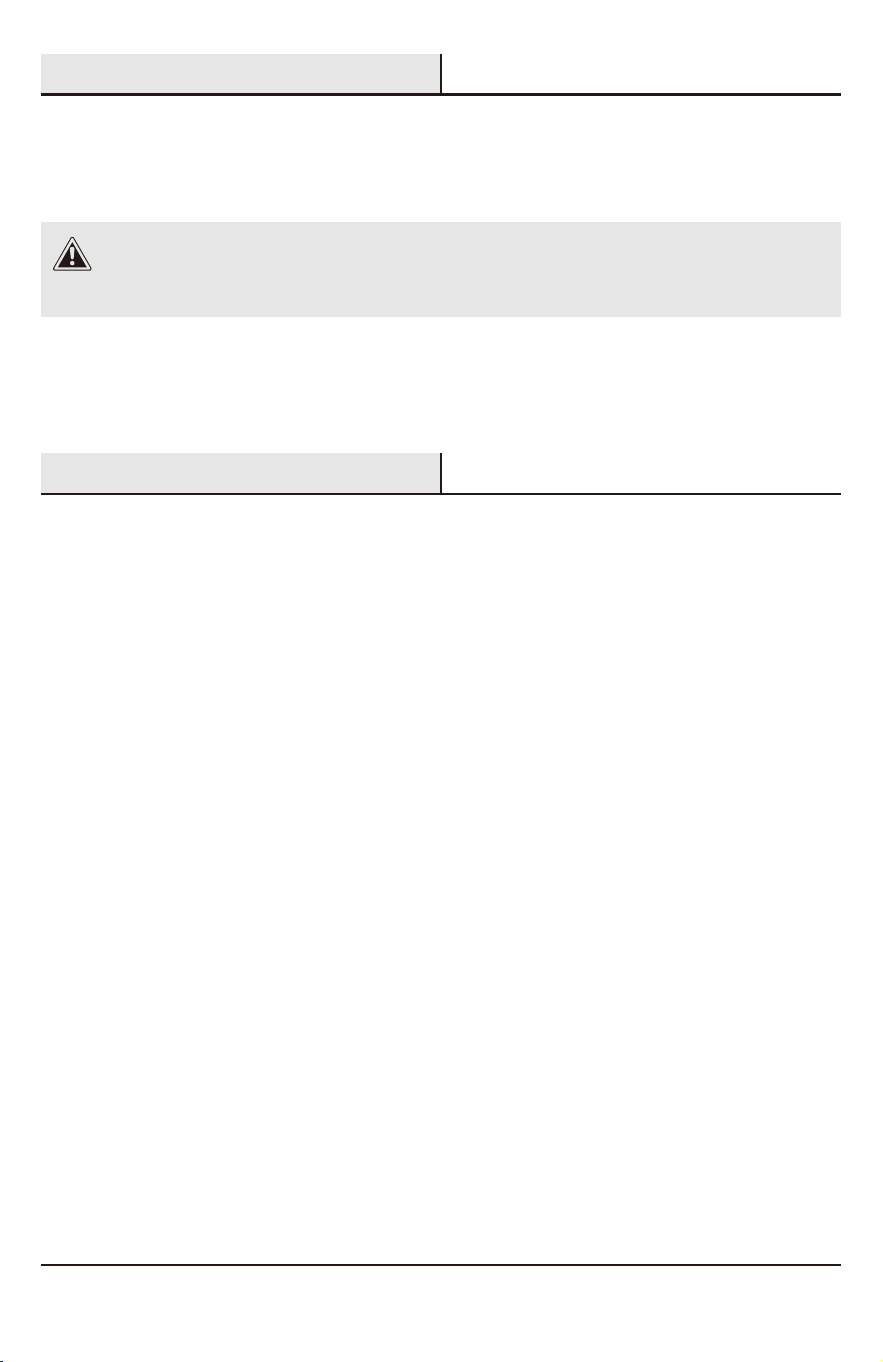
A
B
1. Make sure that the fan is on a firm, level surface.
2. Install feet before operating the fan.
Insert the front part of the feet first (A) and then push back until it
snaps into place (B).
Fan adjustable angle
Tilt the fan body manually up or dowm. The maximum tilt angle: 130°(Fig. 1).
CARE AND MAINTENANCE
This appliance requires little maintenance and contains no user serviceable parts. Do not try to fix it yourself. Refer it to
qualified service personnel if servicing is needed.
This fan is permanently lubricated and will not require additional lubrication for the life of the fan.
TO CLEAN:
Always disconnect the power cord from the electrical outlet when cleaning your fan. Light accumulated dust can
be removed by using a soft cloth to wipe away the dust at the back grille of the fan. Wipe the exterior surfaces of the fan
occasionally with a damp cloth (not dripping wet) and dry thoroughly with a soft dry cloth before operating the fan. Do not use
harsh cleaners or materials to clean this unit, doing so will cause damages to it.
CAUTION: DO NOT ALLOW WATER TO RUN INTO THE INTERIOR OF THE FAN AS THIS COULD CREATE A
FIRE OR ELECTRIC SHOCK HAZARD. THE FAN MOTOR IS FACTORY LUBRICATED FOR LIFE AND WILL
REQUIRE NO FURTHER LUBRICATION. NO OTHER USER MAINTENANCE IS REQUIRED OR
RECOMMENDED. IF SERVICE IS REQUIRED, SEND YOUR FAN TO THE AUTHORIZED SERVICE FACILITY.
Fig. 1
5
User Maintenance
Warranty
this line is 0.5 pt.
Questions, problems, missing parts?
Before returning to the store, call Hampton Bay Customer Service
8 a.m. - 7 p.m., EST, Monday - Friday, 9 a.m. - 6 p.m., EST, Saturday
1-855-HD-HAMPTON
HAMPTONBAY.COM
WHAT IS COVERED
This product is covered under a one (1) year limited warranty against defects in materials and workmanship from the
date of purchase.
WHAT IS NOT COVERED
This warranty does not cover damage due to neglect, abuse, or weather-related damage.
Contact the Customer Service Team at 1-855-HD-HAMPTON or visit HAMPTONBAY.COM.
Retain this manual for future use.
CAUTION: DO NOT ALLOW WATER TO RUN INTO THE INTERIOR OF THE FAN AS THIS COULD CREATE A FIRE OR ELECTRIC
SHOCK HAZARD. THE FAN MOTOR IS FACTORY LUBRICATED FOR LIFE AND WILL REQUIRE NO FURTHER LUBRICATION. NO
OTHER USER MAINTENANCE IS REQUIRED OR RECOMMENDED. IF SERVICE IS REQUIRED, SEND YOUR FAN TO THE
AUTHORIZED SERVICE FACILITY.
HAMPTONBAY.COM
Please contact 1-855-HD-HAMPTON for further assistance.
Document #: V01-08/24
TO CLEAN: Always disconnect the power cord from the electrical outlet when cleaning your fan. Light
accumulated dust can be removed by using a soft cloth to wipe away the dust at the back grille of the fan. Wipe the
exterior surfaces of the fan occasionally with a damp cloth (not dripping wet) and dry thoroughly with a soft dry cloth
before operating the fan. Do not use harsh cleaners or materials to clean this unit, doing so will cause damages to it
(Cloth not included).
TO STORE: Make sure to disassemble and clean the fan before storing. Retain the original packaging for the
purpose of storing your fan. Always store fan in a dry place. Never store it while it is still plugged in. Never wrap the
cord tightly around the fan, and do not put any stress on the cord where it enters the fan, as it could cause the cord
to fray and break.