Heated Seat Cushion
User Manual
CF-2105
Item No. CF-2105
Thank you for purchasing the Heated Seat Cushion.
Please be sure to read this User Manual before use,
and save it for future reference.
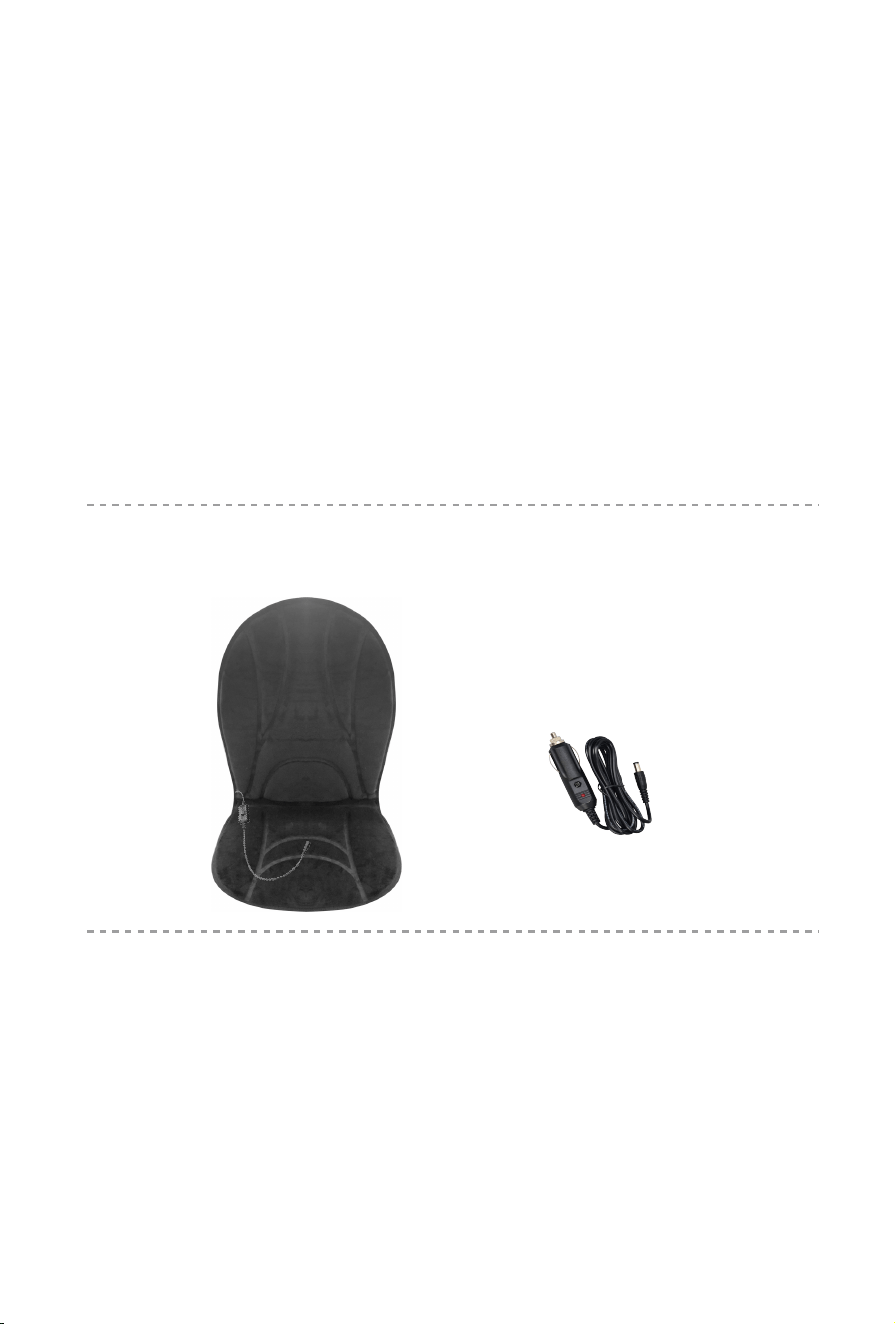
• Heated Seat Cushion
• Car adapter
Contents
2
Technical Data
Measurements: 39x21nches
Weight: 1.0lbs
Voltage: Input: AC 100-240V ~50/60Hz
Output: 12VDC 2500mA
Nominal Power: max. 30 Watt
Automatc runtme: 30 minutes
Heated Seat Cushion
Setup and Operation
1. Attach the Heated Seat Cushion to Car seat with elastic straps.
2. Connect the adapter cable to the corresponding cable on
the cushion.
3. Plug the car adapter into your car’s power receptacle.
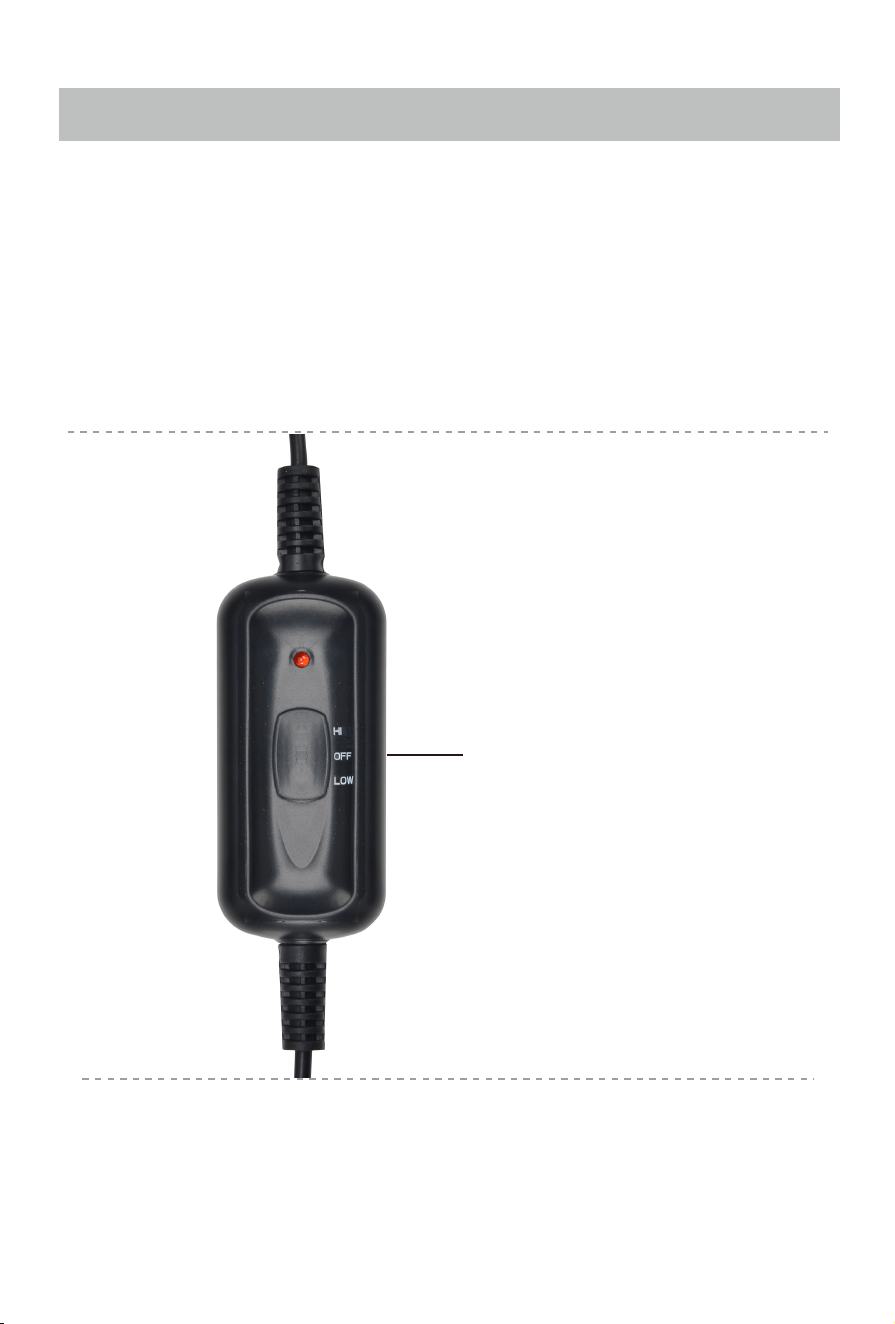
4. Turn on the device using the controller
(Refer to below controller instruction.)
3
• The device will automatically switch off after 30 minutes
timer run out.
• Remov the adapter from the outlet when not in use.
HEAT
HI: High level
OFF: Turn off
Low: Low level

Caution
2. This product produce is a warming heat. It is not intended to
be used as a therapeutc heating pad.
3. If you are pregnant or have any concerns regarding your
health,consult your doctor before using this product.
4. If you experience pain in a muscle or joint for a prolonged
period of time, discontinue use and consult your doctor.
5. For long-term storage, place unit in its box or a safe, dry,
cool place
6. Avoid contact with sharp edges or pointed objects, which
might cut or puncture the fabric.
7. Do not insert pins.
8. Do not use if wet.
9. Do not use with helpless person,or an infant.
10. For cleaning and mantenance:
• Clean with a soft, slightly damp sponge. Never allow water
or any other liquids to come into contact with the unit.
Do not place cushion in any liquid to clean.
• Do not use abrasive cleaners, brushes, gasoline, kerosene,
glass/furniture polish, paint thinner or water hotter
than 120°F to clean.
1. Remove the adapter from the outlet when not in use.
4
Warranty
5
30 days uncondi�onally Return
Comfier product can be returned to receive a full refund for any reason within 30 days.
Please contact our customers service (supportus@comfier.com), our staff will contact
you within 24 hours.
90 days refund/replace
Comfier product can be returned / replaced within 90 days if the product break down
in the period of proper use.
12 months Warranty
If the product break down within 12 months in the period of proper use, customers can
enjoy the relevant warranty to get them replaced.
A�en�on!
No warranty will be given to any force majeure and man-made causes to a defec�ve
product, such as improper care, personal tear down and willful damage,etc.
If you have any issue about the product, please feel free to contact us by sending
email to supportus@comfier.com We will strive to provide the best service
possible within 24 hours.
Tel: (248) 819-2623
Monday-Friday 9:00AM-4:30PM
Email: supportus@comfier.com
Extend Warranty for Free
1) Enter the following URL or scan the QR code below to find COMFIER facebook
page and like it, enter“Warranty” to messenger to extend your warranty from
1 year to 3 years.
h�ps://www.facebook.com/comfiermassager
OR 2) Send message“Warranty” and email us supportus@comfier.com to extend your
warranty from 1 year to 3 years.
Have queson ?
NOTE: This equipment has been tested and found to comply with the limits for a
Class B digital device, pursuant to Part 15 of the FCC Rules. These limits are designed
to provide reasonable protec�on against harmful interference in a residen�al
installa�on. This equipment generates, uses and can radiate radio frequency energy
and, if not installed and used in accordance with the instruc�ons, may cause harmful
interference to radio communica�ons.However, there is no guarantee that
interference will not occur in a par�cular installa�on. If this equipment does cause
harmful interference to radio or television recep�on, which can be determined by
turning the equipment off and on, the user is encouraged to try to correct the
interference by one or more of the following measures:
• Reorient or relocate the receiving antenna.
• Increase the separa�on between the equipment and receiver.
• Connect the equipment into an outlet on a circuit different from that to which the
receiver is connected.
• Consult the dealer or an experienced radio / TV technician for help.
This device complies with Part 15 of the FCC Rules. Opera�on is subject to the following
two condi�ons: (1) this device may not cause harmful interference, and (2) this device
must accept any interference received, including interference that may cause undesired
opera�on.
WARNING: Changes or modifica�ons to this unit is not expressly approved by the party
responsible for compliance could void the user's authority to operate the equipment.
FCC STATEMENT

