www.FuseAudio.net
VINT
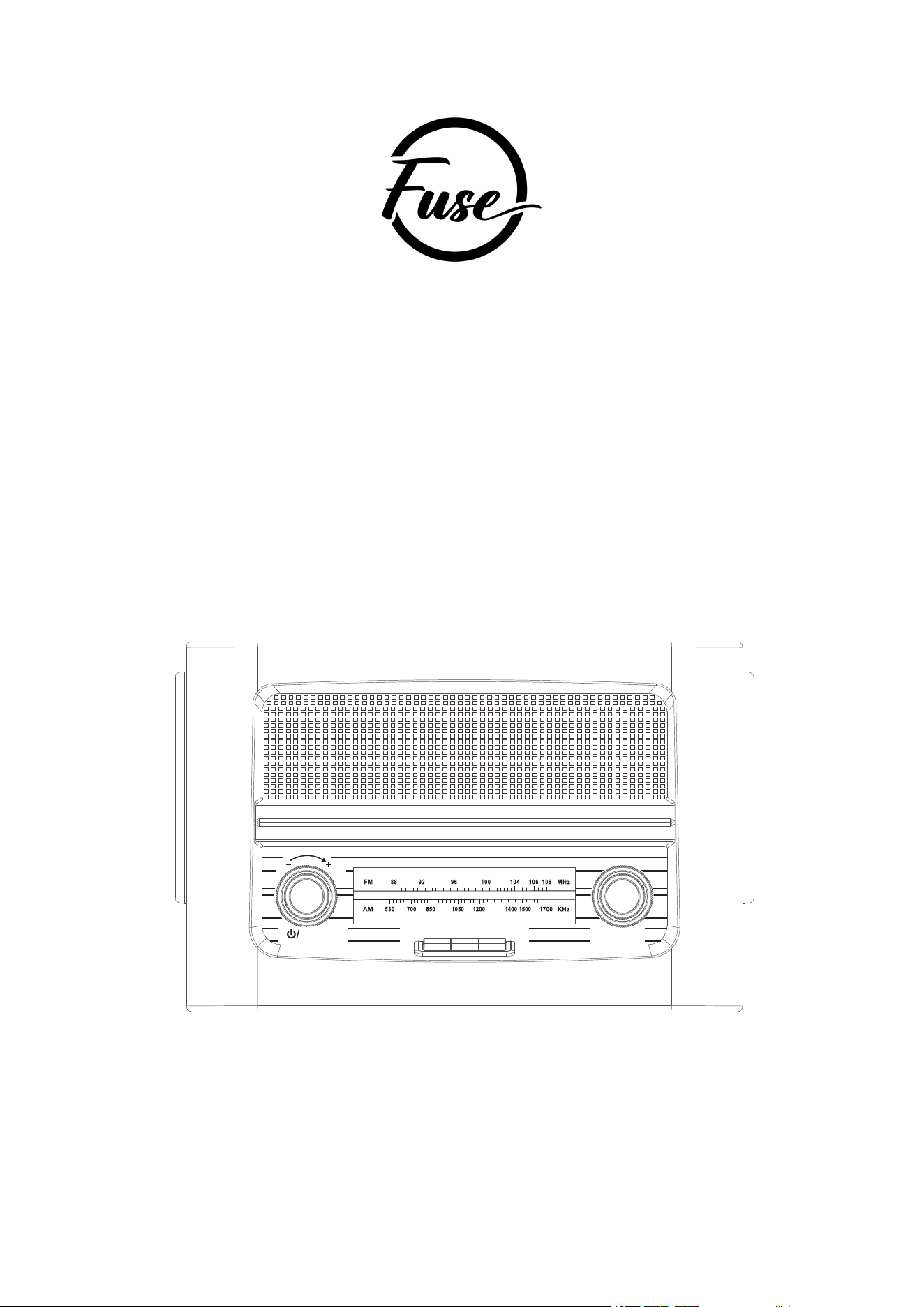
WOODEN AM/FM RADIO
WITH BLUETOOTH PLAYER &
WIRELESS QI CHARGER
Model: Rad-V2
AM FM BT
TUNING
VOLUME

www.FuseAudio.net
Instruction Manual
IMPORTANT SAFEGUARDS FOR AUDIO PRODUCTS
1. Read these Instructions - All the safety and operating instructions should be read
before the product is operated.
2. Keep these instructions - The safety and operating instructions should be retained for
future reference.
3. Heed all Warnings - All warnings on the product and in the operating manual should
be adhered to.
4. Follow all instructions - All operating instructions should be followed.
5. Cleaning - Unplug this product from the wall outlet before cleaning. Do not use liquid
cleaners or aerosol cleaners. Use a dry cloth for cleaning.
6. Attachments - Do not use attachments not recommended by the product manufacturer
as they may cause hazards.
7. Water and Moisture - Do not use this product near water, for example, near a bath tub,
wash bowl, kitchen sink, laundry tub, in a damp basement, or near a swimming pool,
etc.
8. Accessories - Do not place this product on an unstable cart, stand tripods, bracket or
table. The product may fall and could cause serious injury to a child or an adult, and
serious damage may occur to the product. Use only with a cart, tripod, bracket or table
recommended by the manufacturer or sold with the product. Any mounting of the
product should follow the manufacturer's instructions and only a mounting accessory
should be used that is recommended by the manufacturer.
9. Ventilation - Slots and openings in the cabinet are provided for ventilation and to
ensure reliable operation of the product and to protect it from overheating, and these
openings must not be blocked or covered. The openings should never be blocked by
placing the product on a bed, sofa, rug or other similar surfaces. This product
should not be placed in a built-in installation such as a bookcase or rack unless proper
ventilation is
10. Power Sources - This product should be operated only from the type of power source
indicated on the marking label. If you are not sure of the type of the power supply
to your home, consult your product dealer or local power company. For products
intended to operate from battery power or other sources, please refer to the operating
instructions.
11. Power Cord Protection - Power supply cords should be routed so that they are not
likely to be walked on or pinched by items placed upon or against them, paying

www.FuseAudio.net
particular attention to cords at plugs, convenience receptacle and point where they
exit from the product.
12. Protective Attachment Plug - The product is equipped with an attachment plug with
overload protection. This is a safety feature. See Instruction Manual for
replacement or resetting of protective device. If replacement of the plug is required,
be sure the service technician has used a replacement plug specified by the
manufacturer, with the same overload protection as the original plug.
13. Lightning - For added protection for this product, during lightning storms or when it is
left unattended and unused for long periods of time, unplug from the outlet socket and
disconnect the antenna or cable system, where applicable. This will prevent damage
to the product due to lightning and power line surges.
14. Power Lines - An outside antenna system should not be located in the vicinity of
overhead power lines or other electric light or power circuits, or where it can fall into
such power lines or circuits. When installing an outside antenna system, extreme
care should be taken not to touch such power lines or circuits as contact with them
might be fatal.
15. Overloading - Do not overload wall outlets, extension cords, or integral convenience
receptacles as this could result in a risk of fire or electric shock. Never spill liquid of
any kind on the product.
16. Servicing - Do not attempt to service this product by yourself as opening or removing
covers may expose you to dangerous voltage or other hazards. Refer all servicing to
qualified service personnel. Opening of the unit will void all warranties.
17. Safety Check - Upon completion of any service or repairs to this product, ask the
service technician to perform safety checks to determine that the product is in proper
operating condition.
18. Heat - The product should be situated away from heat sources such as radiators,
heaters, fireplaces and cookers and other products (including amplifiers) that produce
heat.
19. When the plugs is used as the disconnect device, plug shall remain readily operable.
UNPACKING AND SET UP
Carefully remove the unit from the carton and remove all packing materials from the
unit.
Unwind the FM Antenna wire and extend it to its full length.
Place the unit on a stable, level surface, convenient to an AC outlet, out of direct
sunlight, and away from sources of excess heat, dust, moisture, humidity or strong
magnetic fields.
Connect the plug to your AC outlet.
www.FuseAudio.net
LOCATION OF CONTROLS AND INDICATORS
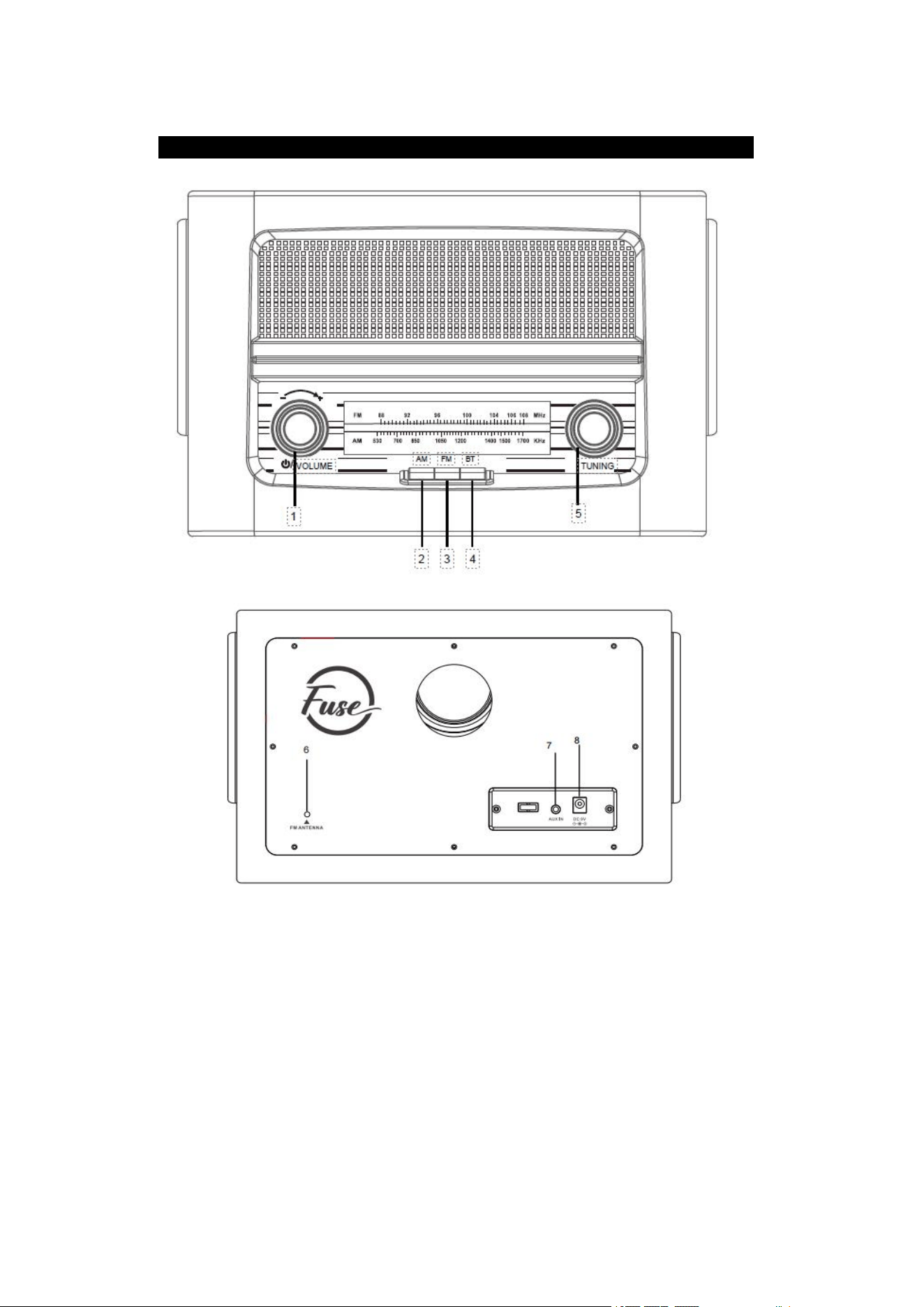
1. Power/Volume Control
2. AM Function Button
3. FM Function Button
4. BT Function Button
5. Tuning Control
6. FM Wire Antenna
7. AUX IN Jack
8. Power Jack

www.FuseAudio.net
OPERATING INSTRUCTIONS
GENERAL OPERATION
1. Connect the AC/DC adapter to the unit and wall outlet.
2. Rotate the Power/VOLUME control knob to the right to turn on the unit, a click sound
will be heard.
3. Press AM Button to enter AM mode, press FM Button to enter FM mode.
4. Rotate the volume control knob to adjust the volume.
Bluetooth Operation
1. If you previously had an aux-in cable connected, make sure it is disconnected to use
Bluetooth.
2. Press the BT button to the Bluetooth mode, you will hear an activation sound from the
unit.
3. Turn on the Bluetooth feature of your audio device, search for ”Fuse Rad-V2” and pair.
4. Once your device is successfully paired with the unit, you will hear a short confirmation
sound from the unit.
5. Play music from your device to the unit.
6. Rotate the colume control knob to the desired level.
Radio Operation
1. If you previously had an aux-in cable connected, make sure it is disconnected to use
Radio.
2. Switch between AM and FM by pressing the AM or FM button.
3. Rotate the TUNING control knob to select the desired radio station
4. Rotate the VOLUME control knob to the desired level.
Antenna Information
AM- The AM bar antenna is inside the cabinet. If AM reception is unsatisfactory try
repositioning the cabinet slightly until the internal antenna is picking up the strongest
signal.
FM- The FM wire antenna is located on the back cabinet. If necessary adjust the position
and direction of this antenna until you find the position that provides the reception.
Aux Input Connection
You can connect an audio device to this unit and play your music through its speakers. To
do this, connect the 3.5mm auxiliary cable between your audio device and the Aux in jack
of this unit and start playing the music.
Note: The aux in connection has the highest priority of all the functions. When there is an
auxiliary cable plugged in ,the aux in connection will automatically override the AM/FM or
Bluetooth mode. To resume using the other features of the unit, unplugged the auxiliary
cable from the aux in jack.
www.FuseAudio.net
Wireless Charging
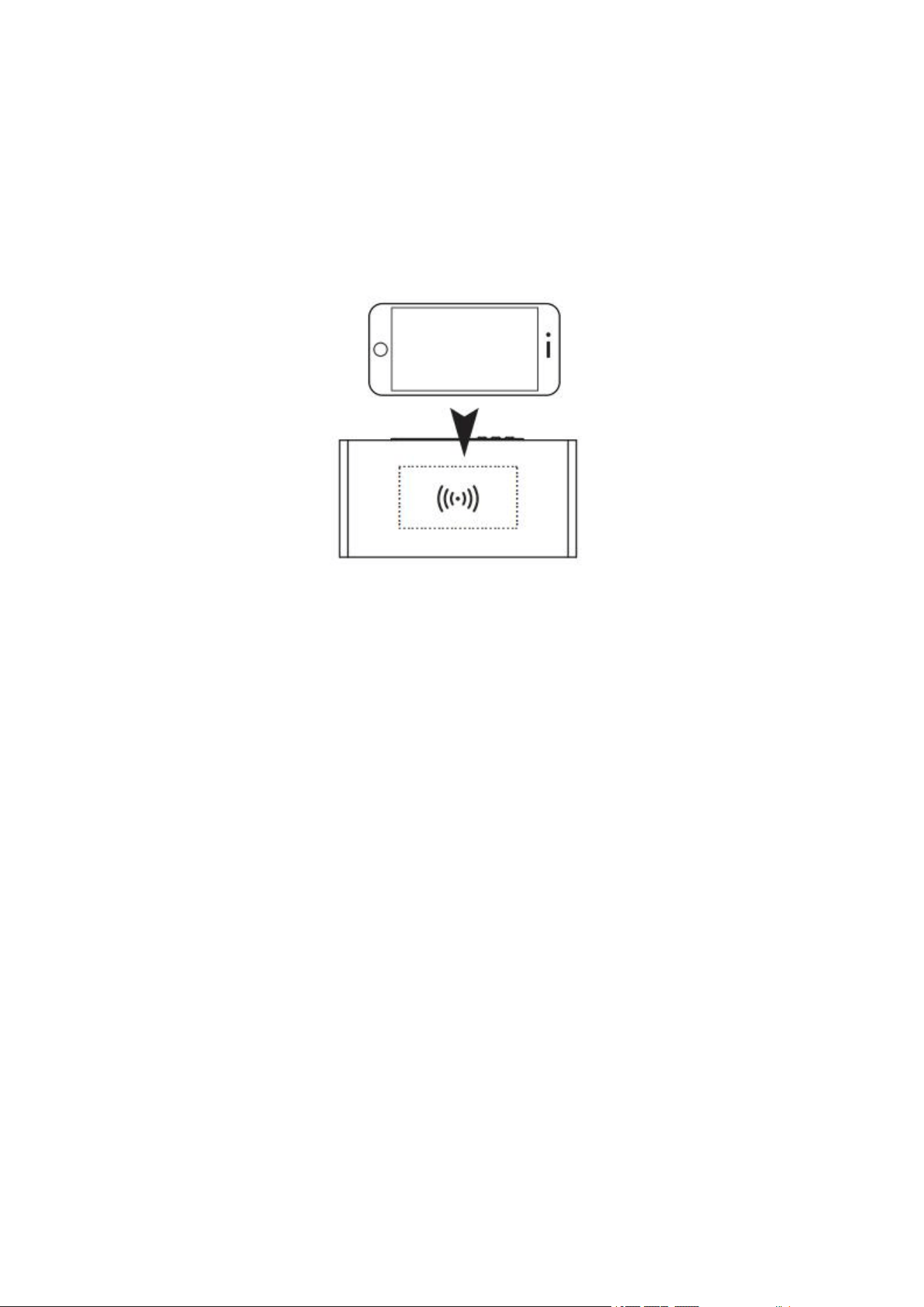
Wireless/Fast charging is only compatible with supported devices and the included AC/DC
power adapter.On supported devices, if the "wireless charging" or "fast/rapid charging"
feature is not active, you may need to enable it from your device's Settings, Power, or
Battery menu. Consult the user manual for your specific device
Place your supported device on top of the unit, if your phone's charging icons indicates is
charging, that means it is
charging successfully.
Cautions:
1. Do not use wireless charger in severely hot, humid or corrosive environments, to avoid
circuit damage.
2. Do not place items with magnetic strips and RFID chips such as ID cards, Credit cards
etc near the clock to prevent failures of these items.
3. Please keep the distance at least 30cm between implantable medical devices
(pacemakers, implantable cochlear, etc.) and the wireless charger, to avoid potential
interference with the medical device.
4. We recommend that you charge your phone without its phone case fitted for maximum
performance. Some cases will interfere with the wireless charging. The wireless charger
will stop charging if metal objects are detected.
5. Don’t place any metal objects on the wireless charging pad, these items include, but not
limited to keys, coins, hair clips etc.
6. When the unit is in AM mode, the wireless charging does not work.
Questions
For any questions, please contact us at info@fuseaudio.net
www.FuseAudio.net
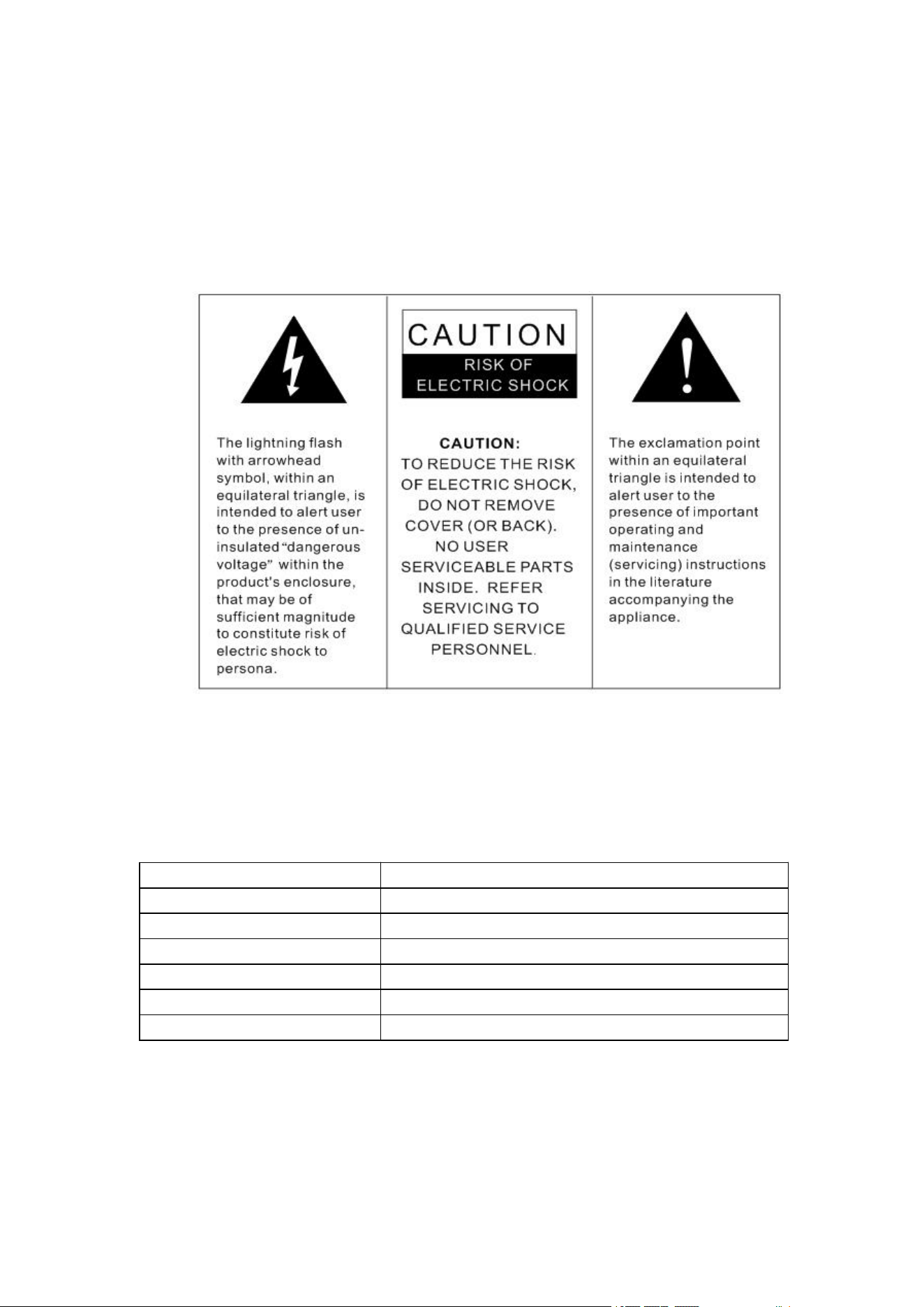
WARNING:
TO PREVENT FIRE OR SHOCK HAZARD, DO NOT EXPOSE THIS DEVICE
TO RAIN OR MOISTURE. DO NOT REMOVE COVER. PILOT LAMPS
SOLDERED IN PLACE. NO USER SERVICEABLE PARTS INSIDE. REFER
SERVICING TO QUALIFIED SERVICE PERSONNEL.
SPECIFICATION
Frequency Range AM: 530-1700KHz; FM: 88-108MHz
Power Source
AC power adapter, DC output 9V 1A
Power Consumption
Antenna
20W (MAX)
s Built-in Ferrite Bar for AM, External Antenna for FM
Speaker 3’’ 4Ω 5W Speaker
Wireless charg
er 5W
Input for Power Supply 100-240V

www.FuseAudio.net
FCC Statement
Changes or modifications not expressly approved by the party responsible for
compliance could void the user's authority to operate the equipment.This equipment
has been tested and found to comply with the limits for a Class B digital device,
pursuant to Part 15 of the FCC Rules. These limits are designed to provide
reasonable protection against harmful interference in a residential installation. This
equipment generates uses and can radiate radio frequency energy and, if not installed
and used in accordance with the instructions, may cause harmful interference to radio
communications. However, there is no guarantee that interference will not occur in a
particular installation. If this equipment does cause harmful interference to radio or
television reception, which can be determined by turning the equipment off and on,
the user is encouraged to try to correct the interference by one or more of the
following measures:
– Reorient or relocate the receiving antenna.
-- Increase the separation between the equipment and receiver.
-- Connect the equipment into an outlet on a circuit different from that to which the
receiver is connected.
-- Consult the dealer or an experienced radio/TV technician for help.
This device complies with part 15 of the FCC rules. Operation is subject to the
following two conditions (1)this device may not cause harmful interference , and (2)
this device must accept any interference received, including interference that may
cause undesired operation.

