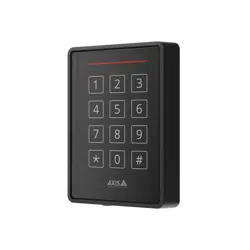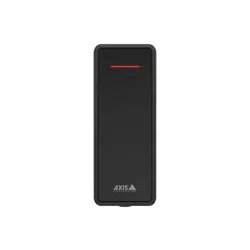

AXISA4020-EReader
Installation
Installation
Towatchthisvideo,gotothewebversionofthisdocument.
www.axis.com/products/online-manual/70685#t10171383
Installationvideoforthedevice
Wiring
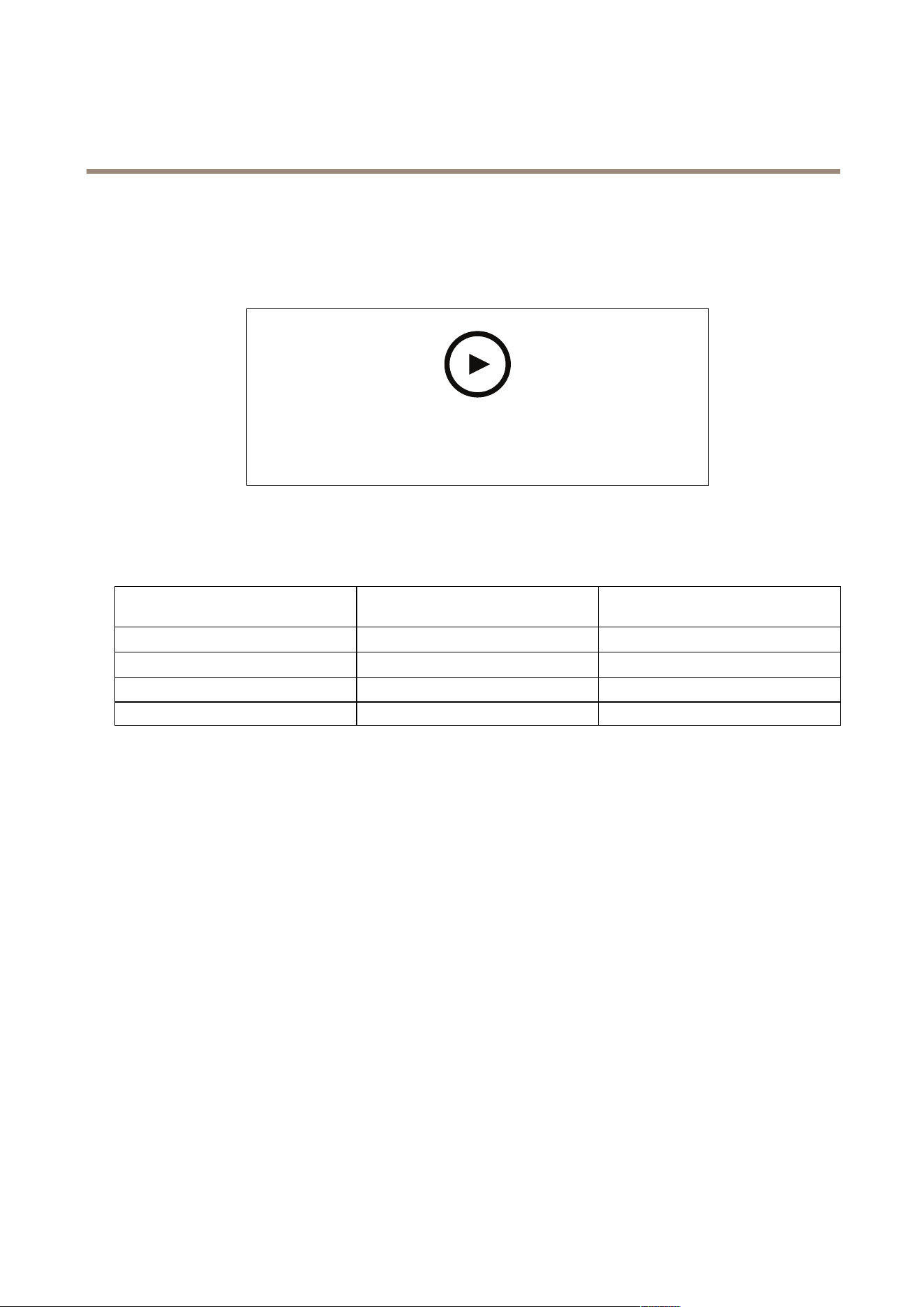
Connectthewiresfromthereadertothedoorcontrolleraccordingtothetable.
AXISA4020-E
AXISA4120-E
AXISA1001OtherAxisdoorcontrollers
BAB
ABA
+
12V12V
---
2

AXISA4020-EReader
Configureyourdevice
Configureyourdevice
ThedeviceworksasastandardOSDPreaderout-of-the-box.Youcanaccessspecicfeaturesandchangesettingsin
AXISCameraStationSecureEntry.BelowisanexampleofhowtocongurethedevicethroughAXISCameraStationSecureEntry.
Encryptedcommunication
OSDPSecureChannel
AXISCameraStationSecureEntrysupportsOSDP(OpenSupervisedDeviceProtocol)SecureChanneltoenablelineencryption
betweencontrollerandAxisreaders.
ToturnonOSDPSecureChannelforentiresystem:
1.GotoConguration>Accesscontrol>Encryptedcommunication.
2.SpecifyyourmainencryptionkeyandclickOK.Tochangethemainencryptionkey,click
.
3.TurnonOSDPSecureChannel.Thisoptionisonlyavailableafteryouhavesetthemainencryptionkey.
4.Bydefault,theOSDPSecureChannelkeyisgeneratedbythemainencryptionkey.TomanuallysettheOSDPSecure
Channelkey:
4.1UnderOSDPSecureChannel,click
.
4.2ClearUsemainencryptionkeytogenerateOSDPSecureChannelkey.
4.3TypetheOSDPSecureChannelkeyandclickOK.
ToturnonorturnoffOSDPSecureChannelforaspecicreader,seeDoorsandzones.
3
AXISA4020-EReader
Troubleshooting
Troubleshooting
Resettofactorydefaultsettings
Aresettofactorydefaultresetsallsettingstothefactorydefaultvalues.
Towatchthisvideo,gotothewebversionofthisdocument.
www.axis.com/products/online-manual/70685#t10171385
1.Removethedevicefromthebackplate.Thisdisconnectspowerfromthedevice.
2.Removetheconnectorfromthebackplate.
3.Useabluntinstrumenttopressandholdthecontrolbuttonwhileyoureconnectpowerbyconnectingtheterminalblock
tothepinsinthedevice.SeeProductoverviewonpage5.Youwillhearashortbeepwhenyoureconnectpower.It
indicatesthatthecontrolbuttonispressed.
4.Keepthecontrolbuttonpressedforafewseconds.
5.Releasethecontrolbutton.Youwillhearabeepthatindicatesthatthedevicehasbeenresettothefactorydefaultsettings.
6.Puttheterminalblockinitsplaceinthebackplate.
7.Hookthedeviceontothebackplateandclosetheunitslowly.
4
AXISA4020-EReader
Specifications
Specifications
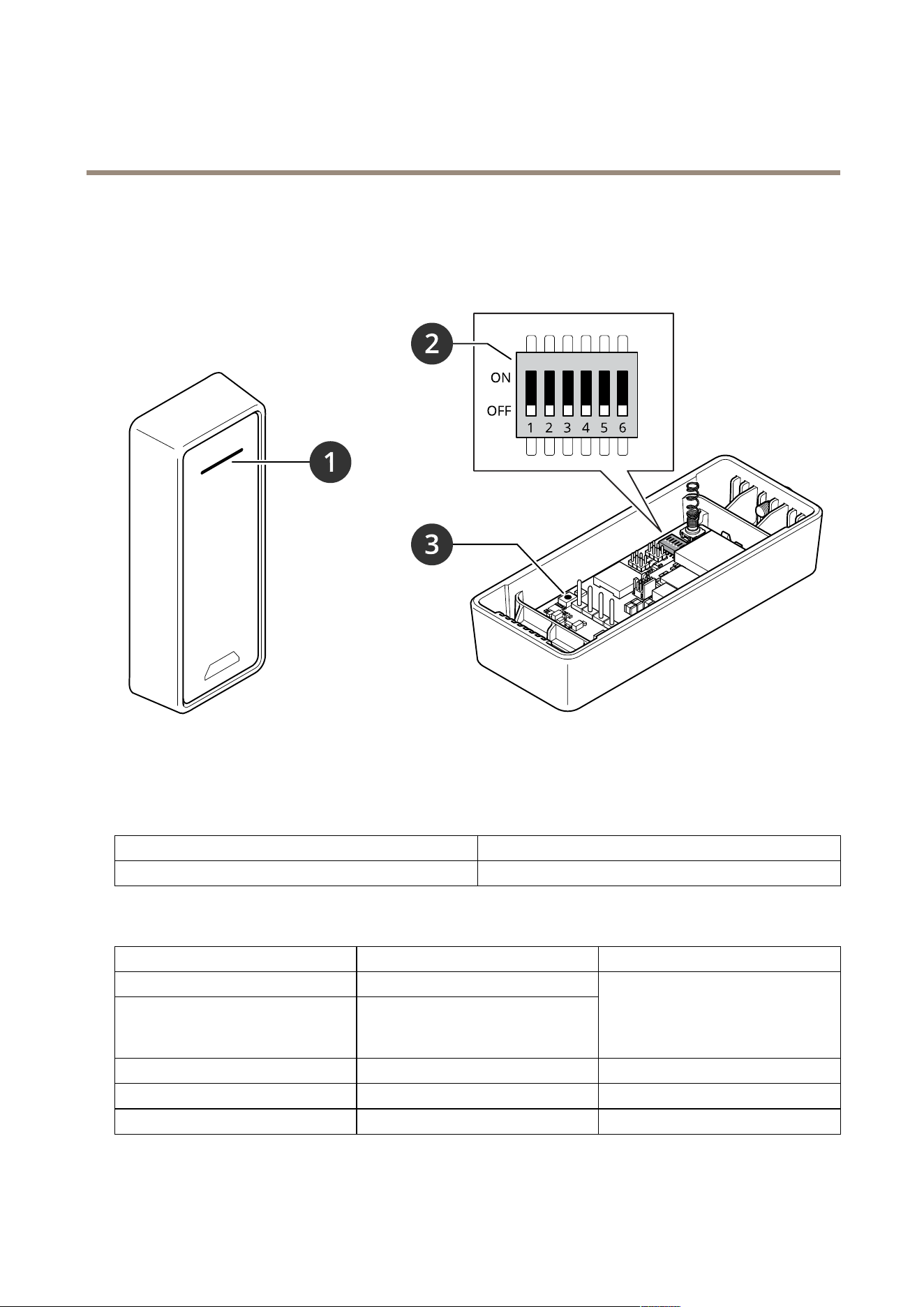
Productoverview
1
Readerindicatorstripe
2
DIPswitches
3
Controlbutton
Readerindicatorstripe
Behavior
State
FlashingredWaitingforcontrollerconnection
DIPswitches
DIPswitch
Defaultsetting
Function
1
Off
2
Off
OSDPaddress:
Off+Off=0*
Off+On=1
On+Off=2
On+On=3
3
OffRS485termination,Off=active
4
Off
-
5
Off
-
5

AXISA4020-EReader
Specifications
6
OffSecuremode
*Whenswitch1and2arebothsettoOff,youcanusethecommandosdp_COMSETtochangetheaddress.
Buttons
Controlbutton
Thecontrolbuttonisusedfor:
•Resettingtheproducttofactorydefaultsettings.SeeResettofactorydefaultsettingsonpage4.
Baudrate
Thedefaultbaudrateis9600.Tochangeit,usethecommandosdp_COMSET.
6

UserManualVer.M3.3
AXISA4020-EReader
Date:April2022
©AxisCommunicationsAB,2021
PartNo.T10171378