SDL450 User Guide V0.1 1 Copyright © 2025
15/09/2025 Shearwell Data Ltd
Shearwell SDL450 EID Stick Reader
User Guide

SDL450 User Guide V0.1 2 Copyright © 2025
15/09/2025 Shearwell Data Ltd
Contents
1 Getting started ............................................................................................................................................................... 3
1.1 Introduction ............................................................................................................................................................ 3
1.2 What’s in the box .................................................................................................................................................... 3
1.3 Controls ................................................................................................................................................................... 3
1.4 Quick Start Info ....................................................................................................................................................... 3
1.5 Read Responses & Device Connections .................................................................................................................. 4
1.6 Battery Information ................................................................................................................................................ 4
2 General Information....................................................................................................................................................... 5
2.1 Technical Information ............................................................................................................................................. 5
2.2 Safety Notices ......................................................................................................................................................... 5
2.3 Labels ...................................................................................................................................................................... 6
2.4 Certification ............................................................................................................................................................. 7
5 Contact us ...................................................................................................................................................................... 7
SDL450 User Guide V0.1 3 Copyright © 2025
15/09/2025 Shearwell Data Ltd
1 Getting started
1.1 Introduction
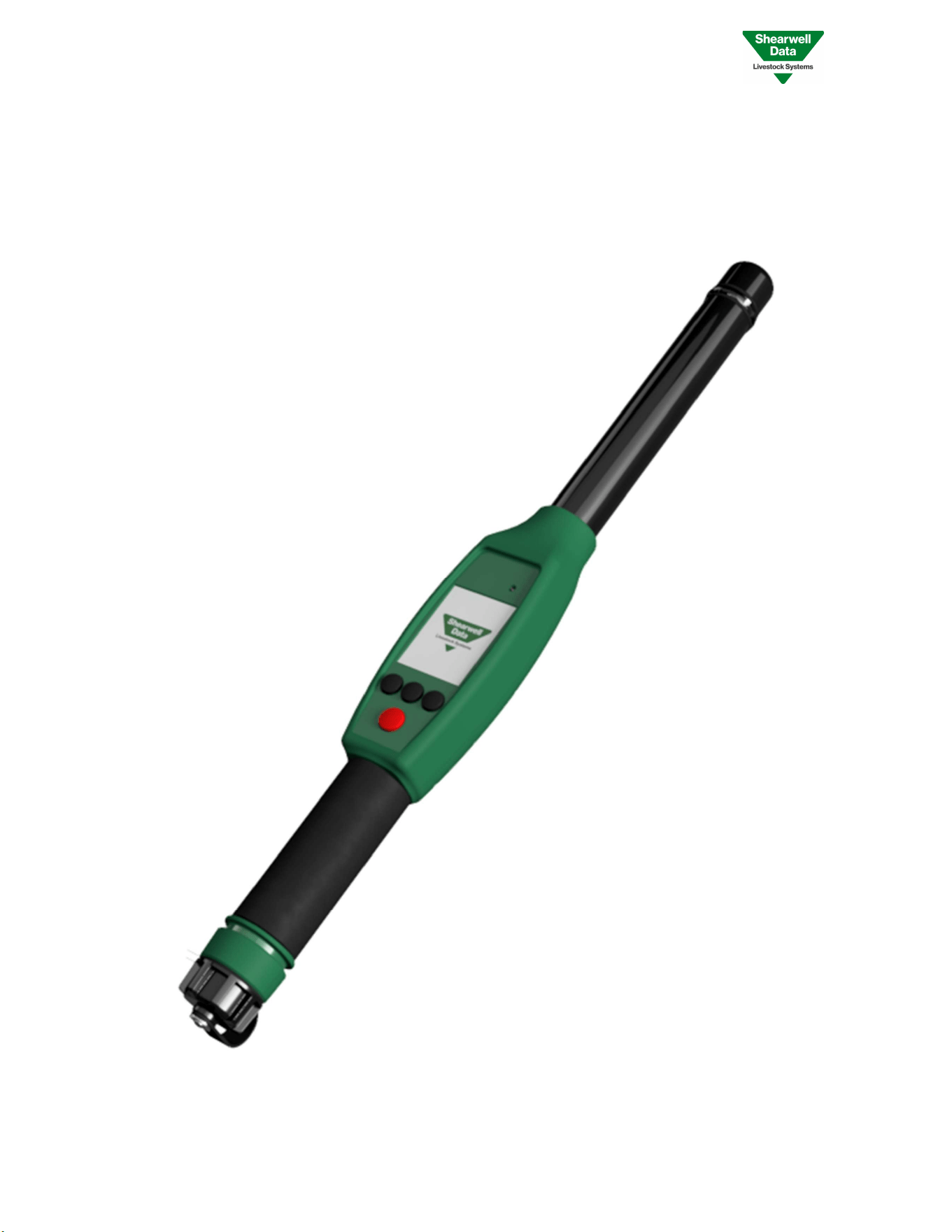
The SDL450 reader is a Radiofrequency Identification (RFID) device. It is designed and manufactured by Shearwell
Data Ltd, the market leader for cattle and sheep tags in the United Kingdom.
The device is designed to read animal electronic identification (EID) tags in compliance with the international
standards ISO 11784 and ISO 11785, which regulates the RFID of animals.
1.2 What’s in the box
The SDL450 Stick reader comes complete with everything you need to get started.
1. SDL450 Stick Reader
2. Quick Start Guide
3. USB A to USB C Charging cable
4. Mains charger with regional adapters
5. Car adapter for charging
6. Printer with charger and paper printer rolls (Optional)
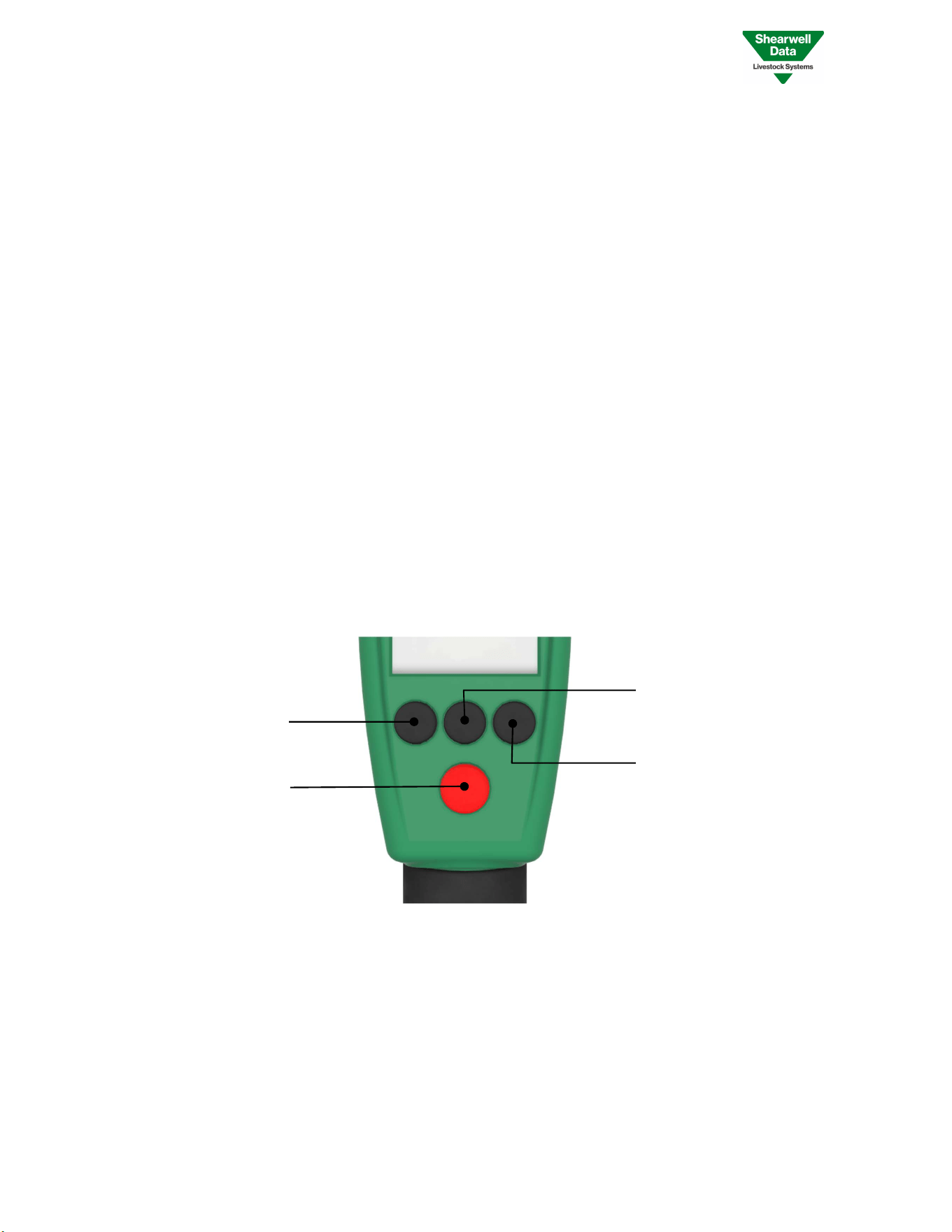
1.3 Controls
There are four keys below the colour screen, comprising a Red Button and three Black Buttons. Use these to access,
navigate and select features from the screen.
1.4 Quick Start Info
All screens show:
An indication of battery charge remaining
Date and time (this can be changed in the settings menu)
Bluetooth connection status (i.e. Shows when Bluetooth is connected)
The action associated with the soft keys at the bottom of the screen, e.g. Down, Select, Back.
Red Button
Power On/Off
Scan On/Off
Button A
Main Menu
Down
Button B
Group Actions
Select
Button C
New Group
Back
SDL450 User Guide V0.1 4 Copyright © 2025
15/09/2025 Shearwell Data Ltd
1. Press and release the Red Button once to switch the stick on.
2. The device will switch on and display the ‘PRESS TO SCAN’ screen.
3. Press the Red Button again to start reading tags into the group displayed, which will be the last group you
used. (This will be ‘Group A’ on first use). If the antenna is within range of an EID, the number will appear on
the screen and will be added to the group currently displayed.
4. The Scanning mode will timeout if no tag is in range. This read timeout can be configured in the Settings
menu.
5. If the stick reader is left idle it will turn itself off to conserve battery power. This shutdown timeout can be
configured in the Settings menu.
6. A 2-second press on the Red Button will switch the stick off. You won’t lose any information if the stick is
switched off.
7. To configure your stick reader, from the ‘PRESS TO SCAN’ screen access the ‘MAIN MENU’ and press down
to Select ‘SETTINGS’ then select ‘SETUP’.
1.5 Read Responses & Device Connections
There are red and green LEDs in the clear LED band toward the top of the stick. This provides feedback to various
actions related to tag read. There’s also a buzzer and vibration for additional feedback, these can be toggled on and
off in the settings.
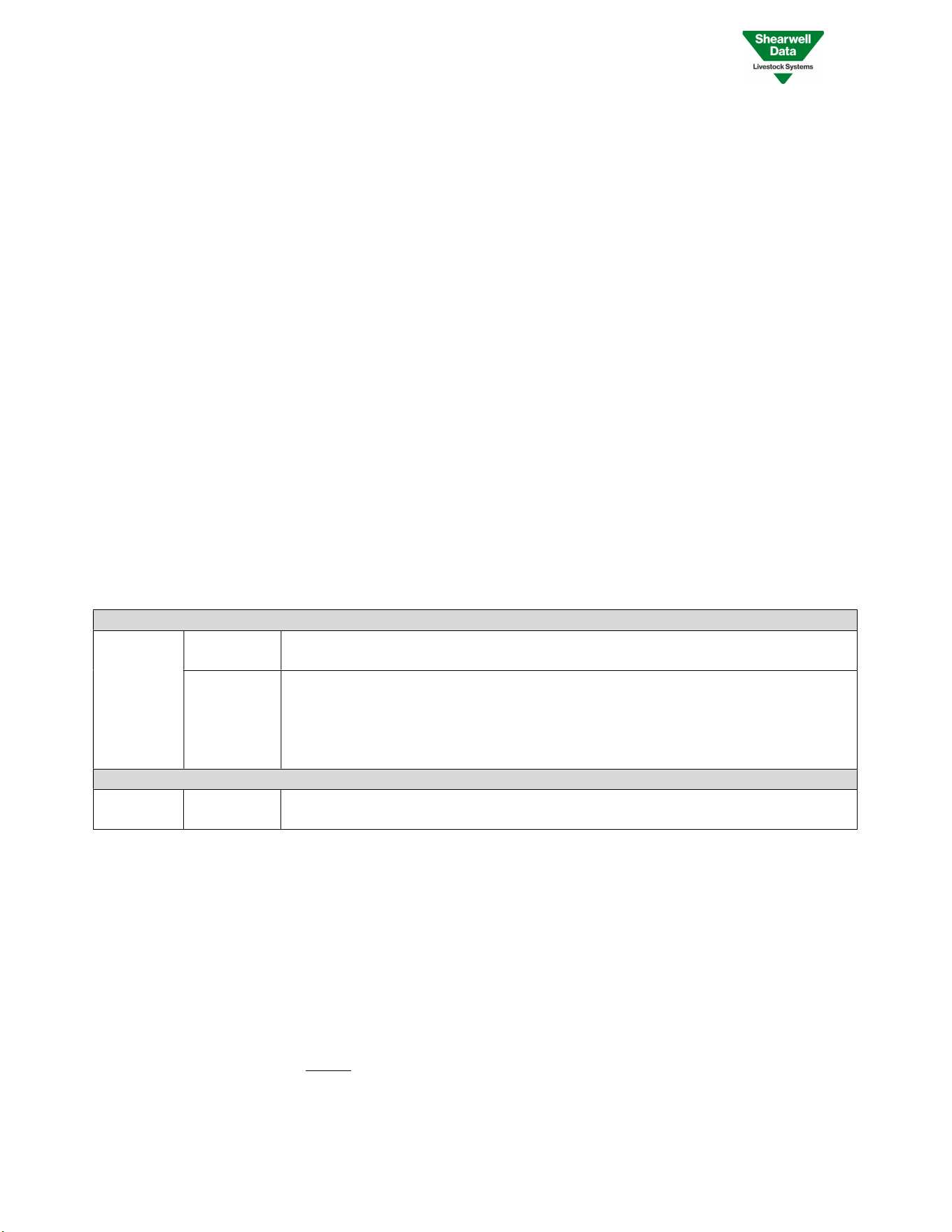
ANTENNA LED
Reading a
Tag
FLASHING
GREEN
Tag has been read and has been added to the group
FLASHING
RED
Tag has been read but the tag is already in the selected group and therefore ignored
OR
No tag was read and the attempt to read has timed out
OR
Tag was read but not recognised as a valid tag number
DEVICE CONNECTION LED
Bluetooth SOLID BLUE
Bluetooth Connection has been made between device and periphery (e.g. printer,
mobile phone)
1.6 Battery Information
The Stick reader has an internal LiPo rechargeable battery.
The end of the handle unscrews to allow access to the USB-C charging port. Once charging is complete, re-fit the end
cap before use.
The stick reader should operate for 15 hours in idle mode on a fully charged battery.
PLEASE NOTE – The stick reader cannot be used to read tags while it is charging. However, you can still use other
functions like managing groups and changing settings.
SDL450 User Guide V0.1 5 Copyright © 2025
15/09/2025 Shearwell Data Ltd
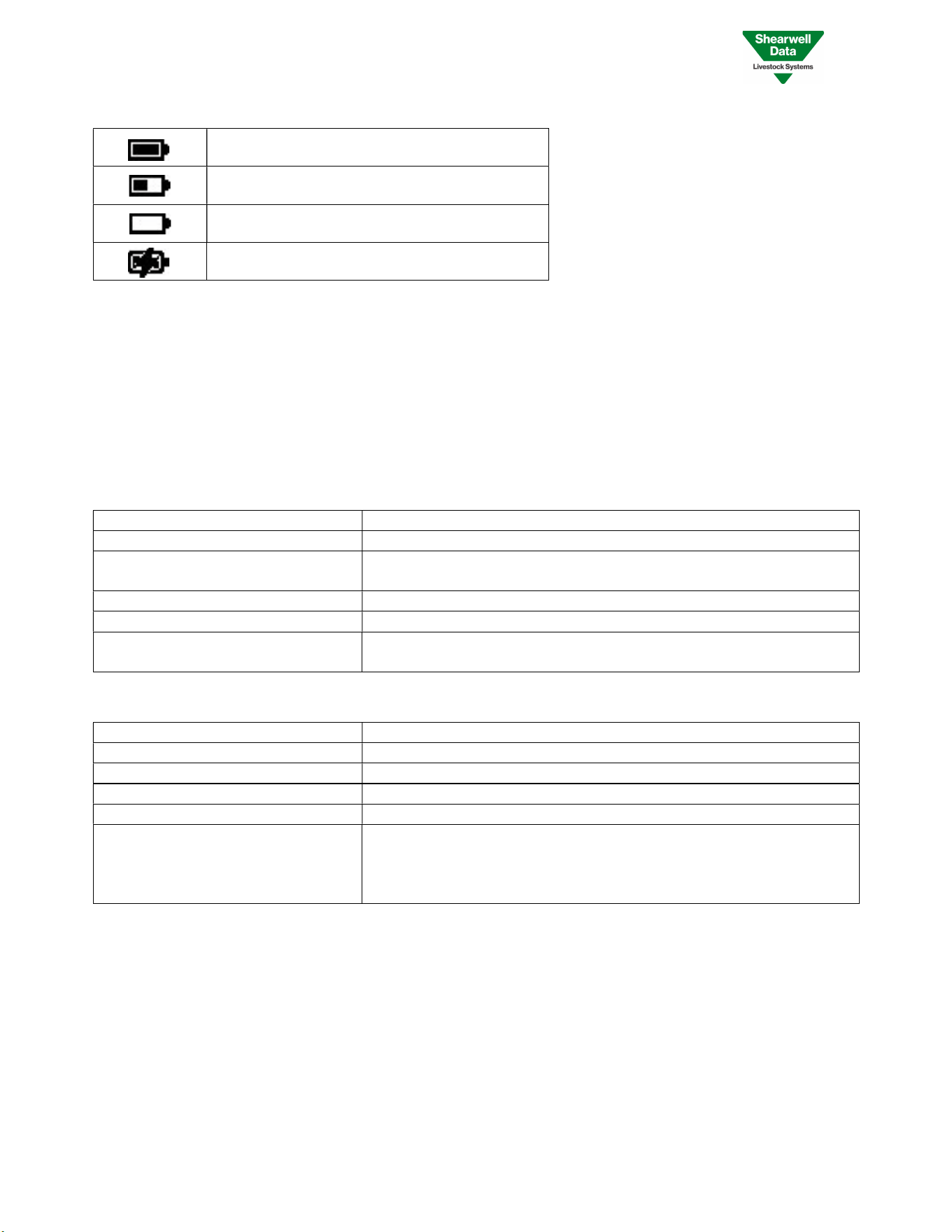
The battery icon is shown in the top left of the screen. It has 4 states detailed in the table below -
Battery between 100 & 50%
Battery between 50 & 10%
Battery between 10 & 0% (Flashing Icon)
Battery Charging
Note - You will not lose your data if the batteries completely lose power.
2 General Information
2.1 Technical Information
Technical Specification
Frequency 134.2 kHz
Transponder Types
HDX & FDX compliant according to ISO11784/11785
Reading Range
160 mm HDX transponders
160 mm FDX-B transponders
Interfaces
UART, USB & Bluetooth LE
Power Supply
6V4 from two 3V2 lithium
-
potassium batteries
Power Consumption 1.4W with transmitter off
3.47W with transmitter on
Environmental Specification
Housing Material
–
Main Body
Samyang Trirex PC FB3025N2
Housing Material – Antenna Tube Distrupol Polyac PA-765 ABS
Dimensions 600mm x 70mm x 60mm (LxWxD)
Operating Temperature 0°C to 40°C
Storage temperature -20°C to 50°C
IP Rating IP67 - Completely dust-tight and offers the highest possible protection
against solid objects and is protected against the effects of temporary
immersion in water up to a depth of 1 meter for a maximum of 30
minutes.
2.2 Safety Notices
Point the reader away from the body when using.
Store the reader in a dry place.
If needed, the reader may be cleaned using a damp cloth.
Do not attempt to repair or replace any part of the SDL450 reader - There are no serviceable parts inside.
This equipment generates, uses, and can radiate radio frequency energy, and if not installed and used in
accordance with this instruction manual, may cause harmful interference in which case the user will be
required to correct the interference at their own expense.
SDL450 User Guide V0.1 6 Copyright © 2025
15/09/2025 Shearwell Data Ltd
Shearwell Data Ltd is not responsible for any damage caused by the user’s failure to adhere to the safety rules listed
above.
CAUTION This equipment has been tested and found to comply with the limits for a Class A digital
device, pursuant to part 15 of the FCC Rules. These limits are designed to provide reasonable protection
against harmful interference when the equipment is operated in a commercial environment. This equipment
generates, uses, and can radiate radio frequency energy and, if not installed and used in accordance with the
user manual, may cause harmful interference to radio communications. Operation of this equipment in a residential area is
likely to cause harmful interference in which case the user will be required to correct the interference at their own expense.
CAUTION The equipment has been designed, constructed, and tested for compliance with FCC Rules
that regulate intentional and unintentional radiators. The user is not permitted to make any modifications to
this equipment or use it in any manner inconsistent with the methods described in this User Manual without
express approval from Shearwell Data Ltd. Doing so will void the user’s authority to operate equipment.
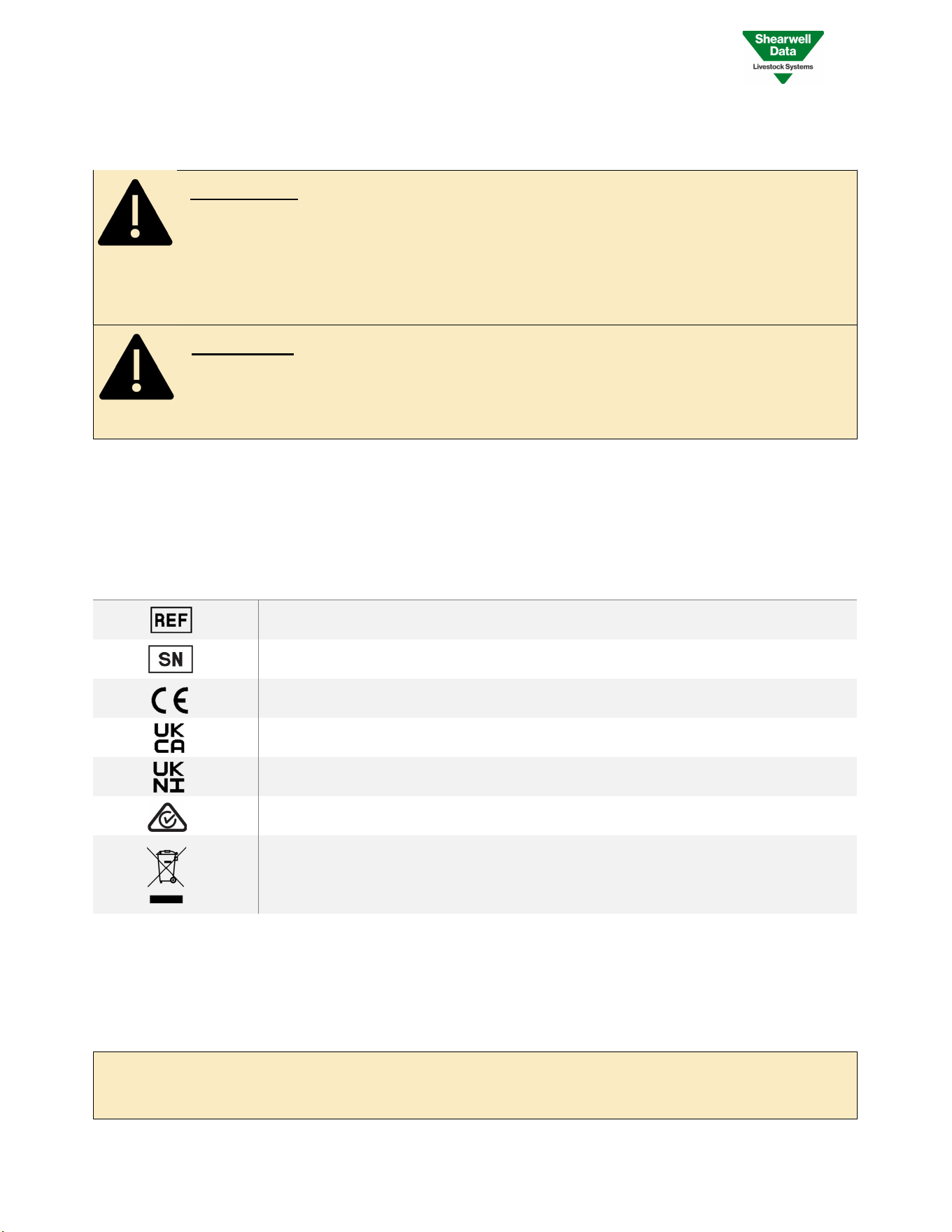
2.3 Labels
The following symbols are displayed on the device labels and have also been placed in this user manual for
reference.
SYMBOL
TITLE
DESCRIPTION
Product Name Reference
Indicates the Products Name
–
SDL 450
Serial Number Indicates the Manufacturers serial number,
unique to every SDL450 device.
CE Mark The SDL450 complies with the relevant EU
Legislation for a handheld RFID device
United Kingdom Conformity Mark Replaces the CE mark as of 1 January 2021 for
goods on the market in Great Britain
Northern Ireland Conformity Mark Shows Conformity with the CE mark if the
assessment body is located within the UK
Regulatory Compliance Mark
Represents compliance with the Electrical
Equipment Safety System (AUS&NZ)
WEEE Label Indicates that the product should not be
discarded as unsorted waste but must be sent
to separate collection facilities for recovery and
recycling.
Product Name: SDL450
FCC ID: YVSSDL450
FCC FRN: 0019632611
IC: 8856A-SDL450
According with 47 CFR 15:19 (a) (5):
This device complies with part 15 of the FCC Rules. Operation is subject to the following two conditions: (1) This device may
not cause harmful interference, and (2) this device must accept any interference received, including interference that may
cause undesired operation.
SDL450 User Guide V0.1 7 Copyright © 2025
15/09/2025 Shearwell Data Ltd
2.4 Certification
FCC ID: YVSSDL450
The SDL450 complies with parts 15.207 and 15.209 of the FCC rules CFR47:2009. Operation is subject to the following
two conditions: (1) this device may not cause interference, and (2) this device must accept any interference, including
interference that may cause undesired operation of the device. The SDL450 operates at a frequency of 134.2KHz and
complies with part 15C emission requirements. These limits are designed to provide reasonable protection against
harmful interference when the equipment is operated in a commercial environment. This equipment generates, uses
and can radiate radio frequency energy, and if not installed and used in accordance with the instruction manual, may
cause harmful interference in which case the user will be required to correct the interference at their own expense
IC: 8856A-SDL450
The SDL450 also complies with Industry Canada RSS-210 issue 7. This SDL450 complies with Industry Canada licence-
exempt RSS standard (s).
5 Contact us
For technical support telephone: +44 (0) 1643 841814
You can email technical support at: [email protected]
For general enquiries Telephone: +44 (0) 1643 842100
Fax: +44 (0) 1643 841628
Alternatively visit our website at: www.shearwell.co.uk
Lines are open from Monday to Friday between 8am - 5pm GMT