WWW.WATCHMARK.COM
USER MANUAL
Time, date
Pedometer
Calorie counter
Distance
Screen brightness
adjustment
Blood pressure
Saturation
ECG
Heart rate
Music control
"Find phone" function
Sleep monitor
Notifications/messages
Calls
Movement reminder
Stopwatch
Calculator
Calendar
Sports modes
Reset
Change of dial theme
Battery saving mode
Settings
11
12
13
14
15
TABLE OF CONTENTS
Introduction
About the watch
4
Device configuration
Packaging content
Hardware requirements
Charging the watch
Additional information
How to wear
a smartwatch?
7
Belt change
8
5
6
Applications and functions
Installing the app
9
Smartwatch functions
10
18
19
20
Measurement history
Notifications
Changing the dial theme
ECG
Phone camera control
Find device" function
Sports modes
17
21
TABLE OF CONTENTS
General Information Applications and functions
Specifications
Product complaint
Product return
Product exchange
App functions 16
About Watchmark WDT95
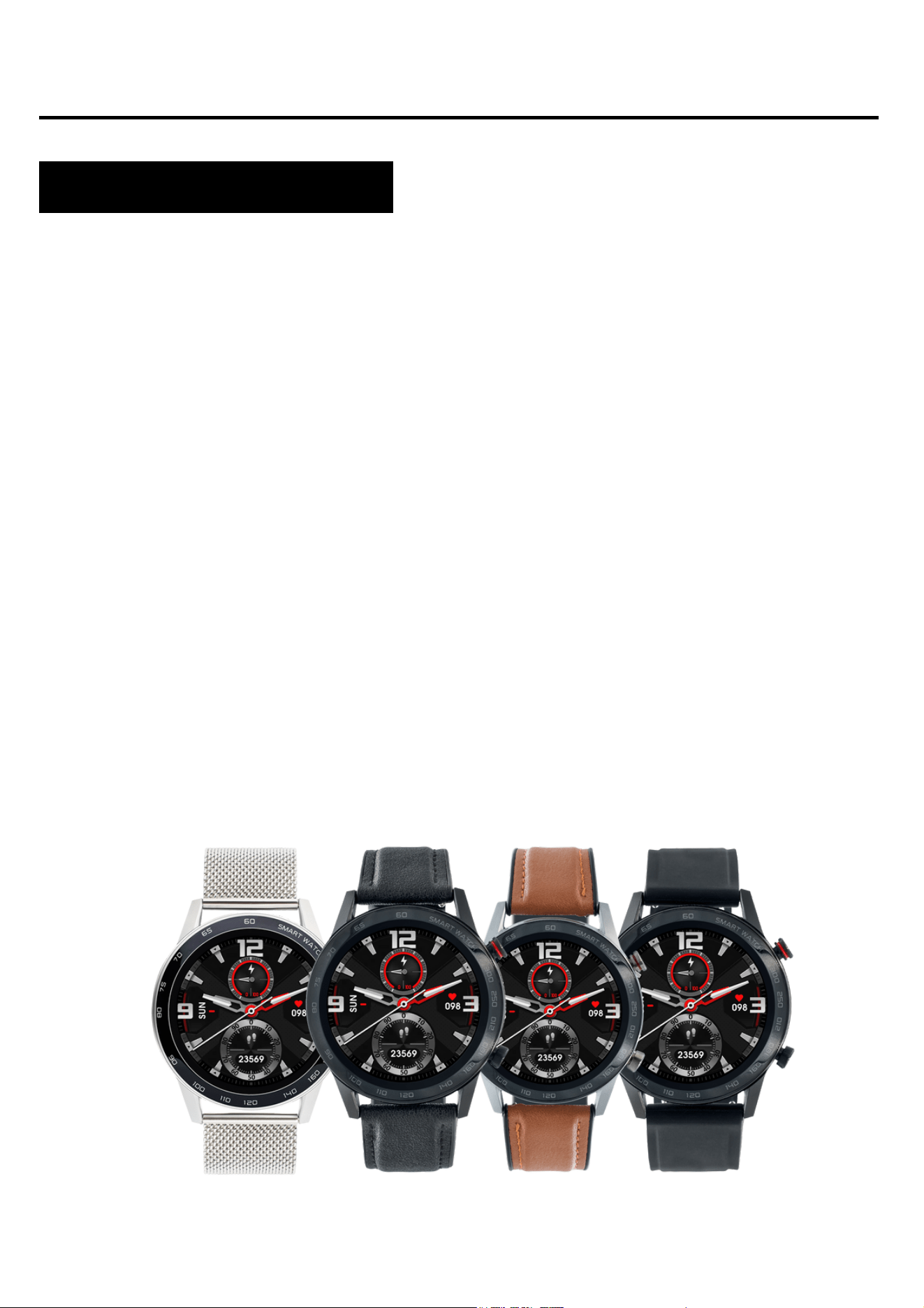
The Watchmark WDT95 is a watch created for the active. It
informs the user of incoming phone calls, sms messages and
notifications from multiple messengers. It measures steps, calories
and pulse rate. The watch has a built-in speaker and microphone,
so you can make calls without a SIM card. The watch's menu is in
English.
Device configuration
Contents of the package
4
Introduction
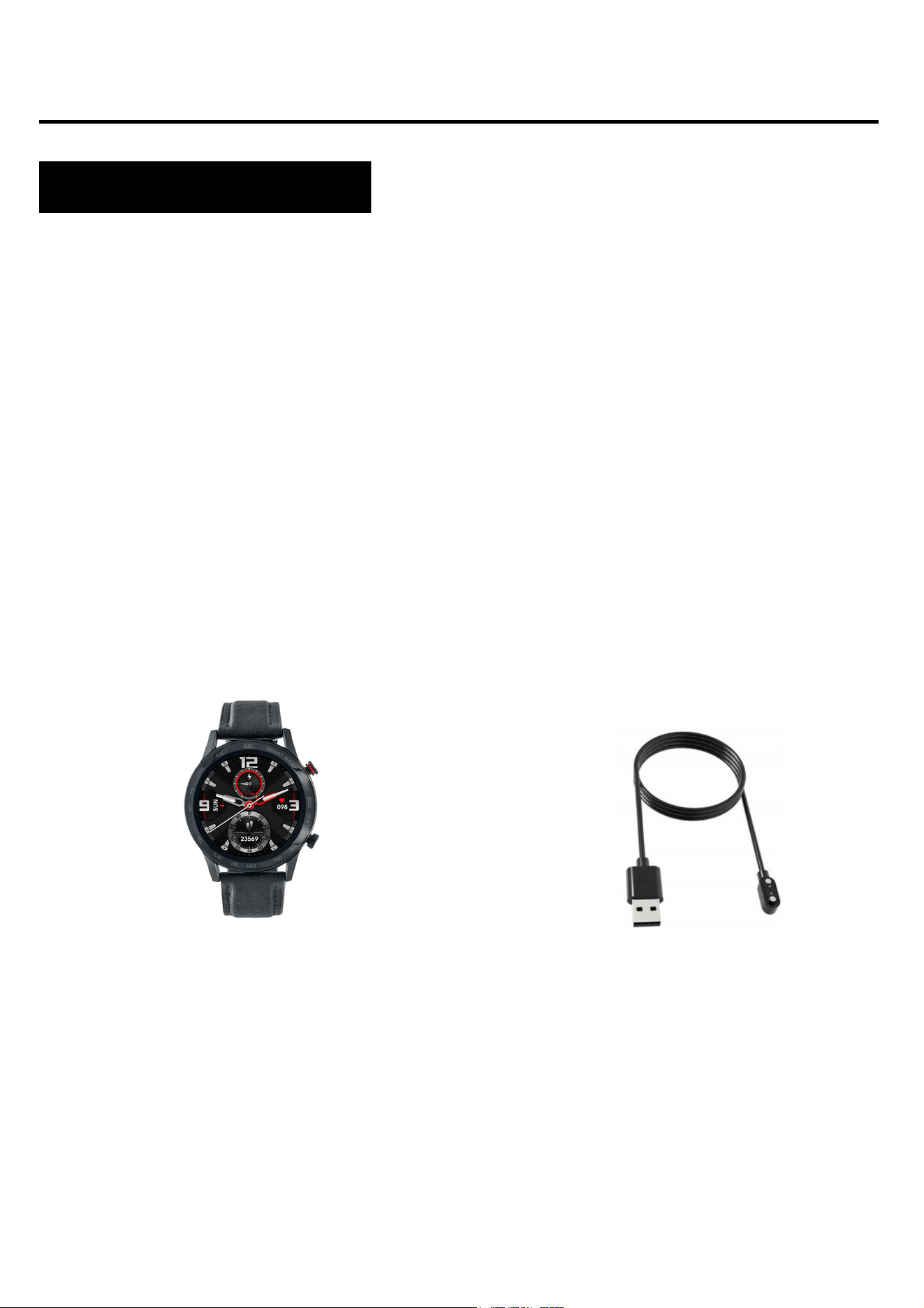
Smartwatch (colour and
material may vary depending on
the colour chosen)
Strap (colour and material
may vary depending on the
colour chosen)
Charger (colour and material
may vary depending on the
model selected)
iOS 8.2 and above
Android 4.4 and later
Bluetooth supported: 4.2+3.0
Hardware requirements
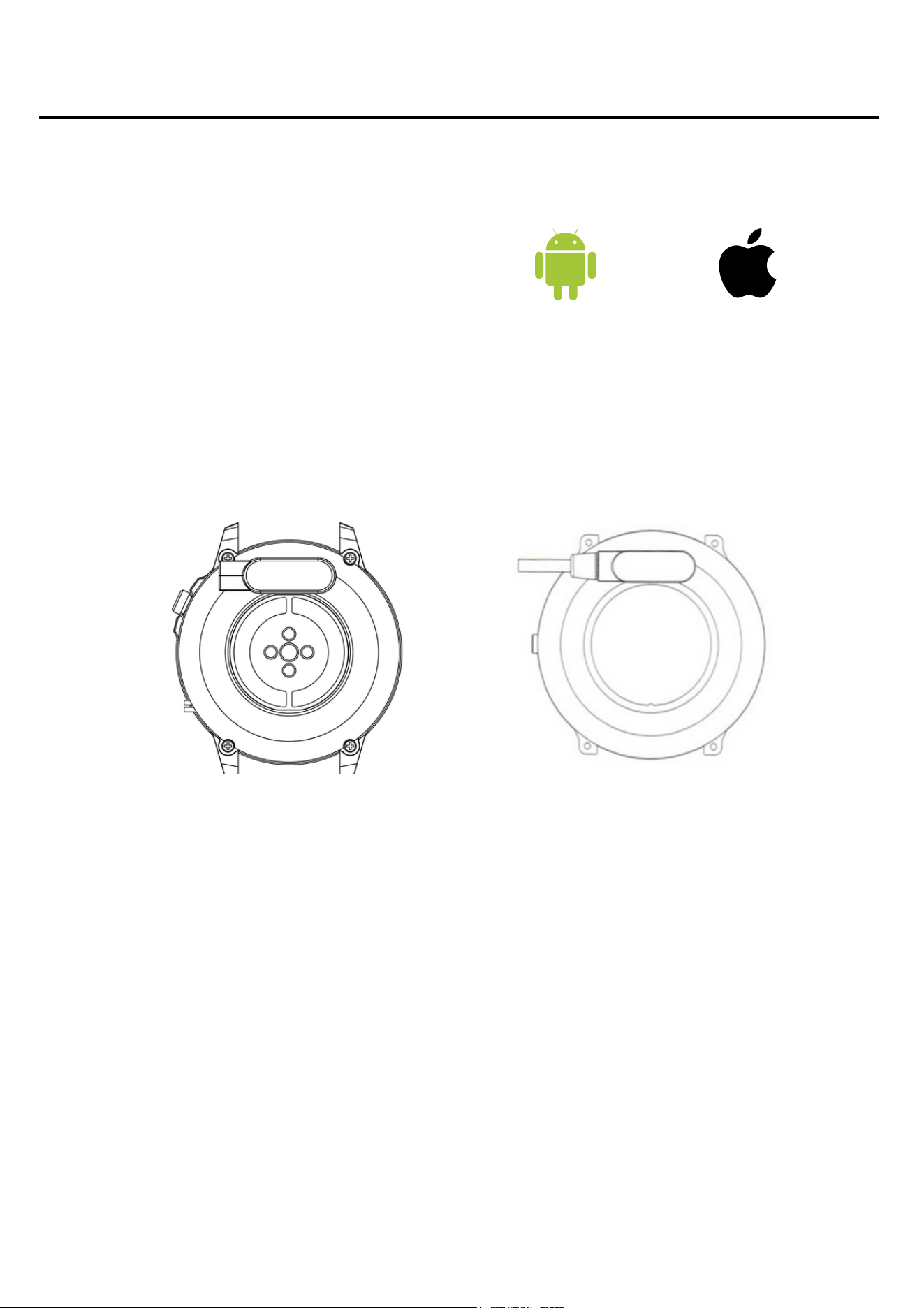
Charging instructions
This smartwatch uses magnetic charging.
Connect the charging cable to the USB input and to the rear
charging contacts of the device. Once connected, charging will
start automatically and the charging icon will appear on the
screen.
It takes approximately 2 hours to fully charge the battery. Do not
use the watch while it is charging.
Caution: do not connect the magnetic charging cable to any
2 contacts at the same time with conductive material, as this
may cause a short circuit.
Android 4.4+ IOS 8.2+
5

6
Please read the entire user manual carefully before using the
equipment. It is recommended to use only the original battery,
charger and accessories that are included in the kit received
with the device.
Neither the manufacturer nor the distributor is responsible for
the use of third-party accessories.
The functions that are presented in this manual may vary
between models, as the manual is a general description of
smartwatches. Some models may deviate from the standard.
Before using the device for the first time, charge it for a
minimum of 2 hours. Before using the device, you must
download and install the app and accept all consents that the
smartwatch asks for. If this is not done fully, not all features of
the device will be available. The smartwatch will only ask for
access to functions that are necessary for the smartwatch to
function properly.
The company reserves the right to change the content of this
manual.
Additional information
7
How to wear a smartwatch?
The strap for this watch model is 22 mm wide. It is
interchangeable and additional straps can be purchased in
a different colour or material.
Wearing the watch
When you're not exercising, wear the smartwatch as you
would a regular watch, i.e. one finger above your wrist bone.
To take full advantage of the heart rate monitoring function
during exercise, try wearing the device above your wrist
(2 fingers above your wrist bone) to improve comfort and
stability. Many exercises, such as cycling or weightlifting, can
cause the smartwatch's placement to change by bending the
wrist, for example. If the watch sits lower on the wrist bone
measurements can be intermittent, so correct placement
is important.
8
How to wear a smartwatch?
The strap for this watch model is 20mm wide. It is
interchangeable and additional straps can be purchased in
a different colour or material.
Wearing the watch
When you're not exercising, wear the smartwatch as you
would a regular watch, i.e. one finger above your wrist bone.
To take full advantage of the heart rate monitoring function
during exercise, try wearing the device above your wrist
(2 fingers above your wrist bone) to improve comfort and
stability. Many exercises, such as cycling or weightlifting, can
cause the smartwatch's placement to change by bending the
wrist, for example. If the watch sits lower on the wrist bone
measurements can be intermittent, so correct placement
is important.
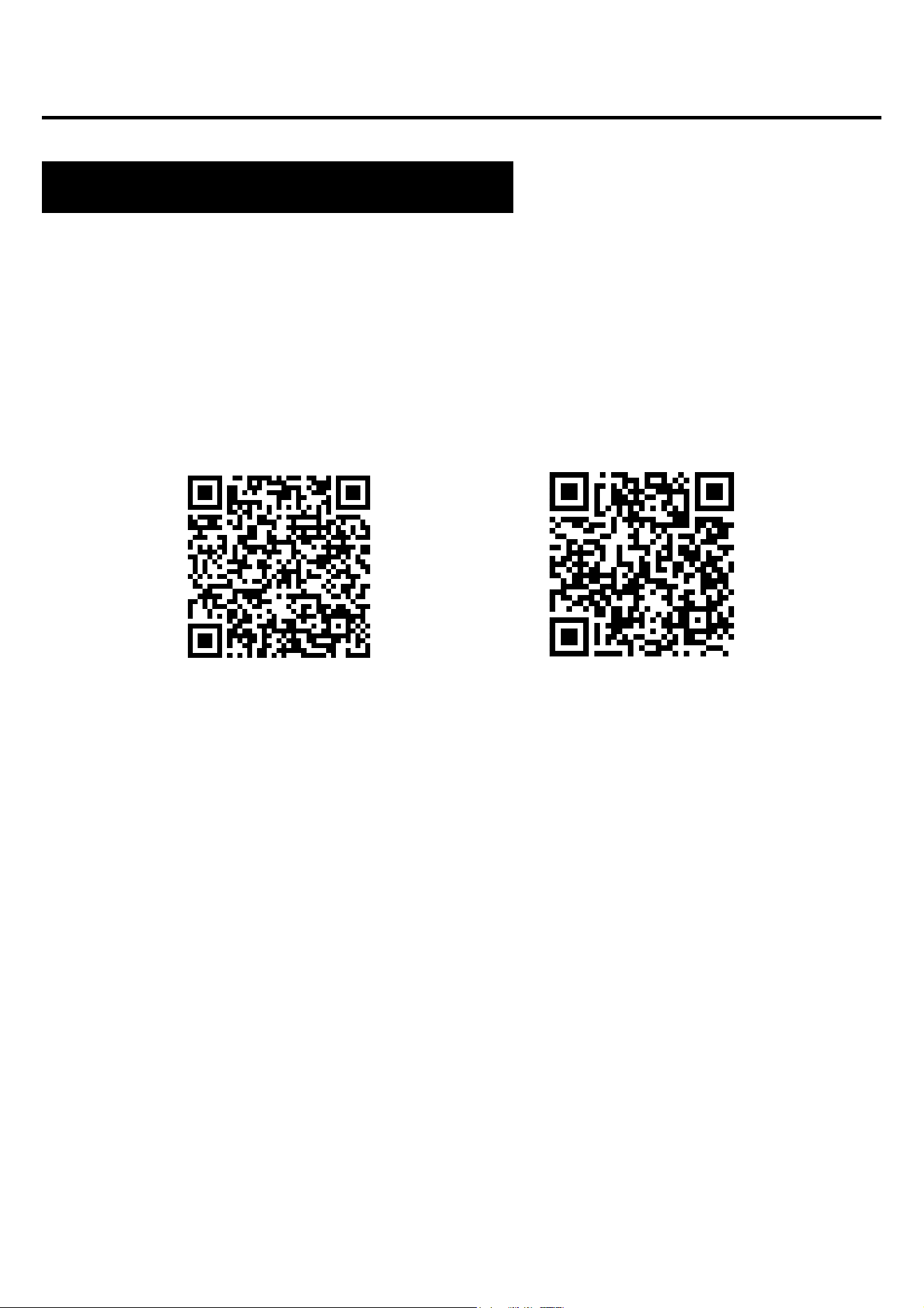
The app for the WDT95 smartwatch model is "WearPro". The
app must be downloaded from the Google Play / App Store or
via the QR code below. The app is in English.
Once the app is installed, turn on Bluetooth on your phone and go
to the app. Create an account or log in anonymously. Fill in your
details and allow access. For the app to work properly, you need
to give all the consents it asks for. To connect the watch, click in
the bottom corner: "Devices" and then "Pair devices". Your phone
will search for devices and you should select the appropriate
model (Smart watch). The smartwatch can also be connected via
a QR code.
To be able to use the function of making and receiving calls via
the smartwatch, connect the watch via Bluetooth as well. On your
phone, go to the Bluetooth settings and establish a connection
with the device named "Smart Watch". Without such a
connection, some of the functions will not be active.
Google Play App Store
Applications and functions
Installing applications
Features available on the Smartwatch
Time, date, day of the week
Pedometer
Calorie counter
Distance travelled
Adjusting the brightness of the screen backlight
The display shows the time, date and day of the week. The
data is displayed on the main screen of the watch.
Counts the steps taken on a given day (data resets each day
from 00:00). The number of steps taken can be seen in the app
or in the first tab to the right of the main screen.
Calculates the number of calories burned on a given day. The
data on calories burned can be found in the first tab to the right
of the home screen in the app.
Information on how much distance was covered during the day.
Distance travelled can be found in the first tab to the right of the
home screen.
Adjusting the brightness helps protect your eyes from a screen
that is too bright at night and saves the watch battery. You can
find this function in the drop-down menu from the main screen.
10
Blood pressure (BP)*
Oxygen saturation (SPO2)*
ECG*
Blood pressure is the force with which the blood pushes against
the arterial walls during systole and diastole of the heart muscle.
The accepted norm for systolic blood pressure is 120 mm Hg,
while for diastolic blood pressure it is 80 mm Hg. On the watch, the
function for measuring blood pressure is located in the third tab on
the left of the main screen under the name BP.
This function indicates the oxygenation level of the blood. As a
norm, the result should be between 95 and 100%. When the
oxygenation level drops, it can be dangerous for our health. On the
watch, the function for measuring blood pressure is located in the
third tab on the left of the home screen under the name SPO2.
An electrocardiogram examines the electrical activity of the heart.
It allows the detection of many cardiovascular diseases. The
watch's electrodes must fit completely against the skin. On the
watch, the function for measuring blood pressure is located in the
third tab to the right of the home screen under the name ECG. You
will see the result in the app.
*Do not make health decisions based solely on smartwatch results. For measurements to be accurate, users should measure
health functions at rest as they would with traditional medical devices and refrain from measuring during exercise, smoking or
alcohol consumption. The smartwatch is not a medical device and the measurement results are for reference only.
Features available on the Smartwatch
Heart rate (HR)*
Music control
"Find Phone" function
Heart rate, or pulse: is the number of beats of the heart muscle
per 1 minute. The accepted norm is between 60 and 100 beats
per minute. When the pulse is elevated we speak of
tachycardia, while when it is lowered we speak of bradycardia.
Both conditions can be dangerous to our health. In the watch,
the function for measuring blood pressure is located in the third
tab on the left of the home screen under the name HR.
Once the watch has been connected to your phone via the app
and Bluetooth, and music has been activated on your phone,
you can play audio from the watch, pause and resume
playback, as well as rewind and fast-forward through songs. To
enable this feature, start the music player on your phone and
then go to BT Music, which you will find in the menu to the right
of the home screen.
Once you have correctly paired your device with the app on
your phone, you will be able to quickly find your phone. When
you select "Find Phone", your phone will start vibrating and
ringing. On the watch, this function can be found in the menu to
the right of the home screen.
*Do not make health decisions based solely on smartwatch results. For measurements to be accurate, users should measure
health functions at rest as they would with traditional medical devices and refrain from measuring during exercise, smoking or
alcohol consumption. The smartwatch is not a medical device and the measurement results are for reference only.
Features available on the Smartwatch
Sleep monitor
Notifications / messages
Connections
Movement reminder
A function that helps to analyse a person's sleep. The watch
shows the number of hours slept and the phases of sleep, in
which we distinguish between shallow and deep sleep.
On the watch, the function for sleep monitoring is located in the
second tab to the left of the home screen.
Once the watch has been connected to the phone via the app
and bluetooth and the relevant permissions have been granted,
incoming notifications of messages and from social networks
will be displayed on the watch. For notifications to display, you
must enable this feature in the app settings. See page 16 for
more.
Connecting the watch to your phone via Bluetooth allows you to
make calls from the smartwatch while maintaining high sound
quality. Once the watch is connected to your phone, the
contacts from your phone will be displayed on the watch.
In the app, you can set cyclical reminders every 30-300
minutes, whereby the watch, when it detects that a person
remains motionless for an extended period of time, reminds
them to perform an activity. On the watch, this function can be
found in the menu to the right of the home screen.
13
Features available on the Smartwatch
Stopwatch
Calculator
Calendar
Sports modes
A function that is used to check and measure short intervals of
time. On the watch, this function can be found in the menu to
the right of the home screen.
A useful function for performing quick, simple calculations. On
the watch you will find this function in the menu to the right of
the main screen.
Check the current date and day of the week. On the watch, this
function can be found in the menu to the right of the main
screen.
The watch's 10 sports modes allow you to control your training
goals by monitoring steps, heart rate, calories and distance.
Workout data can be found in the app after synchronisation.
Available sports modes: skipping, volleyball, badminton, table
tennis, mountain climbing, cycling, running, walking, yoga,
strength sports. The sports mode measures parameters such
as time, calories burned and heart rate. You can find the sports
functions on the watch by pressing the bottom button on the
side of the envelope.
14
Features available on the Smartwatch
Reset to factory settings
Changing the dial theme
Battery saving mode
Settings
Resetting to factory settings allows you to reset the watch and
erase all data and settings. On the watch, the reset function is
located in the settings in the menu to the right of the home
screen.
There are several dials to choose from on the watch. To
change the dials, press the main screen for a long time (about
3 seconds). You can download more dials in the app. See page
16 for more.
This mode allows the watch to run for longer. On the watch, the
battery saving mode is located in the menu to the right of the
main screen.
In the settings, you can:
-turn Bluetooth on/off
-set date and time
-switch notifications on
-set the watch language
adjust backlight time and brightness level - reset factory
settings (reset the device)
-Reset the device to factory settings.
15
Features available on the Smartwatch
Functions available in a dedicated application
Measurement history
Notifications from social apps
Changing the dial theme
ECG*
In the app, you will find the history of the measurements taken
by the watch. To check the history, select "Health" in the app.
The app notification function allows you to read the beginning
of a message on the smartwatch screen. Notifications can
come from apps such as: Facebook, Instagram, Gmail and
Messenger. To enable this feature, go to 'Devices' and then
select 'App notifications'.
Other dial themes are available in the dedicated app. To select
dials, go to "Devices" and then "Dials" in the app. To download
dials, data/Wifi transmission must be enabled.
To see the result of an ECG performed by the watch, go to
"Devices" and then "ECG test". Follow the steps according to
the instructions displayed in the app.
*Do not make health decisions based solely on smartwatch results. For measurements to be accurate, users should measure
health functions at rest as they would with traditional medical devices and refrain from measuring during exercise, smoking or
alcohol consumption. The smartwatch is not a medical device and the measurement results are for reference only.
Phone camera control
Find a device
Sports modes
This function allows you to take pictures remotely with your
phone's camera by activating the camera shutter button on the
watch. To take a picture, select "Devices" and then "Remote
camera". Now select "BT camera" in the watch menu to launch
the camera on your phone. A useful feature for taking group
photos from a distance.
In the app, selecting "Find Device" will trigger a beep on the
watch to help locate the device.
In the app you can use the sports modes and have a view on
your phone of the route covered, pace, calories burned, speed
and duration of the activity. At the end of the activity, the map in
the app will show the route covered. The available modes are
running, walking, cycling and hiking. History will be saved in the
app.
17
Functions available in a dedicated application
IP68** water resistance
Allows you to use the watch
while washing your hands or
on a rainy day.
300mAh battery
The large battery capacity
enables long use of the
smartwatch.
Classic design
Due to its classic design, the
watch goes with any style.
MTK2502_ BMA425 processor
An innovative processor
characterised by high
performance.
**The IP68 standard allows a water temperature of +10 to +35 degrees Celsius and immersion to a depth of 1.5m for up to 30min. The watch
cannot be used in hot baths or saunas as it is not steam resistant. It is not designed for swimming, it has been designed to help look after
your health.
General Information
Specifications
19
General Information
Product complaint
Any product bought in the Shop can be claimed. The claim
given by the manufacturer is 2 years from the purchase of
the equipment.
The advertised product should be sent to the address:
Watchmark CH Marino, 7 Paprotna Street, 51-117 Wrocław.
To register a complaint, please fill in the form at
https://ecom.freshdesk.com/support/tickets/new.
After registering the complaint, you will receive a
confirmation of its submission to the specified e-mail address
along with a pdf attachment containing a summary of the
complaint. The complaint must be accompanied by the
advertised product with proof of purchase and the
application number received in the e-mail.
Once the goods have been verified, the Complaints
Department will contact the customer and inform them that
the complaint has been processed.
The complaint will be considered within 30 days from the
day the Complaints Department receives the advertised
goods.
20
The customer has the right to withdraw from the contract
within 14 days of receiving the product, without giving any
reason. Returned goods must be of full value and must not
bear any signs of use. If the returned goods are not in
perfect condition, the Customer shall bear the financial
consequences related to the reduction of the value of the
goods if they have been used in an inappropriate manner
and bear traces of use going beyond a basic functionality
check.
The Customer shall inform the shop of the withdrawal from
the contract by filling in the return form at:
https://ecom.freshdesk.com/support/tickets/new.
Once the withdrawal form is registered, the Customer will
receive a confirmation of its notification to the e-mail address
indicated, together with a pdf attachment containing a
summary. In order to comply with the withdrawal period, it is
sufficient for the Customer to send information concerning
the exercise of his/her right of withdrawal before the expiry of
the withdrawal period.
Product return
General Information
21
The seller shall refund the payment using the same method
of payment used by the consumer, unless the consumer has
expressly agreed to a different method of refund that does
not incur any costs for the consumer.
Goods purchased stationary in the shop are not refundable.
The customer has the right to exchange the goods within 14
days of receipt without giving any reason.
The customer shall inform the shop about the wish to
exchange the goods by filling in the form:
https://ecom.freshdesk.com/support/tickets/new.
Once the exchange form is registered, the Customer will
receive a confirmation of his/her request to the e-mail
address indicated, together with the request number. In
order to comply with the exchange deadline, it is sufficient
for the Customer to send information concerning his/her
wish to exercise his/her right to exchange before the expiry
of the exchange deadline.
Product return
Replacement of the product
General Information
22
The customer sends the purchased goods on their own to
the address: Emedyczny CH Manhattan, Al. Jana Pawła II
16, 64-100 Leszno. The parcel must be accompanied by the
purchased goods free of defects and the application number
received after completing the form.
The exchange will be made immediately, but no later than
within 5 days from the date of delivery of the goods to us, if
the product for which the customer wants to exchange the
goods is available in the shop. If the product indicated by the
customer for exchange is not available, it will be dispatched
as soon as we have accepted delivery of the product in
question.
If the returned goods are not of full value, the customer will
be financially liable for any reduction in the value of the
goods if they have been used inappropriately and bear signs
of use beyond a basic functionality check.
It is not possible to exchange the watch for the same model.
General Information