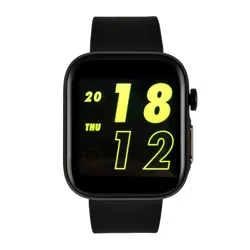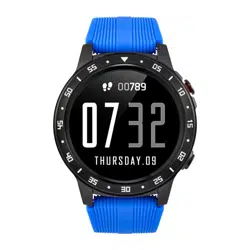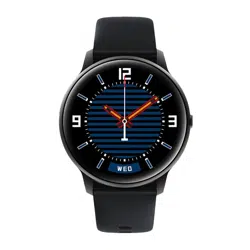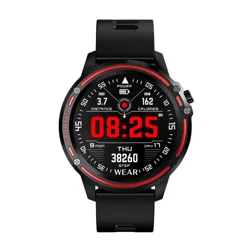
Please read this entire manual carefully before use. It
is recommended that you only use the original
batteries, charger and accessories supplied with your
device.
The manufacturer or distributor is not responsible for
the use of third party accessories.
(The functions shown in this manual may vary slightly
from model to model, as the manual is a general
description of the smartwatch, some models may
differ from standard models).
Please charge your device for at least 2 hours before
using it for the first time.
Before using the device, you must download and
install the application and accept all permissions,
otherwise not all functions will be available.
The company reserves the right to change the
content of this manual.
DEAR CUSTOMER, THANK YOU
FOR PURCHASING OUR PRODUCT!
Please remove the watch at the first charge and charge
it using a suitable charger (charging method: as shown
in the diagram below)
CHARGING
USE
1.To turn the watch on/off, hold down the button
for more than 3 seconds.
2.The watch is fully touchscreen, to change a
function you need to slide your finger across the
screen.
3.Health functions do the measurement
automatically when they appear on the watch
screen.
4.To change the interface of the watch, hold down
the initial screen longer. (The watch includes 6
different themes)
APLICATION
Scan the QR code below or download and install
"GloryFit" Device requirements: IOS 8.0 or later;
Android 4.4 or later, Bluetooth 4.0 support
After installation
1. log into the application
2.Then enter the device and pair the wristband
with your phone. (Bluetooth should be running in
the background when pairing)
3.After proper connection between your watch and
the application the time and date will be set
automatically.
1.Phone notification: the watch will start vibrating.
The number of the caller will appear on the home
screen.
2.Messages: The watch will vibrate, the main
screen will show the message content. To exit,
click on the side
button or slide your finger across the screen. (To
receive notifications from individual applications,
go to device -> application).
3.Alarm clock: you can set three alarm clocks. The
watch will vibrate during this time.
4.Notification of inactivity: the watch will start
vibrating notifying you that you are spending too
much time at rest.
5.Goal achievement notification: the watch will
start vibrating notifying you that you have
achieved today's goal.
NOTICES
FUNCTIONS
1.Notification: The watch saves the last 8
notifications. To check your old notifications go
to the main interface of the watch then swipe
down or to the messages.
2.Temperature: To access the temperature
function swipe right from the main interface. The
measurement is done automatically. If the
temperature exceeds 37.3C, the watch will send
you a warning message. (The critical temperature
can be set in the application under device ->
body temperature settings. )
3.Distance interface: Behind the temperature
function is the distance interface. Here you will
find the distance you have travelled, calories and
steps. The watch automatically calculates these
functions based on the distance travelled and the
personal data you enter in the app.
3.Your heart rate: this is measured automatically
when you enter a function. The data will be saved in
the app
4.Blood Oxygen Measurement: the measurement is
taken automatically after entering the respective
function. The data will be saved in the application
5.. Sport: in the training mode, you will find 23 sport
modes, including running, cycling, skipping,
badminton and tennis. Sports data will be saved in
the application.
Weather: to start this function you need to make sure
that the application has access to GPS. Then all data
will be updated in real time.
7.Stopwatch:To start you need to click and then turn
on the stopwatch. You can stop it or start counting
again.
8.Find Phone: You need to hold the screen for a
longer time to start this function.
www.watchmark.com
ul. Paprotna 7
Wrocław
POLAND
9.Other functions:
-brightness (ability to adjust the brightness of the
watch screen)
-Off-watch option
-reset
-information about zagerk
PRECAUTIONS
1.Low battery:
If the battery level is low, please charge the device
immediately to protect the battery life.
2.Charging:
Do not use the watch while charging.
3.Ambient temperature during charging above
50 degrees C may lead to overheating, deformation
and burning of the device.
4.Please do not swim, dive or operate the device
under water.
5.The device uses a built-in battery and it is
forbidden to disassemble it by yourself.
6.In case of battery rupture and leakage, avoid
contact with eyes and skin.
IMPORTANT INFORMATION
1.Protection:
-clean the watch with a soft cloth to keep the watch
and band
(use clean water or sea water)
-make sure the heart rate lens on your watch is close
to your skin
-the skin temperature on your wrist is too low due to
the weather, which will affect heartbeat control.
2.Notes on water resistance (even if it is a water-
resistant watch):
Please note the following methods as they
weaken the water resistance.
-Please do not wear the watch in a shower room.
-Please do not wear the watch in an insulated
swimming pool, sauna or other high
temperature/humidity environment.
-Please do not wear your watch when washing
your hands or face, doing work where you use
soap or detergent.
-After immersion in the sea, wash all salt or dirt
from the watch.
WARRANTY
Warranty service:
1. Under normal use of the products, if the product
has no mechanical damage caused by misuse, 24
months from the date of purchase, consumers can
take advantage of the free warranty service.
2. Consumers cannot benefit from the warranty if:
A. they have done the damage themselves,
B. the warranty period has expired,
C. they have not used the product in accordance
with the instructions for use and maintenance,
D. they have dismantled, repaired or immersed
themselves in water.
SMARTWATCH
WATCHMARK WQS19
User manual
watchmark.com