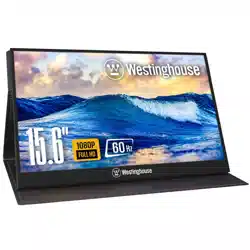

WH156FP
WH156FP
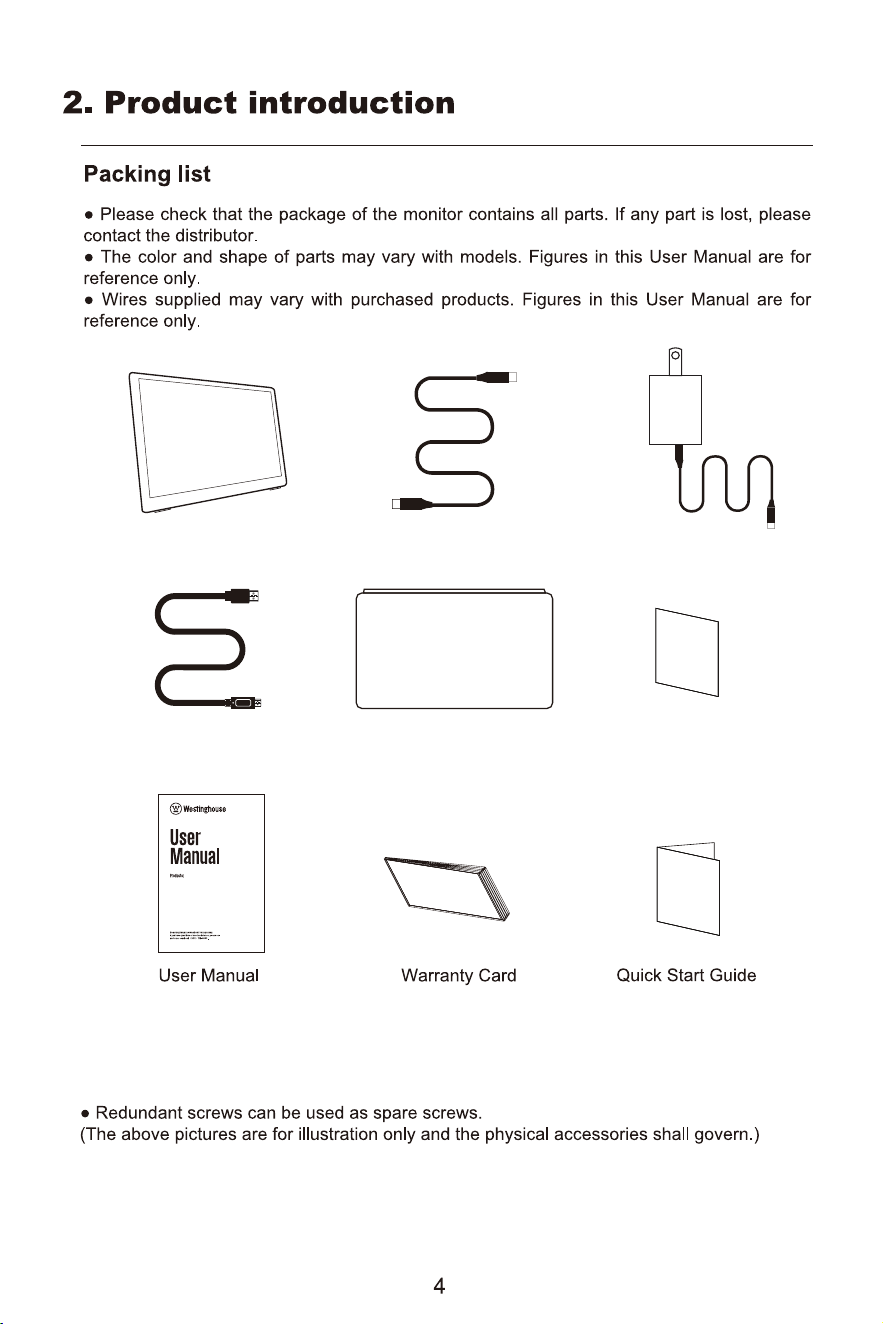
Mini HDMI Cable
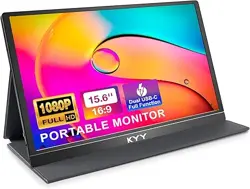
Portable Monitor
PD Charger
Leather case Tech Support Card
Type-C cable
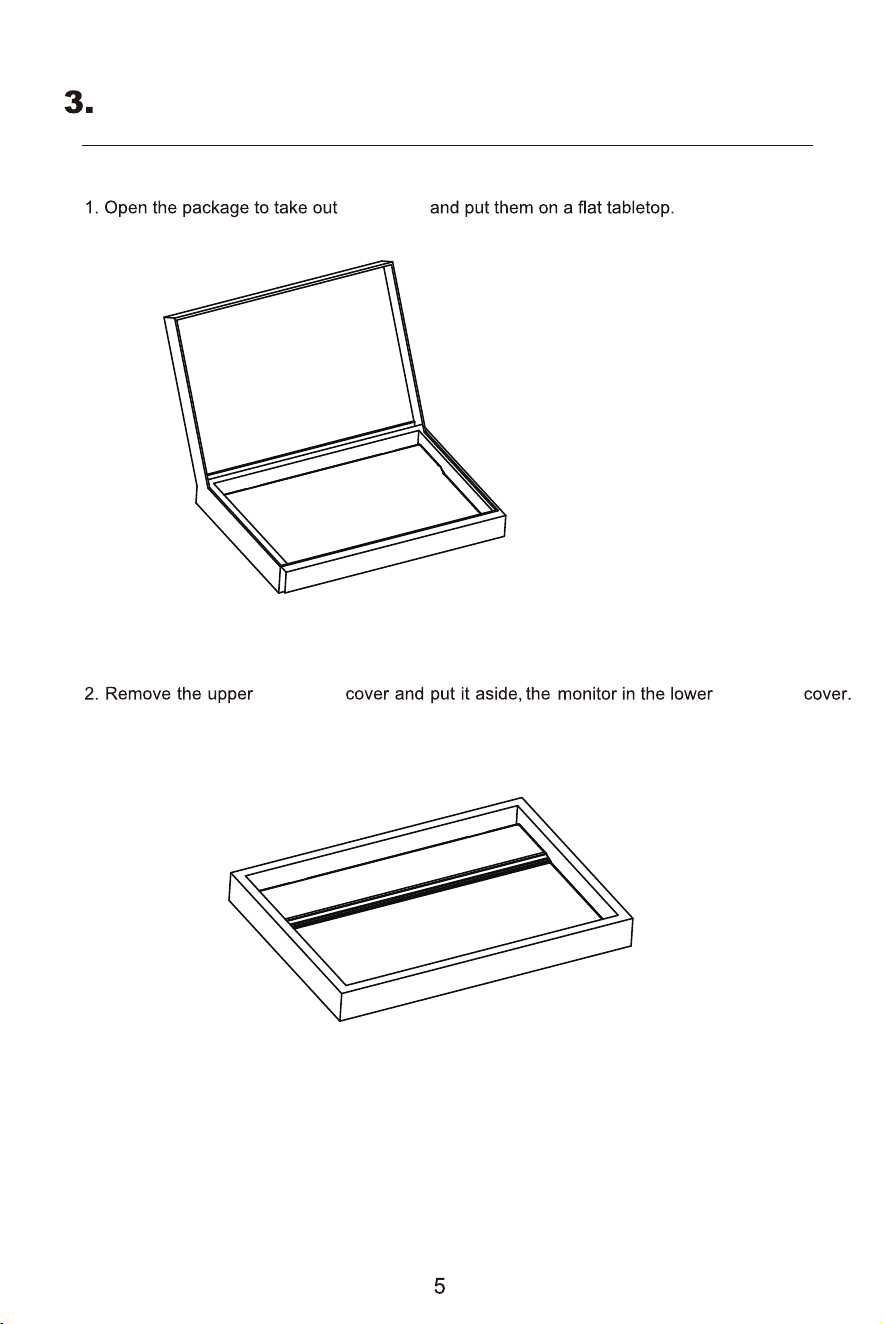
EPE foam
EPE foam EPE foam
Open package
Installation
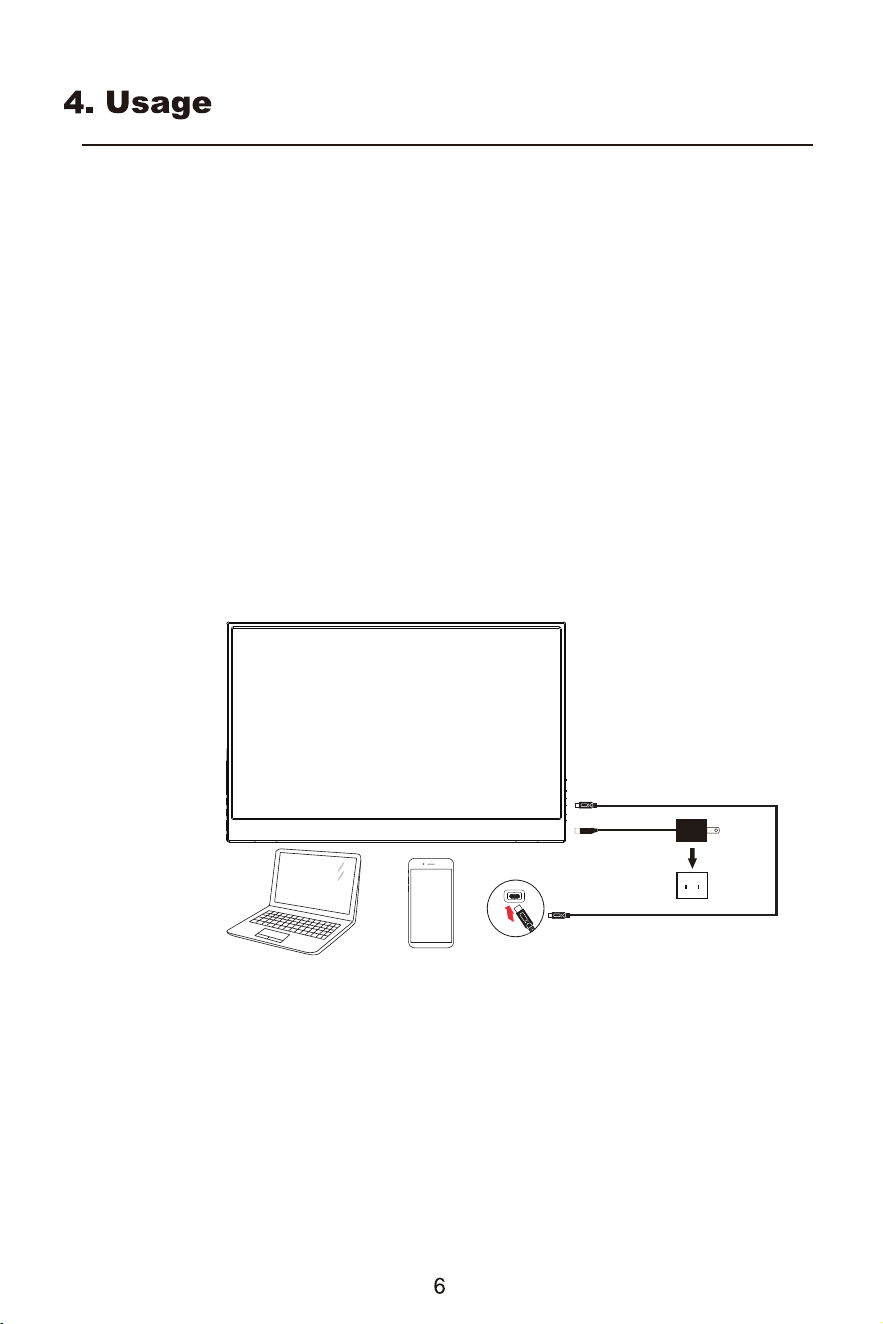
To install the monitor on your host system, please follow the steps below:
Steps
Connect the monitor to your computer
1. Connect the signal transmission cable (Thunderbolt 3 (USB-C) cable) to the monitor’s Type-C jack
and the Type-C output jack of the computer’s display card.
2. The monitor does not require an external power supply via its micro USB port when it is connected
to the computer; it only requires a single signal transmission cable (the Thunderbolt3 (USB-C)
cable).
Connect the screen to your phone
1. Connect the signal transmission cable to the Type-C jack of the monitor and the Type-C output
jack on your phone.
2. Some underpowered phones require an external power supply via the monitor’s micro USB port
when in use.
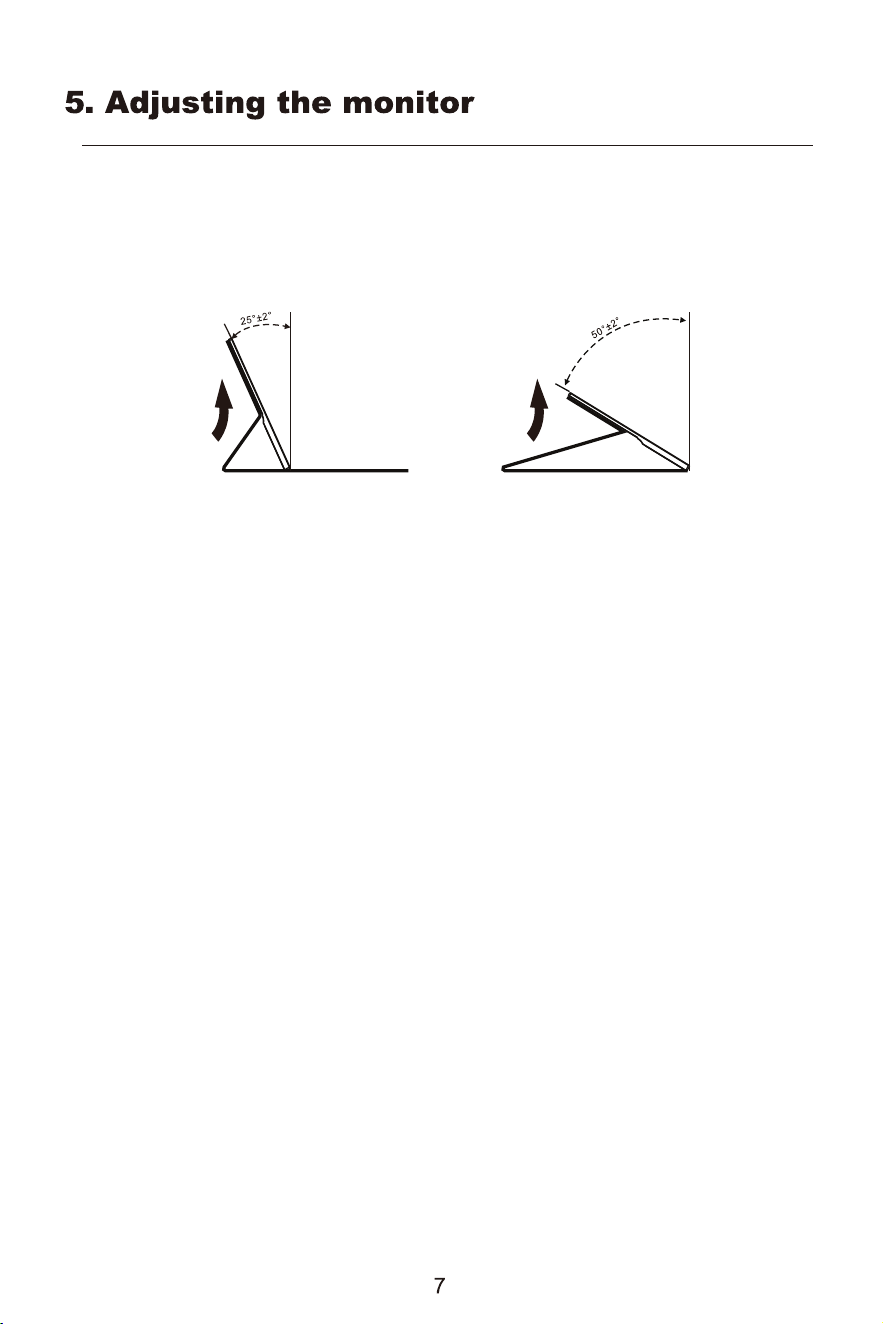
Attaching the monitor to the base
1. Remove the monitor leather case from the packaging and place it on a stable and level workspace.
2. Open leather case. The viewing angle of the monitor can be adjusted using the leather case.
(As shown below)
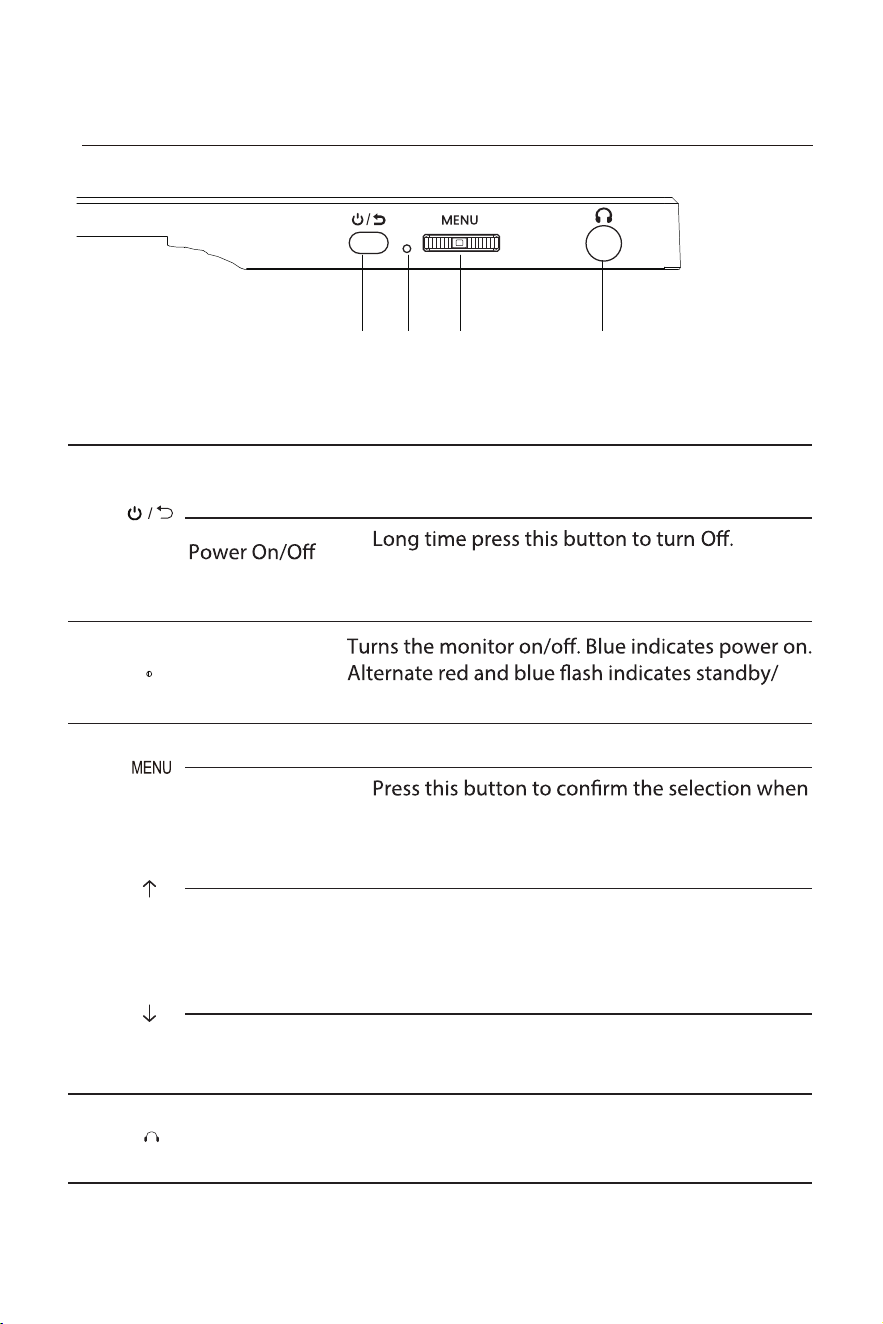
External controls
Volume a. Press this button to adjust the volume diretly.
Down
EARPHONE
b. Press this button to select the desired item when
in OSD menu.
When earphones are plugged in, speakers are
disabled.
3
4
Menu a.
OK
b.
in OSD menu.
Press this button to display the menu.
1 2 3 4
1
SOURCE /
EXIT
a. Press this to select signal channel.
b. In OSD menu, short time press to exit menu.
c.
d. Press and hold for 3 seconds to enter the
power-on state.
2
LED Indicator
power saving mode.
Brightness a. Press this button to adjust the brightness diretly.
Up
b. Press this button to select the desired item when
in OSD menu.
6.CONTROLS AND CONNECTIONS
8
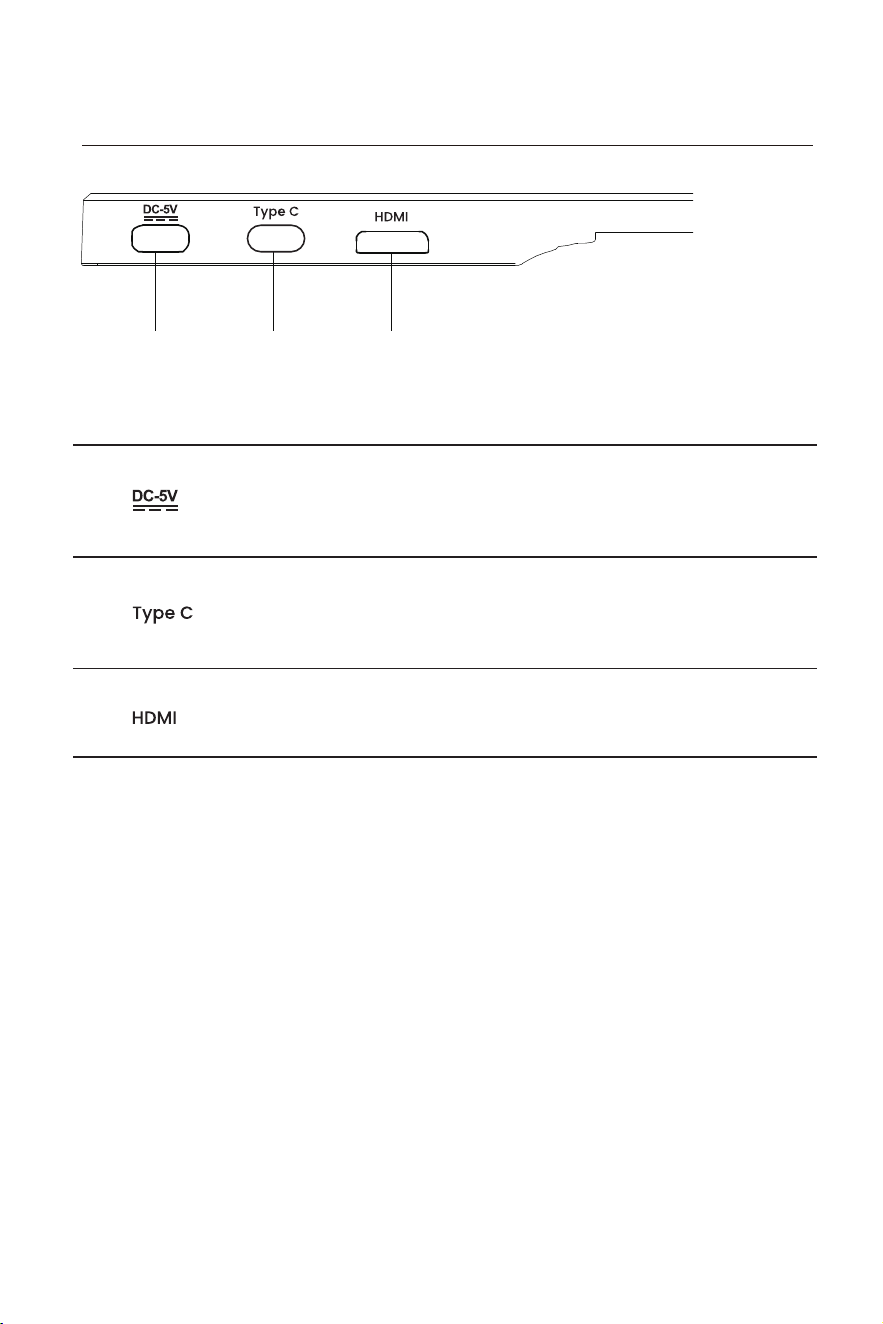
External controls
3
1 2 3
1
TYPE-C
Power supply
port
Support PD power supply
2
Full-function
interface
Support charge and discharge and audio and video
Mini HDMI
Version 1.4 HD Interface
CONTROLS AND CONNECTIONS
9
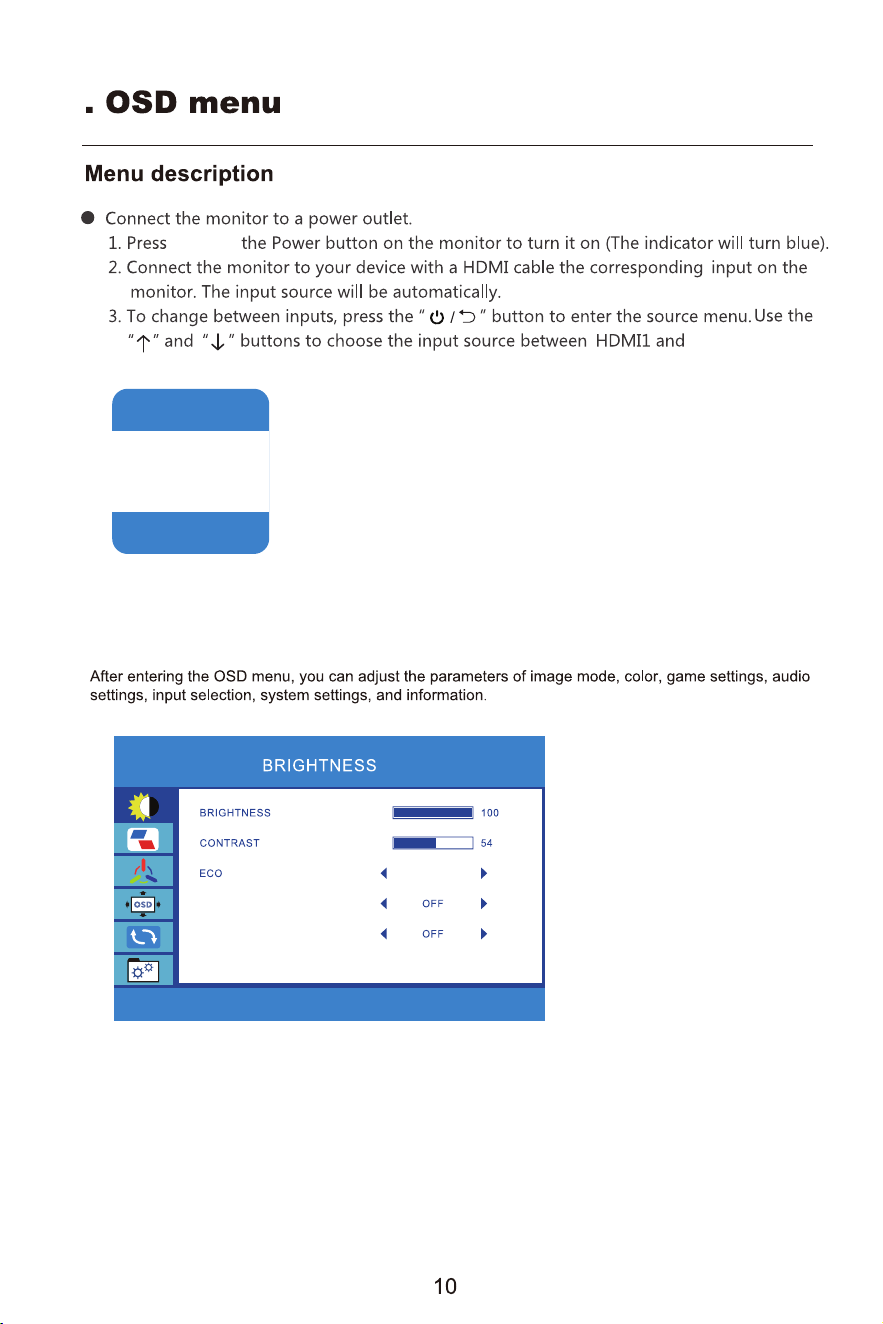
BRIGHTNESS
and hold
TYPE C.
7
STANDARD
DCR
HDR MODE
TYPE C
HDMI
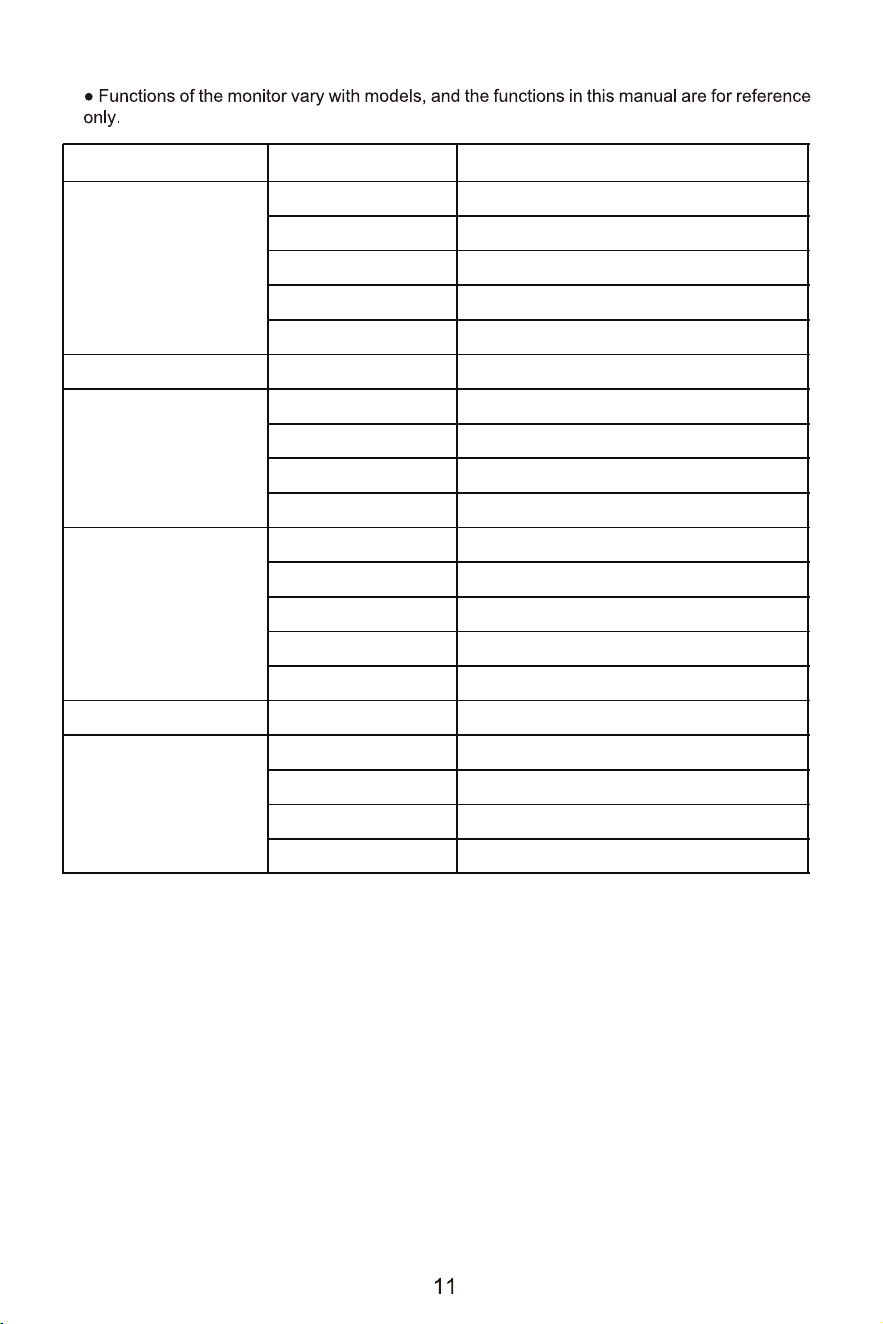
Main menu Secondary menu Third menu
BRIGHTNESS
BRIGHTNESS 0~100
CONTRAST 0~100
ECO STANDARD/GAME/MOVIE/TEXT
DCR ON/OFF
HDR MODE AUTO/2084/OFF
IMAGE ASPECT WIDE/4:3
COLOR TEMP
COLOR TEMP NORMAL/USER/WARM/COOL
RED 0~100
GREEN 0~100
BLUE 0~100
OSD SETTING
LANGUAGE ENGLISH/ETC.
OSD H.POS 0~100
OSD V.POS 0~100
OSD TIMER 0~100
TRANSPARENCY 0~100
RESET RESET /
MISC.
SIGNAL SOURCE HDMI
MUTE ON/OFF
VOLUME 0~100
ADAPTIVE SYNC ON/OFF
12
Troubleshooting
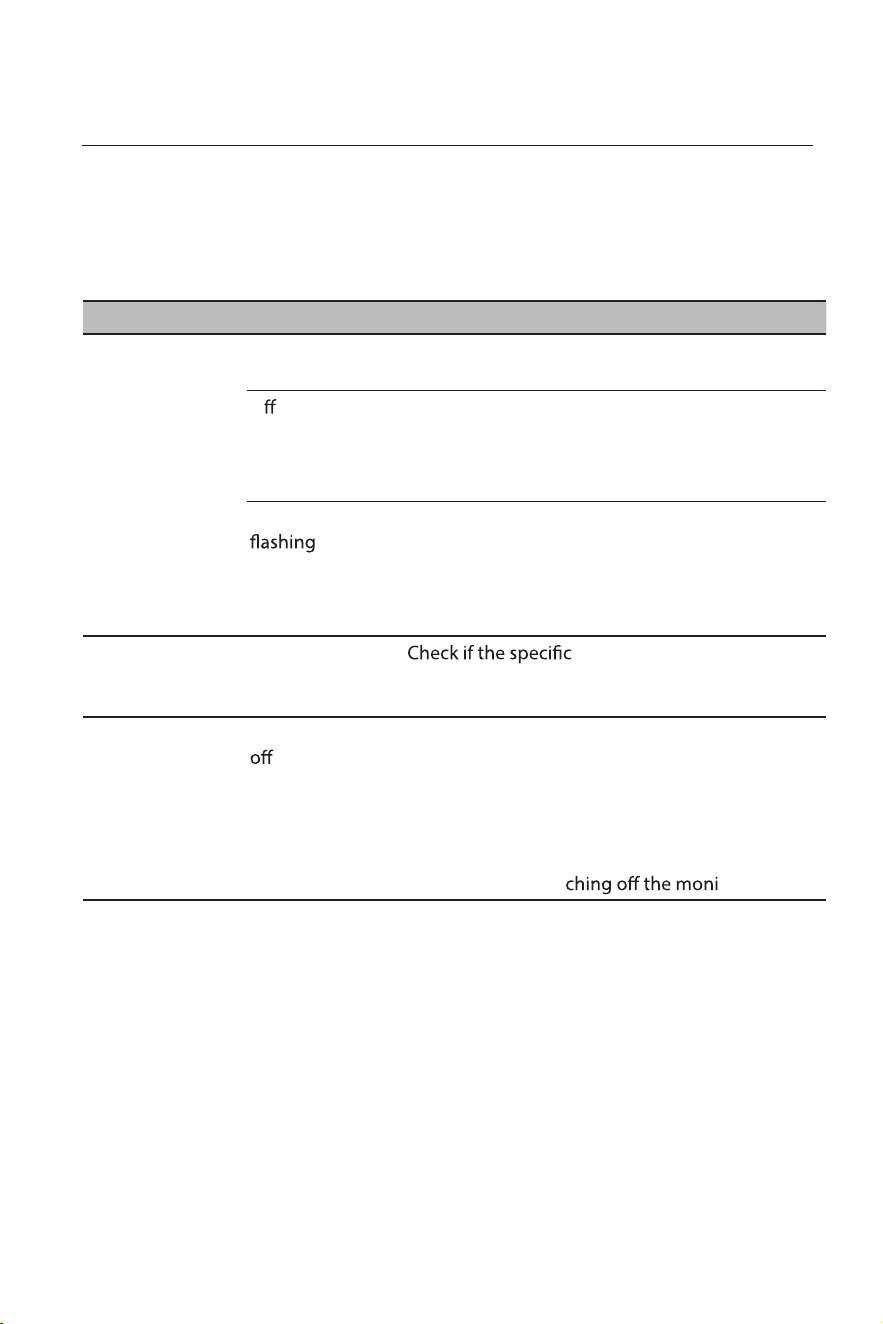
Before sending your LCD monitor for servicing, please check the troubleshooting list
below to see if you can self-diagnose the problem
Type-C model
Problem LED status Remedy
No picture visible Blue Using the OSD, adjust brightness and contrast to
maximum or reset to their default settings.
O
Check the power switch.
Check if the power cord is properly connected to
the monitor.
Check if the video signal cable is properly
connected at the back of monitor.
Check if the computer system is switched on and
in power saving/standby mode.
Unstable picture
ation of graphics adapter and
monitor is in compliance which may be causing
the input signal frequency mismatch.
Abnormal picture Image is missing,
-center, too
large or too small
on the screen.
Check the display setting on your system. In
case of a missing image, please select another
resolution or vertical refresh rate.
Wait for a few seconds after adjusting the size of
the image before changing or disconnecting the
signal cable or swit
tor.
Red and blue
alternately
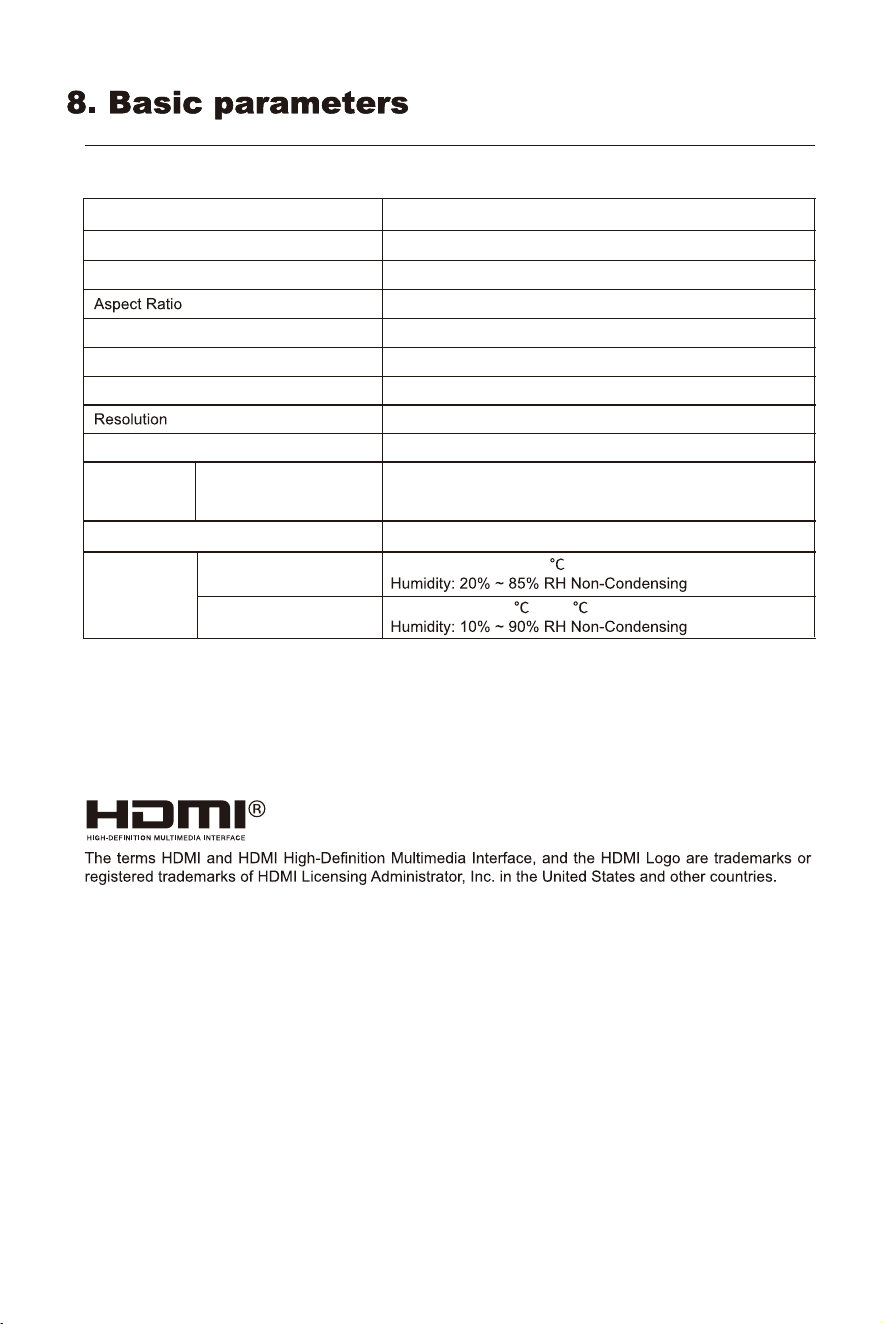
Product model
WH156FP
Screen Size
Viewing Angle
15.6inches
178°(H) / 178°(V)
Contrast ratio 1000:1(TYP)
16.7M(8bit)
Colors
16:9
1920×1080
Product
Dimensions
Without Leather case
Action
Storage
18.39"x 14.41"x 0.315"
14.04"x 8.85"x 0.397"
With Leather case
2 x1watt speaker
Environmental
conditions
Temperature: 0 ~ + 40
Temperature: -10 ~ +60
Maximum refresh rate
60Hz
Product Name
15.6" Portable Monitor
(The actual application of the above parameters shall be subject to the specific model.)
13