TOUCH FUNCTIONS
1. Open the control panel: scroll the screen in the main interface
from top to bottom
2. Open Messaging/Notifications: swipe the screen in the main
interface from bottom to top.
3. Open Main Menu: swipe your finger on the screen through the
main menu
from left to right (Note: on other interfaces, swipe left to right to
return to the previous interface). This allows you to select sport
and monitor watch functions such as: heart rate control, status,
sleep, stopwatch, messages, settings.
5. Status interface: swipe the screen from right to left to read the
current measurement (e.g. step count, heart rate, kcal)
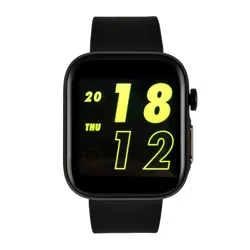
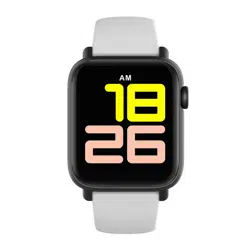
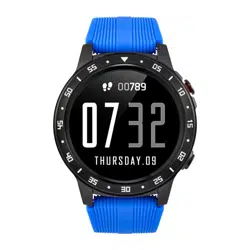
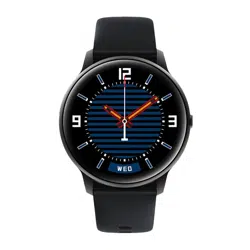
6. Change the appearance of the dial: press and hold the main
interface screen for 3 seconds, the watch will vibrate; you can
then swipe left or right to select the dial.
7. Power on: turn on by pressing and holding the power button
for 5 seconds
8. Quick Sports Pause/Continue: press the power button.
9. Press the power button to return to the start page. if you are on
the second level of the interface, you will return to the first level).
FUNCTION
There are 13 sports modes (running, walking, cycling,
climbing, yoga, jumping, tennis, baseball, basketball,
badminton, football, rugby, table tennis)
For running, walking, climbing and other sports modes, you
can click on the screen to view sports data (steps, pace,
calories, distance and duration).
1. Sports
2.Heart Rate Monitor: The watch will continuously monitor your
heart rate for 24 hours (you need to enable "Heart Rate Monitor" in
APP first), you can also view historical heart rate data in APP.
Note: When this function is enabled, power consumption will
increase and battery life will be reduced.
3. Sleep: The watch will keep track of your sleep status from 18:00
to 23:59 the next day. Note: The sleep data on your watch will be
deleted every day at 18:00, but you can still check your sleep
history in the RunTo Sport app.
4.Music: The watch can be used to control your mobile phone's
music player, it can be used to play/pause or skip songs (it is only
compatible with your mobile phone's built-in music player, it may
not be compatible with a third-party player and you cannot adjust
the volume on the watch
5. Stopwatch: the watch can be used to count time
6. Message: The watch will receive and display
SMS/messages/social network notifications from your phone.
7. Settings: You can turn off or reset your watch, as well as check
the watch information and download the app's QR code.
CHARGING
1. Place the watch on the magnetic charger, ensure that the
charging contacts on the back of the watch are fully absorbed by
the metal contacts of the charger.
2. Connect the charging cable to a standard USB charger.
MEASUREMENTS
1. Weak battery:
In the event of a weak battery, charge the device immediately to
protect battery life.
2. Charging:
Do not use the watch while it is charging.
3. Ambient temperature during charging above 50 degrees
Celsius can lead to overheating, deformation and burning of the
device.
4. Please do not swim, dive or use the device underwater.
5. The device uses a built-in battery and it is forbidden to take it
apart yourself.
6. Avoid contact with eyes and skin in case of battery rupture or
loss.
IMPORTANT INFORMATION
1.Protection:
- Wipe the watch with a soft cloth to keep the watch and strap
clean. (use clean water or sea water)
- Make sure the heart rate lens on the watch is close to your skin
- the temperature of the skin on your wrist is too low due to the
weather, which will affect your heart rate control.
2. Notes on water resistance (even if it is a waterproof watch):
Be careful with the following methods as they will deteriorate the
waterproofing.
-Please do not wear the watch in the shower.
-Do not wear the watch in a heated swimming pool, sauna or
other high temperature/humidity environment.
-Do not wear the watch when washing your hands or face, at
work where soap or detergent is used.
-After diving into the sea, be sure to wash off any salt or dirt from
the watch.
PARAMETRY
Display: Touch screen display
Bluetooth: BT5.0
Housing material: Zinc alloy with vacuum
Belt material: silicone rubber
Battery: 285 mAh lithium polymer battery
Battery and battery life: Standby > 30 days Working time: 7 days
(all functions active)
Button: side power button
Charging mode: Magnetic charging IP68 waterproof rating
GUARANTEE
Warranty Service:
1. Under normal product use, unless the product has moss
damage
caused by misuse, 24 months from the date of purchase,
consumers can take advantage of the free warranty service.
2. Consumers may not benefit from the guarantee if:
A. they have caused the damage themselves,
B. the warranty period has expired,
C. they have not used the product in accordance with the
instructions for use and maintenance,
D. the products have been disassembled, repaired by themselves
or immersed in water.
SMARTWATCH
WATCHMARK G1
Instrukcja obsługi/
Instructions for use
DEAR CUSTOMER, THANK YOU
FOR PURCHASING OUR
PRODUCT!
Please read the complete instructions carefully before use.
It is recommended to use only the original battery, charger
and accessories included with the device.
Neither the manufacturer nor the distributor is responsible
for the use of third-party accessories.
(The features mentioned in this manual may
vary slightly between models as the manual is a general
description of a smartwatch, some models may differ from
the standard).
Before first use, the device must be
charged for at least 2 hours.
Before using the device, you must download the app,
install the app and accept all permissions, otherwise all
functions will not be available.
The company reserves the right to change the contents of
this manual.
EN
APLICATION
1. Scan the QR code with your mobile phone
on the watch display (Settings-App Download), then install
the GloryFit app. You can also install the GloryFit app from
your mobile phone's app store.
2. After activating Bluetooth and installing the app, open
and log in to GloryFit, then select (G1 device to add) on the
devices page and connect to it.
3. If the watch doesn't connect to the app, find the settings
on the watch, then press 'reset'. Then try to connect to the
app again.
Important: for the watch to pair correctly with your phone, it
must be connected directly from the app level with
bluetooth enabled and not in the settings on your phone.

TOUCH FUNCTIONS
1. Open the control panel: scroll the screen in the main interface
from top to bottom
2. Open Messaging/Notifications: swipe the screen in the main
interface from bottom to top.
3. Open Main Menu: swipe your finger on the screen through the
main menu
from left to right (Note: on other interfaces, swipe left to right to
return to the previous interface). This allows you to select sport
and monitor watch functions such as: heart rate control, status,
sleep, stopwatch, messages, settings.
5. Status interface: swipe the screen from right to left to read the
current measurement (e.g. step count, heart rate, kcal)
6. Change the appearance of the dial: press and hold the main
interface screen for 3 seconds, the watch will vibrate; you can
then swipe left or right to select the dial.
7. Power on: turn on by pressing and holding the power button
for 5 seconds
8. Quick Sports Pause/Continue: press the power button.
9. Press the power button to return to the start page. if you are on
the second level of the interface, you will return to the first level).
FUNCTION
There are 13 sports modes (running, walking, cycling,
climbing, yoga, jumping, tennis, baseball, basketball,
badminton, football, rugby, table tennis)
For running, walking, climbing and other sports modes, you
can click on the screen to view sports data (steps, pace,
calories, distance and duration).
1. Sports
2.Heart Rate Monitor: The watch will continuously monitor your
heart rate for 24 hours (you need to enable "Heart Rate Monitor" in
APP first), you can also view historical heart rate data in APP.
Note: When this function is enabled, power consumption will
increase and battery life will be reduced.
3. Sleep: The watch will keep track of your sleep status from 18:00
to 23:59 the next day. Note: The sleep data on your watch will be
deleted every day at 18:00, but you can still check your sleep
history in the RunTo Sport app.
4.Music: The watch can be used to control your mobile phone's
music player, it can be used to play/pause or skip songs (it is only
compatible with your mobile phone's built-in music player, it may
not be compatible with a third-party player and you cannot adjust
the volume on the watch
5. Stopwatch: the watch can be used to count time
6. Message: The watch will receive and display
SMS/messages/social network notifications from your phone.
7. Settings: You can turn off or reset your watch, as well as check
the watch information and download the app's QR code.
CHARGING
1. Place the watch on the magnetic charger, ensure that the
charging contacts on the back of the watch are fully absorbed by
the metal contacts of the charger.
2. Connect the charging cable to a standard USB charger.
MEASUREMENTS
1. Weak battery:
In the event of a weak battery, charge the device immediately to
protect battery life.
2. Charging:
Do not use the watch while it is charging.
3. Ambient temperature during charging above 50 degrees
Celsius can lead to overheating, deformation and burning of the
device.
4. Please do not swim, dive or use the device underwater.
5. The device uses a built-in battery and it is forbidden to take it
apart yourself.
6. Avoid contact with eyes and skin in case of battery rupture or
loss.
IMPORTANT INFORMATION
1.Protection:
- Wipe the watch with a soft cloth to keep the watch and strap
clean. (use clean water or sea water)
- Make sure the heart rate lens on the watch is close to your skin
- the temperature of the skin on your wrist is too low due to the
weather, which will affect your heart rate control.
2. Notes on water resistance (even if it is a waterproof watch):
Be careful with the following methods as they will deteriorate the
waterproofing.
-Please do not wear the watch in the shower.
-Do not wear the watch in a heated swimming pool, sauna or
other high temperature/humidity environment.
-Do not wear the watch when washing your hands or face, at
work where soap or detergent is used.
-After diving into the sea, be sure to wash off any salt or dirt from
the watch.
PARAMETRY
Display: Touch screen display
Bluetooth: BT5.0
Housing material: Zinc alloy with vacuum
Belt material: silicone rubber
Battery: 285 mAh lithium polymer battery
Battery and battery life: Standby > 30 days Working time: 7 days
(all functions active)
Button: side power button
Charging mode: Magnetic charging IP68 waterproof rating
GUARANTEE
Warranty Service:
1. Under normal product use, unless the product has moss
damage
caused by misuse, 24 months from the date of purchase,
consumers can take advantage of the free warranty service.
2. Consumers may not benefit from the guarantee if:
A. they have caused the damage themselves,
B. the warranty period has expired,
C. they have not used the product in accordance with the
instructions for use and maintenance,
D. the products have been disassembled, repaired by themselves
or immersed in water.
SMARTWATCH
WATCHMARK G1
Instrukcja obsługi/
Instructions for use
DEAR CUSTOMER, THANK YOU
FOR PURCHASING OUR
PRODUCT!
Please read the complete instructions carefully before use.
It is recommended to use only the original battery, charger
and accessories included with the device.
Neither the manufacturer nor the distributor is responsible
for the use of third-party accessories.
(The features mentioned in this manual may
vary slightly between models as the manual is a general
description of a smartwatch, some models may differ from
the standard).
Before first use, the device must be
charged for at least 2 hours.
Before using the device, you must download the app,
install the app and accept all permissions, otherwise all
functions will not be available.
The company reserves the right to change the contents of
this manual.
EN
APLICATION
1. Scan the QR code with your mobile phone
on the watch display (Settings-App Download), then install
the GloryFit app. You can also install the GloryFit app from
your mobile phone's app store.
2. After activating Bluetooth and installing the app, open
and log in to GloryFit, then select (G1 device to add) on the
devices page and connect to it.
3. If the watch doesn't connect to the app, find the settings
on the watch, then press 'reset'. Then try to connect to the
app again.
Important: for the watch to pair correctly with your phone, it
must be connected directly from the app level with
bluetooth enabled and not in the settings on your phone.

TOUCH FUNCTIONS
1. Open the control panel: scroll the screen in the main interface
from top to bottom
2. Open Messaging/Notifications: swipe the screen in the main
interface from bottom to top.
3. Open Main Menu: swipe your finger on the screen through the
main menu
from left to right (Note: on other interfaces, swipe left to right to
return to the previous interface). This allows you to select sport
and monitor watch functions such as: heart rate control, status,
sleep, stopwatch, messages, settings.
5. Status interface: swipe the screen from right to left to read the
current measurement (e.g. step count, heart rate, kcal)
6. Change the appearance of the dial: press and hold the main
interface screen for 3 seconds, the watch will vibrate; you can
then swipe left or right to select the dial.
7. Power on: turn on by pressing and holding the power button
for 5 seconds
8. Quick Sports Pause/Continue: press the power button.
9. Press the power button to return to the start page. if you are on
the second level of the interface, you will return to the first level).
FUNCTION
There are 13 sports modes (running, walking, cycling,
climbing, yoga, jumping, tennis, baseball, basketball,
badminton, football, rugby, table tennis)
For running, walking, climbing and other sports modes, you
can click on the screen to view sports data (steps, pace,
calories, distance and duration).
1. Sports
2.Heart Rate Monitor: The watch will continuously monitor your
heart rate for 24 hours (you need to enable "Heart Rate Monitor" in
APP first), you can also view historical heart rate data in APP.
Note: When this function is enabled, power consumption will
increase and battery life will be reduced.
3. Sleep: The watch will keep track of your sleep status from 18:00
to 23:59 the next day. Note: The sleep data on your watch will be
deleted every day at 18:00, but you can still check your sleep
history in the RunTo Sport app.
4.Music: The watch can be used to control your mobile phone's
music player, it can be used to play/pause or skip songs (it is only
compatible with your mobile phone's built-in music player, it may
not be compatible with a third-party player and you cannot adjust
the volume on the watch
5. Stopwatch: the watch can be used to count time
6. Message: The watch will receive and display
SMS/messages/social network notifications from your phone.
7. Settings: You can turn off or reset your watch, as well as check
the watch information and download the app's QR code.
CHARGING
1. Place the watch on the magnetic charger, ensure that the
charging contacts on the back of the watch are fully absorbed by
the metal contacts of the charger.
2. Connect the charging cable to a standard USB charger.
MEASUREMENTS
1. Weak battery:
In the event of a weak battery, charge the device immediately to
protect battery life.
2. Charging:
Do not use the watch while it is charging.
3. Ambient temperature during charging above 50 degrees
Celsius can lead to overheating, deformation and burning of the
device.
4. Please do not swim, dive or use the device underwater.
5. The device uses a built-in battery and it is forbidden to take it
apart yourself.
6. Avoid contact with eyes and skin in case of battery rupture or
loss.
IMPORTANT INFORMATION
1.Protection:
- Wipe the watch with a soft cloth to keep the watch and strap
clean. (use clean water or sea water)
- Make sure the heart rate lens on the watch is close to your skin
- the temperature of the skin on your wrist is too low due to the
weather, which will affect your heart rate control.
2. Notes on water resistance (even if it is a waterproof watch):
Be careful with the following methods as they will deteriorate the
waterproofing.
-Please do not wear the watch in the shower.
-Do not wear the watch in a heated swimming pool, sauna or
other high temperature/humidity environment.
-Do not wear the watch when washing your hands or face, at
work where soap or detergent is used.
-After diving into the sea, be sure to wash off any salt or dirt from
the watch.
PARAMETRY
Display: Touch screen display
Bluetooth: BT5.0
Housing material: Zinc alloy with vacuum
Belt material: silicone rubber
Battery: 285 mAh lithium polymer battery
Battery and battery life: Standby > 30 days Working time: 7 days
(all functions active)
Button: side power button
Charging mode: Magnetic charging IP68 waterproof rating
GUARANTEE
Warranty Service:
1. Under normal product use, unless the product has moss
damage
caused by misuse, 24 months from the date of purchase,
consumers can take advantage of the free warranty service.
2. Consumers may not benefit from the guarantee if:
A. they have caused the damage themselves,
B. the warranty period has expired,
C. they have not used the product in accordance with the
instructions for use and maintenance,
D. the products have been disassembled, repaired by themselves
or immersed in water.
SMARTWATCH
WATCHMARK G1
Instrukcja obsługi/
Instructions for use
DEAR CUSTOMER, THANK YOU
FOR PURCHASING OUR
PRODUCT!
Please read the complete instructions carefully before use.
It is recommended to use only the original battery, charger
and accessories included with the device.
Neither the manufacturer nor the distributor is responsible
for the use of third-party accessories.
(The features mentioned in this manual may
vary slightly between models as the manual is a general
description of a smartwatch, some models may differ from
the standard).
Before first use, the device must be
charged for at least 2 hours.
Before using the device, you must download the app,
install the app and accept all permissions, otherwise all
functions will not be available.
The company reserves the right to change the contents of
this manual.
EN
APLICATION
1. Scan the QR code with your mobile phone
on the watch display (Settings-App Download), then install
the GloryFit app. You can also install the GloryFit app from
your mobile phone's app store.
2. After activating Bluetooth and installing the app, open
and log in to GloryFit, then select (G1 device to add) on the
devices page and connect to it.
3. If the watch doesn't connect to the app, find the settings
on the watch, then press 'reset'. Then try to connect to the
app again.
Important: for the watch to pair correctly with your phone, it
must be connected directly from the app level with
bluetooth enabled and not in the settings on your phone.

TOUCH FUNCTIONS
1. Open the control panel: scroll the screen in the main interface
from top to bottom
2. Open Messaging/Notifications: swipe the screen in the main
interface from bottom to top.
3. Open Main Menu: swipe your finger on the screen through the
main menu
from left to right (Note: on other interfaces, swipe left to right to
return to the previous interface). This allows you to select sport
and monitor watch functions such as: heart rate control, status,
sleep, stopwatch, messages, settings.
5. Status interface: swipe the screen from right to left to read the
current measurement (e.g. step count, heart rate, kcal)
6. Change the appearance of the dial: press and hold the main
interface screen for 3 seconds, the watch will vibrate; you can
then swipe left or right to select the dial.
7. Power on: turn on by pressing and holding the power button
for 5 seconds
8. Quick Sports Pause/Continue: press the power button.
9. Press the power button to return to the start page. if you are on
the second level of the interface, you will return to the first level).
FUNCTION
There are 13 sports modes (running, walking, cycling,
climbing, yoga, jumping, tennis, baseball, basketball,
badminton, football, rugby, table tennis)
For running, walking, climbing and other sports modes, you
can click on the screen to view sports data (steps, pace,
calories, distance and duration).
1. Sports
2.Heart Rate Monitor: The watch will continuously monitor your
heart rate for 24 hours (you need to enable "Heart Rate Monitor" in
APP first), you can also view historical heart rate data in APP.
Note: When this function is enabled, power consumption will
increase and battery life will be reduced.
3. Sleep: The watch will keep track of your sleep status from 18:00
to 23:59 the next day. Note: The sleep data on your watch will be
deleted every day at 18:00, but you can still check your sleep
history in the RunTo Sport app.
4.Music: The watch can be used to control your mobile phone's
music player, it can be used to play/pause or skip songs (it is only
compatible with your mobile phone's built-in music player, it may
not be compatible with a third-party player and you cannot adjust
the volume on the watch
5. Stopwatch: the watch can be used to count time
6. Message: The watch will receive and display
SMS/messages/social network notifications from your phone.
7. Settings: You can turn off or reset your watch, as well as check
the watch information and download the app's QR code.
CHARGING
1. Place the watch on the magnetic charger, ensure that the
charging contacts on the back of the watch are fully absorbed by
the metal contacts of the charger.
2. Connect the charging cable to a standard USB charger.
MEASUREMENTS
1. Weak battery:
In the event of a weak battery, charge the device immediately to
protect battery life.
2. Charging:
Do not use the watch while it is charging.
3. Ambient temperature during charging above 50 degrees
Celsius can lead to overheating, deformation and burning of the
device.
4. Please do not swim, dive or use the device underwater.
5. The device uses a built-in battery and it is forbidden to take it
apart yourself.
6. Avoid contact with eyes and skin in case of battery rupture or
loss.
IMPORTANT INFORMATION
1.Protection:
- Wipe the watch with a soft cloth to keep the watch and strap
clean. (use clean water or sea water)
- Make sure the heart rate lens on the watch is close to your skin
- the temperature of the skin on your wrist is too low due to the
weather, which will affect your heart rate control.
2. Notes on water resistance (even if it is a waterproof watch):
Be careful with the following methods as they will deteriorate the
waterproofing.
-Please do not wear the watch in the shower.
-Do not wear the watch in a heated swimming pool, sauna or
other high temperature/humidity environment.
-Do not wear the watch when washing your hands or face, at
work where soap or detergent is used.
-After diving into the sea, be sure to wash off any salt or dirt from
the watch.
PARAMETRY
Display: Touch screen display
Bluetooth: BT5.0
Housing material: Zinc alloy with vacuum
Belt material: silicone rubber
Battery: 285 mAh lithium polymer battery
Battery and battery life: Standby > 30 days Working time: 7 days
(all functions active)
Button: side power button
Charging mode: Magnetic charging IP68 waterproof rating
GUARANTEE
Warranty Service:
1. Under normal product use, unless the product has moss
damage
caused by misuse, 24 months from the date of purchase,
consumers can take advantage of the free warranty service.
2. Consumers may not benefit from the guarantee if:
A. they have caused the damage themselves,
B. the warranty period has expired,
C. they have not used the product in accordance with the
instructions for use and maintenance,
D. the products have been disassembled, repaired by themselves
or immersed in water.
SMARTWATCH
WATCHMARK G1
Instrukcja obsługi/
Instructions for use
DEAR CUSTOMER, THANK YOU
FOR PURCHASING OUR
PRODUCT!
Please read the complete instructions carefully before use.
It is recommended to use only the original battery, charger
and accessories included with the device.
Neither the manufacturer nor the distributor is responsible
for the use of third-party accessories.
(The features mentioned in this manual may
vary slightly between models as the manual is a general
description of a smartwatch, some models may differ from
the standard).
Before first use, the device must be
charged for at least 2 hours.
Before using the device, you must download the app,
install the app and accept all permissions, otherwise all
functions will not be available.
The company reserves the right to change the contents of
this manual.
EN
APLICATION
1. Scan the QR code with your mobile phone
on the watch display (Settings-App Download), then install
the GloryFit app. You can also install the GloryFit app from
your mobile phone's app store.
2. After activating Bluetooth and installing the app, open
and log in to GloryFit, then select (G1 device to add) on the
devices page and connect to it.
3. If the watch doesn't connect to the app, find the settings
on the watch, then press 'reset'. Then try to connect to the
app again.
Important: for the watch to pair correctly with your phone, it
must be connected directly from the app level with
bluetooth enabled and not in the settings on your phone.

TOUCH FUNCTIONS
1. Open the control panel: scroll the screen in the main interface
from top to bottom
2. Open Messaging/Notifications: swipe the screen in the main
interface from bottom to top.
3. Open Main Menu: swipe your finger on the screen through the
main menu
from left to right (Note: on other interfaces, swipe left to right to
return to the previous interface). This allows you to select sport
and monitor watch functions such as: heart rate control, status,
sleep, stopwatch, messages, settings.
5. Status interface: swipe the screen from right to left to read the
current measurement (e.g. step count, heart rate, kcal)
6. Change the appearance of the dial: press and hold the main
interface screen for 3 seconds, the watch will vibrate; you can
then swipe left or right to select the dial.
7. Power on: turn on by pressing and holding the power button
for 5 seconds
8. Quick Sports Pause/Continue: press the power button.
9. Press the power button to return to the start page. if you are on
the second level of the interface, you will return to the first level).
FUNCTION
There are 13 sports modes (running, walking, cycling,
climbing, yoga, jumping, tennis, baseball, basketball,
badminton, football, rugby, table tennis)
For running, walking, climbing and other sports modes, you
can click on the screen to view sports data (steps, pace,
calories, distance and duration).
1. Sports
2.Heart Rate Monitor: The watch will continuously monitor your
heart rate for 24 hours (you need to enable "Heart Rate Monitor" in
APP first), you can also view historical heart rate data in APP.
Note: When this function is enabled, power consumption will
increase and battery life will be reduced.
3. Sleep: The watch will keep track of your sleep status from 18:00
to 23:59 the next day. Note: The sleep data on your watch will be
deleted every day at 18:00, but you can still check your sleep
history in the RunTo Sport app.
4.Music: The watch can be used to control your mobile phone's
music player, it can be used to play/pause or skip songs (it is only
compatible with your mobile phone's built-in music player, it may
not be compatible with a third-party player and you cannot adjust
the volume on the watch
5. Stopwatch: the watch can be used to count time
6. Message: The watch will receive and display
SMS/messages/social network notifications from your phone.
7. Settings: You can turn off or reset your watch, as well as check
the watch information and download the app's QR code.
CHARGING
1. Place the watch on the magnetic charger, ensure that the
charging contacts on the back of the watch are fully absorbed by
the metal contacts of the charger.
2. Connect the charging cable to a standard USB charger.
MEASUREMENTS
1. Weak battery:
In the event of a weak battery, charge the device immediately to
protect battery life.
2. Charging:
Do not use the watch while it is charging.
3. Ambient temperature during charging above 50 degrees
Celsius can lead to overheating, deformation and burning of the
device.
4. Please do not swim, dive or use the device underwater.
5. The device uses a built-in battery and it is forbidden to take it
apart yourself.
6. Avoid contact with eyes and skin in case of battery rupture or
loss.
IMPORTANT INFORMATION
1.Protection:
- Wipe the watch with a soft cloth to keep the watch and strap
clean. (use clean water or sea water)
- Make sure the heart rate lens on the watch is close to your skin
- the temperature of the skin on your wrist is too low due to the
weather, which will affect your heart rate control.
2. Notes on water resistance (even if it is a waterproof watch):
Be careful with the following methods as they will deteriorate the
waterproofing.
-Please do not wear the watch in the shower.
-Do not wear the watch in a heated swimming pool, sauna or
other high temperature/humidity environment.
-Do not wear the watch when washing your hands or face, at
work where soap or detergent is used.
-After diving into the sea, be sure to wash off any salt or dirt from
the watch.
PARAMETRY
Display: Touch screen display
Bluetooth: BT5.0
Housing material: Zinc alloy with vacuum
Belt material: silicone rubber
Battery: 285 mAh lithium polymer battery
Battery and battery life: Standby > 30 days Working time: 7 days
(all functions active)
Button: side power button
Charging mode: Magnetic charging IP68 waterproof rating
GUARANTEE
Warranty Service:
1. Under normal product use, unless the product has moss
damage
caused by misuse, 24 months from the date of purchase,
consumers can take advantage of the free warranty service.
2. Consumers may not benefit from the guarantee if:
A. they have caused the damage themselves,
B. the warranty period has expired,
C. they have not used the product in accordance with the
instructions for use and maintenance,
D. the products have been disassembled, repaired by themselves
or immersed in water.
SMARTWATCH
WATCHMARK G1
Instrukcja obsługi/
Instructions for use
DEAR CUSTOMER, THANK YOU
FOR PURCHASING OUR
PRODUCT!
Please read the complete instructions carefully before use.
It is recommended to use only the original battery, charger
and accessories included with the device.
Neither the manufacturer nor the distributor is responsible
for the use of third-party accessories.
(The features mentioned in this manual may
vary slightly between models as the manual is a general
description of a smartwatch, some models may differ from
the standard).
Before first use, the device must be
charged for at least 2 hours.
Before using the device, you must download the app,
install the app and accept all permissions, otherwise all
functions will not be available.
The company reserves the right to change the contents of
this manual.
EN
APLICATION
1. Scan the QR code with your mobile phone
on the watch display (Settings-App Download), then install
the GloryFit app. You can also install the GloryFit app from
your mobile phone's app store.
2. After activating Bluetooth and installing the app, open
and log in to GloryFit, then select (G1 device to add) on the
devices page and connect to it.
3. If the watch doesn't connect to the app, find the settings
on the watch, then press 'reset'. Then try to connect to the
app again.
Important: for the watch to pair correctly with your phone, it
must be connected directly from the app level with
bluetooth enabled and not in the settings on your phone.

TOUCH FUNCTIONS
1. Open the control panel: scroll the screen in the main interface
from top to bottom
2. Open Messaging/Notifications: swipe the screen in the main
interface from bottom to top.
3. Open Main Menu: swipe your finger on the screen through the
main menu
from left to right (Note: on other interfaces, swipe left to right to
return to the previous interface). This allows you to select sport
and monitor watch functions such as: heart rate control, status,
sleep, stopwatch, messages, settings.
5. Status interface: swipe the screen from right to left to read the
current measurement (e.g. step count, heart rate, kcal)
6. Change the appearance of the dial: press and hold the main
interface screen for 3 seconds, the watch will vibrate; you can
then swipe left or right to select the dial.
7. Power on: turn on by pressing and holding the power button
for 5 seconds
8. Quick Sports Pause/Continue: press the power button.
9. Press the power button to return to the start page. if you are on
the second level of the interface, you will return to the first level).
FUNCTION
There are 13 sports modes (running, walking, cycling,
climbing, yoga, jumping, tennis, baseball, basketball,
badminton, football, rugby, table tennis)
For running, walking, climbing and other sports modes, you
can click on the screen to view sports data (steps, pace,
calories, distance and duration).
1. Sports
2.Heart Rate Monitor: The watch will continuously monitor your
heart rate for 24 hours (you need to enable "Heart Rate Monitor" in
APP first), you can also view historical heart rate data in APP.
Note: When this function is enabled, power consumption will
increase and battery life will be reduced.
3. Sleep: The watch will keep track of your sleep status from 18:00
to 23:59 the next day. Note: The sleep data on your watch will be
deleted every day at 18:00, but you can still check your sleep
history in the RunTo Sport app.
4.Music: The watch can be used to control your mobile phone's
music player, it can be used to play/pause or skip songs (it is only
compatible with your mobile phone's built-in music player, it may
not be compatible with a third-party player and you cannot adjust
the volume on the watch
5. Stopwatch: the watch can be used to count time
6. Message: The watch will receive and display
SMS/messages/social network notifications from your phone.
7. Settings: You can turn off or reset your watch, as well as check
the watch information and download the app's QR code.
CHARGING
1. Place the watch on the magnetic charger, ensure that the
charging contacts on the back of the watch are fully absorbed by
the metal contacts of the charger.
2. Connect the charging cable to a standard USB charger.
MEASUREMENTS
1. Weak battery:
In the event of a weak battery, charge the device immediately to
protect battery life.
2. Charging:
Do not use the watch while it is charging.
3. Ambient temperature during charging above 50 degrees
Celsius can lead to overheating, deformation and burning of the
device.
4. Please do not swim, dive or use the device underwater.
5. The device uses a built-in battery and it is forbidden to take it
apart yourself.
6. Avoid contact with eyes and skin in case of battery rupture or
loss.
IMPORTANT INFORMATION
1.Protection:
- Wipe the watch with a soft cloth to keep the watch and strap
clean. (use clean water or sea water)
- Make sure the heart rate lens on the watch is close to your skin
- the temperature of the skin on your wrist is too low due to the
weather, which will affect your heart rate control.
2. Notes on water resistance (even if it is a waterproof watch):
Be careful with the following methods as they will deteriorate the
waterproofing.
-Please do not wear the watch in the shower.
-Do not wear the watch in a heated swimming pool, sauna or
other high temperature/humidity environment.
-Do not wear the watch when washing your hands or face, at
work where soap or detergent is used.
-After diving into the sea, be sure to wash off any salt or dirt from
the watch.
PARAMETRY
Display: Touch screen display
Bluetooth: BT5.0
Housing material: Zinc alloy with vacuum
Belt material: silicone rubber
Battery: 285 mAh lithium polymer battery
Battery and battery life: Standby > 30 days Working time: 7 days
(all functions active)
Button: side power button
Charging mode: Magnetic charging IP68 waterproof rating
GUARANTEE
Warranty Service:
1. Under normal product use, unless the product has moss
damage
caused by misuse, 24 months from the date of purchase,
consumers can take advantage of the free warranty service.
2. Consumers may not benefit from the guarantee if:
A. they have caused the damage themselves,
B. the warranty period has expired,
C. they have not used the product in accordance with the
instructions for use and maintenance,
D. the products have been disassembled, repaired by themselves
or immersed in water.
SMARTWATCH
WATCHMARK G1
Instrukcja obsługi/
Instructions for use
DEAR CUSTOMER, THANK YOU
FOR PURCHASING OUR
PRODUCT!
Please read the complete instructions carefully before use.
It is recommended to use only the original battery, charger
and accessories included with the device.
Neither the manufacturer nor the distributor is responsible
for the use of third-party accessories.
(The features mentioned in this manual may
vary slightly between models as the manual is a general
description of a smartwatch, some models may differ from
the standard).
Before first use, the device must be
charged for at least 2 hours.
Before using the device, you must download the app,
install the app and accept all permissions, otherwise all
functions will not be available.
The company reserves the right to change the contents of
this manual.
EN
APLICATION
1. Scan the QR code with your mobile phone
on the watch display (Settings-App Download), then install
the GloryFit app. You can also install the GloryFit app from
your mobile phone's app store.
2. After activating Bluetooth and installing the app, open
and log in to GloryFit, then select (G1 device to add) on the
devices page and connect to it.
3. If the watch doesn't connect to the app, find the settings
on the watch, then press 'reset'. Then try to connect to the
app again.
Important: for the watch to pair correctly with your phone, it
must be connected directly from the app level with
bluetooth enabled and not in the settings on your phone.