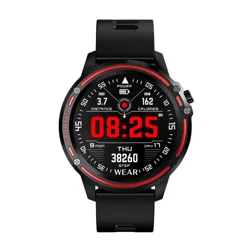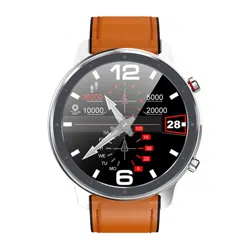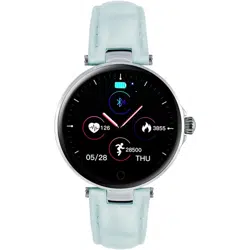

6. Measure your blood pressure: To take a measurement,
select Blood pressure measurement in the monitoring menu.
When taking a measurement, keep your hands flat and your
watch close to your skin. The accepted norm for systolic
blood pressure is 120 mm Hg and for diastolic 80 mm Hg.
However, it should be remembered that blood pressure
changes constantly during the day and also with age. The
older you get, the higher your blood pressure will be. Other
standards also apply to children and people with chronic
diseases
Read the entire manual carefully before operating the device.
It is recommended to use only the original batteries, charger
and accessories supplied with the device.
The manufacturer and distributor are not responsible for the
use of third party accessories.
(The functions mentioned in this manual may vary slightly
from model to model, as the manual is a general description
of the Smartwatch and some models may differ from standard
models).
The device should be charged for at least 2 hours before first
use.
Before using the device, you must download and install the
application and accept all permissions, as otherwise not all
functions will be available.
The company reserves the right to change the content of this
manual.
8.Sports function: select the sports mode interface. There are
many sports modes to choose from, for example: running,
walking, cycling, stationary bike, yoga, badminton. To select a
specific sports mode, click on the desired mode icon. During
sport, your watch measures time, calories burned, and heart
rate. To exit the selected mode, press the side button or swipe
the screen to the right to confirm your exit.
This product uses magnetic charging.
Connect the charger to the USB input and to the charging
contacts on the back of the device. Once connected,
charging starts automatically and the charging icon appears
on the screen.
A full charge usually takes 2 hours, the device has a standby
time of up to 25 days and 4-7 days in operation mode. Do not
use the watch while it is charging.
Note: Do not connect the magnetic charging cable to two
contacts of conductive material at the same time, as this may
cause a short circuit.
4.Pedometer: counts the number of steps taken during the
day. The clock is reset at midnight.
5.Body temperature. Perform a temperature test after 10
minutes of wearing the Smartwatch. To measure the
temperature in the Smartwatch menu, select the appropriate
icon. You can set the app to measure a constant temperature,
select "Temperature monitoring" and then confirm. You can
also set the temperature monitoring interval (start and end time
of the measurement). The monitoring interval indicates the
frequency of the measurements.
After installing the app, turn on Bluetooth and the app on
your phone.
Sign in. This can be done in various ways, e.g. via Google,
Facebook, WeChat etc. You will then need to provide
personal information, e.g. nickname, gender, date of birth,
height, weight, daily step goal, and confirm consent.
On the Devices tab, click the Add Device button. Hold the
watch near your phone and locate it. Then click the desired
model on your phone. The Smartwatch will prompt you to
accept pairing with your phone.
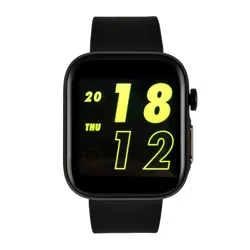
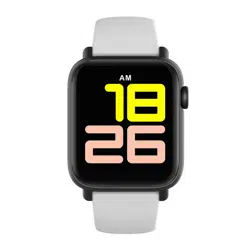
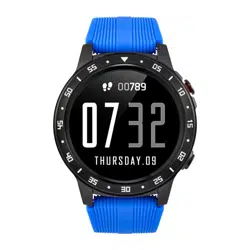
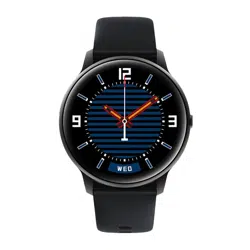
To select a dial, press and hold the home screen for about 3
seconds, then briefly click the touch button to change the
dial. Once you have made your selection, press and hold the
button for about 3 seconds to confirm your selection. There
are also many dials to choose from in the app. The home
screen can also be customised. You can choose wallpaper,
the look of the hands, in the electronic clock you can select
the colour of the time displayed, and you can add icons for
steps, heart rate, calories burned and distance covered to the
home screen.
DEAR CUSTOMER, THANK YOU FOR
PURCHASING OUR PRODUCT!
3.Activity information: expandable from the home screen
(swipe left) - number of steps, distance travelled, average heart
rate and calories burned per day. Data is stored in the app. The
counter is reset at 24:00.
Download and install the SMART TIME
PRO app and make sure your watch
can sync data with the app. The app
allows you to set goals, analyse data
and much more.
The watch must be charged and switched on before first
use.
FIRST USE
DIAL
FUNCTIONS
CHARGING INSTRUCTIONS
APLICATION
7.Heart rate: wait 2 seconds before starting the measurement.
The measurement is done by scanning the skin with a green
optical light. If you want to stop the measurement
Drag your finger to the right or left. Norms for
Heart rate results are 60-90 beats per minute. In professional
athletes, the heart rate may be less than 60 beats per minute.
However, during intense exercise, measurements can be as
high as 200 beats per minute.
1.Time/Date: Synchronises the date and time from your phone
after successfully connecting your Smartwatch to the app.
Status bar: this can be expanded from the home screen (swipe
down). It displays information about Bluetooth connectivity
status, power consumption, brightness and settings, vibration
and Do Not Disturb mode.
9. Sleep monitoring: when the user falls asleep, the watch
automatically switches to the sleep detection function. The
smartwatch records data such as the duration and quality of
sleep during sleep, as well as the number of awakenings
during the night. The data is sent to the app.
10. Camera: this function allows you to take pictures remotely
when the watch is connected to your phone. 11.
11. Alarm: can be set using the app on your phone.
12. Find your phone: press to start the alarm on your phone.
13. Schedule: you can set up to 5 appointments (shown on the
clock) and receive reminders for them.
14.Healthcare: Menstrual cycle reminder: must be set via the
app.
15.Backlight: you can set the duration of the screen backlight
(from 5 to 8 seconds). A shorter battery saves time
16.Activate the screen by moving it: When you start a function, it
appears at a time you specify.
17. Messages: (swipe right) Click a message displayed on the
watch to see its contents and scroll up or down. Swipe right to
exit.
Warranty service:
1. Under normal use of the products, as long as the product
has no mechanical damage and has not been caused by
misuse, consumers can take advantage of the free warranty
service after 24 months from the date of purchase.
2.The consumer cannot claim under the warranty if:
A. They have caused the damage themselves,
B. the warranty period has expired,
C. they have not used the product in accordance with the
instructions for use and maintenance,
D. the products have been disassembled, repaired
themselves or immersed in water.
Do not wear the watch in the shower.
-Do not wear the watch in a heated swimming pool, sauna or
other place with high temperature/humidity.
-Do not wear the watch while washing your hands or face or
while working in areas where soap or detergents are used.
-After immersion in the sea, clean the watch of salt and dirt.
WARRANTY
1. Weak battery:
If the battery is low, charge the unit immediately to protect
the life of the battery.
2. Charging:
Do not use the watch while it is charging.
3. Do not use the watch while charging.
50 degrees Celsius may cause overheating, deformation
and burning of the device.
4.Do not swim, dive or operate the device under water.
5.The device uses a built-in battery and must not be
disassembled by yourself. 6.
6.Avoid contact with eyes and skin in case of battery
rupture and leakage.
1.Protection:
-Clean the watch with a soft cloth to keep the watch and strap
clean (use clean water or sea water).
- Make sure the lens of the heart rate watch is close to your
skin.
- the skin temperature on your wrist is too low due to the
weather, affecting your heart rate monitoring.
2. consider water resistance (even if it is a water-resistant
watch):
Please note the following methods as they affect water
resistance.
www.watchmark.com
ul. Paprotna 7
Wrocław
POLAND
CHARGING
Charging is carried out using the supplied charging cable. Once
charging is complete, the watch will start automatically. If you do
not use the watch for more than a month, charge it fully and
switch it off to preserve the battery capacity.
IMPORTANT INFORMATION
PRECAUTIONS
In the app, under the "Status" tab, you will find data such as:
- Number of steps taken during the day, number of calories
burned and distance covered.
- Heart rate measurements throughout the day are displayed
on a graph. Information on maximum, average and minimum
heart rate is also available.
- Blood pressure measurements are displayed on a graph.
- Sleep quality is displayed as a graph. Provides total sleep time
and accurate sleep quality data.
- Measurement of body temperature throughout the day.
DAILY MEASUREMENTS
HARDWARE REQUIREMENTS
iOS 11.0 or later
Android 5.0 or later
Bluetooth 4.0 support
Android 5.0 + iOS 11.0 +
18. Push messages: Press "Devices", select "Push Messages"
and tick the notifications you want to receive.
19. Incoming calls: Press "Devices", select "Incoming Call", then
uncheck "Enable" to receive call notifications, and "Confirm".
20 Do not disturb: Once activated, the user will not receive any
notifications (except alarms) during the set time period.
21. Occupancy: you can use the app to set when it should
move. To set this, go to the "Devices" icon in the app and select
"Availability".
SMARTWATCH
WATCHMARK WR6
User manual
watchmark.com