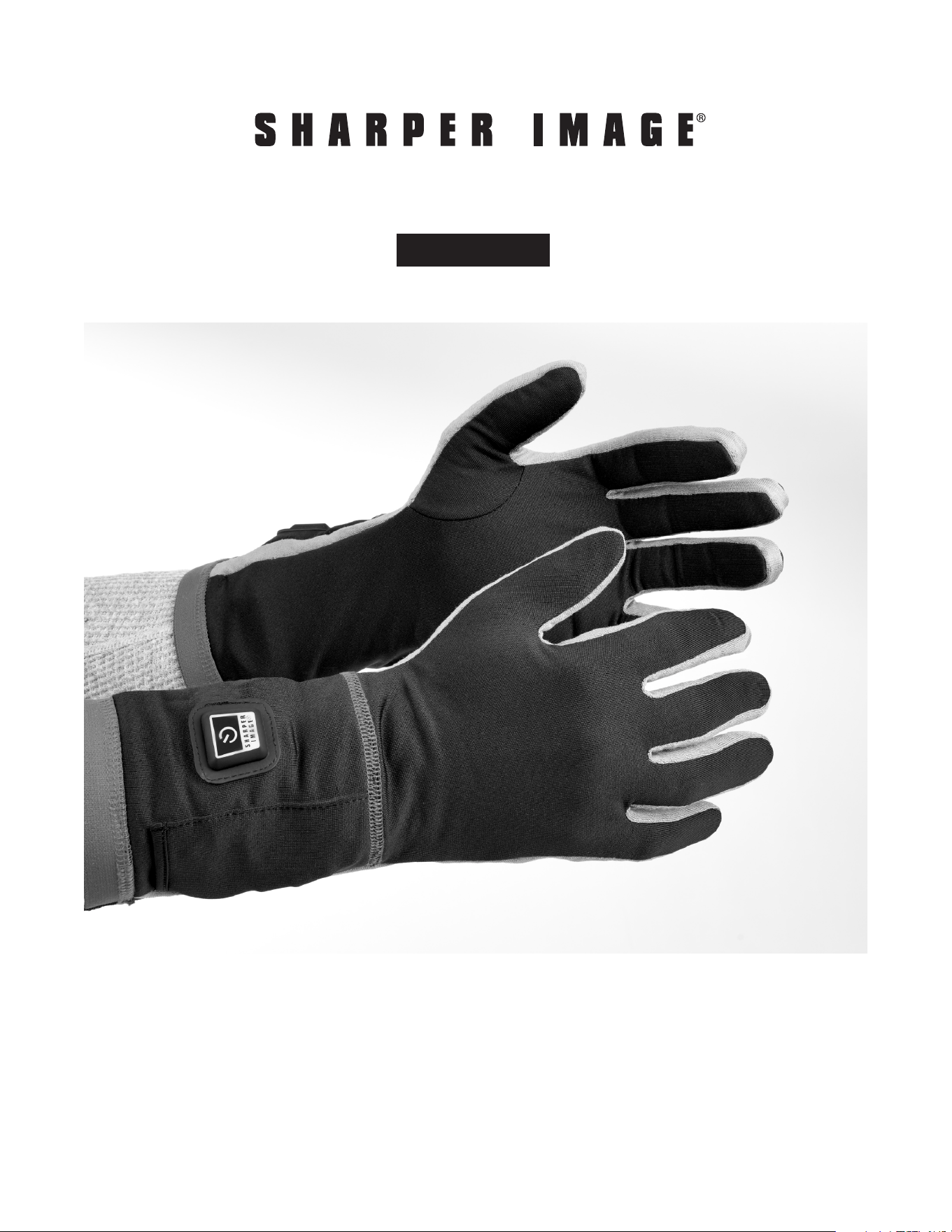
Thank you for purchasing the Sharper Image Wireless Rechargeable Warming Glove Liners.
Please take a moment to read this guide and store it for future reference.
-1-
Item No. 206948
User Guide
WIRELESS RECHARGEABLE WARMING GLOVE LINERS

-2-
FEATURES
• Wireless rechargeable warming glove liners with single zone adjustable temperature control:
(5-Minute Pre-Heat, High, Medium and Low)
• Operates on rechargeable lithium-ion batteries (2pcs 2600mAh single cell batteries)
• Includes AC adapter
HOW TO USE
1. Plug the AC adapter into an outlet.
2. Connect 2pcs batteries to the AC adapter until it is fully charged. The AC adapter will display
a green light when it is fully charged and a red light while it is charging. There are two
indicator lights for both batteries. Note: Do not force the plug into the battery.
3. The red LED light on the AC adapter indicates that it is being charged.
4. When the green indicator light on the AC adapter lights up it means that the battery is fully
charged. Note: Fully charge the Wireless Rechargeable Warming Glove Liners battery before
using for the first time. Failure to fully charge the battery prior to the first use may reduce
battery life.
5. When fully charged, disconnect the battery plug from the AC adapter.
6. Locate the input plugs inside the small pouch in the cuff of each glove and connect the
charged battery. Place the battery into the pouch once connected.
7. Press and hold the control button in the glove for three to five seconds, or until the LED light
flashes red (Pre-Heat). Pressing it again will result in a red light (High). An additional press
will result in a white light (Medium). Another press will result in a blue light (Low) and will
then cycle through from the initial heat setting.
8. The LED light on the control button of the glove will flash red indicating that it is in Pre-Heat
mode.
9. After approximately five minutes the light will change to solid white, indicating that the glove
is no longer in Pre-Heat mode. The temperature can be adjusted by pressing the control
button.
10. To turn off the glove press and hold the control button for three to five seconds, or until the
LED light turns off.
11. Unplug the battery when the glove is not in use. Store battery inside the pouch of the glove
when temporarily not in use. Note: The Wireless Rechargeable Warming Glove Liners should
only be used with the included battery and charging cable.
TEMPERATURE SETTINGS
Red - High heat: 115º F with approximate run time of 2.5 hours
White - Medium heat: 107º F with approximate run time of 4.1 hours
Blue - Low heat: Average 103º F with approximate run time of 7 hours
Note: Above results are tested under an average room temperature of 82.4 Fº

-3-
CLEANING AND MAINTENANCE
• Always remove battery from the glove before cleaning
• Spot clean with a damp cloth, hand wash in cold water with mild detergent, or machine wash
gently in cold water
• Line dry only
• Do not twist the garment as this may damage the cable
• Do not dry clean or bleach
• Do not tumble dry
• Do not iron
BATTERY USE AND CARE
• Do not use battery if you notice a change of shape (lumps), overheating when charging, rust
or corrosion on the battery connectors
• Charge the battery regularly (recommended a minimum of once every 3 months)
• Charge between each use
• The battery life is 300+ cycles before the battery will diminish in capacity output
• The lithium-ion battery provides a diminished capacity output at extreme cold temperatures.
Keep the battery away from cold to minimize the impact
• For best performance, it is recommended not to fully charge the batteries if the product
is not being used for an extended period of time. Charge for 30 minutes only and after 3
months charge the batteries again for about 30 minutes. Charge the batteries completely
before using product again.
• When battery is not in use, keep it away from other metal objects like paper clips, coins,
nails, screws or other small metal objects that can make a connection from one terminal to
another. Shorting the battery terminals together may result in burns or a fire
• Under abusive conditions, liquid may be ejected from the battery: avoid contact. If contact
accidently occurs, flush with water. If liquid comes into contact with eyes, seek medical help.
Liquid ejected from the battery may cause irritation or burns
SAFETY WARNINGS
• Do not expose product to rain. Water will increase the risk of electrical shock
• Do not abuse the power cable. Never use the cord for carrying, pulling or unplugging the
heated product. Keep the cord clear from heat, oil, sharp edges or moving parts
• Do not use on open wounds, sensitive skin areas or in the presence of poor circulation. Check
skin frequently during use to ensure rashes or burns are not developing. The FDA and CPSC
recommend the following precautions be taken to avoid hazards associated with the use of
heated clothing

-4-
ALWAYS
• Inspect heating unit before each use to assure it is in proper working order
• Discard if it looks worn or cracked, or if the electrical cord is frayed
• Read and follow all instructions prior to use
NEVER
• Use on an infant
• Use on a person who is paralyzed or has skin that is not sensitive to temperature changes
• Use on a sleeping or unconscious person
• Use in an oxygen enriched environment or near equipment that stores or emits oxygen
• Sit on this device
• Crush this device
• Unplug this device by pulling its connecting cord
• Use pins or other metallic fasteners to hold this device in place
• Do not submerge product or battery into water
• Do not cut, puncture or tear into the lining of the product
• Do not allow the battery to come into contact with water or other liquids. If water or liquids
enter the battery interior, immediately disconnect the product from the battery. Allow the
battery to dry completely before use
• Do not penetrate, strike, short-circuit or disassemble battery
• Keep all electronic components away from fire and extensive heat
• Do not leave product unattended while connected to the battery
• Only use the AC adapter and battery included with this product
• If you experience any discomfort while using this product, remove it immediately and consult
your physician before resuming use
• Check with your physician if you’re pregnant, have heart disease, a pacemaker, diabetes,
circulatory problems, sensitivity to heat, or are under the age of 13
WARRANTY / CUSTOMER SERVICE
Sharper Image branded items purchased from SharperImage.com include a 1-year limited
replacement warranty. If you have any questions not covered in this guide, please call our
Customer Service department at 1 (877) 210-3449. Customer Service agents are available
Monday through Friday, 9:00 a.m. to 6:00 p.m. ET.
The SHARPER IMAGE® name and logo are registered trademarks.
©Sharper Image. All Rights Reserved.
