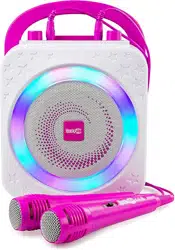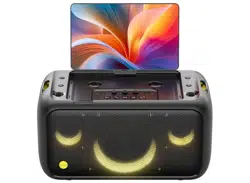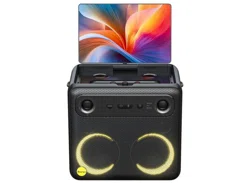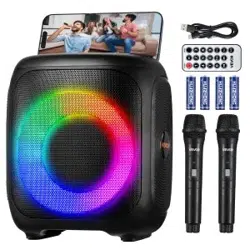
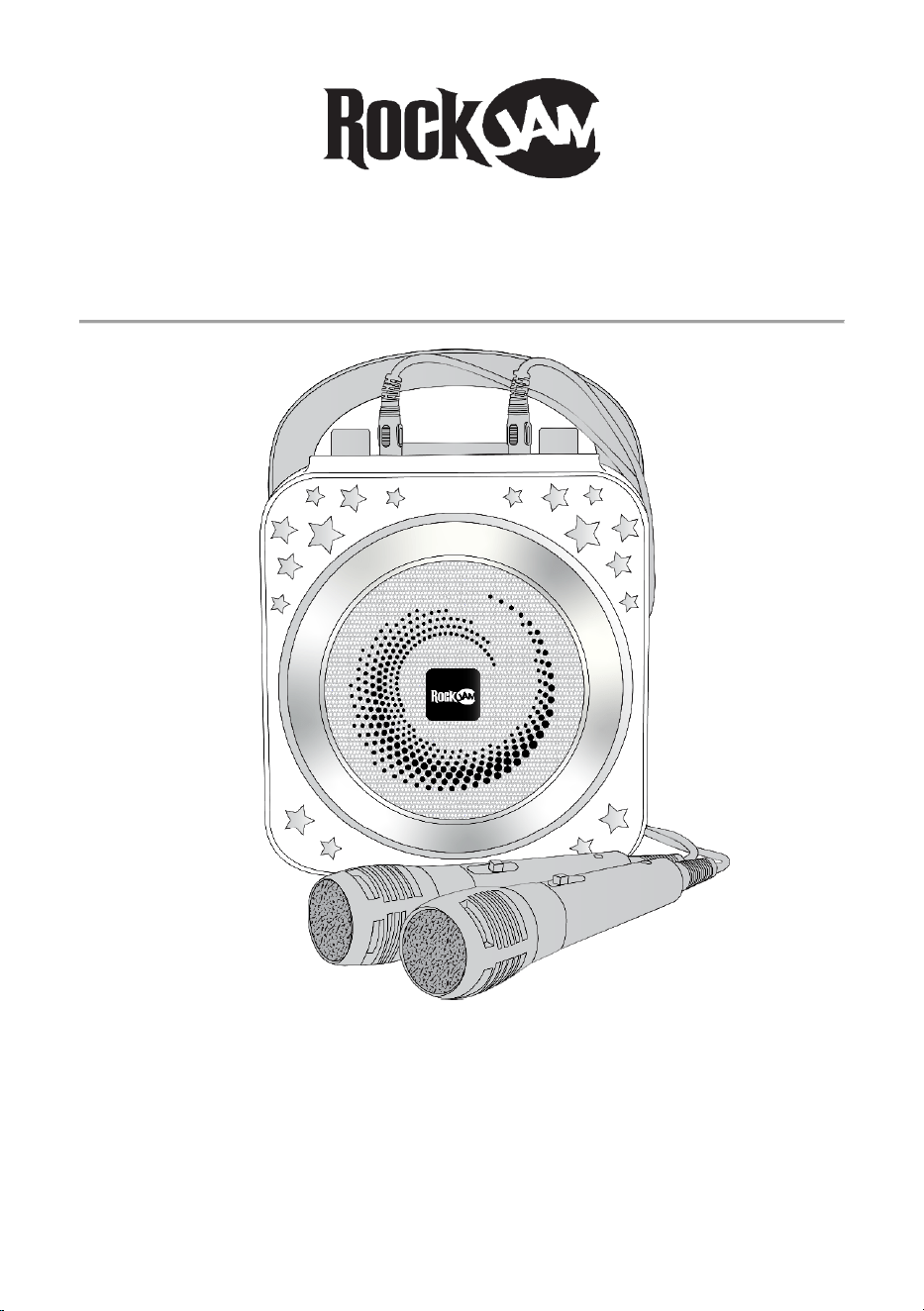
Bluetooth Karaoke Party Speaker
RJPS150
User Guide
Please read this user guide first before operating the speaker and save it for future reference.
Congratulations on your purchase of this RockJam Karaoke Party Speaker.
To get the most from your purchase, please take a few minutes to read these instructions.

1
Warnings
This product is designed primarily for indoor use. Do not expose to rain or other kinds of moisture as that
could lead to irreparable damage and the risk of electric shock.
Do not open the Bluetooth Speaker casing under any circumstance. This could lead to damage or risk of
electric shock.
Important Safety Instructions
1. Read instructions - All the safety and operating instructions should be read before the appliance is
operated
2. Retain instructions - The safety and operating instructions should be retained for future reference.
3. Heed Warnings - All warnings on the appliance and in the operating instructions should be adhered to.
4. Follow instructions - All operation and use instructions should be followed.
5. Water and Moisture - The appliance should not be used near water; for example, near a bathtub,
washbowl, kitchen sink, laundry tub, in a wet basement, or near a swimming pool, and the like.
6. Heat - The appliance should be situated away from heat sources such as radiators, stoves or other
appliances (including amplifiers) that produce heat.
7. Power Sources - The appliance should be charged from a power supply only of the type described in
the operating instructions or as marked on the appliance.
8. Cleaning - The appliance should be cleaned only with a lightly dampened cloth. Do not use solvents
that will damage the plastics finish.
9. Long Periods of Non-Use - The Bluetooth Speaker should be unplugged from the USB charging source
when left unused for a long period of time.
10. Object and Liquid Entry - Care should be taken so that objects do not fall, and liquids are not spilled
into the enclosure through openings.
11. Damage Requiring Service - The appliance should be serviced by qualified service personnel when:
• The USB power connector has been damaged; or
• Objects have fallen, or liquid has been spilled into the appliance; or
• The appliance has been exposed to rain; or
• The appliance does not appear to operate normally or exhibits a marked change in
performance; or
• The appliance has been dropped, or the enclosure damaged.
12. Servicing - The user should not attempt to service the appliance beyond that described in the
operating instructions. All other servicing should be referred to qualified service personnel.

2
Battery Information
1. Do not dismantle, open or shred secondary cells or batteries.
2. Do not expose cells or batteries to heat or fire. Avoid storage in direct sunlight.
3. Keep batteries out of the reach of children.
4. Battery usage by children should be supervised. Especially keep small batteries out of reach of small
children.
5. Seek medical advice immediately if a cell or a battery has been swallowed.

3
Index
Warnings .............................................................................................................................................................................. 1
Important Safety Instructions ............................................................................................................................................... 1
Battery Information ............................................................................................................................................................... 2
Location of Controls ............................................................................................................................................................. 4
Initial Setup .......................................................................................................................................................................... 5
Unpacking ...................................................................................................................................................................... 5
Charging the Karaoke Party Speaker ............................................................................................................................ 5
Operation.............................................................................................................................................................................. 6
Switching the Karaoke Party Speaker On/ Off .............................................................................................................. 6
Bluetooth Operation ....................................................................................................................................................... 6
USB Operation ............................................................................................................................................................... 6
Song control ................................................................................................................................................................... 6
Volume control ............................................................................................................................................................... 7
Switching the Lightshow On/Off..................................................................................................................................... 7
Voice Effects .................................................................................................................................................................. 7
Listening to your iPhone, iPod, MP3 player etc. (AUX input) ........................................................................................ 7
Using the Microphone .................................................................................................................................................... 8
Troubleshooting Guide ......................................................................................................................................................... 8
No power ........................................................................................................................................................................ 8
No lightshow effect ......................................................................................................................................................... 8
No sound – Bluetooth mode .......................................................................................................................................... 8
No sound – AUX Input mode ......................................................................................................................................... 9
No sound- USB .............................................................................................................................................................. 9
No sound from the microphone ..................................................................................................................................... 9
Bluetooth device pairing problems ................................................................................................................................ 9
Other Bluetooth problems ............................................................................................................................................ 10
Finding Karaoke Videos to Sing Along to .......................................................................................................................... 10
Product Disposal Instructions ............................................................................................................................................ 10
FCC Compliance Statement .............................................................................................................................................. 11
EU and UK Regulatory Compliance .................................................................................................................................. 11
Specifications ..................................................................................................................................................................... 12
AUDIO .......................................................................................................................................................................... 12
BLUETOOTH ............................................................................................................................................................... 12
MISCELLANEOUS ...................................................................................................................................................... 12
4
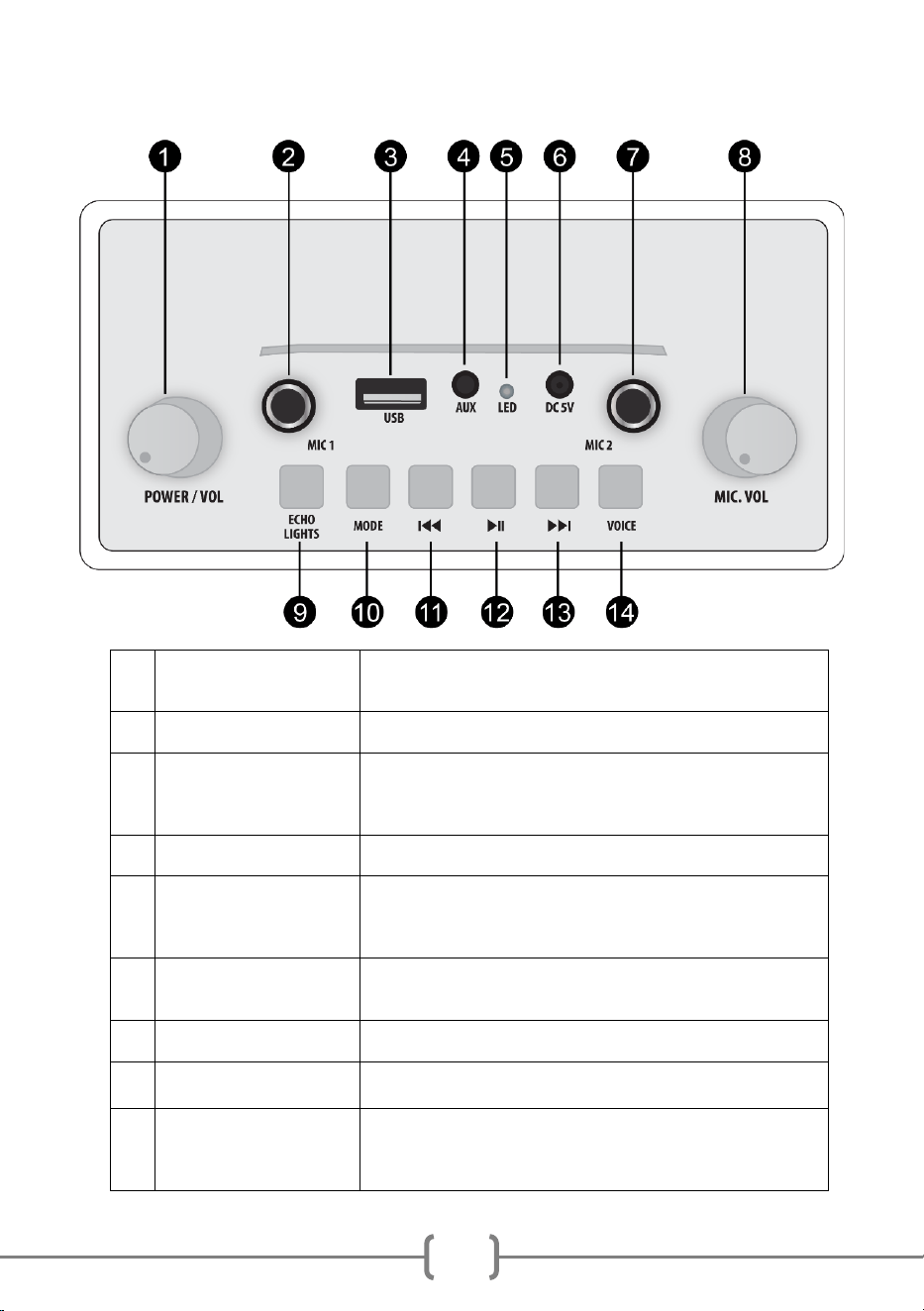
Location of Controls
1
POWER/ VOLUME
CONTROL
Turn to power on or off. When powered on, turn to adjust the output
volume.
2
MIC 1 INPUT SOCKET
Plug in the microphone supplied here.
3
USB INPUT/ OUTPUT
Connect a USB drive to play stored MP3 music files.
You can also use this port to charge your phone by using the speaker
as a power bank.
4
AUX INPUT
Connect the external audio device here with the cable supplied.
5
CHARGE INDICATOR
LED
Lights up red during charging and goes off when fully charged.
NOTE: The speaker can be left connected to the charger when off or
in use; it will not overcharge.
6
5V DC Charger Input
Connect the USB charge cable here and charge from a USB charger
or computer USB port.
7
MIC 2 INPUT SOCKET
Plug in the microphone supplied here.
8
MIC VOLUME
CONTROL
Turn to adjust the output volume of the plugged-in microphone/s
9
ECHO/ LIGHTS
ECHO: Press once for low echo, press again for high echo, press a
third time to turn the echo off. Press again to turn the echo back on.
LIGHTS: Press and hold button to turn the light show OFF. Press
and hold button to turn the light show back ON.

5
10
MODE BUTTON
Press to select between input modes such as Bluetooth, AUX and
USB
11
SKIP BACK BUTTON
Press once to go back to the start of the track. Press twice to select
the previous track. (Does not work in Aux mode)
12
PLAY/ PAUSE BUTTON
Press to alternately pause and play the music.
NOTE: In AUX input mode, the music is muted but not paused.
13
SKIP FORWARD
BUTTON
Press to go to the start of the next track. (Does not work in Aux
mode)
14
VOICE
Press to select a voice effect. There are 4 voice effects + normal
voice to choose from.
Initial Setup
Unpacking
Unpack the karaoke party speaker carefully. We recommend that you save the box and packing
materials in case you wish to store the speaker. Before setting up the unit, verify that the
following accessories are present:
• 1 x USB power cable
• 1 x AUX input audio cable
• 2 x Wired Microphones
Charging the Karaoke Party Speaker
Unwind the USB power cable to its full length; connect one end to the DC 5V input jack on the
top of the speaker. Connect the other end to a USB power adapter or PC USB port. The charge
indicator LED will light up red to indicate charging. Charge for at least 4 hours before first use.
The charge indicator LED will go out when the speaker is fully charged.

6
Operation
Switching the Karaoke Party Speaker On/ Off
Turn the POWER/ VOLUME control to the right to switch on. You will feel a click and a chime
will be heard. The speaker will power up in Bluetooth mode and will be actively searching for an
available Bluetooth audio device. To turn the speaker off, turn the POWER/ VOLUME control
fully to the left until you feel the click and cannot turn anymore.
Bluetooth Operation
The RockJam Party Speaker is a high-quality Bluetooth speaker. Music can be played through
the Speaker from a compatible Bluetooth device such as a mobile phone or tablet device.
After the power up chime you will hear a “Ding Dong” sound. This means the speaker is
searching for a Bluetooth device.
Using your mobile phone or other Bluetooth enabled device, search for Bluetooth devices and
select ‘RJPS150’ from the list of devices found. The Bluetooth device should then connect to
the karaoke speaker. You will hear the same “Ding Dong” when a successful connection is
established.
USB Operation
You can listen to MP3 music files which are stored on a USB stick.
• Insert USB stick, press the MODE button until a “De de de” sound is heard.
• Use the controls on the top of the speaker to play/ pause/ skip the music.
Switch between all input modes using the MODE button.
Note that you can also charge your phone from the USB socket on the speaker with a USB
cable (not supplied)
Song control
• Press the PLAY/ PAUSE button to alternately play and pause the song.

7
• Press the SKIP BACK button to go back to the start of the track. Press twice to select
the previous track. (Does not work in Aux mode).
• Press the SKIP FORWARD button to play the next track.
(Does not work in Aux mode).
Volume control
Adjust the connected microphone volume by using the separate Mic Vol control.
The speaker output volume can be adjusted in two ways as follows;
• Adjust the volume on the Bluetooth device, mobile phone, tablet computer, iPad etc.
• Turn the POWER/ VOLUME control to the left and right.
Switching the Lightshow On/Off
Press and hold the ECHO/ LIGHTS button to switch the lightshow on or off.
Voice Effects
Press the VOICE button to choose a voice effect. Cycle through the 4 different voice effects and
normal voice by pressing the button.
Listening to your iPhone, iPod, MP3 player etc. (AUX input)
You can listen to the sound of a connected external audio device such as an iPhone, iPod or
MP3 player through your speaker. Connect one end of the 3.5 mm jack cable supplied to the
AUX input socket located at the top of karaoke party speaker, and the other end to your audio
equipment (iPhone, iPod, MP3, PC, CD player, etc). Press the MODE button to select the AUX
input mode, you will hear a “De de de” sound. Operate the audio device as normal.
NOTE: Use the SKIP FORWARD/ BACKWARD controls of the connected audio device to
control the song playback. Use the PLAY/PAUSE button on the speaker to mute and then
unmute the music playback.

8
Using the Microphone
You can sing along to any music playing from the karaoke speaker using the microphones
included. Plug the microphone/s into the MIC1/ MIC2 socket/s on the top of the speaker. Adjust
the microphone volume and echo control as desired. If any howling sound occurs, then stand
further away from the speaker or reduce the music or microphone volume until the howling
stops.
NOTE: Do not tap or bang the microphone as this can cause damage to both the microphone
and speaker. Be careful not to twist or strain the microphone cable and do not swing the
microphone by the cable as this will cause irreparable damage.
Troubleshooting Guide
If you encounter any issues while using the karaoke speaker then please check the following
before contacting the retailer or manufacturer for further help:
No power
• The power is not on; make sure the party speaker POWER/ VOLUME control is not turned
fully to the left.
• The karaoke speaker could be completely out of charge. Recharge the speaker using a USB
power supply and then try again.
No lightshow effect
• The Lightshow is probably just switched off. Press and hold the ECHO/ LIGHTS button to turn
on the lights.
No sound – Bluetooth mode
• Make sure that you are not trying to use Bluetooth while the AUX in cable is connected.
• The main volume could be set to minimum; raise the volume.

9
No sound – AUX Input mode
• Make sure the 3.5mm jack cable has been plugged in.
• Make sure the iPod/ iPhone/ MP3 player is connected properly and that a song is playing.
• Adjust the volume on the audio device.
No sound- USB
• Make sure the USB contains music files in MP3 format.
• The main volume could be set to minimum; raise the volume.
No sound from the microphone
• Make sure the microphone is firmly connected to the MIC socket.
• Make sure the ON/ OFF switch on the microphone is set to the ON position.
• Make sure the MIC VOL control setting is not set too low.
• The main volume could be set to minimum; raise the volume.
Bluetooth device pairing problems
Mobile phone or Tablet etc. cannot be paired or connected with the Karaoke Party speaker.
• You may not have not activated the Bluetooth function of your mobile device; refer to
the Bluetooth device user guide.
• The speaker is not in pairing mode; switch the karaoke party speaker off and then on to restart
pairing.
• Another Bluetooth device may be connected; disconnect that device before trying to connect a
new Bluetooth device.

10
Other Bluetooth problems
The music does not play on the karaoke speaker after successfully connecting with Bluetooth
• Ensure your Bluetooth device can support the A2DP Bluetooth profile.
• The volume on the external Bluetooth device is set to low or muted; raise the volume of the
Bluetooth device as required.
• The Bluetooth audio breaks up. Move the Bluetooth device closer to the party speaker or
switch off the ‘Wi-Fi’ on the Bluetooth device as that can sometimes improve the audio playback
quality.
Finding Karaoke Videos to Sing Along to
‘Karaoke videos’ can be found easily by searching online using a search provider such as
Google. YouTube is also a great source for Karaoke videos.
A good source of content:
https://www.youtube.com/user/TheKARAOKEChannel
Disclaimer: PDT Ltd. is not responsible for any content on ‘The KARAOKE Channel’
Product Disposal Instructions
The symbol shown here and, on the product, means that the product is classed as
Electrical or Electronic Equipment and should not be disposed with other
household or commercial waste at the end of its working life.
The Waste Electrical and Electronic Equipment (WEEE) Directive (2012/19/EU) has been put in
place to encourage the recycling of products using best available recovery and recycling
techniques to minimise the impact on the environment, treat any hazardous substances and
avoid the increase of landfill.

11
When you have no further use for this product, please dispose of it using your local authority’s
recycling processes. For more information please contact your local authority or the retailer
where the product was purchased.
FCC Compliance Statement
This device complies with part 15 of the FCC Rules. Operation is subject to the following two
conditions: (1) This device may not cause harmful interference, and (2) this device must accept
any interference received, including interference that may cause undesired operation.
EU and UK Regulatory Compliance
PDT Ltd. As manufacturer declares that the radio equipment described within is in compliance
with Directive 2014/53/EU (Radio Equipment) and bears the CE and UKCA marks in
accordance with that directive.
The full text of the EU declaration of conformity is available at the following internet address:
https://pdtuk.com/declaration-of-conformity-library/
European Distributor and Authorised Representative:
AVESTA, 33 Avenue du Maréchal - de - Lattre - de - Tassigny, 94120 Fontenay-sous-Bois,
France
Designed and manufactured by:
PDT Ltd. Unit 4B, Greengate Industrial Estate, White Moss View, Middleton, Manchester,

12
Specifications
AUDIO
OUTPUT POWER (MAXIMUM)............................................................8 Watts RMS
SPEAKER FULL RANGE DRIVER RATING.........................13.5 cm, 10W, 3 Ohms
FREQUENCY RESPONSE............................................................... 150Hz - 20kHz
SIGNAL-TO-NOISE RATIO............................................................................ >70dB
BLUETOOTH
Working Distance................................Up to 10 metres in open space (less indoors)
MISCELLANEOUS
Lithium Battery....................................................................................3.7V, 1800 mAh
Power Input………………………………………………………...5V DC @ 500 mA max
Light Output……………………………………..……… 14 LEDS, Red, Green and Blue
Dimensions (L x W x H) …................................................................20.5 x 14 x 26 cm
Weight…............................................................................................................1.25 kg
Specifications are subject to change without notice.
iPod and iPhone are trademarks of Apple Inc. registered in the U.S. and other countries.
RockJam is a trademark of PDT Ltd. registered in the UK and USA