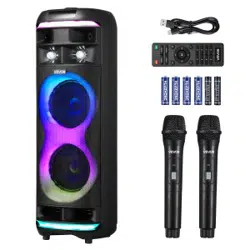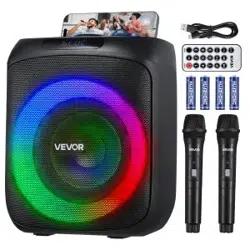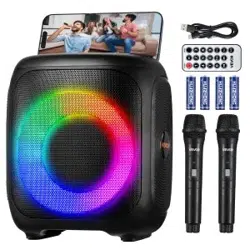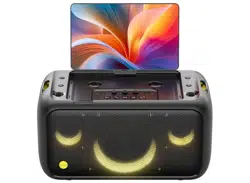

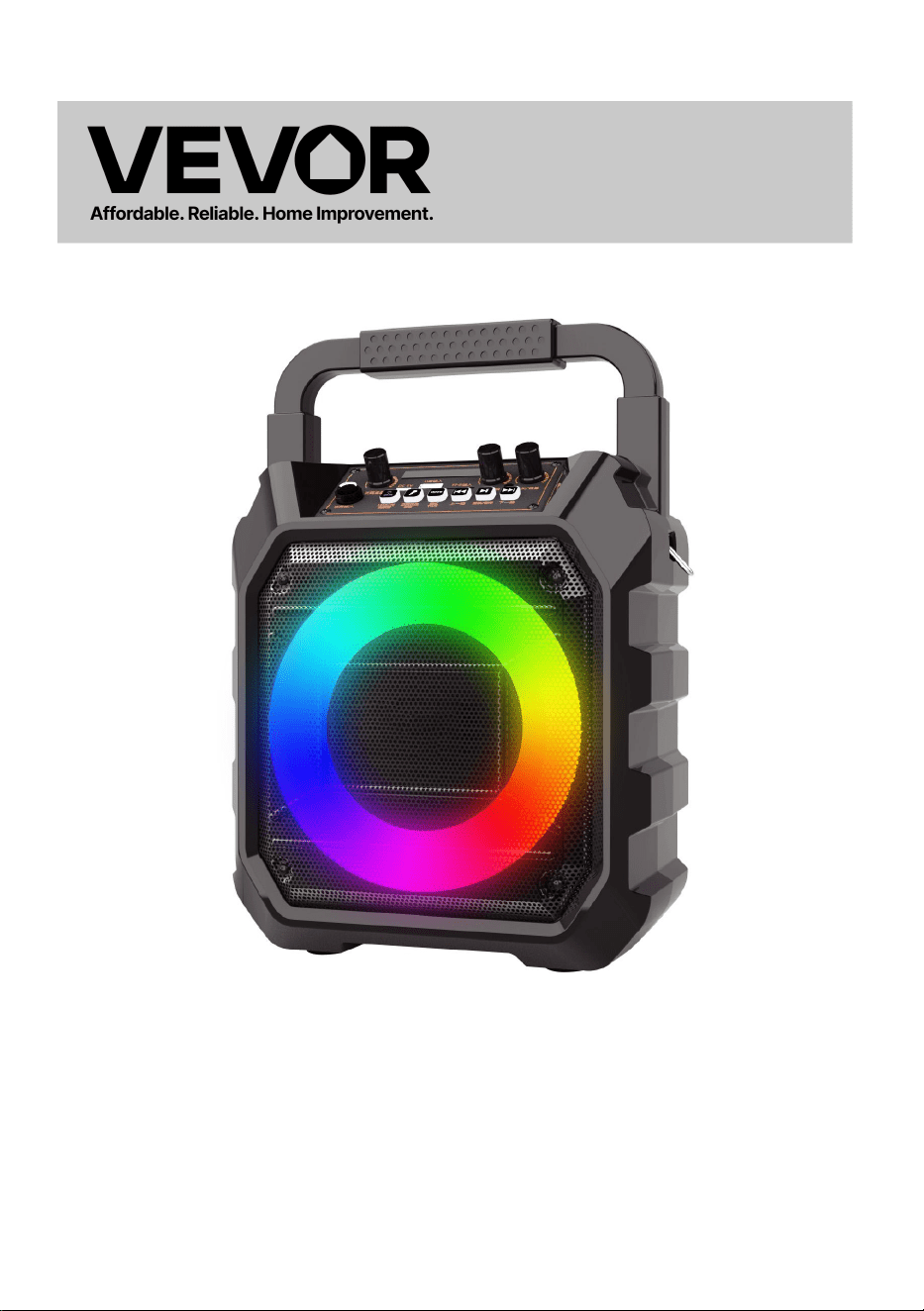
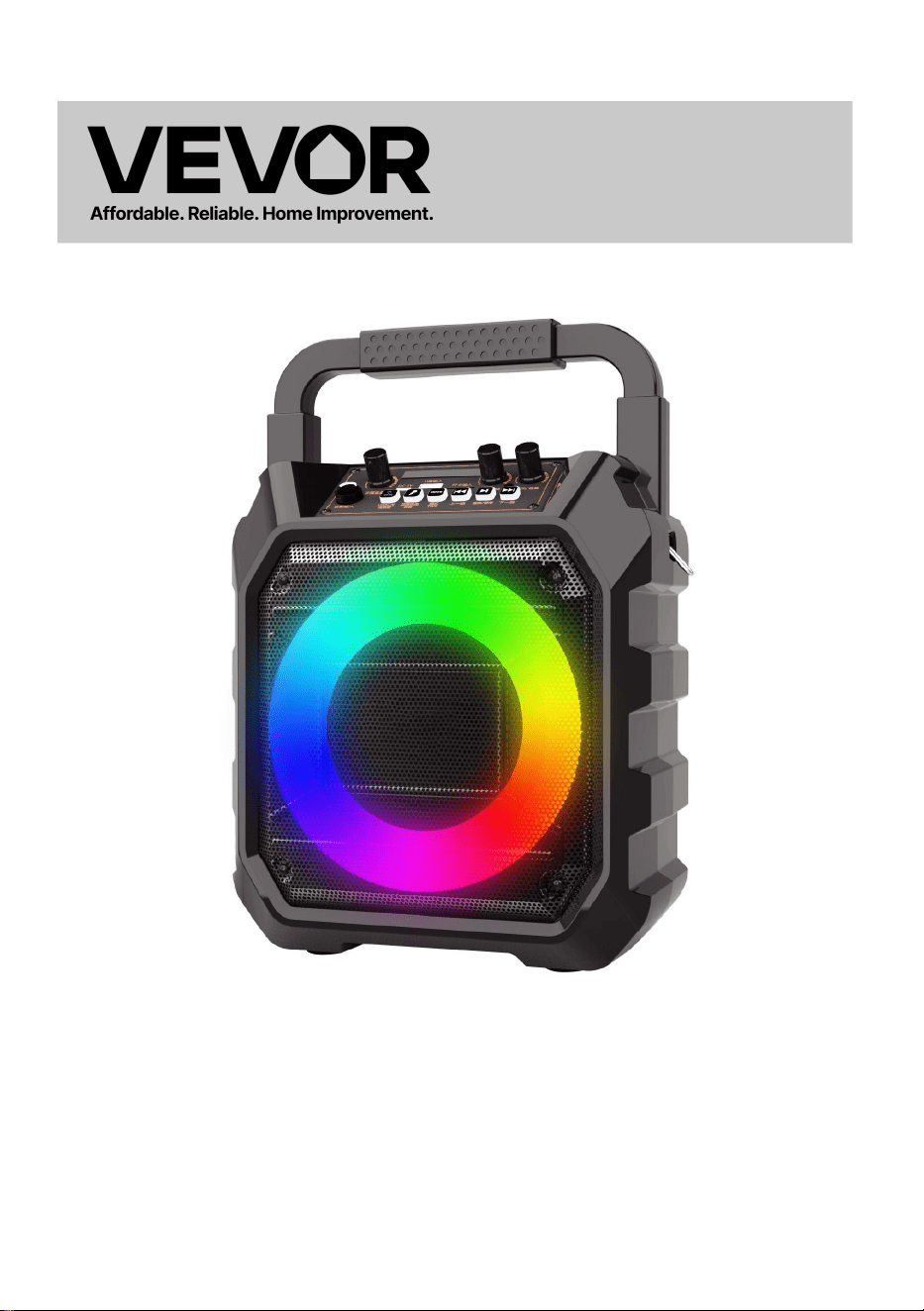
KARAOKE MACHINE
MODEL: Q61
Technical Support and E-Warranty Certificate
www.vevor.com/support

- 1 -
MODEL: Q61
This is the original instruction, please read all manual instructions
carefully before operating. VEVOR reserves a clear interpretation of our
user manual. The appearance of the product shall be subject to the
product you received. Please forgive us that we won't inform you again if
there are any technology or software updates on our product.
KARAOKE MACHINE
- 2 -
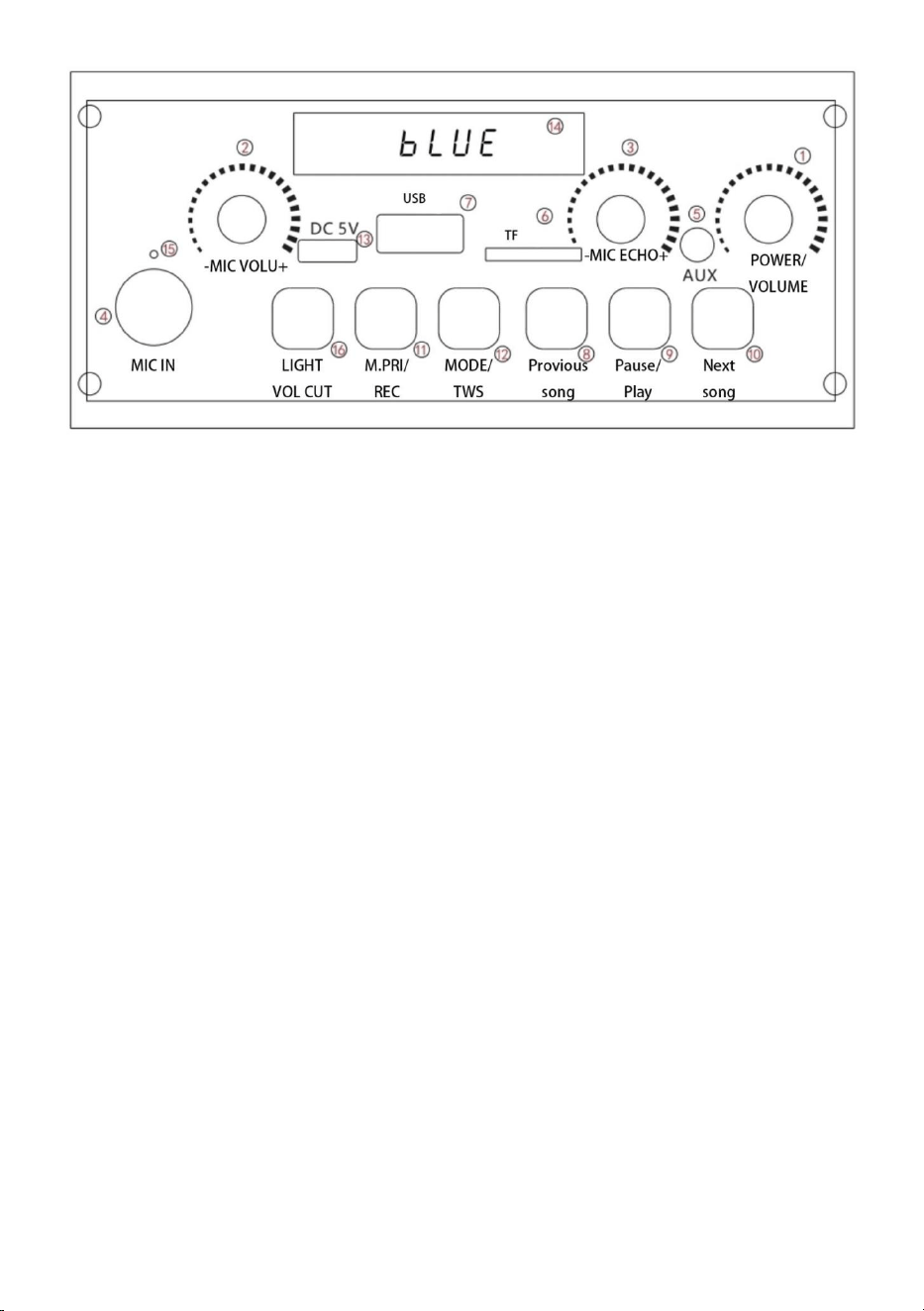
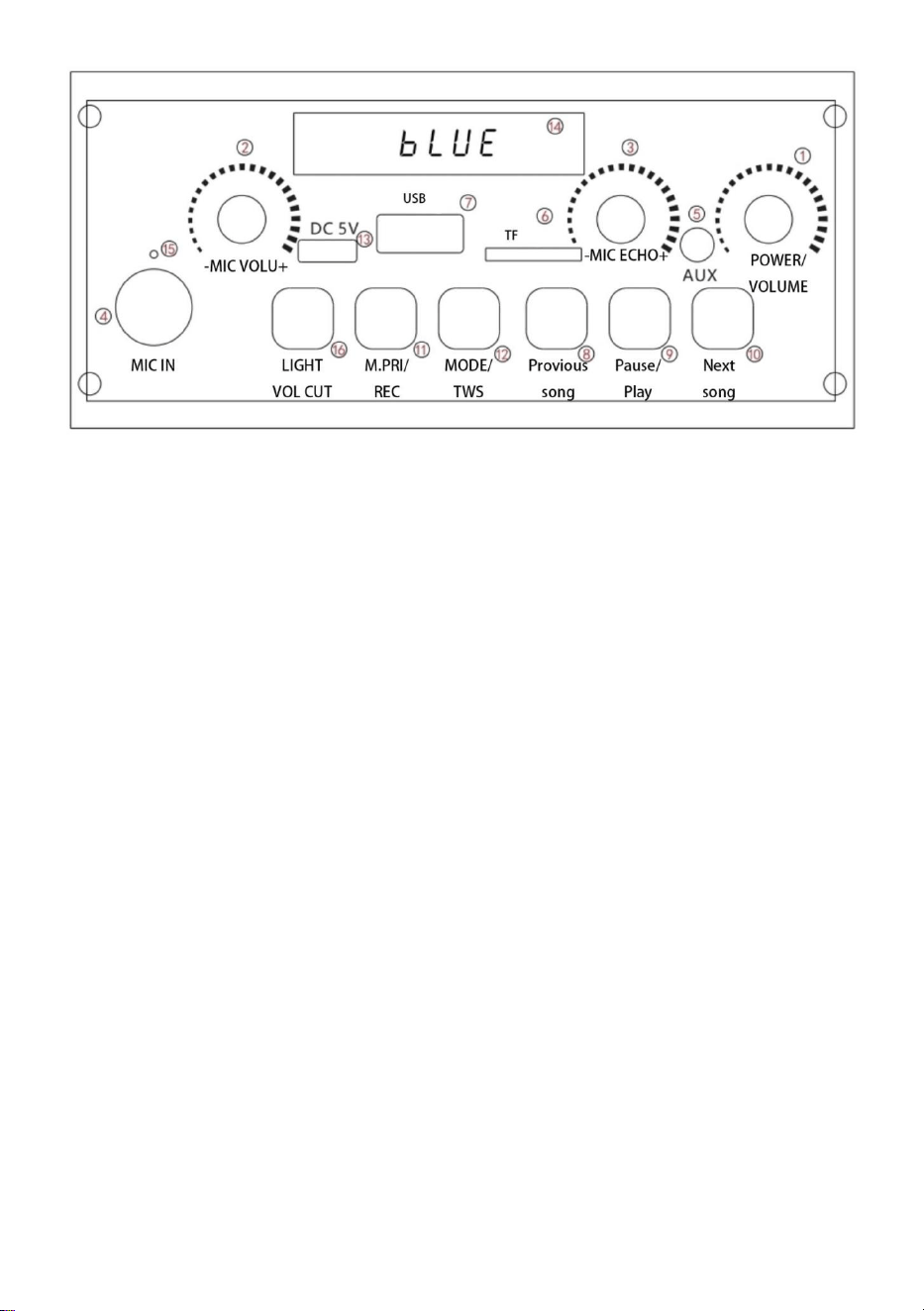
1. Switch/Volume: Turn the power on/off, control the volume, -the
volume decreases, and +the volume increases.
2. Microphone volume: When the microphone is in use, the
microphone volume can be adjusted as required.
3. Reverberation volume: Reverberation volume adjustment.
4. Microphone: Microphone 6.5mm interface
5. AUX: It means that the sound source of other audio equipment is
connected with the corresponding 35mm interface and audio cable
to play music.
6.TF card input: Music in TF card can be played on this interface.
7.USB input: the music in the U disk can be played on this interface.
8.Previous song: song selection
9.Play/Pause: You can pause the current song while the music is
playing. In music mode, press and hold this key to enter recording,
and then press and hold to exit.
10. Next song: short press to select the song, long press to cancel
the original sound.

- 3 -
11.Microphone priority/recording: short press "Microphone priority"
to turn it on. When the microphone calls, the background music
fades, stops calling, and the background music rises again.
When TF card or USB flash drive is inserted, it just prompted that
there is a recording mode.
12.Mode /TWS: switch between various modes, Bluetooth /FM/TF
card /U disk /AUX,TWS: two-machine couplet of the same model.
13.Charging: When the speaker is low in power, please charge it in
time, and do not use it without power.
14.Display screen: playback status display
15.Charging indicator light: red light in charging state, full and off.
LED lighting/sound elimination: short press the lighting mode to
switch, long press to enter the "sound elimination" mode,the display
screen shows “ON” that is, the accompaniment mode, and the vocal
part of the song fades,keep the accompaniment music.Press and
hold it again,the display screen will show “OFF”
16. Troubleshooting:Please refer to our company’s products.
17.Built-in high-capacity battery for consecutive playback of up to 8 hours.

- 4 -
Manufacturer: Shanghaimuxinmuyeyouxiangongsi
Address: Shuangchenglu 803nong11hao1602A-1609shi, baoshanqu,
shanghai 200000 CN.
Imported to AUS: SIHAO PTY LTD. 1 ROKEVA STREETEASTWOOD
NSW 2122 Australia
Imported to USA: Sanven Technology Ltd. Suite 250, 9166 Anaheim
Place, Rancho Cucamonga, CA 91730
REP
UK
YH CONSULTING LIMITED. C/O YH Consulting
Limited Office 147, Centurion House, London
Road, Staines-upon-Thames, Surrey, TW18 4AX
REP
EC
E-CrossStu GmbH
Mainzer Landstr.69,
60329 Frankfurt am Main.


Technical Support and E-Warranty Certificate
www.vevor.com/support

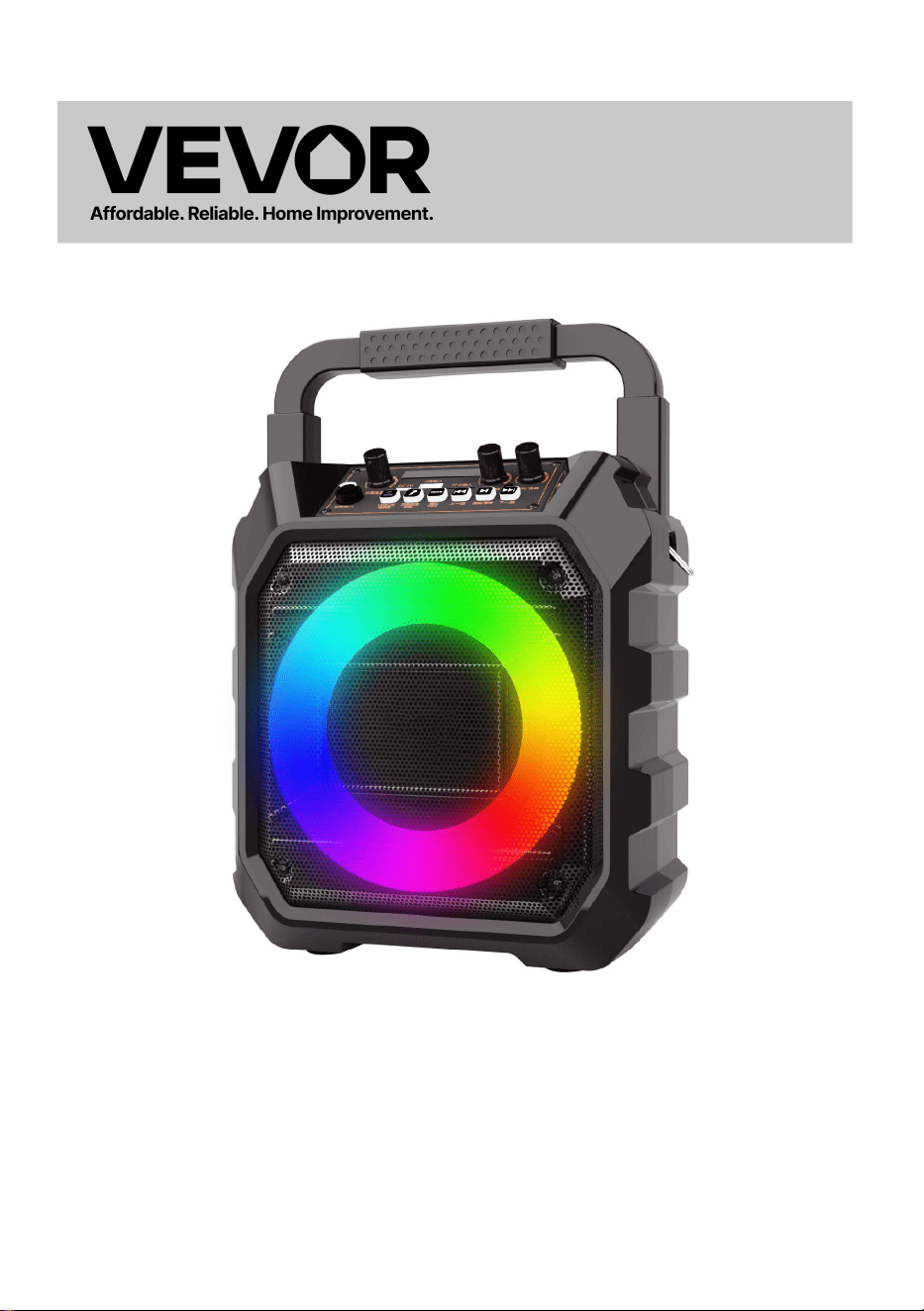
MACHINE DE KARAOKÉ
MODÈLE : Q61
Assistance technique et certificat de garantie électronique
www.vevor.com/support

- 1 -
MODÈLE : Q61
Ceci est le mode d'emploi d'origine. Veuillez lire attentivement l'intégralité
du manuel avant utilisation. VEVOR se réserve le droit d'interpréter
clairement ce manuel d'utilisation. L'apparence du produit dépend du
produit que vous avez reçu. Veuillez nous excuser pour les éventuelles
mises à jour technologiques ou logicielles.
KARAOKE MACHINE
- 2 -
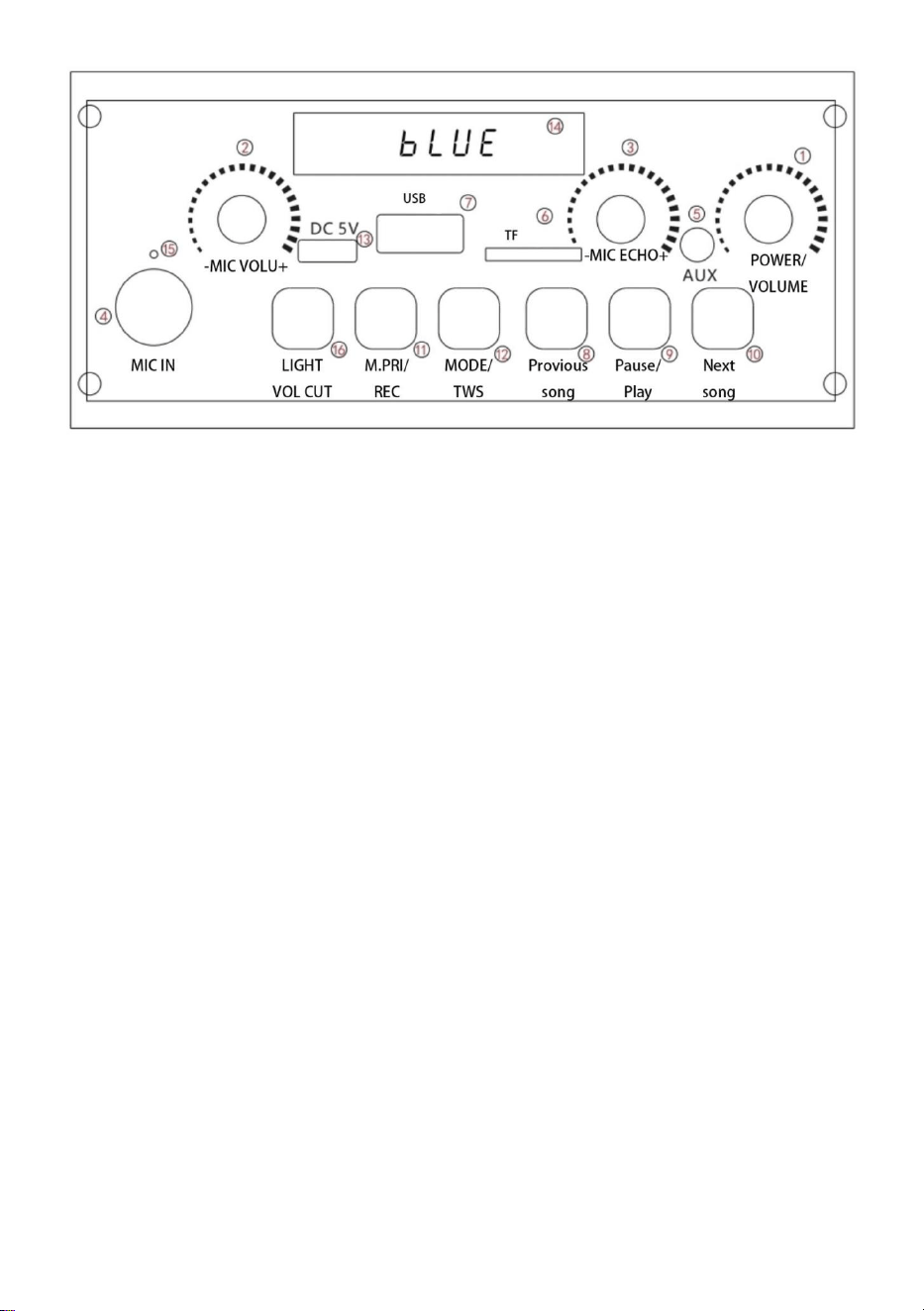
1. Interrupteur/Volume : Allumer/éteindre l'appareil, contrôler le
volume, -le volume diminue, et +le volume augmente.
2. Volume du microphone : lorsque le microphone est utilisé, le le
volume du microphone peut être réglé selon les besoins.
3. Volume de réverbération : Réglage du volume de réverbération.
4. Microphone : Interface microphone 6,5 mm
5. AUX : Cela signifie que la source sonore d'un autre équipement
audio est connectée à l'interface 35 mm correspondante et au câble
audio pour lire de la musique.
6. Entrée de carte TF : la musique de la carte TF peut être lue sur
cette carte interface.
7. Entrée USB : la musique du disque U peut être lue sur cette
interface.
8. Chanson précédente : sélection de chansons
9. Lecture/Pause : vous pouvez mettre la chanson en cours de
lecture en pause. En mode musique, maintenez cette touche
enfoncée pour lancer l'enregistrement, puis pour quitter.

- 3 -
10. Chanson suivante : appuyez brièvement pour sélectionner la
chanson, appuyez longuement pour annuler le son d'origine.
11. Priorité microphone/enregistrement : appuyez brièvement sur
« Priorité microphone » pour activer la fonction. Lorsque le
microphone sonne, la musique de fond s'atténue, s'arrête et
reprend.
Lorsqu'une carte TF ou une clé USB est insérée, un message
indique simplement qu'un mode d'enregistrement est disponible.
12.Mode /TWS : basculer entre différents modes, Bluetooth
/FM/carte TF /disque U /AUX,TWS : coupleur à deux machines du
même modèle.
13. Chargement : lorsque la batterie du haut-parleur est faible,
veuillez le charger à temps et ne l'utilisez pas sans alimentation.
14. Écran d'affichage : affichage de l'état de lecture
15.Voyant de charge : voyant rouge en état de charge, plein et
éteint.
Éclairage LED/élimination du son : appuyez brièvement sur le mode
d'éclairage pour changer, appuyez longuement pour entrer dans le
mode « élimination du son », l'écran d'affichage affiche « ON »
c'est-à-dire le mode d'accompagnement, et la partie vocale de la
chanson s'estompe, gardez la musique d'accompagnement.
Appuyez et maintenez à nouveau, l'écran d'affichage affichera «
OFF »
18. Dépannage : veuillez vous référer aux produits de notre société.
19.Batterie haute capacité intégrée pour une lecture consécutive jusqu'à 8
heures.

- 4 -
Fabricant : Shanghaimuxinmuyeyouxiangongsi
Adresse : Shuangchenglu 803nong11hao1602A-1609shi, baoshanqu,
Shanghai 200 000 CN.
Importé en Australie : SIHAO PTY LTD. 1 ROKEVA STREET, ASTWOOD
NSW 2122 Australie
Importé aux États-Unis : Sanven Technology Ltd. Suite 250, 9166
Anaheim
Lieu, Rancho Cucamonga, CA 91730
REP
UK
YH CONSULTING LIMITED. C/O YH Consulting
Limited Office 147, Centurion House, London
Road, Staines-upon-Thames, Surrey, TW18 4AX
REP
EC
E-CrossStu GmbH
Mainzer Landstr.69,
60329 Frankfurt am Main.


Assistance technique et certificat de garantie électronique
www.vevor.com/support

KARAOKE-MASCHINE
MODELL: Q61
Technischer Support und E-Garantie-Zertifikat
www.vevor.com/support

- 1 -
MODELL: Q61
Dies ist die Originalanleitung. Bitte lesen Sie alle Anweisungen sorgfältig
durch, bevor Sie das Gerät in Betrieb nehmen. VEVOR behält sich das
Recht vor , die Bedienungsanleitung klar und deutlich zu interpretieren.
Das Aussehen des Produkts hängt vom gelieferten Produkt ab. Bitte
haben Sie Verständnis dafür, dass wir Sie nicht erneut über Technologie-
oder Software-Updates informieren.
KARAOKE MACHINE
- 2 -
1. Schalter/Lautstärke: Ein-/Ausschalten, Lautstärke regeln, -die
Lautstärke verringern, und +die Lautstärke erhöht sich.
2. Mikrofonlautstärke: Wenn das Mikrofon verwendet wird, Die
Mikrofonlautstärke kann nach Bedarf angepasst werden.
3. Nachhalllautstärke: Einstellung der Nachhalllautstärke.
4. Mikrofon: Mikrofon 6,5 mm Schnittstelle
5. AUX: Bedeutet, dass die Tonquelle eines anderen Audiogeräts
mit der entsprechenden 35-mm-Schnittstelle und dem Audiokabel
verbunden ist, um Musik abzuspielen.
6.TF-Karteneingang: Musik auf der TF-Karte kann hierauf abgespielt
werden Schnittstelle.
7. USB-Eingang: Die Musik auf der U-Disk kann über diese
Schnittstelle abgespielt werden.
8.Vorheriges Lied: Liedauswahl
9. Wiedergabe/Pause: Sie können den aktuellen Song während der
Musikwiedergabe pausieren. Halten Sie im Musikmodus diese Taste
gedrückt, um die Aufnahme zu starten, und halten Sie sie dann
gedrückt, um sie zu beenden.

- 3 -
10. Nächstes Lied: kurz drücken, um das Lied auszuwählen, lange
drücken, um den Originalton abzubrechen.
11. Mikrofonpriorität/Aufnahme: Drücken Sie kurz auf
„Mikrofonpriorität“, um sie einzuschalten. Wenn das Mikrofon ruft,
wird die Hintergrundmusik ausgeblendet, der Anruf wird beendet
und die Hintergrundmusik wird wieder lauter.
Wenn eine TF-Karte oder ein USB-Flash-Laufwerk eingelegt wird,
wird lediglich angezeigt, dass ein Aufnahmemodus vorhanden ist.
12.Modus / TWS: Wechseln Sie zwischen verschiedenen Modi,
Bluetooth / FM / TF-Karte / U-Disk / AUX, TWS:
Zwei-Maschinen-Paar desselben Modells.
13. Aufladen: Wenn der Lautsprecher nur noch wenig Strom hat,
laden Sie ihn bitte rechtzeitig auf und verwenden Sie ihn nicht ohne
Strom.
14.Anzeigebildschirm: Wiedergabestatusanzeige
15.Ladeanzeige: Rotes Licht im Ladezustand, voll und aus.
LED-Beleuchtung/Tonunterdrückung: Durch kurzes Drücken
wechselt man in den Beleuchtungsmodus, durch langes Drücken
wechselt man in den Modus „Tonunterdrückung“. Auf dem Display
wird „ON“ angezeigt, also der Begleitmodus, und der Gesangsteil
des Lieds wird ausgeblendet, die Begleitmusik bleibt erhalten. Durch
erneutes Drücken und Halten wird auf dem Display „OFF“ angezeigt.
20. Fehlerbehebung: Bitte beachten Sie die Produkte unseres
Unternehmens.
21.Eingebauter Akku mit hoher Kapazität für ununterbrochene Wiedergabe
von bis zu 8 Stunden.

- 4 -
Hersteller: Shanghaimuxinmuyeyouxiangongsi
Adresse: Shuangchenglu 803nong11hao1602A-1609shi, baoshanqu,
Shanghai 200.000 CN.
Nach AUS importiert: SIHAO PTY LTD. 1 ROKEVA
STREETEASTWOOD
NSW 2122 Australien
Importiert in die USA: Sanven Technology Ltd. Suite 250, 9166 Anaheim
Place, Rancho Cucamonga, CA 91730
REP
UK
YH CONSULTING LIMITED. C/O YH Consulting
Limited Office 147, Centurion House, London
Road, Staines-upon-Thames, Surrey, TW18 4AX
REP
EC
E-CrossStu GmbH
Mainzer Landstr.69,
60329 Frankfurt am Main.


Technischer Support und E-Garantie-Zertifikat
www.vevor.com/support

MACCHINA PER KARAOKE
MODELLO: Q61
Supporto tecnico e certificato di garanzia elettronica
www.vevor.com/support

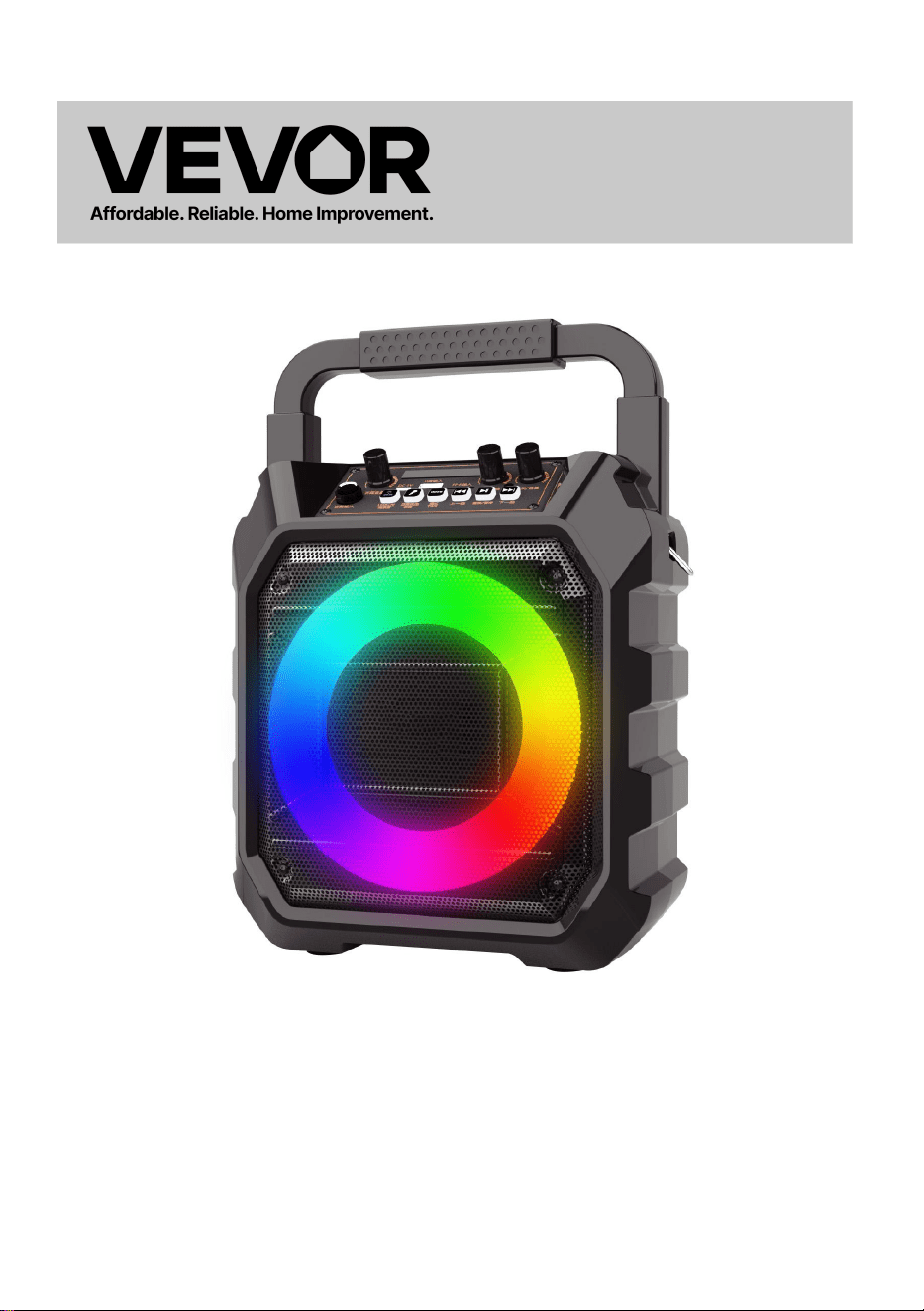
- 1 -
MODELLO: Q61
Questa è l'istruzione originale, si prega di leggere attentamente tutte le
istruzioni del manuale prima di utilizzare. VEVOR si riserva una chiara
interpretazione del nostro manuale utente. L'aspetto del prodotto sarà
soggetto al prodotto ricevuto. Vi preghiamo di perdonarci se non vi
informeremo di nuovo se ci sono aggiornamenti tecnologici o software sul
nostro prodotto.
KARAOKE MACHINE
- 2 -
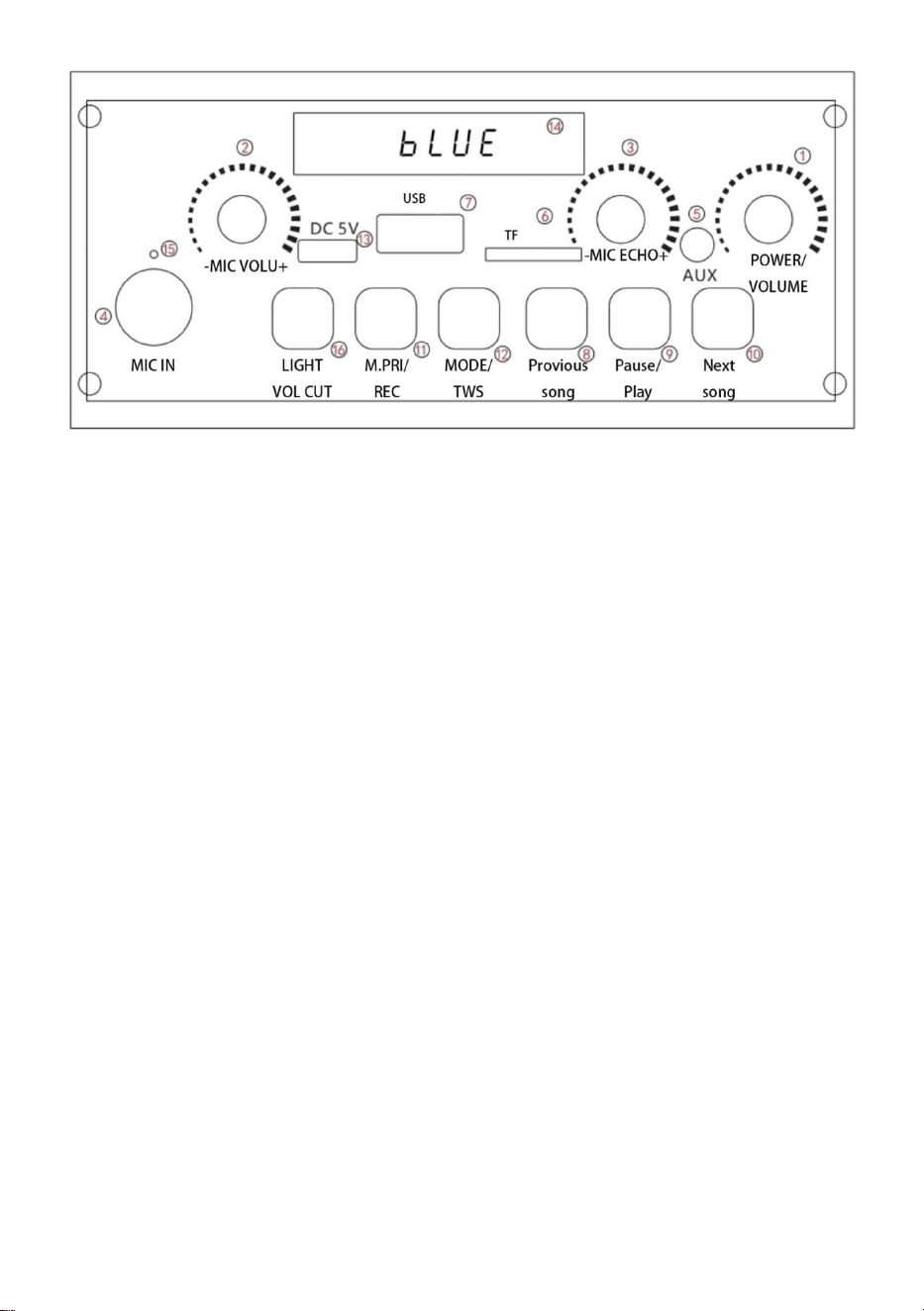
1. Interruttore/Volume: Accende/spegne l'alimentazione, controlla il
volume, - il volume diminuisce, e +il volume aumenta.
2. Volume del microfono: quando il microfono è in uso, il il volume
del microfono può essere regolato a seconda delle esigenze.
3. Volume del riverbero: regolazione del volume del riverbero.
4. Microfono: interfaccia microfono da 6,5 mm
5. AUX: significa che la sorgente sonora di un'altra apparecchiatura
audio è collegata all'interfaccia da 35 mm e al cavo audio
corrispondenti per riprodurre la musica.
6. Ingresso scheda TF: la musica nella scheda TF può essere
riprodotta su questo interfaccia.
7. Ingresso USB: la musica contenuta nell'unità USB può essere
riprodotta su questa interfaccia.
8. Brano precedente: selezione del brano
9. Play/Pause: puoi mettere in pausa la canzone corrente mentre la
musica è in riproduzione. In modalità musica, tieni premuto questo
tasto per entrare in registrazione, quindi tieni premuto per uscire.

- 3 -
10. Brano successivo: premere brevemente per selezionare il brano,
premere a lungo per annullare il suono originale.
11. Priorità microfono/registrazione: premere brevemente "Priorità
microfono" per attivarla. Quando il microfono chiama, la musica di
sottofondo si attenua, smette di chiamare e la musica di sottofondo
aumenta di nuovo.
Quando si inserisce una scheda TF o una chiavetta USB, viene
semplicemente visualizzato un messaggio che segnala che è attiva
la modalità di registrazione.
12. Modalità /TWS: commuta tra varie modalità, Bluetooth
/FM/scheda TF /U disk /AUX, TWS: coppia di due dispositivi dello
stesso modello.
13. Ricarica: quando la batteria dell'altoparlante è scarica, caricarla
in tempo e non utilizzarla senza alimentazione.
14.Schermo di visualizzazione: visualizzazione dello stato di
riproduzione
15. Spia luminosa di carica: luce rossa in stato di carica, piena e
spenta.
Illuminazione LED/eliminazione del suono: premere brevemente la
modalità di illuminazione per cambiare, premere a lungo per entrare
nella modalità "eliminazione del suono", lo schermo del display
mostra "ON", ovvero la modalità di accompagnamento e la parte
vocale della canzone svanisce, mantenendo la musica di
accompagnamento. Premere e tenere premuto di nuovo, lo schermo
del display mostrerà "OFF"
22. Risoluzione dei problemi: fare riferimento ai prodotti della nostra
azienda.
23.Batteria integrata ad alta capacità per una riproduzione consecutiva fino
a 8 ore.

- 4 -
Produttore: Shanghaimuxinmuyeyouxiangongsi
Indirizzo: Shuangchenglu 803nong11hao1602A-1609shi, baoshanqu,
shanghai 200000 CN.
Importato in AUS: SIHAO PTY LTD. 1 ROKEVA STREETEASTWOOD
Nuovo Galles del Sud 2122 Australia
Importato negli USA: Sanven Technology Ltd. Suite 250, 9166 Anaheim
Luogo, Rancho Cucamonga, CA 91730
REP
UK
YH CONSULTING LIMITED. C/O YH Consulting
Limited Office 147, Centurion House, London
Road, Staines-upon-Thames, Surrey, TW18 4AX
REP
EC
E-CrossStu GmbH
Mainzer Landstr.69,
60329 Frankfurt am Main.


Supporto tecnico e certificato di garanzia elettronica
www.vevor.com/support

MÁQUINA DE KARAOKE
MODELO: Q61
Soporte técnico y certificado de garantía electrónica
www.vevor.com/support

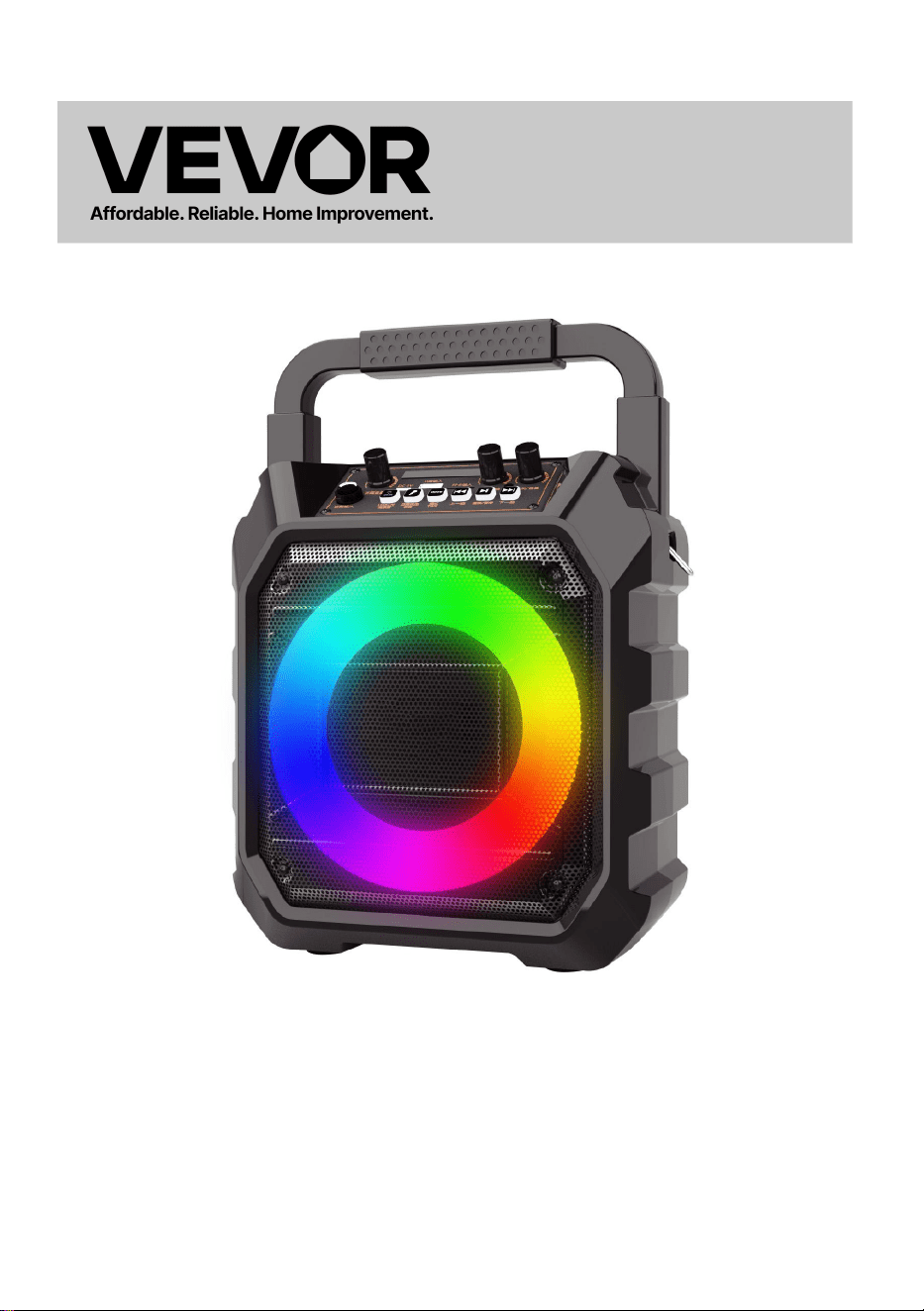
- 1 -
MODELO: Q61
Estas son las instrucciones originales; lea atentamente todas las
instrucciones del manual antes de utilizarlo. VEVOR se reserva el
derecho de interpretar su manual de usuario. La apariencia del producto
dependerá del producto que haya recibido. Le rogamos que nos disculpe
si no le informamos de nuevo si hay actualizaciones tecnológicas o de
software en nuestro producto.
KARAOKE MACHINE
- 2 -
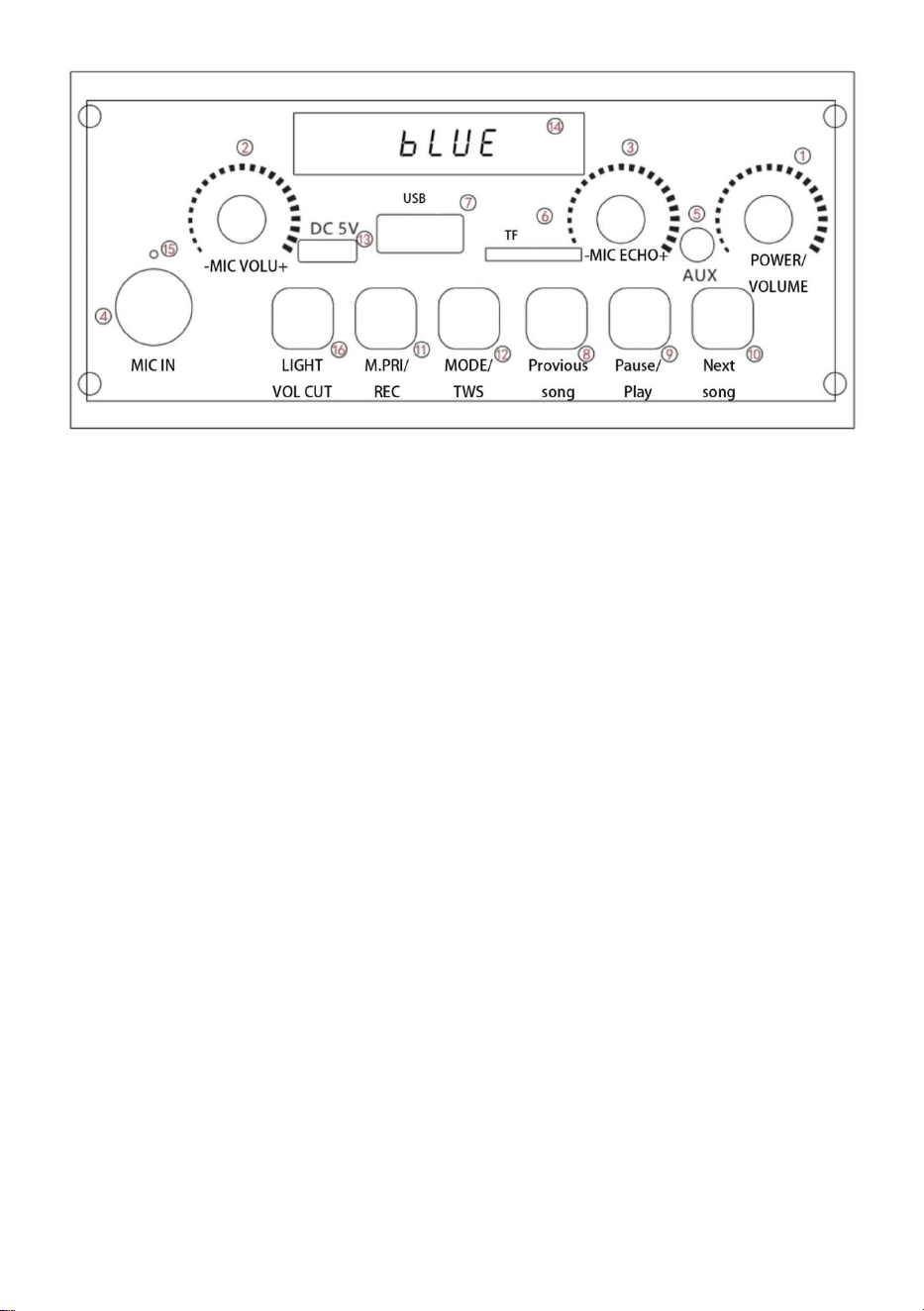
1. Interruptor/Volumen: Enciende/apaga, controla el volumen, -el
volumen disminuye, y +el volumen aumenta.
2. Volumen del micrófono: cuando el micrófono está en uso, el El
volumen del micrófono se puede ajustar según sea necesario.
3. Volumen de reverberación: ajuste del volumen de reverberación.
4. Micrófono: Interfaz de micrófono de 6,5 mm
5. AUX: Significa que la fuente de sonido de otro equipo de audio
está conectada con la interfaz de 35 mm y el cable de audio
correspondientes para reproducir música.
6. Entrada de tarjeta TF: la música en la tarjeta TF se puede
reproducir en esta interfaz.
7. Entrada USB: la música del disco U se puede reproducir en esta
interfaz.
8.Canción anterior: selección de canciones
9. Reproducir/Pausa: Puede pausar la canción actual mientras se
reproduce la música. En el modo de música, mantenga presionada
esta tecla para iniciar la grabación y luego manténgala presionada
para salir.

- 3 -
10. Siguiente canción: presione brevemente para seleccionar la
canción, presione prolongadamente para cancelar el sonido original.
11. Prioridad de micrófono/grabación: Pulse brevemente "Prioridad
de micrófono" para activarlo. Cuando el micrófono llama, la música
de fondo se atenúa, deja de llamar y vuelve a subir.
Cuando se inserta una tarjeta TF o una unidad flash USB,
simplemente se indica que hay un modo de grabación.
12.Modo /TWS: cambia entre varios modos, Bluetooth /FM/tarjeta
TF /disco U /AUX,TWS: acoplador de dos máquinas del mismo
modelo.
13. Carga: cuando el altavoz tenga poca energía, cárguelo a tiempo
y no lo utilice sin energía.
14. Pantalla de visualización: visualización del estado de
reproducción
15.Luz indicadora de carga: luz roja en estado de carga, completa y
apagada.
Iluminación LED/eliminación de sonido: presione brevemente el
modo de iluminación para cambiar, presione prolongadamente para
ingresar al modo de "eliminación de sonido", la pantalla muestra
"ON" (modo de acompañamiento), y la parte vocal de la canción se
desvanece, manteniendo la música de acompañamiento. Presione y
mantenga presionado nuevamente, la pantalla muestra "OFF"
24. Solución de problemas: consulte los productos de nuestra
empresa.
25.Batería incorporada de alta capacidad para reproducción consecutiva
de hasta 8 horas.

- 4 -
Fabricante: Shanghaimuxinmuyeyouxiangongsi
Dirección: Shuangchenglu 803nong11hao1602A-1609shi, baoshanqu,
Shanghái 200000 CN.
Importado a AUS: SIHAO PTY LTD. 1 ROKEVA STREET, EASTWOOD
NSW 2122 Australia
Importado a EE. UU.: Sanven Technology Ltd. Suite 250, 9166 Anaheim
Lugar, Rancho Cucamonga, CA 91730
REP
UK
YH CONSULTING LIMITED. C/O YH Consulting
Limited Office 147, Centurion House, London
Road, Staines-upon-Thames, Surrey, TW18 4AX
REP
EC
E-CrossStu GmbH
Mainzer Landstr.69,
60329 Frankfurt am Main.


Soporte técnico y certificado de garantía electrónica
www.vevor.com/support

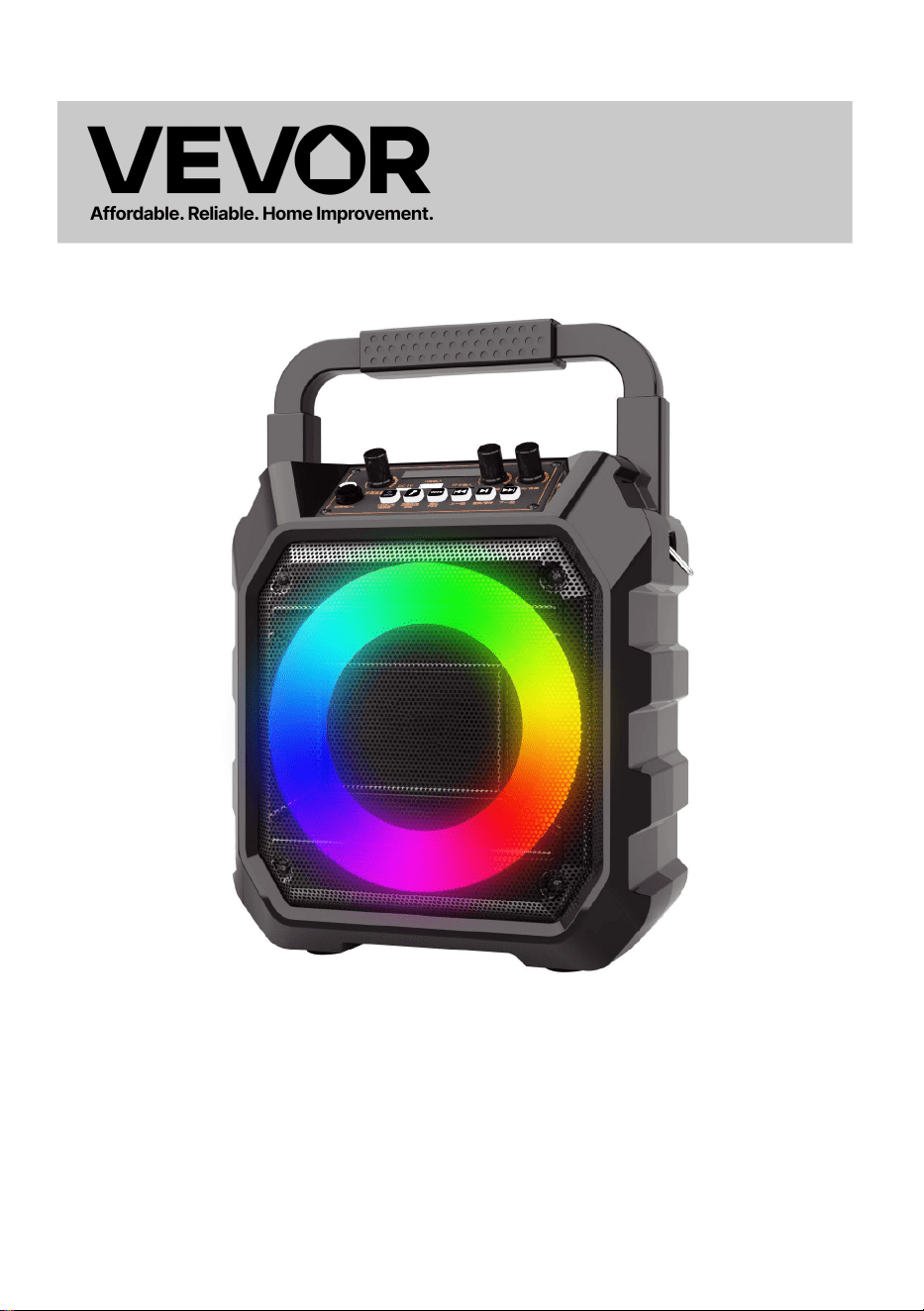
MASZYNA KARAOKE
MODEL: Q61
Wsparcie techniczne i certyfikat e-gwarancji
www.vevor.com/support

- 1 -
MODEL: Q61
To jest oryginalna instrukcja, przed użyciem należy uważnie przeczytać
wszystkie instrukcje. VEVOR zastrzega sobie jasną interpretację naszej
instrukcji obsługi. Wygląd produktu będzie zależał od produktu, który
otrzymałeś. Prosimy o wybaczenie, że nie poinformujemy Cię ponownie,
jeśli w naszym produkcie pojawią się jakiekolwiek aktualizacje
technologiczne lub oprogramowania.
KARAOKE MACHINE
- 2 -
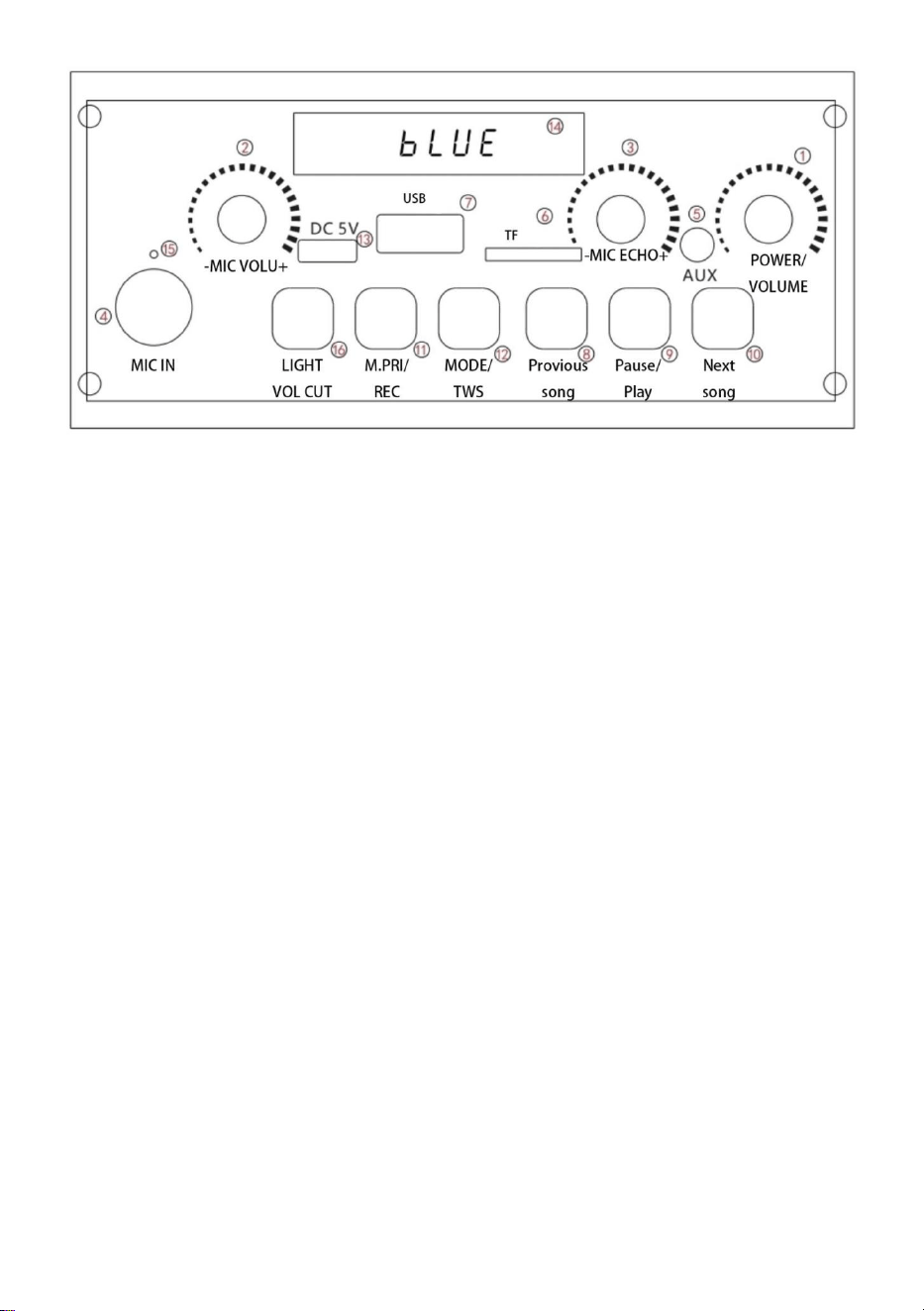
1. Przełącznik/Głośność: Włącz/wyłącz zasilanie, kontroluj głośność,
- zmniejsza głośność, i +głośność wzrasta.
2. Głośność mikrofonu: Gdy mikrofon jest używany, Głośność
mikrofonu można regulować zależnie od potrzeb.
3. Głośność pogłosu: Regulacja głośności pogłosu.
4. Mikrofon: Interfejs mikrofonowy 6,5 mm
5. AUX: Oznacza to, że źródło dźwięku innego sprzętu audio jest
podłączone do odpowiedniego interfejsu 35 mm i kabla audio w celu
odtwarzania muzyki.
6. Wejście karty TF: Można na nim odtwarzać muzykę z karty TF
interfejs.
7. Wejście USB: na tym interfejsie można odtwarzać muzykę z
dysku U.
8.Poprzednia piosenka: wybór piosenki
9. Odtwarzanie/pauza: Możesz wstrzymać bieżący utwór podczas
odtwarzania muzyki. W trybie muzycznym naciśnij i przytrzymaj ten
klawisz, aby wejść do nagrywania, a następnie naciśnij i przytrzymaj,
aby wyjść.

- 3 -
10. Następna piosenka: naciśnij krótko, aby wybrać piosenkę,
naciśnij długo, aby anulować oryginalny dźwięk.
11. Priorytet mikrofonu/nagrywanie: naciśnij krótko „Priorytet
mikrofonu”, aby go włączyć. Gdy mikrofon zadzwoni, muzyka w tle
ucichnie, przestanie dzwonić, a muzyka w tle znów się rozlegnie.
Po włożeniu karty TF lub dysku flash USB wyświetla się tylko
informacja o trybie nagrywania.
12. Tryb /TWS: przełączanie między różnymi trybami, Bluetooth
/FM/karta TF /dysk USB /AUX, TWS: para dwóch urządzeń tego
samego modelu.
13. Ładowanie: Jeśli poziom naładowania głośnika jest niski, naładuj
go na czas i nie używaj go bez zasilania.
14. Ekran wyświetlacza: wyświetlanie stanu odtwarzania
15. Kontrolka ładowania: czerwona lampka sygnalizuje stan
naładowania, pełne naładowanie i wyłączenie.
Oświetlenie LED/eliminacja dźwięku: naciśnij krótko tryb oświetlenia,
aby przełączyć, naciśnij długo, aby przejść do trybu „eliminacji
dźwięku”, na ekranie wyświetlacza pojawi się „ON”, czyli tryb
akompaniamentu, a część wokalna utworu zaniknie, a muzyka
akompaniamentu pozostanie. Naciśnij i przytrzymaj ponownie, na
ekranie wyświetlacza pojawi się „OFF”.
26. Rozwiązywanie problemów: Proszę zapoznać się z produktami
naszej firmy.
27.Wbudowana bateria o dużej pojemności umożliwia nieprzerwane
odtwarzanie do 8 godzin.

- 4 -
Producent: Shanghaimuxinmuyeyouxiangongsi
Adres: Shuangchenglu 803nong11hao1602A-1609shi, baoshanqu,
Szanghaj 200000 CN.
Importowane do AUS: SIHAO PTY LTD. 1 ROKEVA
STREETEASTWOOD
NSW 2122 Australia
Importowane do USA: Sanven Technology Ltd. Suite 250, 9166 Anaheim
Miejsce, Rancho Cucamonga, CA 91730
REP
UK
YH CONSULTING LIMITED. C/O YH Consulting
Limited Office 147, Centurion House, London
Road, Staines-upon-Thames, Surrey, TW18 4AX
REP
EC
E-CrossStu GmbH
Mainzer Landstr.69,
60329 Frankfurt am Main.


Wsparcie techniczne i certyfikat e-gwarancji
www.vevor.com/support

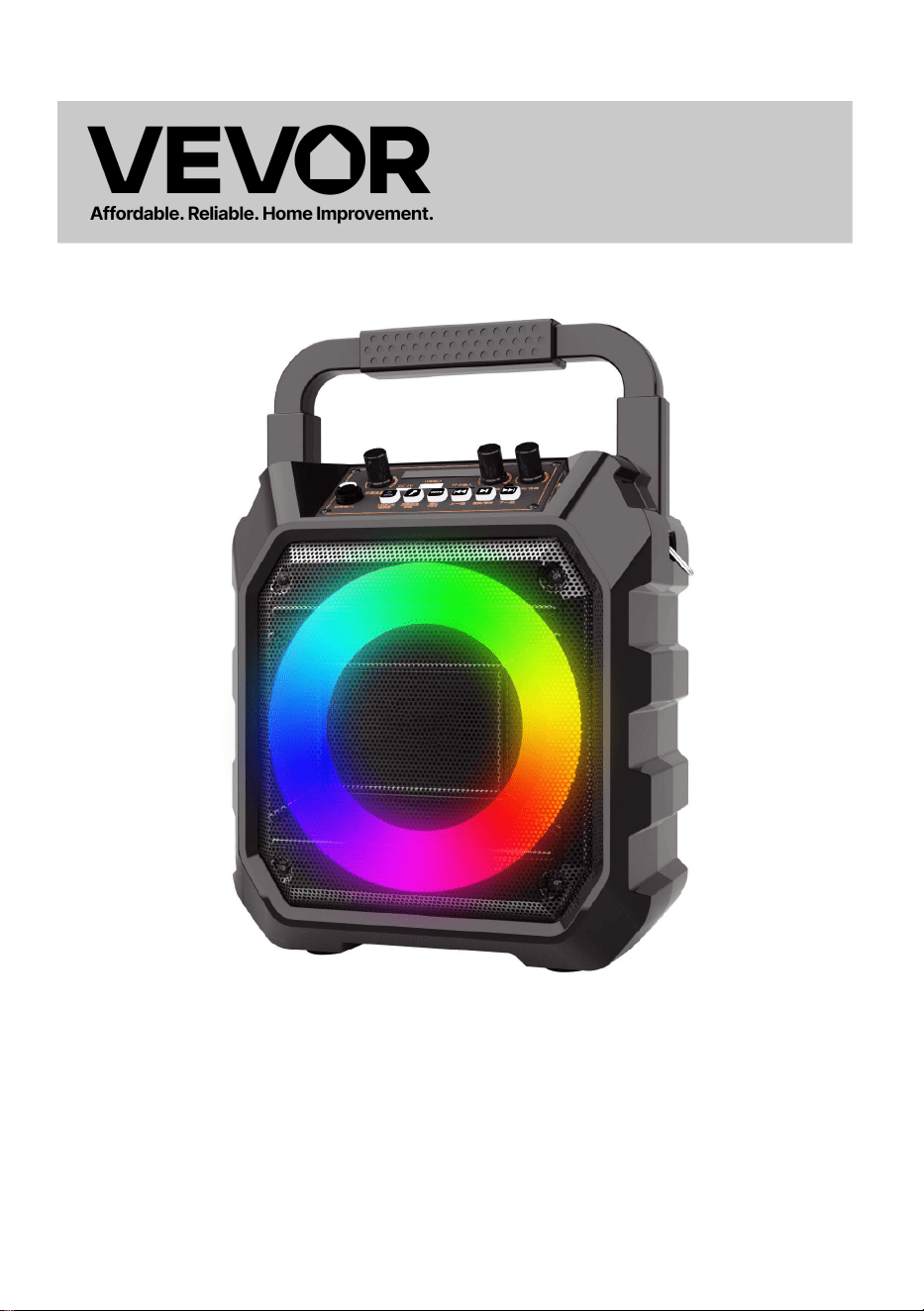
KARAOKE-MACHINE
MODEL: Q61
Technische ondersteuning en e-garantiecertificaat
www.vevor.com/support

- 1 -
MODEL: Q61
Dit is de originele instructie, lees alle handleidingen zorgvuldig door
voordat u het product gebruikt. VEVOR behoudt zich een duidelijke
interpretatie van onze gebruikershandleiding voor. Het uiterlijk van het
product is afhankelijk van het product dat u hebt ontvangen. Vergeef ons
dat we u niet opnieuw zullen informeren als er technologie- of
software-updates voor ons product zijn .
KARAOKE MACHINE
- 2 -
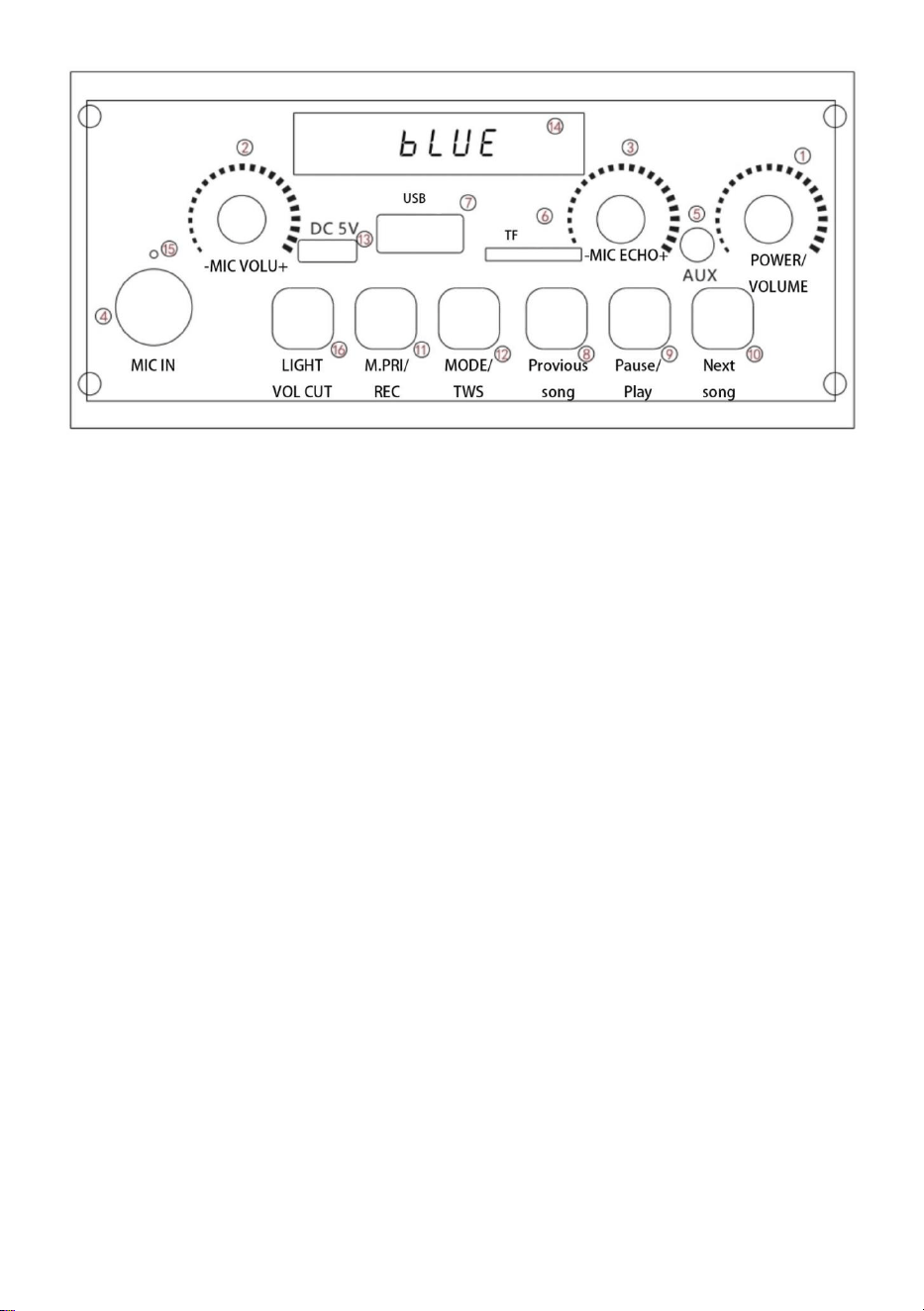
1. Schakelaar/Volume: Schakel het apparaat in/uit, regel het volume,
-het volume wordt verlaagd, en +het volume neemt toe.
2. Microfoonvolume: Wanneer de microfoon in gebruik is, Het
microfoonvolume kan naar wens worden aangepast.
3. Nagalmvolume: Instellen van het nagalmvolume.
4. Microfoon: Microfoon 6,5 mm-interface
5. AUX: Dit betekent dat de geluidsbron van andere audioapparatuur
wordt aangesloten met de bijbehorende 35mm-interface en
audiokabel om muziek af te spelen.
6. TF-kaartingang: Muziek op de TF-kaart kan hierop worden
afgespeeld interface.
7. USB-ingang: de muziek op de U-schijf kan via deze interface
worden afgespeeld.
8. Vorig nummer: songselectie
9. Afspelen/Pauzeren: U kunt het huidige nummer pauzeren terwijl
de muziek wordt afgespeeld. Houd in de muziekmodus deze toets
ingedrukt om de opname te starten en houd deze toets ingedrukt om
de opname te verlaten.

- 3 -
10. Volgend nummer: kort indrukken om het nummer te selecteren,
lang indrukken om het oorspronkelijke geluid te annuleren.
11.Microfoonprioriteit/opname: druk kort op "Microfoonprioriteit" om
het in te schakelen. Wanneer de microfoon belt, vervaagt de
achtergrondmuziek, stopt met bellen en de achtergrondmuziek gaat
weer omhoog.
Wanneer een TF-kaart of USB-stick wordt geplaatst, verschijnt er
een melding dat er een opnamemodus beschikbaar is.
12.Modus /TWS: schakelen tussen verschillende modi, Bluetooth
/FM/TF-kaart /U-schijf /AUX,TWS: koppeling van twee apparaten
van hetzelfde model.
13. Opladen: Wanneer de speaker bijna leeg is, laad hem dan tijdig
op en gebruik hem niet zonder stroom.
14. Weergavescherm: weergave van de afspeelstatus
15. Laadindicatielampje: rood lampje in laadstatus, vol en uit.
LED-verlichting/geluidseliminatie: druk kort op de verlichtingsmodus
om te schakelen, druk lang om de modus "geluidseliminatie" te
openen, het display toont "AAN", dat wil zeggen de
begeleidingsmodus, en het vocale deel van het nummer vervaagt,
de begeleidingsmuziek blijft behouden. Houd het nogmaals
ingedrukt, het display toont "UIT"
28. Probleemoplossing: Raadpleeg de producten van ons bedrijf.
29.Ingebouwde accu met hoge capaciteit voor continu afspelen tot 8 uur.

- 4 -
Fabrikant: Shanghaimuxinmuyeyouxiangongsi
Adres: Shuangchenglu 803nong11hao1602A-1609shi, baoshanqu,
Sjanghai 200000 CN.
Geïmporteerd naar AUS: SIHAO PTY LTD. 1 ROKEVA
STREETEASTWOOD
NSW 2122 Australië
Geïmporteerd naar de VS: Sanven Technology Ltd. Suite 250, 9166
Anaheim
Plaats, Rancho Cucamonga, CA 91730
REP
UK
YH CONSULTING LIMITED. C/O YH Consulting
Limited Office 147, Centurion House, London
Road, Staines-upon-Thames, Surrey, TW18 4AX
REP
EC
E-CrossStu GmbH
Mainzer Landstr.69,
60329 Frankfurt am Main.


Technische ondersteuning en e-garantiecertificaat
www.vevor.com/support

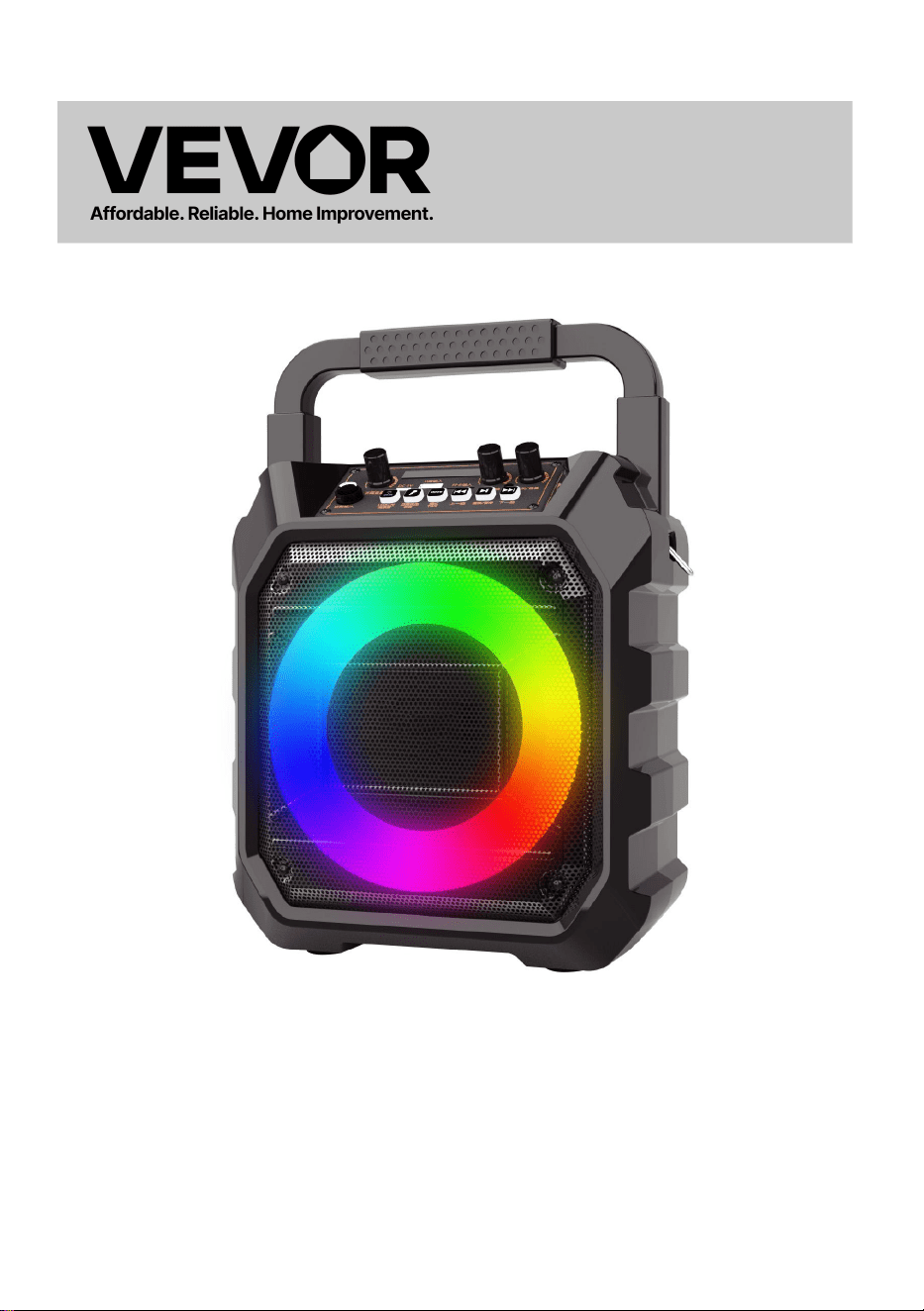
KARAOKE MASKIN
MODELL: Q61
Teknisk support och e-garanticertifikat
www.vevor.com/support

- 1 -
MODELL: Q61
Detta är den ursprungliga instruktionen, läs alla instruktioner noggrant
innan du använder den. VEVOR reserverar sig för en tydlig tolkning av vår
användarmanual. Utseendet på produkten är beroende av den produkt du
fått. Ursäkta oss att vi inte kommer att informera dig igen om det finns
någon teknik eller mjukvaruuppdateringar på vår produkt.
KARAOKE MACHINE
- 2 -
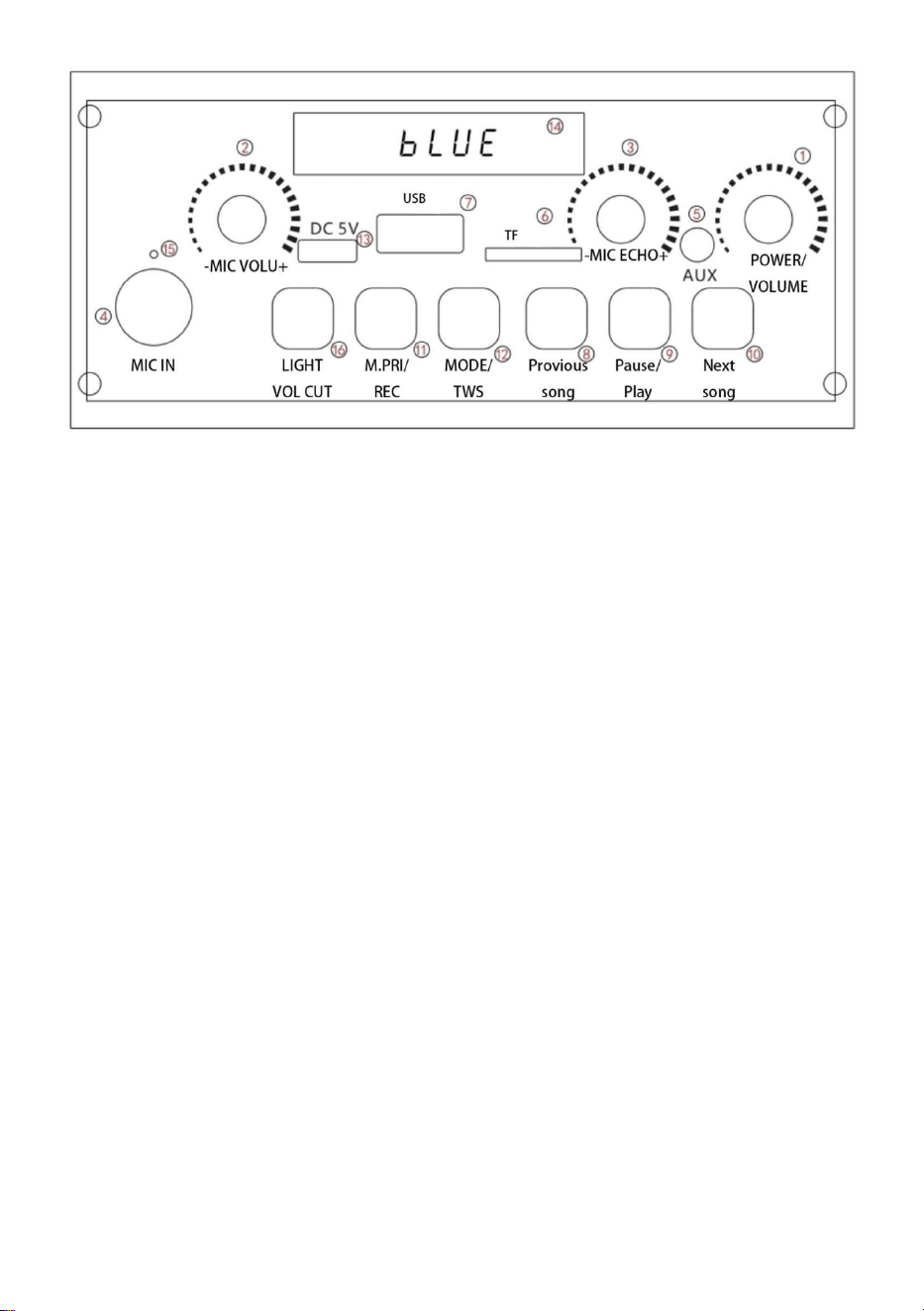
1. Switch/Volym: Slå på/av strömmen, kontrollera volymen, -volymen
minskar, och +volymen ökar.
2. Mikrofonvolym: När mikrofonen används, mikrofonvolymen kan
justeras efter behov.
3. Efterklangsvolym: Justering av efterklangsvolym.
4. Mikrofon: Mikrofon 6,5 mm gränssnitt
5. AUX: Det betyder att ljudkällan för annan ljudutrustning är
ansluten med motsvarande 35 mm gränssnitt och ljudkabel för att
spela musik.
6.TF-kortingång: Musik i TF-kort kan spelas på denna gränssnitt.
7.USB-ingång: musiken på U-skivan kan spelas på detta gränssnitt.
8.Föregående låt: låtval
9.Spela/pausa: Du kan pausa den aktuella låten medan musiken
spelas. I musikläge, tryck och håll ned den här knappen för att gå in i
inspelningen och tryck sedan och håll ned för att avsluta.
10. Nästa låt: kort tryck för att välja låt, långt tryck för att avbryta
originalljudet.

- 3 -
11.Mikrofonprioritet/inspelning: tryck kort på "Mikrofonprioritet" för att
slå på den. När mikrofonen ringer tonar bakgrundsmusiken, slutar
ringa och bakgrundsmusiken stiger igen.
När TF-kort eller USB-minne sätts i, uppmanade det bara att det
finns ett inspelningsläge.
12.Mode /TWS: växla mellan olika lägen, Bluetooth /FM/TF-kort /U
disk /AUX,TWS: två-maskin kuplett av samma modell.
13. Laddning: När högtalaren har låg effekt, ladda den i tid och
använd den inte utan ström.
14.Visningsskärm: display för uppspelningsstatus
15. Laddningsindikatorlampa: rött ljus i laddningstillstånd, full och
släckt.
LED-belysning/ljudeliminering: kort tryck på belysningsläget för att
växla, långt tryck för att gå in i läget "ljud eliminering", displayen visar
"ON" det vill säga ackompanjemangsläget, och vokaldelen av låten
tonar ut, behåll ackompanjemangsmusiken. Tryck och håll den igen,
displayen visar "OFF"
30. Felsökning: Se vårt företags produkter.
31.Inbyggt batteri med hög kapacitet för kontinuerlig uppspelning på upp
till 8 timmar.

- 4 -
Tillverkare: Shanghaimuxinmuyeyouxiangongsi
Adress: Shuangchenglu 803nong11hao1602A-1609shi, baoshanqu,
shanghai 200 000 CN.
Importerad till AUS: SIHAO PTY LTD. 1 ROKEVA STREETEASTWOOD
NSW 2122 Australien
Importerad till USA: Sanven Technology Ltd. Suite 250, 9166 Anaheim
Place, Rancho Cucamonga, CA 91730
REP
UK
YH CONSULTING LIMITED. C/O YH Consulting
Limited Office 147, Centurion House, London
Road, Staines-upon-Thames, Surrey, TW18 4AX
REP
EC
E-CrossStu GmbH
Mainzer Landstr.69,
60329 Frankfurt am Main.


Teknisk support och e-garanticertifikat
www.vevor.com/support