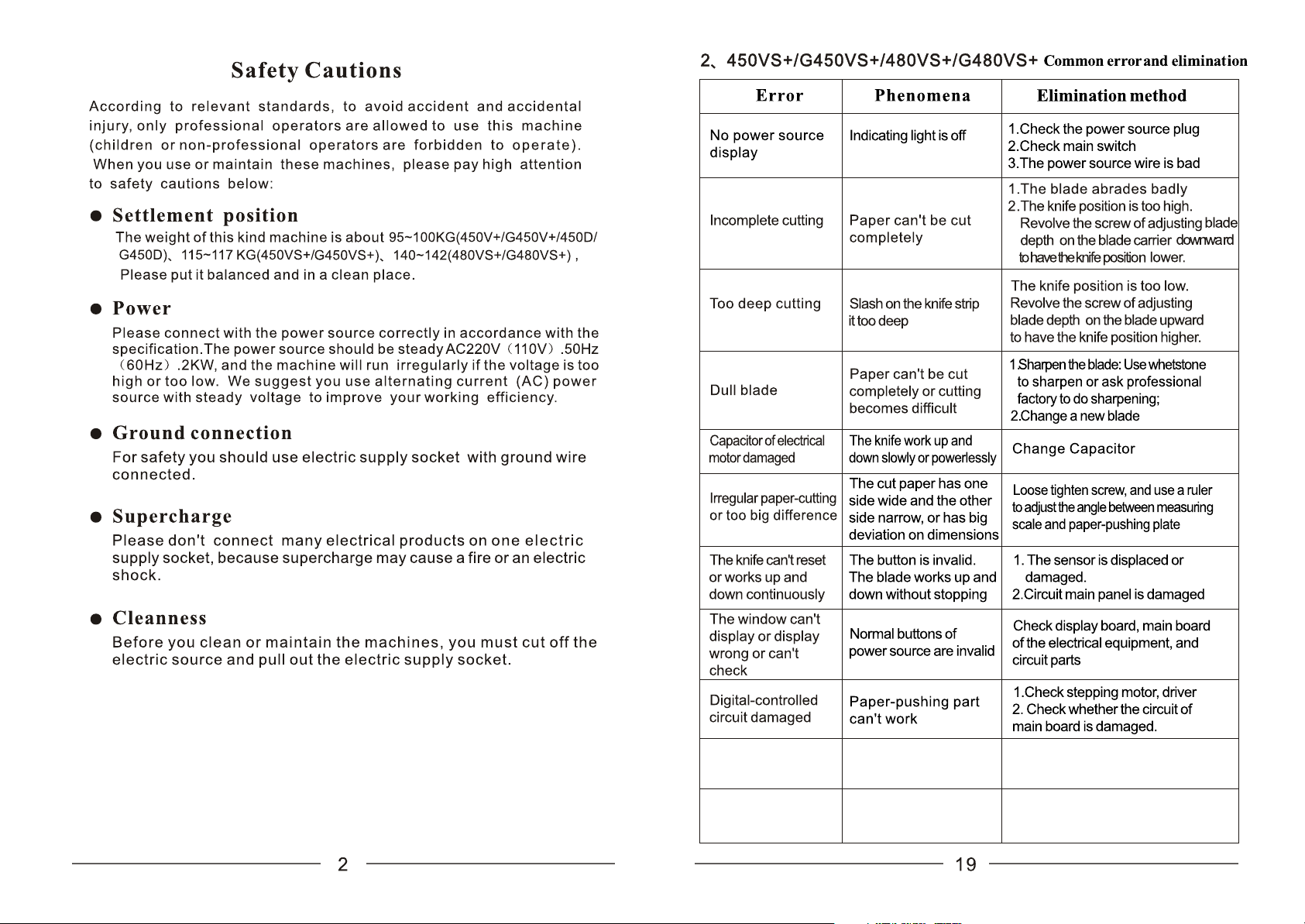
If can not cut
(only for cover series)
The front cover lock is
unlocked or front cover
does not cover well
1.Check if the safety lock is good
2.Check if the guard is covered well
The platform has foreign
bodies and alarm (only
for safety guage series)
Button is not available
so it can not cut
1.Check if the safety IR guage is good
2.Check if the main board is damaged
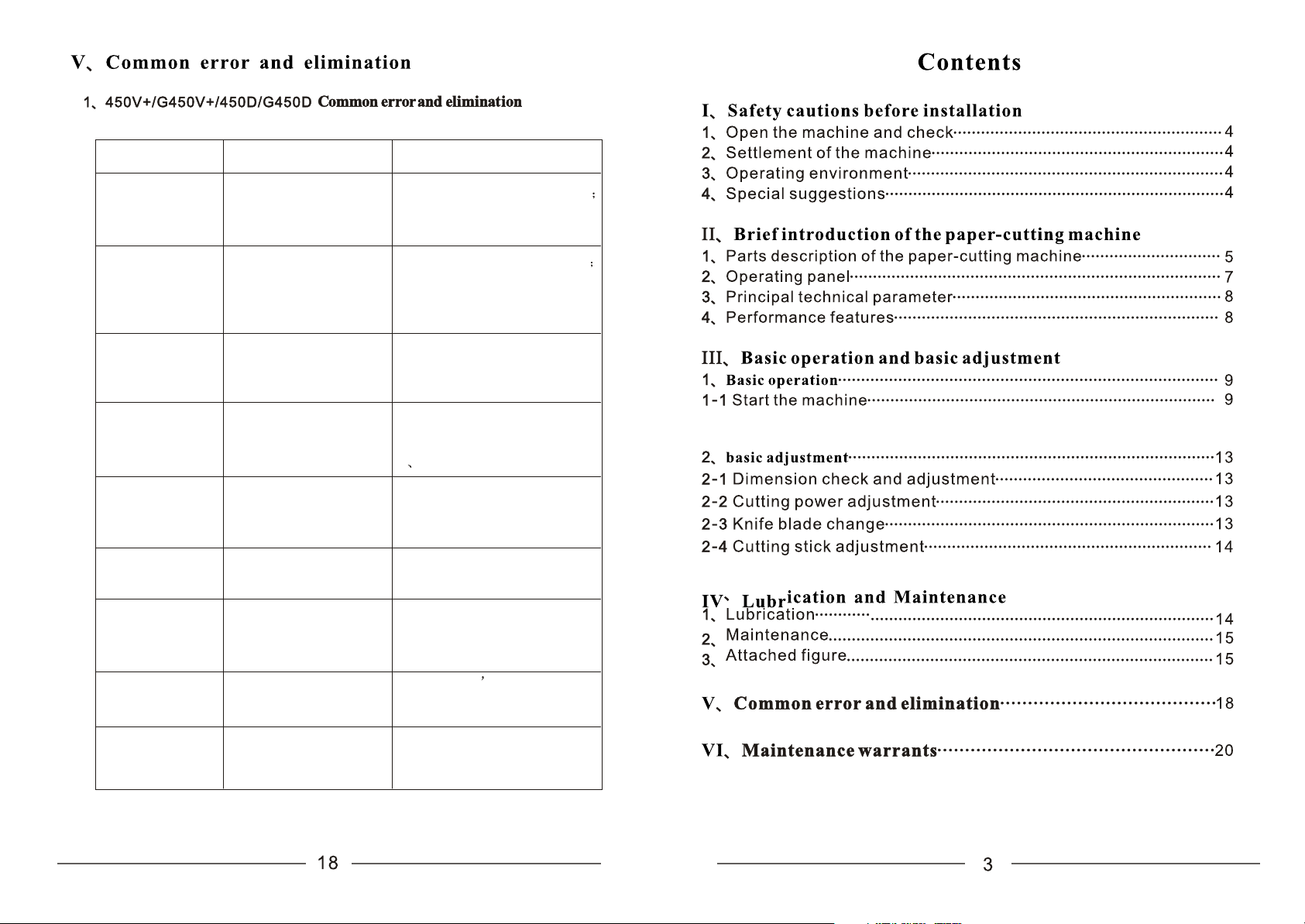
The platform has
foreign bodies and
alarm (only for safety
guage series)
Button is not available
so it can not cut
1.Check if the safety IR guage is
good
2.Check if the main board is
damaged
If can not cut
(only for cover
series)
The front cover lock is
unlocked or front cover
does not cover well
1.Check if the safety lock is good
2.Check if the guard is covered well
Fault Sign Solution
No power display The light does not shine
1.Check the power supply socket
2.Check if the switch is good;
3.Check if the power line is intact.
1.Check if the blade is serious wear
2.If the blade position is too high ,
downward rotate the adjustment depth
screw at the upper end of the blade
holder to make the blade come down.
The blade is not Paper cannot be cut off
in place
1.If the blade position is too low,
upward rotate the adjustment depth
screw at the upper end of the blade
holder to make the blade come up.
The blade is blunt The paper can not be cut
off and it is hard to cut
paper
1.To grind the blade: To gring
the blade by using an oilstone
grinding or professional grinding;
2 To replace a new blade
The motor capacitor
is damaged
The blade moves up and
down slowly or is unable
to work
To replace a capacitor
Paper cutting is not
neat or the cuting
size is not accurate
The cutting paper side
has different width or
the cutting size has
large deviation
The backguage position offset.
To relax the fastening screw
with a ruler adjusting the ruler
and the pushing board angle.
The blade can not reture
or works up and down
continuously
All the button is invalid
and can not control the
blade.
1. The sensor s position moves
or was damaged.
2.The main board has been damaged
The blade position
is too low
The cutter traces of
stick is too deep
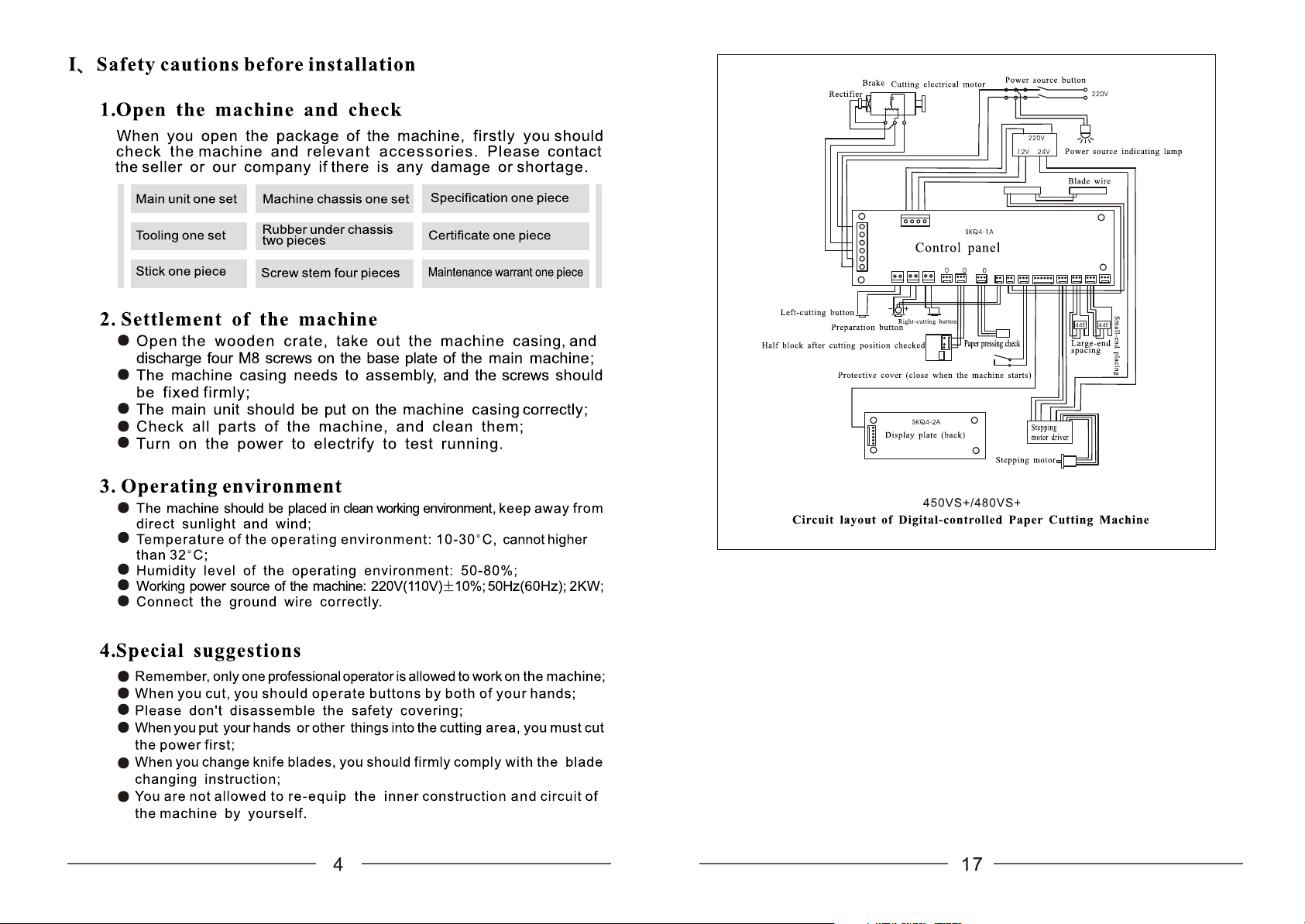
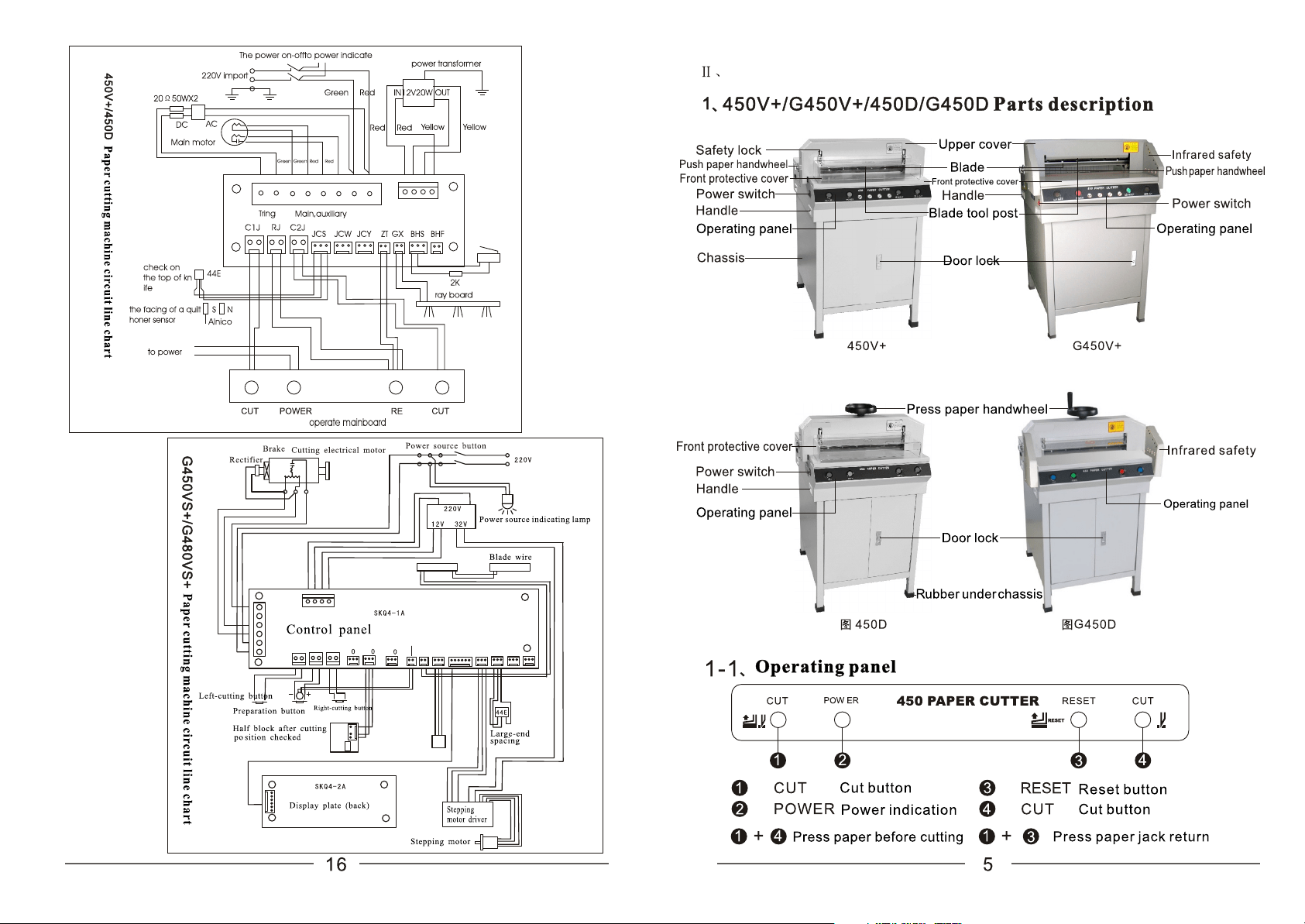
IR switch
reset indicator lamp
The introduction of paper cutting machine
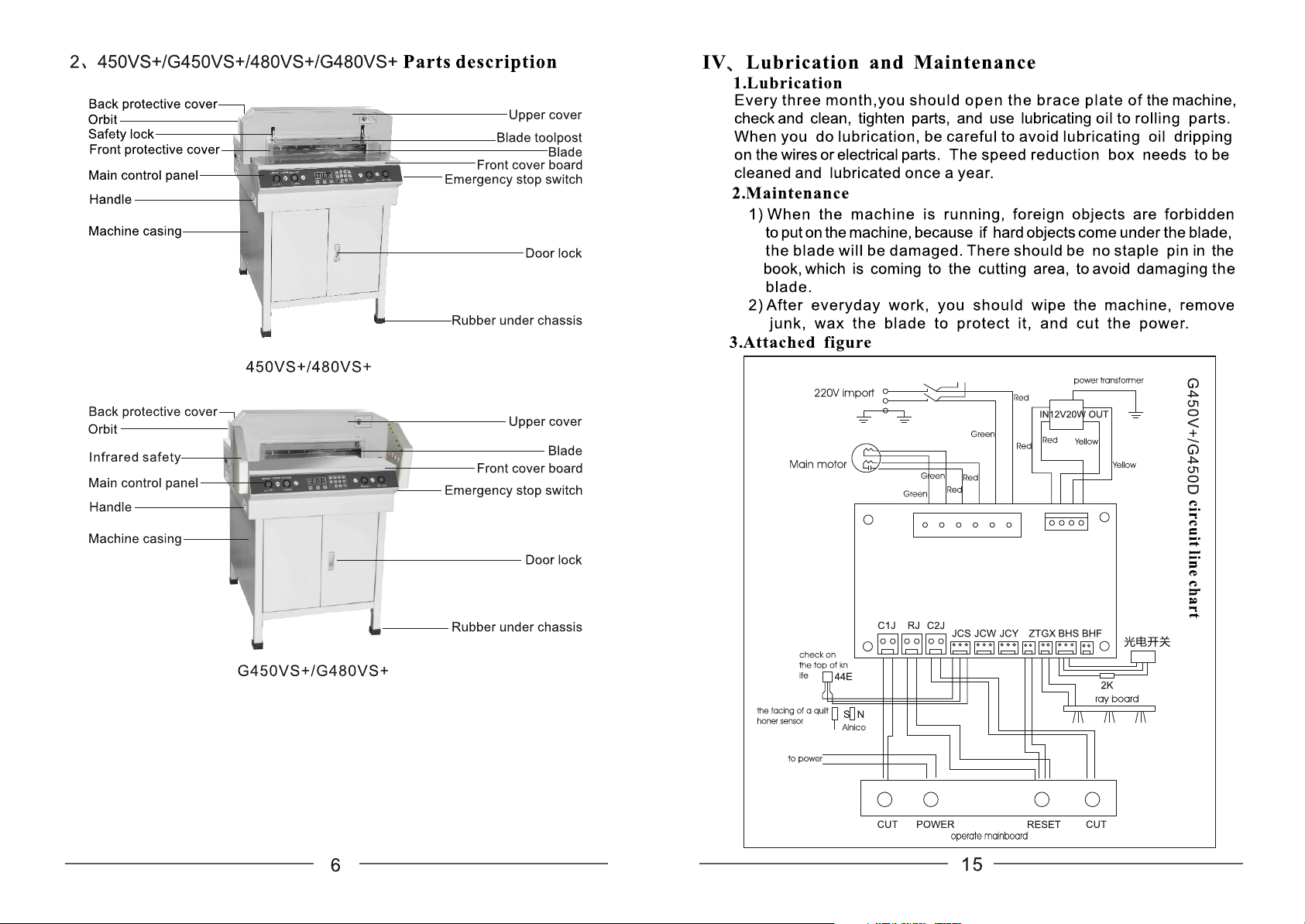
The power switch
To power indicator light
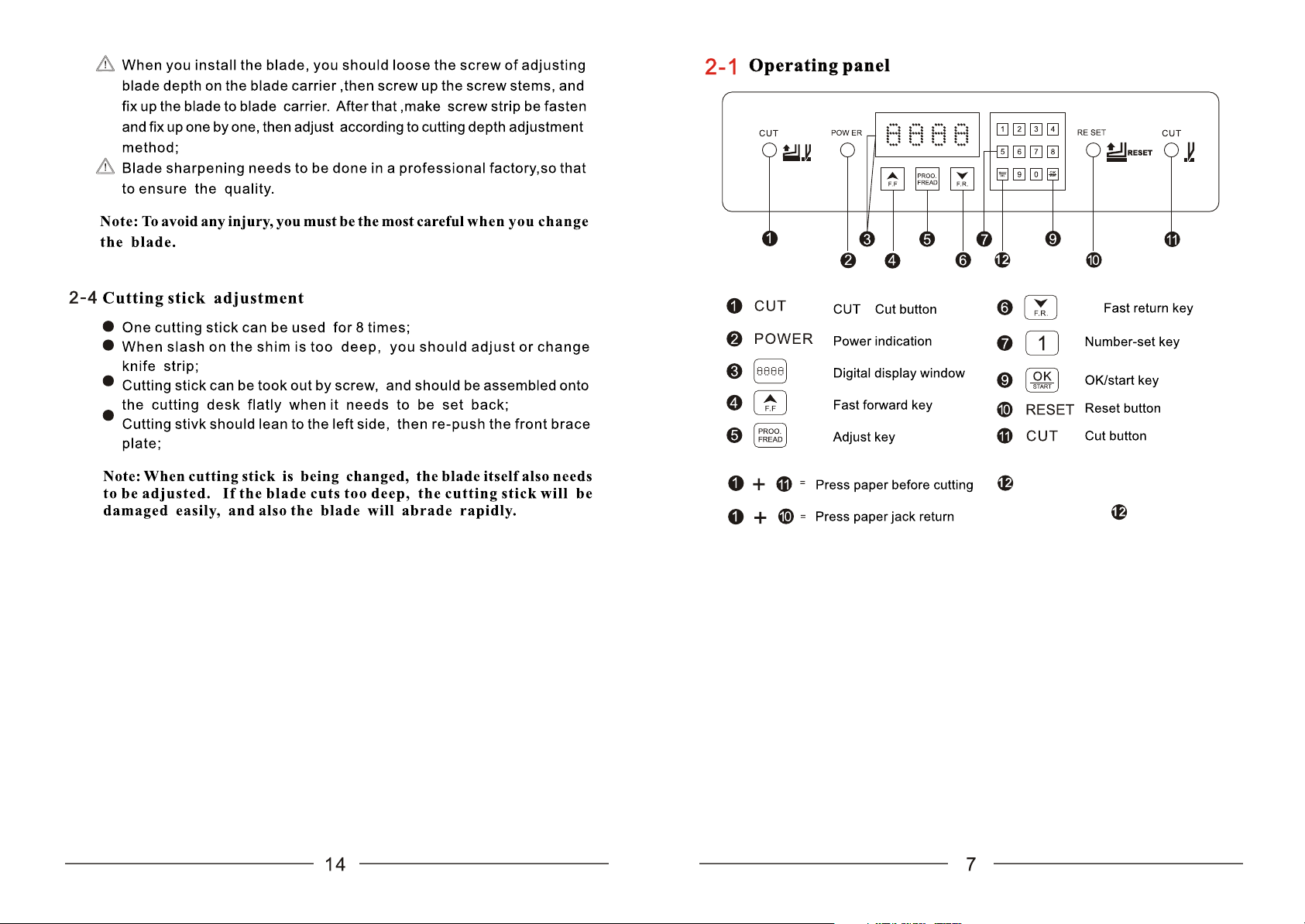
Reset button for pushing paper
Long press the reset button for
pushing paper for 5 menites to switch
metric between inch
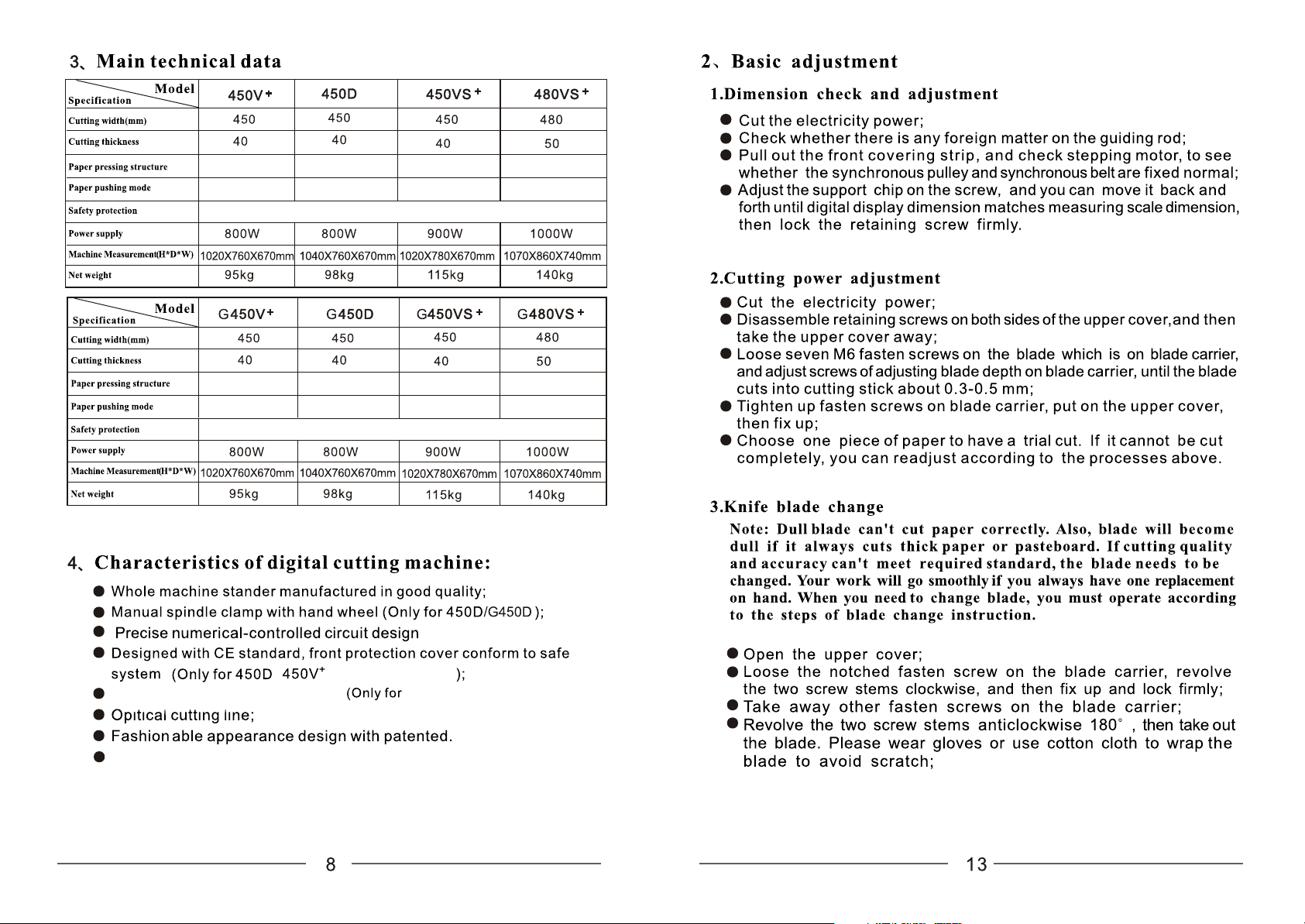
450VS+ 480VS+
IR grating protective circuit design
G450D/G450V+/G450VS+/480VS+
Widen operation table , appearing capacious working space(Only for
G450V+/G450VS+)
Automatic Manual Automatic Automatic
Ma nu al Ma nu al Numerical control Numerical control
Front cover
Infrared photoelectric
Automatic Manual Automatic Automatic
Ma nu al Ma nu al Numerical control Numerical control
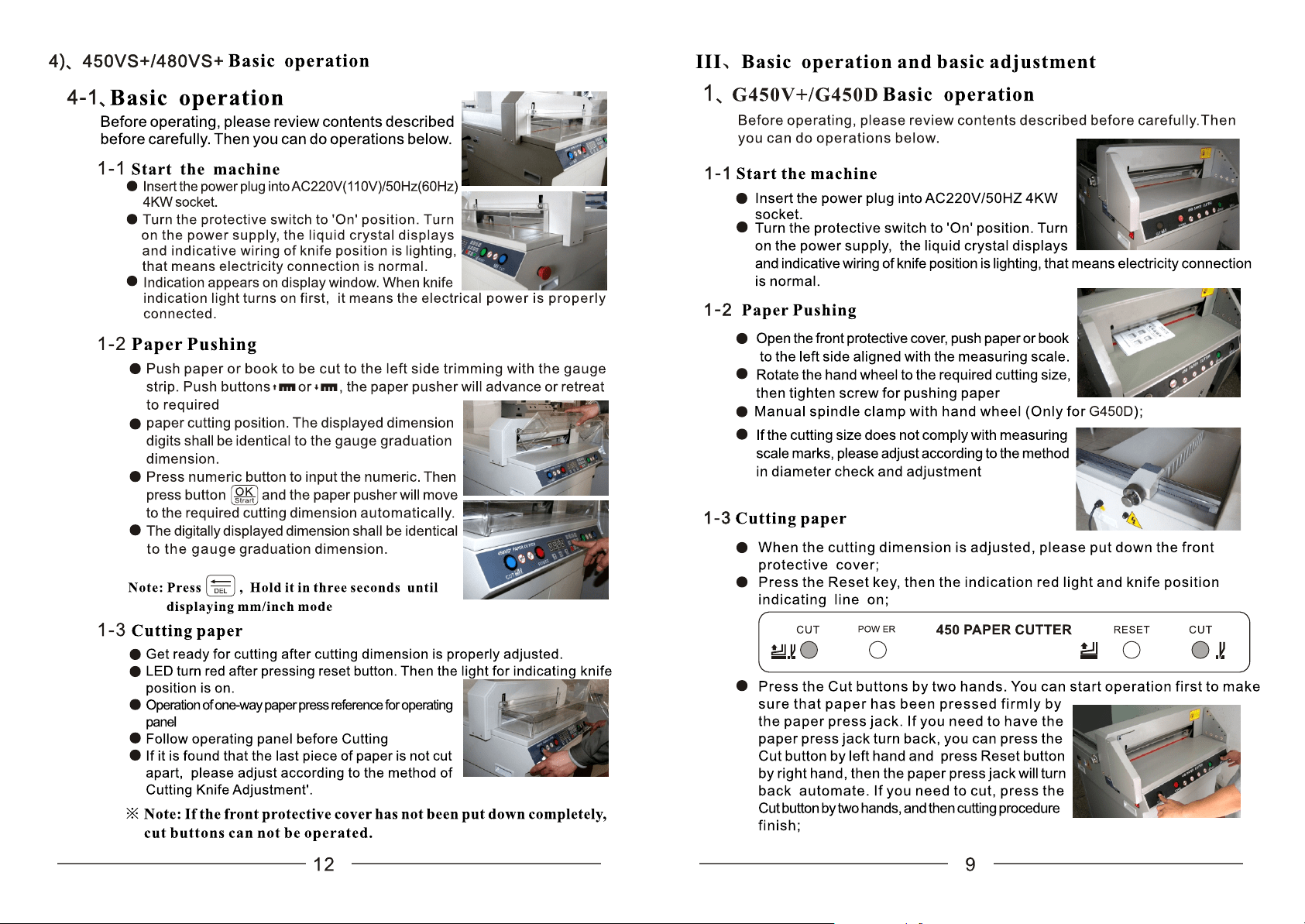
RESET
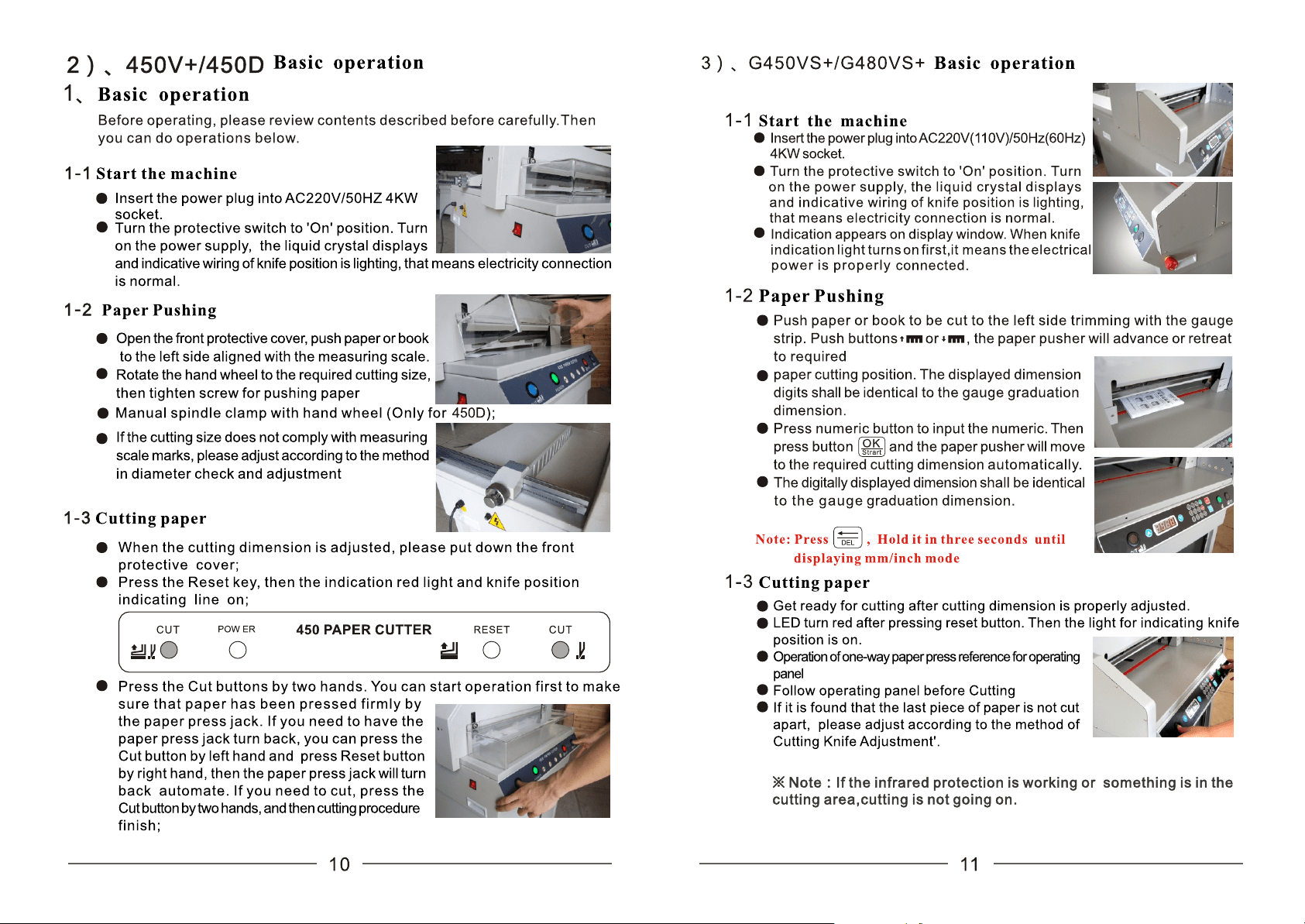
RESET