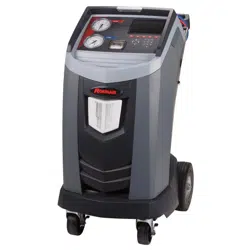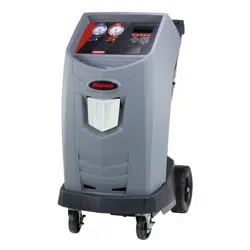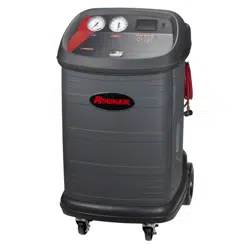

ROBINAIR.COM 800.533.6127
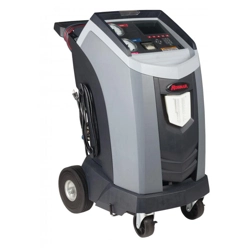
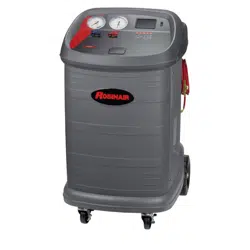
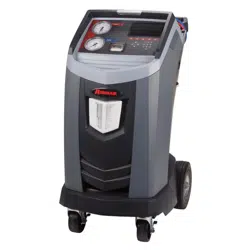
Recover, Recycle, Recharge Machine
for Heavy Duty R-134a A/C Systems
Original Instructions
Instrucciones originales
Consignes originales
Model: 34888HD
(en-US)
DISCLAIMER: Information, illustrations, and specications contained in this manual are based on the latest information available at the time
of publication. The right is reserved to make changes at any time without obligation to notify any person or organization of such revisions
or changes. Further, ROBINAIR shall not be liable for errors contained herein or for incidental or consequential damages (including lost
prots) in connection with the furnishing, performance, or use of this material. If necessary, obtain additional health and safety information
from the appropriate government agencies, and the system, refrigerant, and lubricant manufacturers.
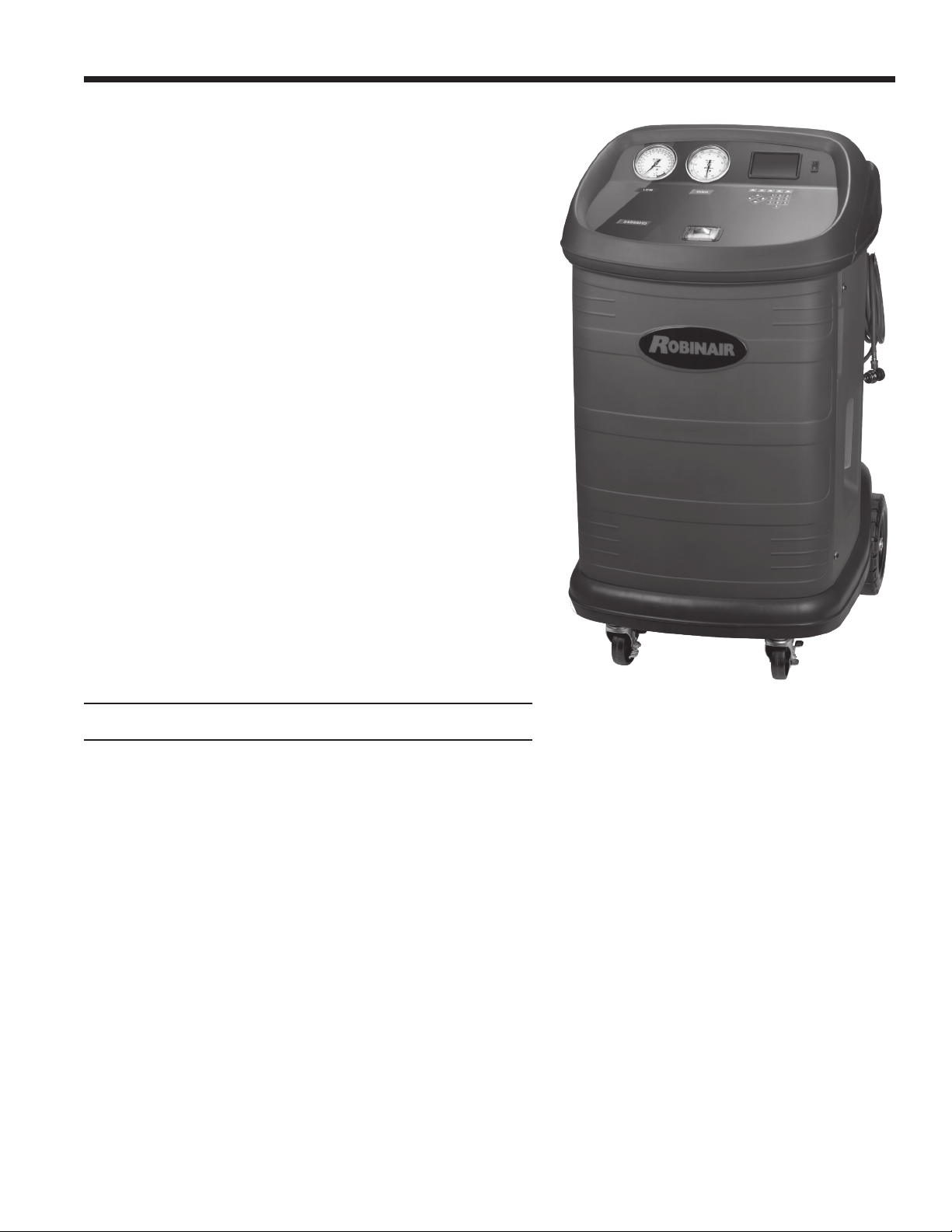
Description: Recover, recycle, and recharge machine for use
with R-134a equipped air conditioning systems.
PRODUCT INFORMATION
Record the serial number and year of manufacture of this unit for future reference. Refer to the product
identication label on the unit for information.
Serial Number: _______________________________ Year of Manufacture: ____________

1
SP01500206 VER 01
Table of Contents
Safety Precautions ....................... 2
Safety Signal Words Used in this Manual ........... 2
Safety Decals Used on the Machine ............... 2
Protective Devices ............................. 4
Refrigerant Tank Test ........................... 4
Requirement Regarding Lubricant. . . . . . . . . . . . . . . . . 4
Introduction ............................. 5
Technical Specications ........................ 5
Features .................................... 6
Control Panel Functions ........................ 8
Icon Legend .................................. 9
Setup Menu Functions. . . . . . . . . . . . . . . . . . . . . . . . . 10
Unpack the Accessory Kit ...................... 12
Power Up the Machine ........................ 12
Initial Setup ............................ 13
Tank Installation .............................. 13
Select Language ............................. 14
Approve Licensing Agreement. . . . . . . . . . . . . . . . . . . 14
Select Units ................................. 14
Set Date and Time ............................ 14
Edit Print Header ............................. 15
Service Vacuum .............................. 15
Tank Fill .................................... 16
Unit Activation ............................... 17
Operating Instructions ...................18
Enter Service Data ........................... 18
Recover Refrigerant from A/C System ............ 19
Evacuate the A/C System ...................... 20
Flushing the Hoses ........................... 21
Recharge the A/C System ...................... 22
Automatic Function ........................... 23
System Flush ................................ 24
N2 and N2H2 Leak Test ....................... 25
Maintenance ............................26
Maintenance Schedule ........................ 26
Load Language .............................. 27
Edit Print Header ............................. 27
Replace Printer Paper ......................... 27
Filter Maintenance ............................ 28
Check Remaining Filter Capacity ............... 28
Replace the Filter ............................ 29
Calibration Check ............................ 30
Change Vacuum Pump Oil ..................... 31
Empty Vacuum Pump Exhaust Bottle ............. 32
Tank Removal ............................... 32
Leak Check ................................. 33
A/C Service Functions ................... 34
Replacement Parts ........................... 34
Troubleshooting ........................ 35
Storage and Transportation of Equipment ... 38
Storage .................................... 38
Transportation of Equipment .................... 38
Disposal of Equipment ................... 39
Disposal of Recycled Materials .................. 39
Disposal of the Machine ....................... 39
Disposal of Batteries .......................... 39
Software License Notices ................. 40
IAR Software License Agreement .......... 41
Freescale MQX RTOS 4.0.2 ................51
2
Safety Precautions
Explanation of Safety Signal Words Used in this Manual
The safety signal word designates the degree, or level, of hazard seriousness.
DANGER: Indicates an imminently hazardous situation which, if not avoided, will result in death or
serious injury.
WARNING: Indicates a potentially hazardous situation which, if not avoided, could result in death or
serious injury.
CAUTION: Indicates a potentially hazardous situation which, if not avoided, could result in minor or
moderate injury.
CAUTION: Used without the safety alert symbol indicates a potentially hazardous situation which, if not
avoided, could result in property damage.
These safety messages cover situations Robinair is aware of. Robinair cannot know, evaluate, or advise as to
all possible hazards. The user must verify that conditions and procedures do not jeopardize personal safety.
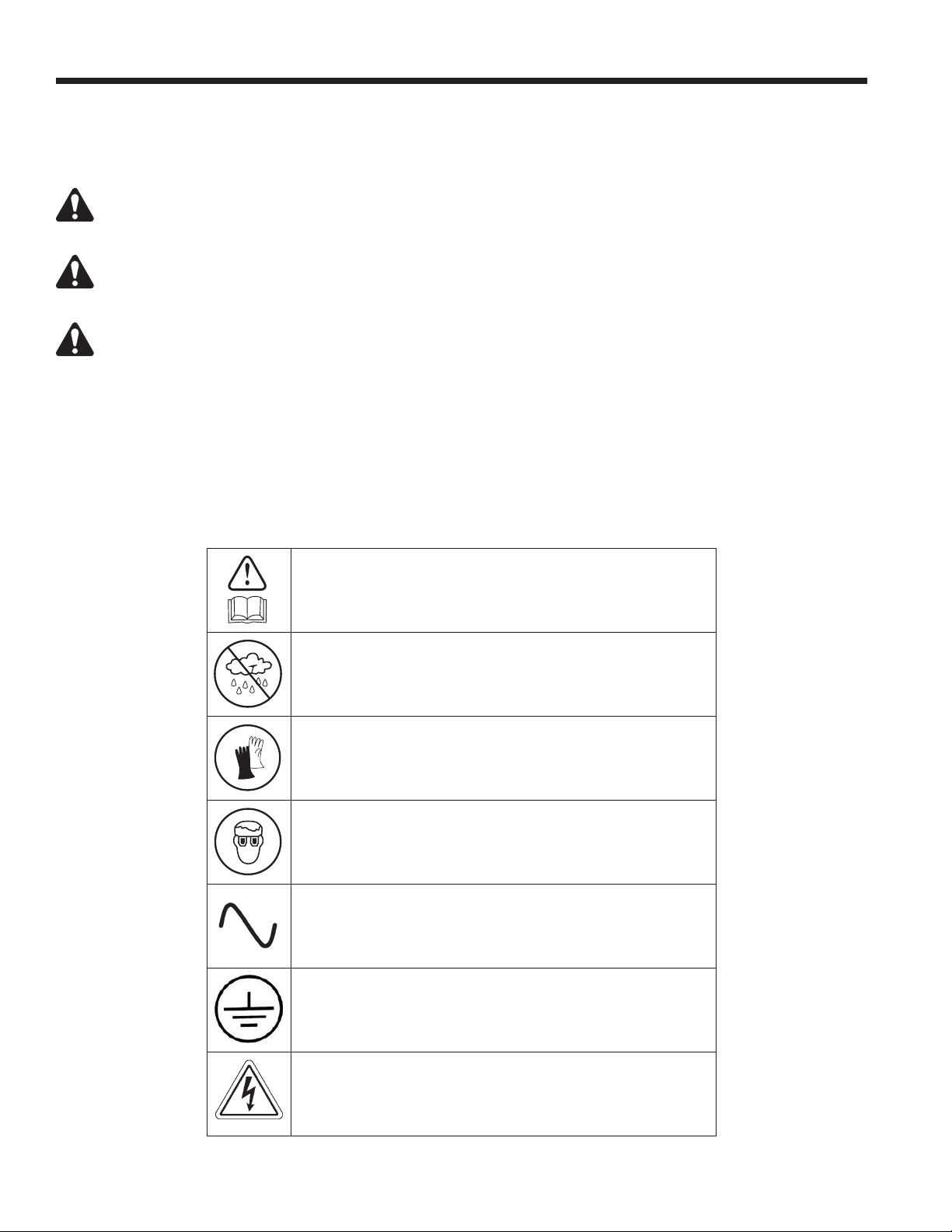
Explanation of Safety Decals Used on the Machine
Carefully read the instructions.
Do not use in open air in case of rain or high humidity.
Wear gloves.
Wear protection goggles.
Alternating voltage.
Grounding protection.
Electrical shock hazard.
3
SP01500206 VER 01
Safety Precautions
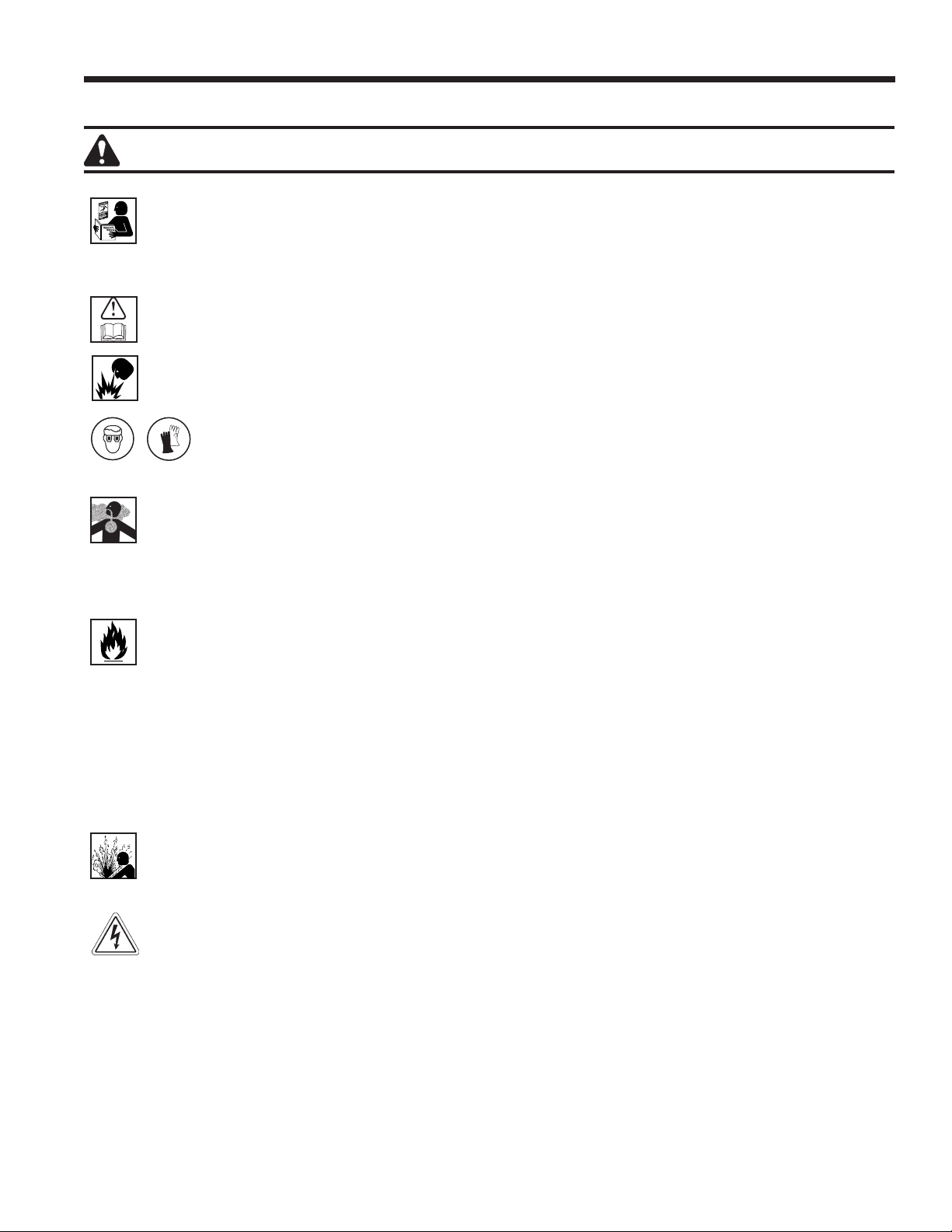
WARNING: To prevent personal injury,
ALLOW ONLY QUALIFIED PERSONNEL TO OPERATE THE MACHINE. Before operating the machine, read
and follow the instructions and warnings in this manual. The operator must be familiar with air conditioning
and refrigeration systems, refrigerants, and the dangers of pressurized components. If the operator cannot
read this manual, operating instructions and safety precautions must be read and discussed in the operator’s
native language.
USE THE MACHINE AS OUTLINED IN THIS MANUAL. Using the machine in a manner for which it was not
designed will compromise the machine and nullify the protections provided.
PRESSURIZED TANK CONTAINS LIQUID REFRIGERANT. Do not overll the external storage vessel (tank).
Overlling can cause explosion resulting in personal injury or death. Do not recover refrigerants into nonrellable
containers; use only type-approved rellable containers that have pressure relief valves.
HOSES CAN CONTAIN LIQUID REFRIGERANT UNDER PRESSURE. Contact with refrigerant can
cause personal injury, including blindness and frozen skin. Wear protective equipment, including
goggles and gloves. Disconnect hoses using extreme caution. Ensure the phase is complete before
disconnecting the machine to prevent the release of refrigeration to the atmosphere.
AVOID BREATHING A/C REFRIGERANT AND LUBRICANT VAPOR OR MIST. Exposure can irritate eyes, nose,
and throat. To remove refrigerant from the A/C system, use only equipment certied for the type of refrigerant
being removed. Use the unit in locations with mechanical ventilation that provides at least four air changes per
hour. If accidental system discharge occurs, ventilate the work area before resuming service.
DO NOT DISPERSE REFRIGERANT INTO THE ENVIRONMENT. Prevent the possible presence of refrigerant
in the working environment.
TO REDUCE THE RISK OF FIRE, do not use the machine in the vicinity of spilled or open containers of
gasoline or other ammable substances.
TO REDUCE THE RISK OF FIRE, do not use an extension cord. An extension cord can overheat and cause
re. If an extension cord must be used, use the shortest possible cord with a minimum size of 14 AWG.
TO REDUCE THE RISK OF FIRE, do not use the machine in the vicinity of ames and hot surfaces. Refrigerant
can decompose at high temperatures and free toxic substances to the environment that can be noxious to
the user.
TO REDUCE THE RISK OF FIRE, do not use the machine in environments containing explosive gases or vapors.
TO REDUCE THE RISK OF FIRE, do not use this machine in ATEX classied zones or areas. Protect the
machine from conditions that can cause electrical failure or other hazards relating to ambient interaction.
CAUTION—DO NOT PRESSURE TEST OR LEAK TEST EQUIPMENT AND/OR AIR CONDITIONING
SYSTEMS WITH COMPRESSED AIR. Mixtures of air and R-134a refrigerant can be combustible at elevated
pressures. These mixtures are potentially dangerous and can result in re or explosion causing personal injury
and/or property damage.
HIGH VOLTAGE ELECTRICITY INSIDE THE MACHINE HAS A RISK OF ELECTRICAL SHOCK. Exposure
can cause personal injury. Disconnect power before servicing the machine.
NEVER LEAVE THE MACHINE LIVE IF AN IMMEDIATE USE IS NOT SCHEDULED. Disconnect the electrical
supply before a long period of inactivity or before internal maintenance is performed.
DO NOT MODIFY THE PRESSURE RELIEF VALVE OR CHANGE THE CONTROL SYSTEM SETTINGS.
Using the machine in a manner for which it was not designed will compromise the machine and nullify the
protections provided.
Additional health and safety information can be obtained
from refrigerant and lubricant manufacturers.
4
CAUTION : To prevent equipment damage,
Safety Precautions
TO PREVENT CROSS-CONTAMINATION, USE THIS MACHINE WITH R-134A REFRIGERANT ONLY. The
machine is equipped with special connectors to recover, recycle, and recharge only R-134a refrigerant. Do not
attempt to adapt the machine for another refrigerant. Do not mix refrigerant types through a system or in the
same container; mixing of refrigerants will cause severe damage to the machine and the air conditioning system.
DO NOT USE THIS MACHINE IN DIRECT SUNLIGHT. Position the machine far from heat sources, such as
direct sunlight, which can cause excessive temperatures. The use of this machine under normal environmental
conditions (10°C to 50°C) keeps pressures under reasonable limits.
DO NOT USE THIS MACHINE OUTDOORS DURING RAIN OR HIGH HUMIDITY. Protect the machine from
conditions that can cause electrical failure or other hazards relating to ambient interaction.
DO NOT USE THIS MACHINE IN AREAS WHERE THERE IS A RISK OF EXPLOSION.
SET UP THE MACHINE ON AN EVEN SURFACE AND UNDER SUFFICIENT LIGHTING. LOCK THE FRONT
WHEELS, AND DO NOT SUBJECT THE MACHINE TO VIBRATION.
TO AVOID CHEMICAL INCOMPATIBILITIES WITH THE INTERNAL COMPONENTS OF THE MACHINE,
USE ONLY OILS APPROVED BY THE SYSTEM MANUFACTURER. Problems resulting from the use of non-
approved oils will void the warranty.
Additional health and safety information can be obtained
from refrigerant and lubricant manufacturers.
Protective Devices
The machine is equipped with the following protective devices:
• Over pressure valves.
• A maximum pressure switch stops the compressor when excessive pressure is sensed.
WARNING: Tampering with these protective devices could result in serious injury.
Refrigerant Tank Test
Ocial records and recurring tests necessary for pressurized instruments are governed by laws and/or national
regulations dependent upon the country where the refrigerant tank is used. The system manager is responsible
for compliance with laws, regulations, and technical rules. During normal service, refrigerant tanks do not
need maintenance. Refer to the Maintenance section of this manual for more information.
Requirement Regarding Lubricant
Only new lubricant, as specied by the system manufacturer, shall be installed in the MAC system. Lubricant
removed from the system and/or the equipment shall be disposed of in accordance with applicable federal,
state, and local procedures and regulations.
5
SP01500206 VER 01
Introduction
This machine is used on high-capacity R-134a mobile A/C
systems and is designed to be compatible with existing service
equipment and standard service procedures. This machine
is a single-pass system (i.e. refrigerant ows through a lter
once) that meets specications for recycled refrigerant. Follow
recommended service procedures for the containment of
R-134a.
Note: Refrigerant systems require special oils. Refer to the A/C
system manufacturer’s service manual for oil specications.
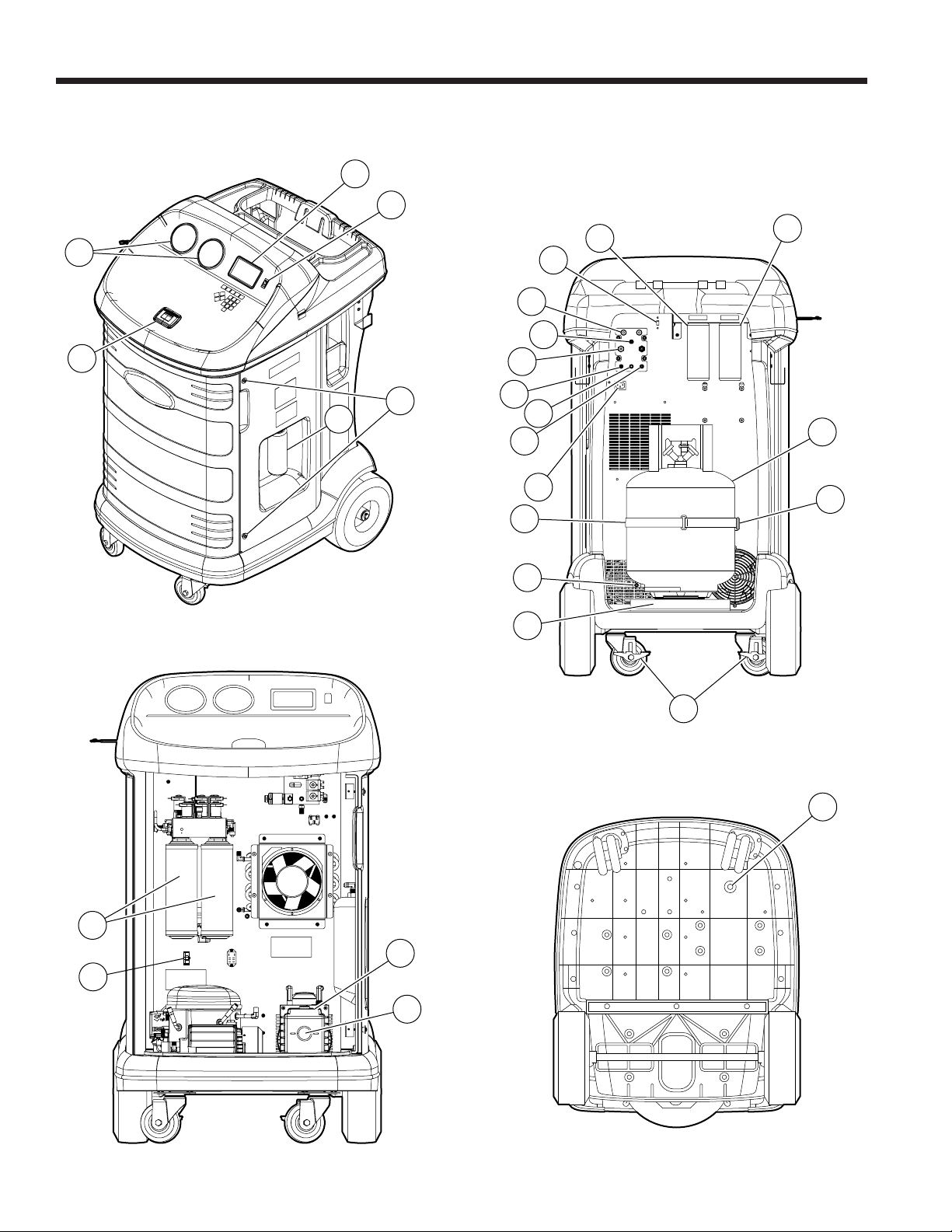
Technical Specications
Dimensions .................117 cm x 66 cm x 85 cm
Display ...........5 × 9 cm (4.3-in. diag) graphical LCD
Filter ..............................136 kg (300 lb)
Humidity .......32.2°C (90°F), 80% RH non-condensing
Manometer ......................Ø 100 mm (3.9 in.)
Maximum Pressure . . . . . . . . . . . . . . . . 17.9 bar (260 psi)
Noise .................................<72 dB(A)
Nominal Voltage ........................115V, 60 Hz
Oil Bottle Capacity. . . . . . . . . . . . . . . . . . . .355 ml (12 oz)
Operating Temperature ...10°C to 50°C (50°F to 122°F)
Power Consumption .......................1380 W
Vacuum Pump Free-Air Displacement
..................... 5.0 CFM (142 L/m) @ 60 Hz
Service Hoses ..............5.5 m (18 ft) / SAE J2196
Tank Capacity ........................20 kg (44 lb)
Weight ............................100 kg (220 lb)
6
6
1
5
2
4
3
Introduction
Features
22
21
20
18
19
14
7
8
9
13
12
11
10
15
16
17
25
24
27
23
26
7
SP01500206 VER 01
Introduction
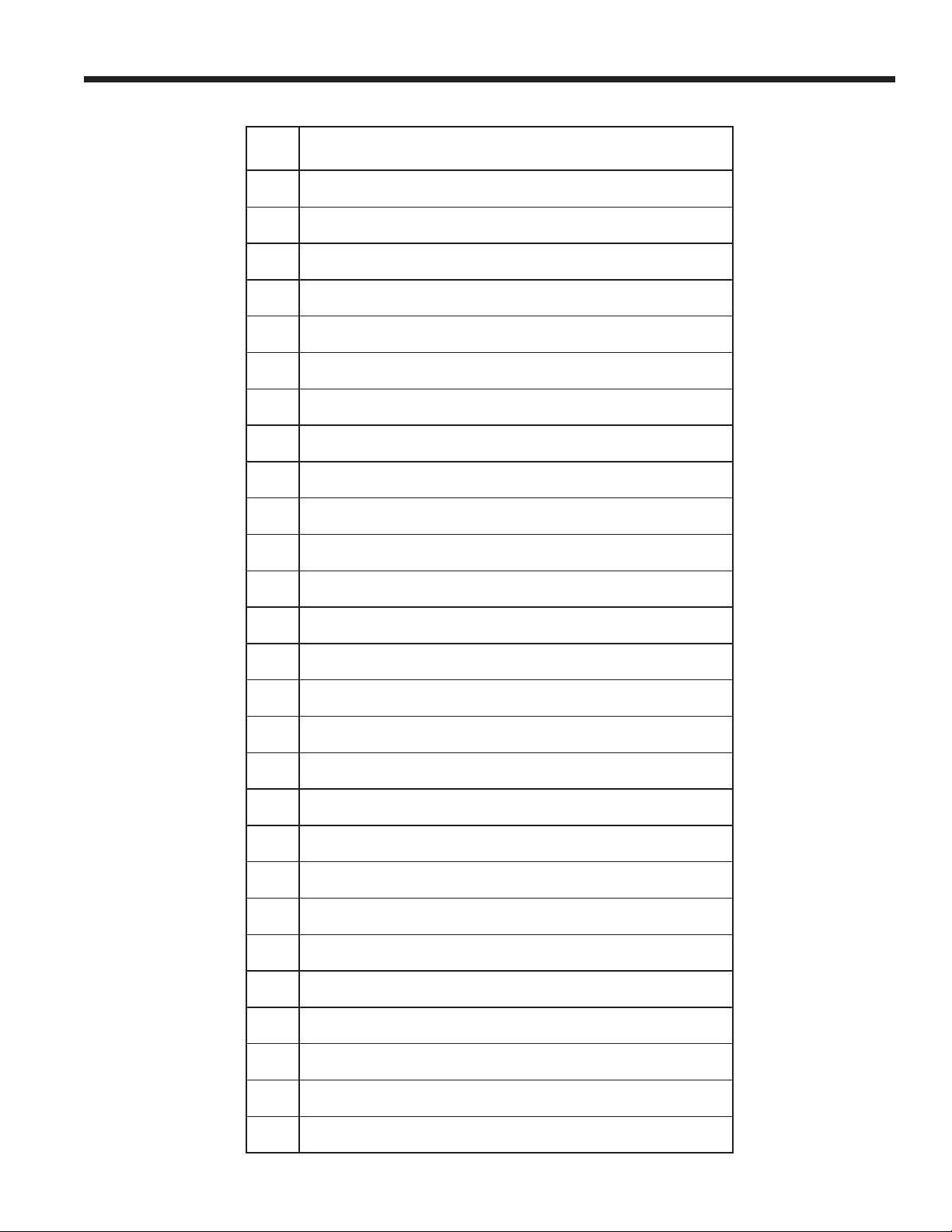
Item
No.
Description
1 Graphic Display and Keypad
2 Power Switch
3 Door Screw
4 Vacuum Exhaust Bottle
5 Printer
6 Low-side (blue) and High-side (red) Manifold Gauges
7 Oil Inject Bottle
8 Tank
9 Tank Temperature Probe
10 Wheel Lock
11 Scale
12 Scale Thumb Screw
13 Tank Temperature Probe Strap
14 Power Cord Receptacle
15 Bulkhead Liquid Port
16 Bulkhead Vapor Port
17 Bulkhead Air Purge Port
18 Service Hose Storage Ports
19 Nitrogen Inject Port
20 Service Hoses
21 USB Connection
22 Oil Drain Bottle
23 Vacuum Pump Fill Cap and Port
24 Vacuum Pump Oil Sight Glass
25 Filters
26 Vacuum Pump Drain Fitting
27 Circuit Breaker
8
Introduction
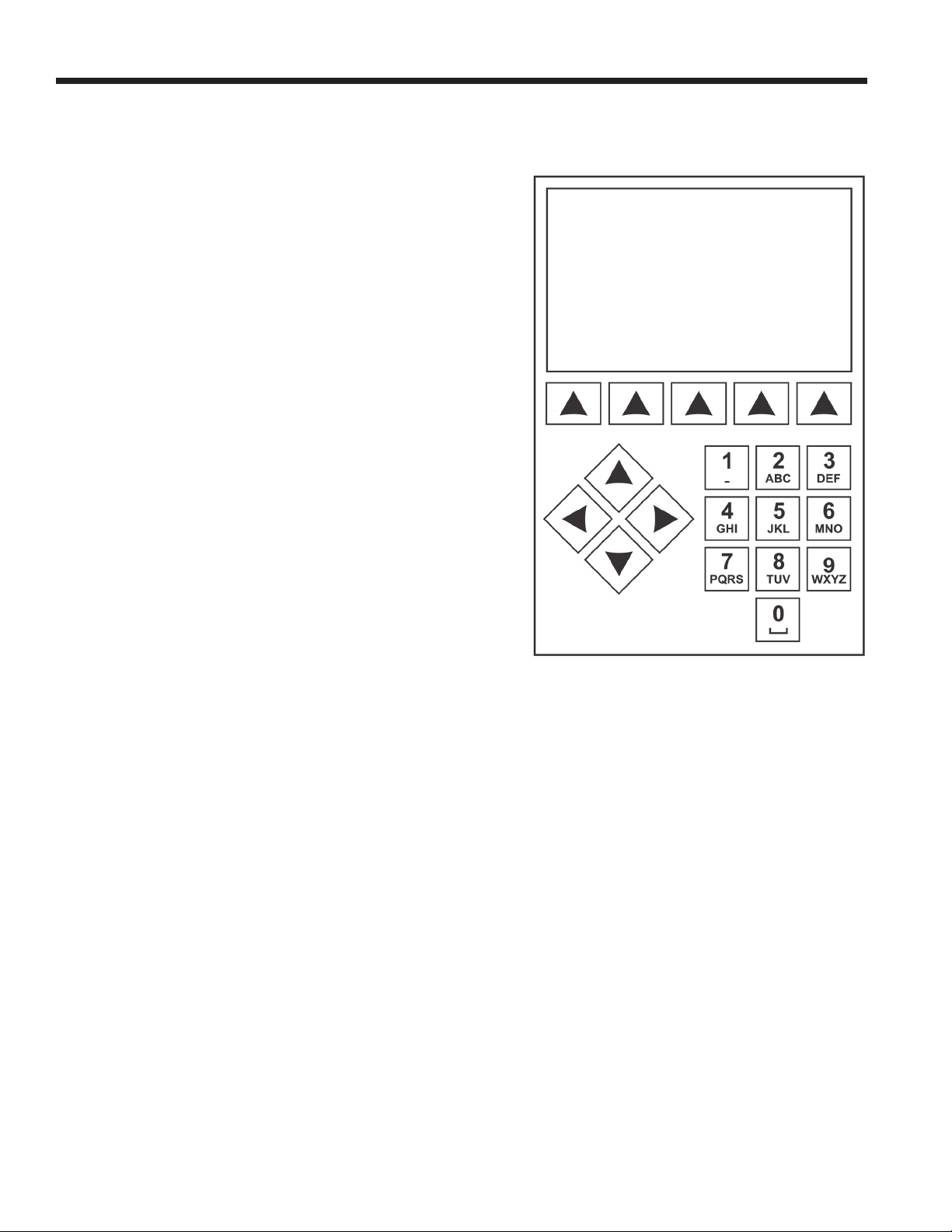
Control Panel Functions
ARROW UP highlights the previous item.
ARROW DOWN highlights the following item.
ARROW RIGHT scrolls to next screen.
ARROW LEFT scrolls to previous screen.
SELECTION ARROWS make a selection or answer a query.
Control Panel Keypad
9
SP01500206 VER 01
Introduction
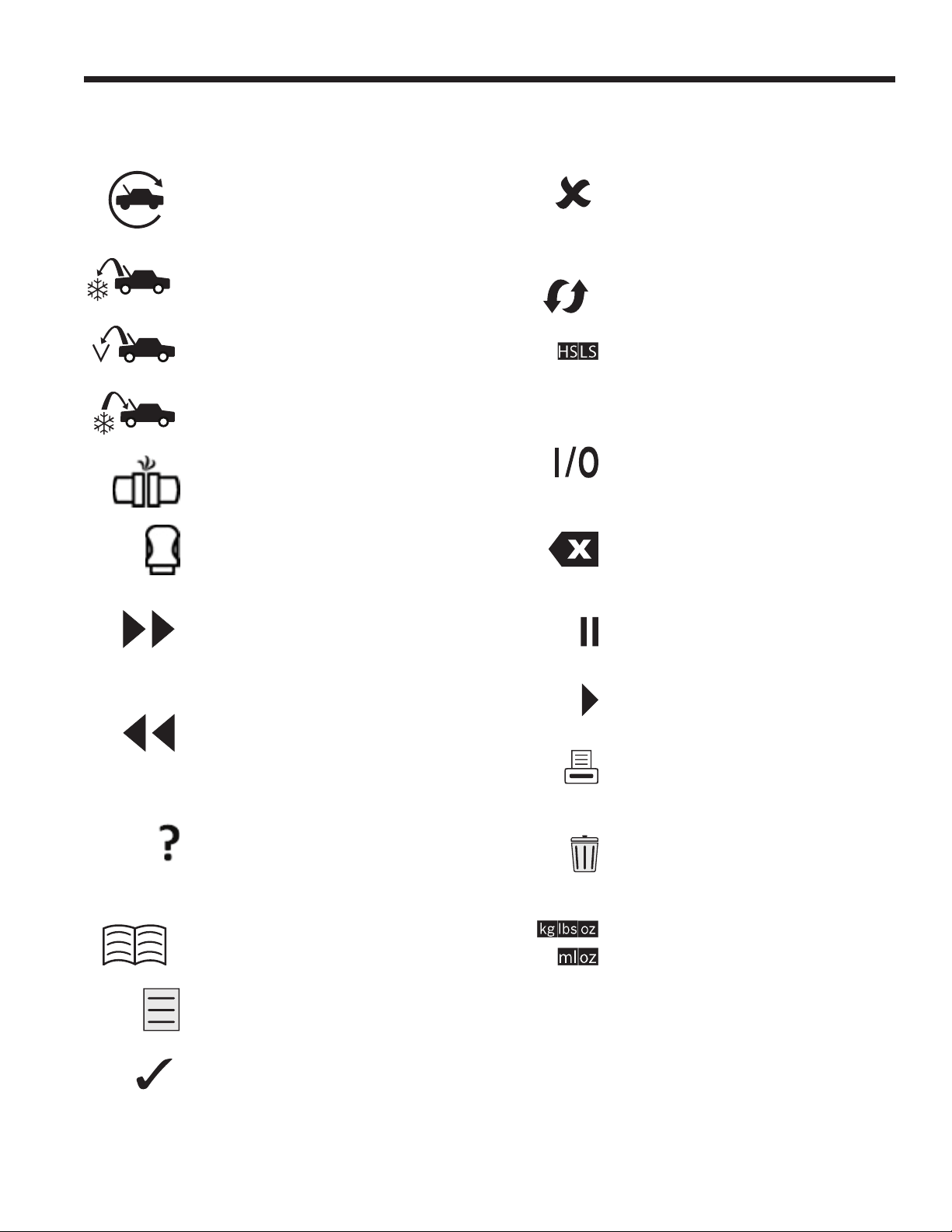
Icon Legend
AUTOMATIC ICON
Pressing the key under this icon will
enter the automatic refrigerant recovery,
vacuum, and charge process.
RECOVER ICON
Pressing the key under this icon will
enter the refrigerant recovery process.
VACUUM ICON
Pressing the key under this icon will
enter the system vacuum process.
CHARGE ICON
Pressing the key under this icon will enter
the refrigerant charge process.
N2/N2H2 LEAK TEST ICON
Pressing the key under this icon will enter
the N2 or N2H2 leak test process.
VCI ICON
Pressing the key under this icon will
connect to the optional wireless OBDII
interface.
NEXT/FORWARD ICON
Pressing the key under this icon will
proceed to additional menu selection
options, or proceed to an additional step
in a function or process.
BACK ICON
Pressing the key under this icon will return
to previously seen menu selection options,
or return to the previous screen within a
function or process.
HELP ICON
Pressing the key under this icon
will provide help and information
corresponding to the current screen and/or
function being viewed or performed.
DATABASE ICON
Pressing the key under this icon will enter
the database retrieval process.
SETUP MENU ICON
Pressing the key under this icon will
enter the Setup Menu.
YES/ACCEPT ICON
Pressing the key under this icon will
accept any choices made on the current
screen and proceed to the next step of
the function.
NO/CLOSE ICON
Pressing the key under this icon will
reject any choices made on the current
screen and return to the previous step of
the function or the Main Menu.
RETRY ICON
Pressing the key under this icon will retry
the current process or function.
CHARGE PATH SELECTION ICON
Pressing the key under this icon will
toggle the desired path of refrigerant
charge between high side, low side, and
both side.
ON/OFF ICON
Pressing the key under this icon will
toggle the highlighted function on or o
as desired.
BACKSPACE ICON
Pressing the key under this icon will
delete a text character to the left of the
current selection.
PAUSE ICON
Pressing the key under this icon will
pause the current process.
RESUME ICON
Pressing the key under this icon will
resume a process that has been paused.
PRINT ICON
Pressing the key under this icon will print
a summary corresponding to the current
completed process.
DELETE ICON
Pressing the key under this icon will
delete a selected entry from the memory
of the machine.
CHANGE UNITS ICONS
Pressing the key under one of these icons
will toggle the unit of measurement for the
current entry eld.

10
Introduction
Setup Menu Functions
Access the following functions by pressing the Menu key and selecting Setup.
Production Menu
For Robinair production use only.
Pump Maintenance
Displays the amount of time remaining until the next
vacuum pump oil change is needed. For maximum
vacuum pump performance, change vacuum pump oil
every time the lter is replaced. Refer to the Change
Vacuum Pump Oil in the Maintenance section.
Refrigerant Management
Displays the amount of refrigerant recovered, charged,
and replenished (for the life of the machine), and
ltered since the last lter change.
Replace Service Hoses
This function ensures that there is no residual pressure
in the service hoses before replacement. Initiate this
process before attempting to replace the service hoses
and follow the on-screen prompts.
Select Language
Select a language for screen prompts. English is the
default language.
Service Menu
For Robinair service center use only.
Select Units
Program the machine to display units of measure in
kilograms or pounds. The default display is kilograms.
Set Buzzer
Turn audible alerts on and o.
Set Default Vacuum Time
Allows the user to change the default vacuum time.
The initial default time is set to 10 minutes.
Set Up Wireless Dongle
Use this function to congure the optional Wi-Fi/
Bluetooth radio.
System Flush
Provides a method of removing oil by forcing liquid
refrigerant through an A/C system or components of an
A/C system. After ushing, the refrigerant is recovered
by the machine and ltered by the recycling circuit.
System Information
Displays the revision level of the software in the
machine.
Adjust Zero Oset
Allows user to set the zero oset of the oil inject and
drain load cells.
Air Purge Information
Displays current tank pressure and temperature along
with calculated nominal pressure.
Calibration Check
Use to verify internal scale calibration. Refer to
Calibration Check in the Maintenance section of this
user manual.
Date and Time
Program the machine for current date and time.
Display Title Information
Temporarily display the unit sensor information. Sensor
information will default to not being displayed if the
machine is turned o.
Edit Print Header
Programs information that will appear on the printout
each time a print function is used.
Filter Maintenance
The lter removes acid, particulates, and moisture from
the refrigerant. To meet requirements, it is mandatory
to replace the lter after 136 kg (300 lb) of refrigerant
has been ltered.
This menu item displays the lter capacity remaining
until the machine locks down and no longer functions.
Refer to Filter Maintenance in the Maintenance section.
Flush Hoses
Flushes residual oil from the machine’s service hoses
to prepare for service of next system.
Hose Equalize
Use this Setup Menu item to recover refrigerant from
the service hoses back into the A/C system. This item
is useful after performing diagnostics which do not
require the need to recover the A/C system into the
RRR machine. The user will be prompted to connect
the low side service hose to the appropriate port and
to start the A/C system on max.
Leak Check
Use this function to test the machine for leaks.
Components containing refrigerant are pressurized
and monitored for pressure decay, which could
indicate a leak.

11
SP01500206 VER 01
Introduction
Tank Fill
Use this Setup Menu item to transfer refrigerant from
a source tank to the tank. The tank ll value may be
adjusted up or down to suit the user’s needs. Refer
to Tank Fill in the Maintenance section.
Unit Activation
Failure to register and activate the machine within 30
days of initial startup will cause the machine to lock out
and no longer function. Select this Setup Menu item
and follow the prompts before the trial period expires.
View Service Data
Displays A/C system information that was entered
into the Enter Service Data screen. Systems are
displayed by date of service and VIN or ID number.
The database stores 25 entries.
12
Introduction
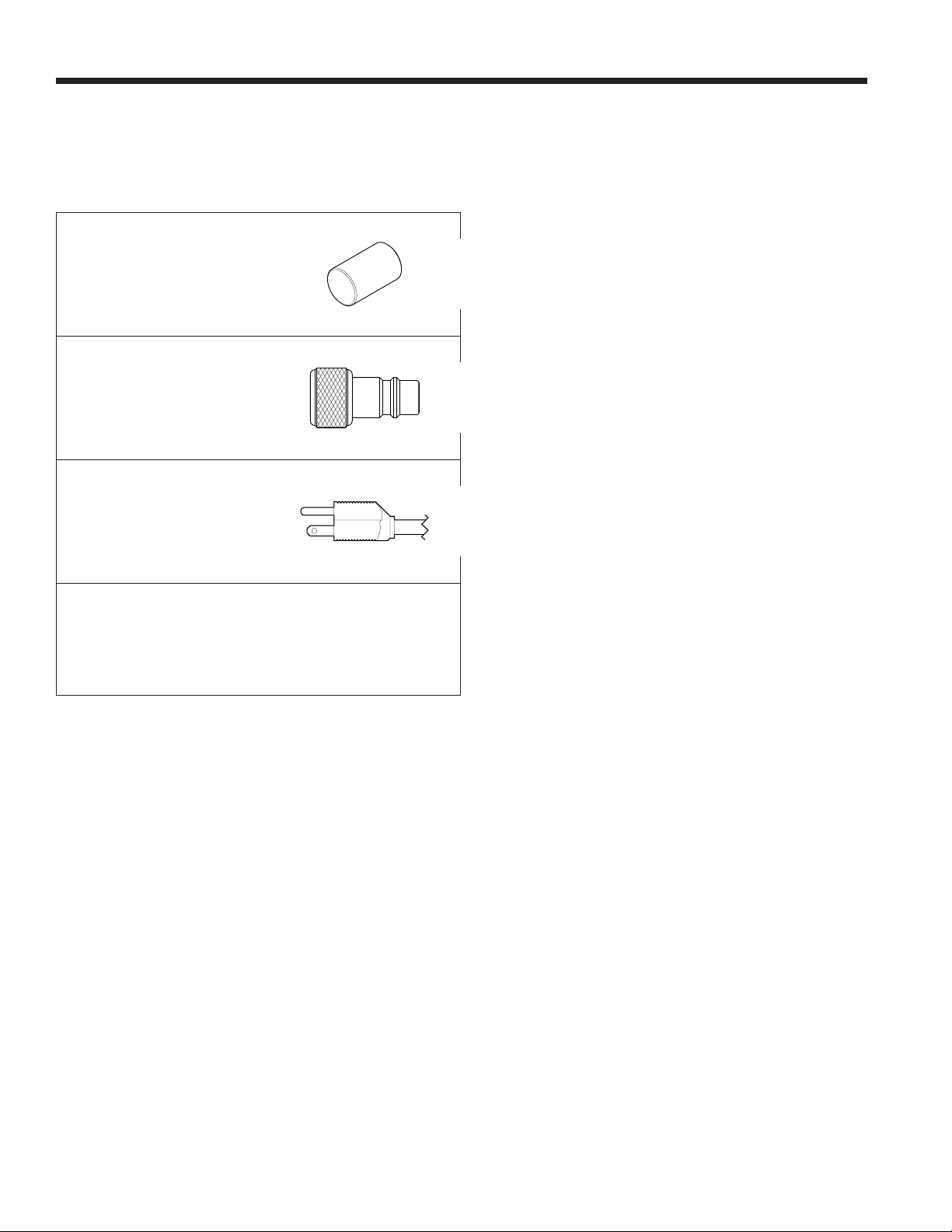
Unpack the Accessory Kit
Unpack the accessory kit from the box, and remove
the plastic packaging.
Calibration Check Weight
533 g (1.18 lb)
Low-side Connection
Port Assembly
Power Cord
Pouch containing SDSs, EPA information, MACS
information, and a service center list.
Power Up the Machine
1. Install the power cord into the receptacle on the unit.
2. Plug the power cord into a grounded outlet of the
correct voltage.
3. Position the machine so the plug and the power
switch are of easy access for the operator. Verify
the fan vents on the rear of the machine are not
obstructed.
4. Lock the front wheels.
5. Toggle the power switch on the control panel to
turn the machine ON.
The machine launches into the initial Setup mode.
13
SP01500206 VER 01
Initial Setup
WARNING: To prevent personal
injury while working with refrigerant,
read and follow the instructions
and warnings in this manual, and
wear protective equipment such as
goggles and gloves.
Tank Installation
A 50-lb DOT-4BA-400 tank with an air purge port must
be installed for this unit to function. Using a dierent
tank can result in degraded system function. Using a
smaller tank can result in accidental tank overll and
potential injury. Discard the plastic surrounding the
tank included with this unit and install by completing
the following procedure.
1. Open the vapor valve on the tank to purge the 5 to
10 psi of nitrogen that ships with the tank to prevent
contamination. Vent the nitrogen to atmosphere
and close the valve once venting is complete. The
tank will vacuum to purge the remaining nitrogen
during inital setup.
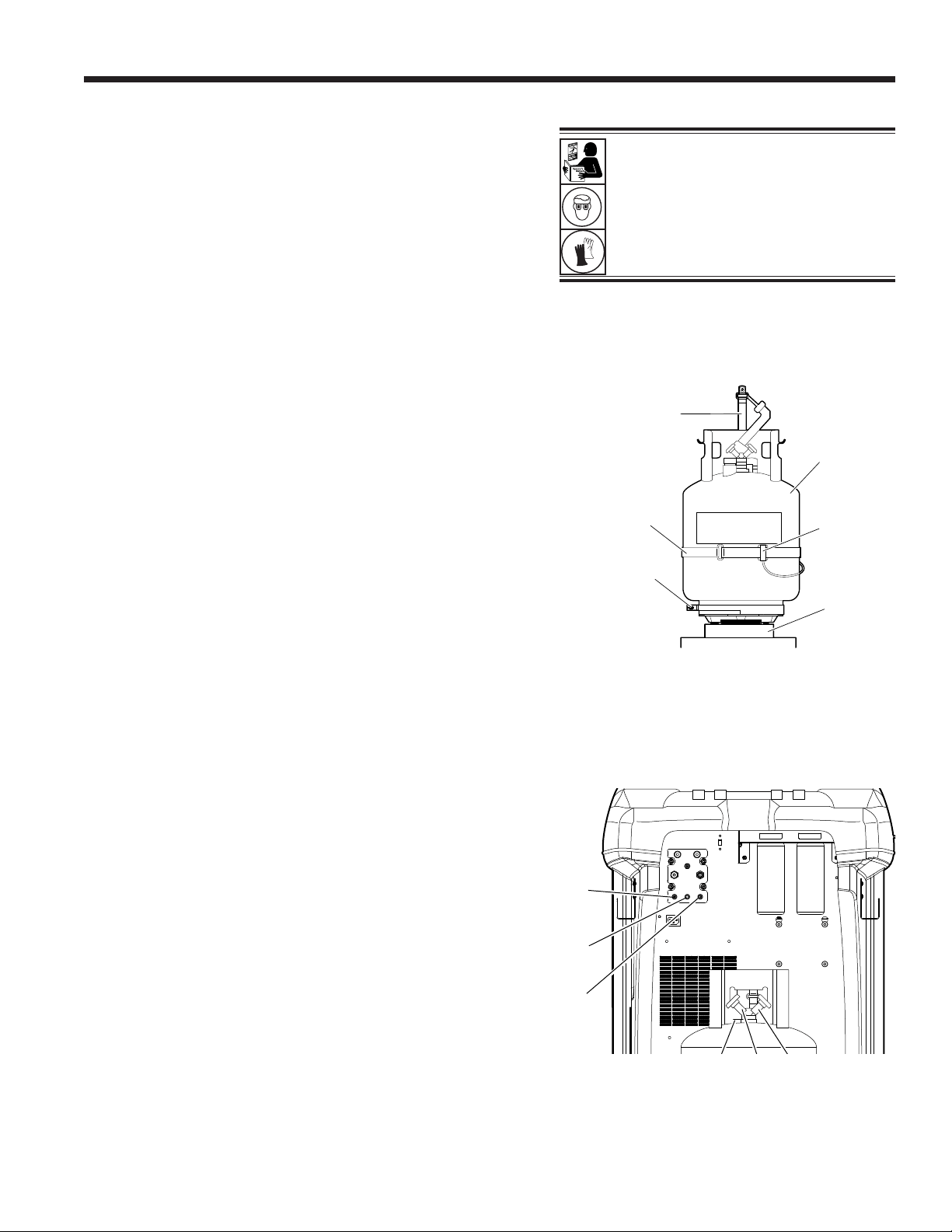
2. Place the tank on the scale in the orientation shown
in Figure 1. Tighten the thumb screw on the scale.
3. Loop the tank retention strap through the tank
handle and secure the clip back to the strap ring.
See Figure 1.
4. Remove the bubble wrap from the tank hoses ends
and connect the hoses to the appropriate ports on
the tank. Open the tank valves after connecting
the hoses.
Note: Incorrect installation of the hoses may result
in degraded machine function.
Figure 2 shows the appropriate conguration for
34888HD.
• Red Hose – Vapor port on tank
• Blue Hose – Liquid port on the tank
• Yellow Hose – Air purge port on the tank
5. Remove the temperature probe assembly and
strap from its packaging and install on the tank.
The unit will not function properly without the tank
temperature probe. See Figure 1 for the correct
probe position.
• Place the tank temperature probe assembly in
contact with the tank slightly above the mid-line
tank weld. Metal to metal contact between the
probe and tank is required for accurate tank
temperature measurements.
• Secure the probe assembly to the tank with
the probe strap included.
Note: Do not allow the power cord, service hoses, or
any other component to come into contact with the
tank during operation. This may inuence the scale
readings and aect charge or recovery accuracy.
Figure 1
Figure 2
Tank
Strap
Probe
Strap
Thumb
Screw
Unit
Tank
Temperature
Probe
Assembly
Scale
Blue
Hose
Red
Hose
Yellow
Hose
Air
Purge
Vapor Liquid

14
Initial Setup
Select Language
The operator selects the language for the screen prompt
displays. English is the default language.
1. Use the UP or DOWN arrow key to toggle through the
available languages one line at a time.
2. Select to set the selected language.
Note: To update an existing language or to add a new language,
refer to Load Language in the Maintenance section of this
manual.
Approve Licensing Agreement
Review the licensing agreement at the end of this manual
and select to agree.
Select Units
The operator sets the display for units of measure. Metric is
the default.
1. Use the Arrow UP or Arrow Down key to toggle Imperial
or Metric units.
2. Select to choose the displayed unit of measure.
Set Date and Time
Use the arrow keys to move the cursor. Use the keypad to
modify the information displayed.
1. Use the Arrow up and Arrow Down keys to select which
item to change: day, month, year, or time. Select to
toggle between AM and PM.
2. Use the multi-tap interface on the numeric keypad to
modify the information.
3. Select to save.
15
SP01500206 VER 01
Service Hoses
Connected to
Storage Ports
Initial Setup
Edit Print Header
This function allows the user to customize the print header.
The information loaded into Edit Print Header will appear on
each printout.
1. Enter text by using the arrows and the multi-tap interface
on the numeric keypad:
• ARROW LEFT and key act as backspace key.
• ARROW RIGHT moves the cursor to the right.
• 0 (ZERO) acts as a space bar when pressed twice.
• ARROW UP and DOWN navigate between the rows.
2. Select to save/exit the function; select to return
to the previous header without saving data.
Service Vacuum
At this point the machine clears its internal plumbing before
proceeding with setup.
1. Check the vacuum pump oil level sight glass and verify
the oil level is at the center of the sight glass.
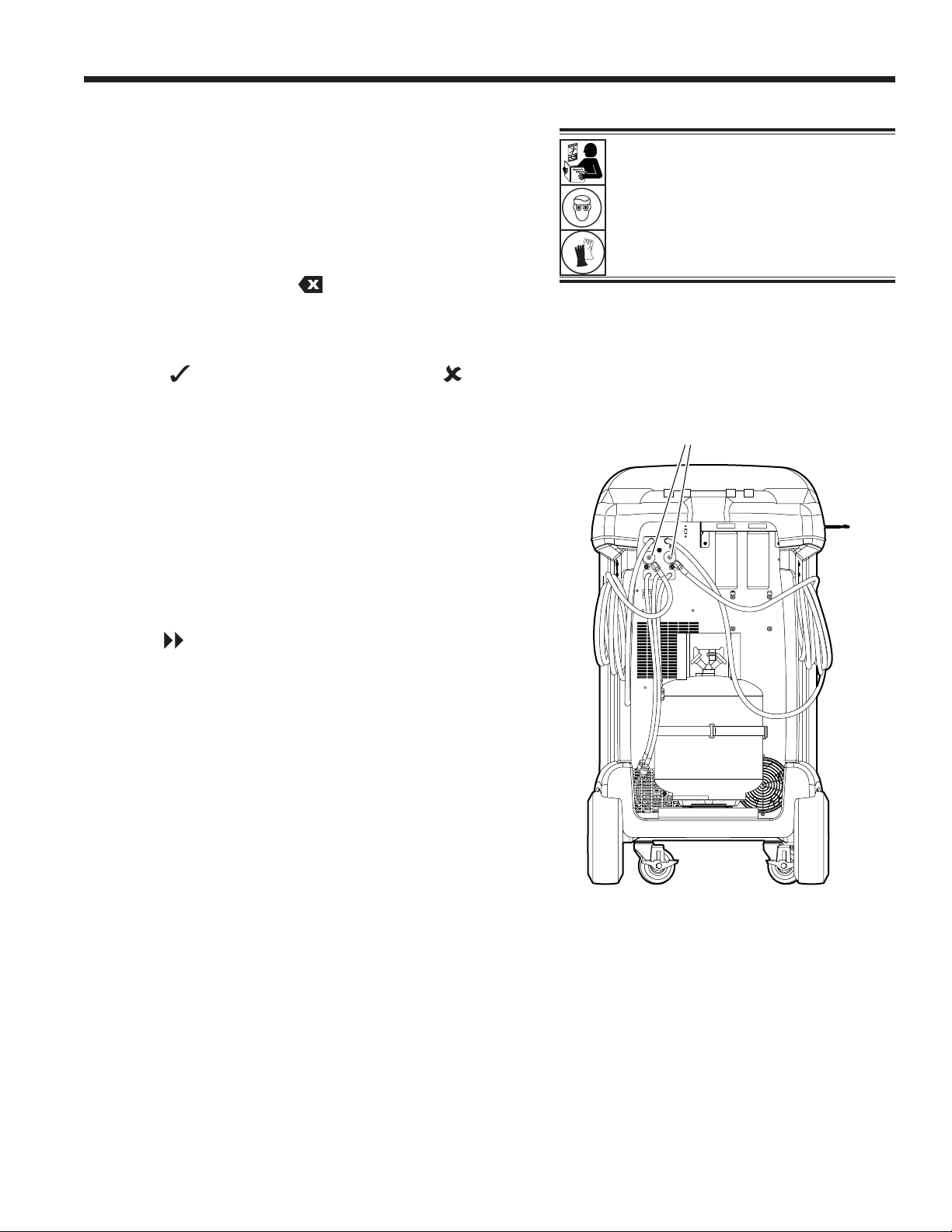
2. When prompted, connect the service hoses from the
machine to their storage ports as shown in Figure 3.
Verify tank hoses are connected and valves are open.
Select to continue.
3. The machine enters a 15-minute vacuum and will
automatically enter the next set-up process when complete.
Figure 3
WARNING: To prevent personal
injury while working with refrigerant,
read and follow the instructions
and warnings in this manual, and
wear protective equipment such as
goggles and gloves.
16
Initial Setup
Tank Fill
This procedure transfers refrigerant from a source tank to
the tank on the machine. The maximum capacity of the tank
is 20 kg (44 lb). Use arrow keys to move the cursor; use the
keypad to enter a value.
1. The machine displays elds for desired tank ll amount,
charge capacity, and the amount of recoverable refrigerant
(recover capacity) within the tank. Enter the desired tank
ll amount.
Note: Add at least 2.10 kg of refrigerant, in addition to the
desired charge amount, to ensure sucient refrigerant
for charging.
2. Install the 1/2-in. ACME to low-side adapter on the source
tank and connect the blue service hose to the adapter.
Note: Some source tanks have different valve
congurations. Be sure to connect the blue hose to the
liquid valve. The valve may be red on some tanks and
blue on others.
3. Position the source tank in such a way that liquid refrigerant
is supplied to the connection.
4. Open the source tank valve.
5. Select to start the tank ll process. The machine
begins lling the tank. Add at least 2.1 kg of refrigerant
to ensure enough is available for charging. This process
takes 5–40 minutes.
6. The machine stops when the designated amount of
refrigerant has been transferred to the tank or when the
source tank is empty. Follow the messages on the display.
7. Close the source tank valve.
8. Select to return to the Setup Menu.
9. Once complete, shut the valve on the source tank and
remove the hose.
10. Select to recover any refrigerant remaining in the hose.
The machine is ready for operation.
Note:
• There is no need to calibrate the scale; it is calibrated at
the factory.
• After the tank ll process is complete, the display does
not show the same amount as the programmed ll level.
The display shows the amount of refrigerant that is available
for charging, which is approximately 2.10 kg (4.6 lb) less than
the total amount of refrigerant in the tank.
Note:
Charge Capacity: The amount of refrigerant
in the tank that can be charged into an A/C
system.
Recover Capacity: The amount of additional
refrigerant that could be recovered into the tank.
WARNING: To prevent personal
injury while working with refrigerant,
read and follow the instructions
and warnings in this manual, and
wear protective equipment such as
goggles and gloves.
17
SP01500206 VER 01
Initial Setup
Unit Activation
Failure to register and activate the machine within 30
days of initial startup will cause the machine to lock out
and no longer function.
1. Select Unit Activation from the Setup Menu. The
machine displays
XX Days Left on Trial
Period to activate unit.
Activate Now?
2. Select to start the activation process. The machine
displays
Product Activation
Personal product code:
XXXXXXXXXXX
Enter code:
XXXXXXXXXXXX
3. Open a web browser on a personal computer and
enter https://bosch.service-solutions.com.
4. Enter the user name and password, and log in to the
website.
Note: If a rst-time user, select REGISTER to create
a user name and password.
5. On the personal computer, enter the Personal Product
Code of the machine into the Product Activation key
box on the website to receive an activation code.
6. On the machine, enter the activation code into the
correct eld. Note: Enter the code exactly as received.
Capitalization is required.
7. Record the activation code on a piece of paper and
le it in a secure place. Select .
8. The machine displays
Activation successful.
Select . The machine has been activated.
18
Operating Instructions
Enter Service Data
After selecting any service function, information about the
A/C system may be entered into and stored in the machine’s
database.
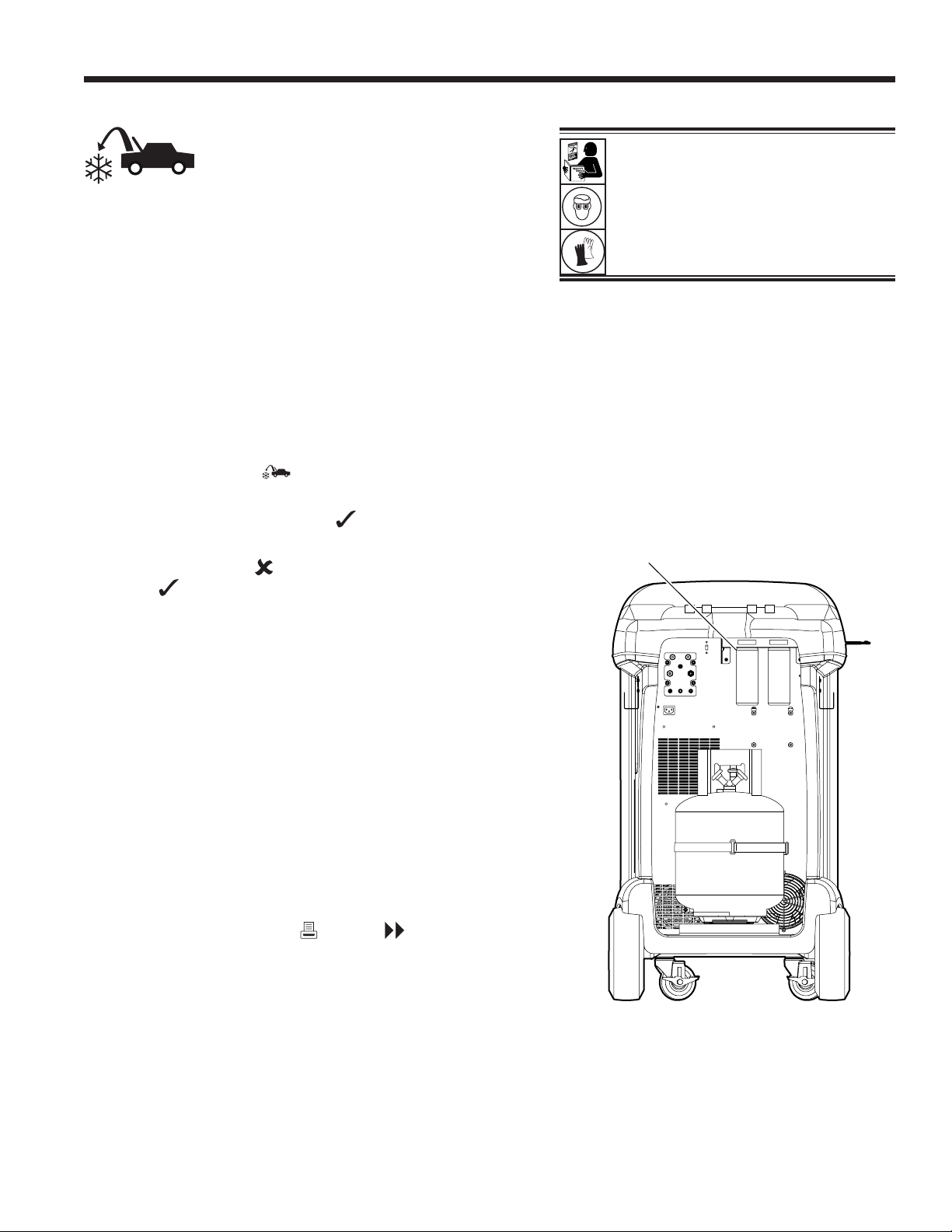
The machine displays
Enter service data new
1. Select to enter a new record, or scroll to select a
previously serviced A/C system and then select . The
highlighted selection will be in red. The machine displays
Enter service data
ID/VIN: _____________________________
Mileage: ____________________________
Make: ______________________________
Model: _____________________________
2. Use the arrow keys to move between rows and the multi-
tap keypad to enter text.
Information entered on this screen is stored by date and
identication number or vehicle identication number
(VIN). The database stores the latest 25 entries, with the
most recent at the top of the list.
The information will also appear on service summary
printouts.
19
SP01500206 VER 01
Recover Refrigerant from A/C System
1. Empty the oil drain bottle before starting a recovery.
Remove the oil drain bottle by unscrewing it from the unit.
Reinstall the oil drain bottle. Refer to Figure 4.
Note: Use caution when removing/installing oil drain bottle.
Excessive force may damage internal load cell.
2. Connect the high-side (red) and low-side (blue) service
hoses to the A/C system.
3. Open the coupler valves on the hoses by turning the
collars clockwise.
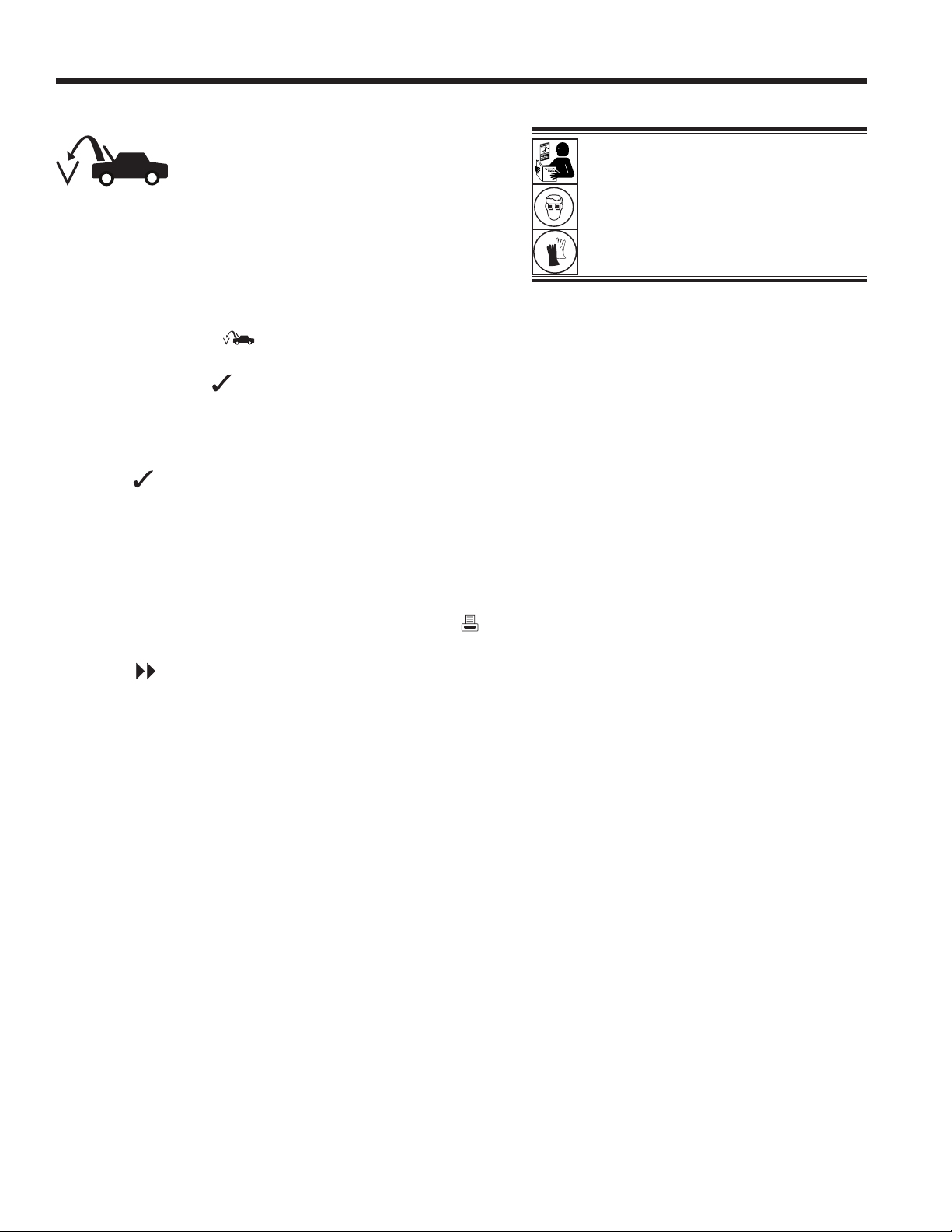
4. Select RECOVER from the MAIN MENU.
5. The machine will enter the service data entry form. Enter
all applicable data and select to continue.
6. The machine will ask whether to record diagnostic
pressures. Select to continue recovery process or
select to record operating pressures of the A/C system.
Follow on-screen prompts and system service manual
specications to continue.
The machine begins the recovery process. A clicking
noise indicates the solenoid is opening and closing —
this is normal.
The machine runs a self-clearing cycle to clear any internal
refrigerant from its internal plumbing.
System recovery begins and includes a timed vacuum,
deep recovery process.
After recovery, the machine will perform an oil drain, which
may require up to 90 seconds to complete.
7. After the oil drain is complete, a summary is displayed
showing the total amount of refrigerant and oil recovered.
Recovery information and pre-recover diagnostics can
be printed by selecting . Select to return to the
Main Menu.
Notes:
• The displayed recovered weight can vary depending on
ambient conditions and should not be used as an indicator
of scale accuracy.
• Depending on the capacity of the system the recovery
process may be interrupted if the oil drain bottle is full
and needs to be emptied.
Figure 4
Operating Instructions
WARNING: To prevent personal
injury while working with refrigerant,
read and follow the instructions
and warnings in this manual, and
wear protective equipment such as
goggles and gloves.
Oil Drain
Bottle
20
Operating Instructions
Evacuate the A/C System
1. Connect the service hoses to the system’s service ports.
2. Open the service hose coupler valves by turning the
collars clockwise.
3. Select VACUUM from the MAIN MENU.
4. The user will be prompted to enter service data. Once
complete, select to continue.
5. Select Vacuum Leak Check, if desired, to automatically
perform a 5-minute pressure rise leak check after the
vacuum.
6. Select to accept the 10-minute default evacuation time,
or enter a desired vacuum time using the number keys.
Note: The vacuum process will halt if pressure rises above
.35 bar (5 psi). Recover refrigerant before proceeding.
The machine pulls a vacuum on the A/C system for the
programmed amount of time.
Vacuum information can be printed by selecting on
machines equipped with a printer.
7. Select to return to the Main Menu.
WARNING: To prevent personal
injury while working with refrigerant,
read and follow the instructions
and warnings in this manual, and
wear protective equipment such as
goggles and gloves.
21
SP01500206 VER 01
Service Hoses
Connected to
Storage Ports
Operating Instructions
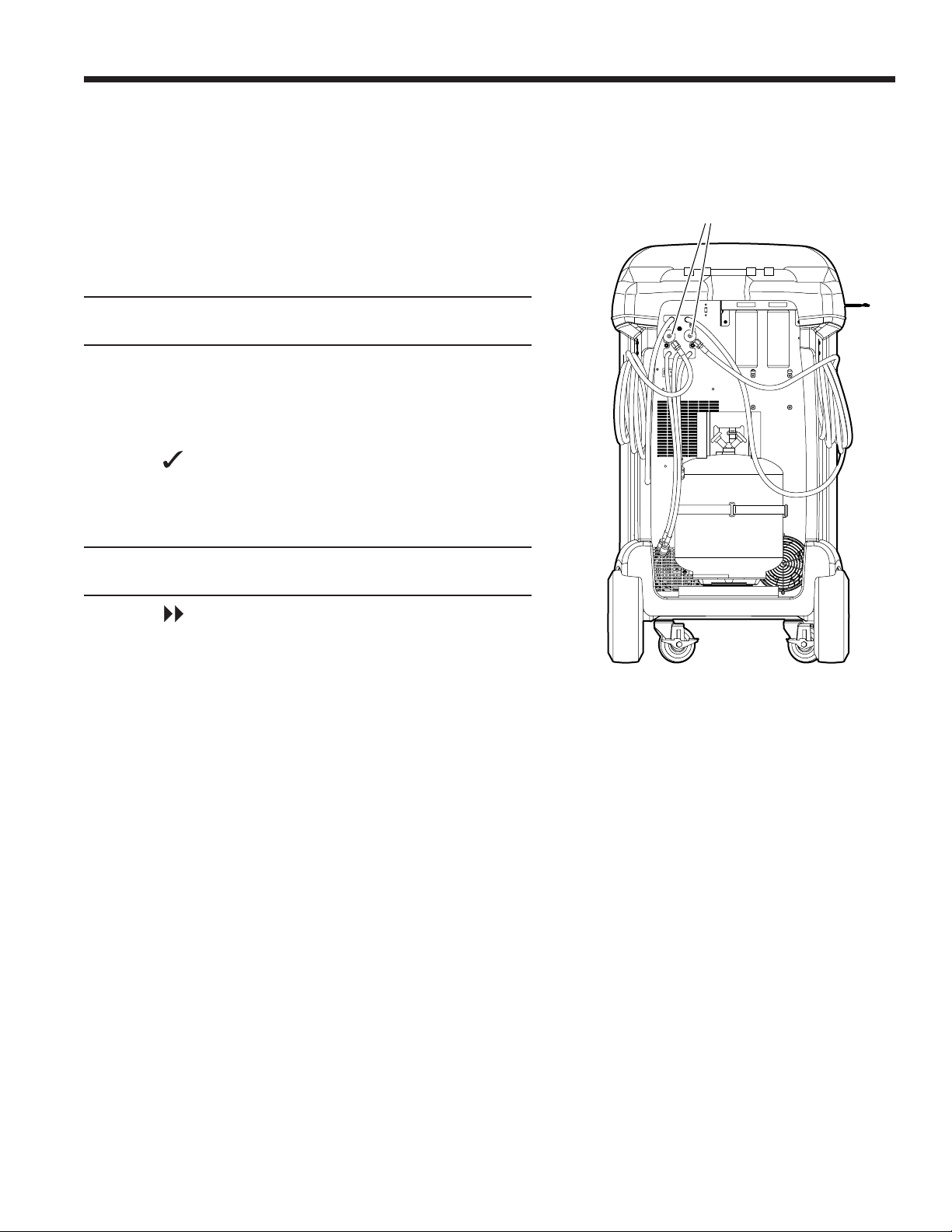
Flushing the Hoses
If the next system to be serviced contains a dierent type
of oil than the previous system serviced, it is recommended
the service hoses be ushed of residual oil to prevent
contamination.
1. Select FLUSH HOSES from the SETUP MENU. The
machine displays
Connect service hoses to storage ports and open coupler
valves.
2. Connect the service hoses to the machine’s storage port
connections as shown in Figure 5.
3. Open the service hose coupler valves by turning the
collars clockwise.
4. Select to begin the hose ush process, which runs for
three minutes, followed by a recovery.
When the hose ushing process is compete, the display
reads
FLUSH HOSES
Complete
5. Select to return to the Setup Menu.
6. Close the coupler valves by turning the collars
counterclockwise.
Figure 5
22
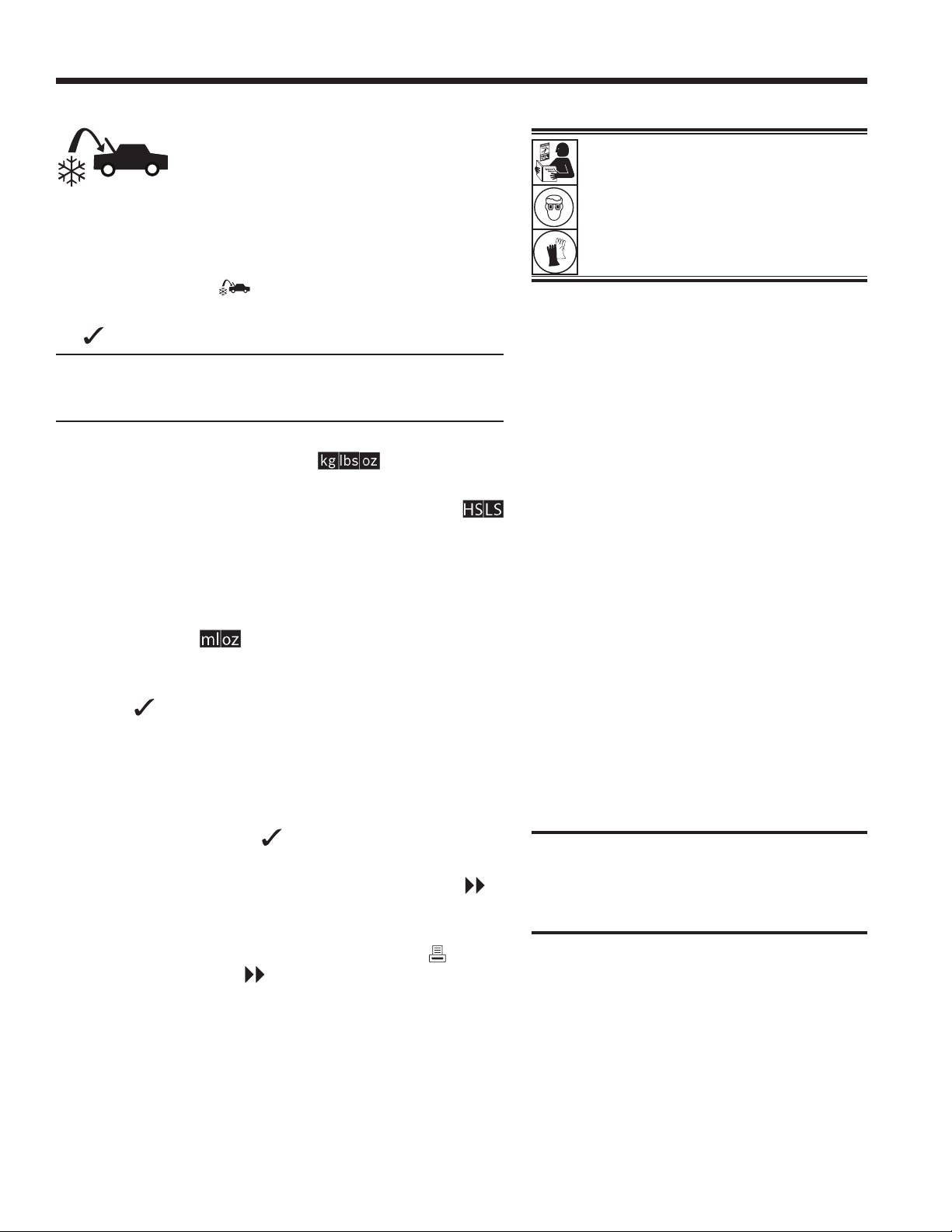
Recharge the A/C System
1. Connect both service hoses to the system’s service ports.
2. Select CHARGE from the MAIN MENU.
3. The user will be prompted to enter service data. Select
once complete to continue. The display shows
Charge: XX.XXX kg on High Side
Oil Amount: XXX ml
Min Charge quantity 10g
4. Use the arrow keys and the numeric keypad to enter the
desired charge amount. Select to change units.
5. Using the arrow keys, maneuver to the charge path
selection. High Side is default. To change, select
on the control panel. This will allow the user to toggle
between high, low, and both side charge paths. The
current selection is indicated on the display.
6. Oil can also be injected into the system during the charge.
Use the numeric keypad to enter the desired oil inject
amount. Select to change units. Make sure there is
available oil in the inject bottle located on the rear of the
machine.
7. Select to start the charge process. Moving or bumping
the machine at this point may result in an inaccurate
charge. When the charge cycle gets close to the desired
weight value, the machine slows down. It will charge, settle,
charge again, settle, etc. When charge is complete, the
user will be given the option to perform system diagnostics.
8. When prompted, select to perform hose equalization.
9. The user will be prompted to close the coupler valves
and disconnect the hoses from the system. Select to
recover any remaining refrigerant from the hoses.
10. When the CHARGE COMPLETE screen appears, it
includes a summary of charge results. Select to print
the summary. Select to proceed to clear the service
hoses. Once the hose clear is complete, the machine will
return to the Main Menu.
The A/C system is now ready for use.
WARNING: To prevent personal
injury while working with refrigerant,
read and follow the instructions
and warnings in this manual, and
wear protective equipment such as
goggles and gloves.
Note: The charging process diers from
system to system. Charge function for systems
equipped with a single service tting should
be carried out manually. Refer to the system
service manual for specic instructions.
CAUTION: If the low-side (blue) or high-
side (red) coupler valve is left open during
the hose clearing process, the system will
pull refrigerant back out of the A/C system.
Operating Instructions
23
SP01500206 VER 01
Operating Instructions
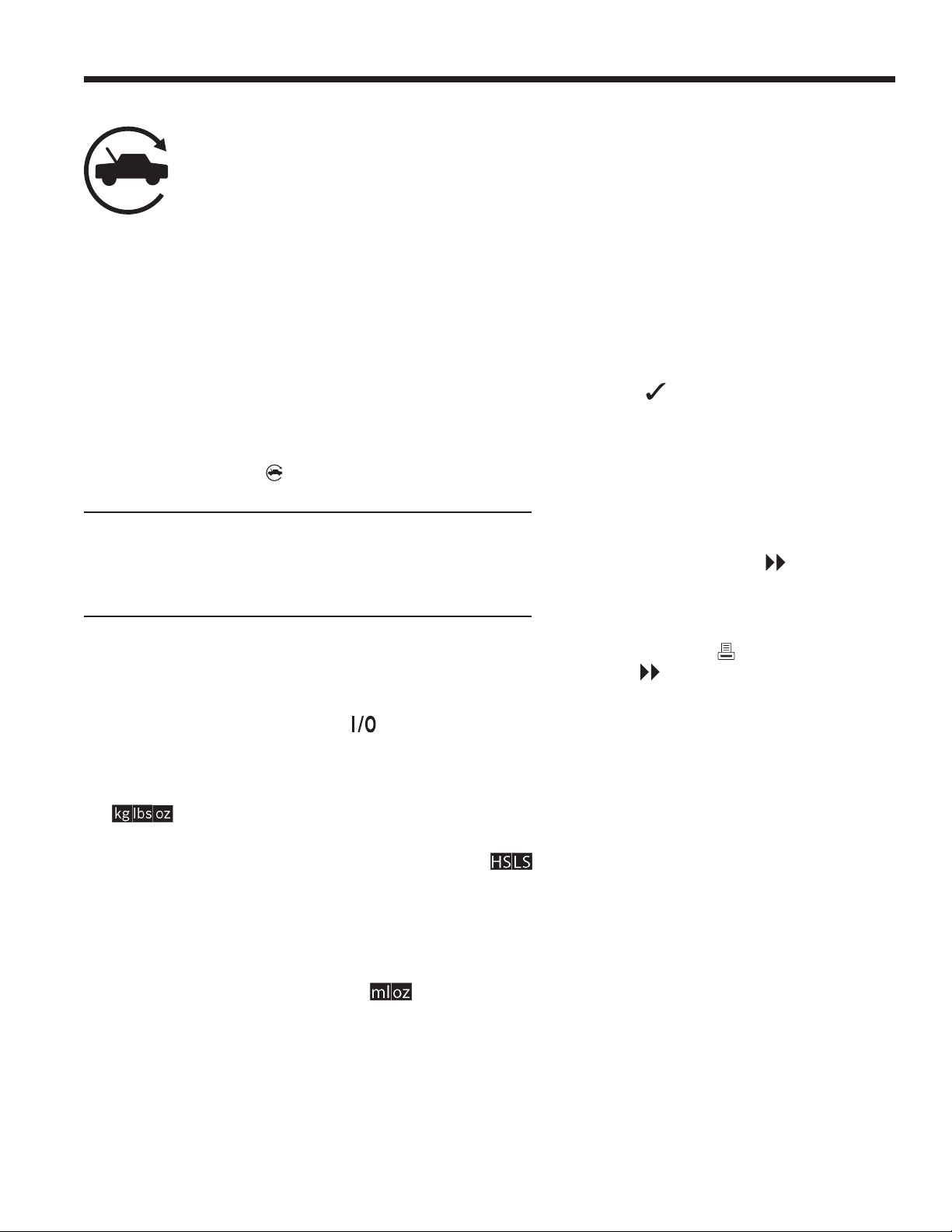
Automatic Function
The AUTOMATIC function allows a user to perform an
automatic recovery, vacuum, leak test, and/or charge
sequence. A total automatic sequence may require an
extended period of time to complete.
1. Connect high-side (red) and low-side (blue) service hoses
to the A/C system.
2. Open the service hose coupler valves by turning the
collars clockwise.
3. Select AUTOMATIC from the MAIN MENU. The display
shows:
Vacuum Time: XX:XX
Vacuum Leak Test: ON
Charge: XX.XXX kg on High Side
Additional Oil: XXX ml
Min Vacuum time is 1 sec
4. Use the numeric keypad to enter the desired length
of vacuum.
5. Using the arrow keys, maneuver downwards to choose
whether to perform a vacuum leak test or not. ON is the
default setting. To toggle, select on the control panel.
6. Using the downwards arrow key, maneuver to the “charge
amount” entry eld. Use the arrow keys and numeric
keypad to enter the desired charge amount. Select
to change units.
7. Using the arrow keys, maneuver to the “charge path
selection.” High Side is default. To change, select
on the control panel. This will allow the user to toggle
between high, low, and both side charge paths. The text
on the display will change to the current selection.
8. Using the arrow keys, maneuver to the “additional oil”
entry eld. Use the numeric keypad to enter the desired
additional oil inject amount. Select to change units.
Make sure there is available oil in the oil inject bottle located
on the rear of the machine.
Note: Additional oil amount specied is
in addition to the amount recovered. If
no additional oil is specied, the machine
will inject the same amount of oil as was
recovered (automatic mode only).
9. Select to begin the AUTOMATIC
cycle. The unit will now automatically
proceed through all applicable functions:
RECOVER, VACUUM, and CHARGE.
The system will automatically skip steps
not required.
10. The user will be prompted to close the
coupler valves and disconnect the hoses
from the system. Select to recover any
remaining refrigerant from the hoses.
11. When the AUTOMATIC COMPLETE
screen appears, it includes a summary
of results. Select to print the summary.
Select to proceed. Once the cycle is
complete, the machine will return to the
Main Menu.
The A/C system is now ready to use.
Notes:
• The CHARGE function for systems
equipped with a single-service tting
should be carried out manually according
to procedures in the manufacturer’s
service manual.
• If RECOVER was not performed,
the amount of oil to be injected may
be entered while programming the
CHARGE information.
• If problems are encountered during the
automatic sequence, an audio alert
sounds three times. The sequence
remains paused until the user enters
a decision regarding how to proceed.
24
Operating Instructions
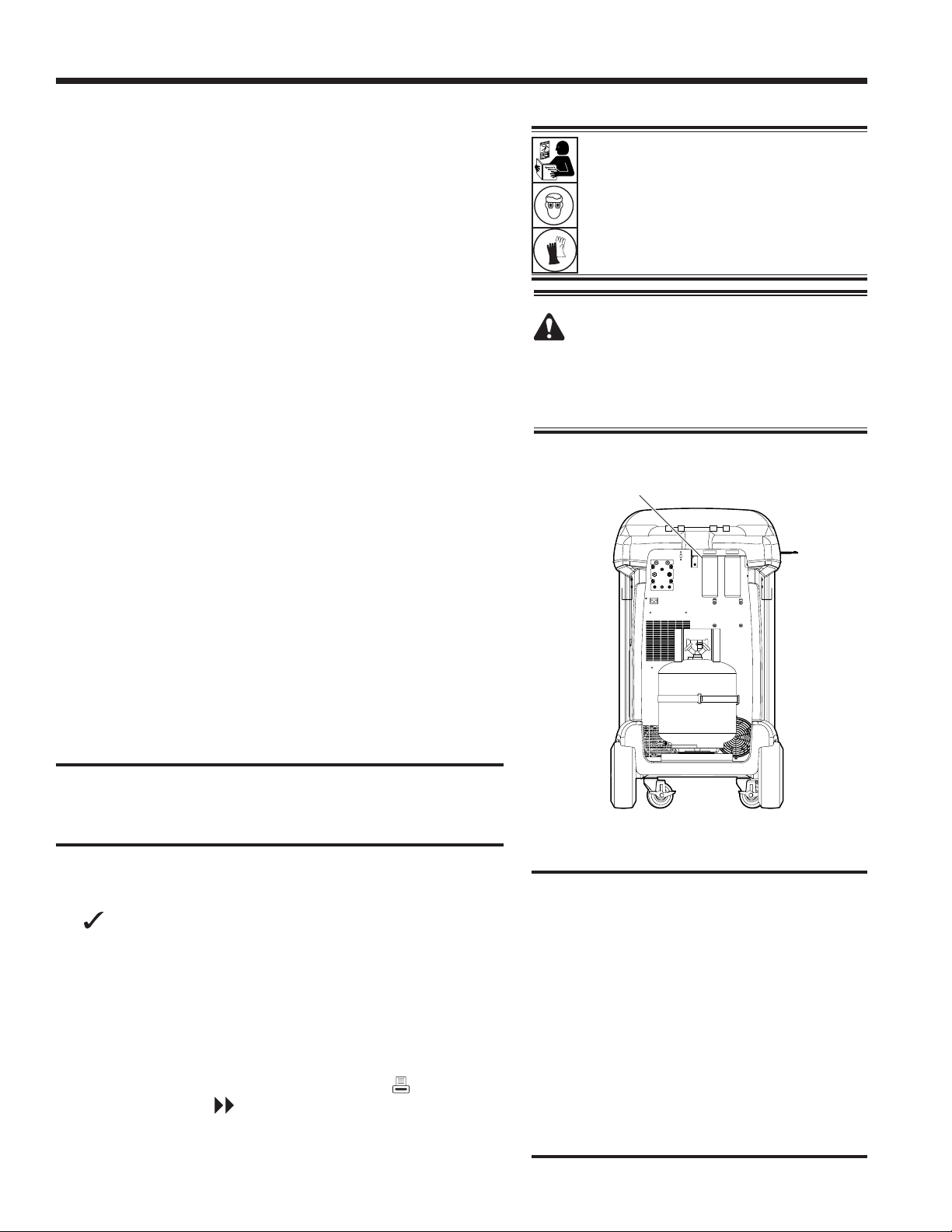
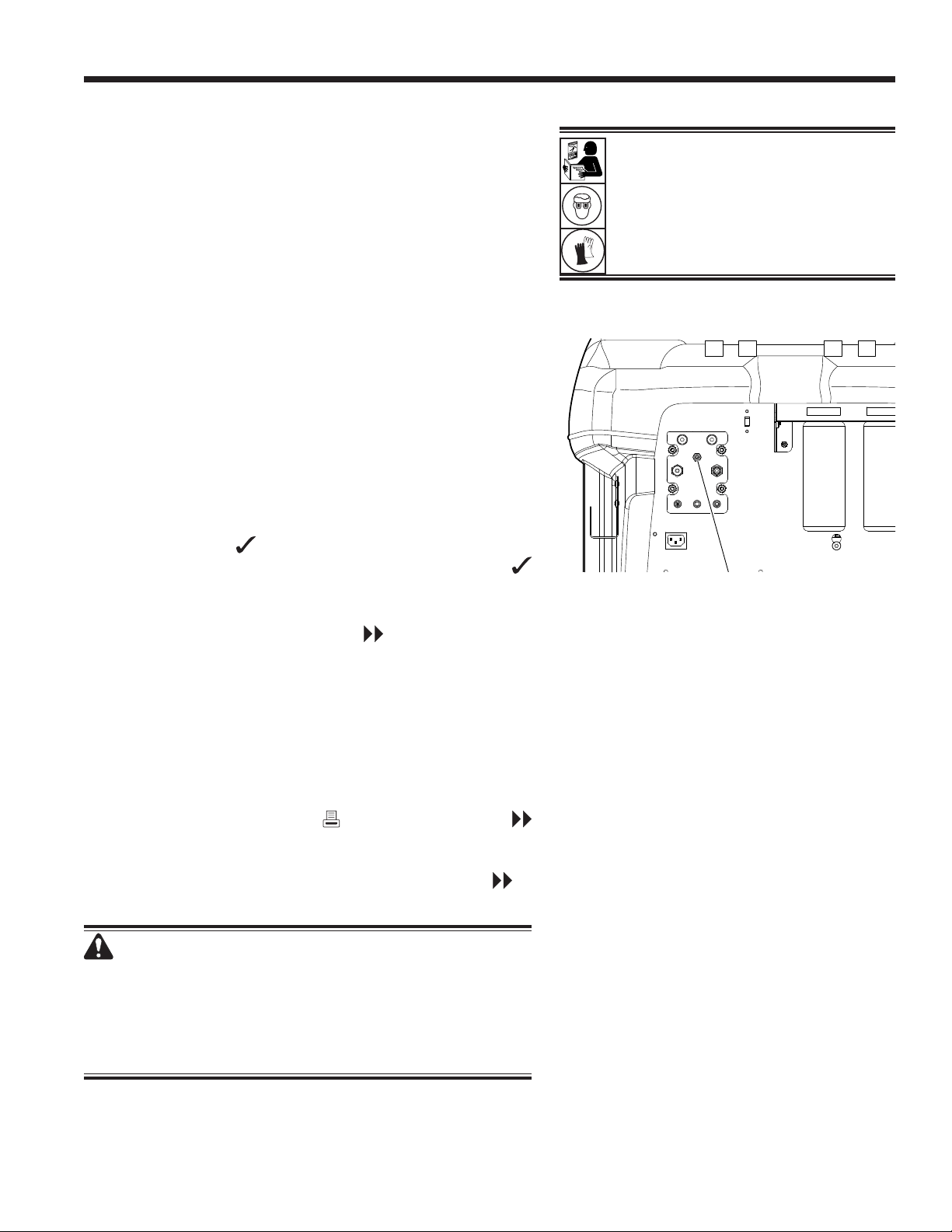
Figure 6
System Flush
The SYSTEM FLUSH function is performed using a
manufacturer-approved flushing adapter. Refer to the
instructions included with the adapter while the following
steps are performed.
1. Verify the usher lter and strainer are not plugged.
2. Mount the usher per the manufacturer’s recommendation.
3. Dispose of any oil in the drain bottle according to applicable
regulations. See Figure 6.
4. Recover all refrigerant from system to be ushed.
Note: A system ush removes all oil in the system. Replace
oil per the manufacturer’s recommendation.
5. Verify there is sucient refrigerant in the machine. The
machine will not be able to complete a system ush
without enough refrigerant in the tank to allow liquid to
ow through the system.
6. Disconnect the machine from the system.
7. Refer to the system service manual, and connect the
appropriate ushing adapters and bypasses.
8. Connect the low-side (blue) service hose directly to the
outlet of the ushing kit to protect the ACS machine.
9. Remove the high-side (red) service coupler, and connect
to the ushing adapter inlet.
10. Connect hoses according to the instructions included
with the ush kit.
CAUTION: To prevent damage to the ACS machine, ensure
that the ushing adapter has a lter or screen to remove
any debris from the A/C system.
11. Select SYSTEM FLUSH from the SETUP MENU. The unit
will prompt for any service data entry, if desired. Select
to continue to the system ushing process. The user
will be prompted to enter in a Flush Time.
The machine will then automatically enter the VACUUM
process and proceed to a leak test.
Once the vacuum and leak tests are completed, the unit will
enter the system ushing process, followed by an oil drain.
12. When the Flush Complete screen appears, it includes
a system ush result summary. Select to print the
summary. Select to return to the SETUP MENU.
The A/C system has been ushed.
CAUTION: The ushing kit must have a
replaceable lter as well as a debris strainer,
both of which can become plugged. At the end
of the ush cycle, check the high-side (red)
gauge for system pressure, and check the
adapter for complete removal of refrigerant.
If pressure exists or refrigerant remains, exit
the ushing cycle and enter the recovery
mode to recover refrigerant through both
the high-side (red) and low-side (blue)
hoses. Then service the lters and repeat
the ush process.
WARNING: To prevent personal
injury while working with refrigerant,
read and follow the instructions
and warnings in this manual, and
wear protective equipment such as
goggles and gloves.
WARNING: Do NOT disconnect service
couplers during the ushing process.
Refrigerant could spray out of the ttings,
and exposure may cause personal injury.
Oil Drain
Bottle
25
SP01500206 VER 01
N2 and N2H2 Leak Test
This unit has the ability to pressurize an A/C system with
N2 or N2H2 for the purpose of leak detection. A separate,
optional, leak detection kit is required.
1. Connect the high-side (red) and low-side (blue) service
hoses to the A/C system. Open the coupler valves on the
hoses by turning the collars clockwise. Do not attempt to
remove these connections while pressurized during the
N2 or N2H2 leak test.
2. Adjust the N2 or N2H2 supply tank regulator to an output of
6–9.5 bar. Do not exceed 9.5 bar of pressure and ensure
N2H2 has H2 content <5%. N2 or N2H2 supply tanks are
not included with this unit.
3. Connect the supply tank to the port on the ACS unit as
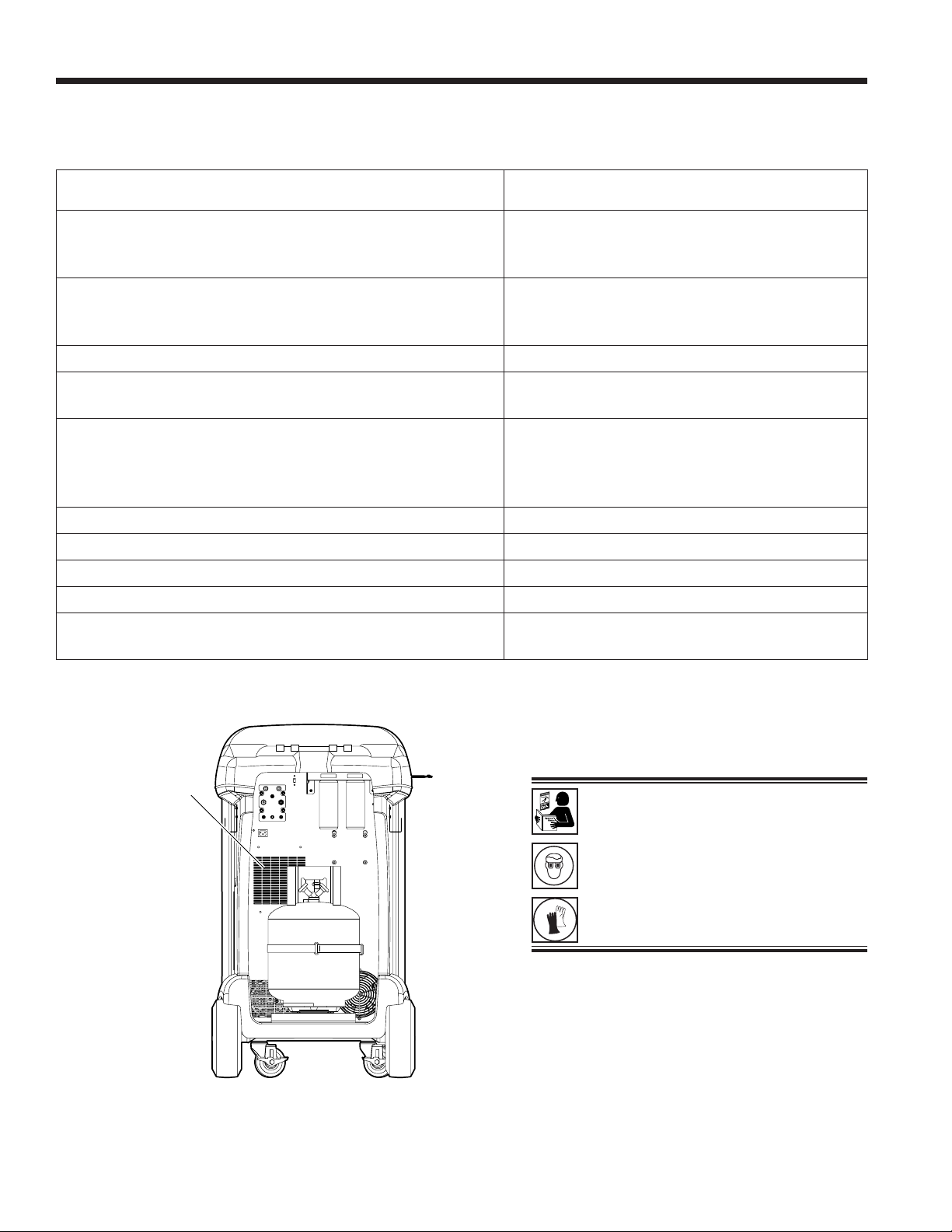
shown in Figure 7. This port utilizes a ¼” are tting per
SAE J513.
4. Select N2 LEAK TEST from the MAIN MENU. The machine
will enter to service data entry form. Enter the applicable
data and select to continue. Use the control arrows
to select N2 Leak Test or N2H2 Leak Test and select
to continue
5. Follow on-screen prompts and the system service manual
specications to continue. Select to proceed with the
test. The machine begins to pressurize the system.
• For the N2 Leak Test, the machine monitors system
pressure and records any decay indicative of a leak.
• For the N2H2 Leak Test, the user will be prompted to
use a leak detector to search for leaks and enter the
results back into the system.
6. Upon completion of the leak test, a summary of the
results is displayed. Select to print the results or
to continue and vent N2 or N2H2 from the system. The
vacuum pump is engaged to assist in purging N2 or N2H2
from the system. After venting is complete, select to
return to the main menu.
WARNING: Do NOT use air or any gas besides N2
or N2H2 to pressurize the system. Mixtures of air and
refrigerant can be combustible at elevated pressures.
These mixtures are potentially dangerous and can
result in re or explosion causing personal injury and/
or property damage.
Operating Instructions
WARNING: To prevent personal
injury while working with refrigerant,
read and follow the instructions
and warnings in this manual, and
wear protective equipment such as
goggles and gloves.
Figure 7
N2 and
N2H2 Port
26
Maintenance Schedule
Maintenance Task Recommended Interval
Change lters
After 136 kg (300 lb) of refrigerant has been
ltered. Refer to Filter Maintenance in the
Maintenance section of this manual.
Change vacuum pump oil
When the lter is replaced. Refer to Change
Vacuum Pump Oil in the Maintenance section
of this manual.
Check casters and wheels for ease of operation Monthly.
Check internal scale calibration
Monthly. Refer to Calibration Check in the
Maintenance section of this manual.
Check machine for leaks
Monthly. Check hoses and connections for
leakage. Disconnect power, remove the door
screws, open the door, and use an electronic
leak detector to check ttings.
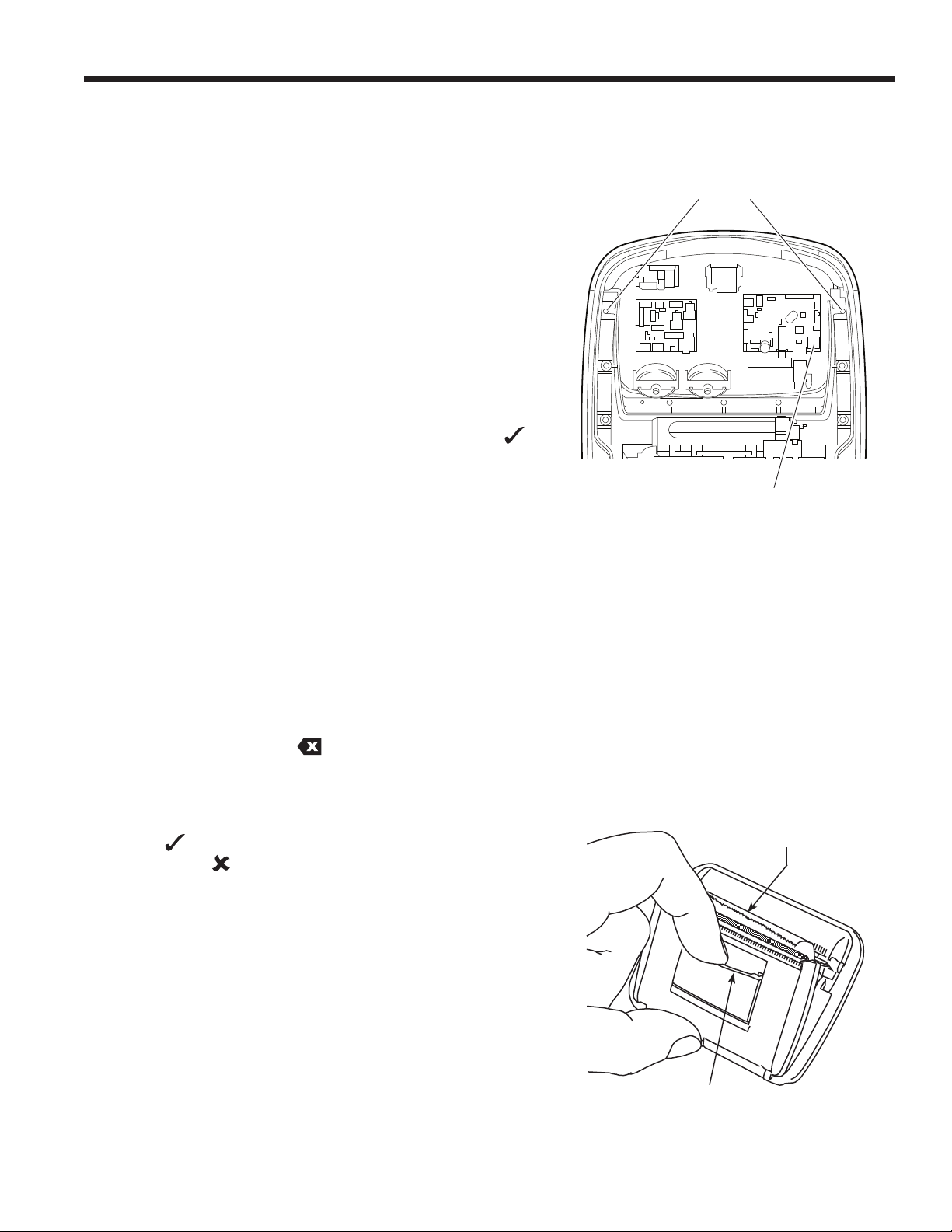
Clean airow outlet panel (see Figure 8) Monthly. Use a clean cloth.
Clean cabinet and control panel Monthly. Use a clean cloth.
DOT tank inspection Verify DOT tank inspection
Inspect power cord and hoses for cuts and abrasions Daily.
Pressure test
Every 10 years. Performed by an authorized
Robinair service center.
Figure 8
Airow
Outlet
WARNING: To prevent personal injury
only qualied personnel may perform
inspections and repairs to this
machine. Read and follow instructions
and warnings in this manual, and
wear protective equipment such as
goggles and gloves.
Maintenance
27
SP01500206 VER 01
Maintenance
Load Language
Use the following instructions to add or update a language
from an SD card.
1. Turn the machine o. Remove the door access screws
from the right side of the unit and open the door.
2. Remove the top panel retention screws and rotate the
top panel about its hinge to access the SD card slot on
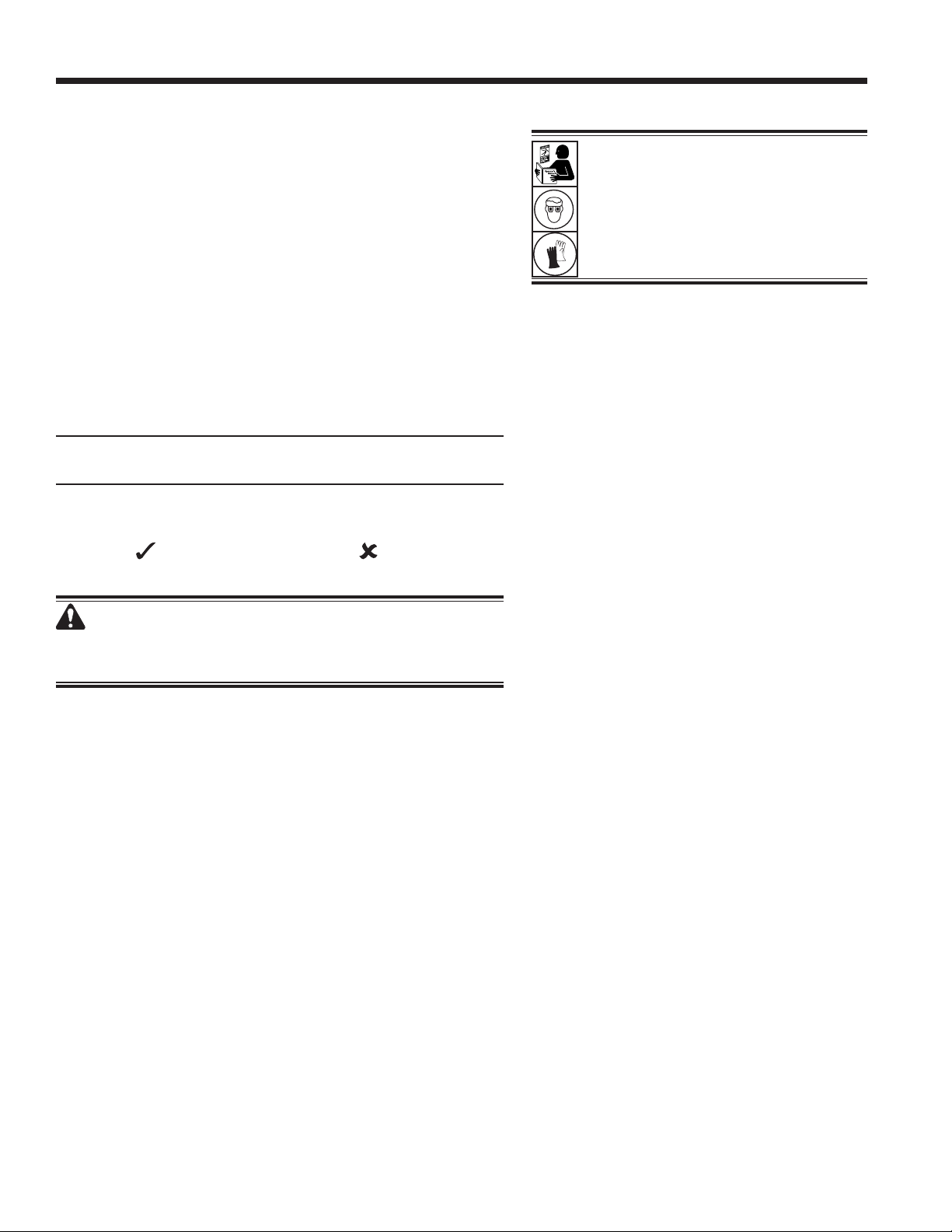
the control panel. See Figure 9.
3. Insert the SD card containing the language data into the
port on the control board. Rotate the top panel back to
its original, closed position.
4. Turn the machine power on. Choose SELECT LANGUAGE
from the SETUP MENU.
5. Use the arrow keys to scroll to LOAD NEW. Select .
6. Follow the prompts to select the language to load or
update. If loading a new language, it will be necessary
to select which language to replace.
7. Once the process is complete, turn the machine power
o and remove the SD card. Re-install the top panel
retentions screws and the door access screws.
Edit Print Header
To make changes to text that appears in this screen:
1. Select EDIT PRINT HEADER from the SETUP MENU.
2. The cursor is in the rst eld. Update the text by using the
arrows and the multi-tap interface on the numeric keypad:
• ARROW LEFT and act as a backspace key.
• ARROW RIGHT moves the cursor to the right.
• ZERO (0) key acts as a spacebar.
• ARROW UP and DOWN navigate between the rows.
3. Select to save the changes and return to the Setup
Menu; select to return to the previous header and exit
to the Setup Menu.
Replace Printer Paper
To install a new paper roll in the printer:
1. Remove the cover on the printer by pulling out on the tab
as shown in Figure 10.
2. Remove the paper core.
3. Install the new roll of paper with the end of the paper at
the top of the roll.
4. Assemble the cover onto the printer with the leading edge
of the paper over the roller.
Figure 9
Tab
Leading Edge of
Paper Over Roller
Figure 10
Remove top panel
screws
Insert SD card
containing new or
updated language
28
Maintenance
Filter Maintenance
The lter is designed to trap acid and particulates, and to
remove moisture from refrigerant. To meet the mandate for
adequate moisture and contaminant removal, the lter must be
replaced after 136 kg (300 lb) of refrigerant has been ltered.
The machine gives a warning when 91 kg (200 lb) of the lter
capacity has been used; the machine locks down when the
136 kg (300 lb) lter capacity has been reached and will no
longer function.
Check Remaining Filter Capacity
1. Select FILTER MAINTENANCE from the SETUP MENU
or when the machine prompts. The machine displays
Remaining Filter Capacity: XXX.XO kg
Replace lter now?
The machine displays the amount of lter capacity
remaining until the machine locks down.
2. Select to change the lter; select to resume using
the machine.
WARNING: The components in the machine are under
high pressure. To prevent personal injury, change the
lter only when the machine prompts.
WARNING: To prevent personal
injury while working with refrigerant,
read and follow the instructions
and warnings in this manual, and
wear protective equipment such as
goggles and gloves.
29
SP01500206 VER 01
Maintenance
Replace the Filter
1. If was selected to change the lters, the machine
prompts for the new lter codes to be entered. One or
two lter serial numbers may be entered depending on
how many lters are replaced. If one lter is replaced, 68
kg (150 lb) of capacity is added to the machine. If both
lters are replaced, 136 kg (300 lb) of capacity is added.
Use the keypad to enter the serial number(s) that appears
on the new lter(s), and select to continue.
Note: If “Invalid serial number” is displayed, the serial
number has been incorrectly entered, or the lter has
already been used in this machine.
2. The machine clears the existing lter and displays:
Serial numbers accepted.
Turn power o and replace lters.
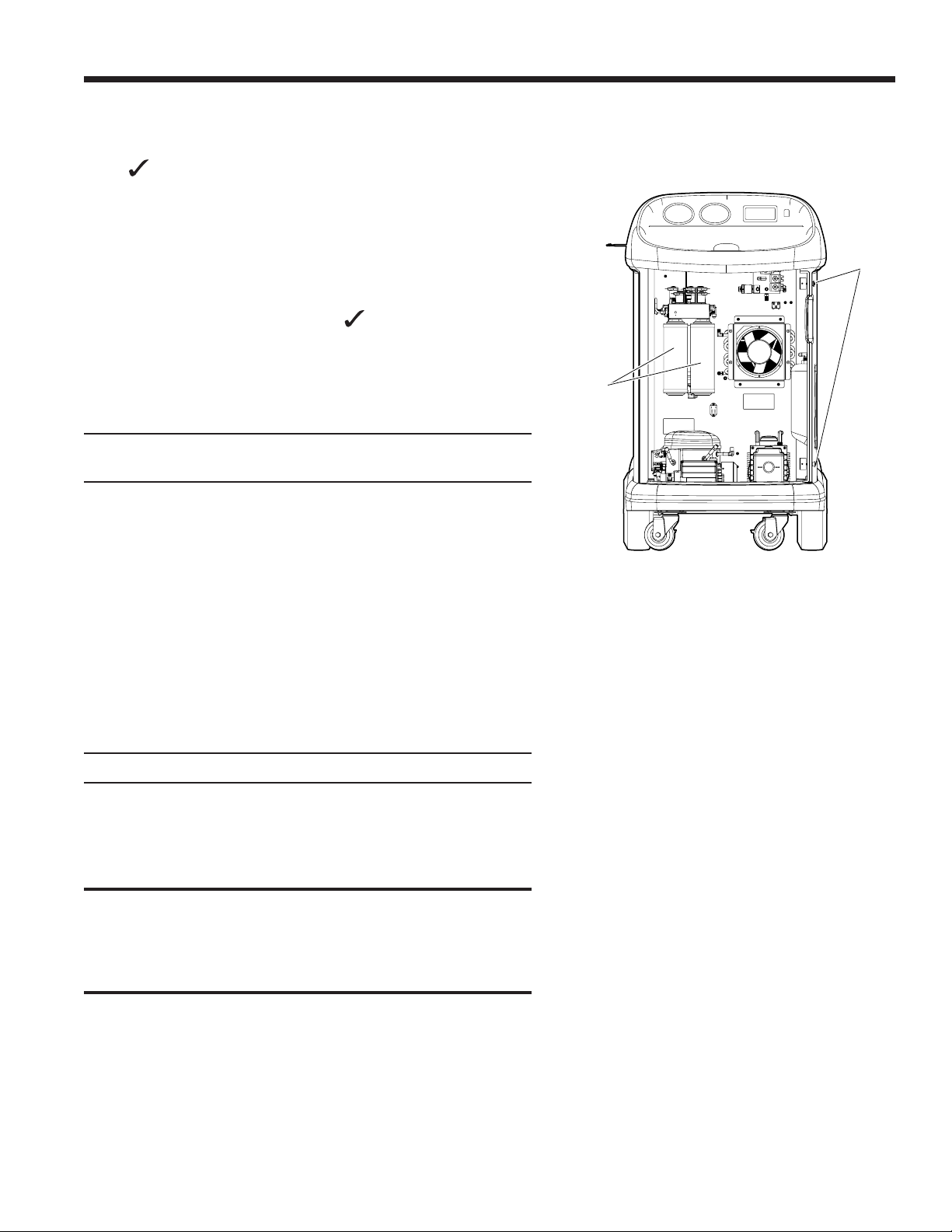
Turn o the machine. Remove the two door screws and
open the door. See Figure 11.
3. Remove the lters by turning them counterclockwise (as
viewed from the bottom of the lter).
4. Look at the new lters. Verify both o-rings are lubricated
and correctly located in the grooves.
5. Install the new lters by threading them clockwise into
place. Verify the lters are positioned correctly as shown
in Figure 11. Tighten both lters to 20 Nm.
6. Power the machine on. The Change Vacuum Pump Oil
operation will begin, and the screen will display
Warming oil for drain XX:XX
See the CHANGE VACUUM PUMP OIL section of this manual
for more information.
The machine will then begin the Leak Check operation. See
the LEAK CHECK section of this manual for more information.
CAUTION: To prevent equipment damage, use only
authentic Robinair No. 34724 lters in this machine. All
performance tests and claims are based on using this
specic lter.
Figure 11
Filters
Door
Screws
30
Maintenance
Calibration Check
This function is used to ensure the machine’s scale is always
calibrated. During this test, use only the calibration weight
that is provided with the machine.
1. Select CALIBRATION CHECK from the SETUP MENU.
The machine displays
Place calibration weight on the top of the tank.
2. Place the calibration weight on the tank near the valves.
Select to continue.
The machine displays
Remove calibration weight from the tank.
3. Remove the calibration weight from the tank. Select
to continue.
4. If the machine displays
Calibration check passed
the scale is in calibration. Select to return to the setup
menu.
5. If the displays
Calibration check failed. Retry?
the scale is out of calibration. To retry, select . If the
calibration continues to fail, contact an authorized Robinair
service center for assistance.
31
SP01500206 VER 01
Maintenance
Change Vacuum Pump Oil
1. Select PUMP MAINTENANCE from the SETUP MENU or
when prompted. The display show how long the vacuum
pump has operated since the last oil change.
Oil life remaining:
XXX:XX (hhh:mm)
Change oil now?
2. Select to change vacuum pump oil The machine
displays
Warming oil for drain
XX:XX
allow the vacuum pump to run for two minutes to warm
up the oil for more eective drainage.
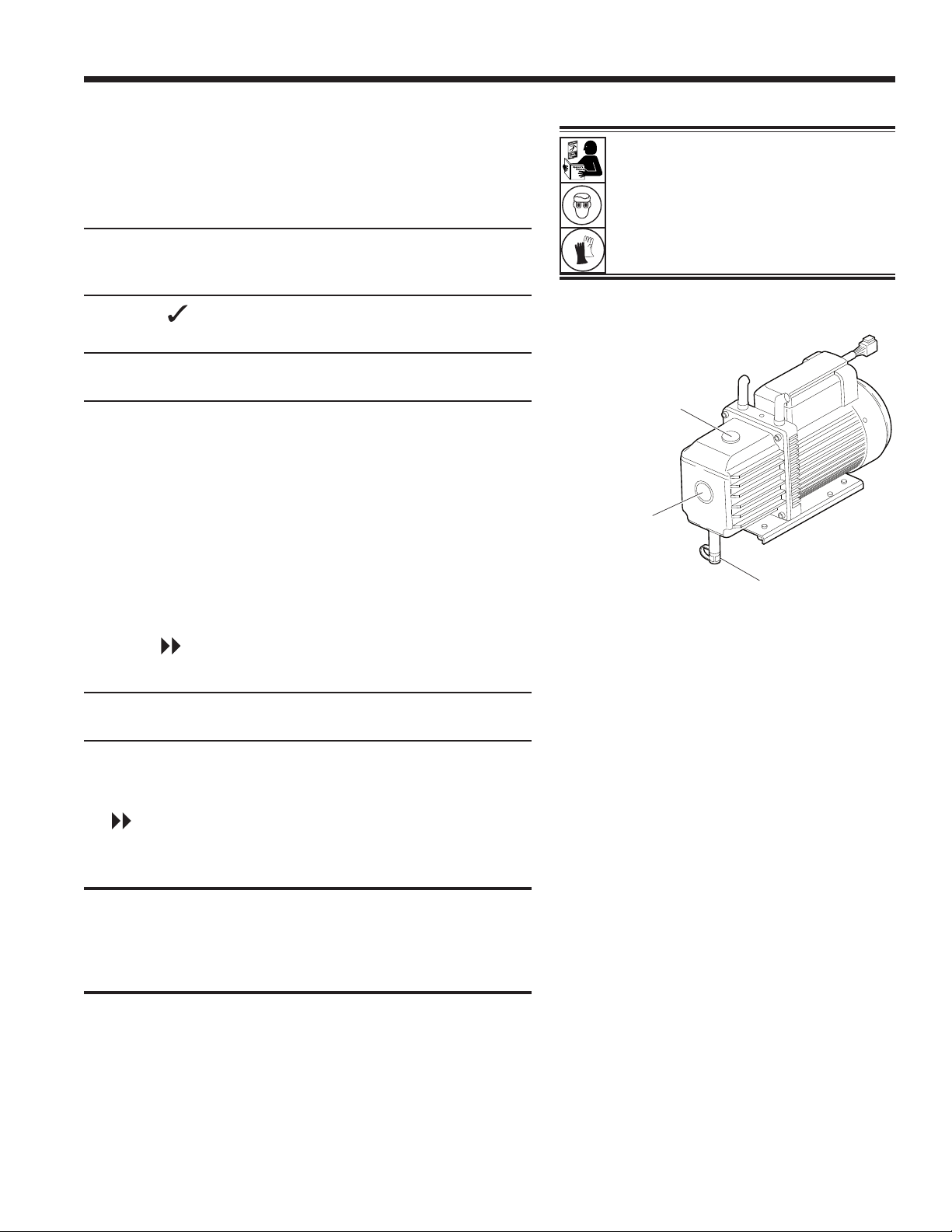
3. Remove the door access screws from the right side of
the unit and open the door.
4. Slowly open the oil ll cap to verify there is no pressure in
the machine. Then carefully remove the cap. See Figure 12.
5. Remove the oil drain tting cap and drain the oil into a
suitable container for disposal. Dispose of the oil according
to applicable regulations. Replace the drain tting and
close tightly. Add 225 mL of new vacuum pump oil and
select to continue.
6. The machine displays
Fill vacuum pump to the center of the sight glass
Reinstall ll cap
Slowly add vacuum pump oil to the pump through the oil
ll port until the oil reaches the center of the sight glass.
Install the cap on the oil ll port and close tightly. Select
to return to the SETUP MENU.
Note: For proper oil level, ensure the machine is on a at,
level surface.
CAUTION: It is the responsibility of the user to monitor
vacuum pump oil level and clarity. If contaminated oil is
not removed from the vacuum pump and replaced, the
vacuum pump will be permanently damaged.
Figure 12
WARNING: To prevent personal
injury while working with refrigerant,
read and follow the instructions
and warnings in this manual, and
wear protective equipment such as
goggles and gloves.
Oil Drain
Fitting
Oil Fill Cap
and Port
Sight
Glass
32
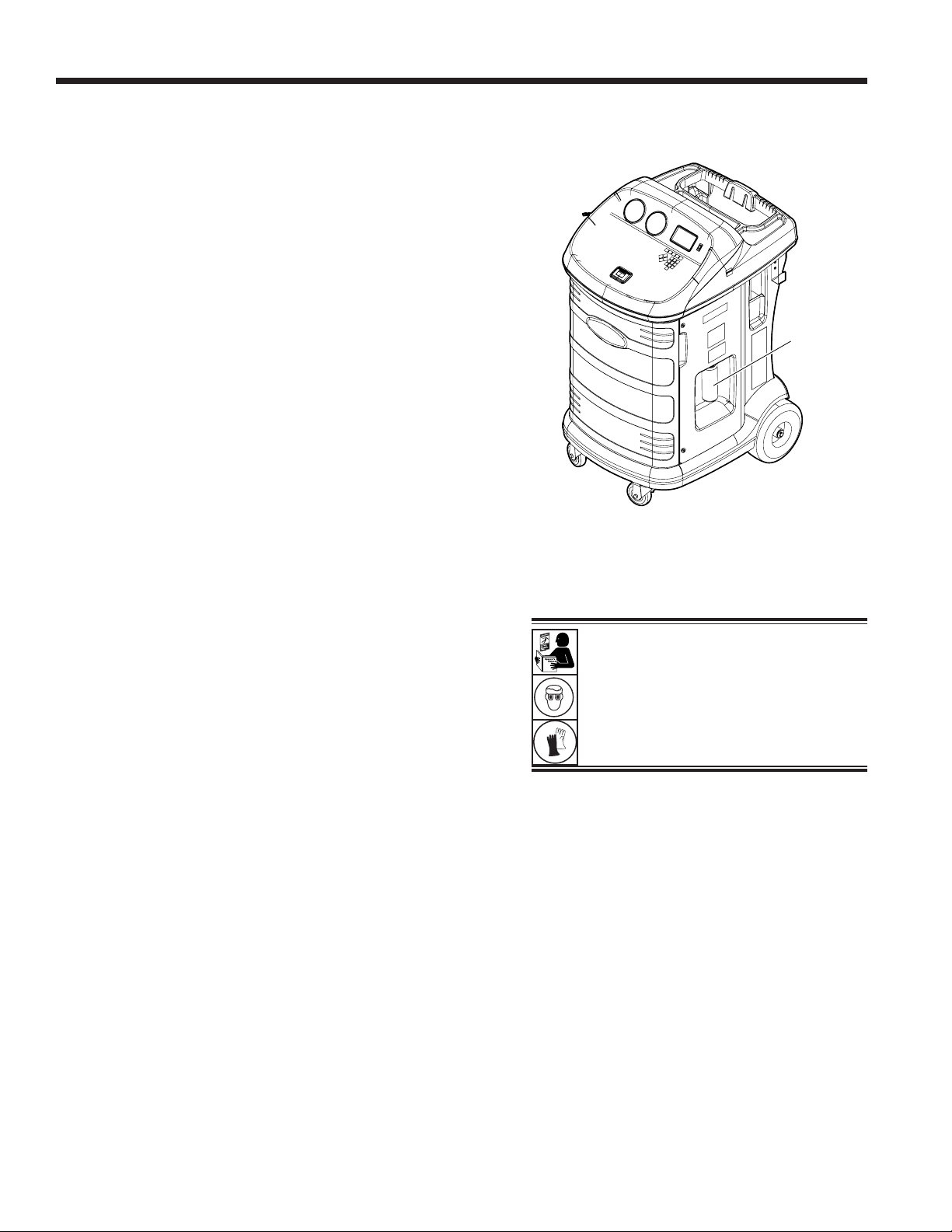
Figure 13
Maintenance
Empty Vacuum Pump Exhaust Bottle
A vacuum pump exhaust bottle is included with this unit, as
shown in Figure 13, to capture any oil that may be expelled
from the pump. The bottle should be emptied anytime a
noticeable amount of oil accumulates.
1. Unscrew the bottle to remove it from the unit.
2. Dispose of the oil according to local, state, and federal
regulations.
3. Check the vacuum pump sight glass to conrm that the
oil level is sucient. Refer to the CHANGE VACUUM
PUMP OIL section of the manual for instruction to change
or add vacuum pump oil.
4. Reinstall the empty vacuum pump exhaust bottle.
Tank Removal
To protect the scale from damage, the tank must be removed
from the unit any time the unit is transported. Follow these
steps to remove the tank.
1. Close the liquid and vapor valves on the tank and
disconnect the tank hoses from the tank.
2. Unfasten the probe strap and remove the temperature
probe assembly from the tank. Secure the temperature
probe during transport.
3. Untether the tank by releasing the tank strap clip and
pulling the strap through the tank handle.
4. Loosen the thumbscrew on the scale and remove the
tank by lifting up.
Note: The nitrogen must be purged and the tank pulled into
vacuum before a new tank can be used.
Vacuum
Pump
Exhaust
Bottle
WARNING: To prevent personal
injury while working with refrigerant,
read and follow the instructions
and warnings in this manual, and
wear protective equipment such as
goggles and gloves.
33
SP01500206 VER 01
Maintenance
WARNING: To prevent personal injury,
do NOT operate the machine at any other
time without the oil ll port cap installed,
because the vacuum pump is pressurized
during normal operation.
Leak Check
A leak test may be performed on the machine at any time.
During this test, components containing refrigerant are
pressurized and monitored for pressure decay, which could
indicate a leak.
1. Select LEAK CHECK from the SETUP MENU. The
machine displays
Connect service hoses to storage ports
and open coupler valves
2. Connect the service hose couplers to the storage ports
at the rear of the machine. Open the couplers by turning
the collars clockwise.
3. Select to start. The machine performs a self-recovery
and displays
Recover in progress
The machine performs a 30-second vacuum test and
displays
Vacuum leak check in progress
If the vacuum test fails, the machine will prompt to check
for leaks.
Once the machine passes the vacuum test, a controlled
pressure is applied to its internal components. The
machine displays
Pressure leak check in progress
Pressure is held for ve minutes and monitored for decay.
Minutes and seconds count down on the display.
• If an acceptable pressure decay is detected, the
machine recovers refrigerant and returns to the Setup
Menu, ready for normal operation.
• If an unacceptable pressure decay is detected, the
machine will prompt to check for leaks. Contact an
authorized Robinair service center for repair.
WARNING: To prevent personal
injury should the machine require
transport to a local Robinair service
center, follow local government
regulations regarding transportation
of equipment containing R-134a.
34
A/C Service Functions
Replacement Parts
Component
Replacement
Part No.
Calibration Weight 16214
Filter 34724
Hose Set without Couplers
(high-side [red] and low-side [blue])
70130
Oil Bottle 19103
Printer 30038
Printer Paper (3 rolls) 34214
LP Service Coupler 18190A
HP Service Coupler 18191A
Service Coupler Set
(high-side [red] and low-side [blue] couplers)
18192
Service Hose (low-side, blue) 70131
Service Hose (high-side, red) 70132
Tank Hose (blue) 70141
Tank Hose (red) 70140
Tank Hose (yellow) 70142
Tank, 50-lb R134a 34750
Vacuum Pump Oil (pint) 13119
Vacuum Pump Oil (quart) 13203
Vacuum Pump Oil (gallon) 13204
Vinyl Dust Cover (optional) 17490
1/2-in. ACME to low-side adapter 16301
WARNING: To prevent personal
injury, use only those repair parts
called out in this parts list. Items found
in this parts list have been carefully
tested and selected by Robinair.
35
SP01500206 VER 01
Troubleshooting
Display Cause Solution
AIR PURGE ERROR
DUE TO EXCESSIVE
PURGE TIME
Possible poor sensor contact
with tank.
Verify tank temp sensor is properly
connected to the tank.
CALIBRATION CHECK
FAILED
Tank scale is out of calibration.
Select to retry calibration check.
If calibration continues to fail, exit
current test and contact a Robinair
authorized service center for repair.
CHARGE STALLED!
Transfer from ACS to machine
has stalled.
Refrigerant is stalled in the
tank or the machine.
Verify connections are secure
and valves are in correct position.
Verify that the circuit breaker is
not tripped.
DATABASE NOT AVAILABLE
Machine is not shipped with
database installed.
Contact a Robinair authorized
service center for more
information.
EXCESS TANK WEIGHT
Overll safety circuit
tripped. Machine is locked
out because of too much
refrigerant in tank.
Contact a Robinair authorized
service center for more
information.
FILTER CAPACITY
EXHAUSTED, FILTER MUST
BE REPLACED
FILTER WEIGHT XXX.XYY
REPLACE FILTER NOW?
136 kg (300 lb) or more
refrigerant has been
recovered since last lter
change.
Refer to Filter Maintenance
section of this manual for
instructions to change lter.
FILTER SERIAL NUMBER
HAS ALREADY BEEN USED.
RE-ENTER OR EXIT
Filter serial number entered
into the machine is not correct.
Filter has already been used on
this machine. Obtain new Robinair
lter No. 34724.
HIGH TANK PRESSURE
Machine is locked out
because pressure in tank is
too high, possibly because
of high tank temperature or
excess air in tank.
Allow machine to cool before
performing additional A/C service.
If problem continues, contact a
Robinair authorized service center
for more information.
INLET PRESSURE IS TOO
HIGH FOR VACUUM
Before the machine begins
evacuating the A/C system,
it checks for pressure in the
system that could damage the
vacuum pump. In this case,
system pressure is above 0.35
bar gauge.
Select . Refer to Recover
section of this manual to recover
refrigerant before proceeding.
36
Troubleshooting
Display Cause Solution
INSUFFICIENT
REFRIGERANT.
6.00 KG REQUIRED FOR
SYSTEM FLUSH
Not enough refrigerant in
the tank to perform a system
ush.
Refer to Tank Fill in Maintenance
section of this manual.
INSUFFICIENT
REFRIGERANT
AVAILABLE FOR CHARGE
SELECTED: XX.XXYY
AVAILABLE: XX.XXYY
After a desired weight is
entered, if the charge process
will leave less than 2.10 kg (4.6
lb) of refrigerant in tank, the
charge function will not start.
Refer to Tank Fill in the
Maintenance section of this
manual.
INVALID CODE
Activation code entered into
the machine is not correct.
Verify activation code is entered
exactly as received. Capitalization
is required.
INVALID SERIAL NUMBER!
Filter serial number entered
into the machine is not correct.
Verify serial number entered
matches serial number on lter.
Verify lter has not been used on
machine previously.
LEAK TEST FAILED A leak in the A/C system.
Exit current test and perform
repairs on A/C system.
NO PRESSURE ON INLETS
CHECK CONNECTIONS
RECOVER ANYWAY?
System pressure is below 0.35
bar gauge.
Verify high-side (red) and low-side
(blue) hoses are connected and
coupler valves open. Select
to RECOVER; select to
bypass recover and proceed to
VACUUM.
OIL DRAIN HALTED
Accumulator pressure failed
to rise above 1.10 bar within
the minute before an oil drain
was supposed to occur. Unit
failed to drain recovered oil
because of lack of pressure or
an internal obstruction.
Adequate pressure is required
within the accumulator to force
the oil, which has been separated
from the refrigerant, out of the
system. Select to retry; select
to exit.
OIL LIFE REMAINING
XX:XXX
CHANGE OIL NOW?
Display shows vacuum pump
oil life remaining until oil
should be replaced.
Refer to Maintenance section
of this manual for instructions to
change vacuum pump oil.
OUT OF RANGE
ACCUMULATOR PRESSURE
Accumulator pressure
transducer is not reading
pressure correctly.
Exit current test and contact a
Robinair authorized service center
for more information.
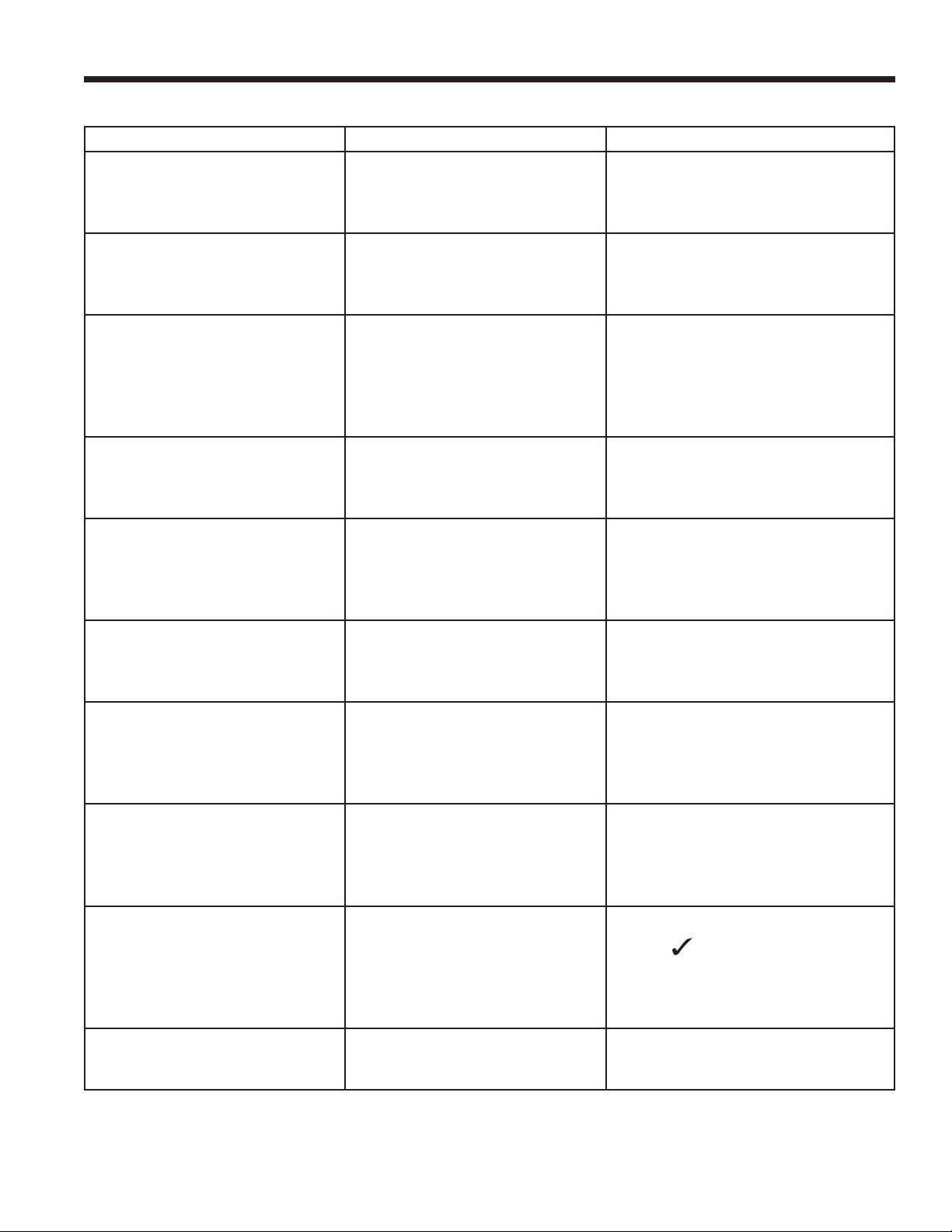
37
SP01500206 VER 01
Troubleshooting
Display Cause Solution
OUT OF RANGE
HS PRESSURE SENSOR
High side pressure transducer
is not reading pressure
correctly.
Exit current test and contact a
Robinair authorized service center
for more information.
OUT OF RANGE
TANK PRESSURE
Tank pressure transducer is
not reading pressure correctly.
Exit current test and contact a
Robinair authorized service center
for more information.
OUT OF RANGE
TANK TEMPERATURE
Tank temperature sensor
is not reading temperature
correctly.
Move unit to an environment
within operating range or exit
current test and contact a
Robinair authorized service center
for more information.
OUT OF RANGE
LS PRESSURE SENSOR
Low-side pressure transducer
is not reading pressure
correctly.
Exit current test and contact a
Robinair authorized service center
for more information.
POWER BOARD
COMMUNICATION FAILED
Failed communication with
relay board.
Cycle power. If problem
continues, contact a Robinair
authorized service center for more
information.
PRESSURE LEAK TEST
FAILED
CHECK UNIT FOR LEAKS
A leak in ACS machine.
Exit current test and identify
source with a leak detector.
SOURCE TANK IS EMPTY
Refrigerant cannot be
transferred to the tank
because the source tank is
empty.
Exit current test and replace the
source tank.
TANK FULL. REMOVE
REFRIGERANT BEFORE
CONTINUING
Tank is too full to recover
additional refrigerant.
Perform a charge process to
remove refrigerant from tank
before any further recovery
attempts.
TRIAL PERIOD EXPIRED
UNIT ACTIVATION
REQUIRED TO CONTINUE
USE
Failure to register and activate
the machine within 30 days
of initial startup will cause the
machine to lock out and no
longer function.
Select and refer to Unit
Activation section in this manual
to register the machine.
VACUUM TEST FAILED.
CHECK SYSTEM FOR LEAKS
A leak in A/C system.
Exit current test and perform
repairs on A/C system.
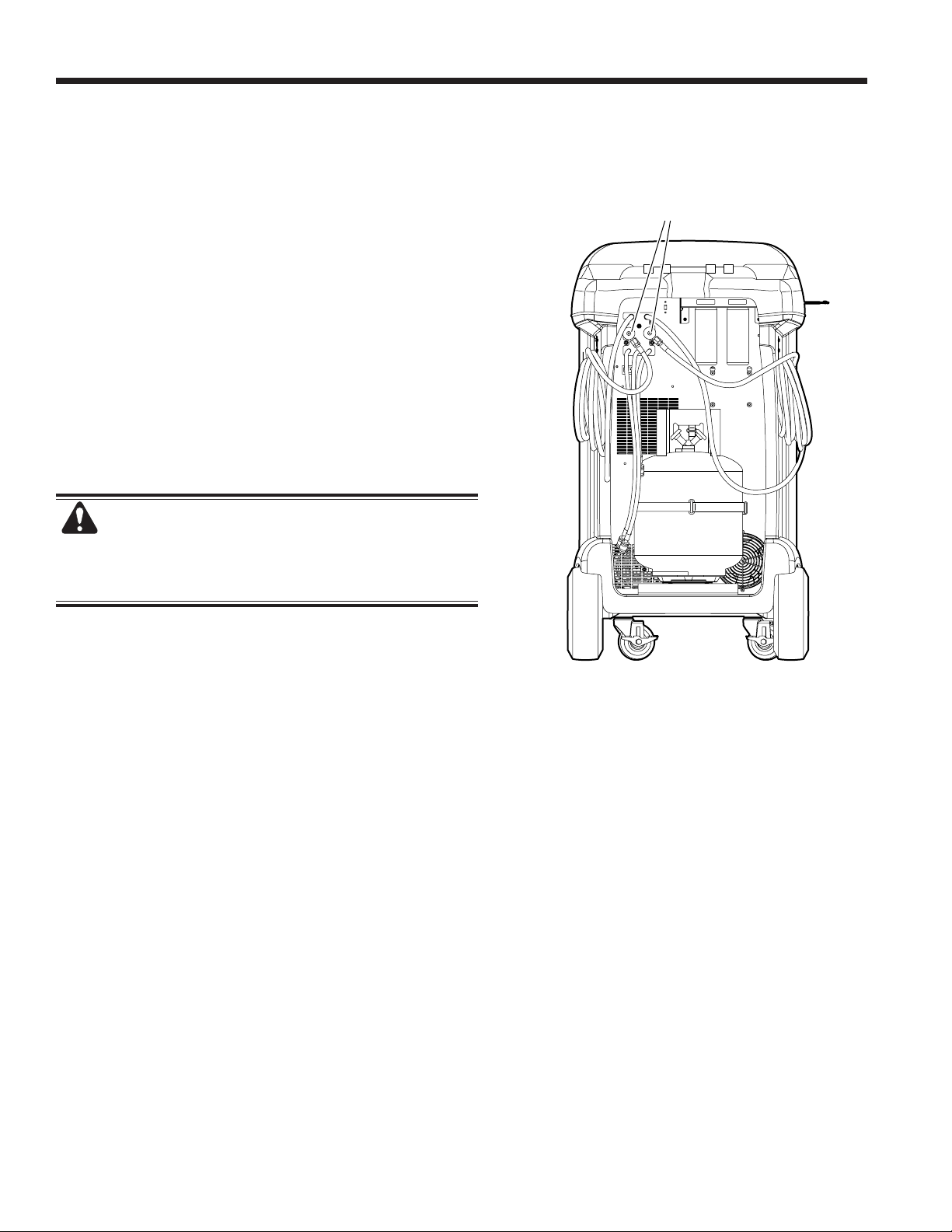
38
Service Hoses
Connected to
Storage Ports
Storage and Transportation of Equipment
Storage
Never leave the machine live if an immediate use is not
scheduled.
1. Disconnect the machine from its power supply.
2. Loop the service hoses around the handle twice and
attach them to the storage ports. See Figure 14.
3. Store the machine in a dry, stable area, away from
ames and hot surfaces. The temperature of the
storage area should range between -18°C and 60°C
(0°F and 140°F).
4. Lock the front wheels.
Transportation of Equipment
WARNING: To prevent personal injury, should
the machine require transport to a Robinair service
center, follow local government regulations regarding
transportation of equipment containing R-134a.
Figure 14

39
SP01500206 VER 01
Disposal of Equipment
At the end of its useful life, dispose of the R-134a machine according to current government
regulations.
• Public administration and producers of electrical / electronic equipment (EEE) are involved
in facilitating the processes of the re-use and recovery of waste electrical / electronic
equipment through the organization of collection activities and the use of appropriate
planning arrangements.
• Do not dispose of this equipment as miscellaneous solid municipal waste. Arrange to have
it collected separately. Unauthorized disposal of waste electrical / electronic equipment is
punishable by law with appropriate penalties.
• The reuse and correct recycling of electrical / electronic equipment (EEE) is required for
the protection of the environment and the well-being of humans.
Disposal of Recycled Materials
It is the responsibility of the user to determine if a material is a hazardous waste at the time of disposal. The
user must ensure compliance with all applicable laws and regulations.
1. Deliver the refrigerant recovered from A/C systems to gas suppliers for recycling or disposal.
2. Deliver the lubricants extracted from A/C systems to used oil collection centers.
3. Review the laws in your jurisdiction to determine correct disposal procedures for pump oil.
Disposal of the Machine
1. Detach and vent the gas from the machine circuit. Completely discharge the refrigerant tank in compliance
with current government regulations.
2. Deliver the machine to an appropriate disposal center.
Disposal of Batteries
At the end of their useful life, dispose of batteries according to current government regulations.
Batteries must be recycled or disposed of correctly. Do not throw away batteries as part of
normal refuse disposal.
WARNING: To prevent personal injury, do not throw batteries into open ame.

40
Software License Notices
BOSCH AUTOMOTIVE SERVICE SOLUTIONS SOFTWARE LICENSE NOTICES
Copyright © 2014 Robert Bosch GmbH. All Rights Reserved.
Bosch Automotive Service Solutions
28635 Mound Road
Warren
MI 48092
USA
Phone numbers
USA 800-533-6127
EMEA +49 (0) 6182 959-225
This Bosch Automotive Service Solutions software is released under the software license agreement
presented at product activation.
All other products or service names are the property of their respective owners.
Registered trademarks of their respective companies and are hereby acknowledged.
The following notices pertain to this Bosch Automotive Service Solutions software license:
1. This product contains IAR Standard libraries. IAR software license agreement is reported below
and located at http://www.iar.com/Global/Products/Software_licenses/SLA_February_2013.pdf.
IAR standard library includes third party software as declared in the third party licenses document
reported below and located at
http://www.iar.com/Global/Products/Software_licenses/3rdpartyLicenses.html
2. This product contains LibTomCrypt is a fairly comprehensive, modular and portable cryptographic
toolkit that provides developers with a vast array of well known published block ciphers, one-way
hash functions, chaining modes, pseudo-random number generators, public key cryptography and
a plethora of other routines. http://www.libtom.org. LibTomCrypt is public domain. As should
all quality software be. Tom St Denis
3. This product contains Freescale software as part of the Freescale microcontroller BSP. Refer to
the Freescale Semiconductor License Agreements for the use terms below reported and located at
https://www.freescale.com/webapp/sps/download/license.jsp?colCode=DL-MQX-CX&prodCod
e=MQX&appType=le2&location=null&DOWNLOAD_ID=null&fsrch=1&sr=1&pageNum=1&Parent_
nodeId=&Parent_pageType

41
SP01500206 VER 01
IAR Software License Agreement
Concerning the Products: IAR Embedded Workbench® and visualSTATE® from IAR Systems AB
PREAMBLE
THIS SOFTWARE LICENSE AGREEMENT (“THE AGREEMENT”) APPLIES TO PRODUCTS LICENSED BY
IAR SYSTEMS AB INCLUDING ANY OF ITS SUBSIDIARIES (“IAR SYSTEMS”) OR DISTRIBUTORS (“IAR
DISTRIBUTORS”), TO YOU (“THE LICENSEE”).
The order conrmation from IAR Systems, or when applicable the agreement between IAR Systems and the Licensee,
will set out, apart from the applicable licensed product and license fee (which will also be stated in the Invoice),
a) if the License in question is a PC-locked License or a Multi-user License, b) in case of a Multi-user License with
the allowed number of simultaneous users, c) if the license includes a time limited Support and Update Service
and in such cases the expiry date of such service. Any opening of a package where these terms have been stated
or referred to, and any use of IAR Systems software, is subject to these terms and conditions.
YOU AS A USER OF THE LICENSED PRODUCTS STATED ABOVE AND ON THE INVOICE, WILL BIND THE
CORPORATION OR ORGANIZATION ALSO SET OUT ON THE INVOICE TO THIS AGREEMENT, BY OPENING
OF A PACKAGE OR INSTALLING SOFTWARE WHERE THIS AGREEMENT HAS BEEN STATED OR REFERRED
TO. IF YOU ARE NOT IN AGREEMENT WITH THE TERMS HEREIN, OR DO NOT HAVE THE AUTHORITY TO
BIND YOUR CORPORATION OR ORGANIZATION TO THESE TERMS, YOU SHALL IMMEDIATELY CONTACT IAR
SYSTEMS AND YOU MAY NOT INSTALL ANY SOFTWARE OR MAKE USE OF ANY PARTS OF THE PRODUCT.
1. DEFINITIONS
The following terms have the meanings set forth below whenever they are used in this Agreement:
1.1 “Executable Software” means a copy of the executable code version of the software program(s) included in
the enclosed package or otherwise specied in this Agreement or Invoice (including any link-time and runtime
modules), along with templates and other instructions and any Software updates, revisions, and additional
modules and templates (if any) that the Licensee may receive from IAR Systems hereunder from time to time.
1.2 “Software Source Code” has the meaning set out in section 3.7.
1.3 “Software” is a collective term for Executable Software and Software Source Code as dened above.
1.4 “Documentation” means a copy of the documentation, as provided by IAR Systems together with the
Software for use by the Licensee.
1.5 “Product” means the Software and Documentation licensed to the Licensee under the conditions of this
Agreement.
1.6 “Invoice” means IAR Systems’ or IAR Distributor’s invoice to the Licensee for the Product license granted
hereunder.
1.7 “PC-locked License” has the meaning set out in section 3.2.
1.8 “Mobile License” has the meaning set out in section 3.3.
1.9 “Multi-user License” has the meanings set out in section 3.4.
1.10 “Network License” has the meanings set out in section 3.5.
1.11 “Global Network License” has the meanings set out in section 3.6.
1.12 “Concurrent Users” has the meaning as set out in section 3.7.
1.13 “Commuter license” has the meaning as set out in section 3.8.
1.14 “Evaluation License” has the meanings set out in section 3.12.
1.15 “Site” means the physical premises of the Licensee within the borders of one city.
1.16 “Target Architecture” means the family or group of embedded micro-controller and micro-processor
devices belonging to one processor architecture, as dened by its instruction set, and as specied on the
Invoice.
1.17 “Support and Update Services” means the services set out in section 12.
2. TERM OF AGREEMENT
2.1 This Agreement shall become effective on the latest at the Licensee’s receipt of the Software and shall
remain in effect for an indenite period in time, subject to the terms and conditions set out below – in
particular the right of IAR Systems to terminate the Agreement upon Licensee’s breach. Registration of the
Licensee as a rightful user of Licensed Products shall be made in accordance with applicable instructions
from IAR Systems.
2.2 For the avoidance of doubt: Also for Software delivered with a temporary license key (for some products
called quick start key) enabling use for a limited time, the Agreement terms have become effective, including
but not limited to its payment terms and use restrictions, already upon the Licensee’s receipt of the Software,
regardless of whether registration is made or not. (Evaluation licenses without obligation to pay license fees,
are available to the extent separately provided by IAR Systems.)
3. OWNERSHIP AND LICENSE GRANT
3.1 IAR Systems holds the copyright, trade secrets, and any other intellectual property rights which subsist
in the Licensed Product and all copies thereof. No title or other rights in the Licensed Product (other than
rights expressly granted herein) shall pass to the Licensee.
THE PRODUCT IS LICENSED, NOT SOLD, TO THE LICENSEE FOR USE ONLY UNDER THE TERMS OF
THIS AGREEMENT. THE LICENSEE ACKNOWLEDGES THAT THE PRODUCT CONSISTS OF PROPRIETARY,

42
IAR Software License Agreement
UNPUBLISHED PRODUCTS OF IAR SYSTEMS, PROTECTED UNDER INTERNATIONAL COPYRIGHT AND
TRADE SECRET LAWS.
3.2 PC-locked License: To the extent the relevant license granted is a PC-locked License, the terms in 3.2.a
and 3.2.b shall apply.
A PC-locked License is a single-user license, locked to the computer where the software is installed.
3.2.a Subject to the terms and conditions of this Agreement, IAR Systems hereby grants to the Licensee a
personal, non-transferable and non-exclusive PC-locked License to use the Software. The Licensee’s number
of authorized users of the Software under the PC-locked License, if more than one, is stated in the Invoice
or otherwise in writing from IAR Systems.
3.2.b The PC-locked License may be used by the Licensee only on one single, self-contained computer unit
(stationary or portable), designated through its IP number or other means of identication. A switch of the
designated computer to another single computer may be allowed to transfer the license via a transfer program
provided by IAR Systems within the license management system. The Software may not be accessed by users
from other computer units than the unit designated as set forth in this clause; through modem, Internet or
any other means of network or remote access.
3.3 Mobile License: To the extent the relevant license granted is a Mobile License, the terms in 3.3.a and
3.3.b shall apply.
A Mobile License comes with a hardware lock (dongle). A hardware lock is a device to be attached to one of
the computer’s external ports, which allows the Licensee to move the license to another computer. A hardware
lock is part of the product package only to the extent explicitly ordered.
3.3.a Subject to the terms and conditions of this Agreement, IAR Systems hereby grants to the Licensee a
personal, non-transferable and non-exclusive Mobile License to use the Software. The Licensee’s number
of authorized users of the Software under the Mobile License, if more than one, is stated in the Invoice or
otherwise in writing from IAR Systems.
3.3.b The Mobile License may be used by the Licensee only for one single user, but with the right to a switch
of the designated computer to another single computer using a hardware lock. The Software may not be
accessed by users from other computer units than the unit designated as set forth in this clause; through
modem, Internet or any other means of network or remote access.
3.4 Multi-user License: To the extent the Product license granted is a Multi-user License, the terms in this
3.4 shall apply.
Subject to the terms and conditions of this Agreement, IAR Systems hereby grants to the Licensee a personal,
non-transferable and non-exclusive Multi-user License to use the Software. The Licensee’s number of authorized
users of the Software under the Multi-user License, if more than one, is stated in the Invoice or otherwise in
writing from IAR Systems or IAR Distributors.
3.5 A Network License is a Multi-user License, located on a single designated license server and used by
multiple users on a network and on one Site only. The Network License is locked either to the computer
where the license server software runs, or to a hardware lock (dongle). The use of a hardware lock allows to
move the Network License to another server computer, in case of server failure. The Network License can be
used on all client computers on the network where the Software is installed. However, the Network License
is made for a maximum number of concurrent users.
3.6 A Global Network License is a Multi-user License, located on a license server and used by multiple users
on a network that can be accessed from multiple Sites globally. The Global Network License is locked either
to the computer where the license server software runs, or to a hardware lock (dongle). The use of a hardware
lock allows to move the Global Network License to another server computer, in case of server failure. The
Global Network License can be used on all client computers on the network where the Software is installed.
However, the Global Network License is made for a maximum number of concurrent users.
3.7 Concurrent Users: For Products that are Executable Software and licensed as Network Licenses, the
denition of concurrency is given by the license server software, which also keeps track of the number of
current of users. A user session of an Executable Software is always a minimum of thirty (30) minutes, and
is deemed to last for additional thirty (30) minutes after the last license activation by the license server. For
Products including Software Source Code, the software shall be deemed in (concurrent) use on a computer
when it is loaded into temporary memory (i.e. RAM) or installed into permanent memory (e.g., hard disk,
CD-ROM, or other storage device) of that computer.
3.8 Commuter licensing: For Products released 2012 and later including a new license management system
(LMS) a commuter license is granted. Commuter licensing permits a temporary use of a network license on
a personal computer not connected to the network for up to 15 days. The commuter license permits the use
of the Product outside the designated Site.
3.9 Source Code License: If the Product Licensee receives hereunder contained software modules or
components in source code format (“Software Source Code”), the following shall apply to such Software
Source Code, in addition to all other provisions of this Agreement:

43
SP01500206 VER 01
IAR Software License Agreement
The Licensee may use such Software Source Code only in conjunction with the Product and the Software
Source Code or any derivative works thereof. The Software Source Code may only be compiled and linked
with products from IAR Systems, and only in accordance with the provisions on such use set out in the
Documentation and/or this Agreement. The Licensee is strictly prohibited to make any other use of the Software
Source Code. Any breach of this Section 3.9 shall be considered a material breach of this Agreement.
THE LICENSEE ACKNOWLEDGES THAT THE SOFTWARE SOURCE CODE EMBEDS COPYRIGHTED AND
PROPRIETY INFORMATION OF IAR SYSTEMS, AND THAT MAKING SOFTWARE SOURCE CODE ACCESSIBLE
TO OTHERS OUTSIDE THE SCOPE OF THIS AGREEMENT, BY THE NATURE OF SOURCE CODE, SEVERELY
DAMAGES THE INTELLECTUAL PROPERTY RIGHTS OF IAR SYSTEMS, AND AGREES TO COMPENSATE IAR
FOR ALL DAMAGE RESULTING FROM SUCH BREACH, THAT CAN BE REASONABLY SUBSTANTIATED BY IAR.
The Licensee shall keep and protect the Software Source Code with at least the same degree of care as
its own proprietary source code, as further specied in section 5.
3.10 If the Product the Licensee receives hereunder contains Third Party-Owned software, the use of such
Third Party-Owned software may be restricted to a specic Target Architecture. See Section 11.2 below.
3.11 Back-up Copies: The Licensee may make back-up copies of the Software in machine executable code
form, only to be used in the event and to the extent that the copy of the Software received from IAR Systems
fails to function, is lost, damaged, or destroyed. The Licensee warrants that it will make no other copies of
the Software and will not allow, authorize, or assist others to copy any part or all of the Software in any
form without the prior written approval of IAR Systems. There may be no more copies than are necessary to
form part of a reasonable back-up cycle for the Licensee. Back-up copies of the Software may be kept by the
Licensee in a bank deposit or other such secure place as is normally used by the Licensee for storage of its
computer program back-ups. The rights for the Licensee under this section shall not in any case include any
measures to affect or decrease the function of the software protection included in the software.
3.12 An Evaluation License is solely intended for testing and evaluation purposes. Any other use than for
testing and evaluation is prohibited. IAR Systems has no obligation to provide support or related services and
no warranties. IN NO EVENT SHALL IAR SYSTEMS BE LIABLE TO THE OTHER FOR ANY DIRECT, INDIRECT,
INCIDENTAL, SPECIAL, CONSEQUENTIAL, PUNITIVE OR TORT DAMAGES OF ANY NATURE OR KIND WHATSOEVER,
INCLUDING BUT NOT LIMITED TO LOST PROFITS, IN CONNECTION WITH OR ARISING OUT OF THE USE
OR PERFORMANCE OF SOFTWARE, SUPPORT MATERIALS, OR THE PROVISION OF SERVICES, EVEN IF THE
OTHER PARTY HAS BEEN ADVISED OF THE POSSIBILITY OF SUCH DAMAGES.
Section 11 in this Software License Agreement may also apply to an Evaluation License.
4. LICENSE RESTRICTIONS
4.1 The Licensee may not remove, make emulation, reverse engineer, decompile, or disassemble the Executable
Software. Licensee is not allowed to derive the source or assembly code of les provided in executable or
object formats. The Licensee accepts that all information gained about the Software is the valuable intellectual
property of IAR Systems and as such must be treated as condential as described under Article 5. The Licensee
warrants that it will not sell, license, lease, rent, loan, lend, transmit, network, communicate, or otherwise
distribute or transfer the Software in any manner to any third party whether on a permanent or temporary
basis, except as explicitly stated in this Agreement. Furthermore the Licensee warrants that it will not use or
permit the use of (including without limitation by time sharing or network use) the Software for the benet
of any entity other than the Licensee; or in a computer service business; make unauthorized copies of the
documentation; make verbal or media translations of the documentation; make telecommunications data
transmissions of the Software; use long-haul gateways on any central processing unit on which the Software
is used. The Licensee is also expressly prohibited from adapting, modifying, revising, improving, upgrading,
enhancing, and creating derivative works of the Executable Software for any purpose including error correction
or any other type of maintenance.
4.2 The Licensee shall keep records of the Licensee’s use of Software. The Licensee shall make the records
available to either IAR Systems or a neutral third party on reasonable notice, as agreed between the parties.
In the case of a neutral third party audit, IAR Systems and Licensee shall in good faith mutually appoint an
auditor. Should such an agreement not be reached within 60 days after IAR Systems notice, then the parties
agree to have Business Software Alliance conduct such an audit, or itself elect an auditor. The Licensee will
permit IAR Systems or a third party, as the case may be, to have access to the Licensee’s records and computer
systems and to use software audit tools on the Licensee’s systems to ensure that the Licensee is using its
software in accordance with the applicable license terms. Upon the Licensee’s request, the party conducting
the audit with the Licensee shall enter into a non-disclosure agreement with the Licensee, to protect the
Licensee’s propriety and/or condential information. Information retrieved and/or conveyed to IAR Systems
as a result of such an audit as here described shall be limited as to only ensure that the Licensee is using its
software in accordance with the applicable license terms, or evidence of the contrary.
4.3 Subject to the other terms herein, and with the Licensee as fully responsible for all actions or omissions
of such a consultant, Licensee may let a consultant use the Software for work solely on behalf of the Licensee

44
for the licensed purpose and provided that the Software is not used for any other purpose or third party.
4.4 Upon each and every breach by the Licensee hereunder a contractual penalty amounting to 200% for
breach under sections 3.2, 3.3, 3.4, 3.5, 3.6, 3.11, 4.1 or 4.3 and 1000% for breach under section 3.8 of the
applicable licensee fee under the relevant Invoice is payable by the Licensee to IAR Systems. In case IAR
Systems’ actual damage due to the breach would exceed this amount, also the remainder shall be paid by
the Licensee, see also Section 3.8.
5. CONFIDENTIALITY
5.1 The Licensee agrees that all material and information relating to the Software is made available for the
use solely under and in accordance with this Agreement. The Licensee has no right at any time during or
after cancellation or termination of this Agreement to disclose such material and/or information relating to
the Software, whether directly or indirectly, to any third party without IAR Systems’ prior written approval.
The Licensee shall hold harmless, defend, and indemnify IAR Systems from and against any and all losses,
costs, damages, and expenses arising out of or in connection with the Licensee’s failure to comply with
requirements of this Article 5. The Licensee’s condentiality obligations hereunder shall survive cancellation
or termination, for any reason, of this Agreement.
6. PAYMENT TERMS AND CONDITIONS
6.1 In consideration of the rights granted and services rendered by IAR Systems under this Agreement, the
Licensee shall pay the license fees for the Software as specied in the Invoice. Payments are to be made
according to the payment schedule stated in the Invoice, or if not stated, invoices are payable within 30 days
of the invoice date.
6.2 If the Licensee fails to effect payment within the stipulated time, IAR Systems or IAR Distributors shall
be entitled to a) charge interest after due date as stated in the Invoice, or if not stated in the invoice, the
interest charged will be the reference rate set by Sweden’s central bank (the Riksbank) + 8%. b) postpone
the fulllment of any of its own obligations until payment is made, and/or c) terminate the Agreement by
notice in writing to the Licensee and recover from the Licensee any and all loss incurred.
6.3 All prices are exclusive of, and the Licensee is responsible for, all fees and taxes, including custom
duties, importation fees, sales, use, withholding, gross revenue, and like taxes, dues, and charges assessed
or incurred in connection with the provision of goods and services under this Agreement.
7. LIMITED WARRANTY
7.1 IAR Systems warrants that the media on which the Software is recorded upon receipt by the Licensee
will be free from defects in materials and faulty workmanship under normal use for a period of ninety (90)
days from the date of delivery to the Licensee. During this warranty period IAR Systems will, at its option,
after its receipt of the media in return, repair or replace, free of charge, defective media upon which the
Software was supplied and record a copy of the Software on the repaired or replacement media. Said repair
or replacement shall be the Licensee’s exclusive remedy under this media warranty. Notwithstanding the
foregoing, IAR Systems shall have no responsibility to repair or replace a media which, in IAR Systems’ opinion,
has been damaged by the Licensee by accident, abuse, or as a result of attempted self-maintenance service.
7.2 IAR Systems does not warrant that the Software will meet the Licensee’s requirements or that the operation
of the Software will be uninterrupted and error free. The Licensee is solely responsible for the selection of
the Software to achieve its intended results or for the results actually obtained.
7.3 The above warranty does not apply to conditions resulting from improper use, external causes, including
service or modications not performed by IAR Systems or a contractor appointed by IAR Systems, or operation
outside the specied environmental parameters. IAR Systems will not be responsible for operation of the
Software other than on the host equipment specied in the Invoice and in conjunction with the operating
environment designated for each version of the Software. Minor deviations from the above warranty, which
are of little importance for the intended use of the Software and which do not cause more than minor
inconvenience for the Licensee shall not be considered as breaches of the above warranty.
7.4 THE ABOVE WARRANTY IS IAR SYSTEMS’ ONLY WARRANTY WITH REGARD TO THE SOFTWARE AND
THIS AGREEMENT AND, SAVE AS PROVIDED IN THIS AGREEMENT, NO OTHER WARRANTY OR CONDITION,
EXPRESSED OR IMPLIED, WILL APPLY, AND THE LICENSEE WILL NOT RAISE ANY OTHER CLAIMS BASED
ON THE PERFORMANCE OR LACK OF PERFORMANCE OF THE SOFTWARE. IAR SYSTEMS SPECIFICALLY
EXCLUDES ALL OTHER WARRANTIES, REPRESENTATIONS OR UNDERTAKINGS, EXPRESS, IMPLIED OR
STATUTORY, INCLUDING BUT NOT LIMITED TO ANY IMPLIED WARRANTIES OF MERCHANTABILITY OR
FITNESS FOR A PARTICULAR PURPOSE, ABILITY TO ACHIEVE A PARTICULAR RESULT, OR OF ANY OTHER
WARRANTY OBLIGATION ON THE PART OF IAR SYSTEMS.
7.5 IAR Systems expressly disclaims any liability for any hardware or software solutions at the Licensee which
may affect the performance of the Software, including but not limited to network congurations.
7.6 The provisions of this Article 7 shall survive any expiration or termination of this Agreement.
8. INTELLECTUAL PROPERTY INFRINGEMENT
8.1 IAR Systems will in the way set out in 8.2, and subject to all limitations therein, act on any action brought
IAR Software License Agreement

45
SP01500206 VER 01
IAR Software License Agreement
against the Licensee to the extent it is based on a claim that the Software as it exists on the date of the
Invoice infringes any patent or copyright duly issued under the laws of the country under which IAR Systems
or the Licensee is organized.
8.2 IAR Systems shall, in the way set out below, as sole remedy, act on a third-party claim that the Software
infringes the intellectual property rights of such party, provided that IAR Systems is given prompt notice of
such claim and is given information, reasonable assistance, and sole authority to defend or settle the claim.
IAR Systems may at its option obtain the right for the Licensee to continue using the infringing IAR Product,
replace or modify the infringing Product until it becomes non-infringing, or if such replacement or modication
is not reasonably available, terminate this license with respect to the infringing Product and provide for a
reasonable refund of fees paid by the Licensee to IAR Systems for the IAR Product so affected.
8.3 IAR Systems shall not have any liability if the alleged infringement arises out of unauthorized use of the
Software, postdelivery, non-IAR Systems modications, or the combination with other products or devices
not furnished by IAR Systems. THE OBLIGATIONS STATED IN THIS SECTION ARE IAR SYSTEMS’ SOLE
LIABILITIES AND THE LICENSEE’S SOLE REMEDIES FOR INFRINGEMENT OF PATENTS AND COPYRIGHTS.
FOR THE AVOIDANCE OF DOUBT: THE LIABILITY OF IAR SYSTEMS UNDER THIS SECTION 8 MAY NEVER
EXCEED THE LICENSE FEE PAID BY THE LICENSEE.
9. FORCE MAJEURE
9.1 Either party shall be excused from fulllment of any obligation under this Agreement only to the extent
that and for so long as such performance is prevented or delayed by an industrial dispute or any other cause
beyond its reasonable control, such as, but not limited to, riots; oods; war; warlike hostilities; res; embargo;
shortage of labor, power, fuel, means of transportation, or common lack of other necessities. A party wishing
to claim relief under this Article shall forthwith notify the other party in writing on the intervention and on
the cessation of such circumstance.
10. LIMITATION OF LIABILITY
10.1 THE USE OF THE SOFTWARE AND ALL CONSEQUENCES ARISING THEREFROM IS THE SOLE
RESPONSIBILITY OF LICENSEE. IAR SYSTEMS SHALL NOT BE LIABLE TO THE LICENSEE FOR ANY LOSS OR
DAMAGE CAUSED ARISING DIRECTLY OR INDIRECTLY IN CONNECTION WITH THE SOFTWARE, THE USE OF
THE SOFTWARE, OR OTHERWISE.
10.2 IAR SYSTEMS’ LIABILITY VIS-À-VIS THE LICENSEE UNDER THIS AGREEMENT SHALL UNDER ALL
CIRCUMSTANCES BE LIMITED TO FIFTY (50) PER CENT OF THE LICENSE FEE FOR THE SOFTWARE PAID BY
THE LICENSEE HEREUNDER, PROVIDED HOWEVER THAT IF SECTION 8 IS APPLICABLE THE TOTAL LIABILITY
OF IAR SYSTEMS HEREUNDER MAY INSTEAD NEVER EXCEED 100% OF THE LICENSE FEE PAID BY THE
LICENSEE HEREUNDER FOR SUCH SOFTWARE.
10.3 IAR SYSTEMS SHALL IN NO EVENT BE LIABLE TO THE LICENSEE UNDER THIS AGREEMENT FOR ANY
SPECIAL, INDIRECT, INCIDENTAL, OR CONSEQUENTIAL DAMAGES UNDER ANY LEGAL THEORY, SUCH AS LOSS
OF DATA, USE AND/OR PROFITS, BUSINESS INTERRUPTION OR DOWNTIME COSTS AND CAPITAL COSTS OR
CLAIM OF THIRD PARTY, WHETHER ON ACCOUNT OF DEFECTS, PERFORMANCES, NON-PERFORMANCES,
DELAYS, PERSONAL INJURIES, PROPERTY DAMAGES, OR OTHERWISE, REGARDLESS WHETHER IAR SYSTEMS
HAS BEEN ADVISED OF THE POSSIBILITY OF SUCH DAMAGES.
10.4 NOTHING IN THIS AGREEMENT SHALL EXCLUDE OR LIMIT THE LIABILITY UNDER APPLICABLE
COMPULSORY LAW OF IAR SYSTEMS FOR DEATH OR PERSONAL INJURY RESULTING FROM ITS NEGLIGENCE.
10.5 The provisions of this Article 10 shall survive the cancellation or termination of this Agreement.
11. THIRD PARTY RIGHTS
11.1 The IAR Embedded Workbench for Eclipse includes Eclipse Materials. This License does not apply to
such Eclipse Material and this is not included in the term “Software” under this License. You agree to comply
with all terms and conditions imposed on you in respect of such Eclipse Materials.
11.1.1 The Eclipse Materials are licensed under the terms of the Eclipse Public License (EPL), Version 1.0, a
copy of which is included in the Eclipse Materials and also available at http://www.opensource.org/licenses/
eclipse-1.0.php.
11.2 The IAR Embedded Workbench may include Third Party-Owned software. In addition to all other
provisions of this License the Third Party-Owned software shall also be subject to the supplemental terms
and conditions governing such Third Party-Owned software. These supplemental terms add to the terms of
this License and shall supersede any inconsistent or conicting terms in this License as they pertain to the
Third Party-Owned software. If the Product the Licensee receives hereunder contains Third Party-Owned
software the Licensee agree to comply with all terms and conditions imposed on you in respect of such Third
Party-Owned software.
11.2.1 The Third Party-Owned Software is subject to the additional terms of each Third Party and a copy of
these supplemental terms is available at http://www.iar.com/en/products/software-licenses.
12. SUPPORT AND UPDATE AGREEMENT (SUA)
12.1 Excluding what is specied in Section 12.2 and/or Section 7 of this Agreement, this Agreement does

46
not grant the Licensee any right whatsoever to any improvements, modications, enhancements or updates
to the Software, or any other support services relating to the Software.
12.2 To the extent that the license granted includes a time-limited Support and Update Service, the Licensee
will be entitled to the services dened in the Support and Update Agreement (“SUA”) attached hereto. In
the case that the license granted does not include Support and Update Services or in the case where such
services have expired, the Licensee may, depending on the nature of the granted license, purchase additional
periods of Support and Update Services
12.3 Use of improvements, modications, enhancements or updates received by the Licensee under IAR
Systems’ Support and Update Agreement (SUA) or received under Section 7 of this Agreement, shall be
governed by the terms and conditions contained herein.
13. TERMINATION OF THE AGREEMENT
13.1 IAR Systems shall have the right to terminate this Agreement with immediate effect if the Licensee is in
breach of any of its obligations under this Agreement, including, but not limited to (a) use of the Software
in any manner other than pursuant to the rights granted in Article 3 and 4, (b) breach of the condentiality
provisions of Article 5, or (c) failure of the Licensee to remit payments as provided in Article 6.
13.2 This Agreement will terminate immediately without notice if Licensee suspends its payments, becomes
bankrupt or insolvent or enters into liquidation or otherwise can be regarded as insolvent.
13.3 Upon IAR Systems’ termination of this Agreement, as set out in this Article, then, IAR Systems may, at
its option, and in addition to any other rights hereunder, and in addition to any other remedies available to
IAR Systems under the law, in writing require the Licensee to return or destroy all versions of the Software
and the Documentation and any and all documentation relating thereto on any media and in any form in
Licensee’s possession. Licensee shall give a written conrmation to IAR Systems that all material related to
the Software and its operation has been returned to IAR Systems or destroyed. The provisions of this Section
13.3 shall survive the cancellation or termination of this Agreement.
14. EXPORT CONTROL REGULATIONS
14.1 The Software and the Documentation is subject to export or import regulations in various countries,
including the regulations of the United States Export Administration Act. The Licensee hereby agrees that
the Licensee will not knowingly (a) export or reexport, directly or indirectly, any product or technical data or
any controlled products restricted by applicable national regulations, including software, received from IAR
Systems under this agreement, (b) disclose such technical data for use in, or (c) export or reexport, directly or
indirectly, any direct product of such technical data or of such other controlled products, including software,
to any destination to which such export or reexport is restricted or prohibited by U.S. or applicable non-U.S.
law, without obtaining prior written consent of IAR Systems.
15. MISCELLANEOUS
15.1 This Agreement shall not in any situation be assignable or transferable in whole or in part by either party,
without the prior written approval of the other party. This notwithstanding, IAR Systems shall be entitled
to assign this Agreement in whole or in part to a company within the IAR Systems Group, and IAR Systems
may assign this Agreement without penalty or detriment to its rights under this Agreement, and without the
Licensee’s prior written consent, in the event of a merger or similar reorganization or sale of substantially
all of IAR Systems’ assets.
15.2 No alteration or amendment to this Agreement shall be valid unless such alteration or amendment is
made in writing and signed by the parties hereto.
15.3 Any notice or other communication under this Agreement shall be made in writing either by hand or by
telefax (conrmed by airmail) or by certied or registered airmail rst-class postage prepaid to the parties
at the addresses stated in the Invoice (or at such other address a party may specify by written notice to the
other).
15.4 This Agreement contains the entire understanding between the parties on its subject matter, and annuls
and replaces any other agreements or understandings, whether written or oral, which may exist or have existed
between the parties on the subject matter hereof.
15.5 This Agreement shall be governed by and construed in accordance with the substantive to the courts of
the country in which IAR Systems is incorporated. Any dispute concerning this agreement or the interpretation
or validity thereof, or any other dispute based thereon, shall be submitted to the courts of the country in
which IAR Systems is incorporated.
15.6 The provisions of this Article 15 shall survive the cancellation or termination of this Agreement.
This document contains Third Party Software Notices and/or Additional Terms and Conditions for licensed
IAR Software License Agreement

47
SP01500206 VER 01
IAR Software License Agreement
third party software components included within IAR Systems software product IAR Embedded Workbench.
These notices and/or additional terms and conditions are made a part of and incorporated by reference into
the IAR Software License Agreement.
1. Components used internally in IAR Embedded Workbench
Third Party
Software
Notice/Terms
SCINTILLA
License for Scintilla and SciTE
Copyright 1998-2002 by Neil Hodgson. All Rights Reserved.
Permission to use, copy, modify, and distribute this software and its documentation for
any purpose and without fee is hereby granted, provided that the above copyright notice
appear in all copies and that both that copyright notice and this permission notice appear
in supporting documentation.
NEIL HODGSON DISCLAIMS ALL WARRANTIES WITH REGARD TO THIS SOFT WARE,INCLUDING
ALL IMPLIED WARRANTIES OF MERCHANTABILITY AND FITNESS, IN NO EVENT SHALL
NEIL HODGSON BE LIABLE FOR ANY SPECIAL, INDIRECT OR CONSEQUENTIAL DAMAGES
OR ANY DAMAGES WHATSOEVER RESULTING FROM LOSS OF USE, DATA OR PROFITS,
WHETHER IN AN ACTION OF CONTRACT, NEGLIGENCE OR OTHER TORTIOUS ACTION,
ARISING OUT OF OR IN CONNECTION WITH THE USE OR PERFORMANCE OF THIS
SOFTWARE
IBM ICU
ICU License - ICU 1.8.1 and later COPYRIGHT AND PERMISSION NOTICE
Copyright (c) 1995-2003 International Business Machines Corporation and others
All rights reserved.
Permission is hereby granted, free of charge, to any person obtaining a copy of this
software and associated documentation les (the “Software”), to deal in the Software
without restriction, including without limitation the rights to use, copy, modify, merge,
publish, distribute, and/or sell copies of the Software, and to permit persons to whom
the Software is furnished to do so, provided that the above copyright notice(s) and this
permission notice appear in all copies of the Software and that both the above copyright
notice(s) and this permission notice appear in supporting documentation.
THE SOFTWARE IS PROVIDED “AS IS”, WITHOUT WARRANTY OF ANY KIND, EXPRESS OR
IMPLIED, INCLUDING BUT NOT LIMITED TO THE WARRANTIES OF MERCHANTABILITY,
FITNESS FOR A PARTICULAR PURPOSE AND NONINFRINGEMENT OF THIRD PARTY
RIGHTS. IN NO EVENT SHALL THE COPYRIGHT HOLDER OR HOLDERS INCLUDED IN THIS
NOTICE BE LIABLE FOR ANY CLAIM, OR ANY SPECIAL INDIRECT OR CONSEQUENTIAL
DAMAGES, OR ANY DAMAGES WHATSOEVER RESULTING FROM LOSS OF USE, DATA OR
PROFITS, WHETHER IN AN ACTION OF CONTRACT, NEGLIGENCE OR OTHER TORTIOUS
ACTION, ARISING OUT OF OR IN CONNECTION WITH THE USE OR PERFORMANCE OF
THIS SOFTWARE.
Except as contained in this notice, the name of a copyright holder shall not be used
in advertising or otherwise to promote the sale, use or other dealings in this Software
without prior written authorization of the copyright holder. All trademarks and registered
trademarks mentioned herein are the property of their respective owners

48
Apache
The Apache Software License, Version 1.1
Copyright (c) 1999-2003 The Apache Software Foundation. All rights reserved.
Redistribution and use in source and binary forms, with or without modication, are
permitted provided that the following conditions are met:
1. Redistributions of source code must retain the above copyright notice, this list of
conditions and the following disclaimer.
2. Redistributions in binary form must reproduce the above copyright notice, this list
of conditions and the following disclaimer in the documentation and/or other materials
provided with the distribution.
3. The end-user documentation included with the redistribution, if any, must include the
following acknowledgment: “This product includes software developed by the Apache
Software Foundation (http://www.apache.org/).” Alternately, this acknowledgment may
appear in the software itself, if and wherever such third-party acknowledgments normally
appear.
4. The names “Xerces” and “Apache Software Foundation” must not be used to endorse
or promote products derived from this software without prior written permission. For
written permission, please contact apac[email protected]g.
5. Products derived from this software may not be called “Apache”, nor may “Apache”
appear in their name, without prior written permission of the Apache Software Foundation.
THIS SOFTWARE IS PROVIDED ``AS IS’’ AND ANY EXPRESSED OR IMPLIED WARRANTIES,
INCLUDING, BUT NOT LIMITED TO, THE IMPLIED WARRANTIES OF MERCHANTABILITY
AND FITNESS FOR A PARTICULAR PURPOSE ARE DISCLAIMED. IN NO EVENT SHALL
THE APACHE SOFTWARE FOUNDATION OR ITS CONTRIBUTORS BE LIABLE FOR ANY
DIRECT, INDIRECT, INCIDENTAL, SPECIAL, EXEMPLARY, OR CONSEQUENTIAL DAMAGES
(INCLUDING, BUT NOT LIMITED TO, PROCUREMENT OF SUBSTITUTE GOODS OR SERVICES;
LOSS OF USE, DATA, OR PROFITS; OR BUSINESS INTERRUPTION) HOWEVER CAUSED
AND ON ANY THEORY OF LIABILITY, WHETHER IN CONTRACT, STRICT LIABILITY, OR TORT
(INCLUDING NEGLIGENCE OR OTHERWISE) ARISING IN ANY WAY OUT OF THE USE OF
THIS SOFTWARE, EVEN IF ADVISED OF THE POSSIBILITY OF SUCH DAMAGE.
This software consists of voluntary contributions made by many individuals on behalf
of the Apache Software Foundation and was originally based on software copyright (c)
1999, International Business Machines, Inc., http://www.ibm.com. For more information
on the Apache Software Foundation, please see <http://www.apache.org/>
LLVM
LLVM Release License
University of Illinois/NCSA. Open Source License.
Copyright (c) 2003-2011 University of Illinois at Urbana-Champaign. All rights reserved.
Developed by: LLVM Team University of Illinois at Urbana-Champaign. http://llvm.org
Permission is hereby granted, free of charge, to any person obtaining a copy of this software
and associated documentation les (the “Software”), to deal with the Software without
restriction, including without limitation the rights to use, copy, modify, merge, publish,
distribute, sublicense, and/or sell copies of the Software, and to permit persons to whom
the Software is furnished to do so, subject to the following conditions:
* Redistributions of source code must retain the above copyright notice, this list of
conditions and the following disclaimers. * Redistributions in binary form must reproduce
the above copyright notice, this list of conditions and the following disclaimers in the
documentation and/or other materials provided with the distribution. * Neither the
names of the LLVM Team, University of Illinois at Urbana-Champaign, nor the names of
its contributors may be used to endorse or promote products derived from this Software
without specic prior written permission.
THE SOFTWARE IS PROVIDED “AS IS”, WITHOUT WARRANTY OF ANY KIND, EXPRESS OR
IMPLIED, INCLUDING BUT NOT LIMITED TO THE WARRANTIES OF MERCHANTABILITY,
FITNESS FOR A PARTICULAR PURPOSE AND NONINFRINGEMENT. IN NO EVENT SHALL
THE CONTRIBUTORS OR COPYRIGHT HOLDERS BE LIABLE FOR ANY CLAIM, DAMAGES
OR OTHER LIABILITY, WHETHER IN AN ACTION OF CONTRACT, TORT OR OTHERWISE,
ARISING FROM, OUT OF OR IN CONNECTION WITH THE SOFTWARE OR THE USE OR
OTHER DEALINGS WITH THE SOFTWARE..
IAR Software License Agreement

49
SP01500206 VER 01
IAR Software License Agreement
Boost C++
Libraries
Boost Software License - Version 1.0 - August 17th, 2003
Permission is hereby granted, free of charge, to any person or organization obtaining
a copy of the software and accompanying documentation covered by this license (the
“Software”) to use, reproduce, display, distribute, execute, and transmit the Software,
and to prepare derivative works of the Software, and to permit third-parties to whom
the Software is furnished to do so, all subject to the following: The copyright notices in
the Software and this entire statement, including the above license grant, this restriction
and the following disclaimer, must be included in all copies of the Software, in whole or
in part, and all derivative works of the Software, unless such copies or derivative works
are solely in the form of machine-executable object code generated by a source language
processor.
THE SOFTWARE IS PROVIDED “AS IS”, WITHOUT WARRANTY OF ANY KIND, EXPRESS OR
IMPLIED, INCLUDING BUT NOT LIMITED TO THE WARRANTIES OF MERCHANTABILITY,
FITNESS FOR A PARTICULAR PURPOSE, TITLE AND NON-INFRINGEMENT. IN NO EVENT
SHALL THE COPYRIGHT HOLDERS OR ANYONE DISTRIBUTING THE SOFTWARE BE
LIABLE FOR ANY DAMAGES OR OTHER LIABILITY, WHETHER IN CONTRACT, TORT OR
OTHERWISE, ARISING FROM, OUT OF OR IN CONNECTION WITH THE SOFTWARE OR
THE USE OR OTHER DEALINGS IN THE SOFTWARE.
Protocol
Buffers
Protocol Buffers - Google’s data interchange format
Copyright 2008 Google Inc. All rights reserved. http://code.google.com/p/protobuf/
Redistribution and use in source and binary forms, with or without modication, are
permitted provided that the following conditions are met:
* Redistributions of source code must retain the above copyright notice, this list of conditions
and the following disclaimer. * Redistributions in binary form must reproduce the above
copyright notice, this list of conditions and the following disclaimer in the documentation
and/or other materials provided with the distribution. * Neither the name of Google Inc.
nor the names of its contributors may be used to endorse or promote products derived
from this software without specic prior written permission.
THIS SOFTWARE IS PROVIDED BY THE COPYRIGHT HOLDERS AND CONTRIBUTORS “AS
IS” AND ANY EXPRESS OR IMPLIED WARRANTIES, INCLUDING, BUT NOT LIMITED TO, THE
IMPLIED WARRANTIES OF MERCHANTABILITY AND FITNESS FOR A PARTICULAR PURPOSE
ARE DISCLAIMED. IN NO EVENT SHALL THE COPYRIGHT OWNER OR CONTRIBUTORS
BE LIABLE FOR ANY DIRECT, INDIRECT, INCIDENTAL, SPECIAL, EXEMPLARY, OR
CONSEQUENTIAL DAMAGES (INCLUDING, BUT NOT LIMITED TO, PROCUREMENT OF
SUBSTITUTE GOODS OR SERVICES; LOSS OF USE, DATA, OR PROFITS; OR BUSINESS
INTERRUPTION) HOWEVER CAUSED AND ON ANY THEORY OF LIABILITY, WHETHER IN
CONTRACT, STRICT LIABILITY, OR TORT (INCLUDING NEGLIGENCE OR OTHERWISE)
ARISING IN ANY WAY OUT OF THE USE OF THIS SOFTWARE, EVEN IF ADVISED OF THE
POSSIBILITY OF SUCH DAMAGE.
2. Components potentially used in customer applications
Third Party
Software
Notice/Terms
dlmalloc
Version of malloc/free/realloc (aka dlmalloc) written by Doug Lea and released to the public domain,
as explained at http://creativecommons.org/publicdomain/zero/1.0/.

50
Dinkum
C++ Library
Dinkum Abridged/C Library Sub license
Denition: The term “Licensed Source” shall mean the Dinkum Abridged Library source code, the
Dinkum C Library source code and the Dinkum Abridged Library Reference, or a later version of the
same products. A Sub license is granted solely in conjunction with, and for use with IAR C/EC++/
C++ Cross Compiler owned by IAR Systems AB. The Sub Licensee shall supply to Dinkumware
Ltd (“Licensor”) with the following protections:
(a)Plauger’s ownership. a.Sub Licensee acknowledges and agrees that: *Title and all rights of
ownership to the Licensed Source, and all copies of all or any part thereof, are and remain with
Plauger; *Sub Licensee shall not lend, sell, lease, hypothecate or otherwise dispose of the Licensed
Source. *All copies of the Licensed Source, or any part thereof, in any form whatsoever, including
but not limited to, forms cognizable to the human eye (directly, or upon enlargement or translation),
or to data processing or other equipment, shall be the sole and exclusive property of Plauger, as
described immediately above; and *Licensor has represented that the Licensed Source may contain
Licensor’s trade secrets and proprietary information, whether or not any portion thereof is or may
be copyrighted or patented. b.Sub Licensee agrees to preserve unchanged all copyright notices
in all copies of the Licensed Source. c.Licensor acknowledges and agrees that Sub Licensee
shall have no obligation to deliver or disclose to Licensor any modications that Sub Licensee
makes to the Licensed Source, ant that Sub Licensee shall own and have exclusive marketing
rights to any such undisclosed modications. d.Sub Licensee acknowledges and agrees that any
modications that Sub Licensee makes to the Licensed Source and discloses to Licensor, unless
otherwise indicated in writing by Sub Licensee on or before disclosure (“Disclosed Modications”),
shall become the property of Plauger. Disclosed Modications to the Licensed Library Source shall
become the property of Plauger. Sub Licensee hereby assigns to Plauger all of Sub Licensee’s
right, title, and interest in and to such Disclosed Modications and in and to the copyrights and all
other rights in the Disclosed Modications. (b) License. a.Licensor hereby grants to Sub Licensee a
personal, non-exclusive, and non-transferable license to use or modify the Licensed Source for its
own internal business purposes solely in conjunction with IAR C/EC++/C++ Cross Compiler owned
by IAR Systems. b.Notwithstanding the foregoing, Sub Licensee may make only such copies of the
Licensed Source as are reasonably necessary for it to exercise its right hereunder. Sub Licensee
acknowledges that it may not sell, assign, sublicense, lease or otherwise transfer, or permit others
to use or execute the Licensed Source, or any port thereof, or any modication or improvement of
the Licensed Source, or any object code which is derived from the Licensed Source. c.Sub Licensee
agrees to comply with all applicable laws, regulations, rulings, and executive order from the United
States relating to the export or re-export of the Licensed Source, and with all applicable foreign laws
which must be complied with in order to protect or preserve Licensor’s copyright(s), trade secret(s),
and other proprietary rights in and to the Licensed Source. Sub Licensee agrees that it will not
knowingly ship or divert the Licensed Source for use in any country which has ratied neither the
Berne Copyright Convention nor the Universal Copyright Convention without rst obtaining written
permission from Licensor. (c)Warranty and Disclaimer of Warranty. a.Licensor warrants that, at
the time of delivery, the Licensed Source will be in good operating condition and will be Standard
Conforming in all essential respects. b.Licensor represents and warrants that it is not aware that the
Licensed Source is created in whole or in part by violation of the protected trade secret of another
or that the Licensed Source infringes any U.S. patent or copyright.
c.THE FOREGOING LIMITED WARRANTIES ARE THE ONLY WARRANTIES OF LICENSOR TO
SUB LICENSEE AND ARE IN LIEU OF ALL OTHER WARRANTIES, EXPRESS OR IMPLIED,
INCLUDING, BUT NOT LIMITED TO, THE IMPLIED WARRANTIES OF MERCHANTABILITY AND
FITNESS FOR A PARTICULAR PURPOSE.
(d)Limitation of Liability. a.In no event shall Licensor be liable to Sub Licensee for any lost prots,
incidental, special, exemplary, punitive, indirect or other consequential dam ages, even if Licensor
knows or has been advised of the possibility of such damages, or for any claim against Sub Licensee
by any other person or entity, or for any damage caused by Sub Licensee’s failure to perform its
responsibilities.
Updated: 2013-02-15. IAR Systems AB.
IAR Software License Agreement

51
SP01500206 VER 01
Freescale MQX RTOS 4.0.2
IMPORTANT. Read the following Freescale Semiconductor Software License Agreement (“Agreement”)
completely. By selecting the “I Accept” button below, you indicate that you accept the terms of this Agreement.
You may then install the software.
FREESCALE SEMICONDUCTOR SOFTWARE LICENSE AGREEMENT
This is a legal agreement between you (either as an individual or as an authorized representative of your
employer) and Freescale Semiconductor, Inc. (“Freescale”). It concerns your rights to use this le and any
accompanying written materials (the “Software”). In consideration for Freescale allowing you to access the
Software, you are agreeing to be bound by the terms of this Agreement. If you do not agree to all of the terms
of this Agreement, do not download the Software. If you change your mind later, stop using the Software
and delete all copies of the Software in your possession or control. Any copies of the Software that you have
already distributed, where permitted, and do not destroy will continue to be governed by this Agreement.
Your prior use will also continue to be governed by this Agreement.
LICENSE GRANT. Exclusively in conjunction with Licensee’s development and sale of a product containing a
programmable processing unit (e.g., a microprocessor, microcontroller, or digital signal processor) supplied
directly or indirectly from Freescale (“Freescale System”)and listed under “By Products” on the Freescale
MQX website (www.freescale.com/mqx), Freescale grants to you, free of charge, the non-exclusive, non-
transferable right (1) to use the Software, (2) to reproduce the Software, (3) to prepare derivative works
of the Software, (4) to distribute the Software and derivative works thereof in object (machine-readable)
form as part of a Freescale System, and (5) to sublicense to others the right to use the distributed Software
as included within the Freescale System. You must prohibit your sublicensees from translating, reverse
engineering, decompiling, or disassembling the Software except to the extent applicable law specically
prohibits such restriction. If you violate any of the terms or restrictions of this Agreement, Freescale may
immediately terminate this Agreement, and require that you stop using and delete all copies of the Software
in your possession or control.
COPYRIGHT. The Software is licensed to you, not sold. Freescale owns the Software, and United States
copyright laws and international treaty provisions protect the Software. Therefore, you must treat the Software
like any other copyrighted material (e.g. a book or musical recording). You may not use or copy the Software
for any other purpose than what is described in this Agreement. Except as expressly provided herein, Freescale
does not grant to you any express or implied rights under any Freescale or third-party patents, copyrights,
trademarks, or trade secrets. Additionally, you must reproduce and apply any copyright or other proprietary
rights notices included on or embedded in the Software to any copies or derivative works made thereof, in
whole or in part, if any.
SUPPORT. Freescale is NOT obligated to provide any support, upgrades or new releases of the Software. If
you wish, you may contact Freescale and report problems and provide suggestions regarding the Software.
Freescale has no obligation whatsoever to respond in any way to such a problem report or suggestion.
Freescale may make changes to the Software at any time, without any obligation to notify or provide updated
versions of the Software to you.
NO WARRANTY. TO THE MAXIMUM EXTENT PERMITTED BY LAW, FREESCALE EXPRESSLY DISCLAIMS ANY
WARRANTY FOR THE SOFTWARE. THE SOFTWARE IS PROVIDED “AS IS”, WITHOUT WARRANTY OF ANY
KIND, EITHER EXPRESS OR IMPLIED, INCLUDING, WITHOUT LIMITATION, THE IMPLIED WARRANTIES OF
MERCHANTABILITY, FITNESS FOR A PARTICULAR PURPOSE, OR NON-INFRINGEMENT. YOU ASSUME THE
ENTIRE RISK ARISING OUT OF THE USE OR PERFORMANCE OF THE SOFTWARE, OR ANY SYSTEMS YOU DESIGN
USING THE SOFTWARE (IF ANY). NOTHING IN THIS AGREEMENT MAY BE CONSTRUED AS A WARRANTY OR
REPRESENTATION BY FREESCALE THAT THE SOFTWARE OR ANY DERIVATIVE WORK DEVELOPED WITH OR
INCORPORATING THE SOFTWARE WILL BE FREE FROM INFRINGEMENT OF THE INTELLECTUAL PROPERTY
RIGHTS OF THIRD PARTIES.
INDEMNITY. You agree to fully defend and indemnify Freescale from any and all claims, liabilities, and costs
(including reasonable attorney’s fees) related to (1) your use (including your sublicensee’s use, if permitted)
of the Software or (2) your violation of the terms and conditions of this Agreement.
LIMITATION OF LIABILITY. IN NO EVENT WILL FREESCALE BE LIABLE, WHETHER IN CONTRACT, TORT,
OR OTHERWISE, FOR ANY INCIDENTAL, SPECIAL, INDIRECT, CONSEQUENTIAL OR PUNITIVE DAMAGES,
INCLUDING, BUT NOT LIMITED TO, DAMAGES FOR ANY LOSS OF USE, LOSS OF TIME, INCONVENIENCE,
COMMERCIAL LOSS, OR LOST PROFITS, SAVINGS, OR REVENUES TO THE FULL EXTENT SUCH MAY BE

52
DISCLAIMED BY LAW.
COMPLIANCE WITH LAWS; EXPORT RESTRICTIONS. You must use the Software in accordance with all
applicable U.S. laws, regulations and statutes. You agree that neither you nor your licensees (if any) intend
to or will, directly or indirectly, export or transmit the Software to any country in violation of U.S. export
restrictions.
GOVERNMENT USE. Use of the Software and any corresponding documentation, if any, is provided with
RESTRICTED RIGHTS. Use, duplication or disclosure by the Government is subject to restrictions as set forth
in subparagraph (c)(1)(ii) of The Rights in Technical Data and Computer Software clause at DFARS 252.227-
7013 or subparagraphs (c)(l) and (2) of the Commercial Computer Software — Restricted Rights at 48 CFR
52.227-19, as applicable. Manufacturer is Freescale Semiconductor, Inc., 6501 William Cannon Drive West,
Austin, TX, 78735.
HIGH RISK ACTIVITIES. You acknowledge that the Software is not fault tolerant and is not designed,
manufactured or intended by Freescale for incorporation into products intended for use or resale in on-line
control equipment in hazardous, dangerous to life or potentially life-threatening environments requiring fail-
safe performance, such as in the operation of nuclear facilities, aircraft navigation or communication systems,
air trafc control, direct life support machines or weapons systems, in which the failure of products could
lead directly to death, personal injury or severe physical or environmental damage (“High Risk Activities”). You
specically represent and warrant that you will not use the Software or any derivative work of the Software
for High Risk Activities.
CHOICE OF LAW; VENUE; LIMITATIONS. You agree that the statutes and laws of the United States and the
State of Texas, USA, without regard to conicts of laws principles, will apply to all matters relating to this
Agreement or the Software, and you agree that any litigation will be subject to the exclusive jurisdiction of
the state or federal courts in Texas, USA. You agree that regardless of any statute or law to the contrary, any
claim or cause of action arising out of or related to this Agreement or the Software must be led within one
(1) year after such claim or cause of action arose or be forever barred.
PRODUCT LABELING. You are not authorized to use any Freescale trademarks, brand names, or logos.
ENTIRE AGREEMENT. This Agreement constitutes the entire agreement between you and Freescale regarding
the subject matter of this Agreement, and supersedes all prior communications, negotiations, understandings,
agreements or representations, either written or oral, if any. This Agreement may only be amended in written
form, executed by you and Freescale.
SEVERABILITY. If any provision of this Agreement is held for any reason to be invalid or unenforceable, then the
remaining provisions of this Agreement will be unimpaired and, unless a modication or replacement of the invalid
or unenforceable provision is further held to deprive you or Freescale of a material benet, in which case the
Agreement will immediately terminate, the invalid or unenforceable provision will be replaced with a provision that
is valid and enforceable and that comes closest to the intention underlying the invalid or unenforceable provision.
NO WAIVER. The waiver by Freescale of any breach of any provision of this Agreement will not operate or be
construed as a waiver of any other or a subsequent breach of the same or a different provision.
Freescale MQX RTOS 4.0.2

Limited Warranty
Statement
Rev. May 15, 2015
This product is warranted to be free from
defects in workmanship, materials, and
components for a period of one year from date
of purchase. All parts and labor required to
repair defective products covered under the
warranty will be at no charge. The following
restrictions apply:
1. The limited warranty applies to the
original purchaser only.
2. The warranty applies to the product in
normal usage situations only, as described
in the Operating Manual. The product
must be serviced and maintained as
specied.
3. If the product fails, it will be repaired or
replaced at the option of the manufacturer.
4. Transportation charges for warranty
service will be reimbursed by the factory
upon verication of the warranty claim
and submission of a freight bill for
normal ground service. Approval from
the manufacturer must be obtained prior
to shipping to an authorized service center.
5. Warranty service claims are subject
to authorized inspection for product
defect(s).
6. The manufacturer shall not be responsible
for any additional costs associated with a
product failure including, but not limited
to, loss of work time, loss of refrigerant,
cross-contamination of refrigerant, and
unauthorized shipping and/or labor
charges.
7. All warranty service claims must be made
within the specied warranty period.
Proof-of-purchase date must be supplied
to the manufacturer.
8. Use of recovery/recycling equipment with
unauthorized refrigerants or sealants will
void warranty.
• Authorized refrigerants are listed on the
equipment or are available through the
Technical Service Department.
• The manufacturer prohibits the use of
the recovery/recycling equipment on air
conditioning (A/C) systems containing
leak sealants, either of a seal-swelling
or aerobic nature.
This Limited Warranty
does NOT apply if:
• The product, or product part, is broken
by accident.
• The product is misused, tampered with,
or modied.
• The product is used for recovering or
recycling any substance other than the
specied refrigerant type. This includes,
but is not limited to, materials and
chemicals used to seal leaks in A/C
systems.
Declaración de
garantía limitada
Revisión del 15 de mayo de 2015
Se garantiza que este producto no posee
defectos de mano de obra, materiales y
componentes por el período de un año a
partir de la fecha de compra. Todas las
partes y mano de obra requerida para reparar
los productos con defecto cubiertos bajo
la garantía no tendrán costo. Aplican las
siguientes restricciones:
1. La garantía limitada aplica al comprador
original únicamente.
2. La garantía aplica al producto en
situaciones de uso normal únicamente,
como lo indica el Manual de
funcionamiento. Al producto se le debe
dar servicio y mantenimiento como se
especica.
3. Si falla el producto, se debe reparar o
reemplazar a discreción del fabricante.
4. Los cargos de transporte de servicio
de garantía serán reembolsados por la
fábrica al vericar el reclamo de garantía
y presentar una boleta de ete por servicio
terrestre regular. Se debe obtener la
aprobación del fabricante antes de hacer
el envío a un centro de servicio autorizado.
5. Los reclamos de servicio de garantía
están sujetos a inspección de defectos
del producto.
6. El fabricante no será responsable de los
costos adicionales relacionados con fallas
en el producto, que incluyen pero no se
limitan a, tiempo improductivo, pérdida de
refrigerante, contaminación de refrigerante
y envío no autorizado o cargos por mano
de obra.
7. Todo reclamo de servicio de garantía se
debe hacer dentro del período de garantía
establecido. Se debe proporcionar la fecha
de la prueba de compra al fabricante.
8. El uso de equipo de recuperación/
reciclaje con refrigerantes o selladores
no autorizados anula la garantía.
• Los refrigerantes autorizados
se indican en el equipo o están
disponibles a través del Departamento
de servicio técnico.
• El fabricante prohíbe el uso de equipo
de recuperación/reciclaje en sistemas de
aire acondicionado (A/C) con fugas de
sellador, ya sea porque un sello se ina
o es de naturaleza aeróbica.
Esta garantía limitada
NO aplica si:
• El producto, o parte de éste, se rompe
accidentalmente.
• El producto se usa incorrectamente, se
adultera o modica.
• El producto se usa para recuperar o reciclar
cualquier sustancia que sea diferente al
tipo de refrigerante establecido. Esto
incluye, pero no se limita a materiales y
productos químicos utilizados para sellar
fugas en sistemas de A/C.
Énoncé de
la garantie limitée
Révisée le 15 er mai 2015
Ce produit est couvert contre les défauts de
matériau, de fabrication et de composant
pendant un ans à compter de la date d’achat.
Toutes les pièces et la main-d’œuvre
nécessaires aux réparations sous garantie sont
sans frais. Toutefois, les restrictions suivantes
s’appliquent :
1. La garantie limitée s’applique uniquement
à l’acheteur initial.
2. La garantie s’applique uniquement au
produit utilisé dans des conditions de
fonctionnement normales conformément
au manuel d’utilisation. Il doit être
réparé et entretenu conformément aux
spécications.
3.
Si le produit subit une défaillance, il sera
réparé ou remplacé à la discrétion du
fabricant.
4. Les frais de transport pour les réparations
sous garantie sont remboursés par l’usine
après l’évaluation de la réclamation au
titre de la garantie et après la soumission
d’une facture de transport terrestre
standard. L’approbation du fabricant est
requise avant l’expédition du produit à
un atelier de réparation autorisé.
5. Les réclamations au titre de la garantie
sont sujettes à l’inspection du produit
défectueux par un personnel autorisé.
6.
Le fabricant ne peut être tenu responsable
pour tout coût supplémentaire lié à la
défaillance du produit incluant, sans
toutefois s’y limiter, les interruptions
de fonctionnement, la perte de liquide
frigorigène, la contamination des liquides
frigorigènes et l’expédition et/ou les frais
de main-d’œuvre soumis par des ateliers
non autorisés.
7. Toute réclamation pour des réparations
au titre de la garantie doit être soumise
durant la période de garantie. Une preuve
d’achat doit être fournie au fabricant.
8.
L’utilisation d’un appareil de récupération
et de recyclage avec du liquide frigorigène
ou des scellants non spéciés annule la
garantie.
•
Les liquides frigorigènes autorisés
sont indiqués sur l’appareil, ou ils
peuvent être obtenus auprès du
Service technique.
•
Le fabricant interdit l’utilisation d’un
appareil de récupération et de recyclage
dans les systèmes de climatisation
contenant des colmatants pour fuites,
que ce soient des scellants à dilatation
ou aérobiques.
Cette garantie limitée NE
s’applique PAS si le produit :
• ou une partie du produit a été endommagé
par un accident.
• a été utilisé de façon inadéquate, ou qu’il
a été altéré ou modié.
• est utilisé pour la récupération et le
recyclage de substances autres que le
type de liquide frigorigène spécié. Ces
substances comprennent, sans toutefois
s’y limiter, les matériaux et les produits
chimiques utilisés pour colmater les fuites
des systèmes de climatisation.
Declaração de
garantia limitada
Rev. 15 de maio de 2015
Garantimos que este produto está isento
de defeitos de fabricação, de material e de
componentes por um período de um ano a
partir da data da compra. Todas as peças
e a mão de obra necessárias para reparar
produtos defeituosos cobertos pela garantia
não gerarão nenhum custo. As seguintes
restrições são válidas:
1. A garantia limitada aplica-se apenas ao
comprador original.
2. A garantia se aplica ao produto apenas em
situações normais de uso, como descrito
no Manual de operação. O produto
deve ser usado e mantido conforme
especicado.
3. Em caso de defeito, o produto será
reparado ou substituído a critério do
fabricante.
4. Os custos de transporte para atendimento
em garantia serão reembolsados pela
fábrica após vericação da solicitação
de garantia e apresentação de nota scal
de despesa cobrindo transporte terrestre
normal. O fabricante deverá aprovar com
antecedência o envio para um centro de
serviço autorizado.
5. As reivindicações de garantia estão
sujeitas a inspeção de defeitos do produto
por um representante autorizado.
6. O fabricante não se responsabiliza por
nenhum custo adicional associado a falha
do produto, incluindo, entre outros, perda
de tempo de trabalho, perda de uido
refrigerante, contaminação de fluido
refrigerante e transporte e mão de obra
não autorizados.
7. Todas as reclamações do serviço de
garantia devem ser feitas dentro do
período de garantia especicado. Deverá
ser apresentado um comprovante da data
de compra ao fabricante.
8. A utilização de equipamento de
recuperação/reciclagem com fluido
refrigerante ou vedantes não autorizados
invalidará a garantia.
• Os uidos refrigerantes autorizados
estão listados no equipamento ou
podem ser fornecidos por meio do
departamento de atendimento técnico.
• O fabricante proíbe o uso do equipamento
de recuperação/reciclagem em sistemas
de ar-condicionado (A/C) contendo
vedantes de vazamento, tanto do tipo
junta de expansão quanto aeróbico.
Esta garantia limitada
NÃO se aplica caso:
• O produto, ou parte do produto, sofra
quebra por acidente.
• O produto seja mal utilizado, adulterado
ou modicado.
• O produto seja utilizado para a
recuperação ou reciclagem qualquer
substância diferente do tipo de uido
refrigerante especicado. Isso inclui,
entre outros, materiais e produtos
químicos usados para vedação em
sistemas A/C.

655 Eisenhower Drive
Owatonna, MN 55060 USA
Technical Services: 1-800-822-5561
Fax: 1-866-259-1241
Customer Service: 1-800-533-6127
Fax: 1-800-322-2890
www.robinair.com
SP01500206 VER 01 © Bosch Automotive Service Solutions Inc.