CONNECT
HANDSTAND
1
72365 - CONNECT HANDSTAND

CONNECT
HANDSTAND
2
IPORT CONNECT DOCK Install Manual
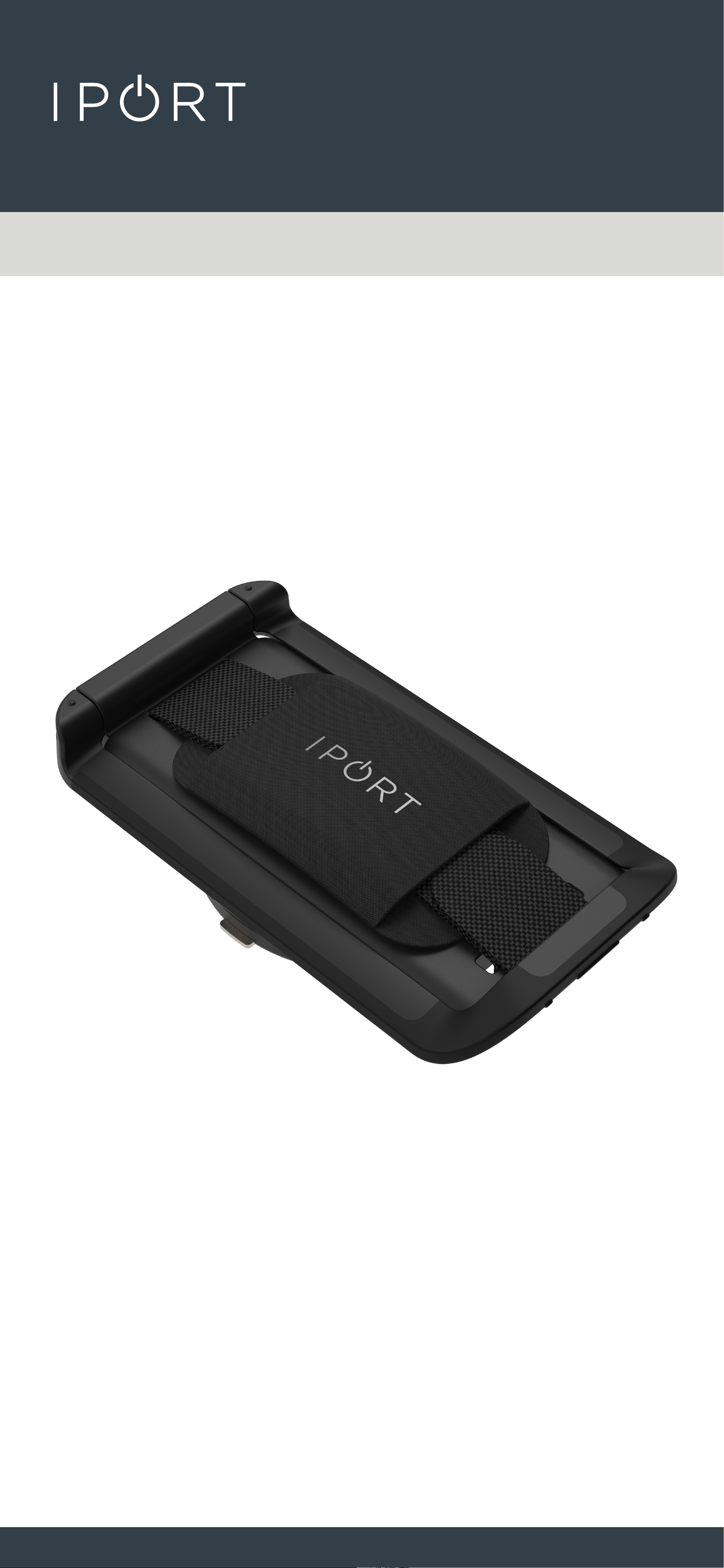
Whats in box:
1 - CONNECT HANDSTAND
1 - IPORT SECURITY TOOL
1 - Info Card
Thank you for purchasing the all new IPORT
CONNECT Platform. We hope you enjoy this
revolutionary new system and if at any time you
need more assistance please contact IPORT Tech
Support via Online chart or through our help desk.
- IPORT Team
CONNECT
HANDSTAND
3
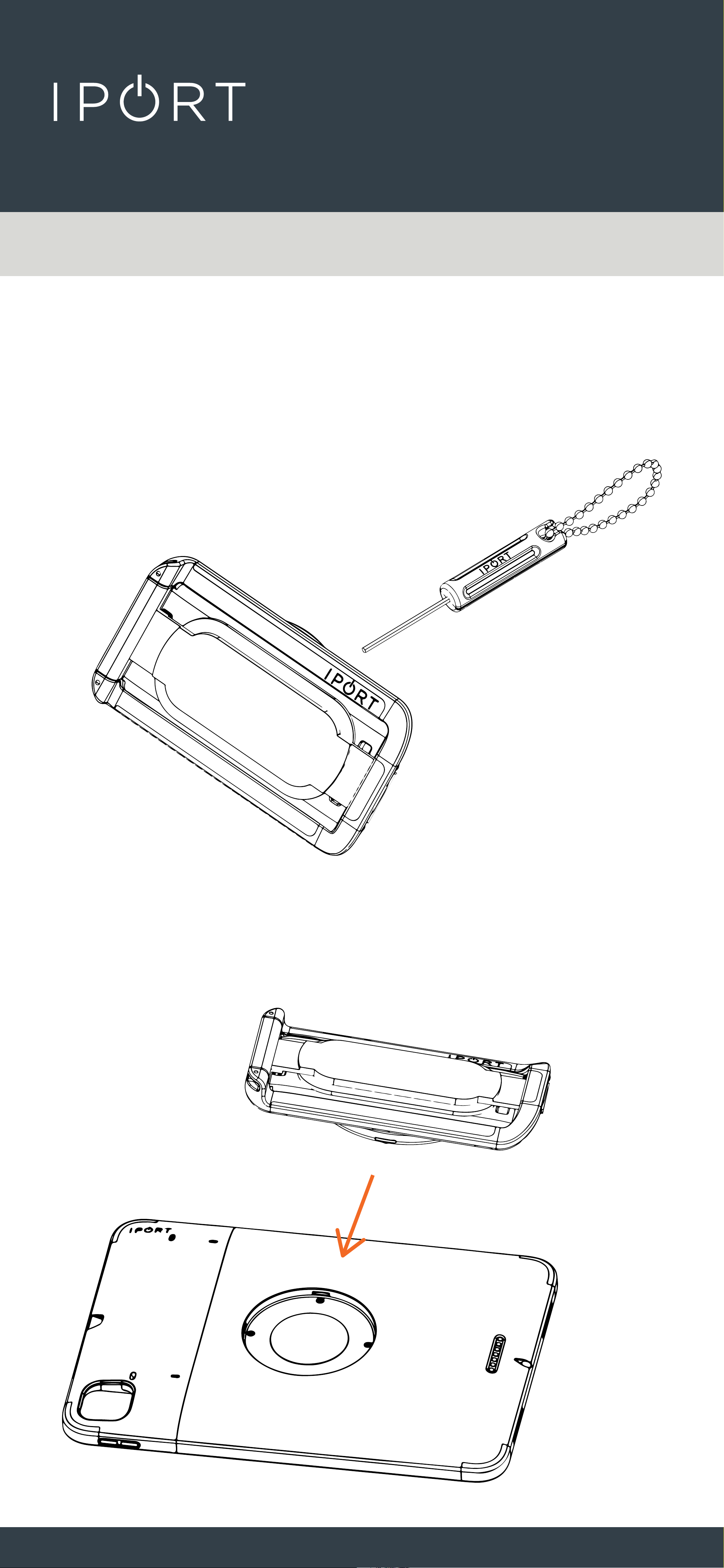
1. Remove HANDSTAND, Security tool,
and CONNECT CASE (sold separate) from
the box and place on a table.
2. Place the Case flat on a table and
place the hand stand into the recess on
the case.
CONNECT
HANDSTAND
4
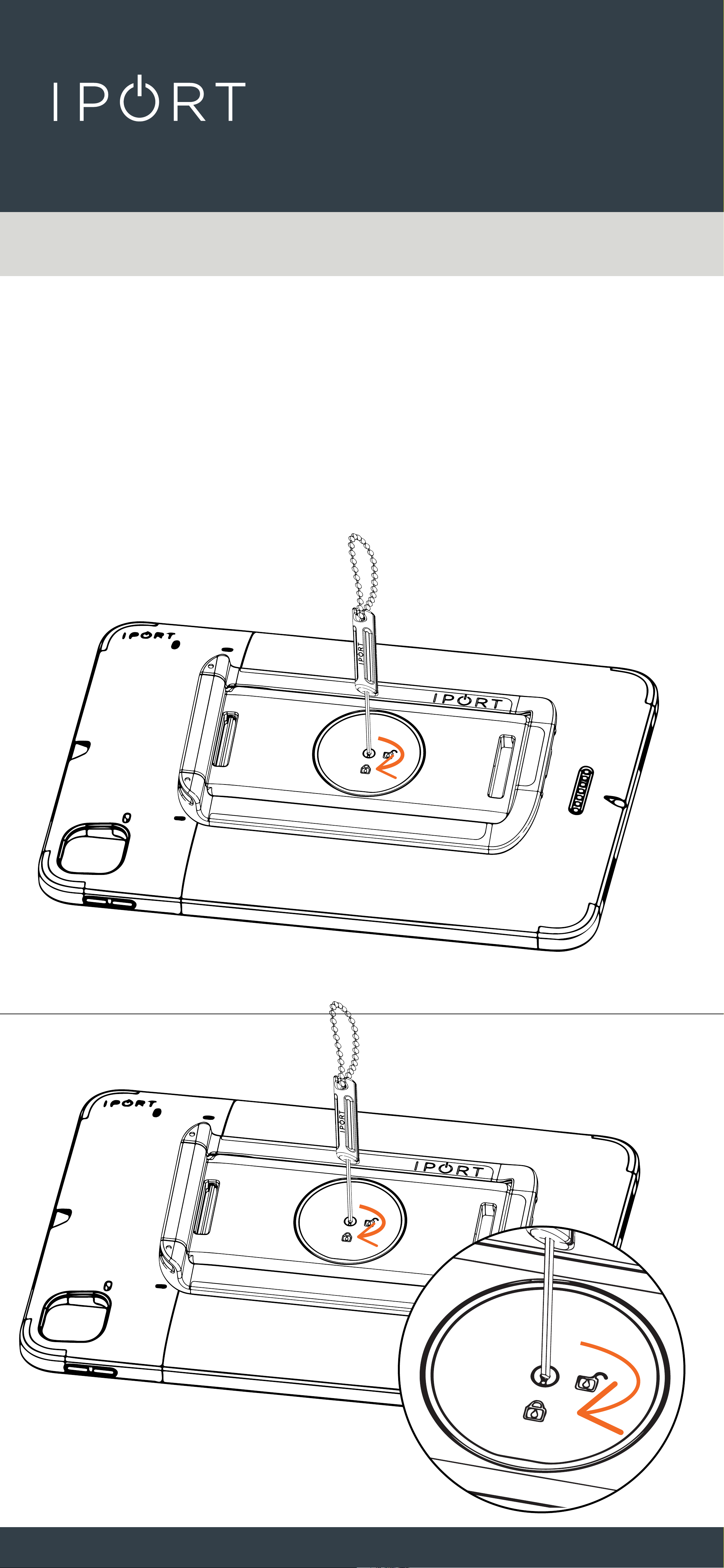
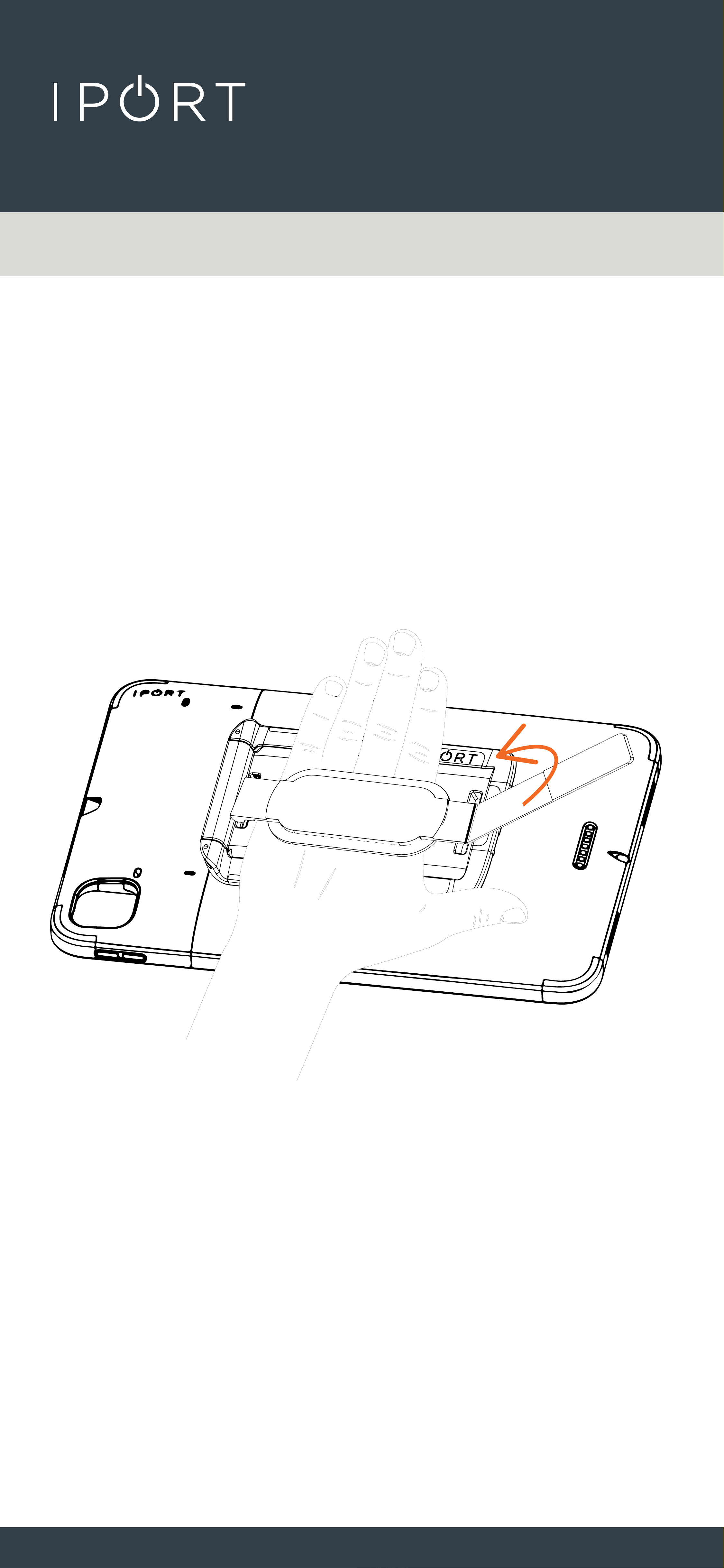
3. Loosen and move the hand strap to
reveal the integrated lock
mechanism. Insert the Security tool
into the lock and turn the tool
clockwise toward the “Lock” icon.
CONNECT
HANDSTAND
5
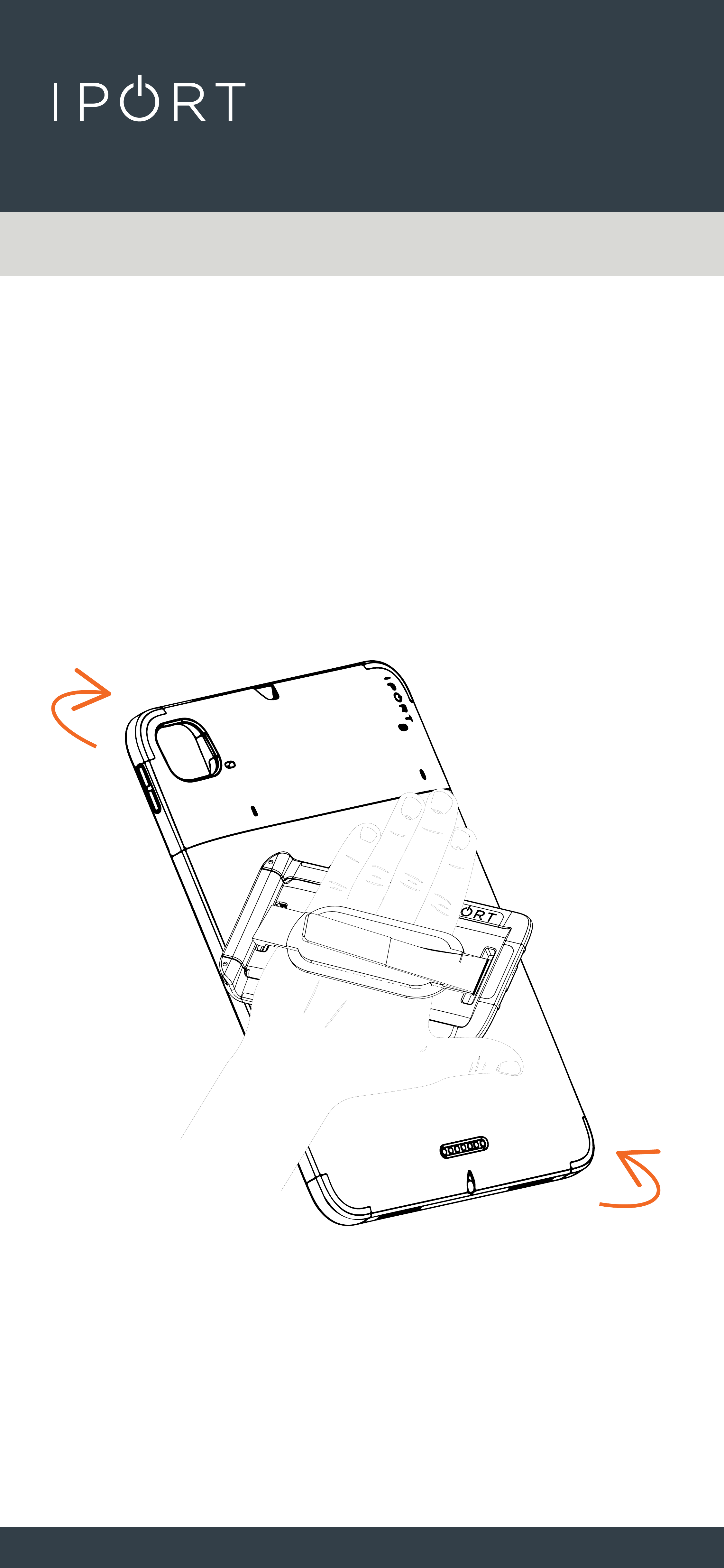
4. Place your hand under the strap and
adjust the Velcro to secure the strap
comfortably to your hand.
CONNECT
HANDSTAND
6
5. Once the stap is secured to your
hand you can rotate the iPad in any
direction that is comfortableto use.
CONNECT
HANDSTAND
7
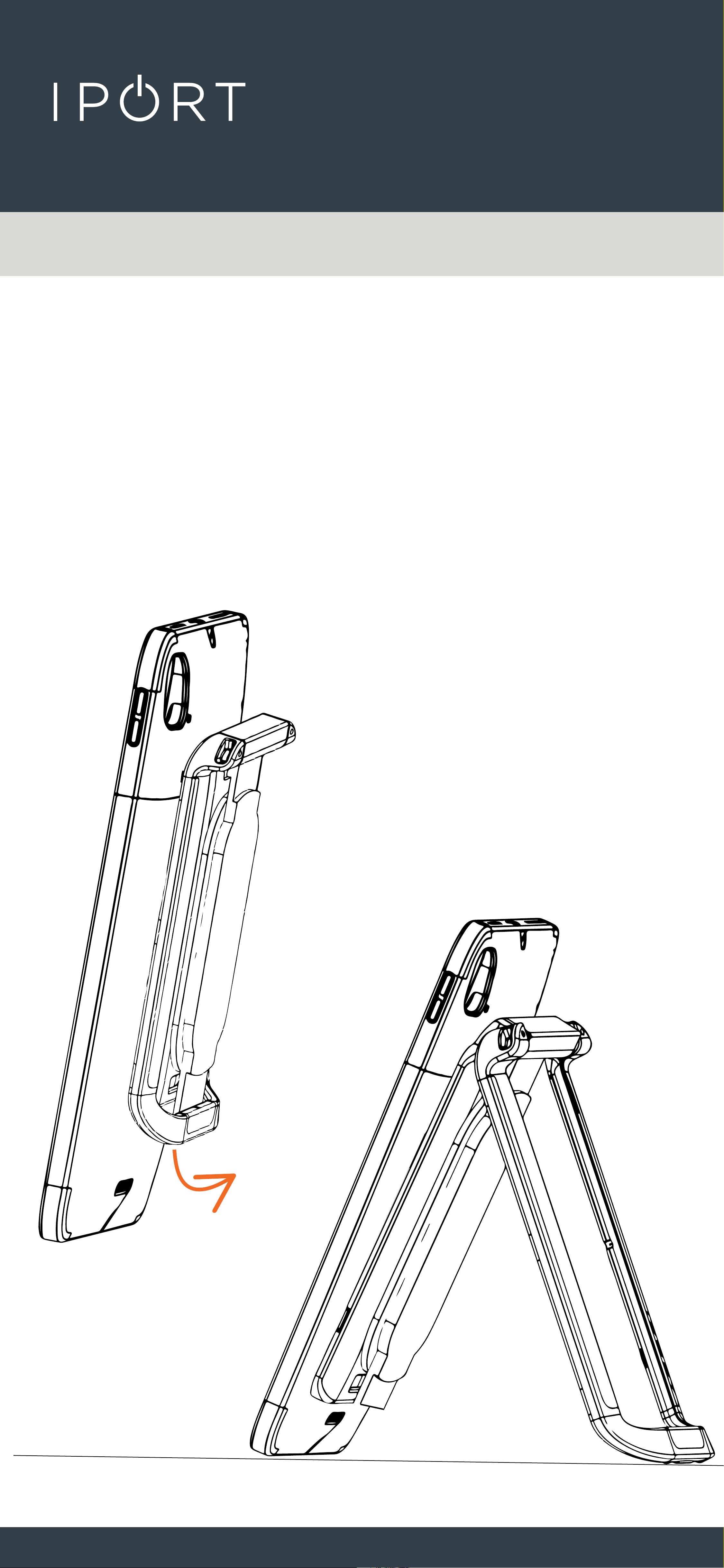
6. The CONNECT Hand Stand can also
be used as a stand to hold and
support the iPad on a desk or
table. Simply rotate the stand out
away from the iPad and set your
desired viewing angle.
