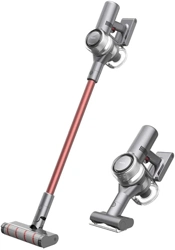
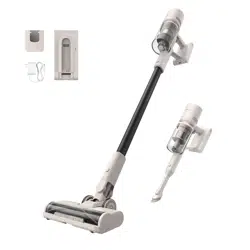
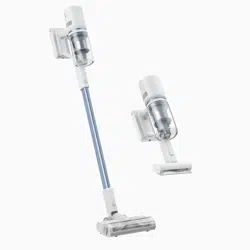
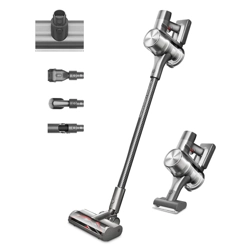
User Manual
Product Overview
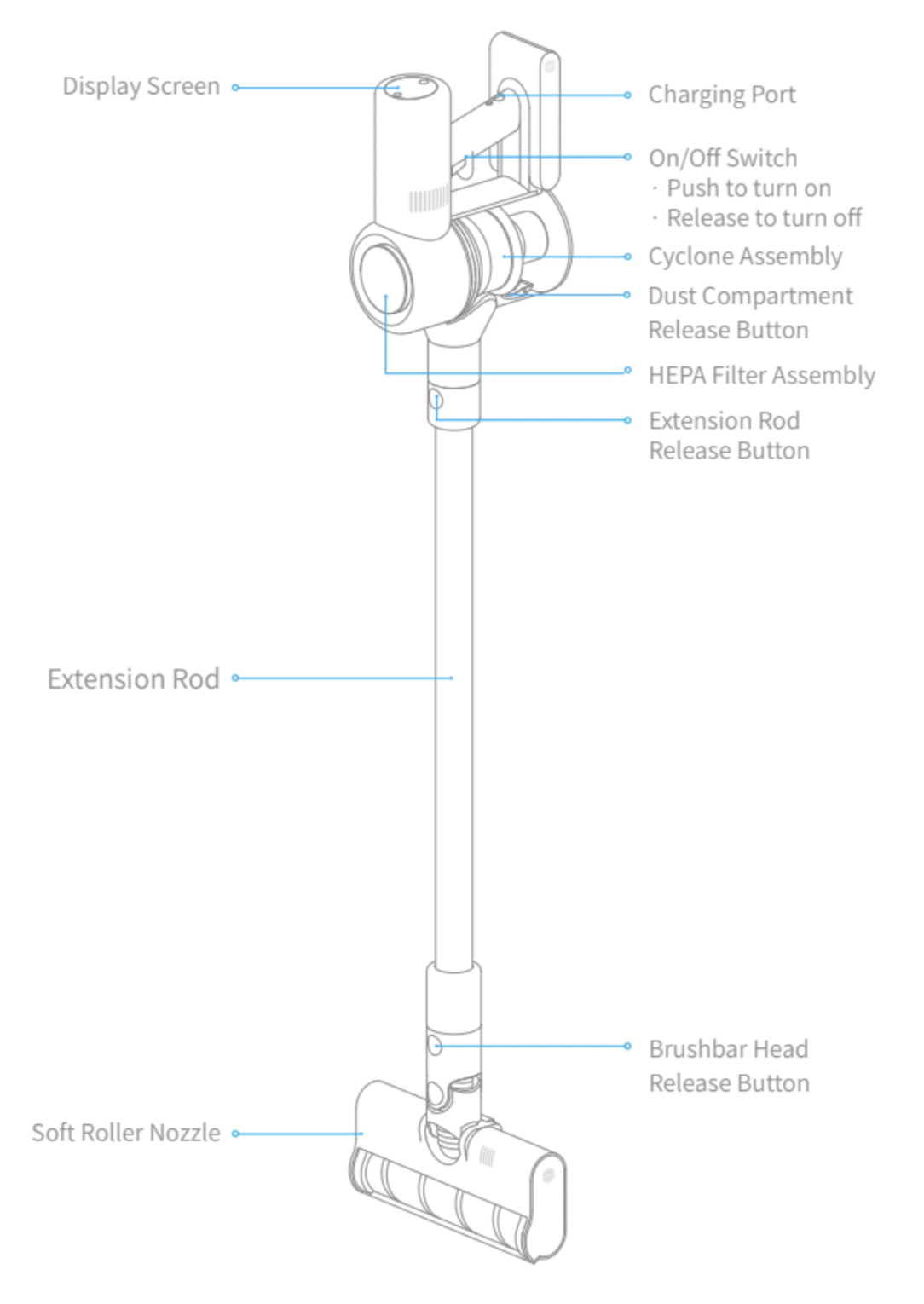
Part Names
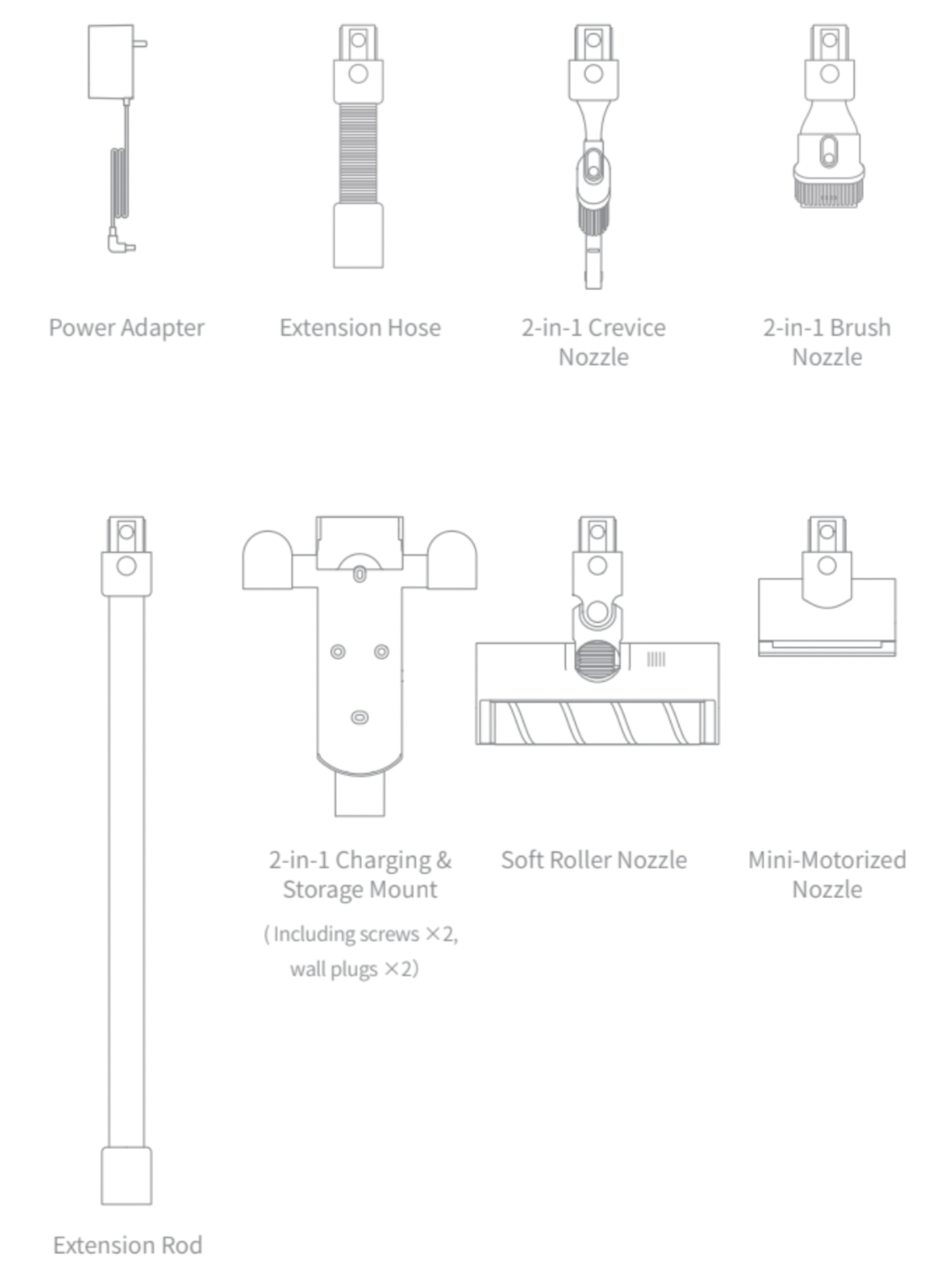
Accessories
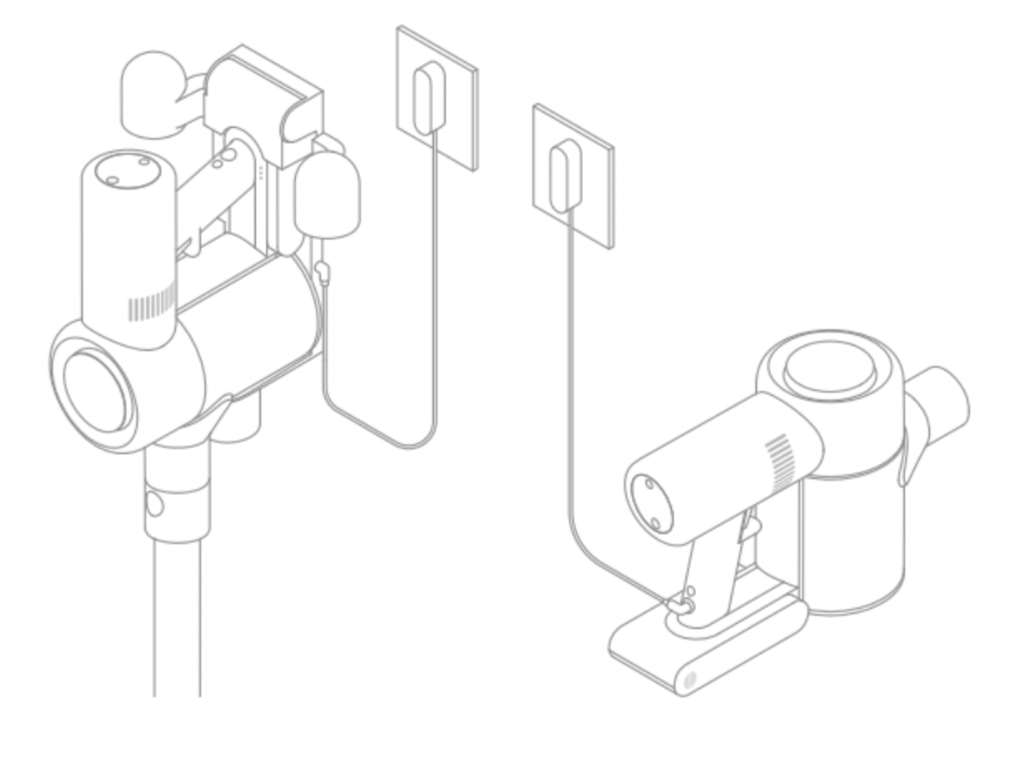
Charging
Note:
- Fully charge the vacuum cleaner before using it for the first time. This will take about 4 hours.
- Vacuum cleaner cannot be used while charging.
- Vacuuming at turbo mode for a prolonged period will cause the battery to heat up, which increases charging time. Allow the vacuum cleaner to cool down for 30 minutes before charging it.
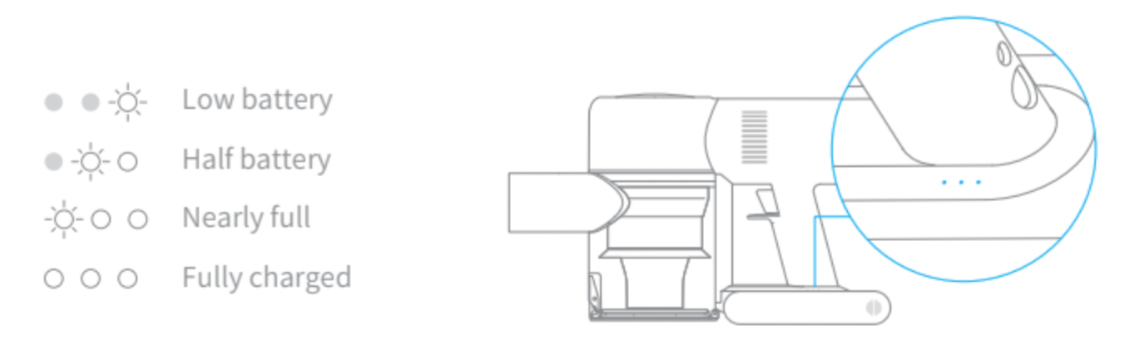
Battery Status Indicator
Note:
Once the vacuum cleaner is fully charged, the indicator will turn off after 5 minutes, and the vacuum cleaner will enter the energy-saving mode.

How to Use
Function Introduction of Display Screen
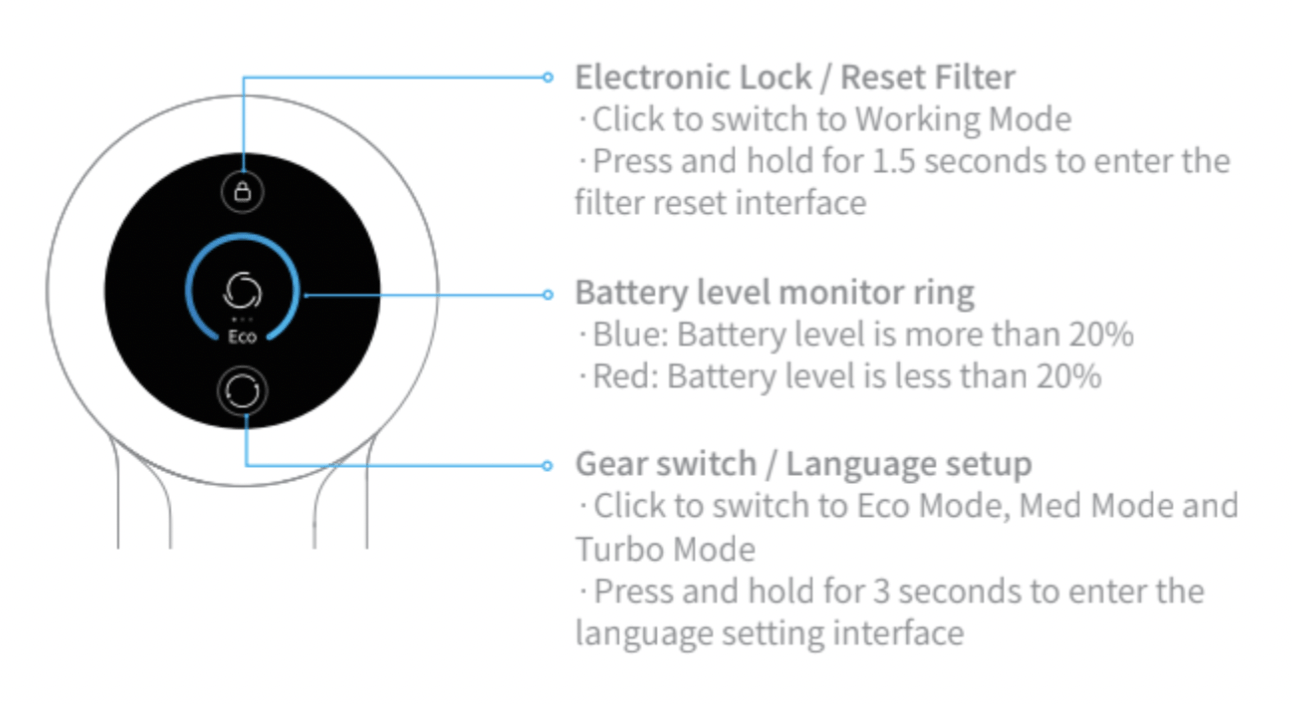
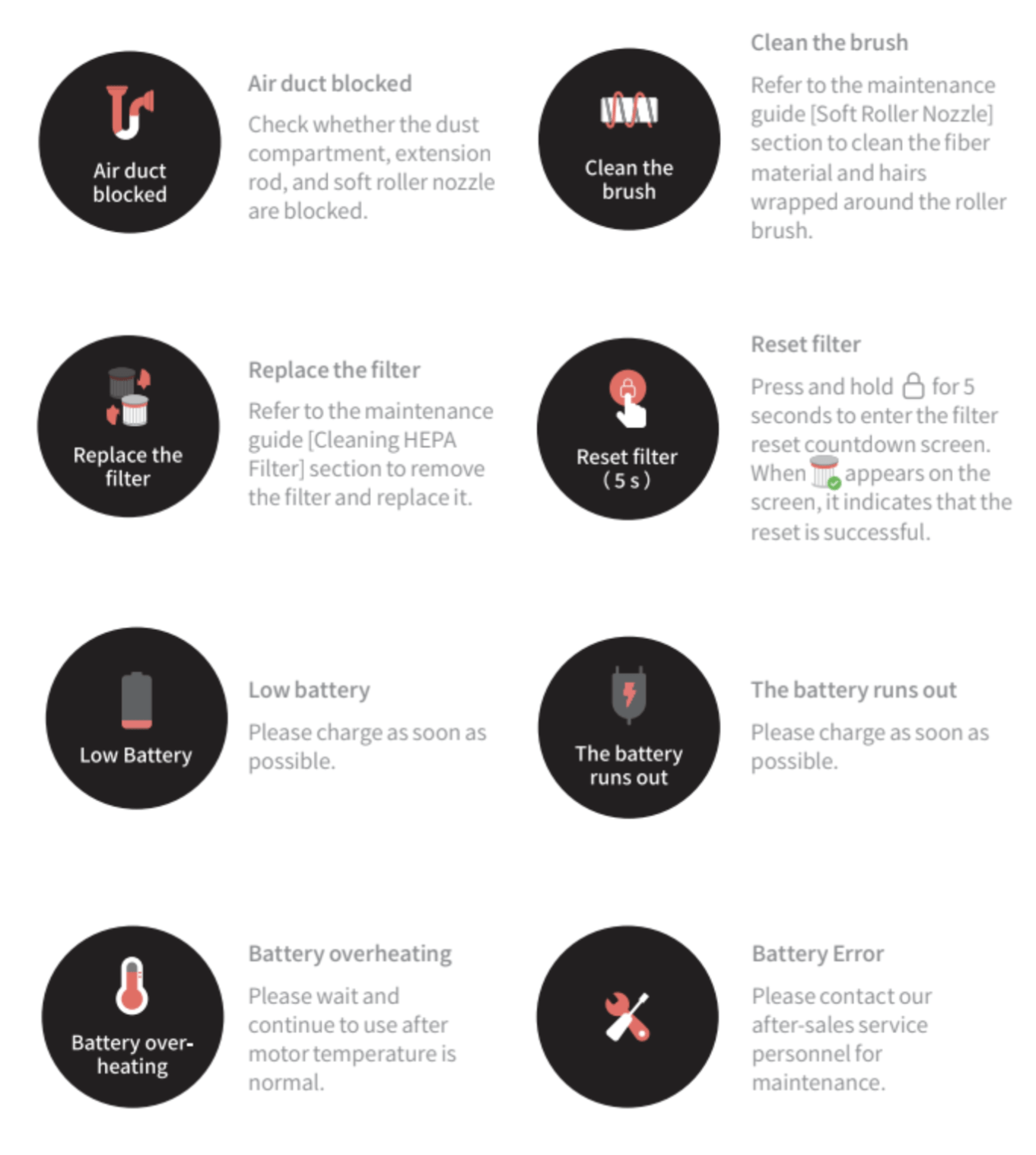
Note: If you need to pay attention to any abnormality during the use of the product, the screen will push a prompt message. You should follow the instructions on the screen to keep the performance normal.
Language Setup
You may set the display prompt language (Simplified English is the default when you start the machine) by the following methods as you need.
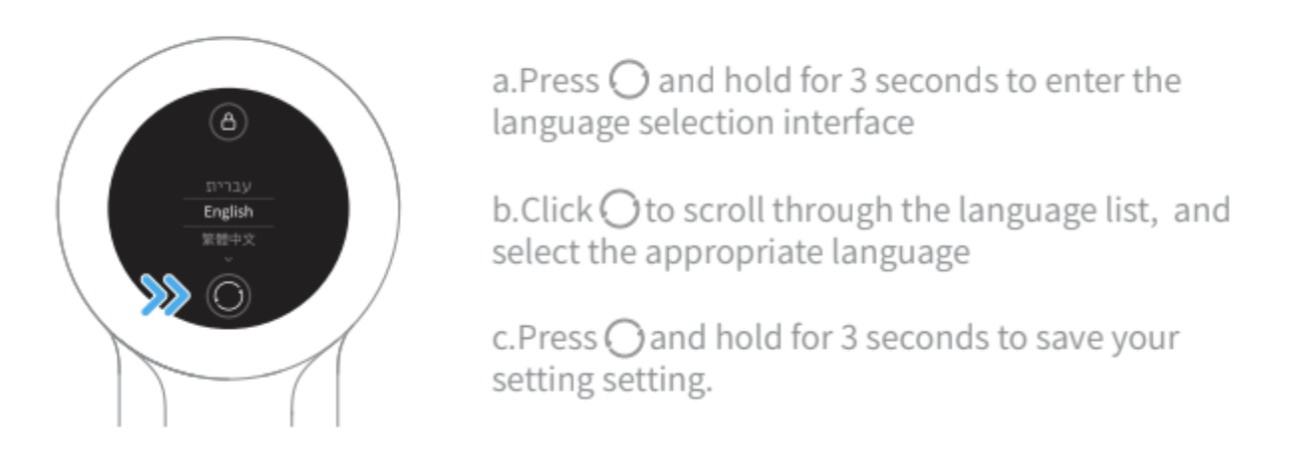
Note: If there is no operation for more than 5 seconds, it will automatically exit from the language setting interface, and the display information will be off.
Cleaning Mode
There are two working modes for the vacuum cleaner, which can be selected according to your own needs.
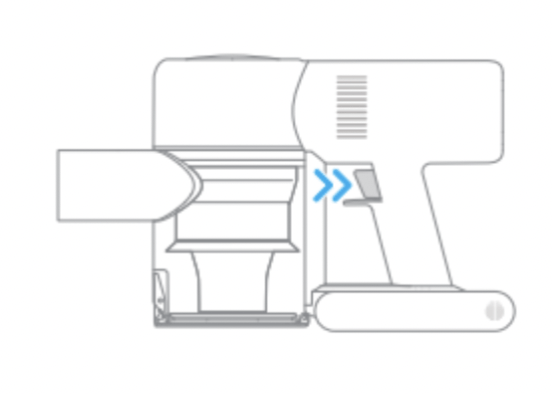
Mode 1: Discontinuous Cleaning Mode
Press and hold the switch of the vacuum cleaner to start working, and release it to stop immediately.
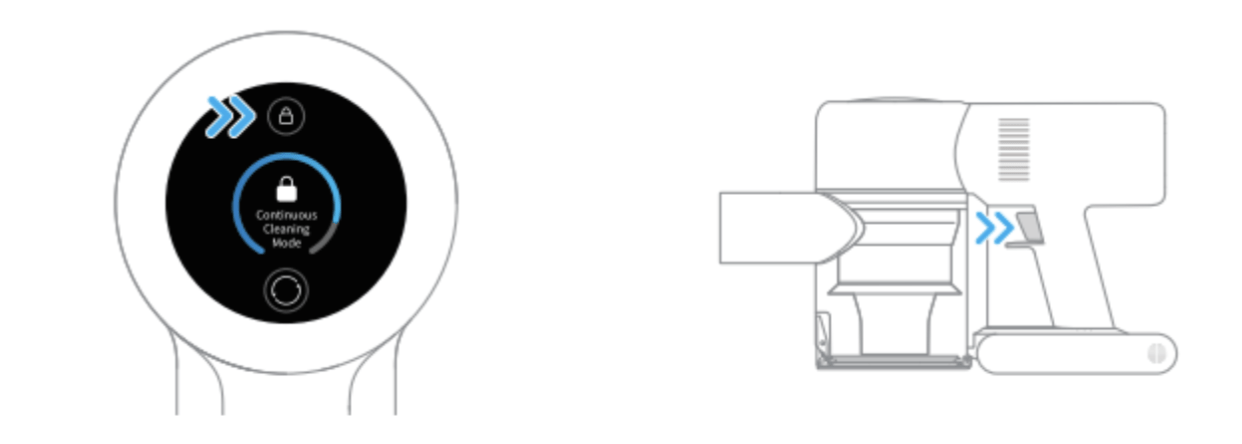
Mode 2: Continuous Cleaning Mode (Electronic lock)
In standby mode, click the electronic lock key to switch to Continuous Cleaning Mode, and then briefly press the switch to make the vacuum cleaner in Continuous Cleaning Mode.
Use the electronic lock to free your finger and avoid finger fatigue caused by holding the switch.
Note:
- In this mode, briefly press the switch to suspend the operation or start again, and the working mode of the vacuum cleaner will not change.
- Click the electronic lock again to quit the Continuous Cleaning Mode.
Using Different Attachments
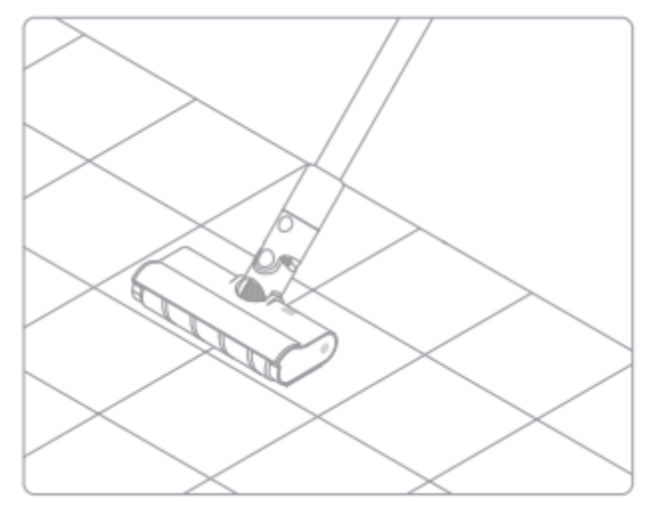
Soft Roller Nozzle
Suitable for vacuuming wood, tile, marble, and other hard floor surfaces as well as for vacuuming up larger pieces of dirt and debris.
The soft roller nozzle can also be directly attached to the vacuum cleaner.
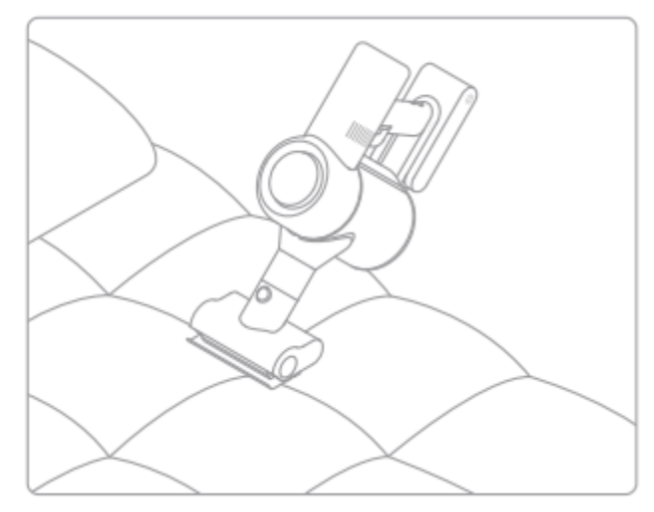
Mini-Motorized Nozzle
Strong vibrations yield deep cleaning action for removing mites and dust from mattresses and fabric surfaces.
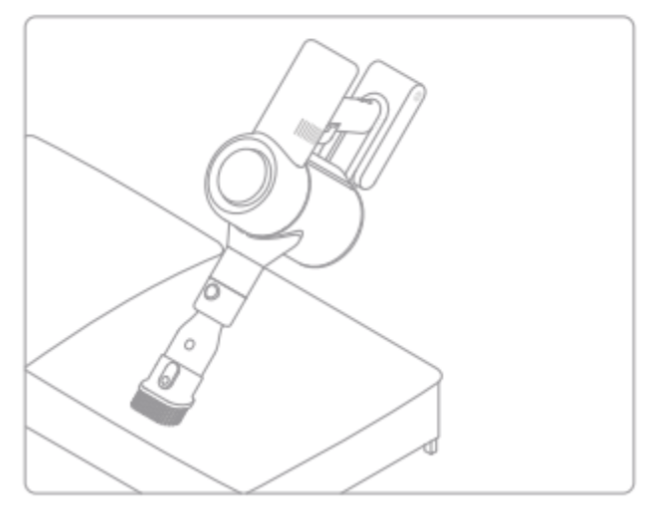
2-in-1 Brush Nozzle
Suitable for vacuuming up dust and mites on beds, sofas, and other furniture fabric.
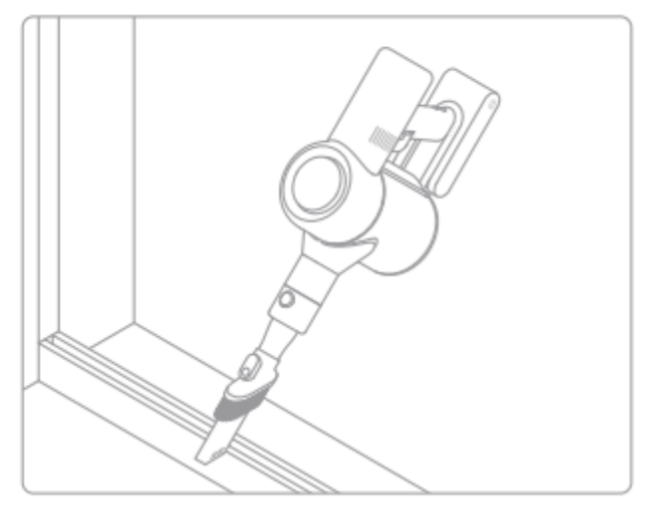
2-in-1 Crevice Nozzle
Suitable for vacuuming cracks, corners of doors and windows, stairs, and other hard-to-reach places.
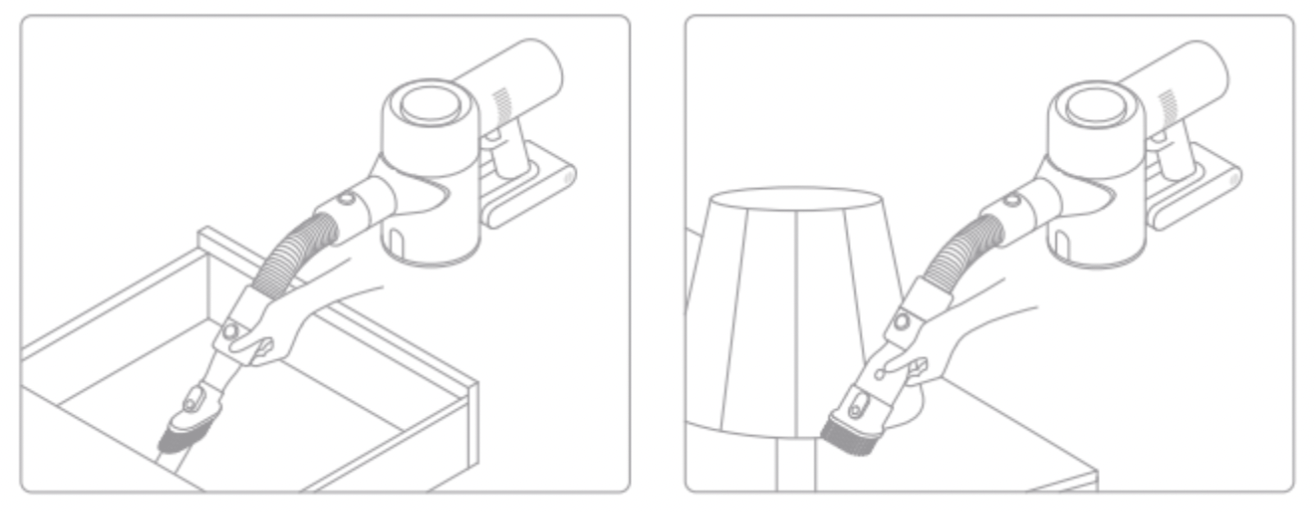
Extension Hose
Use for hard-to-reach corner cleaning.
Note:
- If any rotating part becomes stuck, the vacuum cleaner may turn off automatically. Remove any trapped foreign objects, then resume use.
- The vacuum cleaner will automatically shut off if its motor enters overheat protection mode. Wait until the motor's temperature returns to normal before resuming use.
If you need to pay attention to any abnormality during the use of the product, the screen will push a prompt message. You should follow the instructions on the screen to keep the performance normal.
Specifications
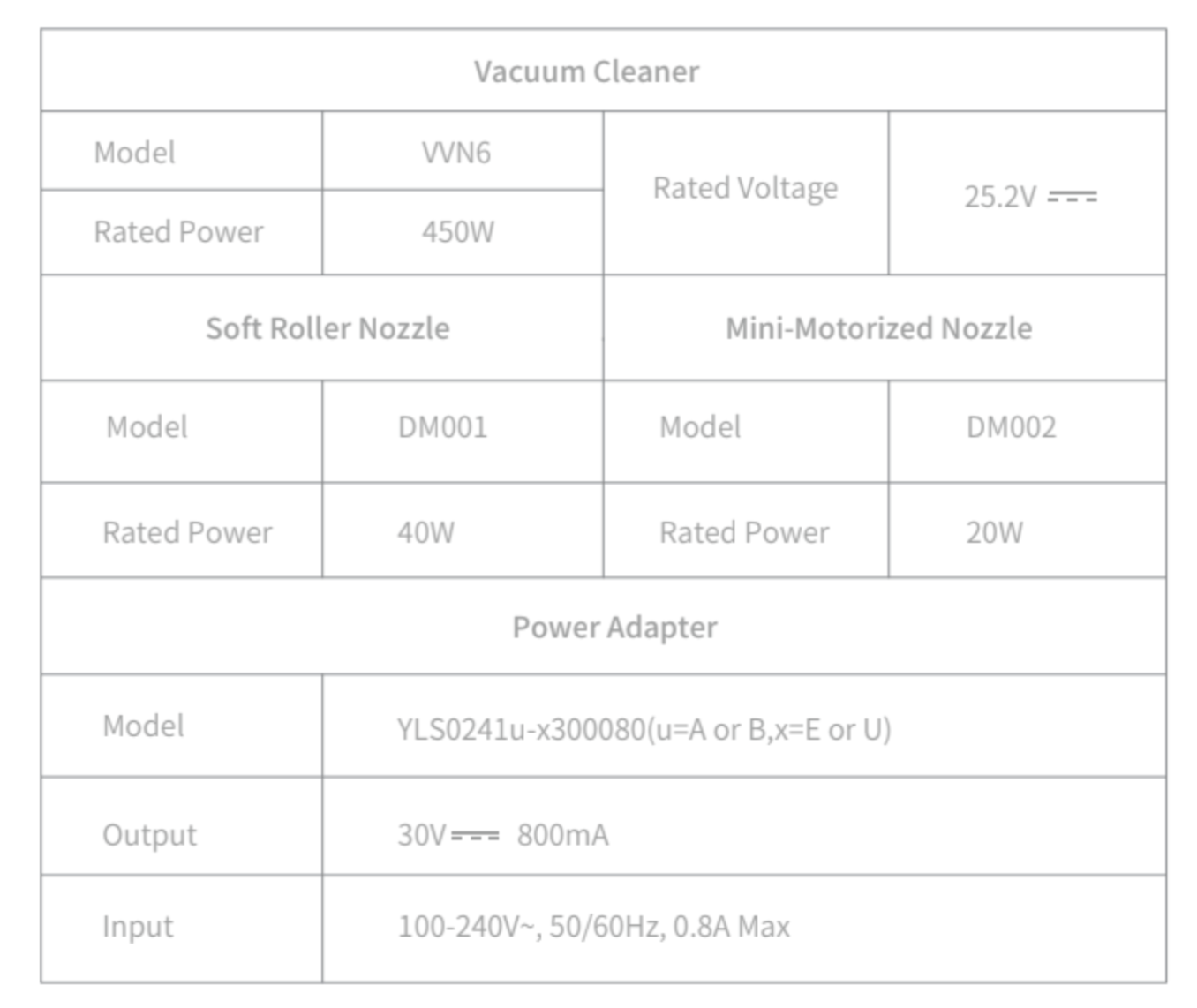
This product contains batteries that can only be replaced by qualified technicians or after-sales service.
This product contains batteries that are non-replaceable.
WEEE Information
 All products bearing this symbol are waste electrical and electronic equipment (WEEE as in directive 2012/19/EU) which should not be mixed with unsorted household waste. Instead, you should protect human health and the environment by handing over your waste equipment to a designated collection point for the recycling of waste electrical and electronic equipment, appointed by the government or local authorities. Correct disposal and recycling will help prevent potential negative consequences to the environment and human health. Please contact the installer or local authorities for more information about the location as well as terms and conditions of such collection points.
FAQ
If the vacuum cleaner is not working properly, please refer to the troubleshooting table below.
| Errors |
Possible Causes |
Solutions |
| Vacuum cleaner does not work |
Vacuum cleaner is out of battery or low on power |
Fully charge the vacuum cleaner, then resume use |
| Overheat protection mode triggered by a blockage |
Wait until the vacuum cleaner cools down, then reactivate it |
| Suction opening or airway passage is blocked |
Clear any blockages from suction opening or airway passage |
| Weak suction force |
Dust compartment is full and/or HEPA filter assembly is clogged |
Empty the dust compartment and clean the HEPA filter assembly |
| Attachment is blocked |
Clear any blockages in the attachment |
| Motor makes a strange noise |
Main suction opening or extension rod is blocked |
Clear any blockages in main suction opening or extension rod |
| The first indicator is red after turning on the vacuum cleaner |
Battery is damaged |
Please contact the after-sales service department for maintenance
|
| The first indicator blinks red after turning on the vacuum cleaner |
Power adapter is incompatible |
Only use the original power adapterto charge the vacuum cleaner |
| Battery indicator does not light up while charging |
The adapter is not connected to the vacuum cleaner |
Make sure the power adapter is plugged in properly |
| The battery is fully charged and goes into sleep mode |
Vacuum cleaner can be used normally |
| If the problem persists after ruling out the above two possibilities |
Please contact the after- sales service department for maintenance
|
| Charge slowly |
Battery temperature is too low or too high |
Wait until the battery's temperature normalizes, then resume use |