www.lg.com
Copyright © 2022 LG Electronics Inc. All Rights Reserved.
MR22GN
OWNER’S MANUAL
Magic Remote
Please read this manual carefully before using your remote and
retain it for future reference.
Contents in this manual may be changed without prior notice due
to upgrade of product functions.
*MFL718578022112REV01*
2
Accessories
• MagicRemoteandAlkalineBatteries(AA)
• Owner’smanual
( Dependingoncountry)
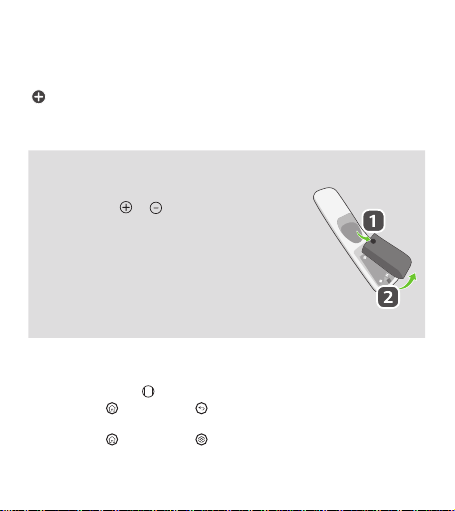
Installing Batteries
• Pressthetopofthebatterycover,slideitback,andliftthecoveras
shownbelow.
• Toreplacebatteries,openthebatterycover,replacealkalinebatteries
(1.5V,AA)matching and endstothelabelinsidethe
compartment,andclosethebatterycover.Besuretopointtheremote
controlattheremotecontrolsensorontheTV.
• Toremovethebatteries,performtheinstallationactionsinreverse.
Don’tmixoldorusedbatterieswithnewones.Closethecover
securely.
• Failuretomatchthecorrectpolaritiesofthebatterymaycausethe
batterytoburstorleak,resultinginfire,personalinjury,orambient
pollution.
Register/Unregister the Magic Remote
• TurnontheTVandpressthe Wheel (OK)ontheMagicremoteforregistration.
• Pressandholdthe (Home)buttonand (Back)buttontogetherformorethan5secondsto
disconnecttheMagicRemote.
• Pressandholdthe (Home)buttonand (Q. Settings)buttontogetherformorethan5secondsto
disconnectandre-registertheMagicRemoteatthesametime.
3
ENGLISH _Index
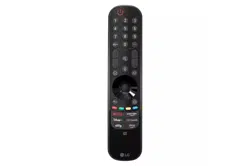
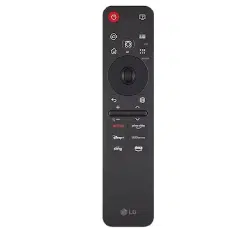
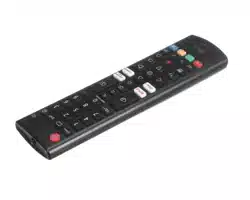
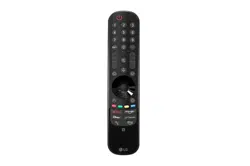
Remote Description
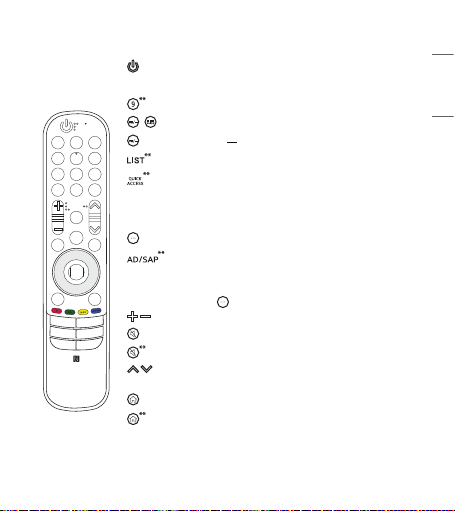
PowerTurnstheTVonoro.
Number buttons Entersnumbers.
Accessesthe[QuickHelp].
/
Accessesthe[Guide].
DashInsertsa betweennumberssuchas2-1and2-2.
Accessesthesavedchannelsorprogrammeslist.
Accessesthe[EditQuickAccess].
- [EditQuickAccess]isafeaturethatallowsyoutoenteraspecied
apporLiveTVdirectlybypressingandholdingthenumber
buttons.
More actions Displaysmoreremotecontrolfunctions.
Video/audiodescriptionsfunctionwillbeenabled.(Depending
oncountry)
SAP(SecondaryAudioProgram)featurecanalsobeenabledby
pressingthe button.(Dependingoncountry)
Volume buttonsAdjuststhevolumelevel.
MuteMutesallsounds.
MuteAccessesthe[Accessibility]menu.
Channel buttons / Programme buttons Scrollsthroughthe
savedchannelsorprogrammes.
HomeAccessestheHomemenu.
HomeLaunchesthelastusedapps.
4
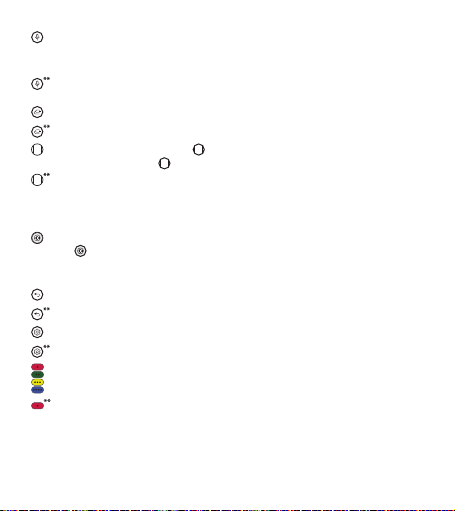
Voice recognition Networkconnectionisrequiredtousethevoicerecognitionfunction.
Checkforrecommendedcontent.(Somerecommendedservicesmaynotbeavailableinsome
countries.)
Voice recognition Speakwhilepressingandholdingthebuttontousethevoicerecognition
feature.
InputChangestheinputsource.
InputAccessesthe[HomeDashboard].
Wheel (OK)Pressthecenterof buttontoselectamenu.Youcanchangechannelsor
programsbyusingthe button.
Wheel (OK)Accessesthe[MagicExplorer].Youcanrunthe[MagicExplorer]featurewhenthe
pointercolourischangedtopurple.Ifwatchingaprogramme,pressandholddownthepointer
ontothevideo.Whenusing[TVGuide],[Settings],[SportsAlert],or[ArtGallery],pressand
holddownonthetext.
Up/Down/Left/RightPresstheup,down,leftorrightbuttontoscrollthemenu.Ifyoupress
buttonswhilethepointerisinuse,thepointerwilldisappearfromthescreenandMagic
Remotewilloperatelikeageneralremotecontrol.Todisplaythepointeronthescreenagain,
shakeMagicRemotetotheleftandright.
Back Returnstothepreviouslevel.
BackClearson-screendisplaysandreturnstolastinputviewing.
Q. SettingsAccessestheQuickSettings.
Q. SettingsDisplaysthe[AllSettings]menu.
Theseaccessspecialfunctionsinsomemenus.
Red buttonRunstherecordfunction.(Dependingoncountry)
Streaming Service buttonsConnectstotheVideoStreamingService.
5
ENGLISH _Index
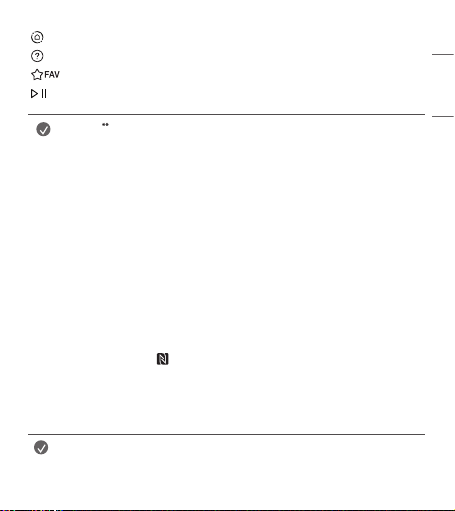
Home Dashboard Accessesthe[HomeDashboard].(DependingOnCountry)
User Guide Accessesthe[UserGuide].(DependingOnCountry)
Accessesyourfavoriteprogrammeslist.(DependingOnCountry)
,
Control buttons Controlsmediacontents.(DependingOnCountry)
Note
• Tousethebutton,pressandholdformorethan1second.
• Theremotecontrolimageshownmaydifferfromtheactualproduct.
• Theorderofdescriptionmaydifferfromtheactualproduct.
• Somebuttonsandservicesmaynotbeprovideddependingonmodelsorregions.
Connecting Smart Devices using NFC Tagging
Using the NFC Feature
NFCistechnologythatusesNearFieldCommunication,allowingyoutoconvenientlysendandreceive
informationwithoutseparatesettings.
BybringingasmartdeviceneartheNFC-enabledremotecontrol,youcaninstalltheLGThinQappand
connectthedevicetotheTV.
1. TurnonNFCinthesmartdevice’ssettings.TouseNFCwithAndroiddevices,settheNFCoptiontoenable
‘read/writetags’inthesmartdevice'ssettings.TheNFCsettingsmayvarydependingonthedevice.
2. Bringthesmartdevicenearthe (NFC)ontheremotecontrol.TherequireddistanceforNFCtaggingis
about1cm.
3. FollowtheinstructionstoinstalltheLGThinQapponyoursmartdevice.
4. Retaggingthesmartdevicetotheremotecontrolallowsyoutoconvenientlyaccessvariousfeatureson
theconnectedTVthroughtheLGThinQapp.
Note
• ThisfeatureisavailableforNFC-enabledsmartdevicesonly.
• ThisfeatureisonlyavailableiftheremotecontrolhasanNFClogo.

6
Precautions To Take
• Usetheremotecontrolwithinthespecifiedrange(within10m).
Youmayexperiencecommunicationfailureswhenusingthedeviceoutsidethecoverageareaorifthere
areobstacleswithinthecoveragearea.
• Youmayexperiencecommunicationfailuresdependingontheaccessories.
DevicessuchasamicrowaveovenandwirelessLANoperateinthesamefrequencyband(2.4GHz)asthe
MagicRemote.Thismaycausecommunicationfailures.
• TheMagicRemotemaynotworkproperlyifawirelessrouter(AP)iswithin0.2moftheTV.Yourwireless
routershouldbemorethan0.2mawayfromtheTV.
• Donotdisassembleorheatthebatteries.
• Donotdropthebattery.Avoidextremeshockstothebattery.
• Donotimmersethebatteriesinwater.
• Caution:Riskoffireorexplosionifthebatteryisreplacedbyanincorrecttype.
• Properlydisposeofusedbatteries.
7
ENGLISH _Index
Specications
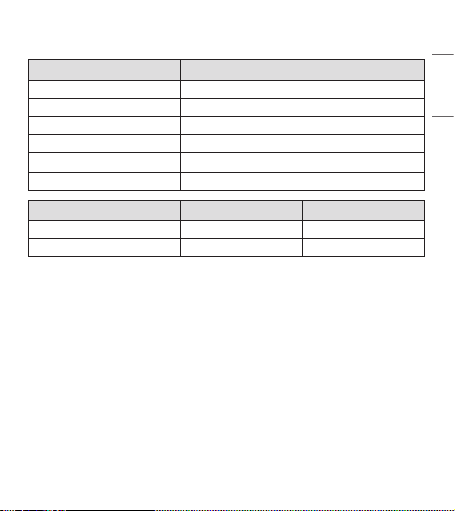
CATEGORIES DETAILS
ModelNo. MR22GN
Rangeoffrequency 2.400GHzto2.4835GHz
OutputPower(Max.) 7dBm
Channel 40channels
Powersource AA1.5V,2alkalinebatteriesareused
Operationaltemperaturerange 0°Cto40°C
NFC EU Except for EU
Rangeoffrequency 13.553to13.567MHz 13.56MHz
OutputPower(Max.) -13.27dBuA/m@10m -