2024 OWNER HANDBOOK
©2023 FCA US LLC. All Rights Reserved. Tous droits réservés. Chrysler is a registered trademark of FCA US LLC or FCA Canada Inc., used under license. Chrysler est une marque
déposée de FCA US LLC ou FCA Canada Inc., utilisée sous le permis. App Store is a registered trademark of Apple Inc. Google Play Store is a registered trademark of Google.
owners.mopar.ca
CANADA
U.S.
mopar.com/om
SCAN TO DOWNLOAD
COMPLETE OWNER’S
MANUAL, RADIO AND
WARRANTY MANUALS
Second Edition
24_RUV_OH_EN_US
DID_5544332_24_RUV_OH_EN_US_Voyager_071723.indd 1DID_5544332_24_RUV_OH_EN_US_Voyager_071723.indd 1 7/17/2023 9:27:25 AM7/17/2023 9:27:25 AM

The driver’s primary responsibility is the safe operation of the vehicle. Driving while
distracted can result in loss of vehicle control, resulting in an accident and personal
injury. FCA US LLC strongly recommends that the driver use extreme caution when
using any device or feature that may take their attention off the road. Use of any
electrical devices, such as cellular telephones, computers, portable radios, vehicle
navigation or other devices by the driver while the vehicle is moving is dangerous and
could lead to a serious accident. Texting while driving is also dangerous and should
never be done while the vehicle is moving. If you nd yourself unable to devote your
full attention to vehicle operation, pull off the road to a safe location and stop your
vehicle. Some states or provinces prohibit the use of cellular telephones or texting
while driving. It is always the driver’s responsibility to comply with all local laws.
This Owner Handbook has been prepared to help you get acquainted with your
new Chrysler
®
brand vehicle and to provide a convenient reference source for
common questions.
Not all features shown in this manual may apply to your vehicle. For additional
information, visit mopar.com/om (USA), owners.mopar.ca (Canada) or your local
Chrysler
®
brand dealer.
U.S. Residents: If you are the rst registered retail owner of your vehicle, you
may obtain a complimentary printed copy of the Warranty Booklet by calling
1-800-247-9753 or by contacting your dealer. Replacement kits can be purchased by
visiting www.techauthority.com.
Canadian Residents: If you are the rst registered retail owner of your vehicle, you
may obtain a complimentary printed copy of the Warranty Booklet or purchase a
replacement kit by calling 1-800-387-1143 or by contacting your dealer.
Drunk driving is one of the most frequent causes of accidents. Your driving ability
can be seriously impaired with blood alcohol levels far below the legal minimum. If
you are drinking, don’t drive. Ride with a designated non-drinking driver, call a cab,
a rideshare, a friend or use public transportation.
DRIVING AND ALCOHOL
Driving after drinking can lead to an accident. Your perceptions are less sharp, your
reexes are slower and your judgment is impaired when you have been drinking.
Never drink and then drive.
WARNING
This Owner Handbook illustrates and describes the operation of features and equipment that are either standard or optional on this vehicle. This manual may also include a description of
features and equipment that are no longer available or were not ordered on this vehicle. Please disregard any features and equipment described in this manual that are not on this vehicle.
FCA US LLC reserves the right to make changes in design and specications, and/or make additions to or improvements to its products without imposing any obligation upon itself to install
them on products previously manufactured.
With respect to any vehicles sold in Canada, the name FCA US LLC shall be deemed to be deleted and the name FCA Canada Inc. used in substitution therefore.
This Owner Handbook is intended to familiarize you with the important features of your vehicle. Your most up-to-date Owner Handbook, Owner’s Manual, Radio Instruction Manual and
Warranty Booklet can be found by visiting the website on the back cover.
WARNING: Operating, servicing and maintaining a
passenger vehicle or off-highway motor vehicle can expose
you to chemicals including engine exhaust, carbon monoxide,
phthalates, and lead, which are known to the State of California
to cause cancer and birth defects or other reproductive
harm. To minimize exposure, avoid breathing exhaust, do not
idle the engine except as necessary, service your vehicle in
a well-ventilated area and wear gloves or wash your hands
frequently when servicing your vehicle. For more information
go to:www.P65Warnings.ca.gov/passenger-vehicle.
FCA US LLC reserves the right to modify the terms or discontinue the Roadside
Assistance Program at any time. The Roadside Assistance Program is subject
to restrictions and conditions of use, that are determined solely by FCA US LLC.
ROADSIDE ASSISTANCE
24 HOURS, 7 DAYS A WEEK AT YOUR SERVICE. CALL
1-800-521-2779 OR VISIT chrysler.rsahelp.com (USA)
CALL 1-800-363-4869 OR VISIT fca.roadsideaid.com
(CANADA) SERVICES: Flat Tire Service, Out Of Gas/
Fuel Delivery, Battery Jump Assistance, Lockout
Service and Towing Service
Please see the Customer Assistance chapter in this
Owner Handbook for further information.
Vehicle images are for illustration purposes only. Actual products sold my vary.
DID_5544332_24_RUV_OH_EN_US_Voyager_071723.indd 2DID_5544332_24_RUV_OH_EN_US_Voyager_071723.indd 2 7/17/2023 9:27:29 AM7/17/2023 9:27:29 AM


INTRODUCTION
OWNER HANDBOOK INTRODUCTION ......4
SYMBOLS KEY ......................4
CUSTOMER ASSISTANCE ...............5
FCA US LLC Customer Center ..........5
FCA Canada Customer Care ...........5
Mexico..........................5
Puerto Rico And US Virgin Islands .......5
Roadside Assistance ................5
Customer Assistance For The Hearing Or
Speech Impaired (TDD/TTY) ...........5
Service Contract ..................6
Warranty Information ................6
Ordering and Accessing Additional Owner’s
Information ......................6
Change Of Ownership Or Address .......7
General Information .................7
INTERIOR
INTERIOR OVERVIEW .................8
STARTING AND OPERATING .............9
Keyless Enter ‘n Go™ — Passive Entry ....9
Stop/Start System — If Equipped .......9
MULTIMEDIA .......................10
Uconnect System ..................10
Uconnect Settings .................10
Pair/Delete A Device ................11
Apple CarPlay® ....................11
Android Auto™ ....................12
Uconnect Voice Recognition —
If Equipped ......................12
CHARGING & OUTLETS ................12
Electrical Power Outlets .............12
USB/AUX Control .................13
INSTRUMENT CLUSTER................14
LOCATION AND CONTROLS ............15
WARNING LIGHTS AND MESSAGES .......16
Warning&IndicatorLights ...........16
INTERIOR COMFORT SETTINGS ..........18
ClimateControls ..................18
Manual Climate Control Descriptions
And Functions ...................18
Front Heated Seats — If Equipped ......20
Power Front Seats — If Equipped ......20
Head Restraints — Front Seats .........21
Head Restraints — Second Row
Stow‘nGo ......................22
Head Restraints — Third Row ..........22
LIGHTING OPERATION ...............22
Headlight Switch ..................22
Automatic Headlights — If Equipped ....23
High/Low Beam Switch .............23
WINDSHIELD WIPER AND WASHERS .....23
Windshield Wiper Operation ..........23
Rain Sensing Wipers ...............24
CRUISE CONTROL SYSTEMS —
IF EQUIPPED ......................24
Cruise Control ....................24
PARKING ASSISTANCE ................25
Parksense Rear Park Assist —
If Equipped .....................25
EXTERIOR
EXTERIOR OVERVIEW ................26
EXTERIOR CAMERA VIEWS ............27
Parkview Rear Back Up Camera .......27
HOOD ...........................27
To Open The Hood .................27
To Close The Hood .................28
LIFTGATE.........................28
To Unlock/Open The Liftgate .........28
REFUELING THE VEHICLE .............29
EMERGENCY
SOS AND ASSIST MIRROR — IF EQUIPPED . . 30
JACKING AND TIRE CHANGING —
IF EQUIPPED ......................32
Preparations For Jacking ............32
Jack And Spare Tire Location .........32
Equipment Removal ...............32
Jacking Instructions ...............33
TIRE SERVICE KIT — IF EQUIPPED ........35
JUMP STARTING ....................36
Preparations For Jump Start ..........36
Jump Starting Procedure ............37
FREEING A STUCK VEHICLE ............38
TOWING A DISABLED VEHICLE .........39
Tow Eye Usage — If Equipped .........41
2

SPECIFICATIONS
ENGINE COMPARTMENT ..............42
3.6L Engine .....................42
FLUIDCAPACITIES ..................43
FLUIDS AND LUBRICANTS .............43
Engine Fluids And Lubricants .........43
Chassis Fluids And Lubricants ........44
SERVICING AND MAINTENANCE .........44
Maintenance Plan .................44
Oil Change Reset .................45
Engine Break-In Recommendations .....45
TRAILER TOWING ...................45
Trailer Towing Weights
(Maximum Trailer Weight Ratings) ......46
3
OWNER HANDBOOK INTRODUCTION
Thank you for choosing Chrysler. This Owner Handbook has been prepared
to help you quickly become acquainted with important features of your
vehicle. It contains most things you will need to operate and maintain your
vehicle, including emergency information.
This handbook also illustrates and describes the operation of certain fea-
tures and equipment that come either standard or optional on your vehicle.
It may include a description of features and equipment that your vehicle is
not equipped with. FCA US LLC reserves the right to make changes in
design and specifications and/or make additions to or improvements to its
products without imposing any obligation upon itself to install them on
products previously manufactured.
Mobile App:
To access your complete Owner’s Manual online:
www.mopar.com
To order a hard copy of your Owner’s Manual, visit: www.techauthority.com
SYMBOLS KEY
WARNING! These statements apply to operat-
ing procedures that could result in
a collision, bodily injury and/or
death.
CAUTION! These statements apply to proce-
dures that could result in damage
to your vehicle.
NOTE: A suggestion which will improve
installation, operation, and reliabil-
ity. If not followed, may result in
damage.
TIP: General ideas/solutions/
suggestions on easier use of the
product or functionality.
PAGE REFERENCE ARROW
Follow this reference for additional
information on a particular feature.
FOOTNOTE
Supplementary and relevant infor-
mation pertaining to the topic.
If you do not read the entire Owner’s Manual, you may miss important
information. Observe all Cautions and Warnings.
4 INTRODUCTION

CUSTOMER ASSISTANCE
FCA US LLC and its authorized dealers are vitally
interested in your satisfaction. We want you to be
happy with our products and services.
Warranty service must be done by an authorized
dealer. We strongly recommend that you take the
vehicle to an authorized dealer for non-warranty
service as well. FCA US LLC's authorized dealers
have the facilities, factory-trained technicians,
special tools, and the latest information to ensure
the vehicle is fixed correctly and in a timely
manner.
If your authorized dealer is unable to resolve
the concern, you may contact an FCA US LLC
Customer Assistance center.
Any communication to an FCA US LLC Customer
Assistance center should include the following
information:
•
Owner's name and address
•
Owner's telephone number (home, mobile, and
office)
•
Authorized dealer name
•
Vehicle Identification Number (VIN)
•
Vehicle delivery date and mileage
FCA US LLC CUSTOMER CENTER
P.O. Box 21–8004
Auburn Hills, MI 48321–8004
Phone: (800) 247-9753
FCA CANADA CUSTOMER CARE
P.O. Box 1621
Windsor, Ontario N9A 4H6
Phone: (800) 465-2001 English / (800)
387-9983 French
MEXICO
Customer Relations Office
Av. Prolongacion Paseo de la Reforma, 1240
Sante Fe C.P. 05109
Mexico, D.F.
In Mexico City: 800-505-1300
Outside Mexico City: +(52) 55 50817568
PUERTO RICO AND US VIRGIN
ISLANDS
Customer Service
FCA Caribbean LLC
P.O. Box 191857
San Juan 00919-1857
Phone: (800) 247-9753
ROADSIDE ASSISTANCE
Call 1-800-521-2779 or visit
chrysler.rsahelp.com(USA)
Call 1-800-363-4869 or visit fca.roadsideaid.com
(Canada)
Available: 24 Hours, 7 Days A Week
Your vehicle’s VIN number is required to receive
covered services.
•
Flat Tire Service
•
Out Of Gas/Fuel Delivery - This service is lim-
ited to two occurrences in a 12-month period.
Up to two gallons of fuel will be provided by a
service provider.
•
Battery Jump Assistance
•
Lockout Service
•
Towing Service
CUSTOMER ASSISTANCE FOR
THE HEARING OR SPEECH
IMPAIRED (TDD/TTY)
To assist customers who have hearing difficulties,
FCA US LLC has installed special Telecommuni-
cation Devices for the Deaf (TDD) equipment at
its customer centers. Any hearing or speech
impaired customer, who has access to a TDD or a
conventional teletypewriter (TTY) in the United
States, can communicate with FCA US LLC by
dialing 1-800-380-2479.
INTRODUCTION 5

Canadian residents with hearing difficulties who
require assistance can use the special needs relay
service offered by Bell Canada. For TTY users,
dial 711. For Voice callers, dial 1-800-855-0511 to
connect with a Bell Relay Service operator.
SERVICE CONTRACT
You may have purchased a service contract for a
vehicle to help protect you from the high cost of
unexpected repairs after FCA US LLC's New
Vehicle Limited Warranty expires. The Mopar®
Vehicle Protection plans are the ONLY vehicle
extended protection plans authorized, endorsed
and backed by FCA US LLC to provide additional
protection beyond your vehicle’s warranty. If you
purchased a Mopar® Vehicle Protection Plan, you
will receive Plan Provisions and an Owner Identi-
fication Card in the mail within three weeks of
the vehicle delivery date. If you have any ques-
tions about the service contract, call FCA US
LLC’s Service Contract National Customer
Hotline at 1-800-521-9922.
For Canadian residents, you may have purchased
additional coverage with an extended service
contract. FCA Canada Inc. stands fully behind its
service contracts. Be sure that the one you buy is
a genuine Canada Inc. service contract. We are
not responsible for other companies’ contracts.
If you purchased a contract other than a genuine
FCA Canada Inc. service contract and you have a
problem, you will have to contact the administra-
tor of that contract for resolution. If you have any
questions about the service contract, call the
FCA's Service Contract National Customer
Hotline at (800) 465-2001 English / (800)
387-9983 French).
FCA US LLC is not responsible for any service
contract you may have purchased from another
manufacturer. If you require service after the
FCA US LLC New Vehicle Limited Warranty
expires, please refer to the contract documents,
and contact the person listed in those
documents.
We appreciate that you have made a major
investment when you purchased the vehicle.
An authorized dealer has also made a major
investment in facilities, tools, and training to
assure that you are absolutely delighted with the
ownership experience.
WARRANTY INFORMATION
Use this QR code to access your
digital experience.
ORDERING AND ACCESSING
ADDITIONAL OWNER’S
INFORMATION
To order the following manuals, you may use either
the website or the phone numbers listed below.
Service Manuals
These comprehensive Service Manuals provide a
complete working knowledge of the vehicle,
system, and/or components and is written in
straightforward language with illustrations,
diagrams, and charts.
Diagnostic Procedure Manuals
Diagnostic Procedure Manuals are filled with dia-
grams, charts and detailed illustrations. These
manuals make it easy to find and fix problems on
computer-controlled vehicle systems and features.
They show exactly how to find and correct prob-
lems, using step-by-step troubleshooting and
drivability procedures, proven diagnostic tests and
a complete list of all tools and equipment.
To order a digital copy of your Service or
Diagnostic Procedure manuals, visit:
www.techauthority.com (US and Canada).
Owner's Manuals
These Owner's Manuals have been prepared with
the assistance of service and engineering special-
ists to acquaint you with specific FCA vehicles.
Scan me
6 INTRODUCTION

To access your Owner's Information online,
visit www.mopar.com/om (US) or
www.owners.mopar.ca/en/ (Canada).
Or visit:
www.techauthority.com to order physical copies
of Owner’s Manuals (US).
Owner's Manuals, Radio Manuals and Warranty
Information Books can be ordered through
Archway at:
1-800-387-1143 (Canada)
CHANGE OF OWNERSHIP OR
ADDRESS
*If you have purchased this vehicle used or have
changed your address, please provide the follow-
ing information and mail to:
FCA US LLC
P.O. Box 21–8008
Auburn Hills, MI 48321–8004
Make sure to include the following:
•
Date of Sale (mm/dd/yy)
•
Vehicle Indentification Number (17 Character ID
located on top left of the instrument panel)
•
Exact Odometer Reading
•
First and Last Name
•
Phone Number
•
Street Address, City, State and Zip Code
•
Email Address
*Applies to US residents only.
GENERAL INFORMATION
The following regulatory statement applies to all
Radio Frequency (RF) devices equipped in this
vehicle:
This device complies with Part 15 of the FCC
Rules and with Innovation, Science and Economic
Development Canada license-exempt RSS stan-
dard(s). Operation is subject to the following
two conditions:
1. This device may not cause harmful interfer-
ence, and
2. This device must accept any interference
received, including interference that may
cause undesired operation.
Le présent appareil est conforme aux CNR
d`Innovation, Science and Economic Develop-
ment applicables aux appareils radio exempts de
licence. L'exploitation est autorisée aux deux
conditions suivantes:
1. l'appareil ne doit pas produire de brouillage, et
2. l'utilisateur de l'appareil doit accepter tout
brouillage radioélectrique subi, même si le
brouillage est susceptible d'en compromettre
le fonctionnement.
La operación de este equipo está sujeta a las
siguientes dos condiciones:
1. es posible que este equipo o dispositivo no
cause interferencia perjudicial y
2. este equipo o dispositivo debe aceptar cual-
quier interferencia, incluyendo la que pueda
causar su operación no deseada.
NOTE:
Changes or modifications not expressly
approved by the party responsible for compli-
ance could void the user’s authority to operate
the equipment.
INTRODUCTION 7

INTERIOR OVERVIEW
1 — Instrument Cluster Controls page 15 5 — Uconnect Radio Screen Display page 10 9 — Keyless Enter ‘n Go™ Ignition
2 — Instrument Cluster Display
page 14 6 — Stop/Start Off Switch page 9 10 — Climate Controls page 18
3 — Cruise Control Buttons
page 24 7 — Headlight Switch page 22 11 — USB/AUX Media Hub page 13
4 — Windshield Wipers and Washers
page 23 8 —
Uconnect Voice Command Buttons
page 12
8 INTERIOR
STARTING AND OPERATING
KEYLESS ENTER ‘N GO™ —
PASSIVE ENTRY
Keyless Enter ‘n Go™ – Passive Entry allows you
to lock and unlock the vehicle’s door(s) without
having to push the key fob lock or unlock buttons.
To Unlock/Lock The Vehicle’s Doors And
Liftgate
With a valid Passive Entry key fob with you, grab
the handle to unlock the vehicle. The driver’s
handle will unlock the driver’s door only (unless
otherwise programmed in Uconnect Settings),
whereas the passenger handle will unlock all
doors and the liftgate.
With a valid Passive Entry key fob on you, push
the Passive Entry lock button on the door handle
to lock the vehicle.
NOTE:
•
DO NOT grab the door handle when pushing
the lock button. This could unlock the door(s).
•
Be sure to keep the vehicle key fob with you.
Use this QR code to access your
digital experience.
STOP/START SYSTEM —
IF EQUIPPED
The Stop/Start function is designed to save fuel
and reduce emissions. The system will stop the
engine automatically during a vehicle stop if the
required conditions are met. Releasing the brake
pedal or shifting out of DRIVE will automatically
restart the engine.
To Manually Turn On The Stop/Start
System
After turning off the Stop/Start system, push the
Stop/Start OFF switch again (located on the
switch bank). The light on the switch will turn off.
To Manually Turn Off The Stop/Start
System
Push the Stop/Start OFF switch (located on
the switch bank). The light on the switch will
illuminate. The “STOP/START OFF” message
will appear in the instrument cluster display and
the Autostop mode will be disabled.
NOTE:
The Stop/Start system will reset itself back to the
ON position every time the ignition is turned OFF
and back ON.
System Malfunction
If the “Service STOP/START System” message
appears in the instrument cluster display, have
the system checked by an authorized dealer.
Use this QR code to access your
digital experience.
Push The Door Handle Button To Lock
Scan me
Stop/Start OFF Switch
Scan me
INTERIOR 9

MULTIMEDIA
UCONNECT SYSTEM
NOTE:
Uconnect screen images may not reflect the
exact software in your vehicle.
Use this QR code to access your
digital experience.
UCONNECT SETTINGS
Do you want to change the theme of your radio?
Or what about setting text message pop-up
notifications?
These settings are all customizable, and can be
adjusted to your needs with a press of your
fingertip.
Press the Vehicle button, then press the Settings
button toward the top of your touchscreen to get
started with customizing your settings.
NOTE:
Depending on the vehicle’s options, feature set-
tings may vary.
•
My Profile — Customize features such as “Voice
Options”, “Notification Pop-ups”, and much
more!
•
Display — Customize features such as your
display brightness, or even allow navigation
instructions to appear on your instrument
cluster display!
•
Safety/Driving Assistance —Wouldyouliketo
be able to customize your Forward Collision
Warning feature? Within the Safety/Driving
Assistance setting, you can customize both the
warning signal and active brake for your For-
ward Collision Warning detection.
•
Phone/Bluetooth® — Do you have your phone
paired to your Uconnect system yet? Press the
Phone/Bluetooth® button to begin the phone
pairing process.
•
Camera — Pressing the Camera button on the
touchscreen will display settings related to the
vehicle’s cameras.
•
Brakes — Pressing the Brakes button on the
touchscreen will display settings related to the
vehicle’s brakes. One of these settings is “Auto
Park Brake”.
•
Seats & Comfort — The Uconnect system
allows you to adjust your comfort levels for
your heated seats, heated steering wheel, and
even ventilated seats!
•
Key Off Options — The Uconnect system gives
you the option to customize what your vehicle
does when it shuts down. One option is adjust-
ing how long your headlights stay on after you
turn your vehicle off.
Uconnect 5 Display
1 — Home Button 4 — Phone Button
2 — Radio/Media Button 5 — Vehicle Button
3 — Comfort Button 6 — Apps Button
Scan me
Uconnect 5 Settings
10 INTERIOR
•
Audio — Did you know you can customize your
vehicle’s audio? Press the Audio button to
begin tuning your vehicle’s audio to your liking.
•
Notifications — Within Notifications, you can
customize alerts for notification sound chimes,
new text message alerts, displaying messages
for missed calls, navigation prompt pop-ups,
and more!
PAIR/DELETE A DEVICE
Did you know pairing your smartphone with your
vehicle is quick and easy?
Pairing your smartphone with your vehicle will
open even more possibilities for your driving
convenience, such as playing music from your
phone or answering calls through your Uconnect
system.
1. Make sure Bluetooth® is enabled on your
mobile phone.
2. With the vehicle in the ACC or ON/RUN posi-
tion, press the Phone button on the vehicle’s
touchscreen menu bar.
3. Press “Device Manager”.
4. Select “Add Device”.
5. Follow the prompts on your phone and on the
touchscreen.
Follow these steps to remove your smartphone:
1. Press the Device Manager button on the
touchscreen.
2. Press the Settings gear icon next to the phone
or device you wish to remove.
3. Press “Delete Device”. The device should be
removed.
Use this QR code to access your
digital experience.
APPLE CARPLAY®
To use Apple CarPlay®, follow these steps:
1. Ensure that your iPhone® is unlocked for the
very first connection, then ensure Siri is
enabled in settings.
2. Connect your iPhone® to one of the media
USB ports in your vehicle, or pair your iPhone®
with the system. You have no need to plug
your device in if it is paired with the system.
3. Once the device is connected and recognized,
the Phone icon on the menu bar changes to
the Apple CarPlay® icon.
NOTE:
To use Apple CarPlay®, make sure that cellular
data is turned on, and that you are in an area
with cellular coverage. Your data and cellular
coverage is shown on the left side of the touch-
screen within Apple CarPlay®. Data plan rates
may apply.
Use this QR code to access your
digital experience.
Uconnect 5 (Portrait) Pairing A Phone
Scan me
Scan me
INTERIOR 11

ANDROID AUTO™
To use Android Auto™, follow these steps:
1. Download the Android Auto™ app from the
Google Play store.
2. Connect your phone to one of the media USB
ports in your vehicle, or pair your phone with
the system. You have no need to plug your
device in if it is paired with the system.
3. Once the device is connected and recognized,
the Phone icon on the menu bar changes to
the Android Auto™ icon.
NOTE:
To use Android Auto™, make sure you are in an
area with cellular coverage. Android Auto™ may
use cellular data, and your cellular coverage is
shown in the upper right corner of the touch-
screen. Data plan rates may apply.
Use this QR code to access your
digital experience.
UCONNECT VOICE
RECOGNITION — IF EQUIPPED
Introducing Voice Recognition
Did you know that your vehicle is capable of
voice commands? This feature is called Voice
Recognition (VR).
Start using Uconnect Voice Recognition (VR)
with these helpful quick tips. It provides the key
Voice Commands and tips you need to know to
control your system.
Basic Voice Commands
The following basic Voice Commands can be
given at any point while using your Uconnect
system.
Push the VR button
or say the vehicle’s
Wake Up word, “Hey Uconnect”. The factory
default Wake Up word is set to “Hey Uconnect”
and can be reprogrammed through the Uconnect
Settings. After the beep, say:
•
“Cancel” to stop a current voice session.
•
“Help” to hear a list of suggested Voice
Commands.
•
“Repeat” to listen to the system prompts again.
Notice the visual cues that inform you of your
Voice Recognition system’s status.
Use this QR code to access your
digital experience.
CHARGING & OUTLETS
ELECTRICAL POWER OUTLETS
Your vehicle may be equipped with 12 Volt
(15 Amp) power outlets that can be used to
power cellular phones, small electronics and
other low powered electrical accessories.
Your vehicle might have an outlet in any of the
following locations:
•
On the instrument panel, beneath your Climate
Control buttons
•
On the trim in the rear cargo area
Scan me
Scan me
12 Volt Front Power Outlet
12 INTERIOR
The rear power outlet is located in the right rear
cargo area.
NOTE:
•
Do not connect any of your devices that have a
power rating higher than 180 W to the outlet.
Do not use power adapters that do not fit the
outlet as this may damage it.
•
Power outlets labeled with a key symbol are
powered when the ignition is in the ON/RUN
position.
WARNING!
To avoid serious injury or death:
•
Only devices designed for use in this type of
outlet should be inserted into any 12 Volt
outlet.
(Continued)
WARNING!
•
Do not touch with wet hands.
•
Close the lid when not in use and while
driving the vehicle.
•
If this outlet is mishandled, it may cause an
electric shock and failure.
CAUTION!
•
Many accessories that can be plugged in draw
power from the vehicle's battery, even when
not in use (i.e., cellular phones, etc.). Eventu-
ally, if plugged in long enough, the vehicle's
battery will discharge sufficiently to degrade
battery life and/or prevent the engine from
starting.
•
Accessories that draw higher power (i.e., cool-
ers, vacuum cleaners, lights, etc.) will degrade
the battery even more quickly. Only use these
intermittently and with greater caution.
•
After the use of high power draw accessories,
or long periods of the vehicle not being
started (with accessories still plugged in), the
vehicle must be driven a sufficient length of
time to allow the generator to recharge the
vehicle's battery.
USB/AUX CONTROL
There are numerous USB ports located through-
out the vehicle that allow an external USB device
to be plugged into the USB port.
There are multiple USB “Charge Only” ports in
this vehicle.
•
On the back of the front row seats
(if equipped).
•
Above the rear cup holder in the third row
seats (if equipped).
Rear Power Outlet
Front Center Stack AUX Jack And USB Ports
1 — Type C And Type A USB Ports 1
2 — Type C And Type A USB Ports 2
3—AUXPort
INTERIOR 13

INSTRUMENT CLUSTER
Use this QR code to access your
digital experience.
Scan me
14 INTERIOR
1. Tachometer
○
Indicates the engine speed in revolutions
per minute (RPM x 1000).
2. Temperature Gauge
○
The temperature gauge shows engine cool-
ant temperature. Any reading within the
normal range indicates that the engine
cooling system is operating satisfactorily.
○
The gauge can indicate a higher tempera-
ture when driving in hot weather or up
mountain grades. It should not be allowed
to exceed the upper limits of the normal
operating range.
WARNING!
A hot engine cooling system is dangerous.
You or others could be badly burned by steam
or boiling coolant. You may want to call an
authorized dealer for service if your vehicle
overheats.
CAUTION!
Driving with a hot engine cooling system could
damage your vehicle. If the temperature gauge
reaches “H” pull over and stop the vehicle.
(Continued)
CAUTION!
Idle the vehicle with the air conditioner turned
off until the gauge drops back into the normal
range and is no longer red. If the gauge
remains on the “H”, turn the engine off immedi-
ately and call an authorized dealer for service.
3. Instrument Cluster Display
○
When the appropriate conditions exist, this
display shows the instrument cluster dis-
play messages.
4. Fuel Gauge
○
The gauge shows the level of fuel in the fuel
tank when the ignition switch is in the
ON/RUN position.
○
The fuel pump symbol points to
the side of the vehicle where the
fuel door is located.
5. Speedometer
○
Indicates vehicle speed.
NOTE:
The warning/indicator lights will illuminate for a
bulb check when the ignition is first cycled.
LOCATION AND CONTROLS
The Instrument Cluster Display is located in the
center of the instrument cluster.
The instrument cluster display controls allows the
driver to select information by pushing the direc-
tional buttons mounted on the steering wheel:
•
Back / Left Arrow Button
Push and release the left
arrow button to
access the information screens or submenu
screens of a main menu item.
•
Up Arrow Button
Push and release the up
arrow button to
scroll upward through the Main Menu items.
•
Right Arrow Button
Push and release the right
arrow button to
access the information screens or submenu
screens of a main menu item.
Instrument Cluster Display Controls
INTERIOR 15
•
Down Arrow Button
Push and release the down
arrow button to
scroll downward through the Main Menu items.
•
OK Button
Push the OK button to access/select the
information screens or submenu screens of a
Main Menu item. Push and hold the OK button
for two seconds to reset displayed/selected
features that can be reset.
WARNING LIGHTS AND
MESSAGES
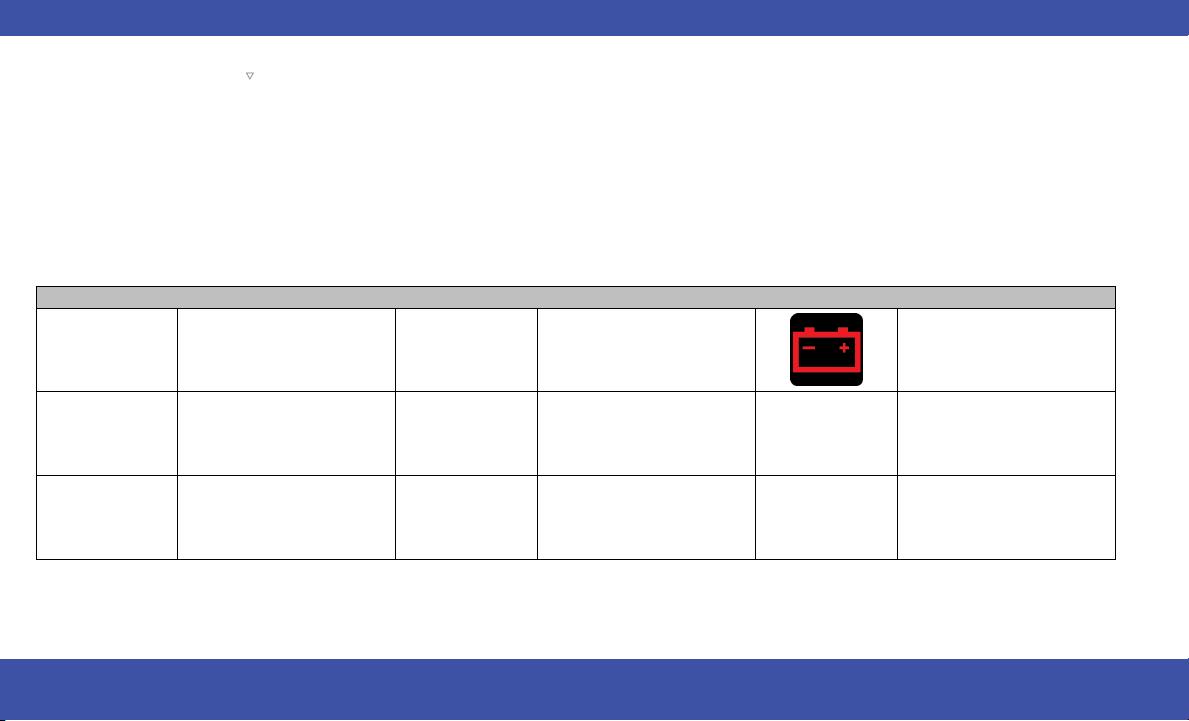
These symbols are Warning/Indicator lights that
illuminate to signify various conditions with your
vehicle, ranging from potentially critical faults to
merely informing you that a feature has been
engaged. Warning and Indicator Lights are
different based upon equipment options and
current vehicle status. Some telltales are optional
and may not appear.
NOTE:
For more information about warning lights and
indicators, please see your owners manual.
WARNING & INDICATOR LIGHTS
IfanyoftheWarning Lights illuminate in your
cluster, a condition may need to be corrected or
your vehicle may require service. In these situa-
tions it is recommended that you contact your
local authorized dealer to schedule service.
The Indicator Lights illuminate in your cluster to
indicate a feature is active.
Warning Lights
Air Bag Brake Charging
Door Open
Electric Power Steering (EPS)
Fault
Electronic Throttle Control
Engine Coolant Temperature Hood Open Liftgate Open
16 INTERIOR
Warning Lights
Oil Pressure Oil Temperature Seat Belt Reminder
Transmission Temperature Vehicle Security
Anti-Lock Brake System
(ABS)
Electric Park Brake
Electronic Stability Control
(ESC)
Electronic Stability Control
(ESC) OFF
Low Fuel Low Washer Fluid Malfunction Indicator
Service Forward Collision
Warning (FCW) Fault
Service Stop/Start System Tire Pressure
INTERIOR 17

Indicator Lights
Forward Collision Warning
(FCW) Off
Cruise Control SET Front Fog
Parking/Headlights Stop/Start Active Turn Signal
Cruise Control Ready Set Speed Display High Beam
INTERIOR COMFORT
SETTINGS
CLIMATE CONTROLS
The Climate Control system allows you to regu-
late the temperature, air flow, and direction of air
circulating throughout the vehicle.
MANUAL CLIMATE CONTROL
DESCRIPTIONS AND FUNCTIONS
Max A/C Button
Press the button on the touchscreen to
set the system to maximum Air Condi-
tioning (A/C).
A/C Button
Push the button to engage the Air
Conditioning (A/C) system.
Recirculation Button
Push the button to change the system
between Recirculation mode and out-
side air mode.
Uconnect 5 Display Manual Temperature
Controls
18 INTERIOR

Front Defrost Button
Push the button to change the current
airflow setting to Defrost mode.
Rear Defrost Button
Push the button to turn on the rear
window defroster and heated mirrors.
CAUTION!
Failure to follow these cautions can cause dam-
age to the heating elements:
•
Use care when washing the inside of the rear
window. Do not use abrasive window cleaners
on the interior surface of the window. Use a
soft cloth and a mild washing solution, wiping
parallel to the heating elements. Labels can be
peeled off after soaking with warm water.
•
Do not use scrapers, sharp instruments, or
abrasive window cleaners on the interior
surface of the window.
•
Keep all objects a safe distance from the
window.
Front Temperature Control
Push the driver or passenger’s side toggle switch
upward or downward, or slide the temperature
bar to adjust the driver and passenger tempera-
ture settings.
SYNC Button
Press the SYNC button on the touch-
screen to synchronize the front or rear
passenger temperature setting.
Blower Control
Use the small or large blower icon
toggle switches or the blower bar on
the touchscreen to increase or decrease
the amount of air forced through the
climate control system.
Mode Control
Select Mode by pressing one of the
Mode buttons on the touchscreen, or
the faceplate, to change the airflow
distribution mode.
Panel Mode
Bi-Level Mode
Floor Mode
Mix Mode
Climate Control OFF Button
Press and release this button on the
touchscreen or push and release the
button on the faceplate to turn the Cli-
mate Control ON/OFF.
INTERIOR 19

Controlling The Rear Climate
Controls From The Front MTC
Display/Touchscreen
The Three-Zone Manual Temperature Control
(MTC) system allows for adjustment of the rear
climate controls from the front MTC
display/touchscreen.
Rear Manual Temperature Control
(MTC)
The rear system temperature control buttons are
located on the headliner on the passenger side of
the vehicle.
CAUTION!
Interior air enters the Rear Automatic Tempera-
ture Control system through an intake grille,
located in the floor under the passengers’
seats. Do not block or place objects directly
in front of the inlet grille or heater outlets.
The electrical system could overload causing
damage to the blower motor.
FRONT HEATED SEATS —
IF EQUIPPED
The front heated seats control buttons
are located in the touchscreen. Press
the heated seat button to cycle through
HI, LO, and off settings.
WARNING!
•
Persons who are unable to feel pain to the
skin because of advanced age, chronic illness,
diabetes, spinal cord injury, medication, alco-
hol use, exhaustion or other physical condition
must exercise care when using the seat heater.
It may cause burns even at low temperatures,
especially if used for long periods of time.
•
Do not place anything on the seat or seatback
that insulates against heat, such as a blanket
or cushion. This may cause the seat heater to
overheat. Sitting in a seat that has been over-
heated could cause serious burns due to the
increased surface temperature of the seat.
POWER FRONT SEATS —
IF EQUIPPED
Some models may be equipped with two power
seat switches that are used to control the move-
ment of the seat cushion and the seatback.
Push the power lumbar switch forward to
increase the lumbar support. Push the switch
rearward to decrease the lumbar support. Push-
ing upward or downward on the switch will raise
and lower the position of the support.
WARNING!
Do not ride with the seatback reclined so that
the shoulder belt is no longer resting against
your chest. In a collision you could slide under
the seat belt, which could result in serious
injury or death.
Driver Power Seat Switches
1 — Seat Switch 3 — Lumbar Switch
2 — Seatback Switch
20 INTERIOR

HEAD RESTRAINTS — FRONT
SEATS
The front driver and passenger seats are
equipped with four-way head restraints.
To raise the head restraint, pull upward on the
head restraint. To lower the head restraint, push
the adjustment button, located at the base of the
head restraint, and push downward. The front
head restraints are also adjustable forward and
rearward. To tilt forward, pull the top of the head
restraint toward the front of the vehicle to the
desired position. To adjust the head restraint
rearward, continue pulling forward on the top of
the head restraint to the farthest forward posi-
tion and the head restraint will return to the
upright position.
NOTE:
To remove the head restraint, raise it as far as it
can go. Then, push the release button and the
adjustment button at the base of each post while
pulling the head restraint up. Seatback angle may
need to be adjusted to fully remove the head
restraint. To reinstall the head restraint, put the
head restraint posts into the holes and push
downward. Then, adjust the head restraint to the
appropriate height.
WARNING!
•
A loose head restraint thrown forward in a colli-
sion or hard stop could cause serious injury or
death to occupants of the vehicle. Always
securely stow removed head restraints in a
location outside the occupant compartment.
•
ALL the head restraints MUST be reinstalled in
the vehicle to properly protect the occupants.
Follow the preceding reinstallation instructions
prior to operating the vehicle or occupying a
seat.
Use this QR code to access your
digital experience.
Front Head Restraint
1 — Release Button 2 — Adjustment Button
Normal Position
Forward Adjustment
Scan me
INTERIOR 21

HEAD RESTRAINTS — SECOND
ROWSTOW‘NGO
The second row outboard head restraints with
Stow ‘n Go seating are non-adjustable and non-
removable. Do not pull on non-adjustable head
restraints when folding the seat.
HEAD RESTRAINTS — THIRD
ROW
The outboard head restraints can be manually
folded forward for improved rearward visibility.
Pull the release strap to fold them forward.
NOTE:
•
The head restraints must be raised manually
when occupying the third row.
•
Do not fold if there are passengers seated in
the third row seats.
The head restraint in the center position can be
raised and lowered for tether routing or height
adjustment.
NOTE:
To remove the center head restraint, raise it as far
as it can go. Then, push the release button and
the adjustment button at the base of each post
while pulling the head restraint up. To reinstall
the head restraint, put the head restraint posts
into the holes and push downward. Then, using
the adjustment button, adjust the head restraint
to the appropriate height.
WARNING!
ALL the head restraints MUST be reinstalled in
the vehicle to properly protect the occupants.
Follow the re-installation instructions prior to
operating the vehicle or occupying a seat.
LIGHTING OPERATION
HEADLIGHT SWITCH
The headlight switch is located on the left side of
the instrument panel and is used to control your
lighting.
Rotate the headlight control knob to select one
of the available positions: O (off), AUTO head-
lights, parking lights, and headlights on.
Release Straps
Adjustment Button
Headlight Switch
1 — Rotate Headlight Control
2 — Ambient Light Dimmer Control
3 — Instrument Panel Dimmer Control
22 INTERIOR

NOTE:
For vehicles sold in Canada, rotate the headlight
switch clockwise from the parking light and
instrument panel light position to the first detent
to turn on the headlights also. Rotate to the sec-
ond detent, AUTO position, to turn on automatic
headlights, parking lights, and instrument panel
lights.
Use this QR code to access your
digital experience.
AUTOMATIC HEADLIGHTS —
IF EQUIPPED
With the engine running, make sure your head-
light control knob is in the AUTO position; your
vehicle will detect how bright it is outside and
turn the headlights on/off as necessary.
HIGH/LOW BEAM SWITCH
Push the multifunction lever toward the instru-
ment panel to switch the headlights to high
beams. Pulling the multifunction lever back will
turn the low beams on.
WINDSHIELD WIPER AND
WASHERS
The windshield wiper/washer controls are
located on the right side of the steering column.
The front wipers are operated by rotating a
switch, located on the end of the lever.
WINDSHIELD WIPER OPERATION
Front Wipers
Rotate the end of the lever upward, to the first
detent past the intermittent settings for low-
speed wiper operation..
Rotate the end of the lever upward to the second
detent past the intermittent settings for high-
speed wiper operation.
Windshield Washers
To use the washer, pull the lever rearward toward
you and hold. If the lever is pulled while on the
intermittent setting, the wipers will turn on and
operate for several wipe cycles after the lever is
released, and then resume the intermittent inter-
val previously selected. If the lever is pulled while
the wipers are in the off position, the wipers will
operate several cycles, then turn off.
Mist
Push the lever upward to the MIST position and
release for a single wiping cycle.
NOTE:
The mist feature does not activate the washer
pump; therefore, no washer fluid will be sprayed
on the windshield. The washer function must
be used in order to spray the windshield with
washer fluid.
WARNING!
Sudden loss of visibility through the windshield
could lead to a collision. You might not see other
vehicles or other obstacles. To avoid sudden
icing of the windshield during freezing weather,
warm the windshield with the defroster before
and during windshield washer use.
Scan me
Windshield Wiper Operation
INTERIOR 23

CAUTION!
Always remove any buildup of snow that pre-
vents the windshield wiper blades from return-
ing to the parked position. If the windshield
wiper switch is turned off, and the blades
cannot return to the parked position, damage
to the wiper motor may occur.
RAIN SENSING WIPERS
This feature senses rain or snowfall on the wind-
shield and automatically activates the wipers.
Rotate the end of the multifunction lever to one
of five detent positions to activate this feature.
NOTE:
The Rain Sensing feature can be turned on and
off using the Uconnect system.
CRUISE CONTROL
SYSTEMS — IF EQUIPPED
Your vehicle may be equipped with the Cruise
Control system for cruising at a constant preset
speed.
CRUISE CONTROL
When engaged, the Cruise Control takes over
accelerator operations at speeds greater than
20 mph (32 km/h).
The Cruise Control buttons are located on the
right side of the steering wheel.
WARNING!
Cruise Control can be dangerous where the
system cannot maintain a constant speed. Your
vehicle could go too fast for the conditions, and
you could lose control and have an accident.
Do not use Cruise Control in heavy traffic or on
roads that are winding, icy, snow-covered or
slippery.
To Activate
Push the on/off button to activate the Cruise
Control. The Cruise Control Set Indicator Light in
the instrument cluster display will illuminate. To
turn the system off, push the on/off button a sec-
ond time. The Cruise Control Set Indicator Light
will turn off. The system should be turned off
when not in use.
WARNING!
Leaving the Cruise Control system on when not
in use is dangerous. You could accidentally set
the system or cause it to go faster than you
want. You could lose control and have an acci-
dent. Always leave the system off when you are
not using it.
To Deactivate
A tap on the brake pedal, pushing the CANC but-
ton, or normal brake pressure will deactivate the
Cruise Control system without erasing the set
speed from memory.
Pushing the on/off button or placing the ignition
in the OFF position erases the set speed from
memory.
Cruise Control Buttons
1 — CANC/Cancel
2 — On/Off
3 — SET (+)/Accel
4 — RES/Resume
5 — SET (-)/Decel
24 INTERIOR

PARKING ASSISTANCE
PARKSENSE REAR PARK
ASSIST — IF EQUIPPED
Did you know you can enable and disable the
ParkSense system using the ParkSense switch,
located below the Uconnect display?
WARNING!
•
Drivers must be careful when backing up even
when using ParkSense. Always check carefully
behind your vehicle, look behind you, and be
sure to check for pedestrians, animals, other
vehicles, obstructions, and blind spots before
backing up. You are responsible for safety and
must continue to pay attention to your sur-
roundings. Failure to do so can result in seri-
ous injury or death.
•
Before using ParkSense, it is strongly recom-
mended that the ball mount and hitch ball
assembly be disconnected from the vehicle
when the vehicle is not used for towing. Fail-
ure to do so can result in injury or damage to
vehicles or obstacles because the hitch ball
will be much closer to the obstacle than the
rear fascia/bumper when the vehicle sounds
the continuous tone. Also, the sensors could
detect the ball mount and hitch ball assembly,
depending on its size and shape, giving a false
indication that an obstacle is behind the
vehicle.
CAUTION!
•
ParkSense is only a parking aid and it is
unable to recognize every obstacle, including
small obstacles. Parking curbs might be tem-
porarily detected or not detected at all.
Obstacles located above or below the sensors
will not be detected when they are in close
proximity.
•
The vehicle must be driven slowly when using
ParkSense in order to be able to stop in time
when an obstacle is detected. It is recom-
mended that the driver looks over his/her
shoulder when using ParkSense.
Use this QR code to access your
digital experience.
ParkSense Switch
Scan me
INTERIOR 25

EXTERIOR CAMERA VIEWS
PARKVIEW REAR BACK UP
CAMERA
The ParkView Rear Back Up Camera allows you
to see an on-screen image of the rear surround-
ings of your vehicle whenever the gear selector is
put into REVERSE.
WARNING!
Drivers must be careful when backing up even
when using the ParkView Rear Back Up Cam-
era. Always check carefully behind your vehicle,
and be sure to check for pedestrians, animals,
other vehicles, obstructions, or blind spots
before backing up. You are responsible for the
safety of your surroundings and must continue
to pay attention while backing up. Failure to do
so can result in serious injury or death.
CAUTION!
•
To avoid vehicle damage, ParkView should
only be used as a parking aid. The ParkView
camera is unable to view every obstacle or
object in your drive path.
(Continued)
CAUTION!
•
To avoid vehicle damage, the vehicle must be
driven slowly when using ParkView to be able
to stop in time when an obstacle is seen. It is
recommended that the driver look frequently
over his/her shoulder when using ParkView.
HOOD
TO OPEN THE HOOD
The hood release lever (to open the primary
latch) and safety latch (to open the secondary
latch) must be released to open the hood.
1. Pull the hood release lever located under the
driver’s side of the instrument panel.
2. Move to the outside of the front of the vehicle.
3. Push the safety latch release lever toward the
passenger side of the vehicle. The safety latch
is located behind the center front edge of the
hood.
4. Remove the support rod from the locking tab
and insert it into the seat located on the
underside of the hood.
NOTE:
•
Vehicle must be at a stop and the gear selector
must be in PARK.
•
You may have to push down slightly on the
hood before pushing the safety latch.
•
Before lifting the hood, check that the wiper
arms are not in motion and not in the lifted
position.
•
While lifting the hood, use both hands.
Safety Latch Release Lever Location
EXTERIOR 27

TO CLOSE THE HOOD
1. Hold up the hood with one hand and with the
other hand remove the support rod from its
seat and reinsert it into the locking tab.
2. Lower the hood to approximately 12 inches
(30 cm) from the engine compartment and
drop it. Make sure that the hood is completely
closed.
WARNING!
Be sure the hood is fully latched before driving
your vehicle. If the hood is not fully latched, it
could open when the vehicle is in motion and
block your vision. Failure to follow this warning
could result in serious injury or death.
CAUTION!
To prevent possible damage, do not slam the
hood to close it. Lower hood to approximately
12 inches (30 cm) and drop the hood to close.
Make sure hood is fully closed for both latches.
Never drive vehicle unless hood is fully closed,
with both latches engaged.
LIFTGATE
TO UNLOCK/OPEN THE
LIFTGATE
You can open your liftgate in any of the following
ways:
•
By pushing the liftgate button on your key fob
•
By pushing the release button on the liftgate
itself
•
By pushing the button on the overhead console
NOTE:
When you pull the electronic liftgate release
handle, either only the liftgate will unlock, or all
the doors and the liftgate will unlock, depending
on the selected setting in the Uconnect system.
To Close The Liftgate
The liftgate can also be closed using the Rear Inte-
rior Power Liftgate button (if equipped), located in
the upper left trim in the liftgate opening.
NOTE:
If the power liftgate will not fully open or latch
close, check the latch for damage or obstacles
that may be preventing the closing operation.
If the problem persists, proceed as follows:
1. Press the electronic liftgate release handle on
the outside of the liftgate to home/reset the
latch mechanism.
2. Manually close the liftgate by pulling down-
ward using the closing handle.
3. Resume normal power liftgate open or closing
operation.
If the home/reset procedure is unsuccessful, see
an authorized dealer for service.
Electronic Liftgate Release Handle
Rear Interior Power Liftgate Switch
28 EXTERIOR

REFUELING THE VEHICLE
There is no fuel filler cap. Two flapper doors
inside the pipe seal the system.
WARNING!
•
Never have any smoking materials lit in or
near the vehicle when the fuel door is open or
the tank is being filled.
•
Never add fuel when the engine is running.
This is in violation of most state and federal
fire regulations and may cause the Malfunc-
tion Indicator Light to turn on.
•
A fire may result if fuel is pumped into a por-
table container that is inside of a vehicle. You
could be burned. Always place fuel containers
on the ground while filling.
CAUTION!
To avoid fuel spillage and overfilling, do not
“top off” the fuel tank after filling.
1. Put the vehicle in PARK and switch the ignition
OFF.
2. Push the center-rear edge of the fuel filler
door (3 o'clock position) and release to open.
Rotate to full open position.
3. Insert the fuel nozzle fully into the filler pipe;
the nozzle opens and holds both flapper doors
while refueling.
4. When the fuel nozzle “clicks” or shuts off, the
fuel tank is full.
5. Keep the nozzle in the filler for five seconds
after the nozzle clicks to allow fuel to drain
from the nozzle.
6. Remove the fuel filler nozzle.
7. To close the fuel filler door, push the center-
rear edge (3 o’clock position) of the fuel filler
door and then release. The fuel filler door will
latch closed.
NOTE:
In certain cold conditions, ice may prevent the
fuel filler door from opening. If this occurs, lightly
push on the fuel filler door around the perimeter
to break the ice buildup.
Fuel Filler Door
EXTERIOR 29

SOS AND ASSIST MIRROR —
IF EQUIPPED
If equipped, the rearview mirror contains an SOS
and ASSIST button.
WARNING!
ALWAYS obey traffic laws and pay attention to
the road. ALWAYS drive safely with your hands
on the steering wheel. You have full responsibil-
ity and assume all risks related to the use of
the features and applications in this vehicle.
Only use the features and applications when it
is safe to do so. Failure to do so may result in
an accident involving serious injury or death.
NOTE:
•
Your vehicle may be transmitting data as
authorized by the subscriber.
•
The SOS and ASSIST buttons will only function
if you are connected to an operable LTE
(voice/data) or 4G (data) network, which
comes as a built-in function. Other Uconnect
services will only be operable if your SiriusXM
Guardian™ service is active and you are con-
nected to an operable LTE (voice/data) or
4G (data) network.
SOS Call
1. Push the SOS Call button on the Rearview
Mirror.
NOTE:
In case the SOS Call button is pushed in error,
there will be a 10 second delay before the
SOS Call system initiates a call to an SOS
operator. To cancel the SOS Call connection,
push the SOS Call button on the Rearview
Mirror or press the cancellation button on the
Device Screen. Termination of the SOS Call
will turn off the green LED light on the Rear-
view Mirror.
2. The LED light located between the SOS and
Assist buttons on the Rearview Mirror will turn
green once a connection to an SOS operator
has been made.
3. Once a connection between the vehicle and
an SOS operator is made, the SOS Call system
may transmit the following important vehicle
information to an SOS operator:
○
Indication that the occupant placed an SOS
Call
○
The vehicle brand
○
The last known GPS coordinates of the
vehicle
4. You should be able to speak with the SOS
operator through the vehicle audio system to
determine if additional assistance is needed.
NOTE:
○
Your vehicle may be transmitting data as
authorized by the subscriber.
○
Once a connection is made between the
vehicle’s SOS Call system and the SOS
operator, the SOS operator may be able to
open a voice connection with the vehicle
to determine if additional assistance is
needed. Once the SOS operator opens a
voice connection with the vehicle’s SOS
Call system, the operator should be able to
speak with you or other vehicle occupants
and hear sounds occurring in the vehicle.
The vehicle’s SOS Call system will attempt
to remain connected with the SOS opera-
tor until the SOS operator terminates the
connection.
SOS And ASSIST Mirror
1 — SOS Button
2 — ASSIST Button
30 EMERGENCY
5. The SOS operator may attempt to contact
appropriate emergency responders and pro-
vide them with important vehicle information
and GPS coordinates.
WARNING!
•
If anyone in the vehicle could be in danger
(e.g., fire or smoke is visible, dangerous road
conditions or location), do not wait for voice
contact from an Emergency Services Agent.
All occupants should exit the vehicle immedi-
ately and move to a safe location.
•
Never place anything on or near the vehicle’s
operable network and GPS antennas. You
could prevent operable network and GPS sig-
nal reception, which can prevent your vehicle
from placing an emergency call. An operable
network and GPS signal reception is required
for the SOS Call system to function properly.
•
The SOS Call system is embedded into the
vehicle’s electrical system. Do not add after-
market electrical equipment to the vehicle’s
electrical system. This may prevent your
vehicle from sending a signal to initiate an
emergency call. To avoid interference that can
cause the SOS Call system to fail, never add
aftermarket equipment (e.g., two-way mobile
radio, CB radio, data recorder, etc.) to your
vehicle’s electrical system or modify the
(Continued)
WARNING!
antennas on your vehicle. IF YOUR VEHICLE
LOSES BATTERY POWER FOR ANY REASON
(INCLUDING DURING OR AFTER AN ACCI-
DENT), THE UCONNECT FEATURES, APPS
AND SERVICES, AMONG OTHERS, WILL NOT
OPERATE.
•
Modifications to any part of the SOS Call sys-
tem could cause the air bag system to fail
when you need it. You could be injured if the
air bag system is not there to help protect
you.
WARNING!
•
Ignoring the Rearview Mirror light could mean
you will not have SOS Call services. If the
Rearview Mirror light is illuminated, have an
authorized dealer service the SOS Call system
immediately.
•
The Occupant Restraint Control module turns
on the Air Bag Warning Light on the instru-
ment panel if a malfunction in any part of the
system is detected. If the Air Bag Warning
Light is illuminated, have an authorized dealer
service the Occupant Restraint Control sys-
tem immediately.
Automatic SOS — If Equipped
Automatic SOS is a hands-free safety service
that can immediately connect you with help in
the event that your vehicle’s air bags deploy.
Please refer to your provided radio supplement
for complete information.
ASSIST Call
The ASSIST button is used to automatically con-
nect you to any one of the following support
centers:
•
Roadside Assistance – If you get a flat tire, or
need a tow, just push the ASSIST button and
you will be connected to a representative for
assistance. Roadside Assistance will know what
vehicle is being driven and its location. Addi-
tional fees may apply for roadside assistance.
•
SiriusXM Guardian™ Customer Care – In-vehicle
support for SiriusXM Guardian™.
•
Vehicle Customer Care – Total support for all
other vehicle issues.
•
Uconnect Customer Care – Total support for
Radio, Phone and NAV issues.
CAUTION!
To avoid damage to the mirror during cleaning,
never spray any cleaning solution directly onto
the mirror. Apply the solution onto a clean
cloth and wipe the mirror clean.
EMERGENCY 31

JACKING AND TIRE
CHANGING — IF EQUIPPED
PREPARATIONS FOR JACKING
1. Park the vehicle on a firm, level surface. Avoid
ice or slippery areas.
WARNING!
Do not attempt to change a tire on the side of
the vehicle close to moving traffic. Pull far
enough off the road to avoid being hit when
operating the jack or changing the wheel.
2. Turn on the Hazard Warning Flashers.
3. Apply the parking brake.
4. Place the gear selector into PARK (P).
5. Place the ignition in OFF mode.
6. Block both the front and rear of the wheel
diagonally opposite the jacking position. For
example, if the driver’s front wheel is being
changed, block the passenger’s rear wheel.
NOTE:
Passengers should not remain in the vehicle
when the vehicle is being lifted or raised.
JACK AND SPARE TIRE LOCATION
The jacking tools, spare tire and portable air
compressor (if equipped) or tire service kit
(if equipped) are stowed behind an access panel
on the left hand side of the vehicle.
EQUIPMENT REMOVAL
1. Remove the access panel to the jacking
equipment.
2. Unlatch the Portable Air Compressor or Tire
Service Kit if equipped. Unscrew the wing nut
that is holding the Inflatable Spare Tire and
gently remove it from the storage area.
Remove wrench from foam tray.
NOTE:
Depending on the trim level of the vehicle, the
options for spare tire equipment may vary.
Wheel Blocked Example
Jacking Equipment Location
Jacking Equipment
1 — Inflatable Spare Tire
2 — Tire Service Kit
3 — Wrench
4 — Fuel Filler Funnel
32 EMERGENCY

3. Remove Jack by turning the jack screw coun-
terclockwise to collapse from storage area
that is located behind the tire.
JACKING INSTRUCTIONS
WARNING!
Carefully follow these tire changing warnings to
help prevent personal injury or damage to your
vehicle:
•
Always park on a firm, level surface as far
from the edge of the roadway as possible
before raising the vehicle.
•
Turn on the Hazard Warning Flashers.
•
Apply the parking brake firmly and set the
transmission in PARK.
•
Block the wheel diagonally opposite the
wheel to be raised.
•
Do not let any passenger sit in the vehicle
when it is on a jack.
•
Do not get under the vehicle when it is on a
jack. If you need to get under a raised vehicle,
take it to a service center where it can be
raised on a lift.
•
Only use the jack in the positions indicated
and for lifting this vehicle during a tire
change.
•
If working on or near a roadway, be extremely
careful of motor traffic.
CAUTION!
Do not attempt to raise the vehicle by jacking
on locations other than those indicated in the
Jacking Instructions for this vehicle.
Jacking Equipment
1 — Inflatable Spare Tire
2 — Portable Air Compressor
Jack Location
1 — Jack Screw
2 — Jack
Jack Warning Label
Extending The Wrench
EMERGENCY 33

1. Loosen (but do not remove) the wheel lug nuts
by turning them to the left, one turn while the
wheel is still on the ground.
2. There are two jack engagement locations on
each side of the vehicle body. These locations
are on the sill flange of the vehicle body.
NOTE:
Placement for the front and rear jacking loca-
tions are critical. See the following images for
proper jacking locations.
WARNING!
Being under a jacked-up vehicle is dangerous.
The vehicle could slip off the jack and fall on
you. You could be crushed. Never get any part
of your body under a vehicle that is on a jack.
If you need to get under a raised vehicle, take it
to a service center where it can be raised on a
lift.
CAUTION!
Do not attempt to raise the vehicle by jacking
on locations other than those indicated.
3. Place the wrench on the jack screw and turn
clockwise until the jack head is properly
engaged in the described location. Do not
raise the vehicle until you are sure the jack is
securely engaged.
4. Raise the vehicle by turning the jack screw
clockwise, using the swivel wrench. Raise the
vehicle only until the tire just clears the sur-
face and enough clearance is obtained to
install the compact spare tire. Minimum tire lift
provides maximum stability.
Jack Locations
Front Jack Location
Rear Jacking Location
34 EMERGENCY

WARNING!
Raising the vehicle higher than necessary can
make the vehicle less stable. It could slip off the
jack and hurt someone near it. Raise the vehicle
only enough to remove the tire.
5. Remove the wheel lug nuts, for vehicles with
wheel covers, remove the cover from the
wheel by hand. Do not pry the wheel cover off.
Then pull the wheel off the hub.
6. Install the inflatable spare on the vehicle,
located in the rear cargo area of the vehicle.
WARNING!
To avoid the risk of forcing the vehicle off the
jack, do not tighten the wheel nuts fully until
the vehicle has been lowered. Failure to follow
this warning may result in serious injury.
CAUTION!
Be sure to mount the inflatable spare tire with
the valve stem facing outward. The vehicle
could be damaged if the inflatable spare tire is
mounted incorrectly.
NOTE:
Do not install the wheel cover on the inflat-
able spare tire.
7. Leave the vehicle on the jack and start inflat-
ing the inflatable spare after the tire has been
mounted to the vehicle. Secure the wheel to
the hub by tightening the nuts with the
wrench. After inflation, once the vehicle is
lowered you will have a second opportunity to
“torque” the lug nuts.
8. Inflate the tire to the prescribed pressure
60 psi (4.2 Bar) using the Portable Air
Compressor or Tire Service Kit if equipped.
9. Lower the vehicle once the inflatable Spare
has reached its pressure and the compressor-
hose has been removed from the tire valve.
10. Finish tightening the lug nuts. Push down on
the wrench while at the end of the handle for
increased leverage. Tighten the lug nuts in a
star pattern until each nut has been tightened
twice. If in doubt about the correct tightness,
have them checked with a torque wrench by
an authorized dealer or at a service station.
TIRE SERVICE KIT —
IF EQUIPPED
Use this QR code to access your
digital experience.
Your vehicle may be equipped with
a Tire Service Kit. Small punctures
up to 1/4 inch (6 mm) in the tire
tread can be sealed with Tire Ser-
vice Kit. Foreign objects (e.g., screws or nails)
should not be removed from the tire. Tire Service
Kit can be used in outside temperatures down to
approximately -4°F (-20°C). This kit will provide
a temporary tire seal, allowing you to drive your
vehicle up to 100 miles (160 km) with a maximum
speed of 50 mph (80 km/h).
If a tire is punctured, you can make an emer-
gency repair using the Tire Service Kit.
The Tire Service Kit includes:
•
Sealant/Air Hose.
•
Hose Accessories.
•
Mode Select Knob.
•
Pressure Gauge.
•
Deflation Button.
•
Power Switch.
•
Sealant Bottle.
•
Power Plug.
Scan me
EMERGENCY 35

Tire Service Kit Storage
Remove the rear panel to access the Tire Service
Kit.
NOTE:
Depending on the vehicle’s trim level, Tire Ser-
vice Kit storage locations may vary.
The Tire Service Kit is secured with a strap, and
is stored under the load floor within the second
row .
JUMP STARTING
If your vehicle has a discharged battery it can be
jump started using a set of jumper cables and a
battery in another vehicle or by using a portable
battery booster pack. Jump starting can be dan-
gerous if done improperly so please follow the
procedures in this section carefully.
NOTE:
When using a portable battery booster pack fol-
low the manufacturer’s operating instructions
and precautions.
WARNING!
Do not attempt jump starting if the battery is
frozen. It could rupture or explode and cause
personal injury.
CAUTION!
Do not use a portable battery booster pack or
any other booster source with a system voltage
greater than 12 Volts or damage to the battery,
starter motor, alternator or electrical system
may occur.
PREPARATIONS FOR JUMP START
The battery in your vehicle is located on the left
side of the engine compartment.
WARNING!
•
Take care to avoid the radiator cooling fan
whenever the hood is raised. It can start any-
time the ignition switch is ON. You can be
injured by moving fan blades.
•
Remove any metal jewelry such as rings,
watch bands and bracelets that could make
an inadvertent electrical contact. You could
be seriously injured.
(Continued)
Tire Service Kit Access Panel Location —
If Equipped
Tire Service Kit
Tire Service Kit Location — If Equipped
36 EMERGENCY
WARNING!
•
Batteries contain sulfuric acid that can burn
your skin or eyes and generate hydrogen gas
which is flammable and explosive. Keep open
flames or sparks away from the battery .
NOTE:
The positive battery post may be covered with a
protective cap. Lift up on the cap to gain access
to the positive battery post. Do not jump off
fuses. Only jump directly off positive post which
has a positive (+) symbol on or around the post.
See the following steps to prepare for jump
starting:
1. Apply the parking brake, shift the automatic
transmission into PARK (P) and place the igni-
tion to OFF.
2. Turn off the heater, radio, and all electrical
accessories.
3. Pull upward and remove the protective cap
over the positive (+) battery post.
4. If using another vehicle to jump start the bat-
tery, park the vehicle within the jumper cables
reach, set the parking brake and make sure
the ignition is OFF.
WARNING!
Do not allow vehicles to touch each other as
this could establish a ground connection and
personal injury could result.
JUMP STARTING PROCEDURE
WARNING!
Failure to follow this jump starting procedure
could result in personal injury or property dam-
age due to battery explosion.
CAUTION!
Failure to follow these procedures could result
in damage to the charging system of the
booster vehicle or the discharged vehicle.
Connecting The Jumper Cables
1. Connect the positive (+) end of the jumper
cable to the positive (+) post of the vehicle
with the discharged battery.
2. Connect the opposite end of the positive (+)
jumper cable to the positive (+) post of the
booster battery.
3. Connect the negative (-) end of the jumper
cable to the negative (-) post of the booster
battery.
4. Connect the opposite end of the negative (-)
jumper cable to the remote negative (-) post
(exposed metallic/unpainted post of the dis-
charge vehicle) near the windshield cowl.
WARNING!
Do not connect the jumper cable to the nega-
tive (-) post of the discharged battery. The
resulting electrical spark could cause the bat-
tery to explode and could result in personal
injury.
5. Start the engine in the vehicle that has the
booster battery, let the engine idle a few min-
utes, and then start the engine in the vehicle
with the discharged battery.
6. Once the engine is started, follow the discon-
necting procedure.
Battery Location
EMERGENCY 37

Disconnecting The Jumper Cables
1. Disconnect the negative (-) end of the jumper
cable from the remote negative post of the
vehicle with the discharged battery.
2. Disconnect the opposite end of the negative
(-) jumper cable from the negative (-) post of
the booster battery.
3. Disconnect the positive (+) end of the jumper
cable from the positive (+) post of the booster
battery.
4. Disconnect the opposite end of the positive
(+) jumper cable from the positive (+) post of
the vehicle with the discharged battery and
reinstall the protective cap.
If frequent jump starting is required to start your
vehicle you should have the battery and charging
system inspected at an authorized dealer.
CAUTION!
Accessories plugged into the vehicle power
outlets draw power from the vehicle’s battery,
even when not in use (i.e., cellular devices, etc.).
Eventually, if plugged in long enough without
engine operation, the vehicle’s battery will
discharge sufficiently to degrade battery life
and/or prevent the engine from starting.
FREEING A STUCK VEHICLE
If your vehicle becomes stuck in mud, sand or
snow, it can often be moved using a rocking
motion. Turn the steering wheel right and left to
clear the area around the front wheels. Then shift
back and forth between DRIVE (D) and REVERSE
(R) while gently pressing the accelerator.
NOTE:
Shifts between DRIVE and REVERSE can only be
achieved at wheel speeds of 5 mph (8 km/h) or less.
Whenever the transmission remains in NEUTRAL (N)
for more than two seconds, you must press the
brake pedal to engage DRIVE or REVERSE.
Use the least amount of accelerator pedal pres-
sure that will maintain the rocking motion with-
out spinning the wheels or racing the engine.
NOTE:
Push the ESC OFF button to place the Electronic
Stability Control (ESC) system in “Partial Off”
mode, before rocking the vehicle. Once the vehicle
has been freed, push the ESC OFF button again to
restore “ESC On” mode.
WARNING!
Fast spinning tires can be dangerous. Forces
generated by excessive wheel speeds may
cause damage, or even failure, of the axle and
(Continued)
WARNING!
tires. A tire could explode and injure someone.
Do not spin your vehicle's wheels faster than
30 mph (48 km/h) or for longer than 30 sec-
onds continuously without stopping when you
are stuck and do not let anyone near a spinning
wheel, no matter what the speed.
CAUTION!
•
Racing the engine or spinning the wheels may
lead to transmission overheating and failure.
Allow the engine to idle with the transmission
in NEUTRAL for at least one minute after
every five rocking-motion cycles. This will
minimize overheating and reduce the risk of
transmission failure during prolonged efforts
to free a stuck vehicle.
•
When “rocking” a stuck vehicle by shifting
between DRIVE and REVERSE, do not spin
the wheels faster than 15 mph (24 km/h), or
drivetrain damage may result.
•
Revving the engine or spinning the wheels too
fast may lead to transmission overheating and
failure. It can also damage the tires. Do not
spin the wheels above 30 mph (48 km/h)
while in gear (no transmission shifting
occurring).
38 EMERGENCY
TOWING A DISABLED VEHICLE
This section describes procedures for towing a disabled vehicle using a commercial towing service.
Towing Condition Wheel OFF The Ground ALL MODELS
Flat Tow NONE NOT ALLOWED
Wheel Lift Or Dolly Tow
Front ACCEPTABLE METHOD
Rear NOT ALLOWED
Flatbed ALL BEST METHOD
Proper towing or lifting equipment is required to
prevent damage to your vehicle. Use only tow
bars and other equipment designed for this
purpose, following equipment manufacturer’s
instructions. Use of safety chains is mandatory.
Attach a tow bar or other towing device to main
structural members of the vehicle, not to fascia/
bumper or associated brackets. State and local
laws regarding vehicles under tow must be
observed.
NOTE:
•
You must ensure that the Auto Park Brake
feature is disabled before towing this vehicle (if
rear wheels are on the ground), to avoid inad-
vertent Electric Park Brake (EPB) engagement.
The Auto Park Brake feature is enabled or dis-
abled via the customer programmable features
in the Uconnect Settings.
•
Vehicles with a discharged battery or total
electrical failure when the Electric Park Brake
(EPB) is engaged, will need a wheel dolly or
jack to raise the rear wheels off the ground
when moving the vehicle onto a flatbed.
FCA US LLC recommends towing your vehicle with
all four wheels OFF
the ground using a flatbed.
If flatbed equipment is not available, this vehicle
must be towed with the front wheels OFF the
ground (using a towing dolly, or wheel lift equip-
ment with the front wheels raised).
NOTE:
Ensure that the Electric Park Brake is released,
and remains released, while being towed.
CAUTION!
Towing this vehicle in violation of the approved
requirements can cause severe transmission
damage. Damage from improper towing is
not covered under the New Vehicle Limited
Warranty.
EMERGENCY 39

Vehicle Recovery Tow Points
Your vehicle is equipped with Vehicle Recovery
Points that can be used to recover a disabled
vehicle, located on the underbody of the vehicle.
NOTE:
•
Ensure that the towing service tow hooks are
properly seated and secured in the attachment
points.
•
This recovery tow feature should be used by a
trained professional only.
•
Use approved receptacle location to free the
disabled vehicle from its environment.
CAUTION!
Recovery feature:
•
Is to be used by a professional ONLY.
•
Is used only to provide recovery of the
vehicle.
•
Is NOT to be used to recover secondary
vehicle.
•
Is NOT to be used for transporting the vehicle
over the road, i.e. “Flat Towing”.
Recovery load should:
•
Be applied at constant speed.
•
Be applied parallel to the center line of the
length of the vehicle.
•
Not be an abrupt acceleration.
If you must use the accessories (wipers, defrost-
ers, etc.) while being towed, the ignition must be
in the ON/RUN mode, not the ACC mode.
NOTE:
The Safehold feature will engage the Electric
Park Brake whenever the driver's door is opened
(if the ignition is ON, transmission is not in PARK,
and brake pedal is released). If you are towing
this vehicle with the ignition in the ON/RUN
mode, you must manually disable the Electric
Park Brake each time the driver's door is opened,
by pressing the brake pedal and then releasing
the EPB.
CAUTION!
•
Do not use sling-type equipment when tow-
ing. Vehicle damage may occur.
•
When securing the vehicle to a flatbed truck,
do not attach to front or rear suspension
components. Damage to your vehicle may
result from improper towing.
•
Ensure that the Electric Park Brake is released,
and remains released, while being towed.
Front Recovery Points
40 EMERGENCY
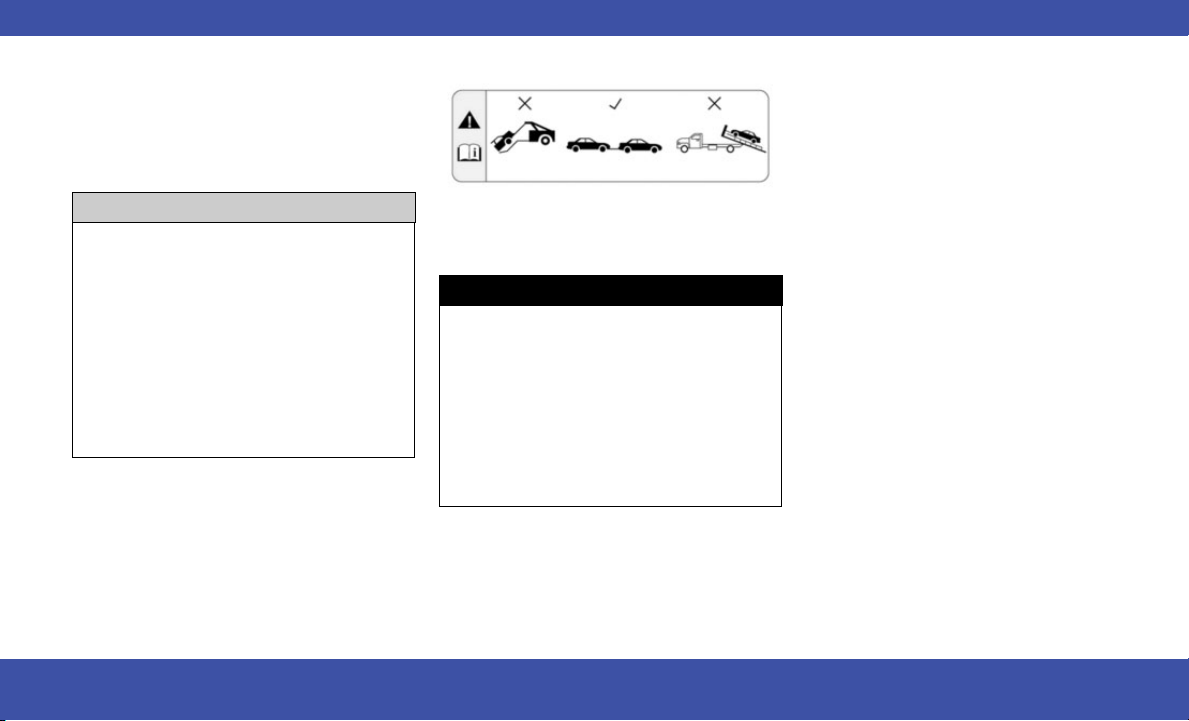
TOW EYE USAGE — IF EQUIPPED
Your vehicle is equipped with a tow eye that can
be used to move a disabled vehicle.
When using a tow eye be sure to follow the
instructions in this section.
Tow Eye Usage Precautions
CAUTION!
•
The tow eye must only be used for roadside
emergencies. Use with an appropriate device
in accordance with highway code (a rigid bar
or rope) to maneuver the vehicle in prepara-
tion for transport via a tow truck.
•
The tow eye must not be used to move the
vehicle off the road or where there are
obstacles.
•
Do not use the tow eyes for tow truck hookup
or highway towing.
•
Do not use the tow eye to pull the vehicle
onto a flatbed truck.
Do not use the tow eye to free a stuck vehicle.
Damage to your vehicle may occur if these
guidelines are not followed.
WARNING!
Stand clear of vehicles when pulling with tow
eyes.
•
Do not use a chain with a tow eye. Chains may
break, causing serious injury or death.
•
Donotuseatowstrapwithatoweye.Tow
straps may break or become disengaged,
causing serious injury or death.
•
Failure to follow proper tow eye usage may
cause components to break resulting in seri-
ous injury or death.
Tow Eye Warning Label
EMERGENCY 41

ENGINE COMPARTMENT
3.6L ENGINE
1 — Engine Coolant Pressure Cap 4 — Engine Air Cleaner, Filter 7 — Engine Oil Dipstick
2 — Engine Oil Fill 5 — Power Distribution Center (Fuses) 8 — Battery
3 — Brake Fluid Reservoir Cap 6 — Windshield Washer Reservoir Cap
42 SPECIFICATIONS
FLUID CAPACITIES
US Metric
Fuel (Approximate)
3.6L Engine 19 gal 71 L
Engine Oil With Filter
3.6L Engine 5 qt 4.7 L
Cooling System*
3.6L Engine 15 qt 14.2 L
* Includes heater and coolant reservoir filled to MAX level.
FLUIDS AND LUBRICANTS
Component Fluid, Lubricant, or Genuine Part
Engine Coolant
We recommend using Mopar® Antifreeze/Coolant 10 Year/150,000 Mile (240,000 km)
Formula OAT (Organic Additive Technology) or equivalent meeting the requirements of the
manufacturer Material Standard MS.90032.
Engine Oil – 3.6L Engine
We recommend using Mopar® SAE 0W-20 Full Synthetic Engine Oil which meets the
requirements of the manufacturer Material Standard MS-6395. Equivalent full synthetic
SAE 0W-20 engine oil can be used but must have the API Starburst trademark.
Fuel Selection – 3.6L Engine 87 Octane (R+M)/2 Method, 0-15% ethanol (Do not use E-85).
ENGINE FLUIDS AND LUBRICANTS
Component Fluid, Lubricant, or Genuine Part
Engine Coolant
We recommend using Mopar® Antifreeze/Coolant 10 Year/150,000 Mile (240,000 km)
Formula OAT (Organic Additive Technology) or equivalent meeting the requirements of the
manufacturer Material Standard MS.90032.
Engine Oil – 3.6L Engine
We recommend using Mopar® SAE 0W-20 Full Synthetic Engine Oil which meets the
requirements of the manufacturer Material Standard MS-6395. Equivalent full synthetic
SAE 0W-20 engine oil can be used but must have the API Starburst trademark.
Fuel Selection – 3.6L Engine 87 Octane (R+M)/2 Method, 0-15% ethanol (Do not use E-85).
SPECIFICATIONS 43
CHASSIS FLUIDS AND LUBRICANTS
Component Fluid, Lubricant, or Genuine Part
Automatic Transmission
Use only Mopar® ZF8&9Speed ATF Automatic Transmission Fluid, or equivalent.
Failure to use the correct fluid may affect the function or performance of your transmission.
Brake Master Cylinder We recommend using Mopar® DOT 3 Brake Fluid, SAE J1703 should be used.
SERVICING AND MAINTENANCE
MAINTENANCE PLAN
Your vehicle will remind you that it is time to take your vehicle in for scheduled maintenance.
At Every Oil Change Interval As Indicated By Oil Change Indicator System
•
Change oil and filter.
•
Rotate the tires at the first sign of irregular wear, even if it occurs before the oil indicator system turns on.
•
Inspect battery and clean and tighten terminals as required.
•
Inspect the CV/Universal joints.
•
Inspect brake pads, shoes, rotors, drums, hoses and parking brake.
•
Inspect engine cooling system protection and hoses.
•
Inspect exhaust system.
•
Inspect engine air cleaner filter if using in dusty or off-road conditions. If required, replace engine air cleaner filter.
WARNING!
•
You can be badly injured working on or around a motor vehicle. Do only service work for which you have the knowledge and the right equipment. If you
have any doubt about your ability to perform a service job, take your vehicle to a competent mechanic.
•
Failure to properly inspect and maintain your vehicle could result in a component malfunction and affect vehicle handling and performance. This could
cause an accident.
44 SPECIFICATIONS
OIL CHANGE RESET
•
Your vehicle is equipped with an engine oil
change indicator system. The “Oil Change
Required” message will display for approxi-
mately five seconds after a single chime has
sounded, to indicate it is time to change the
engine oil. The engine oil change indicator sys-
tem is duty cycle based, which means the
engine oil change interval may fluctuate,
dependent upon your personal driving.
•
Unless reset, this message will continue to dis-
play each time the ignition is cycled to the
ON/RUN position.
To reset the oil change indicator after performing
the scheduled maintenance, refer to the follow-
ing procedure:
1. Without pushing the brake pedal, place the
ignition in the ON/RUN position (do not start
the engine).
2. Fully press the accelerator pedal, slowly, three
times within 10 seconds.
3. Without pushing the brake pedal, place the
ignition in the OFF position.
NOTE:
If the indicator message illuminates when you
start the vehicle, the oil change indicator system
did not reset. If necessary, repeat this procedure.
ENGINE BREAK-IN
RECOMMENDATIONS
A long break-in period is not required for the
engine and drivetrain (transmission and axle) in
your vehicle.
Drive moderately during the first 300 miles
(500 km). After the initial 60 miles (100 km),
speeds up to 50 or 55 mph (80 or 90 km/h) are
desirable.
While cruising, brief full-throttle acceleration
within the limits of local traffic laws contributes
to a good break-in. Wide-open throttle accelera-
tion in low gear can be detrimental and should
be avoided.
The engine oil installed in the engine at the fac-
tory is a high-quality energy conserving type
lubricant. Oil changes should be consistent with
anticipated climate conditions under which
vehicle operations will occur.
CAUTION!
Never use Non-Detergent Oil or Straight Min-
eral Oil in the engine or damage may result.
TRAILER TOWING
In this section you will find safety tips and infor-
mation on limits to the type of towing you can
reasonably do with your vehicle. Before towing a
trailer, carefully review this information to tow
your load as efficiently and safely as possible.
To maintain the New Vehicle Limited Warranty
coverage, follow the requirements and recom-
mendations in this manual concerning vehicles
used for trailer towing.
SPECIFICATIONS 45
TRAILER TOWING WEIGHTS (MAXIMUM TRAILER WEIGHT RATINGS)
The following chart provides the maximum trailer weight ratings towable for your given drivetrain.
Engine/Transmission
Trailer Tow
Package
GCWR Frontal Area Maximum GTW Maximum Trailer TW
3.6L/Automatic
Yes 8,600 lb (3,900 kg) 40 sq ft (3.72 sq m) 3,600 lb (1,632 kg) 360 lb (163 kg)
No 6,500 lb (2,948 kg) 40 sq ft (3.72 sq m) 1500 lb (680 kg) 149 lb (67 kg)
Refer to local laws for maximum trailer towing speeds.
NOTE:
The trailer tongue weight must be considered as part of the combined weight of occupants and cargo, and should never exceed the weight referenced
on the Tire And Loading Information Placard.
46 SPECIFICATIONS

A
Android Auto™
...............12
Antifreeze (Engine Coolant).........43
Apple CarPlay®
...............11
Audio Jack ....................13
Automatic Headlights .............23
Automatic Transmission
AddingFluid.................44
FluidType ..................44
AUXCord.....................13
Auxiliary Electrical Outlet
(PowerOutlet)................12
AxleLubrication................44
B
Back Up Camera ................27
Battery
Jump Starting ................36
BrakeFluid....................44
Brake System
Fluid Check .................44
C
Camera ......................27
Camera, Rear ..................27
Capacities, Fluid ................43
Caps, Filler
Fuel . . . . . . . . . . . . . ..........29
Oil (Engine) .................42
Changing A Flat Tire . . . . . .........32
ClimateControl.................18
Manual . . . . .................18
Rear ......................20
Contract,Service.................6
Cooling System
Cooling Capacity ..............43
Selection Of Coolant (Antifreeze) . . .43
CruiseControl..................24
Customer Assistance . . . . . .........5
D
Daytime Running Lights . . . . . . . . . . .22
Delay (Intermittent) Wipers . . . . . . . . .23
Dimmer Switch
Headlight ...................22
Disable Vehicle Towing . . . . . . . . . . . .39
E
Engine.......................42
Break-In Recommendations . . . . . . .45
Compartment . . . . . . . . . . . . . . . .42
Compartment Identification .......42
Coolant (Antifreeze) . . . .........43
Oil .......................43
Oil Filler Cap . . . . . ............42
OilSelection.................43
ExteriorLighting................22
ExteriorLights..................22
F
Filters
Engine Oil . . ................43
Flashers
Turn Signals . . . . . . ...........22
Flash-To-Pass ..................22
Flat Tire Changing . . . . . . . . . . .....32
Fluid,Brake...................44
Fluid Capacities. ................43
FogLights....................22
FreeingAStuckVehicle ...........38
Fuel
Filler Cap (Gas Cap) ............29
OctaneRating................43
Specifications . . . . . . . .........43
Tank Capacity . . . . . ...........43
G
Gas Cap (Fuel Filler Cap)...........29
INDEX 47

H
Headlights....................22
High Beam/Low Beam Select
Switch.....................22
Lights On Reminder ............22
Passing ....................22
Switch.....................22
TimeDelay..................22
Headlight Switch
.............23
Head Restraints
...............21
Hood Prop ....................27
Hood Release ..................27
I
InsideRearviewMirror............30
Instrument Cluster
Display.....................15
Instrument Cluster
.............14
J
Jack Location ..................32
Jack Operation .................32
Jump Starting ..................36
K
Keyless Enter ‘n Go™
............9
L
Lane Change And Turn Signals . ......22
Lane Change Assist . .............22
Latches
Hood ......................27
Lights
Daytime Running . . . . . .........22
Dimmer Switch, Headlight . .......22
Headlights . . . . . . . . . . . . . . . .22, 23
High Beam/Low Beam Select ......22
Instrument Cluster . . . . .........22
Lights On Reminder . ...........22
Passing ....................22
Turn Signals . . ...............22
M
Manual
Service .....................6
Media Hub . . . . . . ..............13
Mirrors
Rearview ...................30
MP3Control...................13
Multi-Function Control Lever . . . . ....22
Multimedia Uconnect
...........10
N
New Vehicle Break-In Period . . . . . . . .45
O
Octane Rating, Gasoline (Fuel) .......43
Oil Change Indicator
Reset......................45
Oil, Engine . . . . . . . .............43
Capacity . . . . . . . ............43
Filter......................43
Recommendation . . . ...........43
Viscosity . . . . . . . ............43
Operator Manual
Owner's Manual . . . . . . . . ........6
P
ParkSense Rear Park Assist System
..25
PassiveEntry...................9
Power
Outlet (Auxiliary Electrical Outlet) . . .12
Seats......................20
Preparation For Jacking . . . ........32
R
Radio
Settings....................10
Rain Sensitive Wiper System . . . . ....24
RearAirConditioning.............20
Rear ParkSense System . ...........25
Release, Hood . . . . . . . . ..........27
Reminder, Lights On . . . . . .........22
48 INDEX

S
Seats .......................20
Heated ....................20
Power.....................20
Selection Of Coolant (Antifreeze) .....43
ServiceAssistance................5
Service Contract
..............6
Service Manuals .................6
Signals,Turn...................22
Spare Tire Changing ..............32
Spare Tires ....................32
Specifications
Oil .......................43
Speed Control
Cancel .....................24
Stop/Start System
.............9
Stuck, Freeing ..................38
T
Time Delay
Headlight ...................22
Tires
Changing ...................32
Jacking ..................32,33
Spare Tires ..................32
Tire Service Kit
...............35
To Open Hood..................27
Towing ......................45
Disabled Vehicle . . . ...........39
Guide .....................46
Weight ....................46
TowingEyes...................41
TrailerTowing..................45
TrailerTowingGuide..............46
TrailerWeight..................46
Turn Signals . . . . . . . . ...........22
U
Uconnect
Uconnect Settings . . . . . . . ......10
Uconnect Phone
..............11
Uconnect Settings
Customer Programmable Features . . .9
Passive Entry Programming . . . . . . . .9
USB.........................13
V
VehicleSettings.................10
Voice Command
..............12
W
Warning Lights And Messages........16
WarrantyInformation..............6
Windshield Washers . . . . ..........23
Wipers,Intermittent..............23
Wipers, Rain Sensitive.............24
WreckerTowing ................39
INDEX 49




The driver’s primary responsibility is the safe operation of the vehicle. Driving while
distracted can result in loss of vehicle control, resulting in an accident and personal
injury. FCA US LLC strongly recommends that the driver use extreme caution when
using any device or feature that may take their attention off the road. Use of any
electrical devices, such as cellular telephones, computers, portable radios, vehicle
navigation or other devices by the driver while the vehicle is moving is dangerous and
could lead to a serious accident. Texting while driving is also dangerous and should
never be done while the vehicle is moving. If you nd yourself unable to devote your
full attention to vehicle operation, pull off the road to a safe location and stop your
vehicle. Some states or provinces prohibit the use of cellular telephones or texting
while driving. It is always the driver’s responsibility to comply with all local laws.
This Owner Handbook has been prepared to help you get acquainted with your
new Chrysler
®
brand vehicle and to provide a convenient reference source for
common questions.
Not all features shown in this manual may apply to your vehicle. For additional
information, visit mopar.com/om (USA), owners.mopar.ca (Canada) or your local
Chrysler
®
brand dealer.
U.S. Residents: If you are the rst registered retail owner of your vehicle, you
may obtain a complimentary printed copy of the Warranty Booklet by calling
1-800-247-9753 or by contacting your dealer. Replacement kits can be purchased by
visiting www.techauthority.com.
Canadian Residents: If you are the rst registered retail owner of your vehicle, you
may obtain a complimentary printed copy of the Warranty Booklet or purchase a
replacement kit by calling 1-800-387-1143 or by contacting your dealer.
Drunk driving is one of the most frequent causes of accidents. Your driving ability
can be seriously impaired with blood alcohol levels far below the legal minimum. If
you are drinking, don’t drive. Ride with a designated non-drinking driver, call a cab,
a rideshare, a friend or use public transportation.
DRIVING AND ALCOHOL
Driving after drinking can lead to an accident. Your perceptions are less sharp, your
reexes are slower and your judgment is impaired when you have been drinking.
Never drink and then drive.
WARNING
This Owner Handbook illustrates and describes the operation of features and equipment that are either standard or optional on this vehicle. This manual may also include a description of
features and equipment that are no longer available or were not ordered on this vehicle. Please disregard any features and equipment described in this manual that are not on this vehicle.
FCA US LLC reserves the right to make changes in design and specications, and/or make additions to or improvements to its products without imposing any obligation upon itself to install
them on products previously manufactured.
With respect to any vehicles sold in Canada, the name FCA US LLC shall be deemed to be deleted and the name FCA Canada Inc. used in substitution therefore.
This Owner Handbook is intended to familiarize you with the important features of your vehicle. Your most up-to-date Owner Handbook, Owner’s Manual, Radio Instruction Manual and
Warranty Booklet can be found by visiting the website on the back cover.
WARNING: Operating, servicing and maintaining a
passenger vehicle or off-highway motor vehicle can expose
you to chemicals including engine exhaust, carbon monoxide,
phthalates, and lead, which are known to the State of California
to cause cancer and birth defects or other reproductive
harm. To minimize exposure, avoid breathing exhaust, do not
idle the engine except as necessary, service your vehicle in
a well-ventilated area and wear gloves or wash your hands
frequently when servicing your vehicle. For more information
go to:www.P65Warnings.ca.gov/passenger-vehicle.
FCA US LLC reserves the right to modify the terms or discontinue the Roadside
Assistance Program at any time. The Roadside Assistance Program is subject
to restrictions and conditions of use, that are determined solely by FCA US LLC.
ROADSIDE ASSISTANCE
24 HOURS, 7 DAYS A WEEK AT YOUR SERVICE. CALL
1-800-521-2779 OR VISIT chrysler.rsahelp.com (USA)
CALL 1-800-363-4869 OR VISIT fca.roadsideaid.com
(CANADA) SERVICES: Flat Tire Service, Out Of Gas/
Fuel Delivery, Battery Jump Assistance, Lockout
Service and Towing Service
Please see the Customer Assistance chapter in this
Owner Handbook for further information.
Vehicle images are for illustration purposes only. Actual products sold my vary.
DID_5544332_24_RUV_OH_EN_US_Voyager_071723.indd 2DID_5544332_24_RUV_OH_EN_US_Voyager_071723.indd 2 7/17/2023 9:27:29 AM7/17/2023 9:27:29 AM

2024 OWNER HANDBOOK
©2023 FCA US LLC. All Rights Reserved. Tous droits réservés. Chrysler is a registered trademark of FCA US LLC or FCA Canada Inc., used under license. Chrysler est une marque
déposée de FCA US LLC ou FCA Canada Inc., utilisée sous le permis. App Store is a registered trademark of Apple Inc. Google Play Store is a registered trademark of Google.
owners.mopar.ca
CANADA
U.S.
mopar.com/om
SCAN TO DOWNLOAD
COMPLETE OWNER’S
MANUAL, RADIO AND
WARRANTY MANUALS
Second Edition
24_RUV_OH_EN_US
DID_5544332_24_RUV_OH_EN_US_Voyager_071723.indd 1DID_5544332_24_RUV_OH_EN_US_Voyager_071723.indd 1 7/17/2023 9:27:25 AM7/17/2023 9:27:25 AM