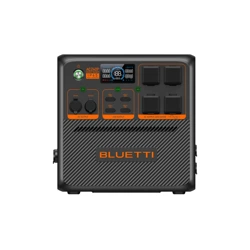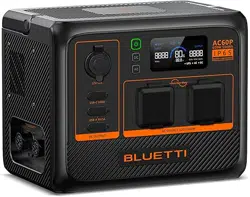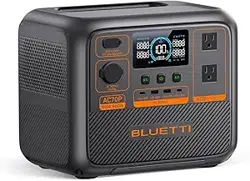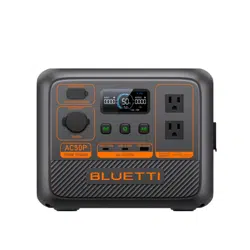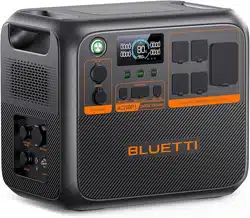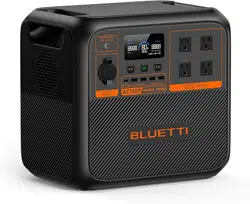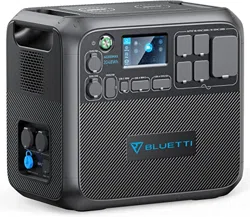

AC200MAX Portable Power Station
Please read this manual before use and follow its guidance. Keep this manual for future reference.
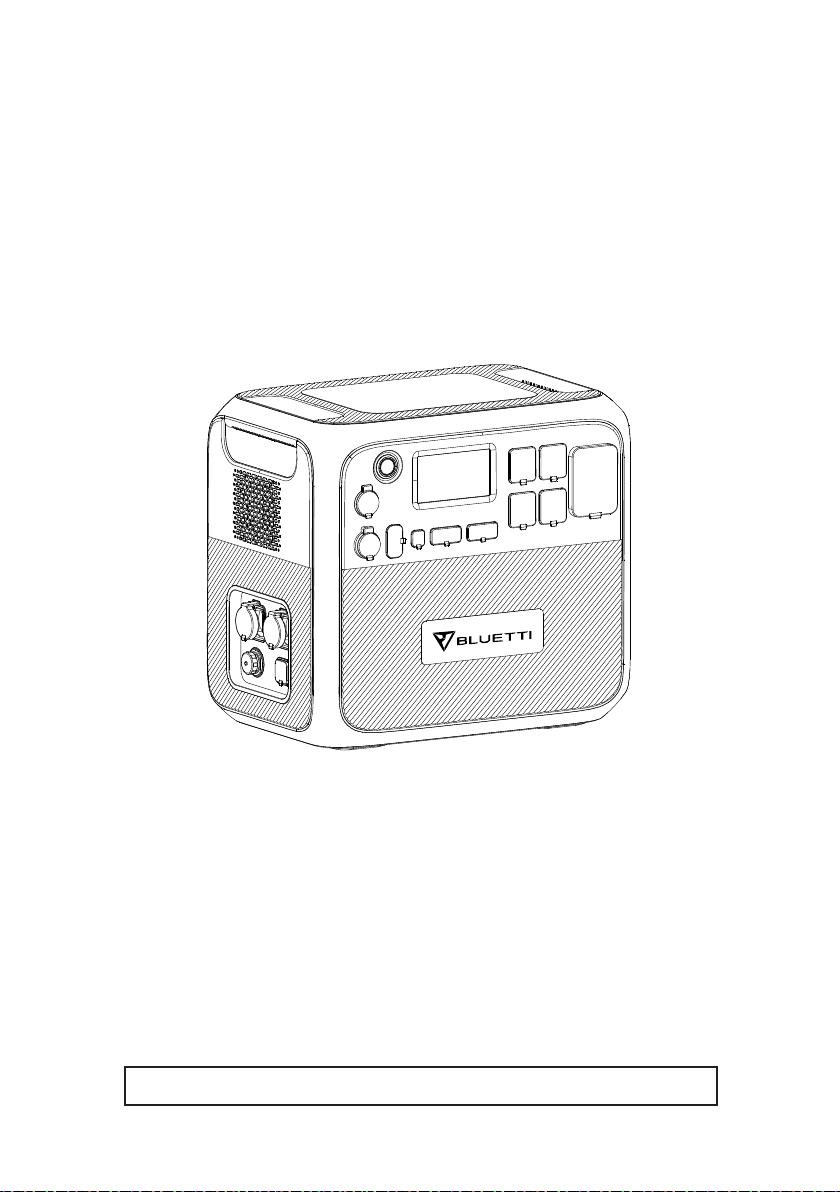
User Manual
Please read this manual before use and follow its guidance. Keep this manual for future reference.

Contents
English ................................................. 01-24
01. BRIEF INTRODUCTION ...................... ..... 01
02. ABBREVIATION ...................................... 01
03. SAFETY INSTRUCTION............................. 01
04. BLUETTI APP ......................................... 02
05. IN THE BOX ........................................... 03
06. FEATURES ............................................ 07
07. LET'S GET STARTED ............................... 08
08. TOUCHSCREEN ...................................... 08
09. TOUCHSCREEN OPERATION .................... 09
10. CHARGING ............................................ 11
11. DISCHARGING ........................................ 14
12. APPLICATION SCENARIO ......................... 14
13. EXAMPLES OF LOADS ............................. 15
14. AC200MAX + B230 CONNECTION ........... 15
15. ESTIMATION OF OPERATING TIME ............ 18
16. TECHNICAL SPECIFICATIONS .................. 18
17. TROUBLESHOOTING .............................. 21
18. FAQ (Frequently Asked Questions) ............ 23
19. DECLARATION ....................................... 23
20. FCC WARNING ....................................... 24
Deutsch ................................................ 27-52

01
Just Power On
1. BRIEF INTRODUCTION
For I/O capability, the AC200MAX features higher continuous output power at
2,200W from its pure sine wave inverter, 100W PD3.0 USB-C port, upgraded
MPPT controller which now handles up to 900W solar input, and built-in 30A
NEMA TT-30 outlet designed for RV crowds especially.
Most significantly, considering customers' feedback, comments, and product
upgrade need, the BLUETTI AC200MAX now supports Bluetooth connection and
the new BLUETTI Smartphone App (iOS & Android) remote control.
Furthermore, the AC200MAX also supports up to 2 expandable battery packs,
using either the BLUETTI B230 or B300. With 2 BLUETTI B300, the capacity of
AC200MAX then will expand to a massive 8192Wh to run your every essential
needs at home or on the go for hours, days, or even more than a week!
2. ABBREVIATION
● BMS: Battery Management System
● MPPT: Maximum Power Point Tracking
● SOC: State of Charge
● AC: Alternating Current
● DC: Direct Current
● PV: Solar Panel(s) Charging (Photovoltaic)
● Grid: Home Power Supplied by Utility
● T500: 500W Adapter
● DOD: Depth of Discharge
● ECO Mode: A power-saving setting for the AC200MAX. When it is on, the
AC power will automatically turn off over 4 hours low load(≤50W) or no
load to save power drain.
3. SAFETY INSTRUCTION
● DO keep the AC200MAX away from the fire and heat.
● DO operate the AC200MAX in a dry and well-ventilated place. If it gets
moisturized or damp, please dry it thoroughly before use.
● DO NOT obstruct fan openings to ensure proper ventilation in use. Otherwise,
permanent damage to the AC200MAX may occur.
● DO NOT move the unit while operating as vibrations and sudden impacts
02
BLUETTI
may lead to poor connections to the hardware inside.
● Please use the original charger and cables only designed for the AC200MAX.
The company shall not be liable for damage caused by third-party equipment,
which also may invalidate your warranty.
● Please carefully read the operating instructions of the electrical products to
be connected. Failure to operate the electrical products properly may result in
accidents or injuries.
● Please use the AC200MAX power station carefully and keep children away
from it.
● WARNING: In case of fire, ONLY dry powder fire extinguisher works.
● WARNING: DO NOT insert foreign objects into any ports of the AC200MAX
(AC, DC, or ventilation holes). The power station generates the same potentially
lethal AC power as a household wall outlet.
● WARNING: It is hazardous for anyone other than the authorized person to
carry out any service or repair operation involving replacing the internal battery
or other equipment components.
4. BLUETTI APP
Search for 'BLUETTI' in the App Store (for iOS devices) or Google Play (for
Android devices) to download the BLUETTI App to remotely control your
AC200MAX.
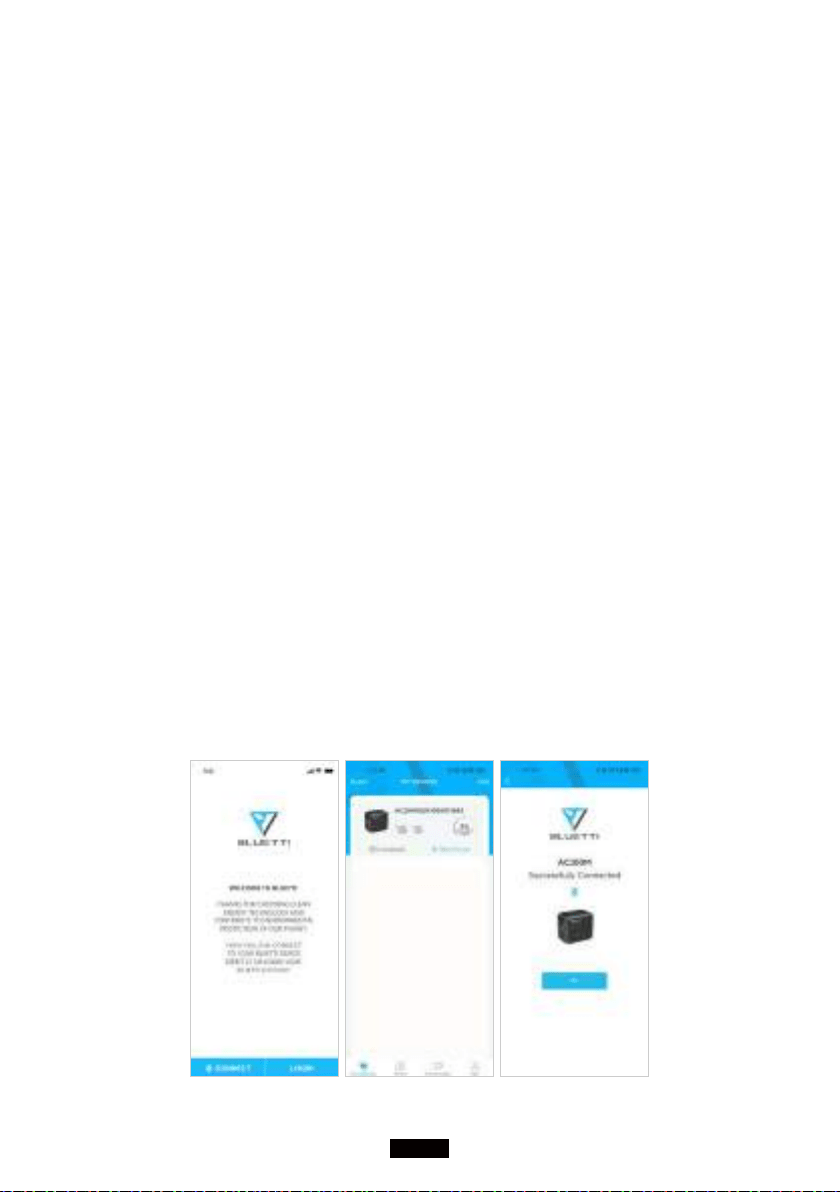
The AC200MAX supports Bluetooth control. In order to access the AC200MAX,
please launch the BLUETTI App once downloaded and installed, and tap
'Bluetooth CONNECT' to register your BLUETTI AC200MAX.
03
Just Power On
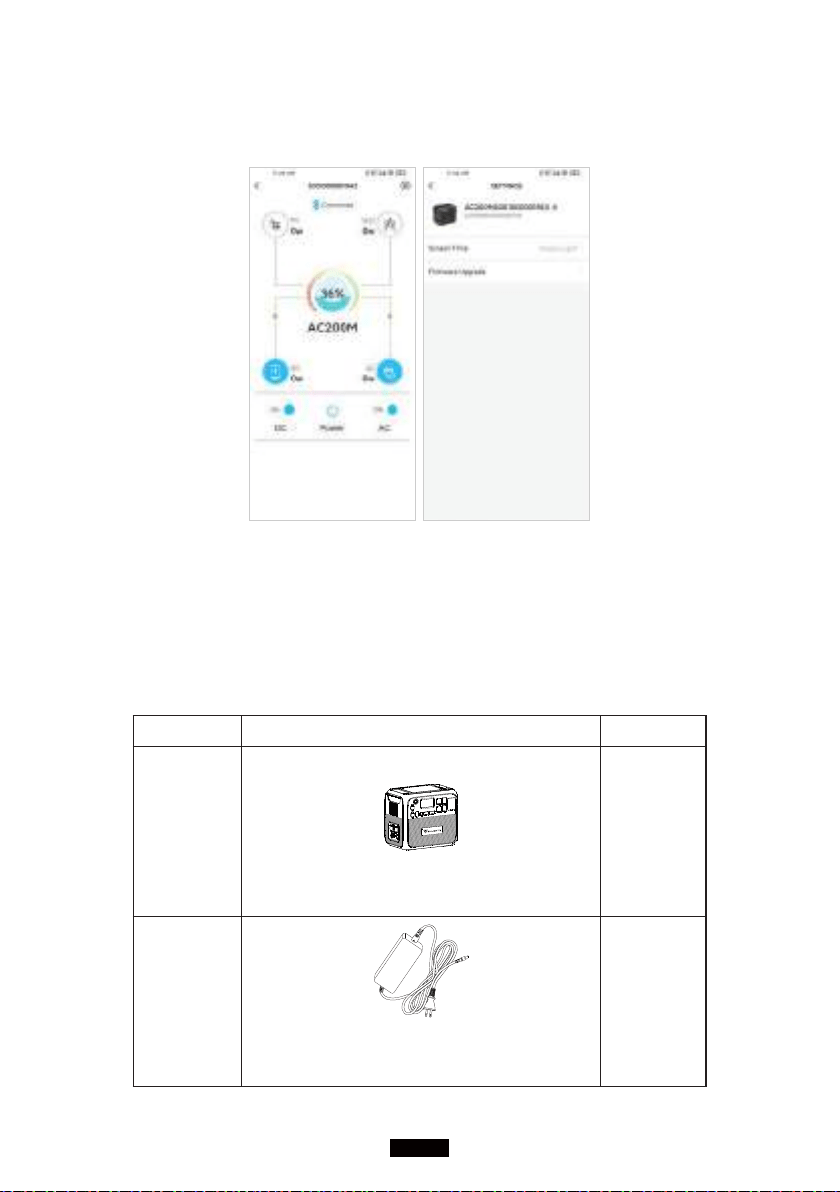
View the basic information of your AC200MAX on the phone after the unit
connects with the App successfully. Press the 'gear icon' to customize the
current working mode and parameters of your AC200MAX under 'Settings'.
NOTE: Please keep your phone no more than 5m/16.4ft away from the
AC200MAX during the update.
5. IN THE BOX
Standard Accessories
No. Category Quantity
1
AC200MAX Power Station
1
2
T500 500W Adapter
For AC charging
1
04
BLUETTI
3
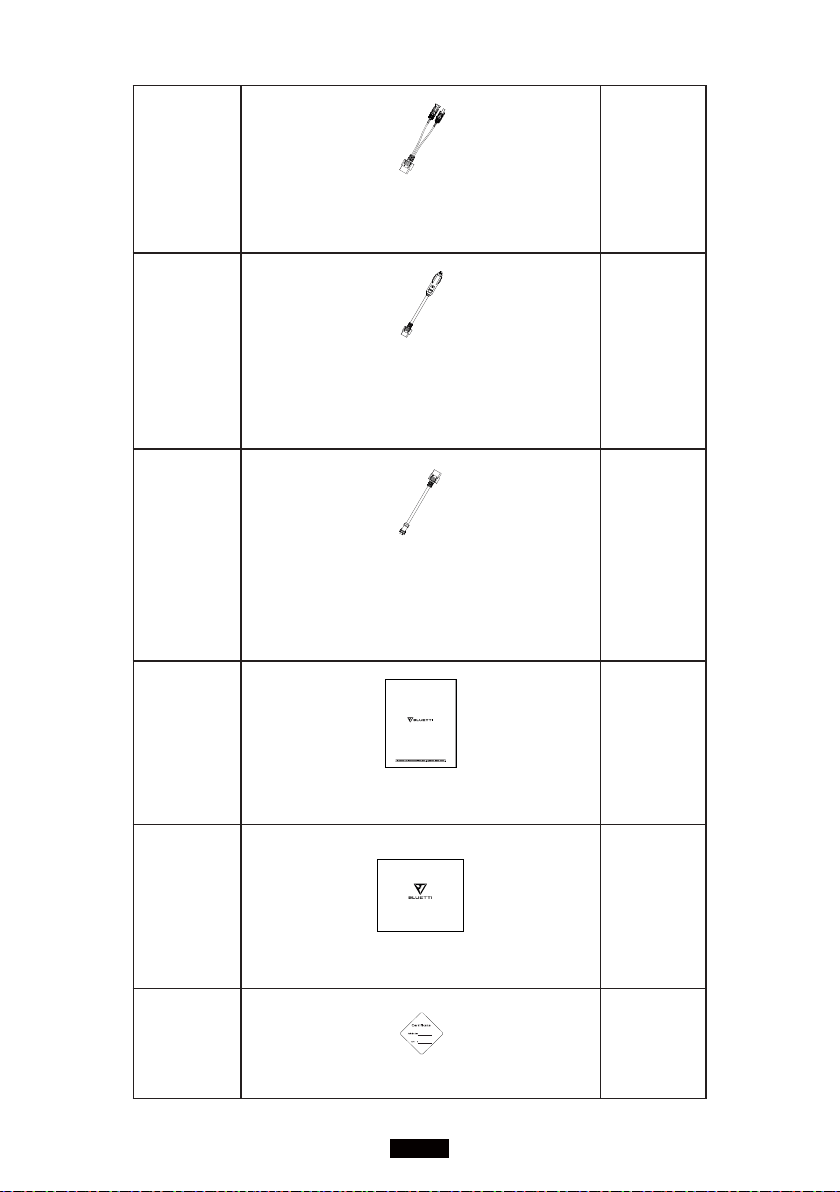
PV Charging Cable (XT90 - MC4
)
For solar charging, up to 15A, 900W.
1
4
Car Charging Cable
(XT90 - Cigarette Lighter Port)
Charge AC200MAX by car.
1
5
Multi-functional Aviation Cable (XT90 -
Aviation)
Expand the charging methods via PV input
port.
1
6
AC200MAX Portable Power Station
User Manual
1
7
Warranty Card
1
8
Certicate of QC PASS
1
05
Just Power On
Optional Accessories
No. Category Type
9
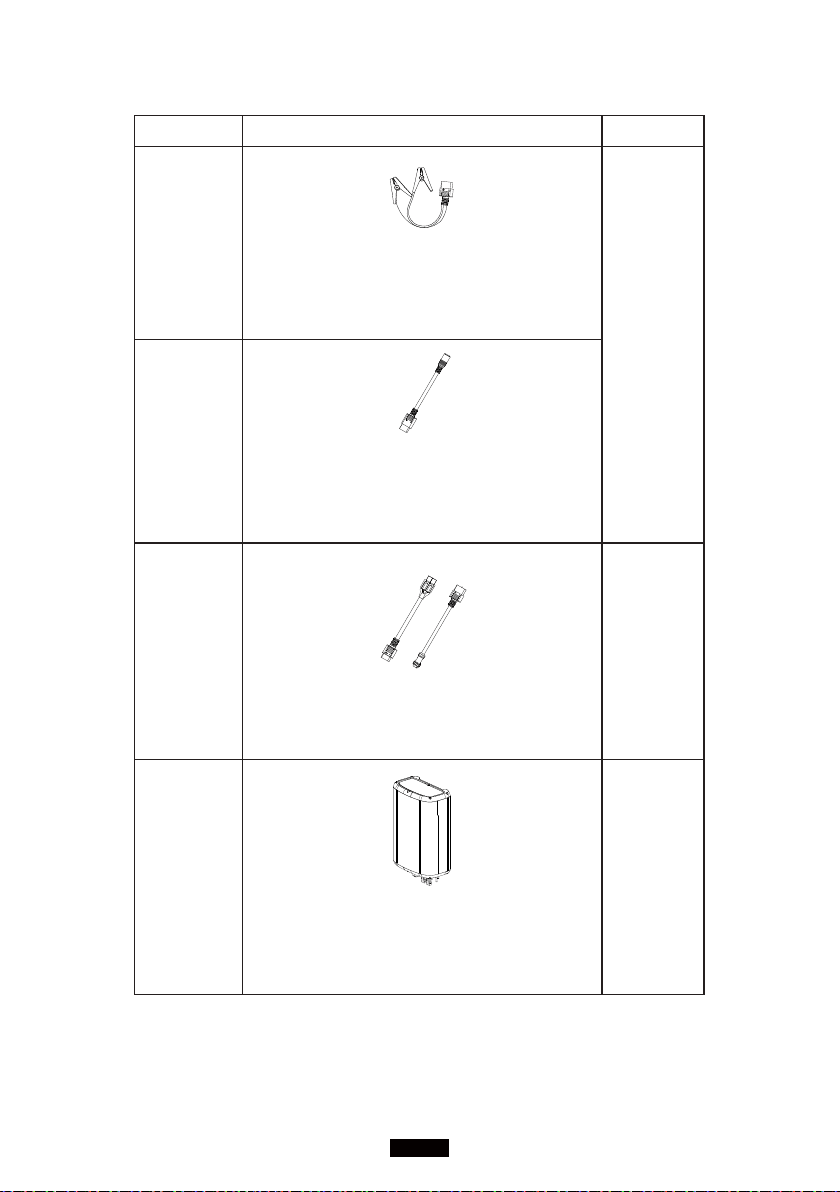
Lead-acid Battery Charging Clamp
Charging AC200MAX through lead-acid
battery only. DO NOT charge the lead-acid
battery via this cable.
Optional
Input
Cable
10
AC Input Connecter
(XT90 - DC7909)
Charging AC200MAX via second T500
adapter from the PV input port.
11
1
2V/30A Output Bundle
(Aviation - XT60, XT60 - SPC45)
Perfect for RV.
Optional
Output
Accessories
12
D300S PV Step Down Module
Step down the voltage of solar
panels(especially rigid panels) to adapt to
AC200MAX solar input limit range.
Optional
Accessories
06
BLUETTI
13
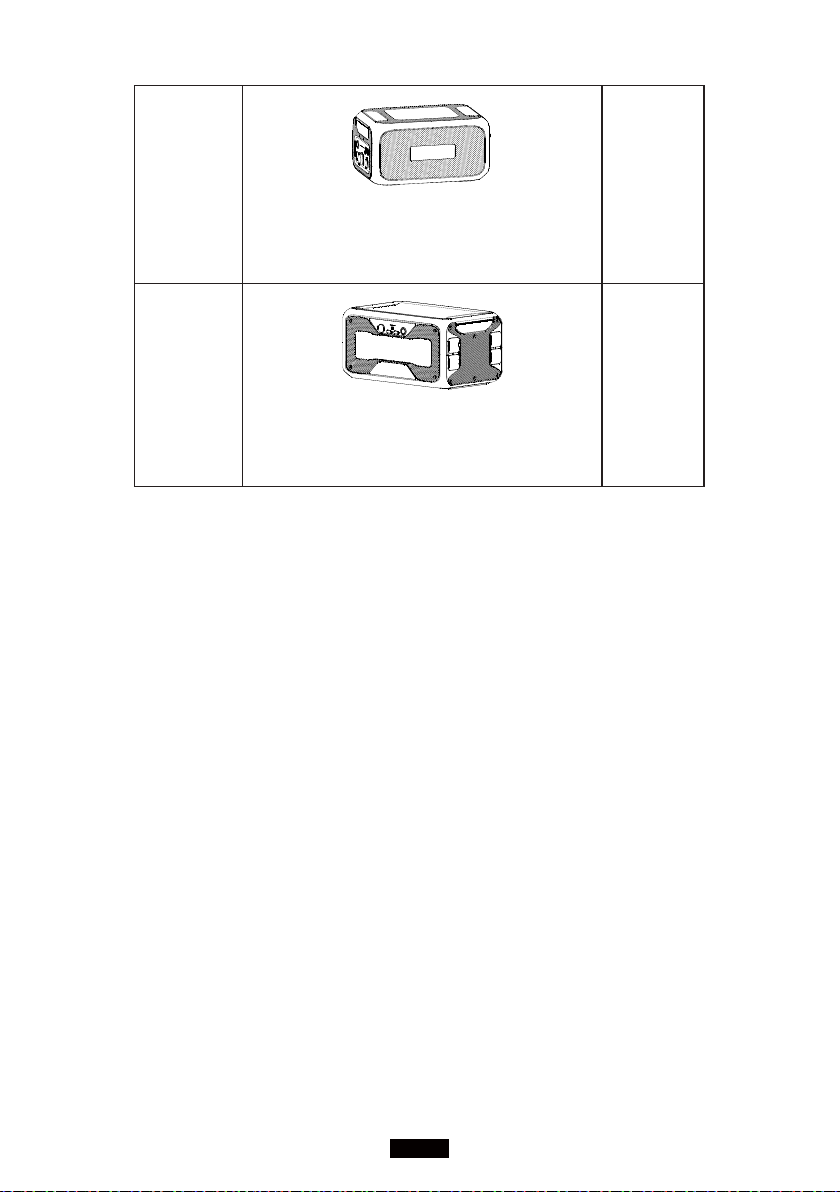
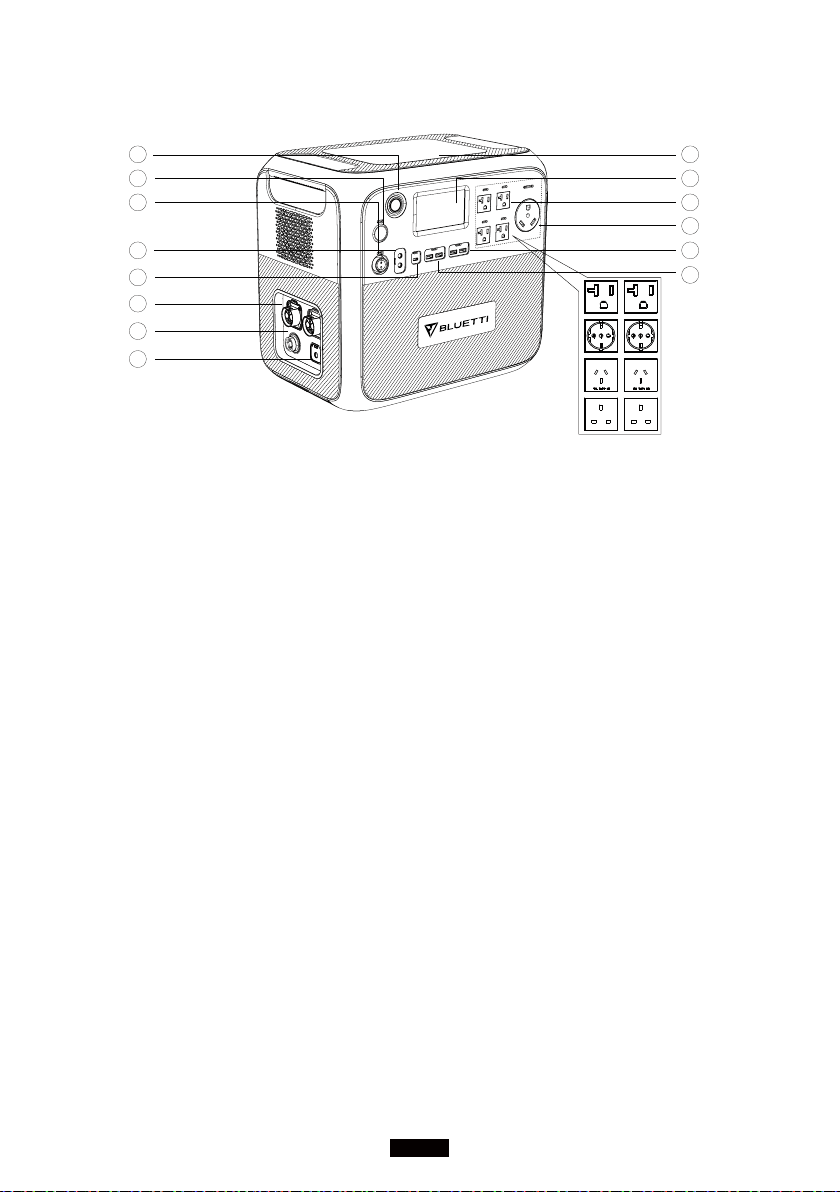
B230 Battery Module
Extra 2048Wh capacity, up to 2 B230
can be connected to AC200MAX.
Optional
Accessories
14
B300 Battery Module
Extra 3072Wh capacity, up to 2 B300 can be
connected to AC200MAX.
Optional
Accessories
07
Just Power On
6. FEATURES
01
02
03
04
05
06
07
08
09
10
11
12
13
14
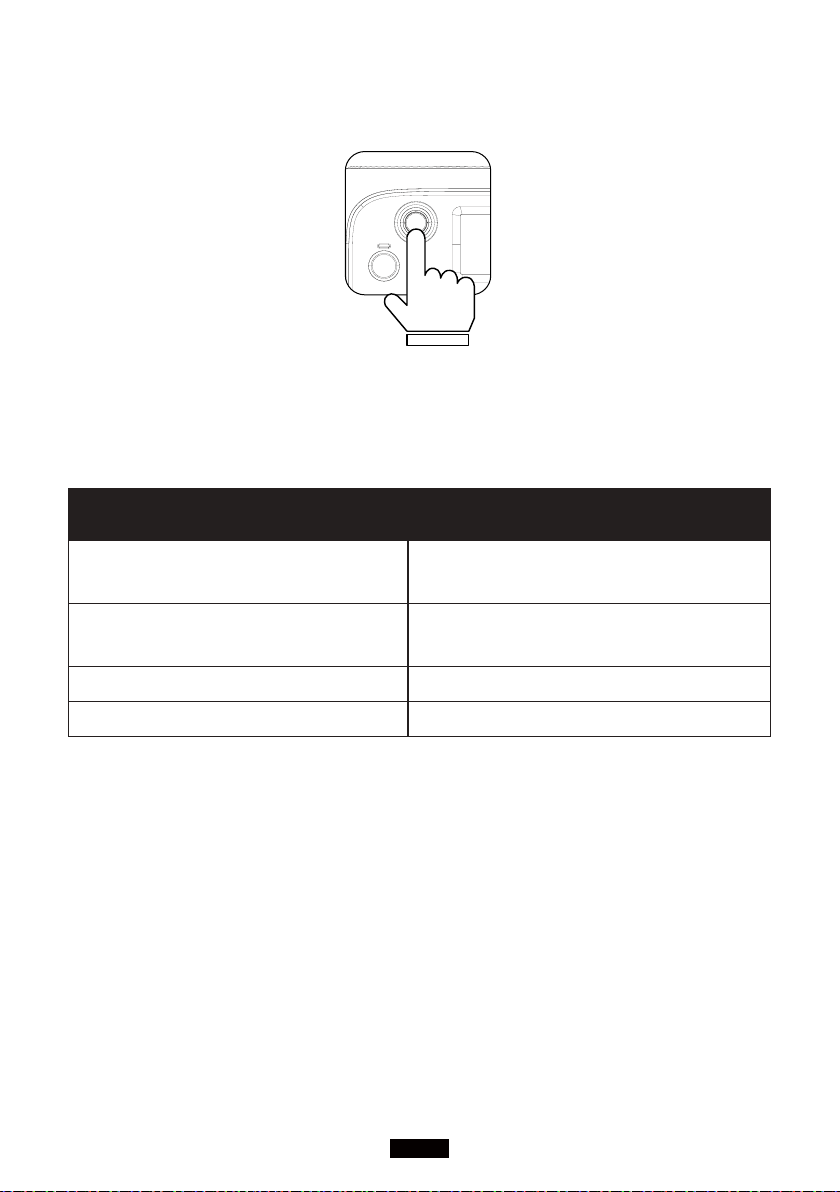
Power Button
Long/Short press to turn ON/OFF the
AC200MAX.
DC 12V/10A cigarette lighter port
Output port for devices with corresponding
plug such as vehicle-use vacuum, refrigerator.
DC 12V/30A output
Special 30A output port adapted to most
appliances, perfect for RV.
DC 5521 12V/10A output x 2pcs
Traditional ports for routers/cameras, old
laptop etc.
USB-C 100W output
Output port to charge most devices at 100W
Max, such as Pixel Phone, Macbook Pro.
Battery extension port x 2pcs
The port to connect AC200MAX with B230 or
B300 battery pack.
DC input port
The port to connect with solar panels for solar
charging, or with extra cables for car, lead-acid
battery, and extra T500 adapter charging.
AC input port
Charging via T500 adapter or D050S.
Wireless charging 15W x 2pcs
Place your phone(if wireless charging
supported) on the top of the AC200MAX
horizontally, and turn on the DC in mainpage
on screen.
Interaction LCD Touchscreen
Control the unit with finger touch.
US AC output x 5 pcs(EU/UK AC
output x 4pcs)
Standard AC receptacle: wildly used in 100-
120V areas, generates the almost same
AC power as a household wall outlet. High-
voltage area uses special sockets.
US AC TT-30
NEMA TT-30: connector which is the 120V/30A
recreational vehicle standard, also known
as RV 30. The TT-30 receptacle is commonly
available in nearly all RV parks in the United
States and Canada.
USB-A 5V/3A output x 2pcs
Classic USB-A ports.
USB-A 18W output x 2pcs
Quick charge USB-A ports.
08
BLUETTI
7. LET'S GET STARTED
(1) Startup: short press the power button to turn it on; the indicator light is on.
(2) Shutdown: press and hold the power button for several seconds, and the
indicator light will be off.
Troubleshooting The LED indicator lamp status
BMS Over-current or short circuit
protection
Turn o after the indicator light ashes
BMS Startup timeout
The indicator light ashes and does not
shut down
Normal startup The indicator light on
Normal shutdown The indicator light o
(3) DC power switch and AC power switch are integrated into the interaction
LCD screen(Homepage), press 'DC ON/OFF' or 'AC ON/OFF' button on the
screen to turn on/off the DC/AC output.
8. TOUCHSCREEN
Interaction LCD screen(Information Vision) supports below functions:
(1) View real-time display of voltage, current, power, temperature, and the
state of charge and discharge.
(2) Adjust the output voltage, frequency, charging mode, power consumption
mode, and time information in the setting column.
(3) Operate with fingers due to resistive touchscreen.
09
Just Power On
(4) View fault history, BMS, DSP, ARM, HMI hardware version.
9. TOUCHSCREEN OPERATION
Note:
● The LCD touch screen is a resistive screen. It is recommended to lightly tap
or touch the screen with fingers till it "beeps".
● To maximize the lifespan of the LCD screen, please avoid direct sunlight.
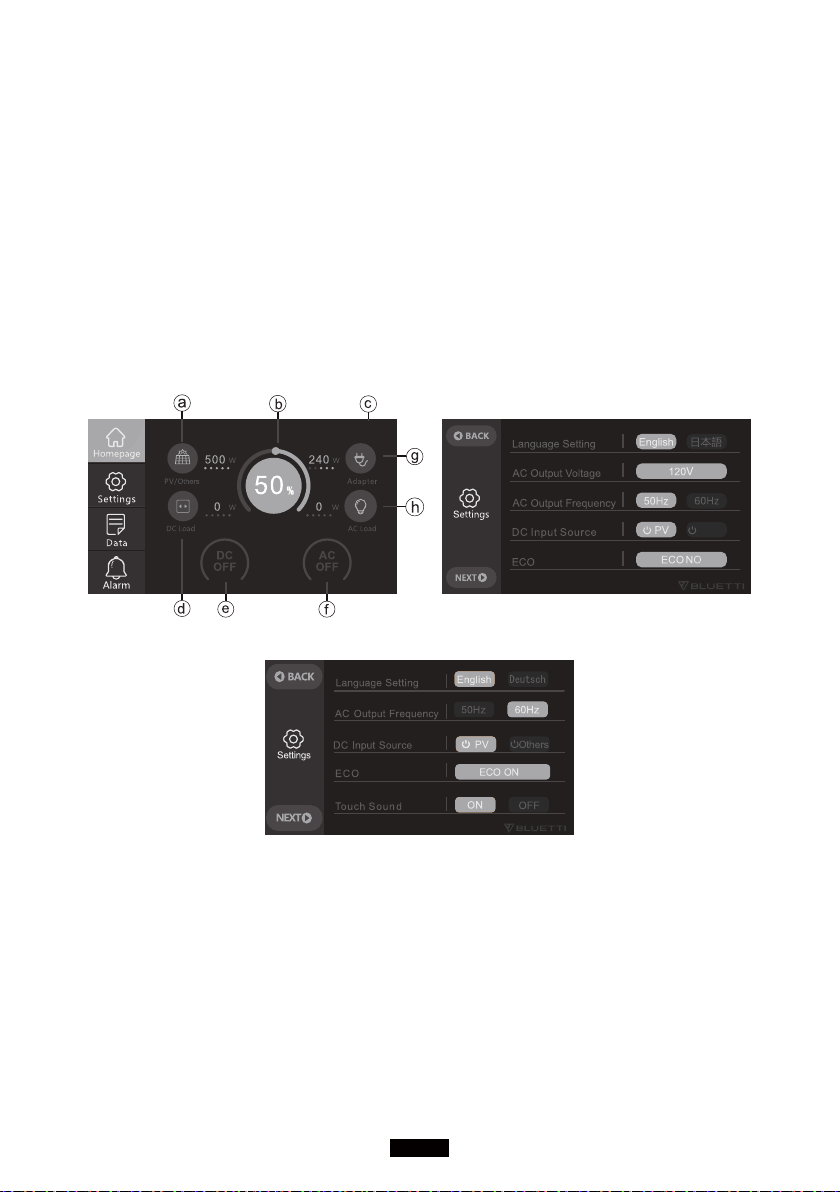
(1) When pressing the power button, the mainpage will display as (Homepage).
2021-07-20 10 : 20 : 21
(Homepage)(Figure 1)
Others
(220-240V Version)
a. PV/Others charging Info
b. BMS Info
c. Date/Time
d. DC Load Info
e. DC ON/OFF Switch
f. AC ON/OFF Switch
g. Adapter Charging Info
h. AC Load Info
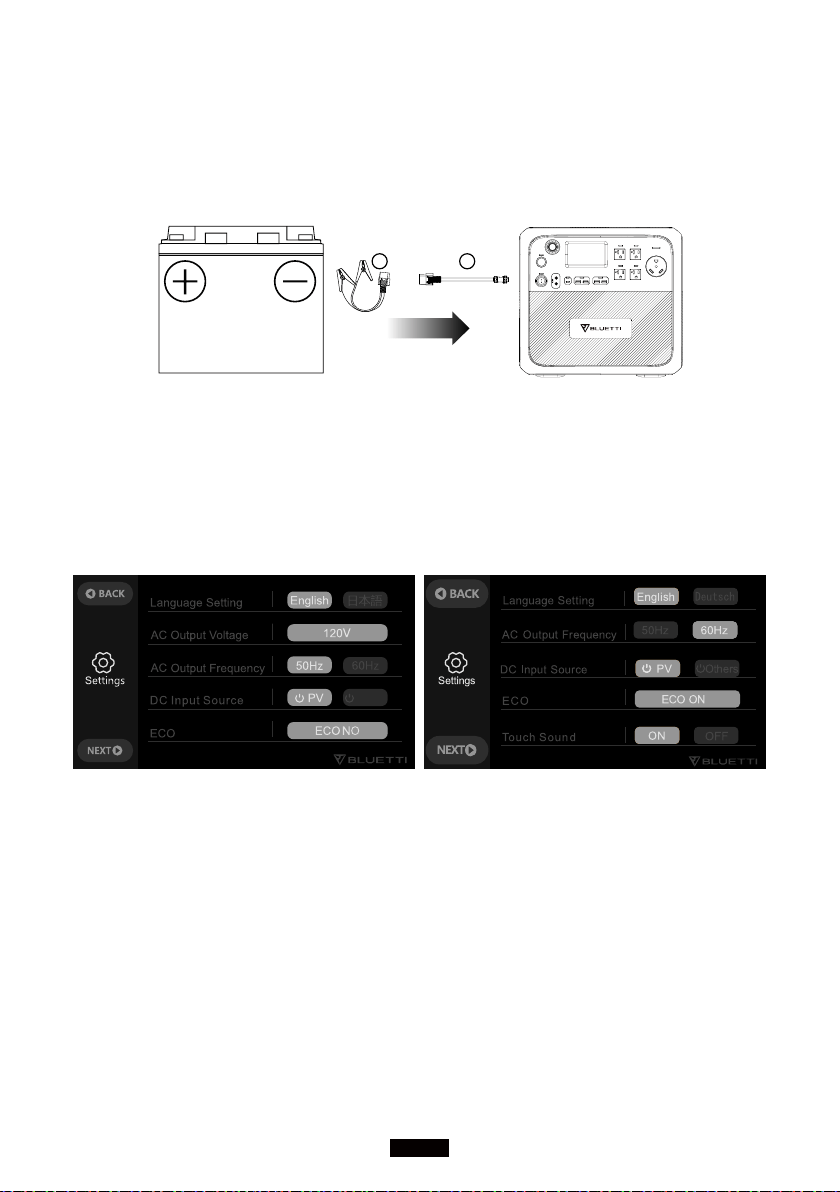
(2) Tap 'Settings' on the homepage to enter the setting section as(Figure 1).
Note: Please enter the setting section to set the date and time according to the
10
BLUETTI
local time zone, and check the output voltage, frequency, and other parameters
for the first-time startup.
Voltage and Frequency Reference:
JP: 100V/50Hz
US: 120V/60Hz
EU: 230V/50Hz
UK: 230V/50Hz
DC Input Source: Select the right method you choose to charge AC200MAX.
ECO Mode: When it's on, the AC power will automatically turn off over 4 hours
low(≤50W) or no load to save power drain.
Press the 'Next' to enter the data setting as(Figure 2):
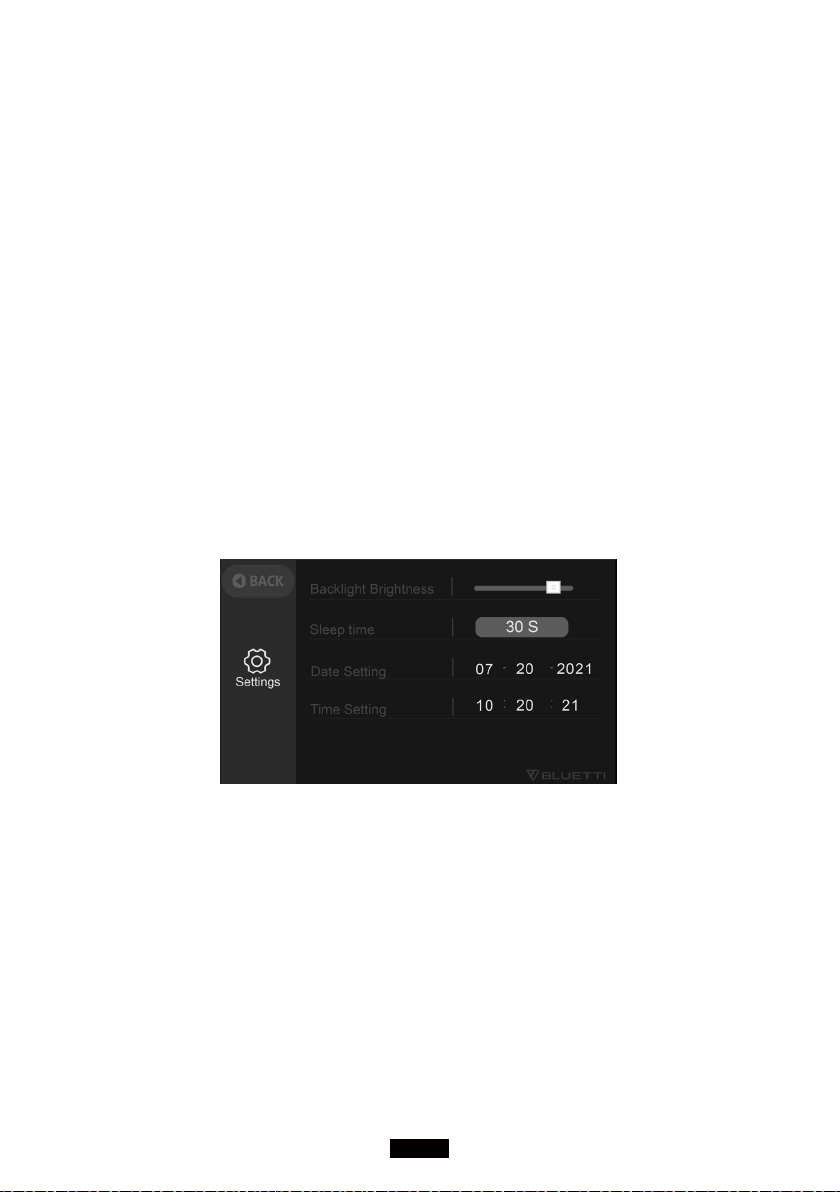
Backlight Brightness and Sleep Time: Set the proper value as your need for
power saving.
Date and Time: 2000-00-00; 00: 00: 00, make adjustments to set it right.
(Figure 2)
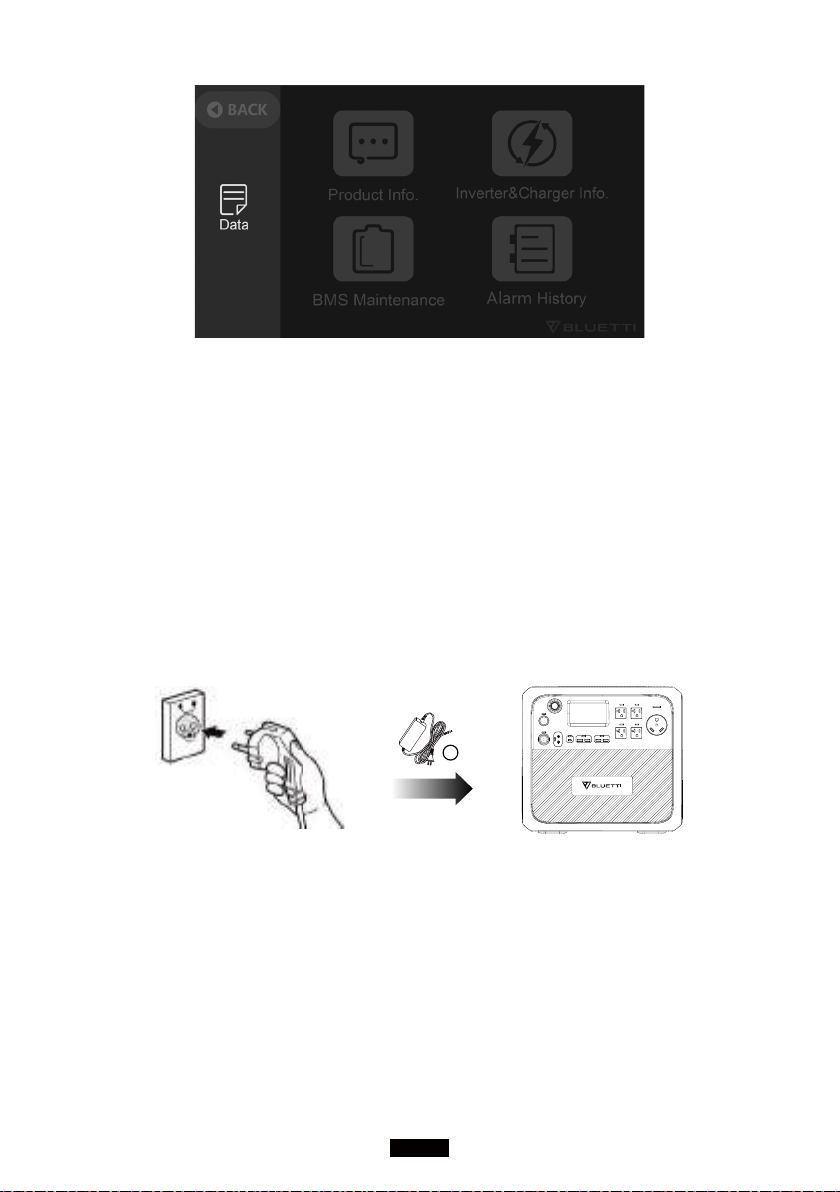
(3) Return to the Homepage, tap the 'Data' to enter the Data page as(Figure 3).
● Tap the 'product Info' to view the product model, software version, BMS
version, etc.
● Tap the 'Inverter & Charger Info' to view input and output information which
can also be accessed directly from the shortcut on the homepage.
● Tap the 'BMS Maintenance' to view the battery status, which can also be
accessed directly from the shortcut on the Homepage.
● Tap the 'Fault History' to view all fault messages.
11
Just Power On
(Figure 3)
(4) Tap the 'Alarm' on the homepage to view the current error message: the
fault indicator will display orange if a fault occurs.
10. CHARGING
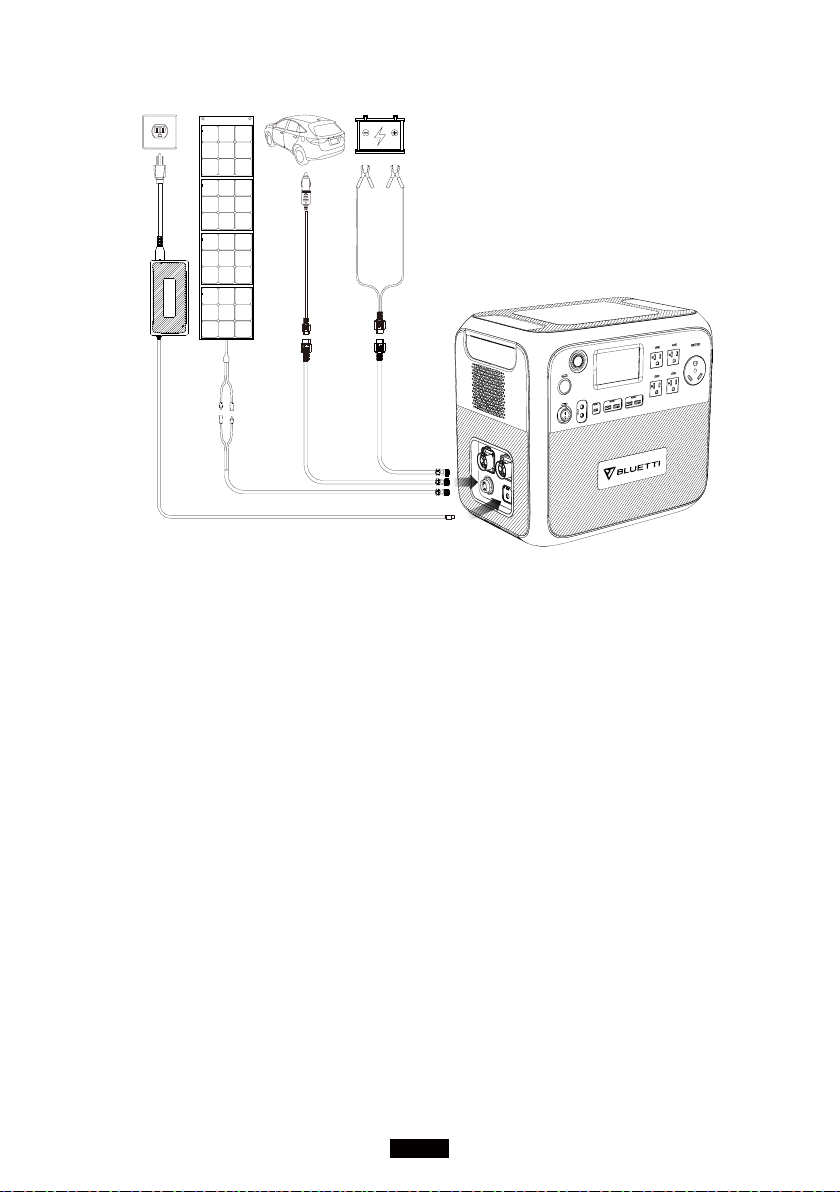
(1) From AC wall outlet
● Turn the AC200MAX ON and connect the plug of adapter to the wall outlet,
the other side to the AC input port. Charging will automatically stop when it
reaches 100%(4.6-5.1Hrs).
2
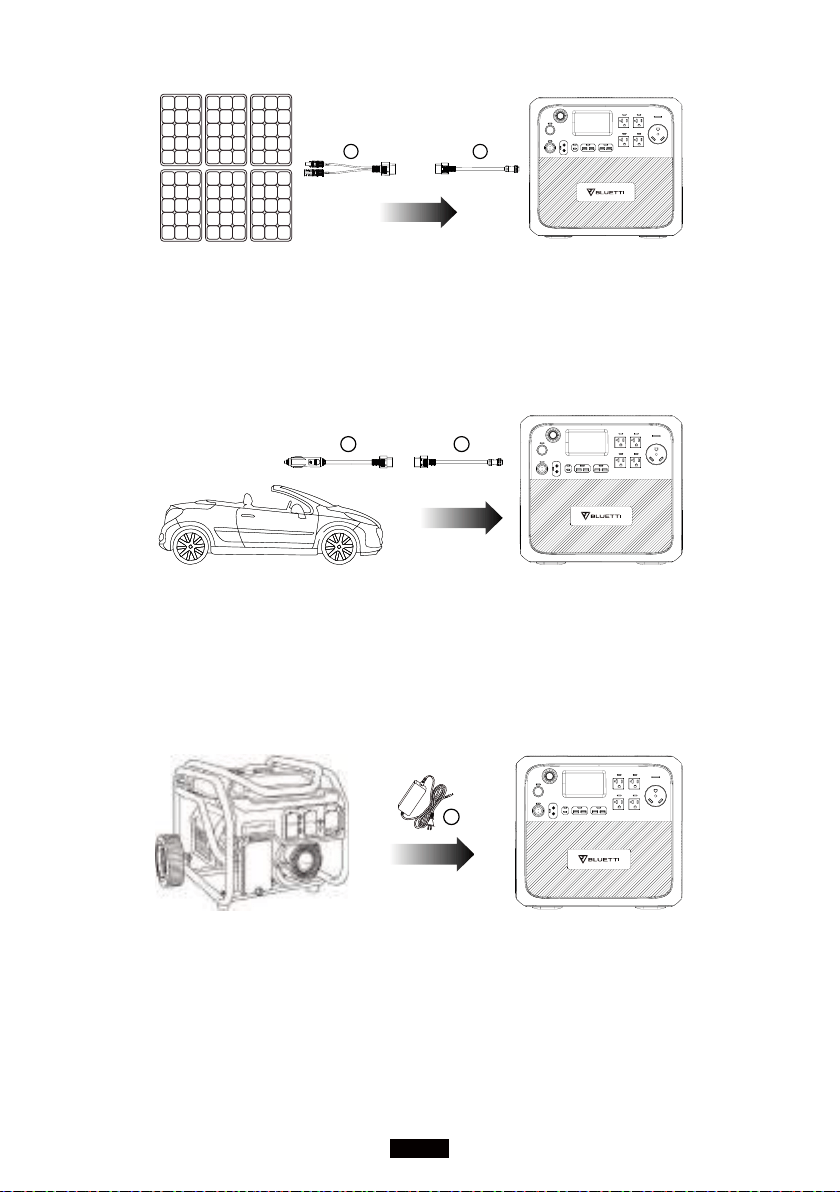
(2) From the solar panels
● Connect the solar panels(in series or parallel) with Open Circuit Voltage
range 10V-145V.
● Connect the solar panel to AC200MAX via the solar charging cable. (Standard
Accessory 3 to Accessory 5)
● Charging: AC200MAX will be activated when the solar charging system is set
up successfully.
● The max input current of solar charging: 15.2A ± 0.3A, the over-current of
solar charging will be wasted.
12
BLUETTI
3 5
(3) Car Charging
● Connect the AC200MAX to the cigarette lighter port of the car via the car
charging cable.
● Enter the setting section as Figure 1, set DC input source to 'Others'.
● The input current of car charging requirement: 8.2A
5
4
(4) Generator Charging(gasoline, propane, or diesel)
● Connect the AC adapter input plug to the generator and the output to the
AC charging port of AC200MAX.
● Press the power button; the product will start charging. When it gets fully
charged, the charging will automatically stop.
2
(5) Lead-acid Battery Charging
● Connect the AC200MAX with a lead-acid battery via the charging cable
(Accessory 9).
Note: pay attention to distinguishing the positive and negative poles of the
battery. The red end indicates the positive pole.
13
Just Power On
● Enter the setting section as Figure 1 to set the DC input source to 'Others' to
activate lead-acid battery charging, with the max current of 8.2A.
Note: Accessory 9 is for charging the AC200MAX only. DO NOT use it for other
purposes, like charging the lead-acid battery. Any injury or damage caused by
failure to follow instructions will NOT be compensated.
59
(6) Dual Charging
● Set the DC input source to PV to achieve AC + PV Dual Charging.
● Set the DC input source to 'Others' to achieve AC + T500/Lead-Acid Battery
Charging.
Others
(220-240V Version)(100-120V Version)
14
BLUETTI
Adapter
Solar Panels
Car Lead-acid Battery
(AC200MAX Dual Charging System)
11. DISCHARGING
(1) Turn on the 12V/30A, 12V/10A/, cigarette lighter, USB-A and USB-C
output ports: press the power button, enter the homepage and tap the DC
button and confirm.
(2) Turn off the DC output: tap the DC button and confirm.
(3) Turn on the AC output: press the power button, enter the homepage, tap
the AC button and confirm.
(4) Turn off AC Output: tap the AC button and confirm.
12. APPLICATION SCENARIO
(1) Outdoor
Car equipment: car fridge, car vacuum cleaner, and other car equipment;
Camping equipment: garden electric tools (power tools such as blowers,
lawnmowers, electric drills, electric saws), BBQ grills, LED lights, etc.

15
Just Power On
(2) Indoor
Refrigerator, kitchen devices such as kettle, toaster, blender, coffee maker, rice
cooker, laptops, phones, lighting, etc.
13. EXAMPLES OF LOADS
(1) Most electrical appliances in the market apply to the specifications of
12V/30A(XT60 or SPC45), 12V/10A, cigarette lighter, USB-A, and USB-C output
ports of the AC200MAX. But still the charging of some products may activate
the overload protection if it generates an instantaneous power at the moment
of starting.
(2) The AC200MAX can power electrical products with 2200W or less rated
power. Though the figure is under 2200W, overload protection will still be
activated when the appliance generates a massive instantaneous start-up
power. Therefore, it's recommended to apply the AC200MAX to electrical
products with lower-rated power.
(3) If an output over-current, overload, or short circuit occurs, the AC200MAX
will turn off the corresponding output port. Then it will automatically start again
(at an interval of 20s). Suppose there is still an over-current, overload, or short
circuit, the output port will be locked and it then needs manual troubleshooting.
If the output repeatedly stops, turn the equipment off. Please get in touch with
the seller or maintenance group first for professional help.
(4) When the battery level drops to 0%, the DC and AC output will
automatically turn off, and ONLY when the battery power is recharged to more
than 5%, the DC and AC output will be turned on again. Please check the
battery level before using the AC/DC output to protect and enhance battery
cycle life.
(5) This AC200MAX supports charging and discharging simultaneously, and
please keep the equipment laid flat during use, charging, and discharging.
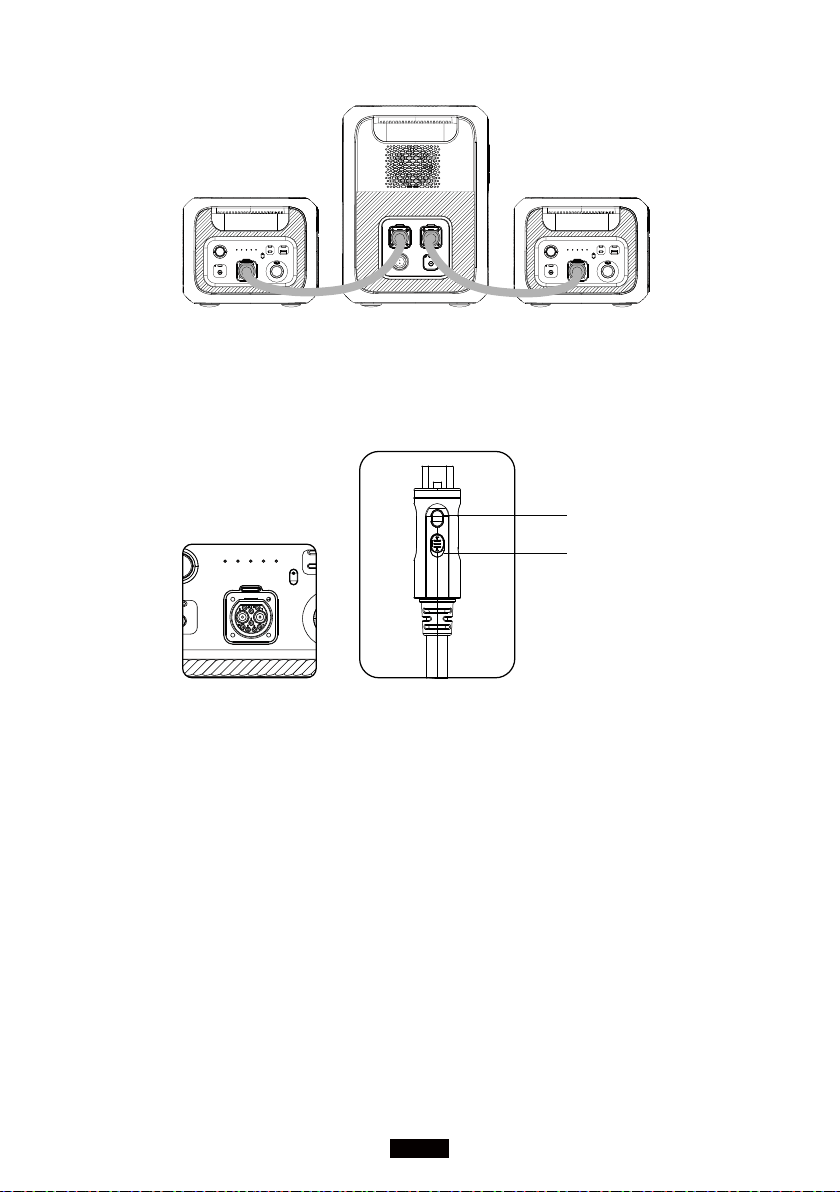
14. AC200MAX + B230 CONNECTION
Capacity Expansion
● AC200MAX can expand the capacity by 1-2 B230 battery pack to 4096 - 6144Wh.
● AC200MAX can expand the capacity by 1-2 B300 battery pack to 5120 - 8192Wh.
Please refer to bluetti support youtube channel for detailed installation
instructions.
16
BLUETTI
#1 Extended Battery Pack #2 Extended Battery Pack
AC200MAX
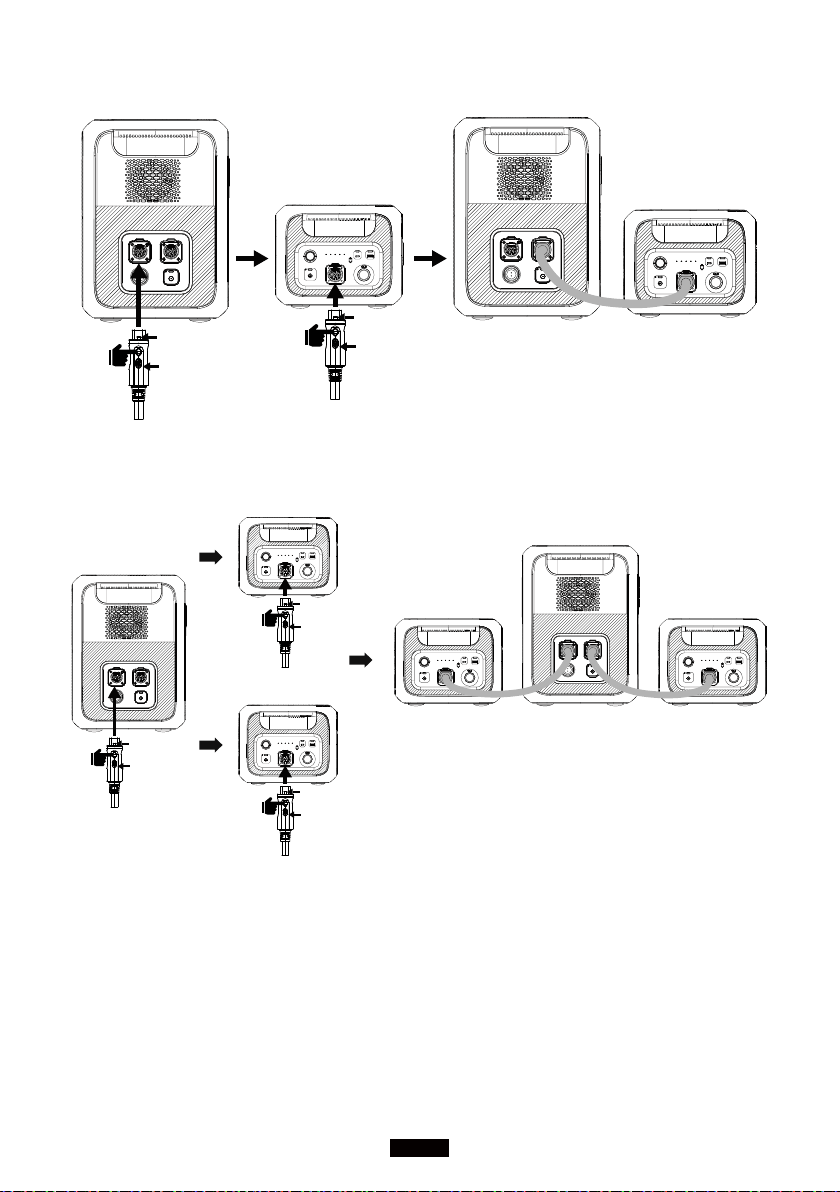
● Battery Expansion Instruction
Hot-swappable B230/B300 Expansion Battery Modules are designed to achieve
capacity backup with easy plug-on P090A Battery Expansion Cable.
a: Button 01
b: Button 02
a: Press to turn ON/OFF the Expansion Battery Function.
b: Switch to LOCK/UNLOCK the cable with AC200MAX.
c: Turn On B230 or B300 battery module.
17
Just Power On
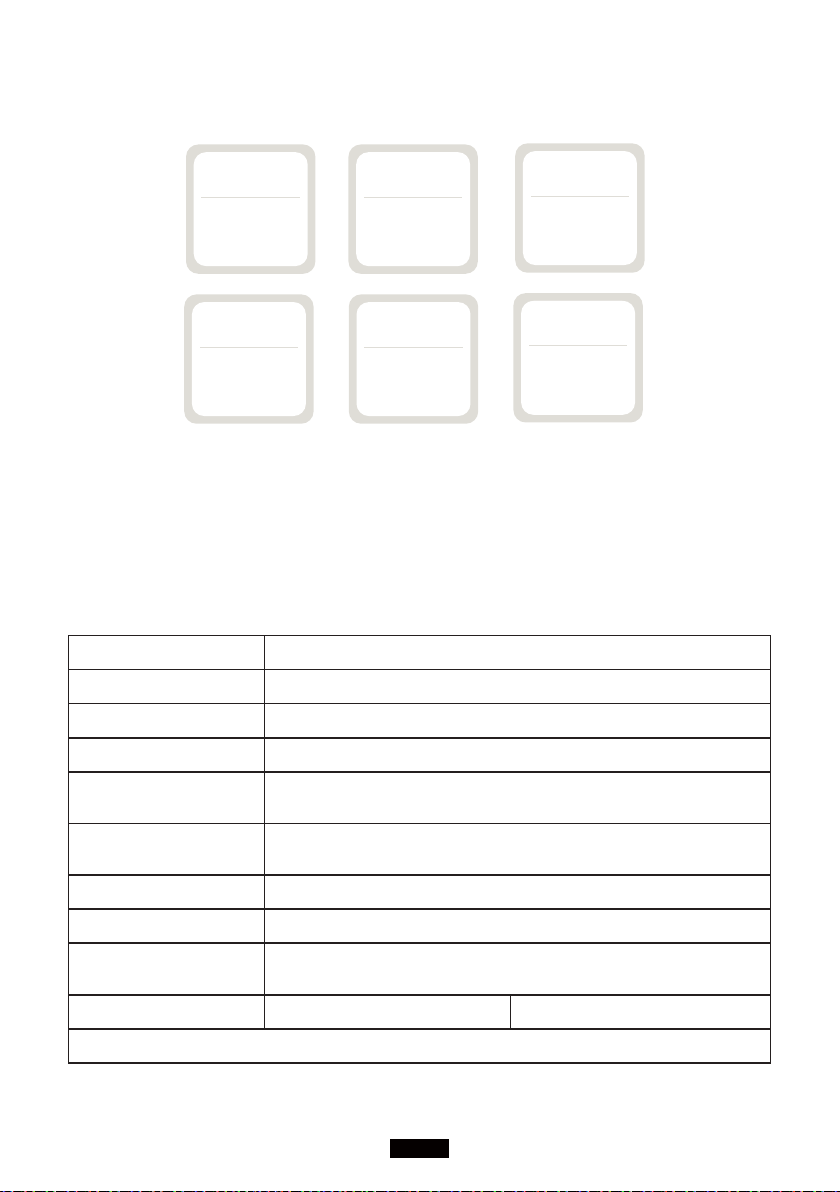
①
②
Barb down
Lock
①
②
Barb down
Lock
AC200MAX
B230
AC200MAX
B230
First Step
Second Step
Finish
①
②
Barb down
Lock
①
②
Barb down
Lock
AC200MAX
B230
B230
B230
First Step
Second Step
Finish
AC200MAX
①
②
Barb down
Lock
B230
Second Step
AC200MAX Capacity Extended Mode
18
BLUETTI
15. ESTIMATION OF OPERATING TIME
Smartphone
175-200Times
10W
LED Light Bulb
Television
Electronic Tools
Around 19-20hrs
80W
Refrigerator
Around 17-19hrs
90W
Slow Cooker
Around 8-9hrs
200W
Around 75-85hrs
20W
Around 20-22hrs
75W
2048Wh × DOD × η ÷ (load W) = charging time(unit:h)
Note:DOD is the battery discharge depth,η is the local inverter efficiency,
DOD=90%, η =90%。
16. TECHNICAL SPECIFICATIONS
Model No. AC200MAX
Net Weight 28.1kg (61.9lbs)
Dimensions 420*280*386.5mm (16.5*11.0*15.2in)
Charge Temperature 0-40℃ (32-104 ℉ )
Discharge
Temperature
-20-40℃ (-4-104 ℉ )
Working Environment
Humidity
10-90%
Capacity 2048Wh (40Ah)
Battery Type LiFePO4
Standard Battery
Voltage
51.2VDC
Category Rated Note
AC Output

19
Just Power On
Power of
Output
100V 2000W
JP
110V 2200W
120V 2200W US
220-240V 2200W UK,EU
Over-load
100V
2000W<load<2500W,2min;
2500W<load,8~10S
Error Range:± 30W ;
Clear the alarm history
and reboot the unit.
110V
2200W<load<2750W,2min;
2750W<load,8~10S
120V
220-240V
Surge 4800W 100ms
Frequency
50/60Hz ± 0.5Hz
Default @60Hz
Frequency can be
tweaked to 50 or 60Hz.
Inverter
Eciency
90% /
Short-circuit
Protection
Yes /
Over-temperature
Protection
80℃± 2
Recover Temp: 75℃± 2(for
hardware)
AC & DC will be turned o when SOC reaches 0%
DC Output
Cigarette
Lighter
Port *1
Voltage 12V
Share 10A current with 2*
DC5521 ports.
Current 10A
Over-load
Power
145W 2s, Turn o output function.
Short-
circuit
Protection
Yes Turn o all DC output ports.
DC5521
*2
Voltage 12V
Share 10A current with
cigarette lighter port.
Current 10A
Over-load
Power
145W 2s, Turn o output function.
Short-
circuit
Protection
Yes Turn o all DC output ports.

20
BLUETTI
RV *1
Voltage 12V
/
Current 30A
Over-load
Power
400W 2s, Turn o output function.
Short-
circuit
Protection
Yes Turn o all DC output ports.
Note:
a: 30A Max. current for all DC output ports.
b: The cigarette lighter port will be shut o once overloaded.
c: 12V/30A port will be shut o when overloaded again.
USB-A *2
Voltage 5V /
Current 3.0A 3A for both
Short-
circuit
Protection
Yes Recover automatically
USB-A
Quick
*2
Voltage 5-12VDC Support QC3.0
Current 3A * 2 18W * 2, MAX
Short-circuit
Protection
Yes /
Type-C *1
Standard Support PD3.0(Max.100W) /
Specs 5VDC,3A,15W Total /
Short-circuit
Protection
Yes /
Wireless
Charging
*2
Standard Support QI protocol
Please place the device
supporting wireless charging
on the charging pad
horizontally.
Power 5/7.5/10/15W * 2
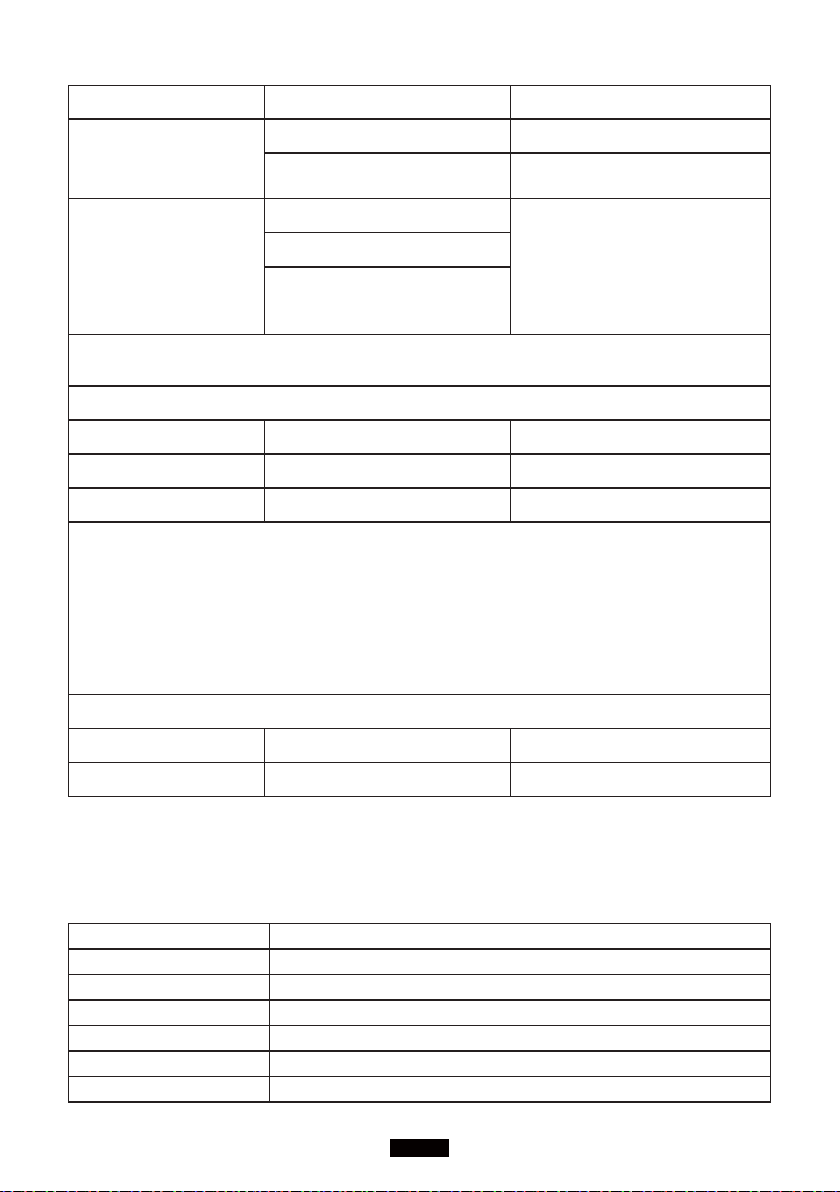
Solar Input
Power of Input 900W /
Over-voltage
Protection
145VDC /
MPPT Voltage Range 10-145VDC /
Current 15A /
21
Just Power On
MPPT Quantity 1/1 /
T500 Adapter
charging
(On PV input port)
500W /
8A /
Car Charging
11.5-14.5V
Set DC input source on
screen: Others
12V Lead-acid Battery:
11.5V ± 0.2V;24V Lead-
acid Battery: 23V ± 0.2V
23-29V
8A
Note:PV Input, Car Charging and additional T500 shares the same Aviation
Port.
T500 AC Adapter
Input Voltage 100-240VAC /
Voltage Range 58.8V /
Max. Charging Power 500W /
Note:
a: AC200MAX can be automatically activated(turn the unit ON without pressing
the power button from POWER OFF) via solar power. Please unplug the DC
input cable if you want to disable the auto-activation.
b: AC200MAX cannot be activated via adapter.
c: Simultaneous charging&discharging supported.
BLUETTI APP(Bluetooth)
Firmware Update 5m/16.4ft /
Wireless Connect 10m/32.8ft /
17. TROUBLE SHOOTINGS
Error Code Description
001 PV Over Voltage
004 DC Output Short Circuit
005 Adapter Over Voltage
006 Adapter Low Voltage
007 Adapter Relay Error
008 Adapter Over Current

22
BLUETTI
010 USB/TYPE-C/PD Over Current
011 12V/10A Over Current
012 12V/30A Over Current
014 DC Start Failure
015 DC Output Relay Error
016 BUS Start Failure
017 Inverter Start Failure
018 BUS Low Voltage
019 BUS High Voltage
020 Inverter Low Voltage
021 Inverter High Voltage
022 Inverter Low Frequency
023 Inverter High Frequency
025 Battery High Voltage
026 Battery Low Voltage
027 Battery Unconnected
028 Fan Error
029 NTC Error
030 Calibration Error
031 Inverter Over Load
032 Inverter Short Circuit
033 DSP Communication Error
034 BMS Communication Error
035 EEPROM Read_write Error
036 Parameters of Control Module Error
041 BMS Temperature Error
042 BMS Over Voltage
043 BMS Low Voltage
044 BMS Over Current
045 BMS Pre-charge Failure
046 BMS Output Short Circuit
051 AC Output Locked
053 USB/TYPE-C/PD Locked
054 12V10A Locked
055 12V30A Locked

23
Just Power On
18. FAQ (Frequently Asked Questions)
● How to claim the warranty?
Please write your after-sales requirements on the warranty card and send it to
the vendor.
● Can the unit be upgraded?
When AC200MAX connects with BLUETTI App via Bluetooth, the firmware
including ARM, DSP, HMI, and BMS can get upgraded online through OTA.
● Can it charge and discharge at the same time?
Yes, it supports pass-through charging. Please keep the equipment laid flat
during use, charging, and discharging.
● How to store the AC200MAX?
We recommend charging the unit to 60-80% SOC every 3 - 6 months to extend
the battery life.
19. DECLARATION
● Please note that specications and appearance are subject to improvement
without prior notice.
● The company shall not be liable for any damage caused by force majeure,
such as res, typhoons, oods, earthquakes, or the user's intentional negligence,
misuse, or other abnormal conditions.
● The company shall not be liable for any accidents or damages caused by
failure to follow the precautions in the instruction manual.
● This product is not suitable for relevant equipment or machines involving
personal safety, such as automatic energy devices, Hi-Fi player devices,
emergency medical devices, etc., or for appliances requiring demanding power
reliability and security, such as aerospace equipment, trunk communication
equipment, nuclear control equipment, and medical equipment. Please conrm
the applicability of this product in advance.

24
BLUETTI
20. FCC WARNING
This device complies with Part 15 of the FCC Rules.
Operation on the product is subject to the following conditions:
(1) this device may not cause harmful interference.
(2) this device must accept any interference received, including interference
that may cause undesired operation.
Any changes or modications not expressly approved by the party responsible
for compliance could void the user's authority to operate the equipment.
NOTE: This equipment has been tested and found to comply with the limits for
a Class B digital device, pursuant to Part 15 of the FCC Rules. These limits are
designed to provide reasonable protection against harmful interference in a
residential installation. This equipment generates, uses, and can radiate radio
frequency energy, if not installed and used in accordance with the instructions,
may cause harmful interference to radio communications.
However, there is no guarantee that interference will not occur in a particular
installation.
If this equipment does cause harmful interference to radio or television
reception, which can be determined by turning the equipment o and on, the
user is encouraged to try to correct the interference by one or more of the
following measures:
-- Reorient or relocate the receiving antenna.
-- Increase the separation between the equipment and receiver.
-- Connect the equipment into an outlet on a circuit dierent from that to which
the receiver is connected.
-- Consult the dealer or an experienced radio/TV technician for help.
FCC Radiation Exposure Statement
This equipment complies with FCC radiation exposure limits set forth for an
uncontrolled environment. This equipment should be installed and operated
with a minimum distance of 0.65ft between the radiator and your body.