Operating instructions
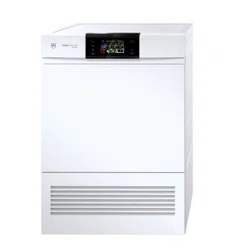
Adora TSLQ WP
Tumble dryer

2
Safety precautions
Read the operating instructions be-
fore using the appliance for the first
time.
General safety precautions
▪ This appliance can be used
by children aged 8 and
above and by persons with
reduced physical, sensory
or mental capabilities, or
lack of experience and/or
knowledge, provided they
are supervised or have
been instructed on the safe
use of the appliance and
have understood the haz-
ards involved. Children shall
not play with the appliance.
Cleaning and user mainten-
ance shall not be under-
taken by children without su-
pervision.
▪ If an appliance is not
equipped with a mains
cable and a plug or other
means for disconnecting
from the mains with a con-
tact opening on each pole
complying with the condi-
tions of overvoltage cat-
egory III for full isolation, an
isolating device must be in-
corporated into the perman-
ently installed electrical in-
stallation in accordance with
the installation regulations.
▪ If the mains cable of this ap-
pliance is damaged, it must
be replaced by the manu-
facturer or its Customer Ser-
vices or a similarly qualified
person in order to avoid
hazard.
Appliance-specific safety
precautions
▪ Children under 3 years of
age must be kept away
from the appliance unless
they are constantly super-
vised.
▪ The appliance has a max-
imum dry load capacity of
7 kg.
▪ This appliance is only suit-
able for drying textiles which
have been washed in water.
▪ The appliance is only to be
used with the recommended
vaporizing medium. The use
of other substances may
give rise to a toxic or fire
risk.
▪ The appliance has hot sur-
faces to evaporate active
components. These sur-
faces should not be
touched during use.
▪ The tumble dryer may not
be used if industrial chemic-

Safety precautions
3
als were used for cleaning.
▪ Clean the fluff filters regu-
larly.
▪ Do not allow fluff to build up
around the tumble dryer.
▪ Do not dry unwashed items
in the tumble dryer.
▪ Textiles that have been
cleaned, treated or soaked
with flammable chemicals,
detergents or solvents (such
as white spirit, alcohol, stain
remover, oil, turpentine,
acetone, paint, wax, etc.)
are a fire and explosion haz-
ard! Wash materials contain-
ing such substances first by
hand with water or allow the
solvent to evaporate com-
pletely.
▪ Items such as foam rubber
(latex foam), shower caps,
waterproof textiles, rubber
backed articles and clothes
or pillows fitted with foam
rubber pads should not be
dried in the tumble dryer.
▪ Remove objects such as
lighters and matches and
the like.
▪ Never stop a tumble dryer
before the end of the drying
cycle unless all items are
quickly removed and spread
out so that the heat is dis-
sipated.
▪ Exhaust air must not be dis-
charged into a flue which is
used for exhausting fumes
from appliances burning
gas or other fuels.
▪ Do not use a fabric condi-
tioner or other fabric care
solutions in the wash. Other-
wise pay attention to the
manufacturer's instructions.
▪ Do not install the appliance
behind a door that locks, a
sliding door or a door with a
hinge that lies opposite the
hinge of the appliance.
To minimize the risk of fire in a
tumble dryer, the following should
be observed:
▪ Oil-affected items can ignite
spontaneously, especially
when exposed to heat
sources such as in a tumble
dryer. The items become
warm, causing an oxidation
reaction in the oil. Oxidation
creates heat. If the heat can-
not escape, the items can
become hot enough to
catch fire. Piling, stacking or
storing oil-affected items
can prevent heat from es-
caping and so create a fire
hazard. If it is unavoidable
that fabrics that contain ve-
getable or cooking oil or
Safety precautions
4
have been contaminated by
hair care products be
placed in a tumble dryer
they should first be washed
in hot water with extra deter-
gent – this will reduce, but
not eliminate, the hazard.
Instructions for use
▪ Ensure access to the place of discon-
nection (e.g. socket outlet, wall switch,
fuse) and the water tap.
▪ Any repairs, modifications or manipula-
tions to the appliance, especially any
electrically live parts, may only be car-
ried out by the manufacturer, its cus-
tomer service department or similarly
qualified persons. Repairs if carried out
incorrectly may cause serious injury,
damage to the appliance and fittings, as
well as affect the functioning of the ap-
pliance. If the appliance is not working
properly or in case a repair is needed,
follow the instructions given in the «Ser-
vice and repairs» section. Please con-
tact our Customer Services if neces-
sary.
▪ Before closing the appliance door and
starting a programme, ensure that there
are no foreign objects or pets in the
drum.
▪ Strictly use original spare parts only.
▪ If the appliance is not functioning prop-
erly, disconnect it from the power sup-
ply immediately.
▪ Do not operate the appliance without a
door filter or with a damaged door filter.
Fluff can destroy the appliance!
▪ To protect your washing, follow the fab-
ric care symbols and the hints and ad-
vice in the «Programme overview» sec-
tion.
▪ Packaging material, e.g. plastic film and
polystyrene, can be dangerous for chil-
dren. Danger of suffocation! Keep pack-
aging material away from children.
Correct use
The appliance is only suitable for drying
home textiles. It is designed for use in the
home and for the above-mentioned pur-
pose only. No liability is assumed for any
damage caused by improper or incorrect
use.
Transport and installation
Front
Front
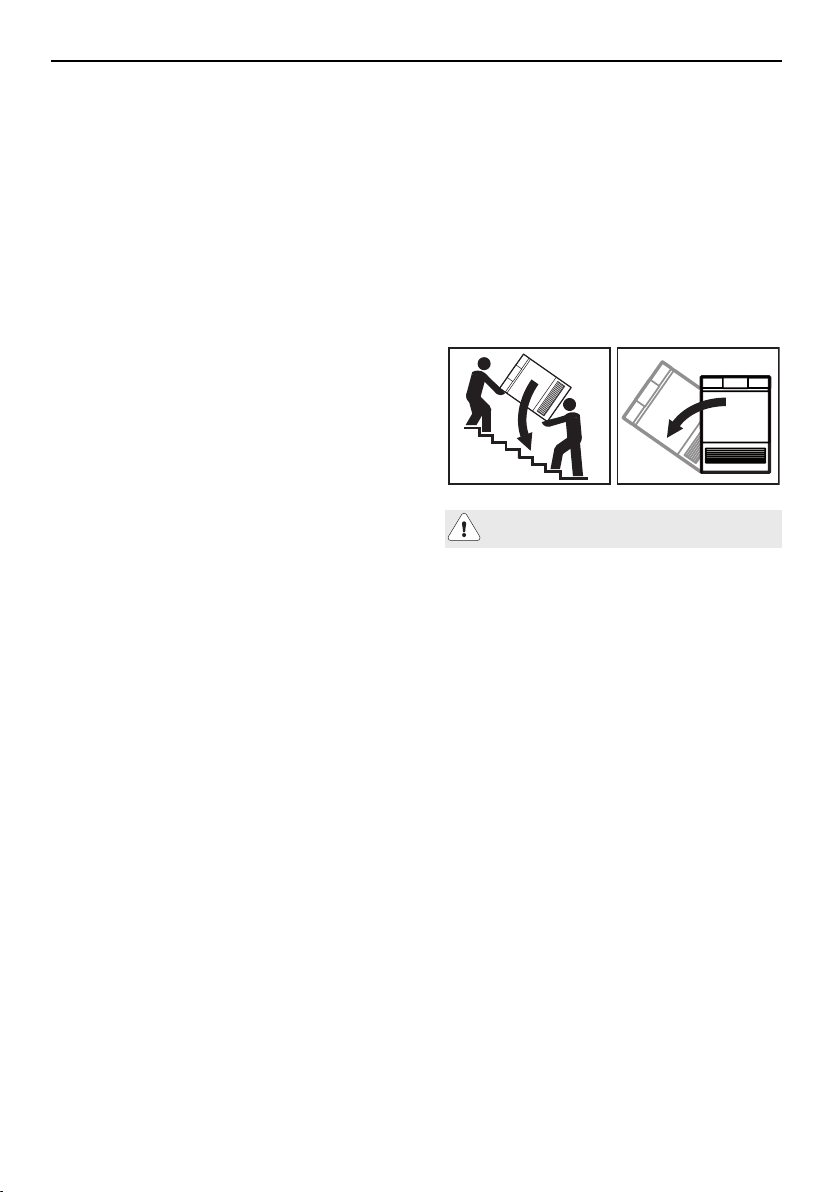
Tilt max. 90° to the left!
Transport the appliance in an upright posi-
tion only! Transporting it in any other posi-
tion will result in damage to the appliance!
When carried carefully without being
shaken, the appliance may be tilted a max-
imum of 90° to the left (viewed from the
front).
As a general rule, rooms containing a heat
pump dryer should be ventilated as these
produce some humidity. If the room is kept
closed, it must be aired occasionally
(either by opening the door to the room or
a window) between several consecutive
drying programmes.
Safety precautions
5
Using for the first time
The appliance must be installed and
connected to the electricity supply by
a qualified fitter/electrician in accord-
ance with the separate installation in-
structions.
Serial number
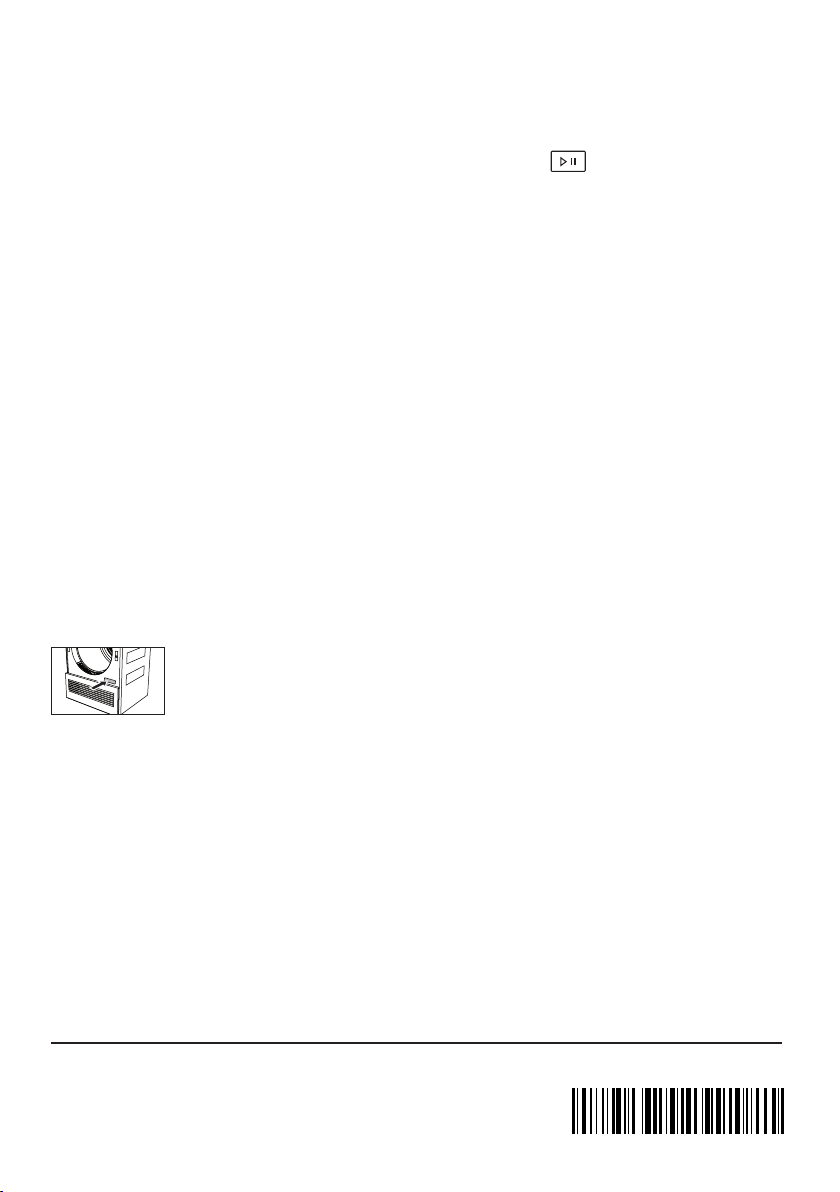
The serial number (FN) is located on the
identification plate:
▸Note down the FN on the back page of
these operating instructions.
The FN can also be retrieved as follows:
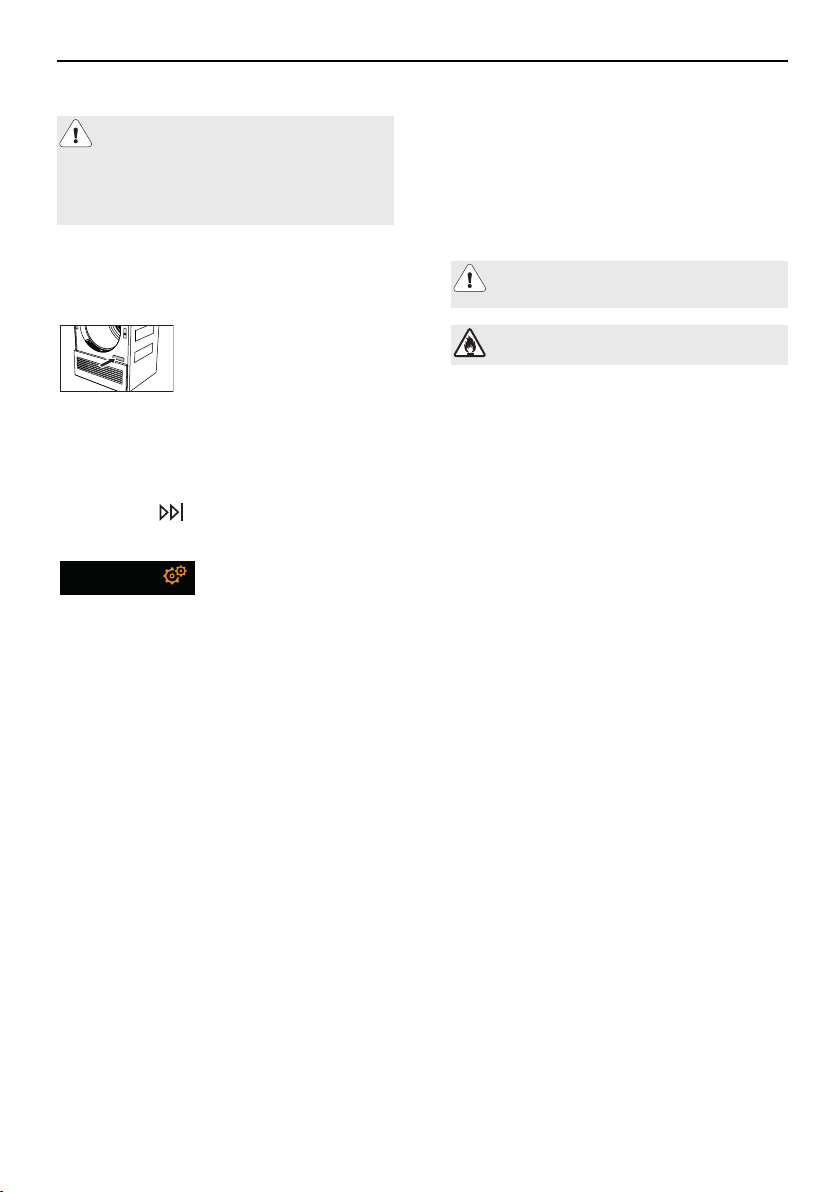
▸Hold the
button depressed until
the following display appears:
Settings
FN 120 06 00 0123
Note on the operating
instructions
For more information on your appliance
and for answers to frequently asked ques-
tions, visit http://www.vzug.com.
Symbols used
Denotes important safety precau-
tions.
Caution, risk of fire!
Failure to observe said precautions can
result in injury or in damage to the appli-
ance or fittings!
Validity
The product family (model number) corres-
ponds to the first alphanumerics on the
identification plate. These operating in-
structions apply to:
Appliance
designation
Adora TSLQ WP
Type
WTATSLQWPZ
Product family
12006
Variations depending on the model are
noted in the text.
Modifications
Text, diagrams and data correspond to the
technical standard of the appliance at the
time these operating instructions went to
press. The right to make technical modific-
ations for the purpose of the further devel-
opment of the appliances is reserved.
Colour operating instructions can be down-
loaded from the internet from
www.vzug.com.

Contents
1Appliance description7
1.1Appliance construction..................................7
1.2Indicator lights and button state..................7
1.3Operating and display elements..................8
2Programme overview9
2.1Automatic programmes.................................9
2.2Standard and extra programmes.................9
2.3Additional programme...................................9
2.4Fabric types..................................................10
2.5Additional functions.....................................11
2.6EcoManagement..........................................11
3Operating the appliance12
3.1Preparations..................................................12
3.2Selecting programme..................................12
3.3Selecting additional functions....................13
3.4Delayed start.................................................14
3.5Timed drying.................................................14
3.6Changing selection......................................14
3.7Aborting a programme...............................14
3.8Interrupting a programme..........................15
3.9With childproof lock activated...................15
3.10End of programme......................................16
3.11EcoManagement statistics.........................17
4Favourites18
4.1Defining favourites.......................................18
4.2Changing favourites....................................18
4.3Deleting favourites.......................................19
4.4Starting favourites........................................19
5User settings20
6Care and maintenance23
6.1Cleaning the door filter and door filter mat...
23
6.2Cleaning the front filter mat (annually).....24
6.3Cleaning the moisture sensor...................24
6.4Cleaning the temperature sensor.............25
6.5Cleaning the appliance...............................25
7Trouble-shooting25
7.1Error messages.............................................25
7.2Other possible problems.............................27
8Spare parts28
9Technical data28
10Drying tips30
10.1Saving energy................................................30
10.2Avoiding damage..........................................30
11Disposal31
12Quick instructions32
13Services & support32
6
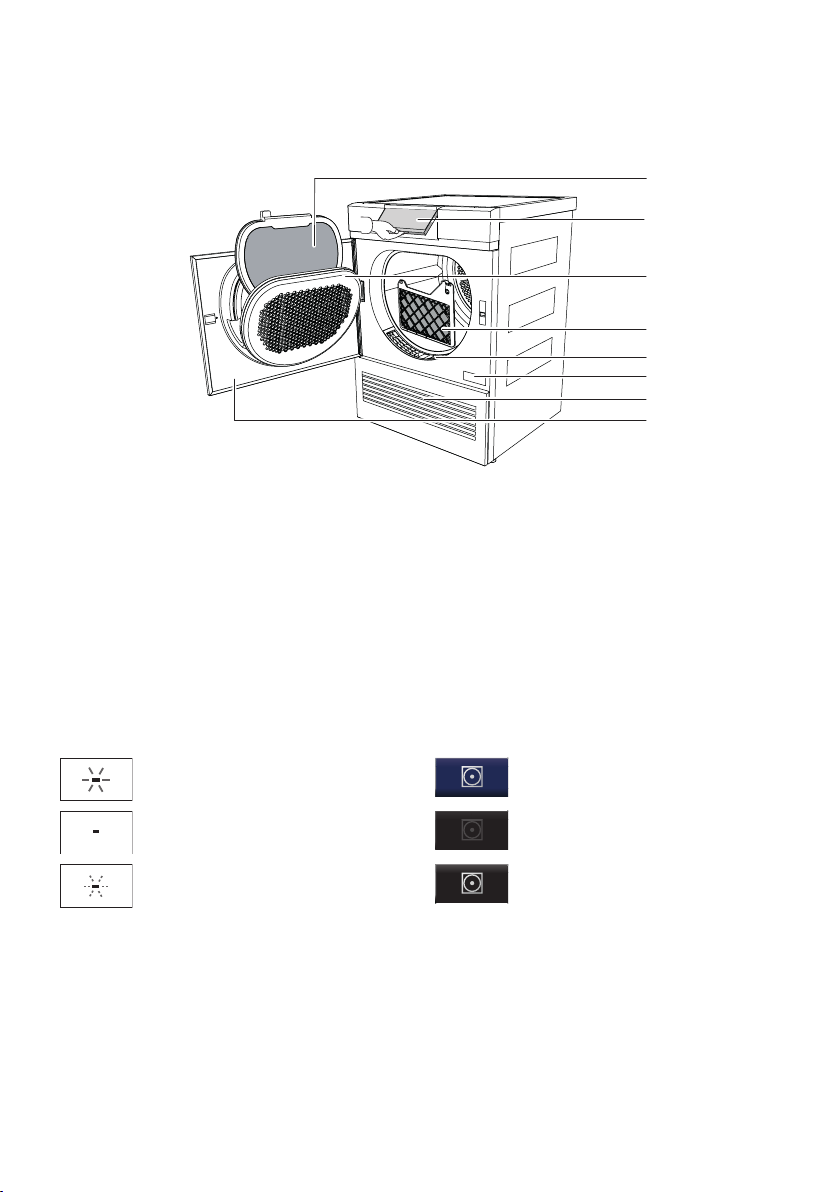
1 Appliance description
1.1 Appliance construction
1
2
3
4
6
7
8
5
1
Door filter with door filter mat
5
Front grille
2
Pivoting operating panel
6
Identification plate / serial number (FN)
3
Cover for door filter
7
Ventilation grille
4
Front filter mat
8
Appliance door
1.2 Indicator lights and button state
Indicator lightsButton state
Illuminated: relevant function act-
ive
Blue background: relevant func-
tion active
Off: relevant function not select-
able
Black button: relevant function
not selectable
Flashing: relevant function select-
able
Black background: relevant func-
tion selectable
7
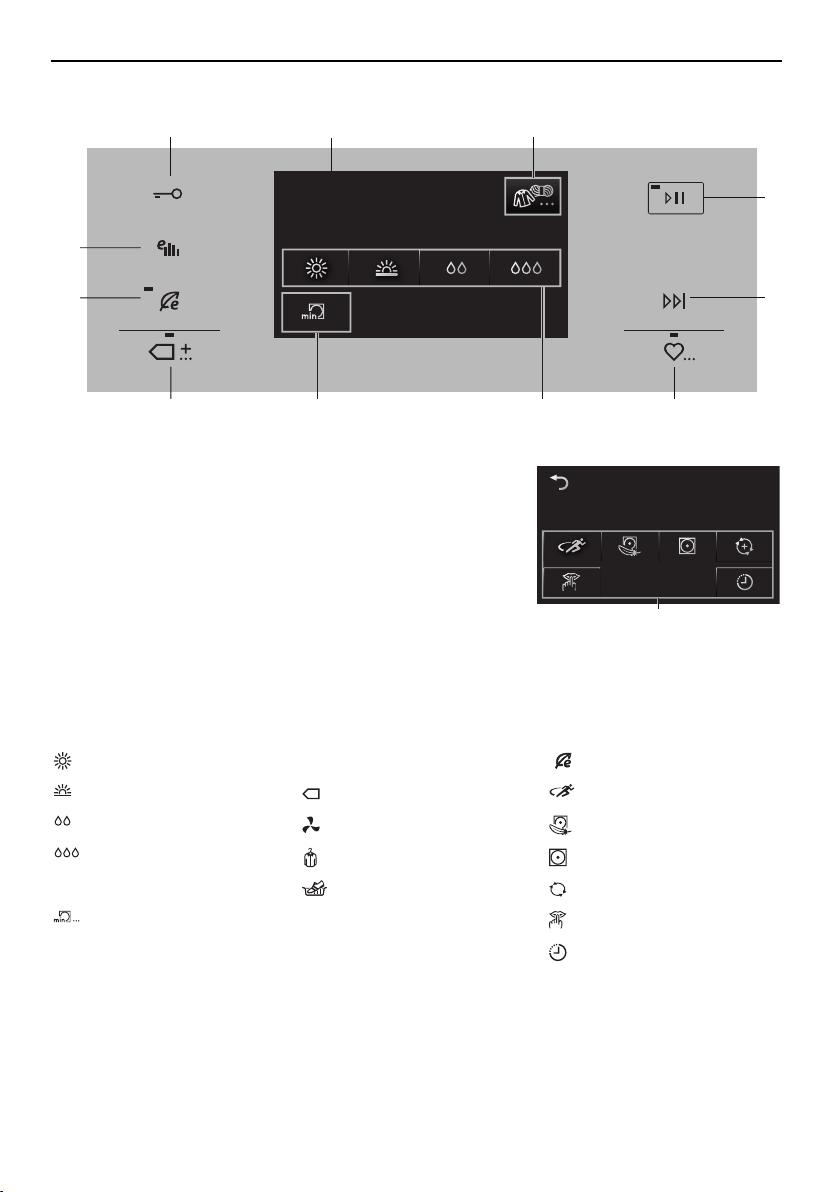
1 Appliance description
1.3 Operating and display elements
Buntwäsche
Temperatur wählen
1
4
5
6
89
10
11
2
7
Coloureds
Select programme
3
1
Door opener
8
Additional programme
2 h 10Normal dry
12
2
TouchDisplay
9
Standard and
3
Fabric typesextra programmes
4
Start/Pause
10
Eco (see
5
End of programmeadditional functions)
6
Favourites
11
EcoManagement
7
Automatic programmes
12
Additional functions
Automatic programmesStandard andAdditional functions
Extra dry
extra programmes
Eco (10)
Normal dryStandardSprint
Iron dryFinal airingUltra care
DampCrease guardEasy care
Additional programme
Basket programme
+
ReversePlus
Timed dryingSilentPlus
Delayed start
8
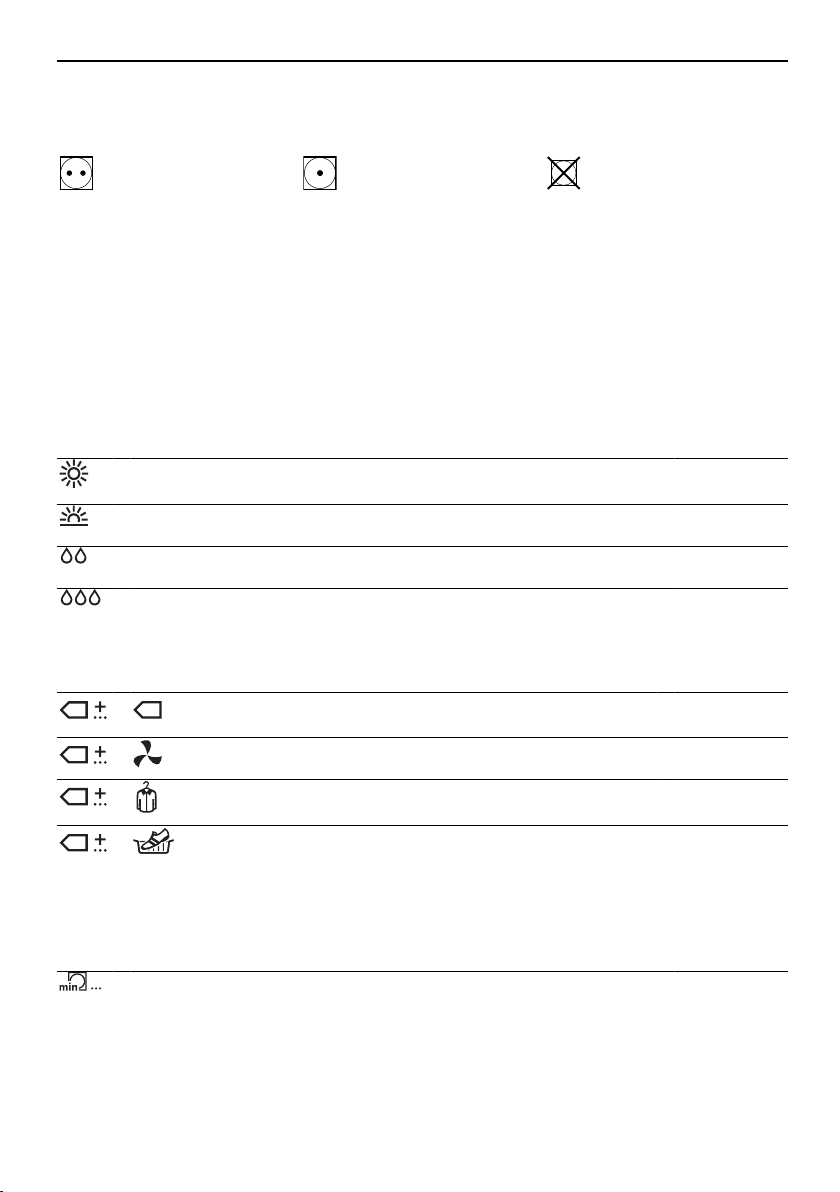
2 Programme overview
2 Programme overview
To avoid damaging the laundry, follow the fabric care symbols on garment labels:
Tumble dry, medium heatTumble dry, low heatDo not tumble dry
2.1 Automatic programmes
Automatic drying programmes have 3 phases:
Drying
The laundry is dried according to the settings.
Cooling down /
Final airing
The laundry is cooled down to a temperature at which creasing is min-
imized. The duration of this phase depends on the temperature of the
laundry. «Crease guard» starts if the appliance is not unloaded when
this phase ends.
Crease guard
The dried washing is moved at frequent intervals for up to 30 minutes
to prevent creasing. Open the appliance door to end before time.
Extra dry: For thick, multi-layered textiles and mixed loads. Less suit-
able for knitted or woven articles (e.g. t-shirts or underwear).
1–7 kg
Normal dry: For similar items of washing (e.g. t-shirts or underwear).1–7 kg
Iron dry: For items that are to be ironed.1–7 kg
Damp: For items that are to be pressed in a mangle (e.g. table
linen).
1–7 kg
2.2 Standard and extra programmes
+The most efficient programme for drying normal wet cot-
ton laundry.
1-7kg
+
Airing: For refreshing or airing little-worn garments.1–1.5 kg
+
Crease guard: For reduced creasing (e.g. shirts and
blouses). The laundry is ready for ironing.
1kg
+
Basket programme: For drying clean canvas shoes/
trainers and small items such as gloves, hats and soft
toys in the basket (can be ordered as an accessory). Not
suitable for leather or synthetic leather.
2.3 Additional programme
Timed drying: For final drying of textiles. For final drying of sleeping
bags and quilts, provided they have the relevant fabric care symbols.
Load for bulky textiles: 1 item
1–7 kg
9
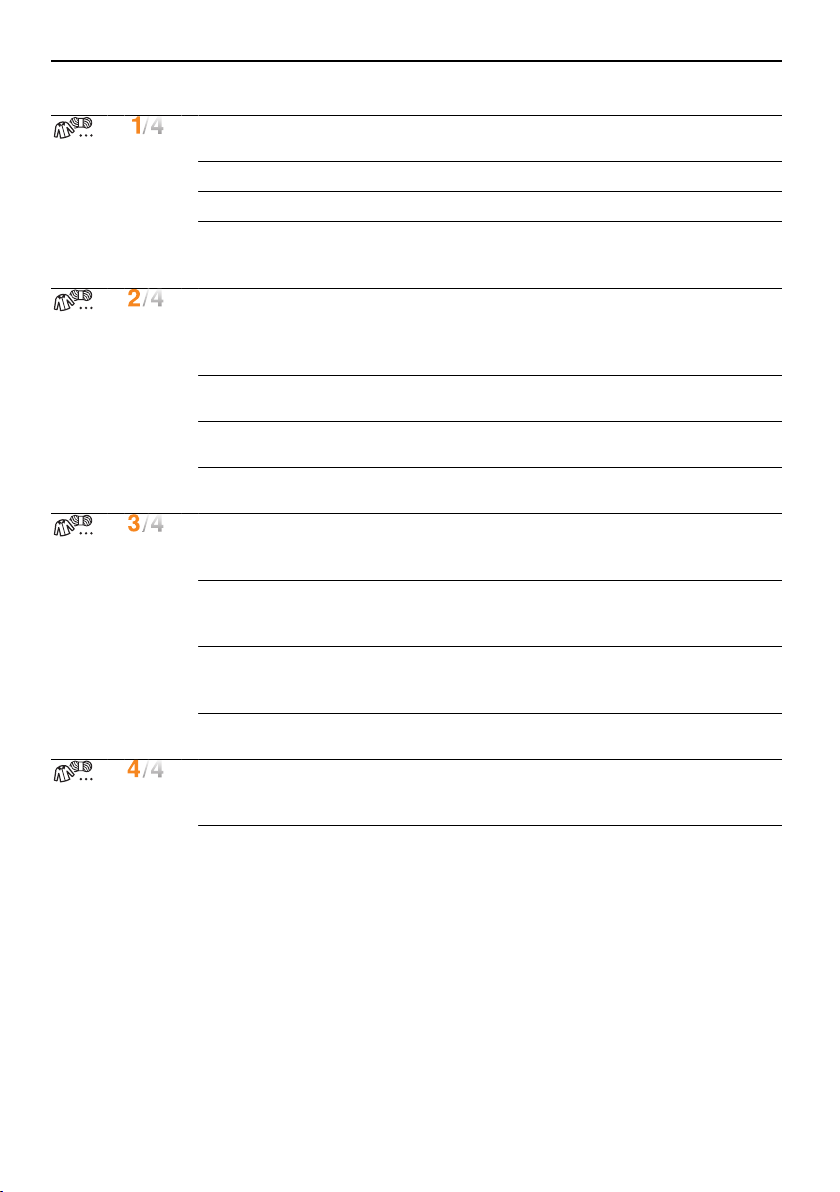
2 Programme overview
2.4 Fabric types
+
Coloureds: Automatic programmes suitable for most tex-
tiles.
1–7kg
Shirts: Fabrics are gently dried to «cupboard dry».max.7items
Towelling: For drying thick towels and terry towelling.1–3kg
Denim: Denim fabrics are dried to «cupboard dry». Fol-
low the fabric care symbols as denim material can
shrink.
1–4kg
+
Thick down filling: For bulky down textiles (e.g. pillows,
jackets and thick duvets). If recommended, tennis balls
can be used for fluffing up the down during drying. Op-
timum load: 1 item
1–2kg
Thin down filling: For light-weight down textiles (e.g. thin
duvets and jackets). Optimum load: 1 item
1–2kg
Bed linen: For similar items of washing. Fasten zips and
buttons.
1–3kg
Outdoor garments: Leisure- and sportswear (Sympatex,
Gore-tex, ...) are dried gently.
1–3kg
+
Woollens: For woollen fabrics labelled as washable.
Gentle drying through gentle drum action and low tem-
peratures (approx. 45°C).
1kg
Silks: For drying silk fabrics. Follow the fabric care sym-
bols as silk tends to crease easily. Low temperature for
gentle drying.
1–1.5kg
Fluffing: Brings the bounce back to woollen textiles.
Since the textiles are not dried unload them as soon as
the programme ends.
1kg
WetClean finish: Loosens up delicate textiles. Unload
the textiles as soon as the programme ends.
1kg
+
Baby garments: Baby garments are gently dried to «cup-
board dry». The washing is dried hygienically through an
extended final drying phase.
1–5kg
Hygiene: The washing is dried hygienically through an
extended final drying phase. Ensures all germs are killed.
Use for non-delicate fabrics only.
1–3kg
10
2 Programme overview
2.5 Additional functions
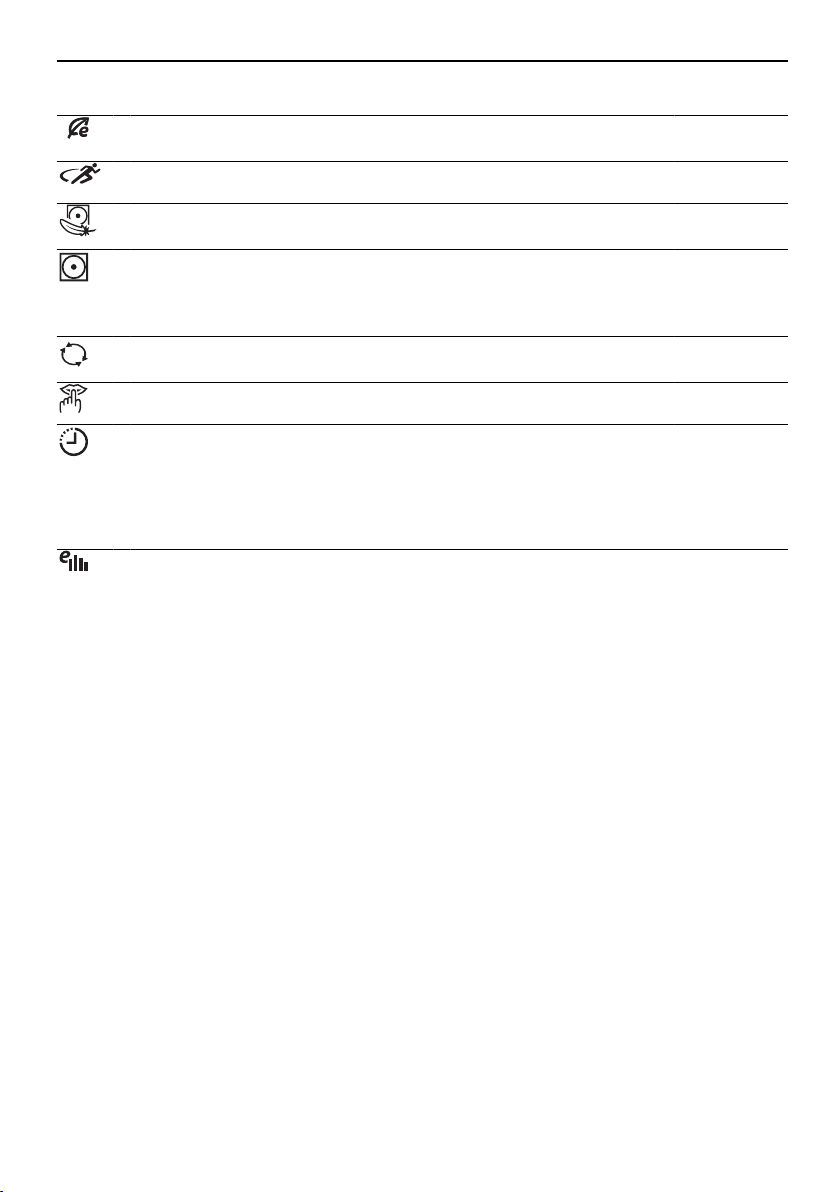
Eco: The most energy-efficient programme, suitable for all fabrics.
Provides energy savings of up to 19% depending on programme.
Sprint: Quickest drying: Time saving: up to 23minutes.
Ultra care: Very gentle drying. The temperature is reduced. Particu-
larly suitable for fine textiles.
1–2.5kg
Easy care: Gentle drying for mixed fabrics (e.g. shirts, pullovers and
T-shirts). The level of dryness is reduced. To prevent creasing, put
just a few items into the drum and remove as soon as the pro-
gramme has finished.
1–2.5kg
+
ReversePlus: The laundry is dried evenly and less likely to get
tangled. Particularly suitable for drying larger items, e.g. bed linen.
SilentPlus: Particularly quiet programme.
Delayed start: For using cheap-rate electricity (setting range of up to
24hours). The programme starts automatically when the set time is
reached.
2.6 EcoManagement
EcoManagement provides information on the energy consumption of the appliance.
The following statistical data can only be retrieved when no programme is running:
▪ Energy consumption of the last programme
▪ Total energy consumption
▪ Average energy consumption of the last 25 programmes
The energy consumption of a programme is displayed during programme selec-
tion. At the end of a programme, the energy consumption of the last programme
run is displayed.
11
3 Operating the appliance
3 Operating the appliance
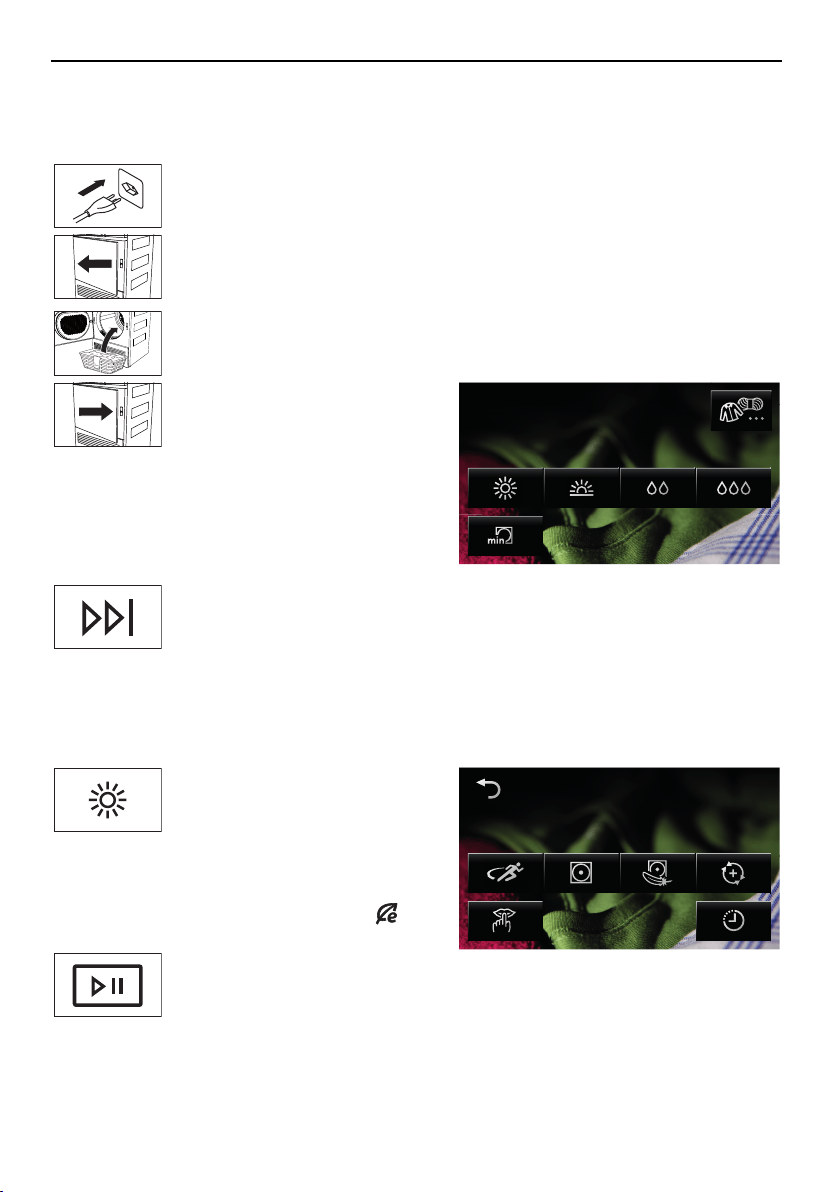
3.1 Preparations
▸Connect the mains plug into a
suitable mains socket.
▸Press the markings at the
edge of door (5 dots) and
open the appliance door.
▸Loosely load wet laundry items
one by one into the appliance.
▸Close the appliance door. En-
sure that no items of washing
are trapped in the door.
Coloureds
Select programme
The start screen appears. It
goes out after 20seconds if
no programme selection is
made. To display the start
screen again at any time,
touch the screen.
▸Touch the button to cancel
programme selection.
3.2 Selecting programme
When a programme is selected, all the necessary settings for it are assigned automatically.
Additional functions can be selected or deselected by using further buttons in other views.
▸Touch the button for the de-
sired programme.
2 h 10Normal dry
The programme selected, the
expected duration and the se-
lectable additional functions
are displayed. The indicator
light for the selectable
button flashes.
▸Touch the button.
The programme selected
starts.
12
3 Operating the appliance
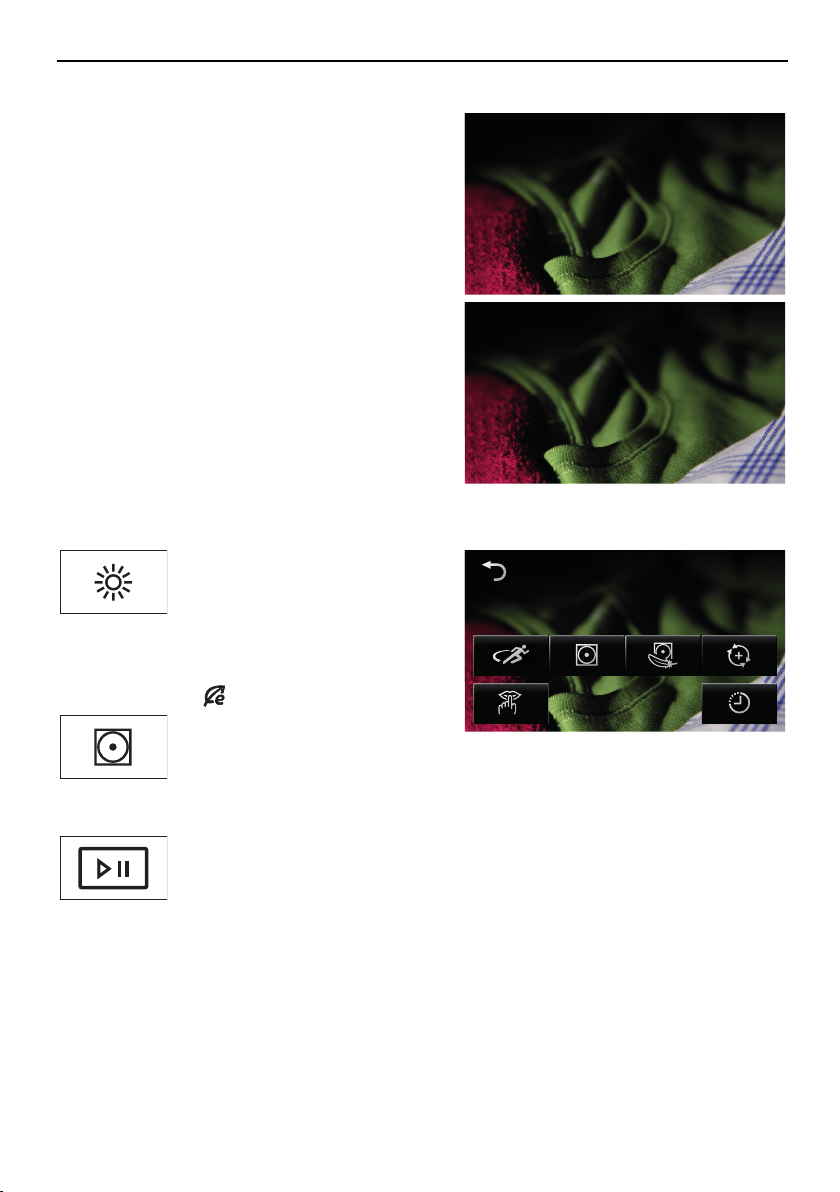
Duration remaining indicator
When the programme starts, the programme
duration at maximum load is displayed. The let-
ter «h» flashes for about 1 minute. During this
time, the actual load is being determined and
the expected duration remaining is being calcu-
lated. The expected duration remaining is sub-
sequently displayed.
Extra dry
Determining load
0 h 59
The programme may possibly take longer than
initially calculated. In this case, the duration re-
maining freezes while the programme runs. The
letter «h» flashes again.
Extra dry
Calculating time remaining
0 h 59
3.3 Selecting additional functions
▸Touch the button for the de-
sired programme.
2 h 10Normal dry
The programme selected and
all selectable additional func-
tions are displayed. The indic-
ator light for the selectable
button flashes.
▸For desired additional func-
tions, touch the corresponding
buttons.
The new programme duration
is displayed.
▸Touch the button.
The programme selected
starts.
13
3 Operating the appliance
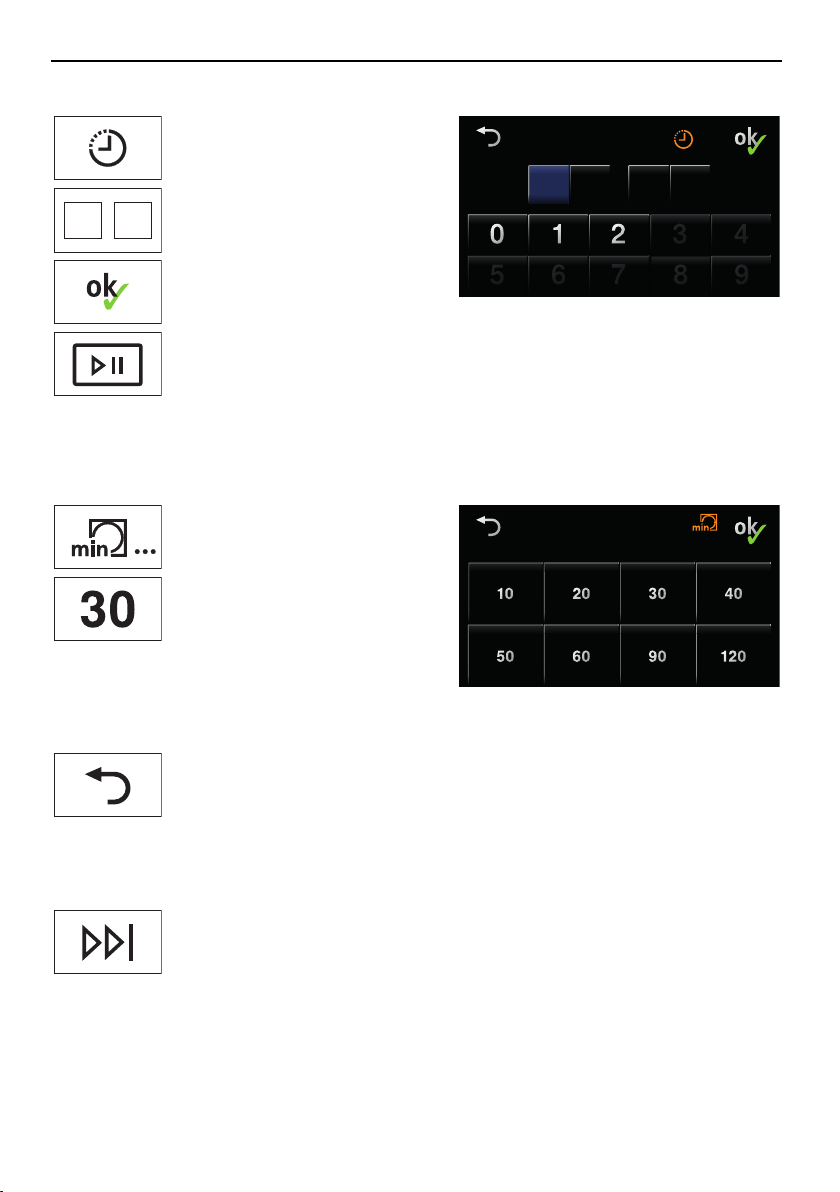
3.4 Delayed start
▸Touch the button.
1 0 4 3
Delayed start
h min
The adjacent TouchDisplay ap-
pears.
81
▸Enter the desired time delay
before the programme starts.
▸Touch the button.
The delay before the pro-
gramme starts is saved.
▸Touch the button.
The delayed start time starts.
The desired programme starts
automatically when the set
delay is up.
3.5 Timed drying
▸Touch the button.
Timed drying
Duration in minutes
The adjacent TouchDisplay ap-
pears.
▸Select the desired drying time.
The «Additional functions»
TouchDisplay appears.
3.6 Changing selection
▸Touch the button in the «Additional functions» view.
▸Select a new programme.
No changes can be made once a programme has started. The programme
must be aborted.
3.7 Aborting a programme
▸Touch the button.
The programme is aborted. All settings are cleared.
14
3 Operating the appliance
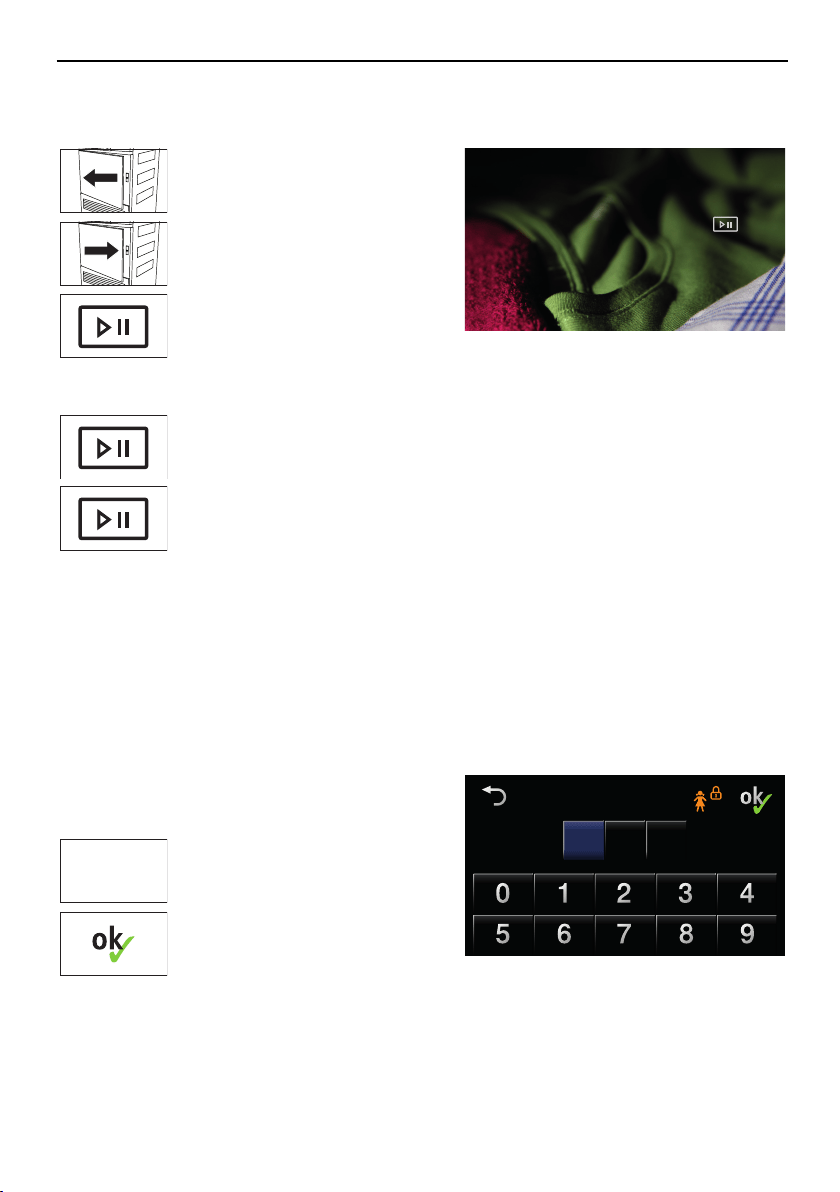
3.8 Interrupting a programme
Through opening the appliance door
▸Open the appliance door.
Pause
Continue with button
Extra dry
The programme is interrupted.
Laundry can be added.
▸Close the appliance door.
The adjacent TouchDisplay ap-
pears.
▸Touch the button.
The programme is resumed.
Through pressing the pause button
▸Touch the button.
The programme is interrupted.
▸Touch the button again.
The programme is resumed.
Note: Each time a programme is interrupted, the programme sequence is delayed by
5minutes.
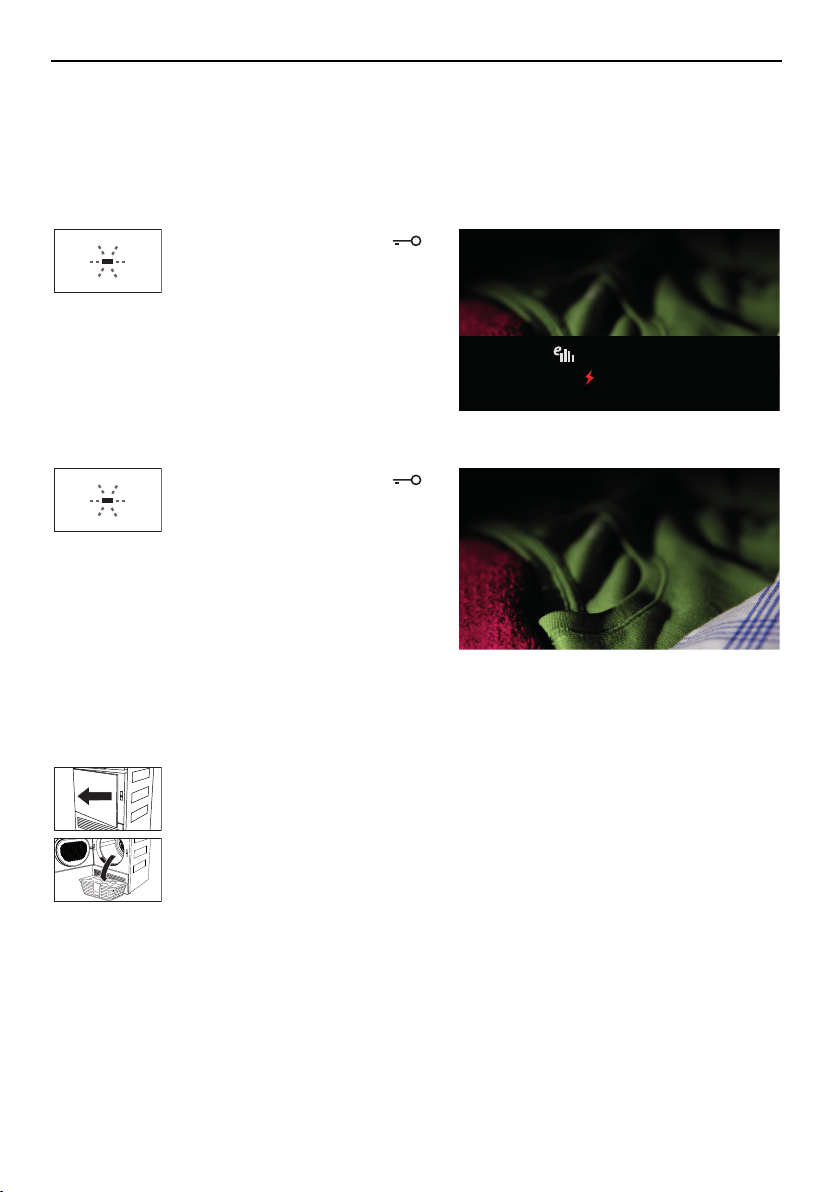
3.9 With childproof lock activated
How to turn the childproof lock on/off is described in «User settings».
When the childproof lock is activated, the appliance can no longer be operated once a pro-
gramme has started or if no button has been touched for over 20 seconds. A code must be
entered to unlock the appliance.
The adjacent TouchDisplay appears if a button
or the TouchDisplay is touched when the child-
proof lock is activated.
0 0 0
Childproof lock
Code
731
731
▸Touch the digits 7, 3, 1 in se-
quence.
▸Touch the button.
The appliance is unlocked.
After being unlocked, the appliance can be operated normally. The childproof lock is auto-
matically activated as soon as the programme starts.
15
3 Operating the appliance
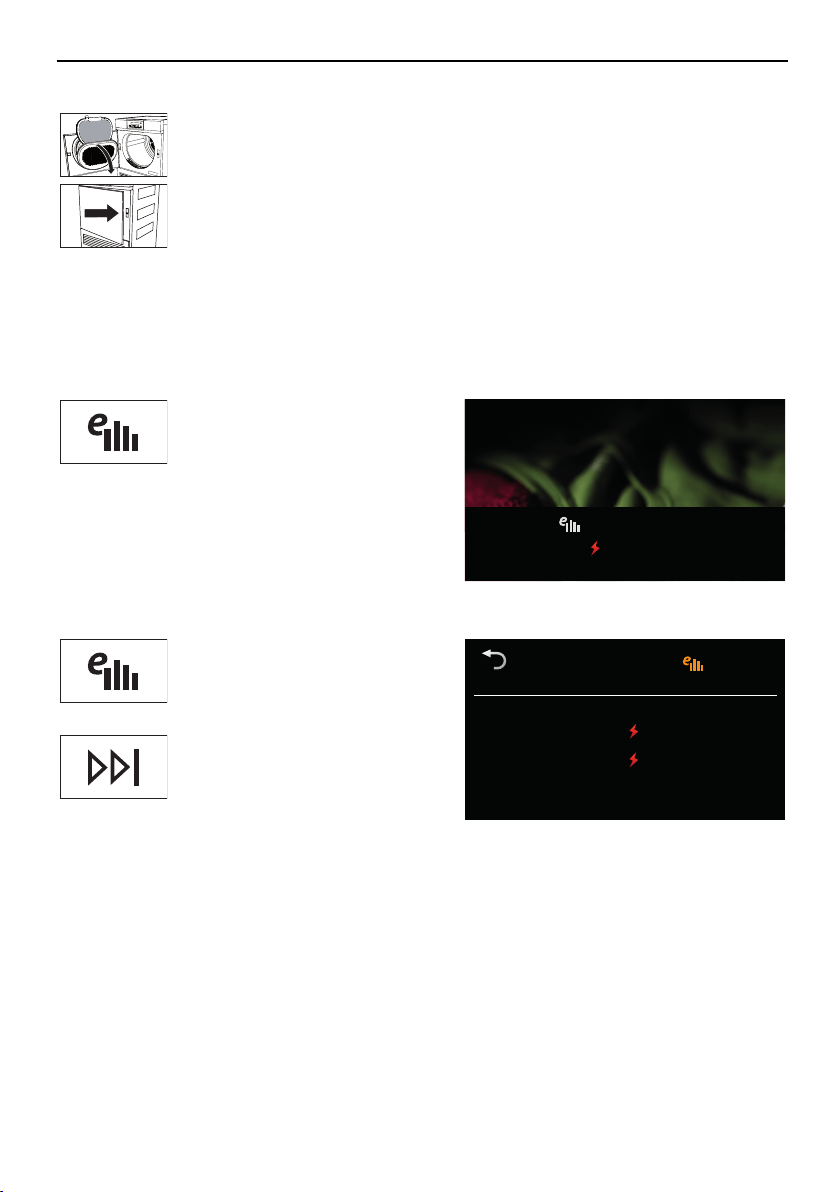
3.10 End of programme
Display
Depending on whether «EcoManagement» has been activated, information on the energy
consumption is displayed when a programme ends.
With «EcoManagement»
The indicator light for the
button flashes.
End of programme - Clean door filter
Extra dry
0 h 00
Consumption values
0.9 kWh
The adjacent TouchDisplay ap-
pears.
Without «EcoManagement»
The indicator light for the
button flashes.
Extra dry
End of programme - Clean door filter
0 h 00
The adjacent TouchDisplay ap-
pears.
Note: Crease guard starts if the appliance is not unloaded straightaway. When it has finished,
all displays go out.
Unloading the washing
▸Open the appliance door.
All displays go out.
▸Unload the laundry.
Note: If the appliance door is opened during the «Final airing» phase, the programme is
aborted. All displays go out.
16
3 Operating the appliance
Each time after use
▸Clean door filter (see page 23).
▸Close appliance door.
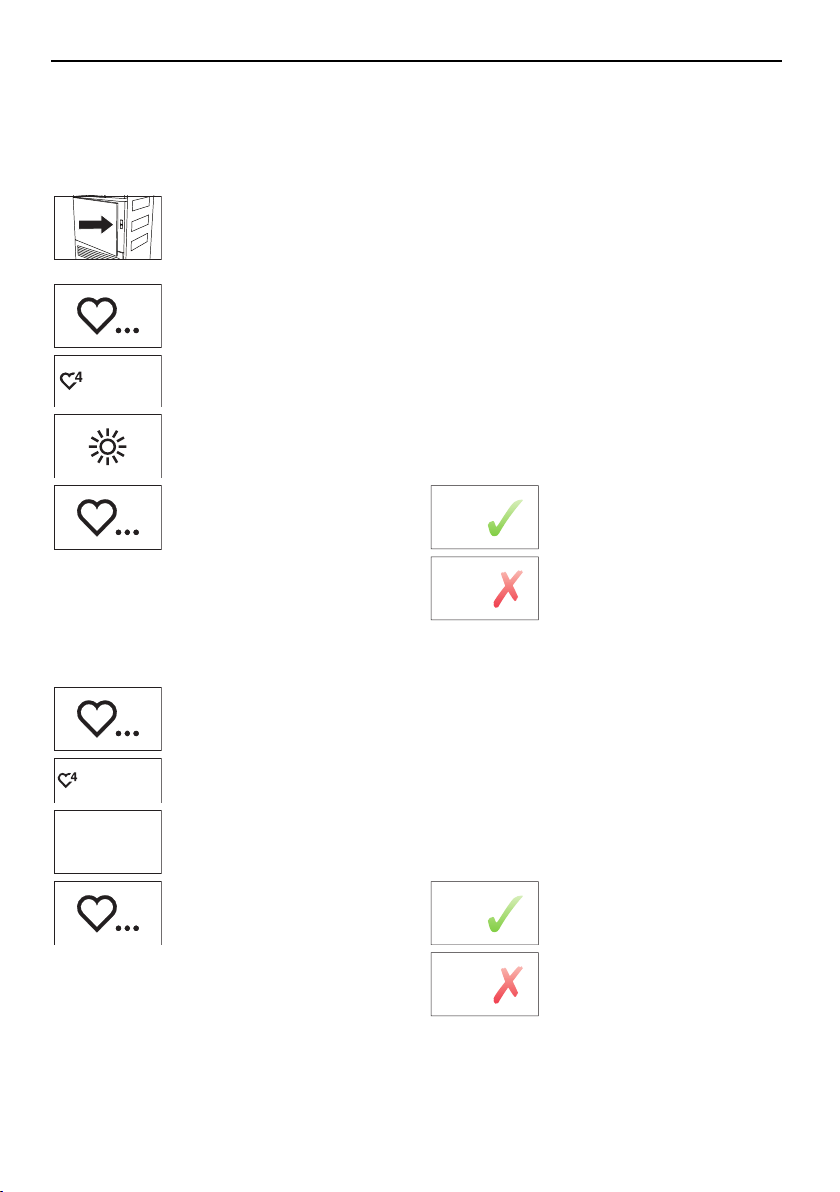
3.11 EcoManagement statistics
Energy consumption can be displayed before a programme starts or after a programme
ends.
Displaying the last programme
▸Touch the button.
Last programme
Consumption values
0.9 kWh
The energy consumption of
the last programme run is dis-
played.
Display total and average consumption
▸Hold the button depressed for
3seconds.
EcoManagement
Statistics
Total
Average
390 kWh
0.9 kWh
Total and average consump-
tion are displayed.
▸Touch the button to end stat-
istic retrieval.
17
4 Favourites
4 Favourites
Simple start to frequently used programmes.
4.1 Defining favourites
Note: The appliance door has to be open to define a favourite.
▸Touch the button.
empty
▸Touch one of the favourite
buttons.
▸Select programme and ad-
ditional functions.
▸Touch the button.
▸Touch one of the two adja-
cent buttons.
Yes
Save favourite programme.
No
Cancel action.
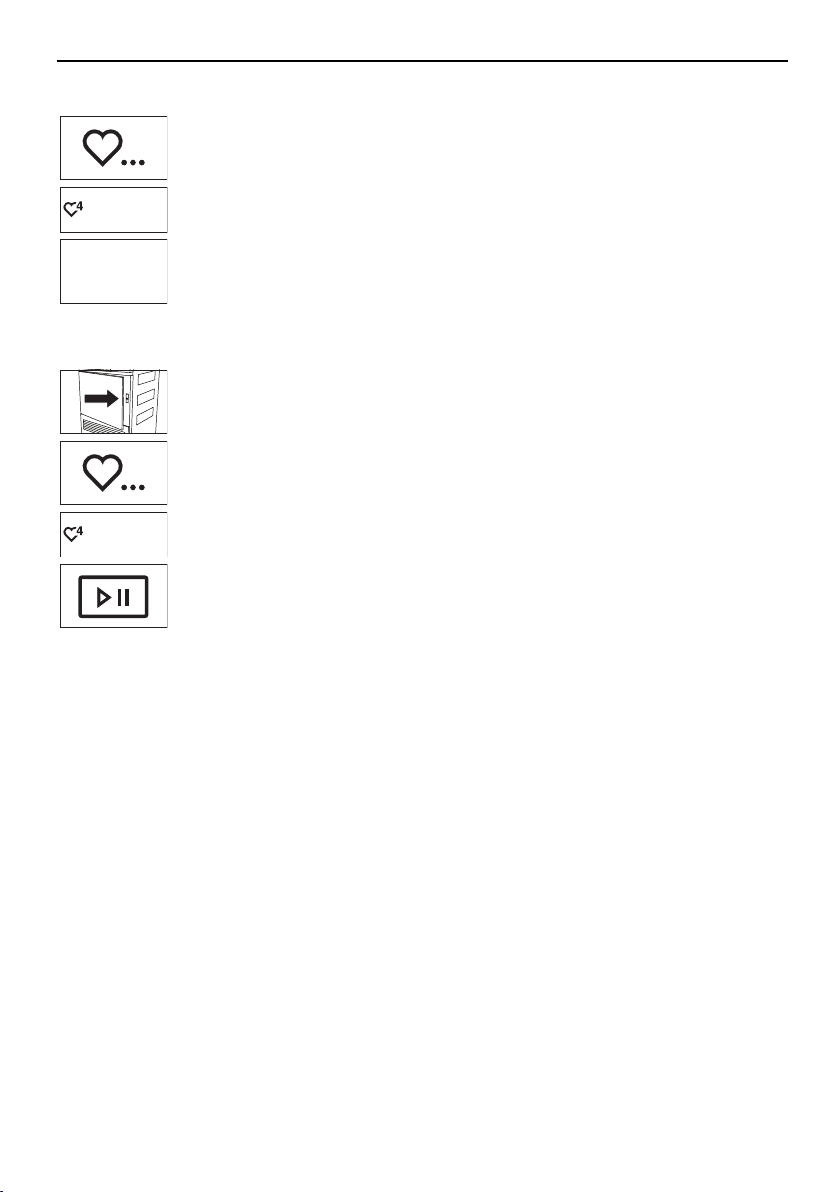
4.2 Changing favourites
▸Touch the button.
extra dry
▸Select the favourite pro-
gramme to be changed.
Ändern
▸Touch the button.
▸Make changes.
▸Touch the button.
▸Touch one of the two adja-
cent buttons.
Yes
Save changes.
No
Cancel action.
18
4 Favourites
4.3 Deleting favourites
▸Touch the button.
extra dry
▸Select the favourite programme to be deleted.
Clear
▸Touch the button.
The favourite programme is deleted.
4.4 Starting favourites
▸Close the appliance door.
▸Touch the button.
extra dry
▸Select the desired favourite programme.
▸Touch the button.
The programme selected starts.
19
5 User settings
5 User settings
Providing no programme is running and no error message is displayed, the user settings
can be changed with the appliance door open or closed.
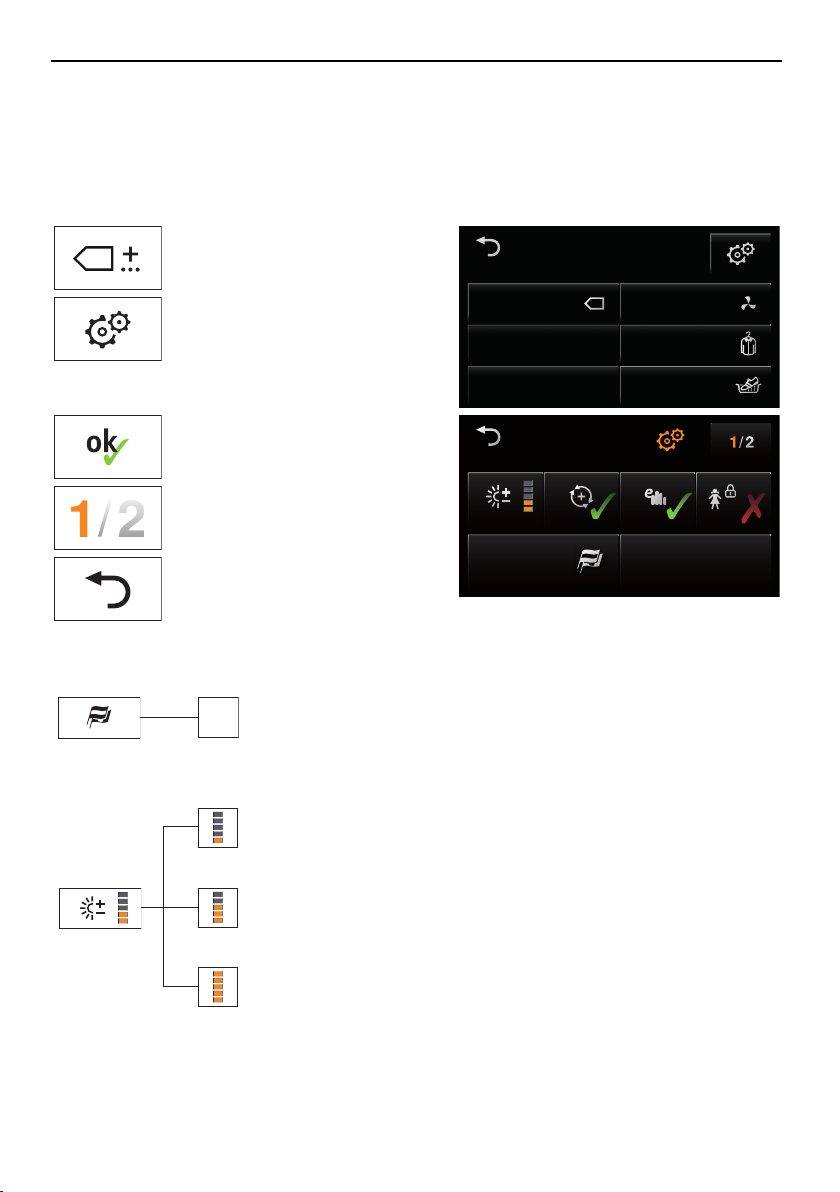
5.1 Preparations
▸Touch the button.
Extra
Standard
Crease guard
Airing
Basket
The adjacent TouchDisplay ap-
pears.
▸Touch the button.
▸Select and change desired
settings and submenus.
▸Touch the button to save the
selected setting.
Language
English
Standard mode
SilentPlus
Settings
FN 12006 000123
▸Touch the button to select and
change any other settings.
▸Touch the button to save any
changes and to exit «Set-
tings».
5.2 Language
.. .
The language is set during the initial set-
up of the appliance. It can be changed.
5.3 Level of dryness
Very low
final drying
Normal
final drying
Very strong
final drying
1
..... .....
Change the level of dryness if the wash-
ing is not being dried sufficiently or is
being overdried. The new level of dry-
ness applies to all programmes. Very
low final drying is recommended for very
hard water and very strong final drying
for very soft water. Caution! Overdrying
can weaken fabrics!
1
Factory setting
20
5 User settings
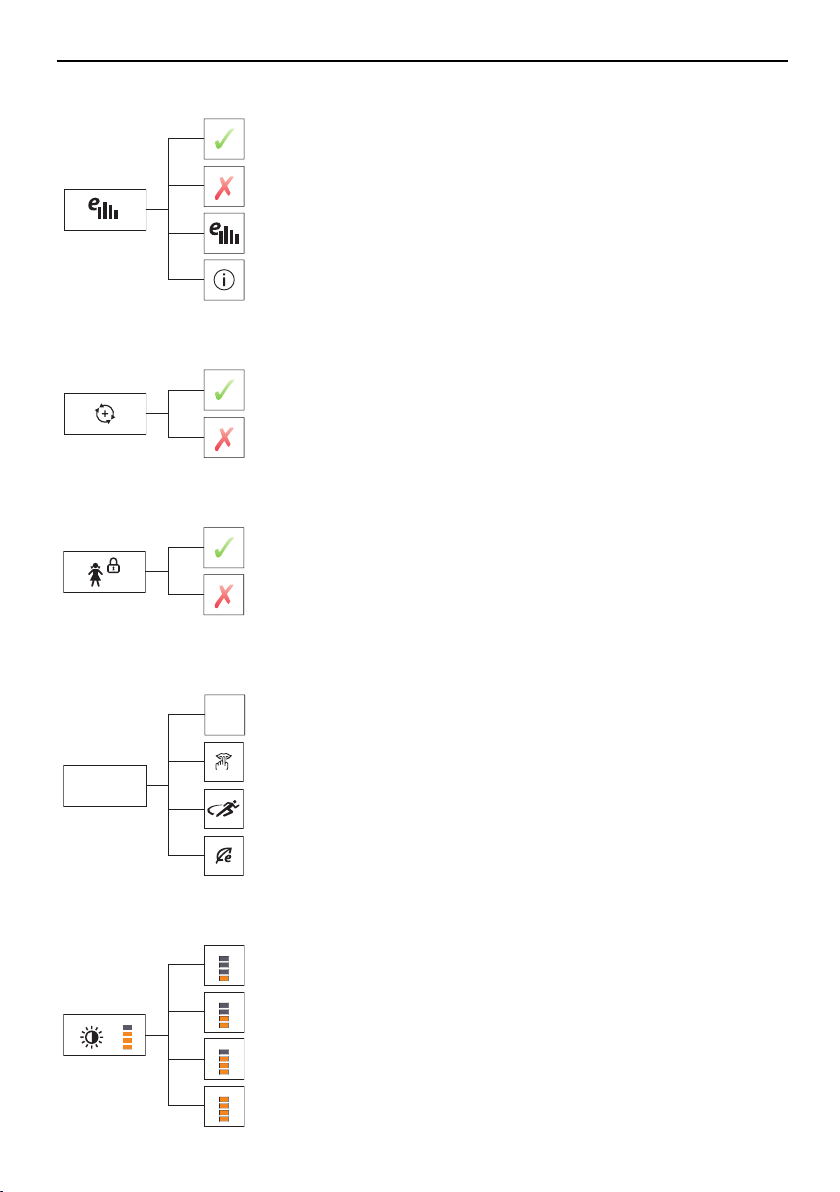
5.4 EcoManagement
On
Off
1
Statistics
Info
When this function is activated, expected
consumption values appear at the start
of the programme and actual consump-
tion values appear at the end of the pro-
gramme. The stored consumption values
can be deleted as well.
5.5 ReversePlus
On
Off
1
When this function is activated, the
washing dries evenly and is less likely to
get tangled.
5.6 Childproof lock
On
Off
1
The childproof lock prevents a pro-
gramme from being started accidentally.
The appliance can only be operated
after first entering the code 731 (see
page 15).
5.7 Standard mode
Without additional
function
SilentPlus
Sprint
Eco
Standard-
modus
1
It is possible to set which of the three
additional functions – «SilentPlus»,
«Sprint» and «Eco» – are activated by
default with each of the automatic pro-
grammes. Under «Without additional
function», no additional function is activ-
ated.
5.8 Brightness
Medium bright
Bright
Very bright
Dark
1
The display can be adjusted to the pre-
vailing lighting conditions.
1
Factory setting
21
5 User settings
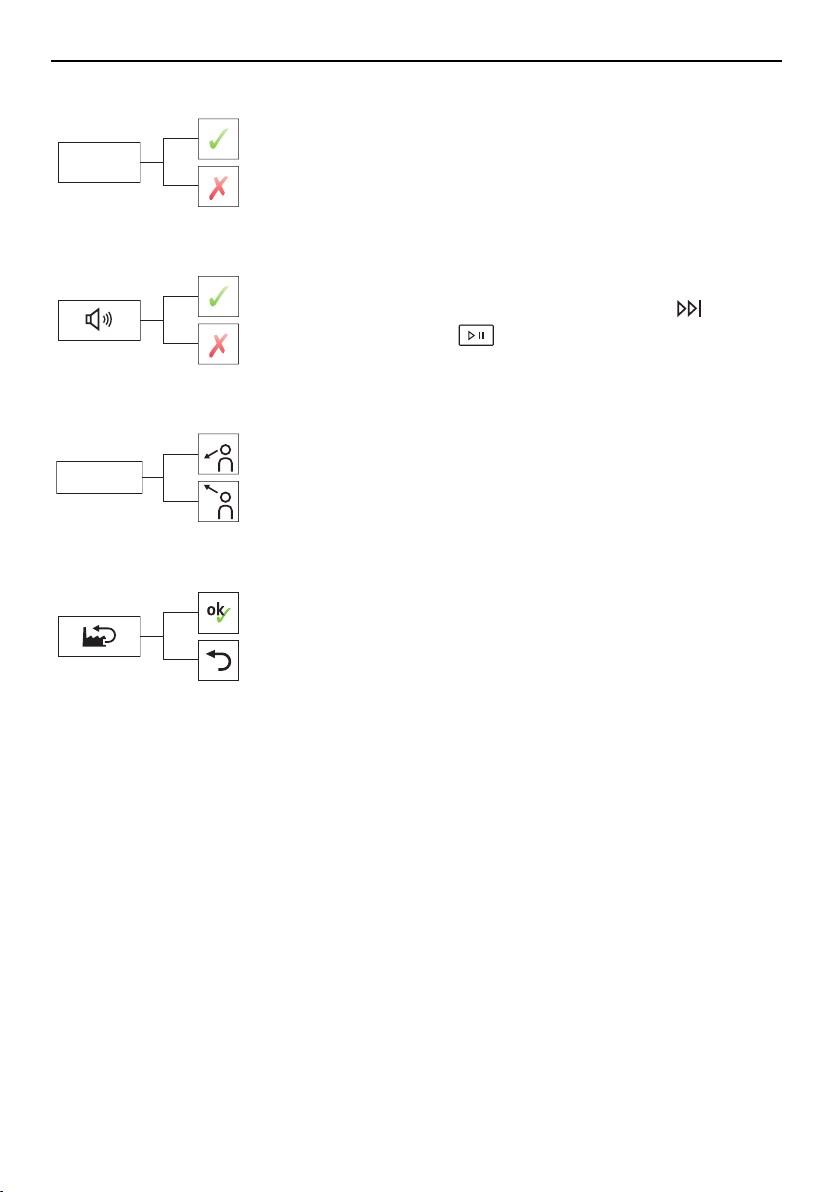
5.9 Background image
On
Off
Background
image
1
The background image of the TouchDis-
play can be turned off. In this case, the
background appears black.
5.10 Button tone
On
Off
1
The button tone can be turned on and
off. The button tone for the
and
buttons cannot be turned off.
5.11 Viewing angle
Display viewed
from above
Display viewed
from below
1
Viewing angle
The readability of the TouchDisplay is im-
proved when viewed from below at an
angle.
5.12 Factory settings
Restore
Do not
restore
The factory settings can be restored. The
language if changed is not reset to the
factory setting.
1
Factory setting
22
6 Care and maintenance
6 Care and maintenance
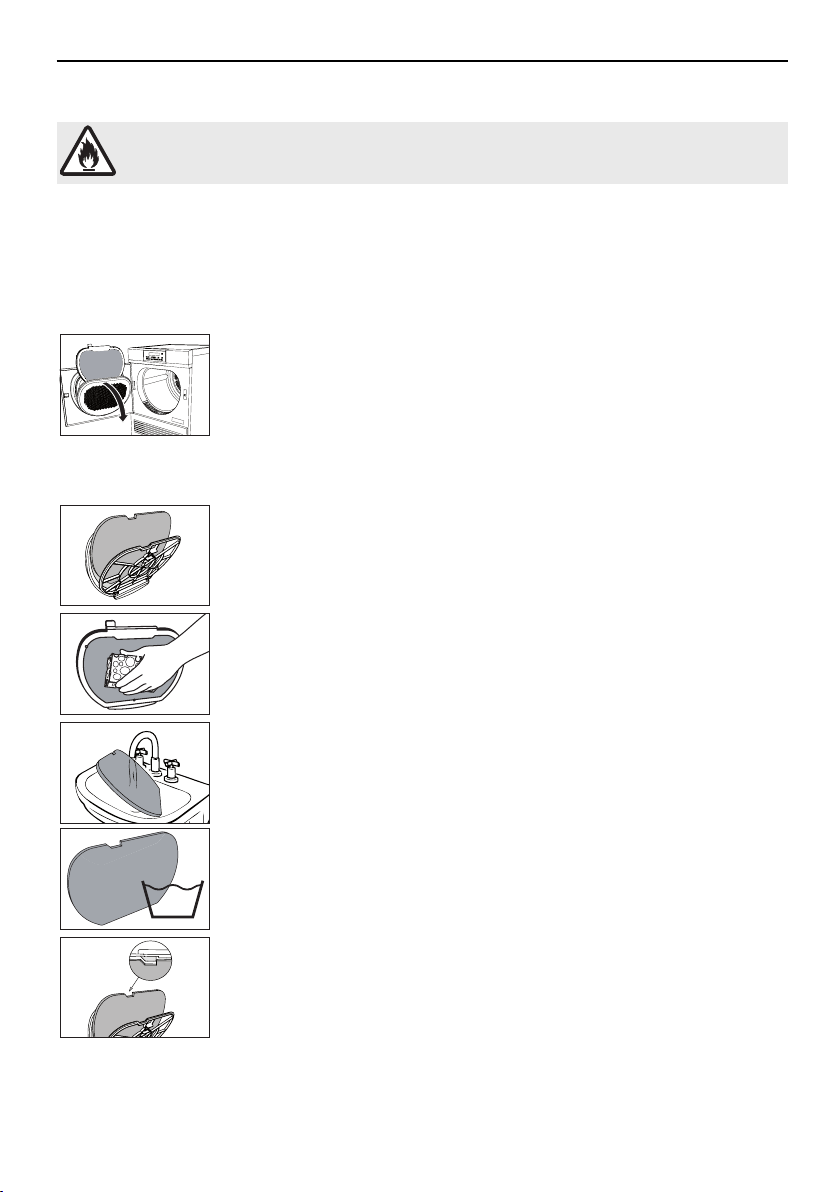
To minimize the risk of fire hazard regularly clean the filters!
A thick coating of fluff can trigger the «A9 Clean filter and mats» (see page 25) error mes-
sage.
6.1 Cleaning the door filter and door filter mat
Cleaning the door filter (each time after tumble drying)
1
▸Open appliance door and then open cover for door filter.
▸Take out the door filter 1 and remove the fluff.
▸Put back the door filter 1.
▸Close cover for door filter and close appliance door.
Cleaning the door filter and door filter mat (as required)
2
1
▸Take out the door filter 1, as described in «Cleaning the door filter».
▸Open the door filter 1 and take out the door filter mat 2.
1
▸Hold the door filter 1 up to the light to detect deposits. Clean the door
filter 1 if necessary (with water, a sponge and abrasive liquid cleaning
agent or cleaning vinegar).
2
2
40
▸Wash the door filter mat 2 under running water or in a washing ma-
chine at 40°C.
Caution! Never clean the door filter mat with a vacuum cleaner!
2
▸Put the dry door filter mat 2 back into the door filter 1.
▸Put back the door filter 1.
Note: Ensure the door filter 1 is positioned correctly.
23
6 Care and maintenance
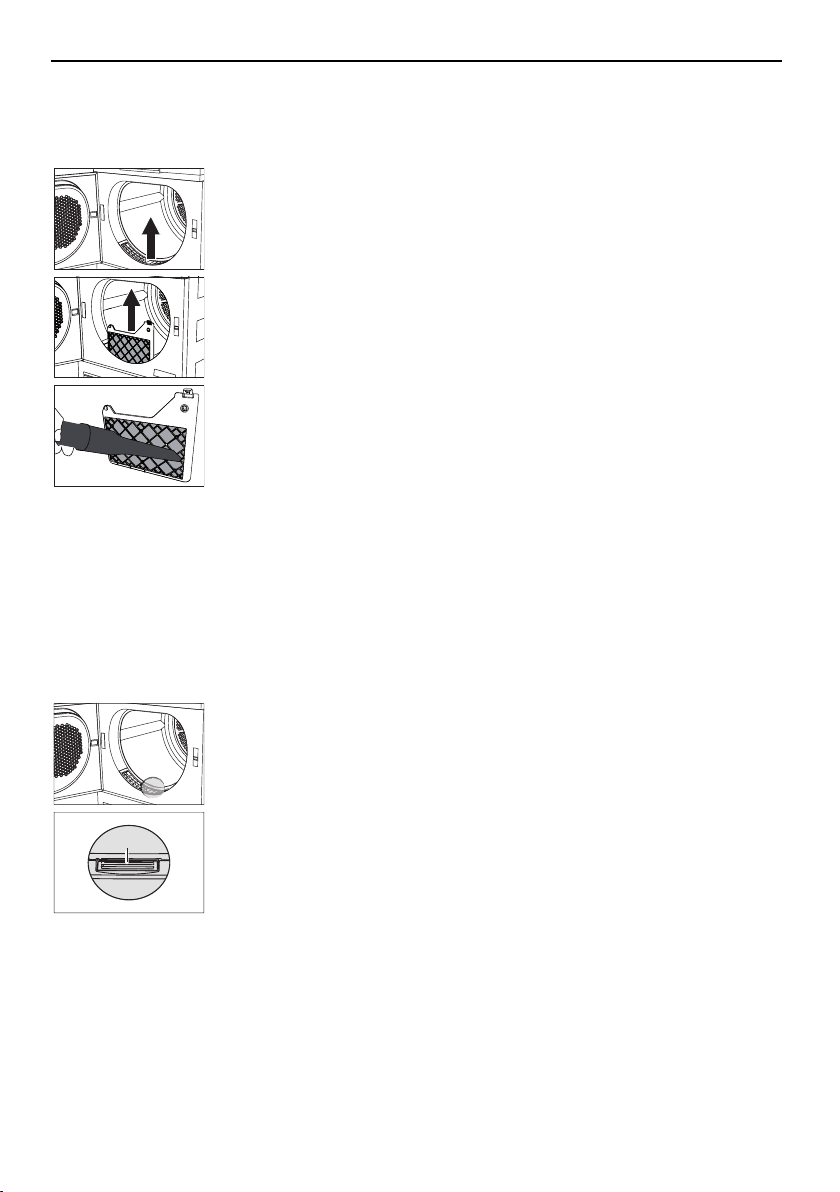
6.2 Cleaning the front filter mat (annually)
If the «A9 Clean filter and mats» error message still appears after the door filter and the door
filter mat have been cleaned, the front filter mat must also be carefully cleaned.
1
▸Open the appliance door and remove the front grille 1.
2
3
▸Press the lug 2 down slightly to release and remove the front filter
mat 3.
3
▸Clean the front filter mat 3 carefully using a vacuum cleaner with the
crevice tool attachment.
▸Clean the air duct in front of the front filter mat with a vacuum cleaner
or moist cloth if necessary.
▸Put back the front filter mat 3 and engage. Ensure it is positioned cor-
rectly.
▸Put back the front grille 1.
Note: The appliance will not start without the front filter mat being cor-
rectly in place.
6.3 Cleaning the moisture sensor
If the «A3» error message appears, the moisture sensor must be cleaned.
1
▸Open appliance door.
1
▸Remove any fluff or foreign objects on the moisture sensor 1.
▸If necessary, clean moisture sensor 1 with a damp cloth and wipe dry.
24
7 Trouble-shooting
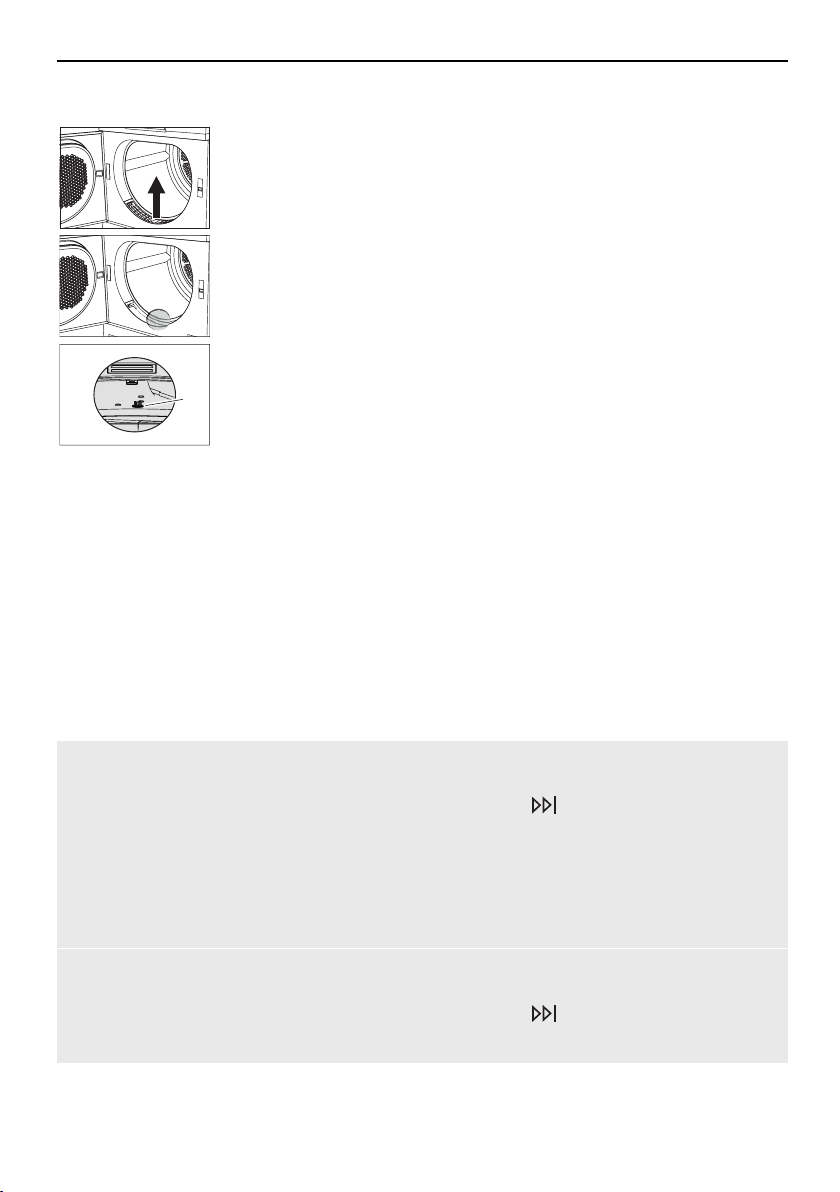
6.4 Cleaning the temperature sensor
1
▸Open the appliance door and remove the front grille 1.
2
▸Clean the temperature sensor 2 with a damp cloth.
▸Put back the front grille 1.
2
6.5 Cleaning the appliance
▸Wipe the outside of the appliance from time to time with a damp cloth and wipe dry.
7 Trouble-shooting
You may be able to trouble-shoot the following errors yourself. If not, note down the error
message in full (message, F and E numbers) and call Customer Services.
7.1 Error messages
DisplayPossible causeSolution
A0 Check outlet▪ The drain hose is
blocked, kinked or de-
fective.
▪ The pumping height of
the drain hose is too
high (>1.2 m).
▪ The appliance is con-
nected to a concealed
double drain trap.
▸Check part of drain hose that is not
housed in appliance.
▸Press the
button.
▸Restart the programme.
A3 Clean mois-
ture sensor
▪ Moisture sensor is
dirty or wet.
▸Clean moisture sensor and then wipe dry
(see page 24).
▸Press the
button.
▸Restart the programme.
25
7 Trouble-shooting
DisplayPossible causeSolution
A9 Clean filter
and mats
▪ Door filter, door filter
mat or front filter mat
are blocked.
▸Check and
clean (see page 23) parts.
▸Press the
button.
▸Restart the programme.
Insert door filter /
close appliance
door
▪ The door filter is miss-
ing.
▪ The appliance door is
open.
▸Insert door filter (ensure it is positioned
correctly).
▸Close the appliance door.
▸Press the
button.
▸Restart the programme.
Insert front mat▪ The front filter mat is
not inserted correctly.
▸Insert front filter mat correctly.
▸Press the button.
▸Restart the programme.
FXX/EXX see in-
structions
FN XXXXX
XXXXXX
▪ Various situations can
lead to this error mes-
sage.
▸Press the button.
▸Switch off the power supply for about
1 minute.
▸Switch the power supply back on again
and select a new programme.
▪ If the error appears
again:
▸Note down error message in full and appli-
ance's FN.
▸Switch off the power supply.
▸Call Customer Services.
UXX/EXX see in-
structions
FN XXXXX
XXXXXX
▪ Overvoltage (U1)
▪ Undervoltage (U2)
▸Press the button.
▸Switch off the power supply for about
1 minute.
▸Switch the power supply back on again
and select a new programme.
▪ If the error appears
again:
▸Disconnect from the power supply.
▸Have an electrician check the house in-
stallation.
26
7 Trouble-shooting
7.2 Other possible problems
ProblemPossible causeSolution
The programme
takes signific-
antly longer than
indicated.
▪ Door filter and/or door
filter mat are blocked.
▸Clean (see page 23) door filter and/or
door filter mat.
▪ Very wet washing.
▸Spin washing at higher speed.
▪ The ambient temperat-
ure is too high or too
low.
▸Improve circulation and ventilation of air in
room.
▸Ensure that the temperature of the room is
between 5 and 35°C.
A new pro-
gramme cannot
be selected.
▪ A programme was in-
terrupted.
▸Press the button.
▸Select a new programme.
The laundry is
not dry enough.
▪ The load contains
mixed fabrics.
▸Select a longer programme.
▸Select the programme.
▸Change the level of dryness.
▪ Interruption in power
supply.
▸Check the mains plug, lead and fuses.
▪ The moisture sensor is
dirty.
▸Clean (see page 24) the moisture sensor.
▪ The «demo mode» is
activated.
▸Open appliance door.
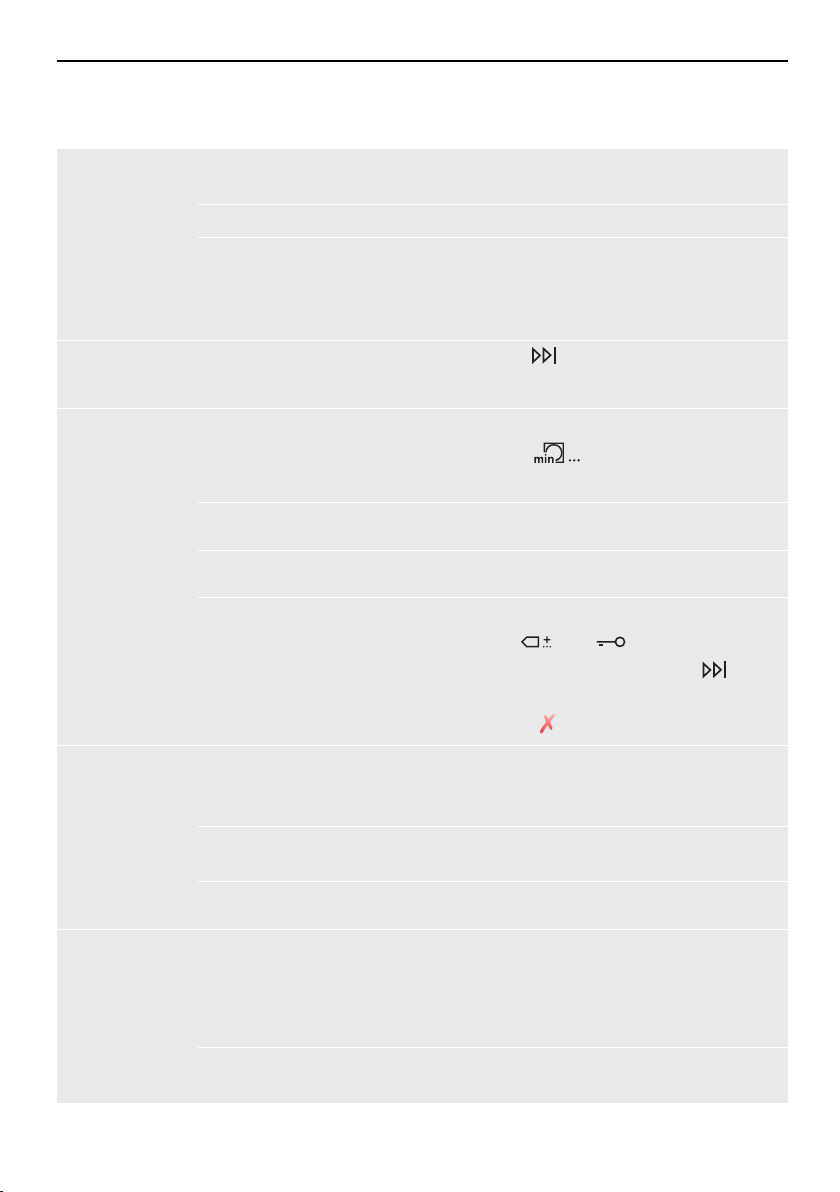
▸Hold the and buttons depressed
and at the same time press the
but-
ton. The «Demo mode» view appears.
▸Touch the button.
The duration re-
maining indicator
freezes for some
time.
▪ Not reached level of
dryness required.
▸No action is necessary. Indicator continues
running automatically once level of dryness
is reached.
▪ Wash load very mixed.
▸No action needed. Indicator continues run-
ning automatically in a while.
▪ Build-up of fluff in door
filter.
▸Clean (see page 23) the door filter.
The progress of
the programme
remains frozen at
«Final airing» for
a longer period.
▪ The laundry is being
cooled down.
▪ A high ambient tem-
perature extends the
cooling-down phase.
▸No action is necessary. The laundry can
be unloaded at any time as long as it is
then spread out to cool down.
▪ The temperature
sensor is dirty.
▸Clean (see page 25) the temperature
sensor.
27
8 Spare parts
ProblemPossible causeSolution
The appliance
will not start.
▪ The appliance door is
open.
▸Close the appliance door.
▪ Door filter or front filter
mat are missing.
▸Insert door filter or front filter mat and en-
sure it is positioned correctly.
▪ Interruption in power
supply.
▸Insert plug into mains socket.
▸Turn wall switch on.
▸Check fuse or circuit breaker.
8 Spare parts
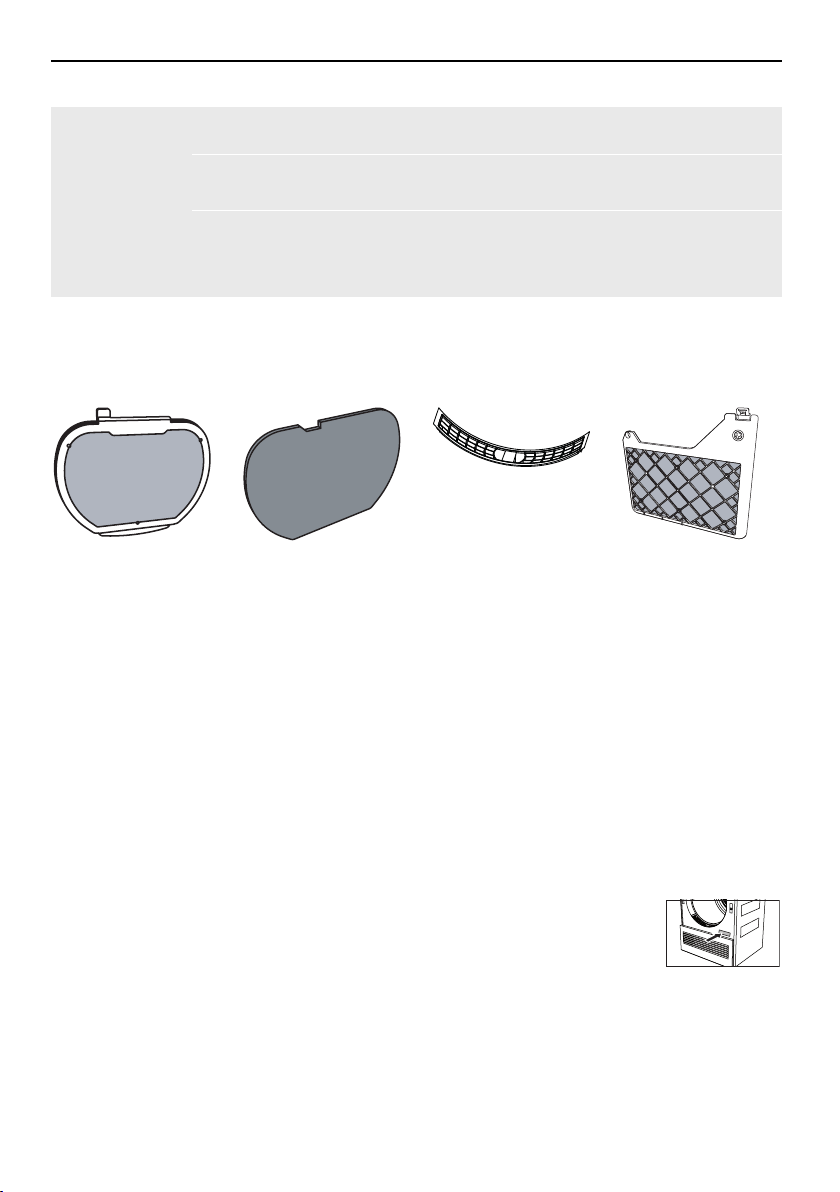
Please give model number and exact designation when ordering parts.
Door filterDoor filter matFront grilleFront filter mat
9 Technical data
DimensionsAmbient conditions
Height85cmPermissible room temperature
when appliance is in opera-
tion: 5°C to 35°C
Width59.5cm
Depth61cm
Weight65kg
Electrical connection
Pumping height of pump1.2mSee identification plate:
▸Open the appliance door.
Dry load capacity7kg
The identification plate is
located bottom right.
28
9 Technical data
9.1 Note for testing institutes
▸The appliance must be connected to the electricity supply for at least 5 minutes before
taking measurements.
▸The declaration data can be determined correctly only after a run-in phase of 5 complete
drying programmes with washing (automatic programme: normal dry
).
▸Wash the door filter each time after completing a drying programme.
▸Set to the standard programme according to AS/NZS 2442.2:2000:
ProgrammeLoad capacity
Standard programme7kg
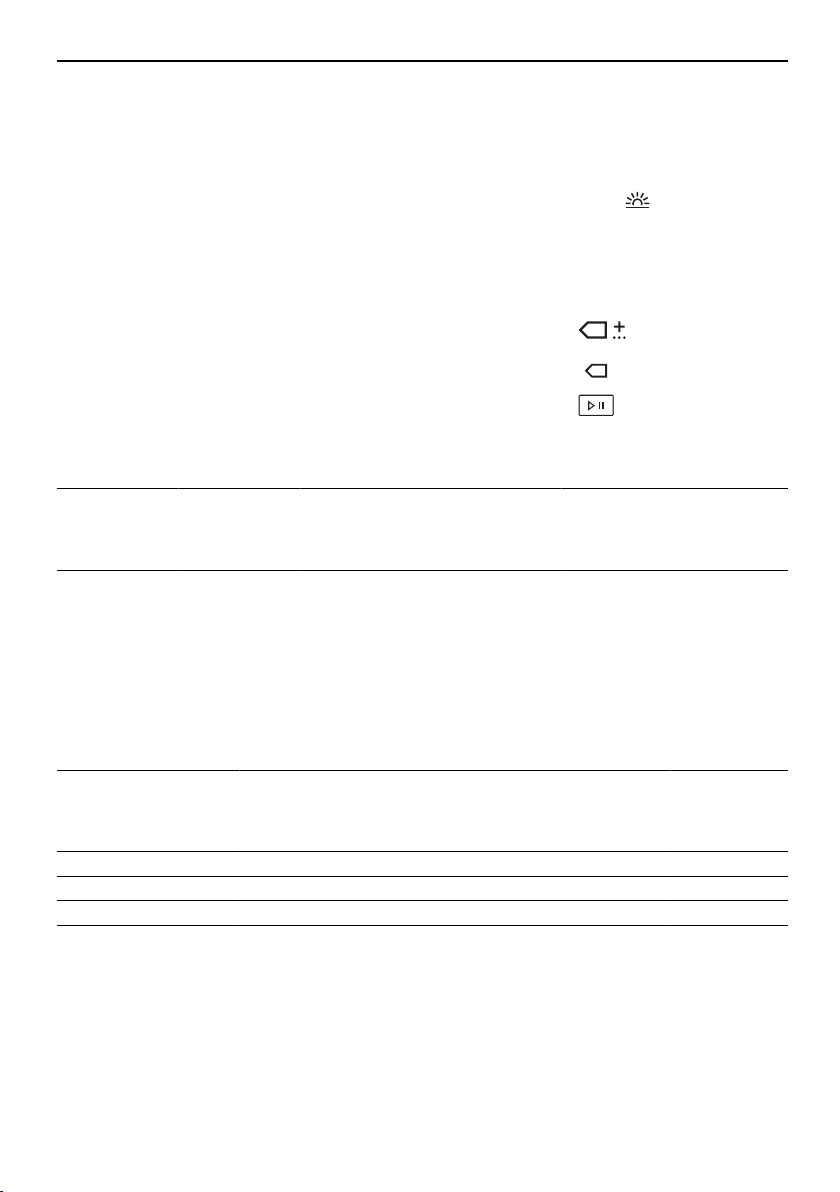
▸Press the
button.
▸Press the button.
▸Press the
button.
Data for the standard programme
Load capacity
kg
Programme
duration
hrs./mins.
Energy
star rating
Energy con-
sumption
kWh
73h30101.40
9.2 Consumption values
The stated values for the programme duration and energy apply for the maximum stated ca-
pacity with a wash spun at around 1200 rpm (corresponds to a moisture level of around
60%). A higher spin speed or a smaller load reduce them by around 20–30%.
Automatic programmes
ProgrammeLoad
capacity
kg
Residual moisture
%
Programme
duration
hrs./mins.
Energy
kWh
Extra dry1–7–4 to –12h151.45
Normal dry1–7–1 to 21h551.30
Iron dry1–78 to 161h350.99
Damp1–720 to 301h200.74
29

10 Drying tips
Fabric types
ProgrammeLoad
capacity
kg
Residual moisture
%
Programme
duration
hrs./mins.
Energy
kWh
WetClean finish1–0h060.04
Airing1–1.5–0h100.03
Silks1–1.50 to 20h400.30
Fluffing1–0h060.04
Crease guard1–0h200.10
Shirts1–7items0 to 20h330.27
Outdoor garments1–30 to 20h550.49
Denim1–4–1 to 21h361.00
Baby garments1–5–1 to 12h001.29
Thin down filling1–2–1 to 12h001.20
Thick down filling1–2–1 to 12h301.50
Bed linen1–3–1 to 11h160.77
Hygiene1–3–5 to –22h001.28
Woollens10 to 51h050.66
Towelling1–3–1 to 11h300.90
10 Drying tips
10.1 Saving energy
▪ Spin the washing in the washing machine at a high spin speed before tumble drying.
Mechanical draining in the washing machine is much more efficient than water evaporation
in the tumble dryer.
▪ Clean the door filter and the filter mats regularly. Dirty fluff filters block the air flow and re-
duce the appliance's efficiency.
▪ Where possible fill the drum to the maximum load capacity of the relevant programme.
▪ Select «EcoManagement» to find efficient programmes.
10.2 Avoiding damage
▪ Follow the fabric care symbols on garment labels.
▪ For the wash, it is recommended that fabric conditioners, tumble dryer sheets or other fab-
ric care solutions not be used. These can lead to the formation of a visible film in the
drum.
▪ Remove foreign objects and larger parts made of metal or hard plastic (e.g. buckles,
stones, detergent dosing aids) before tumble drying. These can dent the drum.
▪ Fasten hook and eye fasteners and zips. These can damage the laundry and the drum.
▪ Fasten cloth belts, apron ties and duvet and pillow cases to avoid them getting tangled up.
30
11 Disposal
11 Disposal
11.1 Packaging
Never allow children to play with packaging material due to the danger of injury or
suffocation. Store the packaging material in a safe location or dispose of it in an
environmentally-friendly way.
11.2 Safety
Render the appliance unusable to prevent accidents caused by improper use (e.g. through
children playing):
▸Disconnect the appliance from the mains. With a fixed appliance, this is to be carried out
by a qualified electrician. Then cut the mains cable off flush with the appliance.
▸Remove or disable the lock on the appliance door.
11.3 Disposal
▪
The «crossed‐out wheeled bin» symbol requires the separate collection of waste
electrical and electronic equipment (WEEE). Such equipment can contain hazardous, en-
vironmentally harmful materials.
▪ These appliances are to be handed over to a designated collection point for the recycling
of electrical and electronic equipment and must not be disposed of with unsorted house-
hold waste. And in this way, you will be helping to protect resources and the environment.
▪ For more information, please contact the local authorities.
11.4 Note on heat pump
This appliance is CFC-free (the cold circuit contains R134a).
31
12 Quick instructions
Please first read the safety precautions in the operating instructions!
To start programme:
▸Open appliance door.
▸Check door filter.
▸Load laundry.
▸Close the appliance door.
▸Select programme and any additional
functions.
▸Touch the
button. Programme
starts.
When programme has finished:
▸When «Clean door filter» appears in the
display, unload the dry laundry.
▸Clean door filter.
▸Close appliance door.
13 Services & support
Register your appliance today online via
our website at www.vzug.com and benefit
from the best possible support in the event
of a malfunction – including during the
manufacturer's 2-year warranty period. You
will require the serial number (FN) and ap-
pliance designation to register your appli-
ance. You will them on the identification
plate of your appliance.
Your repair order
You can find the telephone number of the
nearest V-ZUG service centre to you under
www.vzug.com→Service→Service hotline.
General queries, accessories and service
agreement
V-ZUG will be happy to help you with any
general administrative or technical queries,
to accept your orders for accessories and
spare parts and to inform you about our
progressive service agreements.
V-ZUG Ltd
Industriestrasse 66, P.O. Box 59, CH-6301 Zug
[email protected], www.vzug.com
1013634-R02
