
Operating instructions
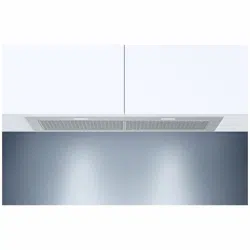
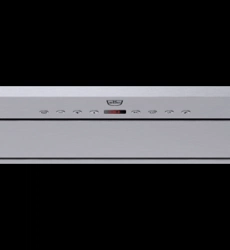
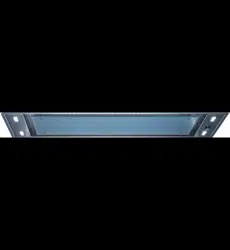
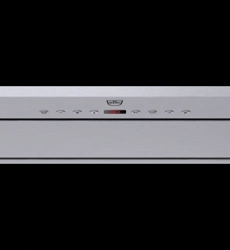
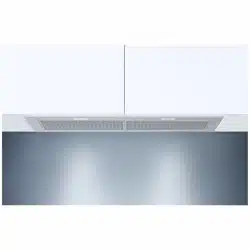
AiroClearCabinet V4000
Range hood

Thank you for choosing to buy one of our products. Your appliance is made to high
standards and is easy to use. Nevertheless, please take the time to read these operating
instructions in order to familiarize yourself with the appliance and get the best use out of
it.
Please follow the safety precautions.
Modifications
Text, diagrams and data correspond to the technical standard of the appliance at the
time these operating instructions went to press. The right to make technical modifications
for the purpose of the further development of the appliances is reserved.
Validity
The model number corresponds to the first alphanumerics on the identification plate.
These operating instructions apply to:
Model designation Type Size system
AiroClearCabinet V4000 AE4T-64011 90
Variations depending on the model are noted in the text.
© V-ZUG Ltd, CH-6302 Zug, 2020
2

3
Contents
1 Safety precautions 4
1.1 Symbols used......................................................... 4
1.2 General safety precautions.................................. 4
1.3 Appliance-specific safety precautions ............... 5
1.4 Appliance installation............................................ 5
1.5 Instructions for use................................................ 6
2 Appliance description 8
2.1 Introduction ............................................................. 8
2.2 Extraction mode..................................................... 8
2.3 Features................................................................... 8
2.4 Construction ........................................................... 8
2.5 Operating and display elements......................... 9
3 Operating the appliance 9
3.1 Using for the first time .......................................... 9
3.2 Switching the appliance on/off ........................... 9
3.3 Selecting power level............................................ 9
3.4 Illumination............................................................10
3.5 After-running time ................................................10
3.6 Saturation indicators ...........................................11
3.7 OptiLink..................................................................11
3.8 Remote control (accessories)...........................13
4 Care and maintenance 14
4.1 Cleaning the housing..........................................14
4.2 Metal grease filters..............................................15
4.3 Reset saturation indicator alarm.......................15
4.4 Replacing the LED light bulbs...........................15
5 Trouble-shooting 16
6 Accessories and spare parts 17
7 Technical data 17
7.1 Fan power .............................................................17
7.2 Light bulbs (LED).................................................18
7.3 Product fiche ........................................................18
8 Disposal 19
9 Index 20
10 Service & Support 23

4
1 Safety precautions
1.1 Symbols used
Denotes important safety precau-
tions.
Failure to observe said precautions
can result in injury or in damage to
the appliance or fittings!
Information and precautions that
should be observed.
Information on disposal
Information about the Operating In-
structions
Remove plug from mains socket /
disconnect power supply
Insert plug into mains socket / con-
nect power supply
Do not cut off or modify mains plug
Wear protective gloves
▸ Indicates step-by-step instructions.
– Describes how the appliance reacts
to the steps taken.
▪ Indicates a list.
1.2 General safety precautions
▪ Read the operating instruc-
tions before using the appli-
ance for the first time.
▪ This appliance can be used
by children aged 8 and above
and by persons with reduced
physical, sensory or mental
capabilities, or lack of experi-
ence and/or knowledge,
provided they are supervised
or have been instructed on
the safe use of the appliance
and have understood the haz-
ards involved. Children shall
not play with the appliance.
Cleaning and user mainten-
ance shall not be undertaken
by children without supervi-
sion.
▪ If an appliance is not
equipped with a mains cable
and a plug or other means for
disconnecting from the mains
with a contact opening on
each pole complying with the
conditions of overvoltage cat-
egory III for full isolation, an
isolating device must be in-
corporated into the perman-
ently installed electrical install-
ation in accordance with the
installation regulations.
▪ If the mains cable of this ap-
pliance is damaged, it must
be replaced by the manufac-

1 Safety precautions
5
turer or its Customer Services
or a similarly qualified person
in order to avoid hazard.
1.3 Appliance-specific safety
precautions
▪ The room must be adequately
ventilated when operating the
range hood at the same time
as other appliances that burn
gas or other fuels.
▪ Observe the official regula-
tions for the exhaust-air lay-
out.
▪ The extracted air must not be
fed into a chimney which is
used for exhausting fumes
from appliances burning gas
or other fuels.
▪ The minimum distance
between the supporting sur-
face for the cooking equip-
ment on the hob and the low-
est part of the range hood
must be observed. See the in-
stallation instructions for this.
▪ WARNING: Before replacing
the light bulb, ensure the ap-
pliance is switched off and
disconnected from the mains
power supply to avoid pos-
sible electric shock.
▪ When replacing a light bulb,
the maximum wattage rating
of replaceable light bulbs
must be visible.
▪ This appliance is intended for
use in the home and similar
settings such as: in staff kit-
chens in shops, offices and
other commercial establish-
ments; in agricultural estab-
lishments; by guests in hotels,
motels and other accommod-
ation establishments; in bed
and breakfast establishments.
▪ Do not operate the appliance
using an external time switch
or a separate remote control
system.
▪ Failure to follow the cleaning
instructions may cause a fire
hazard.
▪ Do not flambé food under-
neath the range hood.
1.4 Appliance installation
▪ The appliance must be installed by
qualified personnel only.
▪ Each step must be carried out and
checked in full in the order specified.
▪ Electrical connections must be carried
out by qualified personnel in accord-
ance with the guidelines and standards
for low-voltage installations and the spe-
cifications of the local electricity supply
companies.
▪ A plug-in appliance may only be con-
nected to a socket outlet with earthing
contact, installed according to specifica-
tions. An all-pole mains isolating device
with 3mm contact opening should be
provided in the house wiring system.
Switches, plug and socket devices, cir-
cuit breakers and fusible cut-outs which
are accessible after installation and

1 Safety precautions
6
which have all-poles switching are per-
missible as isolating devices. Effective
earthing and separately installed neutral
and earth conductors ensure safe and
fault-free operation. After installation,
live parts and cables with basic insula-
tion must not be accessible. Check old
installations.
▪ Refer to the identification plate for in-
formation on the required mains
voltage, current type and fuse protec-
tion.
▪ All plastering, plasterboarding, wall pa-
pering or painting work is to be carried
out prior to installing the appliance.
▪ Efficient repairs can only be guaranteed
if it is possible to de-install the complete
appliance at any time without causing
any damage.
1.5 Instructions for use
Before using for the first time
▪ The appliance must be installed and
connected to the electricity supply in
accordance with the separate installa-
tion instructions. Have a qualified fitter/
electrician carry out the necessary
work.
▪ Observe the official regulations for the
exhaust-air layout.
▪ Dispose of the packaging material in
accordance with local regulations.
Correct use
▪ The appliance is designed for use in
the home for extracting cooking fumes
and smells from above the cooking sur-
face.
▪ Any repairs, modifications or manipula-
tions to the appliance, especially any
electrically live parts, may only be car-
ried out by the manufacturer, its cus-
tomer service department or similarly
qualified persons. Repairs if carried out
incorrectly may cause serious injury,
damage to the appliance and fittings,
as well as affect the functioning of the
appliance. If the appliance is not work-
ing properly or in case a repair is
needed, follow the instructions given in
the 'Service & Support' section. Contact
our Customer Services if necessary.
▪ Use original spare parts only.
▪ Retain these operating instructions for
future reference.
Note on use
▪ If the appliance is visibly damaged, do
not use it. Contact our Customer Ser-
vices.
▪ If the appliance is not functioning prop-
erly, disconnect it from the power sup-
ply immediately.
▪ Ensure there is adequate ventilation
when the extractor fan is on so as to
avoid creating underpressure in the kit-
chen and to achieve optimal air extrac-
tion.
▪ Avoid a cross-current of air, which
could blow the cooking vapours over
the cooking area.
▪ If other appliances – fired by gas or
other fuels – are being used at the
same time, ensure that there is a suffi-
cient supply of fresh air. This does not
apply to air recirculation appliances.
▪ If other firing systems are being used at
the same time (e.g. wood, gas, oil or
coal fired heating appliances), safe op-
eration is only possible providing a
room negative pressure of 4Pa
(0.04mbar) is not exceeded at the loc-
ation of the appliance. Risk of toxic
fumes! An adequate flow of fresh air
must be guaranteed e.g. via non-clos-
able openings in doors or windows and
in combination with an air-intake/ex-
haust-air wall box or by other technical
means.
▪ When cleaning the appliance make
sure no water gets inside it. Use a mod-
erately damp cloth only. Do not spray
the inside or outside of the appliance
with water. Do not use a steam cleaner.
If water gets inside the appliance, it can
cause damage.

1 Safety precautions
7
▪ Accessible parts may become hot when
used with cooking appliances.
Caution: Burns hazard!
▪ Do not leave the appliance unattended
when deep-frying on the cooking sur-
face. The cooking oil in the deep-frying
appliance could overheat and catch
fire. Constantly monitor the temperature
of the cooking oil, keeping it below the
temperature at which it can catch fire.
Change the cooking oil regularly – dirty
oil catches fire more easily than clean
oil.
Caution: Risk to life!
▪ Packaging material, e.g. plastic film and
polystyrene, can be dangerous for chil-
dren and animals. Danger of suffoca-
tion! Keep packaging material away
from children and animals.
▪ When carrying out maintenance work
on the appliance, including replacing
light bulbs, cut off the electricity supply
to the appliance: remove the screw fuse
from the holder or switch the circuit
breaker off, or disconnect from the
mains supply.
How to avoid damaging the appliance
▪ Observe the cleaning intervals. Failure
to do so can increase the fire hazard
due to the build-up of grease in the
metal grease filters.

2 Appliance description
2.1 Introduction
The appliance is designed for use in the home for extracting cooking odours from above
a cooking area and can be used in the extraction mode.
Extraction mode
This particular model (64011) is not intended to be used in the recirculation mode!
2.2 Extraction mode
A fan extracts cooking fumes and smells from above the cooking surface. The metal
grease filters clean the extracted air, which is then passed through a connecting pipe fit-
ted with an integrated non-return valve and through the air duct to the outside.
When in use, ensure there is a sufficient supply of fresh air to replace the air that is
being extracted.
2.3 Features
▪ 1 hood body is equipped with: extractor fan, LED lighting, operating and display ele-
ments, metal grease filters
▪ Casing
▪ Installation material
2.4 Construction
1
Operating and display elements
4
1
2
3
2
Illumination with cover
3
Metal grease filter
4
Hood body and casing
8

3 Operating the appliance
2.5 Operating and display elements
Switch illumination on/off; set colour temperature
Switch appliance on/off
Power level 1
Power level 2
Power level 3 and intensive level (flashing)
Activate after-running time
Saturation indicator for metal grease filter (flashing)
Depending on the model and features, the specification of your appliance may dif-
fer in individual details from the standard specification described.
3 Operating the appliance
3.1 Using for the first time
Appliance configuration
The appliance is for use in the extraction mode. The appliance is set up by default for
use in the extraction mode. The cleaning interval for the metal grease filter is 20 operat-
ing hours.
3.2 Switching the appliance on/off
▸ Touch the button.
– The appliance switches on at power level 1 and the illumination is activated.
– The LED for the button illuminates.
▸ With the appliance running, repeatedly touch the button.
– This switches the appliance and the illumination off.
The appliance can be switched straight on at the power level desired by touching
the , or button. We recommend switching the appliance on 5minutes be-
fore starting to cook.
3.3 Selecting power level
Four power levels are available. Power levels 1–3 with low, medium and high extraction,
as well as the intensive level.
▸ Touch the button.
– The appliance switches on at power level 1 and the illumination is activated.
▸ Touch the corresponding button / / to select power level 1–3.
– The appliance switches to the power level selected and the corresponding LED illu-
minates.
9

3 Operating the appliance
Intensive level
The intensive power level runs for 5 minutes. It is used for short bursts of intensive ex-
traction of cooking fumes and smells, e.g. when searing meat. The intensive power level
then switches back to the previously selected power level or switches the appliance off.
▸ Touch the button and switch the appliance on.
▸ Hold the button depressed for 2 seconds.
– The appliance switches to the intensive power level and the LED for the button
flashes.
▸ To end the intensive power level before the end of the 5 minutes’ running time:
Touch the button to switch off or select power level / or .
– The appliance switches off or to the power level selected, respectively.
3.4 Illumination
▸ Touch the button.
– The illumination switches on.
▸ Touch the button again.
– The illumination switches off.
Setting the colour temperature
▸ When the illumination is active: Hold the button depressed until the desired colour
temperature is reached.
– The colour temperature selected will be automatically accepted.
The illumination can be used independently of the extractor fan.
3.5 After-running time
The purpose of the after-running time function is to remove any lingering smells. Depend-
ing on the default setting, the appliance continues to run at the power level set for 5–20
minutes and then switches off automatically.
▸ Touch the button.
– The appliance switches on at power level 1 and the illumination is activated.
▸ Select the desired after-running time by touching the corresponding / / button:
Hold the button for 2seconds.
▸ Touch the button to activate the after-running time function.
– The after-running time starts and after it is finished (see table) the illumination and
appliance switch off.
– The LEDs for the button and the corresponding power level / / / intens-
ive (flashing) illuminate while the after-running time is activated.
▸ To end the after-running time before time: Change to another power level or touch the
button to switch off.
– The appliance switches to the power level selected or switches off, respectively.
10

3 Operating the appliance
Power level After-running time in minutes
20
15
10
(flashing) 5
Leave the appliance running for a few minutes after cooking so as to extract all the
cooking smells.
3.6 Saturation indicators
Metal grease filters
The LED for the button flashes after 20 operating hours. The saturation level has been
reached and the metal grease filters must be cleaned.
Resetting the saturation indicator after cleaning
▸ While the corresponding LED for the or button flashes:
▸ Hold the button depressed for 5 seconds.
– The LED for the or button stops flashing.
3.7 OptiLink
With this function, the user no longer needs to control the range hood manually. OptiLink
monitors the power levels set for the cooking zones and automatically sets the optimum
power level for the range hood. The following settings are available for selection:
- OFF OptiLink is turned off
Silent mode Low noise level operation
Standard mode Normal mode
Intensive mode High power for extracting cooking fumes and
smells
Establishing a connection from the range hood to the hob
The range hood can only be connected to hobs that have the OptiLink function.
▸ For activating the «connecting mode» on the hob: see the operating instructions for
the hob.
▸ For activating the «connecting mode» on the range hood:
▸ Switch the appliance and the illumination off.
▸ With the appliance switched off, hold the button depressed for 5seconds.
– The LED for the button flashes while the «connecting mode» is active.
– If a connection could be established to the hob, illuminates briefly and then the
range hood is ready for both OptiLink and manual operation.
– If no connection could be established, the LED for the button stops flashing. In
this case, another attempt at establishing a connection can be made.
▸ If a connection could be established, this must be confirmed on the hob. See the op-
erating instructions for the hob for this.
11

3 Operating the appliance
The buttons and operating elements on the range hood are deactivated during the
connection process.
A range hood may be connected to as many as three hobs. And a single hob may
be simultaneously connected to several range hoods. Establishing a connection
requires appliances are equipped with OptiLink.
Operating modes
There are three modes under OptiLink operation. They vary by reaction time and max-
imum possible power level. This allows the user the possibility to set their own prefer-
ence.
Operating mode Reaction time Maximum power level
Silent mode 60 secs. 2
Standard mode 45 secs. 3
Intensive mode 20 secs. Intensive
Selecting operating mode
▸ Switch the appliance and the illumination off.
▸ With the appliance switched off, press the and buttons simultaneously.
– The currently selected operating mode is indicated by the LED for the / or
button.
▸ Select the desired operating mode by pressing the corresponding button.
– Five seconds after the last entry, the setting that was selected is saved.
How the range hood behaves when OptiLink is activated
When OptiLink is turned on
– The range hood illumination comes on when the hob is switched on.
– The range hood switches on immediately at power level 1 as soon as a power level
is assigned to a cooking zone. The range hood maintains power level 1 for the dur-
ation of the reaction time according to the mode selected before the power level is
adjusted to the hob setting.
– The range hood controls the power level in line with the current setting on the hob.
Manual operation
– When the hob or OptiLink is turned off, manual operation is possible at all times.
Manual overriding
– When the hob is switched on and OptiLink is activated, manual overriding is pos-
sible at all times. Three minutes after the last entry, OptiLink resumes control.
After-running time
The after-running time function is activated as soon as the cooking process ends. This
happens under the following conditions:
– The last active cooking zone is reduced to power level 0 or is operated using the
melting function.
– The hob is switched off while the range hood fan is being operated at power level
1, 2, 3 or intensive.
The range hood illumination is on – irrespective of whether the fan's after-running time
function is running – and goes off within 5 minutes of the hob being switched off. This al-
lows enough time for plating up the food.
12
3 Operating the appliance
The display symbol illuminates when after-running time is active.
Terminating the connection between the range hood and the hob
The following steps must be taken to terminate the connection between the range hood
and the hob:
▸ Switch the hob and the range hood off.
▸ Hold the button on the range hood depressed for 10 seconds.
– The display symbol starts to flash after 5 seconds and goes out after 10
seconds.
▸ See the operating instructions for the hob for terminating OptiLink.
Trouble-shooting connection error
No connection can be established between the range hood and the hob.
▸ Ensure that the hob is in «connecting mode».
▸ Turn off the OptiLink function on the hob.
▸ Hold the button on the range hood depressed for 15 seconds.
– During this time, the display symbol for after-running time should start to flash
and then go out again.
▸ Repeat the procedure for establishing a connection following the instructions given in
this section.
▸ If the error persists: Please contact Customer Services.
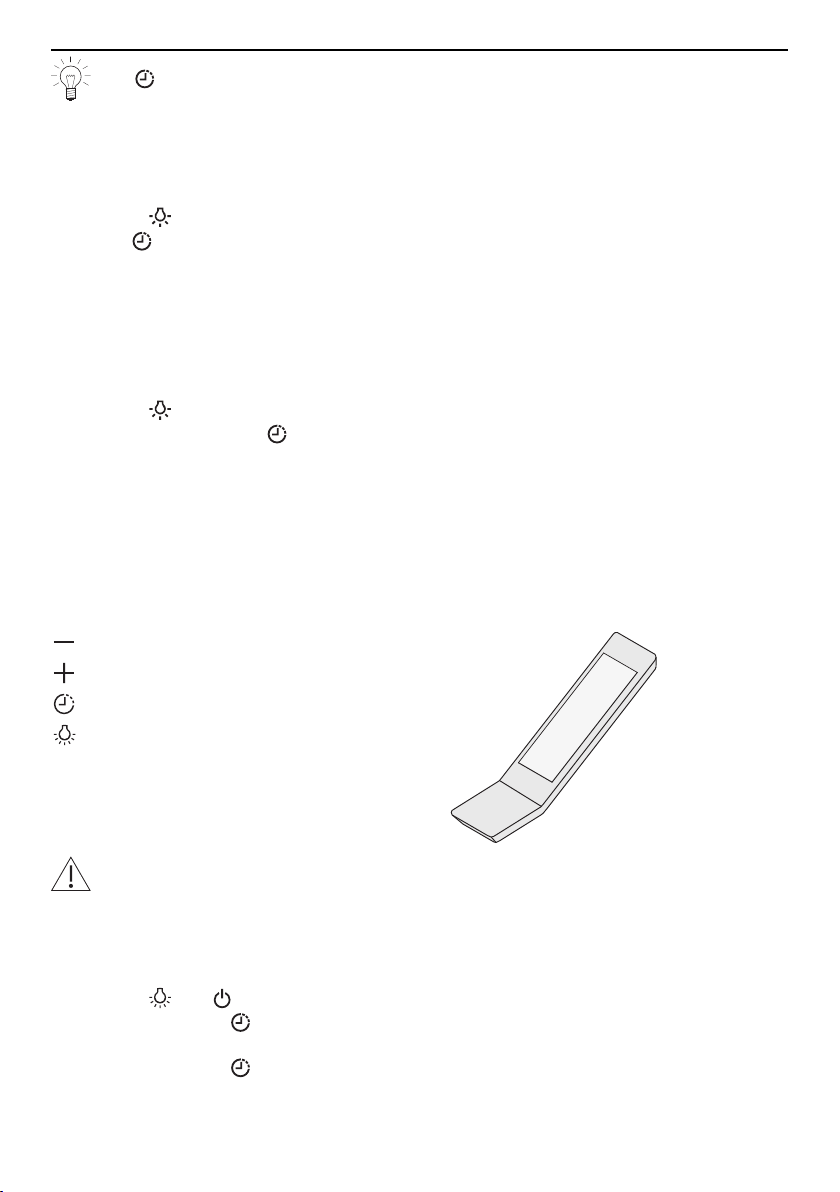
3.8 Remote control (accessories)
This appliance can be operated remotely (remote control is not included in the scope of
delivery, but is available for order as an accessory).
Decrease power level
Increase power level
Activate after-running time
Switch the illumination on/off
Do not place the remote control near any heat sources.
Dispose of the batteries at a suitable recycling point in accordance with national
regulations.
Activating the remote control
▸ Switch the appliance and the illumination off.
▸ Hold the and buttons on the appliance depressed for four seconds.
– The LED for the button flashes for 30seconds.
▸ Press any button on the remote control to confirm.
– The LED for the button stops flashing.
– The appliance can now be operated using the remote control.
13
4 Care and maintenance
Deactivating the remote control
▸ Switch the appliance and the illumination off.
▸ Hold the button on the remote control depressed for 30 seconds.
– The remote control is deactivated.
Switching the appliance on/off
▸ Touch the button.
– The appliance switches on at power level1.
▸ Touch the button again.
– The appliance switches off.
Switching the illumination on/off
▸ Touch the button.
– The illumination switches on.
▸ Touch the button again.
– The illumination switches off.
The illumination can be used independently of the extraction fan.
Changing the power level
▸ Touch the button.
– The next highest power level switches on.
▸ Touch the button.
– The next lowest power level switches on.
Switching the after-running time on/off
▸ Switch the appliance on and select the desired power level using the or button.
▸ Touch the button.
– The after-running time switches on.
▸ Touch the or button.
– The after-running time switches off before time.
4 Care and maintenance
4.1 Cleaning the housing
Make sure no water gets inside the appliance. If water gets into the appliance, it
can cause damage.
Do not use abrasive cleaners, scouring pads, steel wool, etc. for cleaning, as they
can damage the surface. Disconnect the power supply before cleaning.
Exterior
▸ Clean using a clean, damp cloth and a mild detergent, then wipe dry.
Interior
Grease and condensate water can build up on the inside around the metal grease filters.
▸ Clean using a clean, damp cloth and a mild detergent, or a soft brush as needed,
then dry well using kitchen towel.
14

4 Care and maintenance
4.2 Metal grease filters
The metal grease filters should be cleaned at least every two months with normal use
(more frequently with intensive use) and whenever the saturation indicator alarm is
triggered. If properly cared for, the grease filters should provide years of service.
Removing
1
2
▸ Fold down the metal grease filters at the front and carefully remove from the slots
in the fixture.
Cleaning
▸ Clean the metal grease filters in the dishwasher. Select the «intensive» dishwasher
programme. If no dishwasher is available: Soak the grease filters in hot water and mild
detergent.
▸ Clean, rinse well with clean cold water and then wipe dry.
– Grease filters can be used again after being cleaned.
▸ Put the metal grease filters back.
▸ Reset saturation indicator alarm (see page 15).
Cleaning may cause the metal grease filters to become slightly discoloured. How-
ever, this will not affect the functioning of the filters in any way.
4.3 Reset saturation indicator alarm
Reset the saturation indicator alarm for the metal grease filters (LED for the button
flashes) after cleaning/replacing.
▸ Hold the button depressed for 5 seconds.
– If reset successfully, the LED for the button will stop flashing.
4.4 Replacing the LED light bulbs
For safety reasons, the LED light bulbs must be replaced by our Customer Services.
15

5 Trouble-shooting
5 Trouble-shooting
This section lists faults that can be solved simply by following the instructions given. If
the fault cannot be remedied, please call Customer Services.
Before calling Customer Services: Please note down the serial number (for SN, see iden-
tification plate under «Technical data») and what led to the fault.
Malfunction Possible cause Solution
Appliance is not work-
ing.
▪ Interruption in the power
supply.
▸ Check the power supply.
▸ Change the fuse.
▸ Reset the automatic circuit
breaker.
Illumination is not
working.
▪ LED light bulb is defect-
ive.
▸ Contact Customer Services.
Malfunction Possible cause Solution
Appliance is not ex-
tracting enough air.
▪ Metal grease filters are
dirty.
▸ Clean metal grease filters.
▪ Recirculation mode only:
Activated charcoal filters
are saturated.
▸ Clean and reactivate or replace
activated charcoal filters.
▪ Extraction mode only: In-
sufficient fresh air intake.
▸ Ensure fresh air intake is suffi-
cient.
Malfunction Possible cause Solution
The LED for the but-
ton (power level 1)
flashes.
▪ The maximum number of
operating hours for the
metal grease filter has
been reached.
▸ Clean and then put back as de-
scribed in the section on Metal
grease filters (see page 15) and
subsequent pages.
The LED for the
button (power level 2)
flashes.
▪ Filter parameter set is not
suitable.
▪ Incorrect message about
activated charcoal filter in
recirculation mode. The
error message is not rel-
evant to this appliance.
▸ Switch the appliance and the il-
lumination off.
▸ Hold the button depressed for
5 seconds.
– The LED for the button
stops flashing.
▸ Hold the button depressed
for 5 seconds.
– The LEDs for the and ,
or buttons flash.
▸ Press the button.
– The LEDs for the and
buttons flash, indicating that
the correct parameter set is
activated.
– The setting is accepted after
5 seconds and the LEDs stop
flashing after 10 seconds.
16
6 Accessories and spare parts
6 Accessories and spare parts
Please give product family of the appliance and exact designation of the accessory or
spare part when ordering parts.
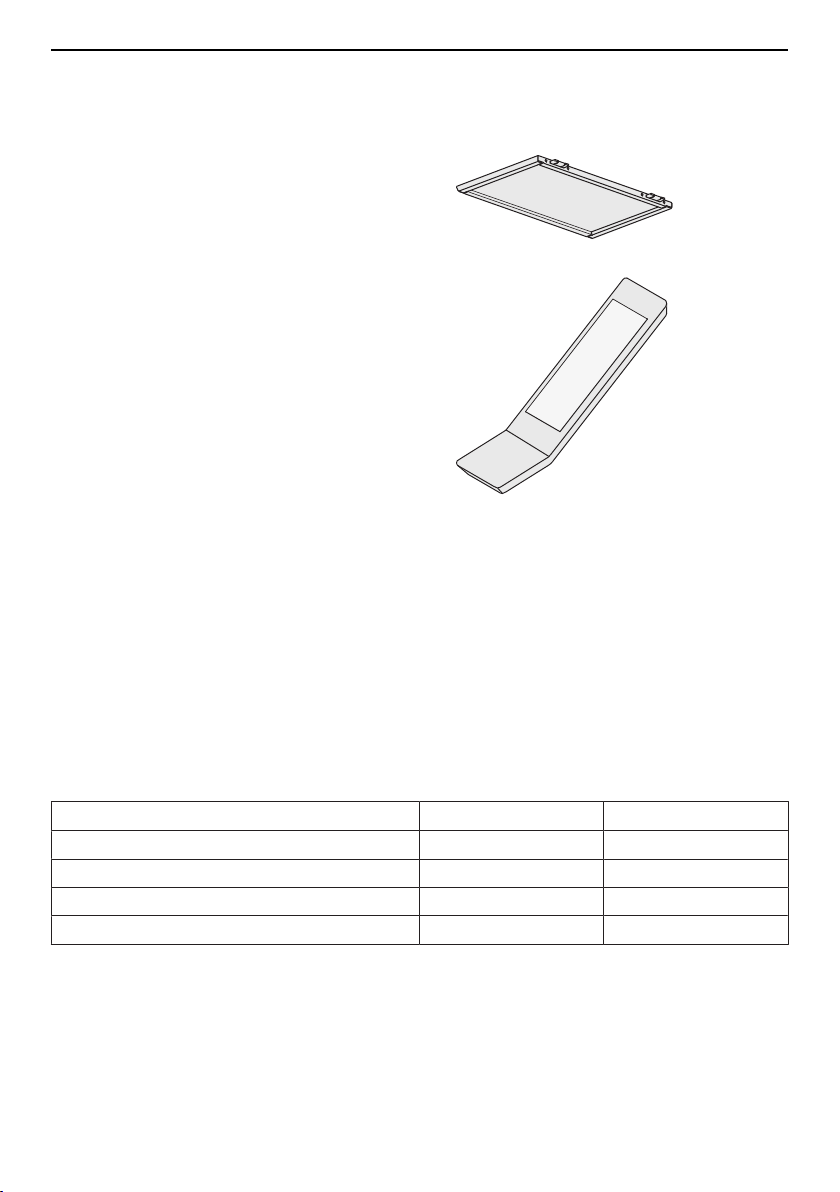
Metal grease filter (example is shown;
actual filter depends on model)
Remote control
7 Technical data
Electrical connection
Accessing the identification plate:
▸ Remove the metal grease filters.
▪ The identification plate is located on the inside of the appliance.
▪ A second identification plate is included in the scope of delivery and should be
retained for the purpose of appliance identification.
7.1 Fan power
Extraction capacity according to EN 61591
Exhaust air output with: ø200 mm ø150 mm
Power level 1 637 m
3
/h 617 m
3
/h
Power level 2 959 m
3
/h 842 m
3
/h
Power level 3 1162 m
3
/h 953 m
3
/h
Intensive level 1230 m
3
/h 993 m
3
/h
17

7 Technical data
7.2 Light bulbs (LED)
Rated output: Rated voltage:
2 × 2 W 12VDC
75 mm 17 mm
63 mm
20 mm
7.3 Product fiche
In accordance with EU Regulation No. 65/2014 and No. 66/2014.
Description Abbreviations Unit Value
Brand S - V-ZUG LTD
Model identifier M - 64011
Annual Energy Consumption AEC
hood
kWh/a 170.8
Energy Efficiency Index EEI
hood
% 74.7
Energy Efficiency Class EEC - C
Fluid Dynamic Efficiency FDE
hood
% 21.9
Fluid Dynamic Efficiency Class FDEC - C
Lighting Efficiency LE
hood
lux/W 42.2
Lighting Efficiency Class LEC - A
Grease Filtering Efficiency GFE
hood
% 93.1
Grease Filtering Efficiency Class GFEC - B
Air flow at minimum speed Q
min
m
3
/h 617
Air flow at maximum speed (intensive
or boost excluded)
Q
max
m
3
/h 953
Air flow at intensive or boost setting Q
boost
m
3
/h 993
Airborne acoustical A-weighted
Sound Power Emissions at minimum
speed
SPE
min
dBA 56
Airborne acoustical A-weighted
Sound Power Emissions at maximum
speed
SPE
max
dBA 69
Airborne acoustical A-weighted
Sound Power Emissions at intensive
or boost setting
SPE
boost
dBA 71
Measured power consumption of off
mode
P
0
W 0.43
18

8 Disposal
Measured power consumption of
standby mode
P
s
W 0
Time increase factor f - 1.2
Measured air flow rate at the best ef-
ficiency point
Q
BEP
m
3
/h 708.8
Measured air pressure at the best ef-
ficiency point
P
BEP
PA 414.7
Measured value of the electric power
input at the best efficiency point
W
BEP
W 373.5
Nominal power of the lighting system W
L
W 4
Average illumination of the lighting
system over the cooking surface
E
middle
lux 168.9
Sound power level L
wa
dBA -
8 Disposal
8.1 Packaging
Never allow children to play with packaging material due to the danger of injury or
suffocation. Store the packaging material in a safe location or dispose of it in an
environmentally-friendly way.
8.2 Safety
Render the appliance unusable to prevent accidents caused by improper use (e.g.
through children playing):
▸ Disconnect the appliance from the mains. With a fixed appliance, this is to be carried
out by a qualified electrician. Then cut the mains cable off flush with the appliance.
8.3 Disposal
▪ The «crossed‐out wheeled bin» symbol requires the separate collection of waste
electrical and electronic equipment (WEEE). Such equipment can contain hazardous,
environmentally harmful materials.
▪ These appliances are to be handed over to a designated collection point for the recyc-
ling of electrical and electronic equipment and must not be disposed of with unsorted
household waste. And in this way, you will be helping to protect resources and the en-
vironment.
▪ For more information, please contact the local authorities.
19

9 Index
A
Accessories ...................................................... 17
After-running time............................................. 10
Appliance configuration..................................... 9
Appliance description ........................................ 8
Appliance disposal .......................................... 19
Appliance installation ......................................... 5
C
Care and maintenance ................................... 14
Changing power level
With remote control..................................... 14
Cleaning
Housing ......................................................... 14
Metal grease filters...................................... 15
Colour temperature ......................................... 10
Construction......................................................... 8
D
Disposal............................................................. 19
E
Electrical connection ....................................... 17
Equipment ............................................................ 8
Extraction mode .................................................. 8
I
Identification plate............................................ 17
Illumination ........................................................ 10
With remote control..................................... 14
Initial set-up .......................................................... 6
M
Model designation .............................................. 2
Model number ..................................................... 2
N
Notes.................................................................. 21
O
Operating and display elements...................... 9
Operating the appliance.................................... 9
OptiLink.............................................................. 11
P
Product fiche..................................................... 19
R
Remote control................................................. 13
S
Safety precautions
Before using for the first time.......................6
Correct use ......................................................6
Instructions for use.........................................6
Note on use .....................................................6
Safety warnings
Appliance installation.....................................5
Appliance-specific ..........................................5
General .............................................................4
Saturation indicator.......................................... 11
Selecting power level ......................................... 9
Service & Support............................................ 23
Spare parts ....................................................... 17
Switching appliance on/off ............................... 9
With remote control..................................... 14
Symbols ................................................................ 4
T
Technical data .................................................. 17
Technical questions......................................... 23
Trouble-shooting .............................................. 16
Type....................................................................... 2
V
Validity................................................................... 2
W
Warranty extensions ........................................ 23
20

21
Notes

22

10 Service & Support
The «Trouble-shooting» section gives you valuable tips on how to deal with minor
malfunctions yourself, saving you the time and trouble of calling out a service tech-
nician and any cost that goes along with it.
Information on the V-ZUG warranty can be found at www.vzug.com →Service
→Warranty information. Please read this information carefully.
Please register your appliance straightaway online at www.vzug.com →Service
→Warranty registration. This will allow you to take advantage of the best possible support
in the event of a fault in the appliance during the guarantee period. You will require the
serial number (SN) and appliance designation to register your appliance. You will find
them on the identification plate of your appliance.
My appliance information:
SN: __________________________ Appliance: ________________________________
Please have this appliance information to hand when contacting V-ZUG. Thank you.
Your repair order
At www.vzug.com →Service→Service number you will find the telephone number of your
nearest V‑ZUG service centre.
Technical questions, accessories, warranty extensions
V-ZUG is happy to help you with any general administrative or technical queries, to take
your orders for accessories and spare parts and to inform you about our progressive
service agreements.
23

Quick instructions
Switch illumination on/off; set colour temperature
Switch appliance on/off
Power level 1
Power level 2
Power level 3 and intensive level (flashing)
Activate after-running time
Saturation indicator for metal grease filter (flashing)
V-ZUG Ltd, Industriestrasse 66, CH-6302 Zug
[email protected], www.vzug.com
1097414-R01