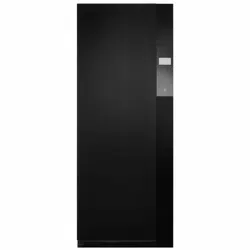

Operating instructions
RefreshButler V6000
Textile care system

Thank you for choosing to buy one of our products. Your appliance is made to high
standards and is easy to use. Nevertheless, please take the time to read these operating
instructions in order to familiarize yourself with the appliance and get the best use out of
it.
Please follow the safety precautions.
Modifications
Text, diagrams and data correspond to the technical standard of the appliance at the
time these operating instructions went to press. The right to make technical modifications
for the purpose of the further development of the appliances is reserved.
Validity
The model number corresponds to the first alphanumerics on the identification plate.
These operating instructions apply to:
Model designation Model number Type
RefreshButler V6000 14003 RB6TWCL
RB6TWBL
Variations depending on the model are noted in the text.
Colour operating instructions can be downloaded from the internet from www.vzug.com.
© V-ZUG Ltd, CH-6302 Zug, 2019
2

3
Contents
1 Safety precautions 4
1.1 Symbols used......................................................... 4
1.2 Using for the first time .......................................... 4
1.3 General safety precautions.................................. 4
1.4 Appliance-specific safety precautions ............... 5
1.5 Instructions for use................................................ 6
2 Using for the first time 8
3 Your appliance 8
3.1 Appliance description ........................................... 8
3.2 Appliance construction......................................... 9
3.3 Accessories ............................................................ 9
3.4 Operating and display elements.......................10
4 Programme overview 12
4.1 Main refreshing programme..............................12
4.2 Extra programme «Drying» ................................14
4.3 Extra programme «Hygiene» .............................16
5 Operating the appliance 17
5.1 Preparing the appliance .....................................17
5.2 Arranging the washing........................................17
5.3 Loading examples ...............................................18
5.4 Refreshing and drying tips.................................18
5.5 Filling the fresh water tank.................................19
5.6 Emptying the condensate tank .........................20
5.7 Programme settings............................................20
5.8 Programme selection..........................................21
5.9 Changing selection .............................................22
5.10 Programme selection with childproof lock activ-
ated ........................................................................23
5.11 Interrupting a programme ..................................23
5.12 Aborting a programme before time .................24
5.13 End of programme ..............................................24
6 User settings 25
6.1 Adjusting user settings .......................................25
6.2 Language ..............................................................27
6.3 Brightness .............................................................28
6.4 Button tone ...........................................................28
6.5 Water hardness.....................................................28
6.6 Childproof lock......................................................28
6.7 Delayed start..........................................................28
6.8 Information .............................................................28
6.9 Descaling ...............................................................28
6.10 Cleaning the air duct............................................30
6.11 Operating mode....................................................30
6.12 V-ZUG Service.......................................................30
6.13 Updating the software..........................................30
7 Care and maintenance 31
7.1 Cleaning intervals .................................................31
7.2 «Clean filter units» error message.....................31
7.3 Build-up of fluff ......................................................32
7.4 Cleaning the main filter........................................32
7.5 Cleaning the main filter mat................................32
7.6 Cleaning the fresh air filter mat..........................33
7.7 Cleaning the water tank.......................................33
8 Trouble-shooting 35
8.1 What to do if .........................................................35
9 Accessories and spare parts 37
10 Technical data 38
10.1 Consumption data for factory setting ...............38
10.2 Note for testing institutes ....................................38
10.3 EcoStandby............................................................39
11 Disposal 39
12 Index 40
13 Notes 42
14 Service & Support 43

4
1 Safety precautions
1.1 Symbols used
Symbol ISO 7010 W021
WARNING: Risk of fire / flammable
materials
Denotes important safety precau-
tions.
Failure to observe said precautions
can result in injury or in damage to
the appliance or fittings!
Information and precautions that
should be observed.
Information on disposal
Information about the Operating In-
structions
▸ Indicates step-by-step instructions.
– Describes how the appliance reacts
to the steps taken.
▪ Indicates a list.
1.2 Using for the first time
The appliance can only be operated
after standing in the normal operat-
ing position for around 2 hours.
1.3 General safety precautions
▪ Read the operating instruc-
tions before using the appli-
ance for the first time!
▪ This appliance can be used
by children aged 8 and above
and by persons with reduced
physical, sensory or mental
capabilities, or lack of experi-
ence and/or knowledge,
provided they are supervised
or have been instructed on
the safe use of the appliance
and have understood the haz-
ards involved. Children shall
not play with the appliance.
Cleaning and user mainten-
ance shall not be undertaken
by children without supervi-
sion.
▪ If an appliance is not
equipped with a mains cable
and a plug or other means for
disconnecting from the mains
with a contact opening on
each pole complying with the
conditions of overvoltage cat-
egory III for full isolation, an
isolating device must be in-
corporated into the perman-
ently installed electrical install-
ation in accordance with the
installation regulations.
▪ If the mains cable of this ap-
pliance is damaged, it must
be replaced by the manufac-
turer or its Customer Services
or a similarly qualified person
in order to avoid hazard.

1 Safety precautions
5
1.4 Appliance-specific safety
precautions
▪ Children under 3 years of age
must be kept away from the
appliance unless they are
constantly supervised.
▪ The appliance has a max-
imum dry load capacity of
5kg.
▪ The appliance is only to be
used with the recommended
vaporizing medium. The use
of other substances may give
rise to a toxic or fire risk.
▪ The appliance has hot sur-
faces to evaporate active
components. These surfaces
should not be touched during
use.
▪ The appliance may not be
used if industrial chemicals
were used for cleaning.
▪ Clean the fluff filters regularly.
Do not allow fluff to build up
around the appliance.
▪ Textiles that have been
cleaned, treated or soaked
with flammable chemicals,
detergents or solvents (ben-
zene, alcohol, stain remover,
oil, turpentine, acetone, paint,
wax, etc.): Fire or explosion
hazard! Wash materials con-
taining such substances first
by hand with water or allow
the solvent to evaporate com-
pletely.
▪ Items such as foam rubber
(latex foam), shower caps,
waterproof textiles, rubber
backed articles and clothes
or pillows with foam rubber
pads are not suitable for the
appliance.
▪ Remove all foreign objects
(cigarette lighter, match, etc.)
from the textiles.
▪ WARNING: Never stop the
appliance before the end of
the drying cycle unless all
items are quickly removed
and spread out so that the
heat is dissipated.
▪ If the appliance is installed on
a carpeted floor ensure that
ventilation openings on the
base of the appliance are not
obstructed.
▪ If the appliance is installed in
a housing, the ventilation
openings are to be kept free
of obstruction.
▪ Exhaust air from the appli-
ance must not be discharged
into a flue which is used for
exhausting fumes from appli-
ances burning gas or other
fuels.
▪ Do not install the appliance
behind a door that locks, a
sliding door or a door with a
hinge that lies opposite the
hinge of the appliance.

1 Safety precautions
6
▪ The appliance is equipped
with an ultra-violet lamp. Do
not look directly into the light
source.
1.5 Instructions for use
Before using for the first time
▪ The appliance must be installed and
connected to the electricity supply in
accordance with the separate installa-
tion instructions. Have a qualified fitter/
electrician carry out the necessary
work.
▪ Ensure access to the place of discon-
nection (e.g. socket outlet, wall switch,
fuse).
Correct use
▪ The appliance is only suitable for re-
freshing and drying home textiles. It is
designed for use in the home and for
the above-mentioned purpose only. No
liability is assumed for any damage
caused by improper or incorrect use.
▪ Any repairs, modifications or manipula-
tions to the appliance, especially any
electrically live parts, may only be car-
ried out by the manufacturer, its cus-
tomer service department or similarly
qualified persons. Repairs if carried out
incorrectly may cause serious injury,
damage to the appliance and fittings,
as well as affect the functioning of the
appliance. If the appliance is not work-
ing properly or in case a repair is
needed, follow the instructions given in
the «Repair service» section. Contact
our Customer Services if necessary.
▪ Use original spare parts only.
▪ Before closing the appliance door and
starting a programme ensure that there
are no persons, foreign objects or pets
in the appliance.
Note on use
▪ If the appliance is not functioning prop-
erly, disconnect it from the power sup-
ply immediately.
▪ To protect your washing, follow the fab-
ric care symbols and the hints and ad-
vice in the «Refreshing and drying tips»
section.
▪ Do not operate the appliance without a
fluff filter or with a damaged fluff filter.
Fluff can destroy the appliance!
Caution: Risk of burns!
▪ Do not dry fabrics that contain traces of
hair spray, hair gel, nail varnish remover
or other similar substances. Danger of
gas build-up!
Caution: Risk to life!
▪ It is forbidden to enter or remain in the
appliance. Danger of suffocation!
▪ Packaging material, e.g. plastic film and
polystyrene, can be dangerous for chil-
dren. Danger of suffocation! Keep pack-
aging material away from children.
How to avoid damaging the appliance
▪ Close the appliance door carefully.
▪ When cleaning the appliance make
sure no water gets inside it. Use a mod-
erately damp cloth. Do not spray the
outside or the inside of the appliance
with water. If water gets inside the appli-
ance, it will cause damage.
▪ Transport the appliance in an upright
position only! Transporting it in any
other position will result in damage to
the appliance! When carried carefully
without being shaken, the appliance
may be tilted a maximum of 90° to the
left (viewed from the front).

1 Safety precautions
7
Front
Front
Side
Front,
upside down
Back
Front
Use a stair climber
trolley to avoid bumps
to the appliance!!

2 Using for the first time
The appliance can only be operated after standing in the normal operating position
for around 2 hours.
3 Your appliance
3.1 Appliance description
The RefreshButler uses steam and heat to refresh your clothes and reduce odours and
creases. Additionally, the extra programme hygiene leaves your washing germ free. The
extra programme drying allows clothes that are wet from the rain to be dried particularly
gently.
The appliance operates with a closed air circuit. The air is heated up and humidified by
means of the heater and the boiler. The washing is refreshed by hot steam and, depend-
ing on the setting, sanitized and creases removed. The fresh water required for this is fed
from a water tank. Odours are eliminated efficiently and lastingly through the use of a
new technology called photocatalysis.
The appliance is also equipped with a heat pump. The washing is dried with the help of
the heat pump by extracting moisture from the air and then heating up the air again. Re-
covering heat in this way sharply reduces energy consumption. The resulting condensate
is fed into the corresponding water tank.
▪ Capacity: 5 kg dry washing
▪ Main programme: Refresh
▪ 2 extra programmes
– Dry – Hygiene
▪ Programme settings
– Refresh: Crease guard – Timed refreshing and drying
– Easy care – Delayed start
▪ TouchDisplay
▪ Language selection
▪ Childproof lock
▪ Automatic energy-saving stand-by
8

3 Your appliance
3.2 Appliance construction
1
2
3
4
5
6
7
8
9
10
1
Clothes rail
2
TouchDisplay, On/Off button
3
Fold-down clothes rails
4
Basket
5
Main filter with filter mat
below floor grille
6
Water tank cover
7
Fresh air grille with filter mat
8
Fresh water tank
9
Condensate tank
10
Appliance door
3.3 Accessories
Clothes hangers
For heavier clothes, such as jackets and coats, use the clothes hanger supplied
for optimal results.
▪ For hanging up clothes
▪ Required for the main «Refresh» programme
Basket
▪ Container for delicates, such as knitwear and woollens,
small textile items and shoes
9

3 Your appliance
3.4 Operating and display elements
TouchDisplay
On/Off button
TouchDisplay
All available functions are displayed in the TouchDisplay and the desired function can be
selected by pressing the corresponding symbol or text.
Programme
Programme selection
Refresh
Extra programmes
Refreshing
Extra programmes
Drying
Hygiene
Programme settings
Main programme
Finishes in 1 h 30
Refreshing
Odour
Load
Easy care
Timed refreshing
Crease guard
Delayed start
10

3 Your appliance
Extra programmes
Drying
Finishes in 1 h 30
Level of dryness
Load
Easy care
Timed drying
Delayed start
Hygiene
Finishes in 1 h 30
Easy care
Delayed start
User settings
Settings
Language
Brightness
Button tone
Water hardness
Childproof lock
Delayed start
Settings
Descale
Cleaning the air duct
Information
Operating mode
V-ZUG Service
Update software
11

4 Programme overview
Button state
The buttons arranged on the TouchDisplay have three different states.
Symbol Background
Bright Dark
Selectable function
Programme or function can be selected.
Bright Blue
Function selected/changed
Programme or function is active.
Dark Dark
Non-selectable function
Programme or function is switched off.
Additional functions
Start Abort/Back
OK Abort programme
4 Programme overview
4.1 Main refreshing programme
With the main refresh programme your dry washing is freed of odours using steam and
heat and creasing is reduced.
The main refresh programme has 3 phases:
Refresh
The heater increases the circulating air temperature and the washing is dampened using
steam, which accelerates the refreshing of the clothes. In addition, the air is cleaned by
photocatalysis. Once the washing has been refreshed, the «Drying» phase begins.
Drying
The washing is dried by the heat pump. The drying programme is monitored by a mois-
ture and temperature sensor. As soon as the required level of dryness is reached, the
«Cool down / Airing» phase starts.
Cool down / Airing
When the «Drying» phase finishes, the washing is cooled down and aired for at least
30minutes.
Select the «Easy care» programme setting for delicate textiles.
12

4 Programme overview
The following diagram gives an overview of the programme settings in the main refresh
programme.
Strong
Medium
Faint *
Load
Easy care
Odour
Timed refreshing
Crease guard
Delayed start
* Factory setting
Yes
No *
Full
Half-full
Small *
30
40
50
60
90
120
Off *
Yes
No *
Odour
▪ Strong For washing with a strong odour after being in a smoky environment
or a restaurant.
▪ Medium For washing with a medium-strong odour after being in a smoky envir-
onment or a restaurant.
▪ Faint Sprint programme
For washing with a faint odour.
13

4 Programme overview
Load
For optimal refreshing results, we recommend reducing the load to small or half-
full.
▪ Full For a maximum 5 kg dry load spread out on the upper and lower
clothes rails.
▪ Half-full For a normal load spread out on the upper and/or lower clothes rail.
▪ Small For a small load, e.g. 4 shirts.
Easy care
▪ Very gentle programme with reduced temperature.
▪ Particularly suitable for fine textiles, canvas shoes, trainers and functional clothing
(e.g. Gore-Tex).
Crease guard
▪ Creases in the washing are reduced through airing, heating and steaming.
Timed refreshing
▪ The programme duration can be set to between 30 and 120 minutes.
▪ No other programme settings can be made if the «Timed refreshing» programme is
selected.
Delayed start
▪ Take advantage of cheap-rate electricity.
▪ Programme the start or end – so that, for instance, the textiles are ready to put on in
the morning without the appliance having to run all night.
▪ During shut-off periods – determined by the local electricity supplier – the delayed
start time is extended by the length of time the electricity was shut off. This is not
shown in the display.
4.2 Extra programme «Drying»
In the extra programme «Drying», warm air flows through your hung-up washing for par-
ticularly gentle drying. The RefreshButler dries clothes irrespective of whether you
washed them in the washing machine or by hand or whether you were caught out in the
rain. A heat pump is used for drying and the drying process is monitored by a moisture
and temperature sensor.
Select the «Easy care» programme setting for delicate textiles.
14

4 Programme overview
The following diagram gives an overview of the programme settings in the extra pro-
gramme drying.
Normal dry *
Extra dry
Load
Easy care
Level of dryness
Timed drying
Delayed start
* Factory setting
Full
Half-full *
Small
30
40
50
60
90
120
Off *
Yes
No *
Level of dryness
▪ Normal dry Residual moisture <2 %
▪ Extra dry Residual moisture -2 %
Load
▪ Full For a maximum 5 kg dry load spread out on the upper and lower
clothes rails.
▪ Half-full For a normal load spread out on the upper and/or lower clothes rail.
▪ Small For a small load, e.g. 4 shirts.
Easy care
▪ Very gentle programme with reduced temperature.
▪ Particularly suitable for fine textiles, canvas shoes, trainers and functional clothing
(e.g. Gore-Tex).
15

4 Programme overview
Timed drying
▪ The programme duration can be set to between 30 and 120 minutes.
▪ No other programme settings can be made if the Timed drying programme is selec-
ted.
Delayed start
▪ Take advantage of cheap-rate electricity.
▪ Programme the start or end – so that, for instance, the textiles are ready to put on in
the morning without the appliance having to run all night.
▪ During shut-off periods – determined by the local electricity supplier – the delayed
start time is extended by the length of time the electricity was shut off. This is not
shown in the display.
4.3 Extra programme «Hygiene»
In the extra programme «Hygiene», the clothing is freed of germs using heat and mois-
ture. The running time of about three hours increases the sterilising effect.
The extra programme «Hygiene» has 3 phases:
Hygiene
The heater increases the circulating air temperature and the washing is dampened using
steam, which accelerates the sterilising of the clothes. In addition, the air is cleaning by
photocatalysis. Once the washing has been refreshed, the «Drying» phase begins.
Drying
The washing is dried by the heat pump. The drying programme is monitored by a mois-
ture and temperature sensor. As soon as the required level of dryness is reached, the
«Cool down / Airing» phase starts.
Cool down / Airing
When the «Drying» phase finishes, the washing is cooled down and aired for at least
30minutes.
Select the «Easy care» programme setting for delicate textiles.
The following diagram gives an overview of the programme settings in the extra pro-
gramme «Hygiene».
Easy care
Delayed start
* Factory setting
Yes
No *
Easy care
▪ Very gentle programme with reduced temperature.
▪ Particularly suitable for fine textiles, canvas shoes, trainers and functional clothing
(e.g. Gore-Tex).
16

5 Operating the appliance
Delayed start
▪ Take advantage of cheap-rate electricity.
▪ Programme the start or end – so that, for instance, the textiles are ready to put on in
the morning without the appliance having to run all night.
▪ During shut-off periods – determined by the local electricity supplier – the delayed
start time is extended by the length of time the electricity was shut off. This is not
shown in the display.
5 Operating the appliance
5.1 Preparing the appliance
0
1
▸ Insert plug into mains socket or turn
on at wall switch.
5.2 Arranging the washing
▸ Open the appliance door.
▸ Spread the washing out on the clothes rails and in the basket. See «Loading ex-
amples». The washing should not touch the appliance.
▸ Close the appliance door.
When closing the appliance door, check that no items of washing are trapped.
17

5 Operating the appliance
5.3 Loading examples
5.4 Refreshing and drying tips
Loading tips
▪ Place woollens and other knitted items in the basket or on the rails at mid-height.
▪ Larger items of clothing can be hung diagonally in the appliance.
▪ Shoes trees can accelerate the drying process for shoes. After drying, allow the shoes
to cool down for one hour.
▪ For a good crease-free result, trousers should be hung from the clothes hanger clips
by the legs. For very good results, hang each trouser leg from a clothes hanger and
make sure that the clothes hangers are around 20cm apart.
▪ Clothes pockets must be emptied beforehand as otherwise they are difficult to dry.
▪ Hanging clothing by clothes hanger clips can leave impressions on the clothes. For
this reason, clothes should be hung up by the loops (if any) in the clothes.
18

5 Operating the appliance
General notes
▪ Crease guard is particularly suitable for heavy items of clothing, such as blazers and
suit trousers, due to their own weight.
▪ Cotton, linen and some fine silks crease very easily. Here creases can only be re-
moved to a limited degree.
▪ For a good crease-free result, we recommend using shirts with a non-iron or easy care
label.
▪ Odour reduction results may vary from person to person, odour type and textile prop-
erties.
▪ Using a cupboard deodorizer allows you to adjust the scent to suit your own prefer-
ences. The deodorizer must not contain any readily inflammable substances. Observe
hazard signs!
▪ In the refresh and hygiene programmes, textiles come into contact with water. Water
can change the surface of very delicate textiles. Test a small patch for sensitivity to
water.
▪ We do not recommend treating the following textiles in the RefreshButler: real leather,
synthetic leather, fur. In the case of leather, for example, slight changes in the colour,
size and appearance can occur when it comes into contact with water. This is a com-
pletely natural process.
5.5 Filling the fresh water tank
Do not use demineralized (filtered) or distilled water.
21
▸ Open the appliance door.
▸ Open the water tank cover 1 (press in
the middle at the top).
▸ Using the handle, take out the fresh wa-
ter tank 2 with the symbol.
▸ Fill the water tank with fresh, cold water.
▸ Slot the fresh water tank 2 into position
in the water tank compartment, pushing
it in as far as it will go, and push the wa-
ter tank flap 1 to close.
19

5 Operating the appliance
5.6 Emptying the condensate tank
3
1
▸ Open the appliance door.
▸ Open the water tank cover 1 (press in the
middle at the top).
▸ Take out the condensate tank 3 with the
symbol by the handle.
▸ Empty the water tank.
▸ Slot the condensate tank 3 into position in
the condensate tank compartment, push-
ing it in as far as it will go, and push the
water tank flap 1 to close.
5.7 Programme settings
Main programme
Finishes in 1 h 30
Refreshing
Odour
Load
Easy care
Timed refreshing
Crease guard
Delayed start
Extra programmes
Drying
Finishes in 1 h 30
Level of dryness
Load
Easy care
Timed drying
Delayed start
20

5 Operating the appliance
Hygiene
Finishes in 1 h 30
Easy care
Delayed start
5.8 Programme selection
▸ To switch the appliance on: press the button below the TouchDisplay.
Programme selection
Refresh
Extra programmes
– The programme selection appears in
the display:
▸ Press the desired programme, e.g. refresh.
Finishes in 1 h 30
Refreshing
– An overview of the programme set-
tings appears in the display:
▸ Press the button to start the programme using the factory settings.
▸ Press any programme setting, e.g. load, to adapt the programme.
half-full fullsmall
Load
– The selectable setting values appear
in the display:
21

5 Operating the appliance
▸ Press the desired setting value, e.g. half-full.
Finishes in 1 h 30
Refreshing
– The selected button has a blue back-
ground.
– The overview of the programme set-
tings appears in the display again.
▪ Orange-coloured bars or symbols in the display show the selected setting values.
▪ Buttons with a blue background indicate that a value other than the factory setting
has been selected.
▪ The programme duration is shortened or lengthened depending on the selected pro-
gramme settings and setting values.
▸ Select any further programme settings using the same procedure.
▪ After all the programme settings have been selected, the expected programme dura-
tion is shown in the display.
▸ Touch the button.
– Observe the action message that appears.
▸ Confirm the message with .
– The programme selected starts.
Refreshing
Finishes in 2 h 30
Steaming...
– The programme selected, the likely
duration (hours/minutes) and the cur-
rent status are displayed:
5.9 Changing selection
During programme selection
▸ Press the desired programme setting.
▸ Press the setting value.
– The overview of the programme settings appears in the display again.
Once a programme has started it is no longer possible to change it. The pro-
gramme must be aborted.
22

5 Operating the appliance
5.10 Programme selection with childproof lock activated
Unlock
Code
731
0 0 0
The childproof lock can be switched on
or off in the user settings.
▸ Enter the code given into the display.
▸ Press the button to confirm the code.
– The childproof lock is overridden.
– The appliance can now be operated as normal.
5.11 Interrupting a programme
Hot steam may escape when the appliance door is opened: scalding hazard!
When the appliance door is opened, condensed drops of water can land on the
floor.
The inside of the appliance may be hot. Unload the washing carefully.
If the programme was interrupted, the washing could still be slightly damp.
A programme that is running can be interrupted at any time to add or prematurely re-
move an item of washing.
▸ Open the appliance door.
– The interior illumination is switched on.
– If the appliance door is left open for any length of time (about 5 minutes) the pro-
gramme is aborted.
▸ Close the appliance door.
The door may rattle for a few seconds due to pressure equalization.
Continue
Press ok to
continue the programme
– In the display appears:
▸ Press the button to continue the programme.
– The active main programme appears in the display.
23

5 Operating the appliance
5.12 Aborting a programme before time
Hot steam may escape when the appliance door is opened: scalding hazard!
When the appliance door is opened, condensed drops of water can land on the
floor.
The inside of the appliance may be hot. Unload the washing carefully.
▸ Touch the button.
– The programme is aborted.
Refreshing
Abort
Programme aborted
– In the display appears:
5.13 End of programme
Refreshing
End
Door can be opened
– In the display appears:
▸ Open the appliance door.
Depending on the textile type, the washing may still be damp at the end of the pro-
gramme. In such cases, the washing can be dried off on the «Timed drying» pro-
gramme setting.
▸ Unload the washing.
The RefreshButler is not a cupboard for storing clothes.
▸ Clean the main filter.
▸ Empty the water tank.
▸ Close the appliance door.
▸ Press the button.
The interior illumination and the TouchDisplay go out 5 and 20 minutes respect-
ively after the programme finishes.
24

6 User settings
If the appliance door is not opened when the programme finishes, airing starts up
again every 3hours and lasts for 15minutes. This ensures that the washing re-
mains fresh for up to 24 hours after the end of the programme. The washing
should be removed within 24hours.
If you do not use the appliance for a longer period of time, empty the water tank
and open the appliance door.
6 User settings
6.1 Adjusting user settings
Providing no programme is running and no error message is displayed, the user settings
can be changed. The procedure is generally the same for all settings.
Changing user settings
▸ To switch the appliance on: press the button below the TouchDisplay.
Programme selection
Refresh
Extra programmes
– The programme selection appears
in the display.
▸ Touch the button.
Settings
– An overview of the user settings ap-
pears in the display.
25

6 User settings
▸ Press the desired user setting, e.g. language.
Languages
s
Deutsch Français Italiano English
Українська Русский Nederlands
ѝ᮷
Svenska
Norsk Türkçe
– The selectable setting values ap-
pear in the display.
▸ Press the desired setting value to change the setting.
– The selected button has a blue background.
▸ Press the button to confirm the setting.
Settings
– The overview of the user settings
appears in the display again.
– The changes have been saved.
Exiting user settings
To exit user settings:
▸ Touch the button.
If no button is pressed within the next 10 minutes, user settings are exited and the
programme selection appears in the display.
26

6 User settings
The following diagram gives an overview of the possible user settings.
Language
Brightness
Update software
* Factory setting
Select desired language
1
2
3 *
4
Button tone
On *
Off
Water hardness
Hard *
Medium
Soft
Information
Descale
Clean air duct
V-ZUG Service
Childproof lock
On
Off *
Delayed start
Start in
Finish in *
Operating mode
Silent *
Standard
6.2 Language
The language in the display can be changed. Different languages are available for selec-
tion.
27

6 User settings
6.3 Brightness
With this function the readability of the display can be adjusted to the prevailing lighting
conditions.
Levels of brightness
1 Dark
2 Medium
3 Bright
4 Very bright
6.4 Button tone
The button tone can be switched on/off.
6.5 Water hardness
The relevant range of water hardness can be set. There are 3setting ranges for water
hardness:
Type Water hardness
[°fH]
Water hardness
[°dH]
Water hardness
[°eH]
Water hardness
[mmol/l]
▪ Hard 33 to 50 21 to 28 26 to 35 3.3 to 5.0
▪ Me-
dium
16 to 32 9 to 20 12 to 25 1.6 to 3.2
▪ Soft 1 to 15 1 to 8 1 to 11 0.1 to 1.5
6.6 Childproof lock
The childproof lock is to prevent children accidentally starting or stopping a programme.
When the childproof lock is activated, the appliance can only be operated after first en-
tering a code.
The childproof lock can be switched on or off.
6.7 Delayed start
Select one of two delayed start variants. Select the «Start in» variant to enter the time to
the start of the programme. Select the «Finish in» variant to enter the time to the end of
the programme.
6.8 Information
The current hardware and software versions are displayed in Information. This informa-
tion is mainly for use by the service technician for trouble-shooting errors.
6.9 Descaling
Whenever steam is produced, depending on the hardness of the local water supply (i.e.
the limescale content of the water), limescale is deposited in the boiler. The appliance
automatically detects when descaling is necessary.
The time interval between descaling depends on the hardness of the water and fre-
quency of use. Failure to descale the appliance will likely impair its functions or cause
damage to the appliance.
28

6 User settings
The descaling programme takes about 1 hour and 20 minutes. «durgol swiss steamer»
descaler is mixed in the ratio of 1:2 (e.g. 0.5 l durgol to 1 l water). If the «Refresh» or
«Hygiene» programme is used every second day, the following descaling intervals can
be expected:
Water hardness (see page 28) type Descaling interval
▪ Hard About every 3 months
▪ Medium About every 4 months
▪ Soft About every 7 months
Descaler
durgol swiss steamer
Using the wrong descaler can damage the appliance!
Only use «durgol swiss steamer» to descale your appliance.
The descaler contains highly effective acid. If dripped or smeared (and left to dry)
on smooth metal or plastic surfaces or polyamide textiles can cause stains. Imme-
diately rinse away any splashes with water. Follow the manufacturer's instructions.
See «Accessories and spare parts» (see page 37) for where to obtain this de-
scaler.
Standard descaling solutions are not suitable as they may contain foam-
creating additives or not be effective enough.
Using a different descaler could cause
▪ overfoaming inside the appliance
▪ insufficient descaling of the boiler
▪ damage to the appliance in the worst case.
Remove clothes, accessories and any other objects from out of the appliance.
Descale
Press ok to start
user-guided descaling
programme
▸ Press the button to descale the
appliance.
▸ Follow the instructions in the Touch-
Display.
29

6 User settings
6.10 Cleaning the air duct
Over time, deposits can build up in the air duct. With this function the air duct is cleaned
using steam. If the «Refresh» or «Hygiene» programme is used every second day, the
«Cleaning the air duct» programme must be carried out about 1× a year.
Clean
Press OK to start automatic cleaning
of air duct.
1 / 5
▸ Press the button to clean the air
duct.
▸ Follow the instructions in the Touch-
Display.
6.11 Operating mode
There are two different operating modes. The appliance can be operated in the «Stand-
ard» mode or in the noise-optimized «Silent» mode.
6.12 V-ZUG Service
This function is for use by the service technician.
6.13 Updating the software
With this function the software can be updated.
Starting programme (see page 25)
▸ Push the SD card with the latest
software into the card slot.
▸ Press the button to update the
software.
– The software starts updating.
– The display goes black and the
background illumination starts to
flash.
At the end of the programme:
– The background illumination illuminates a constant green.
– A button tone indicates that the software has finished updating.
▸ Remove the SD card from the card slot.
– The appliance can now be operated as normal.
30

7 Care and maintenance
7 Care and maintenance
7.1 Cleaning intervals
1
2
Pos. Appliance part Cleaning interval Cleaning
1 Main filter
As required * ▸ Remove any fluff.
Whenever there is a heav-
ier build-up of deposits
▸ Clean with an abrasive liquid
cleaning agent and a sponge.
▸ Rinse off with water and allow
to drip dry.
If the water is hard use cleaning
vinegar.
2 Fresh air filter
As required ▸ Remove any fluff.
Water tank
After every 50th
use
▸ Clean by hand with a little de-
tergent.
▸ Rinse out well with water.
Interior and exter-
ior of appliance
Occasionally ▸ Clean with a damp, soft, non-
abrasive cloth and wipe dry.
▸ Carefully clean the inside of
the appliance door including
the door seal.
* A coating of fluff can build up more or less quickly depending on the type of
wash and the size of load.
7.2 «Clean filter units» error message
A thick coating of fluff results in a reduced process air flow which can impair the
refreshing and drying process and trigger an error message.
Check and, if necessary, clean the following parts in the appliance:
▪ Main filter
▪ Main filter mat
▪ Fresh air filter mat
31

7 Care and maintenance
7.3 Build-up of fluff
Fluff is made up of fine textile fibres that largely come from the manufacturing process,
from wear and tear during use and from items being washed. Fluff is not caused by ex-
cessive strain on the washing in the appliance. Even when washing is hung out to dry on
a washing line, fluff is shed when the washing is shaken out or ironed.
Fluff sticks to washing when it is wet. The fluff is released during drying and gets trapped
in the main filter. This is why there is always a build-up of fluff in the filter – sometimes
more, sometimes less depending on the type of washing – after drying.
7.4 Cleaning the main filter
1
2
▸ Open the appliance door.
▸ Open back the floor grille 1 (see ar-
row).
▸ Pull out the main filter cassette 2.
▸ Remove the fluff from the main filter.
Wash the filter to clean off heavier de-
posits.
▸ Insert the main filter cassette again
and close back the floor grille.
7.5 Cleaning the main filter mat
Do not operate the appliance without the filter mat.
1
2
▸ Open the appliance door.
▸ Open back the floor grille 1 (see ar-
row).
▸ Pull out the main filter cassette 2 and
open it.
▸ Take out the filter mat 3.
▸ Clean the filter mat under running wa-
ter and allow to drip dry.
▸ Put the filter mat back in the main fil-
ter cassette and close it.
▸ Insert the main filter cassette again
and close back the floor grille.
3
32

7 Care and maintenance
7.6 Cleaning the fresh air filter mat
Do not operate the appliance without the filter mat.
2
1
▸ Open the appliance door.
▸ Pull out the fresh air grille 1.
▸ Take out the filter mat 2.
▸ Clean the filter mat under running wa-
ter and allow to drip dry.
▸ Put back the filter mat and the fresh
air grille.
7.7 Cleaning the water tank
Do not clean the water tank in the dishwasher.
1
▸ Open the appliance door.
▸ Open the water tank cover 1 (press in
the middle at the top).
▸ Take the water tank out by the
handle.
▸ Remove the lid.
▸ Clean the water tank by hand using a
little detergent and rinse well with wa-
ter.
A
▸ Press the tank valve A upwards 2 to 3
times.
33

7 Care and maintenance
▸ Push the lid back.
▸ Lift the lid at the front and back
(through the opening).
▸ Press the lid down at the front and back.
▸ Slot the water tank into position in the water tank compartment and push the flap to
close.
34

8 Trouble-shooting
8 Trouble-shooting
8.1 What to do if ...
This section lists faults that can be solved simply by following the instructions given. If
another fault is displayed, the fault cannot be resolved or «Contact
V-ZUG» appears in the message, please call Customer Services.
Before calling Customer Services, please note down the error message in full.
... «Fill up fresh water tank» appears
Possible cause Solution
▪ The fresh water tank is empty
or not filled up enough.
▸ Fill fresh water tank with fresh, cold water.
▸ Push the water tank back in as far as it will go.
... «Empty condensate tank» appears
Possible cause Solution
▪ The condensed water con-
tainer is full.
▸ Empty the condensed water container.
▪ The condensed water con-
tainer is dirty.
▸ Clean the condensed water container with a little
detergent manually and then rinse out with a suffi-
cient amount of water.
▪ The water tank flap is open. ▸ Press the water tank flap shut.
... the progress of the programme remains frozen at «Cooling down» for a longer period.
Possible cause Solution
▪ The laundry is being cooled
down.
▸ No action is necessary. The laundry can be un-
loaded at any time as long as it is then spread out
to cool down.
▪ A high ambient temperature or
large load extends the cooling-
down phase.
35

8 Trouble-shooting
... «FXX/EXX FN XX» appears
Possible cause Solution
▪ Various situations can lead to
an «F» message.
▸ Cancel the error message by pressing the but-
ton.
▸ Switch off the power supply for about 1 minute.
▸ Switch the power supply back on again and select
a new programme.
▸ If the error appears again, note down the error
message in full (message, serial number (SN) and
error number (E)).
▸ Disconnect from the power supply.
▸ Call Customer Services.
If there is still some washing in the appliance:
▸ Open the appliance door.
▸ Unload the washing.
▸ Call Customer Services.
... the water tank flap cannot be closed
Possible cause Solution
▪ The fresh water tank or con-
densate tank is inserted incor-
rectly.
▸ Take out the water tank and then push it back in
as far as it will go.
36

9 Accessories and spare parts
9 Accessories and spare parts
Please give product family and exact designation when ordering parts.
Clothes hangers Basket Fresh water tank
Condensate tank Main filter Main filter mat
Fresh air grille Fresh air filter mat durgol swiss steamer
descaler
The descaler is also available from specialist retailers.
37

10 Technical data
10 Technical data
External dimensions
Height: 1960mm
Width: 775mm
Depth: 570mm
Weight: 170kg
Dry load capacity: 5kg dry washing
Ambient conditions
Permissible room temperature: 5°C to 30°C
Electrical connection
▸ See identification plate (see page 43)
10.1 Consumption data for factory setting
D = Duration E = Energy
T = Temperature F = Fresh water consumption
R = Relative moisture
Programme D
[mins.]
T
[°C]
R
[%]
E
[kWh]
F
[g]
Refresh
- - - 0.9 250–600
Heating up about 40 50 - - -
Steaming 20 60–65 75–80 - -
Drying 20 about
60
- - -
Drying
about 120 about
60
- 1.3 -
Hygiene
1.3 250–600
Heating up about 45 50
Steaming 100 60–65 75–80
Drying 20 about
60
Times and water consumption are adapted depending on programme selection. Pro-
grammes can thus be shortened or lengthened. With the easy care programmes, the
temperature is kept under 55°C.
10.2 Note for testing institutes
The note for testing institutes can be obtained from the internet:
www.vzug.com/testinstitute.
38

11 Disposal
10.3 EcoStandby
The appliance is equipped with an automatic energy-saving «EcoStandby» function to
avoid consuming energy unnecessarily.
The interior illumination and the TouchDisplay go out 5 and 20 minutes respectively after
the programme finishes. Energy consumption is reduced to an absolute minimum. The
safety functions, however, remain active.
11 Disposal
11.1 Packaging
Never allow children to play with packaging material due to the danger of injury or
suffocation. Store the packaging material in a safe location or dispose of it in an
environmentally-friendly way.
11.2 Safety
Render the appliance unusable to prevent accidents caused by improper use (e.g.
through children playing):
▸ Disconnect the appliance from the mains. With a fixed appliance, this is to be carried
out by a qualified electrician. Then cut the mains cable off flush with the appliance.
11.3 Disposal
▪ The «crossed‐out wheeled bin» symbol requires the separate collection of waste
electrical and electronic equipment (WEEE). Such equipment can contain hazardous,
environmentally harmful materials.
▪ These appliances are to be handed over to a designated collection point for the recyc-
ling of electrical and electronic equipment and must not be disposed of with unsorted
household waste. And in this way, you will be helping to protect resources and the en-
vironment.
▪ For more information, please contact the local authorities.
11.4 Note on heat pump
This appliance is CFC-free. It contains fluorinated greenhouse gas covered by the Kyoto
Protocol.
Heat pump Hermetically closed
Greenhouse gas R134a
Filling quantity [kg] 0.450
GWP [(kg CO
2
)/(kg greenhouse gas)] 1430
Total GWP [t CO
2
] 0.644
39

12 Index
A
Accessories ......................................................... 9
Basket...............................................................9
Clothes hangers..............................................9
Additional functions ......................................... 12
Airing ........................................................... 12, 16
Ambient conditions.......................................... 38
Appliance ............................................................. 8
Construction ....................................................9
Description.......................................................8
Appliance disposal .......................................... 39
B
Build-up of fluff ................................................. 32
Button state....................................................... 12
Button tone........................................................ 28
C
Care.................................................................... 31
Changing selection.......................................... 22
Childproof lock ................................................. 28
Cleaning
Fresh air filter mat........................................ 33
Main filter....................................................... 32
Main filter mat............................................... 32
Cleaning intervals ............................................ 31
Cleaning the air duct....................................... 30
Consumption values
Main programmes ....................................... 38
Cool down .................................................. 12, 16
Crease guard.................................................... 14
D
Delayed start................................ 14, 16, 17, 28
Descale.............................................................. 28
Starting the descaling programme........... 29
Descaler............................................................. 29
Display
Brightness ..................................................... 28
Display elements.............................................. 10
Disposal............................................................. 39
Drying................................................... 12, 14, 16
E
EcoStandby....................................................... 39
Electrical connection ....................................... 38
Emptying the condensate tank...................... 20
External dimensions ........................................ 38
F
Filling fresh water tank.................................... 19
H
Heat pump ........................................................ 39
Hygiene.............................................................. 16
I
Information ........................................................ 28
Initial set-up ..................................................... 4, 8
Instructions for use ............................................. 6
L
Language........................................................... 27
Level of brightness .......................................... 28
Level of dryness ............................................... 15
Load ............................................................ 14, 15
Loading tips ...................................................... 18
M
Maintenance ..................................................... 31
Malfunctions...................................................... 35
Model designation .............................................. 2
Model number ..................................................... 2
N
Notes.................................................................. 42
O
Odour ................................................................. 13
Operating elements ......................................... 10
Operating mode ............................................... 30
Operating the appliance................................. 17
P
Preparing the appliance ................................. 17
Programme
Aborting ......................................................... 24
End ................................................................. 24
Interrupting.................................................... 23
Selecting........................................................ 21
Programme overview ...................................... 12
Programme selection...................................... 10
Programme settings ................................. 10, 20
Q
Quick instructions ............................................ 44
R
Refresh............................................................... 12
Refreshing ......................................................... 12
Room temperature........................................... 38
S
Safety precautions
40

12 Index
General .............................................................4
Safety warnings
Appliance-specific ..........................................5
Service & Support............................................ 43
Spare parts ....................................................... 37
Symbols ................................................................ 4
T
Technical data .................................................. 38
Technical questions......................................... 43
Timed drying ..................................................... 16
Timed refreshing .............................................. 14
TouchDisplay .................................................... 10
Type....................................................................... 2
U
Software update ............................................... 30
User settings.............................................. 11, 25
V
Validity................................................................... 2
V-ZUG Service .................................................. 30
W
Warranty extensions ........................................ 43
Washing
Arranging....................................................... 17
Water hardness ................................................ 28
41

42
13 Notes

14 Service & Support
The «Trouble-shooting» section gives you valuable tips on how to deal with minor
malfunctions yourself, saving you the time and trouble of calling out a service tech-
nician and any cost that goes along with it.
Information on the V-ZUG warranty can be found at www.vzug.com →Service
→Warranty information. Please read this information carefully.
Please register your appliance straightaway online at www.vzug.com →Service
→Warranty registration. This will allow you to take advantage of the best possible support
in the event of a fault in the appliance during the guarantee period. You will require the
serial number (SN) and appliance designation to register your appliance. You will find
them on the identification plate of your appliance.
My appliance information:
SN: __________________________ Appliance: _______________________________
Please have this appliance information to hand when contacting V-ZUG. Thank you.
▸ Open the appliance door.
– The identification plate is located
next to the lower door hinge.
Your repair order
At www.vzug.com →Service→Service number you will find the telephone number of your
nearest V‑ZUG service centre.
Technical questions, accessories, warranty extensions
V-ZUG is happy to help you with any general administrative or technical queries, to take
your orders for accessories and spare parts and to inform you about our progressive
service agreements.
43

Quick instructions
Please first read the safety precautions in the operating instructions!
▸ Press the button.
▸ Open the appliance door.
▸ Load the washing.
▸ Close the appliance door.
▸ Select main programme.
▸ Select any additional functions, if required
▸ Press the button.
End of programme appears in the display:
▸ Open the appliance door.
▸ Unload the washing.
▸ Clean the main filter.
▸ Empty the water tank.
▸ Close the appliance door.
▸ Press the button.
V-ZUG Ltd, Industriestrasse 66, CH-6302 Zug
[email protected], www.vzug.com
1077184-R01