READ AND SAVE THESE INSTRUCTIONS
Attention: Pictures in the IM are for reference only.
OWNER’S MANUAL
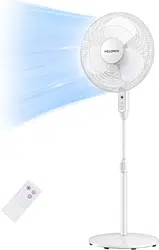
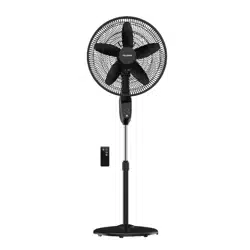
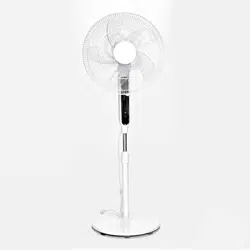
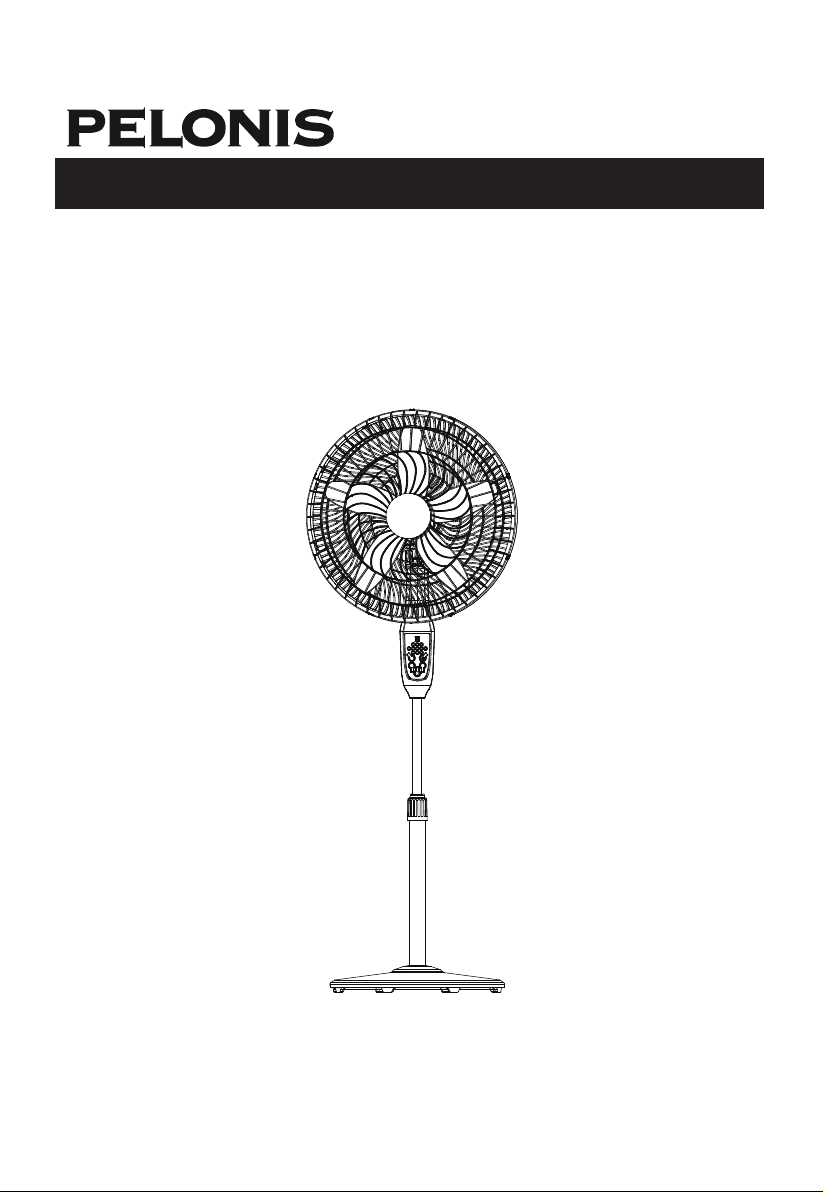
Stand Fan
MODEL: PFS45A5BBB

1
1. This appliance has a polarized plug (one blade is wider than the
other). To reduce the risk of electric shock, this plug is intended
to fit in a polarized outlet only one way. If the plug does not fit
fully in the outlet, reverse the plug. If it still does not fit, contact a
qualified electrician. Do not attempt to defeat this safety feature.
2.
WARNING—
To reduce the risk of fire or electric shock, do not
use this fan with any solid-state speed control device.
3. This product employs overload protection (fuse). A blown fuse
indicates an overload or short-circuit situation. If the fuse blows,
unplug the product from the outlet. Replace the fuse as per the
user servicing instructions (follow product marking for proper
fuse rating) and check the product. If the replacement fuse
blows, a short-circuit may be present and the product should be
discarded or returned to an authorized service facility for exami-
nation and/or repair.
a) “Do not operate any fan with a damaged cord or plug. Discard
fan or return to an authorized service facility for examination
and/or repair.”
b) “Do not run cord under carpeting. Do not cover cord with
throw rugs, runners, or similar coverings. Do not route cord
under furniture or appliances. Arrange cord away from traffic
area and where it will not be tripped over.”
4. Do not leave the fan running unattended.
5. Keep electrical appliances out of reach from children or infirm
persons. Do not let them use the appliances without supervision.
6. If the supply cord is damaged, it must be replaced by
manufacturer or its service agent or a similarly qualified person
in order to avoid a hazard.
IMPORTANT SAFETY INSTRUCTIONS
Read Rules for Safe Operation and Instructions Carefully.
Caution
WARNING

7. This appliance is not intended for use by persons (including
children) with reduced physical, sensory or mental
capabilities, or lack of experience and knowledge, unless
they have been given supervision or instruction concerning
use of the appliance by a person responsible for their safety.
Children should be supervised to ensure that they do not play
with the appliance.
8. When the fan was assembled, the rotor blade guard shall not
be taken off anymore.
- Prior cleaning unplug the fan.
- The rotor guard shall not be dissembled/opened to clean the
rotor blades.
- Wipe the fan enclosure and rotor blade guard with a slightly
damp cloth.
IMPORTANT SAFETY INSTRUCTIONS
WARNING
2

1. Never insert fingers, pencils, or any other object through the
grille when fan is running.
2. Disconnect fan when moving from one location to another.
3. Be sure fan is on a stable surface when operating to avoid
overturning.
4. DO NOT use fan in window, rain may create electrical hazard.
5. Household use only.
RULES FOR SAFE OPERATION
3
4
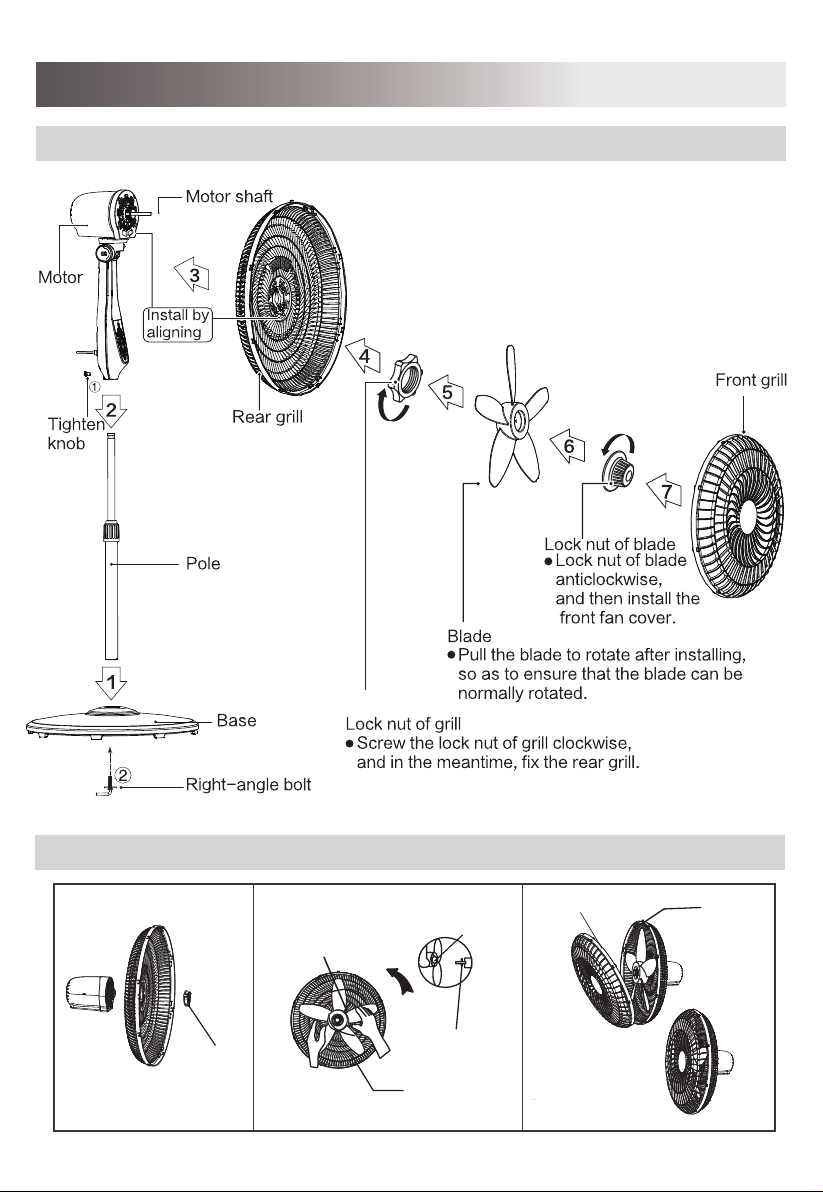
INSTALLATION INSTRUCTIONS
Name of components
Front and Rear Guard Installation
Lock nut
of grill
Lock nut of
blade
Blade
Locating Pin
Tight
Indentation
Buckle
Indentation
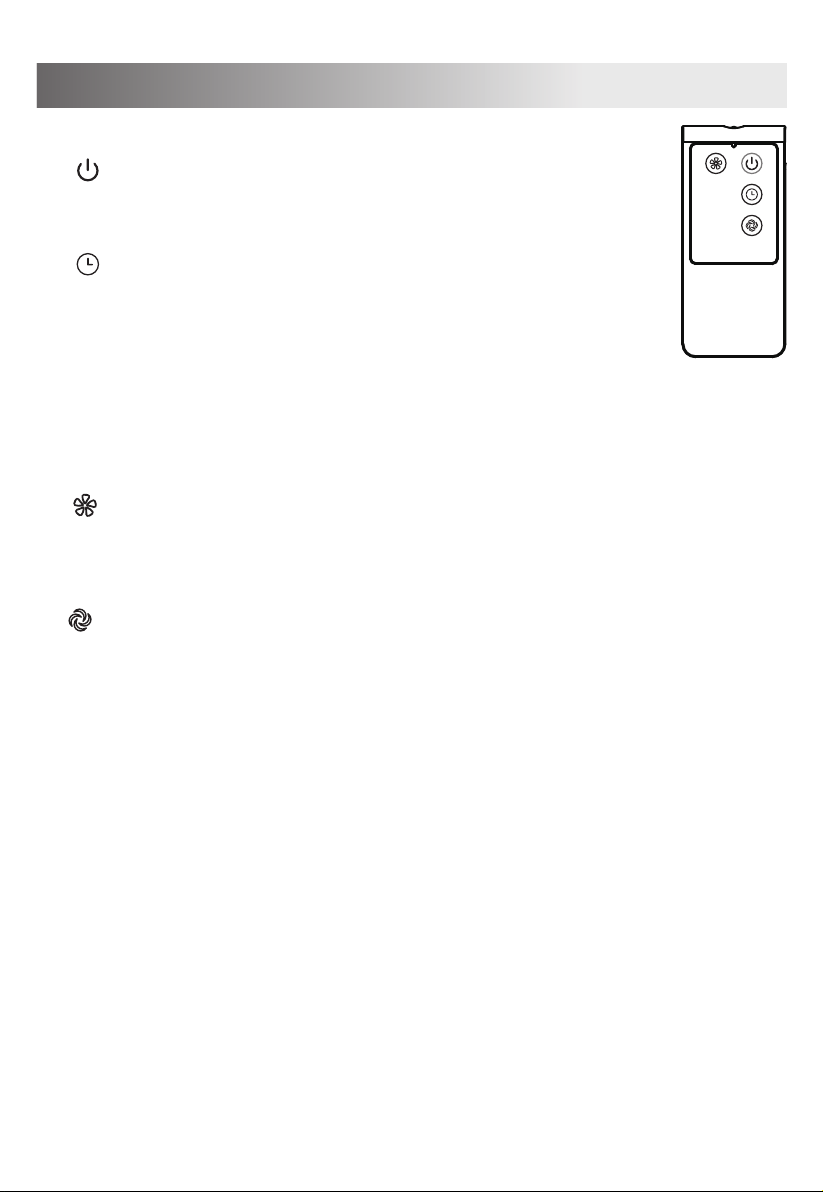
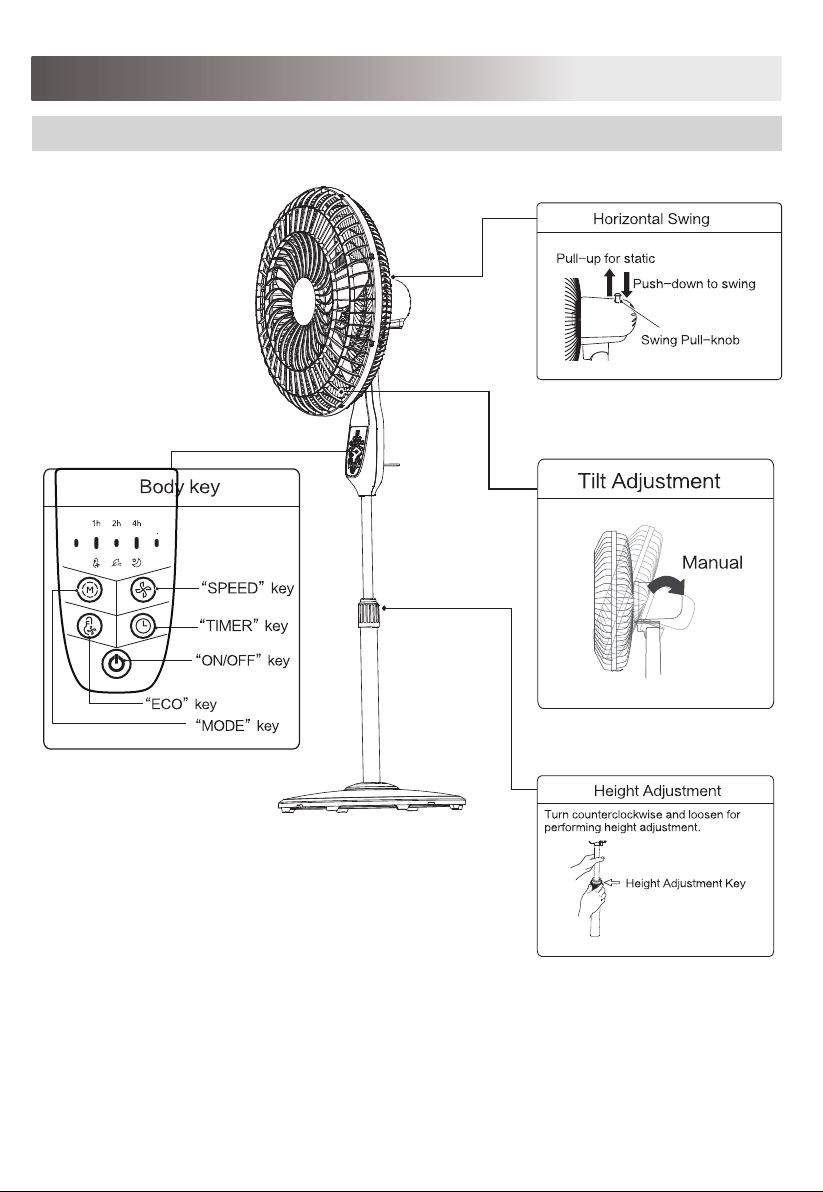
To make the fan oscillate, press the clutch knob located
on the top of the motor housing. To get the directional
airflow, pull the clutch knob up to its initial position.
2. Oscillation Control
To adjust the air flow upward or downward, push the
grilles lightly to the desired direction.
3. Tilt Adjustment
The height of the fan can be adjusted by loosening the
height adjustment ring, carefully carefully raising or
lowering the fan and firmly re-tightening the height adjustment ring.
4. Height Adjustment
Fig.1
OPERATING INSTRUCTION
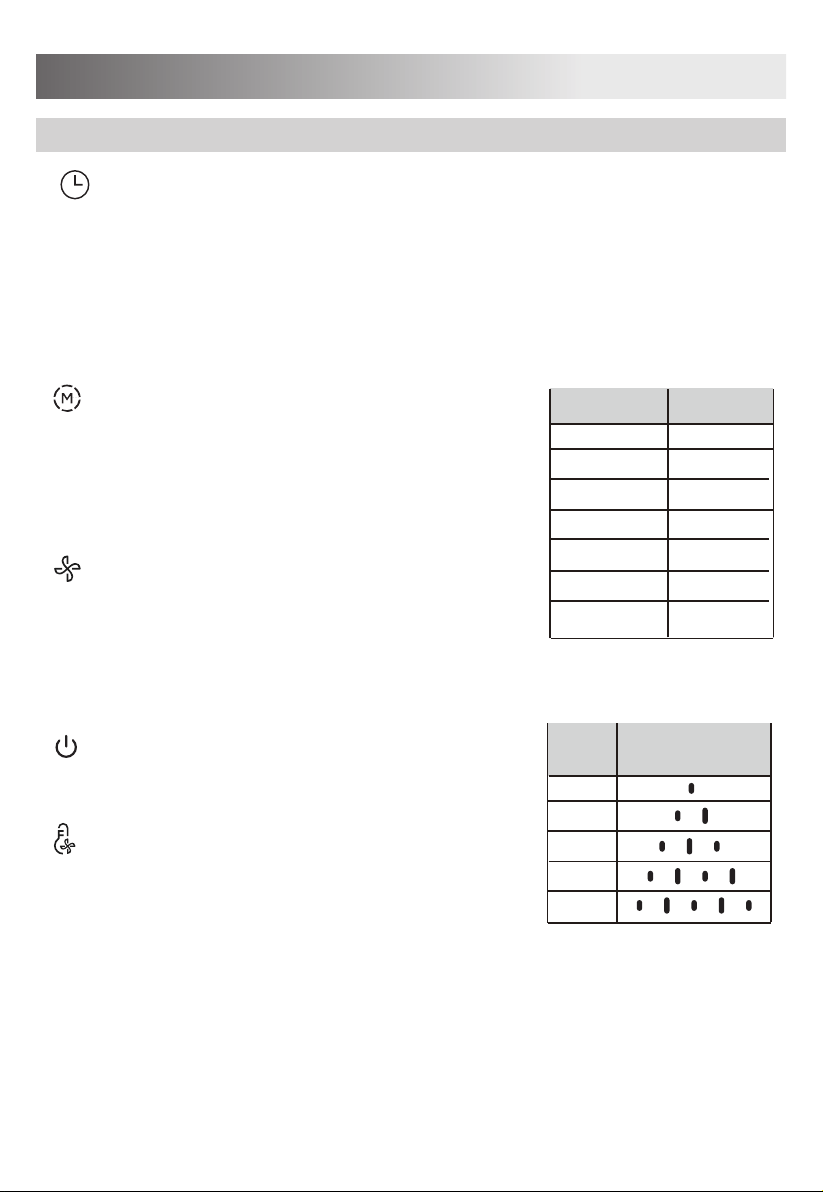
“ ” MODE KEY
Press The M to select mode. The sequence is normal, natural ,sleep and ECO.
when this M being touched repeatedly or continuously,The light can indicate
mode state,It can also be controlled by remote control.
type changes in the sequence from NORMAL---NATURAL---SLEEP---ECO
---NORMAL wind when this key being touched repeatedly or kept in.
“ ” ON/OFF KEY
The key is for switching on the fan. The fan will be started.
Press the key again, it will be switched off.
“ ” TIMER KEY
“ ” SPEED KEY
1. Remote Controller (Fig.1)
When the TIMER key is touched repeatedly , the time to be set for
air delivery increased step by step .For instance, if the fan operation
is required to be set for 7hours, this key must be touched repeatedly
so that the pilot lamps for 1, 2and 4 hours lighten together.
It means that the set time is 1+ 2+ 4= 7hours. The time
setting indicated by the pilot lamp will decrease gradually by a unit of
1hour. Don’t press the TIMER key when the fan is required to operate
continuously. At the moment all pilot lamps don’t light.
5
When the fan runs at normal mode or ECO mode, press the “speed” repeatedly
to choose 5 different speeds ;When it runs under natural or sleep mode,press
the “speed” repeatedly to choose 3 different speed .
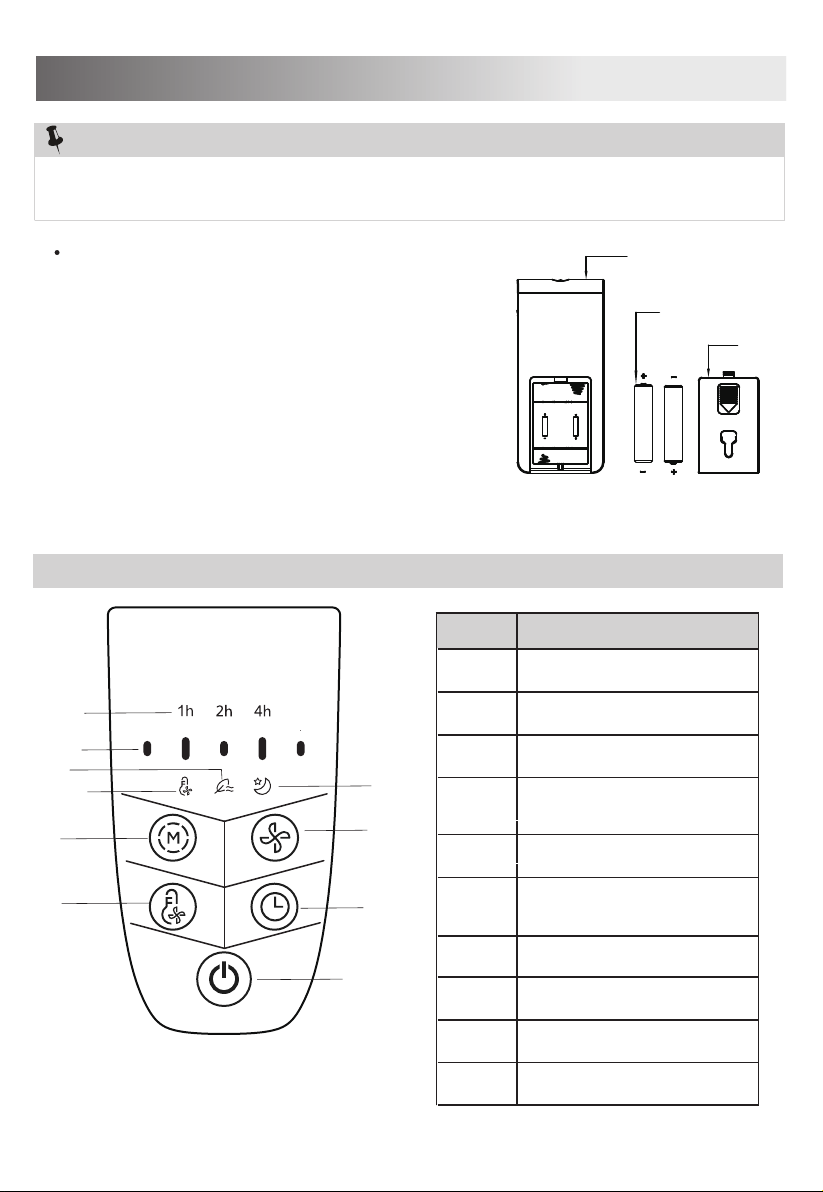
CONTROL PANEL
4
1
NO. Description
1
2 Air speed indicator
3
4
5 Mode
Timing display lamp
Natural mode indicator
6
7 Sleep mode indicator
6
BATTERY WARNING AS BELOW
Do not dispose of batteries in fire, batteries may
explode or leak.
Do not mix old and new batteries.
Do not mix alkaline, standard (carbon-zinc) or
rechargeable (nickel-cadmium) batteries.
Pay attention to poles (+ and -) of the batteries.
Fig.2
NOTE
:
Use manganese or alkaline batteries of type "AAA". Do not use rechargeable
batteries.
Remote controller
AAA Battery,1.5v
Battery cover
Battery Compartment
OPERATING INSTRUCTION
5
6
8
9
10
2
7
3
8 Air speed
9
10
ON/OFF
Timing
ECO indicator
ECO mode
OPERATING INSTRUCTIONS
Time(H)lamps
1
1h
2h
4h
1h/2h
1h/4h
2h/4h
1h/2h/4h
2
3
4
5
6
7
When the TIMER key is touched repeatedly , the time to be set for air delivery
increased step by step .For instance, if the fan operation is required to be set for
7hours, this key must be touched repeatedly so that the pilot lamps for 1, 2and 4
hours lighten together. It means that the set time is 1+ 2+ 4= 7hours.
The time setting indicated by the pilot lamp will decrease gradually by a unit of 1
hour. Don’t press the TIMER key when the fan is required to operate continuously.
At the moment all pilot lamps don’t light.
When the fan runs at normal mode or ECO mode,
press the “speed” repeatedly to choose 5 different
speeds ;When it runs under natural or sleep mode,
press the “speed” repeatedly to choose 3 different
speed .
“ ” ON/OFF KEY
The key is for switching on the fan. The fan will be
started. Press the key again, it will be switched off.
“ ” TIME KEY
“ ” MODE KEY
“ ” SPEED KEY
Press The M to select mode. The sequence is normal,
natural , sleep and ECO. when this M being touched
repeatedly or continuously, The light can indicate
mode state, It can also be controlled by remote
control.
CONTROL PANEL
7
“ ” ECO KEY
Press this key to turn on ECO function or turn off it.
Indicator light
display
Gear
1
2
3
4
5
8
INSTRUCTIONS FOR USE
Instructions for operation of body
9
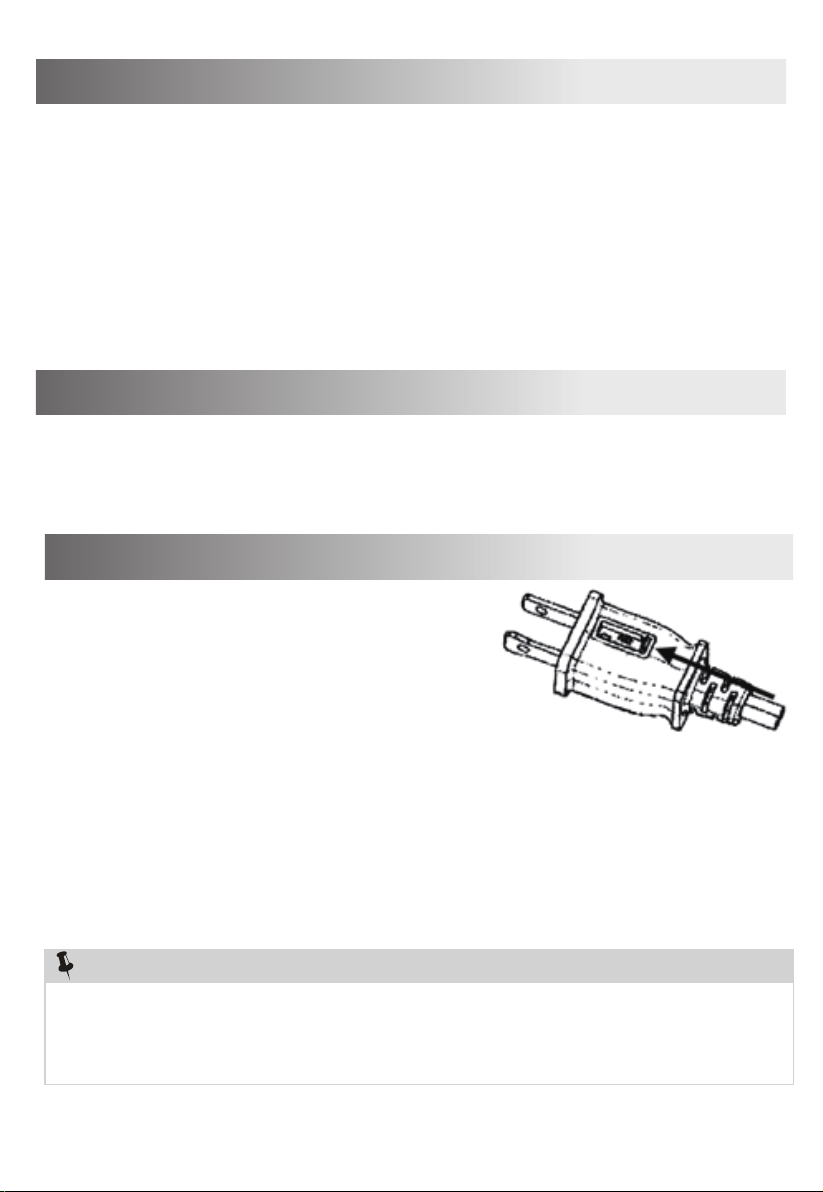
1. Grasp plug and remove from the receptacle or
other outlet device. Do not unplug by pulling
on cord.
2. Open fuse cover. Slide open fuse access
cover on top of attachment plug towards blades.
3. Remove fuse carefully. Insert the tip of your tool
into fuse slot (close with the terminal), then prize
the fuse gradually and slowly, but not overexert. If you feel tight, you can try it at
several times and prize the fuse little by little. When one side of the fuse has
been prized, then you can get the fuse out entirely.
4. Risk of fire. Replace fuse only with 2.5 Amp, 125 Volt fuse.
5. Close fuse cover. Slide closed the fuse access cover on top of attachment plug.
6. Risk of fire. Do not replace attachment plug. Contains a safety device (fuse) that
should not be removed. Discard product if the attachment plug is damaged.
USER SERVICING INSTRUCTIONS
Notice:
1. When you replace the fuse, please don’t operate suddenly or overexert, or else
the product will be damage or cause accident.
2. When you feel it hard to be operated, please make sure you have got the right
way.
The fan requires little maintenance. Do not try to fix it by yourself. Refer it to
qualified service personnel if service is needed.
1. Before cleaning and assembling, fan must be unplugged.
2. To ensure adequate air circulation to the motor, keep vents at the rear of the
motor free of dust. Do not disassemble the fan to remove dust.
3. Please wipe the exterior parts with a soft cloth soaking a mild detergent.
4. Do not use any abrasive detergent or solvents to avoid scratching the surface.
Do not use any of the following as a cleaner: gasoline, thinner.
5. Do not allow water or any other liquid into the motor housing or interior parts.
CLEANING
1. Be sure to unplug from the electrical supply source before cleaning.
2. Plastic parts should be cleaned with a soft cloth moisten with mild soap.
Thoroughly remove soap film with dry cloth.
MAINTENANCE INSTRUCTION