GH68-53644A
Printed in Korea
Quick Start
Guide
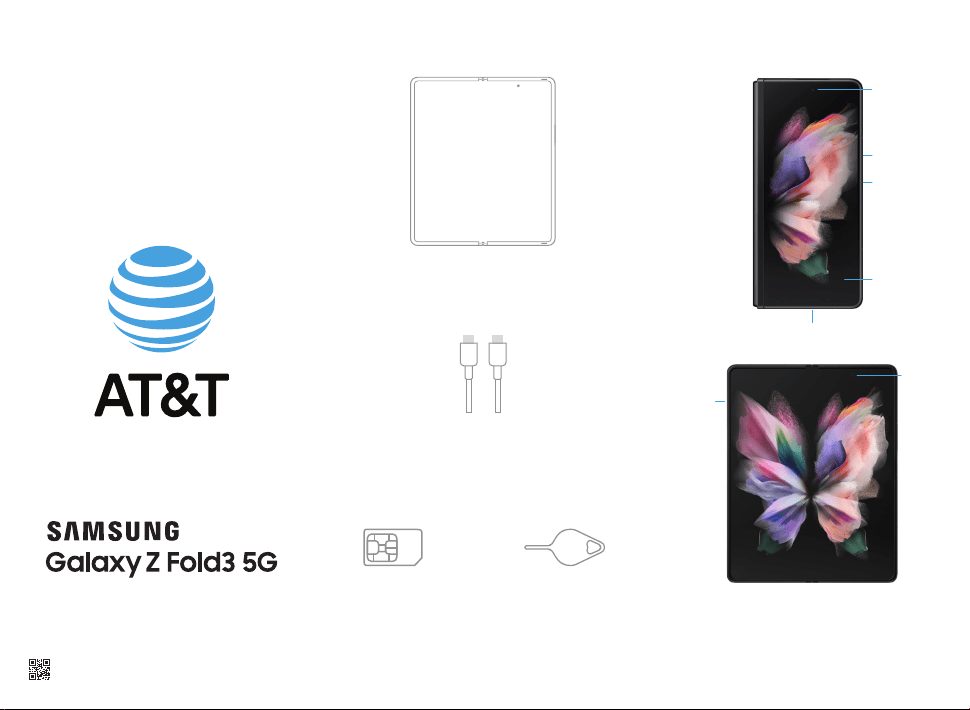
What's in the box
Phone
Charging Cable
SIM Card SIM Tool
Get to know your phone
Front Camera
FPO
SIM Card
Volume
Side Key
Display
Power On/Off
Fingerprint
scanner
Charging & Audio Port
FPO
Use only Samsung approved charging devices and
accessories. Do not press the screen or the front camera
lens with a hard or sharp object, such as a pen or fingernail,
or apply excessive pressure. Do not attach adhesives such
as films or stickers to the main screen. When folding the
device, do not place any objects, such as cards, coins, or keys,
on the screen.
Camera
Get connected
Upgrading or replacing your phone?
Transferring your number to AT&T?
If so, activate your phone at
www.att.com/activations
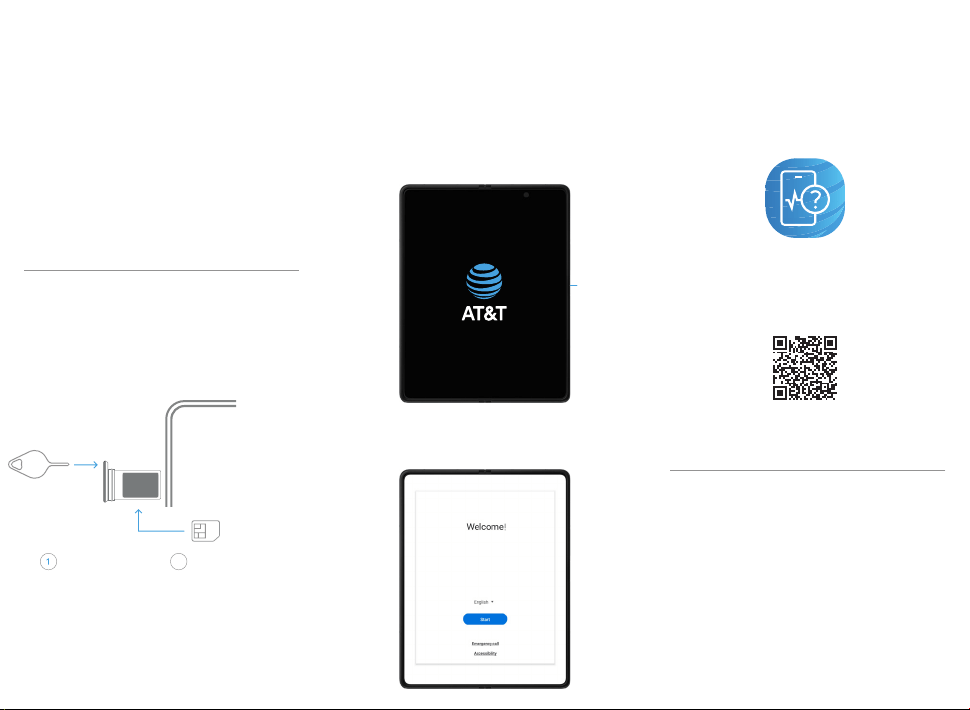
Insert the SIM card into your
phone as shown
You may need your Google ID and
password and Wi-Fi password
Power on device
Follow setup screens
and transfer content to your new phone
Get started
Side Key
Press and hold
Call our customer care team at
1.800.331.0500
Need help?
Learn more about your phone with
the Device Help app
To launch the app, scan this code
with your camera
or visit att.com/device-support
SIM Card
Turn the tray over and
insert the SIM card in
the tray.
Use the SIM card that
shipped with your new
phone to maximize your
network experience.
Use the SIM tool
to open the SIM
tray.
SIM Tool
2
© 2021 Samsung Electronics America, Inc. Samsung &
Samsung Galaxy are registered trademarks of Samsung
Electronics Co., Ltd. Other company and product names
mentioned herein may be trademarks of their respective
owners. Screen images simulated. Appearance of device
may vary. Images shown are for reference only. If you use a
screen protector, make sure it allows for use of touch-screen
features.