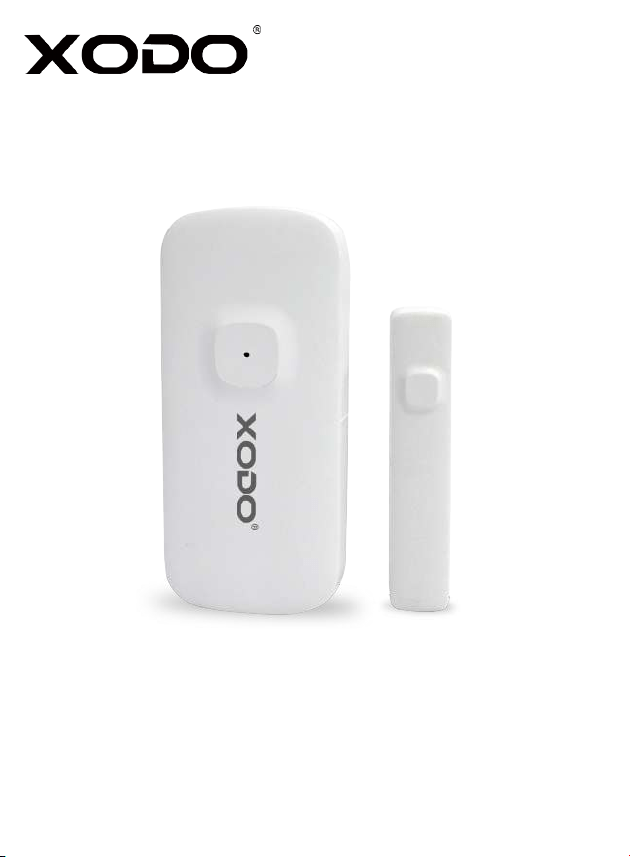
WiFi Door Sensor
DS1 User Manual
Read before installing or using this product. Keep this guide for future reference.

healthy lifestyle.
Table of Contents
Welcome
1
1
Package Contents
2
3
4
4
9
10
12
14

Keep out of reach of children. This product is not a toy.
What’s included in the box
NOTICE
WiFi Door Sensor DS1 ×2 3M Glue ×2
User Manual USB Cable ×2
2
≦
≦
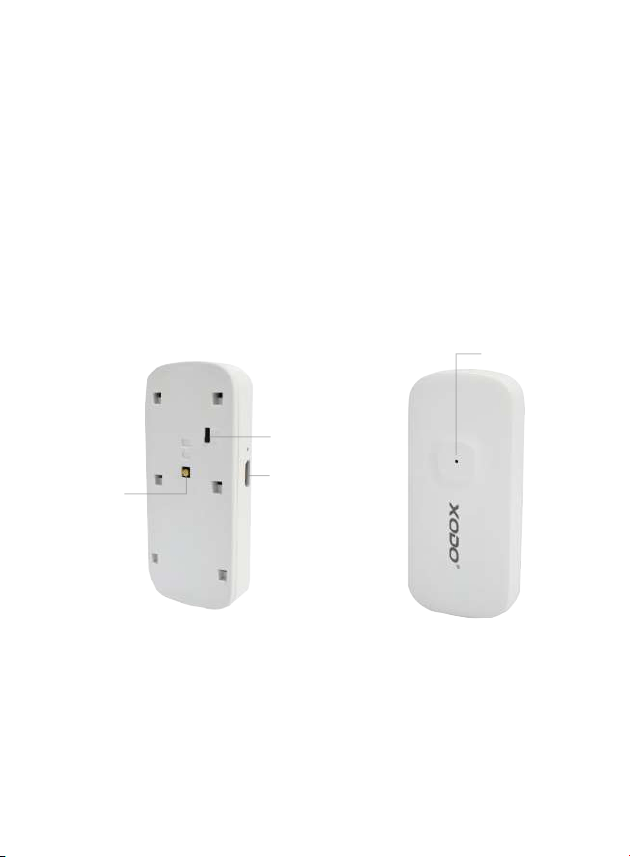
Indicator Light
WiFi Door Sensor Components
USB Port
3
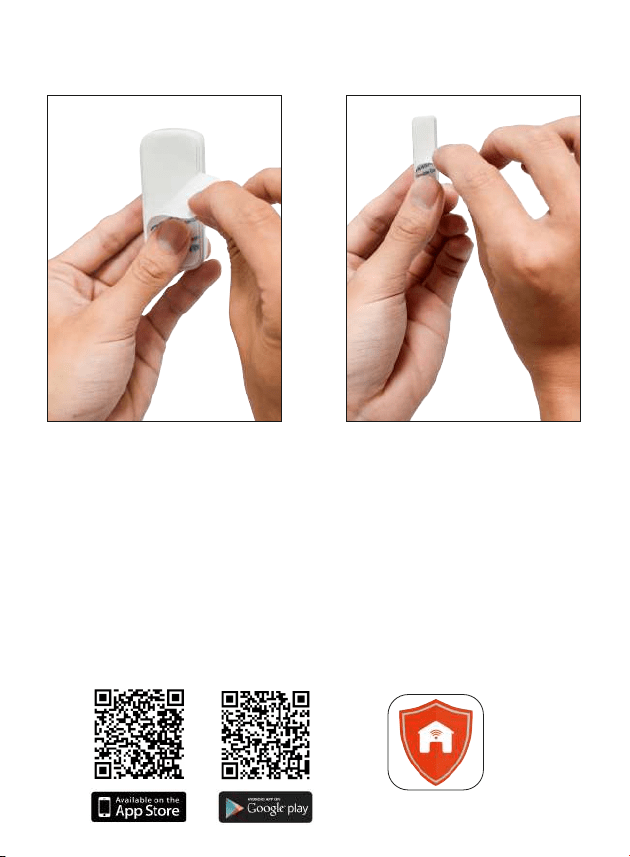
Download and Install the Xodo Smart APP
Xodo Smart
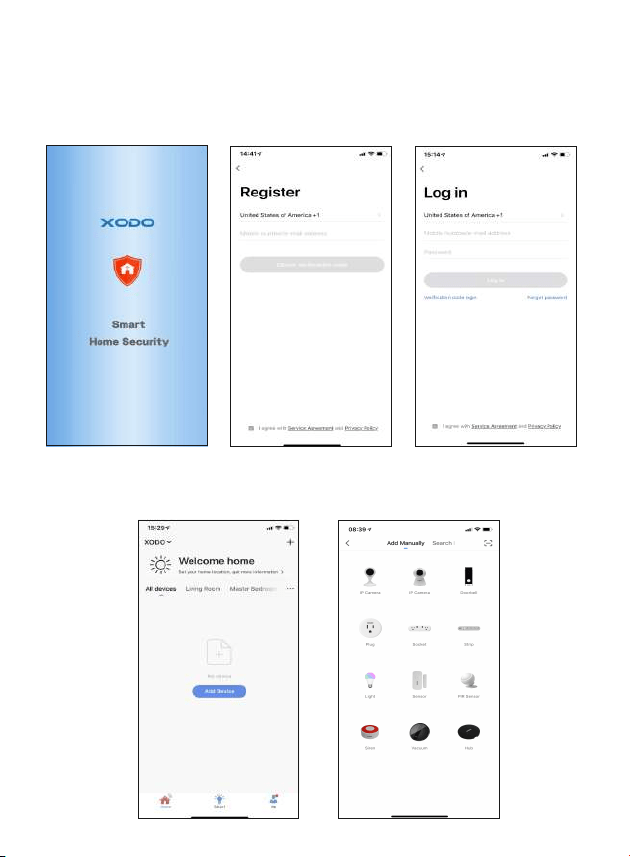
Adding Devices
Open the APP
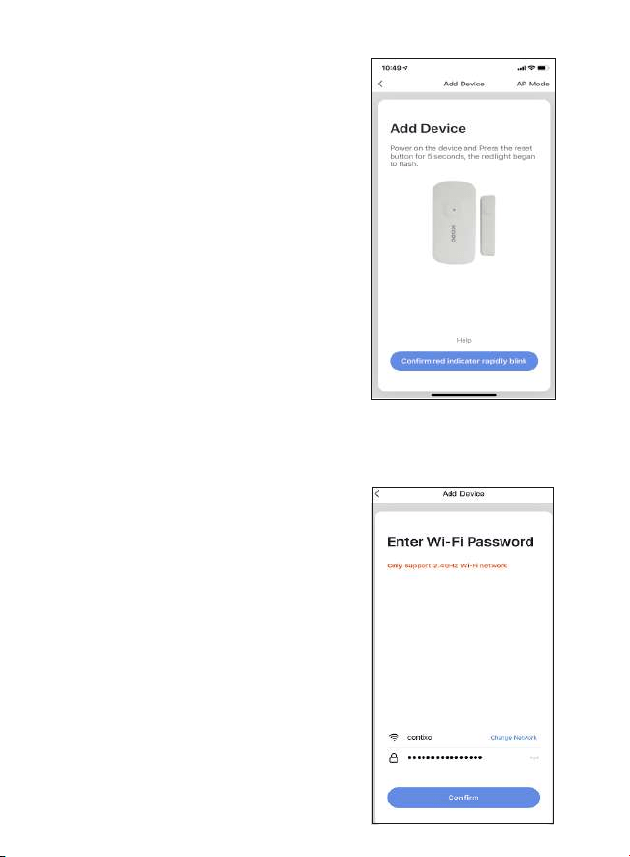
Connect to a WiFi network
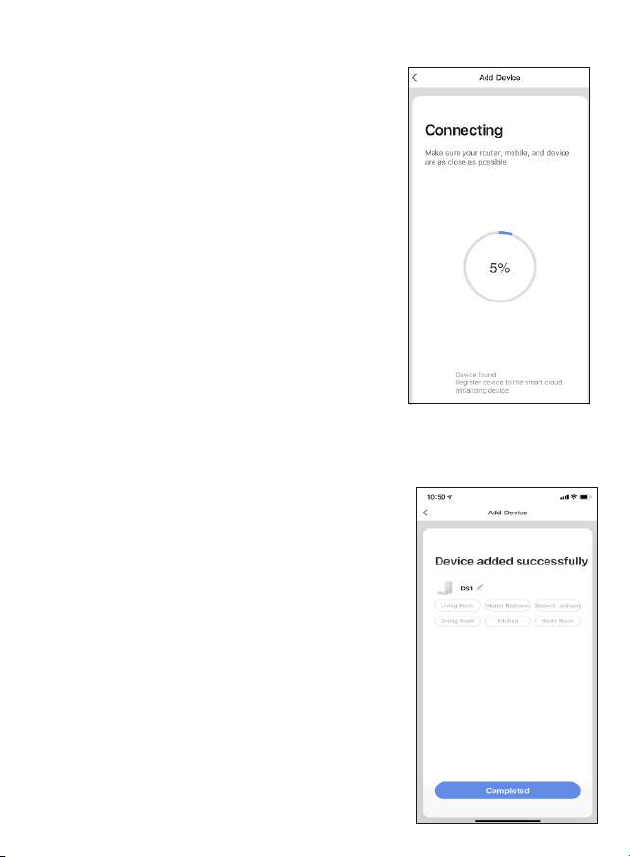
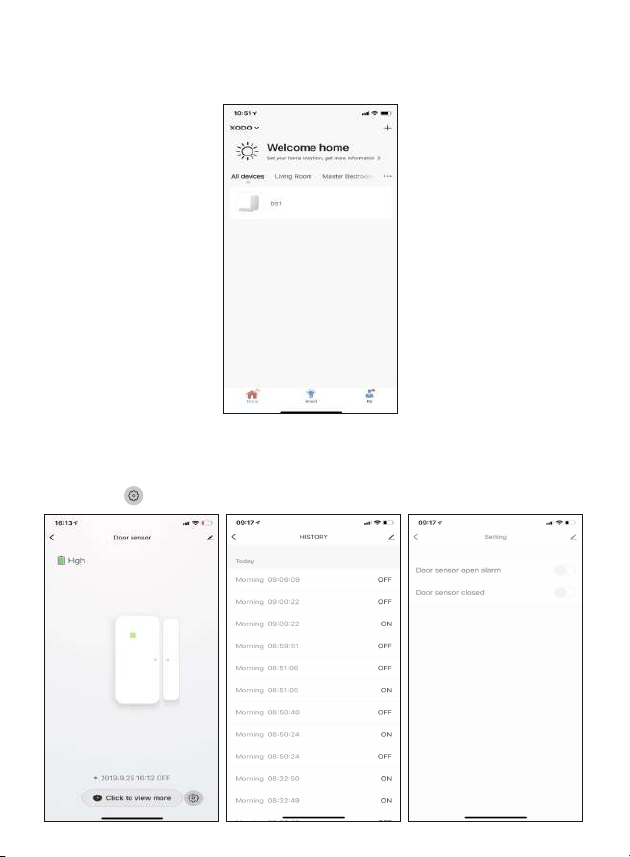
Home Screen Updated
WiFi Door Sensor Home Screen
2. Press the “
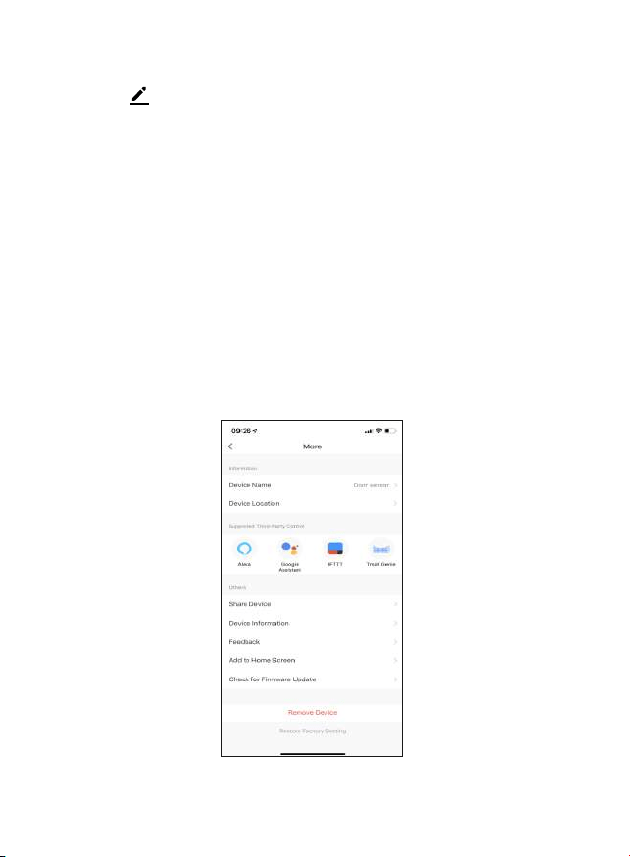
and
9
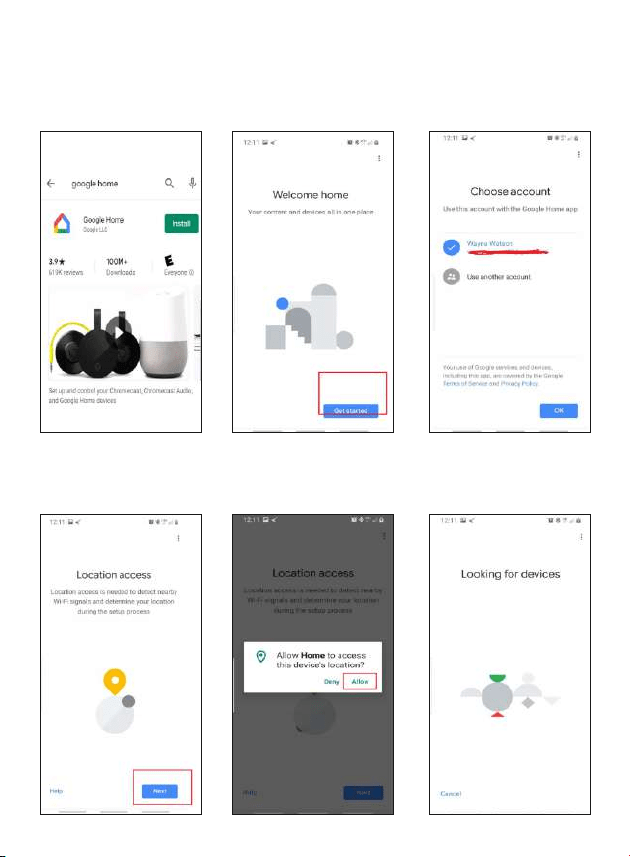
and
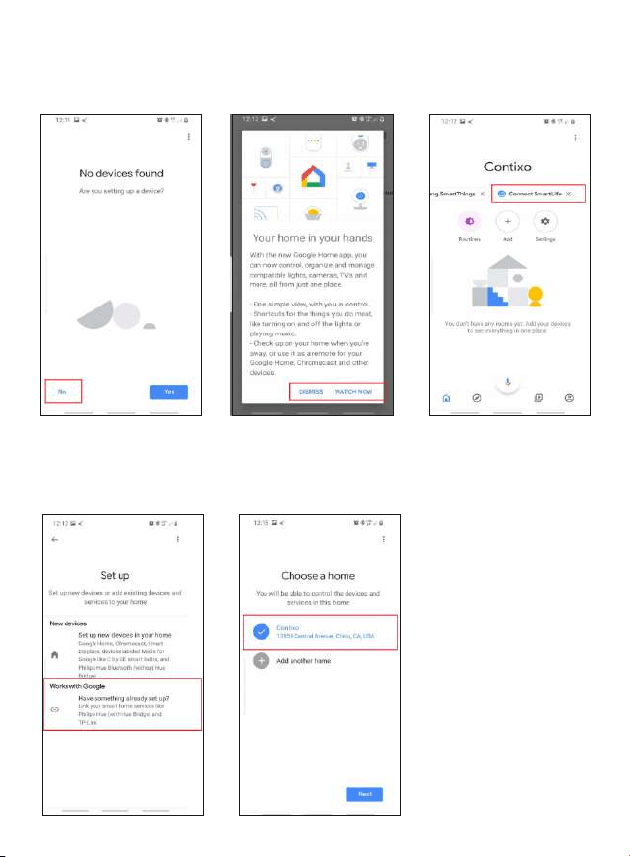
Link Xodo Smart account to Google Home Screen
group.
11
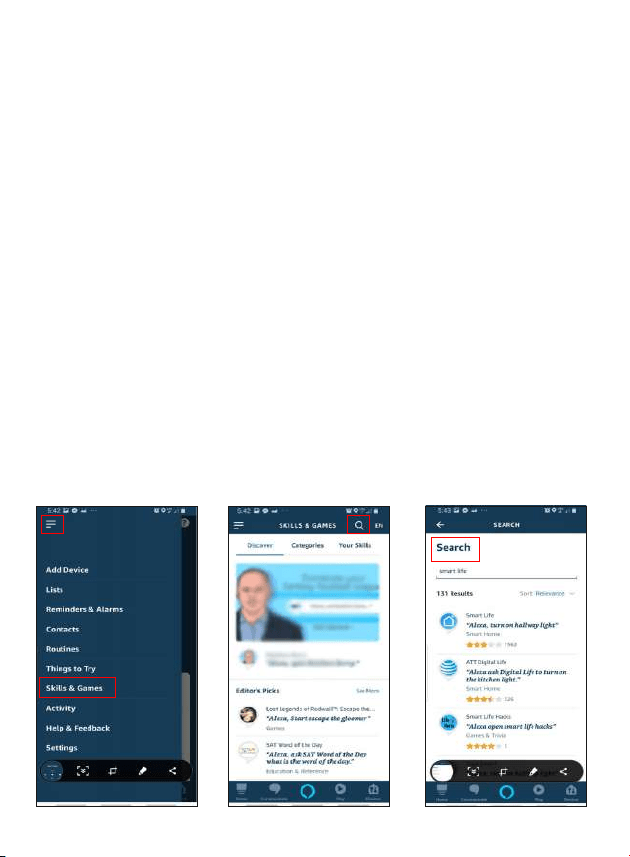
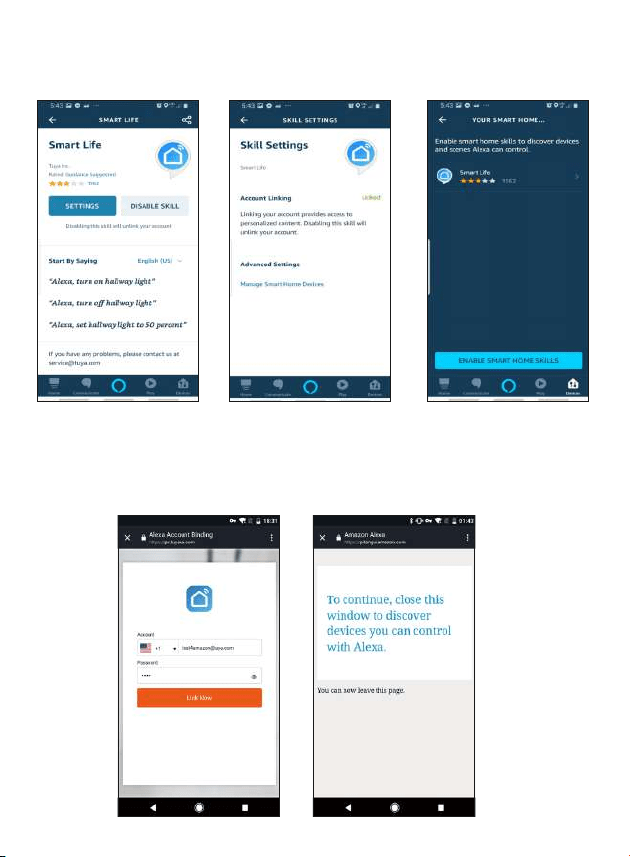
Link Xodo Smart account to Alexa
Control your smart devices through Google Home
12
13

Customer Service and Tech Support