Please contact us at Amazon for a detailed manual if necessary.Thank you.
Connect Way:
Step 1.
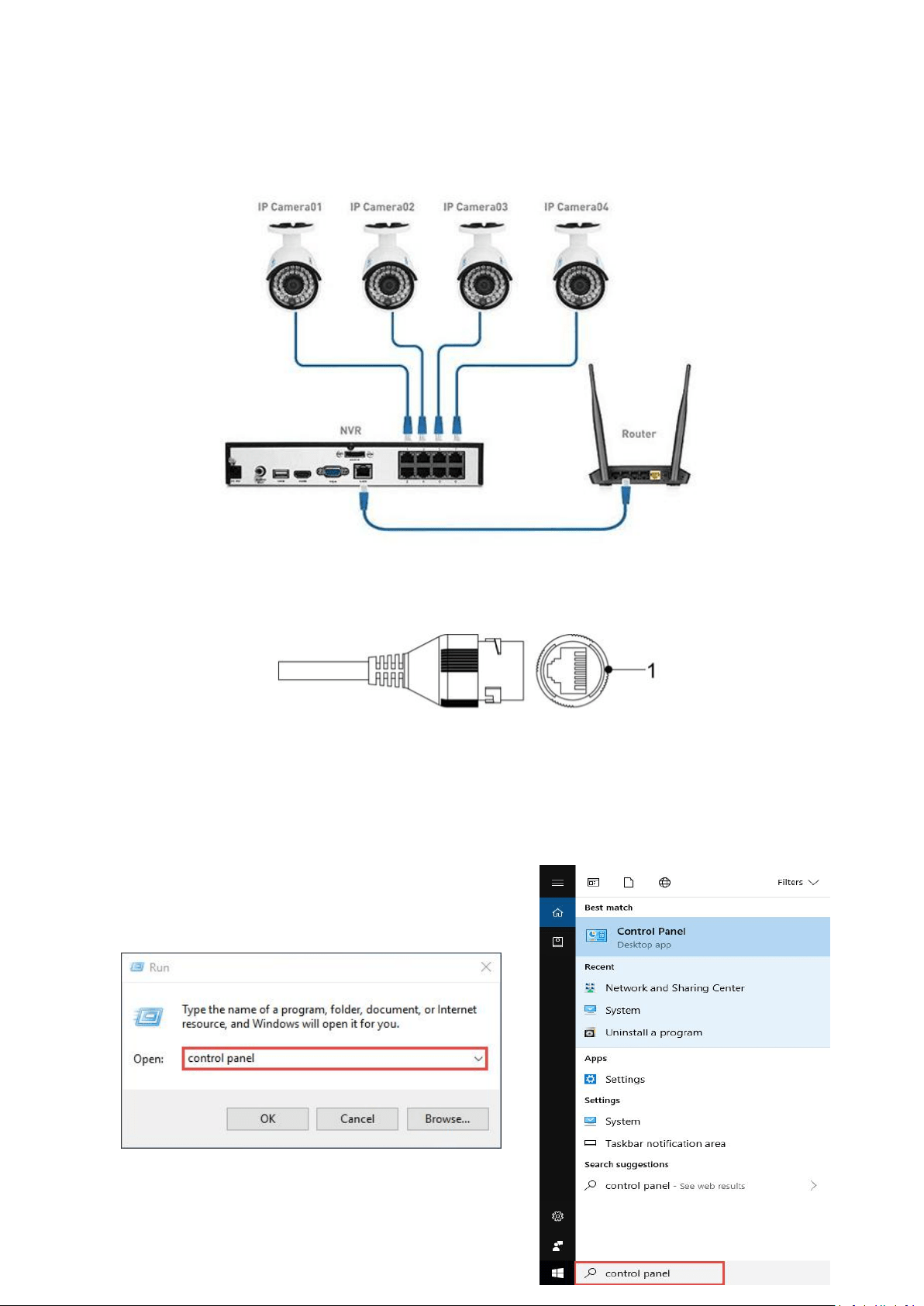
Connect Camera with RJ45 to POE Switch or POE Injector via network cable (Cat5 or Cat6 cables)
Step2.
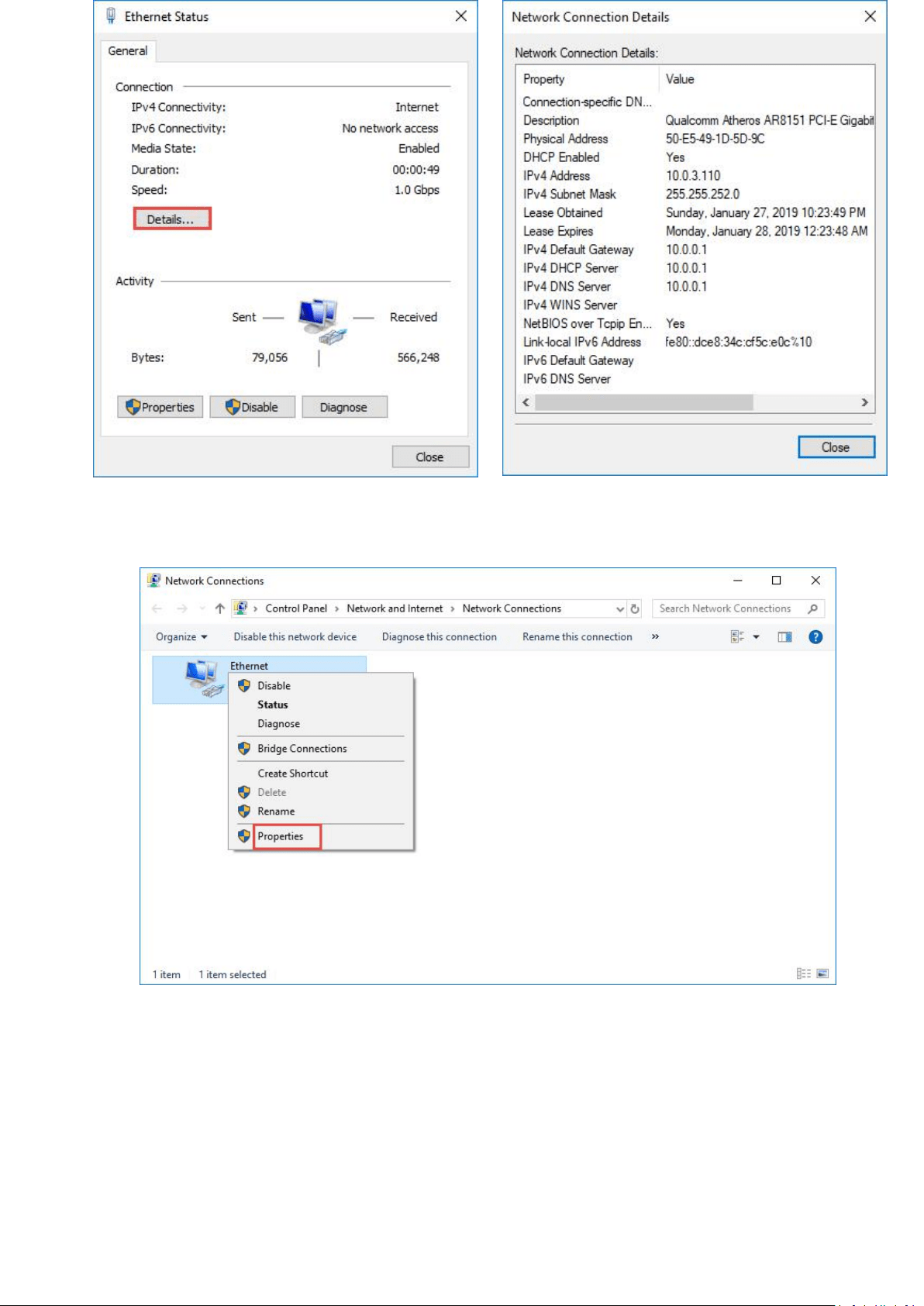
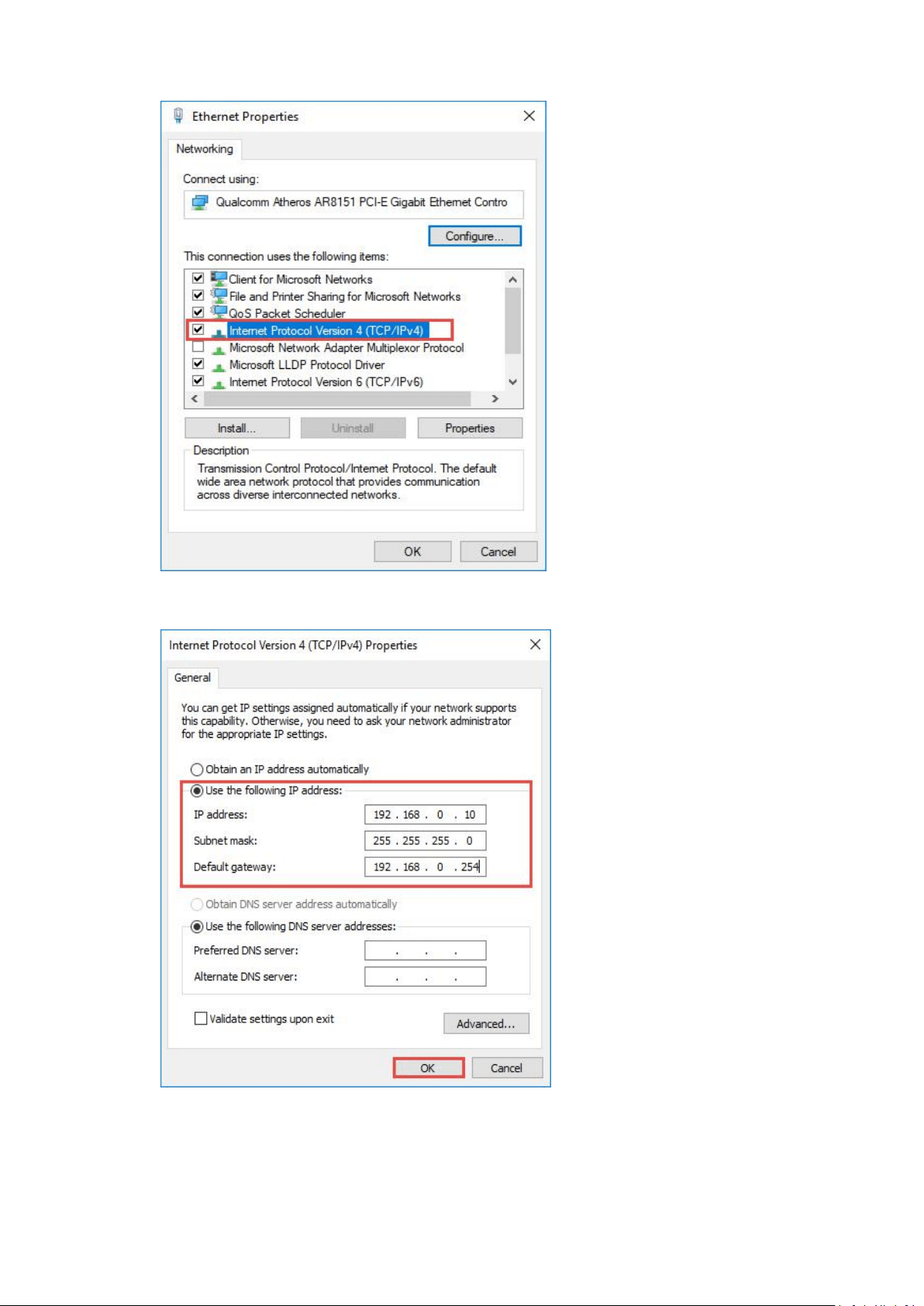
Modify the PC's local connection IP Address, Make the IP address of the PC and the
camera(192.168.1.108 is the default IP address) be in the same segment
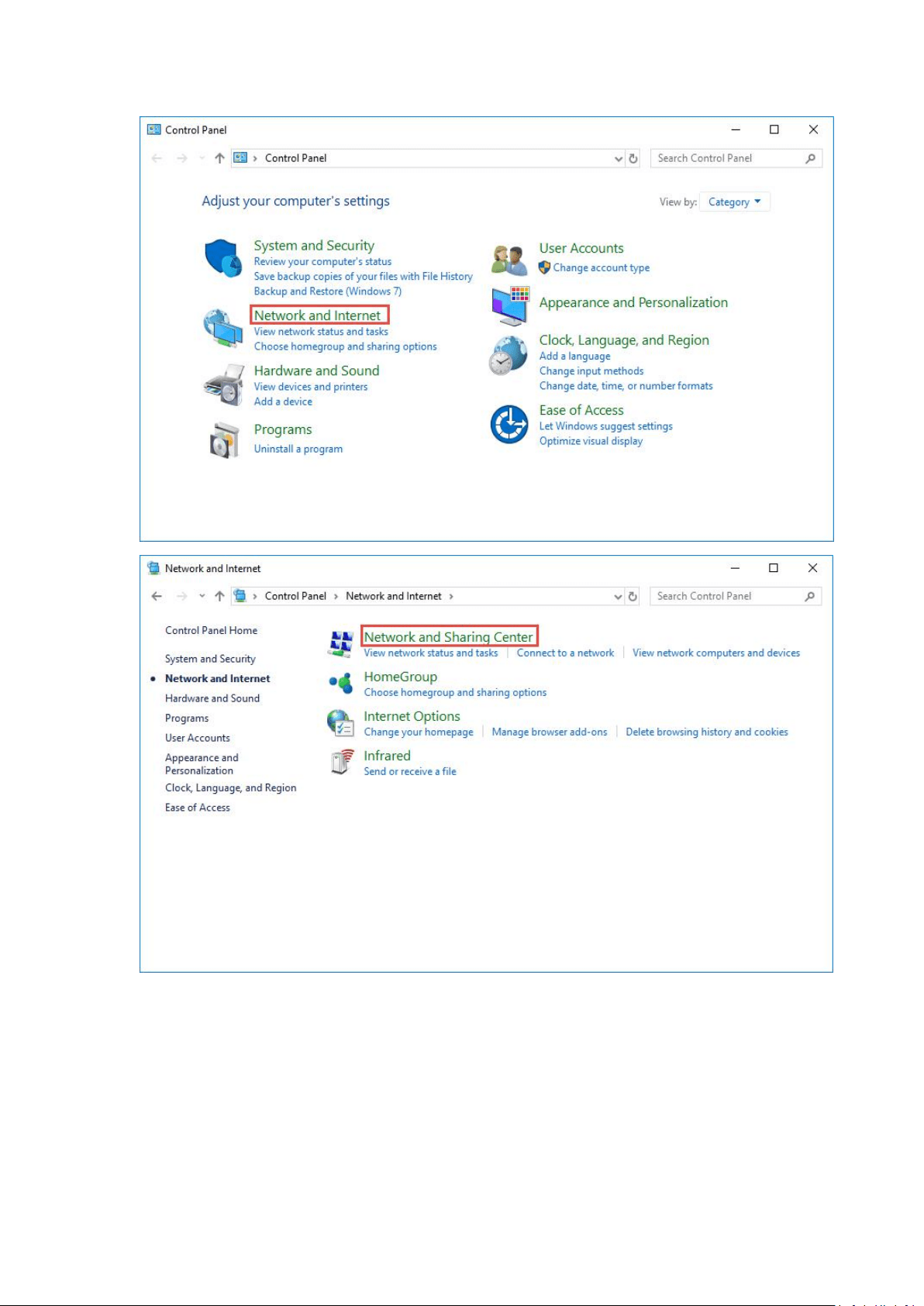
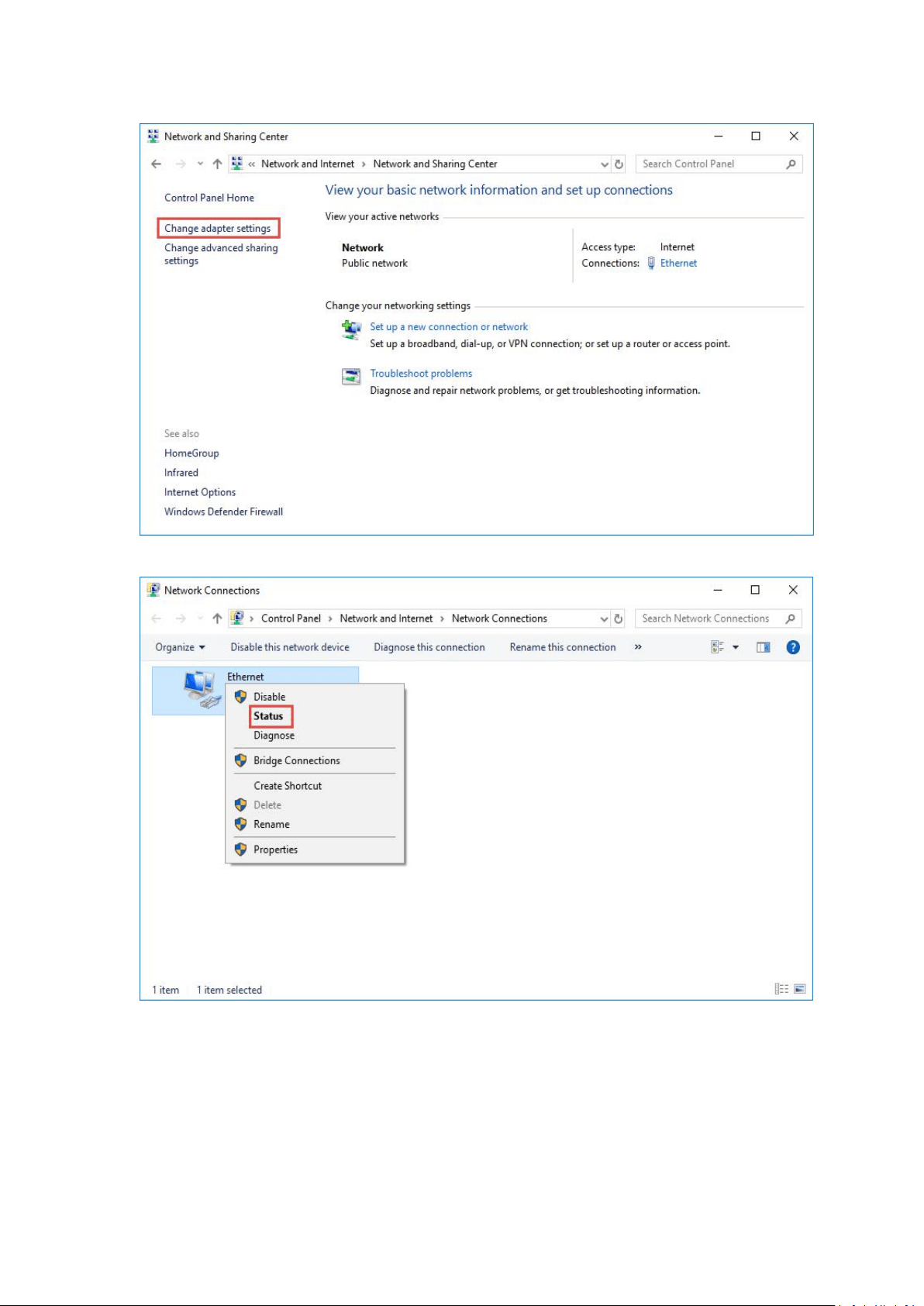
How to find your computer’s IP Address? WIN+R, Enter control panel,
Step 3.
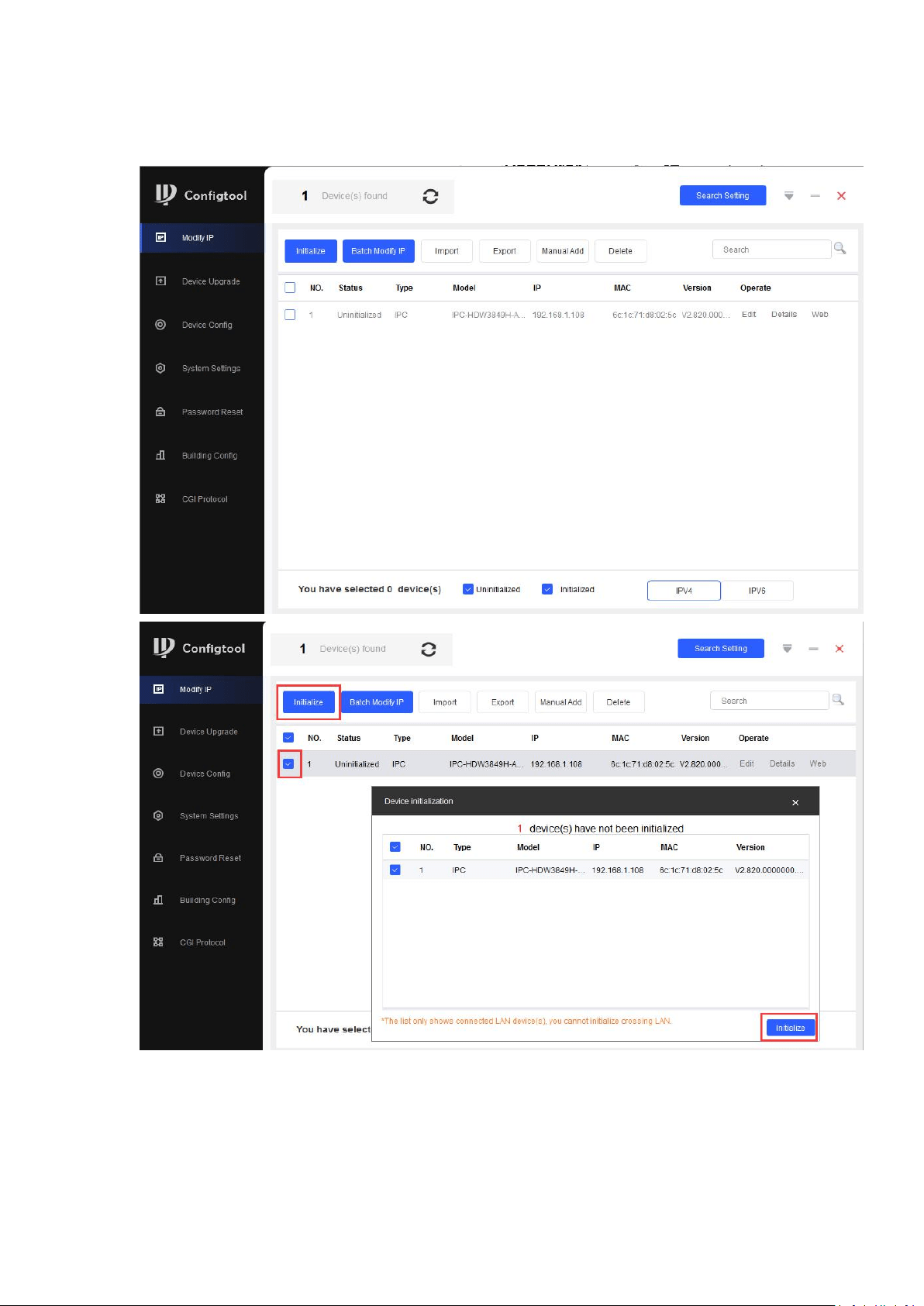
Install toolbox and configtool,Get IP address by searching on ConfigTool

Enter IP address in WEB
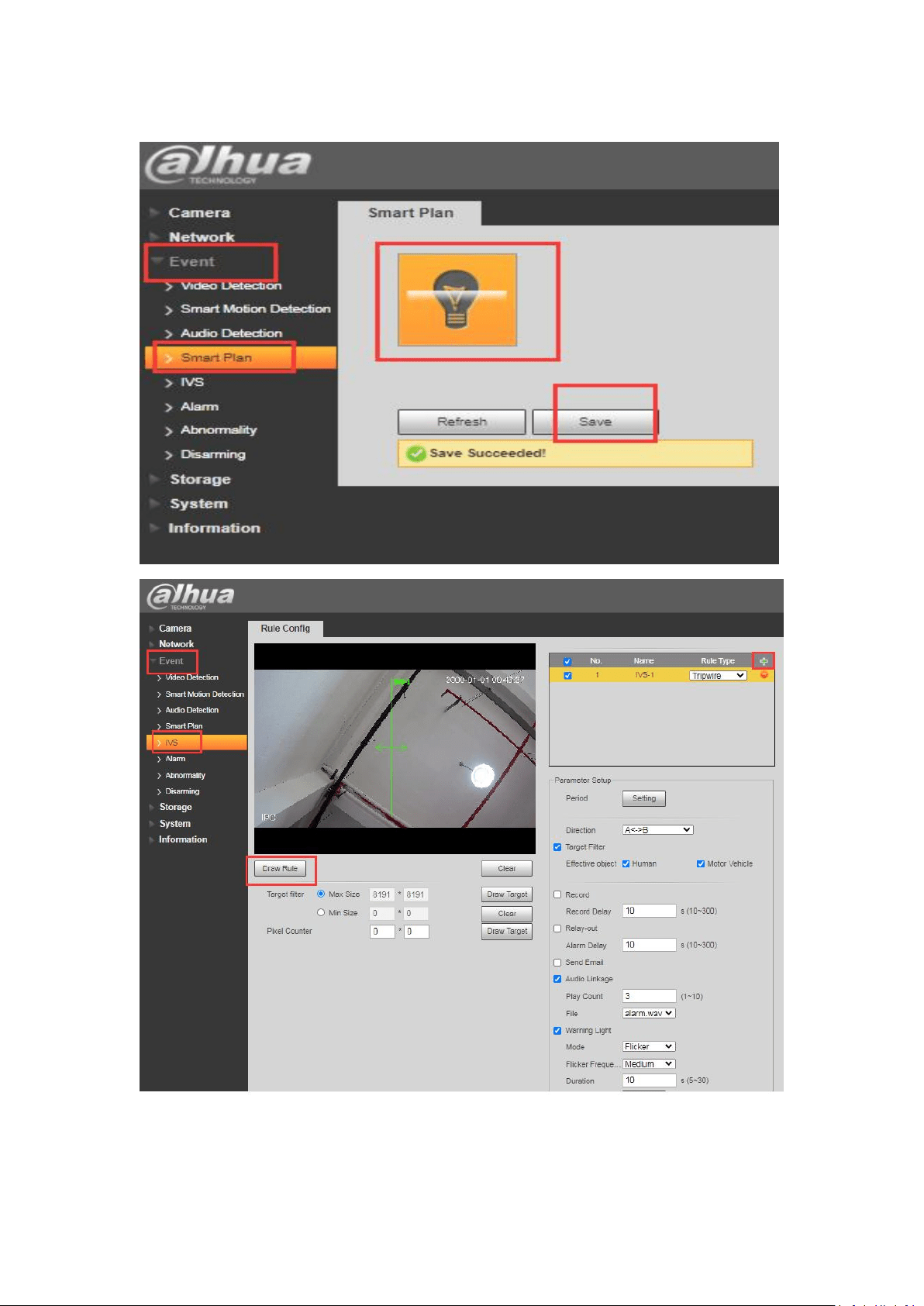
Select Event-> Smart Plan,Click IVS and Save