G305
LIGHTSPEED Wireless Gaming Mouse
Souris gaming sans l LIGHTSPEED
SETUP GUIDE
|
GUIDE D’INSTALLATION
Important Safety, Compliance and
Warranty Information
Informations importantes
concernant la sécurité,
la mise en conformité et la garantie
AA
ENGLISH . . . . . . . . . . . . . . . . . . . . . . . . 3
FRANÇAIS . . . . . . . . . . . . . . . . . . . . . . . 8
ESPAÑOL . . . . . . . . . . . . . . . . . . . . . . . . 13
PORTUGUÊS . . . . . . . . . . . . . . . . . . . . . . 18
3 ENGLISH
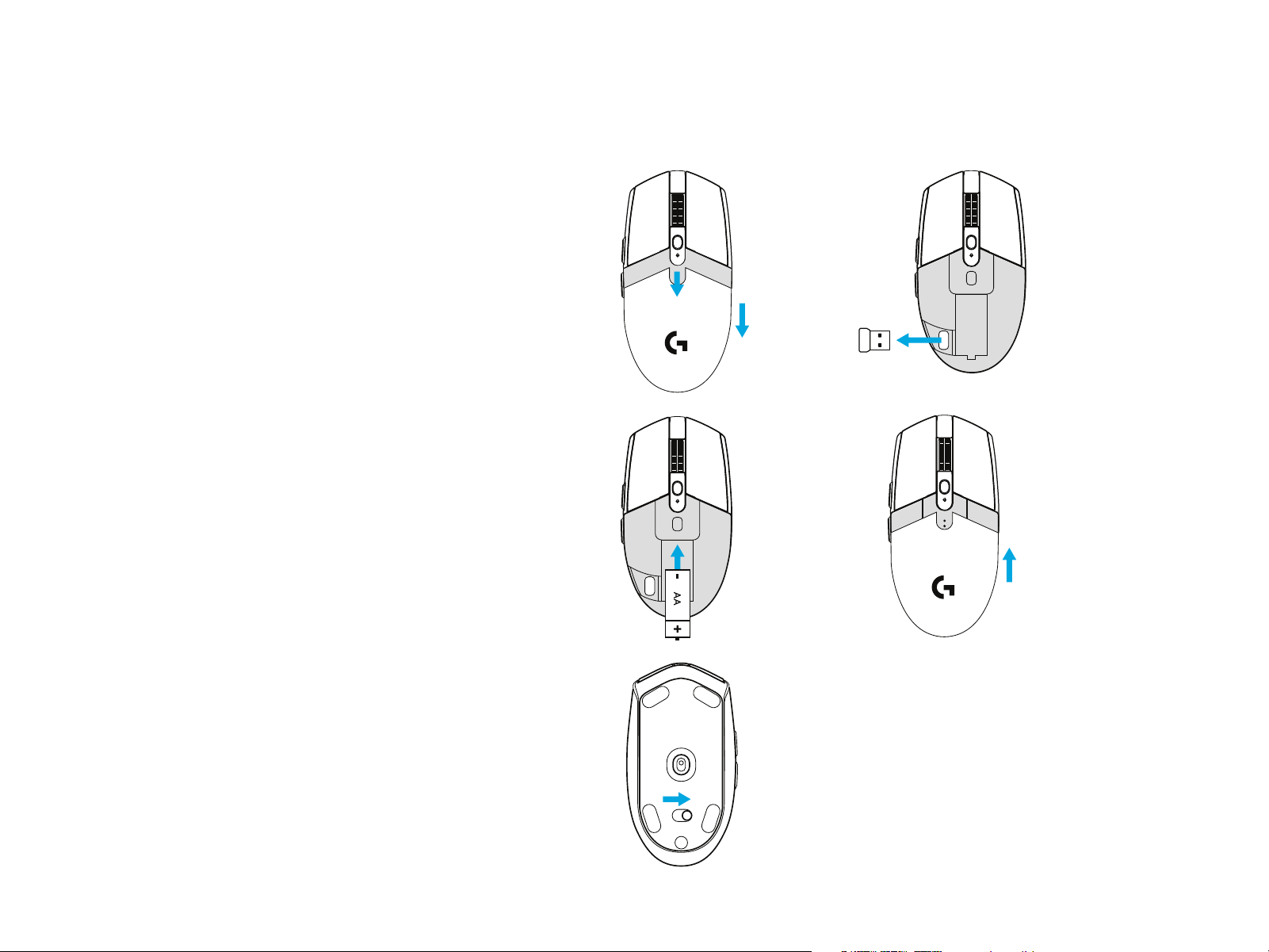
SETUP INSTRUCTIONS
1 Remove the battery cover by pressing the top
ofthecover andpulling it downwards
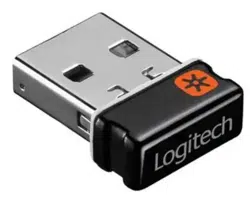
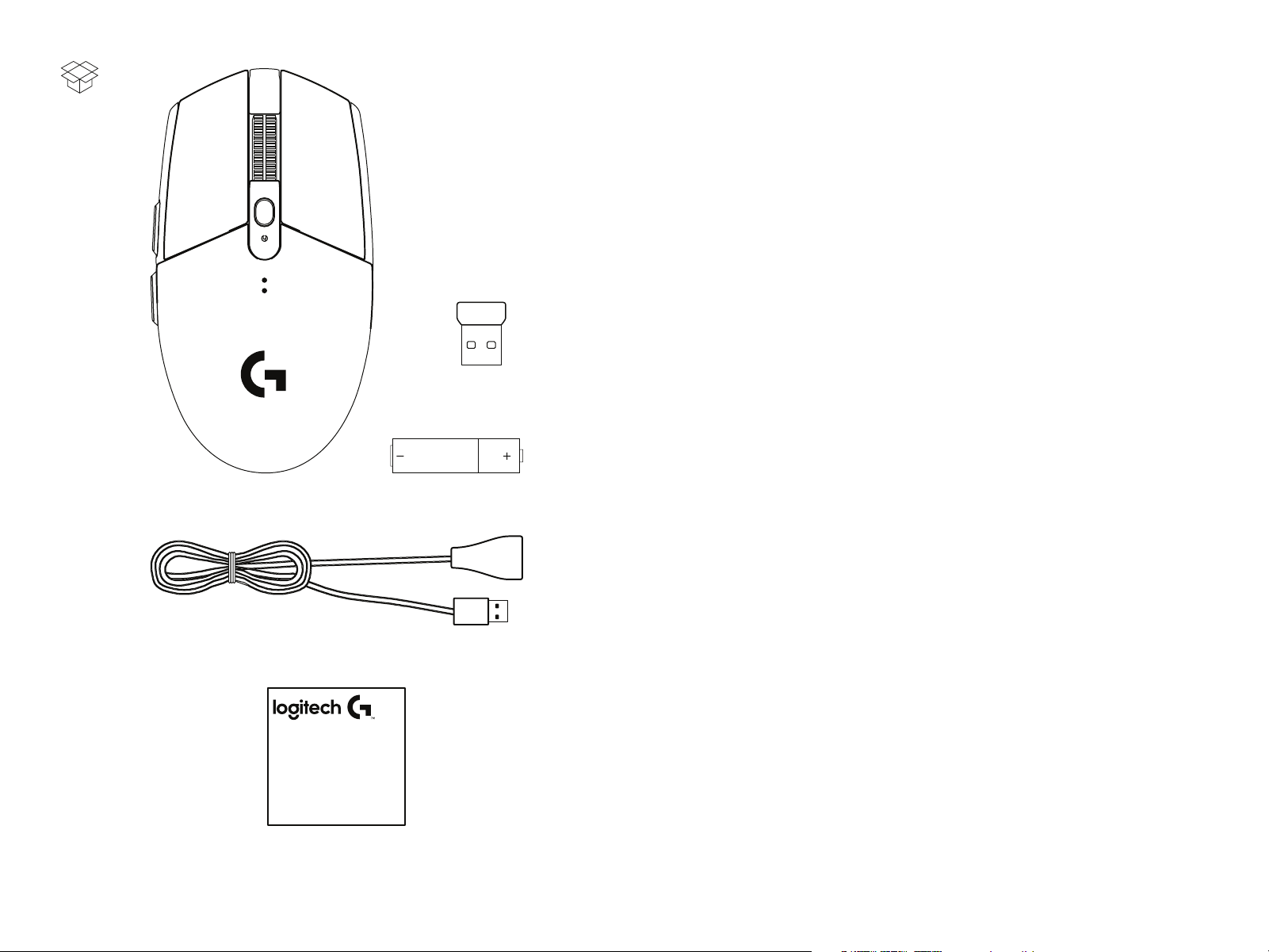
2 Remove the receiver
3 Insert the battery
4 Close the battery cover
5 Make sure the mouse is turned on via the switch
onthe bottom of the mouse
1
3
5
2
4
4 ENGLISH
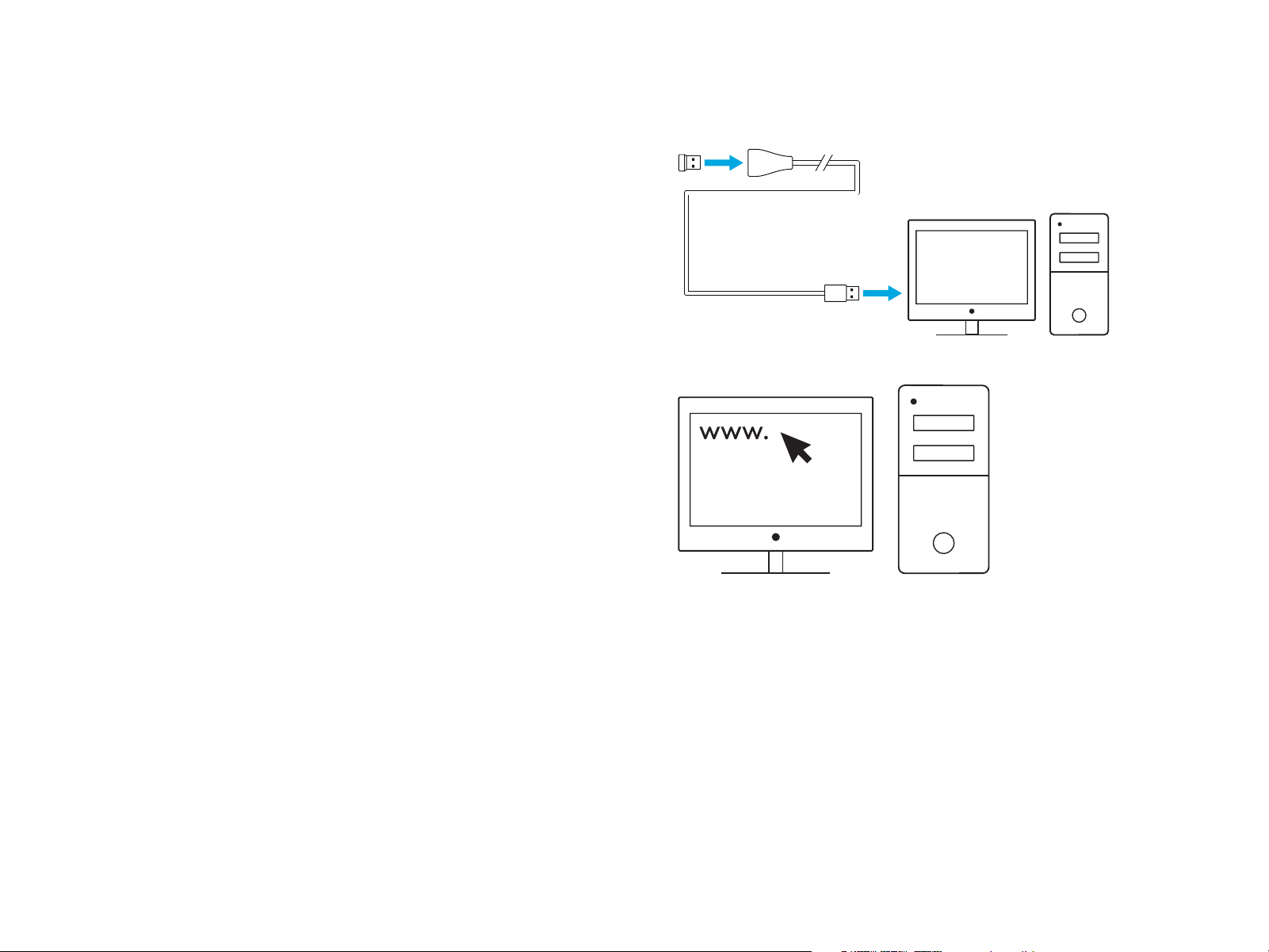
6 Recommended: Insert receiver into the receiver
extensioncable. Insert extension cable into your USB port.
Alternatively,insert receiver directly into your USB port
7 Download the G HUB software
6
7
logitech G.com/support
logitechG.com/GHUB
5 ENGLISH
Tips:
– To make your mouse lighter, a lithium AA battery
(notincluded) can be used.
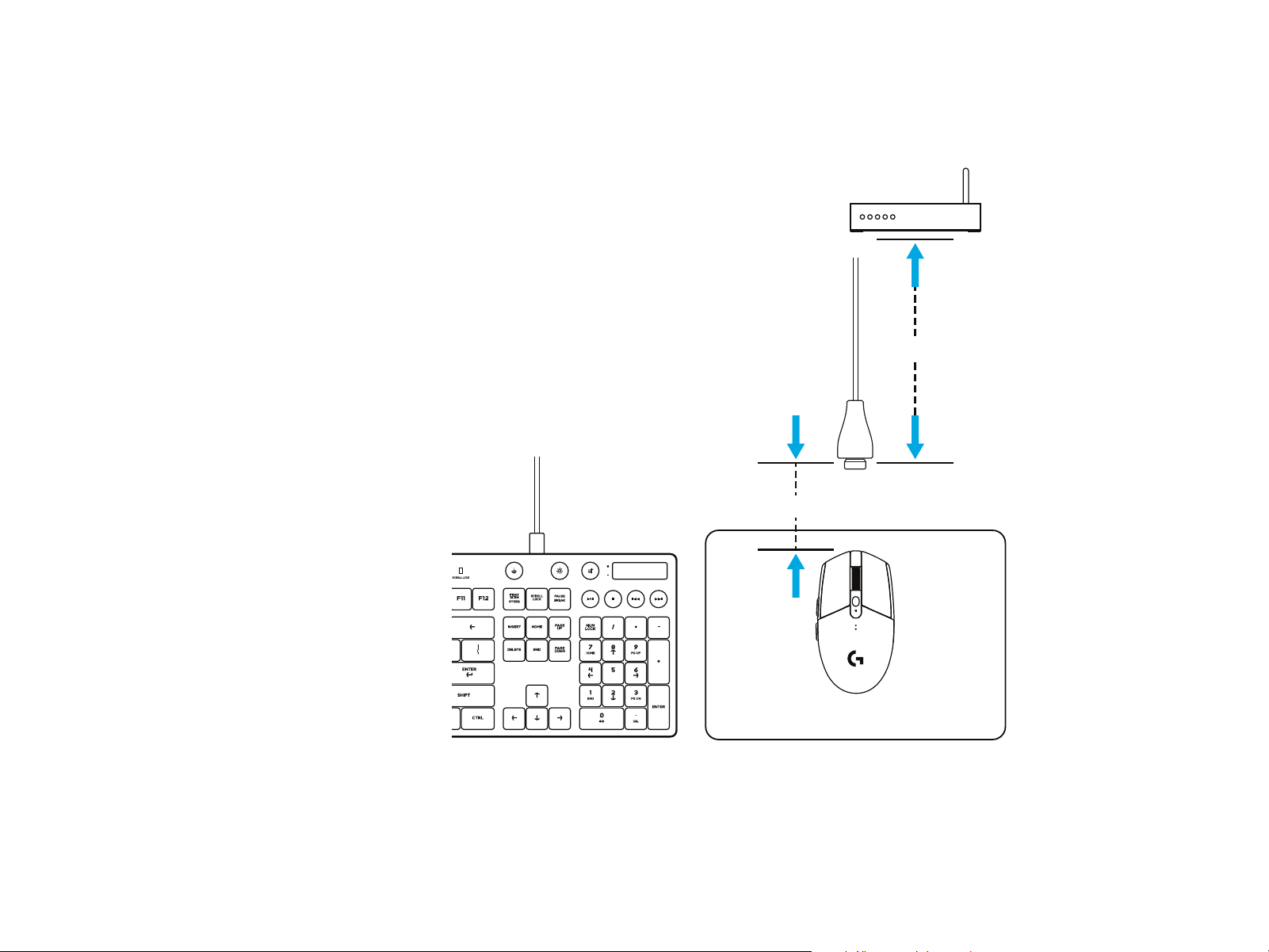
– Keep the mouse and receiver 2 m+ away from wireless
routersor other 2.4GHz wireless devices to minimize
environmental noise.
– G304 / G305 has a wireless range of up to 10 meters.
Toensureoptimal performance in noisy wireless environments,
itisrecommended to keep the receiver within 20 cm
ofthemouse.
2m+
–20 cm
6 ENGLISH
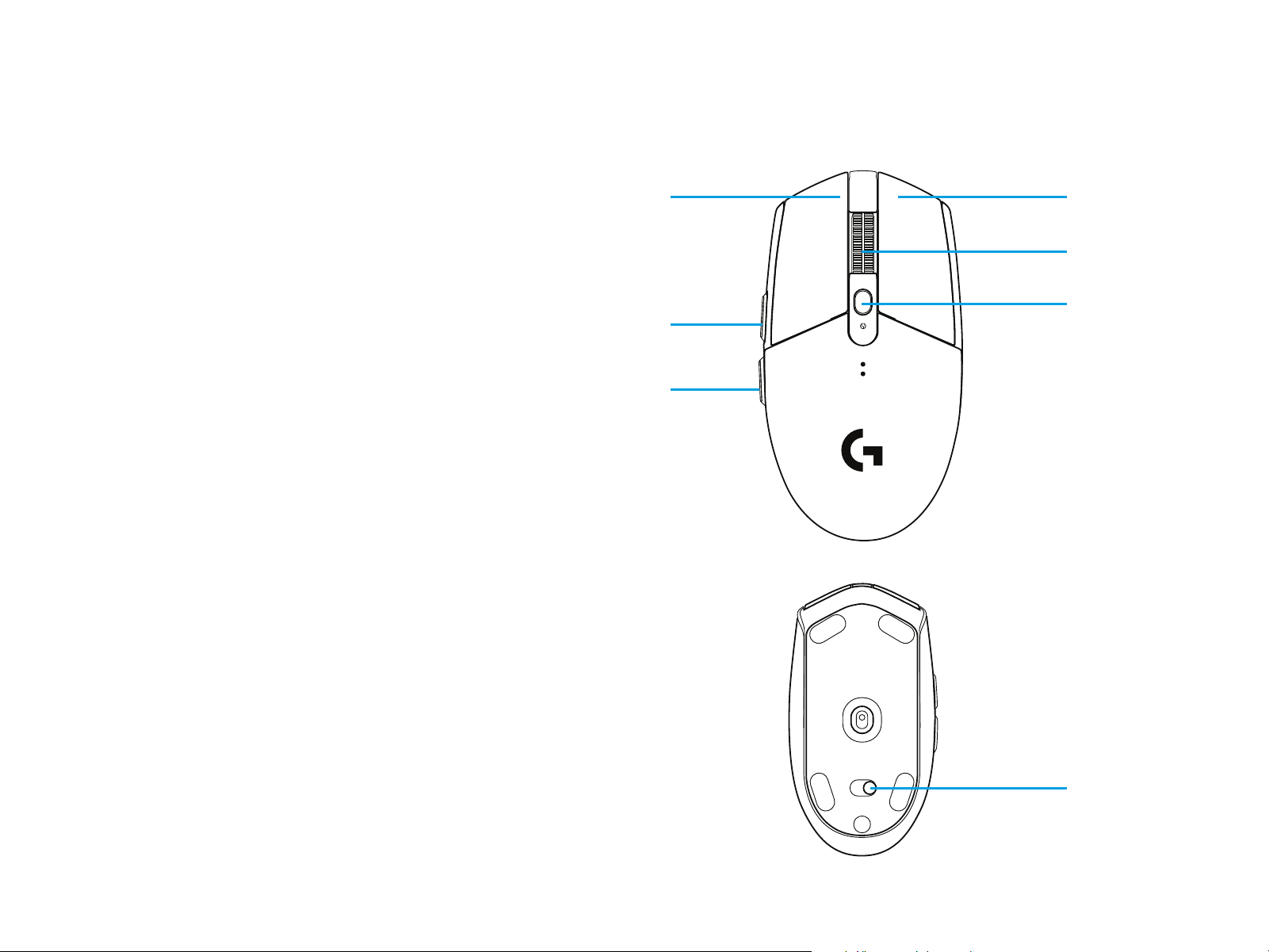
6 FULLY PROGRAMMABLE BUTTONS
1 Left (Button 1)
2 Right (Button 2)
3 Wheel click (Button 3)
4 Forward (Button 4)
5 Back (Button 5)
6 DPI cycle (Button 6)
7 On/O switch (bottom of mouse, not programmable)
1
4
5
6
7
2
3
7 ENGLISH
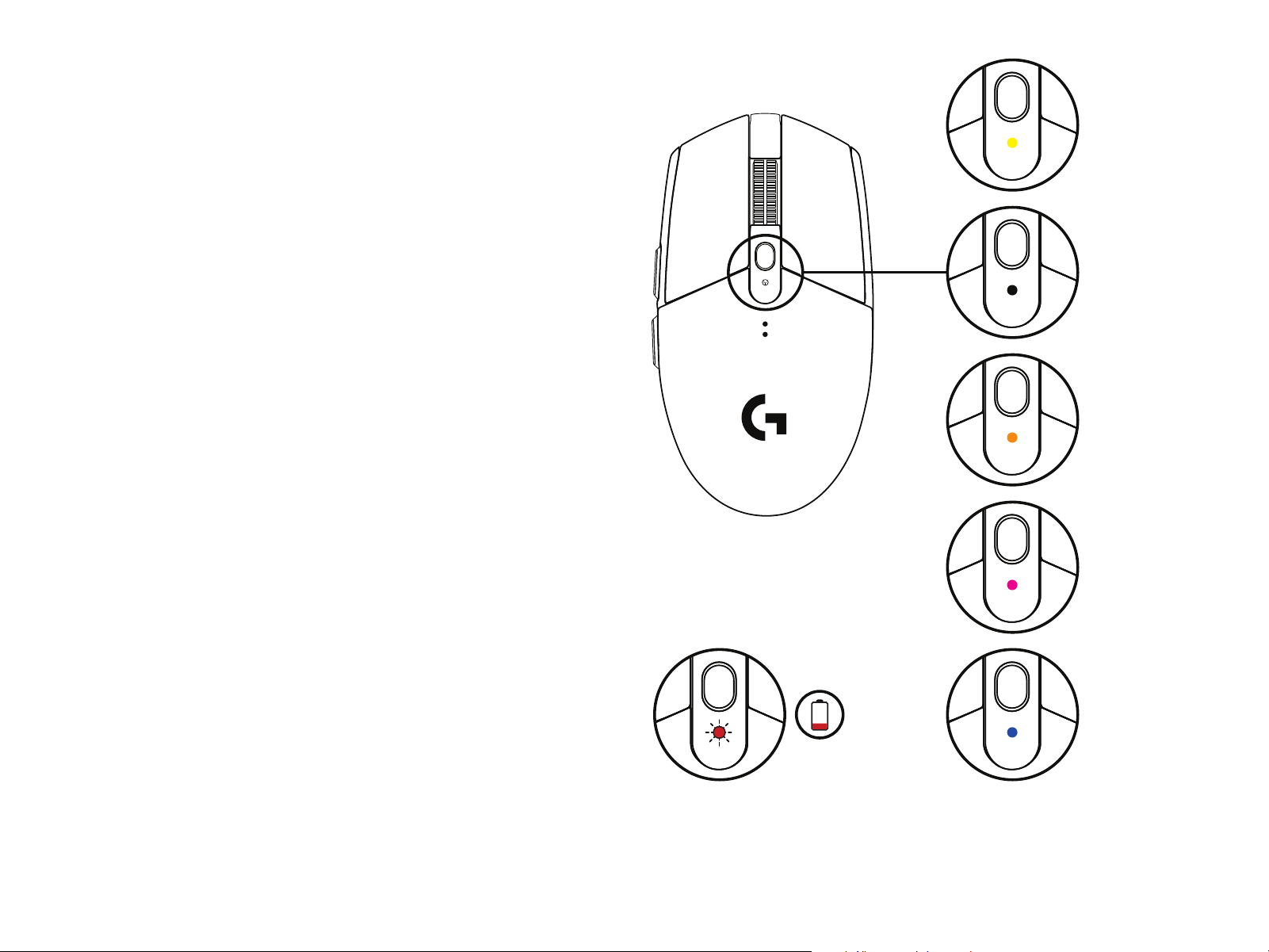
LED INDICATOR
Battery life
Flashing red: battery <15%
DPI
Yellow: step 1 - 400 DPI
White: step 2 - 800 DPI (default)
Orange: step 3 - 1600 DPI
Magenta: step 4 - 3200 DPI
Blue: step 5 - 6400 DPI (Step 5 can be activated viasoftwareonly)
Mode
Cyan: performance mode (default)
Green: endurance mode (can be activated viasoftwareonly).
Tips:
– Activating endurance mode will degrade tracking performance
but improve battery life.
G HUB SOFTWARE
You can customize the onboard prole settings using theGHUB.
These settings include button programming, report rate,
performance/endurance modes andtracking behavior.
G304 / G305 allows up to 5 DPI settings.
By default, G304 / G305 has the following settings:
– DPI: 400/800/1600/3200
– Report rate: 1ms
– Performance mode
©2020 Logitech. Logitech, Logitech G, Logi and their respective logos are trademarks or registered trademarks
of Logitech Europe S.A. and/or its aliates in the U.S. and other countries. All other trademarks are the property
of their respective owners. Logitechassumesno responsibility for any errors that may appear in this manual.
Information contained herein is subject tochange without notice.