www.lg.com
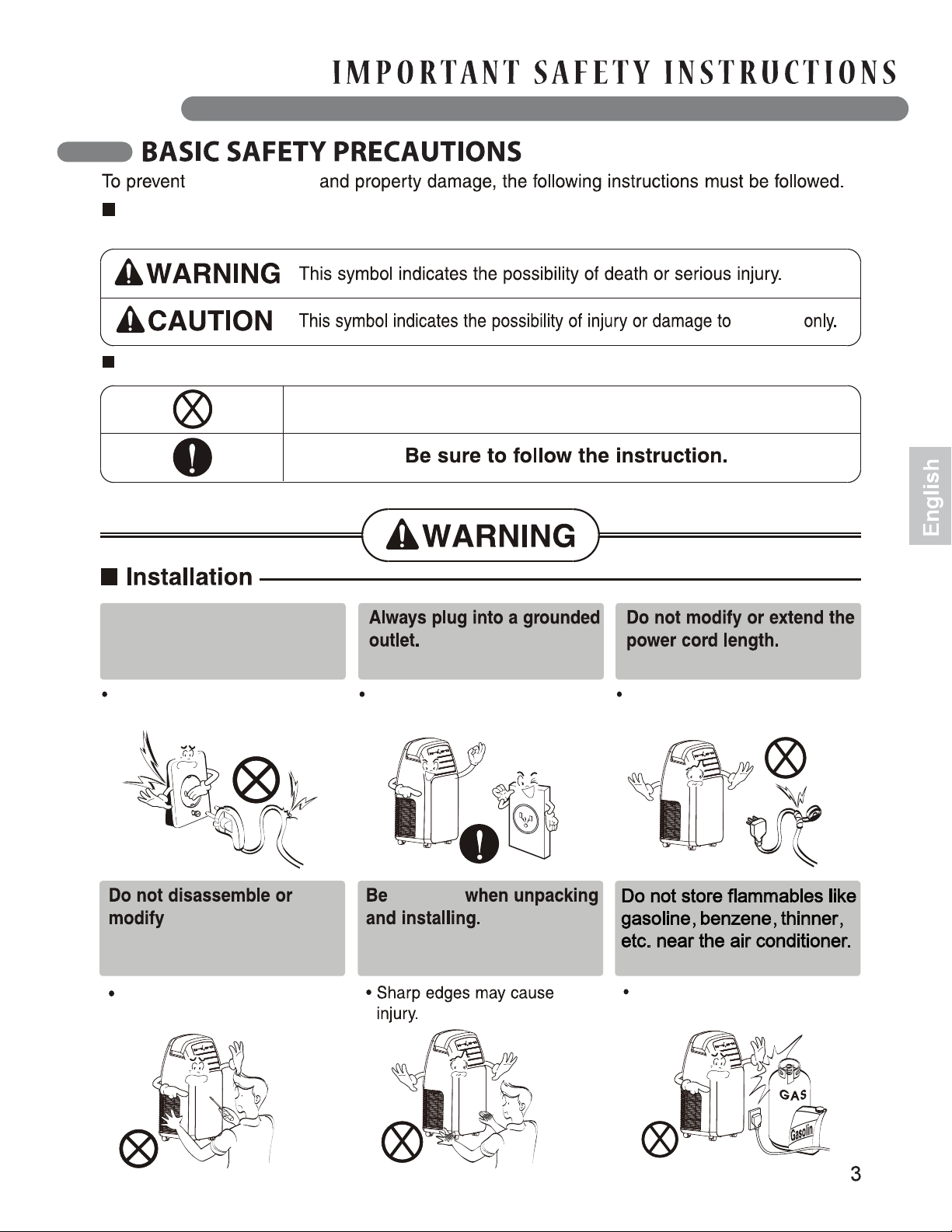
personal injury
The meaning of the symbols used in this manual is shown below.
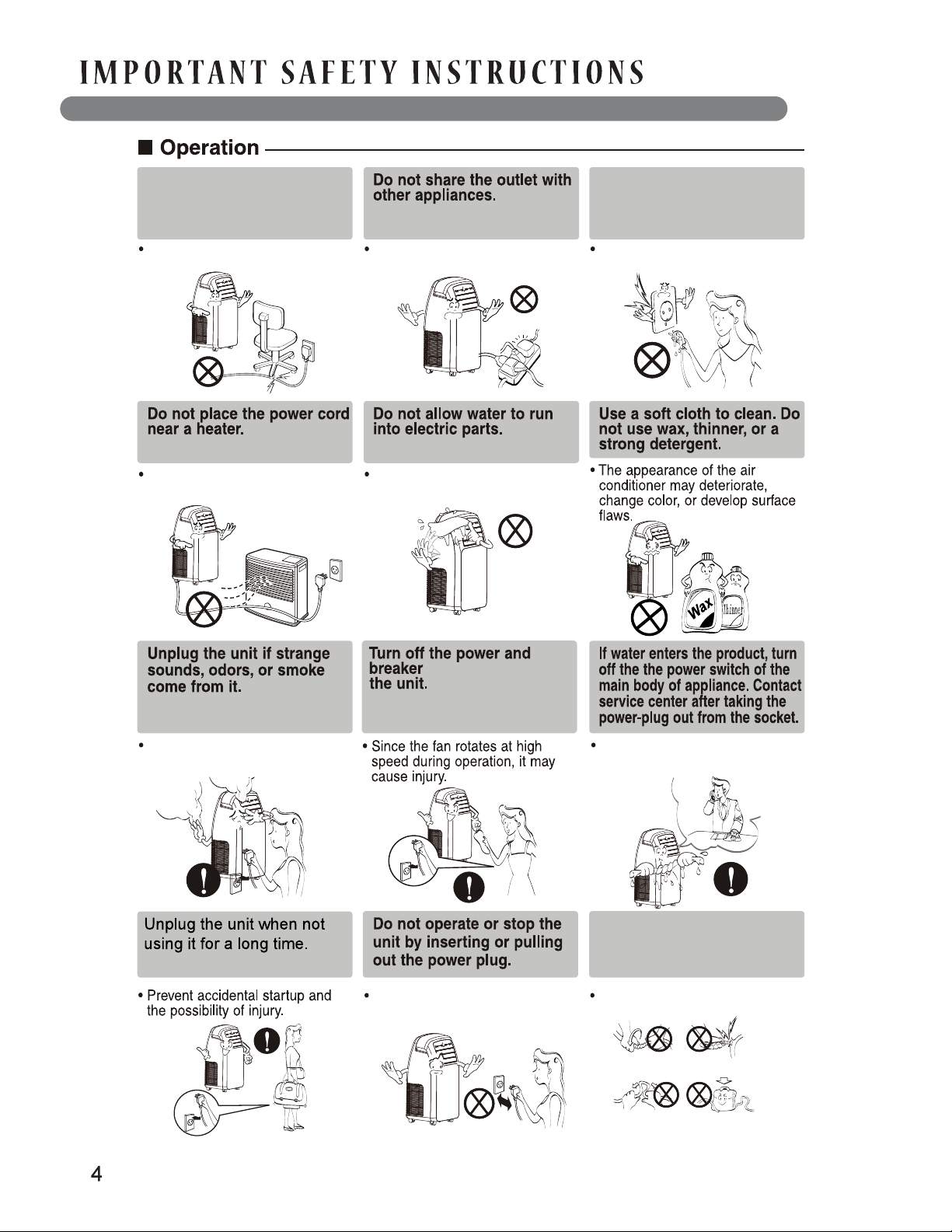
Don't use a damaged power
cord or plug, or a loose or
damaged socket.
the product.
cautious
Doing so may cause an electric
shock or fire.
Doing so may cause electric
shock or product failure.
Doing so may cause an
explosion or fire.
Failing to do so may cause an The heat generated will cause
an electric shock or fire.
electric shock or fire.
This is the WRONG thing to do.
property
Failing to follow instructions and operating the product incorrectly will cause harm or damage.
The severity of the possible consequences is indicated by the following symbols.
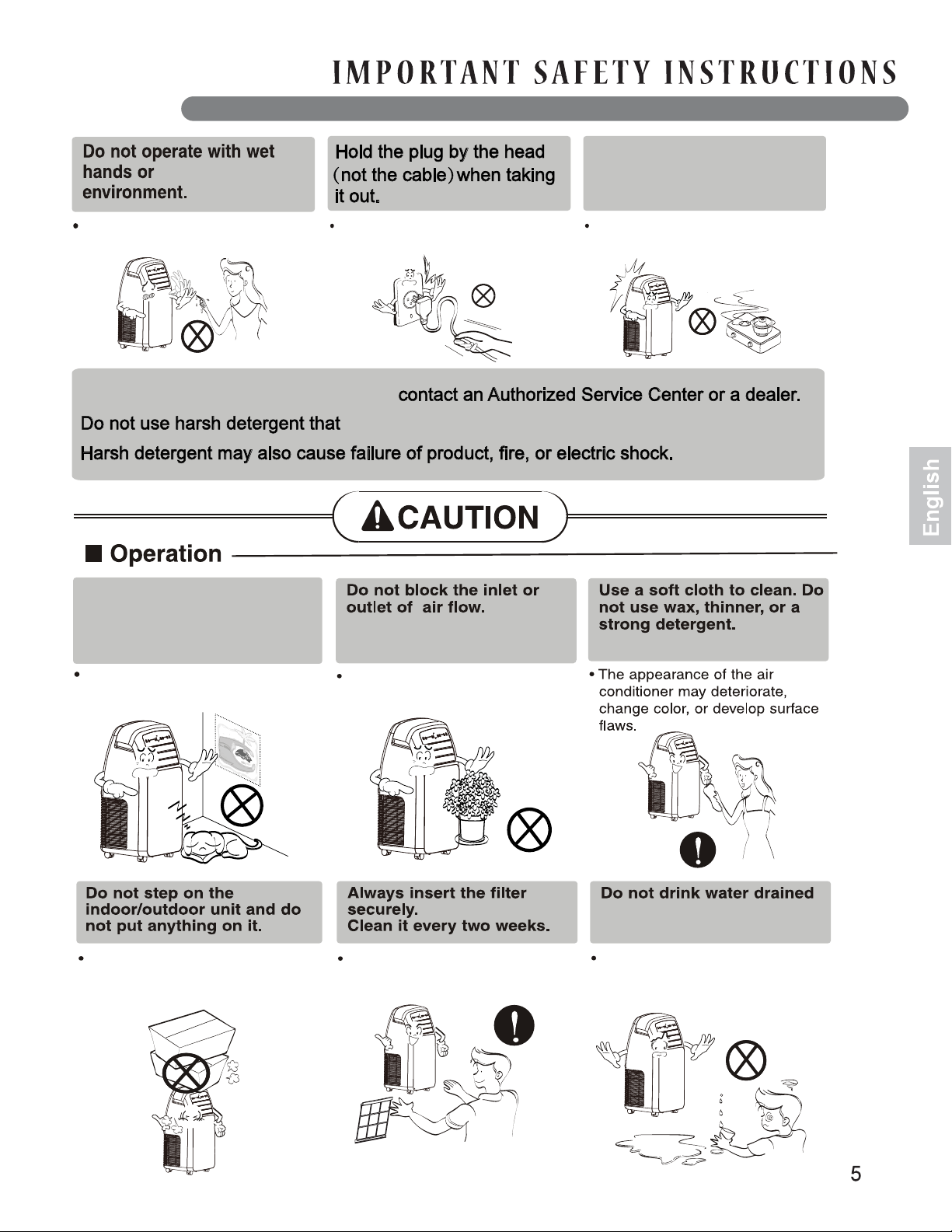
Do not place heavy objects
on top of the power cord,
or bend or pinch the cord.
Pull the plug out using the
plug head not the cord.
Do not unplug while hands
are wet.
before cleaning
Do not operate with a
damaged or unspecified
power cord.
Doing so could result in electric
shock or fire.
Doing so may cause an electric
shock or fire.
Failure to follow this warning
may result in electric shock and
fire.
The heat generated will cause
electric shock or fire.
Doing so will cause electric
shock or fire.
Doing so will cause electric shock
or machine malfunction.
Doing so will cause electric
shock or machine malfunction.
The heat generated will cause
electric shock or fire.
Failure to follow this warning
could result in electric shock or
fire.
in a damp
If the inside of the unit needs cleaning,
from the air conditioner.
can cause corrosion or damage to the unit.
Do not use this appliance for
specialized purposes such
as cooling pets, foods, precision
machinery or art objects.
If a gas leak occurs, ventilate
the room well before
operating the unit.
Doing so will result in electric
shock.
This unit is not intended as a
precision refrigeration system.
Doing so may result in injury or
damage to the unit.
Operating the unit without filters
will cause it to fail.
The water contains contaminants
and will make you ill.
Doing so may cause product
failure.
Failing to do so may cause
damage and electric shock.
Failure to do so may cause
explosion and fire.
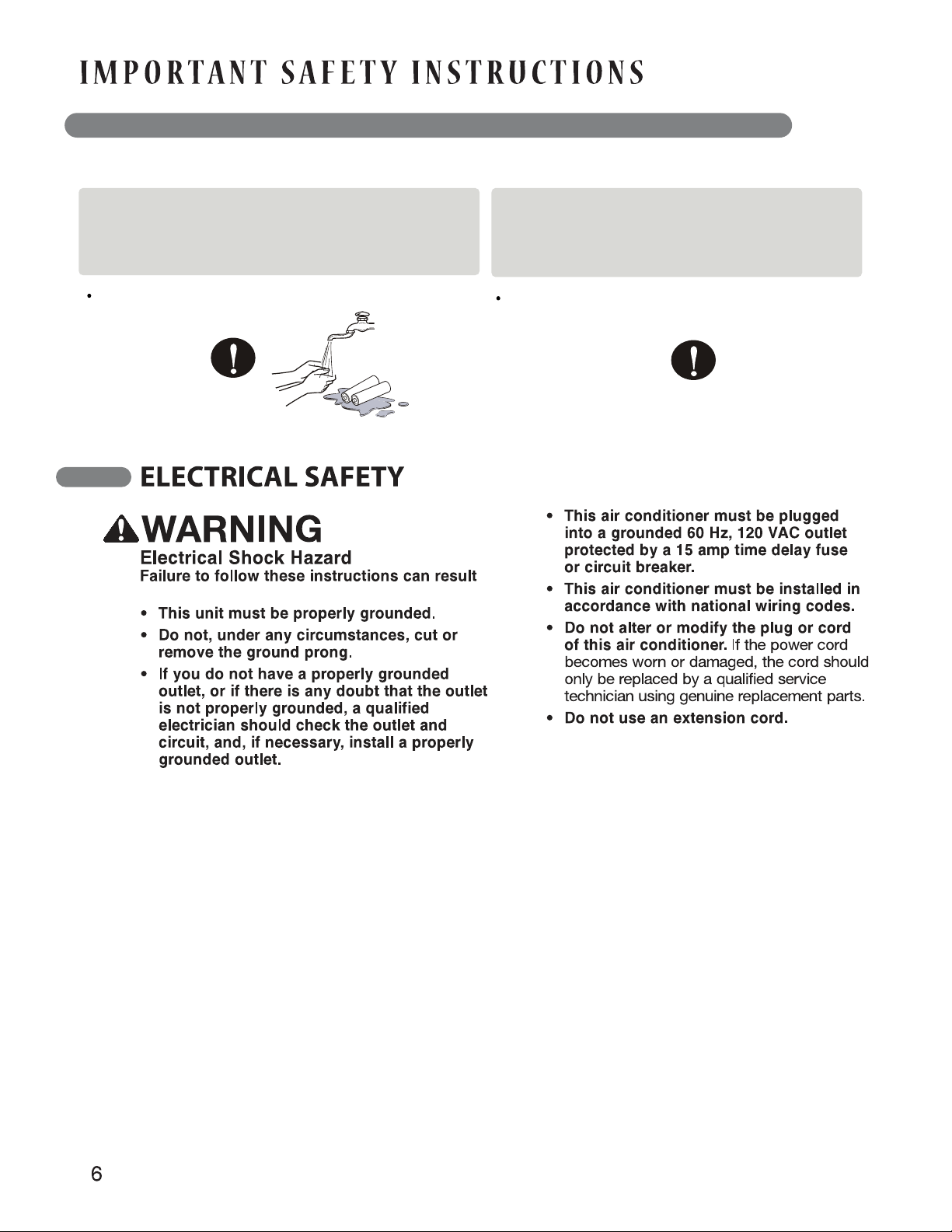
If fluid from the batteries in the remote leaks out
and comes in contact with your skin or clothes,
wash well with clean water. Discontinue use of
the remote if the batteries have leaked.
electric shock, fire, or death.
If you eat the fluid from inside the remote's
batteries, brush your teeth and see a doctor.
Discontinue use of the remote if the
batteries have leaked.
The chemicals in the batteries could cause burns
or other health hazards.
The chemicals in the batteries could cause
burns or other health hazards.
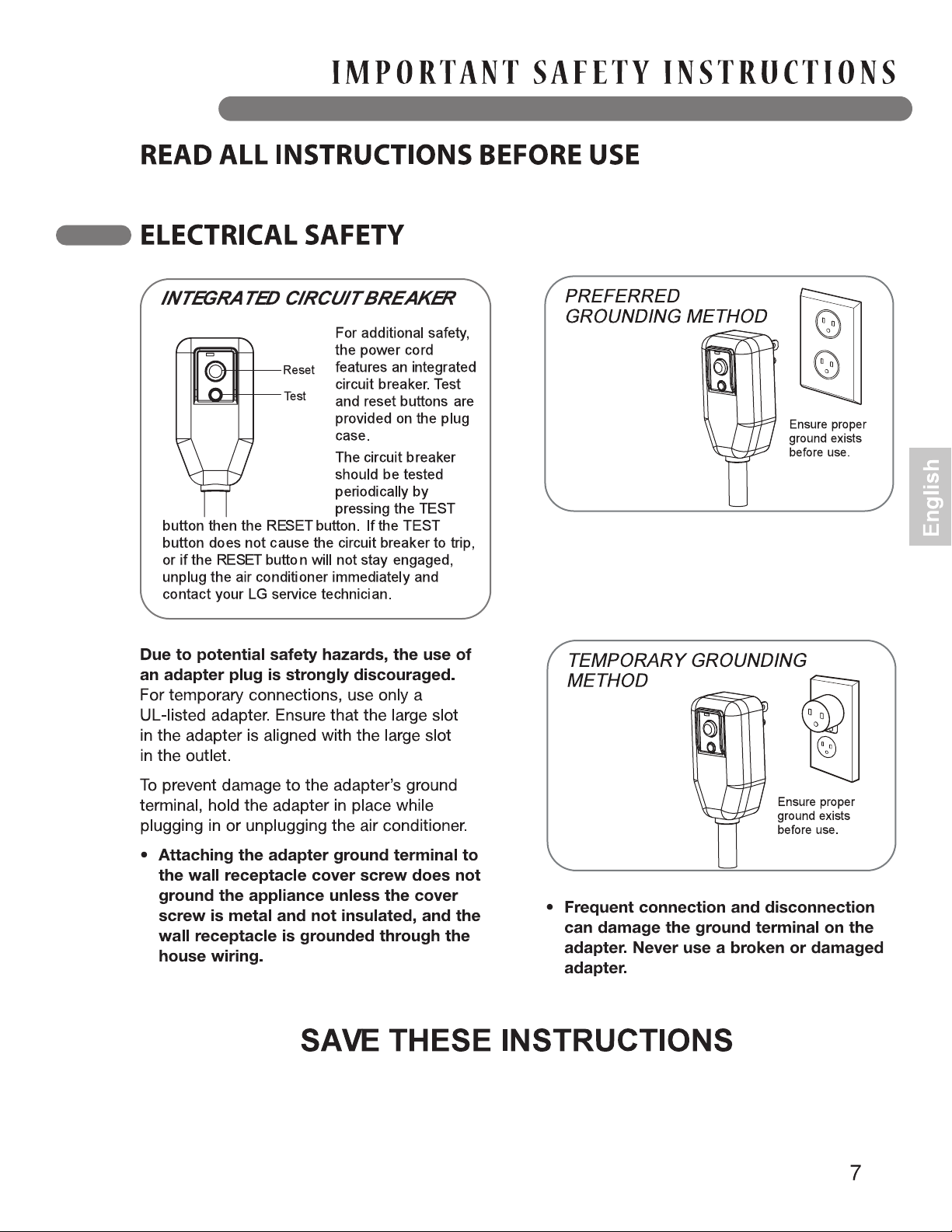

The Easy-to-read white LED display shows the
operating state. Digital buttons(simple push
Buttons) make changing settings quick and easy.
Before moving the aire conditioner, drain the
internal water in the collection tank completely
using the Drain Outlet.
HOLDERS
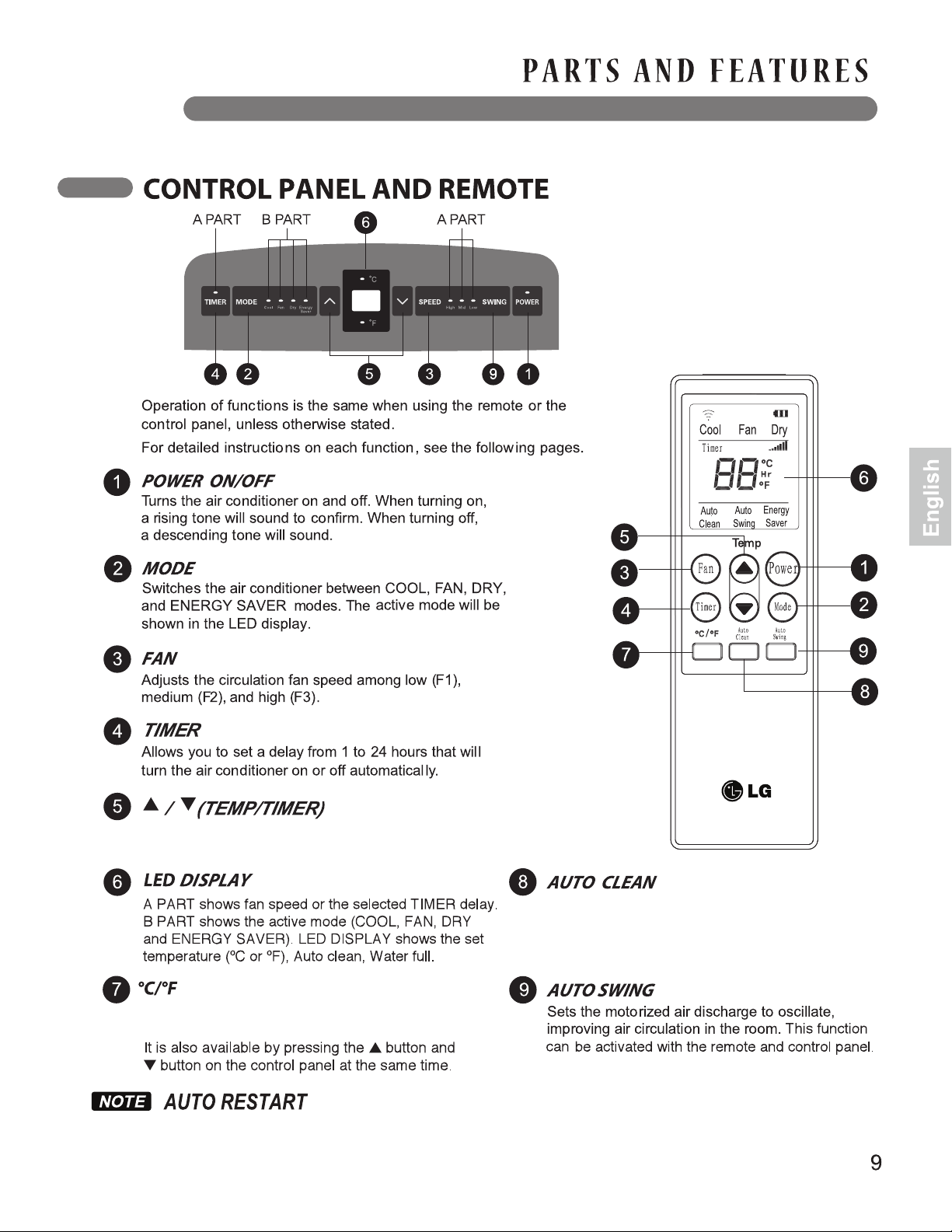
Adjust the set temperature up or down, or adjust the
timer delay time.
Switches the temperature display between degrees
Celsius (ºC) and degrees Fahrenheit (ºF).
Removes moisture from the heat exchangers
and helps prevent odor from forming. This
function can be activated from the remote only.
If there is a power failure during operation, the unit will resume operation with the same settings as
before the power failure.
Plug the power cord into its own dedicated,
properly grounded outlet . Do not plug
Other appliances into the same outlet;
this could overload the outlet and create a
fire hazard.
Do not bend the hose downward when
window installation kit is not applied.
Doing so may cause inferior performance or
failure of the air conditioner.
Make sure the air conditioner and cord are
positioned where they do not create a
tripping hazard and will receive adequate
ventilation. Do not place the air conditioner
directly next to furniture or objects that could
block the vent openings.
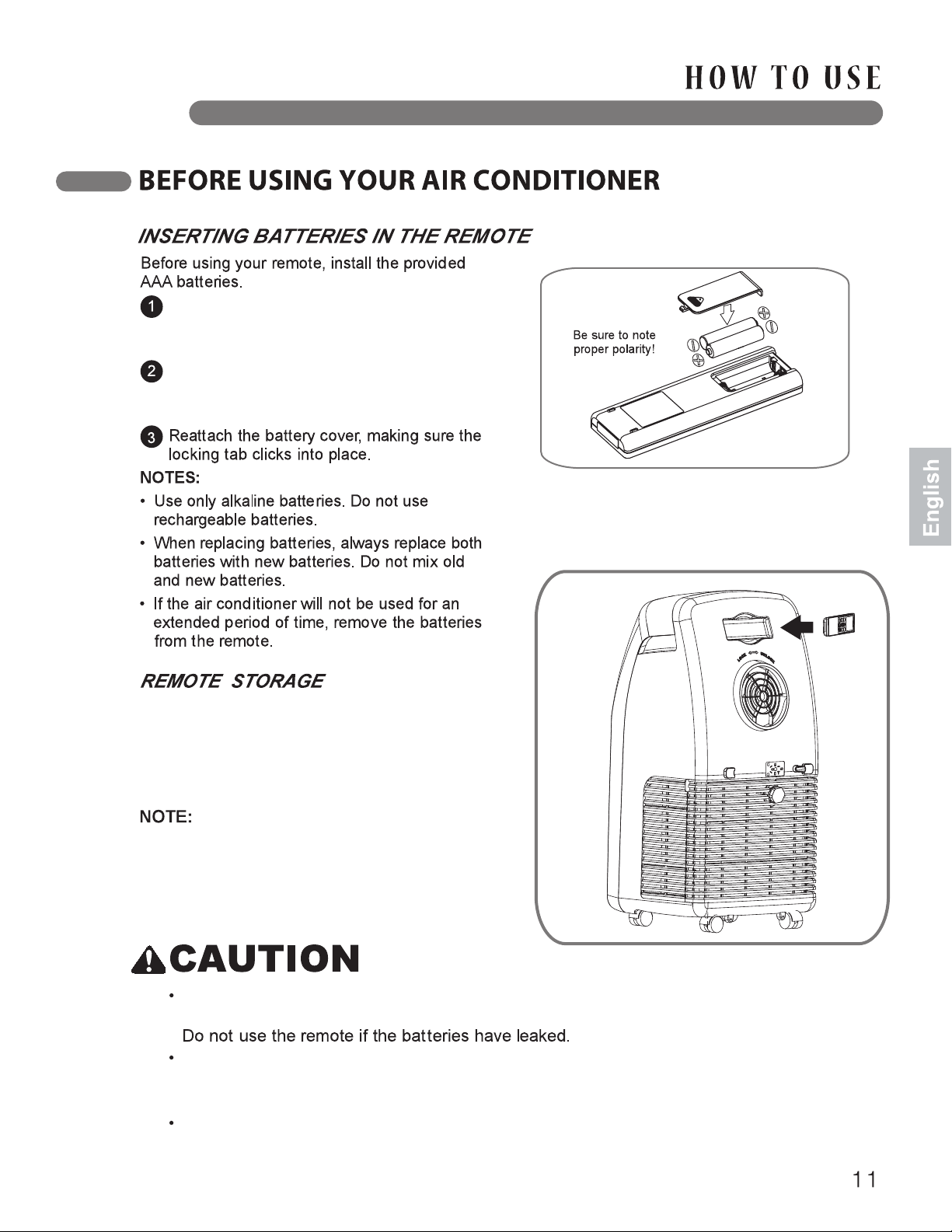
Press down on the arrow and slide the battery
cover on the back of the remote, then you can
remove the cover.
Your air conditioner has a special place for
convenient storage of the remote control.
See the drawing to the right.
In order to avoid losing the remote, have to
put the remote inside of the storage niche
with button portion facing outside, when
remote not in use.
The chemicals in the batteries could cause burns or other health hazards.
If the fluid from inside the batteries comes into contact with your skin or clothes, wash it well
with clean water.
If you eat the fluid from inside the remote's batteries, brush your teeth and see a doctor.
Discontinue use of the remote if the batteries have leaked.
If you are not keeping remote like button position Facing outside, possibility to fell down
and damage.
Insert two new AAA alkaline batteries into
the battery compartment, being sure to note
the proper polarity.
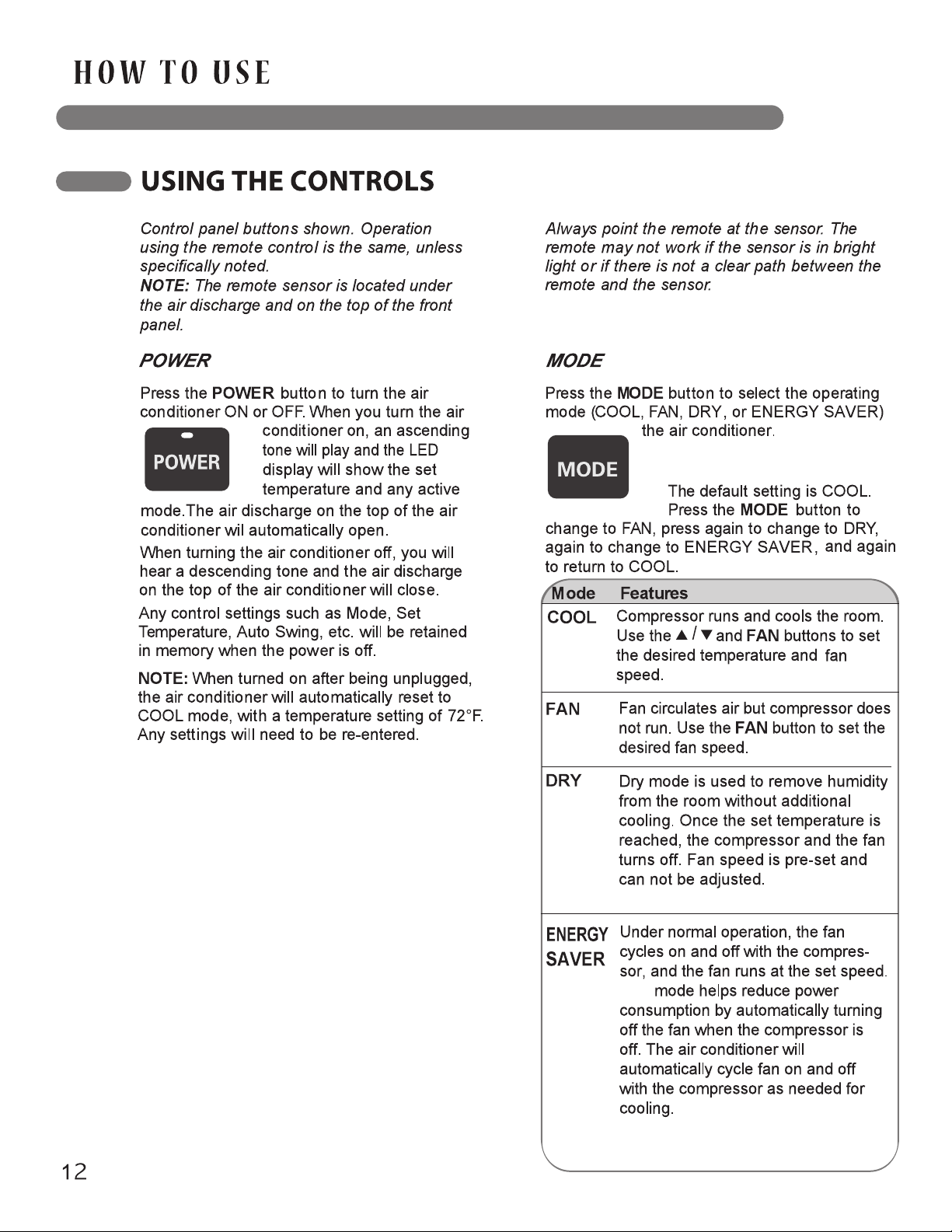
You can see the active mode on the
LED Display.
This
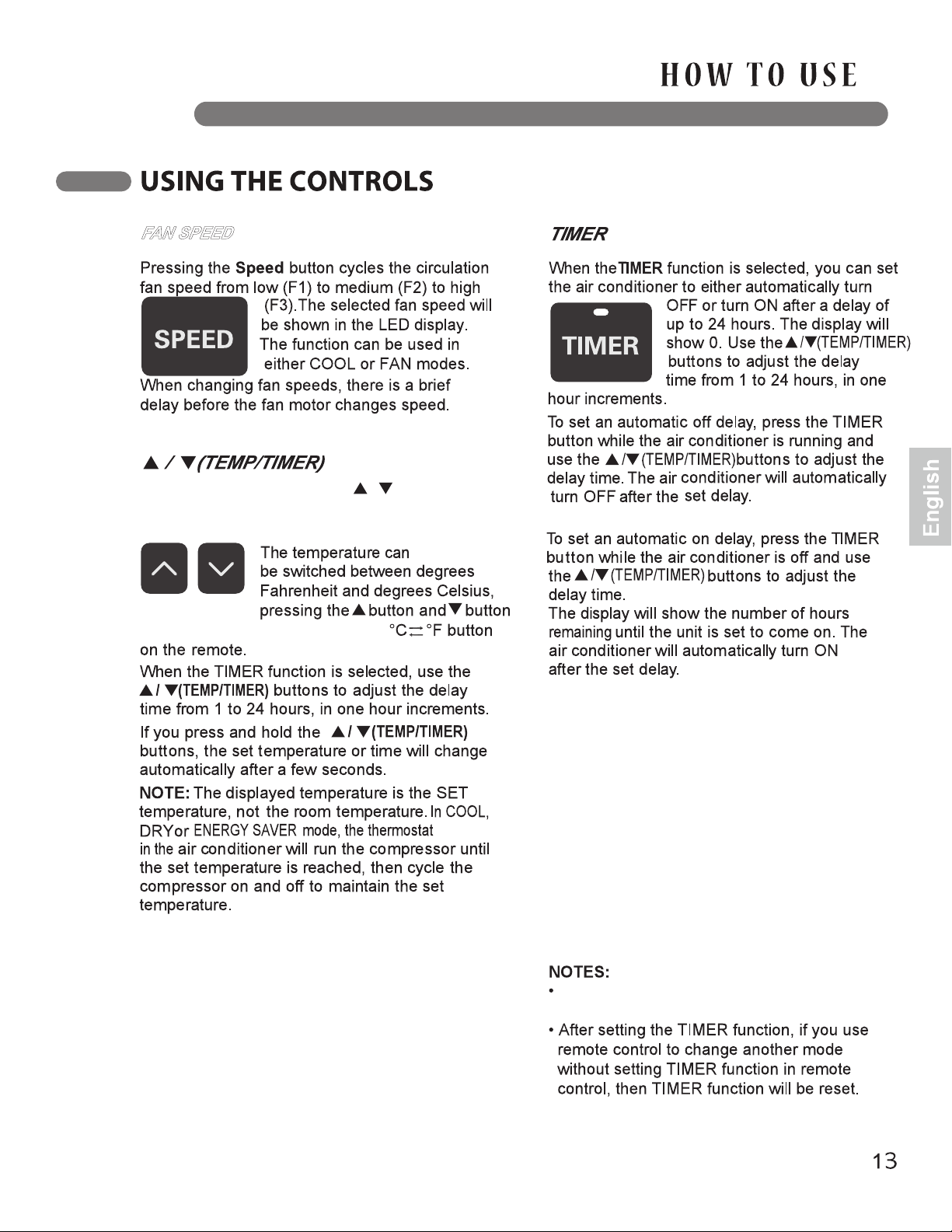
In COOL and DRY modes, the / (TEMP/TIMER)
buttons adjust the set temperature up to 86°F (30°C)
or down to 60°F(16°C), in one degree increments.
Press the TIMER button to see the delay time you
set displayed on the LED display panel.
To change the set delay time, press the TIMER
button and adjust the time when the number begins
to blink.
To cancel the Timer function, press the TIMER
button and adjust the number to 0 when the
number begins blinking. The function will be
canceled in a few seconds.
An easier way to cancel the timer function is to
press the TIMER button, then press it again
when the number begins blinking.
Do not unplug the air conditioner while
using the timer function.
at the same time, or by pressing the
FAN SPEED
The AUTO SWING
Press this button to switch the
displayed temperature from
ºF to ºC or vice versa.
on
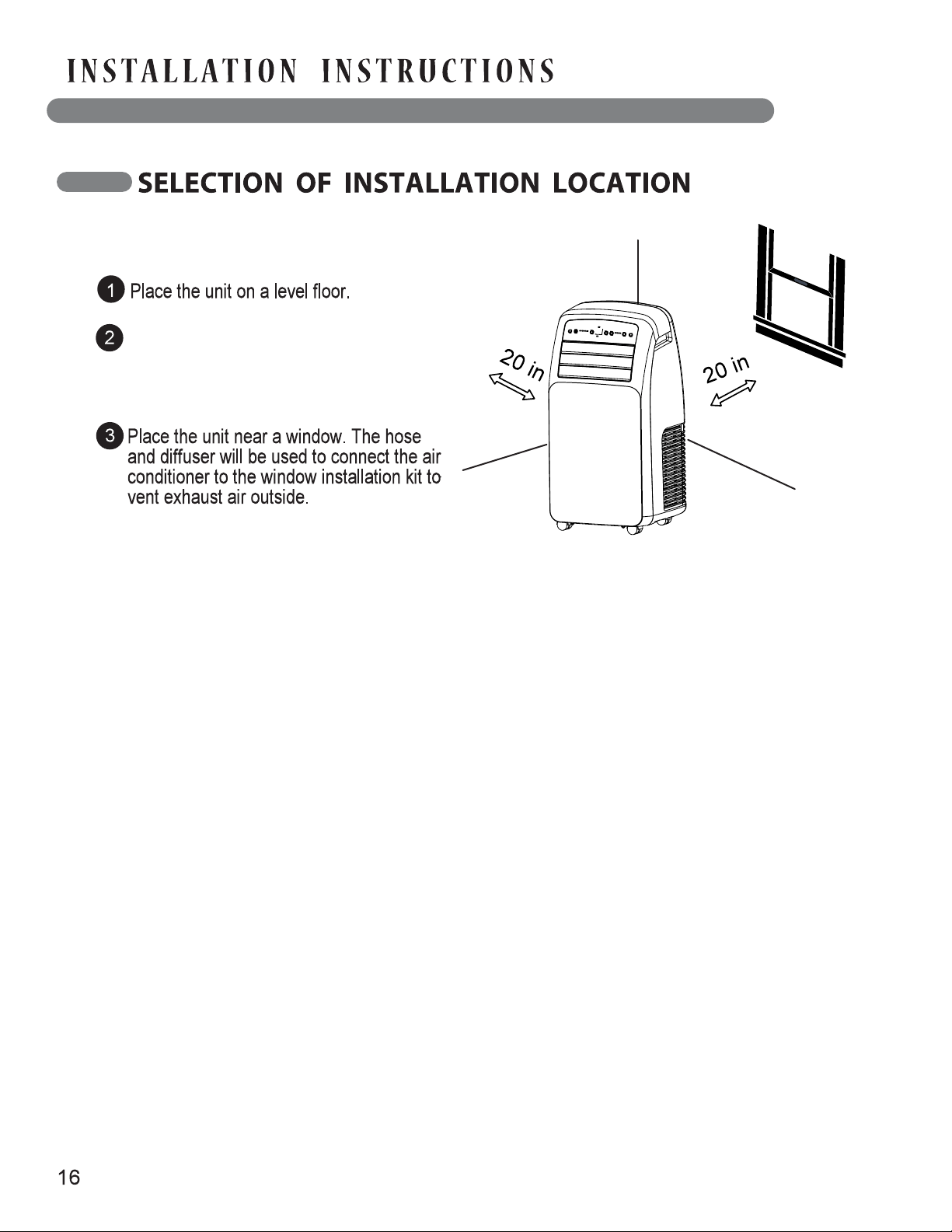
For best performance, allow at least 20 in
(50.8 cm) of air space behind the unit for
good air circulation.
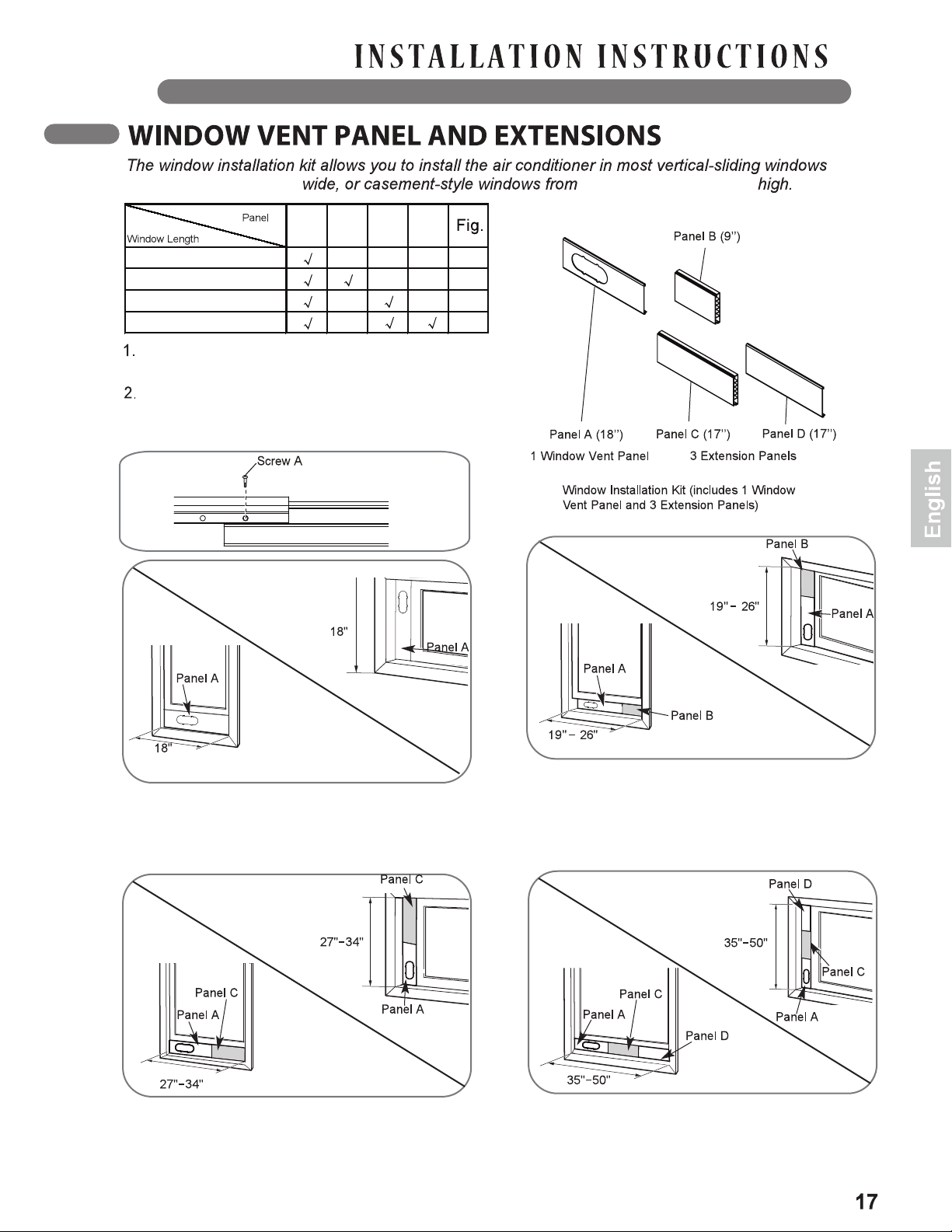
18" to 50" (46 to 127 cm)
A
A
B
C
D
18"
(46cm)
18"(46cm)
19"- 26" (48cm - 66cm)
27"- 34" (69cm – 86cm)
35"- 50" (89cm – 127cm)
B
9"
(23cm)
C
17"
(43cm)
D
17"
(43cm)
18" to 50" (46 to 127 cm)
Please check your window length and choose the
panels that will fit from the above table.
If the length of your window requires more than two
panels, use one type A screw to fasten the panels
once they are adjusted to the proper length.
For an 18“(46cm) window opening, use the
window vent panel by itself.
Fig. “A”
For window openings from 19" to 26“ (48cm to 66cm),
use the window vent panel (Panel A) and extension
Panel B.
Fig. “B”
For window openings from 35" to 50“(89cm to 127cm),
use the window vent panel and extension panels
(C and D).
Fig. “D”
For window openings from 27“ to 34“ (69cm to 86cm),
use the window vent panel (Panel A) and extension
Panel C.
Fig. “C”
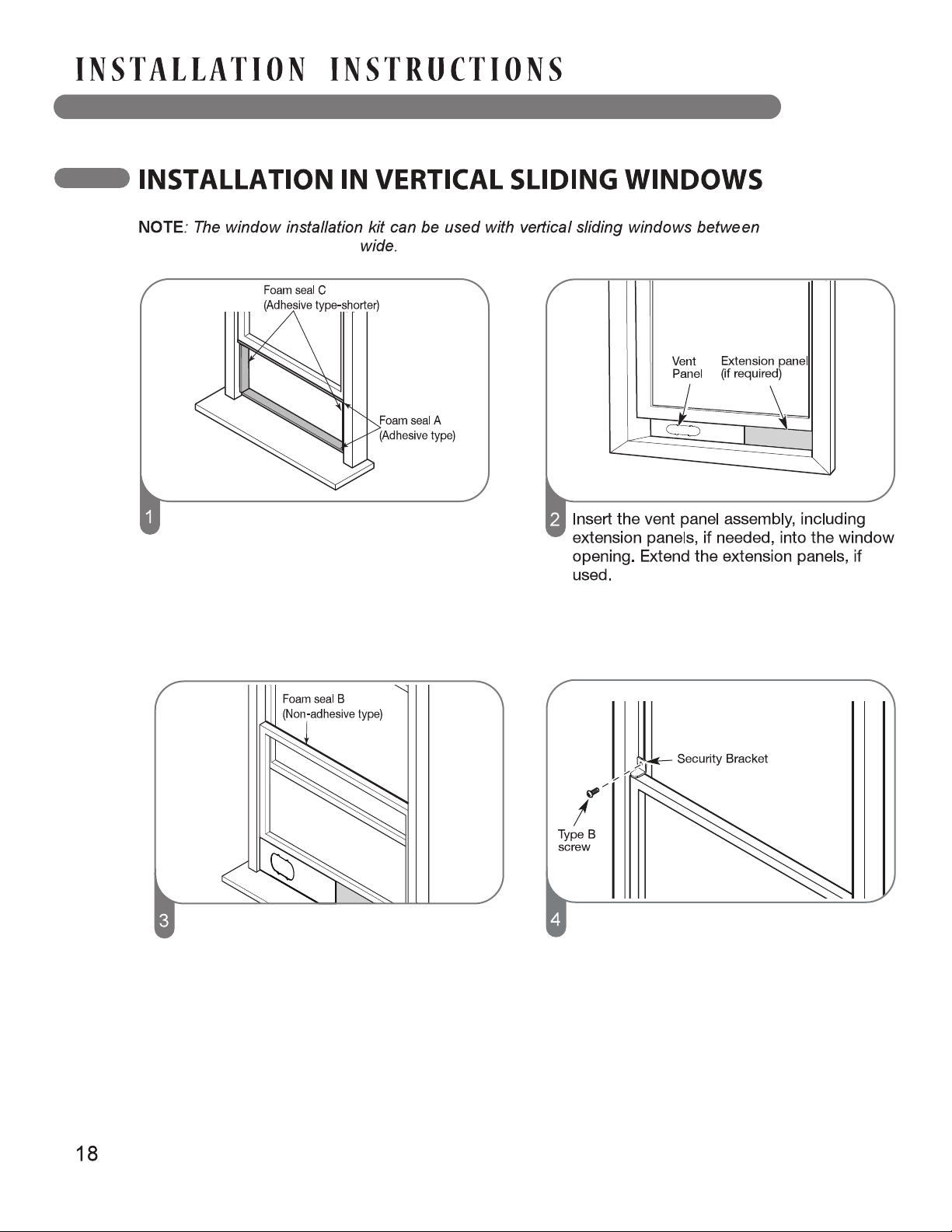
Cut the adhesive foam seal A and C strips to
the proper lengths, and attach them to the
window sash and frame as shown.
Cut the non-adhesive foam seal B strip to
match the width of the window. Insert the seal
between the glass and the window frame to
prevent air and insects from getting into the
room.
If desired, install the security bracket with a
type B screw as shown.
18" and 50" (46cm and 127 cm)

Insert the diffuser into the vent panel then slide
the diffuser left to lock it.
First insert diffuser into the vent panel fully and
then slide it to lock.
Use the type C screw to fix the diffuser more
firmly in place, if desired.
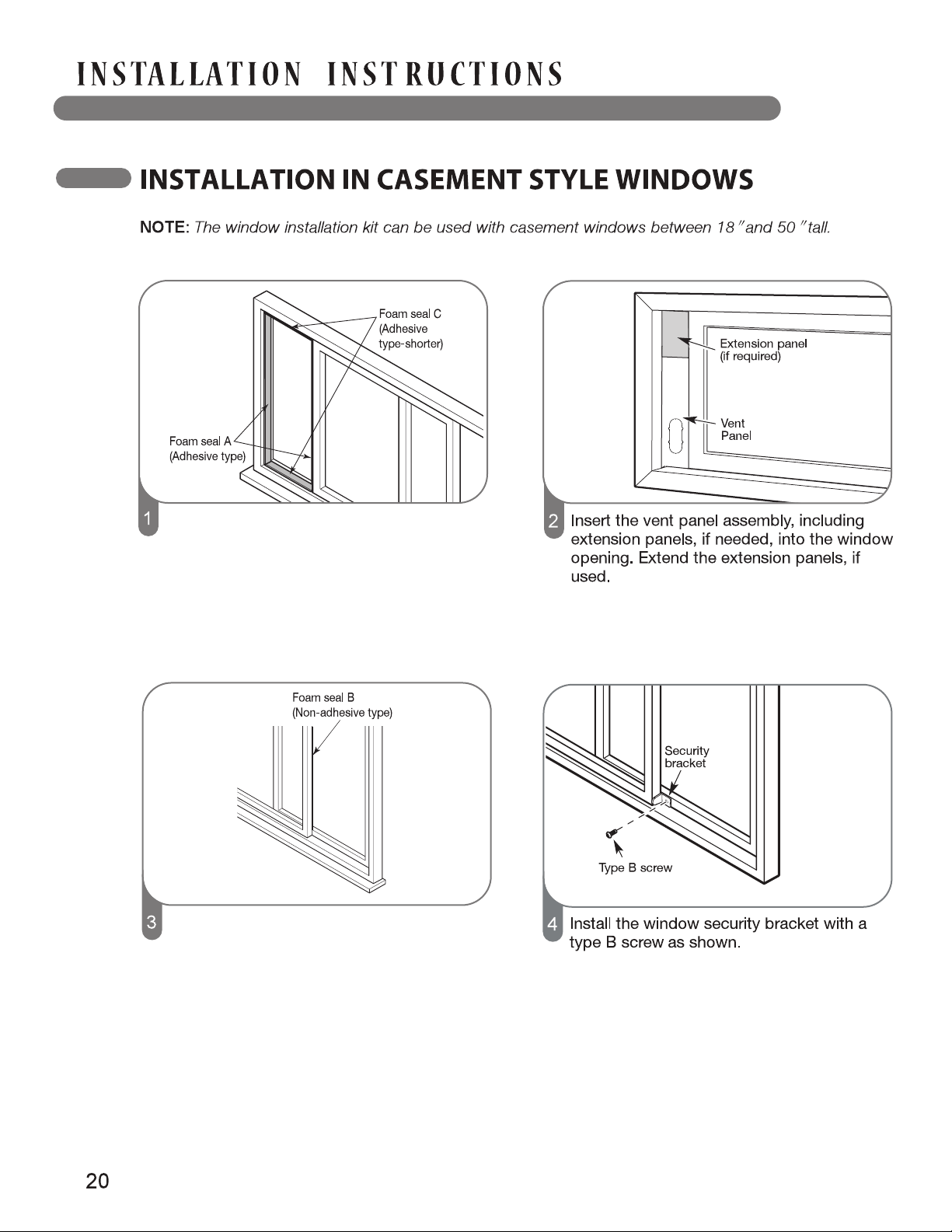
Cut the adhesive foam seal A and C strips to
the proper lengths and attach them to the
window sash and frame as shown.
Cut the non-adhesive foam seal B strip to
match the window height. Insert the foam seal
between the glass and the window frame to
prevent air and insects from getting into the
room.
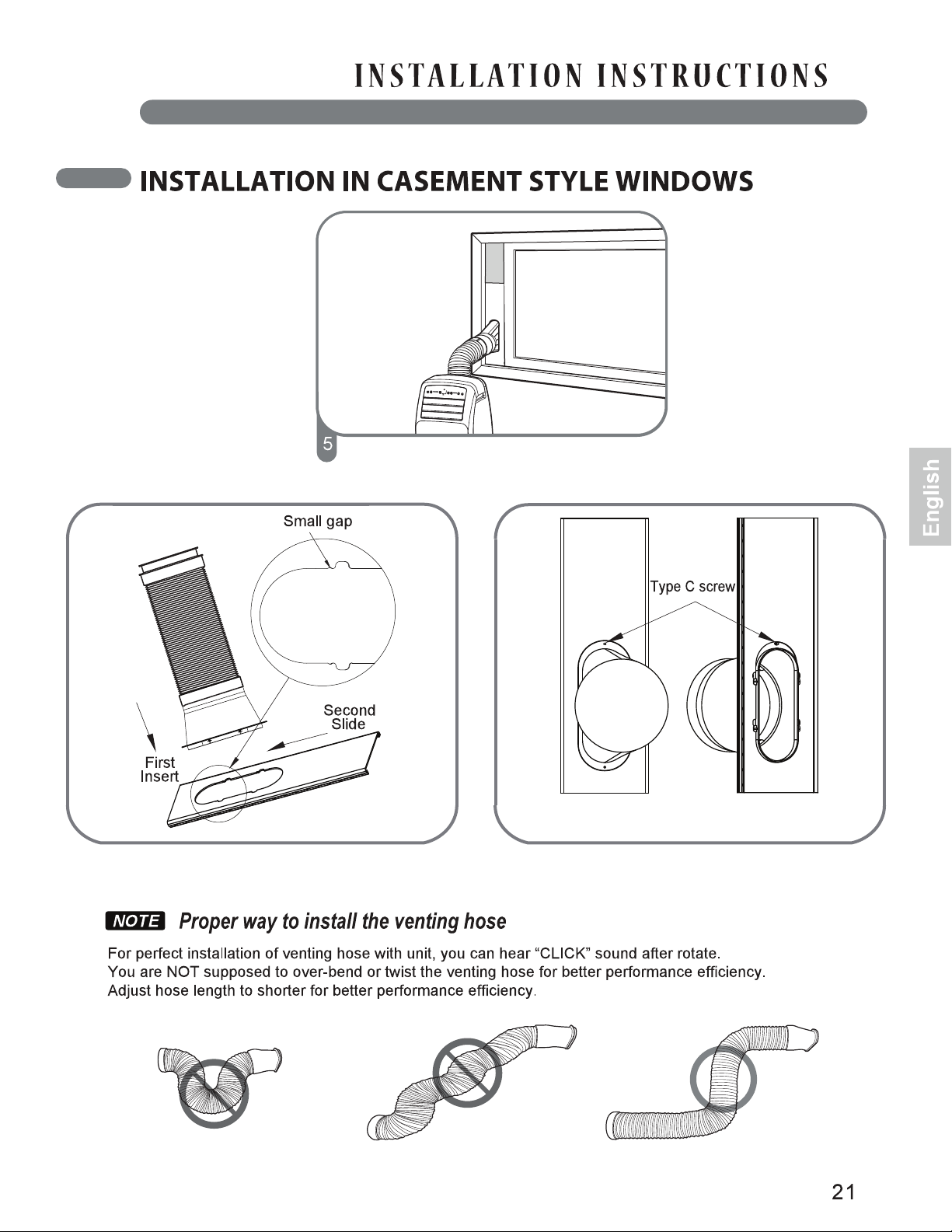
Insert the diffuser into the vent panel and slide
the diffuser down to lock.
First insert diffuser into the vent panel fully and
then slide it to lock.
Use the type C screw to fix the diffuser more
firmly in place, if desired.
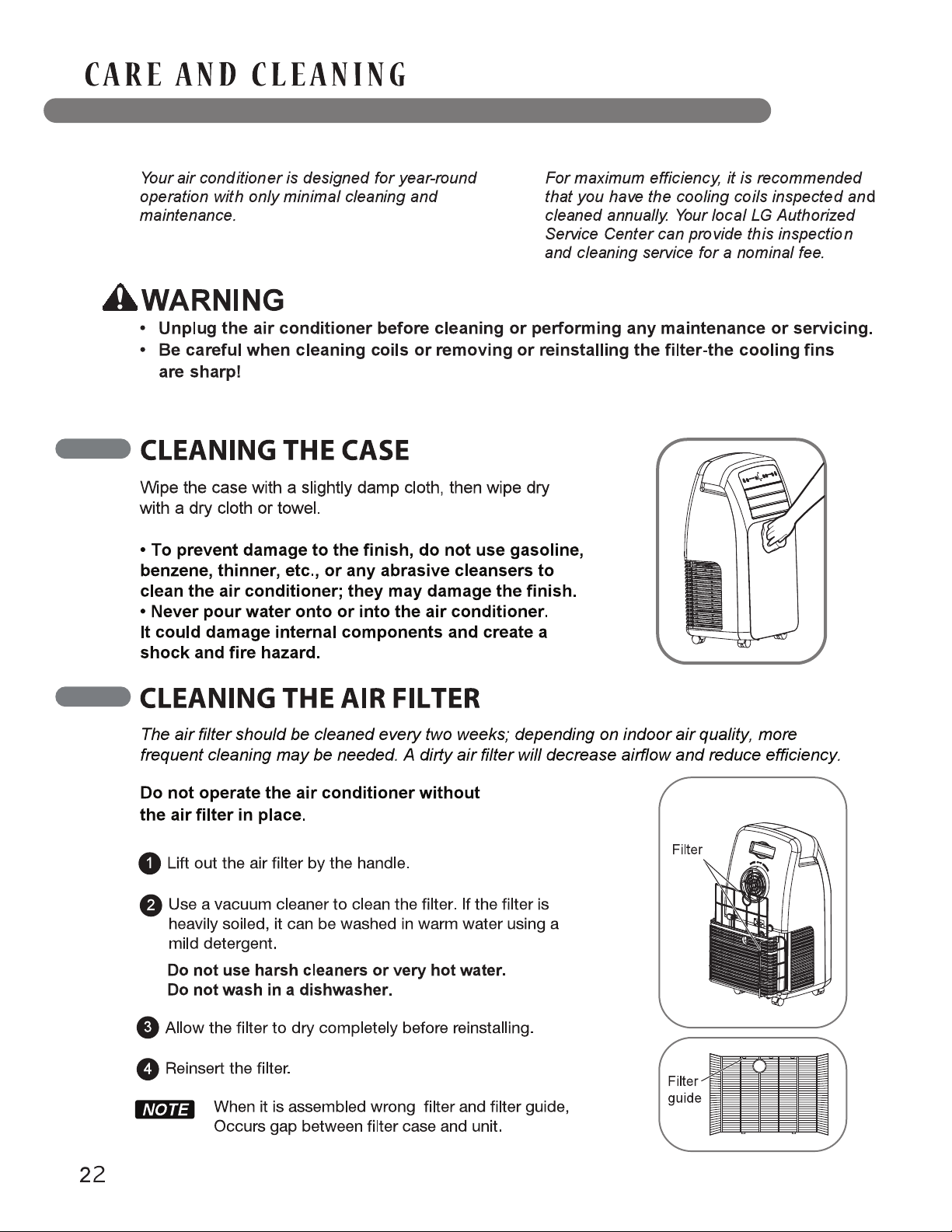
Failure to follow the above precautions could result in electric shock or personal injury.
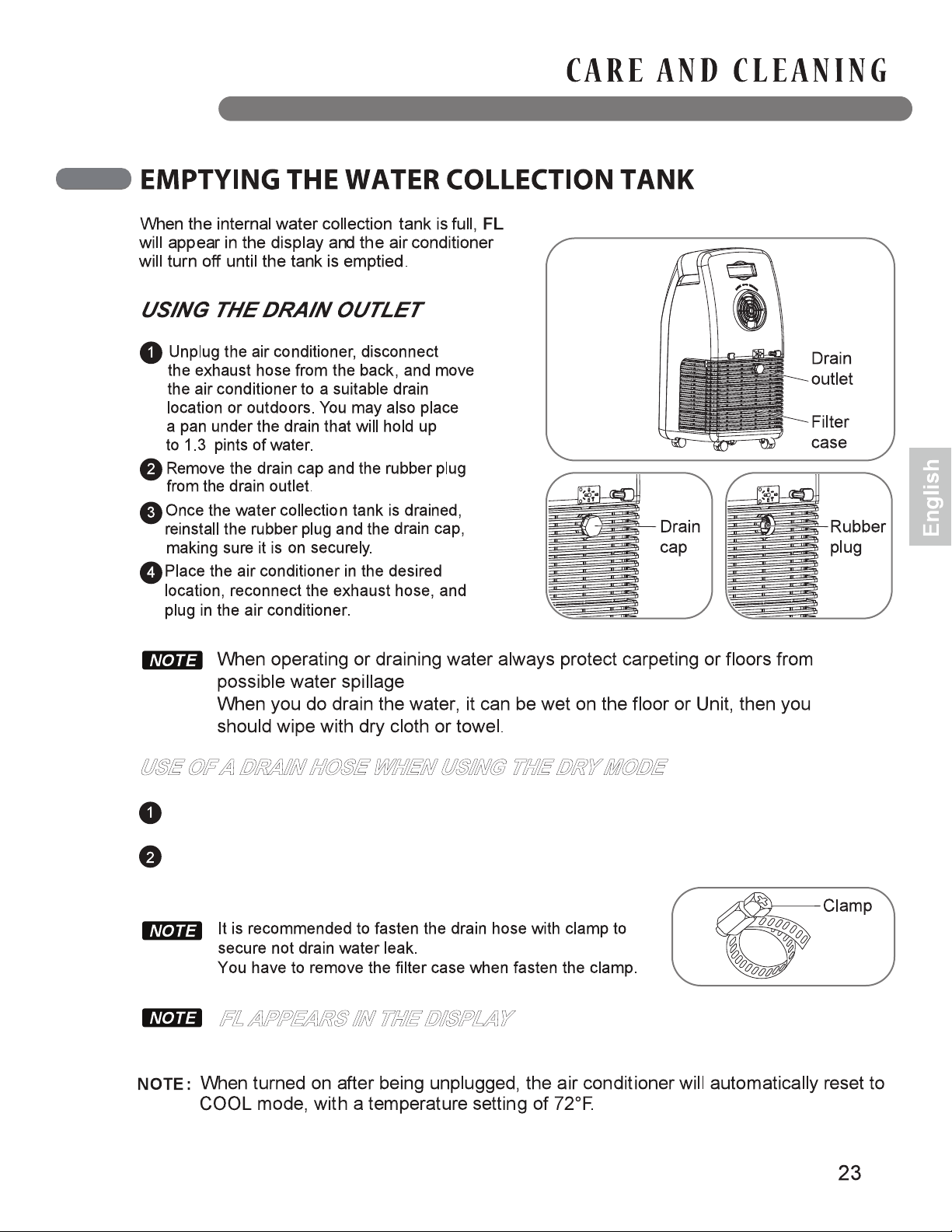
If you wish to use the DRY mode because the unit is running in high humidity or for other reasons,
remove the drain cap and rubber plug from the back of the unit.
Purchase and install a drain hose (1/2" inside diameter) on the back of the unit and place the
open end of the hose in a suitable drain location or outdoors.
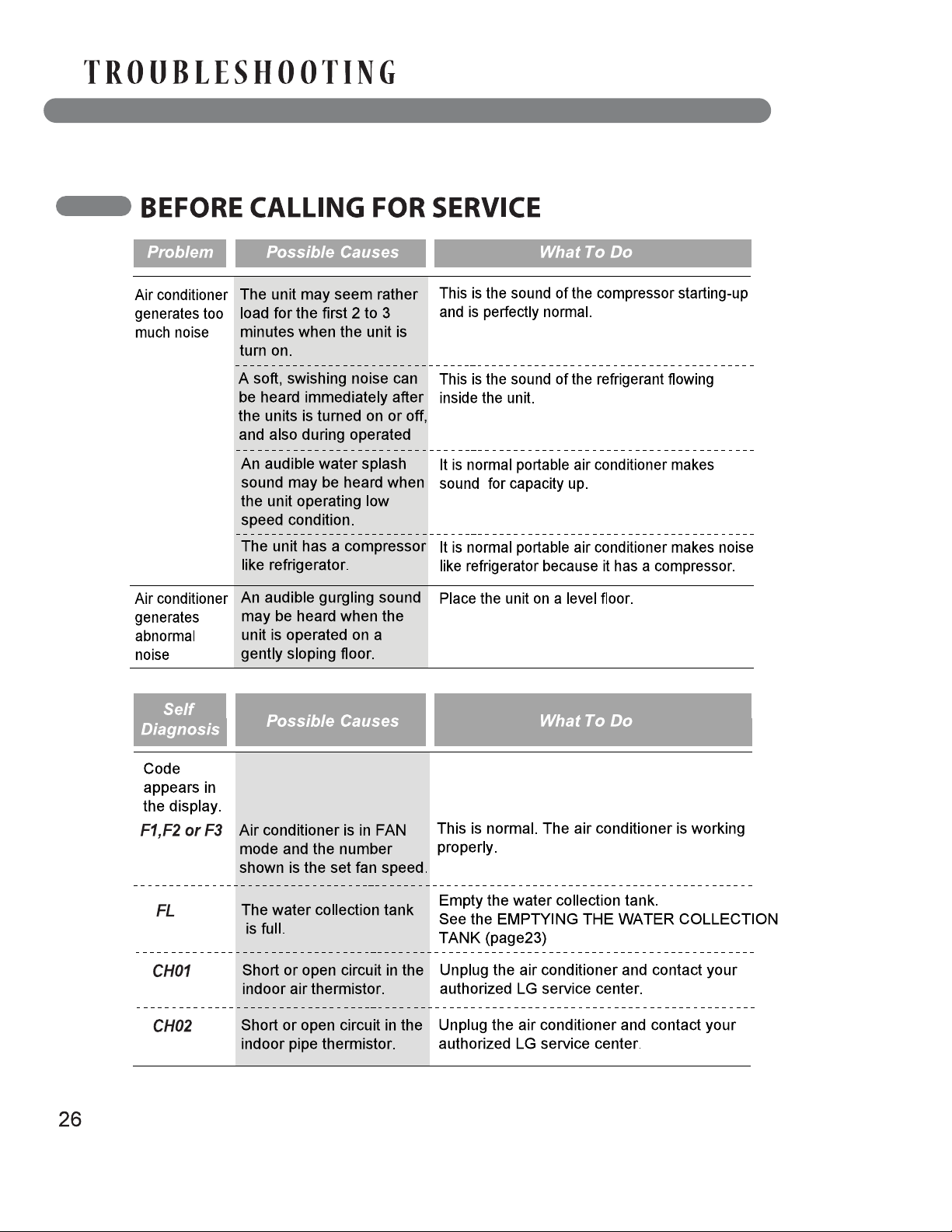
The water collection tank is full. Drain the tank and restart the air conditioner.
USE OF A DRAIN HOSE WHEN USING THE DRY MODE
FL APPEARS IN THE DISPLAY
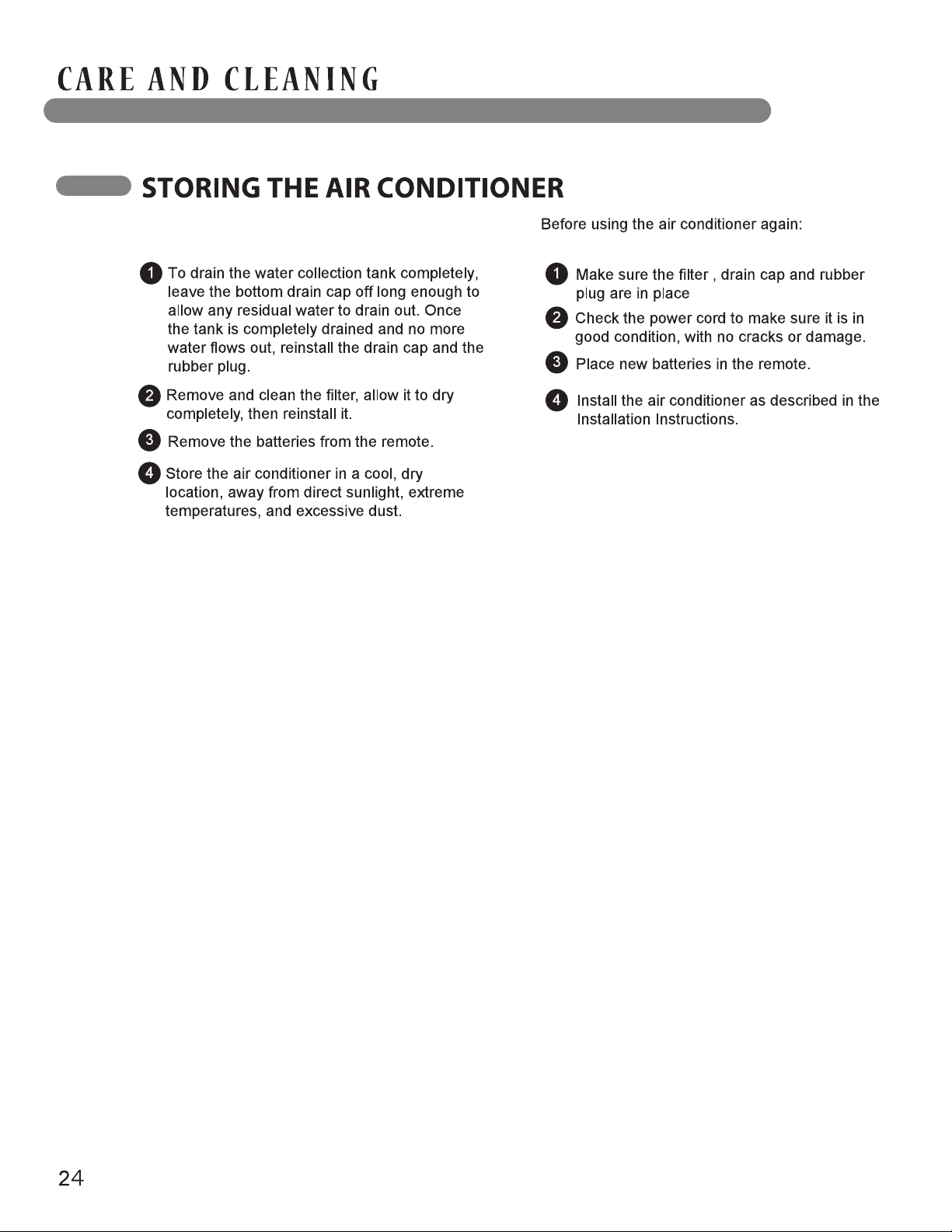
If the air conditioner will not be used for an
extended period of time:
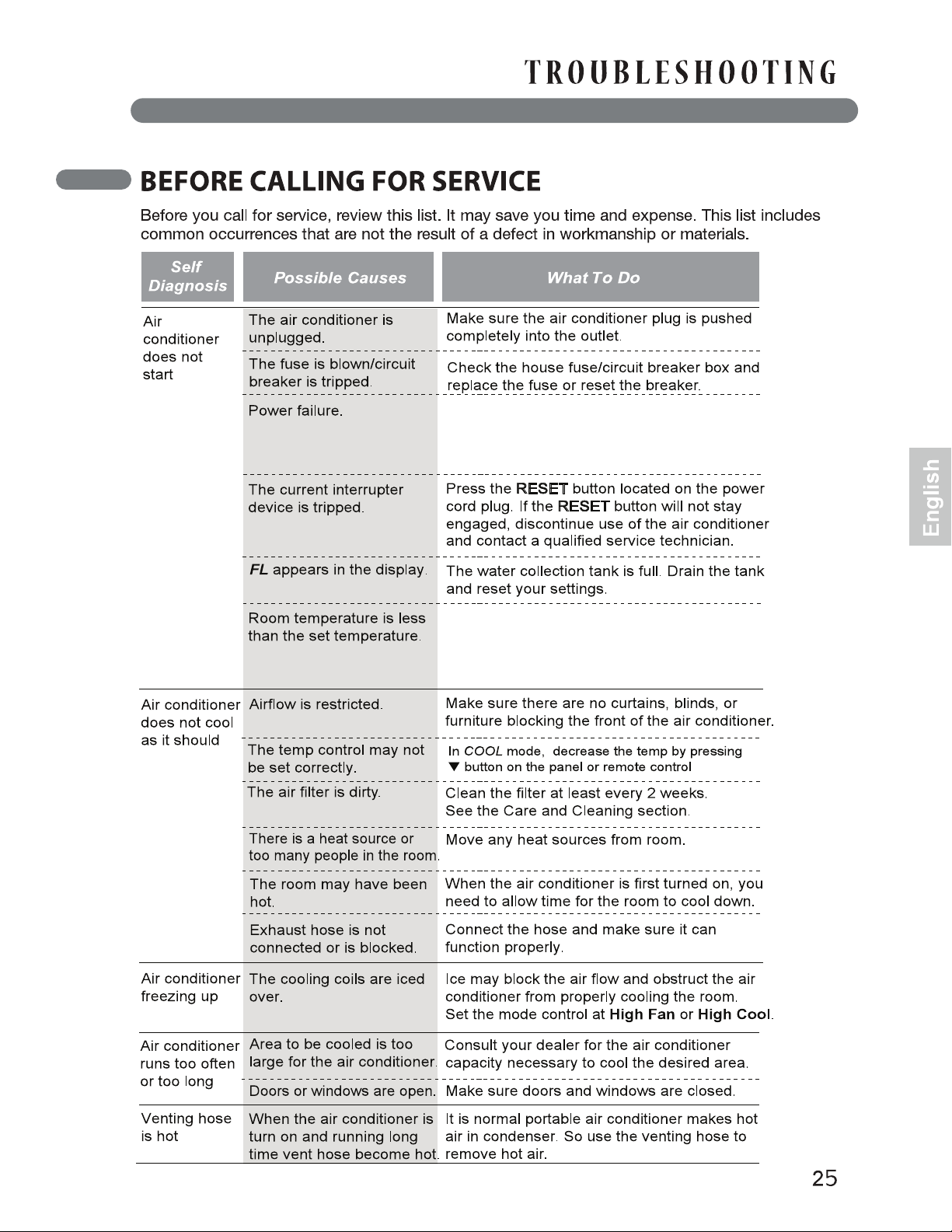
If a power failure occurs, turn the mode control
to Off. When power is restored, wait 3 minutes
to restart the air conditioner to prevent tripping
of the compressor overload.
This is normal. The air conditioner automatically
shuts off when the room temperature equals or
is less than the set temperature.
Adjust the temperature setting, if needed.
27
www.lg.com