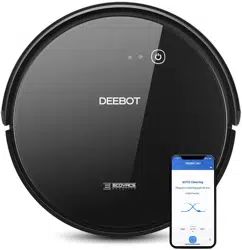
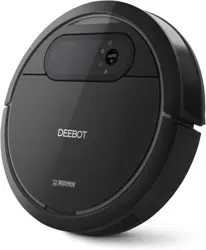
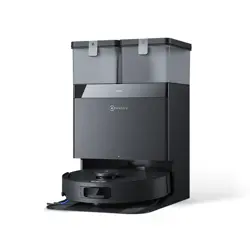
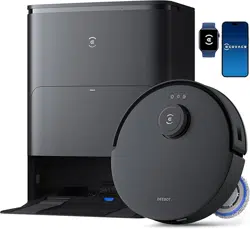
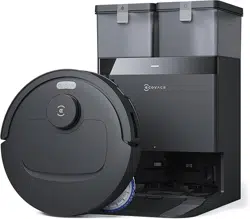
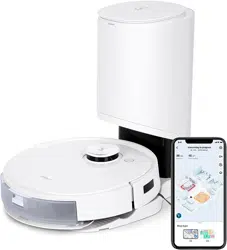
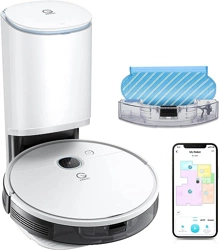
User Manual
Package Contents
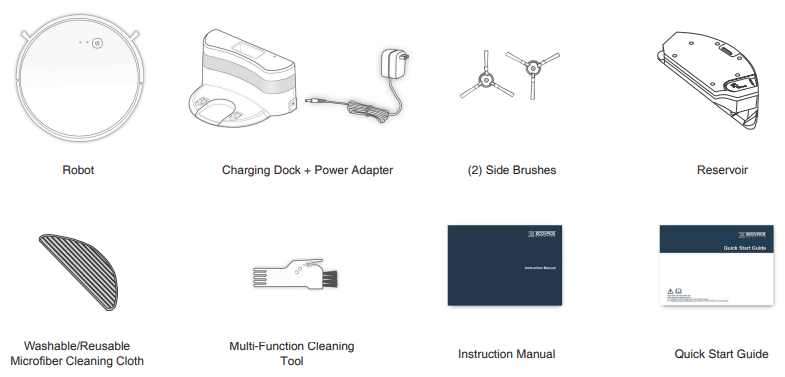
Note: Figures and illustrations are for reference only and may differ from actual product appearance. Product design and specifications are subject to changes without notice.
Operating and Programming
1 Notes Before Cleaning
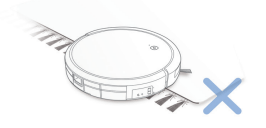
Before using the product on a rug with tasseled edges, please fold the rug edges under.
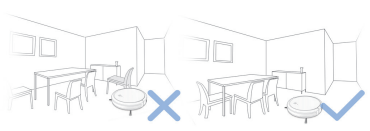
Tidy up the area to be cleaned by putting furniture, such as chairs, in their proper place.
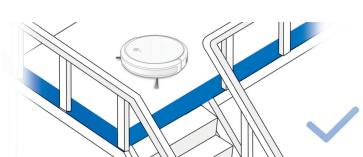
It may be necessary to place a physical barrier at the edge of a drop to stop the unit from falling over the edge
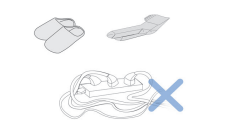
Remove power cords and small objects from the floor that the robot could be obstructed by.
2 Preparation
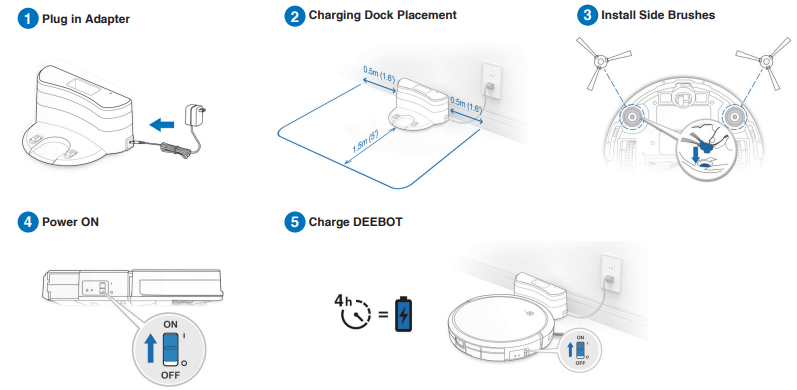
Note: When DEEBOT completes the cleaning cycle or when battery power gets low, DEEBOT automatically returns to the Charging Dock to recharge itself.
3 Selecting Cleaning Mode
1 AUTO Cleaning Mode
A Random Cleaning Pattern (optimized for carpets) will be selected by default.
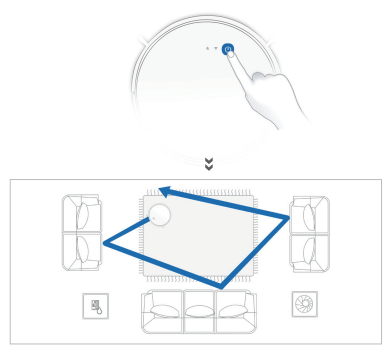
2 Return to Charging Dock
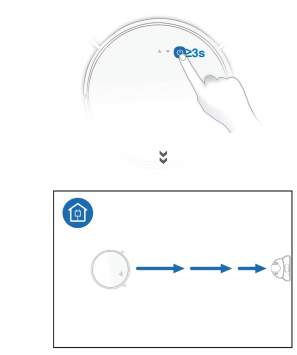
4 Pause, Wake Up, Power Off
1 Pause

Note: The robot’s Control Panel stops glowing after the robot is paused for a few minutes. Press the AUTO Mode Button on DEEBOT to wake up the robot.
2 Wake Up
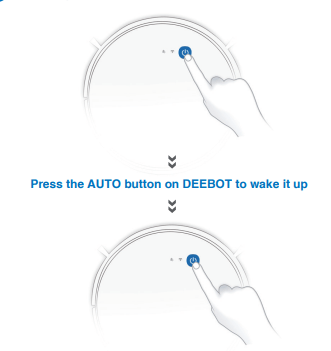
3 Power OFF
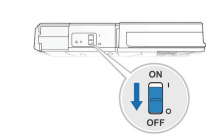
Note: When DEEBOT is not working, it is recommended to keep it switched ON and charging.
5 Optional Mopping System
Note: Empty the Reservoir and remove the Cleaning Cloth Plate before cleaning on carpet. When using the mopping system, fold area rug edges under themselves so DEEBOT will avoid the rug. Be sure to use only water, and do not put washer fluid or any other cleaning solution in the Reservoir.
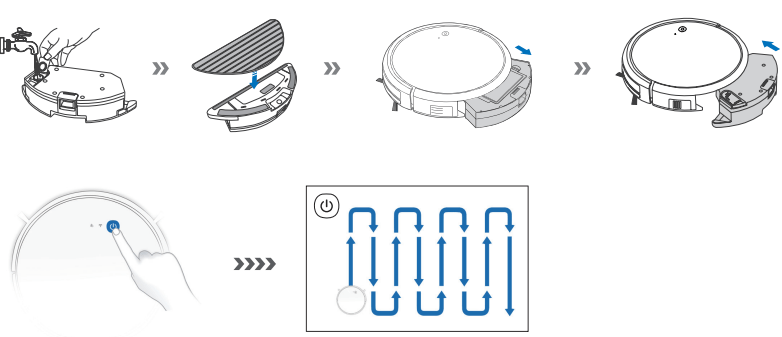
Maintenance
Before performing cleaning and maintenance tasks on DEEBOT, turn the robot OFF and unplug the Charging Dock.
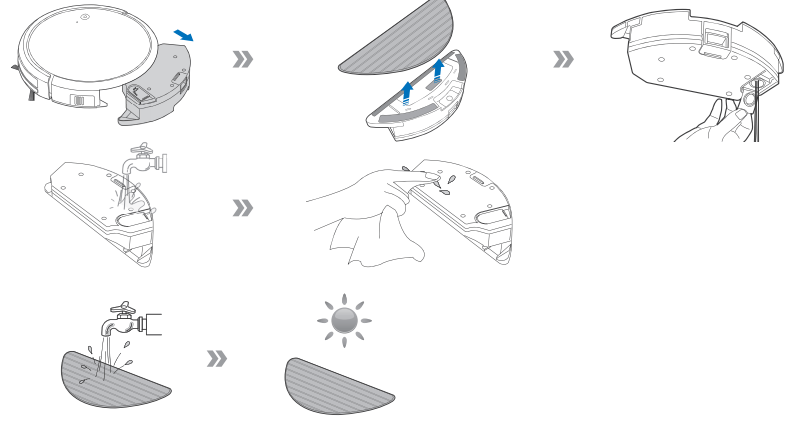
1 Optional Mopping System
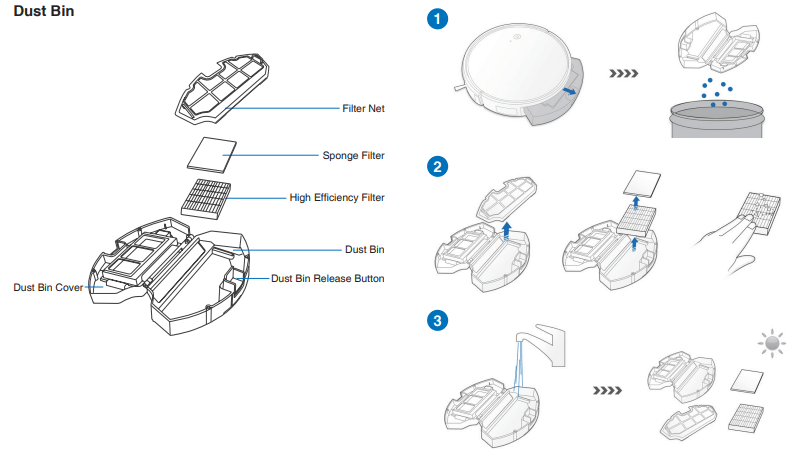
2 Dust Bin and Filters
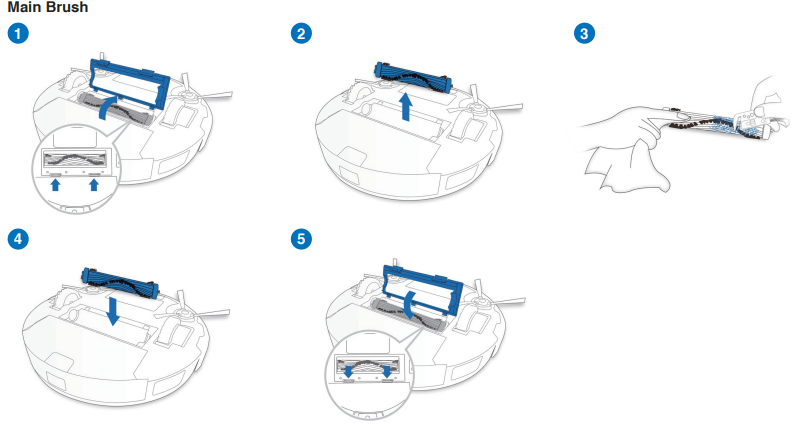
3 Main Brush and Side Brushes
Note: A Multi-Function Cleaning Tool is provided for easy maintenance. Handle with care, this cleaning tool has sharp edges.

4 Other Components
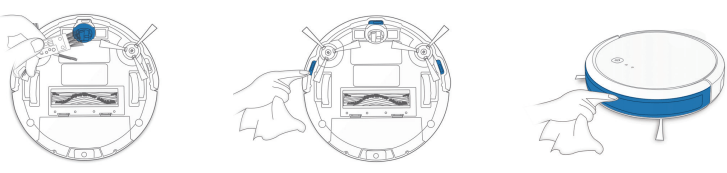
Note: Before cleaning the robot’s Charging Contacts and Charging Dock Pins, turn the robot OFF and unplug the Charging Dock.
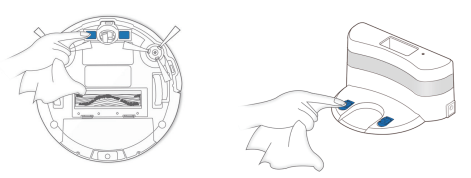
5 Regular Maintenance
To keep DEEBOT running at peak performance, perform maintenance tasks and replace parts with the following frequencies:
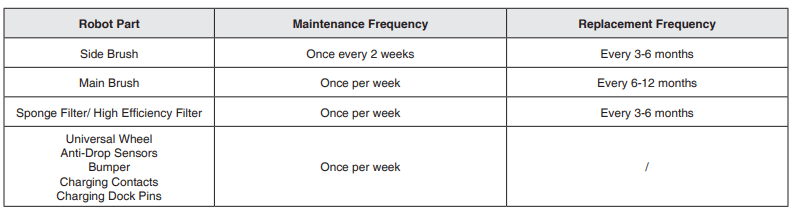
A Multi-Function Cleaning Tool is provided for easy maintenance. Handle with care, this cleaning tool has sharp edges.
Note: ECOVACS manufactures various replacement parts and fittings. Please contact Customer Service for more information on replacement parts.
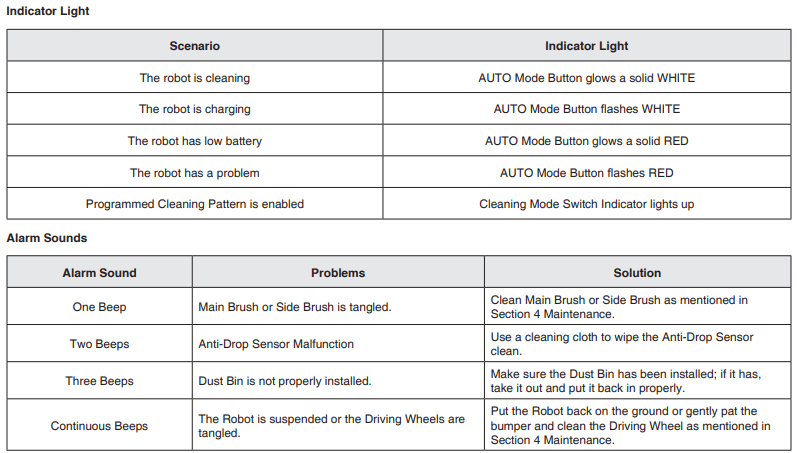
Indicator Light and Alarm Sounds
DEEBOT will tell you something is wrong with an alarm indicator light and sounds. More detailed support is available through the ECOVACS App and online website
Troubleshooting
DEEBOT is not charging.
- DEEBOT is not switched ON.
- DEEBOT has not connected to the Charging Dock.
- Be sure that the robot’s Charging Contacts have connected to the Charging Dock Pins.
- The battery is completely discharged.
- Re-activate the battery. Switch ON DEEBOT. Place DEEBOT on the Charging Dock by hand, remove after charging for 3 minutes, repeat 3 times; then charge normally.
DEEBOT cannot return to the Charging Dock.
- The Charging Dock is not correctly placed.
- Refer to section 3.2 to correctly place the Charging Dock.
DEEBOT gets stuck while working and stops.
- DEEBOT is tangled with something on the floor (electrical wires, curtains, carpet fringing, etc.).
- DEEBOT will try various ways to free itself. If it is unsuccessful, manually remove the obstacles and restart.
DEEBOT returns to the Charging Dock before it has finished cleaning.
- When the battery gets low, DEEBOT automatically switches to Return to Charger Mode and returns to the Charging Dock to recharge itself.
- This is normal. No solution necessary.
- Working time varies according to floor surface, room complexity and the Cleaning Mode selected.
- This is normal. No solution necessary.
DEEBOT does not clean automatically at the scheduled time.
- Time Scheduling function is cancelled.
- Program DEEBOT to clean at specific times using the ECOVACS App.
- The Continued Cleaning function is turned ON and DEEBOT has just finished cleaning the scheduled cleaning area.
- This is normal. No solution necessary.
- DEEBOT is switched OFF.
- The robot’s battery is low.
- Keep DEEBOT switched ON and connected to the Charging Dock to make sure it has a full battery to work at any time.
- The robot’s Suction Intake is blocked and/or there is debris stuck in its components.
- Power OFF DEEBOT, clean the Dust Bin and invert the robot. Clean the robot’s Suction Intake, Side Brushes and the Main Brush as described in Section 4.
DEEBOT does not clean the whole area.
- The cleaning area is not tidy.
- Remove small objects from the floor and tidy up the cleaning area before DEEBOT starts cleaning.
DEEBOT is not able to connect to the home Wi-Fi network.
- Incorrect home Wi-Fi username or password entered. Enter the correct home Wi-Fi username and password.
- DEEBOT is not within range of your home Wi-Fi signal.
- Make sure DEEBOT is within range of your home Wi-Fi signal.
- Network setup started before DEEBOT was ready.
- Turn ON Power Switch.
- Press the RESET Button for 3 seconds. DEEBOT is ready for network setup when it plays a musical tune and its Wi-Fi Indicator light flashes slowly.
- Your smartphone’s operating system needs to be updated.
- Update your smartphone’s operating system. The ECOVACS App runs on iOS 9.0 and above, Android 4.0 and above.
Technical Specifications
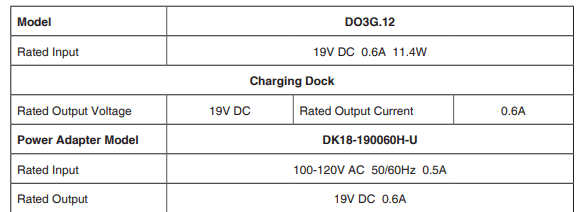
Note: Technical and design specifications may be changed for continuous product improvement.