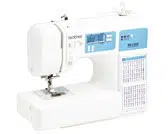
Press the stitch selection keys to change the stitch number.
Setting the stitch length and stitch width
• Press + or - of the stitch length keys to increase or reduce the stitch length.
• Press + or - of the stitch width keys to increase or reduce the stitch width.
Starting to sew
Baste the fabric before starting to sew.
1. Raise the needle to its highest position
2. Raise the presser foot lever.
3. Set the fabric under the presser foot, and then hold the fabric and the end of the thread with your left hand.
4. Lower the needle to the starting point of the stitching
5. Lower the presser foot lever.
6.
7. Start sewing.
* Guide the fabric lightly by hand
8. Stop sewing
9. Raise the needle, and then raise the presser foot lever
10. Pull the fabric and cut the threads
Care and Maintenance
Restrictions on oiling
In order to prevent damaging this machine, it must not be oiled by the user.
This machine was manufactured with the necessary amount of oil applied to ensure correct operation, making periodic oiling unnecessary
If problems occur, such as difficulty turning the handwheel or an unusual noise, immediately stop using the machine, and contact your authorized Brother dealer or the nearest Brother authorized service center.
Precautions on storing the machine
Do not store the machine in any of the locations described below, otherwise damage to the machine may result, for example, rust caused by condensation.
• Exposed to extremely high or low temperatures
• Exposed to extreme temperature changes
• Exposed to high humidity or steam
• Near a flame, heater or air conditioner
• Outdoors or exposed to direct sunlight
• Exposed to extremely dusty or oily environments
Cleaning the machine surface
CAUTION
• Unplug the power supply cord before cleaning the machine, otherwise injuries or an electric shock may occur.
Cleaning the race
Sewing performance will suffer if dust collects in the bobbin case.
1. Turn off the machine and unplug the power cord.
2. Raise the needle and remove the presser foot.
3. Remove the needle (1) and the presser foot holder (2). Next, loosen the two screws (3) and remove the needle plate.
4. Remove the bobbin case, and remove any dust from the race and its surrounding area.
5. Insert the bobbin case so that the and marks align.
6. Attach the needle plate, and then tighten the screws.
Troubleshooting
If the machine stops operating correctly, check the following possible problems before requesting service.
You can solve most problems by yourself. If you need additional help, the Brother support website offers the latest FAQs and troubleshooting tips.
If the problem persists, contact your Brother dealer or the nearest Brother authorized service center.
Frequent troubleshooting topics
Detailed causes and remedies for common troubleshooting topics are as follows. Be sure to refer to this before contacting us.
Upper thread tightened up
Symptom
• The upper thread appears as a single continuous line.
• The bobbin thread is visible from the upper side of the fabric. (Refer to the illustration below.)
• The upper thread has tightened up, and comes out when pulled.
• The upper thread has tightened up, and wrinkles appear in the fabric.
• The upper thread tension is tight, and the results do not change even after the thread tension is adjusted.
Cause
Incorrect bobbin threading
If the bobbin thread is incorrectly threaded, instead of the appropriate tension being applied to the bobbin thread, it is pulled through the fabric when the upper thread is pulled up. For this reason, the thread is visible from the right side of the fabric.
Remedy/check details
Correctly install the bobbin thread. (page 9)
Tangled thread on wrong side of fabric
Symptom
• The thread becomes tangled on the wrong side of the fabric.
• After starting sewing, a rattling noise is made and sewing cannot continue.
• Looking under the fabric, there is tangled thread in the bobbin case.
Cause
Incorrect upper threading
If the upper thread is incorrectly threaded, the upper thread passed through the fabric cannot be firmly pulled up and the upper thread becomes tangled in the bobbin case, causing a rattling noise.
Remedy/check details
Remove the tangled thread, and then correct the upper threading.
1. Remove the tangled thread. If it cannot be removed, cut the thread with scissors.
* For details, refer to "Cleaning the race" (page 24).
2. Remove the upper thread from the machine.
3. Correct the upper threading by following the instructions in “Upper threading” (page 9).
* If the bobbin was removed from the bobbin case, refer to "Winding/Installing the bobbin" (page 7) to correctly install the bobbin.
Incorrect thread tension
Symptoms
1. The bobbin thread is visible from the right side of the fabric. (Refer to the illustration below.)
2. The upper thread appears as a straight line on the right side of the fabric.
3. The upper thread is visible from the wrong side of the fabric. (Refer to the illustration below.)
4. The bobbin thread appears as a straight line on the wrong side of the fabric.
5. The stitching on the wrong side of the fabric is loose or has slack.
Cause/remedy/check details
Cause 1
The machine is not correctly threaded.
<With symptoms 1 and 2 described above>
The bobbin threading is incorrect. Return the thread tension dial to “4”, and then refer to “Winding/Installing the bobbin” (page 7) to correct the threading.
<With symptoms 3 through 5 described above>
The upper threading is incorrect. Return the thread tension dial to “4”, and then refer to “Upper threading” (page 9) to correct the upper threading.
Cause 2
A needle and thread appropriate for the fabric are not being used.
The machine needle that should be used depends on the type of fabric sewn and the thread thickness.
If a needle and thread appropriate for the fabric are not being used, the thread tension will not be adjusted correctly, causing wrinkles in the fabric or skipped stitches.
* Refer to "Fabric/Thread/Needle Combination" (page 12) to check that a needle and thread appropriate for the fabric are being used.
Cause 3
An appropriate upper tension is not selected.
Select an appropriate thread tension. Refer to “Thread tension” (page 17).
The appropriate thread tension differs depending on the type of fabric and thread being used.
* Adjust the thread tension while test sewing on a piece of scrap fabric that is the same as that used in your project.
• If the bobbin thread is visible from the right side of the fabric Turn the thread tension dial counterclockwise to loosen the upper thread tension.
• If the upper thread is visible from the wrong side of the fabric Turn the thread tension dial clockwise to tighten the upper thread tension.
Fabric is caught in the machine and cannot be removed
If the fabric is caught in the machine and cannot be removed, the thread may have become tangled under the needle plate. Follow the procedure described below to remove the fabric from the machine. If the operation cannot be completed according to the procedure, instead of attempting to remove it forcefully, contact your nearest Brother authorized service center.
Removing the fabric from the machine
1. Immediately stop the machine.
2. Turn off the machine.
3. Remove the needle.
If the needle is lowered into the fabric, turn the handwheel away from you (clockwise) to raise the needle out of the fabric, and then remove the needle.
* Refer to "Replacing the needle" (page 13).
4. Remove the presser foot and presser foot holder.
If the thread is entangled on the presser foot, remove the entangled thread, and then raise the presser foot lever to remove the presser foot. Otherwise, the presser foot may be damaged.
* Refer to "Replacing the presser foot" (page 14).
5. Lift up the fabric and cut the threads below it.
If the fabric can be removed, remove it. Continue with the following steps to clean the race.
6. Remove the needle plate cover.
* Refer to "Cleaning the race" (page 24).
7. Cut out the tangled threads, and then remove the bobbin.
8. Remove the bobbin case.
If threads remain in the bobbin case, remove them.
9. Use the cleaning brush or a vacuum cleaner mini attachment to remove any lint or dust from the race and its surrounding area.
• If the fabric could be removed → Continue to step 11.
• If the fabric could not be removed → Continue to step 10.
10. Remove the fabric and threads from the needle plate.
If the fabric cannot be removed, even after completing these steps, contact your nearest Brother authorized service center.
11. Insert the bobbin case by following step 5 in “Cleaning the race” (page 24).
12. Attach the needle plate cover by following step 6 in “Cleaning the race” (page 24).
13. Turn the handwheel to check that the feed dogs move smoothly and do not contact the edges of the slots in the needle plate.
14. Check the condition of the needle, and then install it.
If the needle is in a poor condition, for example, if it is bent, be sure to install a new needle.
* Refer to "Checking the needle" (page 13) and "Replacing the needle" (page 13).
Checking machine operations
If the needle plate has been removed, check machine operations to confirm that installation has been completed correctly.
1. Turn on the machine.
2. Select the straight stitch ( middle (center) needle position).
3. Slowly turn the handwheel toward you (counterclockwise), and look from all sides to check that the needle falls at the center of the opening in the needle plate.
If the needle contacts the needle plate, remove the needle plate, and then install it again, starting with step 13 in “Fabric is caught in the machine and cannot be removed” (page 27).
4. Select stitch . At this time, increase the stitch length and width to their maximum settings.
* For details on changing the settings, refer to "Setting the stitch length and stitch width" (page 15).
5. Slowly turn the handwheel toward you (counterclockwise) and check that the needle bar and feed dogs operate correctly.
If the needle or feed dogs contact the needle plate, the machine may be malfunctioning; therefore, contact your nearest Brother authorized service center
6. Turn off the machine, and then install the bobbin and presser foot.
Never use a scratched or damaged presser foot. Otherwise, the needle may break, or sewing performance may suffer.
* Refer to "Winding/Installing the bobbin" (page 7) and "Replacing the presser foot" (page 14).
7. Correctly thread the machine.
* For details on threading the machine, refer to "Upper threading" (page 9).
8. Perform trial sewing with cotton fabric.
If the thread becomes tangled under the bobbin winder seat ★
If the bobbin winding starts when the thread is not passed under the pretension disk of the thread guide correctly, the thread may become tangled under the bobbin winder seat.
1. Stop the bobbin winding.
2. Cut the thread with scissors beside the thread guide.
3. Slide the bobbin winder shaft to the left, and then remove the bobbin from the shaft and cut the thread leading to the bobbin in order to be able to completely remove the bobbin from the shaft.
4. Hold the thread end with your left hand, and wind off the thread clockwise from under the bobbin winder seat with your right hand.
List of symptoms
If the reference page is “*”, contact your authorized Brother dealer or the nearest Brother authorized service center.
Symptom, Cause/solution
Reference
The machine does not work.
The machine is not plugged in.
6
The main power switch is turned off.
6
The bobbin winder shaft is pushed to the right
8
The foot controller is not used properly
6
The needle breaks.
The needle is not fitted properly.
13
The needle clamp screw is loose
13
The needle is turned, bent or the point is dull.
13
The needle or thread is improper for the fabric.
12
The presser foot is not appropriate for the selected stitch.
14
The upper thread tension is too tight
17
The fabric is pulled, pushed, or fed at an angle. →Lightly guide the fabric.
16
The area around the opening in the needle plate is scratched.
This is not a scratch.
*
The area around the opening in the presser foot is scratched
*
The bobbin case is scratched
*
A bobbin designed for this machine is not used.
7
The upper thread breaks
Upper threading is incorrect. (For example, the spool is not fitted properly, or the thread comes out of the thread channel.)
9
There are knots or tangles in the thread. →Remove any knots or tangles
*
The needle is not appropriate for the thread you are using.
12
The upper thread tension is too tight.
17
The thread is tangled, for example, in the bobbin case.
27
The needle is turned, bent or the point is dull.
13
The needle is not installed properly.
13
The area around the opening in the needle plate is scratched.
This is not a scratch.
*
The area around the opening in the presser foot is scratched.
*
The bobbin case is scratched, or has a burr on it.
*
A bobbin designed for this machine is not used.
7
The bobbin thread is tangled or breaks.
The bobbin thread is wound improperly
7
The bobbin is scratched or does not turn smoothly.
7
The thread is tangled.
25
A bobbin designed for this machine is not used.
7
The bobbin is installed incorrectly
9
The thread tension is incorrect.
Upper threading is incorrect.
9
The bobbin thread is wound improperly.
7
The needle or thread is improper for the fabric.
12
The presser foot is not attached properly.
15
The presser foot holder is not attached properly.
15
The thread tension is incorrect.
17
A bobbin designed for this machine is not used.
7
The bobbin is installed incorrectly
9
The fabric is wrinkled.
Upper threading or the bobbin installation is incorrect.
7, 9
The spool is not fitted properly.
7
The needle or thread is improper for the fabric.
12
The needle is turned, bent or the point is dull.
13
If you are sewing thin fabric, the stitch is too thick. →Sew with stabilizer material under the fabric.
-
The thread tension is incorrect.
17
Stitches are skipped.
Upper threading is incorrect.
9
The needle or thread is improper for the fabric.
12
The needle is turned, bent or the point is dull.
13
The needle is not installed properly.
13
Dust has accumulated under the needle plate or in the bobbin case.
24
The thread is tangled on the wrong side of the fabric.
Upper threading is incorrect.
9
The needle or thread is improper for the fabric.
12
There is a high-pitched noise while sewing.
Dust has built up in the feed dogs or in the bobbin case.
24
Upper threading is incorrect.
9
The bobbin case is scratched.
*
A bobbin designed for this machine is not used.
7
The needle threader cannot be used. ★
The needle is not in the highest position.
10
The needle is installed incorrectly.
13
The needle is turned, bent or the point is dull.
13
Upper threading is incorrect.
9
The needle threader hook is bent and does not pass through the eye of the needle.
*
The needle threader lever cannot be moved or returned to its original position.
*
A size 65/9 needle is being used.→The needle is incompatible with the needle threader. Manually pass the thread through the eye of the needle.
10
The stitch is not sewn correctly.
The presser foot is not appropriate for the selected stitch.
14
The thread tension is incorrect.
17
The thread is tangled, for example, in the bobbin case.
27
The fabric does not feed.
The feed dogs are lowered. ★
→Slide the feed dog position switch to .
21
The stitch is too fine.
15
The needle or thread is improper for the fabric.
12
The thread is tangled, for example, in the bobbin case.
27
While winding the bobbin, the bobbin thread was wound below the bobbin winder seat. ★
The thread was incorrectly passed under the pretension disk on the thread guide. →Remove any entangled thread, and then wind the bobbin.
8, 28
The bobbin thread cannot be pulled up.
The needle is turned, bent or the point is dull.
13
The bobbin is installed incorrectly.
9
The sewing light bulb does not come on.
The sewing light is damaged.
*
The fabric feeds in the opposite direction.
The feed mechanism is damaged.
*
The needle contacts the needle plate.
The needle clamp screw is loose.
13
The needle is turned, bent or the point is dull.
13
Fabric being sewn with the machine cannot be removed.
Thread is tangled below the needle plate.
27
A broken needle has fallen into the machine.
→Turn off the machine, and remove the needle plate. If the needle that fell into the machine can be seen, use tweezers to remove it. After removing the needle, return the needle plate to its original position and insert a new needle. Before turning on the machine, slowly turn the handwheel toward you to check that it turns smoothly and that the new needle enters through the center of the needle plate opening. If the handwheel does not turn smoothly or the needle that fell into the machine cannot be removed, consult your authorized Brother dealer or the nearest Brother authorized service center
24
The handwheel does not turn smoothly.
Thread is tangled in the bobbin case.
27
Decorative stitch patterns are misaligned. ★
A wrong presser foot is used.
14
Stitch adjustment is set incorrectly.
23
Error Messages
No.
Cause
Solution
The foot controller was pressed (or (“Start/Stop” button) was pressed if the foot controller is not connected ★) or (Reverse/Reinforcement stitch button) was pressed while the presser foot is raised.
Lower the presser foot lever before continuing the operation
A stitch other than the buttonhole or bar tack stitch was selected and the foot controller was pressed (or (“Start/Stop” button) was pressed if the foot controller is not connected ★) while the buttonhole lever is lowered
Raise the buttonhole lever before continuing the operation
The buttonhole or bar tack stitch was selected and the foot controller was pressed (or (“Start/Stop” button) was pressed if the foot controller is not connected ★) while the buttonhole lever is raised.
Lower the buttonhole lever before continuing the operation.
(Reverse/Reinforcement stitch button) (or (Needle position button) ★) was pressed while the bobbin winder
Move the bobbin winder shaft to the left before continuing the operation.
(“Start/Stop” button) was pressed while the foot controller is connected. ★
Disconnect the foot controller or use the foot controller. ★
The motor locked up because the thread is tangled.
Remove the tangled thread before continuing the operation.
The stitch only for the single needle was selected and the foot controller was pressed (or (“Start/Stop” button) was pressed if the foot controller is not connected ★) while the twin needle mode is active.
Select a stitch for the twin needle.
The machine may be malfunctioning
Contact your nearest Brother authorized service center.
Q: I have recently purchased a CS7000X machine. The top stitches are good, the bottom stitches are double stitches, not straight and even as the top. The machine and bobbin are threaded correctly. I am sewing a light weight knit fabric. How do I fix the bottom stitches? Reply
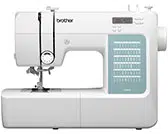


 and
and  marks align.


 middle (center) needle position).
 . At this time, increase the stitch length and width to their maximum settings.


 .
.
 (“Start/Stop” button) was pressed if the foot controller is not connected ★) or
  (Reverse/Reinforcement stitch button) was pressed while the presser foot is raised.