Chevrolet Equinox Premier 2020
Product's Documents
Below are documents related to this product, you can read online or download:
- Owner's manual - (English) Read Online | Download pdf


Keys

The key that is part of the Remote Keyless Entry (RKE) transmitter can be used for all locks.

Remove the key by pressing the button on the side of the RKE transmitter near the bottom and pull the key out. Never pull the key out without pressing the button.
If it becomes difficult to turn the key, inspect the key blade for debris. See your dealer if a new transmitter is needed.
If locked out of the vehicle, see Roadside Assistance Program → 381.
With an active OnStar or connected service plan, an OnStar Advisor may remotely unlock the vehicle. See OnStar Overview → 391.
Remote Keyless Entry (RKE) System
See Radio Frequency Statement → 387.
If there is a decrease in the Remote Keyless Entry (RKE) operating range:
Remote Keyless Entry (RKE) System Operation
The Keyless Access system allows for vehicle entry when the Remote Keyless Entry (RKE) transmitter is within 1 m (3 ft). See “Keyless Access Operation” later in this section.
The RKE transmitter may work up to 60 m (197 ft) away from the vehicle.
Other conditions can affect the performance of the transmitter. See Remote Keyless Entry (RKE) System → 8.

The following may be available:
 : Press to lock all doors. The turn signal indicators may flash and/or the horn may sound on the second press to indicate locking. See Vehicle Personalization → 134. If the driver door is open when is pressed and Open Door Anti-Lockout is enabled, all doors will lock and then the driver door will immediately unlock. See Vehicle Personalization → 134. If a passenger door is open when is pressed, all doors lock. Pressing may also arm the theft-deterrent system. See Vehicle Alarm System → 26.
 : Press to unlock the driver door. Press again within five seconds to unlock all doors. The RKE transmitter can be programmed to unlock all doors on the first button press. See Vehicle Personalization → 134. The turn signal indicators may flash to indicate unlocking has occurred. See Vehicle Personalization → 134. Pressing may also disarm the theft-deterrent system. See Vehicle Alarm System → 26.
If equipped with the manual liftgate, unlocking all doors will also unlock the liftgate.
Press and hold until the windows fully open. Windows will not operate unless remote window operation is enabled. See Vehicle Personalization → 134.
 : Press twice quickly to open or close the power liftgate, if equipped. Press again to stop the power liftgate.
 : Press and release one time to initiate vehicle locator. The exterior lamps flash and the horn chirps three times. Press and hold for at least three seconds to sound the panic alarm. The horn sounds and the turn signals flash for 30 seconds or until is pressed again or the vehicle is started.
 : If equipped, first press and release then immediately press and hold for at least four seconds to start the engine from outside the vehicle using the RKE transmitter. See Remote Vehicle Start → 15.
Keyless Access Operation
With the Keyless Access system, you can lock and unlock the doors and access the liftgate without removing the RKE transmitter from your pocket, purse, briefcase, etc. The RKE transmitter should be within 1 m (3 ft) of the liftgate or door being opened. If equipped, there will be buttons on the outside front door handles.
Keyless Access can be programmed to unlock all doors on the first lock/unlock press from the driver door. See Vehicle Personalization → 134.
If equipped with memory seats, RKE transmitters 1 and 2 are linked to seating positions of memory 1 or 2. See Memory Seats → 40.
Keyless Unlocking/Locking from the Driver Door
When the doors are locked and the RKE transmitter is within 1 m (3 ft) of the driver door handle, pressing the lock/unlock button on the driver door handle will unlock the driver door. If the lock/unlock button is pressed again within five seconds, all passenger doors will unlock.

Pressing the lock/unlock button will cause all doors to lock if any of the following occur:
Keyless Unlocking/Locking from the Front Passenger Door
When the doors are locked and the RKE transmitter is within 1 m (3 ft) of the passenger door handle, pressing the lock/unlock button on the passenger door handle will unlock all doors.
Pressing the lock/unlock button will cause all doors to lock if any of the following occur:
Passive Locking
If equipped with Keyless Access, this vehicle will lock several seconds after all doors are closed if the vehicle is off and at least one RKE transmitter has been removed or none remain in the interior.
If other electronic devices interfere with the RKE transmitter signal, the vehicle may not detect the RKE transmitter inside the vehicle. If passive locking is enabled, the doors may lock with the RKE transmitter inside the vehicle. Do not leave the RKE transmitter in an unattended vehicle.
To customize the doors to automatically lock when exiting the vehicle, see “Remote Lock, Unlock, Start” under Vehicle Personalization → 134.
Liftgate
Warning
Exhaust gases can enter the vehicle if it is driven with the liftgate or trunk/hatch open, or with any objects that pass through the seal between the body and the trunk/hatch or liftgate. Engine exhaust contains carbon monoxide (CO) which cannot be seen or smelled. It can cause unconsciousness and even death.
If the vehicle must be driven with the liftgate or trunk/hatch open:
See Engine Exhaust →190.
Caution: To avoid damage to the liftgate or liftgate glass, make sure the area above and behind the liftgate is clear before opening it.
Manual Liftgate
To unlock the liftgate, press  on the power door lock switch or press on the Remote Keyless Entry (RKE) transmitter twice within five seconds. See Remote Keyless Entry (RKE) System Operation → 8.

To open the liftgate, press the touch pad under the liftgate handle and lift up.
If equipped with Keyless Access, the liftgate can be opened when locked if the RKE transmitter is within 1 m (3 ft) of the liftgate. See Remote Keyless Entry (RKE) System Operation → 8.
Use the pull cup to lower and close the liftgate. Do not press the touch pad while closing the liftgate. This may cause the liftgate to be unlatched.
The liftgate has an electric latch. If the battery is disconnected or has low voltage, the liftgate will not open. The liftgate will resume operation when the battery is reconnected and charged.
Always close the liftgate before driving
Power Liftgate Operation
Warning: You or others could be injured if caught in the path of the power liftgate. Make sure there is no one in the way of the liftgate as it is opening and closing.
Caution: Driving with an open and unsecured liftgate may result in damage to the power liftgate components.

The power liftgate switch is on the driver door. The vehicle must be in P (Park). The taillamps flash when the power liftgate moves.
The modes are:
To open or close the power liftgate, select MAX or 3/4 mode.
 twice quickly on the RKE transmitter until the liftgate moves.
 on the driver door. The driver door must unlocked.
Press o n the bottom of the liftgate next to the pull cup to close.
Press any liftgate button, the touch pad, or on the RKE transmitter while the liftgate is moving to stop it. Pressing any liftgate button or pressing twice quickly on the RKE transmitter again restarts the operation in the reverse direction. Pressing the touch pad on the liftgate handle will restart the motion, but only in the opening direction.
Caution: Manually forcing the liftgate to open or close during a power cycle can damage the vehicle. Allow the power cycle to complete.
The power liftgate may be temporarily disabled under extreme low temperatures, or after repeated power cycling over a short period of time. If this occurs, the liftgate can still be operated manually.
If the vehicle is shifted out of P (Park) while the power function is in progress, the liftgate will continue to completion. If the vehicle is accelerated before the liftgate has completed moving, the liftgate may stop or reverse direction. Check for Driver Information Center (DIC) messages and make sure the liftgate is closed and latched before driving.
Falling Liftgate Detection
If the power liftgate automatically closes after a power opening cycle, it indicates that the system is reacting to excess weight on the liftgate or a possible support strut failure. A repetitive chime will sound while the falling liftgate detection feature is operating. Remove any excess weight. If the liftgate continues to automatically close after opening, see your dealer for service before using the power liftgate.
Interfering with the power liftgate motion or manually closing the liftgate too quickly after power opening may resemble a support strut failure. This could also activate the falling liftgate detection feature. Allow the liftgate to complete its operation and wait a few seconds before manually closing the liftgate
Obstacle Detection Features
If the liftgate encounters an obstacle during a power open or close cycle, the liftgate will automatically reverse direction and move a short distance away from the obstacle. After removing the obstruction, the power liftgate operation can be used again. If the liftgate encounters multiple obstacles on the same power cycle, the power function will deactivate. After removing the obstructions, manually close the liftgate, This will allow normal power operation functions to resume.
If the vehicle is locked while the liftgate is closing, and an obstacle is encountered that prevents the liftgate from completely closing, the horn will sound as an alert that the liftgate did not close.
Pinch sensors are on the side edges of the liftgate. If an object is caught between the liftgate and the vehicle and presses against a sensor, the liftgate will reverse direction and then stop. The liftgate will remain open until it is activated again or closed manually
Setting the 3/4 Mode
To change the position the liftgate stops at when opening:
n ext to the pull cup on the outside of the liftgate until the turn signals flash and a beep sounds. This indicates the setting has been recorded.The liftgate cannot be set below a minimum programmable height. If there is no light flash or sound, then the height adjustment may be too low. Manual Operation Select OFF to manually operate the liftgate. See “Manual Liftgate” at the beginning of this section.
Caution: Attempting to move the liftgate too quickly and with excessive force may result in damage to the vehicle.
Operate the liftgate manually with a smooth motion and moderate speed. The system includes a feature which limits the manual closing speed to protect the components.
Hands-Free Operation
The liftgate may be operated with a kicking motion under the rear bumper between the left exhaust pipe and the license plate.
The RKE transmitter must be within 1 m (3 ft) of the rear bumper to operate the power liftgate hands-free.
The hands-free feature will not work while the liftgate is moving. To stop the liftgate while in motion use one of the liftgate buttons.
The hands-free feature can be customized. See Vehicle Personalization → 134. Choose from the following:

To operate, kick your foot straight up in one swift motion under the rear bumper between the left exhaust pipe and the license plate, then pull it back.
Caution: Splashing water may cause the liftgate to open. Keep the RKE transmitter away from the rear bumper detection area or turn the liftgate mode to OFF when cleaning or working near the rear bumper to avoid accidental opening.
When closing the liftgate using this feature, there will be a short delay. The taillamps will flash and a chime will sound. Step away from the liftgate before it starts moving.
The vehicle’s front seats have adjustable head restraints in the outboard seating positions.
Warning: With head restraints that are not installed and adjusted properly, there is a greater chance that occupants will suffer a neck/ spinal injury in a crash. Do not drive until the head restraints for all occupants are installed and adjusted properly. If your vehicle has rear head restraints that fold down, always return them to the full upright position whenever an occupant is seated in the seat.

Adjust the head restraint so that the top of the restraint is at the same height as the top of the occupant's head. This position reduces the chance of a neck injury in a crash.
Front Seats

Rear Seats
Adjusting the Rear Head Restraint

Folding the Rear Head Restraint


Seat Adjustment

To adjust the seat position:
Seat Height Adjuster

Move the lever up or down to raise or lower the seat.
Power Seat Adjustment

To adjust a power seat, if equipped:
To adjust the seatback, see Reclining Seatbacks → 39.
Lumbar Adjustment

The heating, cooling, and ventilation for the vehicle can be controlled with this system.

 : Turn the knob clockwise or counterclockwise to increase or decrease the fan speed or turn the fan off.
TEMP : Turn the knob clockwise or counterclockwise to increase or decrease the temperature.
Air Delivery Mode Controls :
 ,
, , and
, and  or a combination of the buttons to change the direction of the airflow. The indicator light in the button will turn on.: Clears the windows of fog or moisture. Air is directed to the windshield.: Air is directed to the instrument panel outlets.: Air is directed to the floor outlets.MAX : Air is directed to the windshield and the fan runs at a higher speed. Fog or frost is cleared from the windshield more quickly. When the button is pressed again, the system returns to the previous mode setting. For best results, clear all snow and ice from the windshield before defrosting.
 : Press to turn on recirculation. An indicator light comes on. Air is recirculated to quickly cool the inside of the vehicle or to reduce the entry of outside air and odors.
Rear Window Defogger
 : Press to turn the rear window defogger on or off. An indicator light on the button comes on to show that the rear window defogger is on.
 or
or  : If equipped, press or to heat the driver or passenger seat. See Heated and Ventilated Front Seats → 43.
Dual Automatic Climate Control System
The heating, cooling, and ventilation for the vehicle can be controlled with this system.

Automatic Operation
The system automatically heats or cools the vehicle to the desired temperature:
When AUTO is lit, all four functions operate automatically. Each function can also be manually set and the selected setting is displayed. Functions not manually set will continue to be automatically controlled, even if the AUTO indicator is not lit.
To improve fuel efficiency and to cool the vehicle faster, recirculation may be automatically selected in warm weather. The recirculation light will not come on. Press to select recirculation; press it again to select outside air.
Air Vents
Use the louvers located on the air vents to change the direction of the airflow.
To open or close off the airflow:
Operation Tips
Passenger Compartment Air Filter
The filter removes dust, pollen, and other airborne irritants from outside air that is pulled into the vehicle.
The filter should be replaced as part of routine scheduled maintenance. See Maintenance Schedule → 360. To find out what type of filter to use, see Maintenance Replacement Parts → 370.
1. Open the glove box.


2. Disconnect the glove box door damper (1) from the glove box door assembly by squeezing the pivot (2) to release the damper ring.

3. Squeeze both sides of the glove box bin inward to lower beyond the stops.

4. Remove the two screws securing the door.
5. Press the latches on either side of the service door inward to release. Open the service door and remove the old filter.
6. Install the new air filter.
7. Close the service door completely.
8. Reverse the steps to reinstall the glove box.
See your dealer if additional assistance is needed.
Doing Your Own Service Work
Warning: It can be dangerous to work on your vehicle if you do not have the proper knowledge, service manual, tools, or parts. Always follow owner’s manual procedures and consult the service manual for your vehicle before doing any service work.
If doing some of your own service work, use the proper service manual. It tells you much more about how to service the vehicle than this manual can. To order the proper service manual, see Publication Ordering Information → 386.
This vehicle has an airbag system. Before attempting to do your own service work, see Servicing the Airbag-Equipped Vehicle → 66.
If equipped with remote vehicle start, open the hood before performing any service work to prevent remote starting the vehicle accidentally. See Remote Vehicle Start → 15
Keep a record with all parts receipts and list the mileage and the date of any service work performed. See Maintenance Records → 372.
Caution: Even small amounts of contamination can cause damage to vehicle systems. Do not allow contaminants to contact the fluids, reservoir caps, or dipstick.
Hood
Warning: For vehicles with auto engine stop/start, turn the vehicle off before opening the hood. If the vehicle is on, the engine will start when the hood is opened. You or others could be injured.
Warning: Components under the hood can get hot from running the engine. To help avoid the risk of burning unprotected skin, never touch these components until they have cooled, and always use a glove or towel to avoid direct skin contact.
Clear any snow from the hood before opening.
To open the hood:
1. Pull the hood release lever with the  symbol. It is on the lower left side of the instrument panel.

2. Go to the front of the vehicle and locate the secondary release lever under the front center of the hood. Push the secondary hood release lever to the right to release.

3. Lift the hood and release the hood prop rod from its retainer in the front of the engine compartment. Securely insert the rod end into the slot marked with an arrow, on the underside of the hood.
To close the hood:
1. Before closing the hood, be sure all filler caps are on properly, and all tools are removed.
2. Lift the hood and remove the hood prop rod from the underside of the hood. Return the prop rod to its retainer. The prop rod must click into place when returning it to the retainer to prevent hood damage.
3. Lower the hood 20 cm (8 in) above the vehicle and release it. Check to make sure the hood is latched completely. Repeat this process with additional force if necessary
Warning: Do not drive the vehicle if the hood is not latched completely. The hood could open fully, block your vision, and cause a crash. You or others could be injured. Always close the hood completely before driving.
Engine Compartment Overview


Engine Oil
To ensure proper engine performance and long life, careful attention must be paid to engine oil. Following these simple, but important steps will help protect your investment:
Checking Engine Oil
Check the engine oil level regularly, every 650 km (400 mi), especially prior to a long trip. The engine oil dipstick handle is a loop. See Engine Compartment Overview → 270 for the location.
Warning: The engine oil dipstick handle may be hot; it could burn you. Use a towel or glove to touch the dipstick handle.
If a low oil Driver Information Center (DIC) message displays, check the oil level. If the oil is not low and the low oil message remains on, take the vehicle to your dealer for service.
Follow these guidelines:
Engine Oil Life System
When to Change Engine Oil
This vehicle has a computer system that indicates when to change the engine oil and filter. This is based on a combination of factors which include engine revolutions, engine temperature, and miles driven. Based on driving conditions, the mileage at which an oil change is indicated can vary considerably. For the oil life system to work properly, the system must be reset every time the oil is changed.
When the system has calculated that oil life has been diminished, it indicates that an oil change is necessary. A CHANGE ENGINE OIL SOON message comes on. Change the oil as soon as possible within the next 1 000 km (600 mi). It is possible that, if driving under the best conditions, the oil life system may indicate that an oil change is not necessary for up to a year. The engine oil and filter must be changed at least once a year and, at this time, the system must be reset. Your dealer has trained service people who will perform this work and reset the system. It is also important to check the oil regularly over the course of an oil drain interval and keep it at the proper level.
If the system is ever reset accidentally, the oil must be changed at 5 000 km (3,000 mi) since the last oil change. Remember to reset the oil life system whenever the oil is changed
How to Reset the Engine Oil Life System
Reset the system whenever the engine oil is changed so that the system can calculate the next engine oil change. To reset the system:
The oil life system can also be reset as follows:
If the CHANGE ENGINE OIL SOON message comes back on when the vehicle is started, the engine oil life system has not reset. Repeat the procedure.
Automatic Transmission Fluid
It is not necessary to check the transmission fluid level. A transmission fluid leak is the only reason for fluid loss. If a leak occurs, take the vehicle to your dealer and have it repaired as soon as possible.
Change the fluid at the intervals listed in Maintenance Schedule → 360, and be sure to use the transmission fluid listed in Recommended Fluids and Lubricants → 369.
Caution: Use of the incorrect automatic transmission fluid may damage the vehicle, and the damage may not be covered by the vehicle warranty. Always use the correct automatic transmission fluid. See Recommended Fluids and Lubricants → 369.
There is a special procedure for checking and changing the transmission fluid. Because this procedure is difficult, this should be done by your dealer.
Engine Air Cleaner/Filter
The engine air cleaner/filter is in the engine compartment on the passenger side of the vehicle. See Engine Compartment Overview → 270.
When to Inspect the Engine Air Cleaner/Filter
For intervals on changing and inspecting the engine air cleaner/ filter, see Maintenance Schedule → 360.
How to Inspect the Engine Air Cleaner/Filter
Do not start the engine or have the engine running with the engine air cleaner/filter housing open. Before removing the engine air cleaner/ filter, make sure that the engine air cleaner/filter housing and nearby components are free of dirt and debris. Remove the engine air cleaner/filter. Lightly tap and shake the engine air cleaner/filter (away from the vehicle), to release loose dust and dirt. Inspect the engine air cleaner/filter for damage, and replace if damaged. Do not clean the engine air cleaner/filter or components with water or compressed air.
To inspect or replace the engine air cleaner/filter:

1. Screws
2. Air Duct Clamp
3. Electrical Connector
How to Reinstall the Engine Air Cleaner/Filter

Warning: Operating the engine with the air cleaner/filter off can cause you or others to be burned. Use caution when working on the engine. Do not start the engine or drive the vehicle with the air cleaner/filter off, as flames may be present if the engine backfires.
Caution: If the air cleaner/filter is off, dirt can easily get into the engine, which could damage it. Always have the air cleaner/filter in place when driving
Cooling System

1. Engine Cooling Fan (Out of View)
2. Engine Coolant Surge Tank and Pressure Cap

1. Engine Cooling Fan (Out of View)
2. Engine Coolant Surge Tank and Pressure Cap

1. Engine Cooling Fan (Out of View)
2. Engine Coolant Surge Tank and Pressure Cap
Warning: An underhood electric fan can start up even when the engine is not running and can cause injury. Keep hands, clothing, and tools away from any underhood electric fan.
If the coolant inside the coolant surge tank is boiling, do not do anything else until it cools down. The vehicle should be parked on a level surface.
The coolant level should be at the top rib on the middle of the tank. If it is not, the vehicle may have a leak at the radiator hoses, heater hoses, radiator, water pump, or somewhere else in the cooling system.
Warning: Do not touch heater or radiator hoses, or other engine parts. They can be very hot and can burn you. Do not run the engine if there is a leak; all coolant could leak out. That could cause an engine fire and can burn you. Fix any leak before driving the vehicle.
If there seems to be no leak, with the engine on, check to see if the electric engine cooling fan is running. If the engine is overheating, the fan should be running. If it is not, the vehicle needs service. Turn off the engine.
Engine Coolant
The engine cooling system in the vehicle is filled with DEX-COOL engine coolant mixture. This coolant needs to be checked and changed at appropriate levels. See Recommended Fluids and Lubricants 0 369 and Maintenance Schedule → 360.
The following explains the cooling system and how to check and add coolant when it is low. If there is a problem with engine overheating, see Engine Overheating → 286
What to Use
Warning: Plain water, or other liquids such as alcohol, can boil before the proper coolant mixture will. With plain water or the wrong mixture, the engine could get too hot but there would not be an overheat warning. The engine could catch fire and you or others could be burned.
Use a 50/50 mixture of clean, drinkable water and DEX-COOL coolant. If using this mixture, nothing else needs to be added. This mixture:
Caution: Do not use anything other than a mix of DEX-COOL coolant that meets GM Standard GMW3420 and clean, drinkable water. Anything else can cause damage to the engine cooling system and the vehicle, which would not be covered by the vehicle warranty
Never dispose of engine coolant by putting it in the trash, pouring it on the ground, or pouring into sewers, streams, or bodies of water. Have the coolant changed by an authorized service center, familiar with legal requirements regarding used coolant disposal. This will help protect the environment and your health.
Checking Coolant
The vehicle must be on a level surface when checking the coolant level.

Check to see if coolant is visible in the coolant surge tank. If the coolant inside the coolant surge tank is boiling, do not do anything else until it cools down. If coolant is visible but the coolant level mark is not visible, add a 50/50 mixture of clean, drinkable water and DEX-COOL coolant at the coolant surge tank to the top rib on the middle of the tank, but be sure the cooling system is cool before this is done. See Engine Overheating → 286.
The coolant surge tank is located in the engine compartment on the driver side of the vehicle. See Engine Compartment Overview → 270
How to Add Coolant to the Surge Tank
Warning: Spilling coolant on hot engine parts can burn you. Coolant contains ethylene glycol and it will burn if the engine parts are hot enough
Warning: Steam and scalding liquids from a hot cooling system are under pressure. Turning the pressure cap, even a little, can cause them to come out at high speed and you could be burned. Never turn the cap when the cooling system, including the pressure cap, is hot. Wait for the cooling system and pressure cap to cool.
Caution: Failure to follow the specific coolant fill procedure could cause the engine to overheat and could cause system damage. If coolant is not visible in the surge tank, contact your dealer.

The coolant surge tank pressure cap can be removed when the cooling system, including the surge tank pressure cap and upper radiator hose, is no longer hot.
Caution: If the pressure cap is not tightly installed, coolant loss and engine damage may occur. Be sure the cap is properly and tightly secured.
Engine Overheating
The vehicle has an engine coolant temperature gauge on the instrument cluster and overheat messages in the Driver Information Center (DIC) to warn of engine overheating. See Engine Coolant Temperature Gauge → 111. The DIC also displays overheat messages.
The decision may be made not to lift the hood when the engine coolant temperature gauge is in the overheat zone or an engine overheat DIC message displays, but instead to get service help right away. See Roadside Assistance Program → 381.
If the decision to lift the hood is made, make sure the vehicle is parked on a level surface. Then check to see if the engine cooling fan is running. If the engine is overheating, the fan should be running. If it is not, do not continue to run the engine, and have the vehicle serviced.
Caution: Do not run the engine if there is a leak in the engine cooling system. This can cause a loss of all coolant and can damage the system and vehicle. Have any leaks fixed right away
If Steam Is Coming from the Engine Compartment
Warning: Steam and scalding liquids from a hot cooling system are under pressure. Turning the pressure cap, even a little, can cause them to come out at high speed and you could be burned. Never turn the cap when the cooling system, including the pressure cap, is hot. Wait for the cooling system and pressure cap to cool.
If No Steam Is Coming from the Engine Compartment
If the engine coolant temperature gauge is in the overheat zone or an engine overheat DIC message is displayed but no steam can be seen or heard, the problem may not be too serious. Sometimes the engine can get a little too hot when the vehicle:
If the engine coolant temperature gauge is in the overheat zone and an overheat DIC message is displayed with no sign of steam:
If the engine coolant temperature gauge is no longer in the overheat zone or an overheat DIC message no longer displays, the vehicle can be driven. Continue to drive the vehicle slowly for about 10 minutes. Keep a safe distance from the vehicle in front. If the engine coolant temperature gauge does not go back to the overheat zone or an overheat DIC message does not display, continue to drive normally and have the cooling system checked for proper fill and function.
If the engine coolant temperature gauge is still in the overheat zone or an overheat DIC message still displays, pull over, stop, and park the vehicle right away. If overheat messages appear repeatedly, see your dealer.
If there is no sign of steam, idle the engine for three minutes while parked. If the engine coolant temperature gauge is still in the overheat zone or an overheat DIC message displays, turn off the engine until it cools down.
Washer Fluid
What to Use
When windshield washer fluid is needed, be sure to read the manufacturer's instructions before use. If operating the vehicle in an area where the temperature may fall below freezing, use a fluid that has sufficient protection against freezing
Adding Washer Fluid

Open the cap with the washer symbol on it. Add washer fluid until the tank is full. See Engine Compartment Overview → 270 for reservoir location.
Caution
Brakes
Disc brake pads have built-in wear indicators that make a high-pitched warning sound when the brake pads are worn and new pads are needed. The sound can come and go or can be heard all the time when the vehicle is moving, except when applying the brake pedal firmly
Warning: The brake wear warning sound means that soon the brakes will not work well. That could lead to a crash. When the brake wear warning sound is heard, have the vehicle serviced.
Caution: Continuing to drive with worn-out brake pads could result in costly brake repair.
Some driving conditions or climates can cause a brake squeal when the brakes are first applied or lightly applied. This does not mean something is wrong with the brakes.
Properly torqued wheel nuts are necessary to help prevent brake pulsation. When tires are rotated, inspect brake pads for wear and evenly tighten wheel nuts in the proper sequence to torque specifications. See Capacities and Specifications → 374.
Brake pads should be replaced as complete sets
Brake Pedal Travel
See your dealer if the brake pedal does not return to normal height, or if there is a rapid increase in pedal travel. This could be a sign that brake service may be required
Replacing Brake System Parts
Always replace brake system parts with new, approved replacement parts. If this is not done, the brakes may not work properly. The braking performance expected can change in many other ways if the wrong replacement brake parts are installed or if parts are improperly installed.
Brake Fluid

The brake master cylinder reservoir is filled with GM approved DOT 3 brake fluid as indicated on the reservoir cap. See Engine Compartment Overview → 270 for the location of the reservoir.
Checking Brake Fluid
With the vehicle in P (Park) on a level surface, the brake fluid level should be between the minimum and maximum marks on the brake fluid reservoir.
There are only two reasons why the brake fluid level in the reservoir may go down:
Always clean the brake fluid reservoir cap and the area around the cap before removing it.
Do not top off the brake fluid. Adding fluid does not correct a leak. If fluid is added when the linings are worn, there will be too much fluid when new brake linings are installed. Add or remove fluid, as necessary, only when work is done on the brake hydraulic system.
Warning: If too much brake fluid is added, it can spill on the engine and burn, if the engine is hot enough. You or others could be burned, and the vehicle could be damaged. Add brake fluid only when work is done on the brake hydraulic system.
When the brake fluid falls to a low level, the brake warning light comes on. See Brake System Warning Light → 116.
Brake fluid absorbs water over time which degrades the effectiveness of the brake fluid. Replace brake fluid at the specified intervals to prevent increased stopping distance. See Maintenance Schedule → 360.
What to Add
Use only GM approved DOT 3 brake fluid from a clean, sealed container. See Recommended Fluids and Lubricants → 369
Warning: The wrong or contaminated brake fluid could result in damage to the brake system. This could result in the loss of braking leading to a possible injury. Always use the proper GM approved brake fluid.
Caution: If brake fluid is spilled on the vehicle's painted surfaces, the paint finish can be damaged. Immediately wash off any painted surface.
Battery - North America
The original equipment battery is maintenance free. Do not remove the cap and do not add fluid.
Refer to the replacement number shown on the original battery label when a new battery is needed. See Engine Compartment Overview → 270 for battery location.
For replacement of the battery, see your dealer.
The vehicle has an Absorbed Glass Mat (AGM) 12-volt battery. Installation of a standard 12-volt battery will result in reduced 12-volt battery life.
When using a 12-volt battery charger on the 12-volt AGM battery, some chargers have an AGM battery setting on the charger. If available, use the AGM setting on the charger, to limit charge voltage to 14.8 volts. Follow the charger manufacturer's instructions.
Stop/Start System
The vehicle has a Stop/Start system to shut off the engine to help conserve fuel. See Stop/Start System → 184.
Warning: Battery posts, terminals, and related accessories contain lead and lead compounds, chemicals known to the State of California to cause cancer and birth defects or other reproductive harm. Batteries also contain other chemicals known to the State of California to cause cancer. WASH HANDS AFTER HANDLING. For more information go to www.P65Warnings.ca.gov/ passenger-vehicle.
See California Proposition 65 Warning → 266 and the back cover.
Vehicle Storage
Warning: Batteries have acid that can burn you and gas that can explode. You can be badly hurt if you are not careful. See Jump Starting - North America → 341 for tips on working around a battery without getting hurt.
Infrequent Usage: Remove the black, negative (−) cable from the battery to keep the battery from running down.
Extended Storage: Remove the black, negative (−) cable from the battery or use a battery trickle charger.
All-Wheel Drive
Transfer Case
Under normal driving conditions, transfer case fluid does not require maintenance unless there is a fluid leak or unusual noise. If required, have the transfer case serviced by your dealer.
Starter Switch Check
Warning: When you are doing this inspection, the vehicle could move suddenly. If the vehicle moves, you or others could be injured.
Automatic Transmission Shift Lock Control Function Check
Warning: When you are doing this inspection, the vehicle could move suddenly. If the vehicle moves, you or others could be injured.
Park Brake and P (Park) Mechanism Check
Warning: When you are doing this check, the vehicle could begin to move. You or others could be injured and property could be damaged. Make sure there is room in front of the vehicle in case it begins to roll. Be ready to apply the regular brake at once should the vehicle begin to move.
Park on a fairly steep hill, with the vehicle facing downhill. Keeping your foot on the regular brake, set the parking brake.
Contact your dealer if service is required.
Wiper Blade Replacement
Caution: Allowing the wiper arm to touch the windshield when no wiper blade is installed could damage the windshield. Any damage that occurs would not be covered by the vehicle warranty. Do not allow the wiper arm to touch the windshield.
Front Wiper Blade Replacement
To replace the wiper blade:
1. Pull the wiper assembly away from the windshield.

2. Lift up on the latch in the middle of the wiper blade where the wiper arm attaches.
3. With the latch open, pull the wiper blade down toward the windshield far enough to release it from the J-hooked end of the wiper arm.
4. Remove the wiper blade.
5. Reverse Steps 1–3 for wiper blade replacement.
Rear Wiper Blade Replacement
The rear wiper blade and wiper arm have a cover for protection.
To remove the cover:

To replace the wiper blade:
1. Lift the wiper arm away from the windshield.

2. Push the release lever (2) to disengage the hook and push the wiper arm (1) out of the blade assembly (3).
3. Push the new blade assembly securely on the wiper arm until the release lever clicks into place.
Windshield Replacement
Driver Assistance Systems
If the windshield needs to be replaced and the vehicle is equipped with a front camera sensor for the Driver Assistance Systems, a GM replacement windshield is recommended. The replacement windshield must be installed according to GM specifications for proper alignment. If it is not, these systems may not work properly, they may display messages, or they may not work at all. See your dealer for proper windshield replacement
Acoustic Windshield
The vehicle is equipped with an acoustic windshield. If the windshield needs to be replaced, be sure to get an acoustic windshield so you will continue to have the benefits an acoustic windshield can provide.
Gas Strut(s)
This vehicle is equipped with gas strut(s) to provide assistance in lifting and holding open the hood/ trunk/liftgate system in full open position.
Warning: If the gas struts that hold open the hood, trunk, and/or liftgate fail, you or others could be seriously injured. Take the vehicle to your dealer for service immediately. Visually inspect the gas struts for signs of wear, cracks, or other damage periodically. Check to make sure the hood/trunk/liftgate is held open with enough force. If struts are failing to hold the hood/trunk/liftgate, do not operate. Have the vehicle serviced.
Caution: Do not apply tape or hang any objects from gas struts. Also do not push down or pull on gas struts. This may cause damage to the vehicle.
See Maintenance Schedule → 360 .


Headlamp aim has been preset and should need no further adjustment. If the vehicle is damaged in a crash, the headlamp aim may be affected.
If adjustment to the headlamps is necessary, see your dealer.
For the proper type of replacement bulbs, or any bulb changing procedure not listed in this section, contact your dealer
Caution: Do not replace incandescent bulbs with aftermarket LED replacement bulbs. This can cause damage to the vehicle electrical system.
Halogen Bulbs
Warning: Halogen bulbs have pressurized gas inside and can burst if you drop or scratch the bulb. You or others could be injured. Be sure to read and follow the instructions on the bulb package.
High Intensity Discharge (HID) Lighting
Warning: The High Intensity Discharge (HID) lighting system operates at a very high voltage. If you try to service any of the system components, you could be seriously injured. Have your dealer or a qualified technician service them.
After an HID headlamp bulb has been replaced, the beam might be a slightly different shade than it was originally. This is normal.
LED Lighting
This vehicle has several LED lamps. For replacement of any LED lighting assembly, contact your dealer.
Headlamps
Bi-halogen headlamp shown.

To replace one of the headlamp bulbs:
Front Turn Signal and Fog Lamps

To replace one of these lamps:
Taillamps

1. Sidemarker
2. Stoplamp/Taillamp/Rear Turn Signal
To replace one of these lamps:
License Plate Lamp

1. Bulb Socket
2. Bulb
3. Lamp Assembly
To replace one of these bulbs:
Exterior Care
Locks
Locks are lubricated at the factory. Use a de-icing agent only when absolutely necessary, and have the locks greased after using. See Recommended Fluids and Lubricants → 369.
Washing the Vehicle
To preserve the vehicle's finish, wash it often and out of direct sunlight.
Caution: Do not use petroleum-based, acidic, or abrasive cleaning agents as they can damage the vehicle's paint, metal, or plastic parts. If damage occurs, it would not be covered by the vehicle warranty. Approved cleaning products can be obtained from your dealer. Follow all manufacturer directions regarding correct product usage, necessary safety precautions, and appropriate disposal of any vehicle care product.
Caution: Avoid using high-pressure washes closer than 30 cm (12 in) to the surface of the vehicle. Use of power washers exceeding 8,274 kPa (1,200 psi) can result in damage or removal of paint and decals.
Caution: Do not power wash any component under the hood that has this  symbol. This could cause damage that would not be covered by the vehicle warranty.
If using an automatic car wash, follow the car wash instructions. The windshield wiper and rear window wiper, if equipped, must be off. Remove any accessories that may be damaged or interfere with the car wash equipment.
Rinse the vehicle well, before washing and after, to remove all cleaning agents completely. If they are allowed to dry on the surface, they could stain.
Dry the finish with a soft, clean chamois or an all-cotton towel to avoid surface scratches and water spotting.
Finish Care
Application of aftermarket clearcoat sealant/wax materials is not recommended. If painted surfaces are damaged, see your dealer to have the damage assessed and repaired. Foreign materials such as calcium chloride and other salts, ice melting agents, road oil and tar, tree sap, bird droppings, chemicals from industrial chimneys, etc., can damage the vehicle's finish if they remain on painted surfaces. Wash the vehicle as soon as possible. If necessary, use non-abrasive cleaners that are marked safe for painted surfaces to remove foreign matter.
Occasional hand waxing or mild polishing should be done to remove residue from the paint finish. See your dealer for approved cleaning products.
Do not apply waxes or polishes to uncoated plastic, vinyl, rubber, decals, simulated wood, or flat paint as damage can occur.
Caution: Machine compounding or aggressive polishing on a basecoat/clearcoat paint finish may damage it. Use only non-abrasive waxes and polishes that are made for a basecoat/ clearcoat paint finish on the vehicle.
To keep the paint finish looking new, keep the vehicle garaged or covered whenever possible.
Protecting Exterior Bright Metal Moldings
Caution: Failure to clean and protect the bright metal moldings can result in a hazy white finish or pitting. This damage would not be covered by the vehicle warranty
The bright metal moldings on the vehicle are aluminum, chrome, or stainless steel. To prevent damage always follow these cleaning instructions:
Cleaning Exterior Lamps/ Lenses, Emblems, Decals, and Stripes
Use only lukewarm or cold water, a soft cloth, and a car washing soap to clean exterior lamps, lenses, emblems, decals, and stripes. Follow instructions under "Washing the Vehicle" previously in this section.
Lamp covers are made of plastic, and some have a UV protective coating. Do not clean or wipe them when dry.
Do not use any of the following on lamp covers:
Caution: Failure to clean lamps properly can cause damage to the lamp cover that would not be covered by the vehicle warranty.
Caution: Using wax on low gloss black finish stripes can increase the gloss level and create a non-uniform finish. Clean low gloss stripes with soap and water only.
Air Intakes
Clear debris from the air intakes, between the hood and windshield, when washing the vehicle.
Shutter System

The vehicle may have a shutter system designed to help increase fuel economy. Keep the shutter system clean for proper operation.
Windshield and Wiper Blades
Clean the outside of the windshield with glass cleaner.
Clean rubber blades using a lint-free cloth or paper towel soaked with windshield washer fluid or a mild detergent. Wash the windshield thoroughly when cleaning the blades. Bugs, road grime, sap, and a buildup of vehicle wash/wax treatments may cause wiper streaking.
Replace the wiper blades if they are worn or damaged. Damage can be caused by extreme dusty conditions, sand, salt, heat, sun, snow, and ice
Weatherstrips
Apply weatherstrip lubricant on weatherstrips to make them last longer, seal better, and not stick or squeak. Lubricate weatherstrips at least once a year. Hot, dry climates may require more frequent application. Black marks from rubber material on painted surfaces can be removed by rubbing with a clean cloth. See Recommended Fluids and Lubricants → 369
Tires
Use a stiff brush with tire cleaner to clean the tires.
Caution: Using petroleum-based tire dressing products on the vehicle may damage the paint finish and/ or tires. When applying a tire dressing, always wipe off any overspray from all painted surfaces on the vehicle.
Wheels and Wheel Trim
Use a soft, clean cloth with mild soap and water to clean the wheels. After rinsing thoroughly with clean water, dry with a soft, clean towel. A wax may then be applied
Caution: Chrome wheels and chrome wheel trim may be damaged if the vehicle is not washed after driving on roads that have been sprayed with magnesium chloride or calcium chloride. These are used on roads for conditions such as dust and ice. Always wash the chrome with soap and water after exposure.
Caution: To avoid surface damage on wheels and wheel trim, do not use strong soaps, chemicals, abrasive polishes, cleaners, or brushes. Use only GM approved cleaners. Do not drive the vehicle through an automatic car wash that uses silicon carbide tire/wheel cleaning brushes. Damage could occur and the repairs would not be covered by the vehicle warranty
Brake System
Visually inspect brake lines and hoses for proper attachment, connections, binding, leaks, cracks, chafing, etc. Inspect disc brake pads for wear and rotors for surface condition. Inspect drum brake linings/shoes for wear or cracks. Inspect all other brake parts.
Steering, Suspension, and Chassis Components
Visually inspect steering, suspension, and chassis components for damaged, loose, or missing parts or signs of wear at least once a year.
Inspect power steering for proper attachment, connections, binding, leaks, cracks, chafing, etc.
Visually check constant velocity joint boots and axle seals for leaks.
Body Component Lubrication
Lubricate all key lock cylinders, hood hinges, liftgate hinges, steel fuel door hinges, and power assist step hinges, unless the components are plastic. Applying silicone grease on weatherstrips with a clean cloth will make them last longer, seal better, and not stick or squeak.
Underbody Maintenance
At least twice a year, spring and fall, use plain water to flush any corrosive materials from the underbody. Take care to thoroughly clean any areas where mud and other debris can collect.
Do not directly power wash the transfer case and/or front/rear axle output seals. High pressure water can overcome the seals and contaminate the fluid. Contaminated fluid will decrease the life of the transfer case and/or axles and should be replaced.
Sheet Metal Damage
If the vehicle is damaged and requires sheet metal repair or replacement, make sure the body repair shop applies anti-corrosion material to parts repaired or replaced to restore corrosion protection. Original manufacturer replacement parts will provide the corrosion protection while maintaining the vehicle warranty.
Finish Damage
Quickly repair minor chips and scratches with touch-up materials available from your dealer to avoid corrosion. Larger areas of finish damage can be corrected in your dealer's body and paint shop.
Chemical Paint Spotting
Airborne pollutants can fall upon and attack painted vehicle surfaces causing blotchy, ring-shaped discolorations, and small, irregular dark spots etched into the paint surface. See “Finish Care” previously in this section.
Interior Care
To prevent dirt particle abrasions, regularly clean the vehicle's interior. Immediately remove any soils. Newspapers or dark garments can transfer color to the vehicle’s interior.
Use a soft bristle brush to remove dust from knobs and crevices on the instrument cluster. Using a mild soap solution, immediately remove hand lotions, sunscreen, and insect repellent from all interior surfaces or permanent damage may result. Use cleaners specifically designed for the surfaces being cleaned to prevent permanent damage. Apply all cleaners directly to the cleaning cloth. Do not spray cleaners on any switches or controls. Remove cleaners quickly.
Before using cleaners, read and follow all safety instructions on the label. While cleaning the interior, open the doors and windows to get proper ventilation.
To prevent damage, do not clean the interior using the following cleaners or techniques:
Interior Glass
To clean, use a terry cloth fabric dampened with water. Wipe droplets left behind with a clean dry cloth. If necessary, use a commercial glass cleaner after cleaning with plain water
Caution: To prevent scratching, never use abrasive cleaners on automotive glass. Abrasive cleaners or aggressive cleaning may damage the rear window defogger.
Cleaning the windshield with water during the first three to six months of ownership will reduce tendency to fog.
Speaker Covers
Vacuum around a speaker cover gently, so that the speaker will not be damaged. Clean spots with water and mild soap
Coated Moldings
Coated moldings should be cleaned.
Fabric/Carpet/Suede
Start by vacuuming the surface using a soft brush attachment. If a rotating vacuum brush attachment is being used, only use it on the floor carpet. Before cleaning, gently remove as much of the soil as possible:
To clean:
If the soil is not completely removed, it may be necessary to use a commercial upholstery cleaner or spot lifter. Test a small hidden area for colorfastness before using a commercial upholstery cleaner or spot lifter. If ring formation occurs, clean the entire fabric or carpet.
After cleaning, use a paper towel to blot excess moisture.
Cleaning High Gloss Surfaces and Vehicle Information and Radio Displays
Use a microfiber cloth on high gloss surfaces or vehicle displays. First, use a soft bristle brush to remove dirt that can scratch the surface. Then gently clean by rubbing with a microfiber cloth. Never use window cleaners or solvents. Periodically hand wash the microfiber cloth separately, using mild soap. Do not use bleach or fabric softener. Rinse thoroughly and air dry before next use.
Caution: Do not attach a device with a suction cup to the display. This may cause damage and would not be covered by the vehicle warranty.
Instrument Panel, Leather, Vinyl, Other Plastic Surfaces, Low Gloss Paint Surfaces, and Natural Open Pore Wood Surfaces
Use a soft microfiber cloth dampened with water to remove dust and loose dirt. For a more thorough cleaning, use a soft microfiber cloth dampened with a mild soap solution.
Caution: Soaking or saturating leather, especially perforated leather, as well as other interior surfaces, may cause permanent damage. Wipe excess moisture from these surfaces after cleaning and allow them to dry naturally. Never use heat, steam, or spot removers. Do not use cleaners that contain silicone or wax-based products. Cleaners containing these solvents can permanently change the appearance and feel of leather or soft trim, and are not recommended.
Do not use cleaners that increase gloss, especially on the instrument panel. Reflected glare can decrease visibility through the windshield under certain conditions.
Caution: Use of air fresheners may cause permanent damage to plastics and painted surfaces. If an air freshener comes in contact with any plastic or painted surface in the vehicle, blot immediately and clean with a soft cloth dampened with a mild soap solution. Damage caused by air fresheners would not be covered by the vehicle warranty.
Cargo Cover and Convenience Net
If equipped, wash with warm water and mild detergent. Do not use chlorine bleach. Rinse with cold water, and then dry completely.
Care of Seat Belts
Keep belts clean and dry.
Warning: Do not bleach or dye seat belt webbing. It may severely weaken the webbing. In a crash, they might not be able to provide adequate protection. Clean and rinse seat belt webbing only with mild soap and lukewarm water. Allow the webbing to dry.
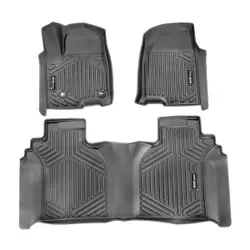
Floor Mats
Warning: If a floor mat is the wrong size or is not properly installed, it can interfere with the pedals. Interference with the pedals can cause unintended acceleration and/or increased stopping distance which can cause a crash and injury. Make sure the floor mat does not interfere with the pedals.
Use the following guidelines for proper floor mat usage.
Removing and Replacing the Floor Mat

The driver side floor mat is held in place by two retainers.
Owner Checks and Services
At Each Fuel Stop .
Once a Month .
Engine Oil Change
When the CHANGE ENGINE OIL SOON message displays, have the engine oil and filter changed within the next 1 000 km/600 mi. If driven under the best conditions, the engine oil life system may not indicate the need for vehicle service for up to a year. The engine oil and filter must be changed at least once a year and the oil life system must be reset. Your trained dealer technician can perform this work. If the engine oil life system is reset accidentally, service the vehicle within 5 000 km/3,000 mi since the last service. Reset the oil life system when the oil is changed. See Engine Oil Life System → 279.
On vehicles with diesel engines, it is recommended to drain the diesel fuel filter of water when the oil is changed or when the WATER IN FUEL CONTACT SERVICE message displays.
Air Conditioning Desiccant (Replace Every Seven Years)
The air conditioning system requires maintenance every seven years. This service requires replacement of the desiccant to help the longevity and efficient operation of the air conditioning system. This service can be complex. See your dealer
Tire Rotation and Required Services Every 12 000 km/ 7,500 mi
Rotate the tires, if recommended for the vehicle, and perform the following services. See Tire Rotation → 320

Footnotes — Maintenance Schedule Additional Required Services - Normal
(1) Or every two years, whichever comes first. More frequent passenger compartment air filter replacement may be needed if driving in areas with heavy traffic, poor air quality, high dust levels, or environmental allergens. Passenger compartment air filter replacement may also be needed if there is reduced airflow, window fogging, or odors. Your GM dealer can help determine when to replace the filter.
(2) Visually check all fuel and vapor lines and hoses for proper attachment, connection, routing, and condition.
(3) Or as indicated by the Driver Information Center (DIC) or two years whichever comes first. The fuel filter may need to be replaced more often based on biodiesel usage, driving in climates with severe dust, off-road driving, or towing a trailer for extended periods.
(4) Or every four years, whichever comes first. If driving in dusty conditions, inspect the filter at each oil change or more often as needed. See Engine Air Cleaner/Filter → 280.
(5) Do not directly power wash the transfer case and/or front/rear axle output seals. High pressure water can overcome the seals and contaminate the transfer case fluid. Contaminated fluid will decrease the life of the transfer case and/or axles and should be replaced.
(6) Or every five years, whichever comes first. See Cooling System → 282.
(7) Or every 10 years, whichever comes first. Inspect for fraying, excessive cracking, or damage; replace, if needed.
(8) Replace brake fluid every five years. See Brake Fluid → 289.
(9) Or every 12 months, whichever comes first. See Wiper Blade Replacement → 292.
(10) Or every 10 years, whichever comes first. See Gas Strut(s) → 294.
(11) Replace air conditioning desiccant every seven years.

Footnotes — Maintenance Schedule Additional Required Services - Severe
(1) Or every two years, whichever comes first. More frequent passenger compartment air filter replacement may be needed if driving in areas with heavy traffic, poor air quality, high dust levels, or environmental allergens. Passenger compartment air filter replacement may also be needed if there is reduced airflow, window fogging, or odors. Your GM dealer can help determine when to replace the filter.
(2) Visually check all fuel and vapor lines and hoses for proper attachment, connection, routing, and condition.
3) Or as indicated by the Driver Information Center (DIC) or two years whichever comes first. The fuel filter may need to be replaced more often based on biodiesel usage, driving in climates with severe dust, off-road driving, or towing a trailer for extended periods.
(4) Or every four years, whichever comes first. If driving in dusty conditions, inspect the filter at each oil change or more often as needed. See Engine Air Cleaner/Filter → 280.
(5) Do not directly power wash the transfer case and/or front/rear axle output seals. High pressure water can overcome the seals and contaminate the transfer case fluid. Contaminated fluid will decrease the life of the transfer case and/or axles and should be replaced.
(6) Or every five years, whichever comes first. See Cooling System → 282.
(7) Or every 10 years, whichever comes first. Inspect for fraying, excessive cracking, or damage; replace, if needed.
(8) Replace brake fluid every five years. See Brake Fluid → 289.
(9) Or every 12 months, whichever comes first. See Wiper Blade Replacement → 292.
(10) Or every 10 years, whichever comes first. See Gas Strut(s) → 294.
(11) Replace air conditioning desiccant every seven years.
Your vehicle is an important investment and caring for it properly may help to avoid future costly repairs. To maintain vehicle performance, additional maintenance services may be required.
It is recommended that your dealer perform these services — their trained dealer technicians know your vehicle best. Your dealer can also perform a thorough assessment with a multi-point inspection to recommend when your vehicle may need attention.
The following list is intended to explain the services and conditions to look for that may indicate services are required.
Battery
The 12-volt battery supplies power to start the engine and operate any additional electrical accessories.
Belts
Brakes
Brakes stop the vehicle and are crucial to safe driving.
Fluids
Proper fluid levels and approved fluids protect the vehicle’s systems and components. See Recommended Fluids and Lubricants → 369 for GM approved fluids.
Hoses
Hoses transport fluids and should be regularly inspected to ensure that there are no cracks or leaks. With a multi-point inspection, your dealer can inspect the hoses and advise if replacement is needed
Lamps
Properly working headlamps, taillamps, and brake lamps are important to see and be seen on the road.
Shocks and Struts
Shocks and struts help aid in control for a smoother ride.
Tires
Tires need to be properly inflated, rotated, and balanced. Maintaining the tires can save money and fuel, and can reduce the risk of tire failure.
Vehicle Care
To help keep the vehicle looking like new, vehicle care products are available from your dealer. For information on how to clean and protect the vehicle’s interior and exterior, see Interior Care → 353 and Exterior Care → 349.
Wheel Alignment
Wheel alignment is critical for ensuring that the tires deliver optimal wear and performance.
Windshield
For safety, appearance, and the best viewing, keep the windshield clean and clear.
Wiper Blades
Wiper blades need to be cleaned and kept in good condition to provide a clear view.