User Manual Coffee Machine
OVERVIEW

PACKAGING CONTENT

FIRST USE OR AFTER A LONG PERIOD OF NON-USE
1. Rinse the water tank before filling it with fresh potable water. Put the water tank in place.
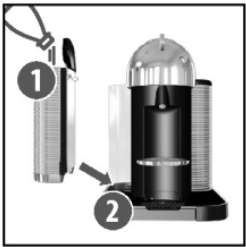
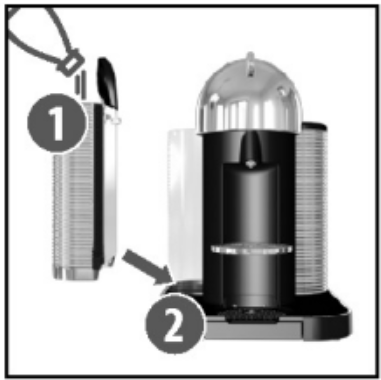
2. Ensure the drip tray and the capsule container are in place. For your safety. operate the machine only with the drip tray and capsule container in position.

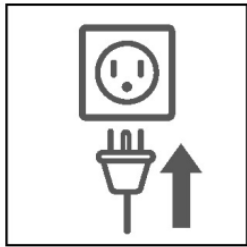
3. Plug the machine into the outlet.
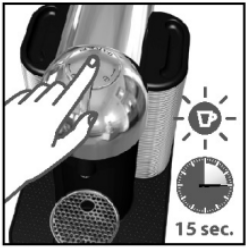
4. Turn the machine “ON" by pushing the button. The button will gradually illuminate as the engine heats up in approximately 15 seconds.
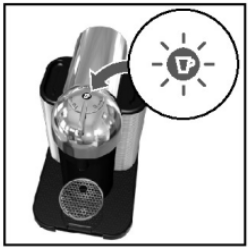
5. Steady lights indicate the machine is ready.
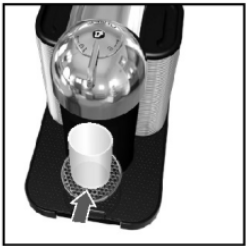
6. Place a container of at least 12.5 fl oz./0.4| under the coffee outlet.
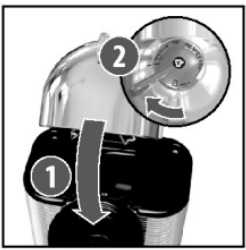
7. Close the head and lock the machine by turning the lever left to the lock symbol on the machine head.
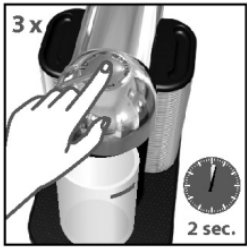
8. Press the button 3 times within 2 seconds to start cleaning and let the cleaning procedure complete automatically. It will take less than 2 minutes before a flow comes out. The procedure consists of 3 cycles of pumping water in/internal cleaning/water flowing from the outlet to complete.
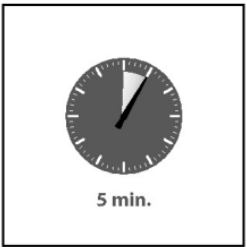
9. This operation may take up to 5 minutes. The procedure can be stopped at any time by pushing the button. The button will go to a steady light. In case you want to resume the cleaning process. push the button again. To brew a coffee. put a capsule. then close. lock the machine by turning the lever left and pushing the button.
COFFEE PREPARATION
1. Fill the water tank with fresh potable water.
2. Turn the machine "ON" by pushing the button.
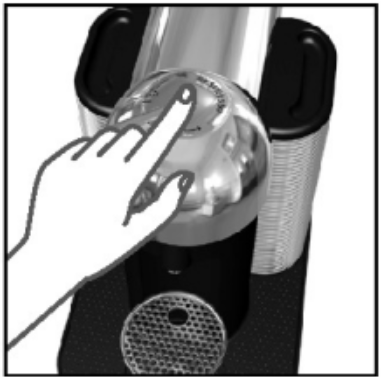
3. Lights will blink for approximately 15 seconds while the machine is heating up.
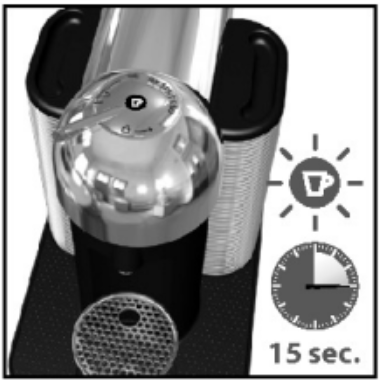
4. Steady lights indicate the machine is ready.
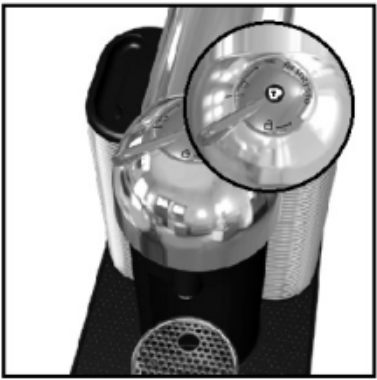
5. The factory settings and recommended cup sizes are 14 fl oz./414ml for Alto, 7.77 fl oz./230ml for Coffee, 1.35 fl oz./40ml for Espresso.
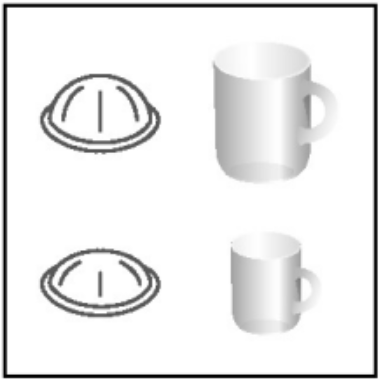
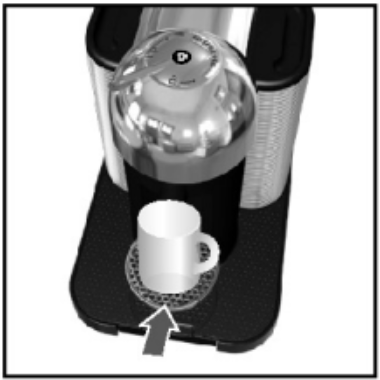
6. The cup support has 3 positions that can accommodate various cup sizes.
7. Place a cup of sufficient capacity under the coffee outlet. The risk of scalding may occur due to overflowing.
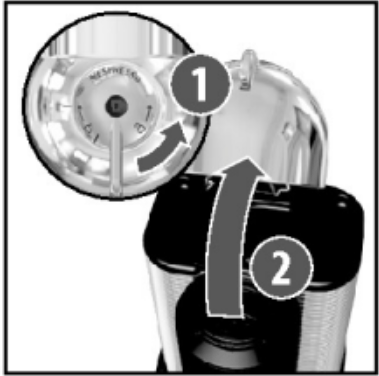
8. Unlock and open the machine head completely.
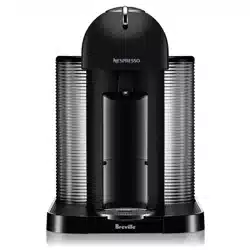
9. This machine operates with Nespresso Vertuo capsules only. Nespresso classic capsules cannot be used in this machine.
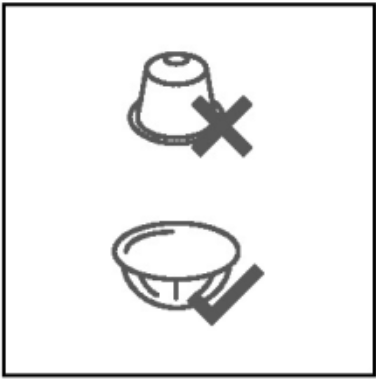
10. Insert a Vertuo capsule with a dome shape at the bottom. Be careful not to injure yourself on sharp points or trap your fingers when reaching inside the machine.
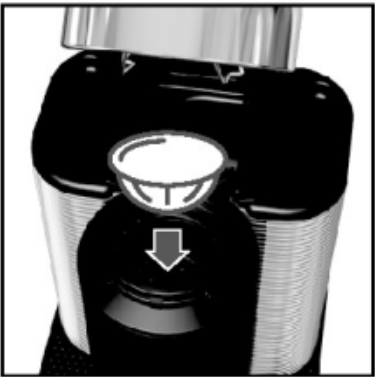
NOTE: to avoid damaging the machine, use only fresh, unused capsules. Ensure the previous capsule has been ejected before inserting a fresh one.
11. Close the head and lock the machine by turning the lever left to the lock symbol on the machine head.
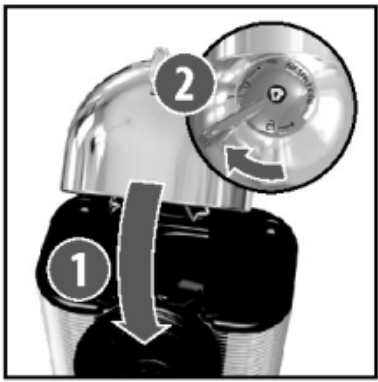
NOTE: you can do this even when the machine is still heating up. The coffee will then flow automatically when the machine is ready.
12. Push the button to start the coffee preparation. It will take some time before the coffee flow comes out(due to barcode reading and coffee pre-wetting).
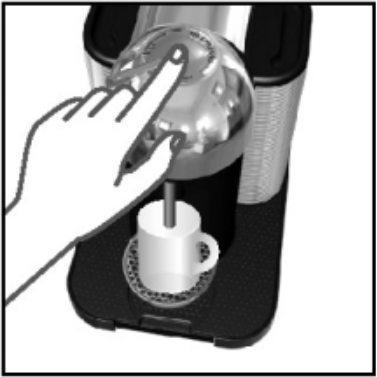
NOTE: the machine will automatically recognize the inserted capsule and select the coffee preparation parameters and cup length defined by Nespresso coffee experts to extract the coffee blend at its best.
13. To stop the coffee flow early, push the button.
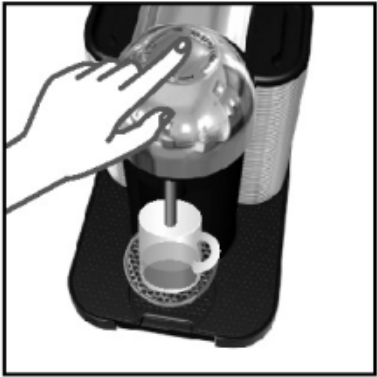
14. To manually top off your coffee, push the button and push again to stop when the desired volume is reached.
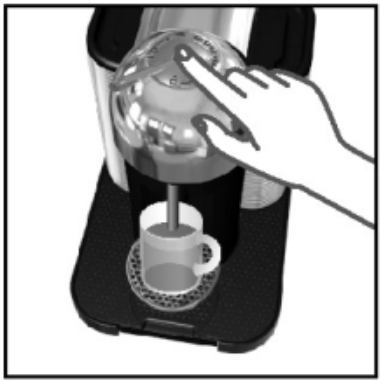
ENERGY SAVING CONCEPT
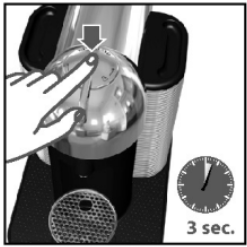
The machine can be turned “OFF” at any time by holding the button for 3 seconds. Automatic “OFF” Mode: the machine will turn off automatically after 9 minutes of non-use.
PROGRAMMING THE WATER VOLUME
1. The programming is specific to each capsule. Alto. Coffee or Espresso. Cup sizes can be reprogrammed from 0.3 fl oz./10 ml to 17 fl oz./500 ml.
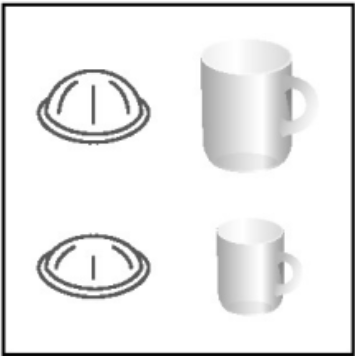
2. Open the machine head; Insert the capsule blend you want to program; Close the head; Lock the machine.
3. Now. push and hold the button until the desired volume is reached.
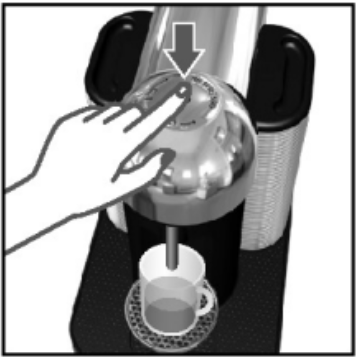
4. The water volume level is now stored for the capsule size used for the programming.
NOTE: once the customer-specific volume is programmed by the user. every time that capsule size is inserted into the machine. the preparation will stop at the user-programmed cup size. itis possible to restore cup size volumes. refer to Reset to factory settings’ section.
RESET TO FACTORY SETTINGS
1. Open the machine head and let the used capsule be ejected.
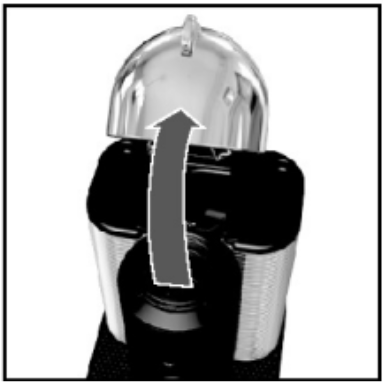
2. Close the head. Leave the lever in the 'UNLOCKED’ position.
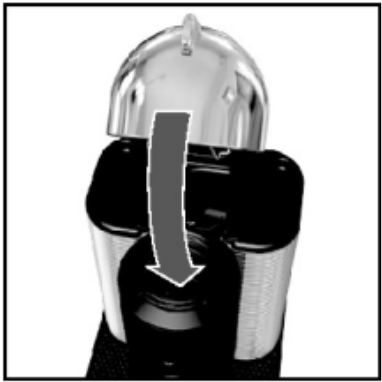
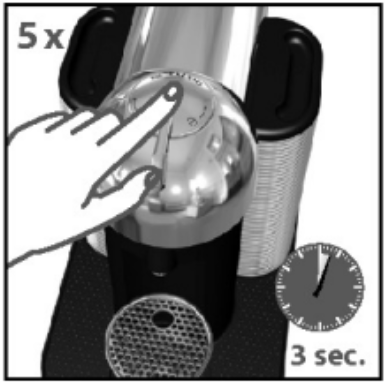
3. Push the button 5 times within 3 seconds. The button will blink slowly 5 times to confirm reset is done.
EMPTYING THE SYSTEM BEFORE A PERIOD OF NON-USE. FOR FROST PROTECTION OR BEFORE A REPAIR
NOTE: the machine remains blocked for 10 minutes after emptying!
1. Empty the water tank and put it in place.
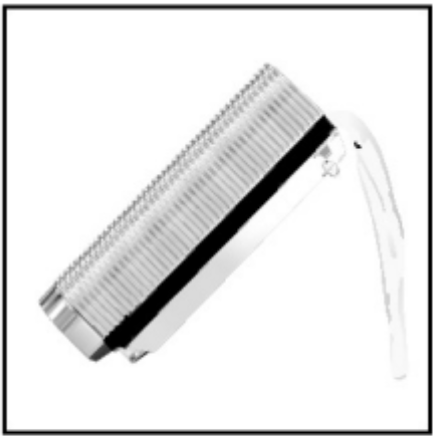
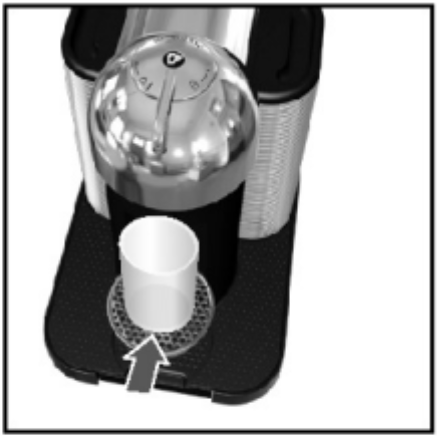
2. Place a container under the coffee outlet and lock the machine.
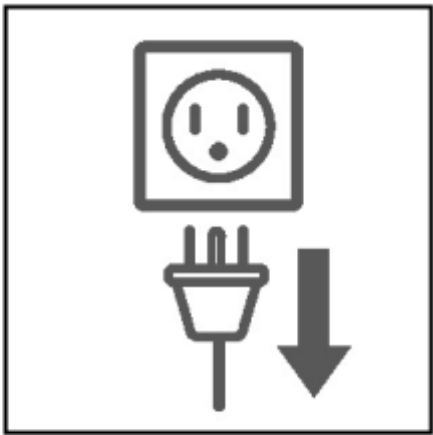
3. Unplug the power cord.
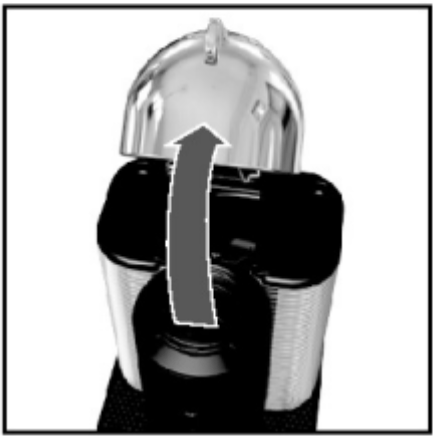
4. Open the machine head and let the used capsule be ejected.
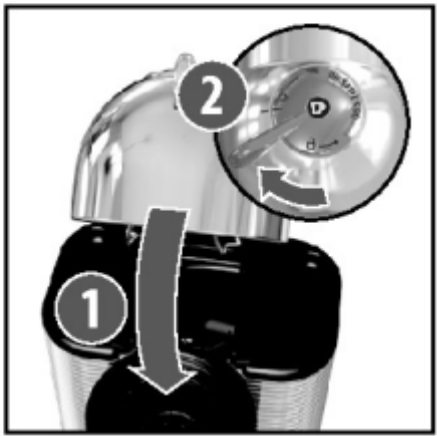
5. Rose the head and turn the lever left until the "LOCKED” position.
6. Push and hold the button while replugging the power cord and then release the button.
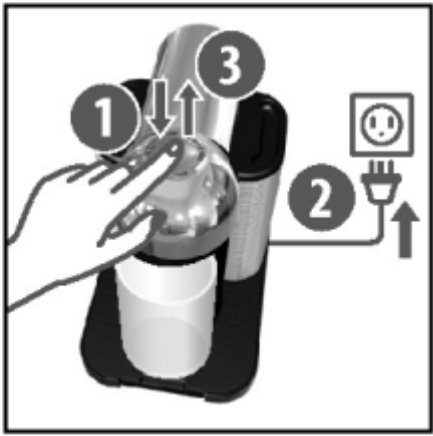
7. Machine turns "OFF" automatically when a machine is empty.
CAUTION: caution should be exercised when plugging in the coffee machine with the button pressed as the machine evacuates the remaining liquids using heat. Small quantities of steam may emit from the machine.
CLEANING
The machine has a predefined cleaning procedure that can be launched at user discretion. Office use: Daily cleaning.
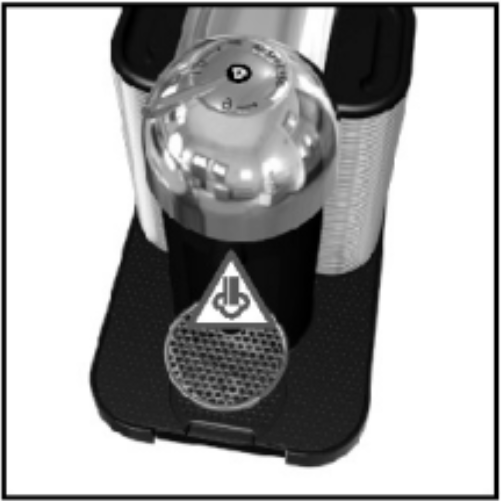
CAUTION: do not use any strong or abrasive cleaning agent or solvent cleaner. Do not put it in a dishwasher. Never immerse the appliance or part of it in water. Clean the coffee outlet regularly with a damp cloth. Please use only clean cleaning tools for cleaning the machine.
1. Rinse the water tank before filling it with fresh potable water. Put the water tank in place.
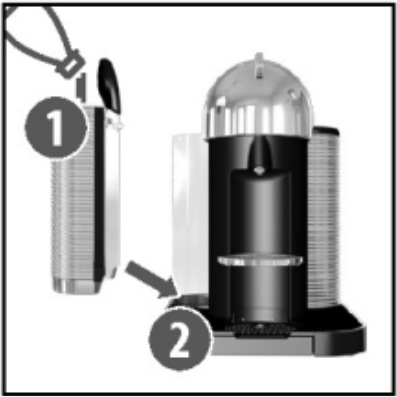
2. Rinse the cup support. Place a container of at least 13.5 fl oz./0.4| under the coffee outlet.
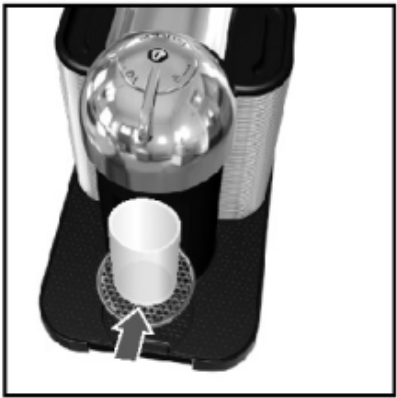
3. Open the machine head and let the used capsule be ejected. Empty and rinse the capsule container.
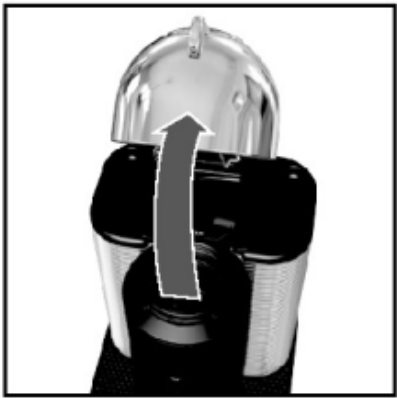
4. Close the head and turn the lever until the “LOCKED” position.
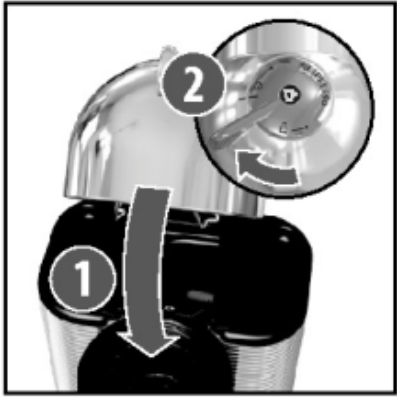
5. Push the button 3 times within 2 seconds. The button will blink quickly during the procedure. It will take less than 2 minutes before a low comes out. The cleaning procedure will run automatically for 5 minutes. The procedure consists of 3 cycles of pumping water in/internal cleaning/water flowing from the outlet to complete.
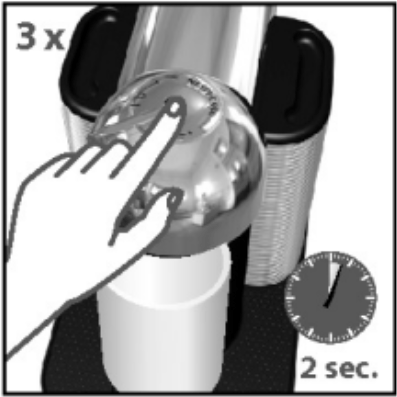
6. The procedure can be stopped at any time by pushing the button. The button will go to a steady light. In case you want to resume the cleaning process, push the button again. To brew coffee, put a capsule, then close, and lock the machine by turning the lever left and pushing the button.
DESCALING
NOTE: duration: approximately 20 minutes.
This machine is equipped with a descaling alert: the light will blink aiternately3 times. then become steady. The machine can only be operated to make coffee a few more times once the alert appears before descaling becomes mandatory.
CAUTION: Read the important safeguards on the package. The descaling solution can be harmful. Avoid contact with eyes, skin, and surfaces Never use any product other than the Nespresso descaling kit available through the Nespresso Club to avoid damaging your machine. For any additional questions, you may have regarding descaling, please contact your Nespresso Club.
1. Empty the drip tray and the used capsule container.
2. Fill the water tank with 1 unit of Nespresso descaling liquid and add 17 fl oz./0.5 | of water.
3. Turn the machine “ON” by pushing the button.
4. Blinking light: heating up. Steady light: ready.
5. Open the machine head and let the used capsule be ejected.
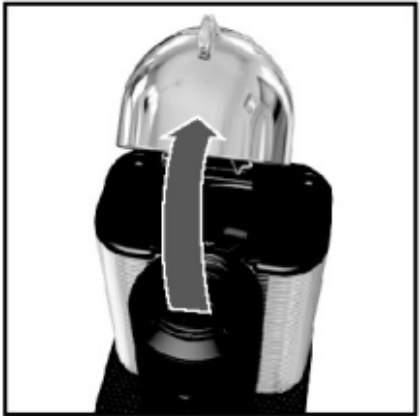
6. Reclose the machine and leave the lever in the "UNLOCKED" position: towards the front of the machine.
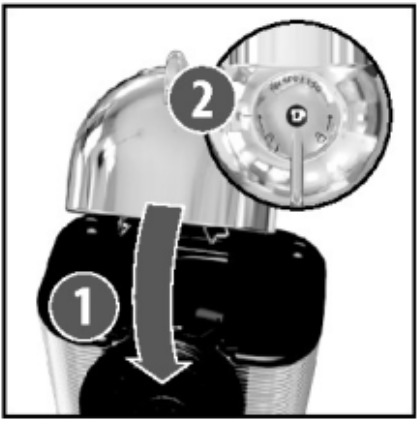
7. To enter the descaling mode, hold the button for at least 7 seconds.
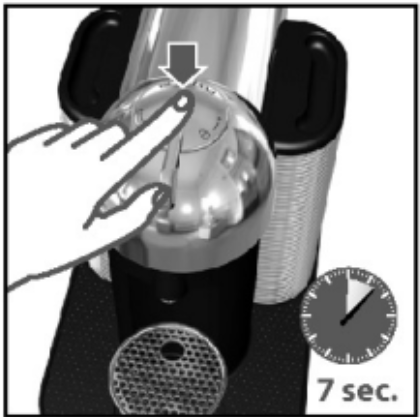
8. The button will start blinking rapidly. You now have 45 seconds to enter descaling mode by following the next step, otherwise, the machine will return to the ready-for-brewing coffee mode.
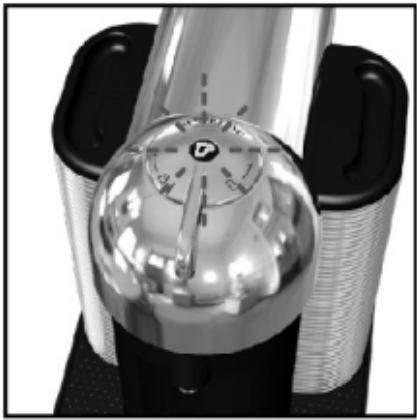
9. Lock the machine by turning the lever left to the lock symbol on the machine head and unlock it by turning right. Hold the button again for at least 7 seconds in the “UNLOCKED” position.
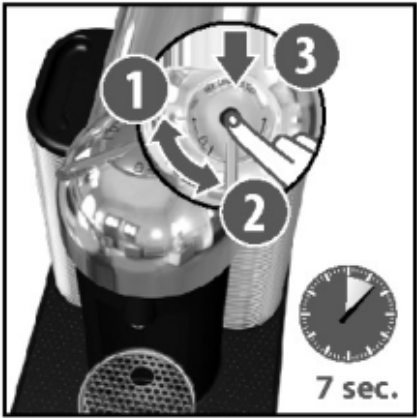
10. Place a container (minimum volume: 20 fl oz./ 0.6|) under the coffee outlet.
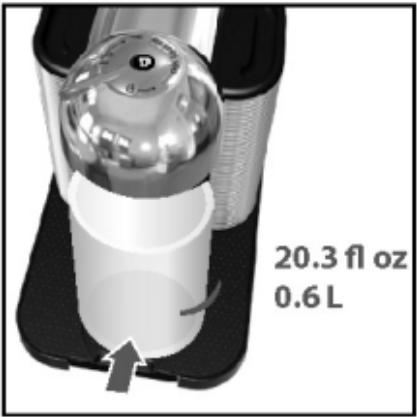
11. To start descaling, lock the machine by turning left the lever and pushing the button. The machine will stop automatically when complete.
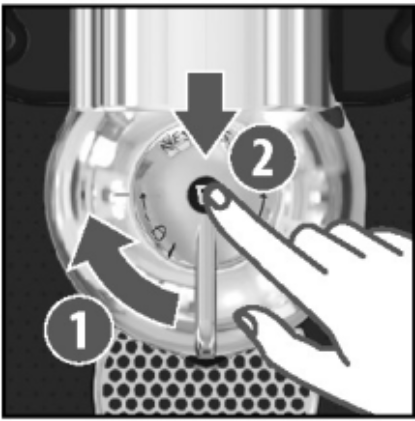
NOTE: if the machine is completely scaled, the descaling program may not function, and the machine will stop and blink. Pause the program in this case for several minutes, allowing the descaling agent to penetrate the scale build-up, then push the button again to restart the descaling.
12. Empty and rinse the water tank, drip tray, and cup support thoroughly.
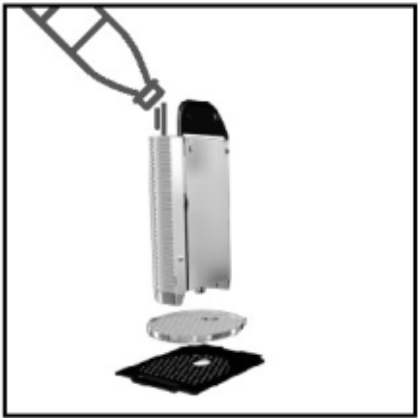
13. Fill more than half of the water tank with fresh potable water.

14. When ready, push the button to rinse the machine. The machine will stop automatically when complete. The procedure can be stopped at any time by pushing the button.
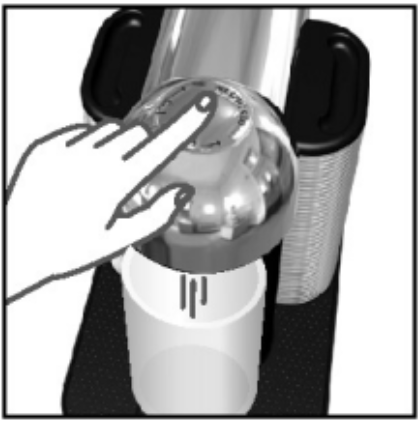
15. To exit the descaling mode, hold the button for at least 7 seconds.
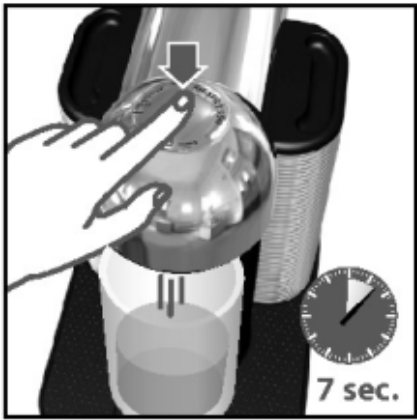
16. The button will stop blinking rapidly and will become steady.
17. Descaling is completed. Allow the machine to dry for 10 minutes before using it.
18. The machine is now ready for use.
CAUTION: the descaling solution can be harmful. Avoid contact with eyes, skin, and surfaces. Never use any product other than the Nespresso descaling kit available at the Nespresso Club to avoid damaging your machine. For any additional questions, you may have regarding descaling. please contact your Nespresso Club.
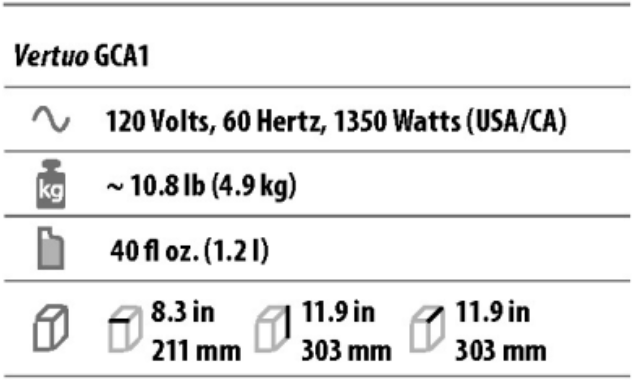
SPECIFICATIONS
TROUBLESHOOTING
No light on the button.
- The machine has turned "OFF automatically, push the button or" UNLOCK the machine
- Check the outlet, plug voltage, and fuse.
No coffee, no water.
- Check that the water tank is filled.
- Check that a fresh capsule is inserted in the correct position and that the lever is properly locked and push the button to start.
- Descale is necessary.
- Open the machine head and let the capsule be ejected. Then perform a cleaning as per the cleaning section.
Coffee is not hot enough.
- Preheat the cup with hot water from the tap.
- Descale if necessary.
The machine doesn't start and has the light steady on. If blinking, see the next points.
- Check that lever is properly locked.
- If you want to brew coffee or Espeso, check that a fresh capsule is inserted in the correct position and that the lever is properly locked and push the button to start.
- If you are cleaning, descaling, or emptying the system, check that no capsule is inserted then close, lock the machine and push the button to start one of these operations.
The machine doesn't start and the light blinks alternately.
- Fill the water tank and push the button to start.
- Check that lever is properly locked.
Light blinks while machines running.
- If coffee is flowing normally, this indicates the machine is working properly.
- If only water is flowing, the machine is executing a user request for either cleaning, descaling, or emptying the system. Refer to the corresponding paragraph in this user manual.
- If there is no intention to clean, descale, or empty the system, then push the button to stop the machine. If the machine is still blinking, exit descaling mode by holding the button for at least 7 seconds or refer to the next section.
- If the problem persists, call the Nespresso Club.
The light blinks and the machine is not running.
- It will take some time before the coffee flow comes out (due to barcode reading and pre-wetting the coffee)
- Check that a fresh capsule is inserted in the correct position and that the lever is properly locked and push the button to start.
- Fill in the water tank and push the button to start.
- Tum the machine to "OFF mode” by pushing 3 seconds the button and then pushing it again to turn the machine “ON” . Now, wait approx. 20 minutes to allow the machine to cool down after extensive use.
- If the machine doesn't move to “OFF” then exit the descaling mode by pushing the button for at least 7 seconds.
The light blinks alternately 2 blinks and 1 pause continuously. The machine is not running.
- During regular Coffee/Espresso preparation: 1) Check that a fresh, undamaged capsule is inserted in the correct position; 2) Check that levers are in the “LOCKED” position; 3) If the problem persists, eject the capsule and insert a new one, lock and press button.
- During Descaling, Emptying, and Cleaning: 1) Check that a capsule is ejected; 2) Check that the lever is in the “LOCKED” position; 3) Press the button for at least 3 seconds to turn the machine to" OFF mode"; 4) Press button again to turn the machine "ON”. If the problem persists, disconnect the power cord from the outlet and plug the machine back into the outlet after 10 seconds. Press the button to turn “ON" and press it again to start brewing.
- During Programming Volume: 1) Please check a capsule has been well inserted. 2) Please refer to the corresponding chapter.
- If the problem persists, call the Nespresso Club.
Leakage or unusual coffee flow.
- Check that the water tank is well positioned.
The machine turns to “OFF” mode.
- To save energy the machine will turn off after 9 minutes of non-use.
- See paragraph on "Energy Saving Concept”
Light alternately blinking 3 times and then steady on.
- Descaling needed: machine can be operated when an alert appears only a few times after this alert before descaling becomes necessary.
Coffee grounds in the cup.
- Start the cleaning procedure and make it twice.
- See paragraph on "Cleaning".