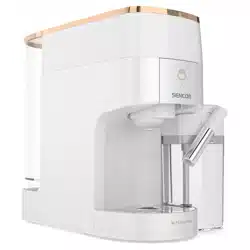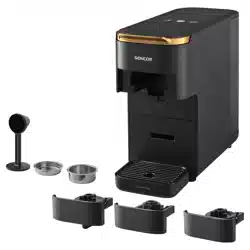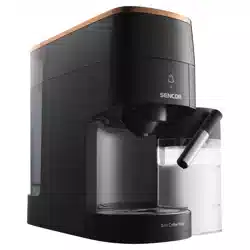

SCC 3000BK
EN
MULTI-CAPSULE COFFEE MACHINE
Translation of the original manual
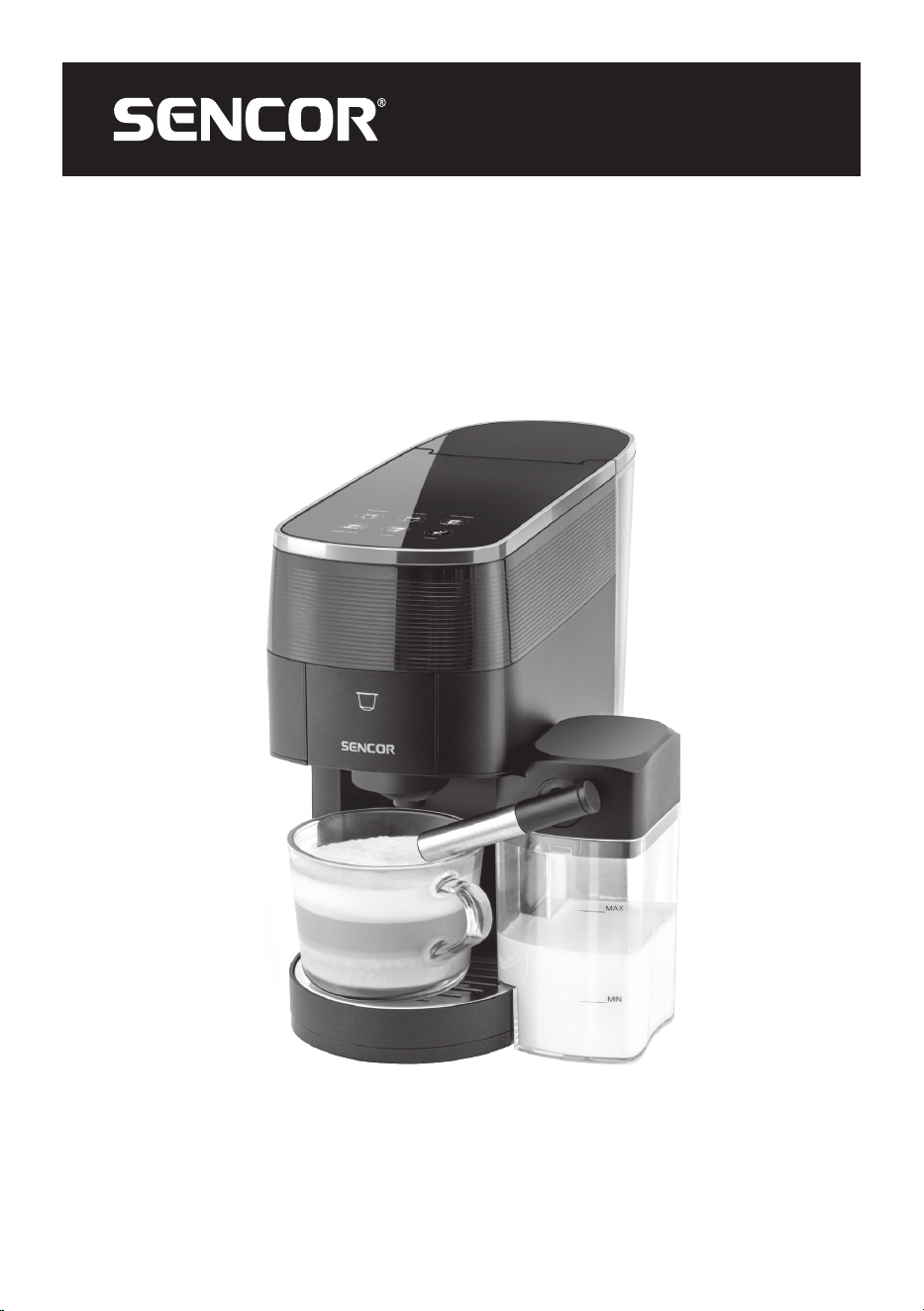
SCC 3000BK
A
1
2
3
4
5
6
7
8
9
10
11
12 13 14
B
Espresso Lungo
Milk foam
Cappuccino Latte
Clean
4 5 6
1 2 3
C1 C2 C3
D
4
1
2
3

- 1 -
11/2024
2024, .
EN
Multi-Capsule Coffee Machine
User Manual
Important Safety Instructions
READ CAREFULLY AND STORE FOR FUTURE USE.
• Children aged 8 and above may use this appliance if
supervised or instructed in the safe use of the appliance
and understand the potential hazards.
• Children must not play with the appliance.
• Cleaning and user maintenance must not be carried out
by children unless they are over 8 years old and under
supervision.
• Keep the appliance and its power cord out of the reach of
children under 8 years of age.
• The appliance may be used by persons with reduced
physical, sensory or mental abilities or lack of experience
and knowledge, provided they are supervised or have
been instructed on the safe use of the appliance and
understand the potential hazards.
• If the power cord is damaged, have it replaced in
aprofessional service centre in order to prevent
adangerous situation. It is forbidden to use the appliance
with the power cord damaged.
•
This appliance is intended for household use. It is also
suitable for personal non-commercial use in spaces such as:
– kitchenettes in shops, offices and other workplaces;
– spaces in agriculture;
– hotel, motels and other residential areas;
MULTI-CAPSULE COFFEE MACHINE
- 2 -
11/2024
2024, .
– bed and breakfast establishments.
• The appliance must not be immersed in water during
cleaning.
WARNING:
Prevent the plug from getting wet.
• Clean the surfaces that come into contact with water
according to the instructions in this manual.
WARNING:
There is arisk of injury if used incorrectly.
• The surface of the heating element contains residual heat
after use.
• The appliance must not be placed in acabinet when in
use.
. . . . . . . . . . . . . . . . . . . . . . . . . . . . . . . . . . . . . . . . . . . . . . . . . . . . . . . . . . . . . . . . . . . . . . . . . . . . . . . . . . . . . . . . . . . . . . . . . . . . . . . . . . . . . . . . . . . . . . . . . . . . . . . . . . . . . . . . . . . .
• Before connecting the appliance to apower socket, make sure that its nominal voltage indicated on the rating plate matches the electrical voltage of
the socket.
• Connect the appliance only to aproperly earthed socket. For safety reasons, we do not recommend using adaptors or extension cables.
• Do not place the appliance on windowsills, sink drain trays or unstable surfaces. Always place the appliance on astable, flat and dry surface.
• Do not place the appliance on an electric or gas stove or near an open flame.
• Never use the appliance in the immediate vicinity of abath, shower or swimming pool.
• The appliance is designed for coffee preparation. Use the appliance only for its intended purpose.
• Do not use the appliance outdoors.
• Use the appliance according to the instructions in this user manual. Failure to do so may result in injury, damage to the appliance, or ahazardous
situation.
• Leave at least 15 cm of free space around and above the appliance to ensure proper air circulation during operation.
• Do not use the top surface of the appliance to store other items.
• Fill the water tank with clean, cold water. Do not pour hot water or other liquids into it or place any objects inside it.
• Before turning on the appliance, make sure that:
• – the drip tray and its grid are properly installed;
• – the water tank is filled with asufficient amount of water and correctly installed. The water level must not exceed the maximum mark.
• Never operate the appliance with an empty water tank. There is arisk of damage to the appliance.
• Take extra care when operating the appliance to avoid scalding with hot water or steam.
• Regularly check the water level in the tank while using the appliance. If the water level drops below the minimum mark, refill the tank according to
the instructions in this manual.
• There is asharp needle above the adaptor inside the appliance used to pierce the capsule during operation. Take extra care to avoid injury. Do not
put your hands inside the appliance when the holder is removed.
• Be careful when handling afull drip tray. The water can be hot and there is arisk of scalding or burns.
• Do not move the appliance with acup of coffee placed on the drip tray grid or with cups placed on the cup warming surface.
• Ensure that the power cable does not come into contact with hot surfaces.
• Unplug the appliance from the power socket by pulling the plug, not the power cable. Otherwise, damage to the power cable or the socket may
occur.
• Make sure that the power cable and plug do not come into contact with water or other fluids.
• Fully unwind the power cord before use.
- 3 -
11/2024
2024, .
• Do not let the power cord hang over the edge of atable or worktop, touch hot surfaces, or become tangled. Do not place heavy objects on the power
cord.
• For safety reasons, we recommend connecting the appliance in an independent electrical circuit separated from other appliances. Do not use
adaptors or extension cords to connect the appliance to amains socket.
• To prevent electric shock, do not immerse the appliance, its base or the power cord in water or other liquids.
. . . . . . . . . . . . . . . . . . . . . . . . . . . . . . . . . . . . . . . . . . . . . . . . . . . . . . . . . . . . . . . . . . . . . . . . . . . . . . . . . . . . . . . . . . . . . . . . . . . . . . . . . . . . . . . . . . . . . . . . . . . . . . . . . . . . . . . . . . . .
EXPLANATION OF SYMBOLS PLACED ON THE PRODUCT OR INTHE ACCOMPANYING DOCUMENTATION
The product meets all the basic requirements of the applicable EU directives.
This symbol on products or original documents means that used electric or electronic products must not be added to ordinary municipal
waste.
. . . . . . . . . . . . . . . . . . . . . . . . . . . . . . . . . . . . . . . . . . . . . . . . . . . . . . . . . . . . . . . . . . . . . . . . . . . . . . . . . . . . . . . . . . . . . . . . . . . . . . . . . . . . . . . . . . . . . . . . . . . . . . . . . . . . . . . . . . . .
- 4 -
11/2024
2024, .
• Thank you for purchasing our SENCOR product; we hope it will serve
to your satisfaction.
• Prior to using this appliance, please read the user manual thoroughly,
even in cases when you are already familiar with the use of similar
types of appliances. Use the appliance only as described in this
user manual. Keep the manual for future reference. If you pass the
appliance on to another person, ensure that this user manual is
included.
• Carefully unpack the appliance and make sure not to discard any part
of the packaging material until you have found all its components. It
is recommended to keep the original packaging, packing material,
receipt and confirmation of the extent of the seller'sliability or warranty
certificate at least for the duration of the legal right of defective
performance or quality guarantee. When transporting the appliance,
we recommend packaging it again in the original box provided by the
manufacturer.
. . . . . . . . . . . . . . . . . . . . . . . . . . . . . . . . . . . . . . . . . . . . . . . . . . . . . . . . . . . . . . . . . . . .
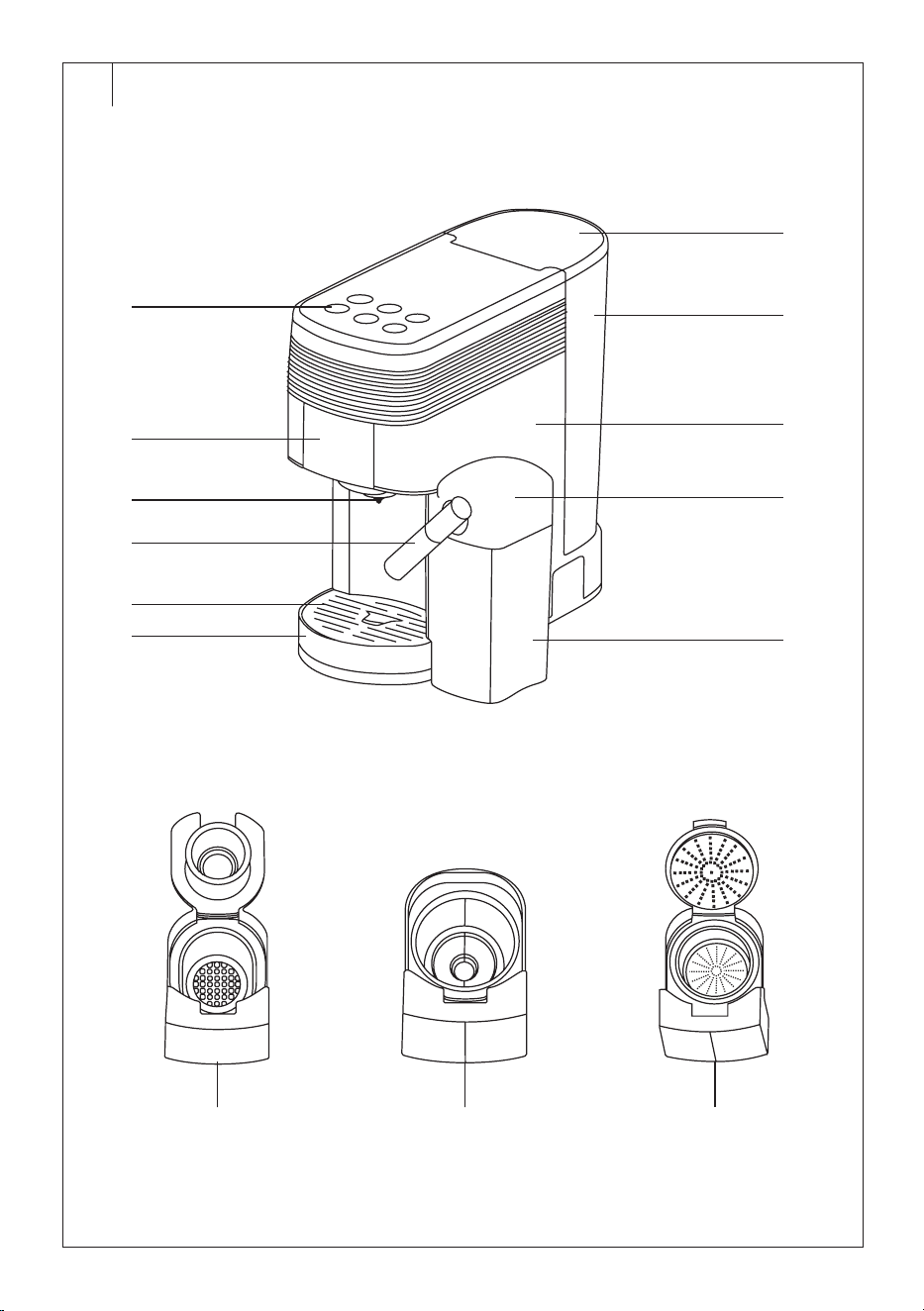
DESCRIPTION OF THE COFFEE MACHINE
A1 Control panel
A2 Capsule holder / filter
A3 Coffee dispensing nozzle
A4 Milk dispensing nozzle
A5 Drip grid
A6 Drip tray
A7 Water tank lid
A8 Water tank
A9 Coffee machine body
A10 Milk container lid
A11 Milk container
A12 Holder for Nespresso-type
capsules and similar
A13 Holder for Dolce Gusto-type
capsules and similar
A14 Ground coffee holder
A15 Measuring cup / tamper
. . . . . . . . . . . . . . . . . . . . . . . . . . . . . . . . . . . . . . . . . . . . . . . . . . . . . . . . . . . . . . . . . . . .
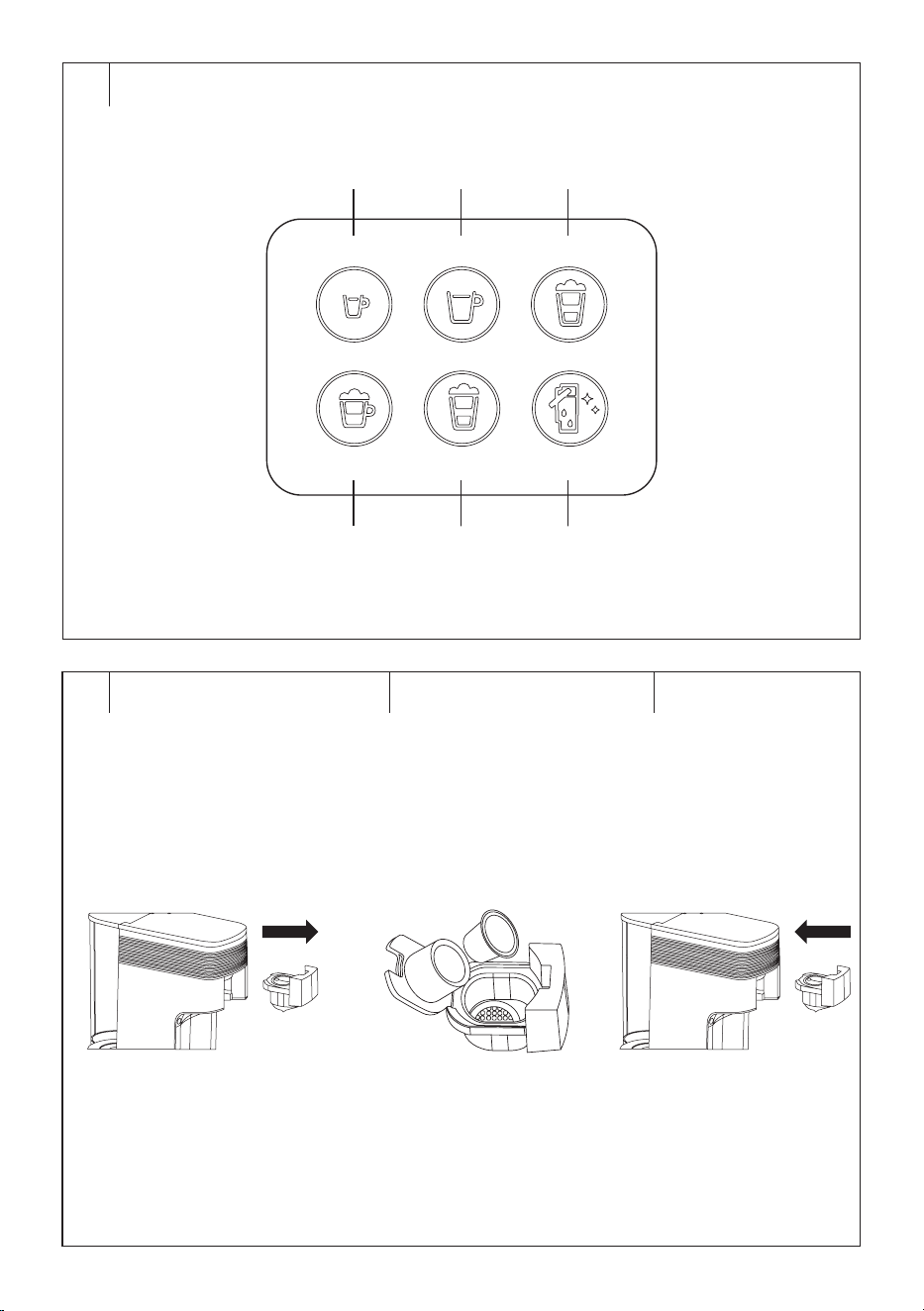
DESCRIPTION OF THE CONTROL PANEL
B1 Espresso button
B2 Lungo button
B3 Milk Foam button
B4 Cappuccino button
B5 Latte button
B6 Clean button
. . . . . . . . . . . . . . . . . . . . . . . . . . . . . . . . . . . . . . . . . . . . . . . . . . . . . . . . . . . . . . . . . . . .
PURPOSE OF USE
• The Sencor SCC 3000BK coffee machine is designed for preparing
coffee from capsules and ground coffee.
. . . . . . . . . . . . . . . . . . . . . . . . . . . . . . . . . . . . . . . . . . . . . . . . . . . . . . . . . . . . . . . . . . . .
PREPARATION BEFORE USE
Before First Use
• Before first use, remove all packaging and advertising labels/stickers
from the appliance.
• Place the coffee machine on aflat, firm and stable surface well away
from the mains socket. Ensure there is enough free space around the
coffee machine (at least 10 centimetres) for proper air circulation.
Warning:
The coffee machine is not intended for use as abuilt-
in appliance and must not be placed in acabinet
when in use.
• Remove the water tank, milk container, drip tray with grid, and
measuring cup / tamper. Wash them in warm water with alittle
kitchen detergent, rinse and wipe dry.
• Wipe the outer surface of the coffee machine and the holders with
aslightly damp cloth. Dry thoroughly.
• Put all the washed parts back into the machine.
Filling the Water Tank
Always make sure that the power cord is disconnected from the mains
socket before filling the tank. Always fill the water tank with clean, cold
drinking water.
1. Lift the lid and gently tilt the water tank away from the body of the
coffee machine. Then remove it from the back of the coffee machine.
2. Fill the tank with water up to the MAX mark.
3. Insert the tank back into the machine and press lightly to connect
the contacts on the bottom of the tank and the coffee machine. Close
the lid.
Warning:
The maximum capacity of the water tank is 1.3 litres.
Do not overfill it. Always adhere to the maximum line
marked on the tank. Never fill the tank with warm or
heated water, sparkling water or other liquids such as
milk. This could damage the appliance.
Note:
Do not leave the water in the tank for more than one
day. You should always use fresh water to make quality
coffee. Otherwise, the taste of the final beverage may be
negatively affected.
You can fill the water tank while it is inserted in the coffee machine. In this
case, lift the lid and pour water into the tank. Close the lid after filling.
Warning:
Take care when pouring water to avoid spilling it on
the coffee machine or the power cord.
Filling the Milk Container
Fill the milk container if you are preparing Cappuccino or Latte coffee.
When the milk container is connected, the Cappuccino andLatte buttons
will light up on the control panel, but the milk frothing button will be off.
1. Remove the milk container from the body of the coffee machine.
2. Remove the lid andpour fresh cold milk into the container.
3. Attach the lid and connect the assembled container to the machine,
ensuring the connector on the back of the lid fits into the opening
in the coffee machine. When inserting, always ensure the milk
dispensing nozzle is positioned over the drip grid.
Note:
We recommend using fresh whole milk.
. . . . . . . . . . . . . . . . . . . . . . . . . . . . . . . . . . . . . . . . . . . . . . . . . . . . . . . . . . . . . . . . . . . .
USING THE COFFEE MACHINE
Flushing the Coffee Machine
Before using the coffee machine for the first time, or after alonger
period of non-use, it’sessential to flush it to clean the internal piping and
components.
1. Ensure the water tank is full and that there is no capsule or ground
coffee in the holder. Place acup on the drip tray grid to catch the
water.
2. Plug the power cord into the mains socket.
3. Turn on the coffee machine by pressing any button to start the
preheating.
4. Once the machine has preheated, press the coffee brewing button
(without milk) to start the process. Water will be drawn into the
internal piping, heated, and then flow through the brewing head into
the cup.
5. Once the flushing process is complete, you will hear an alert sound,
and the control panel will light up.
6. Empty the cup and the coffee machine is now ready to use.
Connecting to Power Supply
Plug the power cable into aproperly grounded mains socket. Ashort beep
will sound. All the buttons on the control panel will turn off.
EN
Multi-Capsule Coffee Machine
User Manual
- 5 -
11/2024
2024, .
3. Once the preset amount of hot milk and foam has been dispensed,
the coffee preparation process will begin.
4. Wait until the preparation process automatically stops.
5. After finishing the preparation, clean the milk nozzle and the milk
container. It is recommended to run the automatic cleaning process
using the Clean button – see the “Automatic Cleaning” section
further in the manual.
Note:
After preparing Cappuccino or Latte, the Clean button
will start flashing, reminding the user to clean the coffee
machine. If you plan to make another Cappuccino or Latte,
briefly press the Clean button. The flashing will stop, and
you will be able to prepare another cup of coffee.
Note:
If you don’t use all the milk in the container, remove the
container from the machine and store it in the refrigerator.
Unused milk can be stored until the next day at most. We
do not recommended storing it for longer.
Note:
The dispensing time and temperature for Cappuccino or
Latte can be adjusted in the advanced settings – see the
"ADVANCED COFFEE MACHINE SETTINGS” section.
Preparing Hot Milk and Milk Foam
The coffee machine allows you to prepare hot milk andmilk foam
separately.
1. Press the Milk Foam button and the hot milk and foam preparation
process will start.
2. Wait until the preparation process automatically stops.
After finishing the preparation, clean the milk nozzle and the milk
container. It is recommended to run the automatic cleaning process using
the Clean button – see the “Automatic Cleaning” section further in the
manual.
Note:
The time for dispensing hot milk and foam can be adjusted
in the advanced settings – see the "ADVANCED COFFEE
MACHINE SETTINGS” section.
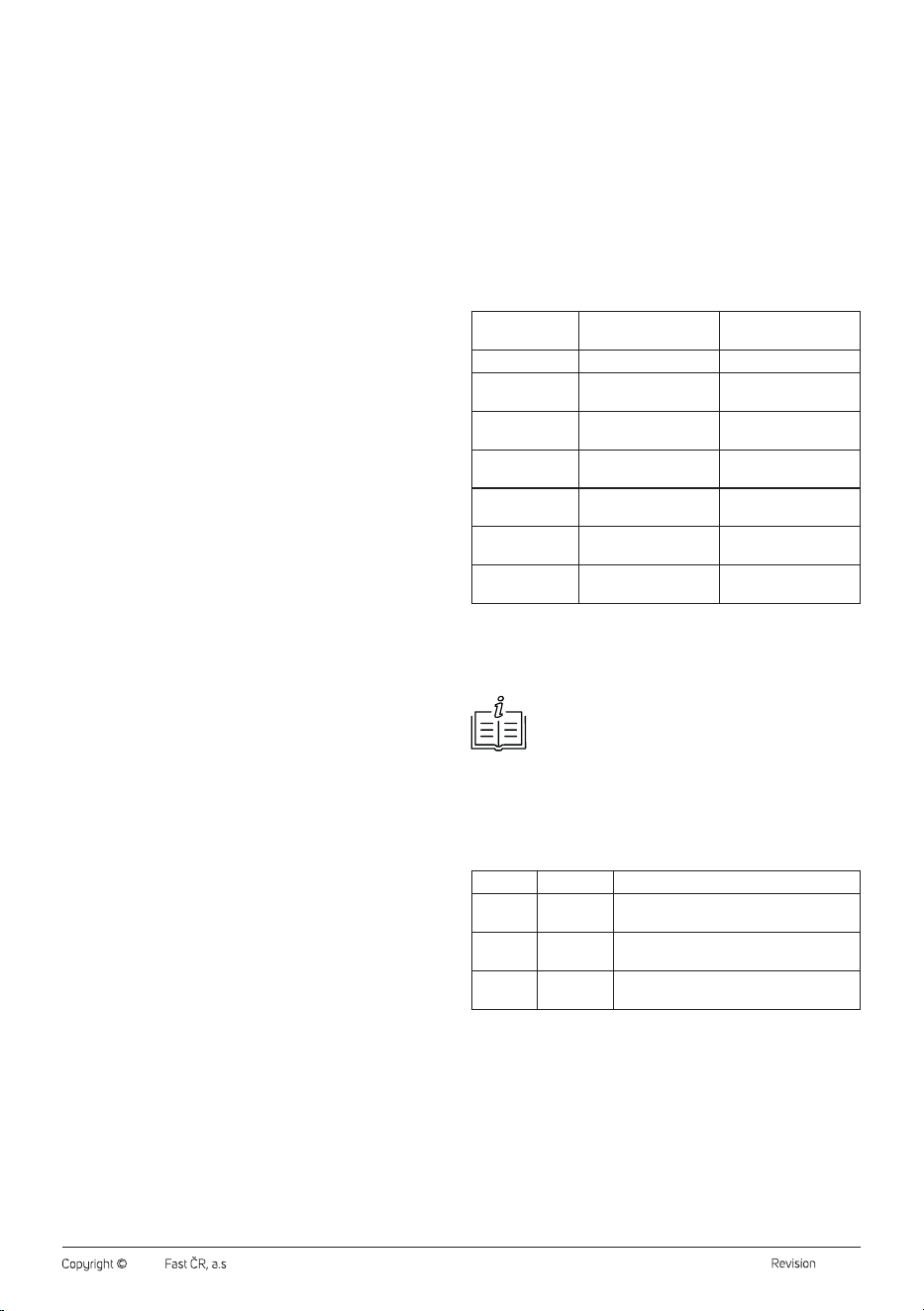
Table of the default dispensing time for individual beverages
Beverage Dispensing Time
Espresso 25 s
Lungo 45 s
Cappuccino 50 s
Latte 55 s
Milk foam 40 s
Automatic Cleaning 50 s
Note:
You can adjust the dispensing time in the advanced settings
– see the "ADVANCED COFFEE MACHINE SETTINGS”
section.
Automatic Shut-Off
The coffee machine is equipped with an automatic shut-off function after
10 minutes of inactivity. Press any button to turn the coffee machine
back on.
Refilling the Water Tank
If the water in the tank runs out during use, it needs to be refilled.
1. Lift the lid and gently tilt the water tank away from the body of the
coffee machine. Then remove it from the back of the coffee machine.
2. Fill the tank with water up to the MAX mark.
3. Insert the tank back into the machine and press lightly to connect
the contacts on the bottom of the tank and the coffee machine. Close
the lid.
. . . . . . . . . . . . . . . . . . . . . . . . . . . . . . . . . . . . . . . . . . . . . . . . . . . . . . . . . . . . . . . . . . . .
Turning On the Coffee Machine
Press any button on the control panel to switch on the coffee machine.
The preheating process will begin. During this time, the buttons on the
control panel will flash. Preheating typically takes 45 seconds.
Once the buttons on the control panel are lit, the machine is preheated
and ready to use.
• If the holder is inserted, and the milk container is installed, all buttons
will light up.
• If the holder is inserted but the milk container is not installed, only the
Espresso andLungo buttons will light up.
• If the holder is not inserted but the milk container is installed, only the
Milk Foam andClean buttons will light up.
• If neither the holder nor the milk container is inserted, the buttons on
the control panel will light up and then turn off one by one.
Espresso and Lungo Coffee Preparation
The coffee machine comes with two capsule holders and one holder for
ground coffee. You will be able to prepare your favourite coffee.
1. Check the water tank. Refill if necessary.
2. Remove the holder from the machine – see Figure C1.
3. Insert the appropriate capsule into the selected holder – see Figure
C2, or fill with ground coffee and tamp it down using the cup/tamper.
Warning:
Always use the correct holder for the capsule type.
Do not combine capsules and holders. There is
arisk of serious damage to the holder and the coffee
machine.
4. Reinsert the holder into the coffee machine – see Figure C3.
5. Place acup under the coffee dispensing nozzle.
6. Fill the milk container with fresh cold milk. Follow the instructions
inthe “Filling the Milk Container” section.
7. Plug the coffee machine into the mains socket and switch it on by
pressing any button.
8. The preheating process will begin. Wait until the coffee machine is
preheated.
9. Press the button for the selected drink, and the machine will
start. The button for the selected drink will flash, and the coffee
preparation will begin.
10. The brewing process will automatically stop once the preset amount
of coffee has been dispensed into the cup.
11. Remove the holder. Dispose of the used capsule environmentally
according to the manufacturer'sinstructions. Dispose of the coffee
grounds in acompost bin.
Warning:
The holder, used capsule, or coffee grounds may be
very hot. There is arisk of burns if handled incorrectly.
Warning:
Do not insert your hands into the upper part of the
internal space of the machine when the holder is
removed. There is asharp needle that serves to
pierce the capsule during use. Take extra care to
avoid injury.
Note:
You can cancel the coffee preparation process by briefly
pressing the button for the drink currently being prepared.
Note:
The extraction time and temperature for Espresso or
Lungo can be adjusted in the advanced settings – see the
"ADVANCED COFFEE MACHINE SETTINGS” section.
Cappuccino and Latte Coffee Preparation
When preparing aCappuccino or Latte, ensure the milk container is filled
with milk and attached to the machine.
1. Press the coffee drink button, and the coffee machine will start.
2. The milk frothing process will begin first, and after afew moments,
hot milk and foam will flow into the cup.
- 6 -
11/2024
2024, .
ADVANCED COFFEE MACHINE SETTINGS
Adjusting the Espresso and Lungo Coffee Dispensing Time
The coffee machine allows you to adjust the dispensing time of coffee to
your personal preference. Follow these steps:
1. Place acup under the coffee dispenser.
2. Press andhold the Espresso or Lungo button for approximately
3seconds until ashort beep sounds. Then release the button.
3. Briefly press the Espresso or Lungo button when the desired amount
of coffee has been dispensed into the cup (coffee will flow for the
duration of your preference). The setting will be saved in memory.
4. Once all the buttons on the control panel light up, the coffee machine
is ready for use again.
Adjusting the Cappuccino Coffee Dispensing Time
The coffee machine allows you to adjust the dispensing time of coffee and
hot milk or milk foam according to your personal preferences.
• To enter settings, press andhold the Cappuccino button for
approximately 3 seconds until the Cappuccino andEspresso buttons
start flashing.
Default hot milk dispensing time + new coffee dispensing time:
1. Place acup under the coffee dispenser.
2. Press the Cappuccino button, and the coffee machine will start
dispensing hot milk and milk foam. Hot milk and milk foam will flow
according to the default machine settings.
3. Once the hot milk and foam have finished dispensing, press and
hold the Espresso button for about 3 seconds until ashort beep
sounds. Then release the button.
4. Briefly press the Espresso button when the desired amount of coffee
has been dispensed into the cup (coffee will flow for the duration of
your preference). The setting will be saved in memory.
5. Once all the buttons on the control panel light up, the coffee machine
is ready for use again.
New hot milk dispensing time + default coffee dispensing time:
1. Place acup under the coffee dispenser.
2. Press and hold the Cappuccino button for about 3 seconds until
ashort beep sounds. Then release the button.
3. Briefly press the Cappuccino button when the desired amount of hot
milk and foam has been dispensed into the cup.
4. Briefly press the Espresso button, and the coffee will be dispensed
according to the default machine settings. The setting will be saved
in memory.
5. Once all the buttons on the control panel light up, the coffee machine
is ready for use again.
New hot milk dispensing time + new coffee dispensing time:
1. Place acup under the coffee dispenser.
2. Press and hold the Cappuccino button for about 3 seconds until
ashort beep sounds. Then release the button.
3. Briefly press the Cappuccino button when the desired amount of hot
milk and foam has been dispensed into the cup.
4. Once the hot milk and foam have finished dispensing, press and
hold the Espresso button for about 3 seconds until ashort beep
sounds. Then release the button.
5. Briefly press the Espresso button when the desired amount of coffee
has been dispensed into the cup (coffee will flow for the duration of
your preference). The setting will be saved in memory.
6. Once all the buttons on the control panel light up, the coffee machine
is ready for use again.
Adjusting the Latte Coffee Dispensing Time
The coffee machine allows you to adjust the dispensing time of coffee and
hot milk or milk foam according to your personal preferences.
• To enter settings, press and hold the Latte button for about 3 seconds
until the Latte andEspresso buttons start flashing.
The principle for adjusting the Latte coffee dispensing time is the same
as for Cappuccino, described above.
Adjusting the Milk Dispensing Time
The coffee machine allows you to adjust the dispensing time of hot milk
and milk foam according to your personal preferences. Follow these
steps:
1. Place acup under the coffee dispenser.
2. Press andhold the Milk Foam button for approximately 3 seconds
until ashort beep sounds. Then release the button.
3. Briefly press the Milk Foam button when the desired amount of hot
milk and foam has been dispensed into the cup (milk will flow for the
duration of your preference). The setting will be saved in memory.
4. Once all the buttons on the control panel light up, the coffee machine
is ready for use again.
Adjusting the Coffee Temperature Level
The coffee machine allows you to adjust the coffee dispensing
temperature with 7 available levels. The default temperature level is
level 3.
Ensure that the holder is inserted and the milk container is attached to the
coffee machine.
• To enter settings, press both the Lungo andMilk Foam buttons
simultaneously. Ashort beep will sound, the Espresso andLungo
buttons will blink briefly, and then all buttons on the control panel will
turn off. Adjust the temperature level according to the table below.
Temperature
Level
Settings Action
3
Default settings All buttons are off.
2
Press the Espresso
button briefly.
The button blinks twice.
1
Press the Espresso
button briefly.
The button blinks once.
4
Press the Lungo button
briefly.
The button blinks once.
5
Press the Lungo button
briefly.
The button blinks twice.
6
Press the Lungo button
briefly.
The button blinks three
times.
7
Press the Lungo button
briefly.
The button blinks four
times.
• To confirm the temperature level setting, briefly press the Milk Foam
button. The setting will be saved, and all buttons will light up.
• To restore the default level, press and hold the Espresso andLungo
buttons. The buttons will blink three times to confirm.
Note:
Always ensure you have entered the settings and saved
changes using the Milk Foam button.
Setting the Automatic Shut-Off Time
The coffee machine allows you to set the time after which it automatically
shuts off. Ensure that the holder is inserted and the milk container is
attached to the coffee machine.
• To access the automatic shut-off time settings, press and hold the
Espresso andMilk Foam buttons. All buttons will turn off.
Level Period Action
3
30 minutes
Briefly press the Espresso button andthe
button will blink three times.
2
4 hours
Briefly press the Espresso button andthe
button will blink twice.
1
10 minutes
Briefly press the Espresso button andthe
button will blink once.
The default setting is level1 (10 minutes).
• To confirm the temperature level setting, briefly press the Milk Foam
button. The setting will be saved, and all buttons will light up.
Restoring Factory Default
If you need to restore the original factory settings and erase all custom
settings, perform afactory reset.
Press andhold the Espresso andLungo buttons simultaneously. Both
buttons will blink three times, followed by ashort beep.
. . . . . . . . . . . . . . . . . . . . . . . . . . . . . . . . . . . . . . . . . . . . . . . . . . . . . . . . . . . . . . . . . . . .
- 7 -
11/2024
2024, .
CARE AND CLEANING
• Before cleaning the appliance, always disconnect the plug of the
power cord from the mains socket and let it to cool sufficiently.
• Clean the coffee machine after each use.
• Do not use abrasive cleaning agents, solvents, etc. to clean any parts
of the appliance, as these could damage the surface of the appliance.
None of the components of this appliance are dishwasher safe.
Warning:
To prevent the risk of electric shock, do not immerse
the appliance, power cable, or plug into water or any
other liquid.
Automatic Cleaning
Always run the automatic cleaning after using the milk container to
remove milk residues.
1. Place acup or small bowl under the dispensing nozzle of the
container.
2. Pour fresh cold water into the milk container.
3. Press the Clean button.
4. Ashort cleaning of the internal system will start and the water will
flow into the cup.
5. Allow the coffee machine to complete the automatic cleaning
process.
Cleaning the Holders
1. Remove the holder from the coffee machine. Dispose
of the used capsule environmentally according to the
manufacturer'sinstructions. If you used ground coffee, dispose of the
coffee grounds in acompost bin.
2. Rinse the holder under warm running water and dry it with aclean
cloth.
3. After removing the holder, wipe the underside of the interior of the
coffee machine with aslightly damp sponge and aclean cloth.
4. Put the holder back into the coffee machine.
Warning:
Do not insert your hands into the upper part of the
internal space of the machine when the holder is
removed. There is asharp needle that serves to
pierce the capsule during use. Take extra care to
avoid injury.
Cleaning the Drip Tray and Grid
1. Carefully remove the drip tray, take off the grid, and empty the tray.
2. Wash the tray and grid in warm water with alittle kitchen detergent
and rinse with clean water. Dry thoroughly.
Cleaning the Water Tank
1. Remove the water tank from the coffee machine and pour out the
water.
2. Rinse the tank with clean, warm water and wipe dry.
Cleaning the Exterior of the Coffee Machine
Wipe the coffee machine with asoft, slightly dampened sponge and wipe
dry with aclean cloth.
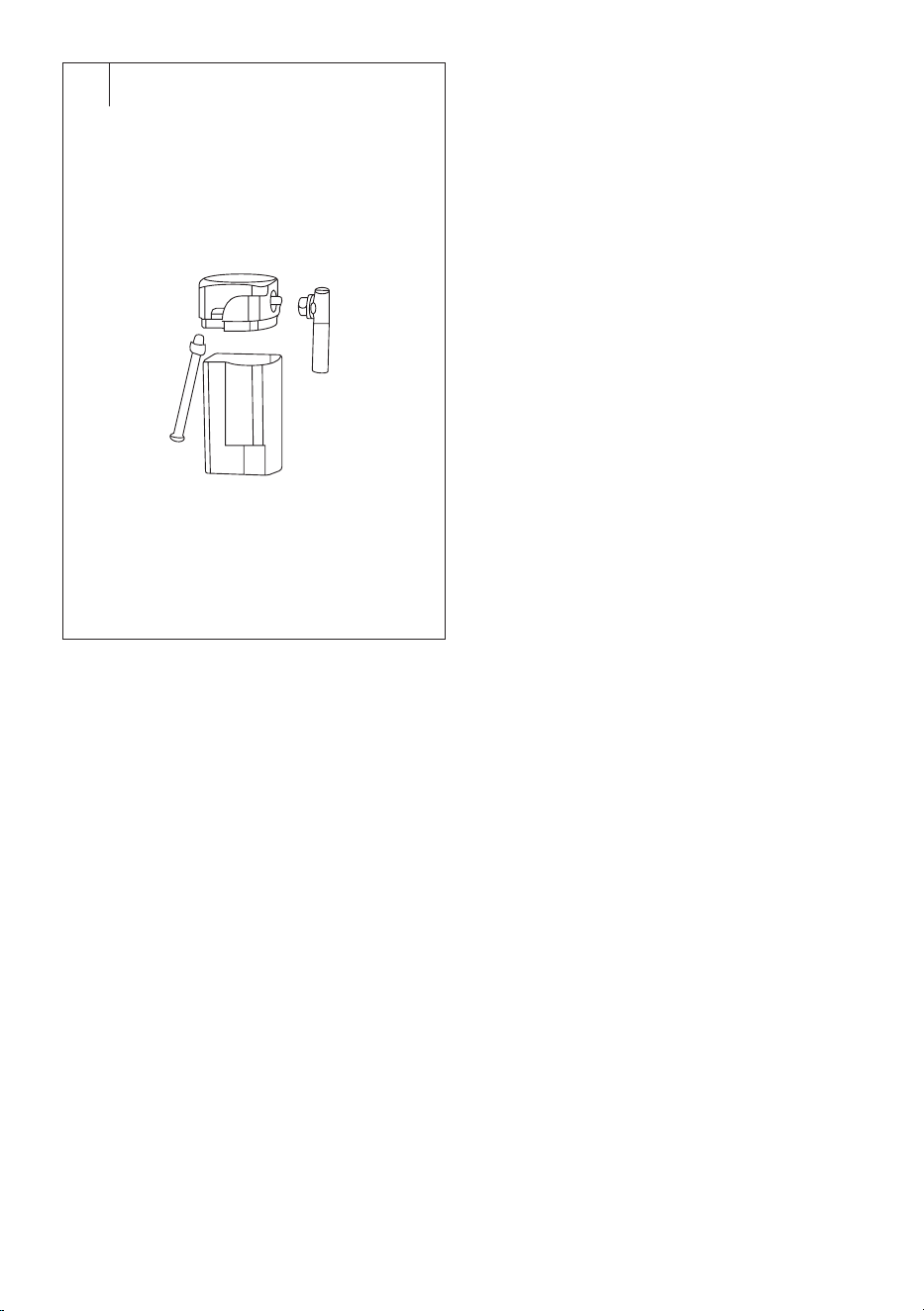
Cleaning the Milk Container (Fig. D)
We recommend cleaning the milk container regularly after each use.
Otherwise, milk residues could accumulate inside, promoting bacterial
growth, unpleasant odours, and potentially serious health issues.
1. Remove the milk container from the body of the coffee machine.
2. Take off the lid and pour any remaining milk into asuitable container
for refrigeration.
3. Remove the silicone tube from the bottom of the lid.
4. Disconnect the milk dispensing nozzle by twisting it downwards and
pulling it out. Remove the stainless steel cover from the nozzle.
5. Wash all parts thoroughly in warm water with alittle kitchen
detergent. Rinse with clean water and wipe dry, or allow to dry
freely.
Reassemble the milk container in reverse order.
. . . . . . . . . . . . . . . . . . . . . . . . . . . . . . . . . . . . . . . . . . . . . . . . . . . . . . . . . . . . . . . . . . . .
DESCALING
Over time, minerals from the water can build up inside the
machine’ssystem. It is anatural process. Therefore, regular descaling is
necessary. Mineral deposits can negatively affect the taste of your coffee.
Descale the coffee machine after every 300 to 400 cups, or when the
coffee dispensing decreases.
1. Fill the water tank with asolution of water and descaling agent. Use
adescaling agent suitable for capsule coffee machines and follow
the instructions provided with the descaling agent.
2. Insert the holder into the coffee machine.
3. Place alarge bowl under the spout to catch the used descaling
solution and mineral deposits.
4. Use the Lungo button to run the descaling process. Always wait for
the descaling cycle to complete before pressing it again. Repeat until
the water tank is empty.
5. If necessary, refill the water tank with more descaling solution and
run the descaling process again using the Lungo button.
6. Once the tank is empty, remove it, rinse it thoroughly, and refill it
with clean water. Reinsert the tank into the coffee machine.
7. Use the Lungo button toflush the coffee machine. Repeat this
process with 2 to 3 tanks of clean water.
8. During the descaling process, regularly empty the bowl. Be cautious
as the liquid may be extremely hot.
. . . . . . . . . . . . . . . . . . . . . . . . . . . . . . . . . . . . . . . . . . . . . . . . . . . . . . . . . . . . . . . . . . . .
STORAGE
Before storing the appliance, ensure it is clean, dry, and completely cool.
Perform the descaling process. Store the appliance in awell-ventilated,
dry place out of reach of children and pets.
. . . . . . . . . . . . . . . . . . . . . . . . . . . . . . . . . . . . . . . . . . . . . . . . . . . . . . . . . . . . . . . . . . . .
- 8 -
11/2024
2024, .
TROUBLESHOOTING
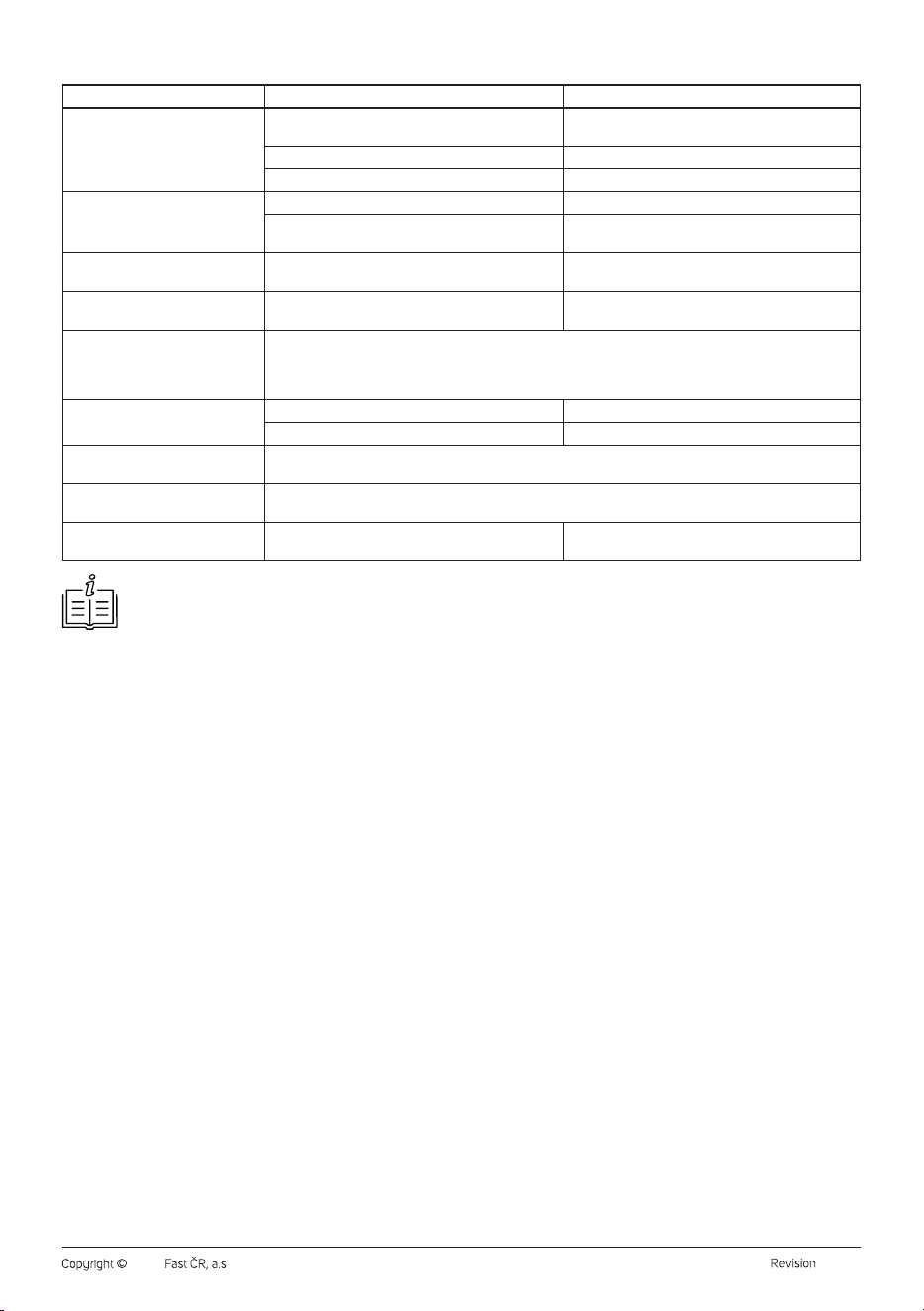
Problem Cause Solution
No buttons are lit, or only some of
them are.
The coffee machine is not connected to the power
supply.
Properly insert the plug into the power socket.
The holder is not inserted. Insert the holder into the coffee machine.
The milk container is not installed. Attach the milk container to the coffee machine.
The coffee machine is not
dispensing coffee.
The water tank is empty. Refill the water tank.
You have used the incorrect holder. Use the appropriate holder for the type of capsule or
ground coffee.
The holder cannot be removed. The pressure has not been released. Allow the coffee machine to cool down for 3 to
4hours.
The coffee machine is beeping. The water tank is not installed or is not correctly
inserted.
Correctly insert the water tank into the body of the
coffee machine.
The Clean button is still blinking. The Clean button will blink for 10 seconds after completing amilk-based drink or frothing milk. It indicates the
need for cleaning.
To stop the blinking, remove the milk container from the machine or press the Clean button.
Evenif the Clean button is blinking, it does not affect the correct operation of the coffee machine.
The coffee machine did not start
preparing Cappuccino or Latte.
The holder is not properly inserted. Insert the holder correctly into the coffee machine.
The milk container is not installed. Attach the milk container to the coffee machine.
The prepared milk foam is not
sufficient.
To ensure rich and quality milk foam, always use cold whole milk. Regularly clean the coffee machine, milk
foam container, and frothing system.
The coffee machine shut off by
itself.
The automatic shut-off time has elapsed.
The Espresso, Lungo andMilk
Foam buttons are flashing.
The coffee machine'sinternal system has overheated. Unplug the machine from the power socket and allow
it to cool down for at least 30 minutes.
Note:
If the problem persists or is not listed above, switch off the coffee machine, unplug it from the power supply, and contact an authorised
service centre.
. . . . . . . . . . . . . . . . . . . . . . . . . . . . . . . . . . . . . . . . . . . . . . . . . . . . . . . . . . . . . . . . . . . . . . . . . . . . . . . . . . . . . . . . . . . . . . . . . . . . . . . . . . . . . . . . . . . . . . . . . . . . . . . . . . . . . . . . . . . .
TECHNICAL SPECIFICATIONS
Rated voltage range ..............................................................................220−240 V~
Rated frequency ...........................................................................................50/60 Hz
Rated input ..........................................................................................................1450 W
Noise level .............................................................................................................. 75 dB
Dimensions (coffee machine only) ....................................253 × 117 × 290 mm
Weight (coffee machine only) ..............................................................................3 kg
. . . . . . . . . . . . . . . . . . . . . . . . . . . . . . . . . . . . . . . . . . . . . . . . . . . . . . . . . . . . . . . . . . . .
INSTRUCTIONS AND INFORMATION ON DISPOSAL OF USED
PACKAGING MATERIAL
Dispose of used packaging material at the location designated by the
municipality for waste disposal.
DISPOSAL OF USED ELECTRICAL AND ELECTRONIC EQUIPMENT
Used electrical andelectronic products must not be added to ordinary
municipal waste. For proper disposal and recycling of these products,
deliver them to designated collection points. Alternatively, in some
European Union states or other European countries the products can be
returned to the local retailer when buying an equivalent new product. By
properly disposing of this product, you help preserve valuable natural
resources and contribute to preventing potential negative impacts on the
environment and human health resulting from improper waste disposal.
For further details, contact your local authorities or the nearest collection
point. Fines may be imposed for improper disposal of this type of waste in
accordance with national regulations.
For Business Entities in European Union States
To dispose of electric or electronic equipment, request necessary
information from your retailer or supplier.
Disposal in Other Countries Outside the European Union
To dispose of this product elsewhere, request necessary information on
the correct disposal method from local authorities or your retailer.
. . . . . . . . . . . . . . . . . . . . . . . . . . . . . . . . . . . . . . . . . . . . . . . . . . . . . . . . . . . . . . . . . . . .
Changes to text and technical parameters are reserved.