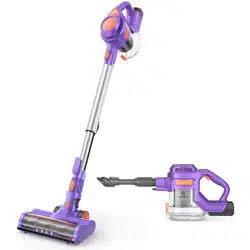
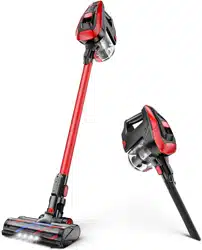
Instruction Manual Cordless Hand Vacuum
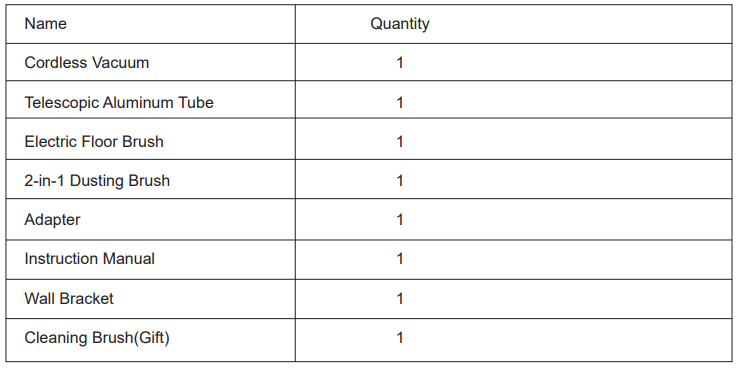
What's in the Box
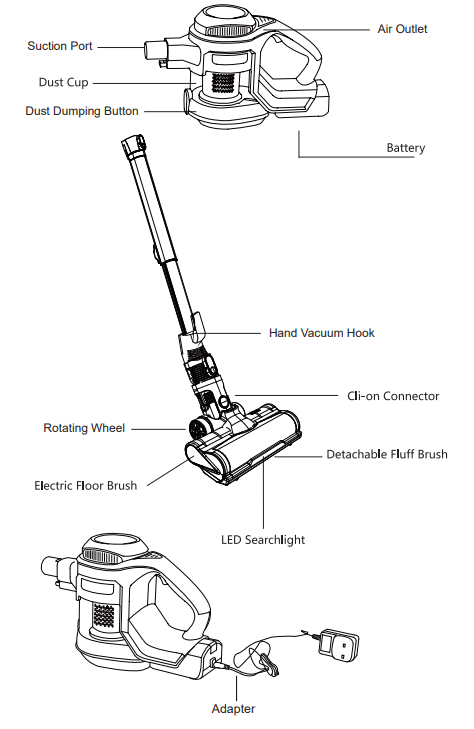
Overview
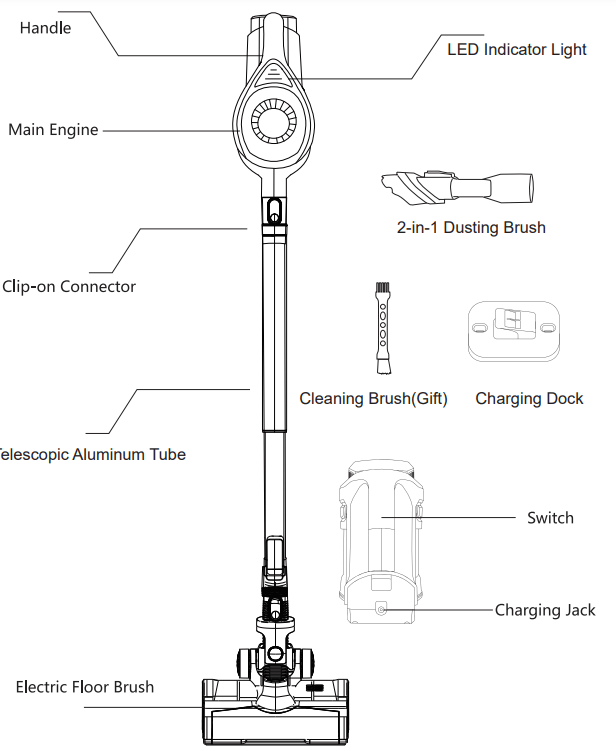
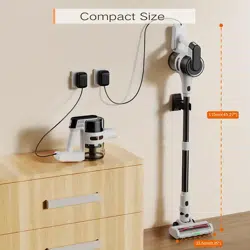
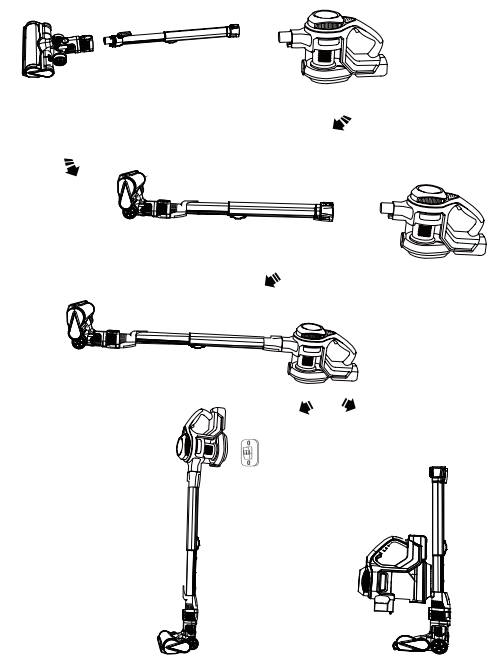
Assembly and Storage
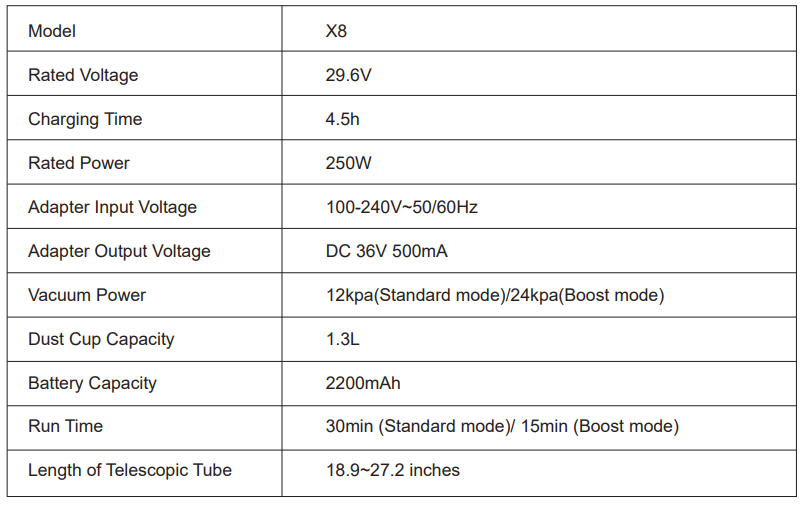
Specifications
Assembly Instructions
Telescopic Aluminum Tube
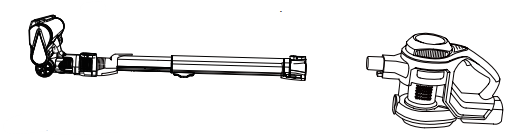
1. Push the telescopic aluminum tube end into the suction port of the hand vacuum in horizontal direction. A "Click" would be heard if it is fitted well.
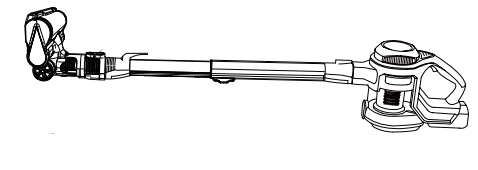
2. To remove the tube, press the release button and pull it out.
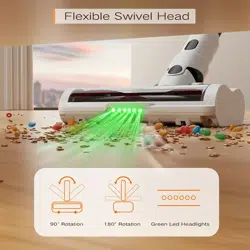
Electric Floor Brush
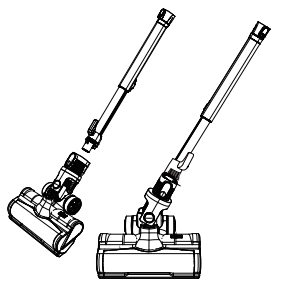
1. Push the floor brush into the snap joint of the telescopic aluminum tube. The sound of "click" means right and successful installation.
2. To remove the floor brush, press the release button and pull it out
2-in-1 Dusting Brush
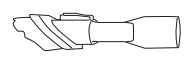
It can be fitted into both the tube and the hand vacuum. Press the button on it to switch it between brush and nozzle
Operating Instructions
1. Preparation
Please make sure the appliance is charged fully before using. It's recommended to change for 6 hours before its first use.
2. Operating
Choose the accessory according to actual cleaning requirements. The vacuum has two modes of speed to choose from. Press the power switch first time to start working, second time to switch to high speed mode and third time to stop working.
Charging
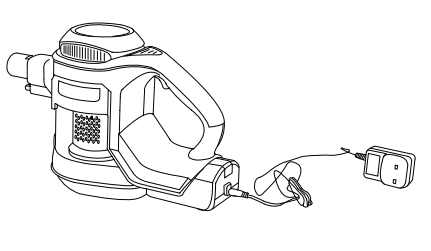
1. Charge the battery on the appliance.
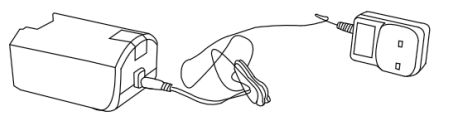
2. Charge the battery pack alone.
It's recommended that charge the battery on the appliance to know how much it has charged from LED indicator lights on the hand vacuum. Charging before the battery runs out completely would prolong the service life
| LED Indicator Light during Use |
| Battery fully charged: 3 steady blue bars |
| Battery runs low: 2/1 blue bars |
| Battery runs out: No bars |
| LED Indicator Light during charging |
| Charging: 3 steady blue bars show in turns |
| Not fully charged: 2/1 steady blue bars and one left flickering |
| Fully charged: 3 steady bars |
Cleaning and Maintenance
It's recommended to do some maintenance daily to keep the machine works regularly and to prolong its service life.
Unplug the appliance and power it off before cleaning and maintenance.
Hand Vacuum
Scrub it with water and neutral detergent. Prevent the water from flowing into any opening to avoid short-circuits and damage
Dust Cup
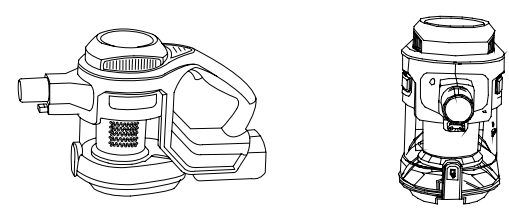
It is recommended that empty the dust cup after each use. The sign  is a reminder mark for emptying the dust cup. Please empty the dust cup once dust approaches or arrives . To dump dust, aim for the dustbin and press dust dumping button .
HEPA Filter
Regular cleaning helps to ensure product performance. Just take out the HEPA and its cover out from the dust cup and wash under the faucet. Please put it back when it's air dried.
Detachable Fluff Brush
Regular cleaning helps to ensure product performance. Just take out the HEPA and its cover out from the dust cup and wash under the faucet. Please put it back when it's air dried.
Electric Floor Brush
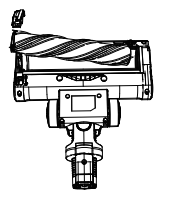
It is recommended to clean once after every 4 to 5 times use of the floor brush. Remove the buckle on the floor brush and take out the fluff brush, clean hair and debris on them. Remember to put back the fluff brush and lock the buckle well.
Troubleshooting
| Problem |
Possible Reason |
Possible Reason |
| Vacuum won't work |
1. Low battery
2. The suction port is blocked
|
1. Charge the vacuum fully
2. Check and clean the suction port
|
| The vacuum power gets weak |
1. The dust cup is full/ the filter accessory is dirty
2. The fluff brush has a clog
|
1. Empty the dust cup and clean HEPA filter regularly
2. Check the fluff brush and clean the clog on it.
|
| The motor emits strange sound when working |
There is a clog in the suction port/telescopic tube |
1. Check the clog and remove it
2. Contact customer service for help if the first solution didn't work
|
| The electric floor brush won't work and the indicator light of the floor brush is off |
The fluff brush gets stuck by hair/debris on it |
Check for clog and clean the fluff brush as section "Cleaning and Maintenance" |
| The vacuum stops working suddenly |
The thermostat gets triggered because of the motor overheated |
1. Allow it to cool for 30 minutes and try to restart it
2. Contact customer service for help
|