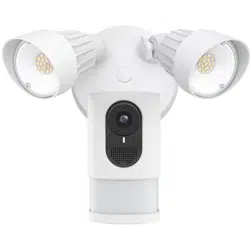
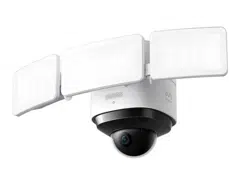
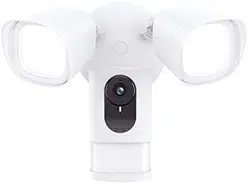
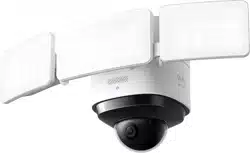
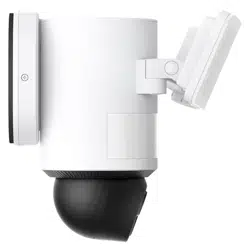
This is Quick Start Guide of floodlight Camera
SAFETY INSTRUCTIONS
- Shut off power at the fuse or circuit breaker before installing.
- Do not install the device near flammable surfaces.
- Must have a licensed electrician install the Floodlight Camera.
- Do not use the device in environments where the temperature is too high or too low, avoid exposing the device to direct sunshine or very wet environments.
- The suitable temperature for the product and accessories is -20°C to 50 °C.
FEATURES
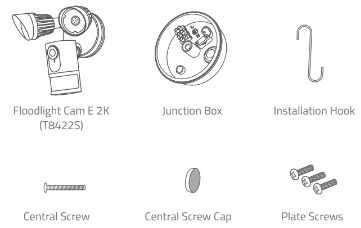
GETTING STARTED
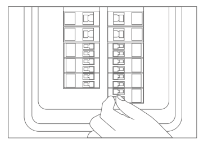
1. Shut the power off at the breaker in your house. Switch on/off the lights to make sure the electricity in your house is properly shut off.
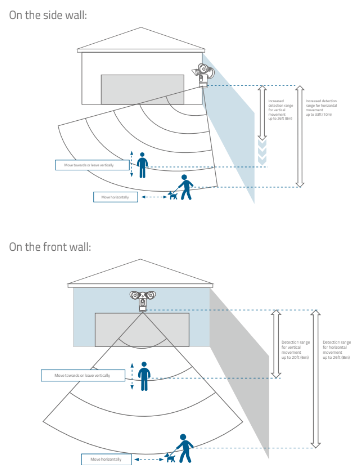
2. Determine the area you want to be lit and camera coverage is required.
Install your Floodlight Camera on the front wall or on a side wall of your house. To get optimal detection and light coverage for the floodlight and camera, install it on a side wall if possible. *
*The motion sensor is more sensitive to movements across the camera field of view than movements towards or away from the sensor. We highly recommend you install the floodlight camera on the side wall.
INSTALLING JUNCTION BOX
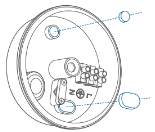
1. Remove the rubber plugs indicated in the illustration below.
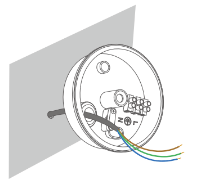
2. Run the existing wire through the hole.
3. Install the junction box:.
- Orientate the two mounting holes vertically to ensure stable mounting.
- On wooden walls, DO NOT pre-drill holes. Use the screws provided to fix the junction box onto the wall.
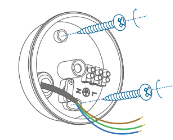
- On walls that are made out of hard materials, such as stucco, brick, or concrete, drill holes with a 15/64 inch (6 mm) drill bit, and then insert the anchors provided into the holes. Use the screws provided to fix the junction box on the wall.
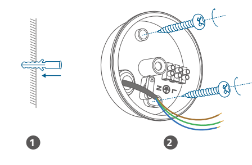
4. Unscrew the bolt with a flat-head screwdriver. Connect the Neutral (blue)/ Ground (green / green and yellow) / Live (brown) wire to the Neutral Ground / Live wire connector in the junction box respectively. Secure the wires tightly to prevent wires from falling.
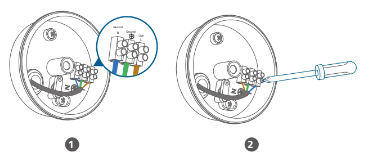
MOUNTING FLOODLIGHT CAMERA
Hang Floodlight Camera
Hang Floodlight Camera on the junction box with the hook provided.
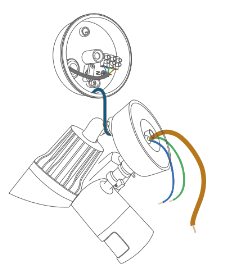
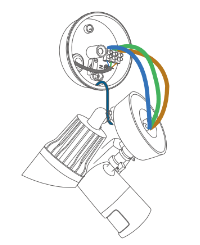
Connect Wires
- Connect Ground wire from the Floodlight Camera to the Ground wire from the wire connector in the junction box.
- Connect the Live / Neutral wire from the Floodlight Camera to the Live /Neutral wire from the wire connector in the junction box respectively.
Mount Floodlight Camera On the Junction Box
1. Align the hole on the junction box with the opening in the Floodlight Camera.
2. Screw the central screw through the center of Floodlight Camera to mount it in position.
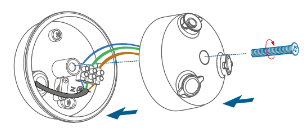
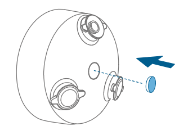
3. Cover the central screw with the central screw cap to prevent it from rusting.
Adjusting Floodlight Camera
- After installation is complete, loosen the adjustment screws on the camera and floodlight to adjust the camera and light position to the desired angles.
- Tighten the screws firmly to complete the installation.
Restoring Power
Switch on the main circuit breaker in the house. To confirm whether the Floodlight Camera is operating, check the LED indicator. If it is flashing red, it is ready for Eufy Security App setup.
*NOTE
- If Floodlight Camera is not powered on, switch off the circuit breaker before checking the wiring of Floodlight Camera.
Using the Floodlight Camera on the Eufy Security App
- Download the Eufy Security app from the App Store (iOS devices) or Google Play (Android devices).
- Sign up for a Eufy Security account. Follow the onscreen instructions to connect Floodlight Camera to your Wi-Fi network. Now you can check live stream in the Eufy Security App.
*NOTE: The Floodlight Camera can be used only after your phone and the Floodlight Camera are connected to the same wireless network.
TROUBLESHOOTING
For troubleshooting, check the Help section in the Eufy Security app. Refer to the app for information on the various LED status indications.