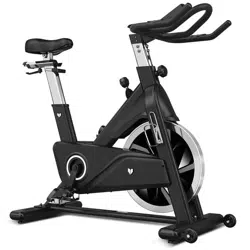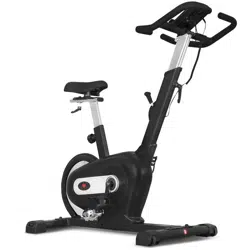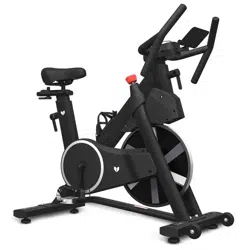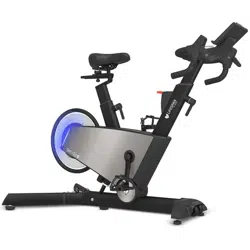
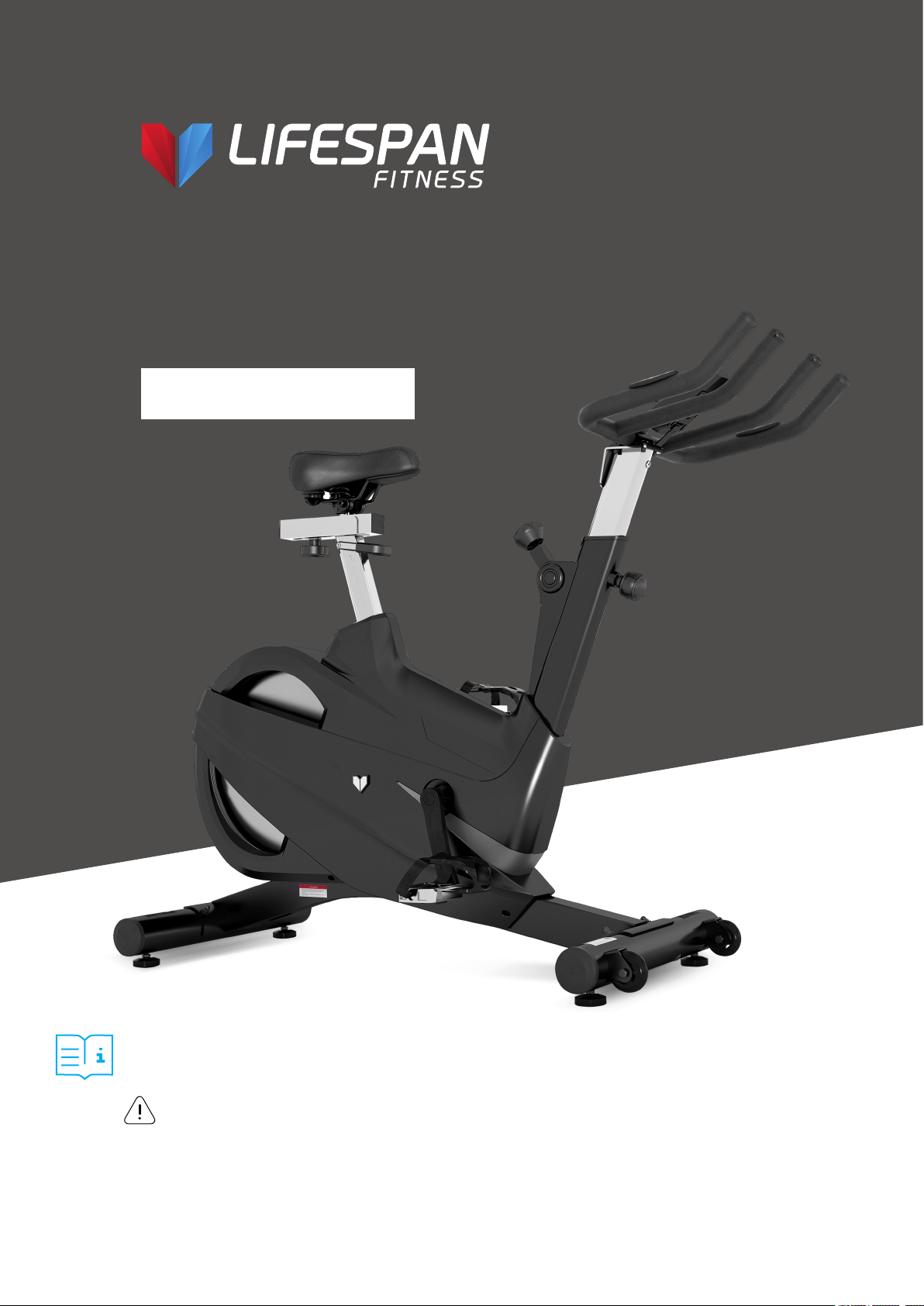
SM-700
Spin Bike
USER MANUAL
NOTE:
Product may vary slightly from the item pictured due to model upgrades. This manual may be subject to updates or changes.
Up to date manuals are available through our website at www.lifespanfitness.com.au
Read all instructions carefully before using this product.
Retain this owner’s manual for future reference.
IMPORTANT
All nuts and bolts are to be checked and tightened on a regular basis. This includes pedals and
other moving parts. Failure to do so may cause damage to your threads and void your warranty.


3
TABLE OF
CONTENTS
I. Important Safety Instructions . . . . . . . . . . . . . . . . . . . . . . . . . . . . . . . 04
II. Care Instructions . . . . . . . . . . . . . . . . . . . . . . . . . . . . . . . . . . . . . . . . . . . . . 05
III. Exploded Diagram . . . . . . . . . . . . . . . . . . . . . . . . . . . . . . . . . . . . . . . . . . . . 06
IV. Parts List . . . . . . . . . . . . . . . . . . . . . . . . . . . . . . . . . . . . . . . . . . . . . . . . . . . . . . 07
V. Assembly Instructions . . . . . . . . . . . . . . . . . . . . . . . . . . . . . . . . . . . . . . . 11
VI. Seat and Handlebar Adjustment . . . . . . . . . . . . . . . . . . . . . . . . . . . . . 16
VII. Computer Operation. . . . . . . . . . . . . . . . . . . . . . . . . . . . . . . . . . . . . . . . . . 17
VIII. Exercise Guide . . . . . . . . . . . . . . . . . . . . . . . . . . . . . . . . . . . . . . . . . . . . . 20
IX. Warranty . . . . . . . . . . . . . . . . . . . . . . . . . . . . . . . . . . . . . . . . . . . . . . . . . . . . . 22
X. Hand Pulse Technology . . . . . . . . . . . . . . . . . . . . . . . . . . . . . . . . . . . . . . 23
TABLE OF CONTENTS |

4
I. IMPORTANT SAFETY
INSTRUCTIONS
WARNING: Read all instructions before using this machine.
It is important your machine receives regular maintenance to prolong its useful life. Failing to
regularly maintain your machine may void your warranty.
| IMPORTANT SAFETY INSTRUCTIONS
Please always keep this manual with you.
• It is important to read this entire manual before assembling and using the equipment. Safe and
effective use can only be achieved if the equipment is assembled, maintained and used properly.
PLEASE NOTE: It is your responsibility to ensure that all users of the equipment are informed of all
warnings and precautions
• Before starting any exercise program you should consult your doctor to determine if you have any
medical or physical conditions that could put your health and safety at risk, or prevent you from
using the equipment properly. Your doctor’s advice is essential if you are taking medication that
affects your heart rate, blood pressure or cholesterol level.
• Be aware of your body’s signals. Incorrect or excessive exercise can damage your health. Stop
exercising if you experience any of the following symptoms: pain, tightness in your chest, irregular
heartbeat, and extreme shortness of breath, lightheadedness, dizziness or feelings of nausea. If you
do experience any of these symptoms, you should consult your doctor before continuing with your
exercise program.
• Keep children and pets away from the equipment. This equipment is designed for adult use only.
• Use the equipment on a solid, flat level surface with a protective cover for your floor or carpet.
To ensure safety, the equipment should have at least 2 meters of free space around it.
• Before using the equipment, check that the nuts and bolts are securely tightened. If you hear any
unusual noises coming from the equipment during use and assembly, stop immediately. Do not use
the equipment until the problem has been rectified.
• Wear suitable clothing while using the equipment. Avoid wearing loose clothing that may get caught
in the equipment or that may restrict or prevent movement.
• This equipment is designed for indoor and family use only.
• Care must be taken when lifting or moving the equipment so as not to injure your back.
• Always keep this instruction manual and assembly tools at hand for reference.
• The equipment is not suitable for therapeutic use.
5
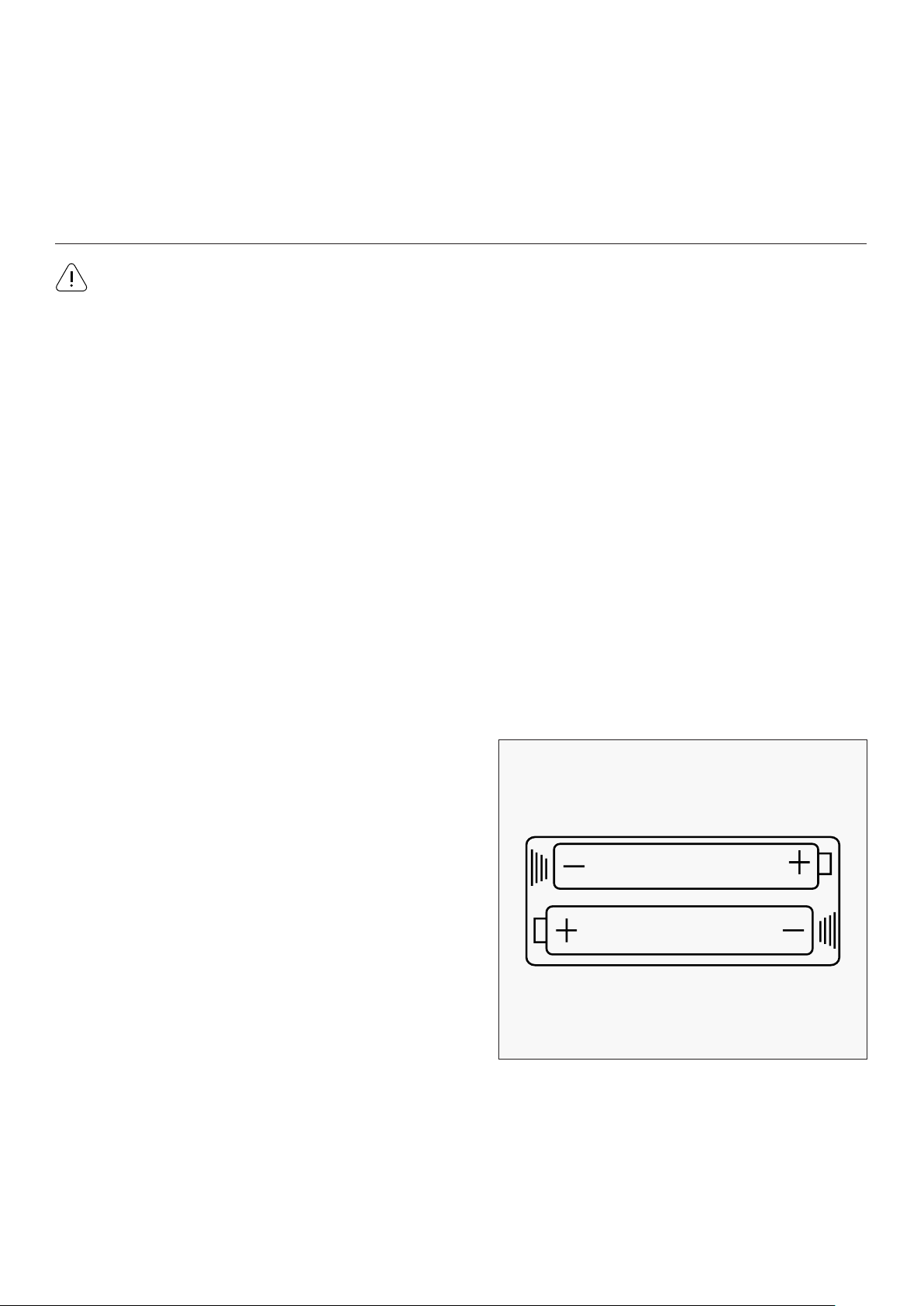
• Batteries are to be installed or replaced by adult only.
• Do not use rechargeable batteries. Do not mix
different battery types. Do not mix old and new
batteries. Do not mix alkaline, standard (Carbon-
Zinc), or rechargeable (Nickel-Cadmium) batteries.
• Remove batteries when product is not in use.
• Remove exhausted batteries from product and
dispose of in accordance with the
manufacturer’s recommendation.
• Do not attempt to recharge non-rechargeable
batteries.
• Batteries are to be inserted with correct polarity.
• The supply terminals are not to be short-circuited.
• Do not dispose of batteries in fire, batteries may
explode or leak.
BATTERY USAGE
CARE INSTRUCTIONS |
• The pulse or heart rate sensors are not medical devices. Various factors, including the user’s
movement, may affect the accuracy of heart rate readings. The pulse sensors are intended only as
exercise aids in determining heart rate trends in general.
II. CARE INSTRUCTIONS
a. All nuts and bolts are to be checked and tightened on a regular basis. This includes pedals and other
moving parts. Failure to do so may cause damage to your thread and void your warranty.
b. Lubricate moving joints with grease after periods of usage.
c. Be careful not to damage plastic or metal parts of the machine with heavy or sharp objects.
d. The machine can be kept clean by wiping it down using dry cloth.
e. Flywheels must be lubricated after certain periods of use to keep the bike running smooth and
reduce vibration noise.
IMPORTANT
6
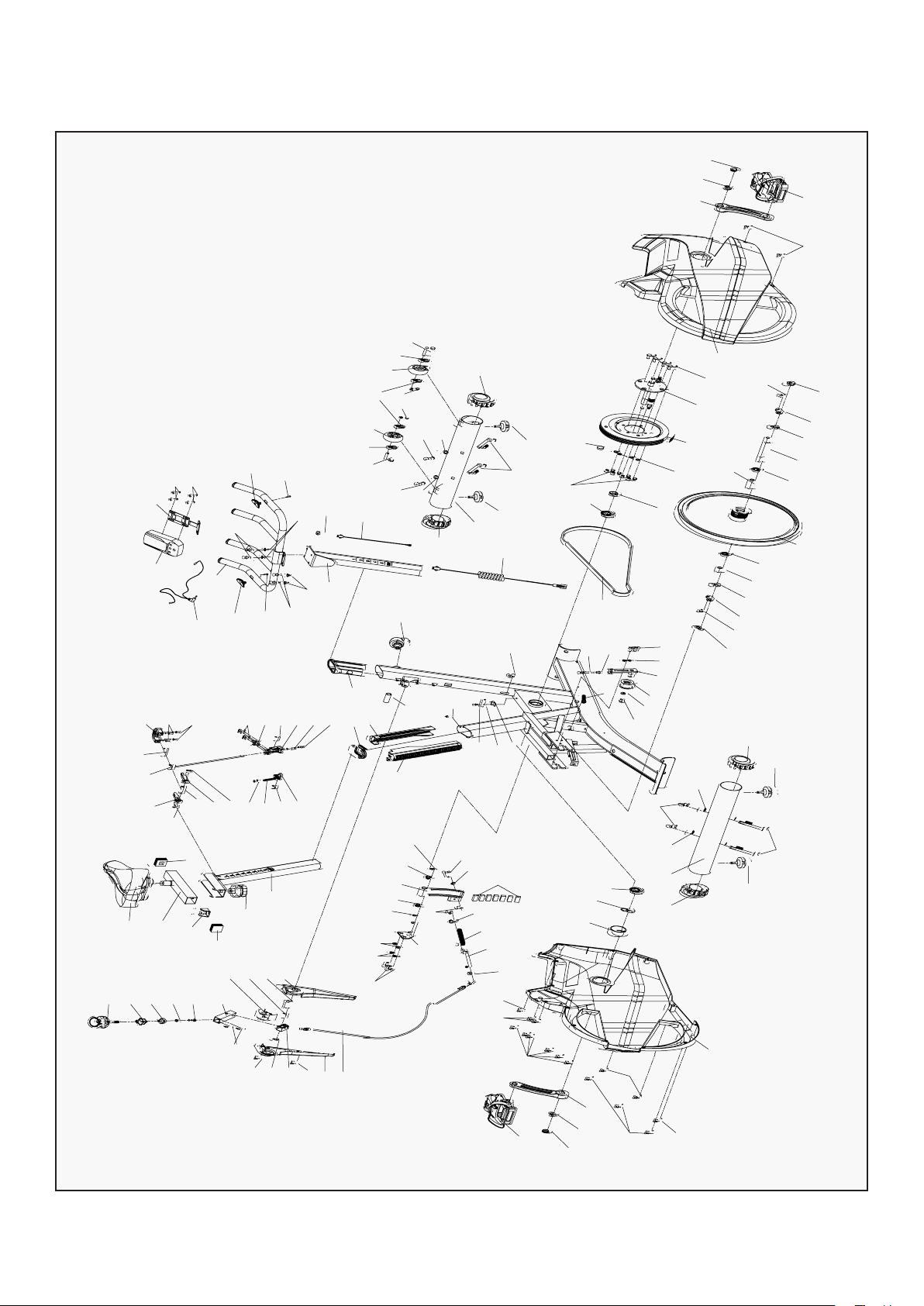
III. EXPLODED DIAGRAM
68
74
77
77
78
78
37
37
4
39
39
28
69
64
95
86
86
83
83
85
91
11R
10R
49
16
14
88
95
15
7
17
94
93
92
47
36
44
8
58
61
60
63
60
59
58
36
44
83
84
80
83
65
90
15
79
81
81
97
89
96
2
41 9
43
35
64
73
34
12
49
66
27
32
31
48
29
110
108
104
107
102
109
109
109
109
100
98
72
71
70
76
66
54
42
54
51
6
22
19
41
20
18
75
72
52
21
35
53
40
26
33
35
43
56
67
24
23
89
54
50
50
50
50
49
46
10L
11L
14
16
39
38
45
45
57
57
55
30
3
5
109
41
111
106
103
101
99
105
100
25
82
84
8
62
39
84
84
80
82
82
81
81
87
13
13
13
85
87
114
114
| EXPLODED DIAGRAM

7
NO. Name Quantity Specifications
1
Main Frame 1 Weldment
2
Belt Wheel Holder 1 Weldment
3
Seat Slider 1 Weldment
4
Handlebar Post 1 Weldment
5
Saddle 1 Aq -6010
6
Resistance Line 1 1185 * Φ1 .2
7
Belt 1 5Pk
8
Metal Plate 2 Δ2.5
9
Bolt1 2 M6*16
10L/R
Pedal 1pr Jd -301( 9/16")
11L/R Crank L/R 1pr 170*27
12
Sensor 1 Sr -212
13 Bearing 608Z 4 608Zz
14 Crank Plug 2 Φ 23*7.5
15 Bearing 608Z 2 6004Zz
16 Flange Nut 2 M10*1.25
17 Fixing Tube 1 Φ 25*20.05*9
18 Brake Positioning Sleeve 1 25*25*2
19
Brake Square Tube
1 Weldment
20
Fixing Nut1
1 20*20*T8
21
Axis
1 Φ 8*Φ 6*25.8
22
Brake Rail
1 40*22.8*20.8
23
Pullrod
1 Weldment
24
Spring
1 Φ2.0*130
25
Spring
1 Φ 1.0X55
26
Magnetic Holder
1 Weldment
27
Silicon Tube 1
1 Φ 13*Φ 9.5*19
28
Handle Bar
1 Weldment
IV. PARTS LIST
PARTS LISTS |

8
NO. Name Quantity Specifications
29
Plastic Sleeve 1 70*30*1.5
30
Vertical Seat Post 1 Weldment
31
Seat Tube Pront Bushing 1 260*38.3*36.5
32
Seat Tube Rear Bushing 1 300*56.1*36.5
33
Silicon Tube 1 2 Φ 8.5*Φ 5.5*17
34
Sensor Holder 1 Ltf8163
35
Bolt1 3 M6*35
36
Bolt 2 M8*10
37
Bolt 4 M8*15
38
Flat Washer 1 2 8
39 Flat Washer 3 10 8
40
Bolt1 2 M8*15
41 Flat Washer 4 6
42 Fixing Nut M10 1 M6
43 Hexagonal Nut 2 M6
44 Flange Nut 2
M12x1.25
45 Washer Φ10 2 Φ10
46 Left Outter Chain Cover 1 908.5*602.4*84
47
Right Outter Chain Cover
1 908.5*602.4*87.2
48
Plastic Sleeve D
1 73*49*10
49
Screw
5 St4.2*16
50
Screw St 4 .2*19
12 St4.2*19
51
Brake Cover-Left
1 260*75*27
52
Brake Cover
1 54.7*33*31.3
53
Brake Cover-Right
1 260*75*32
54
Screw St 4 .2*1 9
3 St2.9*16
55
Magnetic Fixing Holder
1 Weldment
56
Magnetic
7
30*15*10
57
Small Sleeve
2
Φ18*Φ10*10
58
Hexagonal Nut
2
M12*1.25 H=7
59
Fixing Tube
1
Φ 16*Φ 12.1*23.5
| PARTS LISTS

9
NO. Name Quantity Specifications
60
Bearing 608Z 2 6001Zz
61
Short Flywheel Shaft 1 Φ12*142
62
Casing Pipe 1 Φ 16*Φ 12.1*49.1
63
Flywheel 1 Φ430*Φ58*Φ28
64
Plastic Plug 2 Φ14*14
65
Crank Protective Cover 1 Φ56*28
66
Screw St 4 .2 * 1 9 3 St2.9*9.5
67
Brake Spacer 1 16 .8 * Φ 10*T 6
68
Computer 1 St-7607
69
Pulse Line 1 L=700
70 Limit Block 1 Weldment
71
Adjust Knob 1 Φ58*33
72 End Cap 2 38*38*1.5
73 Adjust Knob 1 M16*1.5
74 Computer Holder 1 Weldment
75 Brake Knob 1 M6*10
76 Fixing Nut 3 1 M6
77 Bolt 4 M5*12
78
Pulse
2 Φ25
79
Rear Stabilizer
1 Weldment
80
Carriage Bolt
4 M10*90
81
Washer
4 Φ10
82
Fixing Nut 3
4 M10
83
End Cap
4 Φ 76*1.5
84
Stopper
4 M8*25
85
Fixing Nut M10
6 M8
86
Bolt9
2 M8*40
87
Wheel
2
Φ69*26
88
Front Stabilizer
1
Weldment
89
Flatwasher 2
2
Ф6
90
Fixing Nut
1
Φ28*M20*1
PARTS LISTS |

10
NO. Name Quantity Specifications
91
Magnetic 1 6001Zz
92
Bolt2 4 Φ12*142
93
Middle Axle 1 Φ 16*Φ 12.1*49.1
94
Belt Pulley 1 Φ430*Φ58*Φ28
95
Sensor Wire 1 Φ14*14
96
Pulley 1 Φ56*28
97
Bolt1 1 St2.9*9.5
98
Stepped Shaft 1 16 .8 * Φ 10*T 6
99
Long Shaft 1 St-7607
100
Aluminum Handle 2 L=700
101 Gloves 1 Weldment
102
Washer 1 Φ58*33
103 Aluminum Clasp 1 38*38*1.5
104 Aluminum Bracket 1 M16*1.5
105 Connecting Rod 1 Weldment
106 Fixed Shaft 1 M6*10
107 Short Shaft 1 M6
108 Small Spacer 1 M5*12
109
Bolt
10 Φ25
110
Fixing Nut M10
1 Weldment
111
Spring
1 M10*90
112
Sensor Wire
1 Φ10
113
Nut
4 M10
114
Screw
2 Φ 76*1.5
115
Spanner
1 M8*25
116
Crosshead Spanner
1 M8
117
Inner Hexagon Spanner
1 M8*40
| PARTS LISTS
11
V. ASSEMBLY INSTRUCTIONS
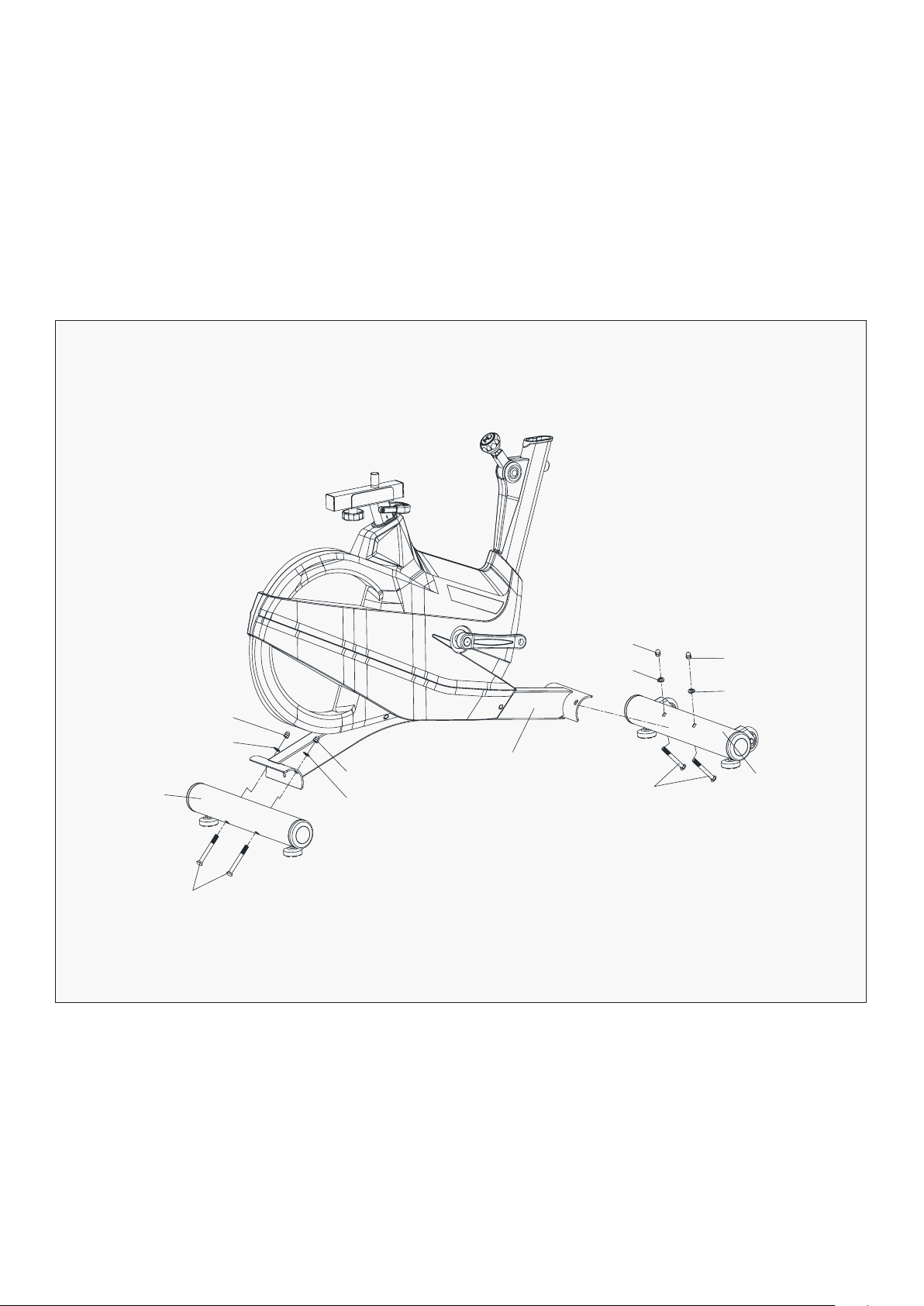
1. Attach the Front Stabilizer (pt.88) to the Main Frame (pt.1) with two sets of Ø8 Flat Washer (pt.81),
M8 Domed Nut (pt.82) and M8*42 Carriage Bolt (pt.80).
2. Attach the Rear Stabilizer (pt.79) to the Main Frame (pt.1) with two sets of Ø8 Flat Washer (pt.81),
M8 Domed Nut (pt.82) and M8*42 Carriage Bolt (pt.80).
1. Before assembling make sure that you will have enough space around the item.
2. Use the present tooling for assembling.
3. Before assembling please check whether all needed parts are available (at the above
of this instruction sheet you will find an explosion drawing with all single parts (marked
with numbers) which this item consists of.
ASSEMBLY INSTRUCTIONS |
PREPARATION
STEP 1
82
82
1
82
82
81
81
80
88
81
81
79
80
12
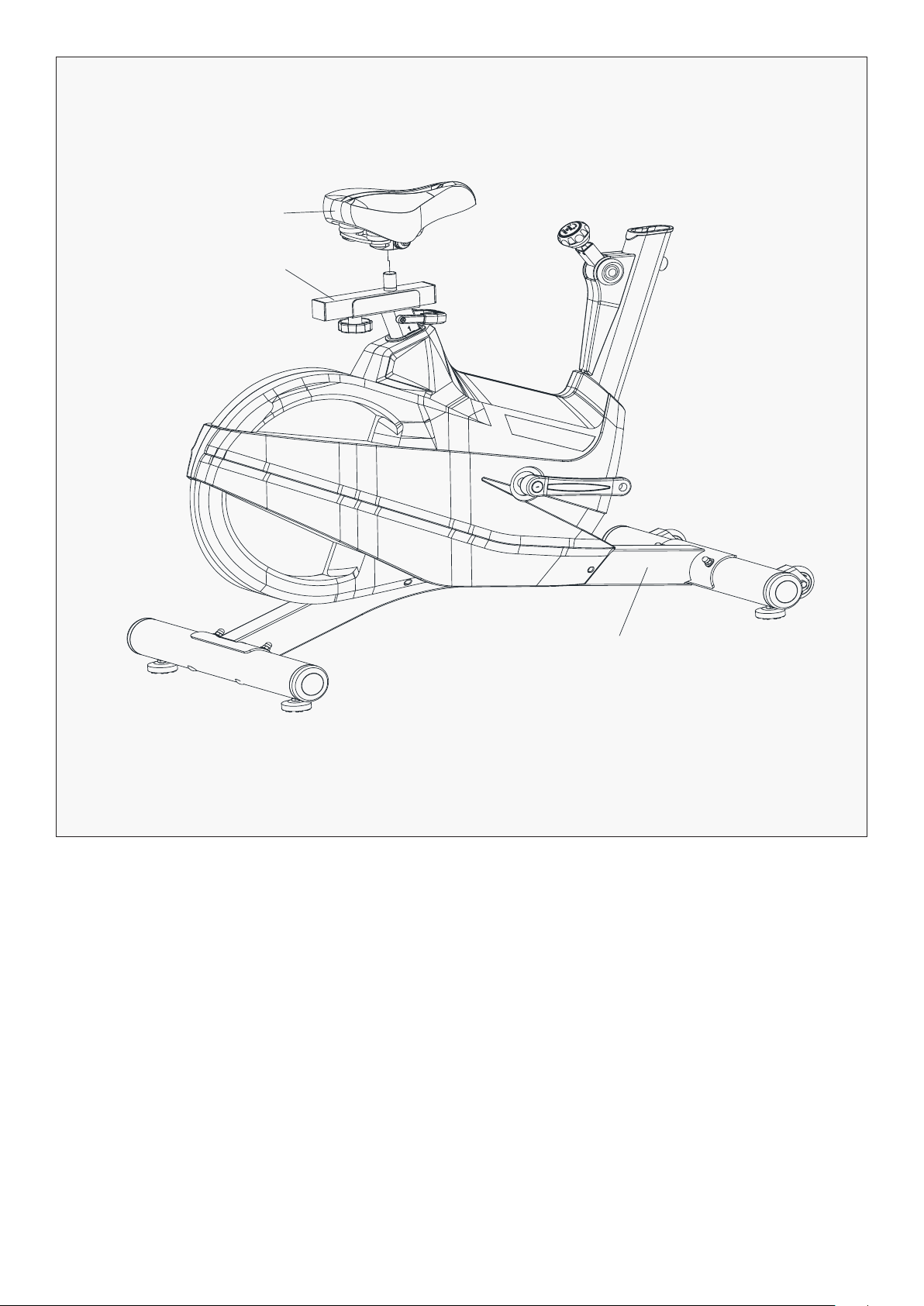
1. The Saddle post is pre-assembled in the main frame. Fix the Saddle (pt.5) on the
Seat post (pt.3) as shown
STEP 2
| ASSEMBLY INSTRUCTIONS
5
3
1
13ASSEMBLY INSTRUCTIONS |
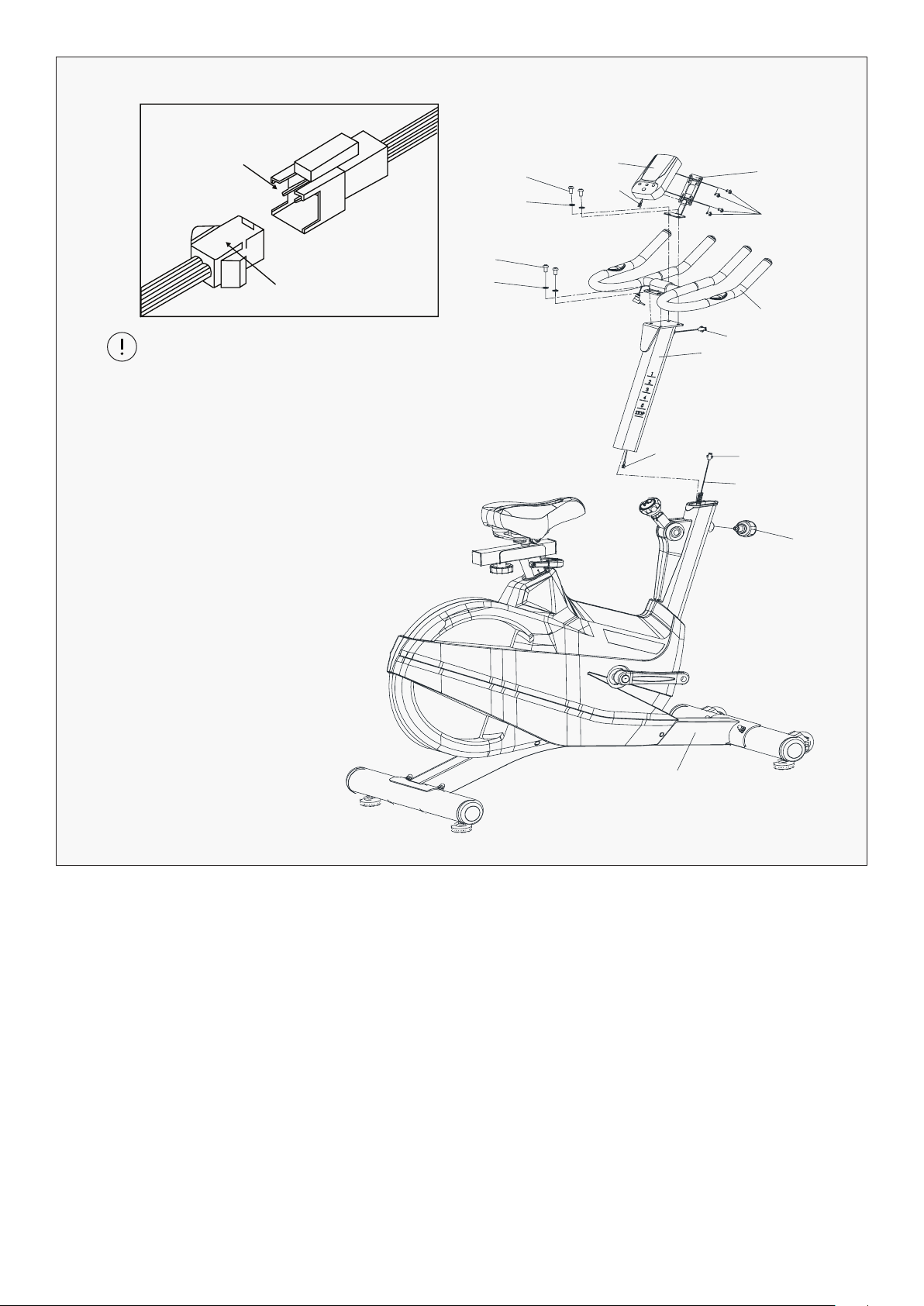
1. Insert the Handlebar Post (pt.4) into the handlebar post tube of the main frame. You will have to
slacken the Knob (pt.73) and pull the knob back. Then select the desired height. Release the
knob and retighten the knob.
2. The Handlebar (pt.28) and computer holder (pt.74) are fixed on the Handlebar Post (pt.4) with four
sets of the Bolt (pt.37) and the Elastic Washer (pt.39).
3. The Computer (pt.68) is fixed on the Handlebar with four Bolts (pt.77). Connect the computer line,
to Gap (A3) corresponding to the Convex Point (A4) to insert link.
STEP 3
68
74
77
28
37
37
39
39
A4
A3
A2
A1
112
73
1
4
A1
A2
Gap
Convex Point
ATTENTION:
Connected with the computer line,
to Gap (A1) corresponding to the
convex point (A2) to insert link.
14 | ASSEMBLY INSTRUCTIONS
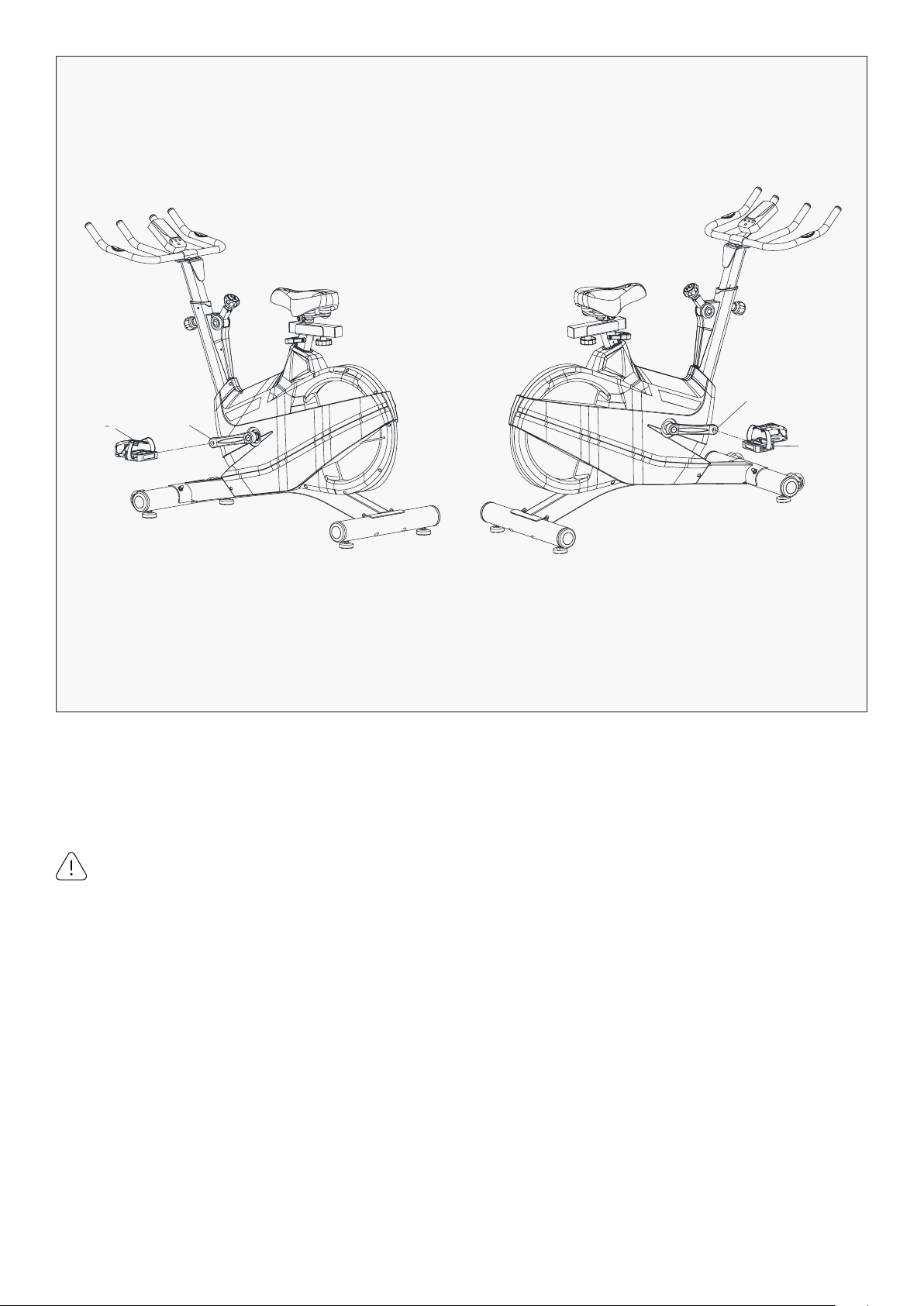
1. The Pedals (pt.10L & pt.10R) are marked "L" and "R" - Left and Right. Connect them to their
appropriate crank arms. The right crank arm is on the right- hand side of the
cycle as you sit on it.
Important Note: The Right pedal should be threaded on clockwise and the Left pedal
anticlockwise. Ensure the pedals are fully tighten as using this while loose or not tighten
will damage the thread and affect your warranty.
STEP 4
10L
11L
11R
10R
15
1. Adjust the Resistance
2. The Emergency Brake Function
To increase resistance (requiring more strength to
pedal), turn the Resistance Control Knob (pt.75) to
the right.
To decrease resistance (requiring less strength to
pedal), turn the Resistance Control Knob (pt.75) to
the left.
The Emergency Brake & Resistance Control Knob
can be used as the Emergency Brake. When you
want the flywheel to stop turning, you must firmly
push down the Emergency Brake (pt.75).
ASSEMBLY INSTRUCTIONS |
ADJUSTING THE TENSION
75
75
114
84

16
VI. SEAT AND HANDLEBAR
ADJUSTMENT
Seat Adjustment
Handlebar Adjustment
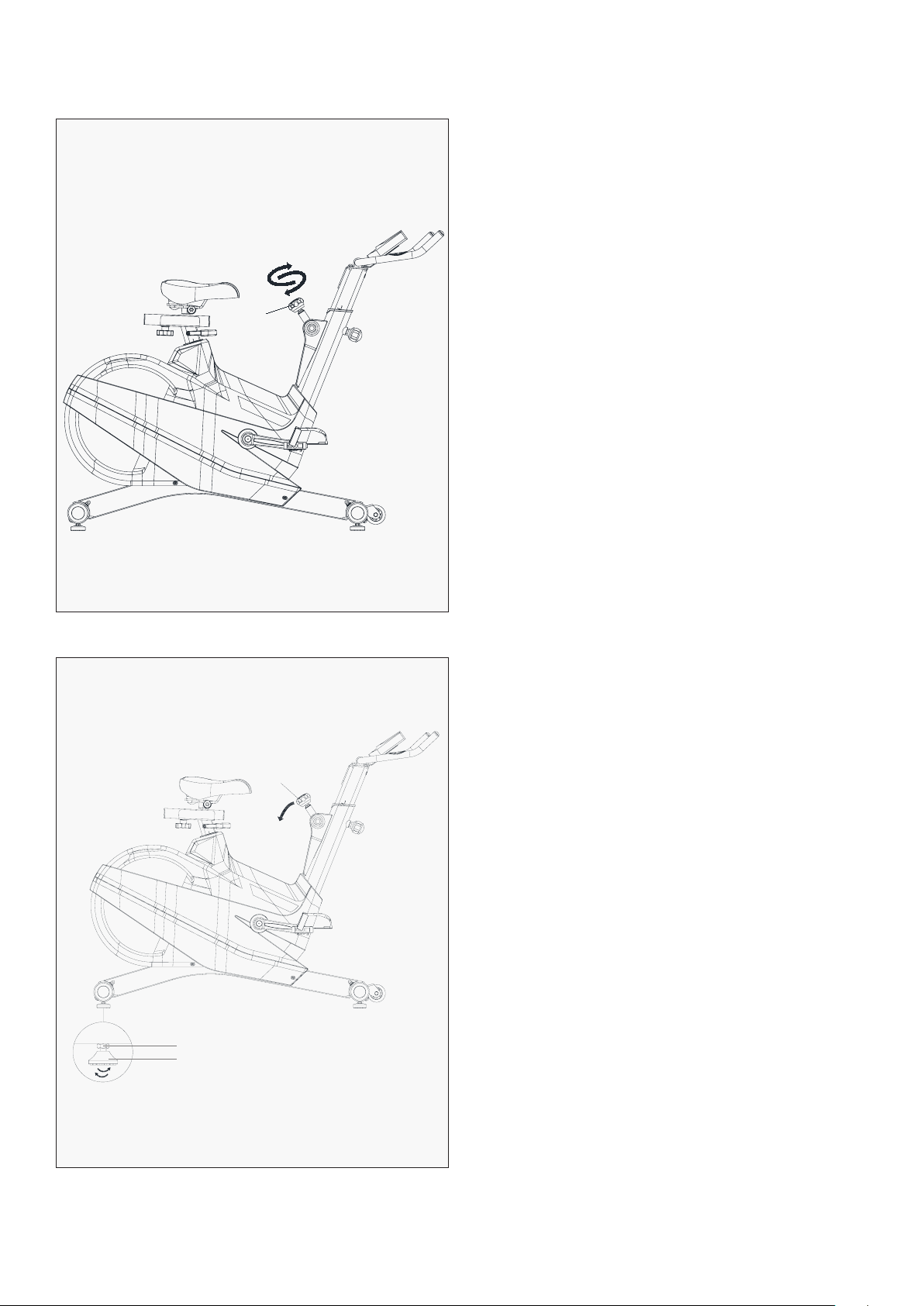
To adjust the seat height, slacken the spring knob on the vertical post stem on the main frame and
pull back the knob. Position the vertical seat post for the desired height so that holes are aligned, then
release the knob and retighten it.
To move the seat forward in the direction of the handlebar or backwards away from it, loosen the
adjusting knob and washer and pull the knob back. Slide horizontal seat post into desired position.
Align holes and then retighten the adjusting knob.
To adjust the handlebar height, slacken the spring knob and pull both knobs back. Slide the handlebar
post along the housing on the main frame to the desired height and, with the holes aligned correctly,
tighten the spring adjusting knob.
| SEAT AND HANDLEBAR ADJUSTMENT
17
VII. COMPUTER OPERATION
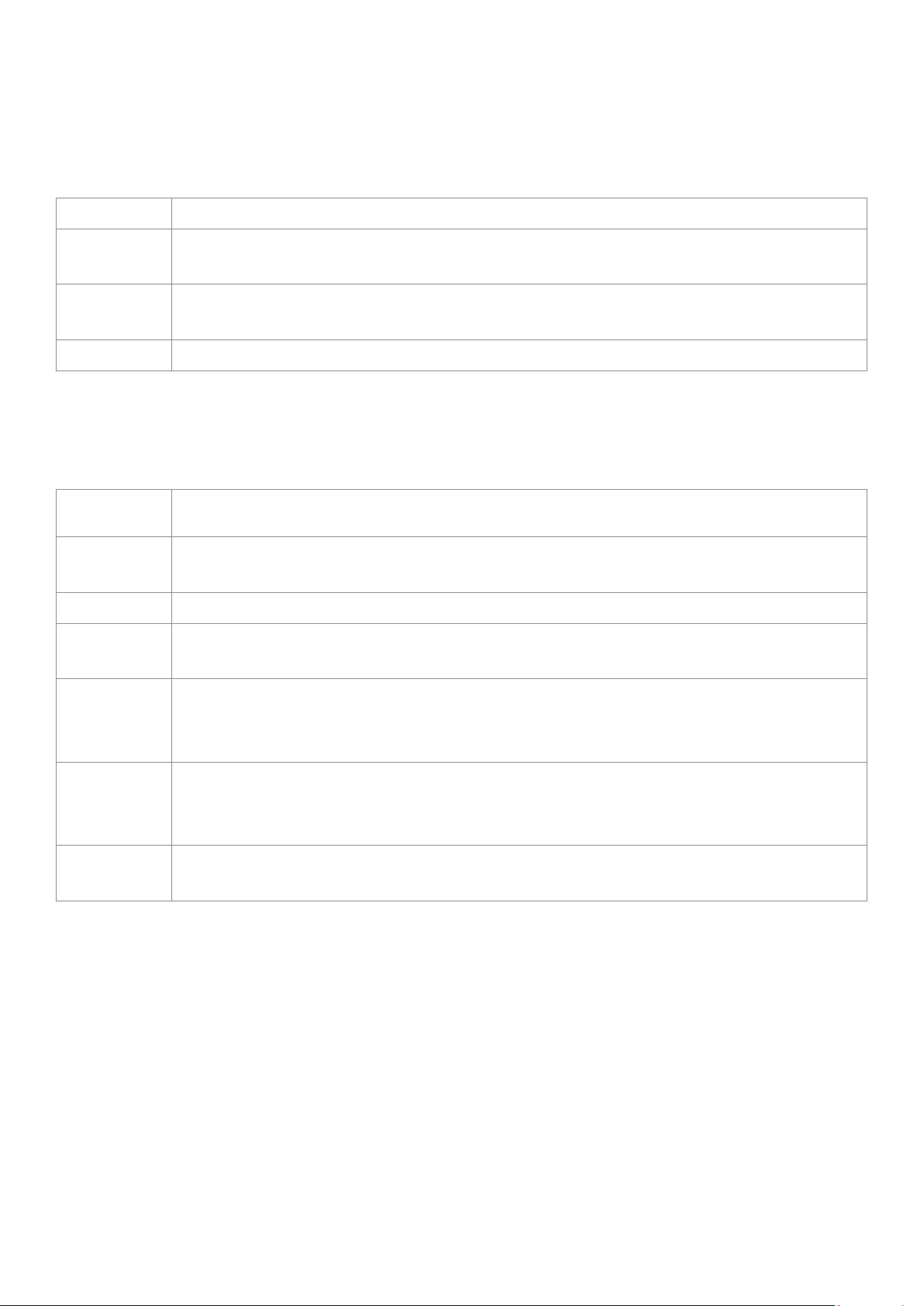
BUTTONS
FUNCTIONS
OPERATION PROCEDURE
MODE To confirm all settings.
SET
To set up the value of TIME, DISTANCE, CALORIES and PULSE. You can hold the button to
increase the value fast. (The computer has to be in stop condition).
RESET
To clear the set-up value. Press RESET key and hold for 2 seconds to reset all function
figures.
RECOVERY To test heart rate recovery status.
SCAN
Displays all function TIME → DISTANCE → CALORIES → PULSE → RPM/SPEED in
sequence.
RPM
Displays the pedaling Rotation Per Minute. The RPM and SPEED will switch to another
display in every 6 seconds after exercise starts.
SPEED Displays the user’s exercise speed.
TIME
1. You can press "SET" button to set target time between 0:00 to 99:00 for count down
2. It can be set up by the user or accumulated automatically for count up function.
DISTANCE
1. You can press "SET" button to set target distance between 0:00 to 99:50 for count
down function.
2. It can be set up by the user or accumulated automatically for count up function.
CALORIES
1. You can press "SET" button to set target calories between 0 to 9990 for count down
function.
2. It can be set up by the user or accumulated automatically for count up function.
PULSE
Displays the user’s pulse. User may set the target pulse. When pulse value reaches to
the target, the computer will alarm with "Bi" sound.
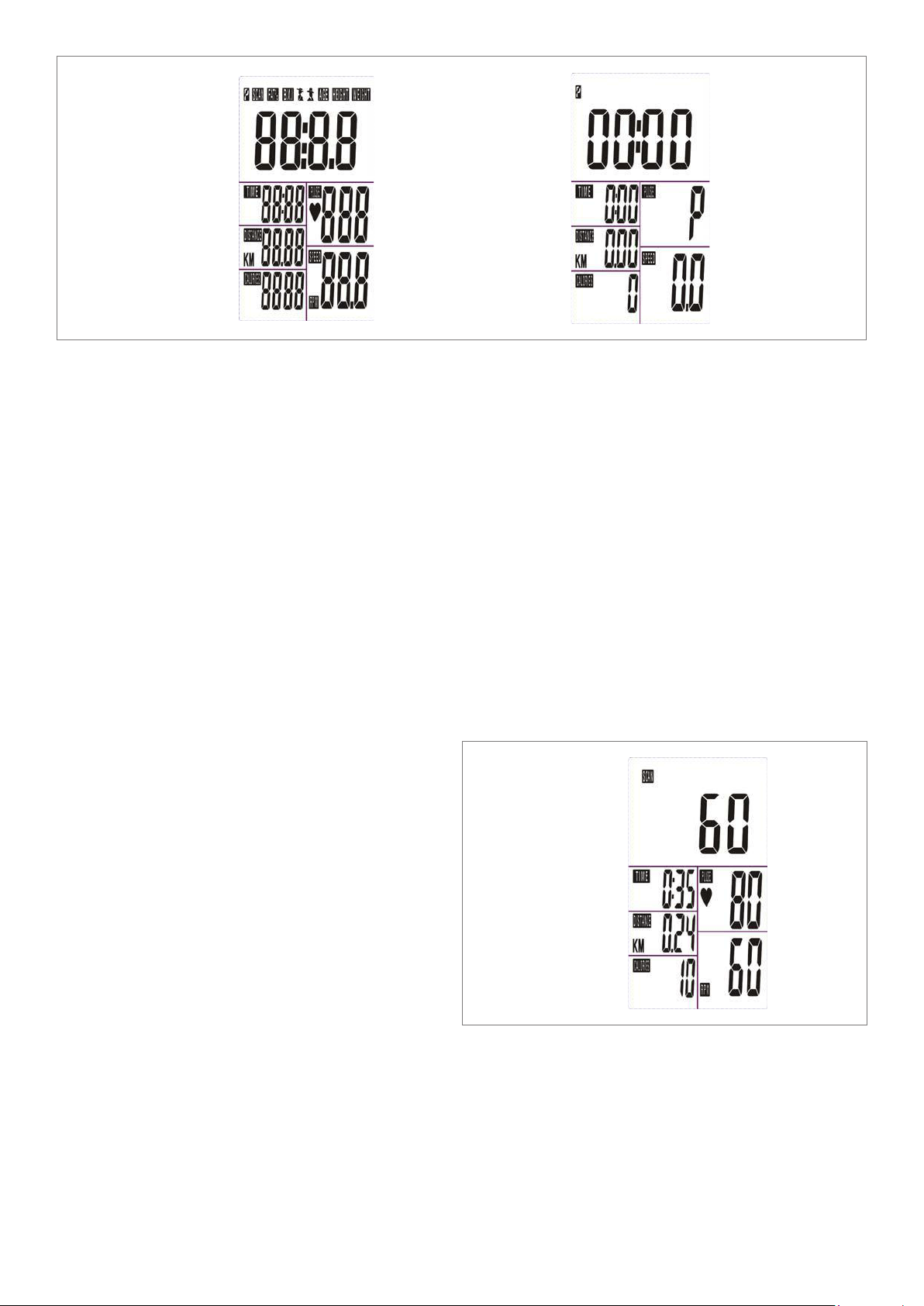
1. Installs 2 pieces of 1.5V #4 batteries, then the screen will display as following "Drawing A" and
have "Bi" sound at the same time.
After that, it goes to the next step to the main menu as "Drawing B".
COMPUTER OPERATION |
18
2. Get access to the set-up mode of TIME/DISTANCE/CALORIES/PULSE.
When you are in each set-up mode, for example in the time set-up mode: time value is blinking,
you can press "SET" button to adjust the value and press "MODE" for confirmation. The set-up of
DISTANCE, CALORIES & PULSE is the same as TIME.
3. With any signal been transmitted into the monitor, the value of TIME, DISTANCE, CALORIES start
to count up as Drawing C. When there is any function has been pre-set the target (TIME or
DISTANCE or CALORIES), the function will be counting down from the pre-set to zero while the
training starts.
Once the target is achieved to zero, the monitor start to beep for 8 seconds, and the function will
be counting up from zero directly if the training is going. Press "MODE" button for confirmation
and skip to next set-up.
Drawing A Drawing B
Drawing C
4. In SCAN mode shown as "Drawing C". RPM/
SPEED/TM/DIST/CAL/PULSE will skip to
display in every 6 seconds. The order is as
follows.
5. You can also press "MODE" button to select
single function display except RPM & SPEED
function. The RPM & SPEED function will
switch display.
| COMPUTER OPERATION
19
F1 OUTSTANDING
F2 EXCELLENT
F3 GOOD
F4 FAIR
F5 BELOW AVERAGE
F6 POOR
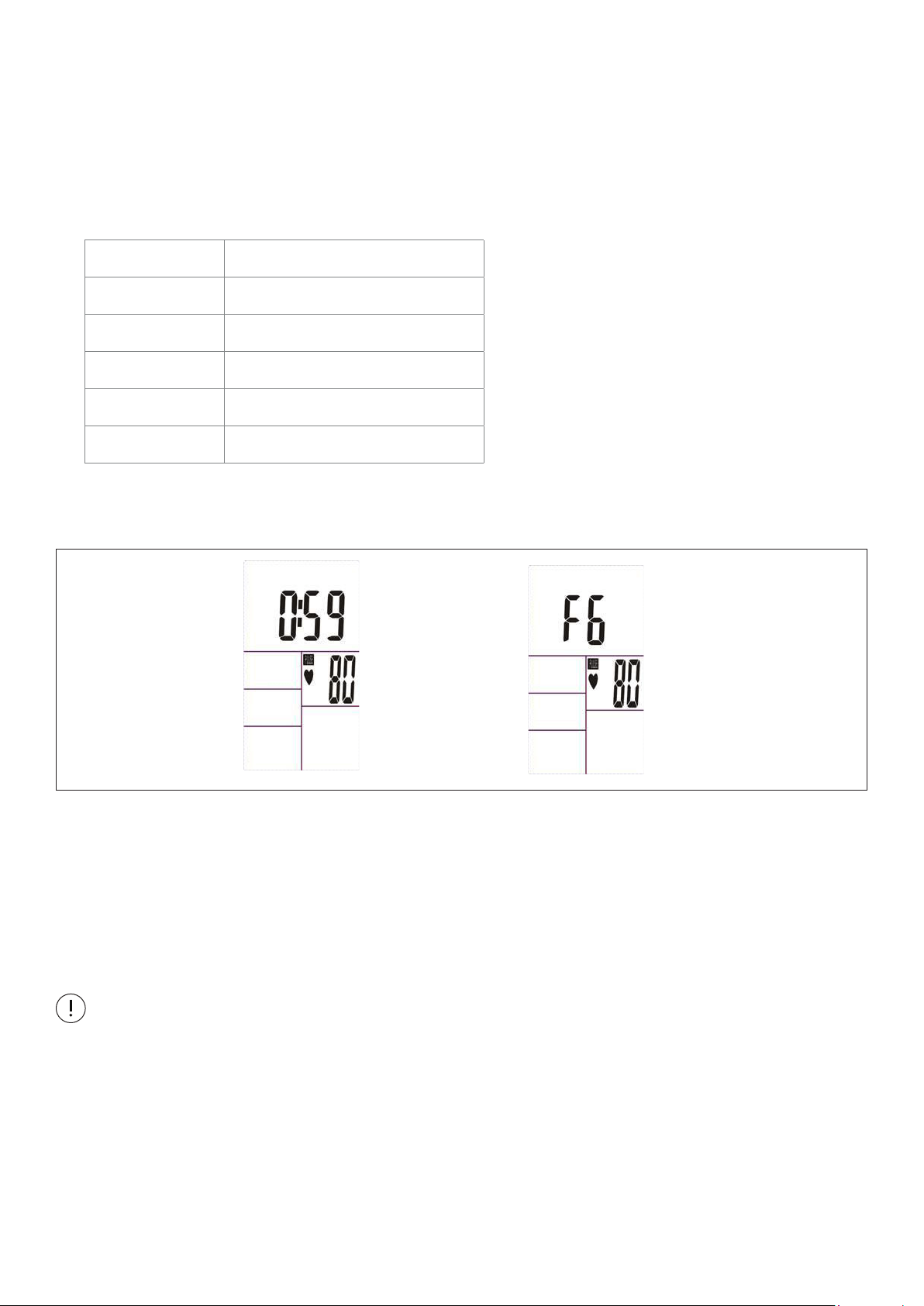
6. Recovery:
a. When the user presses "RECOVERY" button, the RECOVERY function is active. At this time only
PULSE and TIME is working, other functions will not be displayed, and the Sensor Input is
not available. TIME starts to count down from "0:60", Pulse signal will be blinking according
user’s heart rate BPM. When Time counts down to "0", it will show F1~F6.
(F1 is the best, F6 is the worst)
b. If the countdown action to 0:00 is not completed and there is no pulse signal, the countdown
action must be done and shown F6.
c. If you press the RECOVERY button prior to count down to 0:00, it will be end and return to the
main menu.
1. Stop training for 4 minutes, the computer will enter to Sleep mode.
You may press any button to have the computer restart working, the original value will retain.
(If re-install batteries, the original value will remove.)
2. If the computer displays abnormally, please re-install batteries and try again.
3. Battery Spec: 1.5V UM-4 or AAA (2PCS).
NOTE:
2. LCD display as follows: (RECOVERY start condition & end condition).
COMPUTER OPERATION |
20
VIII. EXERCISE GUIDE
PLEASE NOTE:
Before beginning any exercise program, consult your physician. This is important especially if you are
over the age of 45 or individuals with pre-existing health problems.
The pulse sensors are not medical devices. Various factors, including the user’s movement, may
affect the accuracy of heart rate readings. The pulse sensors are intended only as an exercise aid in
determining heart rate trends in general.
Exercising is great way to control your weight, improving your fitness and reduce the effect of aging and
stress. The key to success is to make exercise a regular and enjoyable part of your everyday life.
The condition of your heart and lungs and how efficient they are in delivering oxygen via your blood to
your muscles is an important factor to your fitness. Your muscles use this oxygen to provide enough
energy for daily activity. This is called aerobic activity. When you are fit, your heart will not have to work
so hard. It will pump a lot fewer times per minute, reducing the wear and tear of your heart.
So as you can see, the fitter you are, the healthier and greater you will feel.
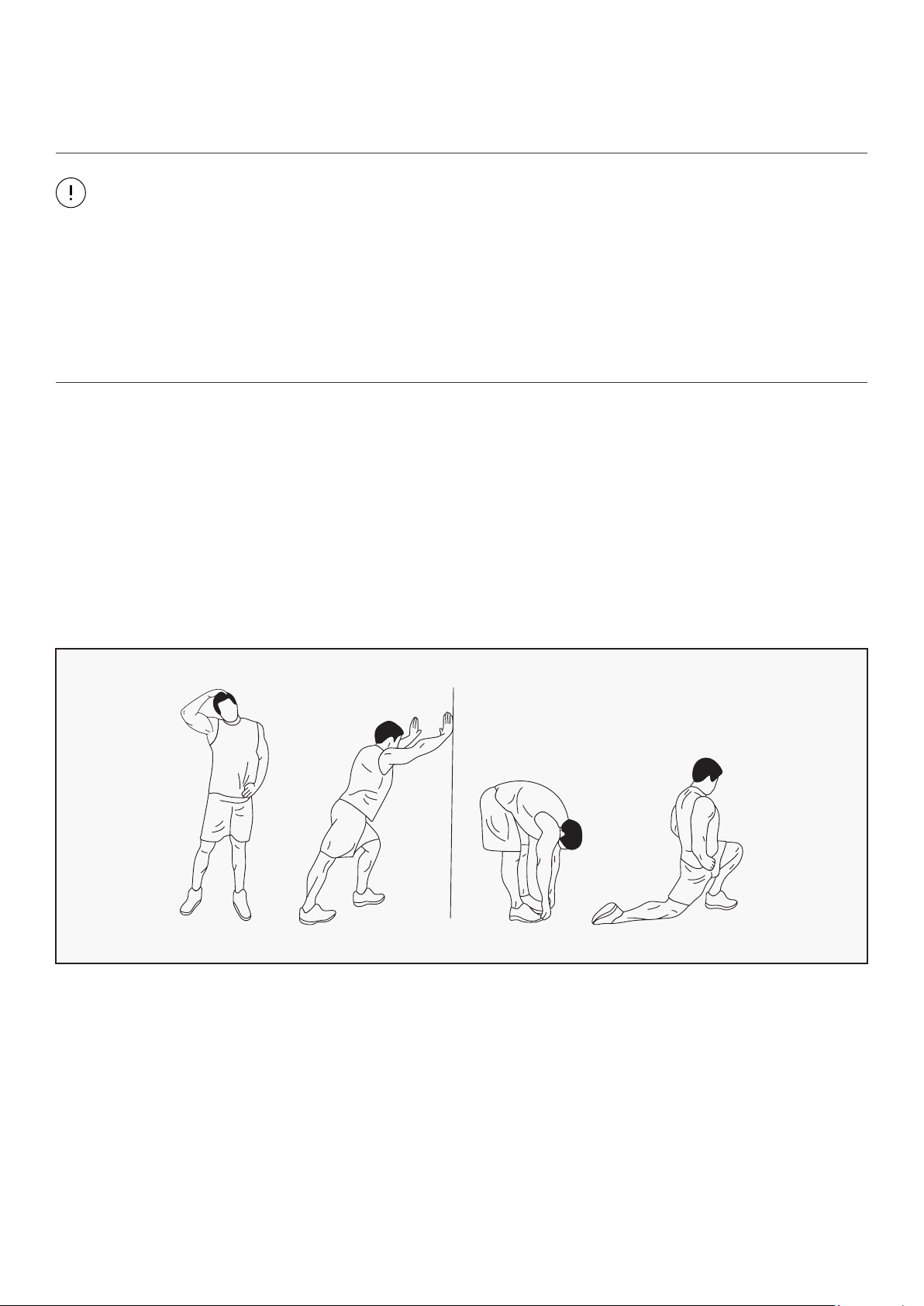
WARM UP
Start each workout with 5 to 10 minutes of stretching and some light exercises. A proper warm-up
increases your body temperature, heart rate and circulation in preparation for exercise. Ease into your
exercise.
After warming up, increase the intensity to your desired exercise program. Be sure to maintain your
intensity for maximum performance. Breathe regularly and deeply as you exercise.
| EXERCISE GUIDE
21
COOL DOWN
Finish each workout with a light jog or walk for at least 1 minute. Then complete 5 to 10 minutes of
stretching to cool down. This will increase the flexibility of your muscles and will help prevent post-
exercise problems.
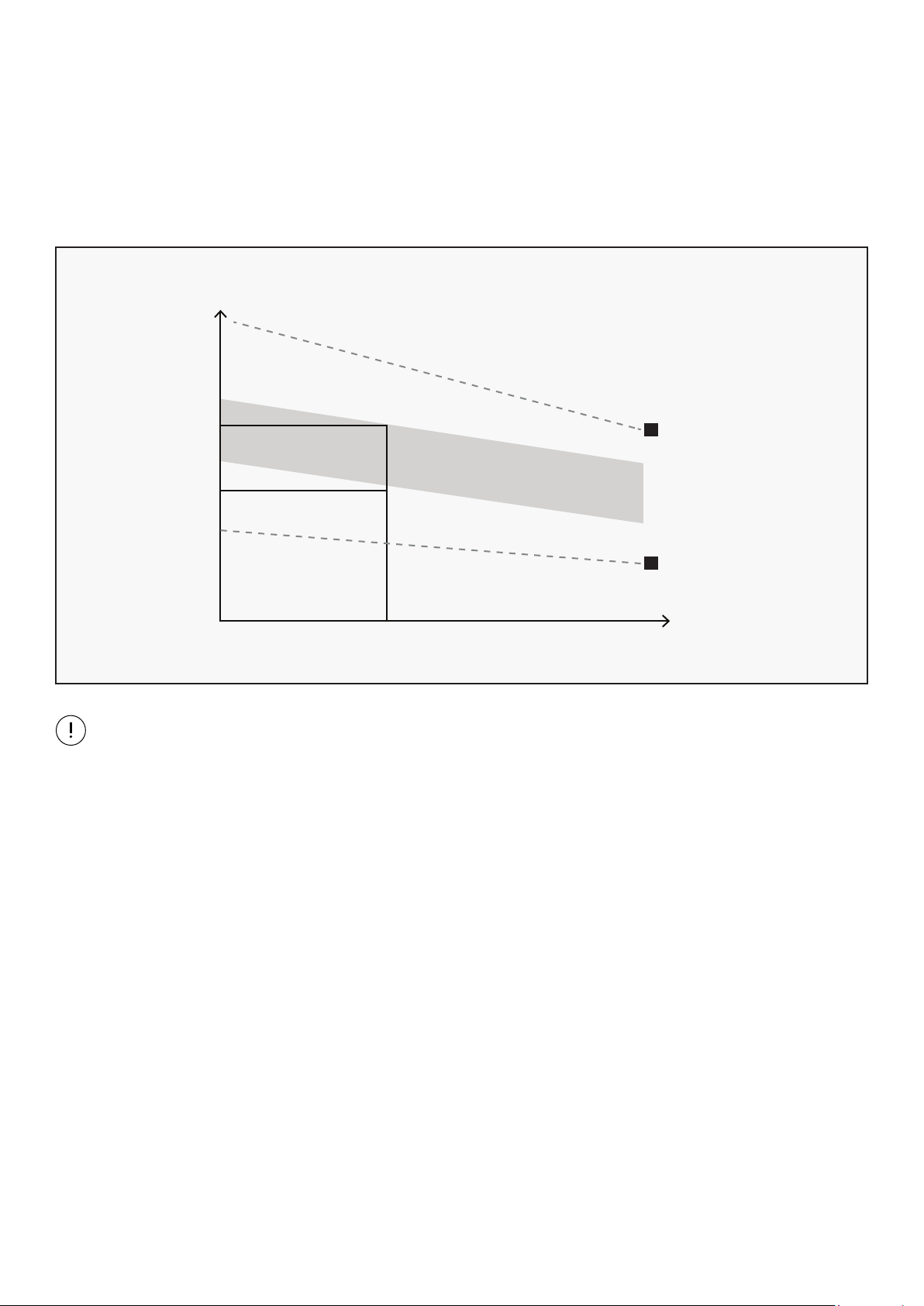
WORKOUT GUIDELINES
This is how your pulse should behave during general fitness exercise. Remember to warm up and
cool down for a few minutes.
TARGET ZONE
MAXIMUM
85%
70%
COOL DOWN
AGE
HEART RATE
200
180
160
140
120
100
80
20 25 30 35 40 45 50 55 60 65 70 75
EXERCISE GUIDE |

22
IX. WARRANTY
| WARRANTY
AUSTRALIAN CONSUMER LAW
Many of our products come with a guarantee or warranty from the manufacturer. In addition, they come
with guarantees that cannot be excluded under the Australian Consumer Law. You are entitled to a
replacement or refund for a major failure and compensation for any other reasonably foreseeable loss
or damage.
You are entitled to have the goods repaired or replaced if the goods fail to be of acceptable quality and
the failure does not amount to a major failure. Full details of your consumer rights may be found at
www.consumerlaw.gov.au.
Please visit our website to view our full warranty terms and conditions:
http://www.lifespanfitness.com.au/warranty-repairs
WARRANTY AND SUPPORT
Any claim against this warranty must be made through your original place of purchase.
Proof of purchase is required before a warranty claim may be processed.
If you have purchased this product from the Official Lifespan Fitness website, please visit
https://lifespanfitness.com.au/warranty-form
For support outside of warranty, if you wish to purchase replacement parts or request a repair or
service, please visit https://lifespanfitness.com.au/warranty-form and fill in our Repair/Service
Request Form or Parts Purchase Form.
Scan this QR code with your device to go to lifespanfitness.com.au/warranty-form

23
This product comes equipped with hand pulse sensors which are used to pick up tiny EKG/ECG signals
that run through the body when your heart beats. These electrical EKG/ECG signals are very small and
that they must be amplified 1000 times to make the signal useful for the computer to display your
pulse.
To ensure proper operation:
• The user must maintain good, consistent contact on all four sensors.
• The users skin cannot be too dry or too wet.
Other factors that could affect the reading:
• Change of grip on the sensors (during slow pace walking and up to running).
• Tightening of hand muscles will produce small electrical signals.
• Static electricity charges from the air or from walking on the treadmill.
EKG/ECG Sensors may filter through actual EKG/ECG signals and "Noise" factors that may affect the
reading. This will cause the pulse reading to be delayed and will take longer to update the display as the
heart rate changes. Too much noise will create an incorrect reading. Medical conditions or having no
electrical signal in the hands are other factors that may affect pulse readings as well.
These are limitations of hand pulse technology and even the most expensive systems (which can
cost upwards of $3,000) used in hospitals have the same problems. The difference is that a patient
in a hospital is not running on a treadmill. Hand pulse technology works well on stationary exercise
machines like bikes and even elliptical cross trainers but are not perfect on a treadmill. We offer
treadmills with a wireless heart rate receiver which may be a more accurate option.
To test if your hand pulse sensors are working up to specification, hold them while standing on the
sidestep rails, not walking, and see if the reading is more in line with what you would expect. This will
eliminate the movement and static electricity factors. If your hands are dry, then wet them slightly
(saliva works as a great conductor if this doesn’t bother you).
X. HAND PULSE TECHNOLOGY
HAND PULSE TECHNOLOGY |

WWW.LIFESPANFITNESS.COM.AU