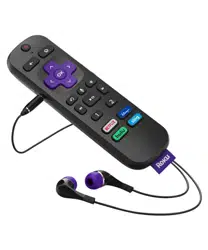
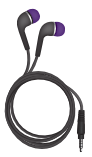
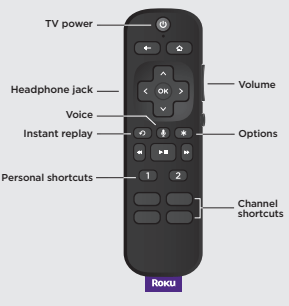
To use private listening, simply plug headphones into your remote. Your TV will mute automatically.
TV controls
Use these buttons to power up your TV, adjust the volume, mute, and control your streaming with one remote.
Personal shortcuts
To set: Give a command using the voice button. Then, press and hold a personal shortcut button until you hear a tone.
To use: Press the personal shortcut button once.
What’s included
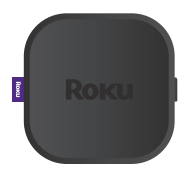
Roku Ultra
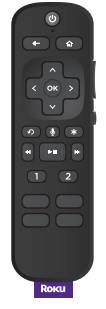
Remote
Headphones for private listening
Two AA Duracell® batteries
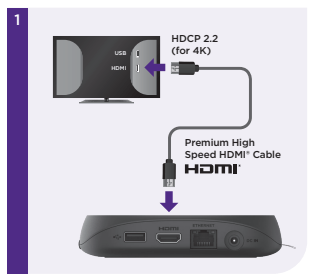
Premium High Speed HDMI® Cable
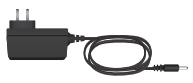
Power adaptor
Details
Remote
Back
Let’s get started
STEP 1: Connect to TV
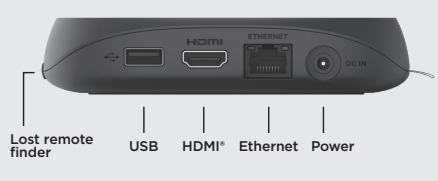
Connect your streaming player to an HDMI port on the back of your TV with the included cable. For 4K streaming, you’ll need to use an HDMI port that supports HDCP 2.2.
TIP:
For help setting up your device, visit go.roku.com/ultra
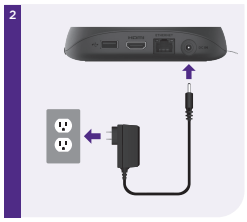
STEP 2: Connect to power
Use the included power adaptor to connect your streaming player to a wall outlet.
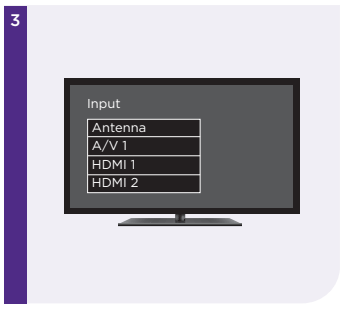
STEP 3: Select input
Use your TV remote to power on your TV and select the input (source) you used to connect your streaming player.
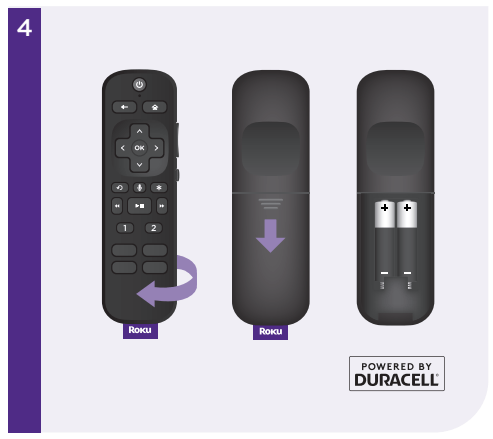
STEP 4: Insert batteries
Slide open the cover on the back of your remote and insert the included Duracell® batteries. Your remote will pair automatically.
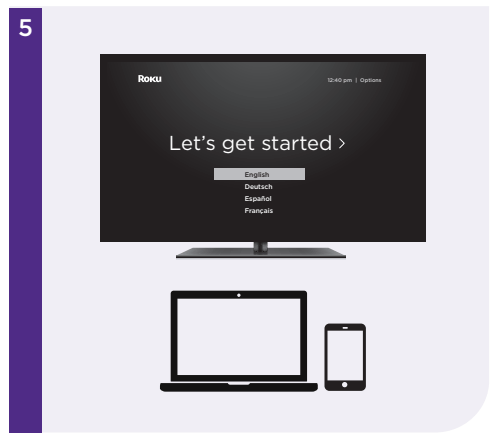
STEP 5: Follow the on-screen setup
Follow the instructions on your TV screen. Activate your streaming player by using your computer or smartphone to link a Roku account.
IMPORTANT:
Roku does not charge for activation support – beware of scams.