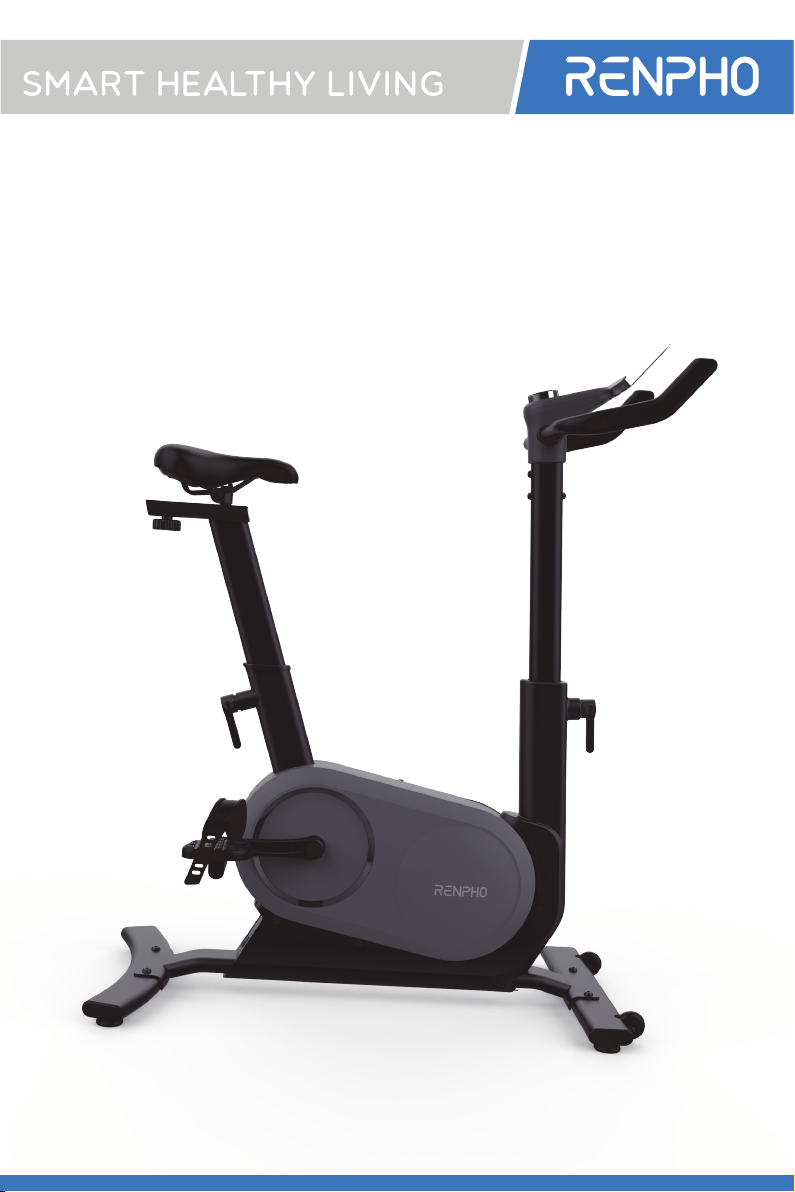
AI-POWERED
EXERCISE BIKE
USER MANUAL
Please read this manual carefully before
using the bike and keep it for future reference.

THANK YOU FOR CHOOSING

immediately and consult a physician.
7. Only one person should use the equipment at a time.
WARNINGS

ings and precautions.
and pets.
the bike.
and damage on a regular basis.
DANGER:
use or before cleaning.
IMPORTANT SAFETY INSTRUCTION

3. Handlebar
7. Pedal
8. Crank
PRODUCT INTRODUCTION
1
2
5
6
7
8
11
15
16
18
3
4
9
10
12
13
14
17

User Manual x 1
5mm Allen
wrench x 1
6mm Allen
wrench x 1
15mm Open-end
wrench x 1
M10 screws x 4 Bike stabilizer x2 Pad holder x 1
Pedals x 2
M6 screws x 4Power adapter x 1
ACCESSORIES
PRODUCT SPECIFICATION
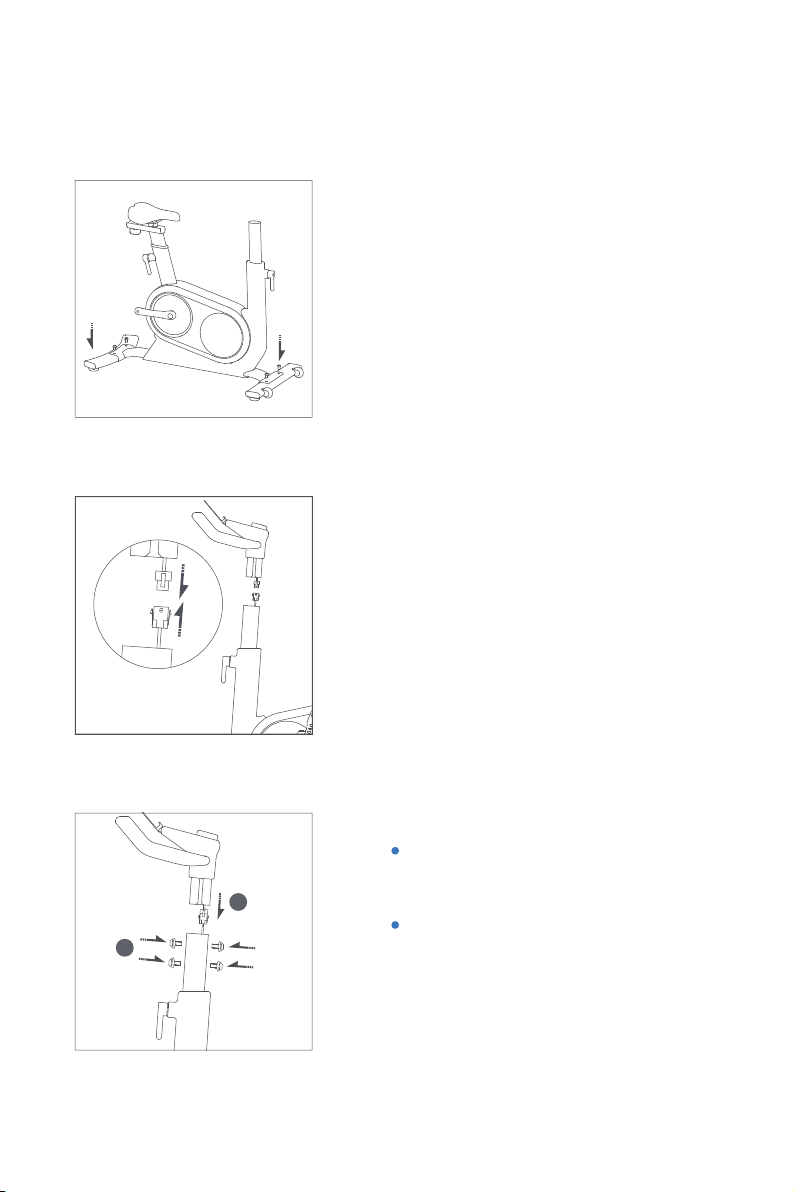
1. Install bike stabilizers
Place the front and rear
SETTING UP YOUR BIKE
2. Connect the tube
Connect the tube inside the
handlebar to the one inside
the console post. Pay atten
1
2
3. Mount the handlebar
the console post.
Attention: Make sure to place
the post.
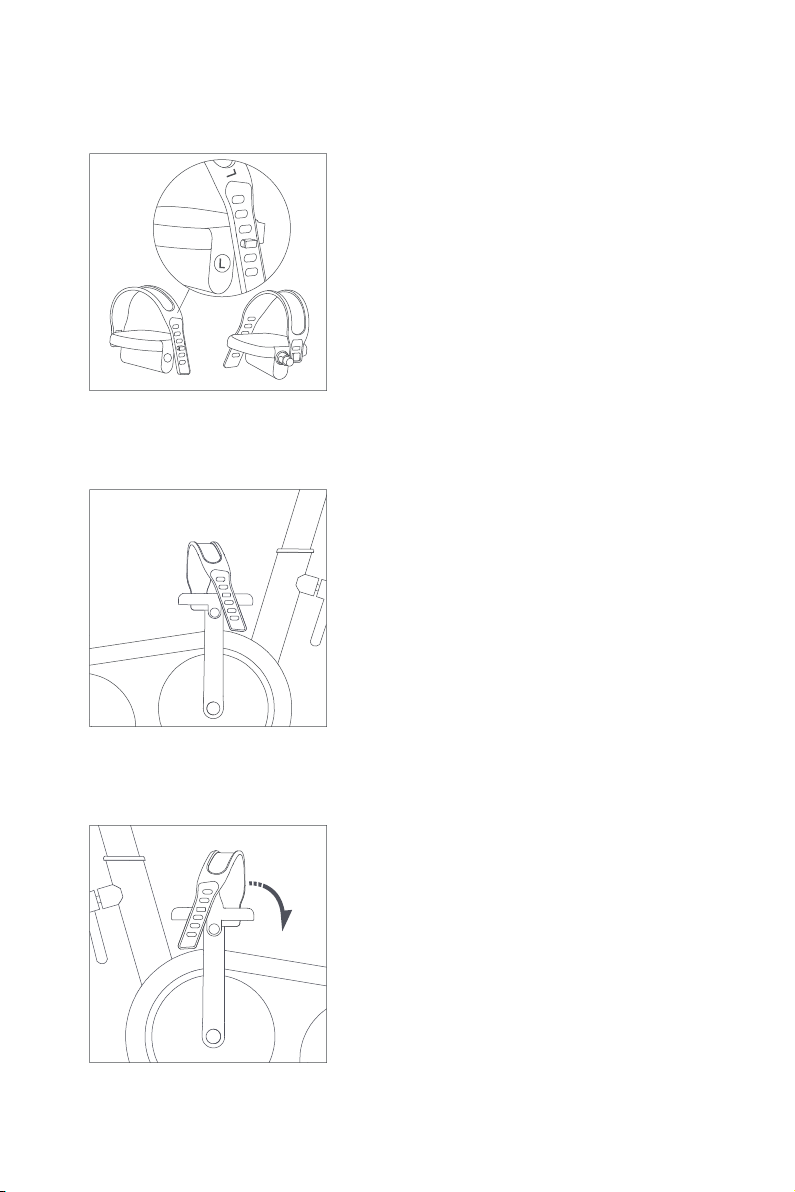
INSTALL THE PEDALS
Install the pedal straps
L
L
L
L
R
R
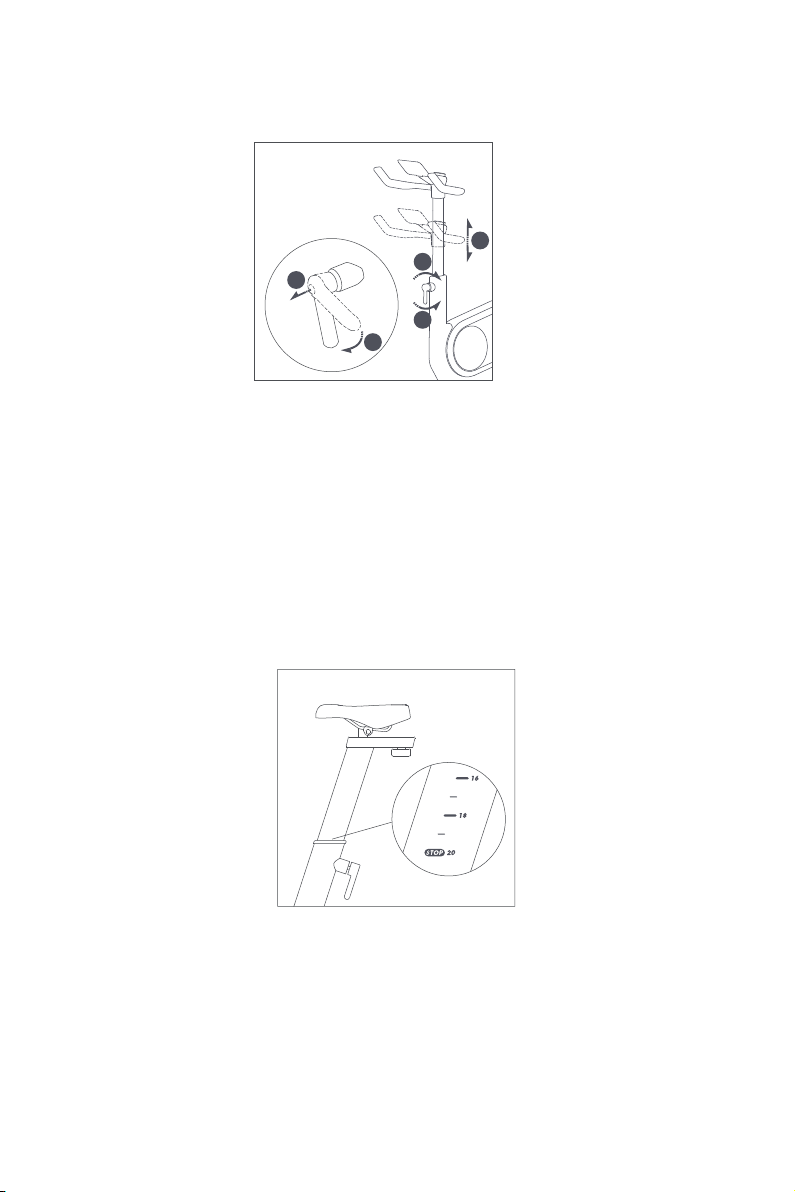
HANDLEBAR HEIGHT ADJUSTMENT
the console post.
1
3
2
4
5
SEAT HEIGHT ADJUSTMENT
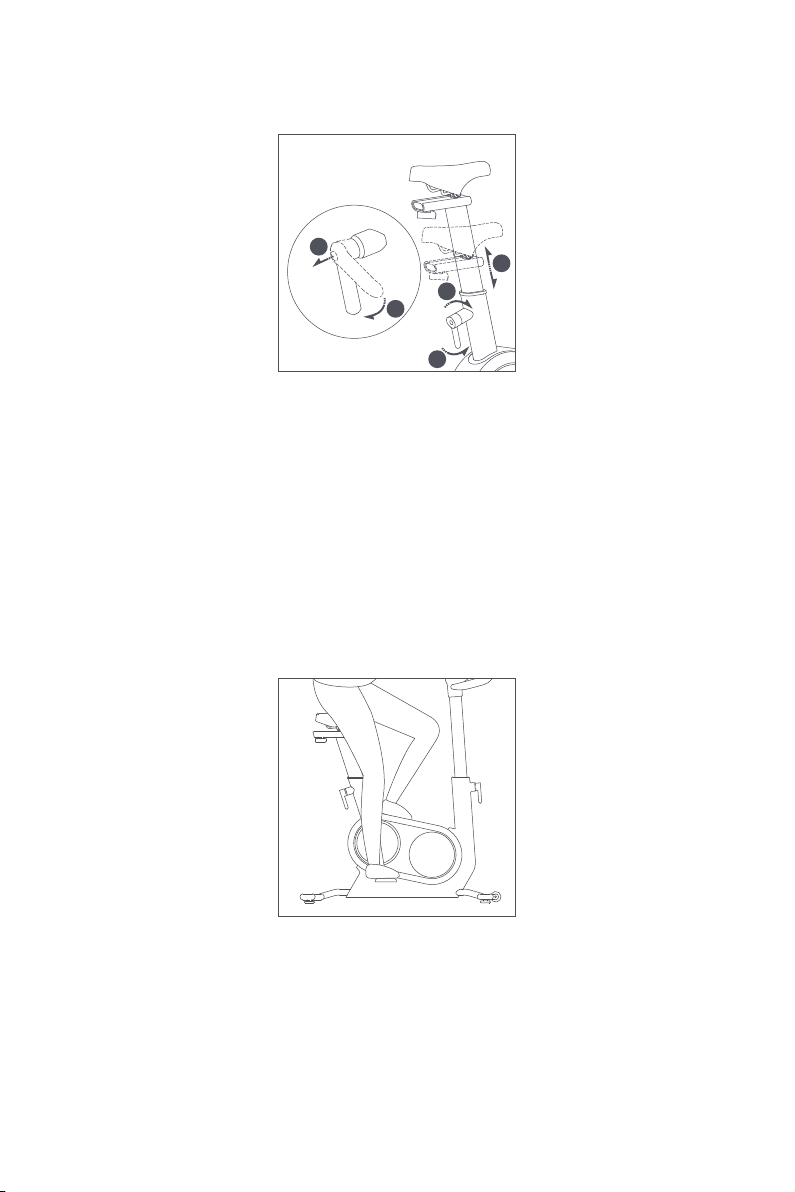
SEAT HEIGHT ADJUSTMENT
Height adjustment
seat post.
Caution:
Set the seat height
Sit on the saddle and place your heel on the pedal. Make sure
your knee.
1
3
2
4
5

SEAT DEPTH ADJUSTMENT
Seat depth adjustment
Stabilize your bike
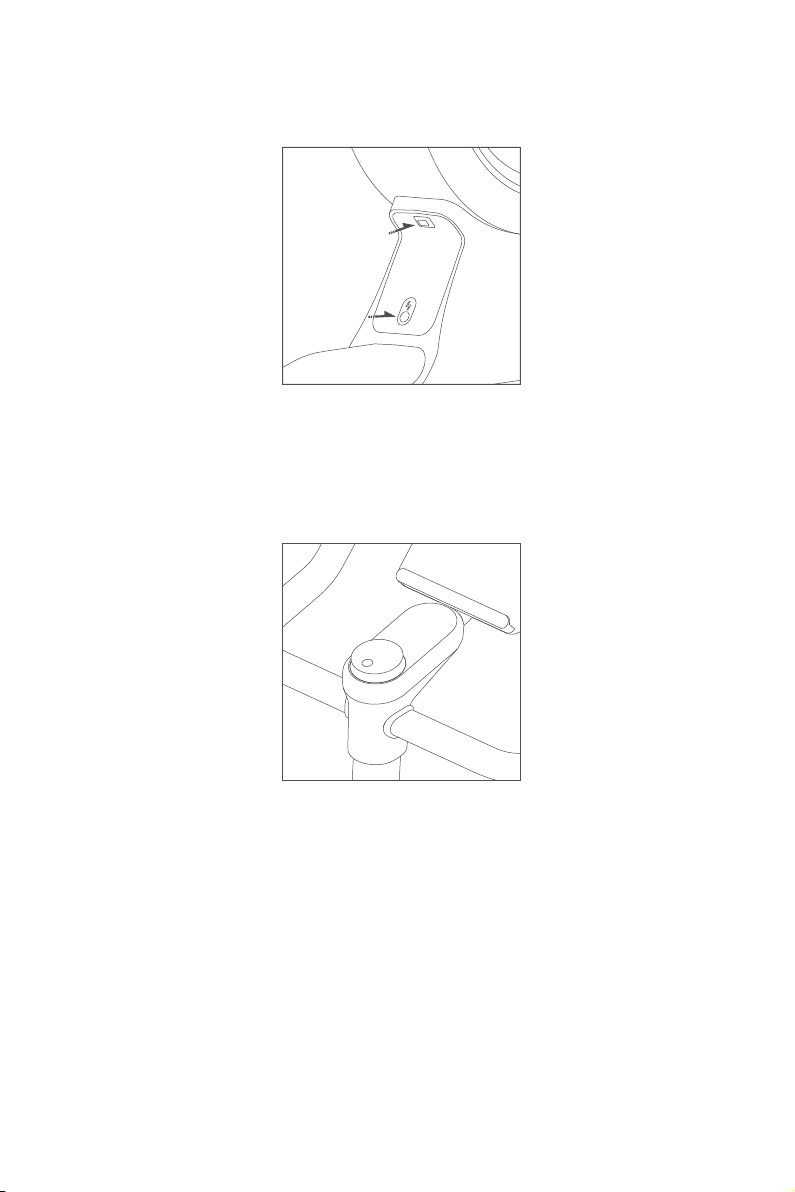
FUNCTIONS
Console
ing the knob.
Units:
Power Switch
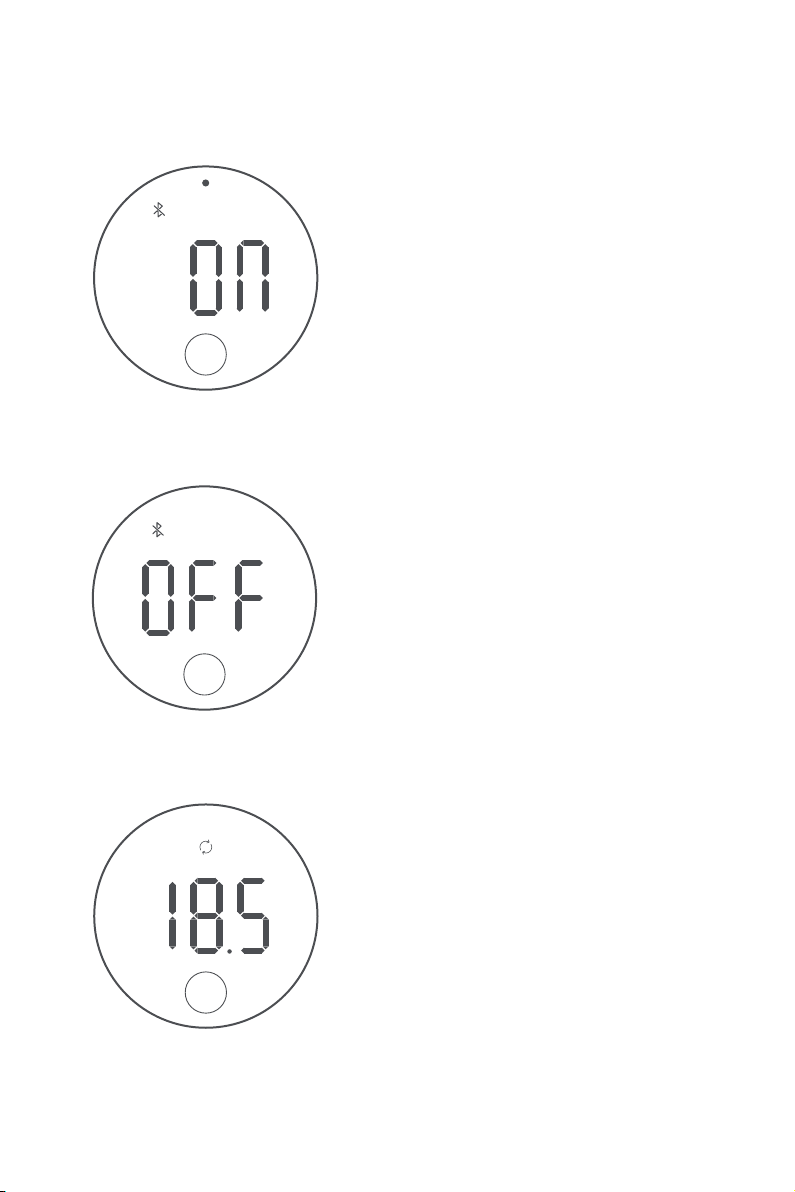
Bluetooth ON
search your bike to con
console stays on.
HOW TO USE THE CONSOLE
Bluetooth OFF
Touch the bottom middle
area of the console to enter
reconnect your bike in the
App.
Rotate the metal frame to
adjust resistance
Rotate the metal frame to
N·m
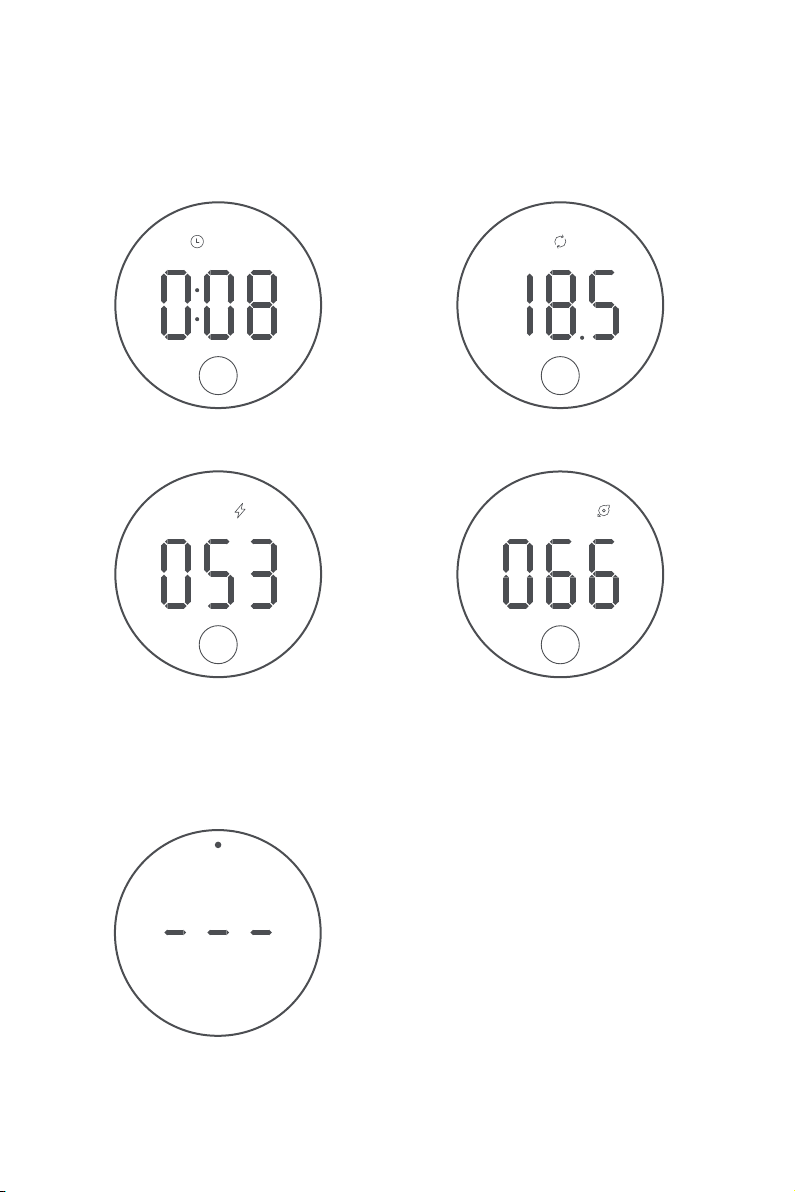
DATA DISPLAY AND SWITCH
Press the knob to control
Press and hold the knob to end
ing lines keep displayed).
Resistance(Gear)
N·m
Duration
Cadence
r/min
w
Each slight touch at the bottom middle area of the console
AI GYM APP INTRODUCTION
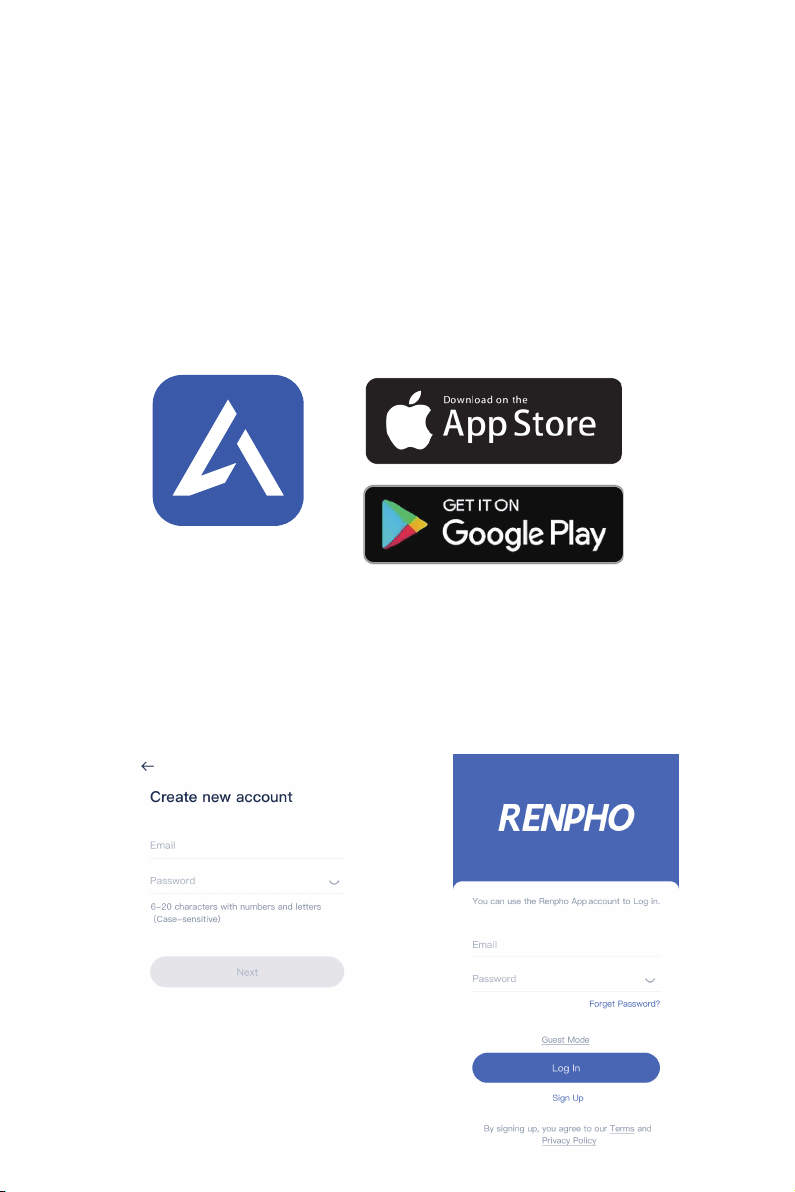
About the App
.
Play.
log in.
AI Gym
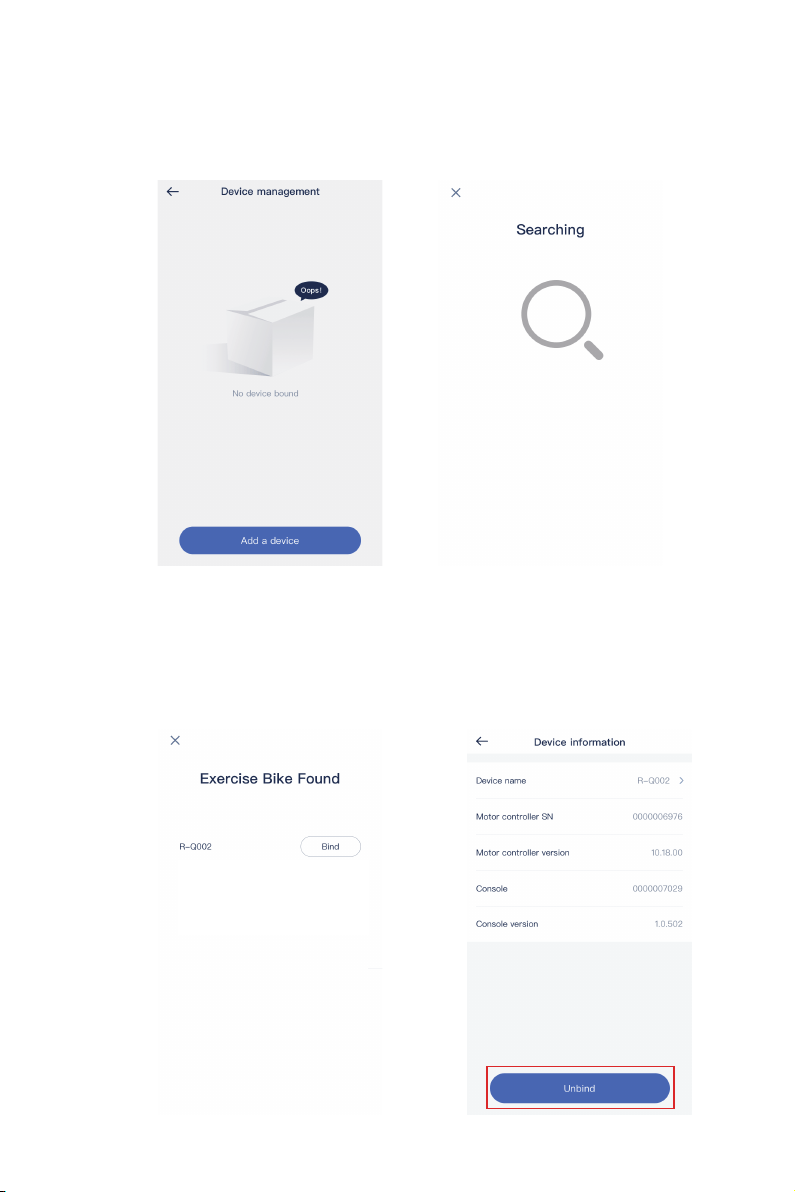
to complete.
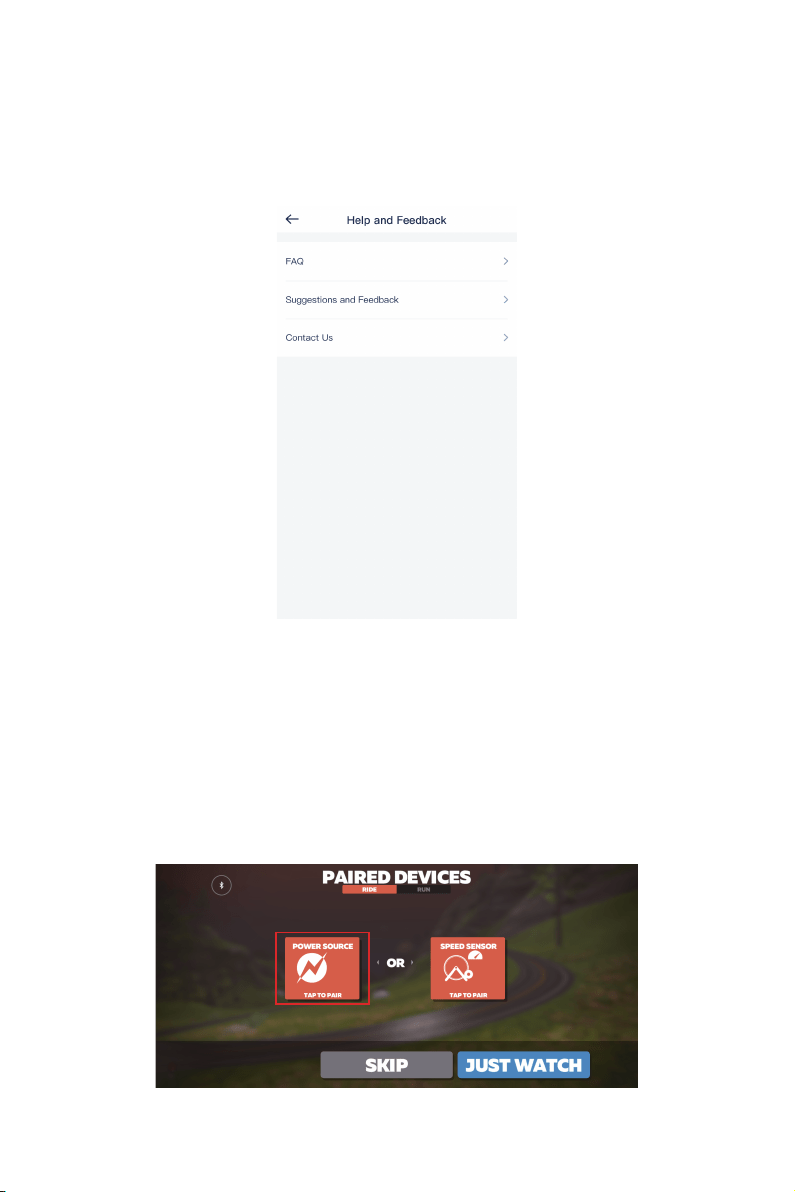
hotline.
ZWIFT APP INTRODUCTION
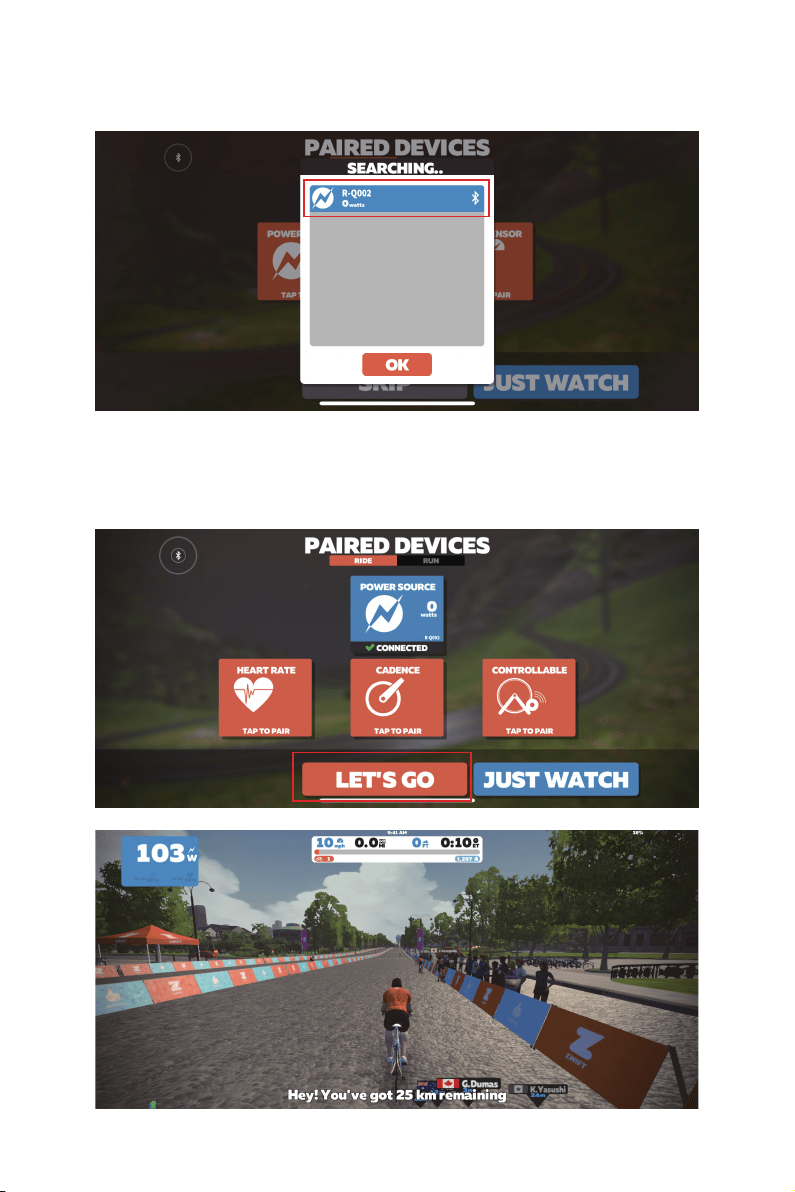

DECLARATION
DAILY STORAGE AND MAINTENANCE
loose. Inspect the cranks and pedals regularly. Tighten them if

TROUBLESHOOTING
Noise while
pedaling
Solution
mount the pedals back. Consult the
axis.
2. Rotate the cranks. Tighten the crank
Unstable bike seat
Adjust the seat to your proper height; use a
sides under the seat saddle.
Unstable bike
-
Wobbly
handlebars
1. Use a 5mm socket head wrench to
bars.
Problem
No display on
console
1. Re-connect the power adapter.
2. Make sure the power adapter is properly
connected to the bike.
“-”position.
Failure with APP
connection
re-connect.
Failure with
Bluetooth
connection
then re-connect.

WARRANTY (1-YEAR PERIOD)
stances but not limited to:
causes.
CUSTOMER SERVICE
Monday-Friday: 9:00-16:30 PST

FCC Statement
FCC Statement NOTE: This equipment has been tested and found to
comply with the limits for a Class B digital device, pursuant to Part 15 of
the FCC Rules. These limits are designed to provide reasonable protec-
tion against harmful interference in a residential installation. This equip-
ment generates, uses, and can radiate radio frequency energy and, if not
installed and used in accordance with the instructions, may cause
harmful interference to radio communications. However, there is no
guarantee that interference will not occur in a particular installation. If this
equipment does cause harmful interference to radio or television recep-
tion, which can be determined by turning the equipment off and on, the
user is encouraged to try to correct the interference by one or more of the
following measures:
• Reorient or relocate the receiving antenna.
• Increase the separation between the equipment and receiver.
• Connect the equipment into an outlet on a circuit different from that to
which the receiver is connected.
• Consult the dealer or an experienced radio/TV technician for help with
the supplied fastener. DO NOT hang the unit by the power cord.
1. This device complies with Part 15 of the FCC Rules. Operation is
subject to the following
two conditions:
(1) This device may not cause harmful interference.
(2) This device must accept any interference received, including
interference that may cause undesired operation.

Shenzhen Runfeng Digital Technology Co., LTD
Chuanghui Building, Intersection of Banxuegang
Boulevard and Yongxiang Road, Bantian Subdistrict,
Longgang District, Shenzhen
JOICOM CORPORATION
165 E. Freedom Ave., Anaheim,CA 92801
NA2