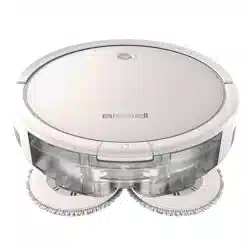
Owner's Guide Vacuum Cleaner
Product Overview
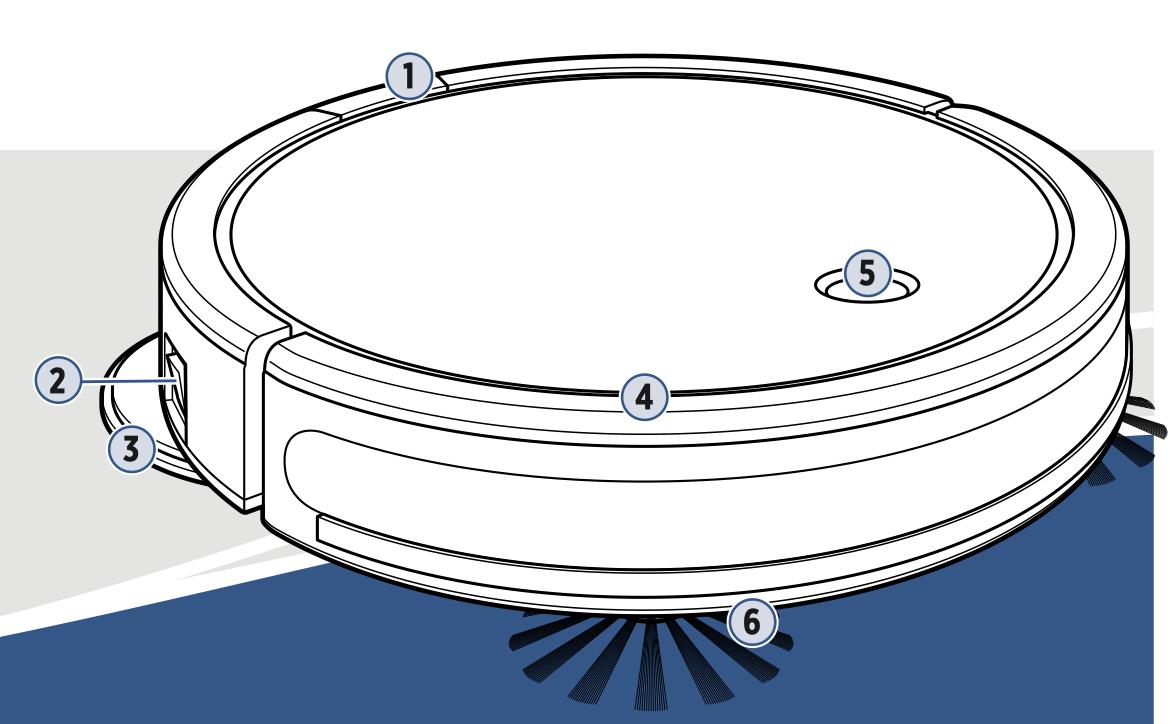
- Tank Release Button
- Power Switch
- Mop Pads
- Bumper
- Start/Pause Button
- Edge Cleaning Brushes
What’s in the Box?
Standard accessories may vary by model.
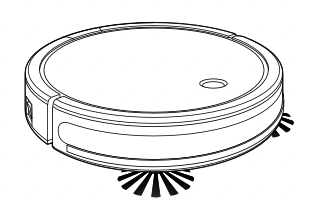
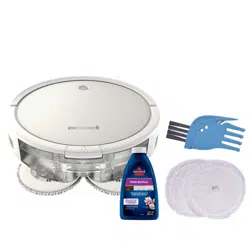
BISSELL® SpinWave® Robot with Dirt Bin

Mop Tank with Mop Pads
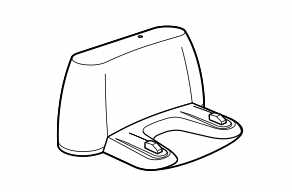
Docking Station
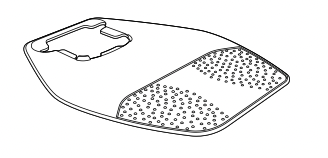
Docking Tray

Power Adapter
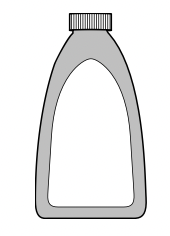
Trial-Size Formula
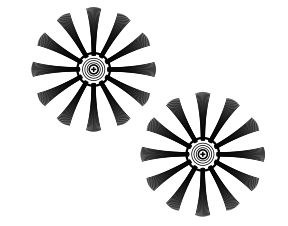
Edge Cleaning Brushes (select models)
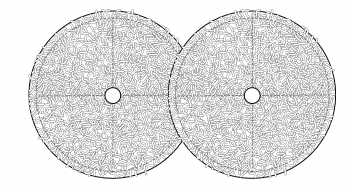
(2) Extra Mop Pads
Docking and Charging Your Robot
Note: The Docking Station & Docking Tray must be installed on a hard surface. The robot’s soft surface sensors prevent it from cleaning carpets and area rugs in mop mode.
Be sure the device is near your WiFi router and the robot is fully charged or in the dock during the pairing process.
- Place the back of Docking Tray firmly against a wall. Ensure there are at least 40 inches to one side, 40 inches to the opposing side and no obstructions in the front. Tip the Docking Station into the Docking Tray.
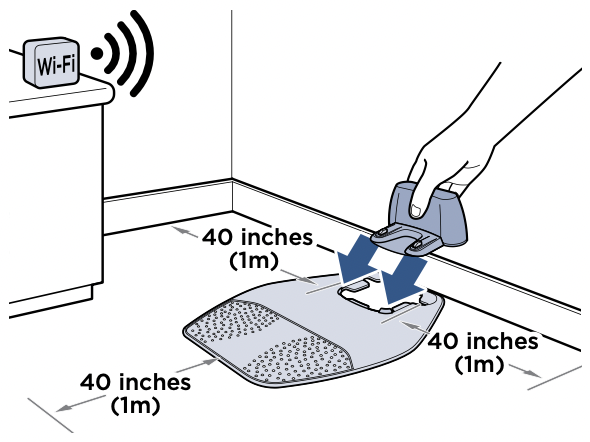
- Insert the Docking Station Power Adapter plug into the port on the side of the Docking Station. Plug the other end into the wall outlet.

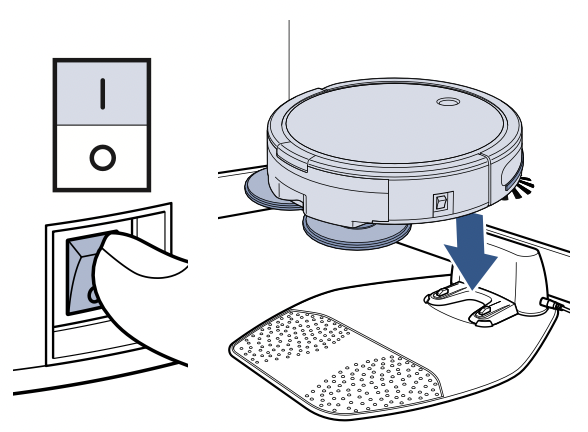
- Turn the robot ON and put it on the Docking Station. The first charge will take 4-5 hours.

Connecting to the App
Downloading the BISSELL Connect App means you can change your robot’s cleaning mode, start, pause, or stop your robot, schedule cleanings, view notifications, track your cleaning history, and troubleshoot all from the palm of your hand.
- In the App or Google Play Store search “BISSELL Connect” and download.
Once downloaded, open the app and sign in or create a new login.

- Make sure you’re near your WiFi router before turning the robot ON (I).

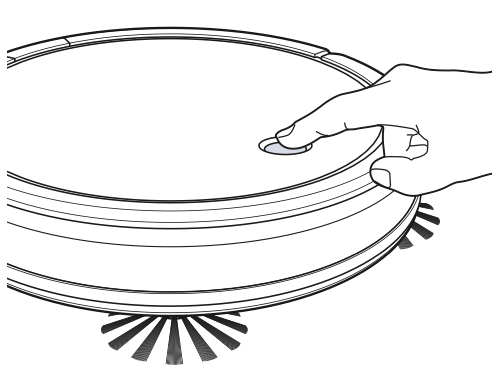
- To put the robot in pairing mode, press and hold the Start/Pause Button for 5 seconds until you hear a single beep.
- From the app, select “Have a BISSELL Connected Product? Connect it now.” Then choose your product from the menu.

- Remove the Dirt Bin and turn the robot over to access the setup QR code.
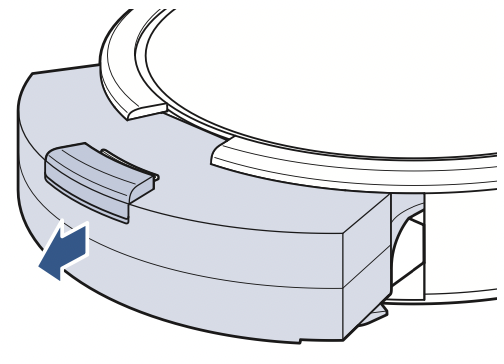
- Scan the QR code, follow the instructions in the app to pair.

Automatic Cleaning
You can designate a day and time for your robot to run automatically using the BISSELL Connect App. Once the robot is connected to the app, go to the Schedule tab and follow the on-screen prompts.
Mop Mode
Choosing Your Formula
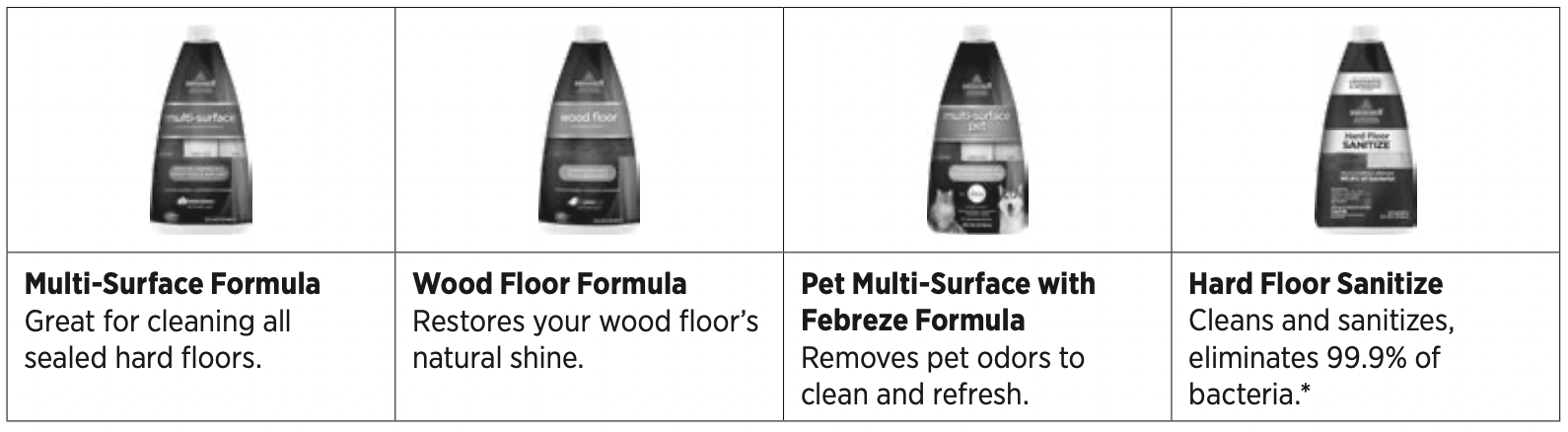
Keep plenty of BISSELL® formulas on hand so you can clean whenever it fits your schedule. Always use genuine BISSELL formulas in your machine. Other formulas may harm the machine and void the warranty. Do not use Hard Floor Sanitize Formula on area rugs or carpet.
Filling Your Mop Tank
In Mop Mode, your BISSELL® SpinWave® Robot will clean using dual rear rotating mop pads combined with a BISSELL formula to clean your home’s hard floors. While mopping, your SpinWave Robot will also sweep and collect a limited amount of dry debris for a complete cleaning experience.
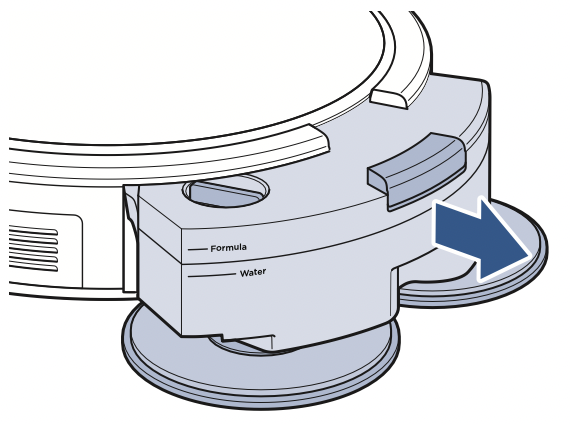
- Turn the Power Switch OFF. Press the button on top of the tank and pull to remove.
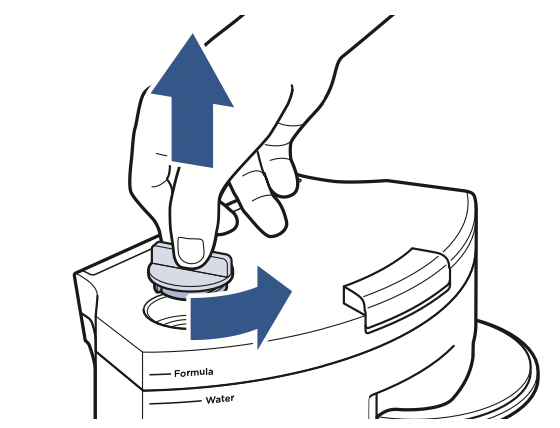
- Twist to unlock the tank cap and pull up to remove.
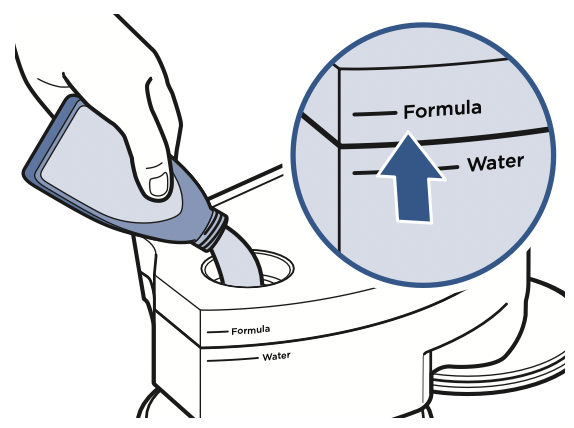
- Fill the tank with water to the “Water” fill line.
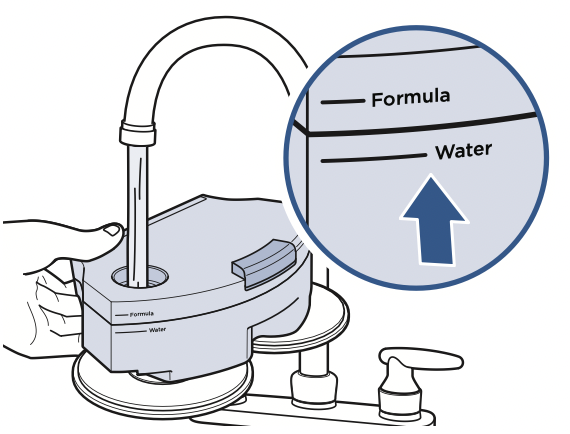
- Fill with a BISSELL formula to the “Formula” fill line.
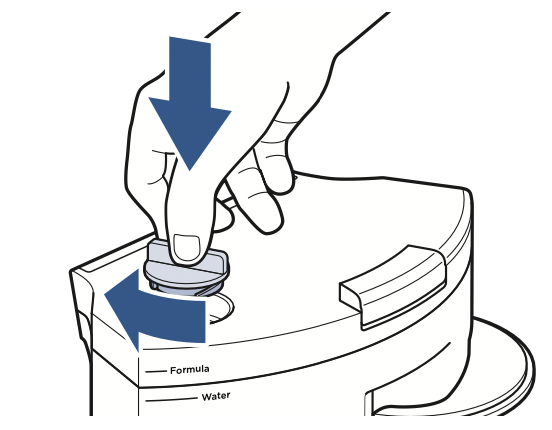
- Twist the Mop Tank cap back into place.
- Reinstall the tank.
Note: Hold the tank level to avoid leaking.

WARNING: To reduce the risk of fire due to internal component damage use only BISSELL cleaning products intended for use with this appliance.
Sanitizing with Spot Mode
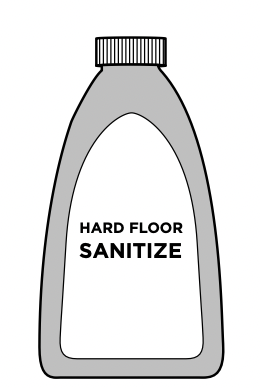
Spot mode can be used with BISSELL Hard Floor Sanitize Formula to sanitize floors after tough messes, like a pet accident. Spot mode also works to give certain areas extra cleaning attention when used with BISSELL Multi-Surface or Hard Floor Formulas. Access Spot mode in the BISSELL Connect App.
Note: You can sanitize 3 or 4 different areas around your home with a single tank.
- Add BISSELL Hard Floor Sanitize formula following the steps on page 5.
- Wipe up the mess with disposable towel.

- Place the robot in the center of the area you want to clean and select “Spot” mode in the BISSELL Connect App.
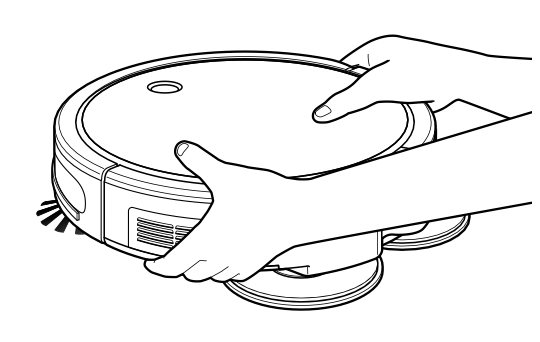
- The robot will clean in a spiral pattern, covering an area approximately 40” x 40” or 1m x 1m for approximately 5 minutes. The robot will beep to let you know it’s finished.

- Use caution when removing robot as the floor may be slippery. Allow to remain wet for 5 minutes.
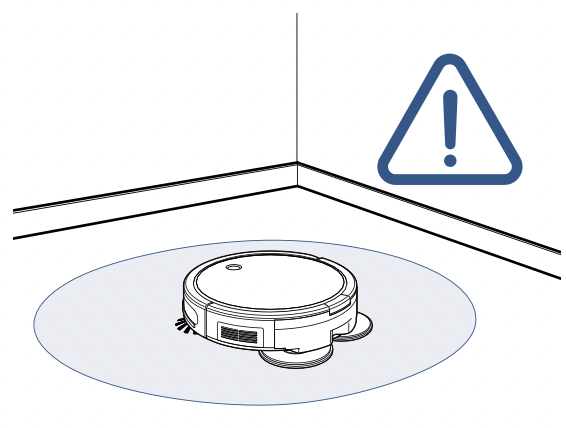
Manual Cleaning
- Turn the robot ON. Press the Start/Pause Button to start cleaning.
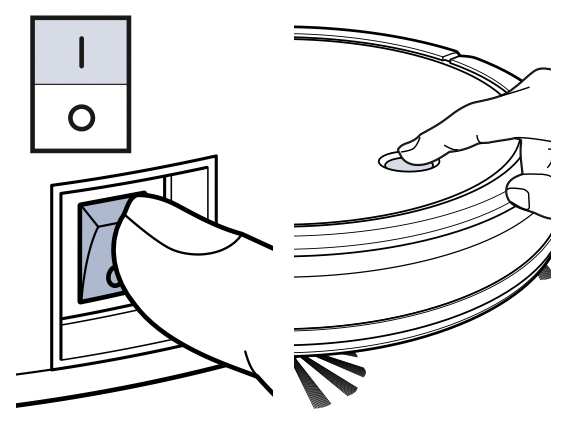
- The robot will clean hard surfaces and avoid most soft surfaces, such as area rugs and carpet.
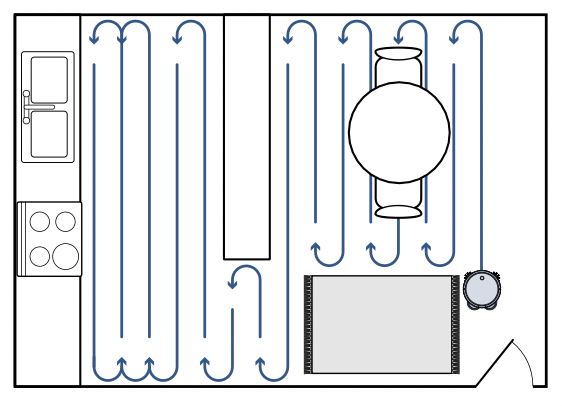
- Return the robot to the dock. Press the Start/Pause Button twice. The light ring will flash white as it finds its way back.
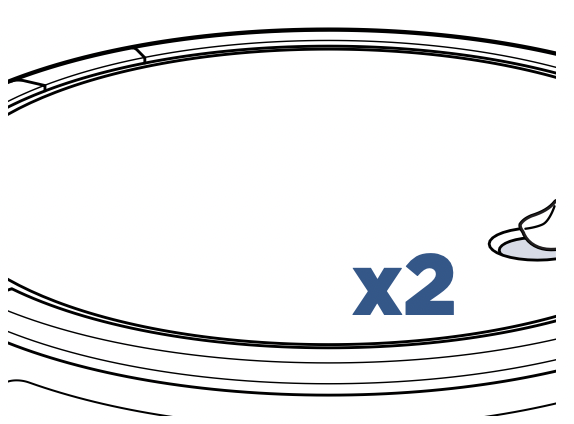
Note: The robot will stop if water is low. To resume cleaning, refill Mop Tank and push the Start/Pause Button.
Maintaining the Mop Pads and Debris Trap
- Turn the Power Switch OFF. Press the button on top of the Mop Tank and pull to remove. Place tank upside down on a soft surface.
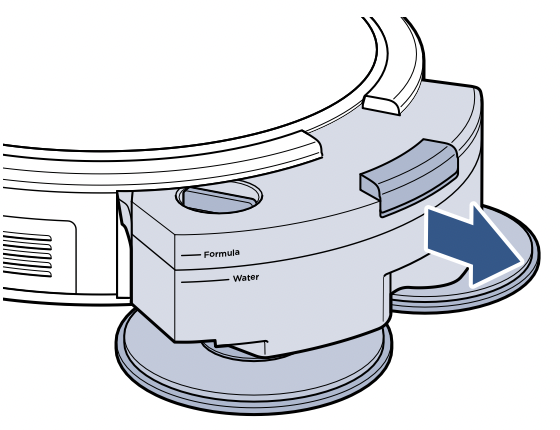
- Firmly pull up on the Mop Pads to remove from Mop Pad Drivers. Replace Mop Pads if damaged.

- Machine wash separately in warm water. Use only liquid detergents. Do not use bleach or fabric softener. Tumble dry on low. Do not iron or dry clean.
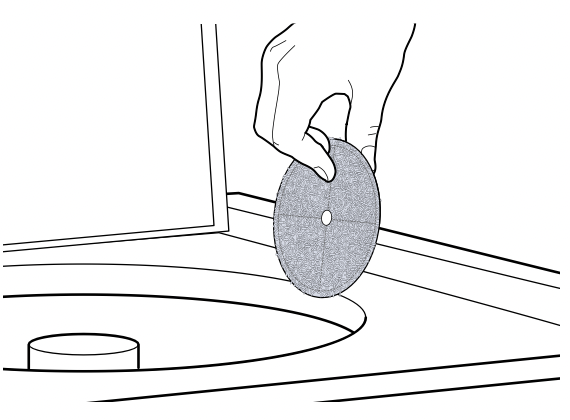
- To reattach, use the middle hole on the pads to align with the driver.
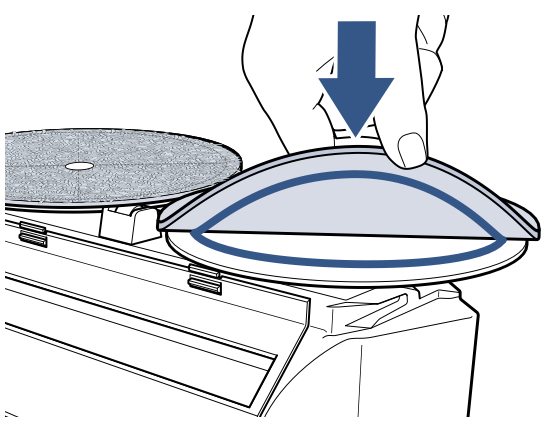
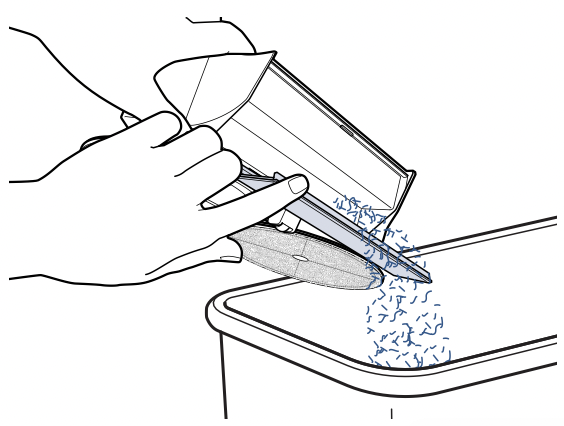
- While in mopping mode, your SpinWave® Robot can sweep up a limited amount of dry debris, so be sure to empty the trap after each clean.

- Pull down to open dry debris trap door and empty debris.
Dry Vacuum Mode
Manual Cleaning
In Dry Vacuum Mode, your BISSELL SpinWave Robot will clean using a combination of dual edge cleaning brushes, a rotating brush roll and powerful suction to clean multiple floor types in your home.
- Turn the robot ON. Press the Start/Pause Button to start cleaning.
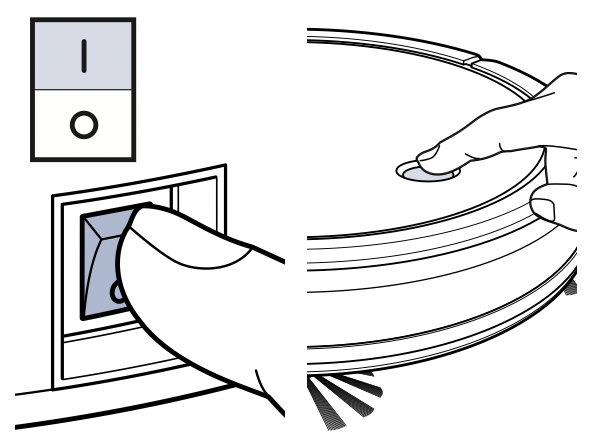
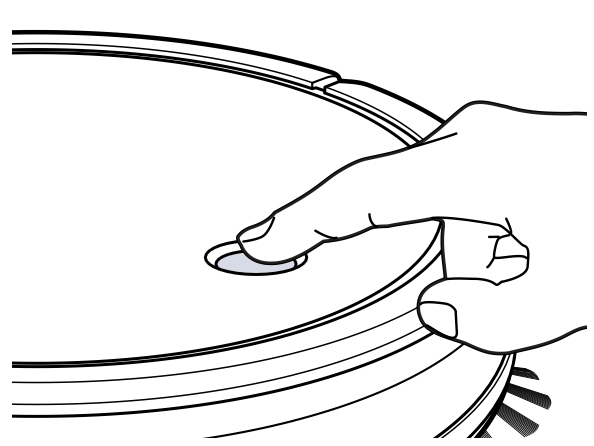
- When finished, press the Start/Pause Button again to stop the robot.
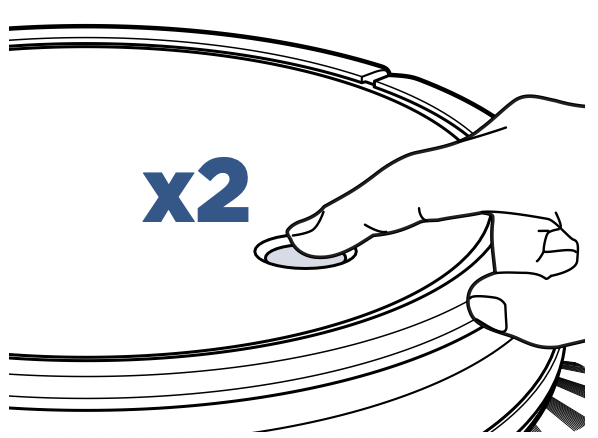
- Return the robot to the dock. Press the Start/Pause Button twice. The light ring will flash white as it finds its way back.
Maintaining the Dirt Bin
- Turn the Power Switch OFF. Press the button on top of the Dirt Bin and pull to remove.
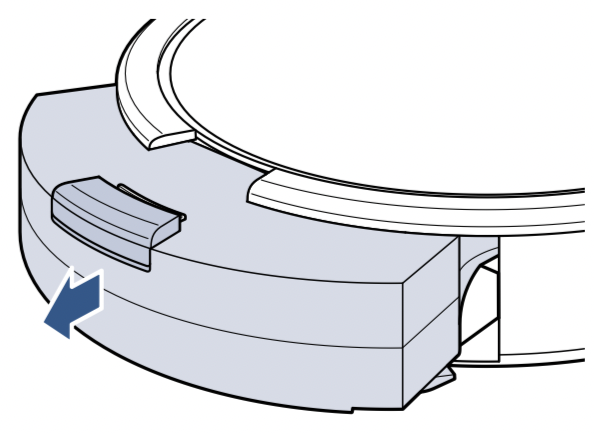
- Open filter door by pulling both sides apart. Empty the debris from the Dirt Bin.

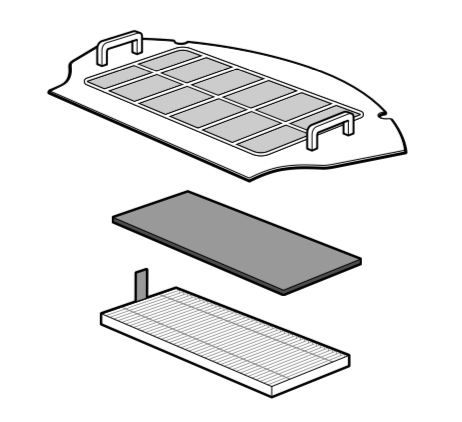
- Remove the filter cover, then the foam and pleated filters.
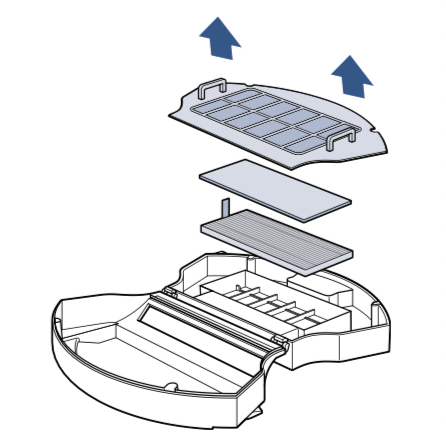
- Use the cleaning tool to brush the filter cover and filters. Do not wash the filters.
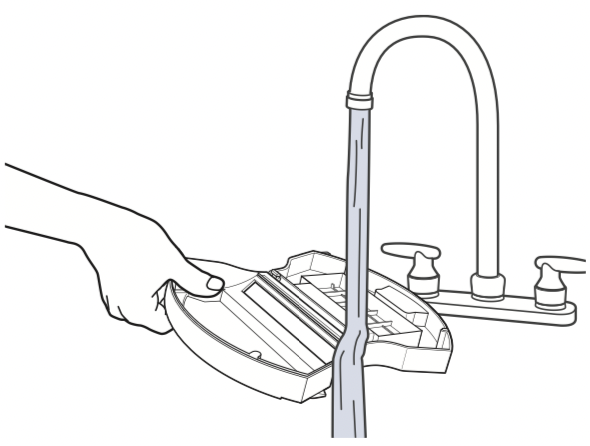
- With filters removed, rinse the Dirt Bin with tap water. Ensure Dirt Bin is completely dry before reinstalling. Do not machine wash the Dirt Bin.
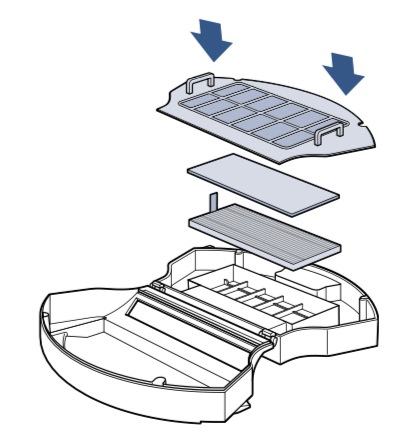
- Once clean, reinstall the filters and filter cover, close and push back into the machine.
Cleaning the Brush Roll
Check out the BISSELL Connect App for tips and videos on Brush Roll Maintenance.
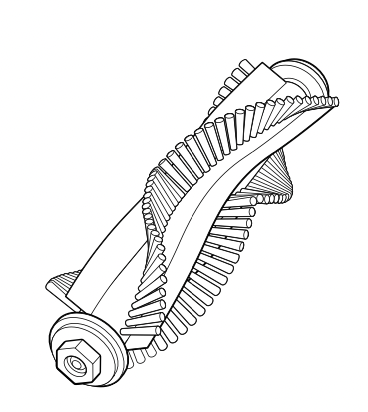
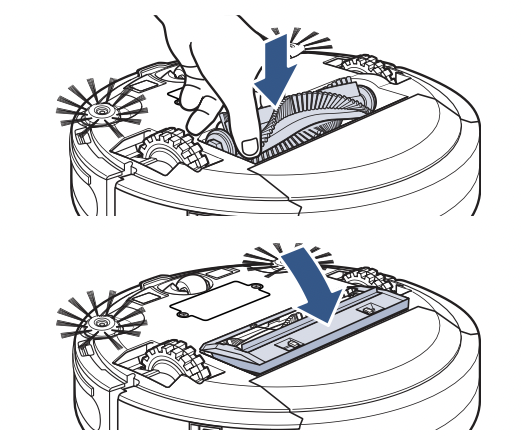
- Turn the Power Switch OFF. Pinch the tabs on the brush guard inward and pull to remove. Lift to remove the Brush Roll.

- Clean the Brush Roll with the cleaning tool.
- Replace the Brush Roll and brush guard.
Note: The Brush Roll has two different end pieces. Ensure the squareshaped end piece is inserted into the square-shaped port.
WARNING: To reduce the risk of electric shock, turn the Power Switch OFF before performing maintenance or troubleshooting checks.
Removing and Cleaning the Caster Wheel
For more help with maintaining your robot, open up the BISSELL Connect App.
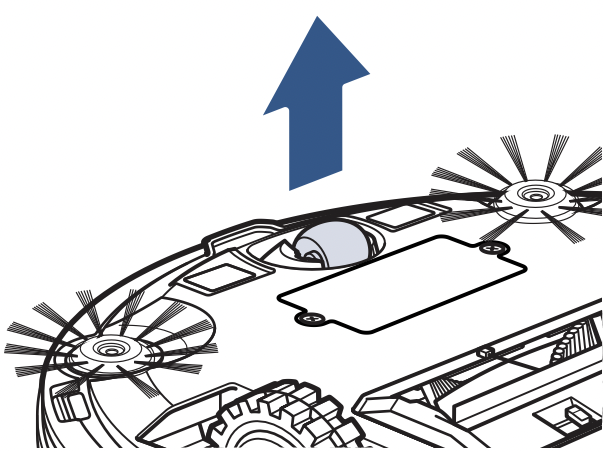
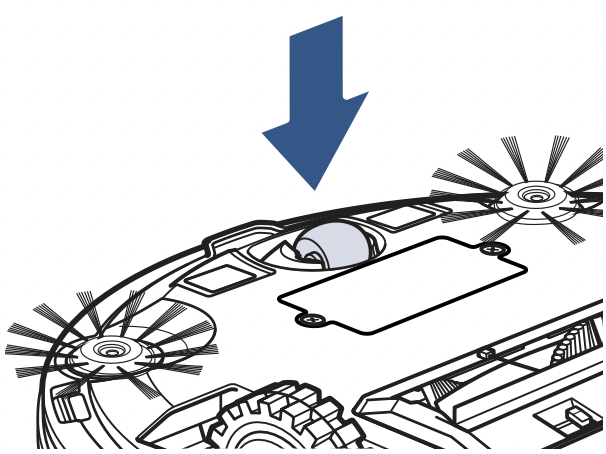
- Turn the Power Switch OFF. Set your robot on a soft surface and pull up firmly on the caster wheel.
- Clean out any visible hair and debris with a dry cloth.
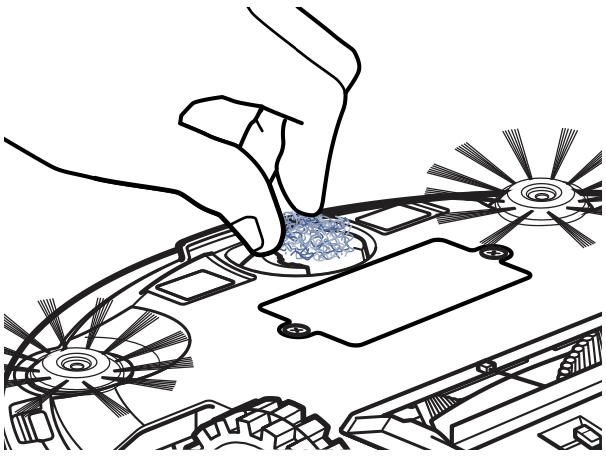
- To reinstall the caster wheel, push down firmly until you hear a “click”.
Replacing the Edge Cleaning Brushes
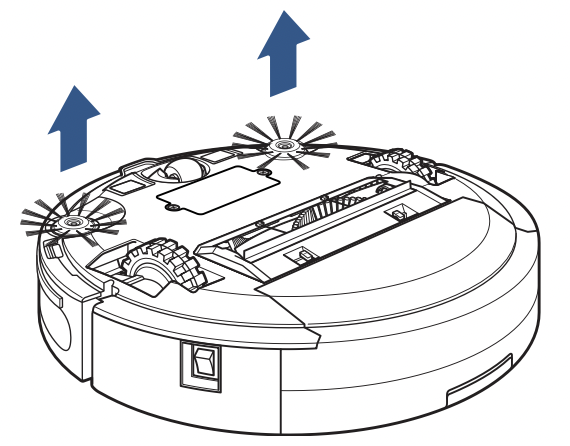
Occasionally, the Edge Cleaning Brushes need to be cleaned to work more effectively. Once removed, they can be rinsed or soaked in water. Be sure they are completely dry before returning to the machine.
- Turn the Power Switch OFF. Use a Phillips-head screwdriver to remove the screw. Pull up on the base of the brush.
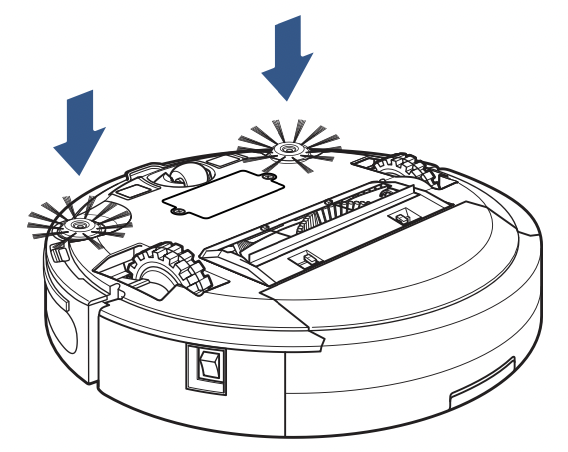
- Push the brush directly onto the holder. Replace the screws with a Phillips-head screwdriver.
Storing Your Robot
Store your robotic vacuum cleaner safely indoors where it is unlikely to be damaged. Store with clean, dry mop pads. Any solution remaining in the Mop Tank should be emptied prior to storage.
NOTICE: To reduce the risk of a leaking condition, do not store machine where freezing may occur. Damage to internal components may result.
WARNING: To reduce the risk of electric shock, turn the Power Switch OFF before performing maintenance or troubleshooting checks.
Cleaning the Sensors
After repeated use, debris can accumulate on the sensors of the robot and the robot’s performance could be affected. To ensure the best efficiency, the sensors should be cleaned off periodically by brushing any debris from them.
Turn the Power Switch OFF before cleaning the sensors.
Sensors and Contacts

- Cliff Sensors
- Charging Contact Points
- Soft Surface Avoidance Sensor
Replacing the Battery
- Turn the Power Switch OFF.

- Use a Phillips-head screwdriver to remove the two screws and battery cover.
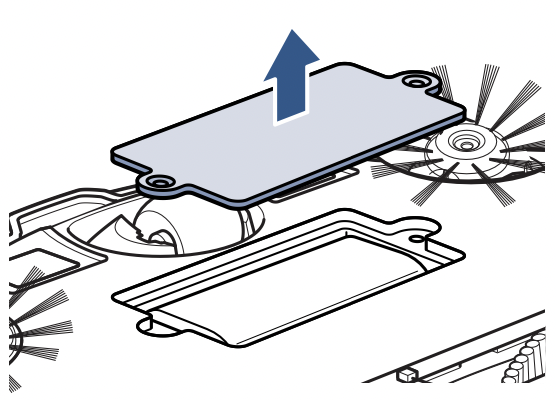
- Remove the battery and disconnect.

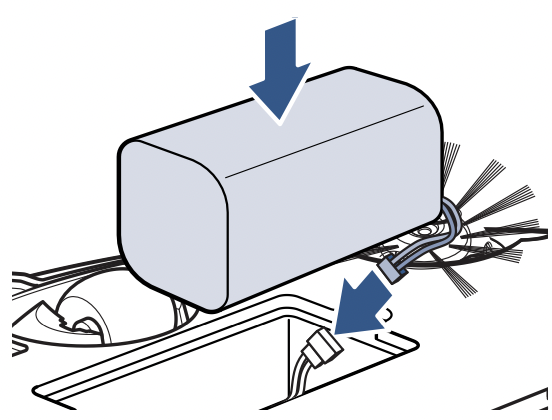
- Connect the new battery and install into battery compartment. Do not remove the plastic shrink sleeve from the battery pack.
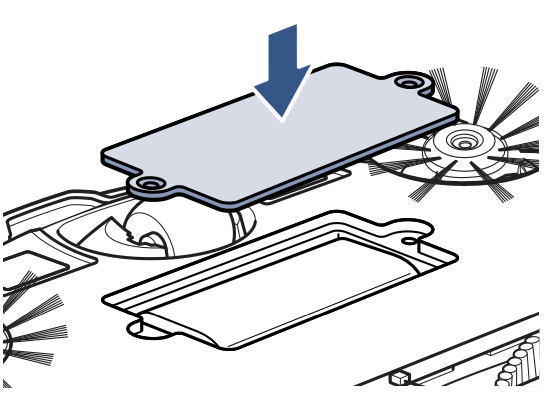
- Use a Phillips-head screwdriver to replace the battery cover.
Note: Any other servicing should be performed by an authorized service representative.
WARNING: To reduce the risk of electric shock, turn the Power Switch OFF before performing maintenance or troubleshooting checks.
Troubleshooting
This guide has everything you need to get ready for first use, including setting up, using and maintaining your machine, but online you’ll find additional resources like tips and troubleshooting, videos, product registration, parts, and more.
Error Notifications
|
Error
|
Button Light State
|
Sound
|
Remedies
|
|
Robot is Trapped, Lifted or CliffSensors are Dirty
|
Flashing Red
|
1Beep
|
Place robot on floor away from objects and resume cleaning. If error persists, turn robot OFF and use a drycloth to clean the three cliff sensors on the bottom of the robot.
|
|
Front Caster Wheel Sensor isBlocked
|
Flashing Red
|
3Beep
|
Turn robot OFF and remove front caster wheel assembly. Clear debris from assembly housing. Reinstallwheel.
|
|
Left or Right Wheel is Stuck
|
Flashing Red > SolidRed
|
1Beep
|
Turn robot OFF and remove hair and debris from wheels.
|
|
Edge Cleaning Brushes areStuck
|
Flashing Red > SolidRed
|
2Beeps
|
Turn OFF the robot and remove hair and debris from Edge Cleaning Brushes.
|
|
Brush Roll is Stuck
|
Flashing Red > SolidRed
|
3Beeps
|
Turn OFF the robot and remove hair and debris from Brush Roll.
|
|
Bumper is Stuck or Robot isTrapped
|
Flashing White
|
2Beeps
|
Turn OFF the robot and tap the Bumper serval times to release any debris that may have accumulated.
|
|
Low Water
|
Flashing Red andWhite Alternately
|
3Beeps
|
Turn OFF the robot and remove the water tank. Fill the water tank and resume cleaning.
|