NOTE: This manual may be subject to updates or changes. Up to date manuals are available through our website at www.lifespanonline.com.au
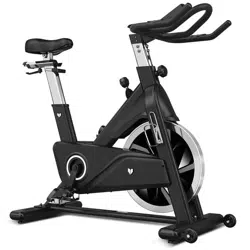
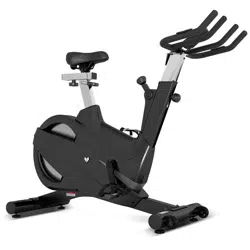
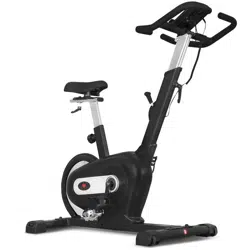
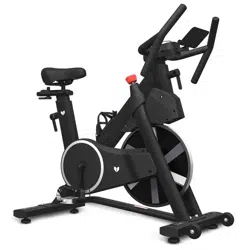
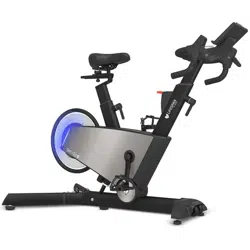
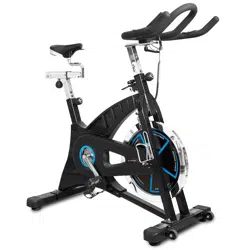
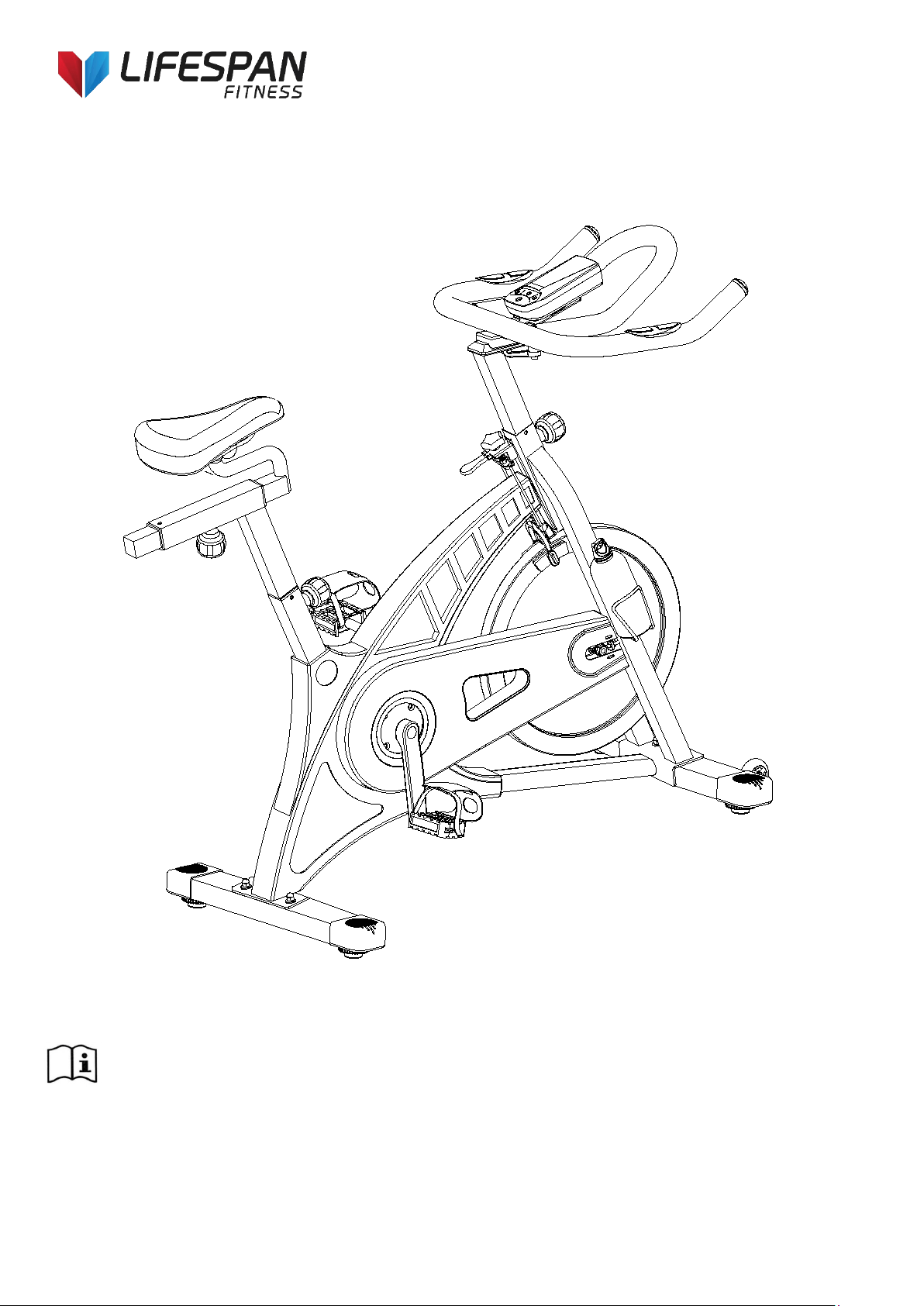
Product may vary slightly from the item pictured due to model upgrades
Read all instructions carefully before using this product. Retain this owner’s manual for future
reference.
SP-550 OWNER’S MANUAL

2
SP-550
TABLE OF CONTENTS
1. IMPORTANT SAFETY INSTRUCTIONS 3
2. CARE INSTRUCTIONS 4
3. EXPLODED DIAGRAM 5
4. PARTS LIST 7
5. ASSEMBLY INSTRUCTIONS 9
6. ADJUSTMENT 12
7. COMPUTER OPERATION 13
8. EXERCISE GUIDE 28
9. WARRANTY 20

3
SP-550
1. IMPORTANT SAFETY INSTRUCTIONS
WARNING - Read all instructions before using this machine.
It is important your machine receives regular maintenance to prolong its useful life. Failing to
regularly maintain your machine may void your warranty.
Please keep this manual with you at all times
a. It is important to read this entire manual before assembling and using the equipment. Safe and
effective use can only be achieved if the equipment is assembled, maintained and used properly.
Please note: It is your responsibility to ensure that all users of the equipment are informed of all
warnings and precautions.
b. Before starting any exercise program you should consult your doctor to determine if you have any
medical or physical conditions that could put your health and safety at risk, or prevent you from using
the equipment properly. Your doctor’s advice is essential if you are taking medication that affects your
heart rate, blood pressure or cholesterol level.
c. Be aware of your body’s signals. Incorrect or excessive exercise can damage your health. Stop
exercising if you experience any of the following symptoms: pain, tightness in your chest, irregular
heartbeat, and extreme shortness of breath, lightheadedness, dizziness or feelings of nausea. If you do
experience any of these symptoms, you should consult your doctor before continuing with your
exercise program.
d. Keep children and pets away from the equipment. This equipment is designed for adult use only.
e. Use the equipment on a solid, flat level surface with a protective cover for your floor or carpet. To
ensure safety, the equipment should have at least 2 meters of free space around it.
f. Before using the equipment, check that the nuts and bolts are securely tightened. If you hear any
unusual noises coming from the equipment during use and assembly, stop immediately. Do not use the
equipment until the problem has been rectified.
g. Wear suitable clothing while using the equipment. Avoid wearing loose clothing that may get caught in
the equipment or that may restrict or prevent movement.
4
SP-550
h. This equipment is designed for indoor and family use only
i. Care must be taken when lifting or moving the equipment so as not to injure your back.
j. Always keep this instruction manual and assembly tools at hand for reference.
k. The equipment is not suitable for therapeutic use.
l. The pulse or heart rate sensors are not medical devices. Various factors, including the user’s
movement, may affect the accuracy of heart rate readings. The pulse sensors are intended only as
exercise aids in determining heart rate trends in general.
2. CARE INSTRUCTIONS
c. Be careful not to damage plastic or metal parts of the machine with heavy or sharp objects
d. The machine can be kept clean by wiping it down using dry cloth
Battery Usage
a. Batteries are to be installed or replaced by adult only
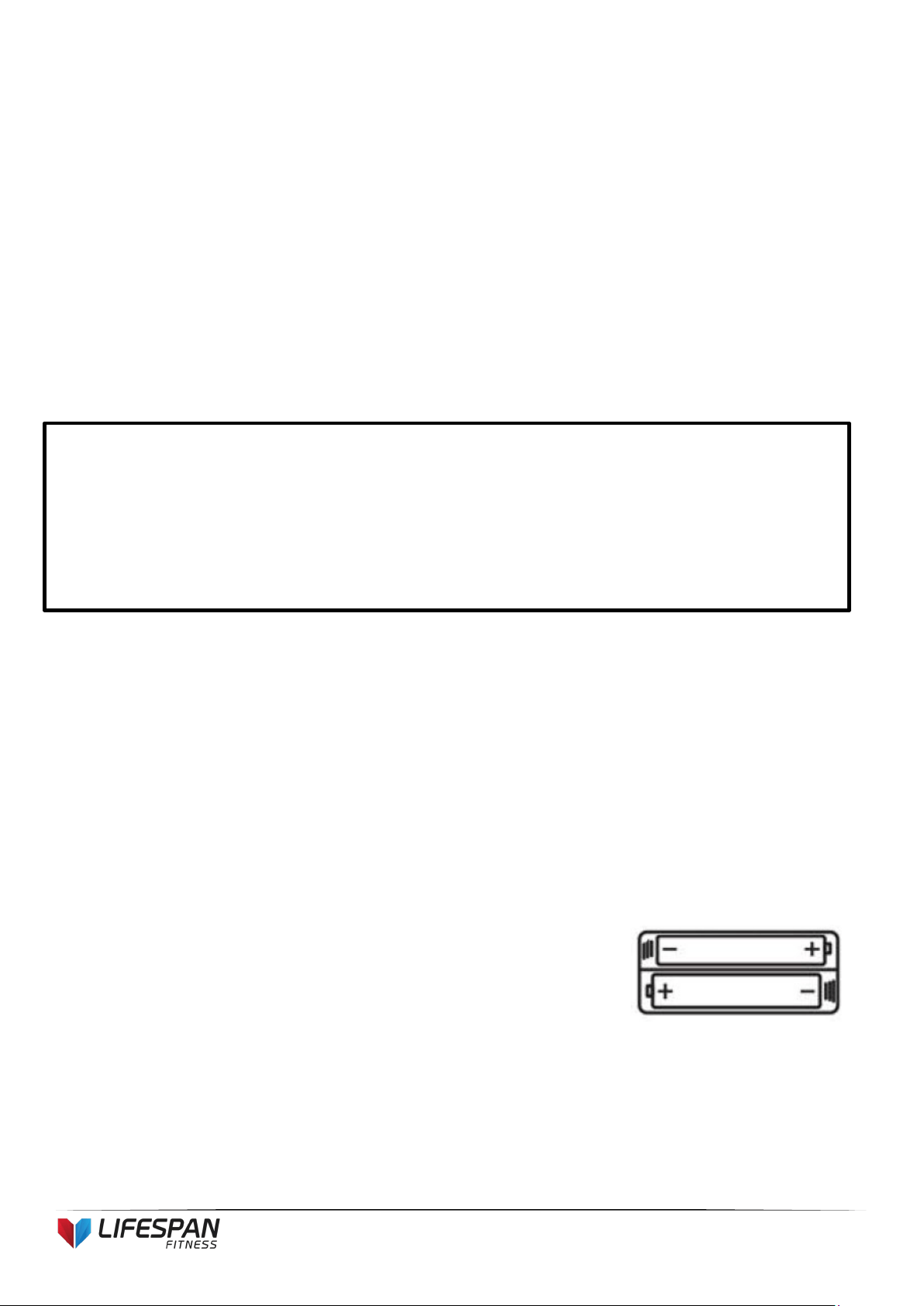
b. Do not use rechargeable batteries. Do not mix different battery types. Do not mix old and new batteries.
Do not mix alkaline, standard (Carbon-Zinc), or rechargeable (Nickel-Cadmium) batteries
c. Remove batteries when product is not in use
d. Remove exhausted batteries from product and dispose of in
accordance with the manufacturer’s recommendation
e. Do not attempt to recharge non-rechargeable batteries
f. Batteries are to be inserted with correct polarity
g. The supply terminals are not to be short-circuited
IMPORTANT
a. All nuts and bolts are to be checked and tightened on a regular basis. This includes pedals and
other moving parts. Failure to do so may cause damage to your threads and void your
warranty.
b. Lubricate moving joints after periods of usage
5
SP-550
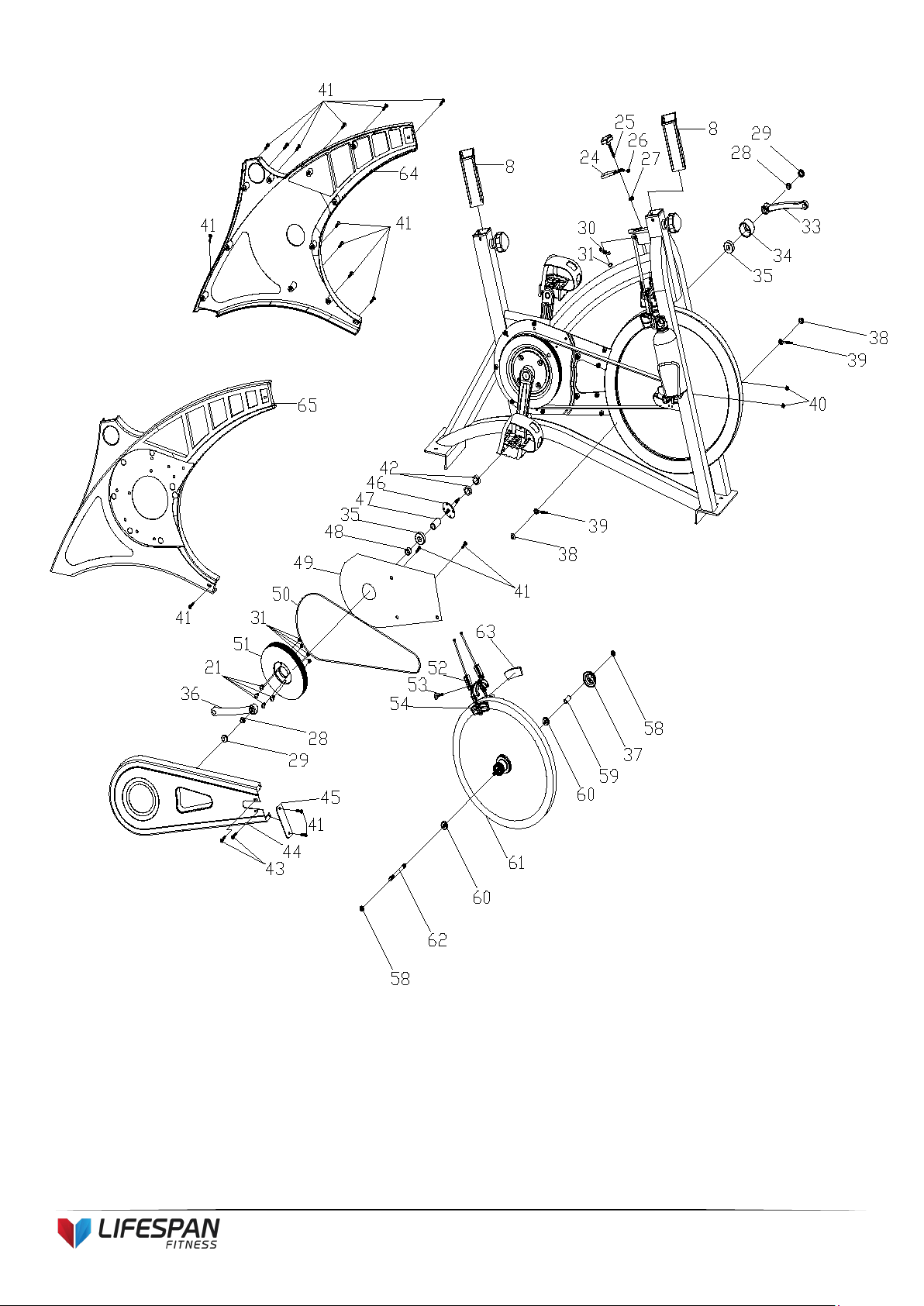
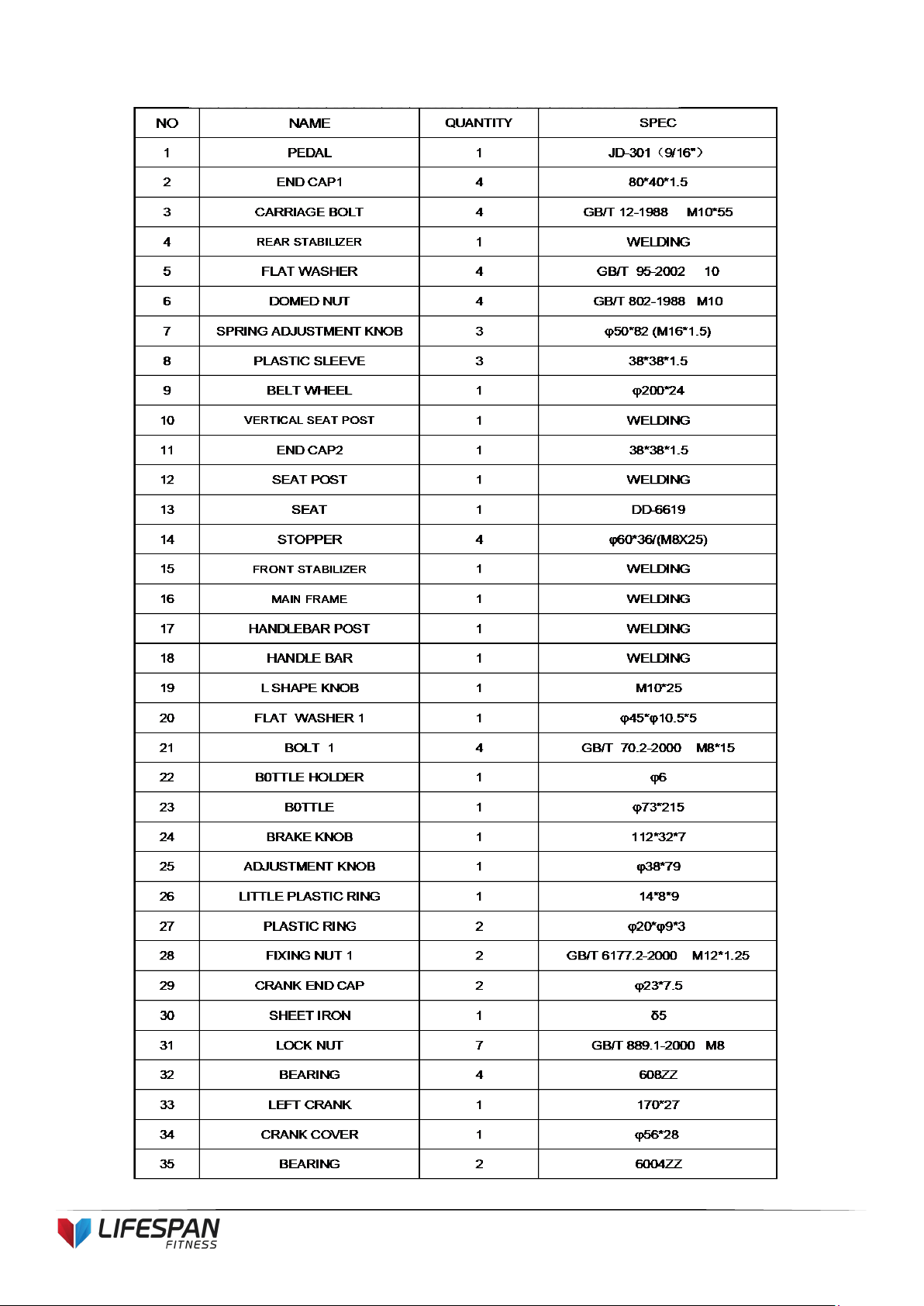
3. EXPLODED DIAGRAM
6
SP-550
7
SP-550
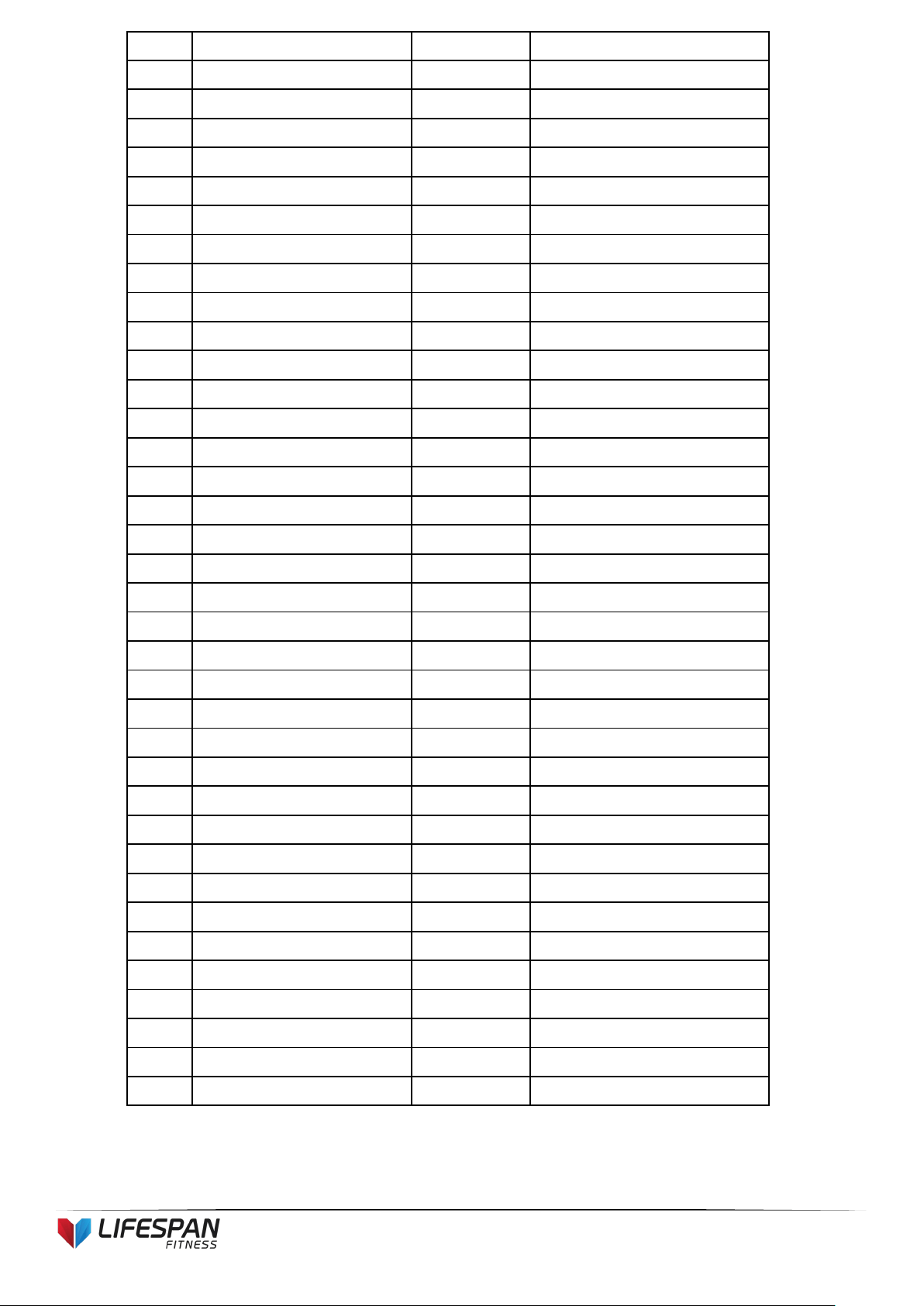
4. PARTS LIST
8
SP-550
NO NAME
QUANTITY SPEC
36 RIGHT CRANK 1 170*27
37
FLYWHEEL COVER 1 φ59*35
38
FIXING NUT 2 2
GB/T 802-1988 M12X1.25
(H=16mm)
39 FIXING BOLT 2 M6*54
40
NUT 2 GB/T 889.1-2000 M6
41 SCREW 1 28 GB/T 845-1985 ST4.2*19
42
FIXING NUT 2
27*M20*1(5mm)
43 SCREW 3 2
GB/845-85 ST4.8X13
44 OUTER CHAIN COVER 1 654*263*49 (507g)
45 LITTLE CHAIN COVER 1 108*37*3 (7g)
46 AXIS 1 φ20*162
47 LONG FIXING TUBE 1 φ25*φ20.5*41
48 SHORT FIXING TUBE 1 φ25*φ20.5*15
49
INNER CHAIN COVER 1 451*260*2 (250g)
50 BELT 1 5PK53
51
BELT WHEEL 1 φ200*24
52 BRAKE 1 2PCS 130mm
53 BOLT 1
GB/T 70.1-2000 M6*20
54
BRAKE PLASTIC 2 82*41*19
55 BOLT 2
GB/T 5780-2000 M8*40
56 WHEEL 2 φ69*23
57 NUT 4
GB/T 41-2000 M8
58 FIXING NUT 2 2 M12X1.25 H=6
59
FIXING TUBE 1 φ16*φ12.1*35
60 BEARING 2 6001ZZ
61 FLYWHEEL 1 HT250/φ453*72
62
FLYWHEEL SHAFT 1 φ12*160
63
WOOLLY BLOCK 2 78*38*6
64 LEFT COVER 1 716*35*648 (888g)
65 RIGHT COVER 1 716*38*648 (790g)
66 COMPUTER 1
ST-6527
67 BOLT 3 4 GB/T 5780-2000 M5*10
68 SENSOR 1 SR-202
69 PULSE 2
70 PULSE WIRE 1 L=800
71 SCREW 5 2
GB/845-85 ST4.2X25
9
SP-550
5. ASSEMBLY INSTRUCTIONS
STEP 1: PREPARATION
A. Before assembly make sure that you will have enough space around the item.
B. Use the present tooling for assembling.
C. Ensure all required parts are available .
STEP 2:
STEP 3:
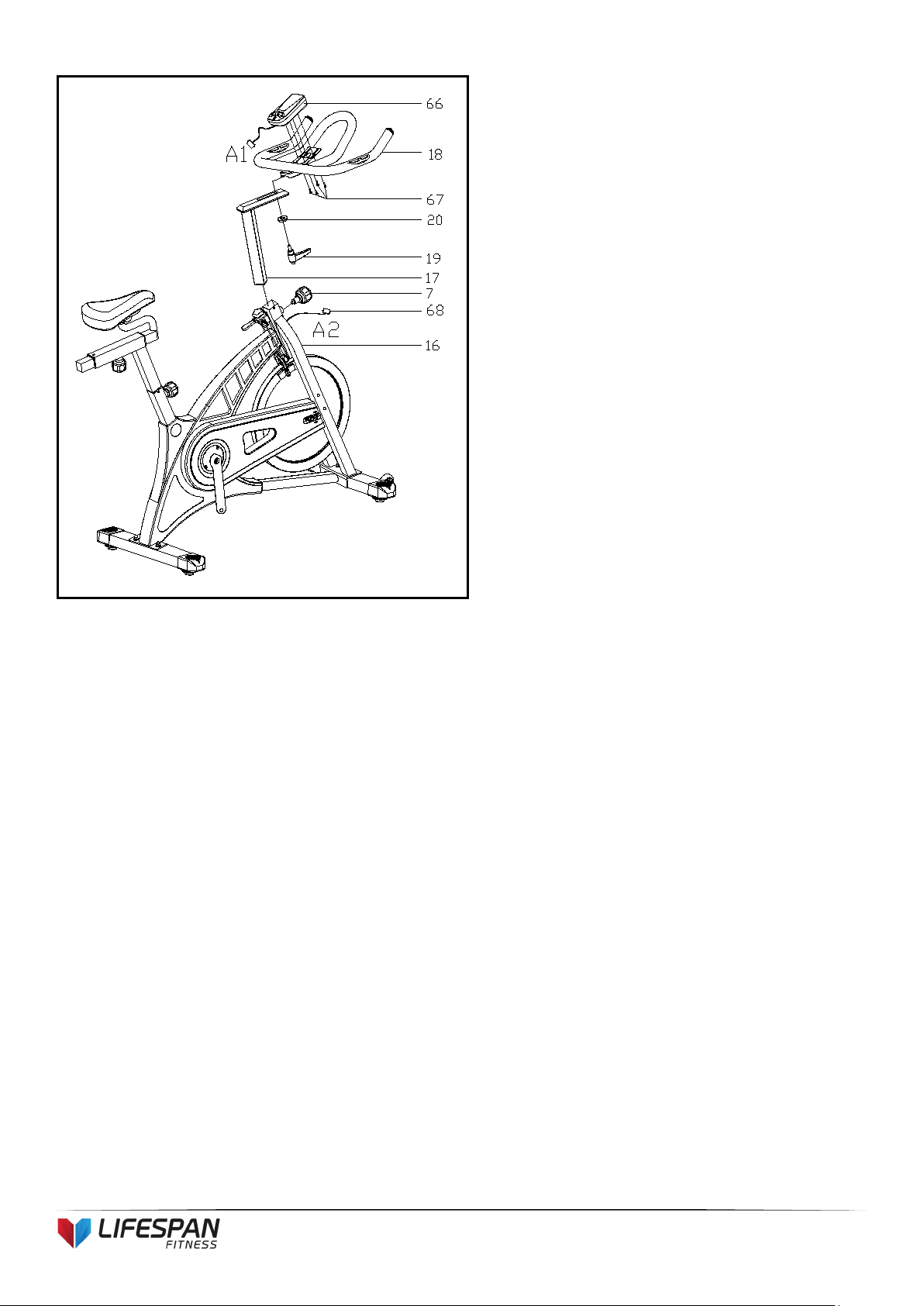
1. Slide the Vertical Seat Post (pt.10) into
the seat post housing on the main
frame (pt.16).
2. Loosen the knurled section of the
Spring Adjustment Knob (pt.7) and pull
the knob back then select the desired
height.
3. Release the knob and retighten the
knurled portion.
4. Attach the Seat (pt.13) to the Vertical
Seat Post (pt.12) as shown, and tighten
the bolts around the screws under the
seat.
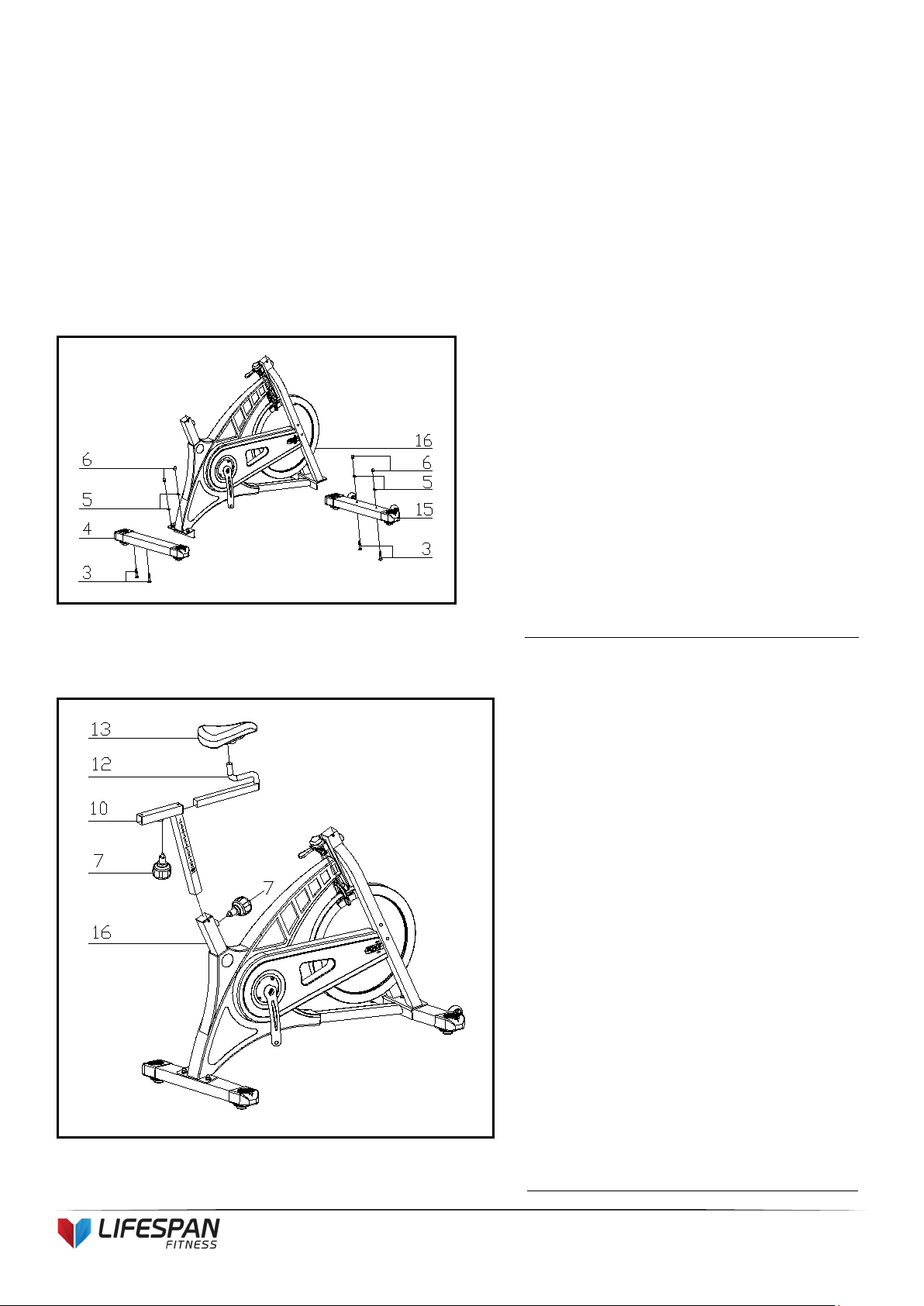
1. Attach the Front Stabilizer (pt.15) to the
Main Frame (pt.16) using two sets of
Ø8 Flat Washers (pt.5), M10 Domed
Nut (pt.6) and M10*55 Carriage bolt (3).
2. Attach the Rear Stabilizer (pt.4) to the
Main Frame (pt.16) using two sets of
Ø10 Flat Washers (pt.5), M10 Domed
Nut (pt.6) and M10*55 Carriage bolt (3).
10
SP-550
STEP 4:
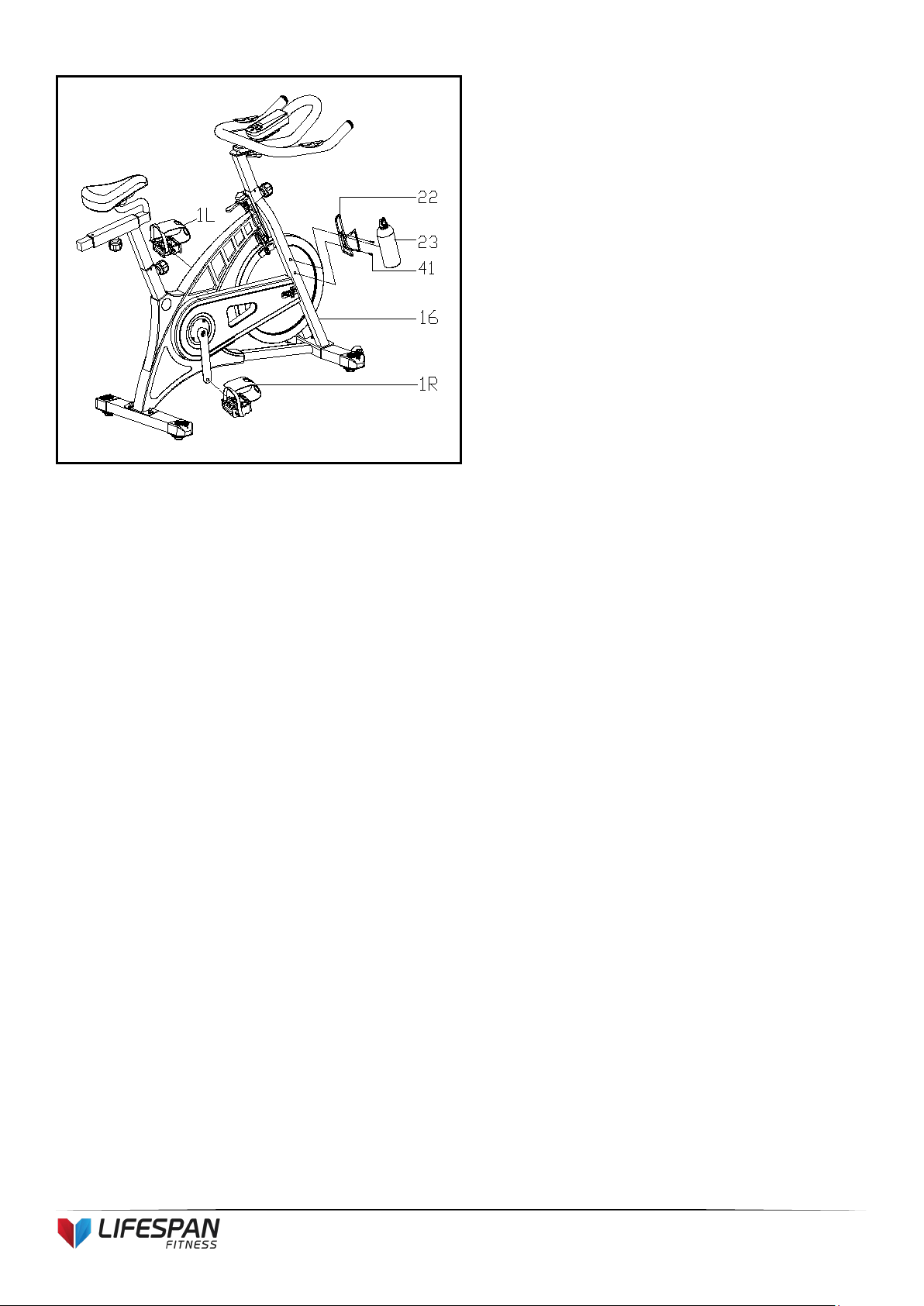
1. Slide the Handlebar Post (pt.17) into the
handlebar post housing on the main
frame (pt.16).
2. Loosen the knurled section of the Spring
Adjustment Knob (pt.7) and pull the knob
back. Then select the desired height.
3. Release the knob and retighten the
knurled portion.
4. Attach the Handlebar (pt.18) with a flat
washer 1 (20) and L Shape knob (19)
ATTENTION: The handlebar must be attached
tightly
5. Connect the sensor cables A1&A2. Then
Install the computer (66) into the support
tube of the main frame (16) with the bolts
(67)
11
SP-550
STEP 5:
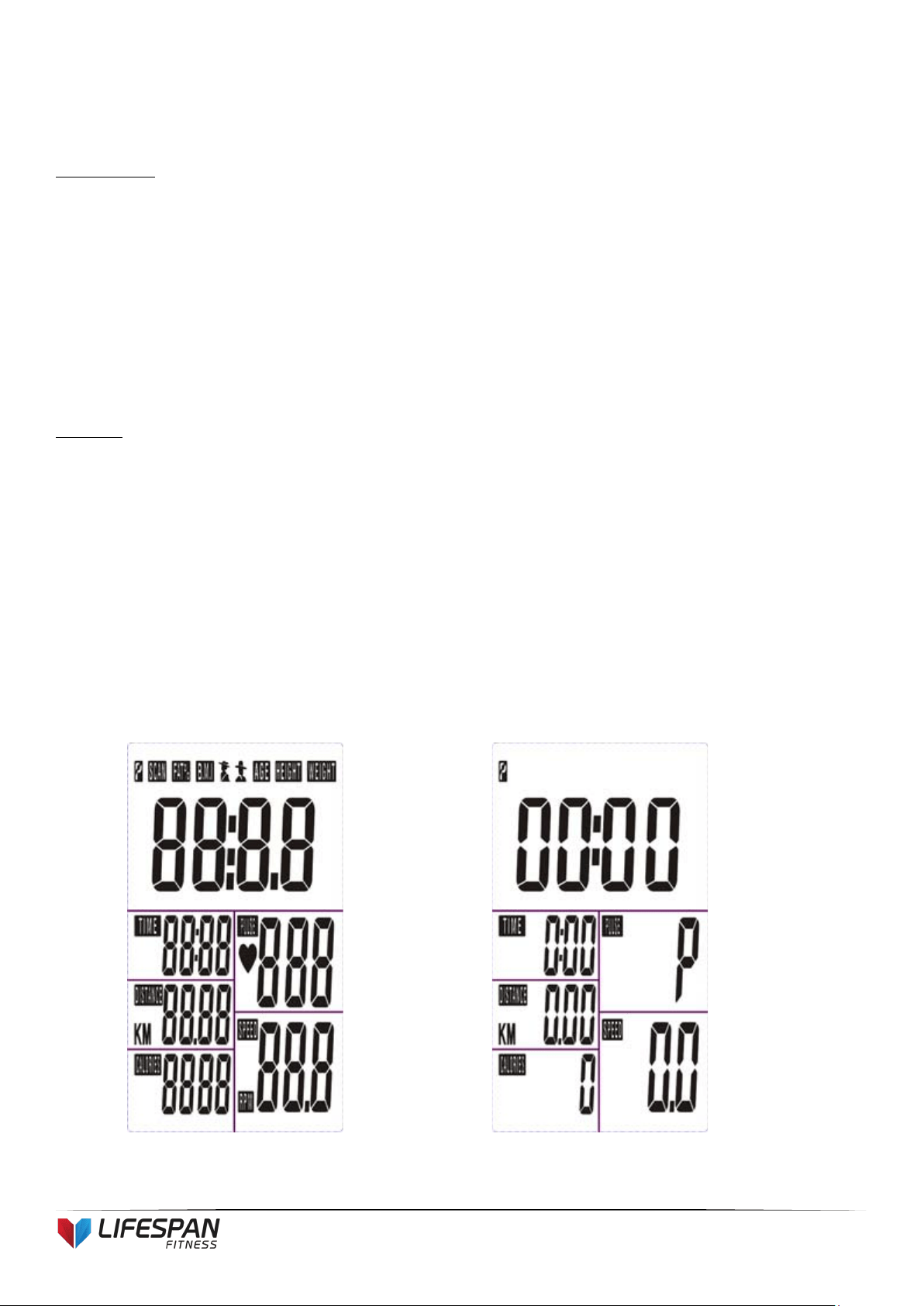
1. The Pedals (pt.1 L & pt.1 R) are marked
"L" and "R" - Left and Right.
Connect them to their appropriate crank
arms. The right crank arm is on the
right- hand side of the cycle as you sit
on it.
Note that the Right pedal should be threaded on
clockwise and the Left pedal anticlockwise.
2. Attach the bottle holder (pt.22) to the
main frame (pt.16) with the screw (pt.41)
3. Slide the bottle (pt.23) into the bottle
holder (pt.22)

12
SP-550
6. ADJUSTMENT
Vertical Seat Adjustment
To adjust the seat height, slacken the spring knob on the vertical post stem on the main frame and pull back
the knob. Position the vertical seat post for the desired height so that holes are aligned, then release the knob
and retighten it.
Horizontal Seat Adjustment
To move the seat forward in the direction of the handlebar or backwards away from it, loosen the adjusting
knob and washer and pull the knob back. Slide horizontal seat post into desired position. Align holes and then
retighten the adjusting knob.
Handlebar Height
To adjust the handlebar height, slacken the spring knob and secondary knob and pull both knobs back. Slide the
handlebar post along the housing on the main frame to the desired height and, with the holes aligned correctly,
tighten the spring adjusting knob and then the secondary knob.

13
SP-550
7. COMPUTER OPERATION
BUTTON FUNCTION
MODE: Press the "Mode" button for mode selection. This button also functions as an enter button
during setup.
SET: To set the value of TIME, DISTANCE, CALORIES and PULSE. You can hold the button
down to increase the value quickly. (The computer must be in stop condition.)
RESET: The user may press the "RESET" button to reset each function: Time, Distance, Calorie,
Pulse. Hold this button down for 2 seconds for total reset. (If batteries are replaces, all values will
reset to ZERO automatically.)
RECOVERY: Enable the heart rate recovery function after training.
FUNCTIONS
SCAN: Cycles through all functions from TIME, DISTANCE, CALORIES, PULSE, RPM/SPEED.
RPM: Displays the Rotation Per Minute. The RPM and SPEED will rotate every 6 seconds after
exercise starts.
SPEED: Displays current training speed. Maximum speed is 99.9 KM/H.
TIME: Accumulates total workout time when no value is preset. Time will count up from 00:00 to
maximum 99:59.
Count down: Press the SET button to set a pre-set time between 0:00 to 99:50. Time will count
down from the pre-set time to 00:00.
DISTANCE: Accumulates total distance from 00:00 up to 99.99 KM when no value is preset.
14
SP-550
Count down: Press the SET button to set a pre-set distance between 00:00 to 99.99 KM. Distance
will count down from the pre-set time to 00:00.
CALORIES: Accumulates calories burnt from 0 to 9999 calories when no value is preset.
Count down: Press the SET button to set a pre-set calorie goal between 0 and 9990. Calories will
count down from the pre-set value to 0.
(This data is a rough guide for comparison of different exercise sessions. It must not be used for
medical treatment purposes.)
PULSE: The user may pre-set pulse by pressing SET button. (This data is a rough guide for
comparison of different exercise sessions. It must not be used for medical treatment purposes.)
OPERATION ORDER
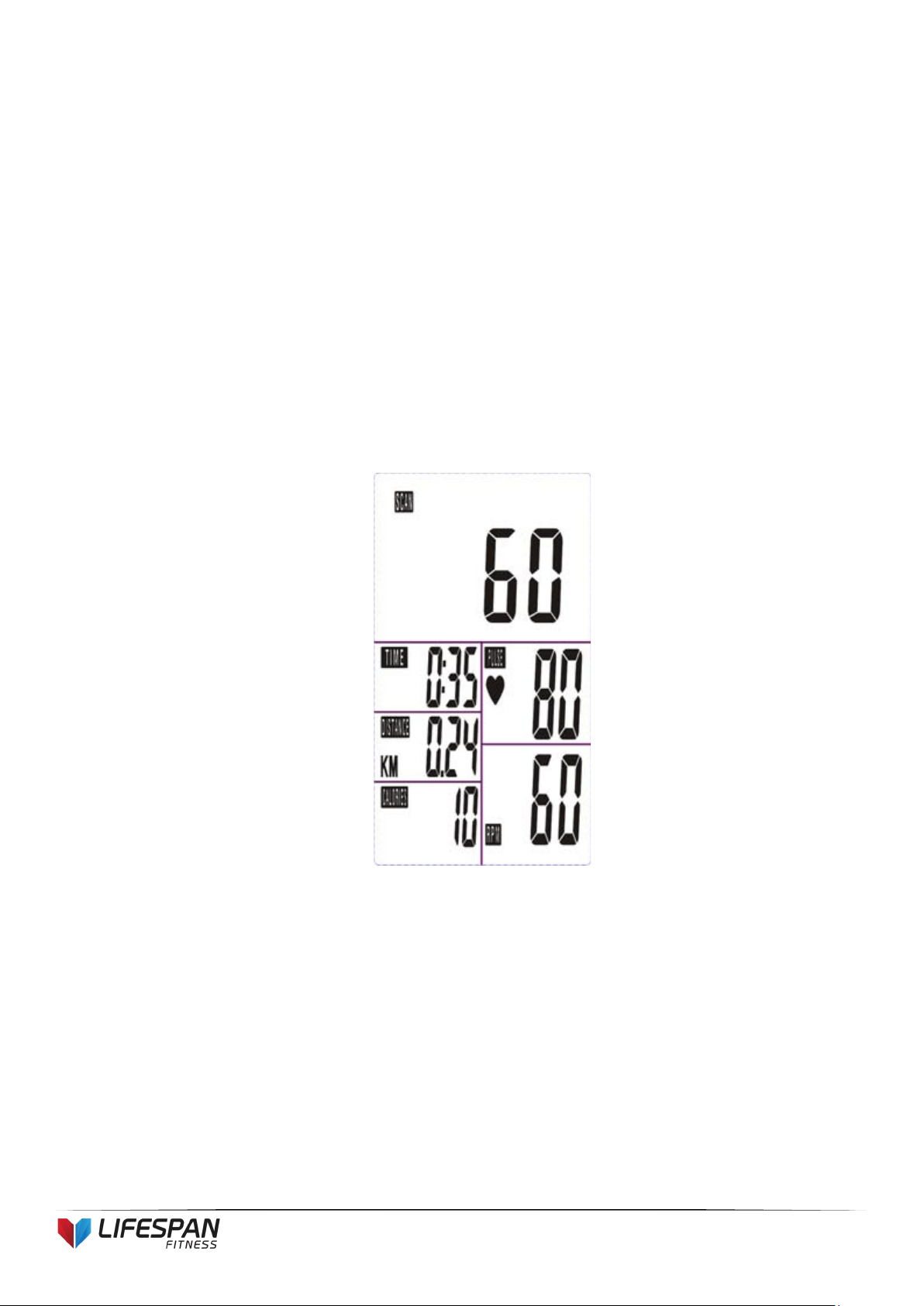
1. Install 2 x 1.5V UM-4 or AAA batteries. The screen will display in accordance with (Picture
A) and “Beep” at the same time. It will then enter to standby mode (Picture B).
Picture A
Picture B
15
SP-550
2. Use the SET button to pre-set values for TIME/DISTANCE/CALORIES/PULSE. SET alters
the value for a specific category. MODE confirms a set value.
3. The values RPM/SPEED/TIME/DISTANCE/CALORIES/PULSE will start increasing as soon
as the sensor receives a signal that you are pedalling.
If pre-set values have been set, the monitor will ‘beep’ for 8 seconds once the function
counts down to 0. The function will then immediately count up from 0 if the workout is
continued. During this, press MODE to confirm and skip to the next set up option.
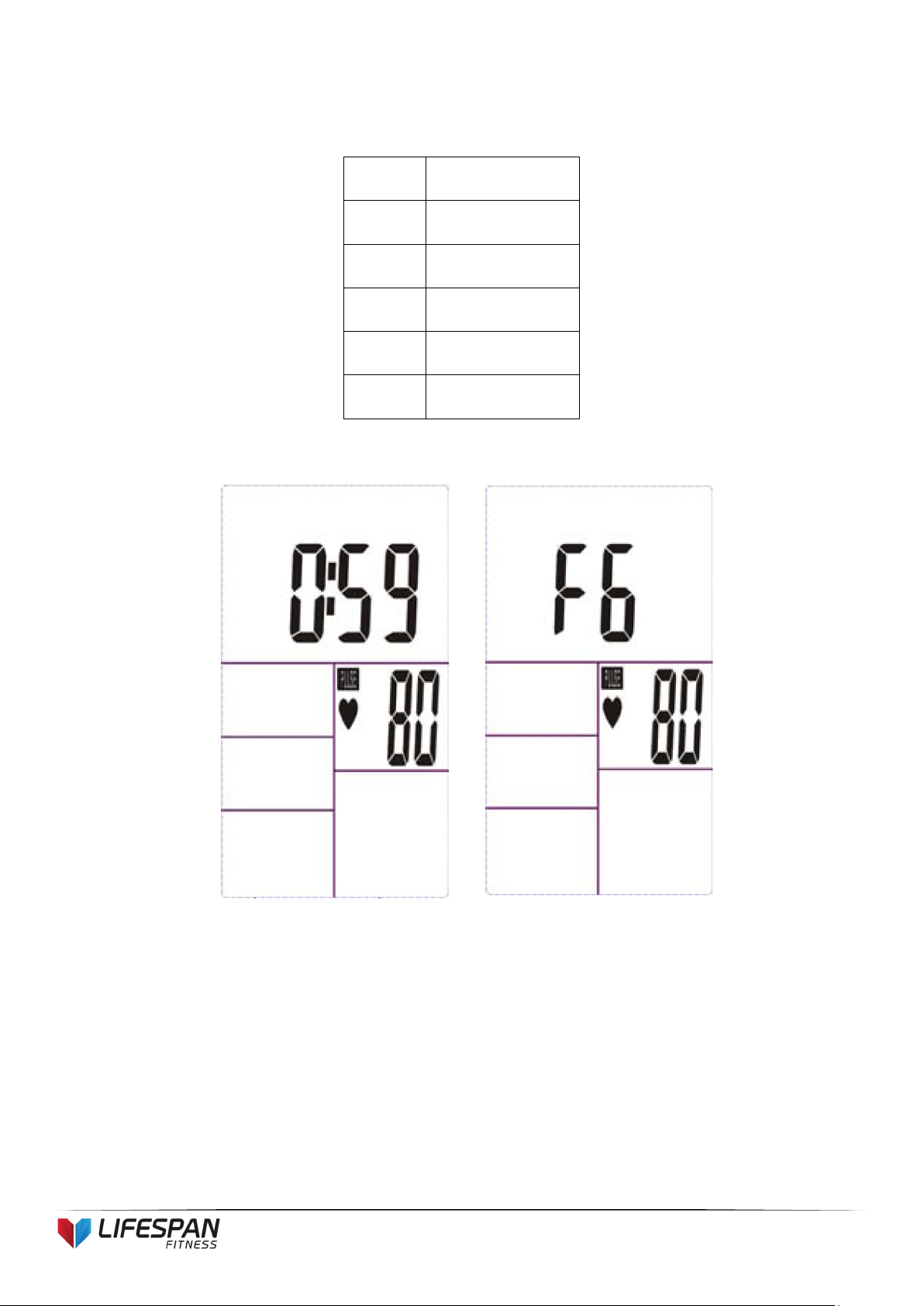
4. In SCAN mode as shown in Picture C, RPM/SPEED/TIME/DISTANCE/CALORIES/PULSE
will alternate every 6 seconds.
5. The MODE button may also be used to select a single function to be displayed on the main
display excluding RPM and SPEED. These two functions will always alternate automatically.
6. RECOVERY
a. Press the "RECOVERY" button to activate the RECOVERY function. In this function,
only PULSE and TIME will display whilst other functions will be inactive. The Sensor
Input will not be available.
Picture C
16
SP-550
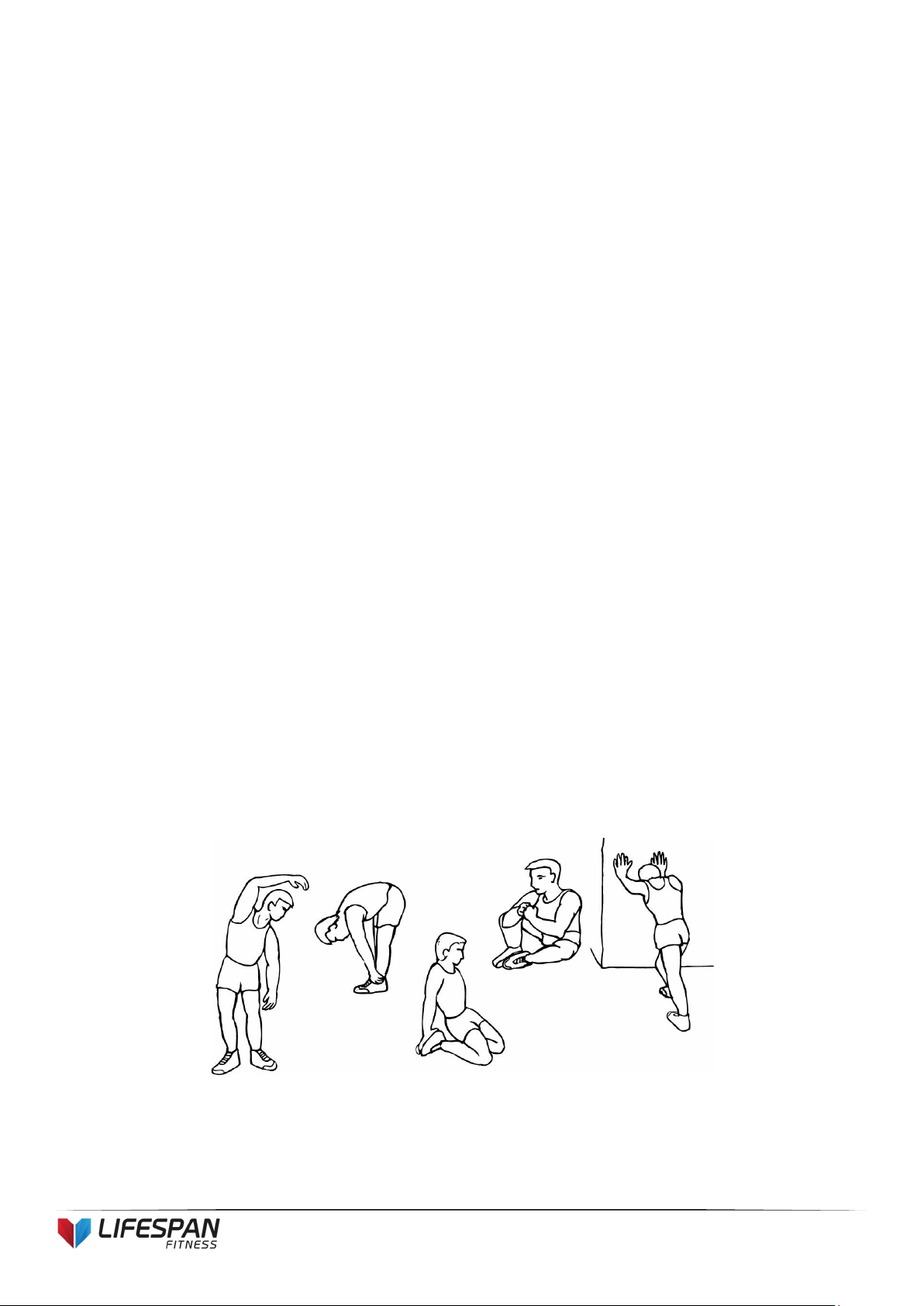
TIME will start to count down from "00:60". The Pulse signal will blink according to
the user's pulse. When countdown reaches "0", it will show F1~F6.
F1
Outstanding
F2
Excellent
F3
Above Average
F4
Average
F5
Below Average
F6
Poor
b. The LCD will display as follows: (RECOVERY start condition & end condition)

17
SP-550
c. If the countdown to 00:00 is not completed and there is no pulse signal, F6 will show.
d. If you press the RECOVERY button prior to the countdown reaching 00:00, this will
end the function and no result will show.
NOTE
1. After being inactive for 4 minutes, the main screen will turn off and will display the clock
automatically.
2. If the computer displays abnormally, please re-install the battery and try again.
Battery Spec: 1.5V UM-4 or AAA (2PCS).
18
SP-550
8. EXERCISE GUIDE
PLEASE NOTE: Before beginning any exercise program, consult your physician. This is important
especially if you are over the age of 45 or individuals with pre-existing health problems.
The pulse sensors are not medical devices. Various factors, including the user’s movement, may affect
the accuracy of heart rate readings. The pulse sensors are intended only as an exercise aid in
determining heart rate trends in general.
Exercising is great way to control your weight, improving your fitness and reduce the effect of aging and stress.
The key to success is to make exercise a regular and enjoyable part of your everyday life.
The condition of your heart and lungs and how efficient they are in delivering oxygen via your blood to your
muscles is an important factor to your fitness. Your muscles use this oxygen to provide enough energy for daily
activity. This is called aerobic activity. When you are fit, your heart will not have to work so hard. It will pump a lot
fewer times per minute, reducing the wear and tear of your heart.
So as you can see, the fitter you are, the healthier and greater you will feel.
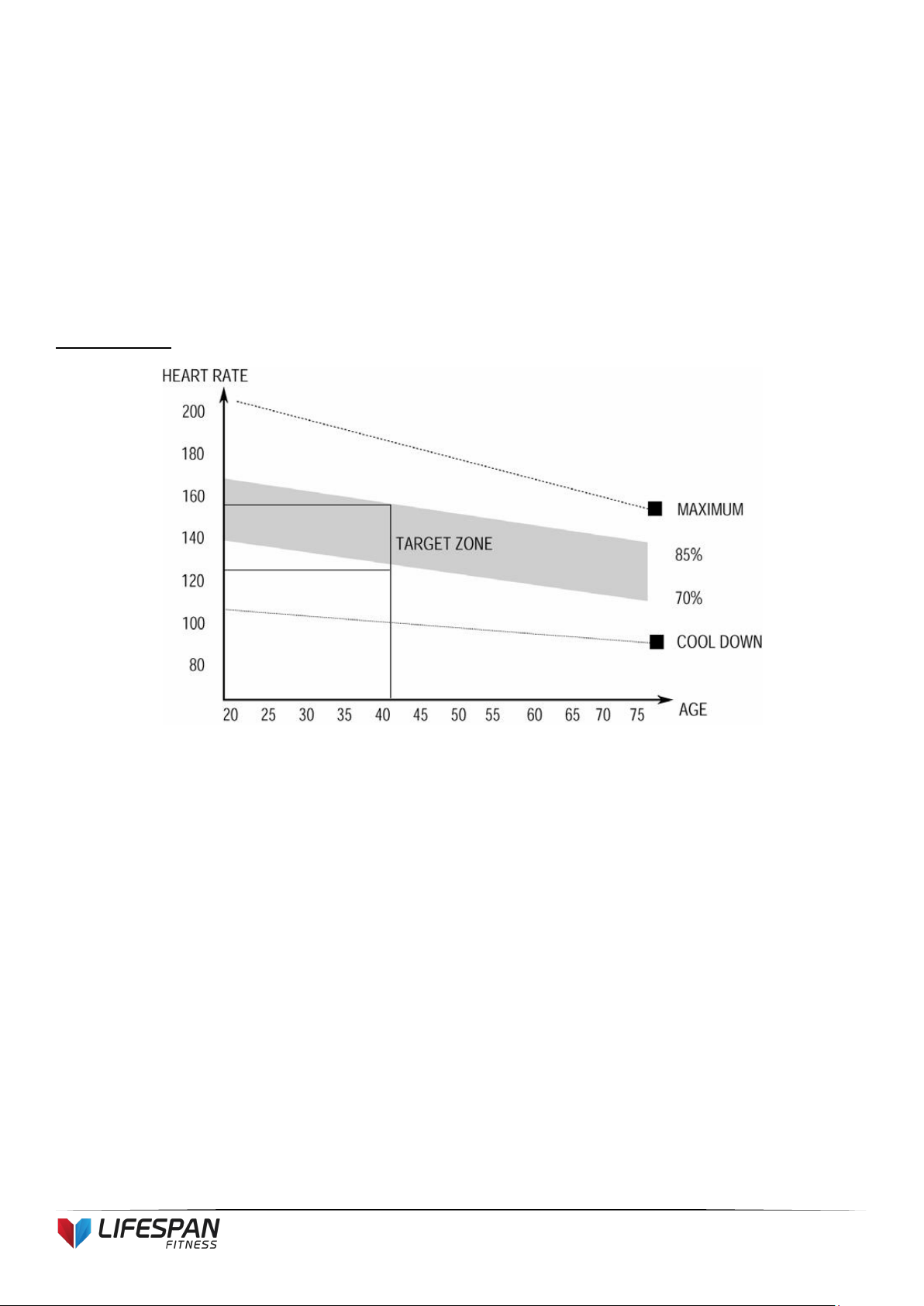
Warm-up
Start each workout with 5 to 10 minutes of stretching and some light exercises. A proper warm-up increases
your body temperature, heart rate and circulation in preparation for exercise. Ease into your exercise.
Training Zone Exercise
19
SP-550
After warming up, increase the intensity to your desired exercise program. Be sure to maintain your intensity for
maximum performance. Breathe regularly and deeply as you exercise.
Cool Down
Finish each workout with a light jog or walk for at least 1 minute. Then complete 5 to 10 minutes of stretching to
cool down. This will increase the flexibility of your muscles and will help prevent post-exercise problems.
Workout Guidelines
TARGET ZONE
This is how your pulse should behave during general fitness exercise. Remember to warm up
and cool down for a few minutes.
The most important factor here is the amount of effort you put in. The harder and longer you work, the more
calories you will burn.

20
SP-550
9. WARRANTY
AUSTRALIAN CONSUMER LAW
Many of our products come with a guarantee or warranty from the manufacturer. In addition, they come with
guarantees that cannot be excluded under the Australian Consumer Law. You are entitled to a replacement or
refund for a major failure and compensation for any other reasonably foreseeable loss or damage.
You are entitled to have the goods repaired or replaced if the goods fail to be of acceptable quality and the
failure does not amount to a major failure. Full details of your consumer rights may be found at
www.consumerlaw.gov.au
Please visit our website to view our full warranty terms and conditions:
http://www.lifespanfitness.com.au/warranty-repairs
Warranty and Support:
Please email us at support@lifespanfitness.com.au
for all warranty or support issues.
For all warranty or support related enquiries an email must be sent before contacting us via any other means.

21
SP-550
Hand Pulse Technology
This product comes equipped with hand pulse sensors which are used to pick up tiny EKG/ECG signals that run
through the body when your heart beats. These electrical EKG/ECG signals are very small and that they must be
amplified 1000 times to make the signal useful for the computer to display your pulse.
To ensure proper operation:
- The user must maintain good, consistent contact on all four sensors
- The users skin cannot be too dry or too wet
Other factors that could affect the reading:
- Change of grip on the sensors (during slow pace walking and up to running)
- Tightening of hand muscles will produce small electrical signals
- Static electricity charges from the air or from walking on the treadmill
EKG/ECG Sensors may filter through actual EKG/ECG signals and “Noise” factors that may affect the reading. This will
cause the pulse reading to be delayed and will take longer to update the display as the heart rate changes. Too much
noise will create an incorrect reading. Medical conditions or having no electrical signal in the hands are other factors
that may affect pulse readings as well.
These are limitations of hand pulse technology and even the most expensive systems (which can cost upwards of
$3,000) used in hospitals have the same problems. The difference is that a patient in a hospital is not running on a
treadmill. Hand pulse technology works well on stationary exercise machines like bikes and even elliptical cross
trainers but are not perfect on a treadmill. We offer treadmills with a wireless heart rate receiver which may be a
more accurate option.
To test if your hand pulse sensors are working up to specification, hold them while standing on the side step rails,
not walking, and see if the reading is more in line with what you would expect. This will eliminate the movement and
static electricity factors. If your hands are dry, then wet them slightly (saliva works as a great conductor if this
doesn’t bother you).
For more information, please contact our Lifespan Technical Support Department
www.lifespanfitness.com.au