
Ed : 09/17 Rev : 00
INSTRUCTION
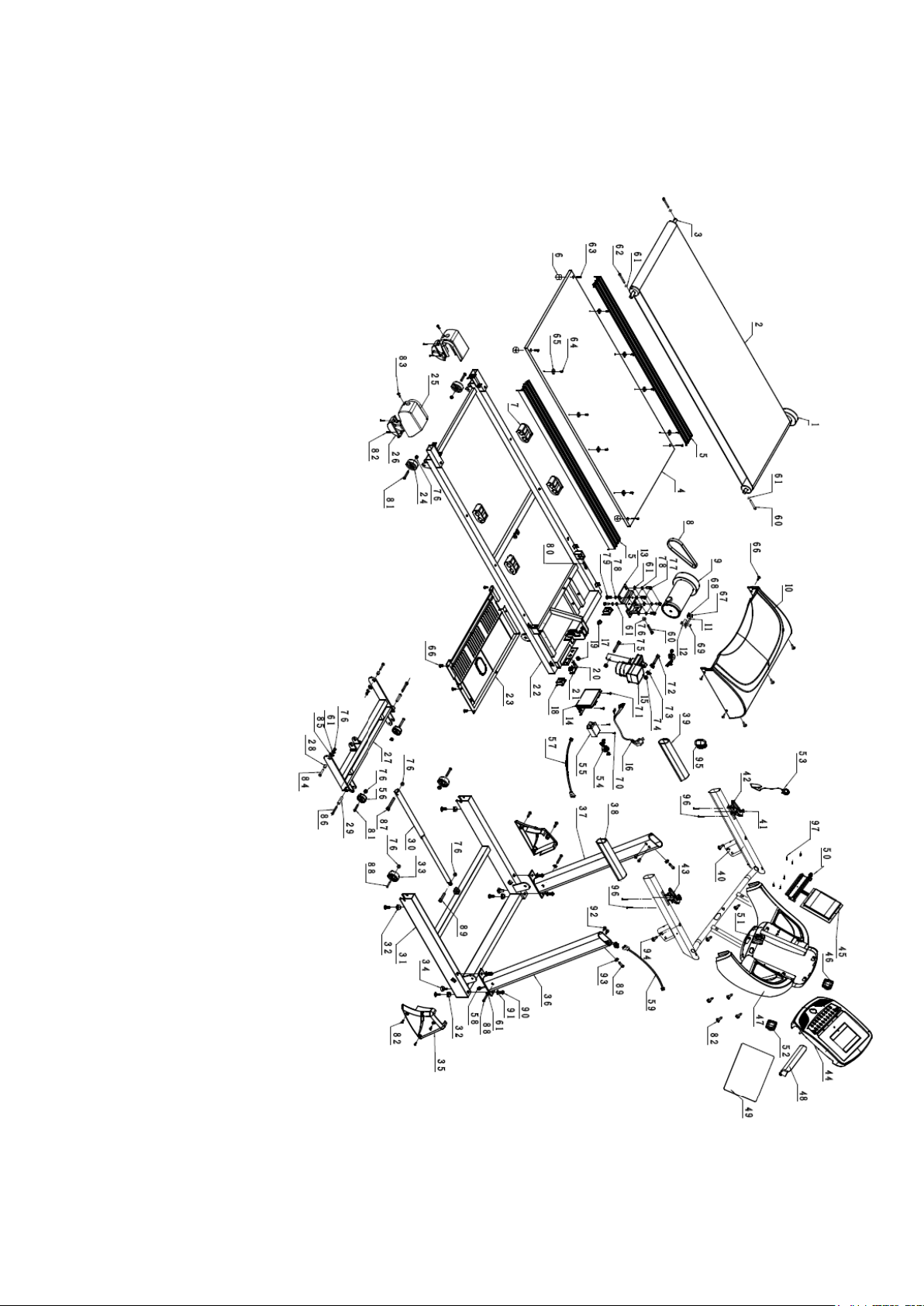
EXPLODED DRAWING

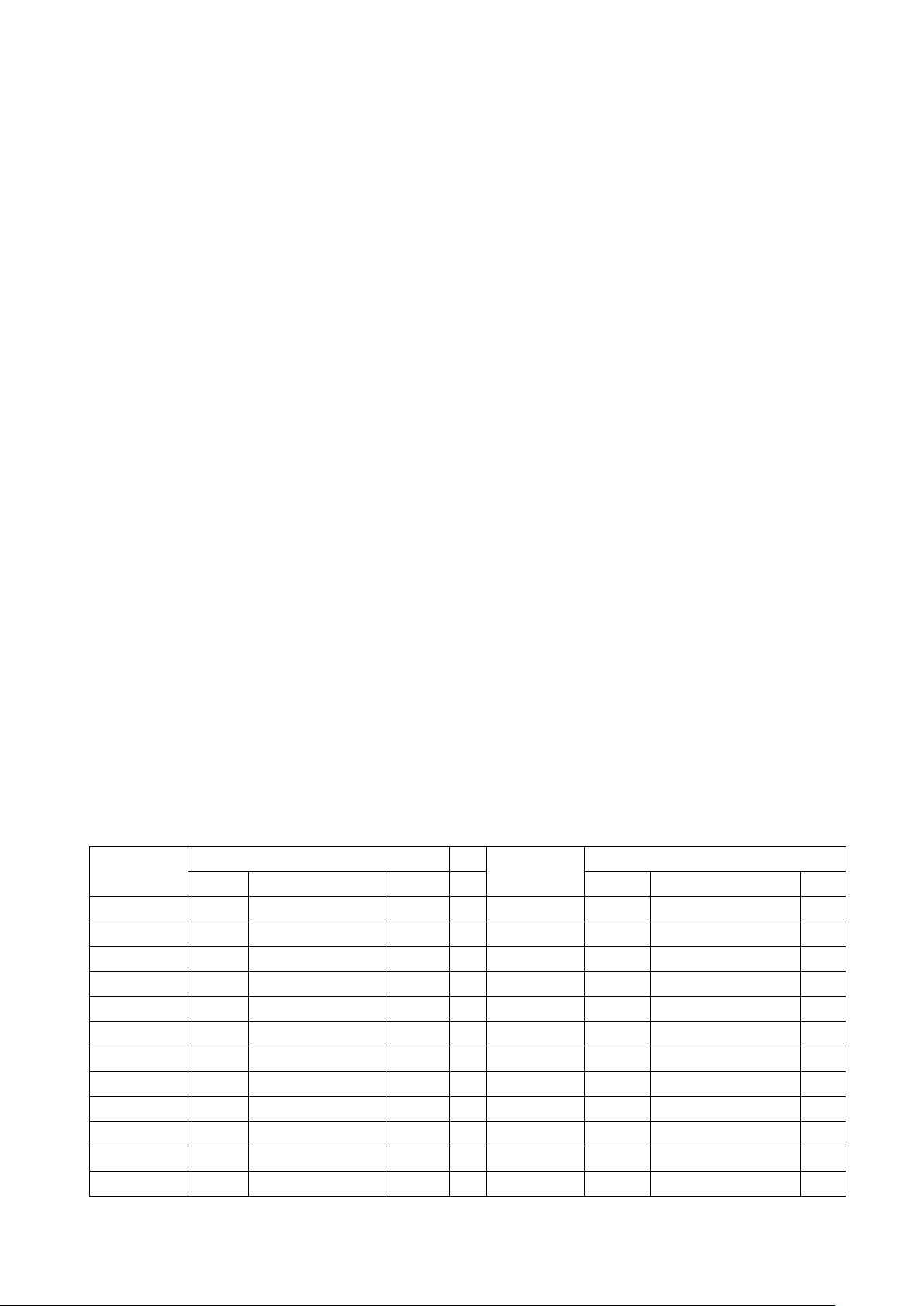
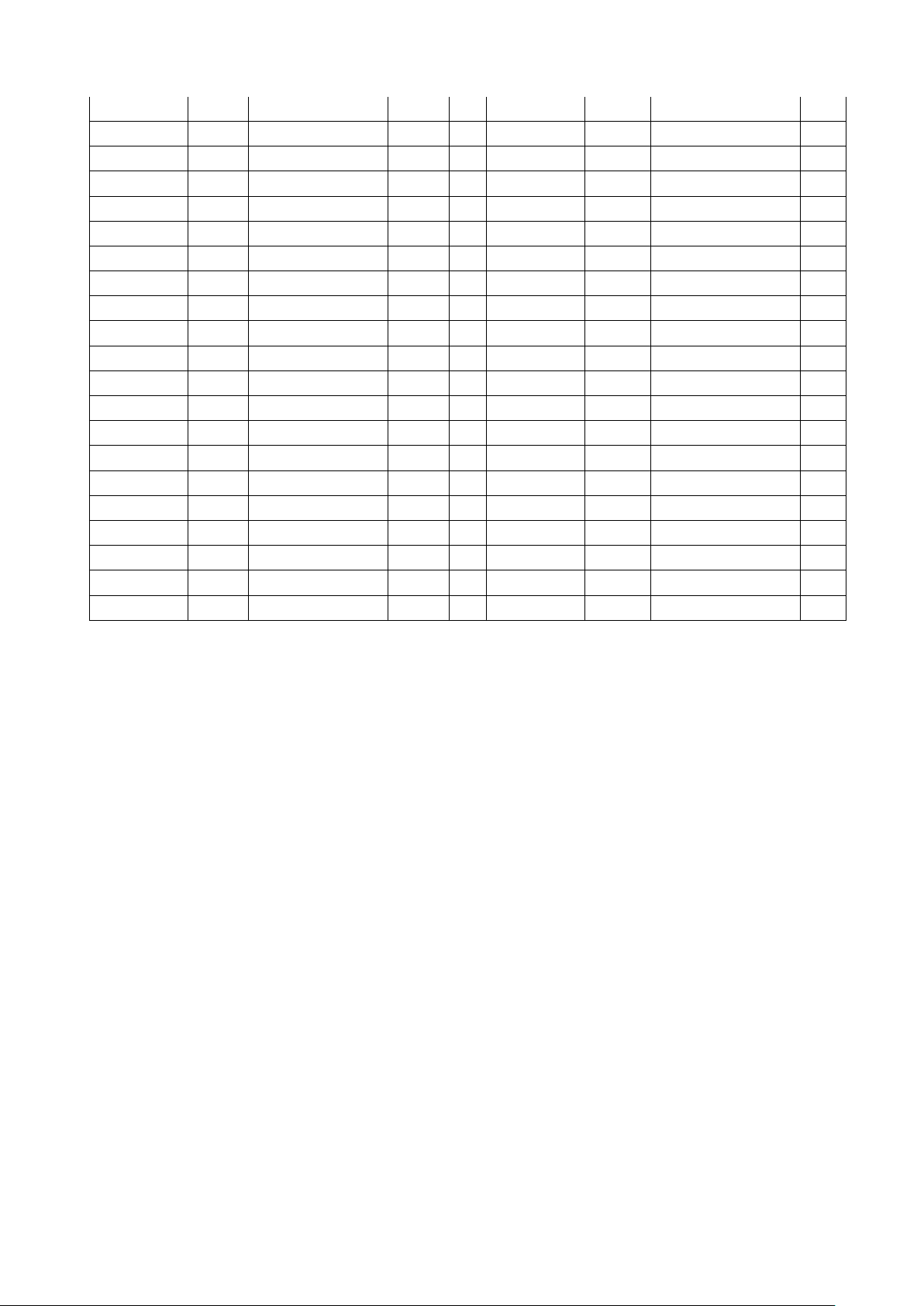
PARTS LIST
PART NO
PART NAME
Q'TY
1
FRONT ROLLER
1
2
RUNNING BELT
1
3
REAR ROLLER
1
4
RUNNING DECK
1
5
SIDE RAIL
2
6
DECK FRAME SUPPORT CUSHION
4
7
GEL CUSHION
4
8
MOTOR BELT
1
9
MOTOR
1
10
MOTOR COVER
1
11
SPEED SENSOR FRAME
1
12
SPEED SENSOR
1
13
MOTOR FIXED FRAME
1
14
MOTOR CONTROL BOARD
1
15
INCLINE MOTOR JS15
1
16
POWER WIRES
1
17
CAP FOR MOTOR ADJUST BOLT
1
18
DECK FRAME FRONT CAP
2
19
POWER WIRES CUSHION
1
20
FUSE
1
21
POWER KEY
1
22
DECK FRAME
1
23
MOTOR BELLY PAN
1
24
DECK FRAME SUPPORT WHEELS
2
25
END CAP
2
26
COVER FOR SUPPORT WHEELS
2
27
INCLINE FRAME
1
28
Shaft sleeve of incline frame
2
29
Shaft sleeve of base frame
2
30
DAMPER
1
31
BASE FRAME
1
32
BASE FRAME CUSHION
4
33
BASE FRAME MOVE WHEELS
2
34
LEVEL FRAME
2
35
UPRIGHT COVER
2
36
RIGHT UPRIGHT
1
37
LEFT UPRIGHT
1

38
RIGHT HAND FOAM
1
39
LEFT HAND FOAM
1
40
COMPUTER SUPPORT FRAME
1
41
QUICK KEY
4
42
INCLINE QUICK KEY FRAME
1
43
SPEED QUICK KEY FRAME
1
44
CONSOLE PLASTIC BOARD
1
45
CONSOLE CONTROL BOARD
1
46
SPEAK
2
47
CONSOLE MAIN COVER
1
48
RACK
1
49
OVERLAY
1
50
USB CONTROL BOARD
1
51
SAFETY KEY SENSOR
1
52
SPEAK
1
53
SAFETY KEY
1
54
MAGNETIC RING
2
55
FILTER
1
56
INCLINE MOVE WHEELS
2
57
CONNECTION WIRE 1
1
58
CONNECTION WIRE 2
1
59
CONNECTION WIRE 3
1
60
M8*50 ALLEN HEAD BOLT
2
61
φ8 WASHER
13
62
M8*85 ALLEN HEAD BOLT
2
63
M8*65 ALLEN HEAD BOLT
4
64
ST4.2*15 SCREW
8
65
SIDE RAIL GUIDE
8
66
ST4.8*16 SCREW
18
67
M4*6 BOLT
2
68
φ4 SPRING WASHER
2
69
ST2.9*6 SCREW
2
70
ST4.2*10 SCREW
2
71
ST4.2*15 SCREW
2
72
M10*50 ALLEN HEAD BOLT
1
73
φ13 PLASTIC WASHER
2
74
M10 NYLON NUT
2
75
M10*60 ALLEN HEAD BOLT
1
76
M8 NYLON NUT
11
77
M8*20ALLEN HEAD BOLT
4
78
φ8 SPRING WASHER
6
79
M8*12ALLEN HEAD BOLT
2
80
M8*30ALLEN HEAD BOLT
1
81
M8*40ALLEN HEAD BOLT
4
82
ST4.2*15 SCREW
25
83
ST4.2*20 SCREW
2
84
M8*30ALLEN HEAD BOLT
2
85
φ16 PLASTIC WASHER
2
86
M8*60ALLEN HEAD BOLT
2
87
M8*45ALLEN HEAD BOLT
1
88
M8*50ALLEN HEAD BOLT
4
89
M8*35ALLEN HEAD BOLT
3
90
M10*20ALLEN HEAD BOLT
4
91
φ10 WASHER
4
92
M8*15ALLEN HEAD BOLT
4
93
Φ8 ARE WASHER
2
94
ST4.2*25 SCREW
4
95
CAP FOR HAND FOAM
2
96
ST4.2*30 SCREW
4
97
ST2.9*8 SCREW
24
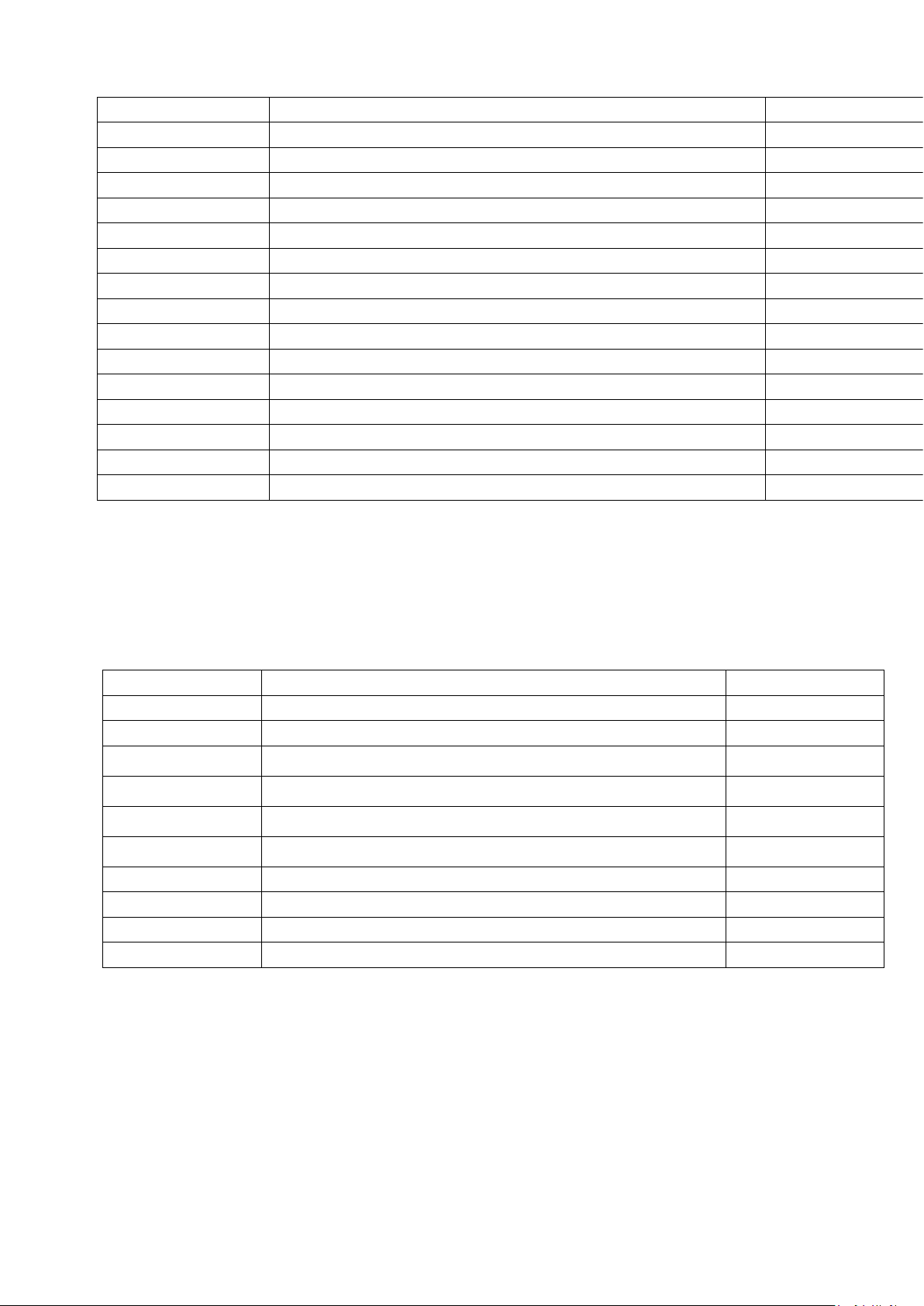
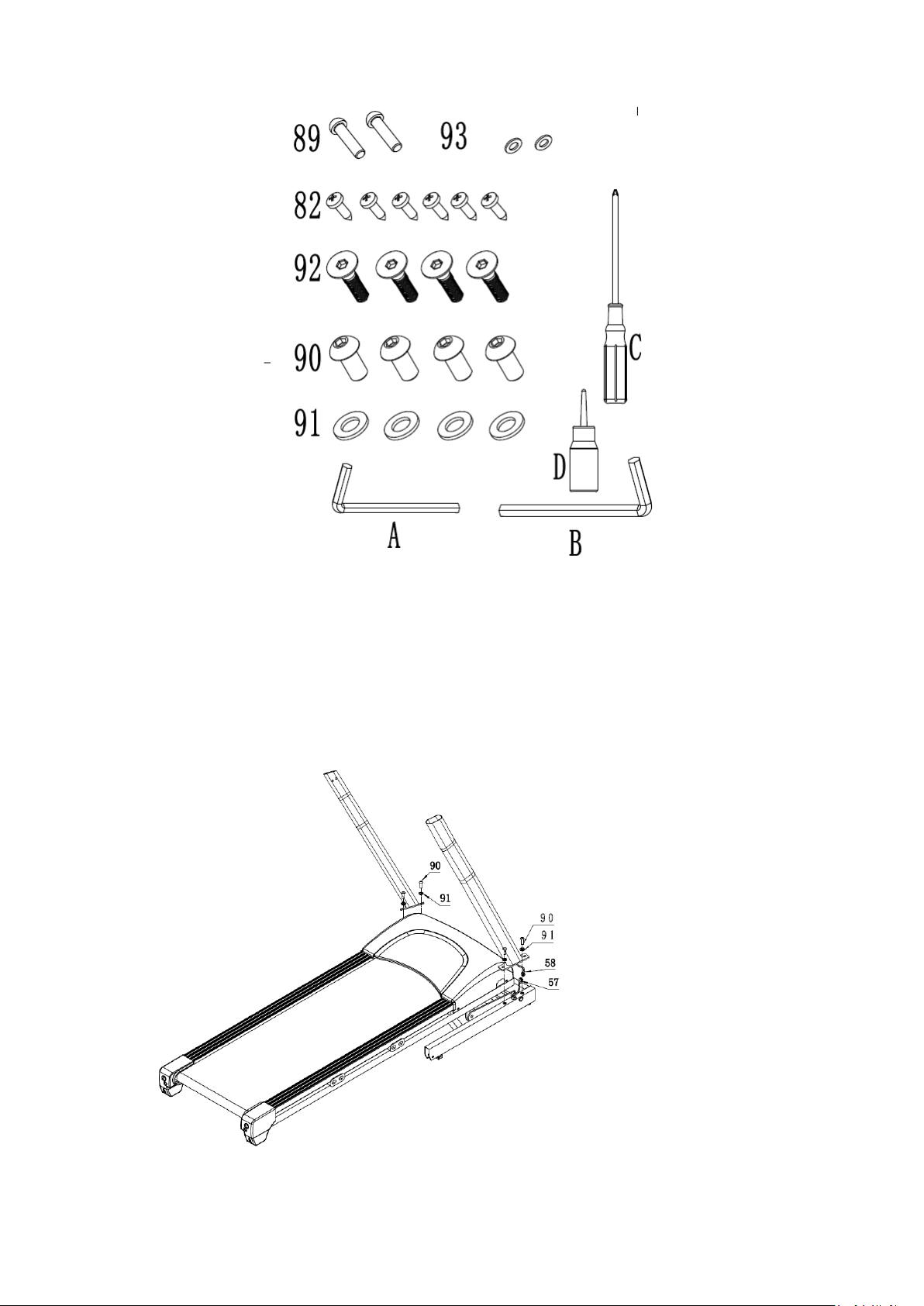
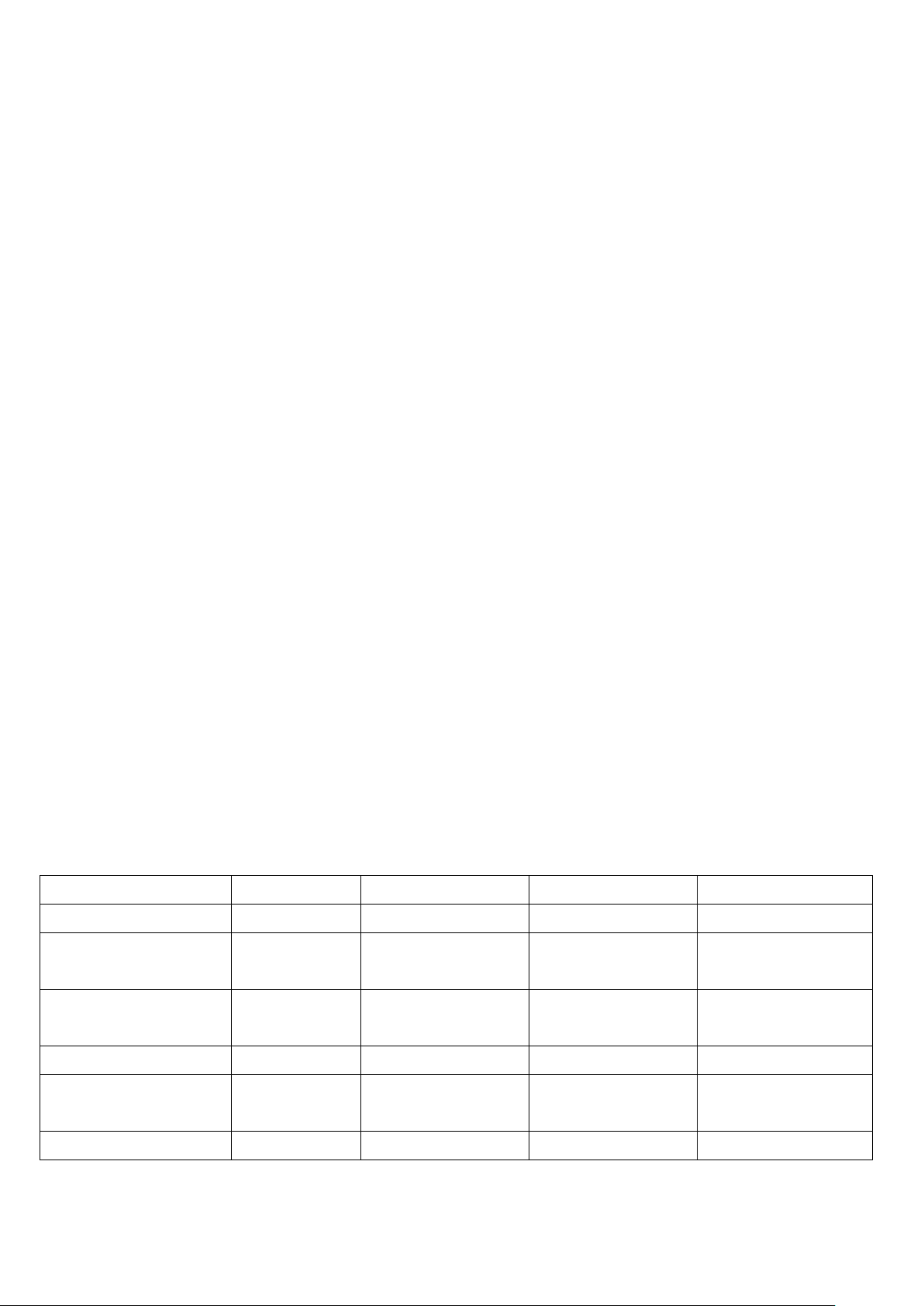
HARDWARE COMPARISON CHART
For your convenience, we have identified the hardware used in the assembly of this product.
The chart below is provided to help you to identify items that may be unfamiliar to you.
NO.
DESCRIPTION
Q'TY
82
ST4.2*15 Screw
6
89
M8*35ALLEN HEAD BOLT
2
90
M10*20ALLEN HEAD BOLT
4
91
φ10 WASHER
4
92
M8*15ALLEN HEAD BOLT
4
93
Φ8 ARE WASHER
2
A
5mm SOCKET HEAD WRENCH
1
B
6mm SOCKET HEAD WRENCH
1
C
SCREWDRIVER
1
D
LUBRICANT
1
ASSEMBLY INSTRUCTIONS:
WARNING: Please put on all the screws, washers and bolts then tighten them.
STEP1:
First make to connect the
communication cable.
Then fix the uprights on the base
frame with M10*20mm Allen head
bolt 90 and Ø10 washer 91.
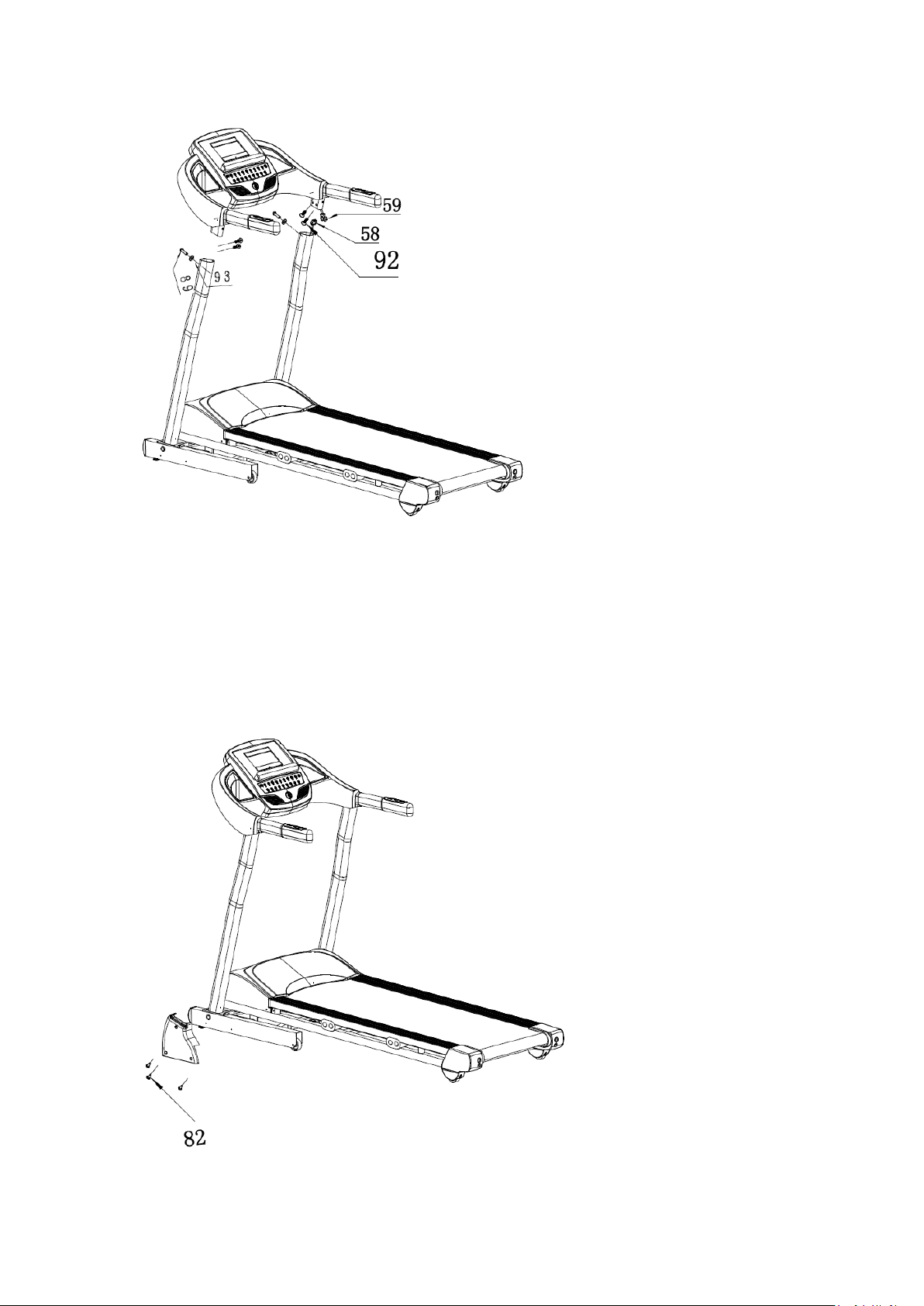
STEP2:
First make to connect the
communication cable.
Fix the computer on the uprights
with M8*15 Allen head bolt57.
STEP3:
Fix the Upright protective cover
on the upright with ST4.2 * 15
Screw 82.
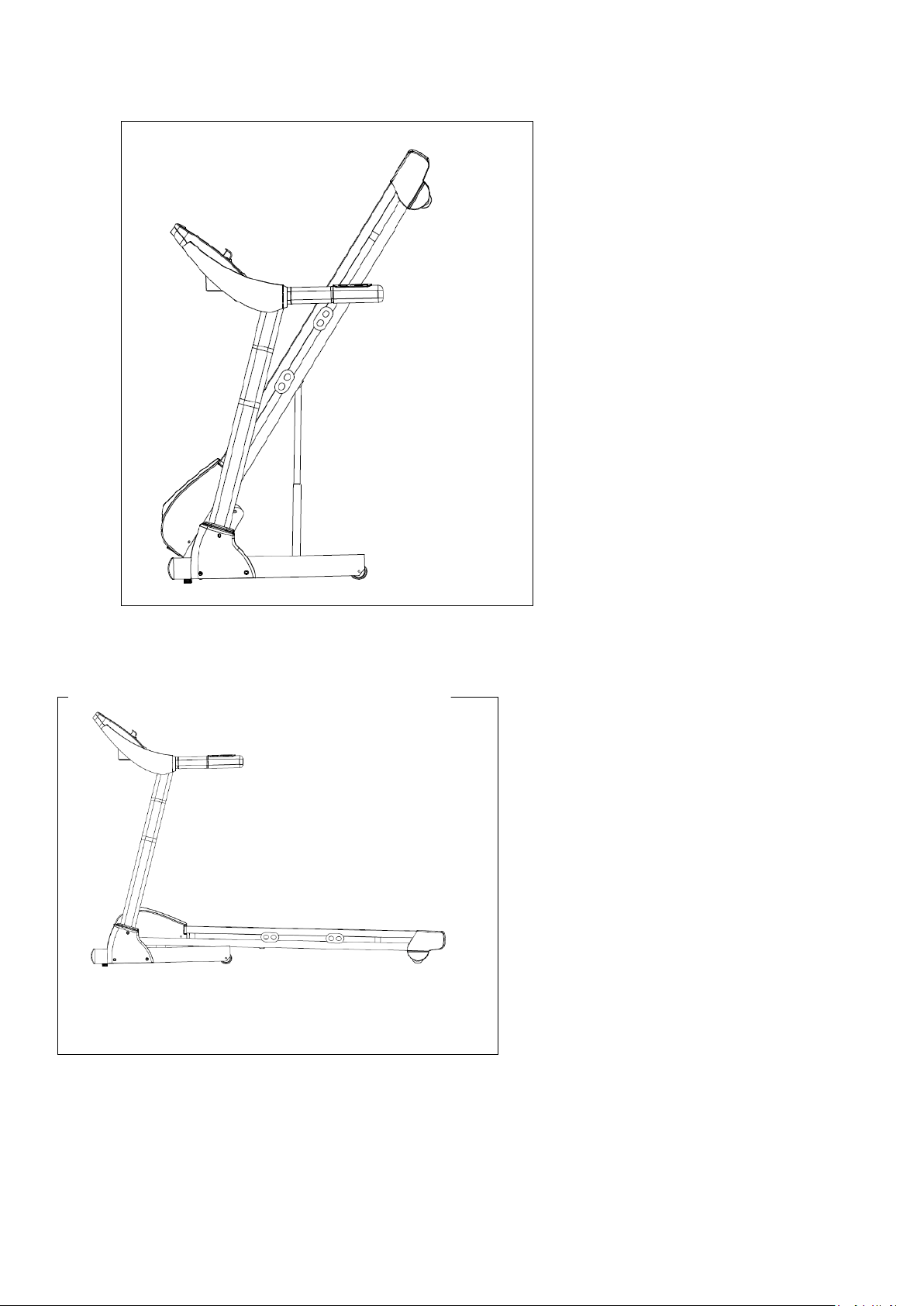
Folding illustration:
To unfold the treadmill:
Folding illustration:
To drop down treadmill:
1. Strike the damper.
2. Hold on to the top end
covers and pull down the
treadmill slowly on the
ground.
To fold up the treadmill:
To fold up treadmill:
Both hands hold on the bottom end
covers and lift up the treadmill.
COMPUTER OPERATION
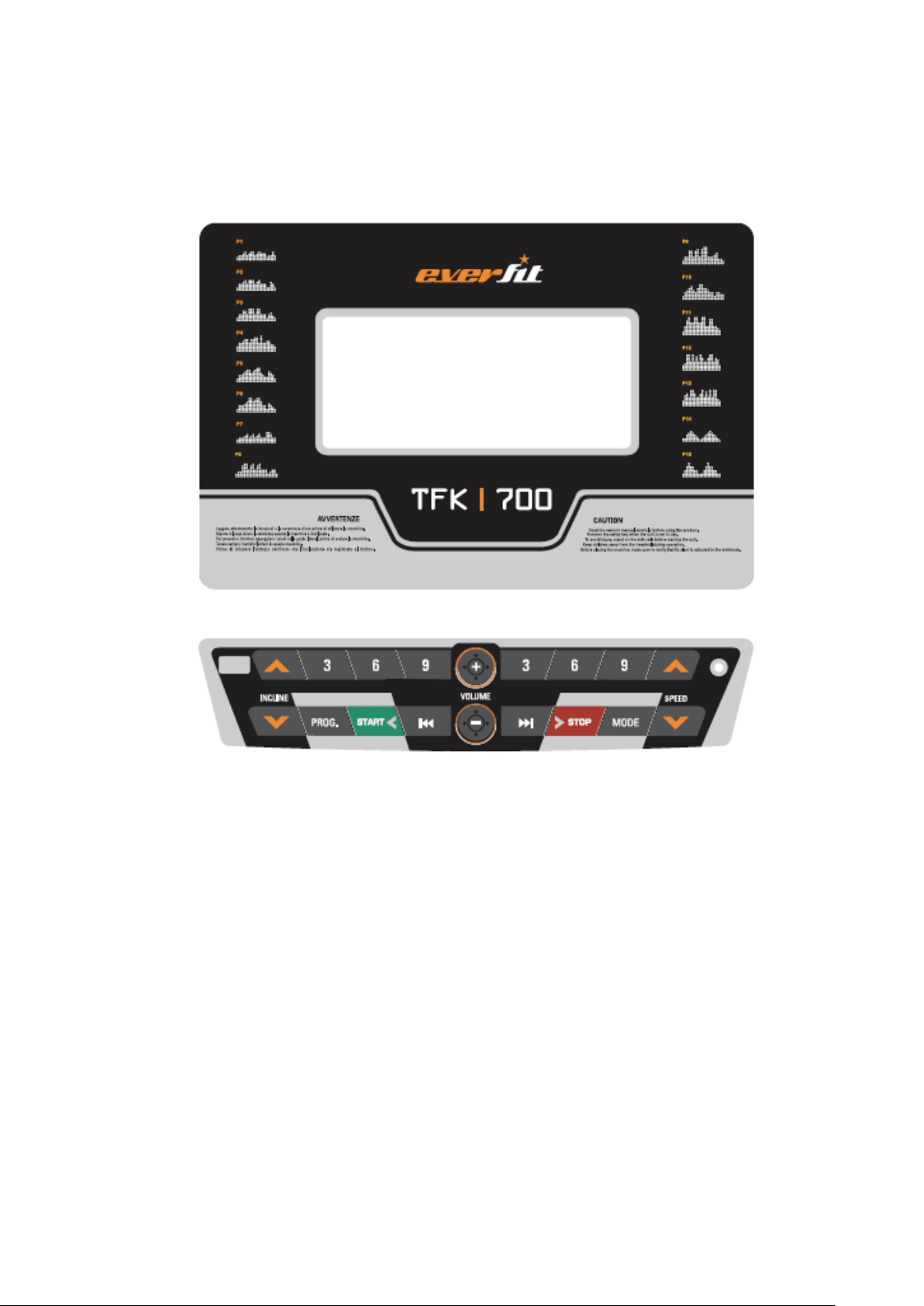
Panel layout
OPERATION INSTRUCTION
KEY INSTRUCTION:
➢ START: Press this key to start treadmill.
➢ STOP: Press this key to stop treadmill.
➢ PROGRAM:Auto program selection
1. In standby mode, press this key to enter the auto program setting.
2. After entering the program setting, continue to press the key to enter the body fat test setting.
3. Operation: Program setting - Body fat test setting - Return to the initial state
➢ MODE: Press this key to choose the countdown mode:
1. In standby mode, press this button to enter the countdown mode setting.
2. Press this button to enter the next parameter setting in the body fat test setting mode.
3. Operation in Standby mode : Time countdown - Distance countdown - Calorie countdown -
return
4. operating process in Body fat test setting : set the gender - set the age - set height - set the
weight - body fat test
➢ SPEED+: Press this key to increase speed or time or distance or calorie value.
➢ SPEED-: Press this key to decrease speed or time or distance or calorie value.

➢ ENTER: Press this key to confirm the choosing item.
➢ INCLINE+: Press this key to increase incline value.
➢ INCLINE-: Press this key to decrease incline value.
➢ VOLUME+/-:Press this key to increase or decrease volume value of music.
➢ TRACK+/-:Press this key to select music.
MODE INSTRUCTION
A.MANUAL MODE:
➢ Enter Manual mode: In initial standby state, press the Start button to enter manual mode.
➢ Operating instructions: the initial speed of 1.0KM / H, time, distance, calorie window start
from zero.Press the speed adjustment button, you can adjust the speed, press the incline
adjustment key, you can adjust the incline value.When working time more than 99:59 minutes,
the system does not stop, time starts agagin from 0.
B.COUNTDOWN MODE:
➢ Enter time countdown mode: In initial standby mode, press the MODE button to select the
time countdown mode, then the time window shows 30:00 minutes and blinking display,set
the required time by speed +/- key, setting range 8: 00 ~ 99: 00 minutes.Press the start key to
enter the time countdown mode.
➢ Operation instructions: The initial running speed is 1.0KM / H, the time window will start to
count down according to the set time, the distance and calorie window will count from zero.
Press the speed adjustment key to adjust the speed value.press the incline adjustment key to
adjust the incline value.when the set time countdown to zero,it slowly stop and accompanied
by three tone, prompt once every second, three seconds later all the data clear, automatically
return to the initial standby state.
➢ Enter the distance countdown mode: In initial standby mode, press the mode key to select the
distance countdown mode, then the distance window displays 1.0 km and flashing display,
range 1.0~ 99.0 km, Press start key to enter the distance countdown mode.
➢ Operation instructions: The initial running speed is 1.0KM / H, the distance window starts to
count down according to the set distance, the time and calorie window count from zero, press
the speed adjustment key to adjust the speed, press the incline adjustment key to adjust the
incline value, when the set distance counts to zero, it slowly stop running,accompanied by
three beeps, prompt once every second, after three seconds all the data clear, automatically
return to the beginning start standby.
➢ Enter calorie countdown mode: In initial standby mode, press the MODE button to select the
time countdown mode, then the time window shows50 and blinking display,set the required
time by speed +/- key, setting range 8: 00 ~ 99: 00 minutes.Press the start key to enter the time
auto mode.
➢ Operation instructions: The initial running speed is 1.0KM / H, the calorie window starts to
count down according to the set distance, the time and diatance window count from zero, press
the speed adjustment key to adjust the speed, press the incline adjustment key to adjust the
incline value, when the set dcalorie countdown to zero, it slowly stop running,accompanied by
three beeps, prompt once every second, after three seconds all the data clear, automatically
return to the beginning start standby.

C.AUTO MODE:
➢ Enter auto mode: In initial standby mode, press the MODE button to select the time
countdown mode, then the time window shows 30:00 minutes and blinking,set the calories by
speed +/- key, setting range of 20 ~ 990.Press the start key to enter the calorie countdown
mode.
➢ Operation instructions: Auto program is divided into 20 segments, each section of the speed
value and the incline value of the program default value to run automatically, each paragraph
of the running time is set to 1/20.the time and calorie window count from 0,press the speed
adjustment key to adjust the speed, press the incline adjustment key to adjust the incline
value.When the program runs the next paragraph, there will be three beep sound, then enter
next paragraph, when the program runs to the next paragraph, the speed and incline values
automatically adjusted to the next section of the default value,when the set dcalorie countdown
to zero, it slowly stop running,accompanied by three beeps, prompt once every second, after
three seconds all the data clear, automatically return to the beginning start standby.
BODY FAT PROGRAM:
➢ Press MODE key to enter FAT test setting.
➢ Body Fat Test: When the setting is complete, enter the 5
th
item body fat test, the initial display
"---", hold the heartbeat steel plate for about 5 seconds, will show the body fat test value.
➢ Body fat instructions: body fat index is a measure of relationship between height and weight,
suitable for any male and female with other health indicators to provide the basis for people to
adjust the weight, the ideal body fat index should be between 20 to 25, If less than 19, said the
weight is too light, if between 26 to 29, indicating that overweight, and if more than 30,(Note:
This data is for reference only, not as medical data).
HRC MODE
1, BH-HRC: press the program key to enter the HRC, dot matrix display: HRC fo
一:Parameter values in HRC:
1: Age setting range: 15-80 years old.
2: target heart rate setting range: 80- (220-AGE) X0.9.
3: The maximum heart rate of the user can not exceed: 220-AGE.
4: heart rate difference = (target heart rate - user's heart rate)
5: HRC center rate only recognize the wireless heartbeat, if it is holding the heartbeat
will be used as no heartbeat input.
二:Program:
1: When the HRC program time flashes, you can set the time, press the START key to
run.
2: If you press the MODE key while setting the time, enter the age setting, the setting
range is: 15-80 years old.
3: Press the MODE key to enter the target heart rate setting: The setting range is: 80 -
(220-AGE) X0.9.
4: Press the MODE key to enter the time setting.
1: At stop, press the program key program to enter HRC, the program window dot
matrix display: HRC font, PROGRAM window shows "13", said into the HRC program.
Press the START key is invalid.
2: press the MODE key, the time window shows the age "25" years old, and
flashing; press the speed plus or minus key speed +/- can set the user age, setting
range: 15-80 years old.
The electronic table automatically calculates the upper and lower limits of the
HRC: A: Upper limit: (220-AGE) * 95% B: Lower limit: (220-AGE) * 60%
3: Press the MODE key again. The time window displays the heartbeat value of a
moving target and blinks. Press the speed plus or minus key speed +/- to adjust the
motion target setting: Set range: 80- (220-AGE) * 0.9 times / min Press the START key
to disable The
4: Then press the MODE key, the time window display time "30:00" minutes, and
flashing; press the speed plus or minus key speed +/- can set the use time, setting
range: 5: 00-99: 00.
三:HRC Run:
1: Press the START key to start running the treadmill. The dot matrix window displays
the velocity pattern.
2: The user must use the wireless heartbeat system.
3: HRC operating specifications: the initial speed of 3.0 KM / H (1.8M / H), the slope of
0%;
A: If there is no heartbeat input, the speed gradient remains the same.
B: The actual exercise heart rate is less than L, every 30 seconds increase: 1.0KM
/ H (or 0.6M / H). Slope unchanged (refer to HRC function schedule).
C: When the actual exercise heart rate is between L and H, the speed is constant
and the slope is constant (refer to HRC function schedule).
D: the actual exercise heart rate between H and (H + 30), the speed per 15
seconds minus 1.0KM / H (or 0.6M / H).
E: When the actual exercise heart rate is greater than H + 30, the speed is reduced by
2.0KM / H (or 1.2M / H) every 15 seconds.
4: in the speed to 1.0 km, if the actual exercise heart rate heart rate or greater than H,
then 30 seconds after the automatic shutdown;
5: Press the start / stop key to stop running the treadmill。
HRC Features Schedule:
Age Edad
BPM/PPM
Age Edad
BPM/PPM
H
default
L
H
default
L
15
195
123
103
48
163
103
86
16
194
122
102
49
162
103
86
17
193
122
102
50
162
102
85
18
192
121
101
51
161
101
85
19
191
121
101
52
160
101
84
20
190
120
100
53
159
100
84
21
189
119
100
54
158
100
83
22
188
119
99
55
157
99
83
23
187
118
99
56
156
98
82
24
186
118
98
57
155
98
82
25
185
117
98
58
154
97
81
26
184
116
97
59
153
97
81
27
183
116
97
60
152
96
80
28
182
115
96
61
151
95
80
29
181
115
96
62
150
95
79
30
181
114
95
63
149
94
79
31
180
113
95
64
148
94
78
32
179
113
94
65
147
93
78
33
178
112
94
66
146
92
77
34
177
112
93
67
145
92
77
35
176
111
93
68
144
91
76
36
175
110
92
69
143
91
76
37
174
110
92
70
143
90
75
38
173
109
91
71
142
89
75
39
172
109
91
72
141
89
74
40
171
108
90
73
140
88
74
41
170
107
90
74
139
88
73
42
169
107
89
75
138
87
73
43
168
106
89
76
137
86
72
44
167
106
88
77
136
86
72
45
166
105
88
78
135
85
71
46
165
104
87
79
134
85
71
47
164
104
87
80
133
84
70
HEART RATE INSTRUCTION
➢ Heart function test method: hands palm were attached to the left and right handrails of the steel position,
grip on both sides of the handle, 5 seconds later, LCD heartbeat display window will show the initial
heartbeat, The display window will slowly change the display data, after 30 seconds close to the current
actual heart rate value.
➢ Heartbeat function Instructions: The following conditions may produce irregular heartbeat data:
➢ 1. Hand-held test, the hand of the intensity is too tight, please control moderate intensity.
➢ 2. Running, while holding hands jump handle test will produce continuous changes in contact with the need
to test hand-built
➢ Proposed to stop the movement, feet stand on both sides of the edge of the band, hands quietly grip.
➢ 3. Hand dry or cold, or the palm of the skin particularly thick people.
➢ Note: hand-held heart rate test data due to Zhen way and the reasons for more factors, the data can only be
used as a reference to the movement of medical data.
SLEEP FUNCTION INSTRUCTION:
➢ Treadmill stop running, without any operation for 10 minutes or more, then enter the sleep state, the
electronic watch automatically shut down, press any key to wake up it, full display and then re-enter the
initial standby state.
.SAFETY KEY INSTRUCTION
➢ When the motor is running, take off the safety key, the motor stop and the console prohibit start.
MP3 INSTRUCTION
➢ When powered on, you can play music when you plug in an external MP3 or other audio device. Play
music volume adjustment, the need for external MP3 or other audio devices, please note that control the
volume, so as not to affect the quality of music playback and electronic form within the audio control
circuit.
USB INSTRUCTION
➢ When the power is inserted into the U disk (MP3 hole is not inserted MP3 device), the electronic table can
play U disk MP3 format music.
THE DISPLAY RANGE
Initial value
Set Initial value
Setting value
Display range
TIME(mm:ss)
0:00
30:00
8:00-99:00
0:00~99:59
SPEED (km/h)
0.0
N/A
N/A
1.0-16.0
DISTANCE (kml)
0.0
1.0
1.0-99.9
0.0-99.9
HEART(times/mu)
P
N/A
N/A
40-199
CALORIES (calories)
0
100
5-999
0-999
INCLINE
0
N/A
N/A
0-15
PROGRAM
- 18 -
Incline
P
1
P2
P3
P4
P5
P6
P7
P8
P9
P10
P11
P12
P13
P14
P15
Speed
P
1
P2
P3
P4
P5
P6
P7
P8
P9
P10
P11
P12
P13
P14
P15
1
2
2
2
3
2
2
2
2
2
2
2
3
3
2
2
2
3
4
4
5
4
4
3
3
4
4
5
4
6
2
4
3
3
4
4
5
4
4
3
3
4
5
8
9
7
4
6
4
4
5
6
6
5
4
3
6
7
6
10
9
5
5
8
5
5
6
6
7
6
5
4
7
7
7
7
5
9
6
6
6
3
4
4
7
7
6
5
7
4
5
7
9
9
5
6
7
4
6
7
5
7
8
3
4
7
4
10
5
7
4
4
8
5
6
7
7
5
8
4
6
8
6
10
8
5
3
4
9
5
6
7
7
6
6
5
7
4
8
7
5
5
2
2
10
3
4
4
8
7
7
3
4
8
8
7
9
7
1
2
11
4
5
7
8
8
8
4
6
9
6
10
7
9
2
2
12
5
6
7
5
8
8
5
7
9
6
10
5
5
3
4
13
4
4
4
9
5
6
3
4
4
5
5
5
8
4
6
14
4
4
4
5
4
4
3
4
4
4
5
7
5
5
8
15
4
4
4
5
3
4
3
4
4
4
9
9
9
6
6
16
2
2
2
6
3
2
6
2
5
2
9
9
5
5
6
17
3
2
4
6
6
5
6
3
6
4
5
5
9
4
4
18
3
5
5
4
5
4
5
4
3
4
5
7
9
3
4
19
5
4
3
4
3
3
3
4
3
3
4
6
4
2
2
20
3
2
2
3
2
2
3
2
2
3
3
3
3
1
2
- 19 -
1
1
1
2
2
3
3
4
4
5
5
4
1
3
4
3
2
1
2
3
3
3
5
4
5
5
6
5
2
3
4
3
3
2
2
3
3
3
5
4
5
5
6
3
3
5
4
3
4
2
2
2
2
4
5
4
5
6
6
2
2
6
4
4
5
2
2
2
2
4
4
3
6
6
7
6
3
5
3
4
6
3
3
3
3
5
4
3
6
6
5
6
5
3
3
5
7
3
3
3
3
5
4
6
6
4
8
2
5
3
6
5
8
3
2
3
3
5
3
6
7
4
8
2
0
7
6
5
9
2
2
2
2
4
3
6
8
6
4
2
0
5
6
4
10
2
2
2
2
4
3
7
9
6
4
2
2
3
7
4
11
1
2
2
2
4
3
7
9
5
4
2
3
2
7
4
12
2
2
2
2
4
4
8
9
5
5
4
5
0
8
4
13
2
3
4
4
5
4
8
10
8
5
5
7
0
8
5
14
1
3
4
4
5
4
9
10
8
8
6
3
5
9
5
15
1
3
4
4
3
3
9
10
9
8
3
3
5
9
3
16
3
4
6
6
3
3
6
12
9
10
2
5
3
6
3
17
3
4
6
6
3
3
6
12
9
10
5
6
2
6
3
18
2
3
3
3
2
4
5
8
7
5
5
5
3
5
2
19
2
2
2
2
2
3
4
6
4
6
3
3
2
4
2
20
2
2
2
2
2
2
4
3
2
3
0
3
1
4
2
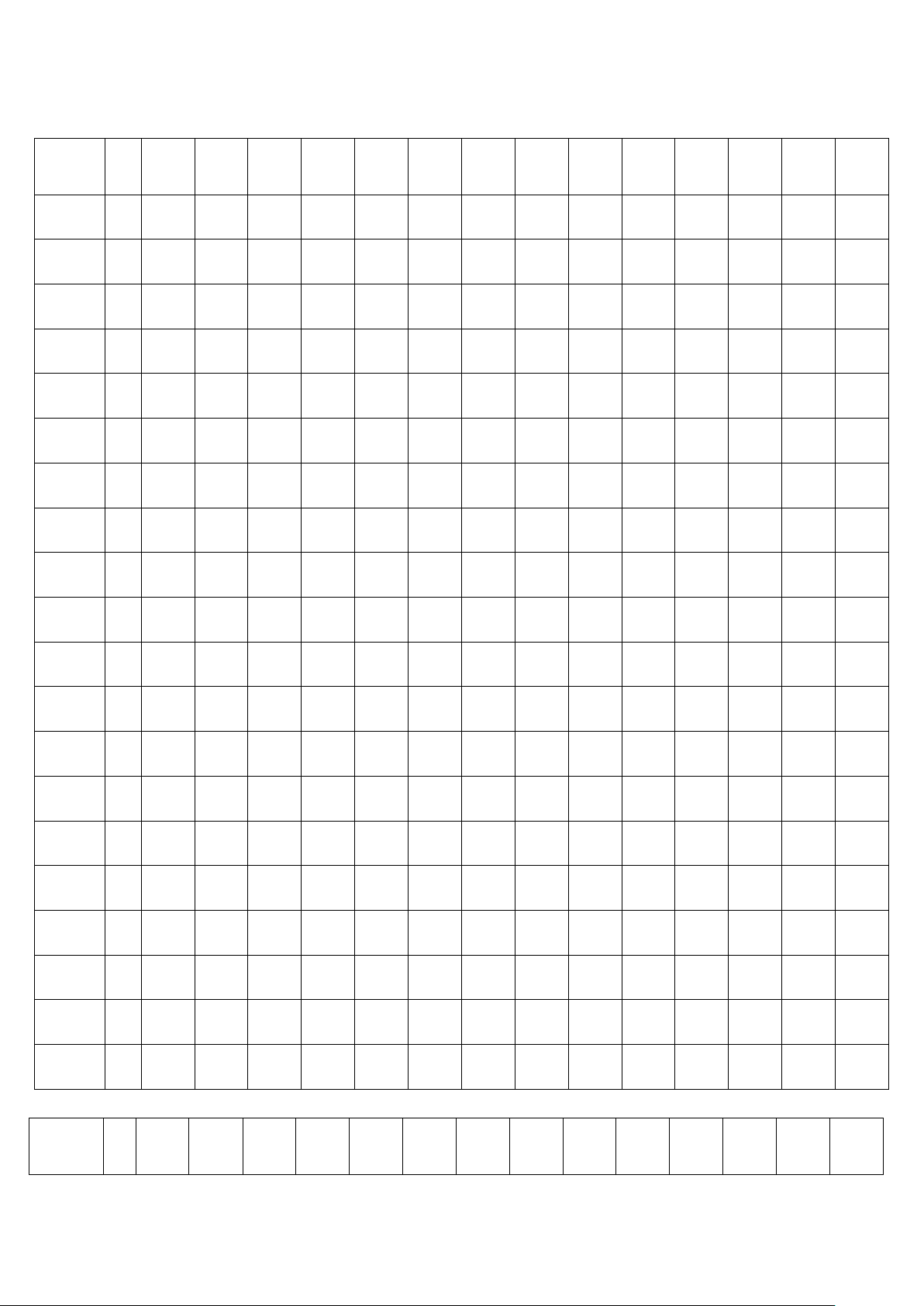
USER PROGRAM
➢ User customized for each user can set their own speed incline program.
➢ Setting method, press MODE key to select U-1 or U-2, or U-3, press ENTER key to enter the set state, To
change the program data with speed and incline keys or shortcut, press ENTER confirm and enter the next

- 20 -
program, pending final confirmation period (set) will exit after setting state, power is not lost modified data.
TURN OFF TREADMILL
➢ At any time by turning off the power switch to turn off the treadmill, this does not damage the treadmill.

GARLANDO SPA
Via Regione Piemonte, 32 - Zona Industriale D1
15068 - Pozzolo Formigaro (AL) - Italy
www.evert.it - info@evert.it